Keyboard Builders' Digest / Projects
Keybon
Keybon is a customizable OLED macropad that adapts to the apps you use – designed by Max.K.

Published July 17, 2022
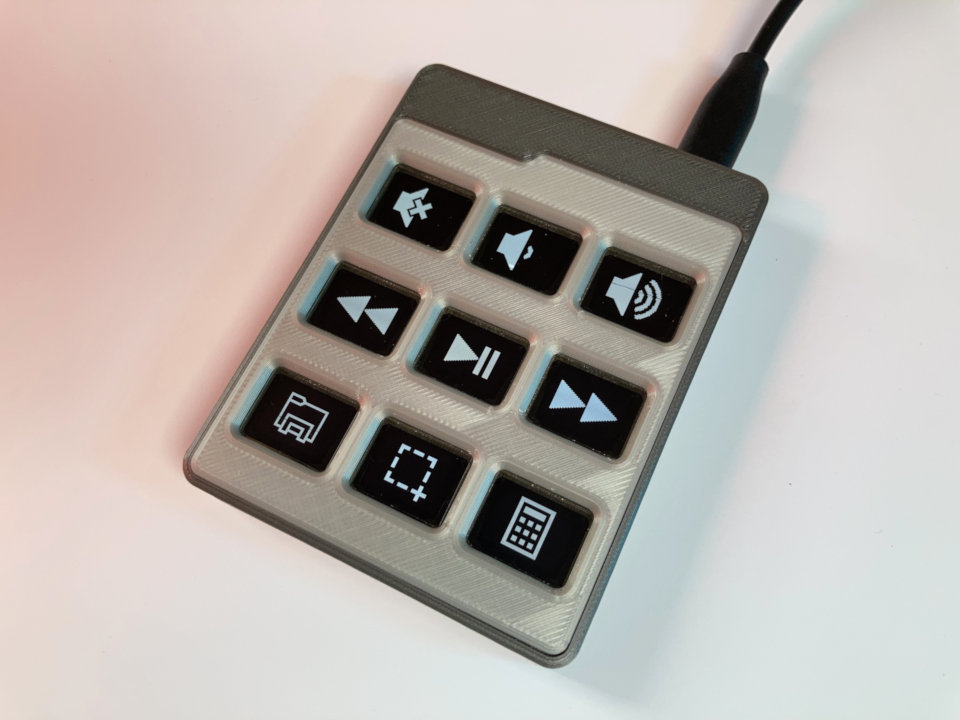
Keybon by Max Kern aka Max.K is a macro keyboard with configurable layouts and functions. Integrated into each of its nine tactile buttons is a 0.66” OLED screen – similar to thpoll's Poly Keyboard.
This is not a new project, it was first published and even featured by Hackaday in late 2020.
As Dan Maloney wrote back then:
When we first laid eyes on Keybon, the adaptive macro keyboard, we sort of wondered what the big deal was. It honestly looked like any other USB macro keyboard, with big icons for various common tasks on the chunky keys.
However, Max entered the Odd inputs competition with this project and won the first prize. So I felt it would be interesting to take a closer look at this macropad.
Its main feature: Depending on which app is active on the connected computer, Keybon switches to the suitable key layout thanks to its companion software.
Key features
- Standalone mode as a USB HID device
- Companion software for customization and app-switching
- Tactile switches
- 0.66” 64x48px OLED displays
- Fully 3D-printed case and key mechanism
In standalone mode, without the appropriate desktop software, Keybon acts as a simple programmable HID keyboard and shows its preconfigured button functions.
The companion software (for Windows) allows you to create your own keyboard layouts and assign them to any application on your PC. The companion software monitors the applications in focus and changes the layouts accordingly. In this mode Keybon communicates over a virtual COM port. Layouts are sent to the device on demand which in turn sends key events back to the computer.
The goal was to add the ability to configure the device from windows and change keyboard layouts on the go. I decided to create a windows forms application in C# – Max.
The project is thoroughly documented on hackaday.
Layout files, code and STLs on Github: https://github.com/CoretechR/Keybon
Published on Sun 17th Jul 2022. Featured in KBD #87 (source).
Related

A resin printed macropad
A resin printed macropad prorotype by Thegsey (pics).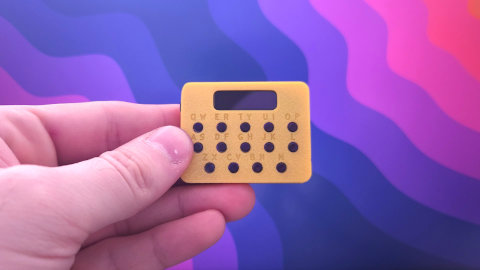
EclairM0
A cute little gadget by Mateusz Nowak: EclairM0.
Waitier
Waitier is a stacked PCB one-key macropad by @yynmt_.
Marconi16
Marconi16-rev1, a macropad by to1ne with open source PCB.