Keyboard Builders' Digest / Review
3dkeycap tilting kits
My thoughts about the MX tilting kits by 3dkeycap – a Kickstarter campaign running at the moment.

Published August 18, 2025

3dkeycap is running a tilting kit Kickstarter campaign, and Loïc was kind enought to send me a prototype sample kit to test.
While I don't usually promote Kickstarters, 3dkeycap is a well-known and trusted manufacturer with in-house production, so I don't see the usual risks associated with this distribution method. They're essentially testing Kickstarter's features ahead of the next big (top-secret) project. ;)
What are keycap tilters for?
The concept is simple: Turn a flat keyboard into one with a keywell, without relying on the inherent angles of sculpted keycap sets.
We've already seen similar tilting solutions, right? There are some free 3D printable models available, and 3dkeycap have been making and selling a bunch of different tilter and converter variants too. The old version is pulled from the store, but the new one is sturdier, more durable, and of higher quality in general.
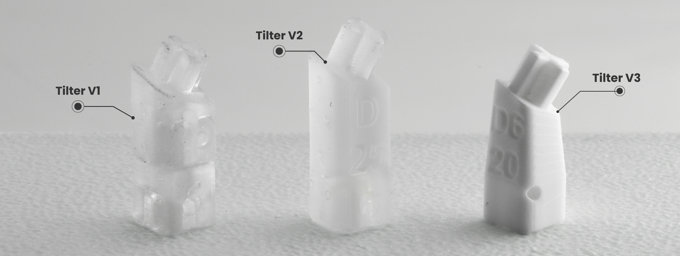
These tilters sit between the switch and the keycap, allowing users to convert any MX-compatible keyboard into a contoured, DIY keywell keyboard.
Contents
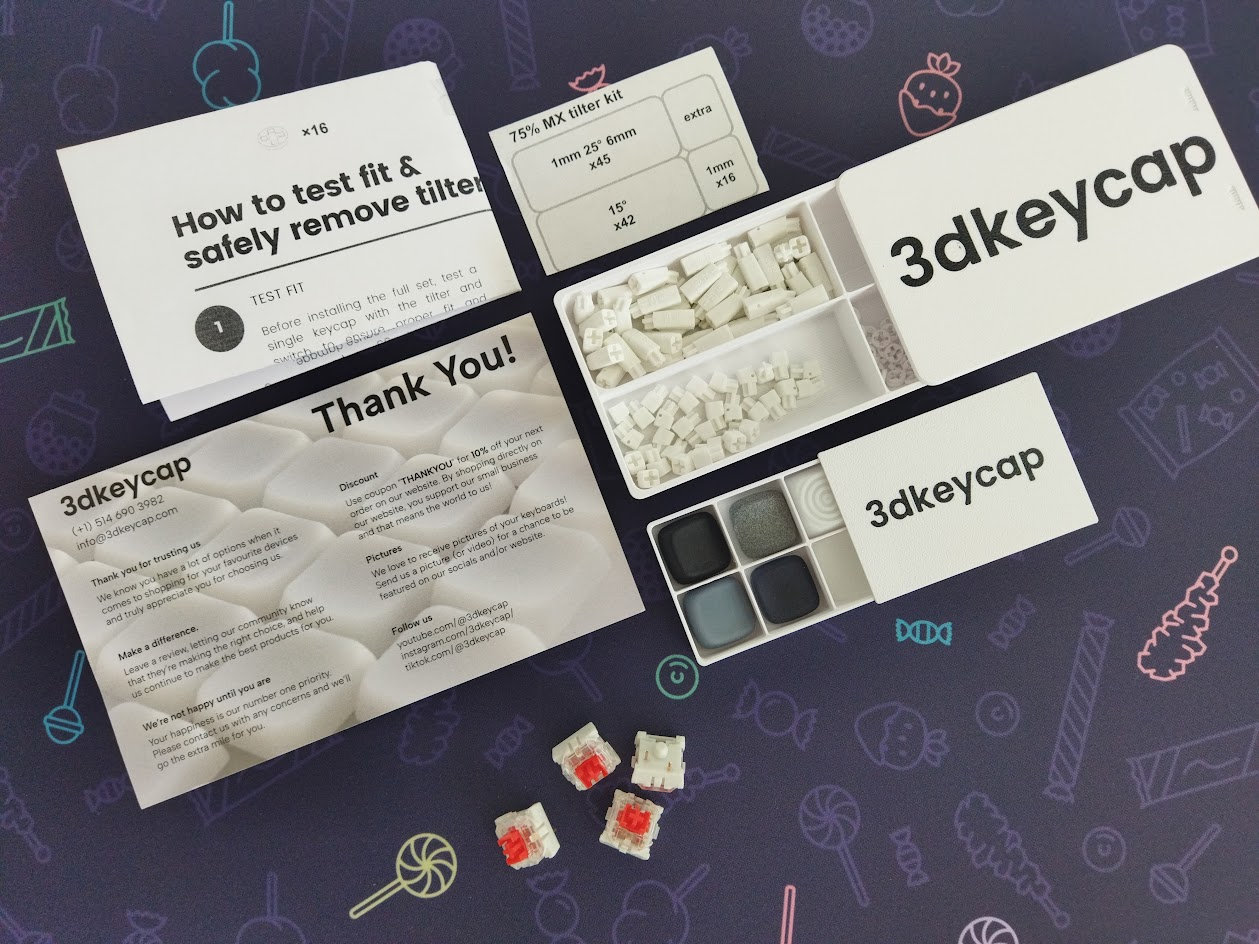
The 75% MX tilting set, the one with the most tilters, came in a cute 3D-printed box with a sliding lid, just like the keycap samples. There were also some medium switches in the bag – I don't think these latter two are part of the official bundle.
Look, feel, taste
Sturdy. I had to look really closely and carefully to spot the layer lines and to be able to tell that these tilters are printed (resin by the way). They look and feel top notch even in their current state. That said, a major goal of 3dkeycap is to get an injection molding machine, so let's support this campaign!
Installation
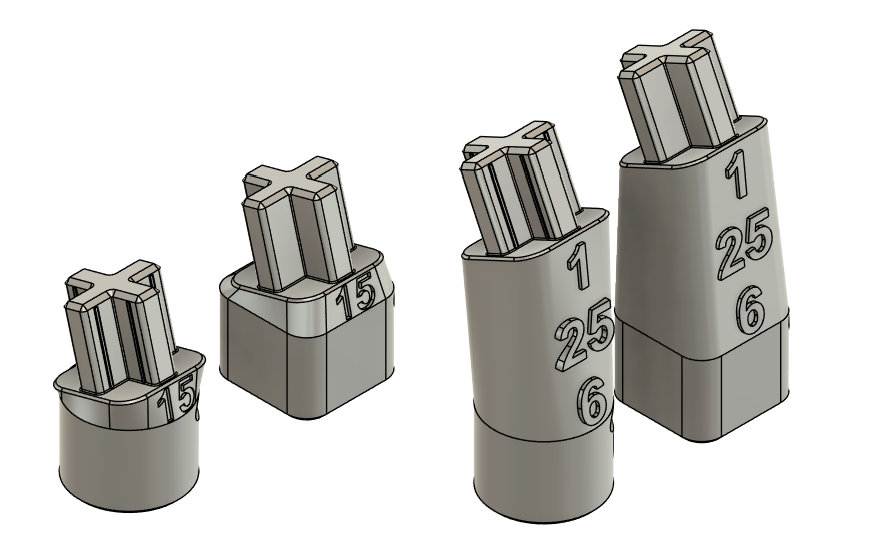
Installing the tilting kit is quick, easy, and self-explanatory. You can even stack them. Some full box switches were a bit tighter, and there's a variance in the stem of even standard cross-stem switches.
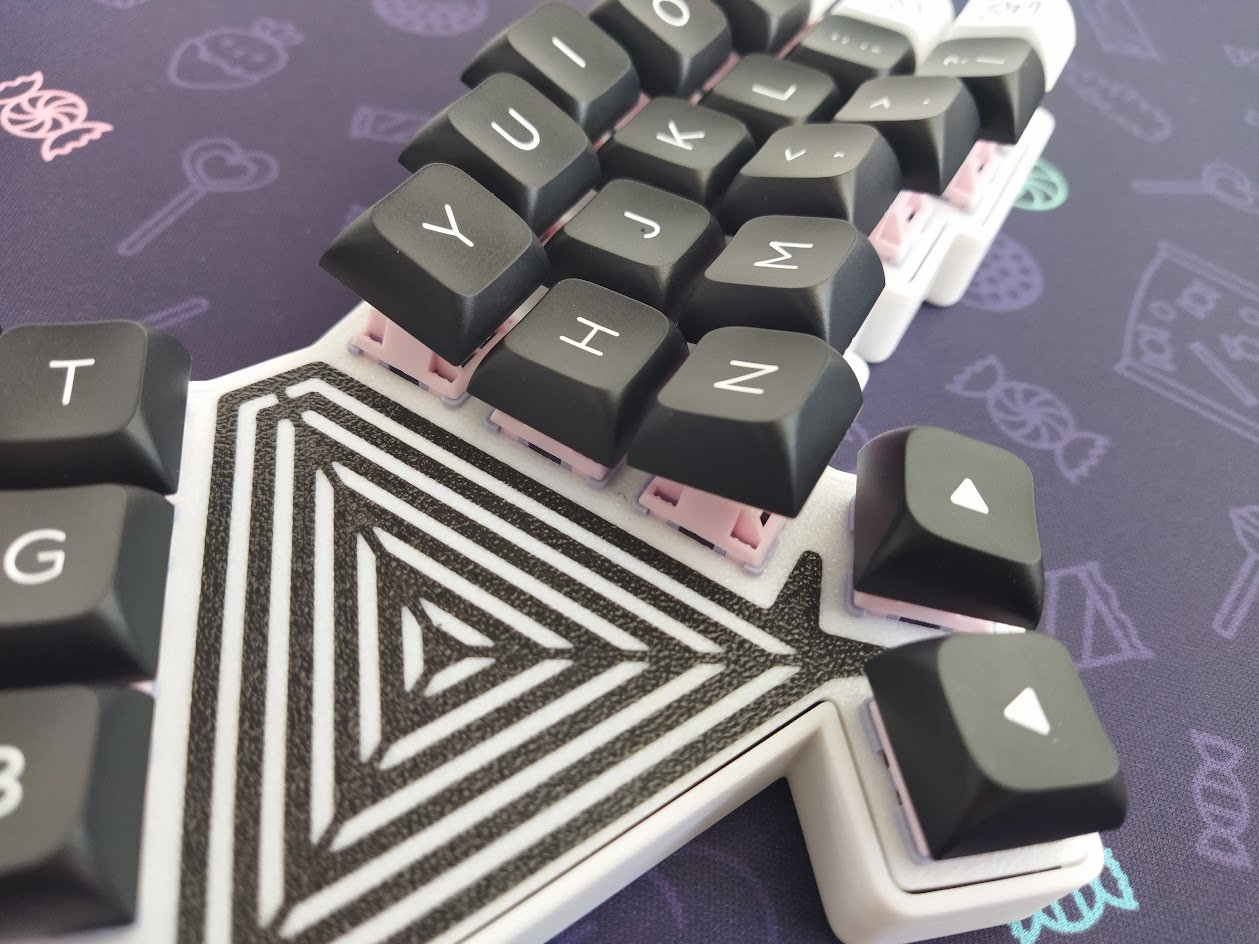
The longer, 25 degree tilter is very easy to handle, the shorter 15 degree one is a bit harder to remove.
I tried many popular switch models and all worked fine. You have to be careful though, especially when removing the tilters: you don't want to break a stem.
Switch compatibility
I tried my prototype(!) V3 tilters with several MX switches and keycaps. It should be working fine with most popular stem shapes, even partial or full box ones. The only incompatible switches I found were low-pro switches with circular MX stems – like the Kailh Choc V2s (tested: Spring MINI and White Rain) and also the Gateron KS-33 low-pros (tested: blue, red, brown, chocolate).
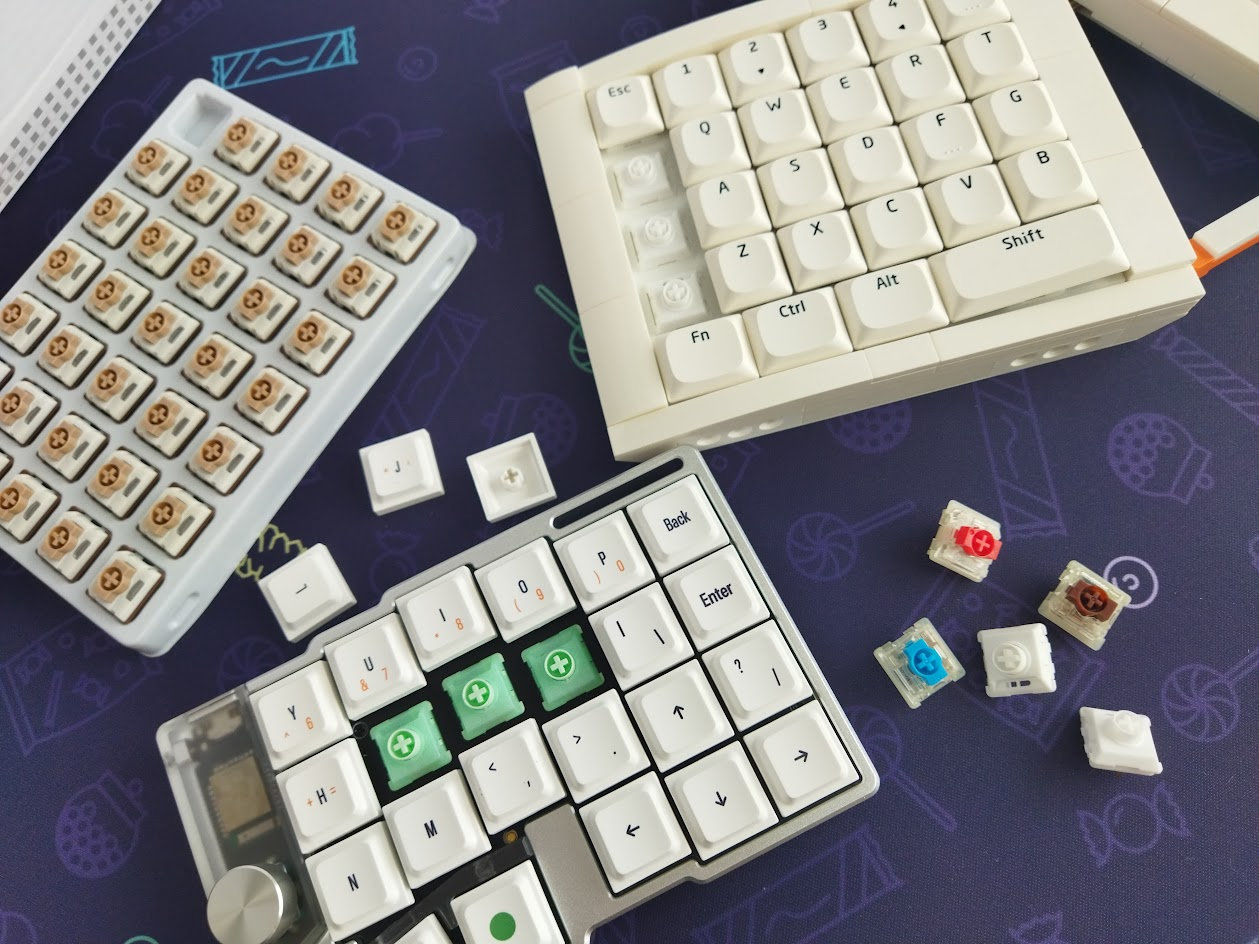
That said, I received some renders about a reworked tilter that will be compatible with these switches too, and the Kickstarter description has already been updated, naming Choc V2 switches compatible – meaning Loïc's test with a different resin allowed a thinner, circular base. (I loved the classy shape of the original V3 tilters though!)
Keycap compatibility
Well, using these tilters with uniform keycap profiles makes the most sense in my opinion (XDA, DSA, THT, LAK, etc). Of course you can use them in combination with sculpted sets (Cherry, MDA, etc.) too, as I did with the Akko MDAs above – but mixing two different angles may be strange.
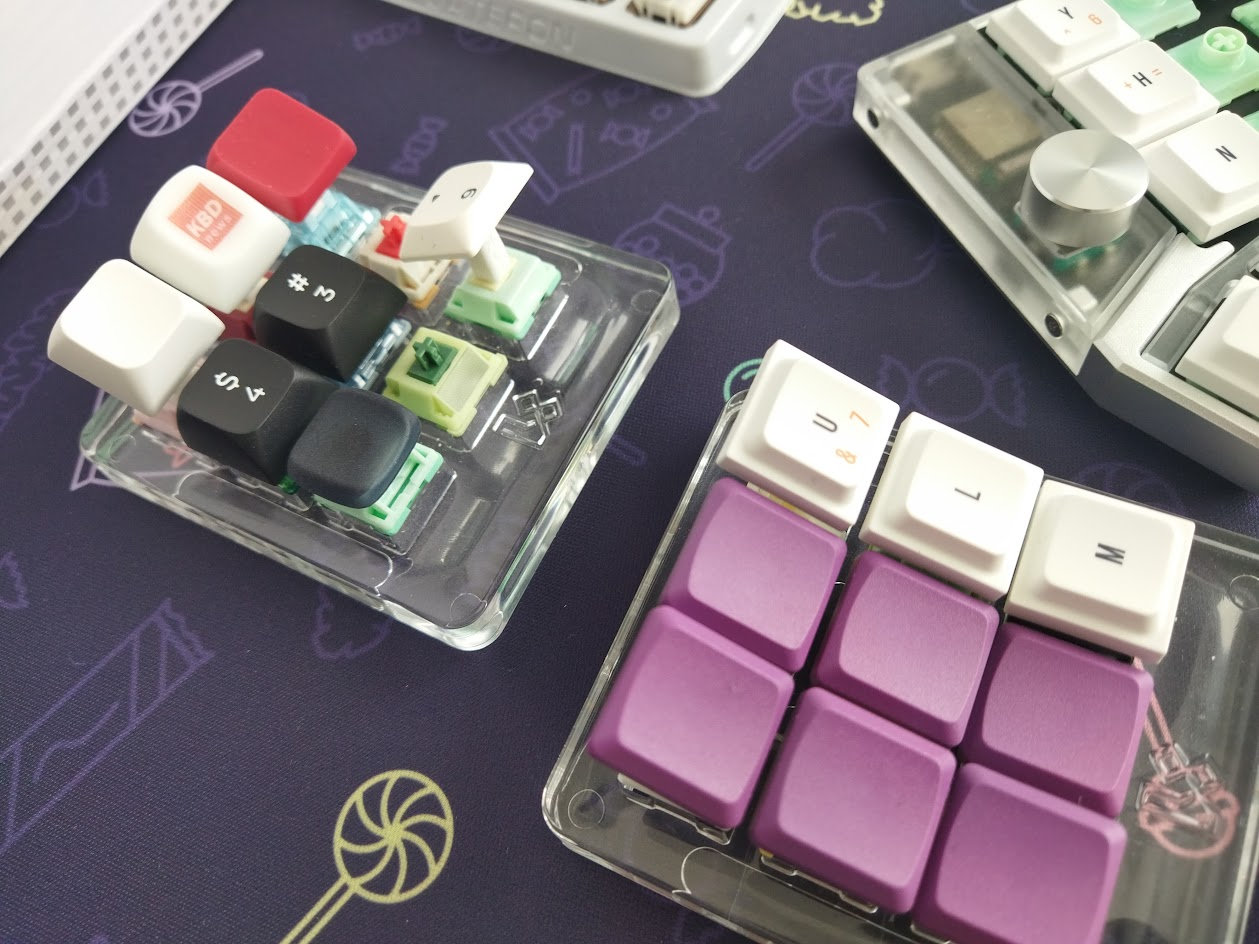
Keycap compatibility is not really about the stem but the possible interference of adjacent keycaps. Which is a non-issue in my experience, at least after testing XDA, THT, the low-pro keycap coming with the KBDCraft boards, and some others I had lying around. E.g. the one called LAK, coming with the Cornix (review soon). Some THTs were pretty loose though – probably not the tilter's fault.
Wobble
Using these extenders increases the lever arm, so naturally the wobble will also be greater. That said, the tilters only amplify the already present wobble, otherwise they are very tightly fit and stable.
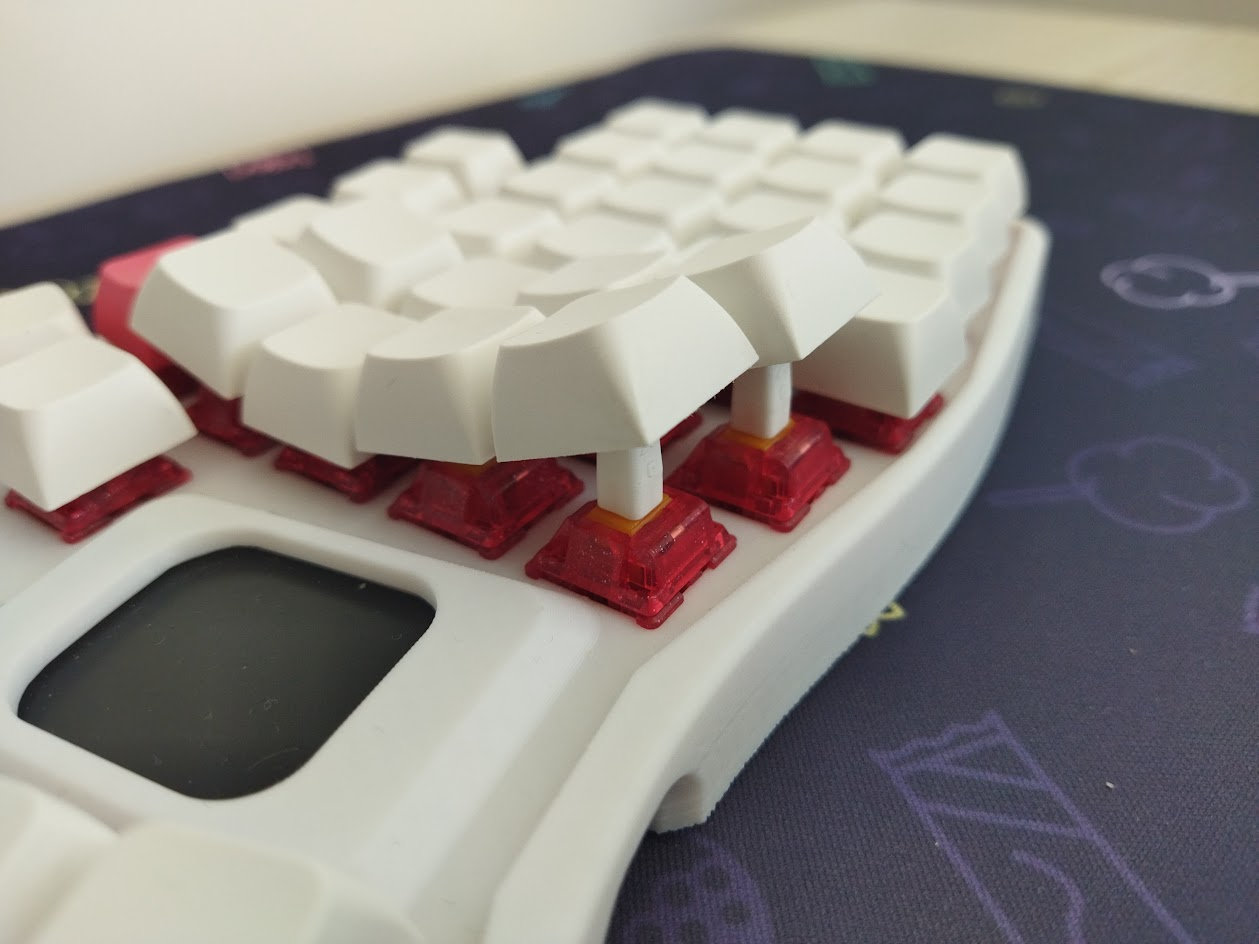
This is a good way to test for switch stem wobble by the way. E.g. some Akko switches performed extremely well, without much wobble even with the tilters. Compared to them, some fancy glittery Tecsee coming with the Ergohaven Planeta performed disastrously.
All in all: It all depends on the specific switch.
Height
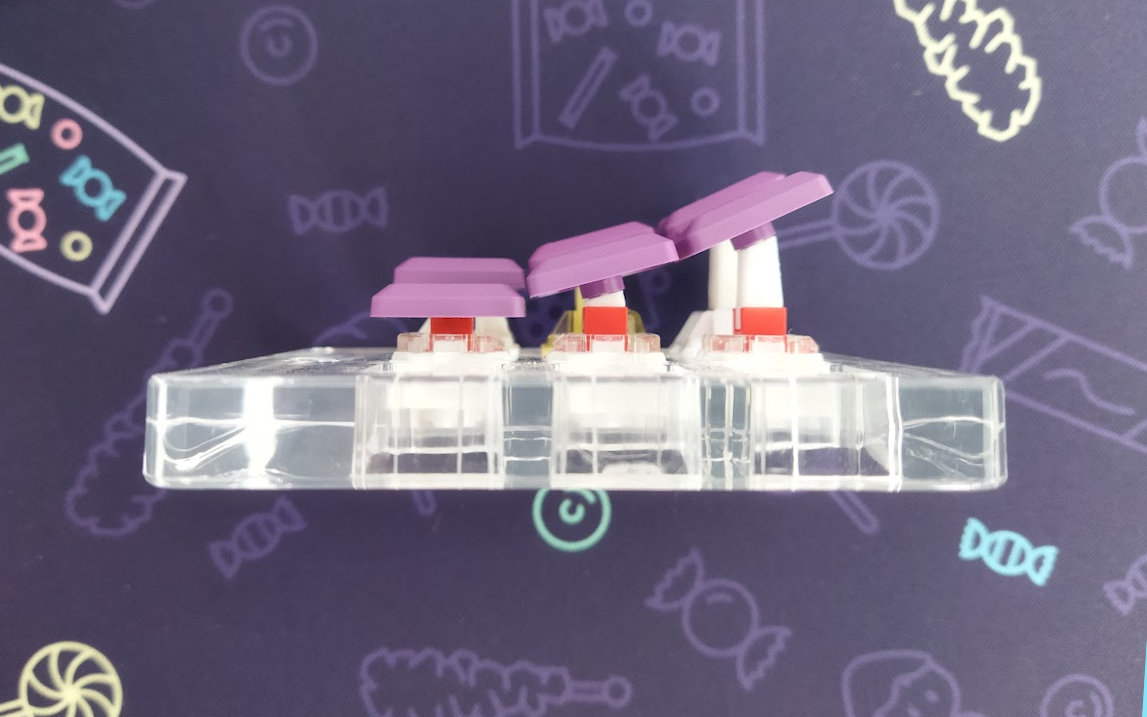
One drawback of the MX tilters is that they add some height to your keyboard. Using medium switches is one way to counteract this issue.
Conclusion
If you'd like to turn your flat keyboard into one with a keywell, making it a bit more ergo, feel free to grab a set of 3dkeycap's MX tilters while the Kickstarter campaign lasts. The tilters have been thoroughly tested by now, and they are the highest quality of all the iterations so far. Available for various keyboard sizes, but mostly recommended for split keyboards and 60% or less. Choc V2 compatibility seems to be resolved too – yay!
Resources
- 3dkeycap tilting kit on Kickstarter
- 3dkeycap.com with all the other products
Published on Mon 18th Aug 2025. Featured in KBD #196.
Related

Momoka FROG linears review
Momoka FROG Linear switch review by Reimu64 (video).
DaringRun DR-70F review
The DR-70F by DaringRun is a great and affordable 70+5% keyboard at the same time – with an XT-style F column and clever two-in-one layout configuration à la TENET70.
Anubis switch review
Anubis switch review by Zenjh.
KiiBOOM LOOP65 review
The KiiBOOM LOOP65 is an affordable 65% keyboard with a cool multi-color aluminum case. A relatively compact wireless board supporting VIA.