Keyboard Builders' Digest / Review
Dareu COOL60
An ultra-affordable 60% HE keyboard: Dareu COOL60 – frosted case, matching caps, per-key RGB, wrist strap. 8KHz reporting rate, 0.01mm RT resolution for gamers. For just $42?!

Published November 25, 2025

[Attention: Black Friday offer! This board is available for just $42 for a short time! The price turned automatically into $42 after adding it to my cart.]
Hm. A keyboard doesn't have to be made of aluminum or packed with features you'll never use (I'm looking at you, displays, sliders, volume knobs). If you just need a lightweight, affordable keyboard that's easily to carry, or want to try a quick Hall-effect keyboard for gaming, the Dareu COOL60 could be a great option.
TL;DR: The 60% wired magnetic Dareu COOL60 is a fully built keyboard coming in four color variants. A very affordable Hall-effect keyboard with frosted translucent case and matching keycaps with nice texture, hotswap magnetic switches, per-key RGB, 8KHz reporting rate, 0.01mm rapid trigger resolution. A bang-for-your-buck deal if you don't need programmability and are looking for this small and light form factor.
Should I buy the Dareu COOL60? – you may ask. Well, as usual, I'm going to cram into this review as many facts as possible – so you can answer this question for yourself. As you'll see, I've even eviscerated the COOL60 to its very core to help your decision. Before placing an order, it always makes sense to know exactly what you want though. ;) Make sure you're aware of your preferences and the features you need, and then check out the full review below for all the details and photos – plus the even larger photodump on imgur for a closer look.
Disclaimer
Dareu was kind enough to send me this review unit for free, which may introduce all kinds of biases – both negative and positive in my experience. Take everything I write with a grain of salt.
Variants
The Dareu COOL60 comes in four universal color variants: Black/White/Pink/Red cases – each with matching keycap sets. The White one with the characteristic topographic pattern and legends on the front, the others with normal legends. Photos of the official product page show the Red one with italic fonts, but mine came with normal fonts, just like the Black and Pink versions I guess.

As always, it was a bit hard for me to select a single board, contemplating mainly about the White and Red options. Eventually, I went with the cool translucent Red variant, probably because I had to decide with the red Glitter65 HE on my red Kyoto deskmat. :) So the red one is the board you'll see in the photos below.
Unboxing & Contents
The cardboard box is nice, it is matte but has some fancy shiny parts.

Contents:
- The COOL60, pre-built with switches and keycaps mounted.
- quick-start guide
- basic USB cable
- basic combined tool to remove keycaps and switches
- strap and parts
- 2x spare switches
First impressions, design language
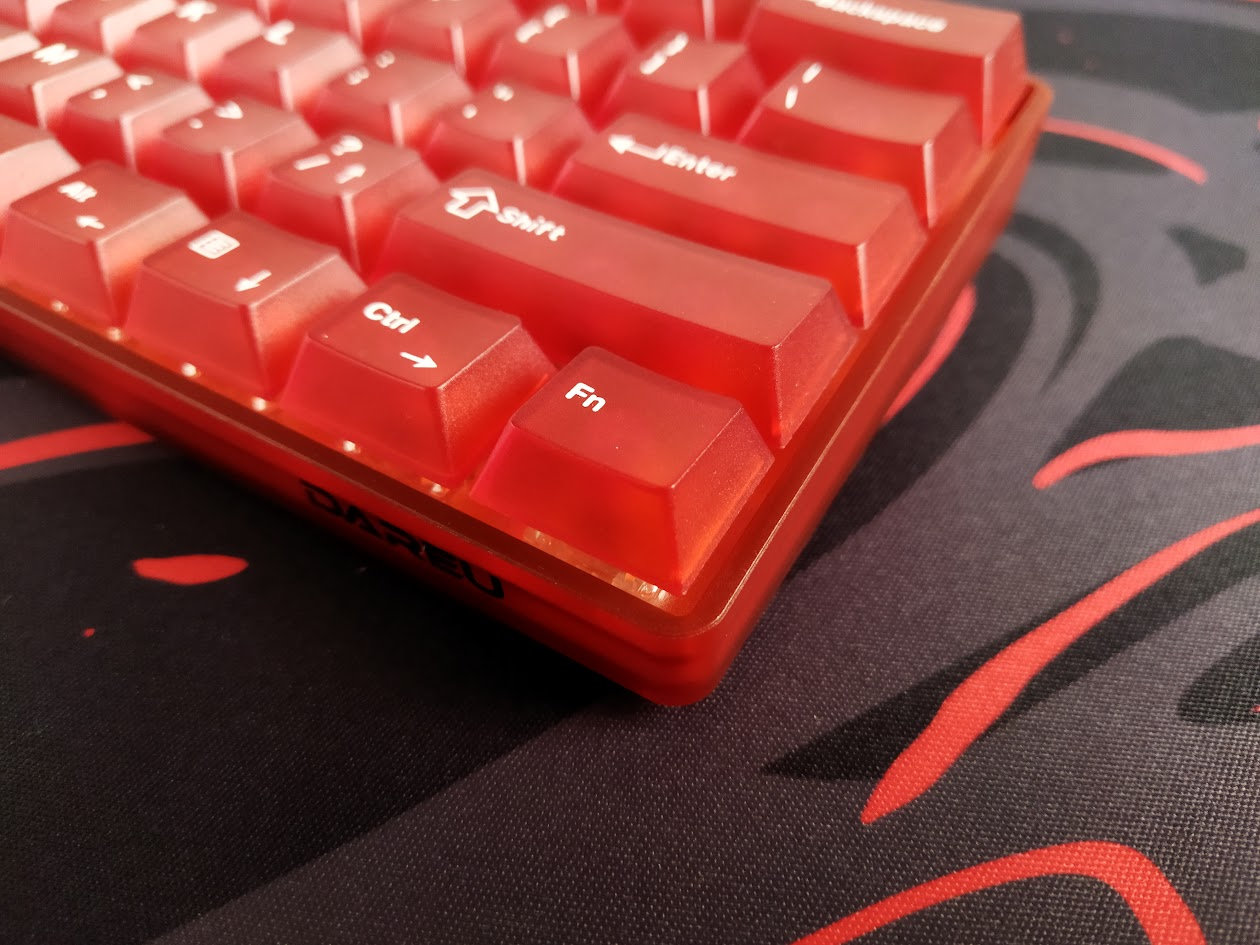
The COOL60 comes in four cool, fresh and pretty universal colorways, matching every desk. I've chosen the red variant, and I'm not disappointed. Compared to similar but non-frosted cases, this one makes the shade of red a bit muted, more pastel.
That said, I like the translucent case and the perfectly matched white on red keycaps.
The overall shape of the keyboard is simple and blocky, without any unnecessary protrusion, but with some nice twists here and there: small cutaway on the bottom, strap holder. The footprint is pleasantly small, the weight with only 432g is perfect for portability.
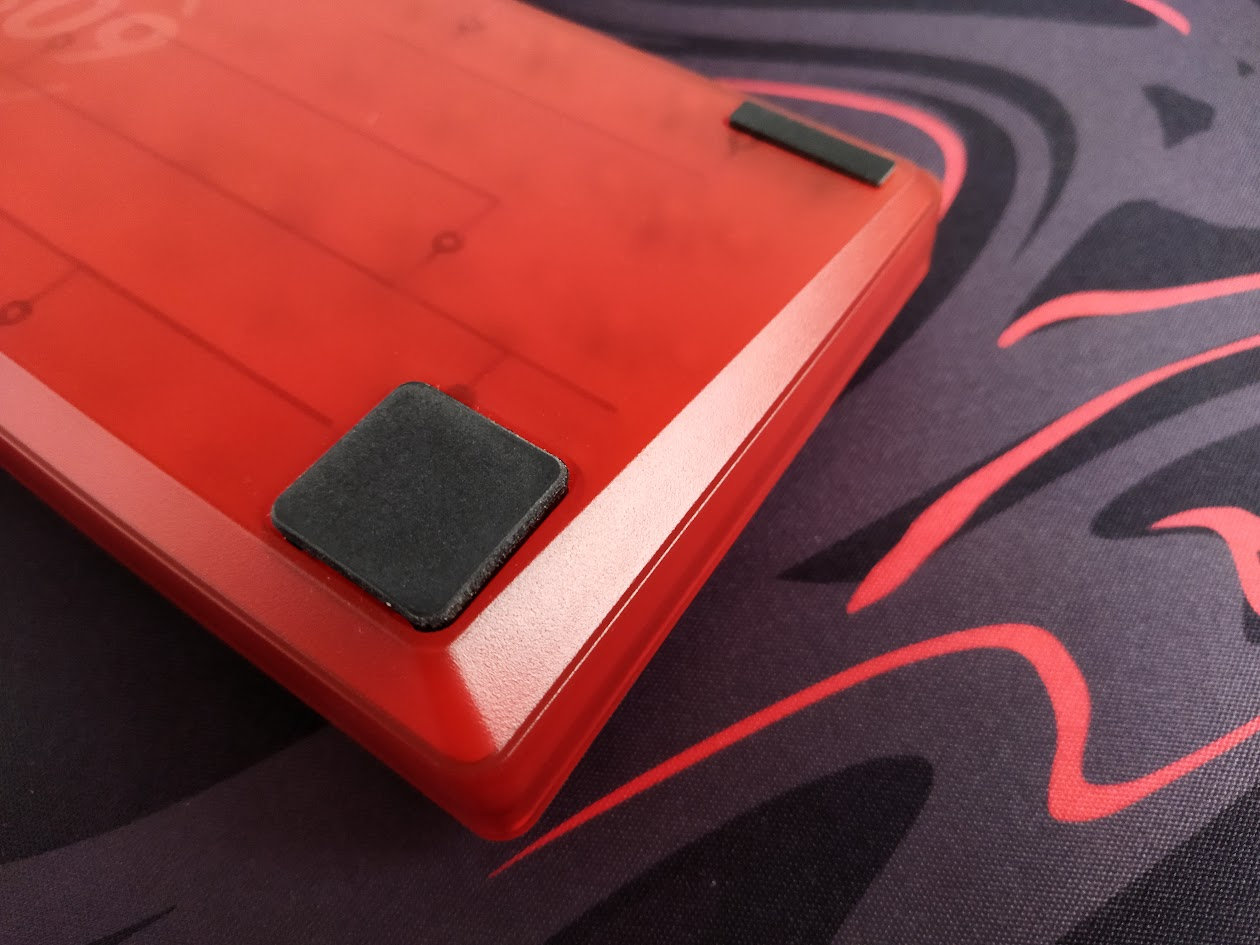
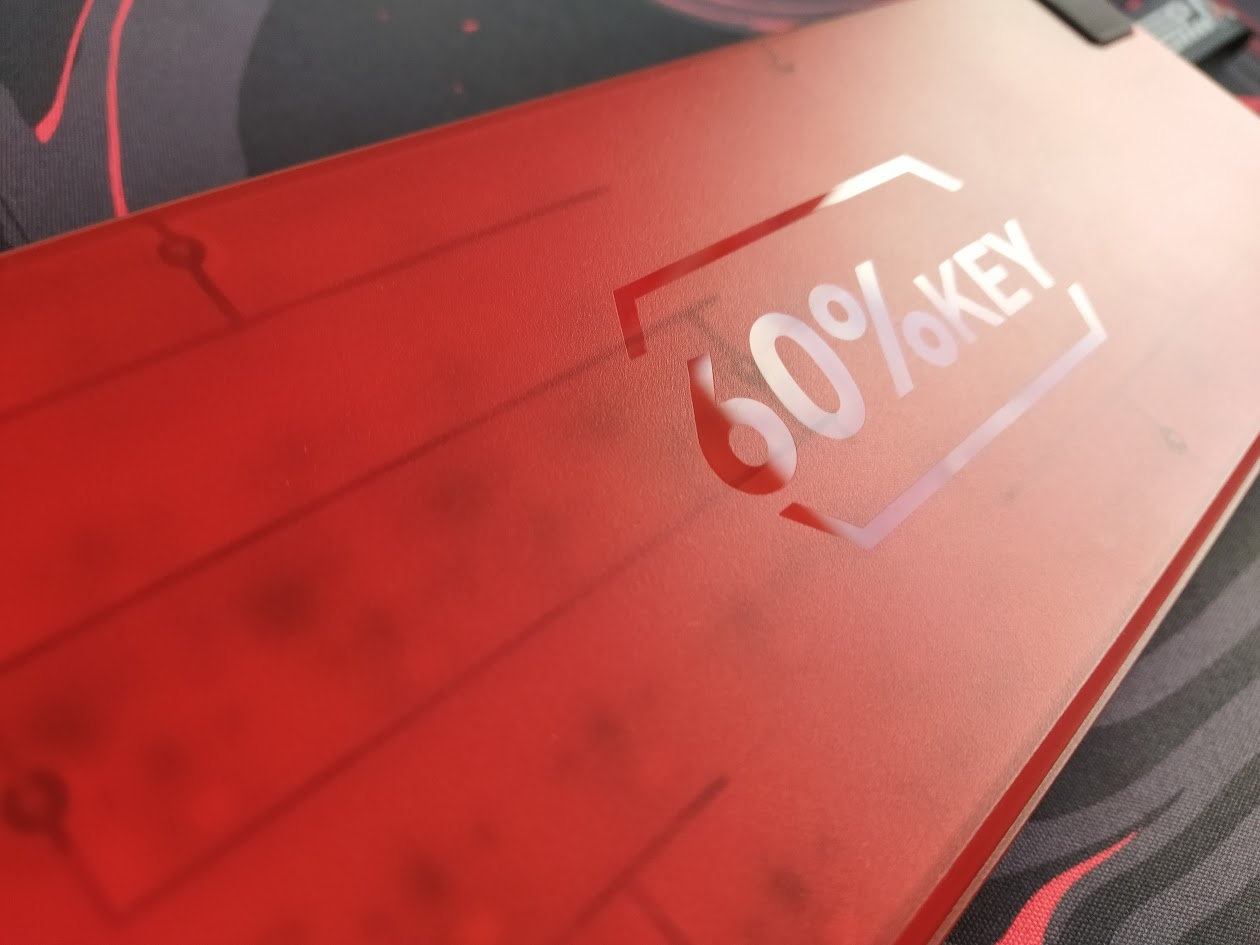
Small branding on the front right part, but it's not too obtrusive. It matches the design. In addition, there's a sticker on the back, plus a big shiny "60%KEY" part on the otherwise matte and frosted bottom.
It's hard to make an impact in such a crowded market like the 60% segment, and the COOL60 apparently tries to achieve this via the cool frosted/transparent case and caps, the Hall-effect features, plus the nice strap. There are some similar keyboards out there with these features, but the COOL60 wraps these up in a great and affordable bundle.
Specs (red variant)
- Layout: 60% ANSI, 61 keys
- Keycaps: PC, Cherry profile, translucent
- Switches: Ice Blade HE switches, transparent housing
- Case: translucent plastic
- Typing angle: about 5 degrees
- Structure: tray mounting
- Stabilizers: plate mount (no screw-in stab support)
- Plate: aluminum alloy
- PCB: HE, hotswap, south-facing per-key RGB, no flex cuts
- Connectivity: wired
- Software: custom software
- Dimensions: 298x101x35mm (without caps)
- Weight: 432g
Form factor, layout
The 60% form factor is well-known and pretty standard, however, there is some wiggle-room for variations. This particular keyboard doesn't offer a stepped CapsLock option, but e.g. the four modifiers on the right are set up so you can use a physical arrow cluster while keeping the rightmost FN key pressed. The arrows are even marked as secondary legends.

Otherwise, as you may know, the 60% layout means no F-keys, numpad or classic navigation and physical arrow cluster either. What you have is the core alpha part with modifiers, and the full number row.

Featuring 61 keys, the COOL60 prioritizes space optimization. While all the functions remain accessible via layers (key combinations), newcomers to the scene can find not having physical arrows or function keys a challenge.
Keycaps
The keyboard comes with a dye-sublimated Cherry profile polycarbonate (PC) keycap set. The colorway is this cool white on translucent red. Other themes come with different keycaps, e.g. the White one with the geography pattern and legends on front.
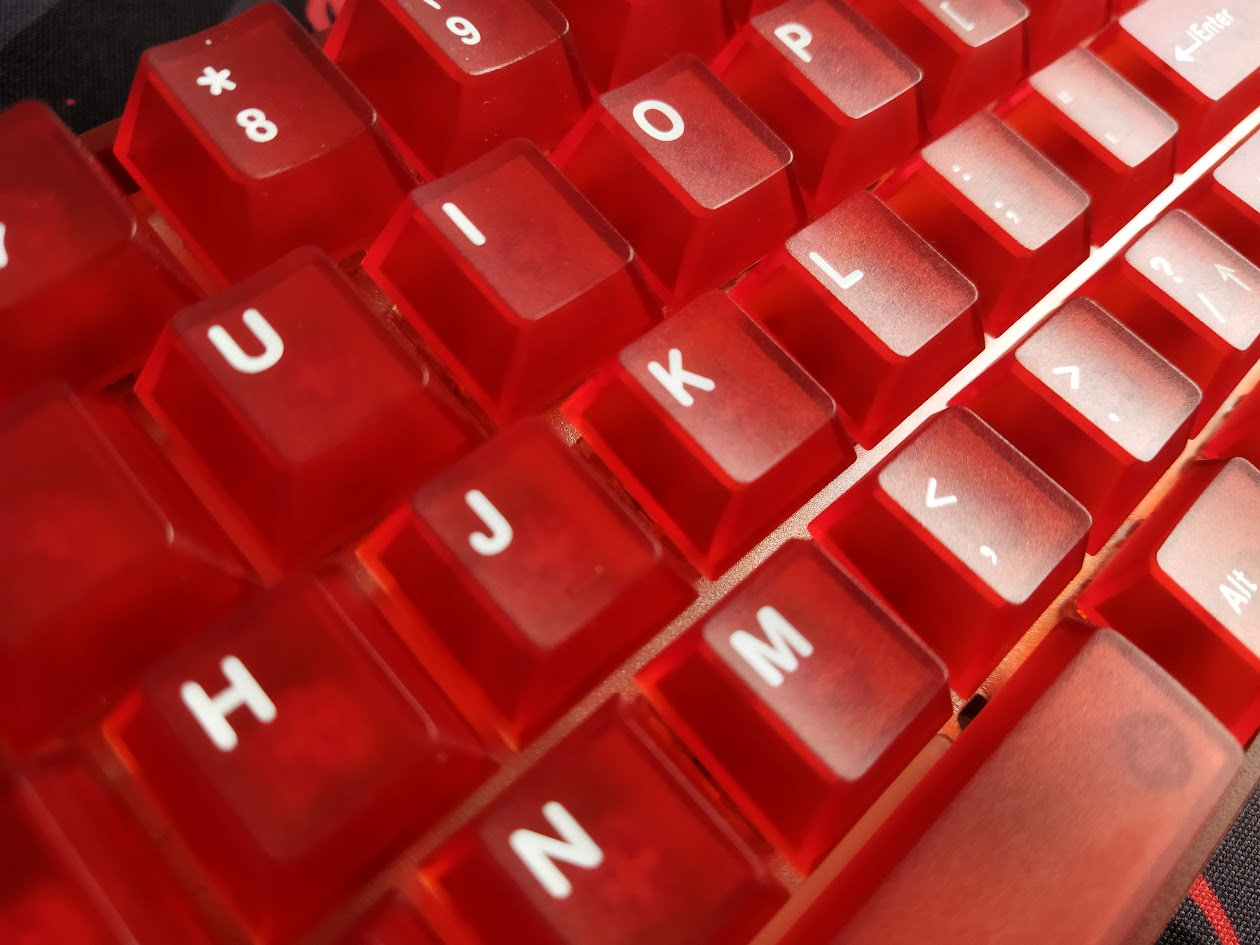
Legend consistency is great, better than many double-shot caps. No thinner parts here and there.
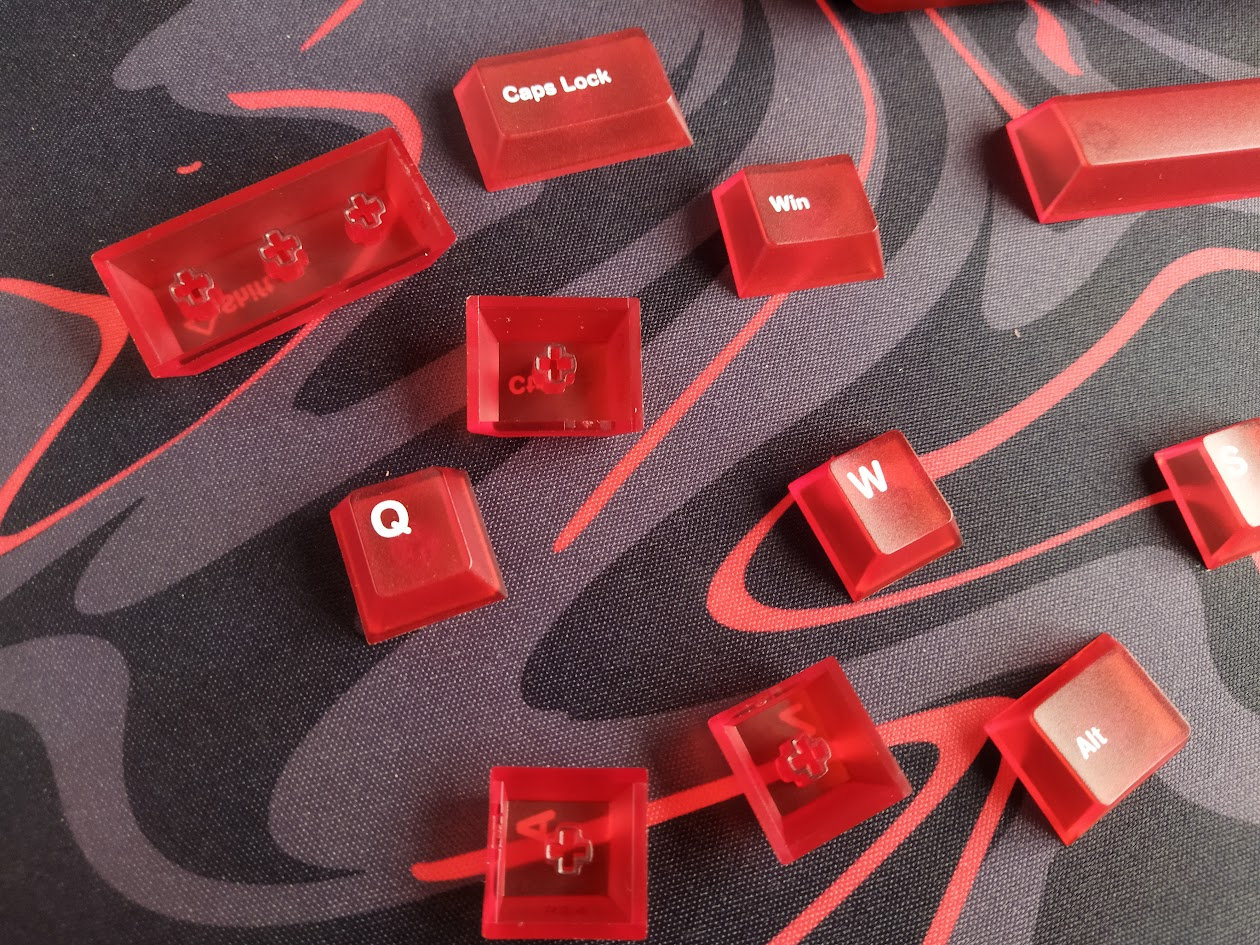
With regards to keycap compatibility, the 60% layout should be widely supported if you opt for something different. For your interest, the modifiers in the bottom row are 1.25U – three on the left, four on the right.
Switches
The switches are nice too, "co-gain" branded light linear HE switches. Either the 35gf (initial force) Ice Blade or the 40gf Yulong (the latter with dust-proof stem).
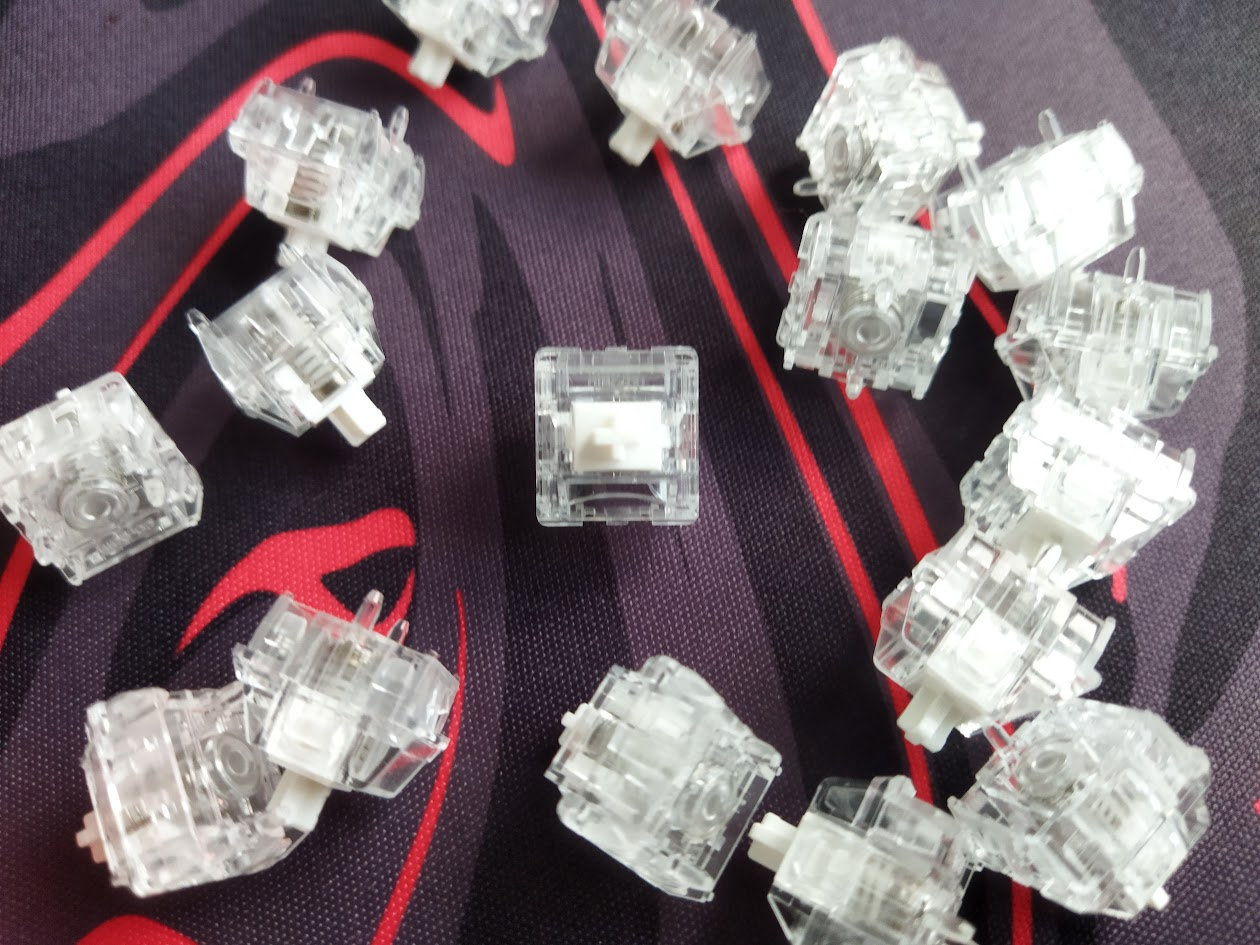
Unfortunately, it's unclear if these two switch models are tied to case colors. Probably, because there's no way to select one.
Specs of the Ice Blade switch, coming with the Red color variant:
- Initial actuation force: 35gf
- Bottom-out force: 50gf
- Total travel: 3.5mm
- Initial flux: 75gs
- Bottom-out flux: 500gs
- Material: probably PC housing
- Factory lubing: yes
- Led diffuser
The Ice Blade switches feel decent, smooth with minimal wobble. That said, all HE switches are inherently hotswap, so you're not restricted to the factory setup. Check out the current best-selling HE switches, or feel free to use your personal favorites lying around.

Build quality, structure, case
This board feels pleasantly light (432g) after all the heavy milled aluminum cases, but it still feels sturdy enough as a construction. While the plate is aluminum alloy, the plastic case makes it one of the best contenders if portability is important for you. Despite the lightweight construction, the COOL60 doesn't move around at all when being used. At least in my experience with desk mats. There are no adjustable feet that could collapse, and there are four bumpons to prevent slippage.
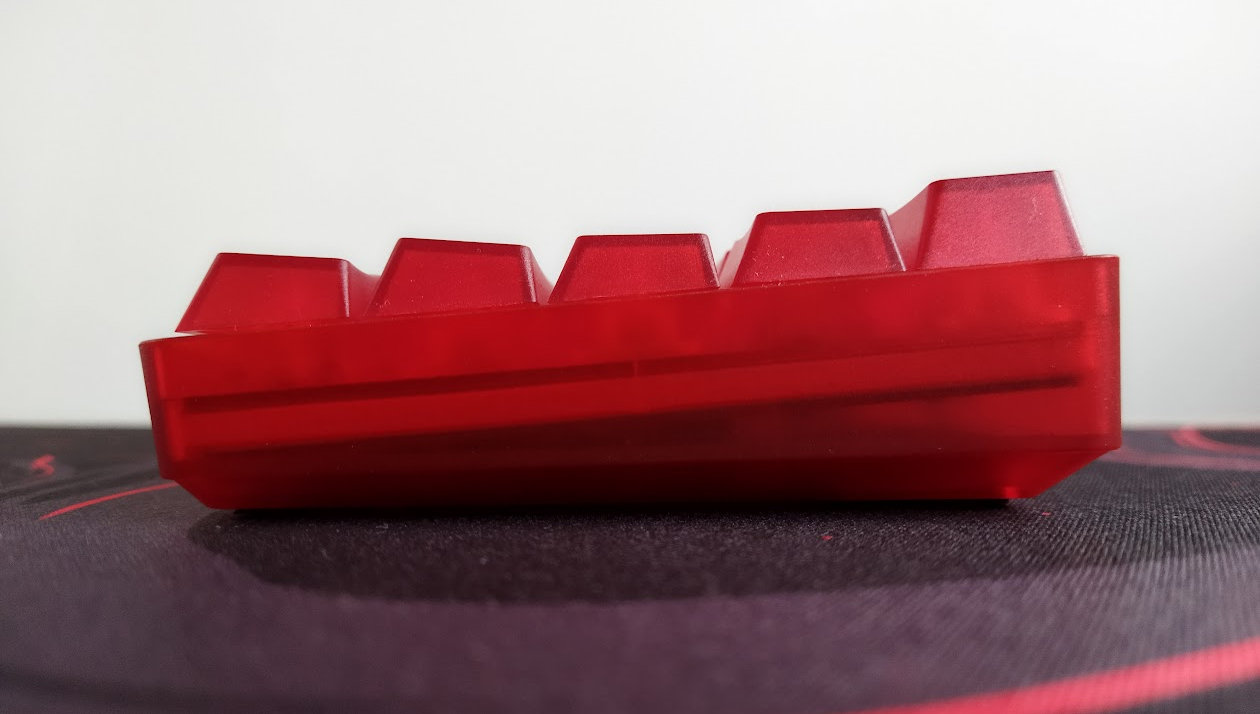
Typing angle: fixed, about 5 degrees – slightly larger, but less than 5.5.
Disassembly? I've been really spoiled by all the easy-to-open ball-catch keyboards reviewed earlier this year, and don't really like the hidden-screw designs. Of course it's not a disaster, especially for the main target autidence. Gamers looking for pre-built keyboards won't often disassemble this keyboard, you don't have to support non-existent sockets when replacing switches – thanks contactless HE switches –, and as a wired board you don't have to check for battery health either. So there's really no need to disassemble this board except you're reviewing it… :D
Still, a cheat sheet may come in handy – to know what keycaps to remove to access the plate/PCB sandwich if you ever have to disassemble the board for some weird reason, e.g. stuffing stuff in the bottom tray for playing with sound maybe.
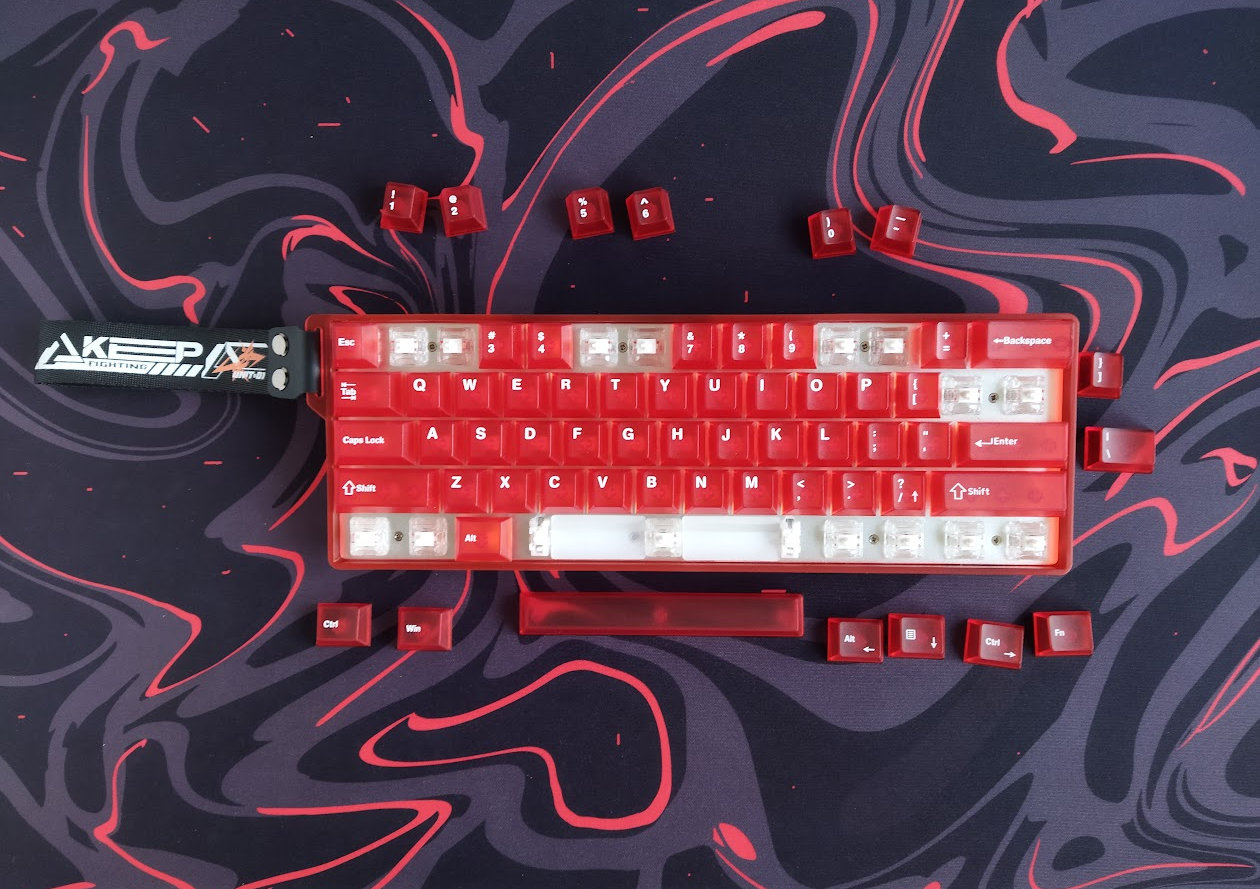
Remove these 15 keycaps to access 8 screws.

The last one hides beneath the spacebar and the left silicone dampener.
Structure & Mounting
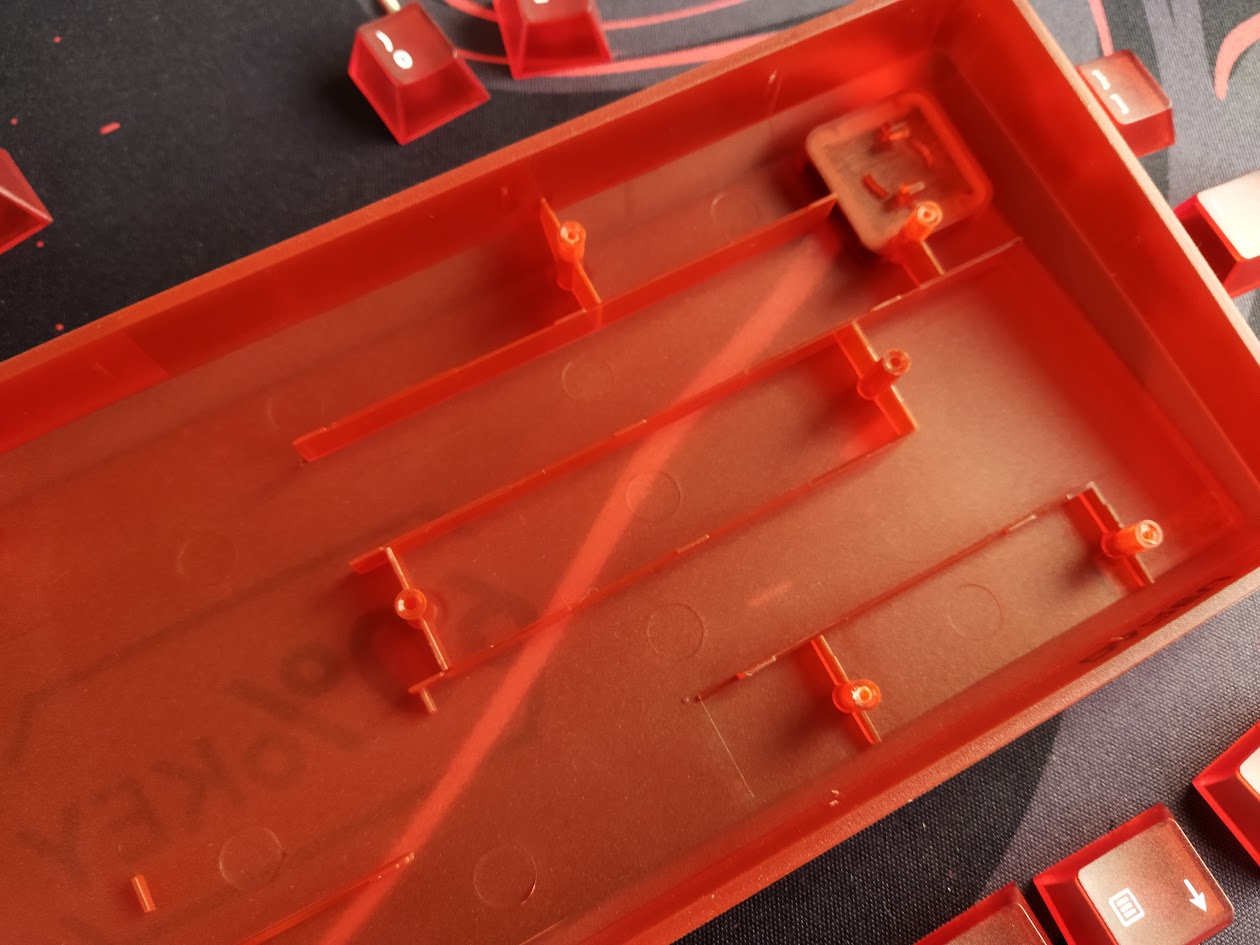
The COOL60 features simple tray mounting: the plate/PCB sandwich is screwed to the single-piece (bottom) case. No metal inserts, the screws are driven in the plastic poles. No gaskets, aluminum alloy plate, no flexibility, very direct typing feel – I have nothing agains this, especially combined with a desk mat, but consider if you prefer something softer.
Plate
The plate is aluminum alloy, without any flex cuts.

Mine came with some strange scratches. These are not from removing the switches.
Plate-mount stabilizers. No support for PCB-mount stabs.
PCB
The nice shiny white PCB is part of the plate/foam/PCB sandwich, and it comes with hotswap sockets, south-facing per-key LEDs, and no flex cuts.
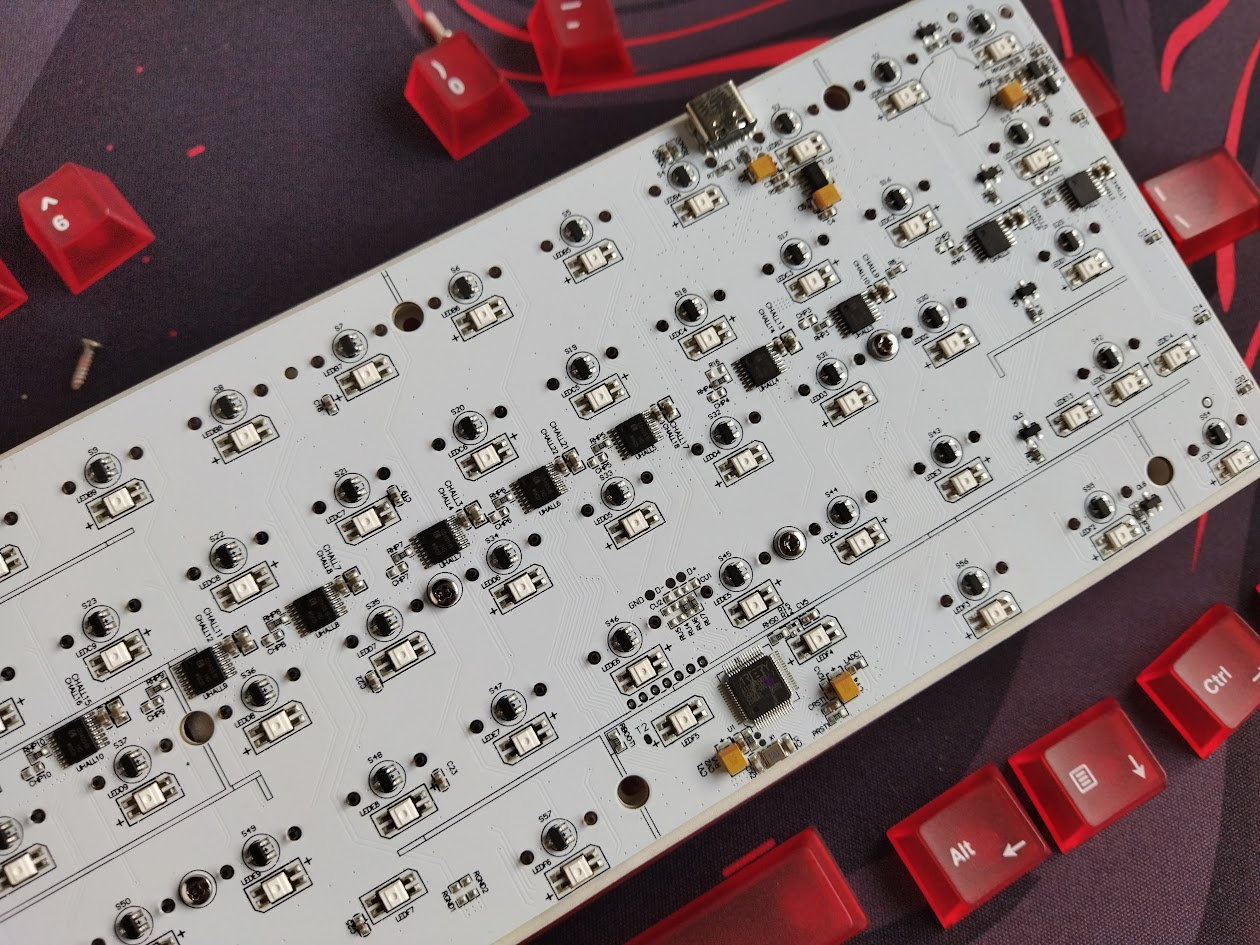
Two extra holes in the PCB (and unused poles of the case) suggest that maybe the case is ready for a wireless variant? Just guessing.
The default stabilizers, as already mentioned, are plate mounted, and the PCB doesn't support screw-in stabs as it lacks the necessary holes.
Bottom weight
No fancy decoration weight with intricate carving, it would defy the main purpose of being light and portable, but the COOL60's bottom features a twist to the simple plastic material: it's shiny in a "60%KEY" shape, as a nice contrast to the otherwise frosted and matte case.

Sound dampening & Feel
Thick PORON plate foam and a thin IXPE switch pad. It's interesting that the switch pad has no cutouts for the per-key LEDs.
Given the tray-mount structure and the lack of flex cuts, the COOL60 provides a very direct typing feel combined with relatively loud sound.

The out-of-the-box typing experience could be described as average, but c'mon, expecting a finely tuned enthusiast keyboard experience in this price range would be unrealistic.
Gamers won't be bothered by the very heterogeneous sound across the board either: with 3 out of 4 2U or larger keys providing a completely different sound and feel – almost silent and muted in contrast to the much louder clack of the other keys.
RGB lights
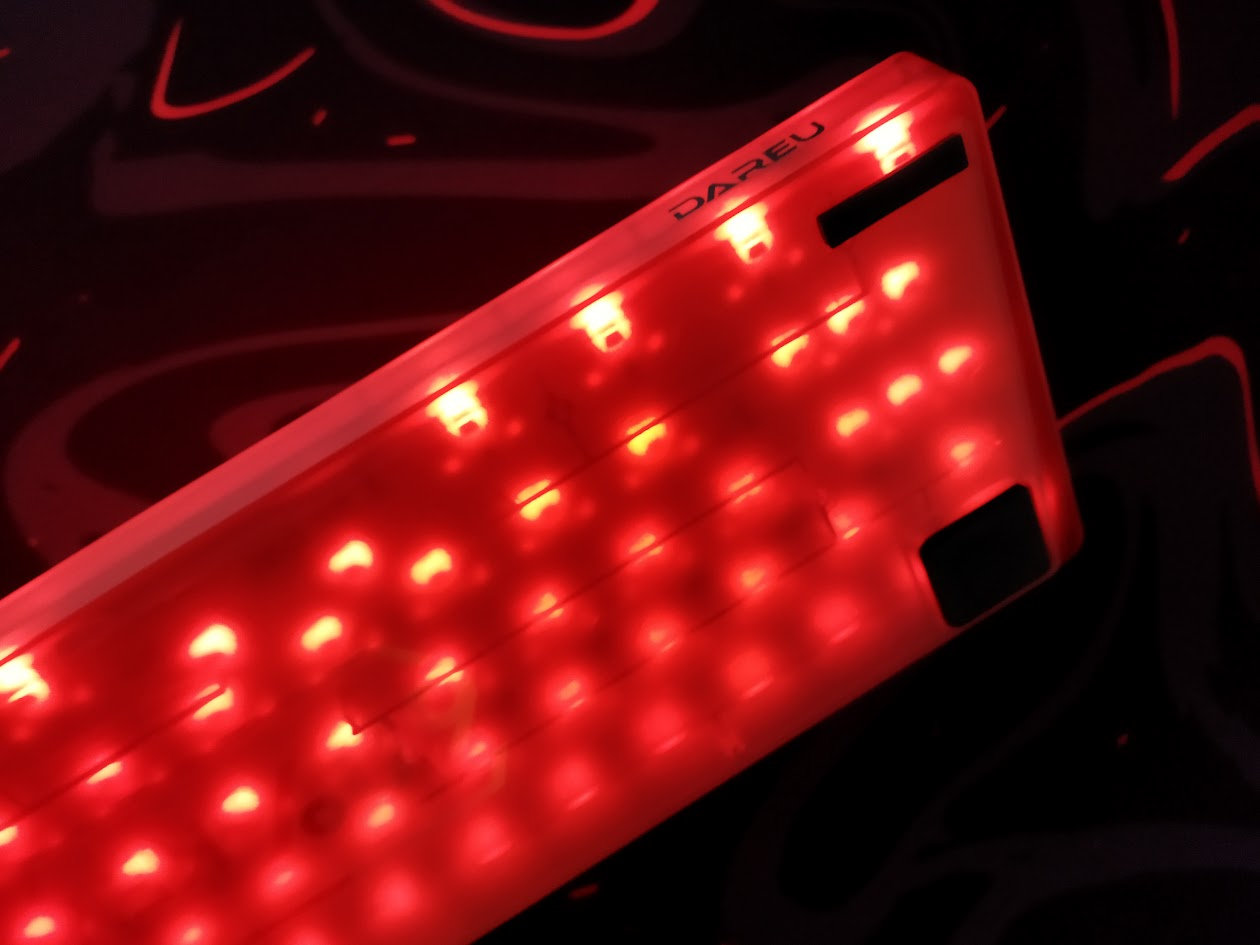
The board comes with per-key RGB and a bunch of built-in lighting effects, some of them very nice ever for someone vaccinated against RGB (raising hand). The light is nicely diffused even though – or because? – the thin white switch pad has no cutouts for the LEDs.
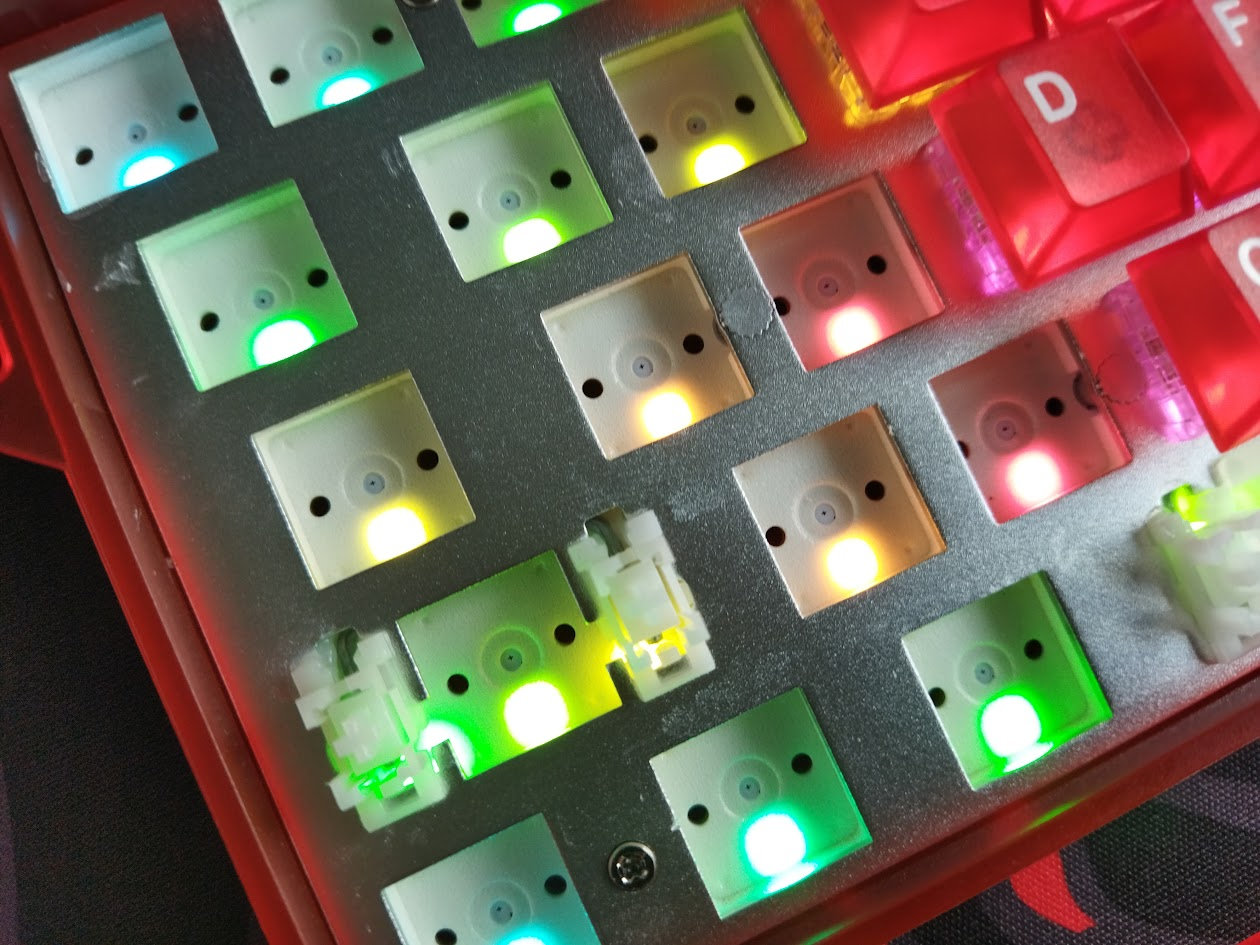
As it is usual with per-key RGB, from subtle ambient glow to vibrant full-spectrum animations, you can fine-tune colors, brightness, and modes to match your mood and setup. Either with hotkeys (FN+square brackets) or via the software.
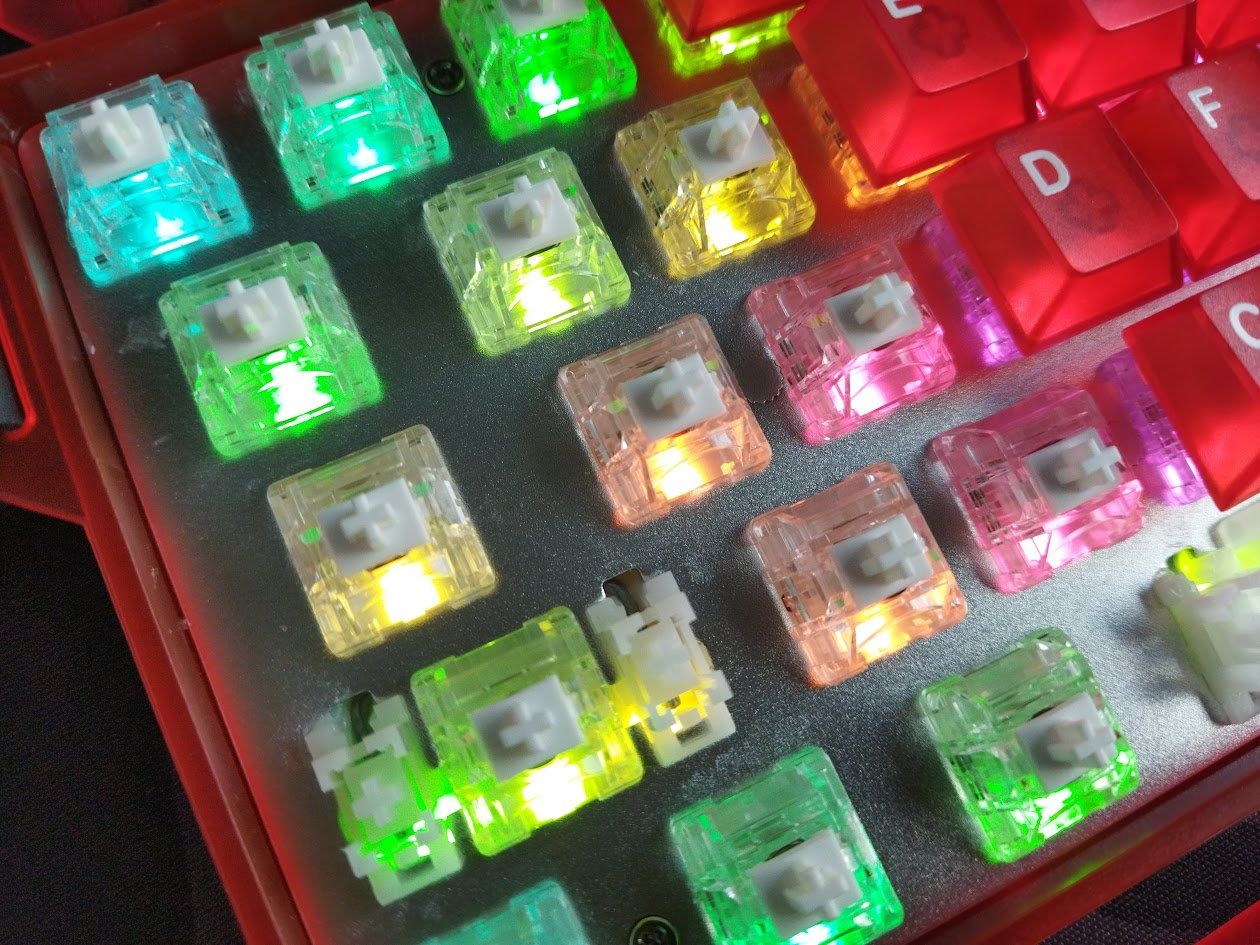
The frosted PC case and caps make this board especially great for enjoying all the lighting effects, however, the translucent caps turn many of the color animations pretty monochrome – red in this case, obviously –, however, some hues stay different, still tinting the caps though.

That said, if you don't need the lights, you can turn them off easily (FN+Space).
Strap
The COOL60 comes with an optional strap. In white for the White and Pink variants, and black for the Black and Red version.
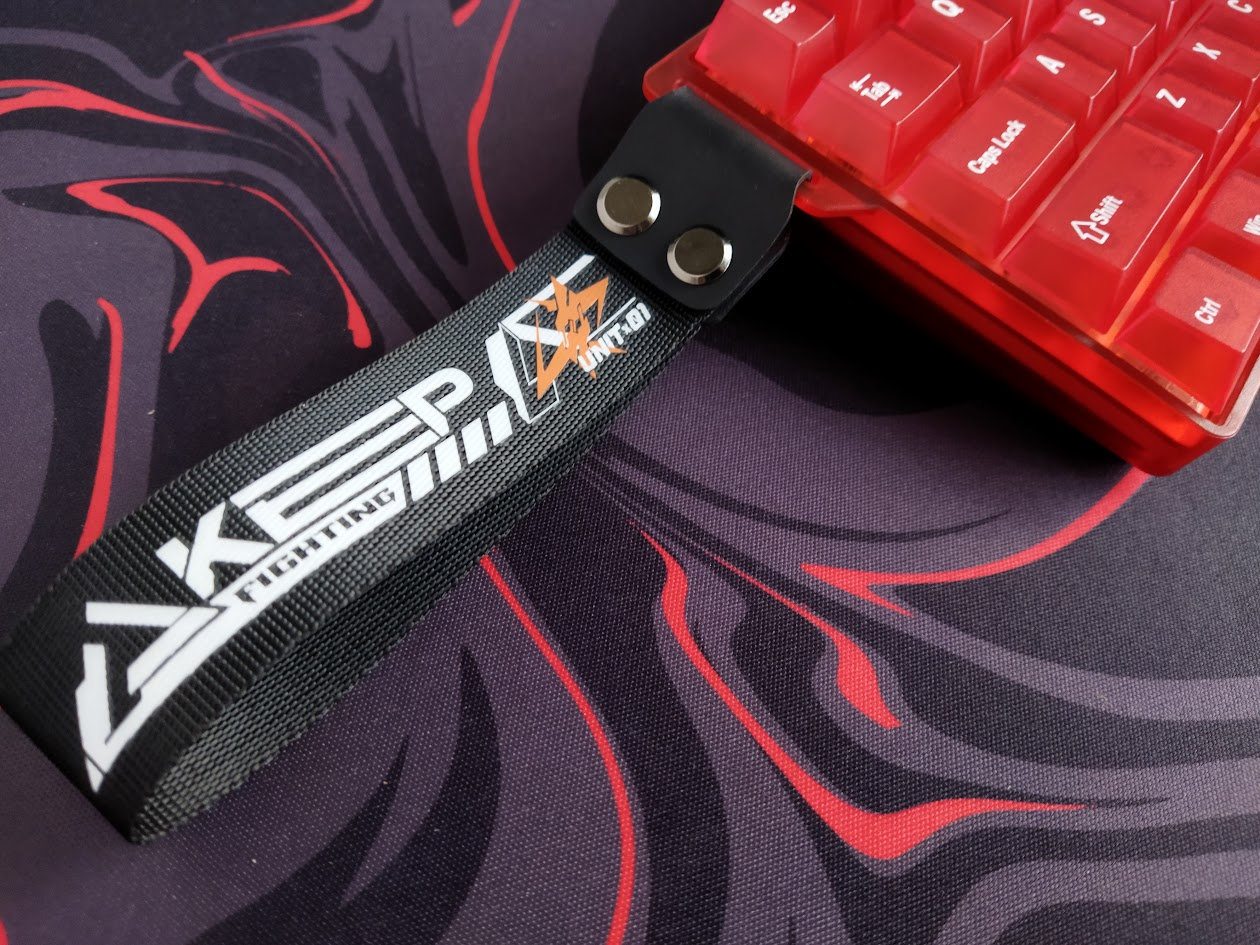
I'm not sure about the practicality of the wrist-attachable design in general, but you can simply remove it if you don't need such a feature. Better said, you don't have to attach it at all, as it comes separately.
I deem this feature a decoration element as there's no way I can force my hand through it. The strap is way too small for an adult male, maybe kids or ladies with very small hands can use it.

Otherwise it's a nice touch to the classic 60% case. The strap is attached to a thin protruding plastic part. Not sure about how much abuse it can take without giving in, but I'm not going to stress-test it.
That said, it seems that you can get replacement straps in various colors – these look compatible, pretty much the same design.
Software
Hm. The COOL60, just like most Hall-effect keyboards, comes with a custom software. Dareu at least provides an online configurator, so you don't have to install anything if you don't want. (This only works in Chromium-based browsers I guess.)
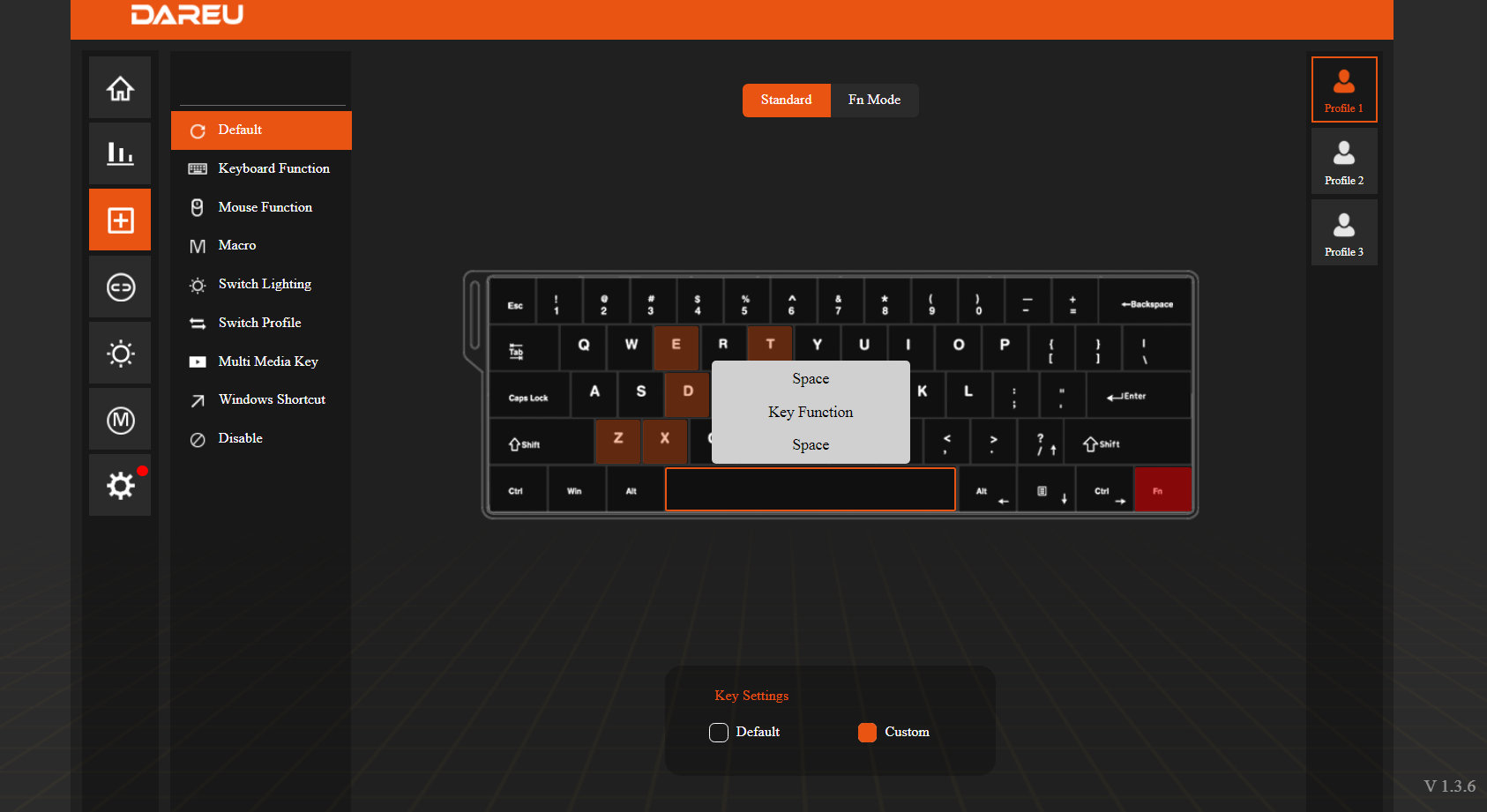
Swapping letters or symbols works fine, so custom keymaps can be implemented, however, selecting keys from a dropdown list is quite annoying. There are so many better approaches to this.
SpaceFN, this easy-to-access layer crucial for many users, doesn't work, unfortunately. Not a big deal for gamers, but those who'd like to put arrows, navigation and numbers right under their fingertips, will need a third-party app for this functionality.
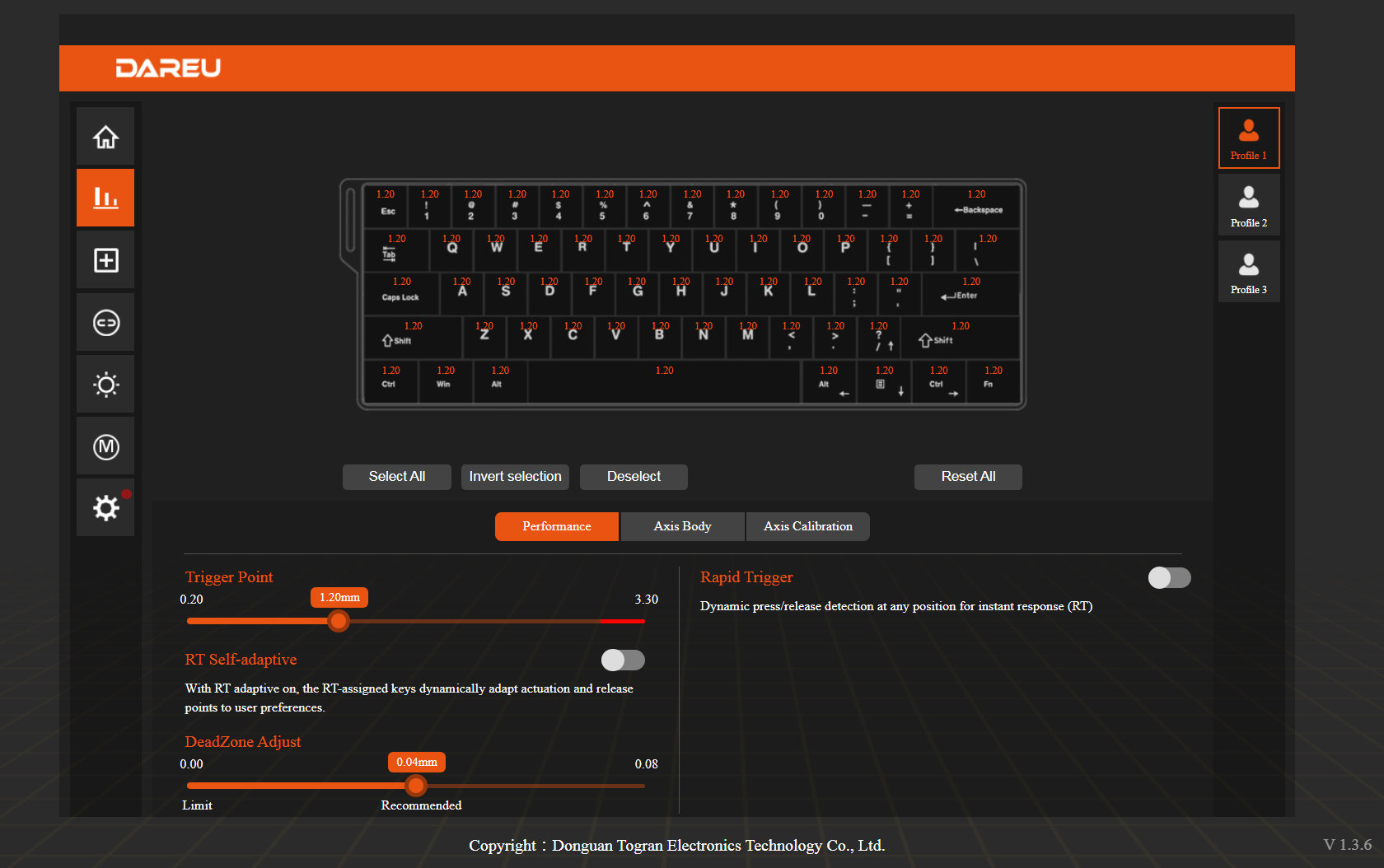
Portability
The COOL60 is a great board for on the go. While it's not wireless, being a compact 60% and the mere 432g weight make it optimal for travel. With a slight exaggeration, this thing fits my pocket. :)
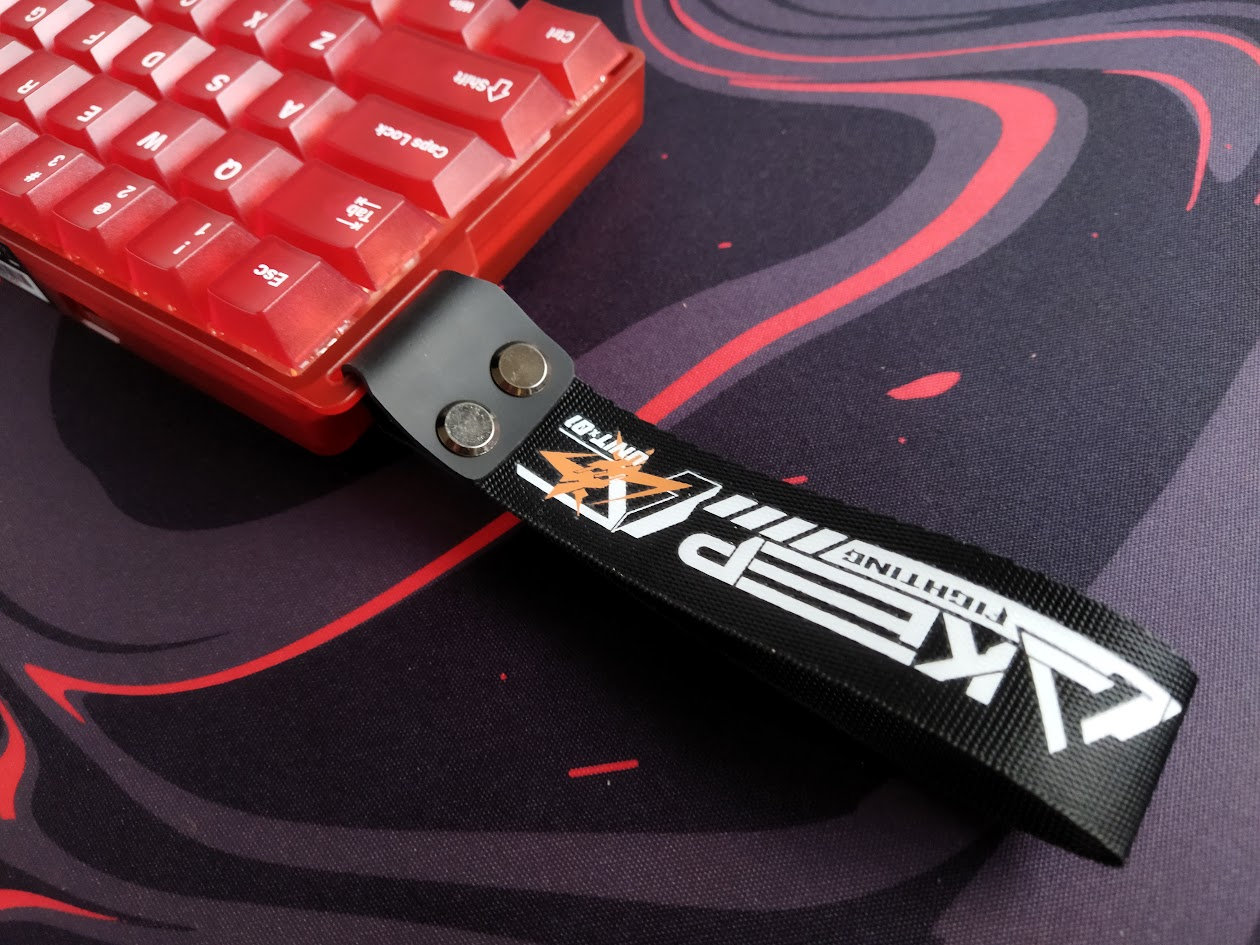
Carrying it around via the strap? I'm not sure about this even if you're not an adult male and it happens to fit your tiny hands.
Conclusion
The 60% wired Dareu COOL60 is a very affoardable pre-built Hall-effect keyboard with highlights like the translucent case and keycaps, per-key RGB lighting. The smooth stock HE-switches are decent, but the board is inherently hotswap, so it's an affordable way to sink into magnetic boards and features. A great offer for those who prefer ANSI and all the gamer features, but won't mind the clumsy programmability.
Pros
- compact form factor, portability
- cool frosted case, universal color variants
- nice translucent keycaps
- magnetic features for gamers
Cons
- clumsy software, lack of some basic functionality for non-gamer enthusiasts
- basic cable: I'd upgrade this board with a more fancy cable

Price & Availability
The Dareu COOL60 is available at dareu.com. The board is on sale, so you can get it for just $90 $60 in general. Moreover, there is a $42 Black Friday special offer as of writing this. If you can't find it that means that you just missed it…
- Dareu COOL60 product page at dareu.com
- Dareu COOL60 on Amazon
Published on Tue 25th Nov 2025. Featured in KBD #202.
Related

1UP Pi60 series
The Pi60 HSE & RGB are the first mass-produced RP2040 60% boards – from 1upkeyboards.
Sphere keyboard and air mouse
This sphere keyboard and wireless air mouse is the creation of Pavlo Khmel – with STLs.
IQUNIX x Ghost in the Shell EV63 Cyber Blue review
Two brand-new EV63 variants have been released recently: the Ghost in the Shell-themed Shell Core and Cyber Blue. For this review, I took a closer look at the latter.
Chosfox Fox65
I reviewed the amazing Fox65 by Chosfox x Masro – a versatile keyboard packed with features, and layout options including ISO and split spacebar support for those who prefer these. E.g. me. ;)