Keyboard Builders' Digest / Review
IQUNIX x Ghost in the Shell EV63 Cyber Blue review
Two brand-new EV63 variants have been released recently: the Ghost in the Shell-themed Shell Core and Cyber Blue. For this review, I took a closer look at the latter.

Published June 5, 2026
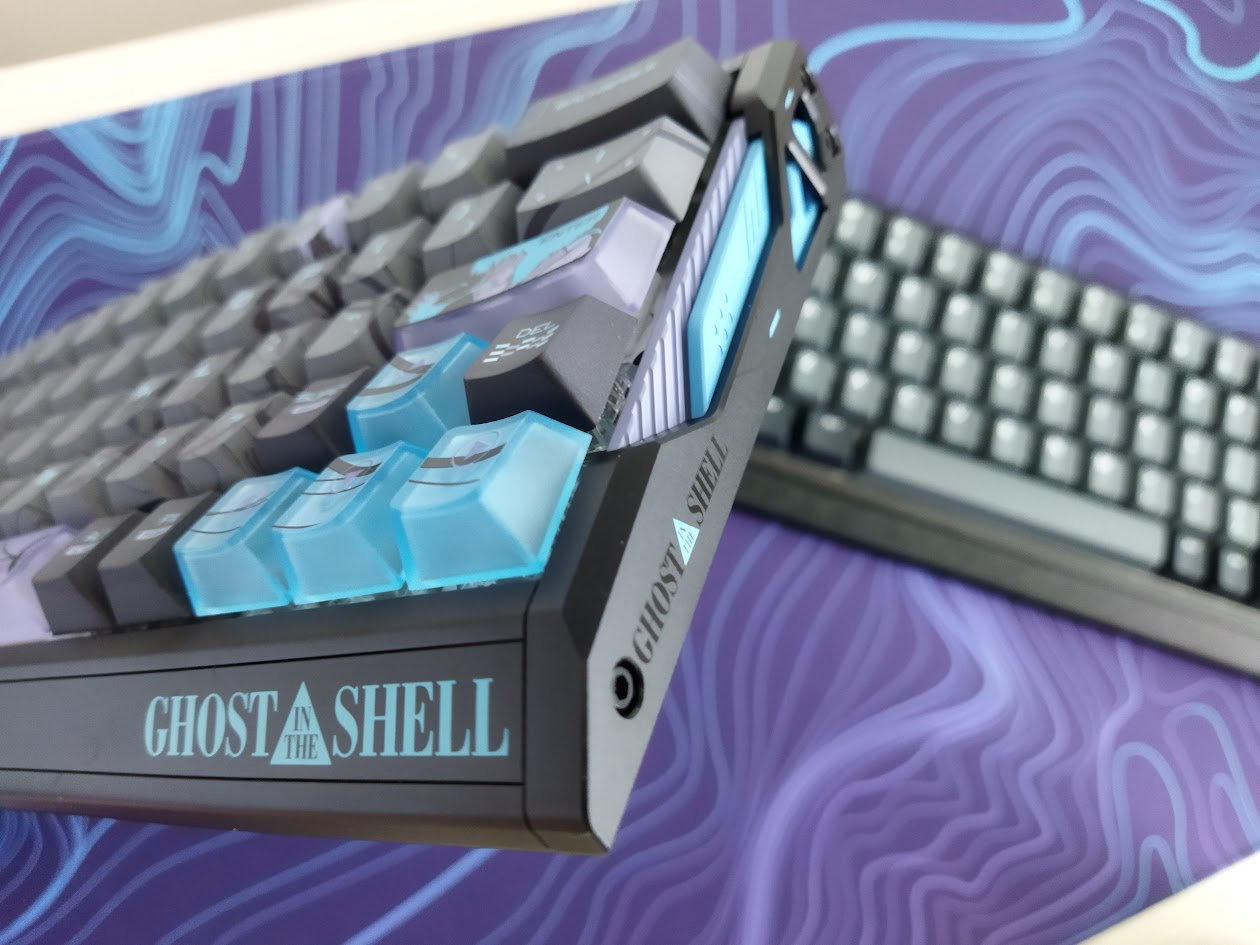
The IQUNIX EV63 was already the best-looking board I've reviewed this year. And it gets even more exciting: Iqunix partnered with Kodansha to design two officially licensed Ghost in the Shell-themed variants. Here are my thoughts.
(The 5% KBDNEWS coupon code should automatically apply when you click the links in this article.)
TL;DR: The 60% IQUNIX x Ghost in the Shell EV63 HE is a fully built wired Hall-effect (magnetic) gamer keyboard coming with the hallmark, futuristic CNC aluminum housing and a fancy cyberpunk Ghost in the Shell-themed keycap set. The premium material choice and finishing are the same, just like the advanced customizability: hot-swappable HE switches with MX-compatible stem. Proprietary software full of features for gamers, but also mod-tap function for keymap wizards relying on layers.
Should I buy the IQUNIX x Ghost in the Shell EV63? – you may ask. I'd say it's a safe bet, however, it always depends on your exact needs. In this review, I'll pack in as many facts as possible to help you answer that question for yourself. As you'll see, I've even eviscerated my EV63 down to its core. (You don't have to do this at home.)
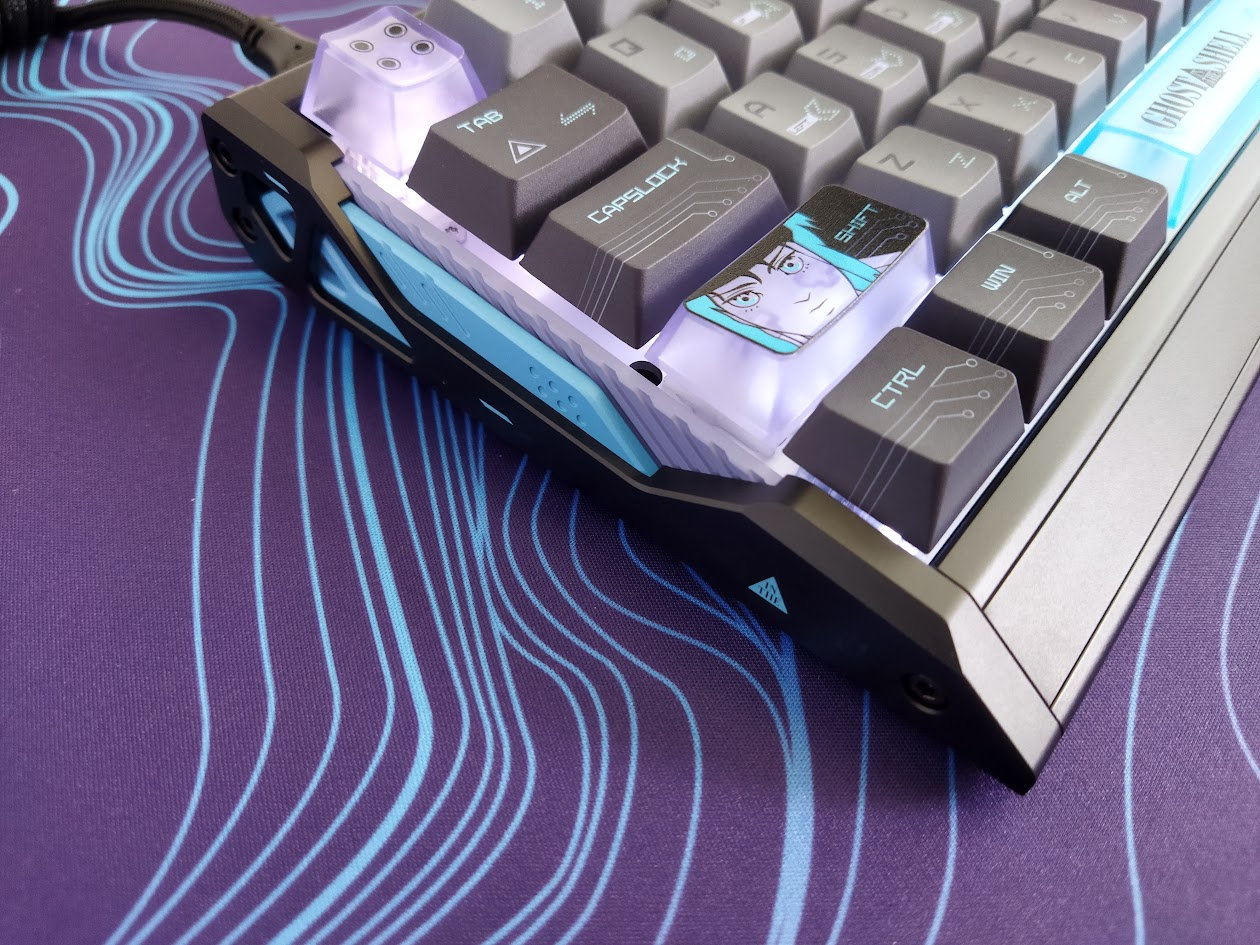
That said, before placing an order, the most important thing is to know what you want. Make sure you're aware of your preferences and the features you need, and check out the full review below for all the details and photos.
Specs (and ToC)
- Contents: pre-built board, guide, cable, tool, dust cover
- Layout: 60% ANSI, 64 keys
- Keycaps: dye-sublimated PBT sets (translucent accents)
- Switches: Nova HE switch (36gf starting weight)
- Case: CNC aluminum
- Typing angle: fixed 6 degrees
- Mounting: Tray mounting
- Stabilizers: plate mount (screw-in support)
- Plate: aluminum (without flex cuts)
- PCB: south-facing per-key RGB, no flex cuts, inherently hot-swappable
- Sound dampening: 4 layers
- Lights: per-key RGB, 45 presets
- Connectivity: wired, USB-C
- Software: proprietary, web-based
- Dimensions: 301x126x19 mm (front height)
- Weight: 1,206 g
- Price: from
$249$237 (coupon: KBDNEWS)
Disclaimer
The review unit was provided by IQUNIX. Not paying for a product may introduce both positive and negative biases, so please take everything I write with a grain of salt.
Variants
The EV63 was originally available in three color variants: Violet, Dark Knight, and Silver Knight.
The two new Ghost in the Shell-themed models made their first public appearance this week at Computex Taipei 2026.
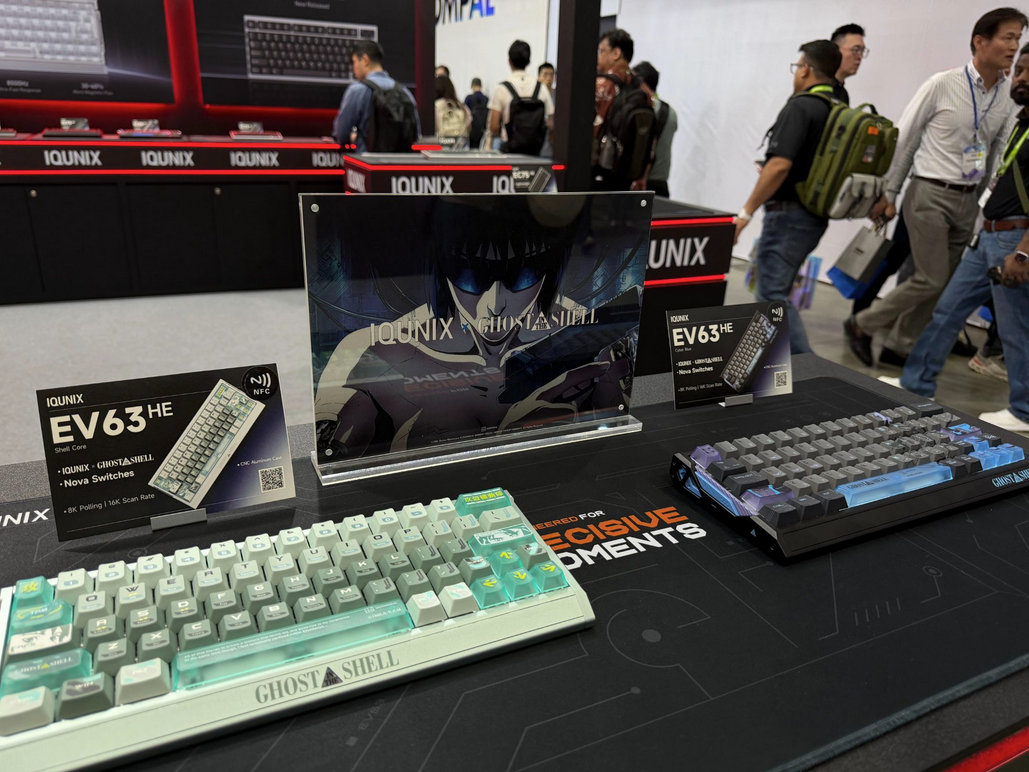
- Shell Core: silver/green/gray, with a plastic element in the
- Cyber Blue: black/purple/gray
They come with a new switch offer: the Nova – with fully transparent housing.
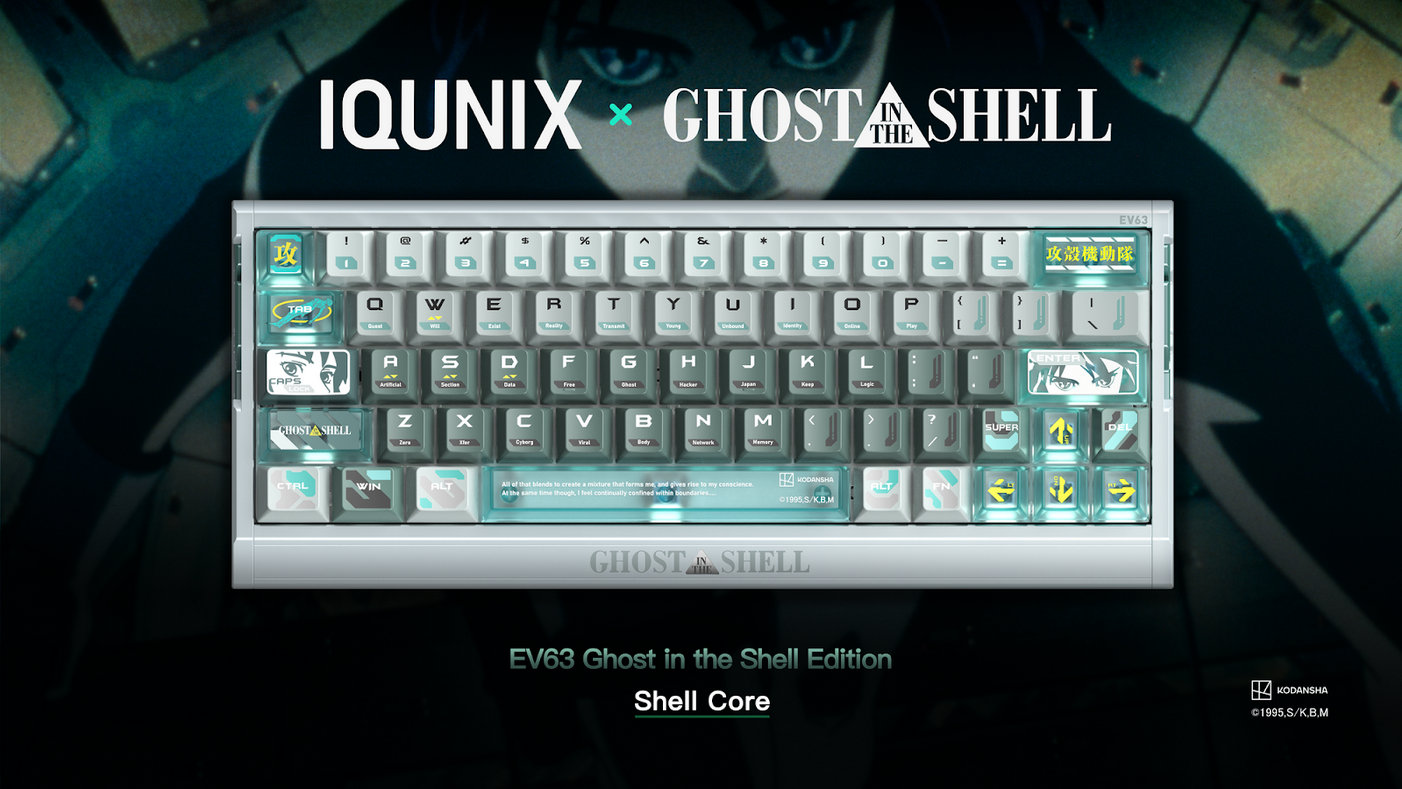
It's always hard to choose just one board when a brand approaches me and says I can pick anything. I really loved the silver case of the Shell Core variant, the side profile is refreshed, but I prefer the keycap set of the Cyber Blue so voted for that one eventually.
If you're wary about fingerprints, go with the silver one.
Unboxing & Contents
This is some serious packaging. As always with IQUNIX, the experience begins with the refined box design – nice graphics, nice material, some shiny parts. Plus the full-blown Ghost in the Shell references, even a holographic Kodansha sticker.
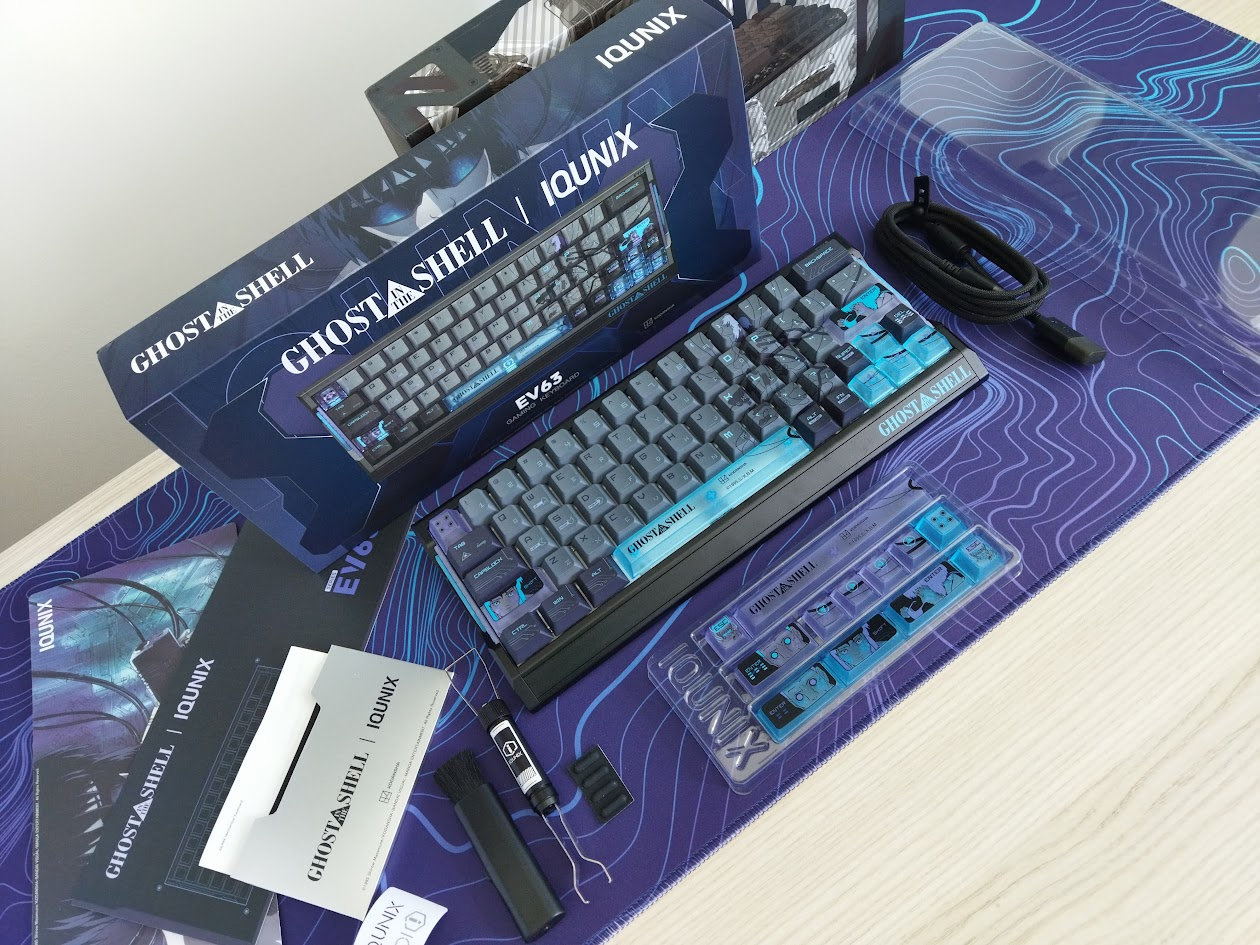
The contents:
- The EV63, pre-built with switches and keycaps mounted.
- quick-start guide
- braided USB cable
- fancy combined switch+keycap puller
- 12x extra accented keys
- 4x bumpons
- brush
- sticker
- dust cover
First impressions, design language
Obviously, the EV63 Cyber Blue features the same structure as the original variants, however, the GitS theme is more than a face-lift: the result is very distinctive, even though the 60% layout is fairly common. Somehow, all the little details make the board look exceptionally sophisticated.
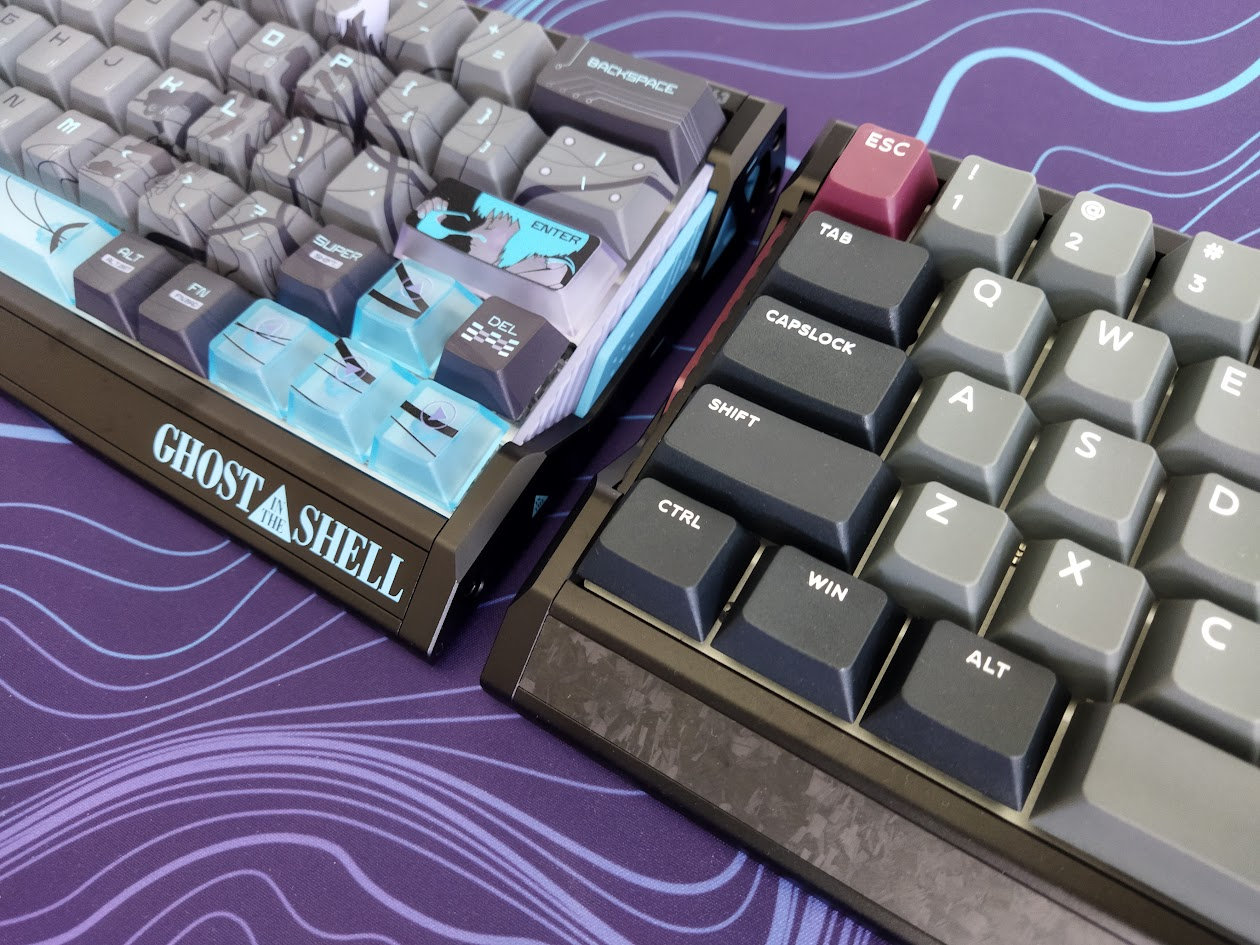
The branding is bolder, but it focuses on the Ghost in the Shell brand, not the manufacturer. The hallmark side profile featuring the unique cuts and three-part side structure are spiced up: the Core Shell variant received a new plastic element. The forged carbon decorative plate of the Violet version has gone.
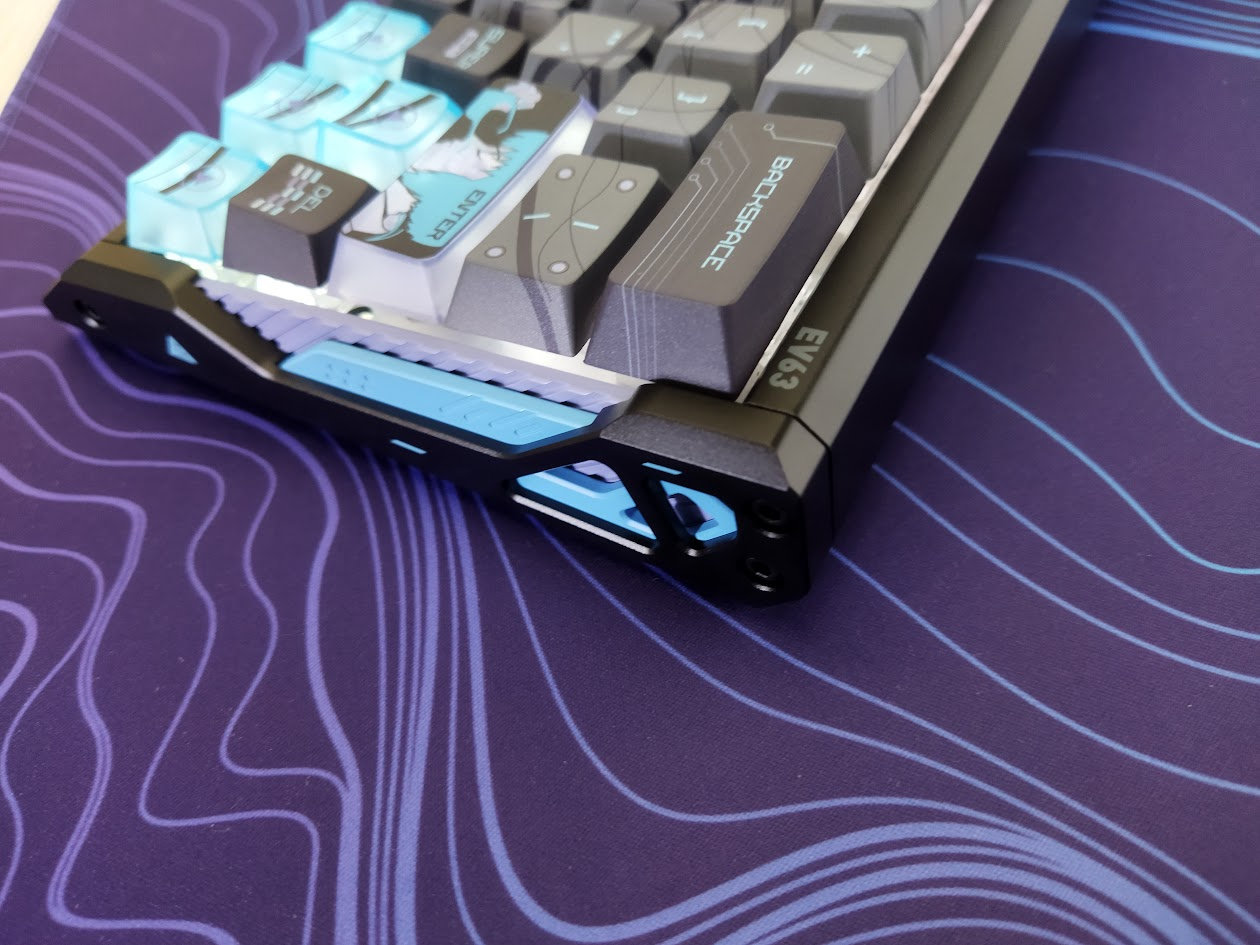
If you think it's hard to make an impact in a crowded market like the popular 60% segment, the EV63 x GitS models prove you wrong with the custom keycap sets, the unique structure and sci-fi theme, making this board instantly recognizable any time, e.g. at keyboard meetups.
Layout
The form factor is unchanged: the 60% layout is relatively standard and prevalent. Take a standard fullsize keyboard, cut off the numpad and classic navigation cluster, also the function row, and there it is. The compact 60% layout. What you have here is a full number row, and dedicated arrow keys snapped to the other keys.
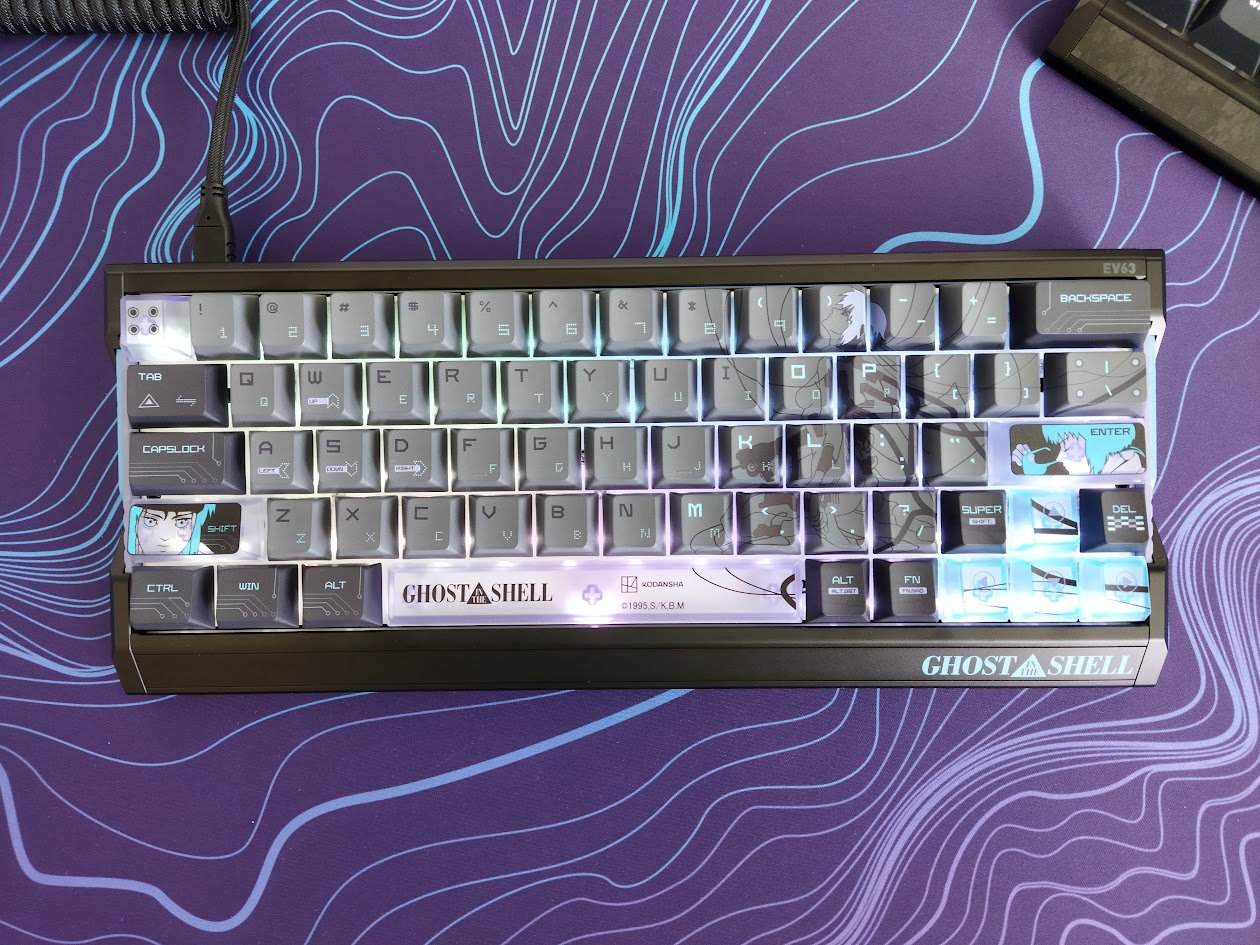
Featuring 64 keys (ANSI US version only), the EV63 optimizes space in the first place. All the functionality of a 100% is there of course, you just have to resort to key combinations and extra layers.
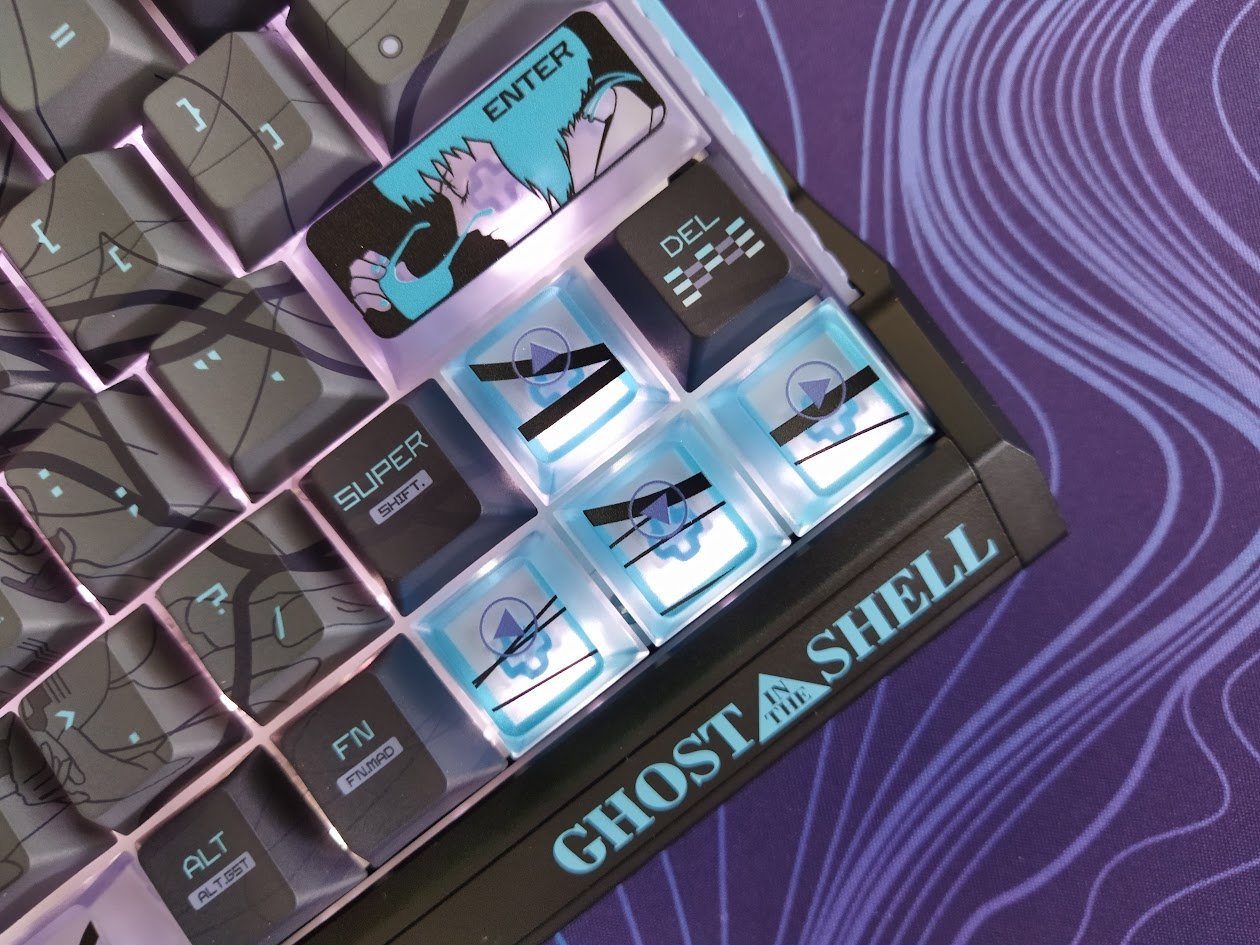
The EV63 doesn't support stepped CapsLock or split spacebar.
The arrow cluster is not offset, and there's no gap left of the arrows either, unfortunately, which can bother some of you touch typers out there when changing between the home row and arrow cluster. I personally move the arrows (and numbers plus function keys) to the home row and neighboring alphas via SpaceFN, so I'm not really affected by this potential issue. If you type the classic way, consider if you would get lost with this arrangement.
Keycaps
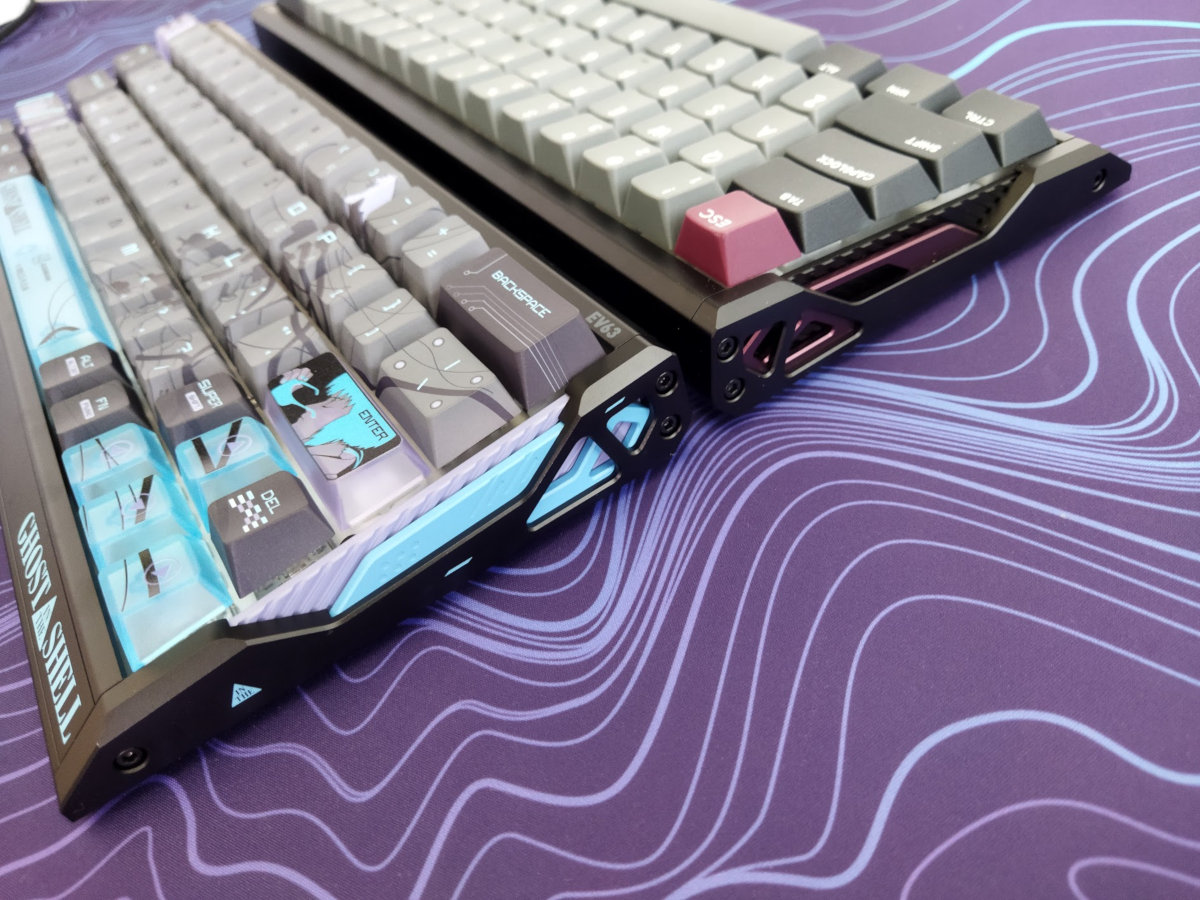
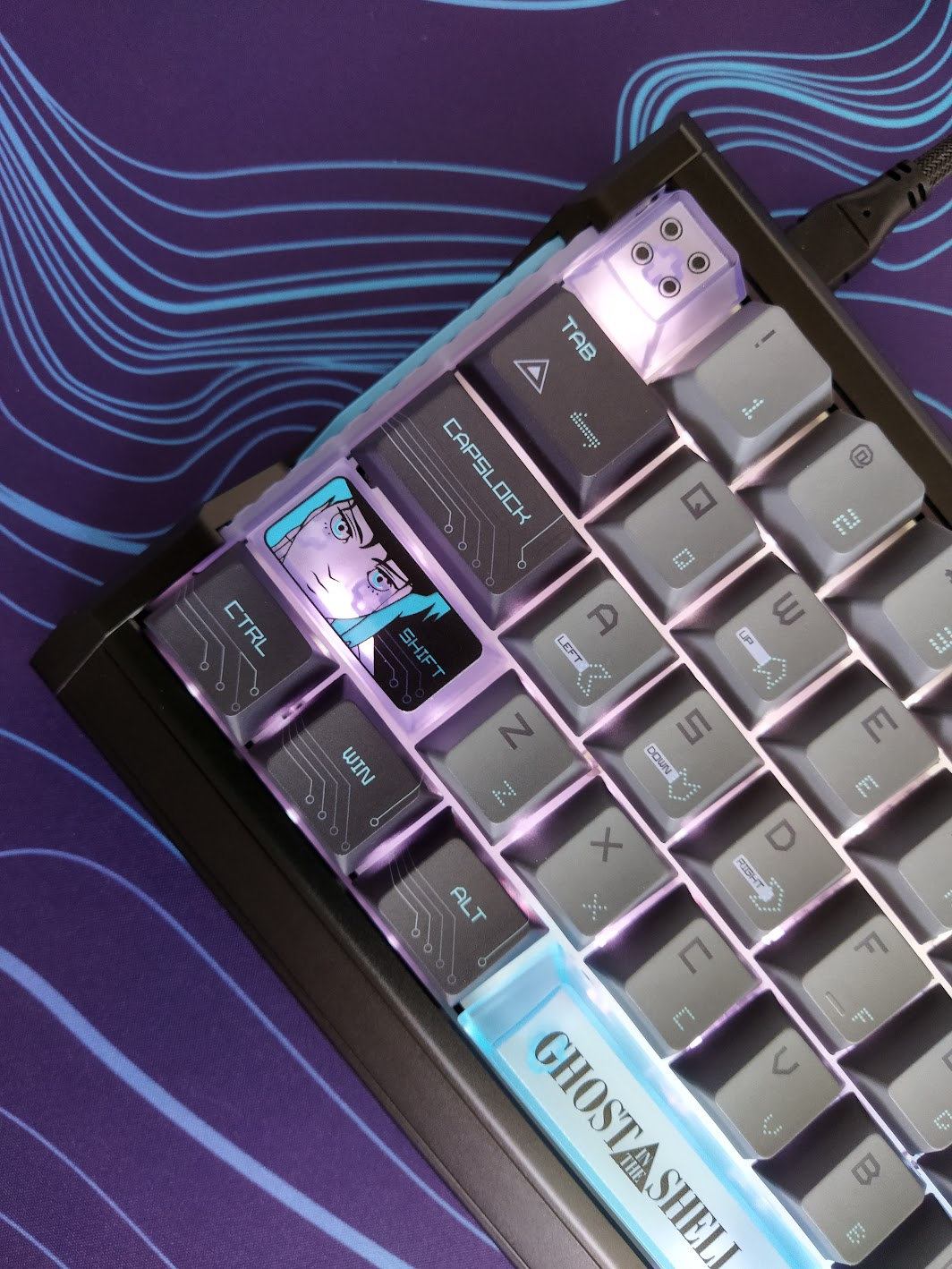
The new keyboard variants come with kick-ass Cherry-profile (sculpted, cylindrical) dye-sublimated PBT keycap sets – with translucent accented keys.
As an extra, you have complete accent sets in blue and purple – and more. Four Enter caps, four Esc caps, arrows, spacebars.
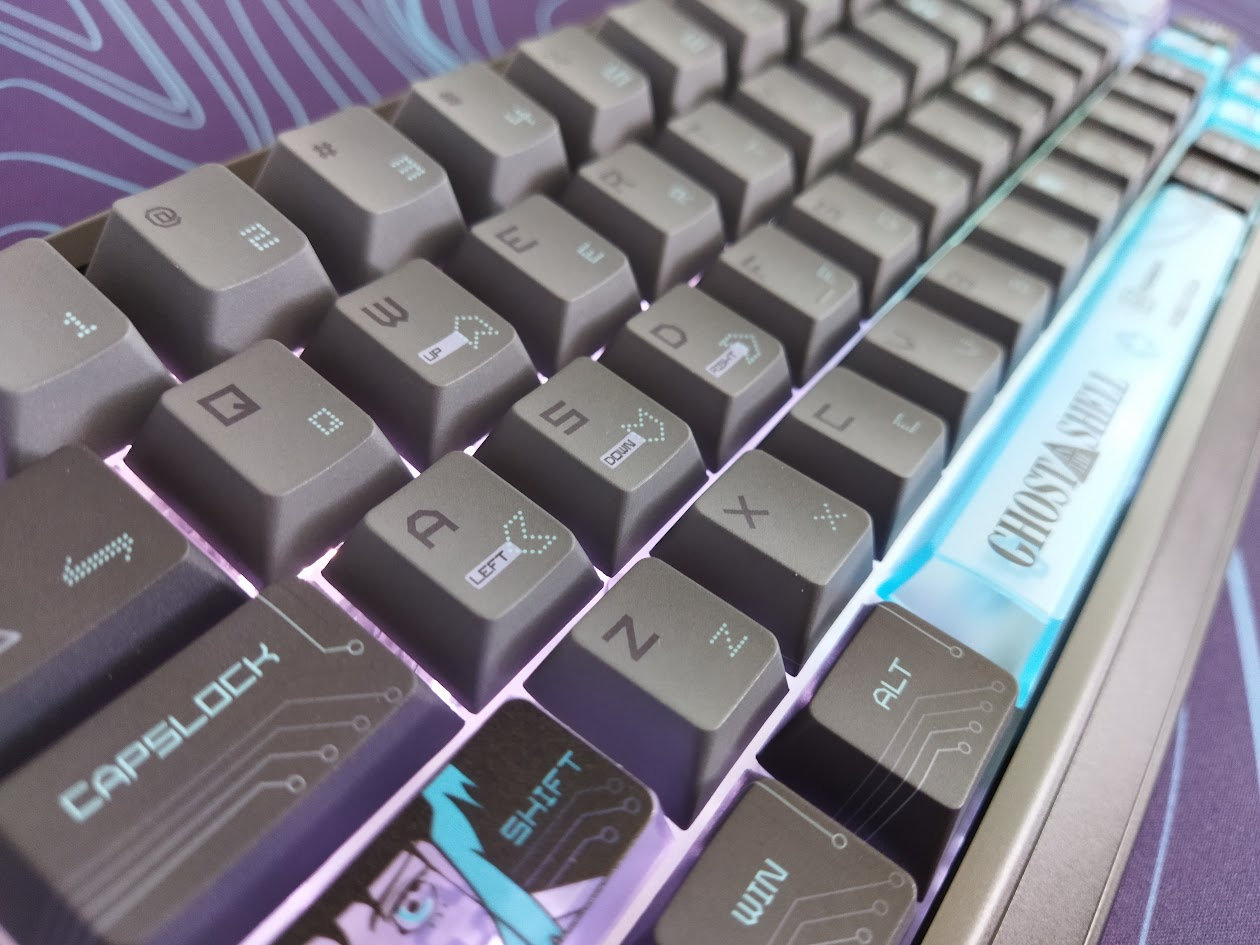
Legend quality is great. Actually, dys-sub is often better in this regard compared to the coveted double-shot caps. Given the complexity of the keycap set design, doubleshot was not an option in this case. Relatively crisp legends. The alphas have this sci-fi vibe, but not the cheap gamer font. I personally find the Cyber Blue keycap design more refined, but the Core Shell isn't bad at all either. The colorway perfectly matches the boards, the palette was inspired by specific frames of the 1995 film.
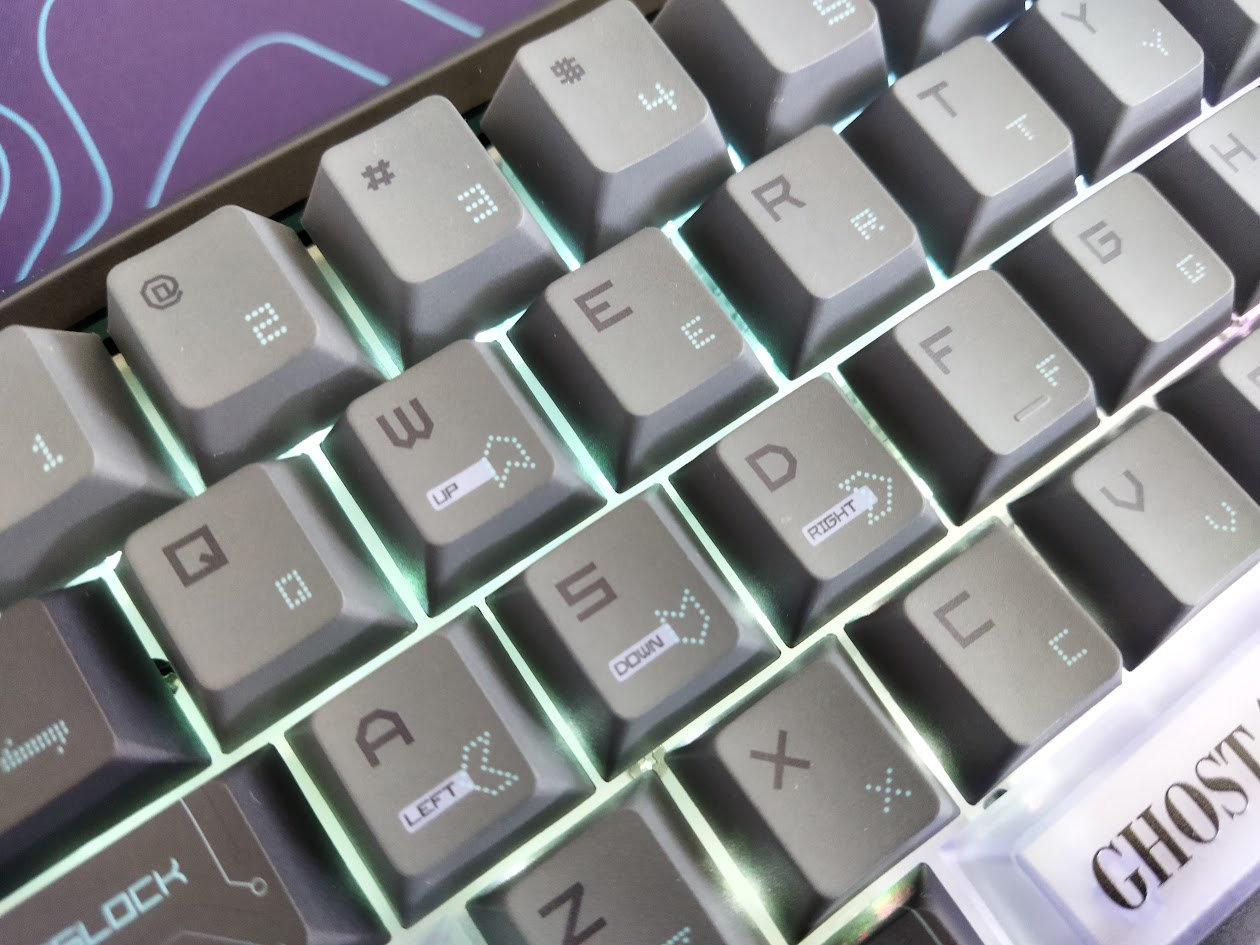
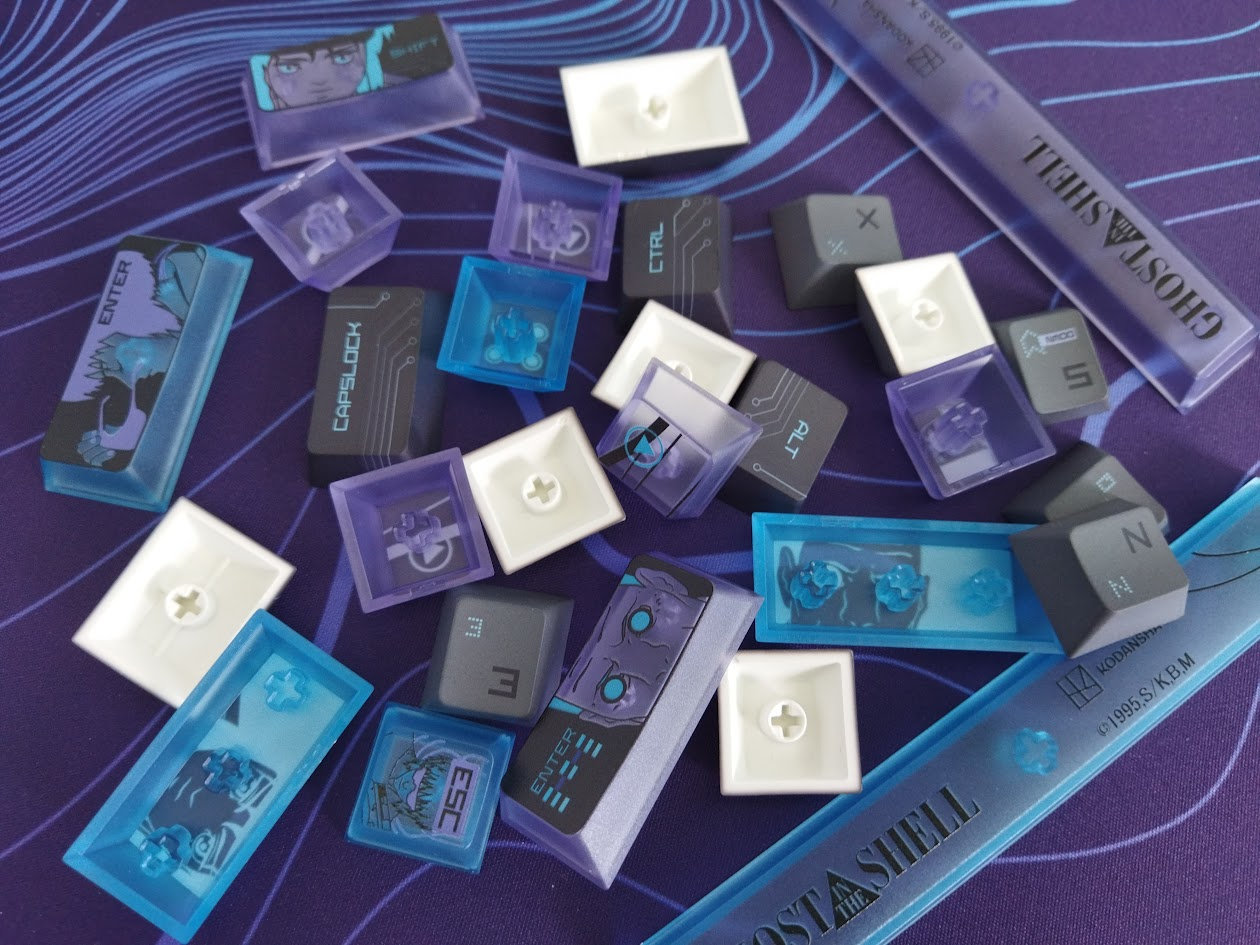
That said, the switches feature standard MX stems, so – also with regards to keycap compatibility – this layout should be widely supported if you opt for something different.
Switches
The Hall-effect switches offered by IQUNIX for the new models are the 'Nova' by Keytok.
Dust-proof stem just like that of the original Magnetic X Pro switches, but a circular one this time. Fully transparent housing with some glitter, and lower flux values. The travel has been slightly reduced as well, from 3.5 to 3.4 mm.
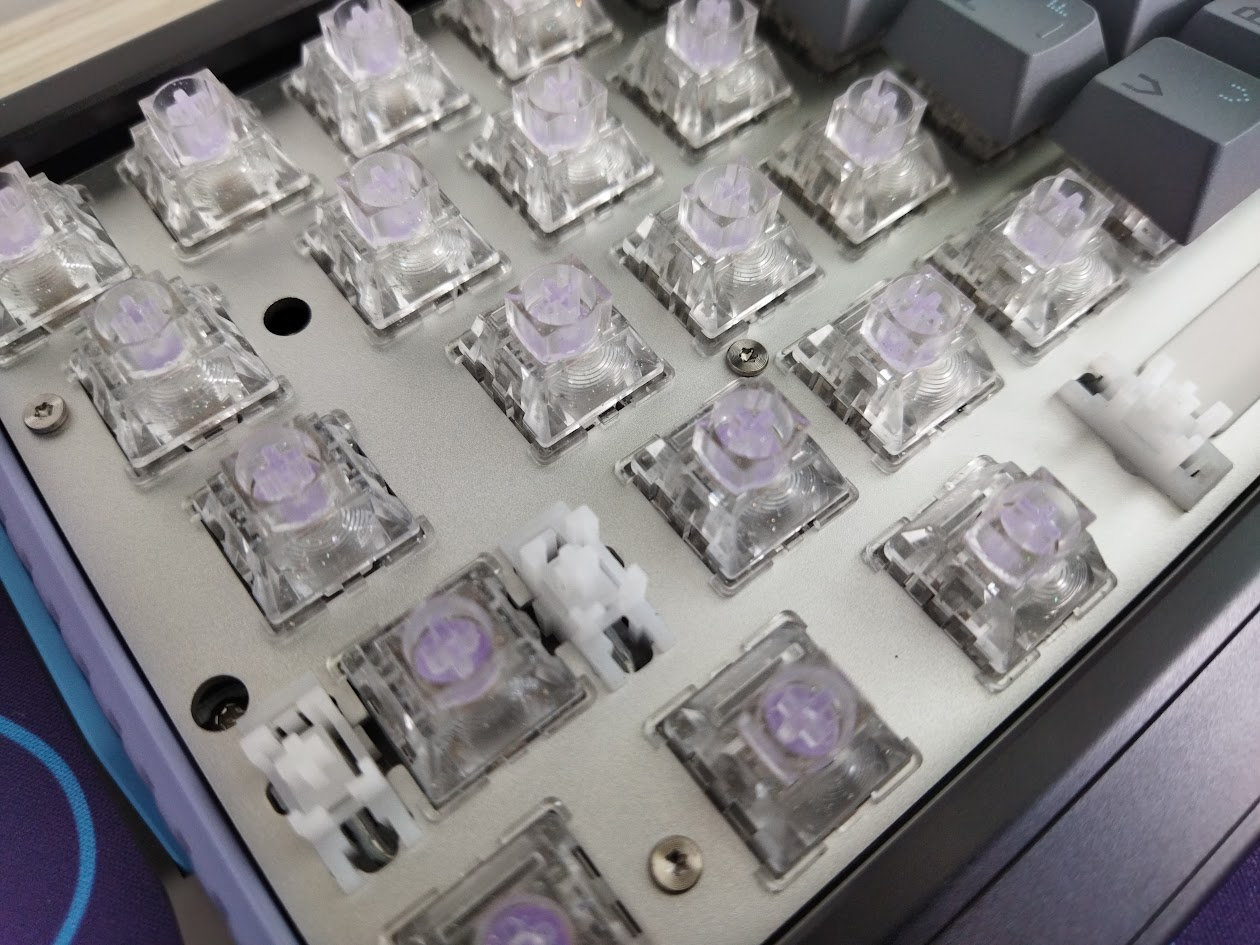
The switches are branded 'Keyspire', they feature an integrated light diffuser, and the housing has this glittery stuff mixed into the material. Quite hard to capture on photos, but if you've aready seen similar switches, you know what I'm talking about. The glittery particles are smaller here.
Magnetic X Pro switch specs
- Type: linear Hall-effect
- Start force: 36gf
- Bottom-out: 48gf
- Mounting: PCB (2 plastic pins)
- Actuation travel: adjustable
- Total travel: 3.4 mm
- Initial magnetic flux: 100GS
- Bottom magnetic flux: 480GS
- Material (top/bottom/stem/stem sleeve): PC/PA12 Nylon/PA12 Nylon/POM
- Spring: 21 mm extended gold plated
- Factory lubing: ?
We are talking about nice light linear Hall-effect switches, with minimal wobble, near-zero lateral wobble actually, however, I found a single switch that behaved quite differently: it became very scratchy towards the last few millimeters of travel. All the other switches proved to be spotless, so a few replacement switches could have come in handy in the bundle.
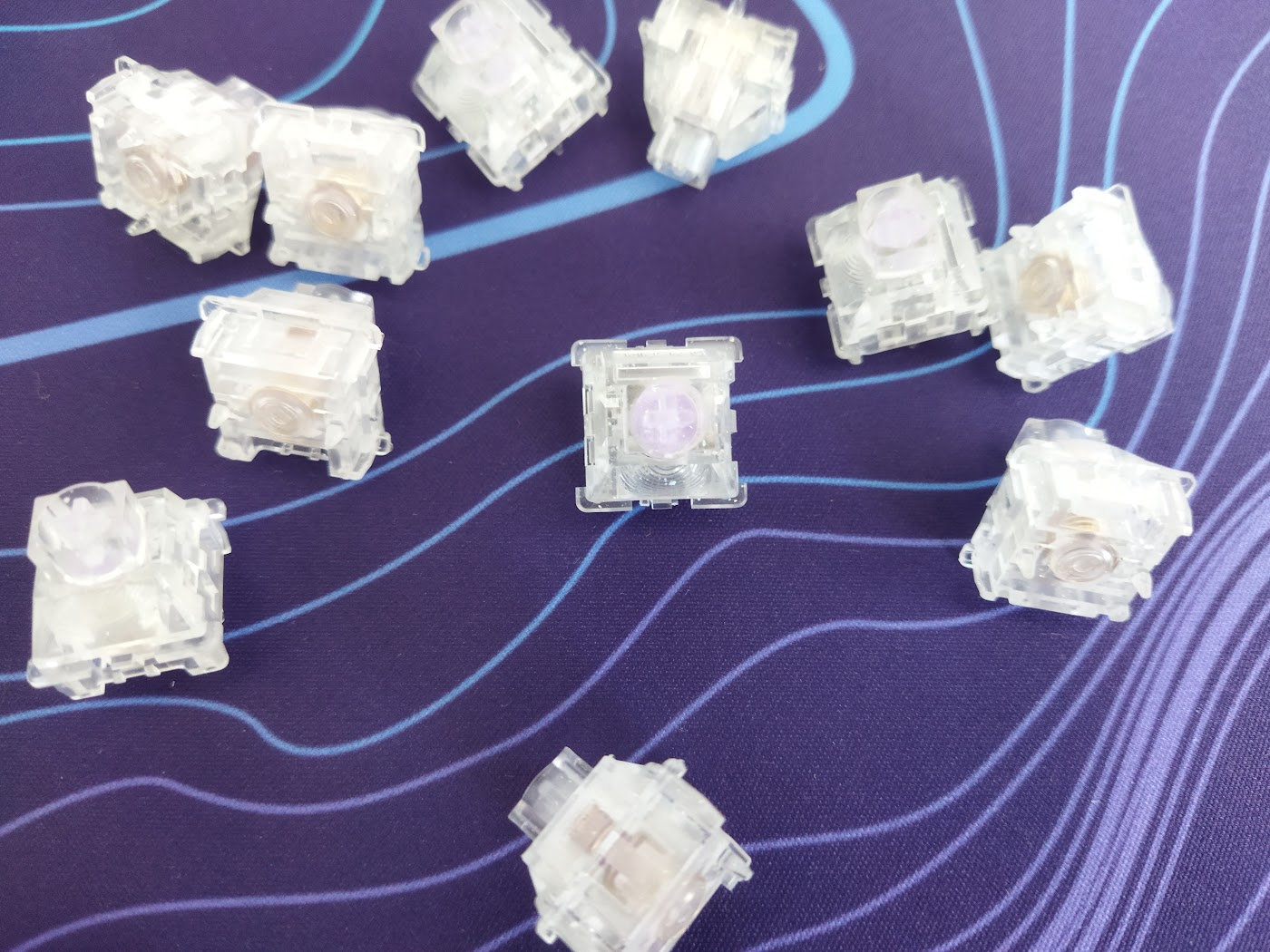
The Nova switches, except the single scratchy outlier, feel decent, but Hall-effect keyboards are inherently hot-swappable, so you don't have to stick to the factory setup. It's quite easy to replace them once you get the hang of it (grab their north-south sides). Check out the current best-selling magnetic switches, or feel free to use your personal favorites laying around.
Build quality, structure, case
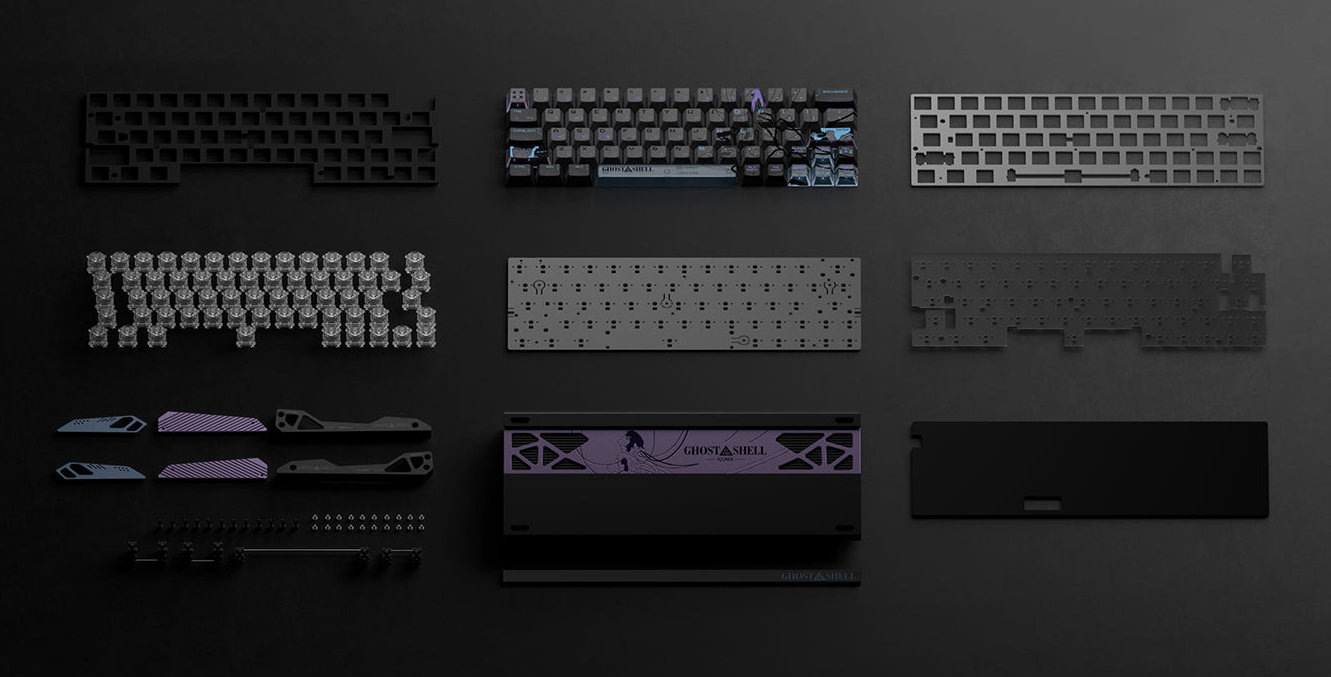
Crafted from aluminum with CNC machining, the EV63 features anodized finish. Without the forged carbon vanity plate of the Violet, but a GitS-branded one on the front. The classic one-piece tray structure is spiced up with the cool multipart and multicolor layered side pieces. The Core Shell variant incorporates a new design with a new plastic element, the Cyber Blue is pretty the same as the original, just with a different color palette.
If you're concerned about fingerprints, the silver version is the safer choice. Black anodized finishes are generally fingerprint magnets, attracting and highlighting smudges very easily.
This board looks absolutely premium: superb build quality with excellent material choices and finishing. Relatively heavy (1.2kg), so it won't move during a frantic gaming session, not to mention less demanding office or home jobs use. The feeling is uncomparable to plastic boards.
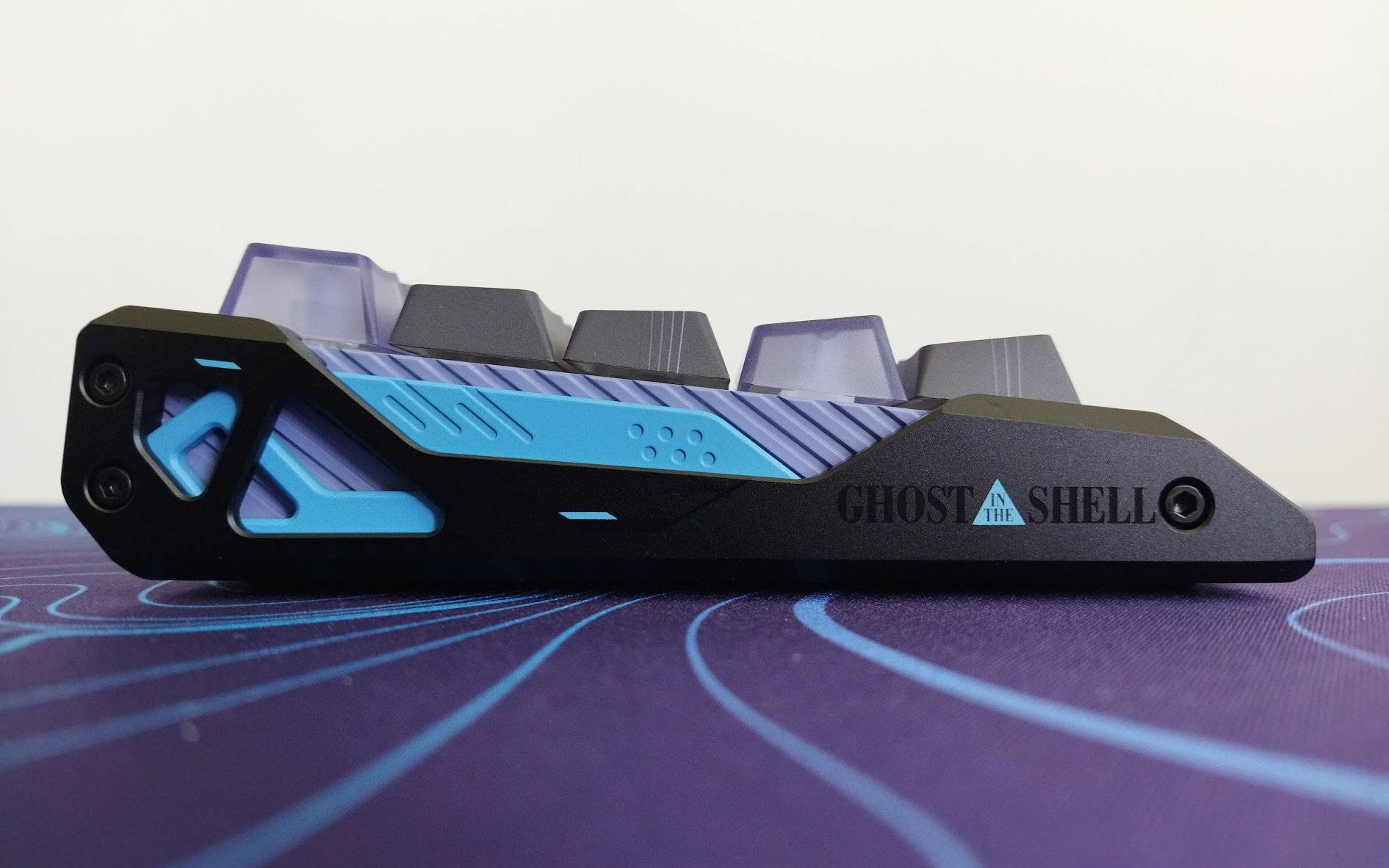
Typing angle: non-adjustable, fixed 6 degrees.
Disassembly
An accompanying leaflet warns you that disassembly may void your warranty. Well, I really wanted to look under the hood, so I eviscerated the EV63 anyway.
As I learned last time, the multipart layered sides with the exposed screws are a trap! :D You don't need to remove those at all.
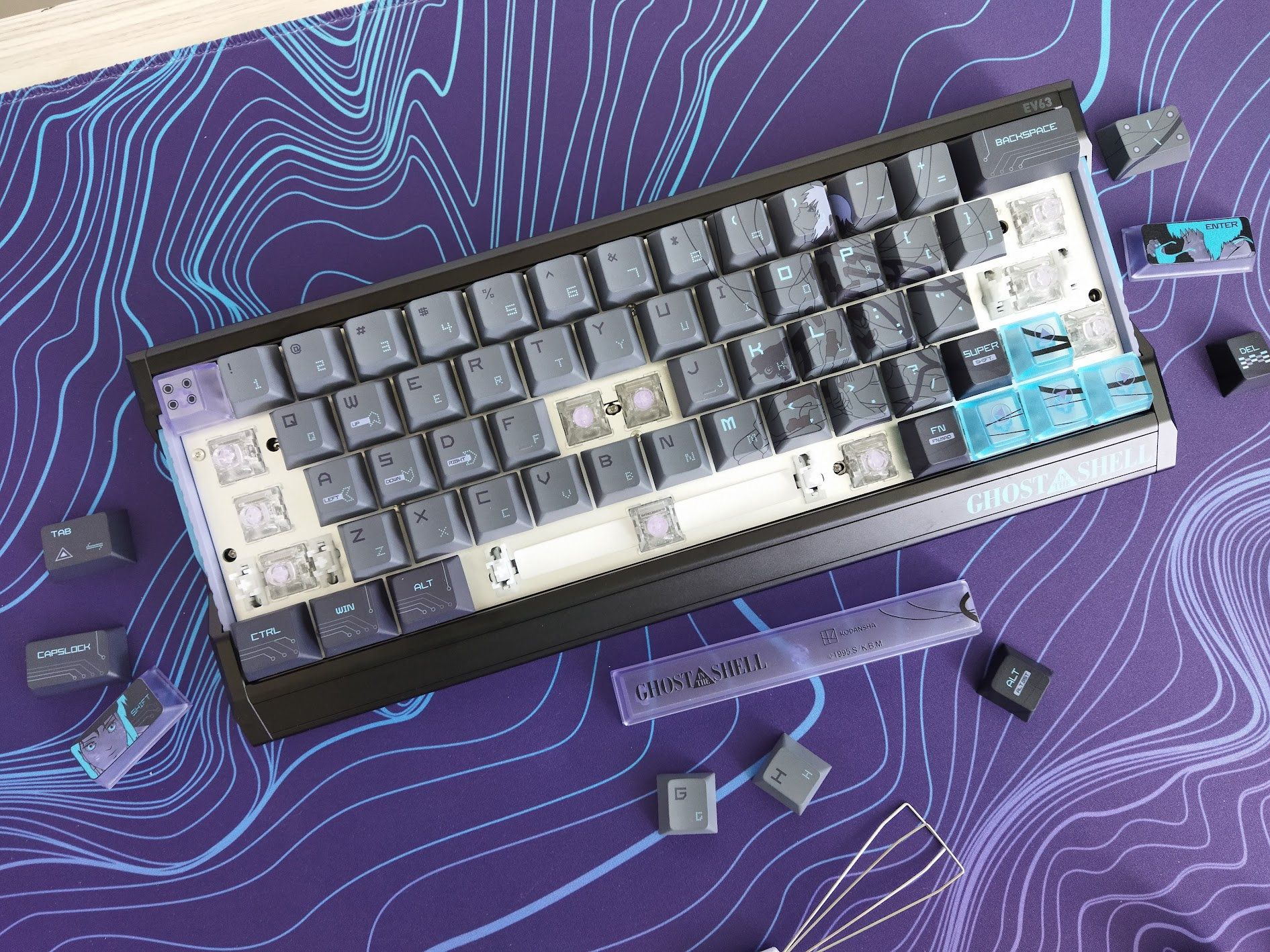
Instead, start by removing the 10 keycaps depicted above to access the six screws fixing the PCB to the case poles.
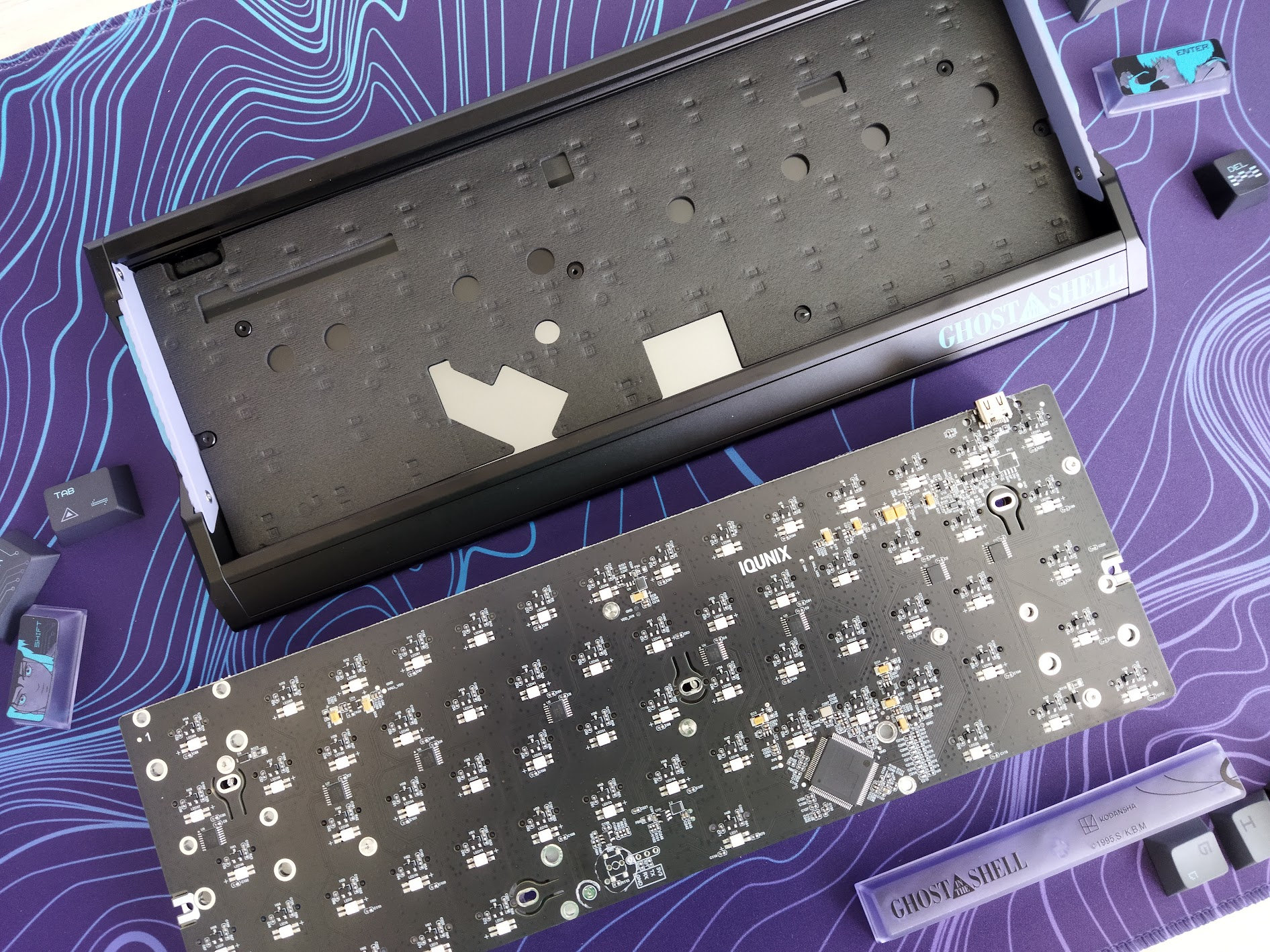
While this is a pre-built model, not designed with frequent disassembly in mind, I'm glad the EV63 is pretty straightforward to disassemble.
Structure & Mounting
The EV65 features tray mounting, meaning the plate/foam/PCB sandwich is screwed to six poles of the bottom case. No gaskets. Some cutouts on the PCB, but I wouldn't say these add anything to flexibility.
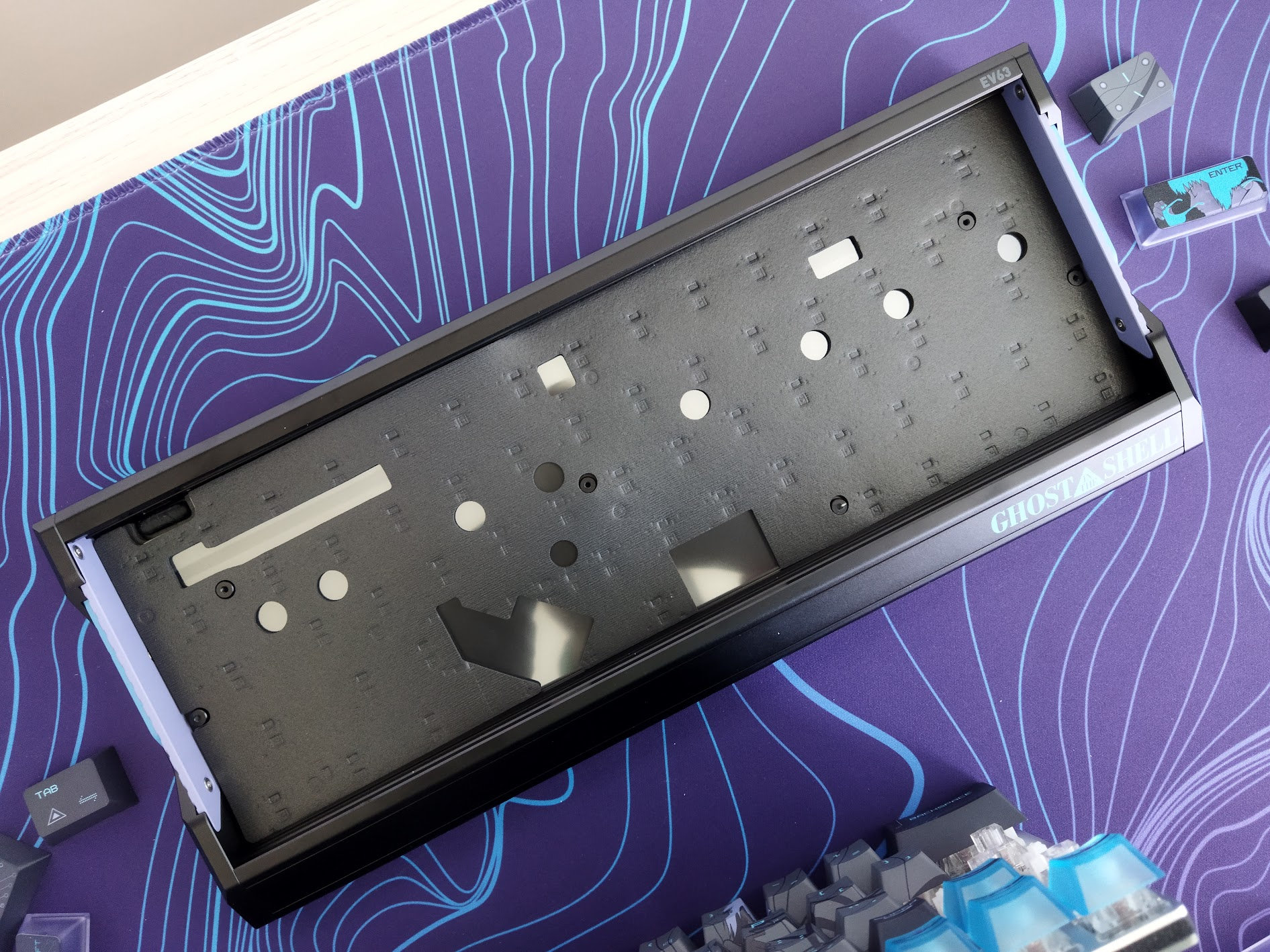
This structure results in a pretty hard, direct typing experience, as expected from a precision tool for gamers. No room for mushiness or heterogenity due to flex here and there if the your life is at stake.
Plate
The plate is a beautiful bead-blasted aluminum plate without any flex cuts. Very rigid for direct action – very easy to scratch though. My otherwise favorite Kemove P10 switch pullers are not the best choice in this case.
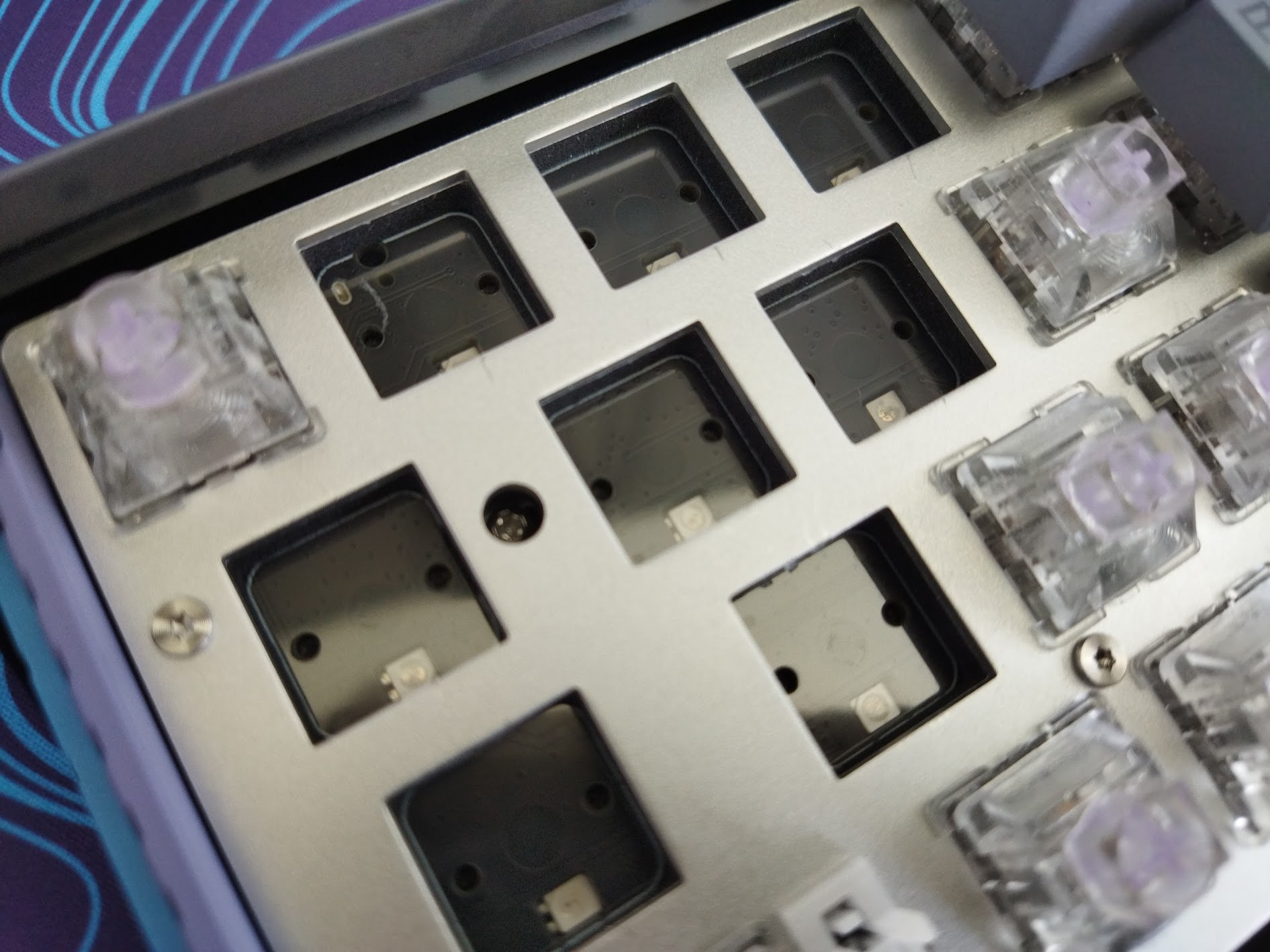
Stabilizers
Plate-mount stabilizers by default, however, the PCB comes with holes for PCB-mount stabs.
PCB
The nice black PCB is part of the thick plate/foam/PCB sandwich, screwed together, and it features south-facing per-key LEDs. There are no flex cuts except some tiny parts around the screws, and there's no need for hotswap sockets either.
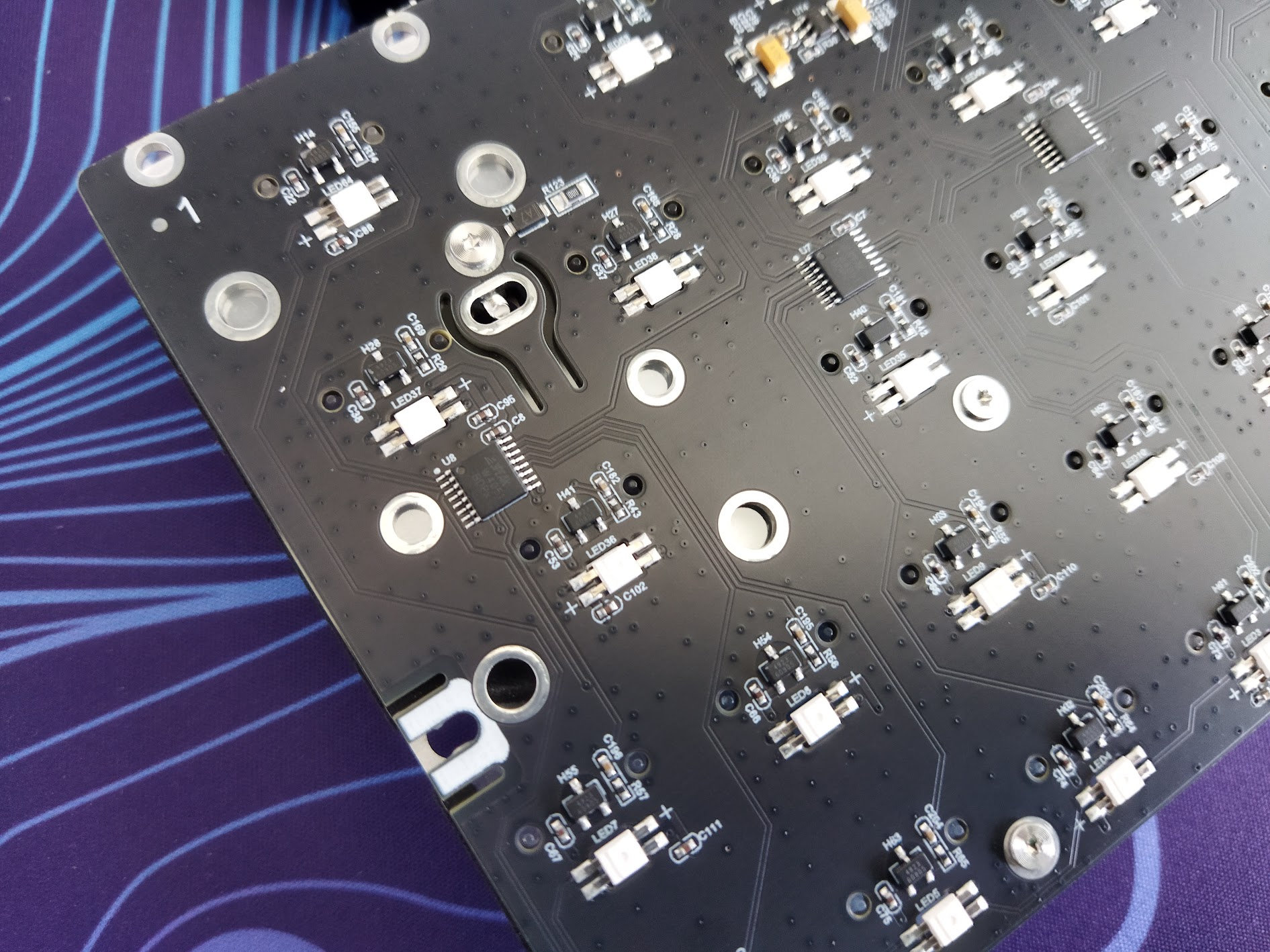
I'm not sure about these bombastic features, but here you go (quoted):
- M.A.T. 2.0 algorithm "adjusting performance in real time"
- Custom dual-circuit system for stable input without dropouts
- proprietary IQUINIX Gen-3 Hall sensor
Finally, the PCB, as already mentioned, features the necessary holes for screw-in stabs if you'd like to experiment with them.
Bottom weight & Feet
A very elaborate bottom design with layered dual-color metal parts, Ghost in the Shell-specific carvings, and cut-throughs. Anodized the same way as the case, featuring various geometric patterns.
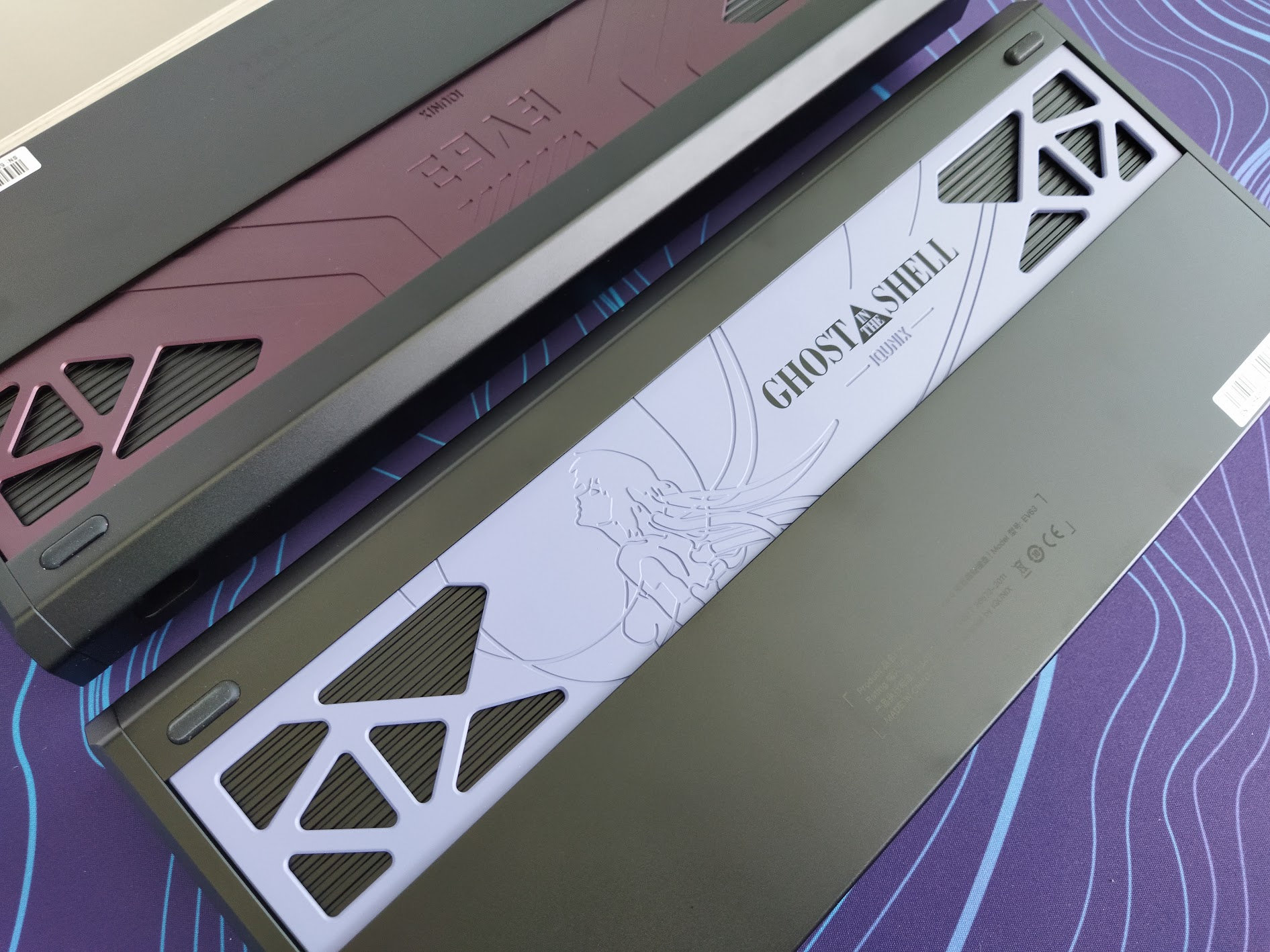
No typing angle adjustment. Four small bumpons in the corners.
Sound dampening & Feel
PORON PCB foam, PET switch sheet, PORON bottom case foam, a thin PET bottom case pad, and a final narrower strip to fill out a recess in the case.
Given the tray mounting, non-flex-cut aluminum plate, non-flex-cut PCB, the EV63 provides a relatively loud sound along with a hard and direct typing feel for precision, understandably. A desk mat is a must I'd say.
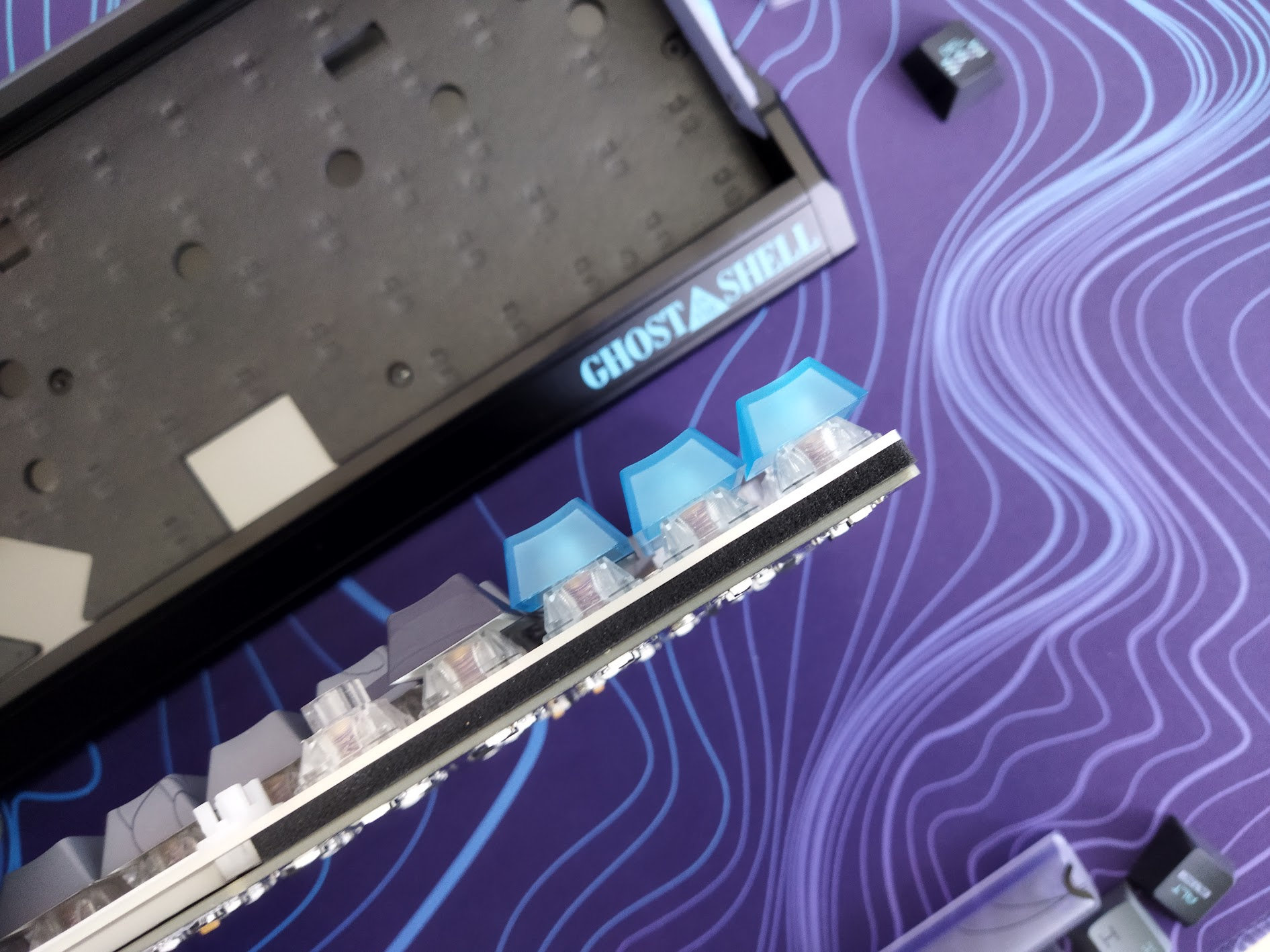
The sound of the keys is relatively heterogeneous, depending on the distance from the nearest screw/pole. That said, it seemed mostly clacky to me first. However, after comparing various boards side by side, I'd say it's somewhere in the middle between thocky and clacky. There are some clackier and noisier (Dareu Cool68) and many thockier (Evo75, Akko MOD 007 HE, KiiBOOM Phantom 81 Lite alternatives on my desk – not to mention the whole market.
I'd say that the out-of-the-box typing experience is about average, but the main design goal was the performance and HE features for gamers – the sound is less important here.
RGB lights
The board comes with per-key RGB (south-facing LEDs), no other ambient light. The default animation is very stylish, matched to the colors of the case.
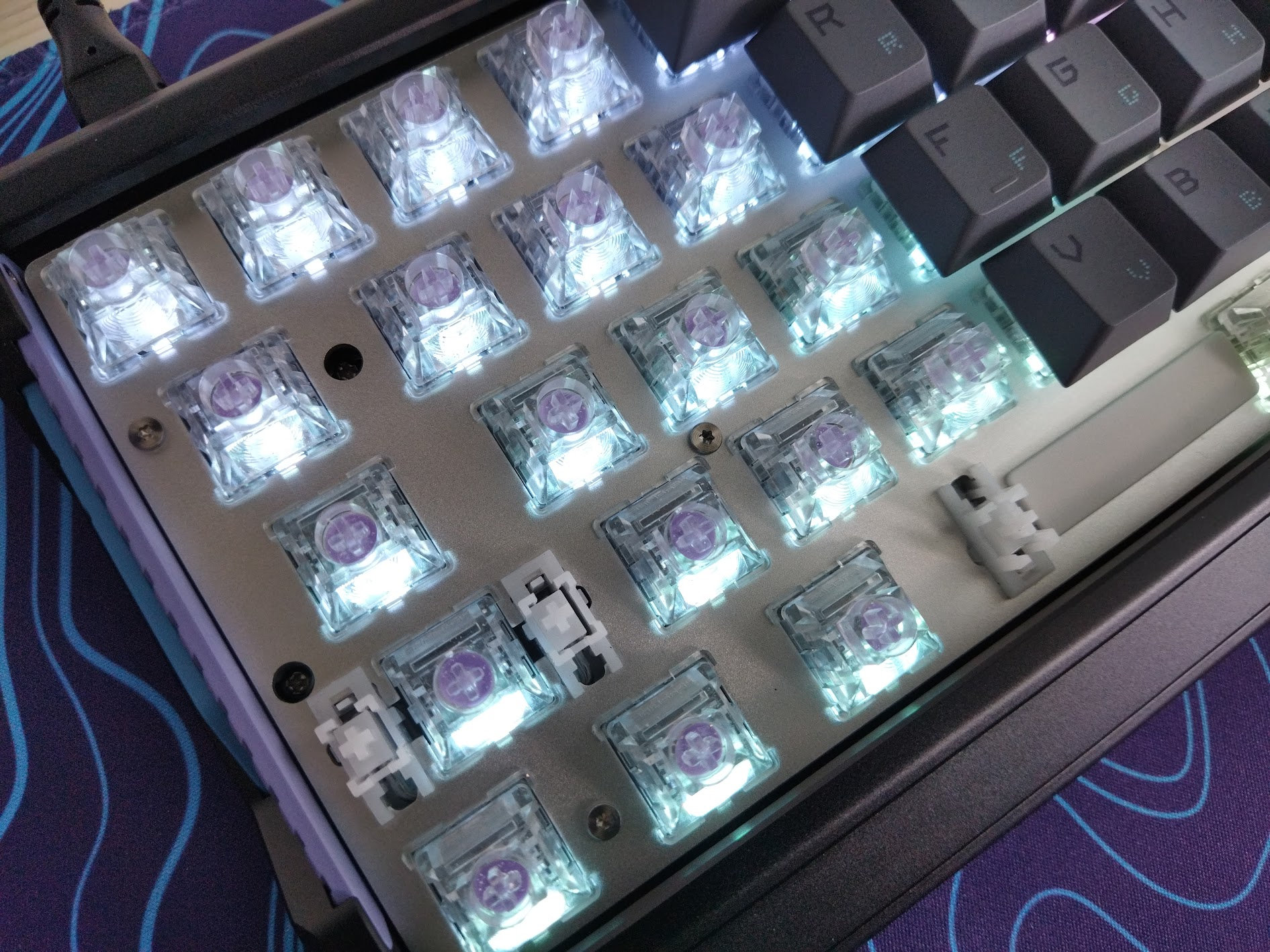
If you're really into lighting effects, go with the translucent PC keycaps (Dark Knight and Silver Knight variants). Most of the keycaps of the two new variants don't let much light through, except of course the translucent accents.
The switch housing is transparent, featuring an integrated light diffuser, so already good for RGB magic. If you prefer something else, there are many popular transparent HE switches optimized for lighting.
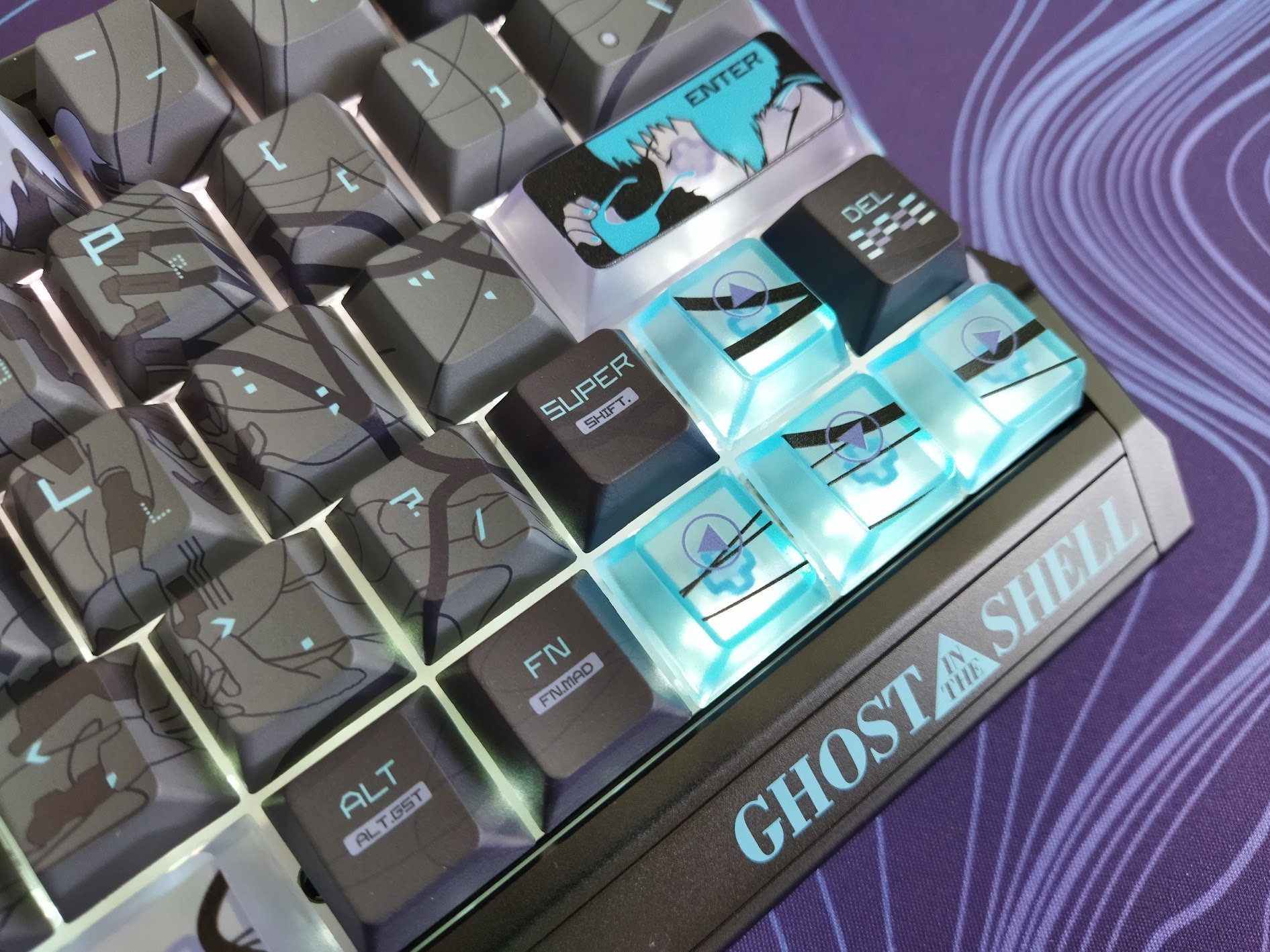
By the way, the software has a staggering 45 presets in its lighting section. From subtle ambient glow to vibrant full-spectrum animations, you can fine-tune colors, brightness, speed, and modes to match your mood and setup.
Connectivity
The EV63 is a wired keyboard, so no wireless Bluetooth or 2.4GHz connection options.
The USB-C socket is located on the left rear part of the case (when facing the board in a typing orientation).
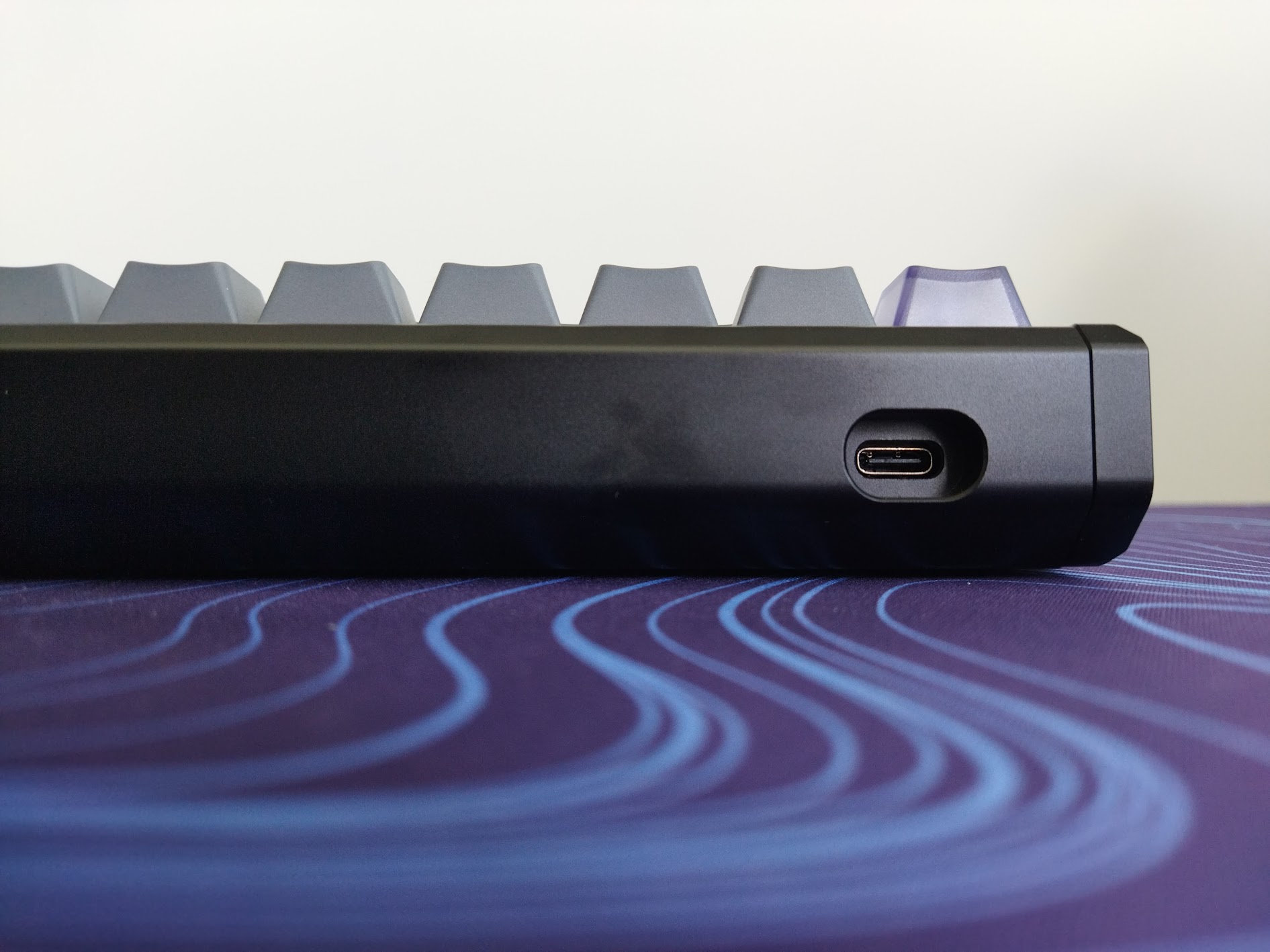
The accompanying cable is decent, a braided black one with branded connector, matching the case. However, the board looks so dope that I'd replace the cable with an even fancier one – a nice coil and a vanity connector.
Software
Hm. Hall-effect keyboards usually come with proprietary software, and the EV63 is no exception. To be clear: no QMK/VIA/Vial support.
IQUNIX created a web-based app called EV Software, focusing on gamer features, but I have to say I like this a lot as a non gamer keyboard enthusiast as well.
Such software has its merits and risks: it's easy to use and requires no installation, but once the website disappears, you're left with a keyboard that effectively becomes non-programmable.
In addition, Iqunix developed HyperCore V3, their latest firmware update for the EV63 and EV63 GitS variants, completely rebuilt from the ground up. The update starts automatically, I had no choice but go with the flow – no skip or postpone option. The process took about 4-5 minutes.
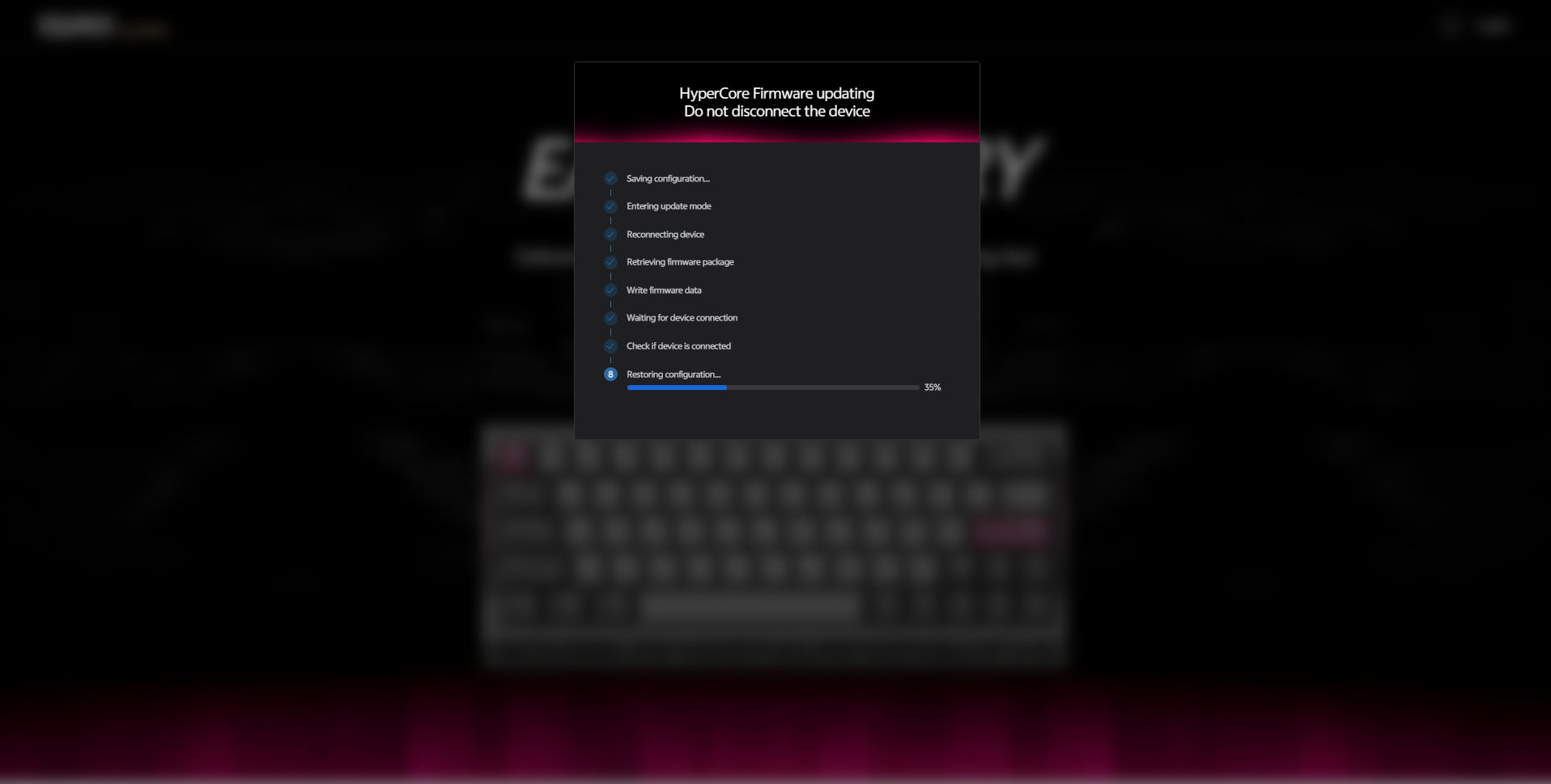
The goal was to keep performance stable (other than fast scanning), to ensure predictable behavior during competitive gameplay, and enable effortless switch adaptation without sacrificing keystroke accuracy.
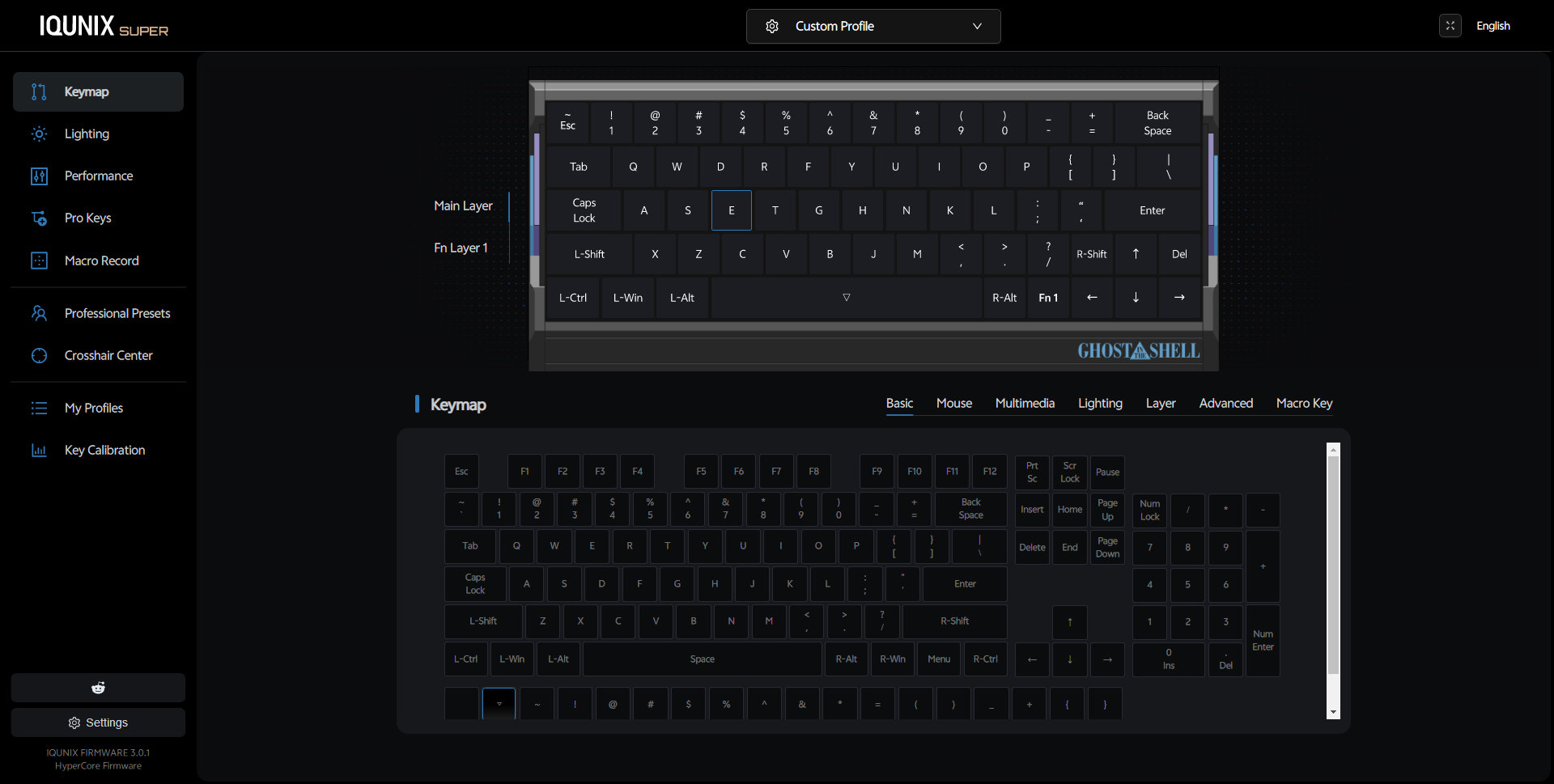
The online interface is intuitive, swapping letters and symbols worked fine. You can easily recreate your base layer if you rock a custom keymap.
And finally there's a mod-tap function that actually works! Many custom software lack this feature. Only one extra layer and no other layer functions, but at least you can set up SpaceFN. For those new to it: SpaceFN is an easy-to-access layer that's crucial for many users, letting you assign arrows, navigation keys, and numbers right under your fingertips – no need to move your hand to the arrow cluster, for example.
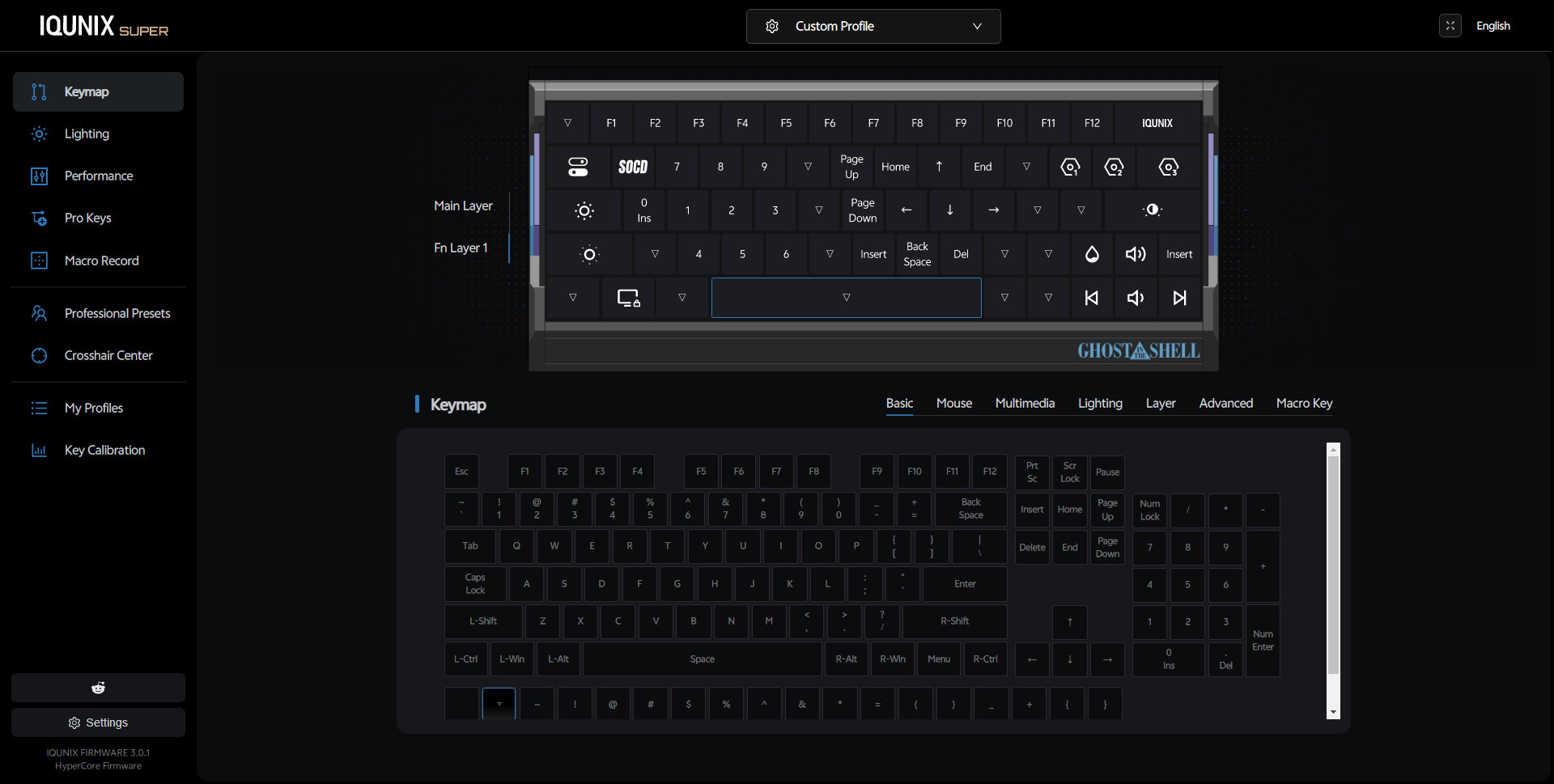
Gamers will probably discover all the specs and features aimed at gamers instead:
- RS, MT, TGL, SOCD, DKS
- Lots of presets (FPS Pro Presets)
- 0.01 mm rapid trigger
- 8K Hz sampling (1.25 ms latency), adjustable
And of course the lighting section – with 45 animations if I'm right.
Compatibility
I had no problem on Windows, but not sure about Mac compatibility. No mode switch or extra caps with Mac mod legends.
Portability
The EV63 is a great keyboard for stationary use, but if portability is your main concern, I would definitely choose something lighter.
Sure, with its relatively small 60% footprint it will most likely fit in any backpack, but I wouldn't call a 1.2kg board ideal for travel.
Comparison
I've reviewed many magnetic gamer boards, but the 60% form factor is a bit rare in this category. So nothing what I'd consider a true competitor of the EV63.
Check out the original three EV63 variants of course for a cleaner look.
If you need something magnetic for gaming, the Luminkey Magger 65 HE, the Dareu Cool68, MoeeTech's Glitter65 HE, the Syntech Chronos 68, or the entry-level Kemove TMKB T68-C have been covered. The Magger and Chronos are aluminum, but as you can see, most boards in the list are 65%.
If you insist on 60% models, I've recently reviewed the light and portable (plastic) Dareu COOL60 HE, but also the mechanical alu 60/65% Chosfox Fox65 with slider and split spacebar. Maybe the Elytra is worth checking out as well if you're open to split boards. Or the Lego KBDcraft Israfel if split ortho is an option.
That said, the EV63 clearly stands out with its build and features as one of the most remarkable models on the market. The new Ghost in the Shell models raise the stake and elevate this unique offer to the next level.
Conclusion
The new Cyber Blue variant of the 60%-ish Hall-effect IQUNIX EV63 is another gorgeous aluminum keyboard from Iqunix, with breathtaking design in partnership with Ghost in the Shell rights holder Kodansha. A wired gamer board with a plethora of features with competitive gaming in mind. Given the translucent magnetic switches with some stylish glitter, the inherent hot-swappability, the MX-compatible stem for keycap compatibility, and all the little details, I can definitely recommend this model for consideration if you're looking for something in this form factor. While the target audience is gamers, even less picky keymap wizards will appreciate it, because the custom software features a very handy mod-tap function.
Pros
- gorgeous aluminum design
- kick-ass Ghost in the Shell theme
- highly customizable
- specs and features with serious gamers in mind
- custom but intuitive and feature-rich web-based software
Cons
- proprietary software has its general risks
- fingerprint magnet (black case)
- a single switch behaved strangely – some spare switches could be added to the bundle
Price & Availability
The IQUNIX EV63 Cyber Blue is available at iqunix.com, at the moment for $249 $237 (in contrast to the $169-209 price range of the original models). Don't forget to use the KBDNEWS coupon code to claim your 5% discount.
- IQUNIX EV63 Ghost in the Shell Edition product page
Published on Fri 5th Jun 2026. Featured in KBD #212.
Related

Dareu COOL60
An ultra-affordable 60% HE keyboard: Dareu COOL60 – frosted case, matching caps, per-key RGB, wrist strap. 8KHz reporting rate, 0.01mm RT resolution for gamers. For just $42?!
Elytra review
The Elytra is a fancy split in a cool alu case. Pre-built, wireless, low profile, optimized for travel – from ElimKeys.
Nyan Keys
An FPGA based mechanical keyboard engineered for low latency and open sourced by rekcats – Nyan Keys.
PH60
PHDesign's PH60 is an open-source 60% keyboard project – now with a HHKB variant.