Keyboard Builders' Digest / Tips & Tricks
How to choose keyboard switches?
Choosing the best mechanical switch can make or break your typing or gaming experience. With all the brands and buzzwords to sort through, it’s easy to get overwhelmed. In this guide, we’ll break down the key factors, and recommend you switch models matching your criteria – at the best prices.

Published February 18, 2018
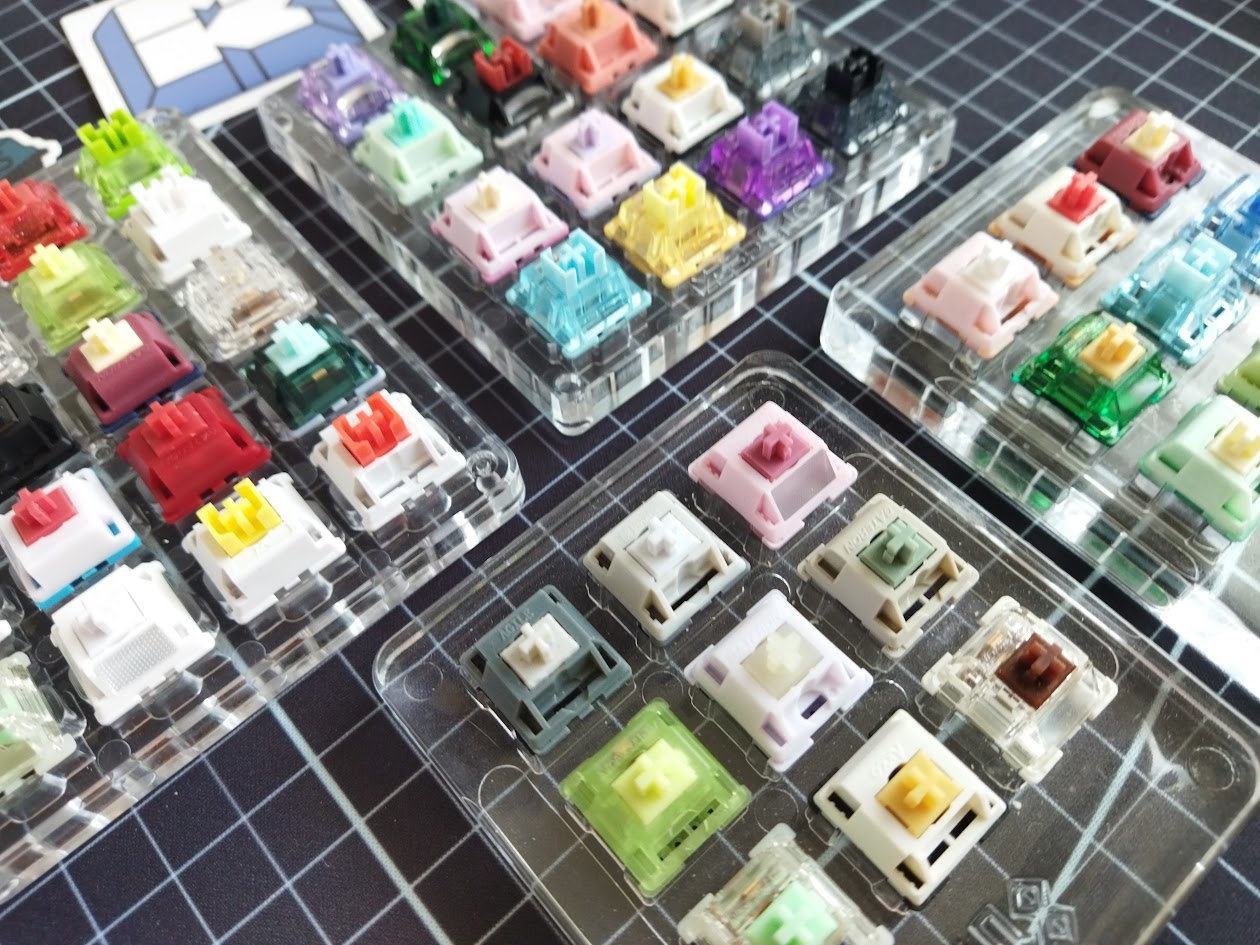
Just starting out with custom keyboards and already overwhelmed? Hm. No surprise. The huge range of mechanical switches can be intimidating even for seasoned veterans. In this article I will guide you through each step of identifying the best switches for your typing style and preferences.
This is a 10-15 minute read, by the way.
Once you're finished with this article, you won't just understand what the whole switch craze is about, but you will also be provided with exact switch recommendations for your preferences, in a wallet-friendly way. Everything here is data-driven, based on a regularly updated database of switches – factoring in current popularity, trends, availability, and prices.
Follow the crowd
Let's start with the easy way. Not interested in delving into the technicalities and terminology? Just follow the crowd and buy what most other people buy.
What are the most popular switches? Well, I've been publishing a monthly switch market overview with the actual best-selling switch models – for years. Check out the most recent compilation. While 'best-selling' doesn't necessarily translate to 'best', trying some evergreen or trending community-favorite switch models seems to be a good start.

Check out the current state of the switch market, based on a sample of 1 million switches sold last month.
Based on the same statistics, in the switch database you can sort and filter the current top 500 list for a bunch of parameters, e.g. if you're looking for silent light linear MX switches – a sought-after category nowadays.
Don't worry if you have no idea what keywords like 'silent', 'linear' or 'MX' mean. We'll continue with a quick overview of the most important parameters to consider.
But first here's another tip:
Switch testers
Another safe way to try multiple switches is purchasing (or borrowing) a switch tester.
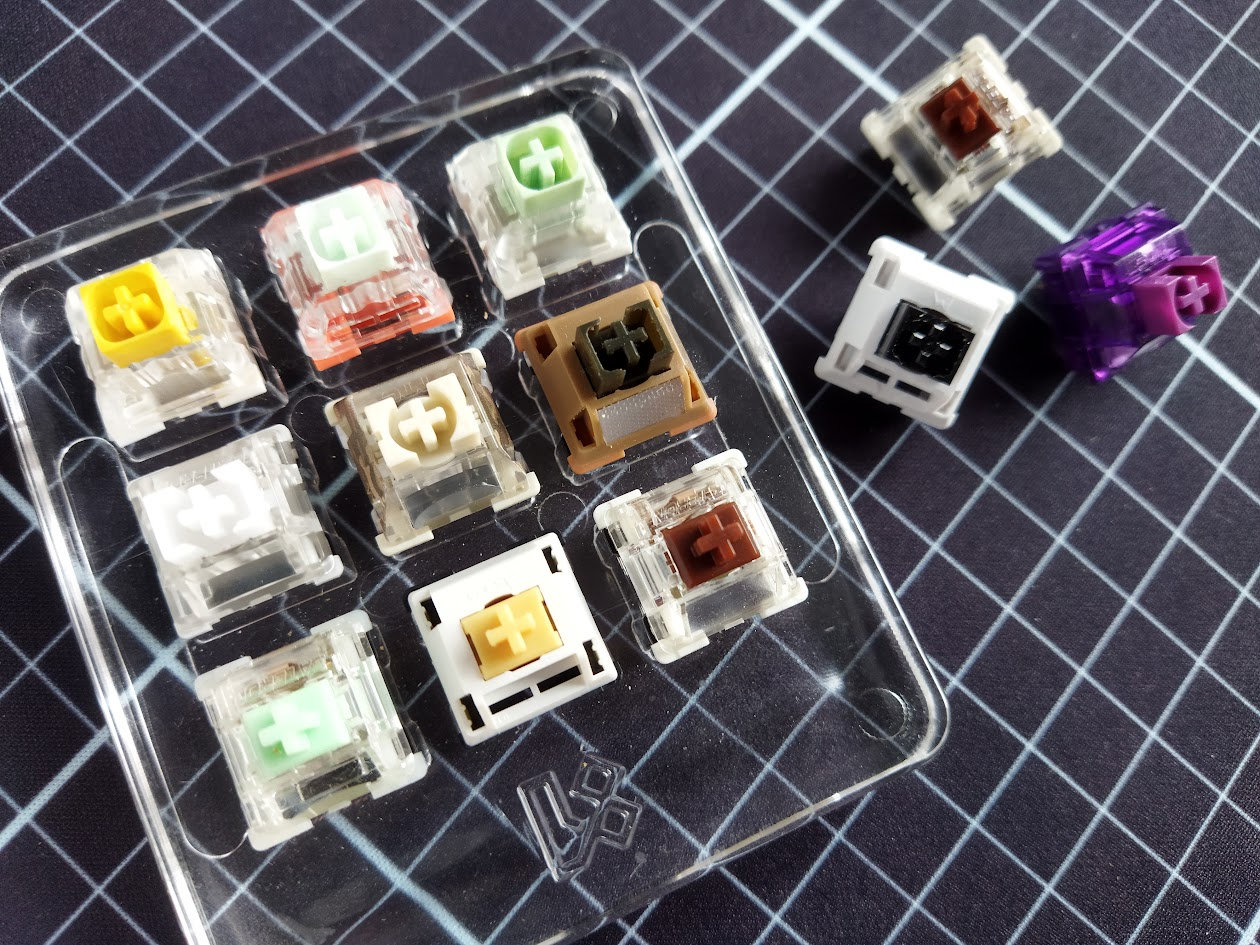
Many keyboard shops offer custom or thematic switch testers, with switch samples arranged either in a nice (acrylic or 3D-printed) frame or simply shipped in a bag.
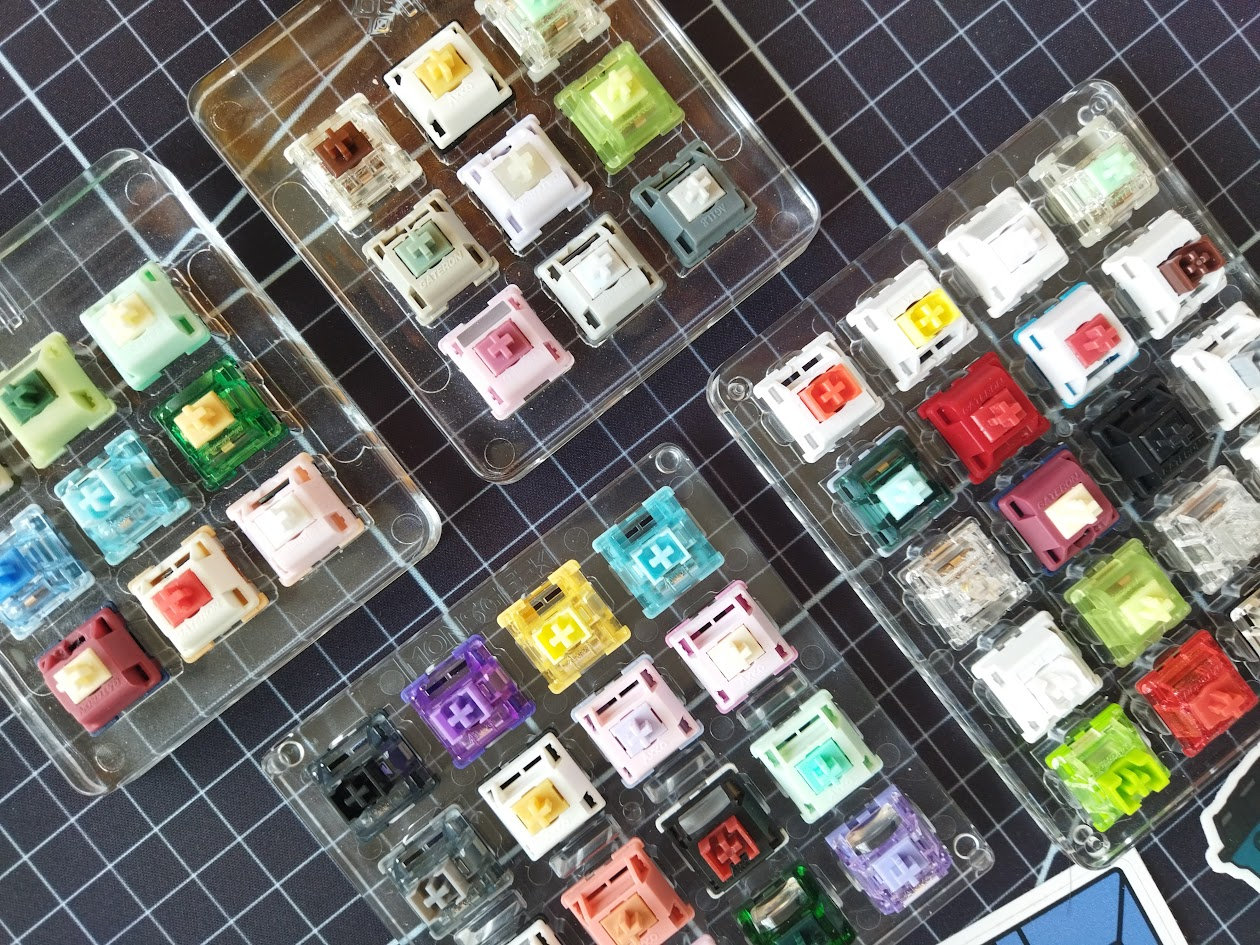
Switch testers offer a relatively cheap way to compare many options if you can't find a friend with a nice collection of switches, or have no opportunity to visit a keyboard meetup in your vicinity.
Shops offering switch testers
- USA: Clackify specializes in switch testers. Give them a shot.
- EU: Monacokeys (DE), CoffeeKeys (IT).
- UK: Thocc Exchange and SerpentKeys.
- China: Unikeys (CN) is revamping their tester page.
- Other shops offer more specific switch testers too, e.g. Beaverkeys (CA) or Keebz N Cables (AU).
Parts of a mechanical switch
Since you're new to switches, you don't have to take them apart yet. However, you have to know at least some important parts.
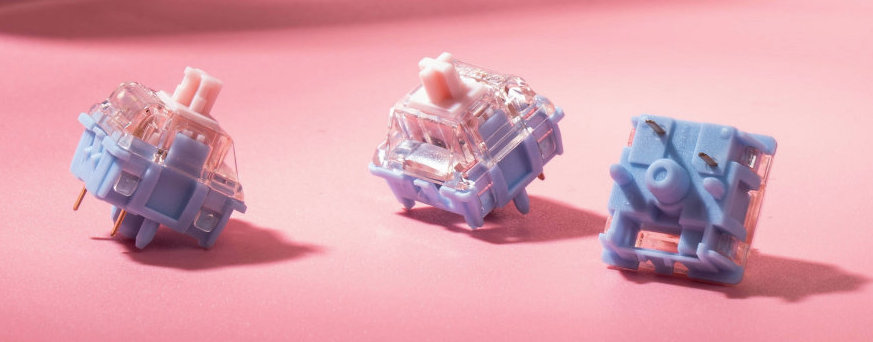
- Stem: The moving central part – the key for keycap compatibility.
- Upper housing: Can help with lighting if transparent.
- Bottom housing: Material can define sound and feel.
- Pins: The pointy bits on the bottom. Their arrangement is key for switch compatibility.
- Light guide: Optional feature to diffuse LED light.
There's much more to switch structure, but you don't have to complicate things at this point.
What switch parameters to consider?
While browsing the offerings of keyboard shops, or Aliexpress, product descriptions and specifications can be full of buzzwords. Let's see the most important categories and parameter names.
- Compatibility: You're most likely looking for an MX or a Hall-effect switch nowadays. Unfortunately, they are incompatible. Not even mentioning low-profile switch types. Footprint and pins are crucial, doublecheck your keyboard and PCB specifications. If in need of help, I explain what to look for, just click here.
- Switch type: Linear, tactile or clicky switches – the basic categories indicating the presence or lack of tactile or auditory feedback. We can extend types with silent variants.
- Switch weight is one of the most important parameters. Heavy switches may be fatiguing, light ones may trigger unwanted keypresses. 40-45gF actuation (the top range of what I classify as light switches) is a common sweet spot.
- Travel distance is less diverse, but e.g. gamers may prefer short-travel switches. Basically: How deep you have to press the key for the computer to register the keypress. Pre-travel (actuation) and full travel are both important.
- Silent-silent, or just not too loud? Silent designs reduce volume, but may result in a mushy feel because of the silicone dampeners.
- RGB support – transparent housing and light diffuser – may be important for those into lighting effects.
- Stem compatibility. A dust-proof stem may come in handy in certain working environments. What's more important is keycap compatibility (MX/Choc V2/Gateron LP → MX stem, Choc V1 → Choc stem).
- Pins: Once compatibility is ensured, the number of plastic pins is less important. You can always clip off the two extra pins of 5-pin (PCB-mount) switches to turn them into 3-pin (plate-mounted) ones.
- Lubing: Most switches come factory-lubed these days. Just starting out with switches, you probably couldn't do a better job anyway.
- Sound: Keyboard sound is complex and subjective. Switch sound is only one of the many factors. If you prefer something silent, you can skip the thocky-clacky minefield. Otherwise good luck.
- Tolerances, stem wobble. Inspecting multiple options side by side will tell you the differences (→ switch testers).
- Price. No need to jump into expensive switches. The switch database indicates regularly updated prices, comparing offers of dozens of shops. You can even arrange the full list by price, and select the cheapest ones matching your preferences and making it to the top by popularity (sales volume).
Switch compatibility
Compatibility is crucial. You don't want to waste your money and end up with a bunch of switches that you're unable to mount. MX, Hall-effect, low-profile Choc, and e.g. Gateron low-pro switches are incompatible. Hall-effect (magnetic) switches, coming mostly with gamer boards, are an entirely different breed and require dedicated PCBs with Hall-effect sensors.
The gist: You better doublecheck your keyboard's specifications.
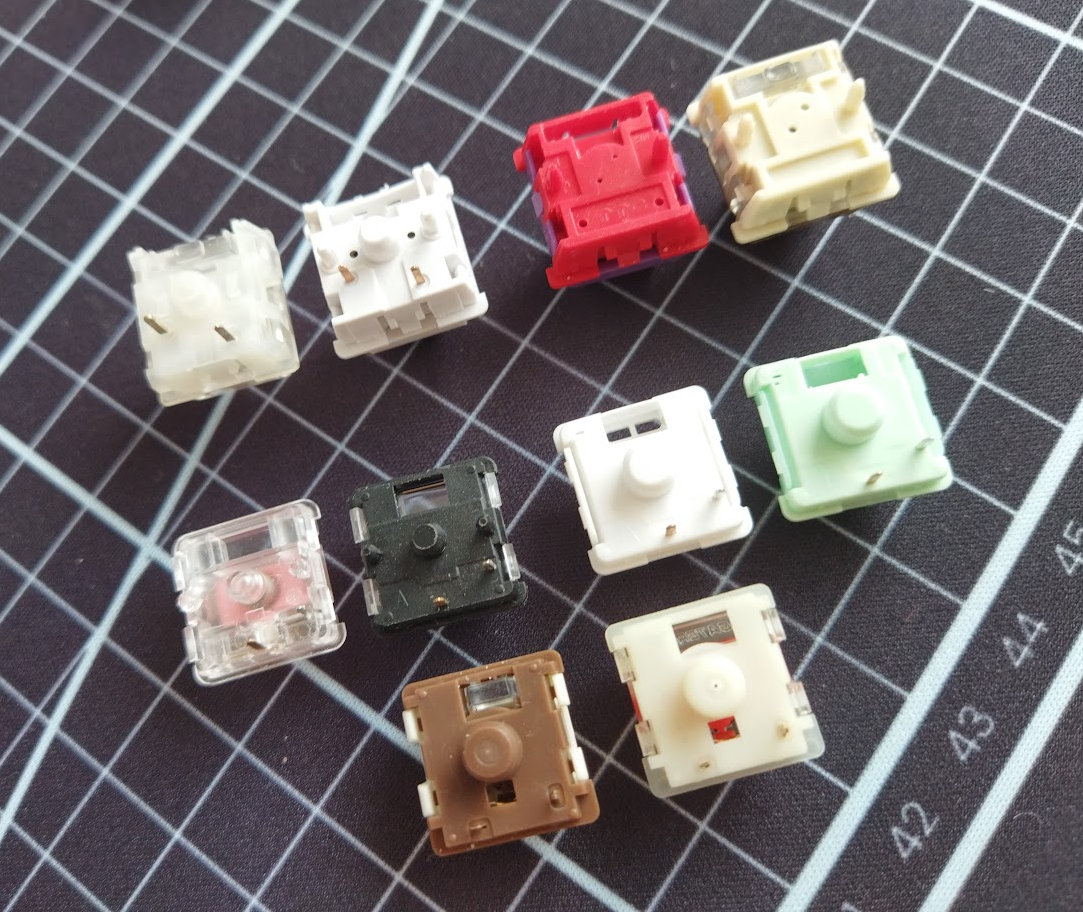
Most mechanical keyboards (PCBs) and switches marketed today are MX-compatible. Meaning your MX switches are coming with metal pins matching holes of your keyboard's printed circuit board. (Plastic pins are less important.) Take note of the position of the metal pins.

Hall-effect (magnetic) switches are gaining traction, especially among gamers: OWlab Ti HE, Gateron Magnetic Jade Pro or Ultra. These are compatible with magnetic PCBs only. No metal contact needed, so they feature only the two plastic pins (PCB-mounted version) familiar from MX switches.
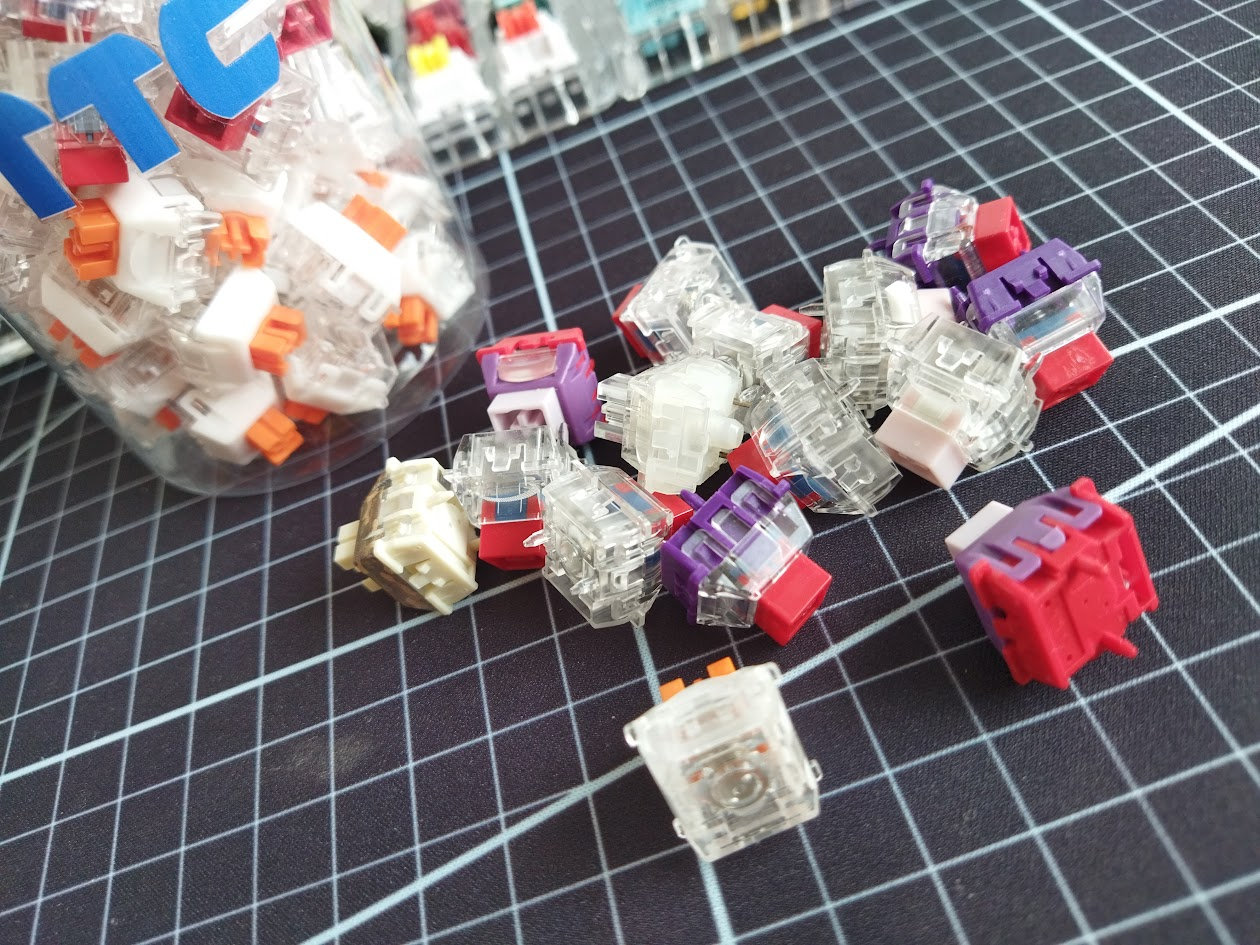
The low-profile switch scene is a whole different world. Make sure you order the right switch with the right footprint:
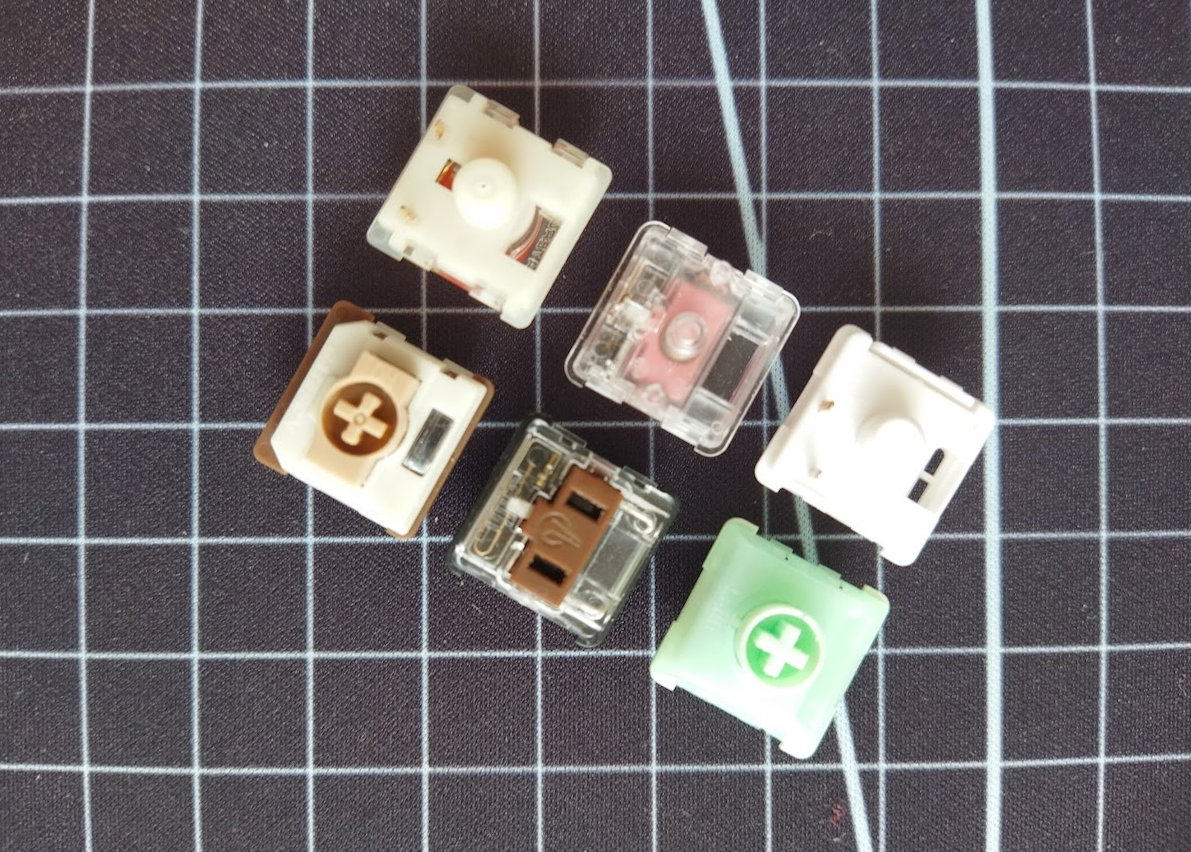
- Kailh Choc V1 switches require dedicated PCBs and Choc-compatible keycaps. (Different footprint/pin arrangement, different stem.) Kailh Choc (V1) Red, Brown, and White – linear, tactile and clicky, respectively.
- Kailh Choc V2 switches feature MX stems, so you can use "normal" MX-compatible keycaps. Otherwise they (almost) share the same footprint as Choc V1s – they need a bigger hole in the centre though. So Choc V1 switches usually fit into Choc V2 PCBs, but not vice-versa. Kailh Deep Sea Silent MINI Pink Island, Kailh Spring MINI Choc V2.
- Gateron low-profile (LP) switches. Another footprint, only compatible with dedicated PCBs: Gateron KS-33 Low Profile Red, Silent Red 2.0, and the tactile Brown.
- Surface-mount scissors switches. If you're up to using these, you most likely don't need this guide. ;)
Switch type
There are three basic switch types, indicating the tactile and/or auditory feedback: linear, tactile, and clicky.
- Linear: No feedback. Most silent, most prevalent type.
- Tactile: Provides noticeable feedback in the form of a small bump — a subtle resistance you feel before the switch actuates.
- Clicky: You have both tactile and auditory feedback, i.e. click.
The tactility is usually achieved by a small bump on the stem, and contemporary clickies usually feature a click bar – a thin metal wire – combined with the bumpy stem.
Switch type works similarly with MX/Hall-effect/Choc/GatLP switches. Let me continue with MX switches as examples:
Historically, linears (or "reds" because of the stem color of the original Cherry MX Red switch) are recommended for gamers or for a silent office environment because of the silent operation, no resistance, fast actuation. This is the most prevalent switch type currently: Keygeek Y2, Gateron Oil King, Akko Rosewood.
Tactile switches (or "browns") may benefit touch typers: no need to bottom out, you can 'feel' the actuation much earlier. Examples: Sillyworks x Gateron Type R, Gateron Baby Kangaroo V2, Akko Penguin (silent).
Clickies (or "blues" because of the original Cherry MX Blue) are usually recommended for home use, for hermits. New clickbar clickies may come in handy for serious typers relying on precise actuation without bottoming out, but the constant noise will drive your family crazy. This type is relatively rare nowadays: Gateron Melodic, Gateron Phantom Blue, Akko Creamy Cyan are some popular examples.
Another flavor of types are the silent alternatives. Silent clickies make no sense of course, but there are silent linears and silent tactile switches as well.
Switch weight
Switch weight is probably the next most important parameter: It indicates how hard you have to press the key for the computer to register a keypress.
Defined by the strength of the spring in the switch, specifications and product descriptions express these values in gF or gram force – sometimes also indicated via force curves. Yep, a graph, because there are multiple important values at different distances in play: the weight at the actuation, tactile event, bottom-out, etc.
Basically, anything in the 30-40gf range or below (referring to the actuation or operation force) can be considered light: e.g. the 40gf linear Akko Rosewood or the 35gf silent tactile Outemu Silent Lemon V3.
In contrast, I consider everything over 60gf heavy. There's no universally accepted value for this, I drew the line for the database based on the current selection. Popular examples: the linear Cherry Nixie or the tactile Gateron Lanes.
Why is weight important? Heavy switches may be fatiguing, light ones may trigger unwanted keypresses. To be able to choose the best weight for you, unfortunately, you'll have to figure out your own preferences first. As I see it, 40-45gf actuation (the top range of what I classify as light switches) is a safe bet for the first switches, and often a common sweet spot. But don't forget the role of the keycap here: its weight (small low-pro vs metal keycaps) can seriously affect the forces in play.
Switch travel
Travel distance is another important factor. How deep you have to press the key for the computer to register the keypress? There's the pre-travel (actuation/operation) and full travel (bottom-out), plus the tactile travel of tactile and clicky switches.
- The full travel of most MX switches is between 3.5-4 mm. Actuation is typically about 2 mm.
- Short-travel switches, offered often for gamers, are characterized by shorter actuation. While not many, there are some with 1-1.2 mm pre-travel.
- Low-profile switches have much shorter travels compared to MX switches. 1.5 and 3 mm (actuation vs full travel) are common for Choc V1 switches, even less for Choc V2.
- Finally, you can freely set the actuation of Hall-effect (magnetic) switches, by 0.1mm, but even 0.01mm sometimes. That's key for competitive gamers, less important for typing and coding.
Again, you need some experience to figure out your preferred values (→ switch testers).
RGB support
If you're into fancy RGB lighting, you may prefer:
- switches with fully transparent housing or at least translucent upper housing
- switches with light guide

Highlights: There are some nice community-favorite transparent switches like the silent linear TTC Frozen V2 or the silent tactile TTC Bluish White (V2).
Plastic pins
Whether your MX switch comes with two extra plastic pins or just the two metal contacts plus center pole, is less important, at least for most builds.
Having seemingly incompatible switches can be an annoyance, but you can always clip off the plastic pins with a plier.
Otherwise, the plastic pins can help stabilize switches in plateless builds, where they are mounted directly to the PCB without a plate.
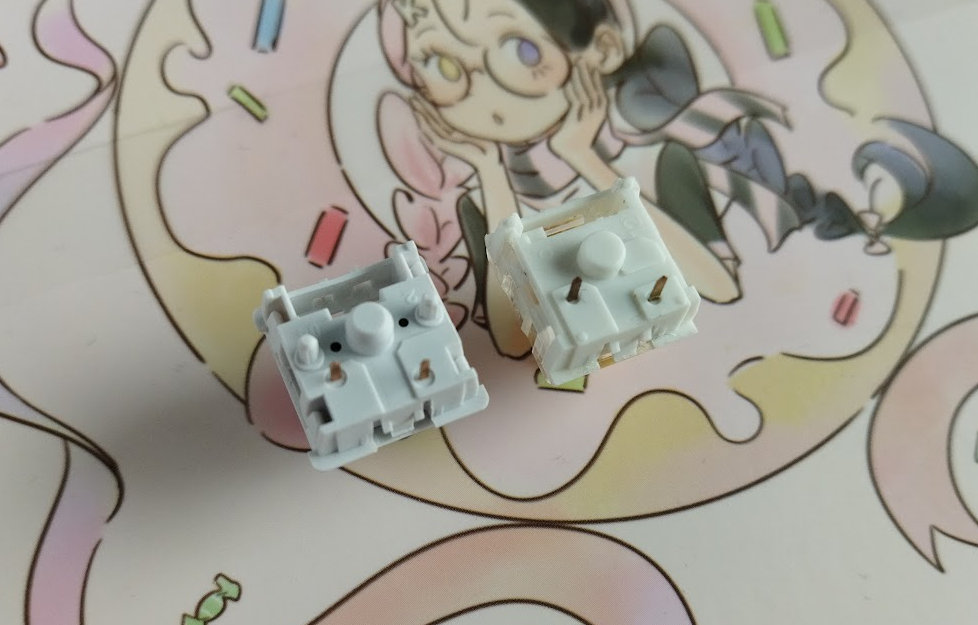
Basically, there are:
- 3-pin (plate-mounted) switches
- 5-pin (PCB-mounted) switches
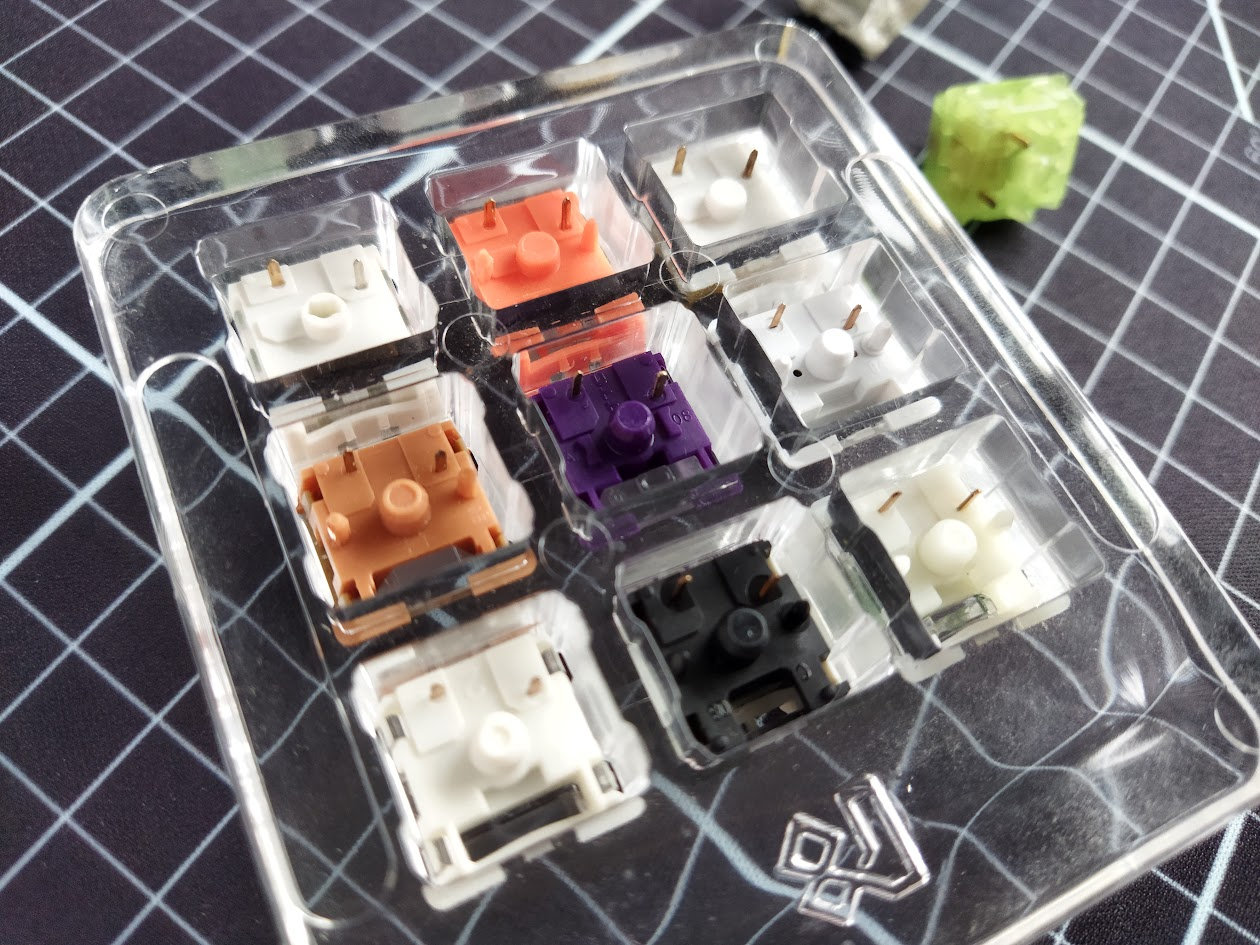
The math: Why 3 and 5? Two metal pins, a middle plastic pole, and the optional two plastic pins.
Keycap/stem compatibility
Switch compatibility (MX, Hall-effect, Choc V1 vs V2) usually defines keycap compatibility via the stem's shape.
The stem is the moving central part, as already mentioned. The most prevalent MX-compatible stem is the one with the cross (+). It comes in several variants, e.g. dust-proof (box or partial box), but there's also the rounded dust-proof stems of low-pro Choc V2 and Gateron LP switches (also compatible with MX keycaps).
The low-profile Choc V1 switches need different keycaps because of their unique stem.
Switch sound
Silent or loud. Thocky or clacky. Well, keyboard sound is too complex and subjective. Switch sound is only a small part of the equation as the overall sound is defined by a lot of different factors: keycaps, case, plate, bumpons, desk mat, desk, sound dampening layers, etc.
If you're looking for something silent, you can skip the thocky-clacky minefield. Otherwise good luck.
Lubing
Lubing keyboard switches is done to improve feel, sound, and overall typing performance. It makes the most sense with linear switches, as it reduces friction, scratchiness, and unwanted noise, while makes keypresses more fluid and consistent.
That said, most switches come factory-lubed these days. Yay! If you're just starting out, you probably couldn't do a better job yourself – and let's be honest, you likely have better things to do than spend hours opening up and lubing switches, at least for now.
All in all, select factory-lubed options if available.
More
Hopefully it’s clearer now why there are thousands of different switches — to meet the diverse needs and preferences of users.
With the essential switch concepts covered, you’re ready to explore additional switch resources in more detail:
- Switch Quiz – Answer some quick questions to narrow down hundreds of switch models to your preferences in seconds!
- Switch database – All of the switches mentioned in the monthly switch top lists, ever. The most sought-after community-favorite models, with full specifications, prices, and availability.
Published on Sun 18th Feb 2018. Featured in KBD #0.
Related

1000+ switch collection
ThereminGoat celebrates passing the 1000 switch mark writing about the collection, the background behind some of the switches and his collecting history.
TTC Wild switch review
TTC Wild linear switches reviewed by ThereminGoat.
SP Star Sacramento switch
ThereminGoat reviews the SP Star Sacramento switches.
Best-selling keyboard switches of September 2025
September’s top mechanical switches are in – and the Oil King has finally been dethroned. Here’s how the community’s favorites stack up, based on vendor sales data.