Keyboard Builders' Digest / Review
Kemove P10-V1 switch puller
Kemove came up with the new four-claw P10-V1 switch puller. My new favorite tool of this kind.

Published March 18, 2026

During the past few years of doing keyboard reviews on an almost weekly basis, the original Kemove P10 switch puller, released in 2023, has become an essential tool on my desk for removing switches.
That said, I have a new favorite now, as the company has come up with an improved version of the P10 – the slightly confusingly named P10-V1 switch puller.
TLDR; The P10-V1 is clearly the best switch puller I've ever tested (with a secondary keycap puller function). It's not cheap at $19 with the KBDNEWS coupon code, but it's very handy if you have to remove lots of switches regularly. Featuring four claws instead of the original two-claw design, there's no need to worry about orientation anymore. If you already own a P10, updating to the P10-V1 isn't essential. However, it's worth considering if you still use those annoying combo tools that come with most keyboards.
Removing switches is still not my favorite part of the keyboard hobby. For years, it was a chore at best, and sometimes outright torture. Before the P10, I often ended up with bent switch pullers, sore fingers, and even minor injuries.
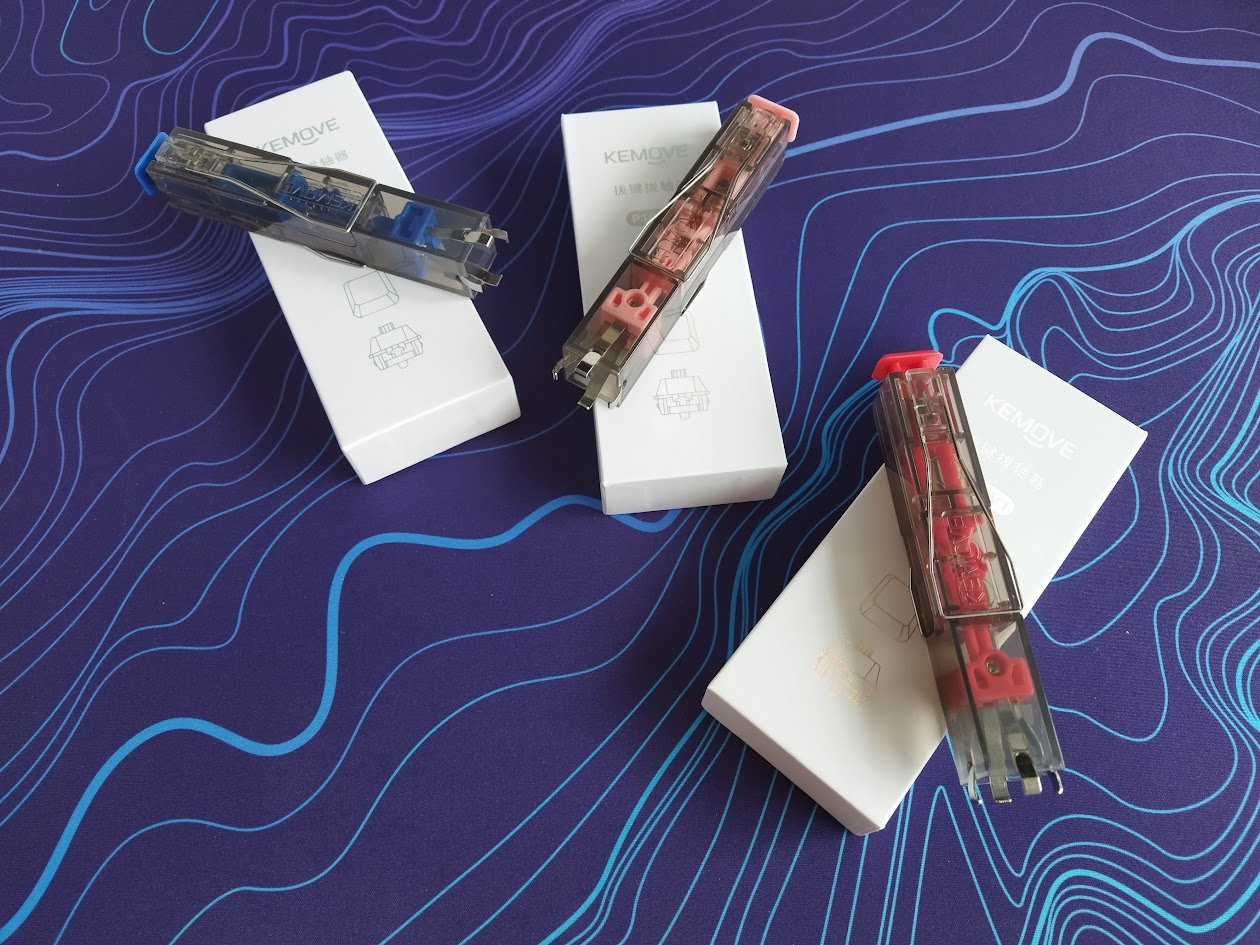
Luckily, I've been safe since the very day I got my hands on my first lovely black-and-red P10, and pulling switches instantly became a non-issue.
But let's see what's new about the P10-V1, how it performs, and whether it's worth buying.
Disclaimer
Kemove was kind enough to send me three color variants for free. Freebies may introduce all kinds of biases – both negative and positive in my experience. Take everything I write with a grain of salt.
P10-V1 vs common switch pullers
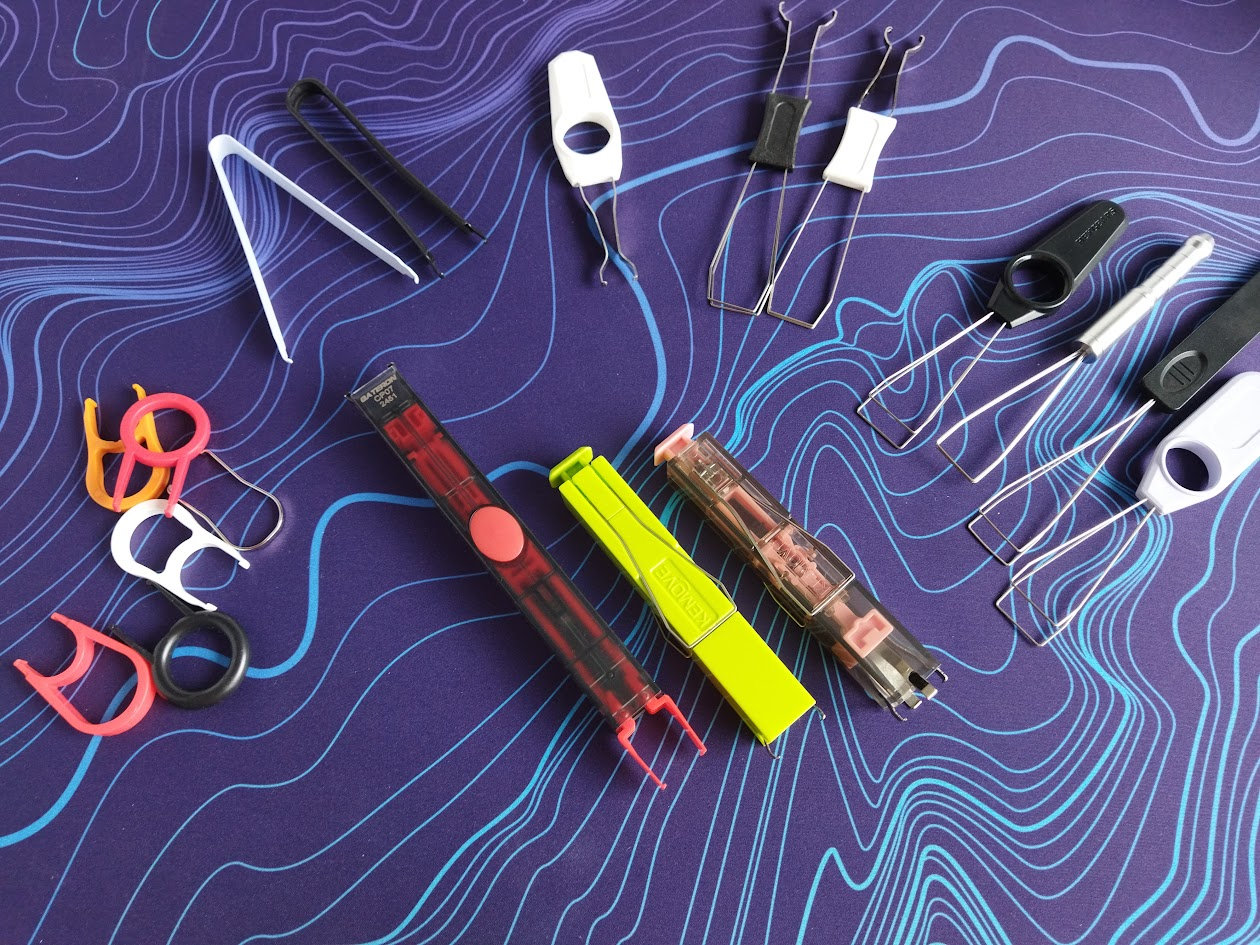
With a length of just 108 mm, it's shorter than most of my combined wire keycap pullers / switch removers.
At the same time, it may take up some more space, as it's a bit bulky: 18x18 mm instead of the flat profile of common combined tools.
The most important difference is in the working mechanism, though: you simply push this thing down to grab the switch automagically, and then pull it out. No need to exert any force to pinch and grab and hold the switch, so the motion may come from your elbow or even shoulder and associated muscles, not your week little fingers.
P10-V1 vs P10
The P10-V1 looks pretty much the same as the P10 – exactly the same, at least for the uninitiated. Same look, same dimensions.
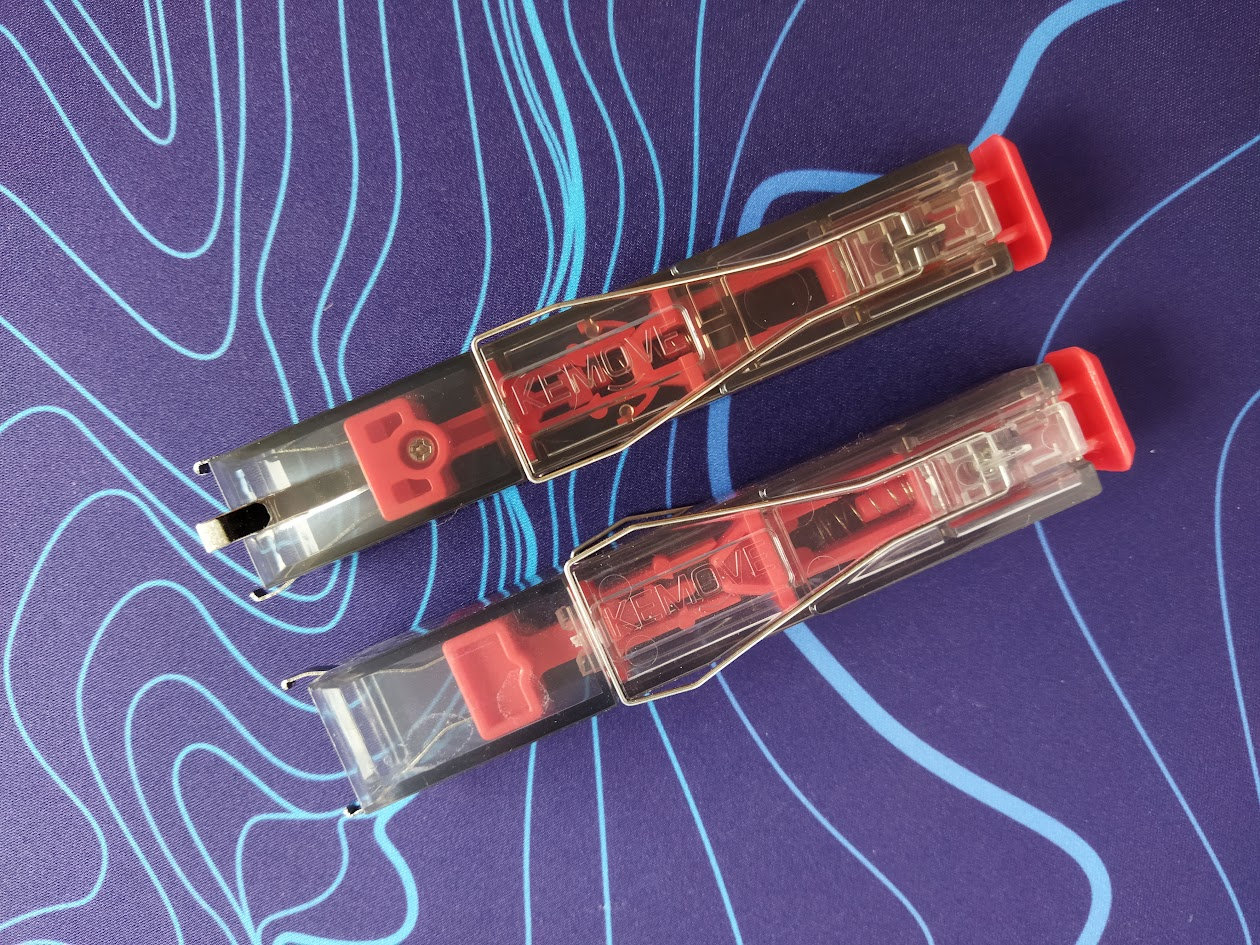
The most obvious improvement compared to the P10 is the 4-claw design.
Other than that, the internal parts have been redesigned as well: the spring has been moved closer to the center, and the inner release mechanism is a bit different too.
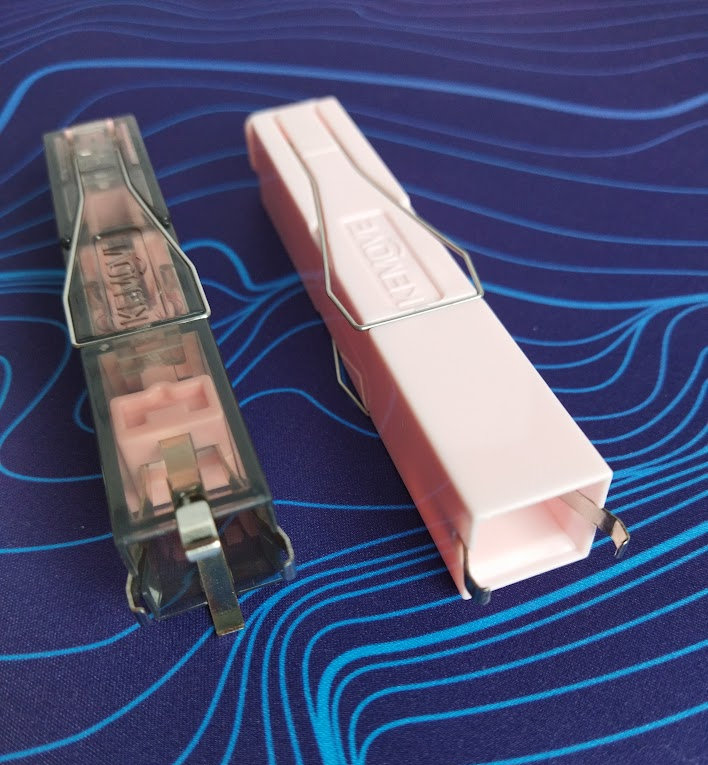
In addition, the wire keycap pullers can be fixed in their open state as well. This issue has been solved somewhere in the meantime, at least prtially. The very first P10 was annoying in this regard, but my later P10s work better, just like the newest P10-V1.
P10-V1 vs Gateron's switch remover
The shape is similar to the more pricey Gateron switch puller, but this one is much shorter, so it may easily fit into your pocket or any bag.
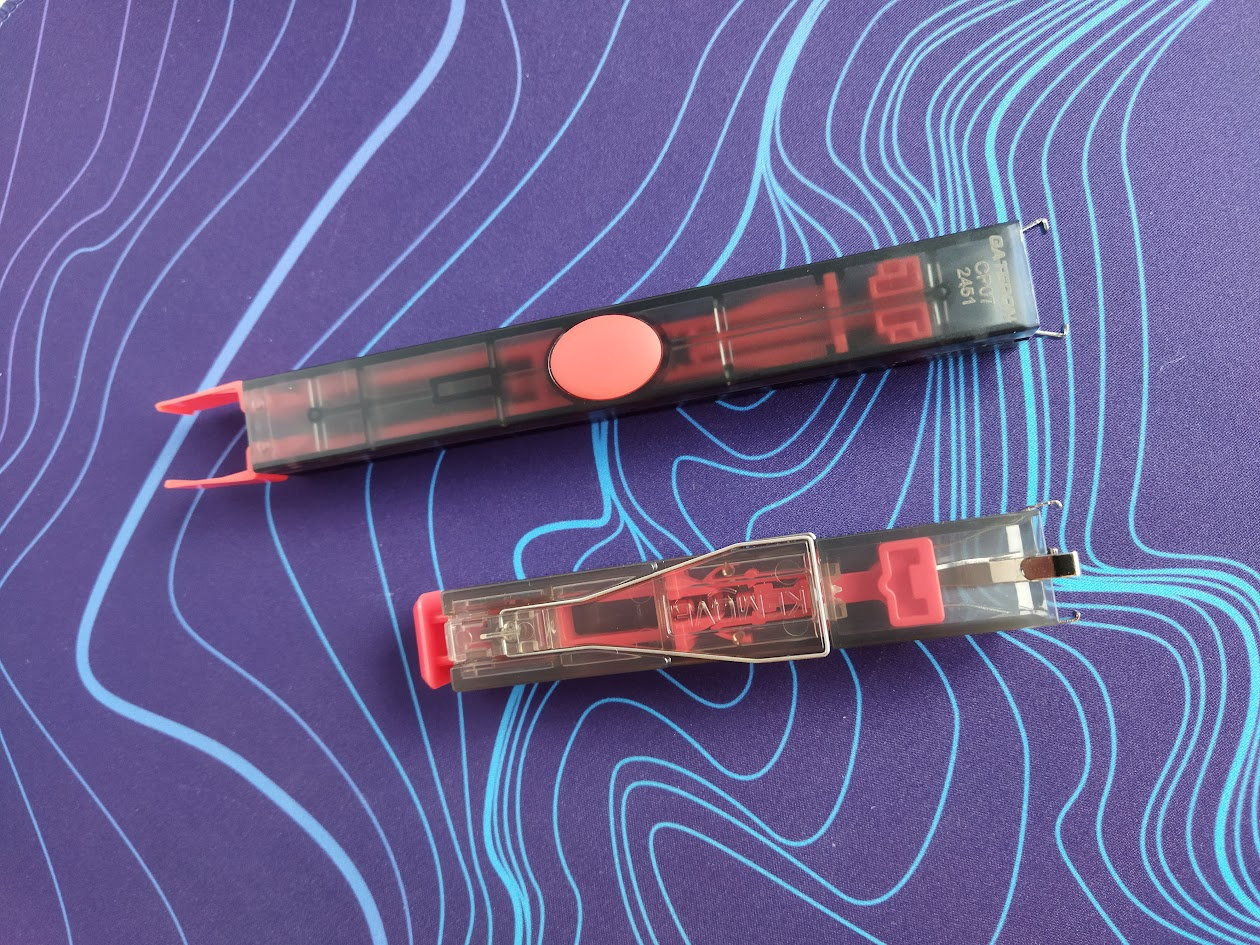
In addition, the P10/P10-V1's surface has a more grippy surface, making it less slippery compared to Gateron's tool. For some reason – probably due to its material and finish – the Gateron puller is quite difficult to keep steady in my hand while removing switches.
Dimensions
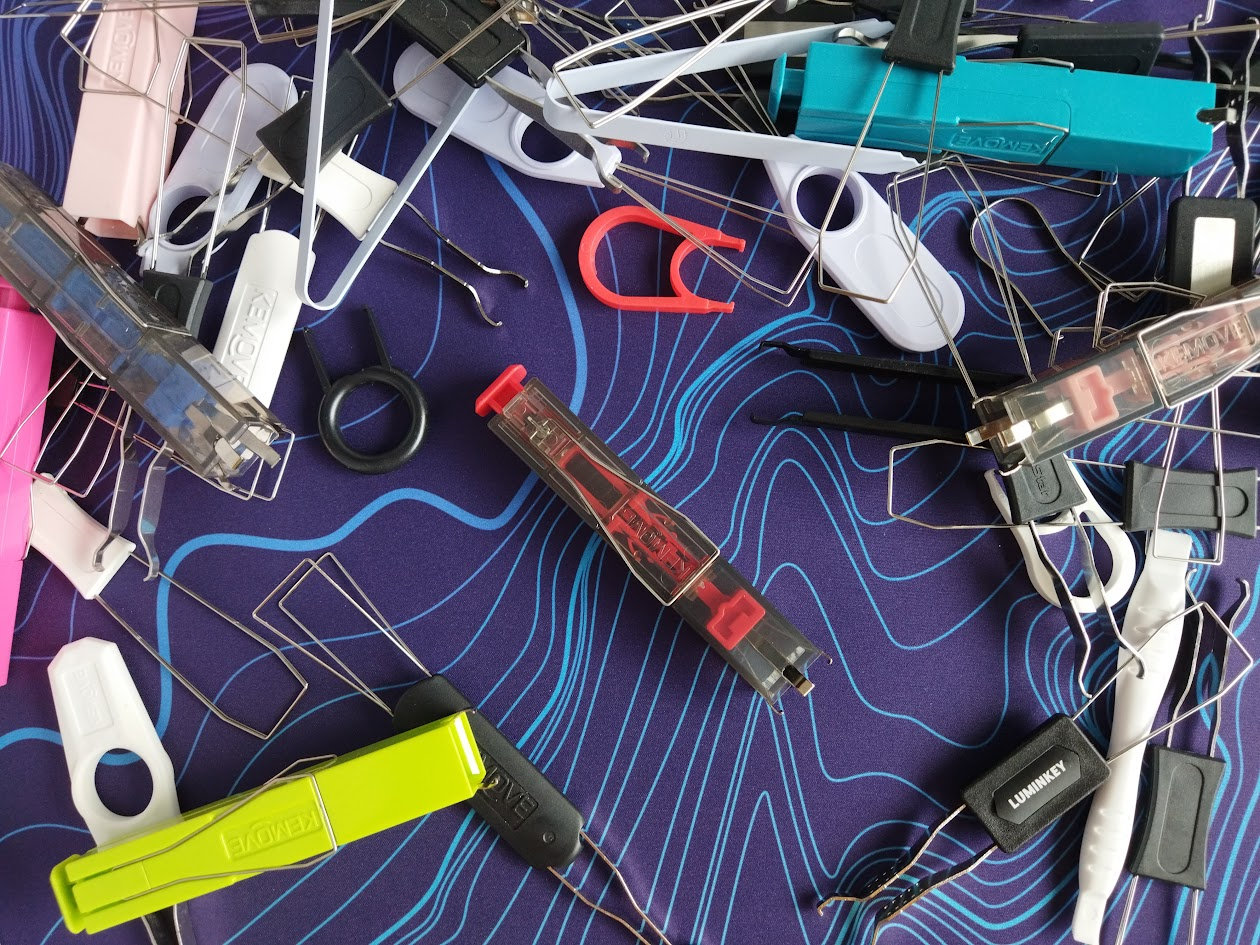
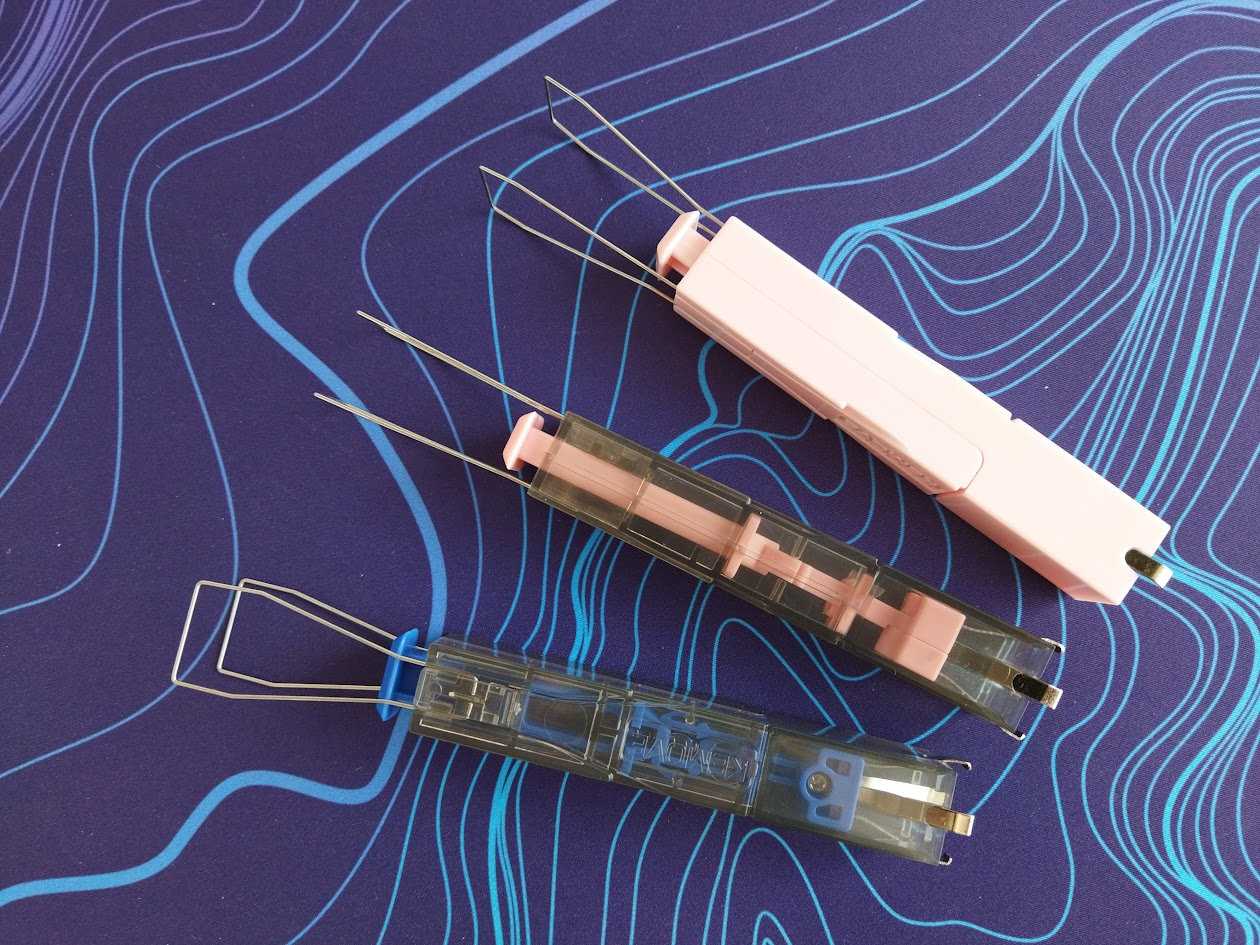
The P10-V1 is of course thicker than the common combined wire keycap pullers – the dimensions of the housing are: 108x18x18 mm. Here it is next to all kinds of other keycap and switch puller tools:
Color options
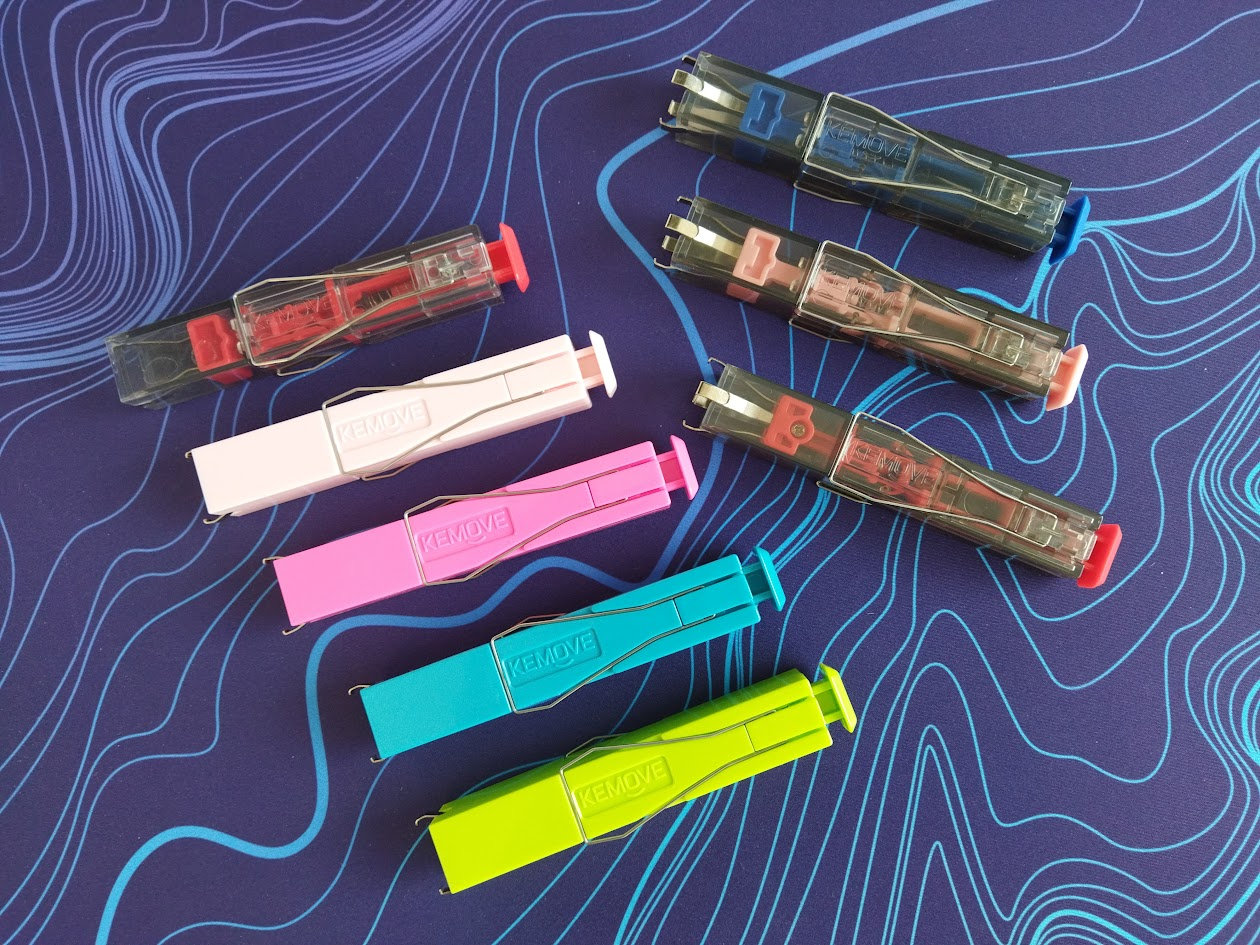
The original P10 is available in 8 colors currently, the P10-V1 "only" in five: red, green, blue, rose, and orange.
All of the color options come in the same translucent smokey housing, only the moving internal part changes – unlike the non-transparent P10 variants.
Switch puller function
To remove switches, the P10-V1 is far more convenient than anything else I've ever experienced, including the original P10. It easily outperforms the cheap, generic pullers typically bundled with keyboards, but the four-claw design also seems to handle flex cuts better – something the P10 struggled with.
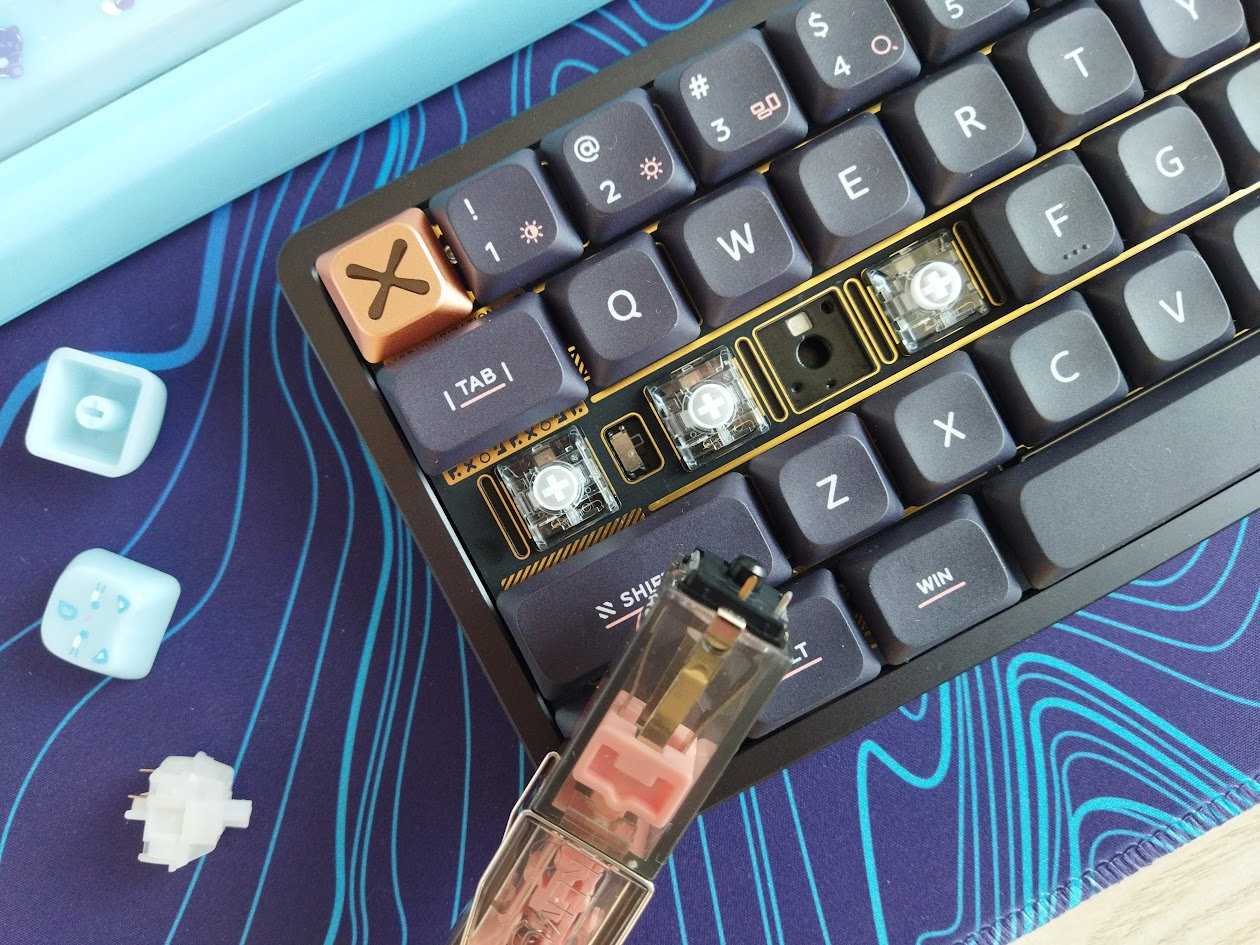
The issue I experience with the two-claw design every now and then is that the claws end up grabbing into the flex cuts of flexible plates. For this situation I keep a classic IC puller type switch remover around.
The four-claw design seems to be much better in this regard. I haven't had this issue so far during this short test: the four claws may press the plate more evently I guess.

With other pullers you have to exert some force to grab and hold the switch. Using the P10-V1, you pull out the switch manually of course, but it's grabbed and held by the clever springy mechanism.
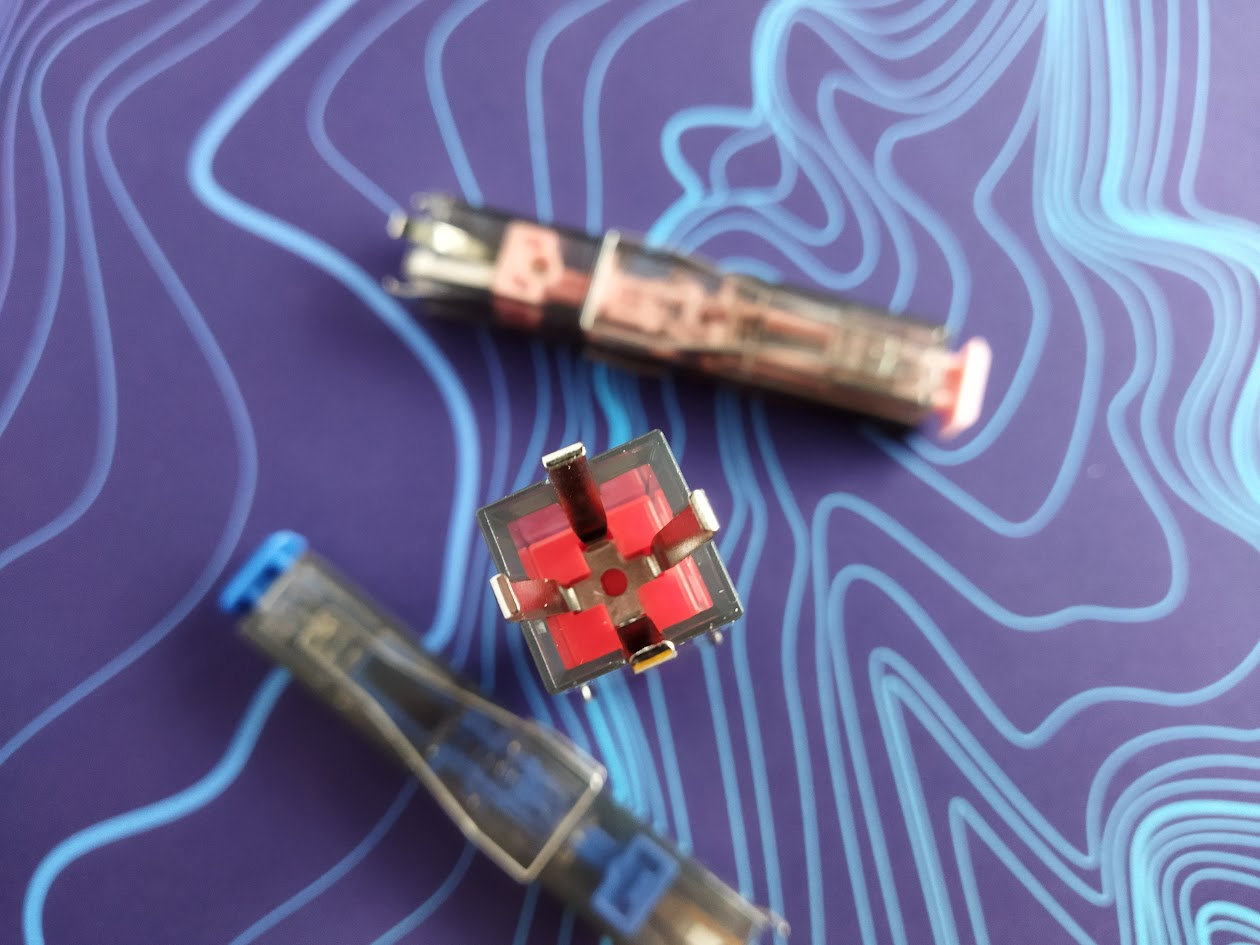
In addition, the square shape of the P10's opening helps you homing in on the switch: you simply push down the tool without much need for aiming. Kemove calls this "assisted aiming".
Once grabbed and pulled out, the release of the switch works like a charm too, in a pleasant clicky fashion by pressing the top key.
Keyswitch compatibility
I've tested the P10-V1 with various MX and some non-MX switches, and it worked perfectly with almost all of them: MX, Kailh box switches, Choc, etc. (Choc V2 better than Choc V1.) The only exception was this strange Outemu medium switch I received from 3dkeycap.
This applies to standard spacing, of course. If you're using custom ergonomic split boards with less than 18x18 mm spacing, adjacent switches may interfere and make this tool unusable.
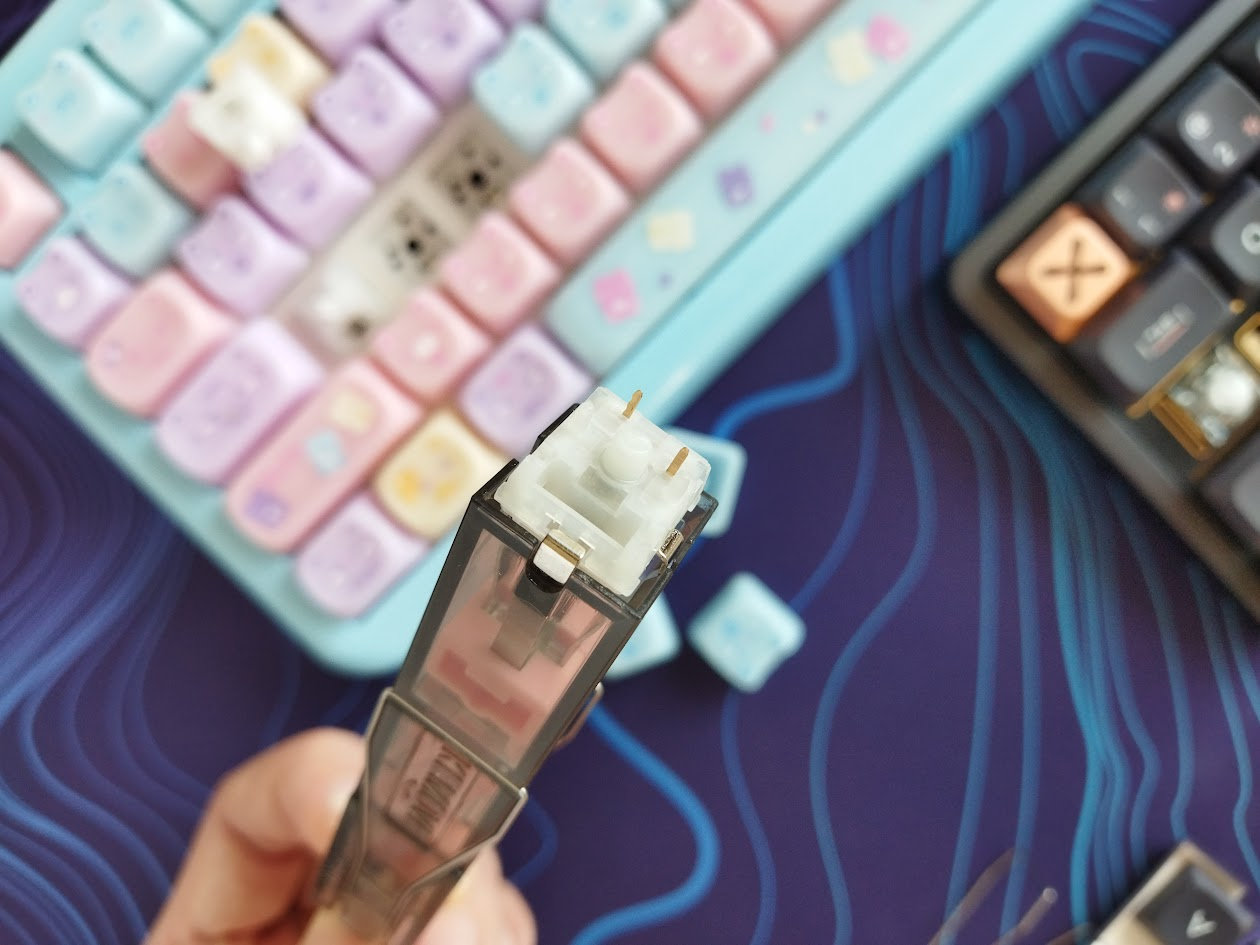
The original P10, grabbing the switch with only two little claws, has always a primary orientation: left-right for most MX switches, but north-south for e.g. Kailh box switches and most of my TTC Hall-effect switches.
The new P10-V1 is orientation-agnostic: you don't have to figure out the proper orientation, just start pulling switches.
Keycap puller function
In theory, the P10-V1, just like its predecessor, is a 2-in-1 gadget: It has a secondary function as a keycap puller. Well, let me say that it's primarily for removing switches.
While the P10-V1 has foldable keycap puller wires, I like a normal wire keycap puller (with fixed wings) better for this particular task. No wonder, the P10-V1 is quite bulky compared to the basic keycap pullers.
Nevertheless, it's nice to have the keycap puller part for emergency situations, and for larger keycaps maybe: I can imagine that some of you may find these spreadable wires useful to remove e.g. spacebars.
As already mentioned, the two wings of the P10-V1 snap into place both in their closed and open positions, fixing an initial issue of the original design, at least partially. They reside in the recesses of the housing, so they are not in the way when pulling switches, but the spread is still larger than I would prefer, resulting in lifted adjacent keycaps.
Conclusion
The orientation-agnostic 4-claw approach makes the Kemove P10-V1 switch puller better than the already great P10. If you've purchased a P10 earlier, the benefits of the 4-claw design may be marginal, especially if you use it for only a few types of switch models. That said, serious keyboard enthusiast replacing switches regularly can make great use of such a tool for sure.
Pros
- great design for pulling switches
- easy handling
- nice colors
Cons
- a bit pricey
- I'm still not sure that the claws grabbing into the flex cuts of some very flexible plates have been completely eliminated. While this requires further testing, the results so far are promising.
Pricing & Availability
The official price of the Kemove P10-V1 is about $20, however, feel free to use the KBDNEWS coupon code for a 5% discount ($19).
That said, the original P10 is also available, and works just the same for most people – for $17 $16.
- Kemove P10-V1 at kemove.com.
- Kemove P10 at kemove.com.
Published on Wed 18th Mar 2026. Featured in KBD #208.
Related

Force-curve measuring machine
A DIY keyswitch force-curve measuring machine by romly to be presented at Comiket C99.
Keyboard sound simulator
This tool by tplai is a rough keyboard sound simulator (source).
Switches.mx website update
Switches.mx website update by switchesmx (announcement).
Parametric keycap design
Showcasing the Riskeyboard 70's features, riskable introduces the GEM profile created with his Keycap Playground tool.