Keyboard Builders' Digest / Review
Angry Miao Infinity A30 mouse review
A top-tier, ultralight mouse in a cool magnesium/aluminum frame: AM Infinity.

Published January 20, 2026

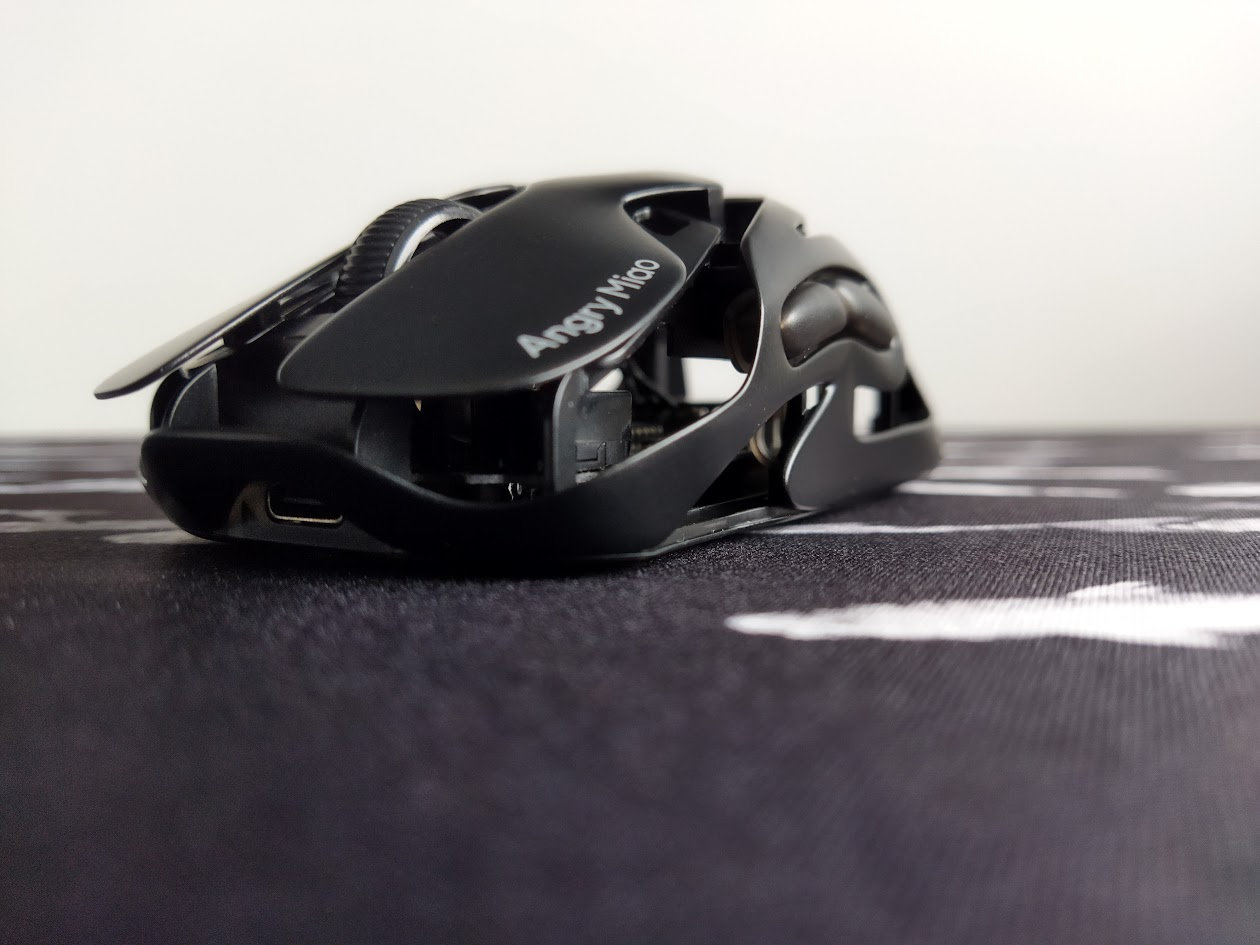
Angry Miao's full metal, ultra-light Infinity mouse is aimed at serious, competition-level gamers, especially those who appreciate exceptional performance and lightning-fast battery swapping for uninterrupted gameplay. However, it is also appealing for mere mortals like myself, who just want a high-performing mouse that looks freaking cool.

Sorry, this is not a keyboard review, but every now and then I test fancy mice as well, such as the Dareu A950 Wing, GravaStar Mercury X Pro, or another Dareu, the A980 Pro Max in this mouse series. So let's take a look at my new daily driver mouse at home: the AM Infinity A30.
TLDR; The AM Infinity mouse weighs just 39/49g (wired vs wireless), thanks to the magnesium/aluminum alloy skeleton. It features hot-swappable batteries, a PAW3950 sensor, 8K polling rate, plus TTC's optical switches. Another real piece of art from Angry Miao, combining futuristic aesthetics with top-tier craftsmanship. Affordable not just for competition-level gamers. The metal frame can feel a bit cold and slippery, adding the anti-slip stickers may be a good idea.
Should I buy the AM Infinity mouse? – you may ask. Well, I'm going to cram as many facts as possible into this review so you can answer that question for yourself. That said, before placing any order, you should know exactly what you want. Make sure you're aware of your preferences and the features you need, and check out the full review below for all the details and photos.
Disclaimer
Angry Miao was kind enough to send me this review unit for free, which may introduce all kinds of biases – both negative and positive in my experience. Take everything I write with a grain of salt.
The mouse arrived with the Dry Studio Battleye by the way, so I had plenty of time to test it.
Variants
The AM Infinity mouse comes in two universal color options, plus some limited editions: white and black (officially named Cloud White and Basalt Black). There was also a Neon Shadow option (pink bottom and silver/pink right button), and the Blaze Orange and Mirror Shadow editions are still available.
In addition, there are standard and collector's editions of the Mirror Shadow version. The collector's edition is a hand-selected sub-batch with about 20% yield rate and higher quality standards regarding the mirror finish.
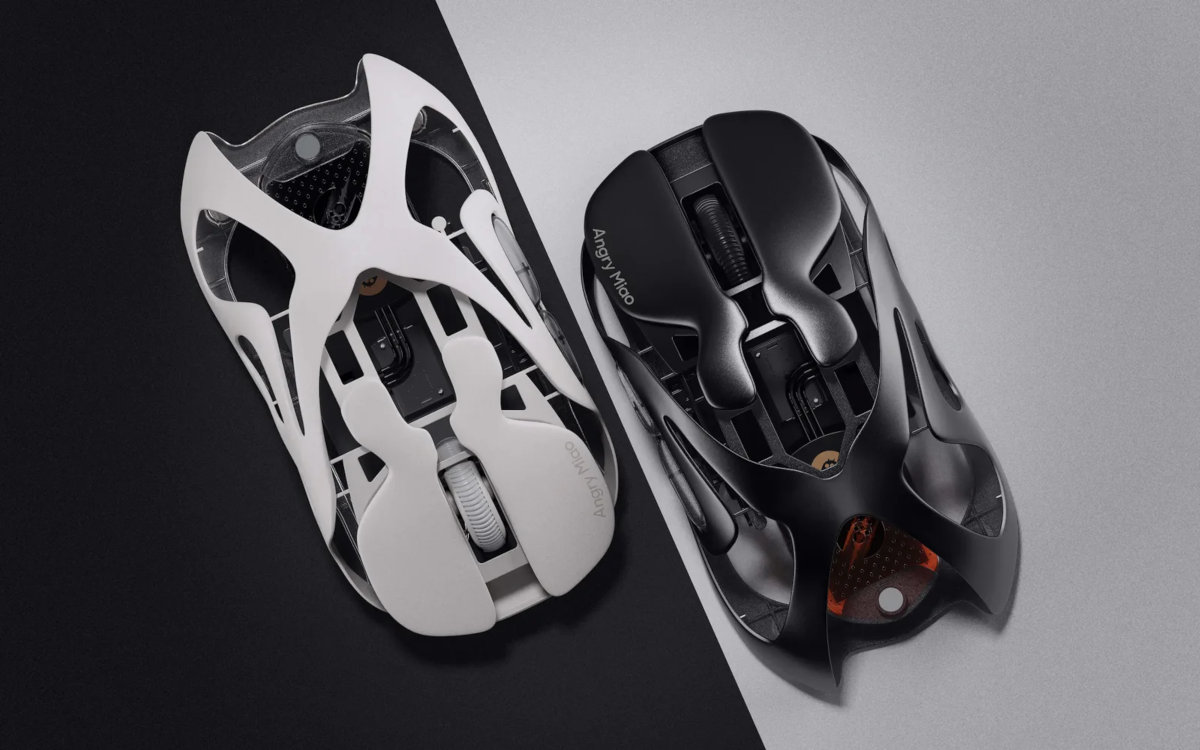
As always, it was a bit hard for me to select a single variant. All of these would match pretty much any setup, but eventually I went with the black one as the most universal option, matching almost every desk environment. All in all, that's the mouse you'll see in the photos below.
Unboxing & Contents
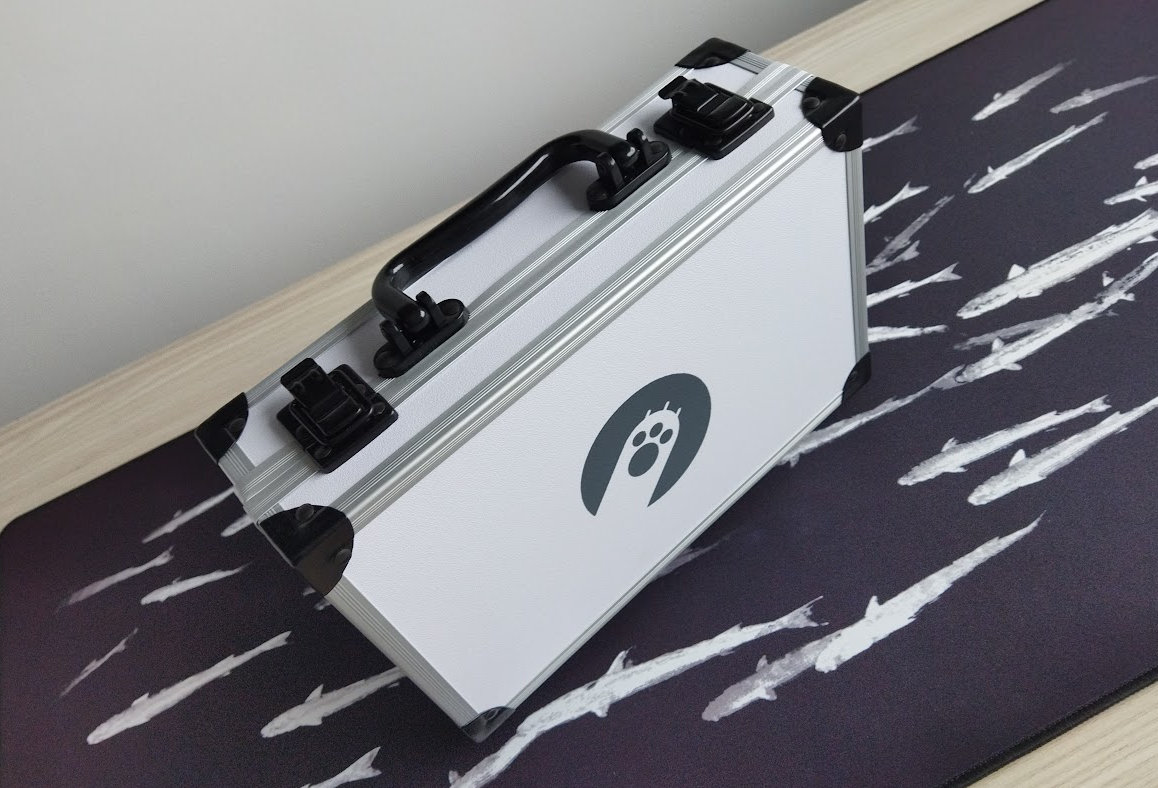
The AM Infinity kicks the door open with unbelievable packaging quality: not cardboard, not even the classic hard-shell carry case, but – da-bum-tss – a heavy-duty, rugged briefcase, complete with a huge and magnificently authoritative AM paw logo. :D
The contents:
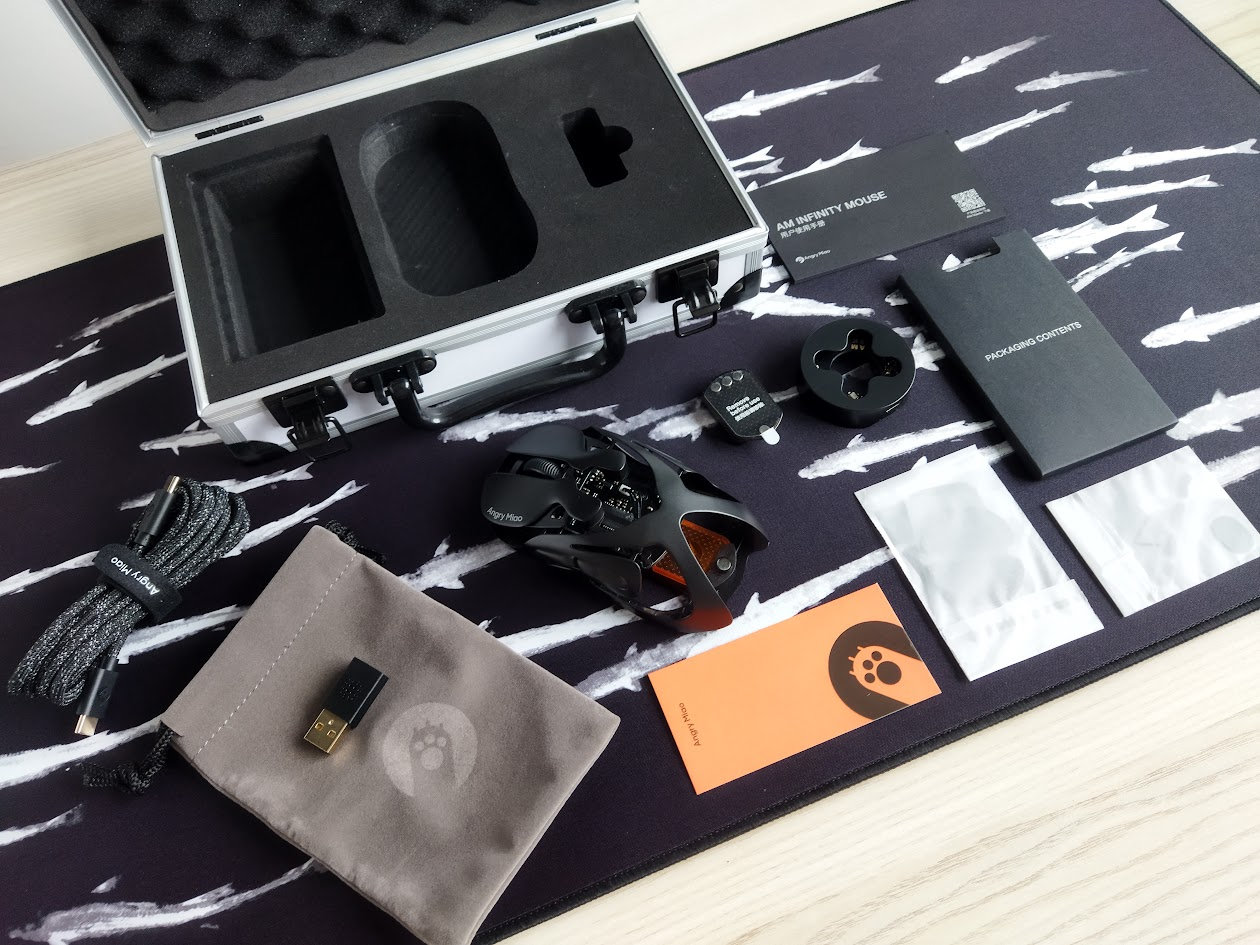
- The AM Infinity mouse, ready to rock
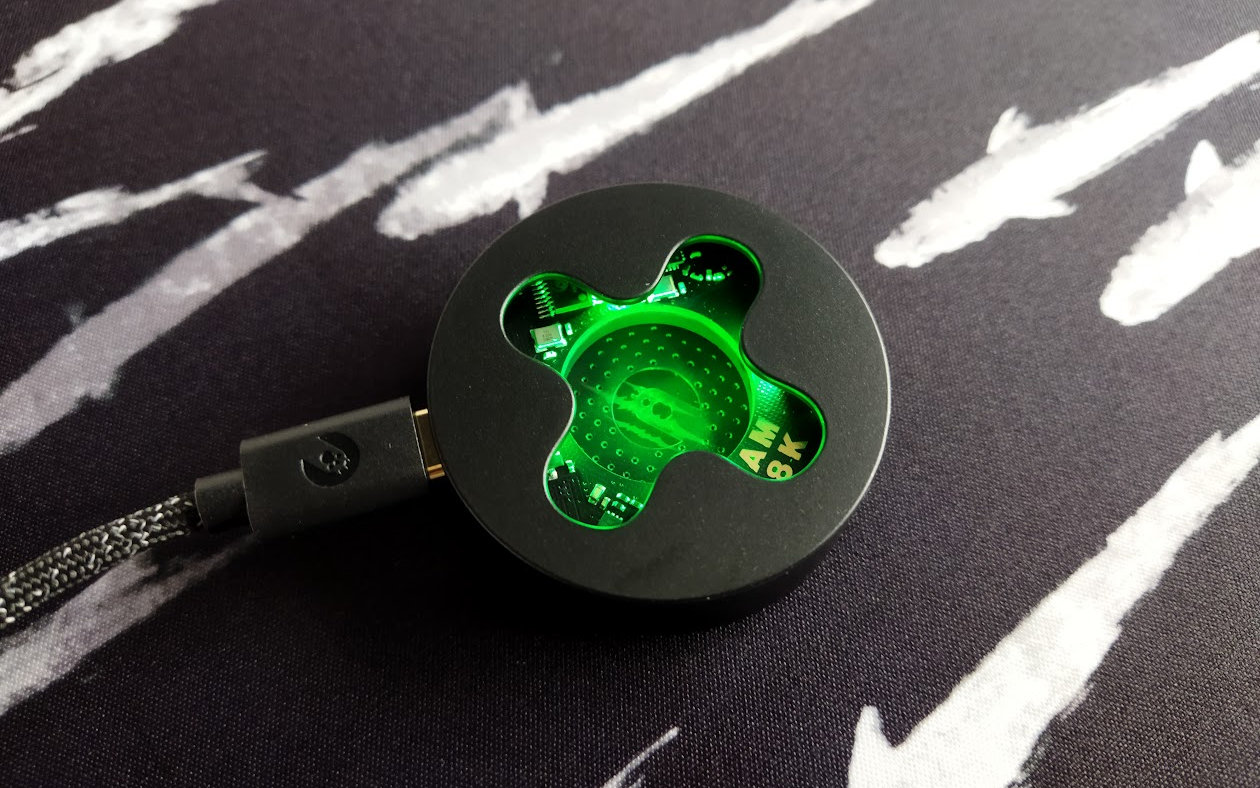
- combined 2.4G receiver/charger
- 2x batteries (black and orange)
- USB-C to USB-C braided cable (black)
- USB-C to USB-A adapter
- anti-slip sticker
- replacement rubber foot
- manual
- briefcase
- soft carry pouch
First impressions, design language
Although Angry Miao is best known for its unique keyboard designs, the Infinity A30 marked the team's first attempt to create a top-tier mouse.

Inspired by the Lotus Evanora concept car, the curves of the AM Infinity are just otherworldly. The design is highly distinctive and was achieved after meticulous clay modeling.
The Lotus Evanora Concept, designed by Maitreya Dhanak, forms the soul of the AM Infinity Mouse with its hollowed-out magnesium-aluminum alloy skeleton. This design perfectly embodies the philosophy of "integrating appearance and structure", maintaining exceptional rigidity and texture, while significantly reducing weight – Angry Miao.
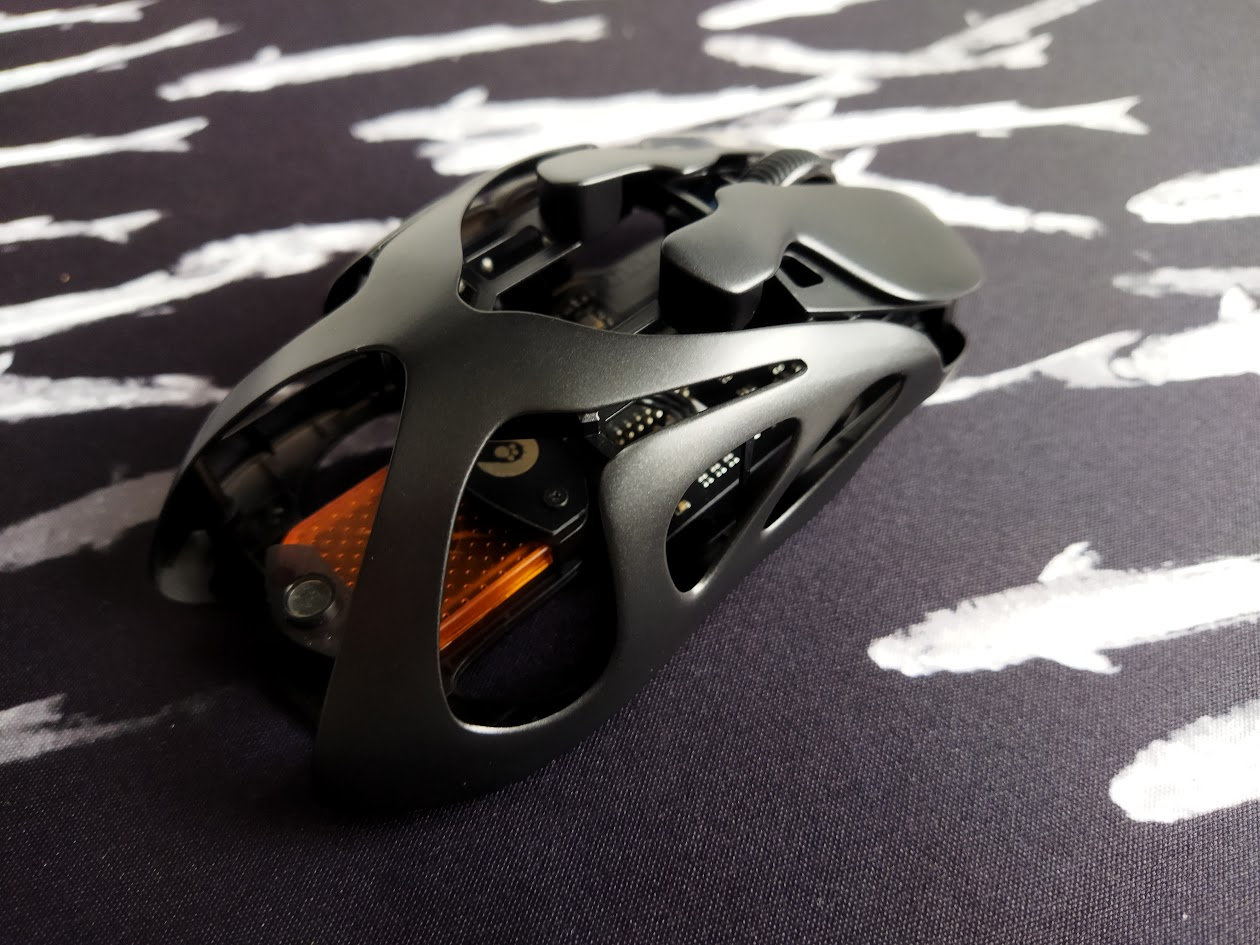
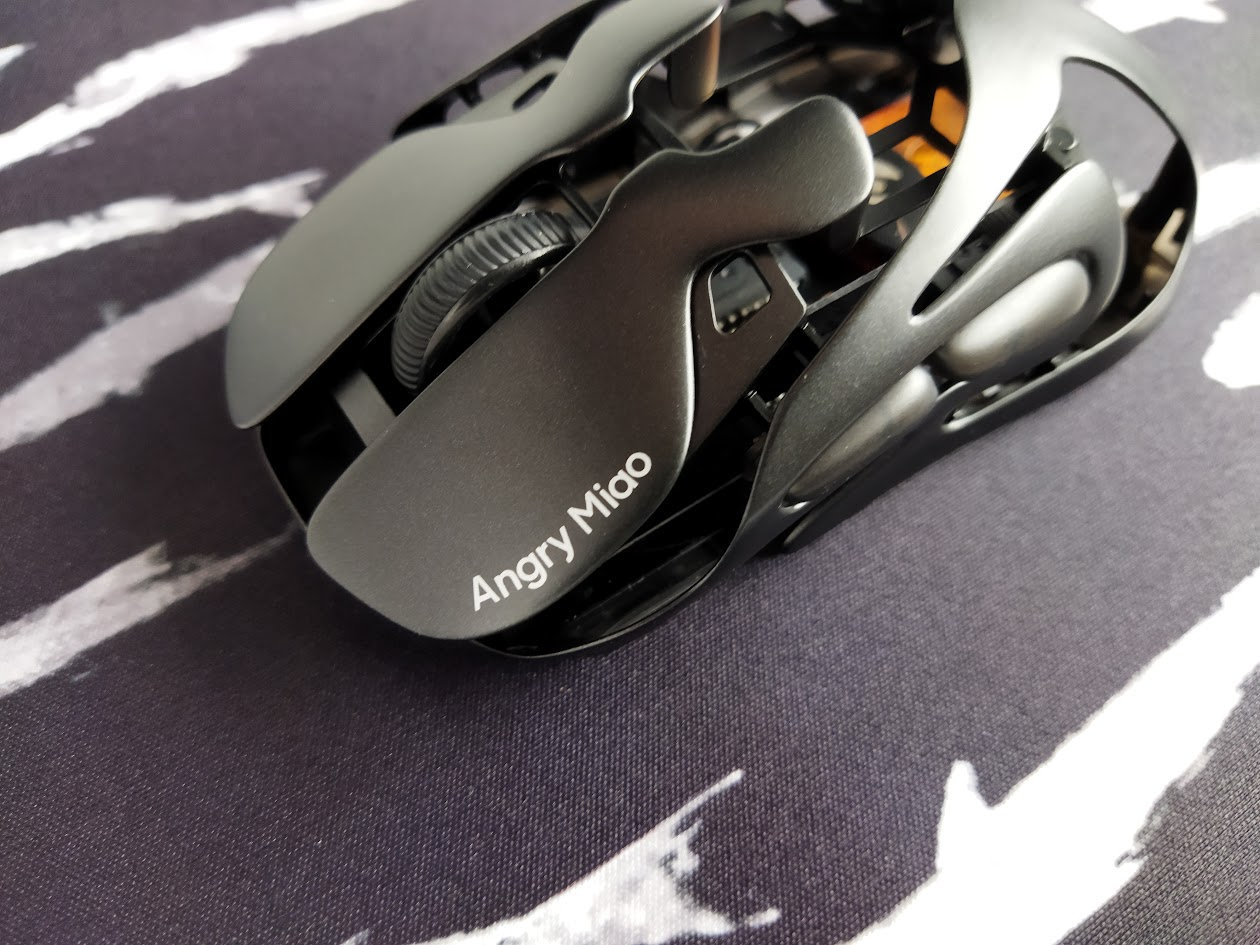
The branding appears on the left mouse button, plus the awesome AM kitty paw logo on a small piece of PCB, exposed through the cutouts of the exoskeleton.
If you think it's hard to make an impact in a crowded market like gaming mice, the Infinity proves otherwise, with nearly every feature contributing to a design that is unique and instantly recognizable from miles away at tournaments or in videos.
Specs
- Design: asymmetrical, for right-hand use only
- Connection: 2.4G, Bluetooth, wired (switch on bottom)
- Housing: magnesium-aluminum alloy frame, PC bottom
- Connectivity: wired or wireless
- Battery: 2x 340mAh (black and orange), hot-swappable
- Sensor: PAW3950
- Polling rate: dual 8K (both wired and 2.4G)
- Sensitivity/resolution: 1600 DPI (default), up to 30,000 DPI
- Max acceleration: 50 G
- Max speed: 750 IPS
- Switches: TTC Orange Dot V2 optical micro-switch
- PCB: matte black
- Software: proprietary web configurator
- Dimensions: 118 x 64 x 40 mm
- Weight: 39 g (wired) / 49 g (wireless)
Infinit battery
One of the main features of the AM Infinity is the hot-swappable battery system, which allows for an almost instant "recharge".
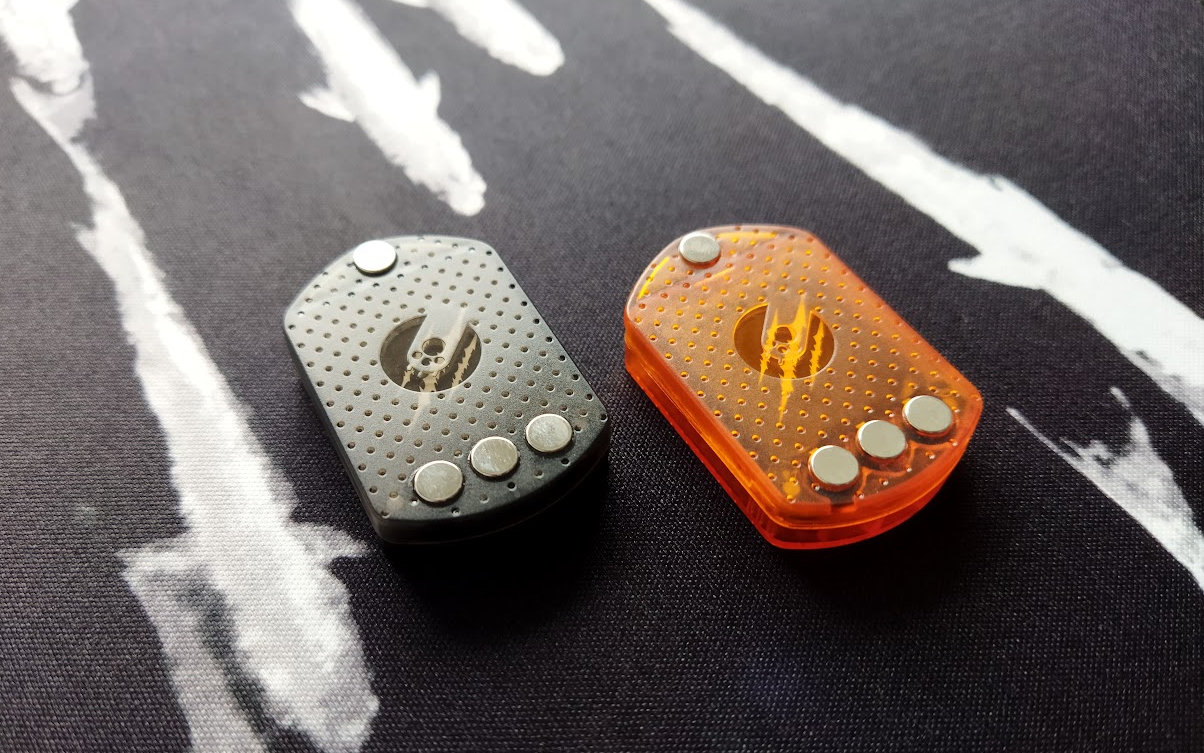
No kidding. The mouse comes with a pair of batteries (black and orange). While one powers the mouse in wireless mode, the other charges on the 2.4G receiver. When needed, a firm push releases the magnetically attached battery, and the fully charged replacement snaps into place just as quickly. Brilliant.
The device reconnects instantly, even in wireless mode, letting you jump straight back into action.
Despite the easy release mechanism, you won't lose the battery: according to tests, the magnetic strength is enough to support a 348 ml water bottle.
Optical sensor
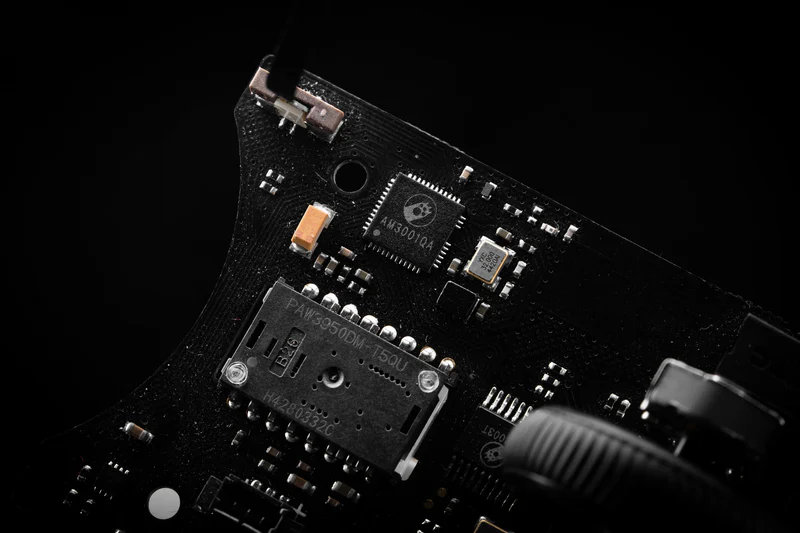
The AM Infinity mouse is equipped with the flagship PAW3950 sensor. As I'm not a competitive gamer, I have to rely on the official specs: maximum 30,000 DPI native sensitivity, 750 IPS tracking speed, and 50 G acceleration.
Polling rate
The 8000 Hz ultra-high polling rate means exactly eight times the signal sampling frequency of traditional 1K mice. This is true dual-8K operation, with no difference between wired or 2.4G wireless modes.
While you definitely don't need these specs for everyday office use, on high-refresh-rate displays they should result in smoother, more fluid cursor movement.
Combined 2.4G receiver & charging station
The dual 8K receiver integrates both charging and 2.4G functions, acting as a charging station for the spare battery.
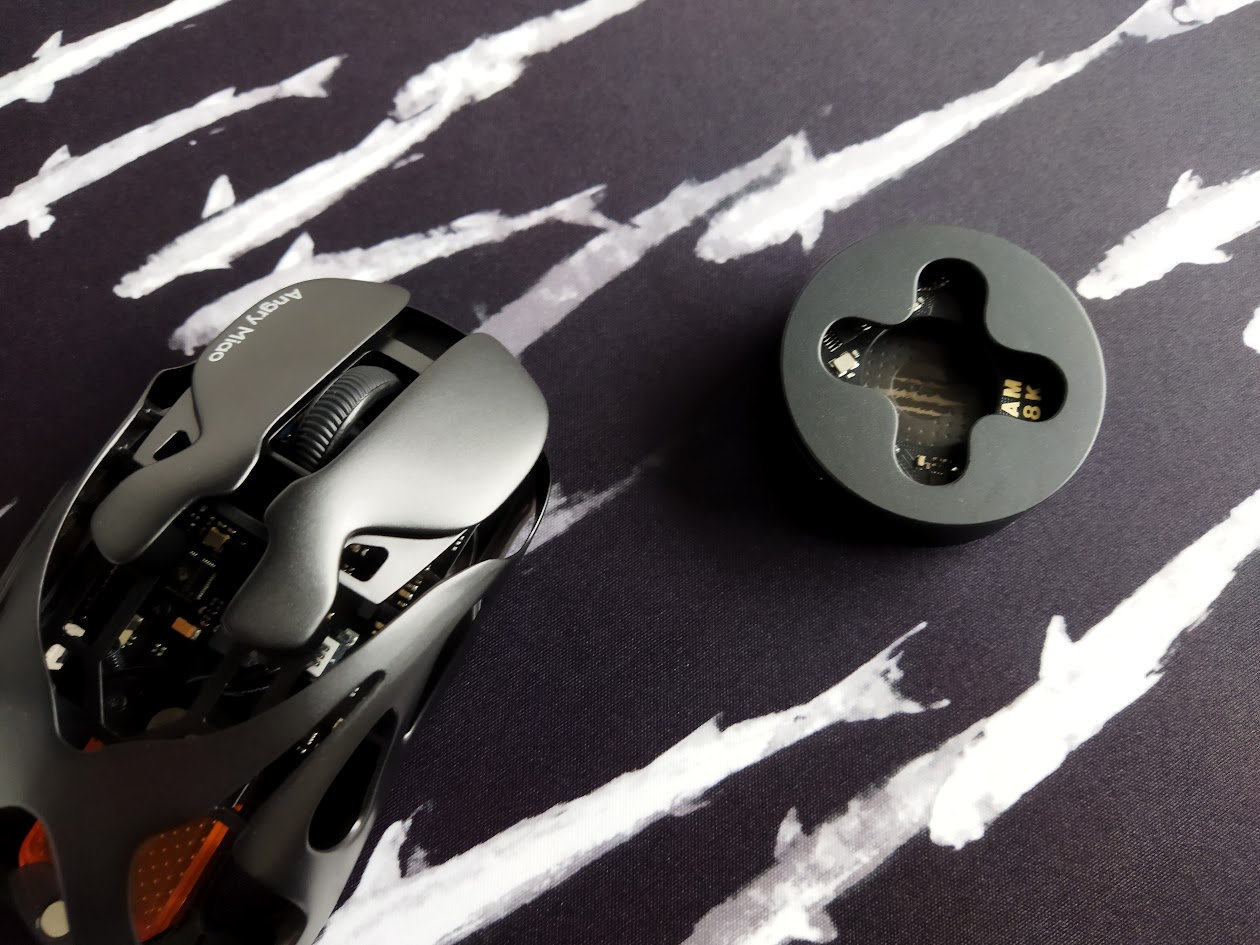
In addition, the RGB lighting on the receiver helps create a personalized gaming environment.
Scroll wheel
The rubberized scroll wheel feels nice to the touch. Scrolling is easy and precise thanks to its tactile feedback.
Switches
To my knowledge, the AM Infinity marked the world premiere of TTC's Orange Dot V2 optical micro-switches. They offer a mechanical-like feel and a rated lifespan of 100 million clicks.
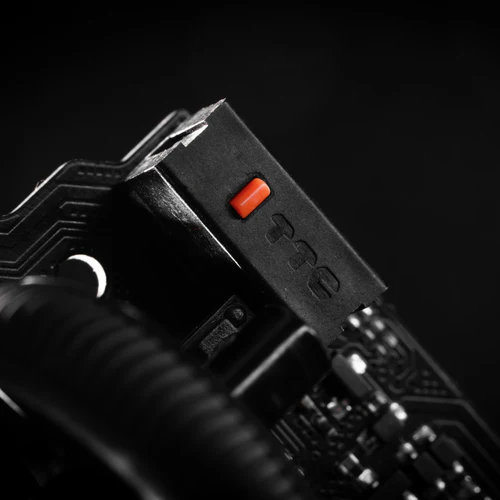
These switches are dust-proof, use infrared photoelectric technology, and provide "mechanical-grade" tactility, "enhancing both haptic feedback and sound quality".
PCB
The nice matte black PCB features two indicator LEDs.
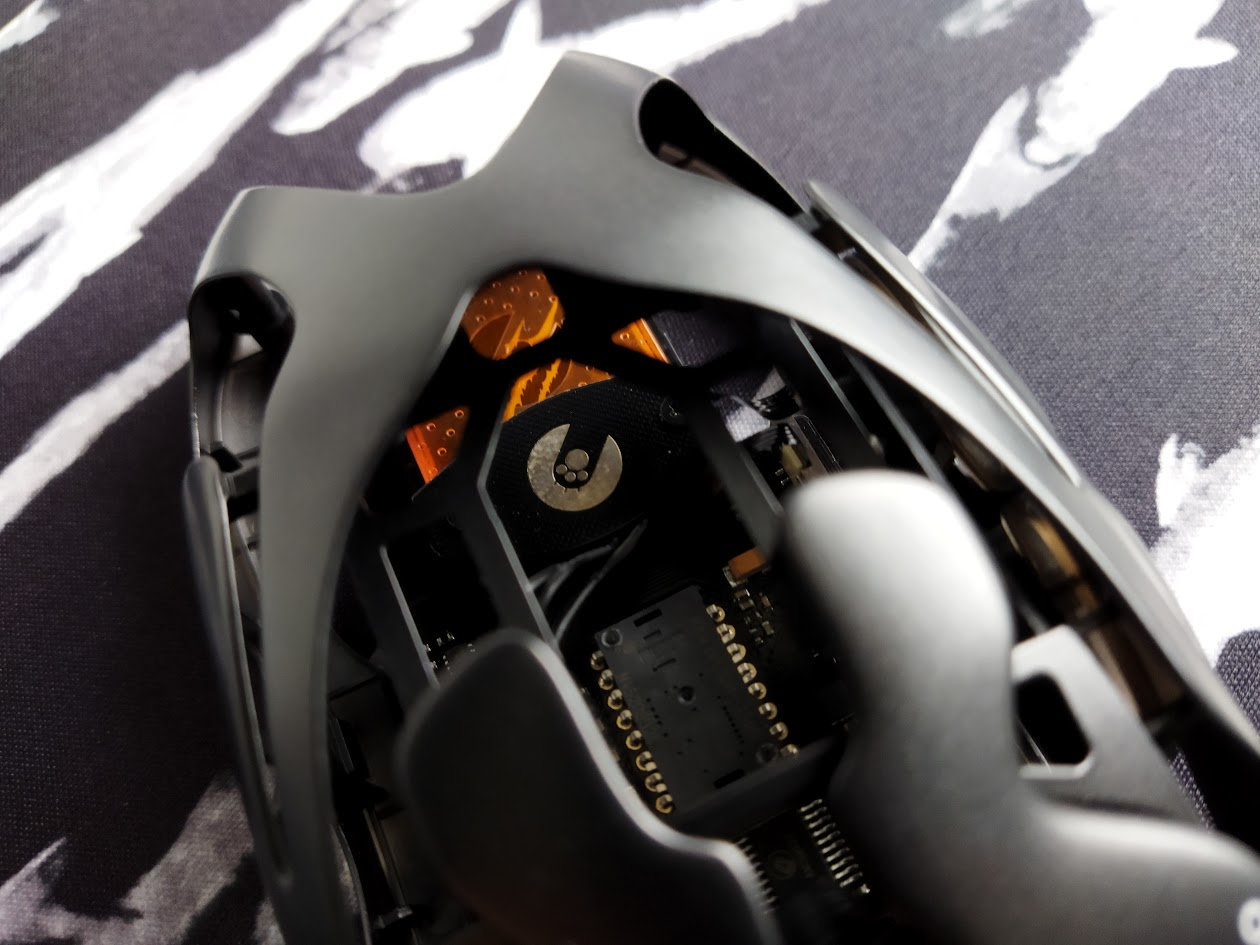
As already mentioned, a glossy section of a small piece of the PCB is exposed in the shape of the AM logo, and even the MCU carries branding.
RGB lights
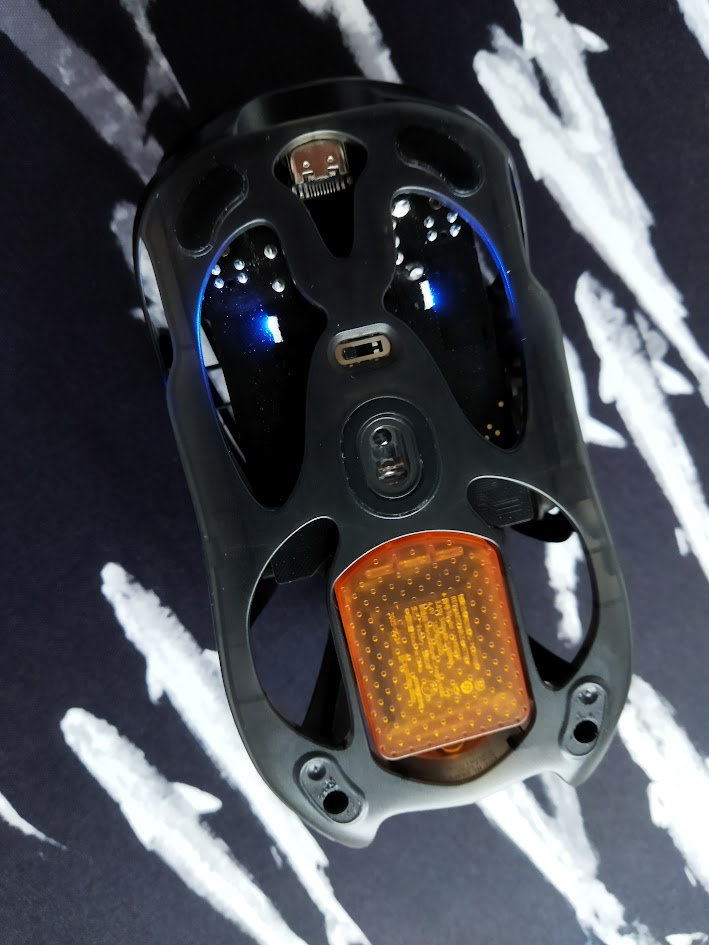
The mouse uses indicator lighting to show connection mode (green: 2.4G, blue: Bluetooth, white: wired). These light up briefly or while Bluetooth connection is pending.
The receiver/charger comes with customizable RGB lighting, which cycles through colors by default.
Feel
I'm usually wary of ultra-light gaming mice, as I tend to prefer a bit of weight for better control.
Luckily, the Infinity strikes an excellent balance between weight, speed and feel, at least for my taste.
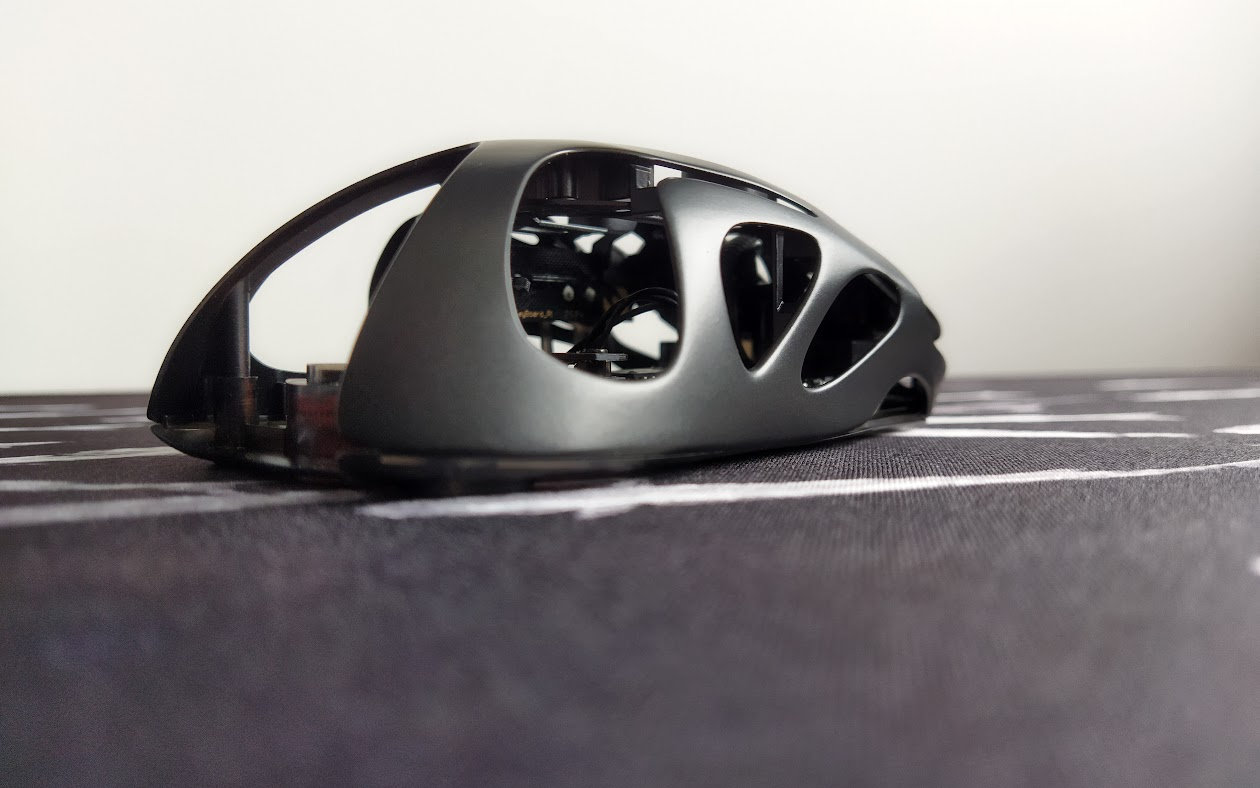
I was able to use it straight out of the box for work, including pixel-perfect photo editing, which can be challenging with very light mice due to unintended cursor movement when clicking.
I also like the feel and traction of the rubber wheel. However, the metal frame felt a bit cold at normal room temperature, and it can be slightly slippery. Applying the anti-slip stickers is therefore a good idea.
Wireless
The Infinity works in wired and wireless modes.
Use the switch on the bottom to select Bluetooth (left), wired (middle/off), or 2.4G (right).
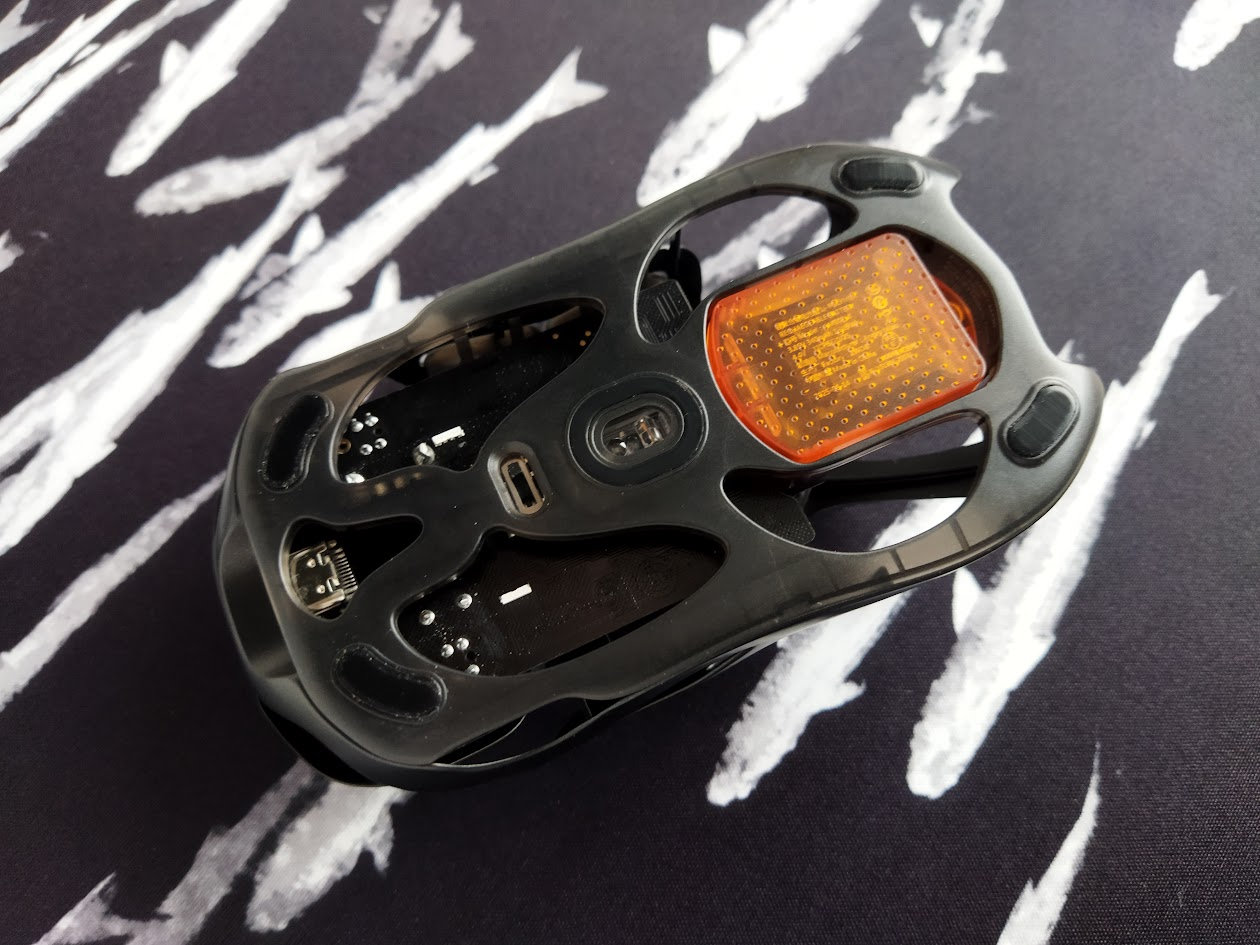
In my experience, a cable connection overrides the switch setting.
Cable
The cable is very high quality. Very flexible, dressed in a nicely braided black paracord with a subtle pattern (at least for the black version). The flexibility is ideal for mouse use.
Software
Angry Miao's proprietary AM Master software serves as a one-stop device center for managing most AM products, including keyboards, headphones, and mice. It's available as a web-based configurator as well as a downloadable app for Windows and Mac.
Unfortunately, my mouse wasn't recognized via the web interface, despite trying two PCs, multiple browsers, and cables. All this while the mouse was connected via cable, as it is suggested.
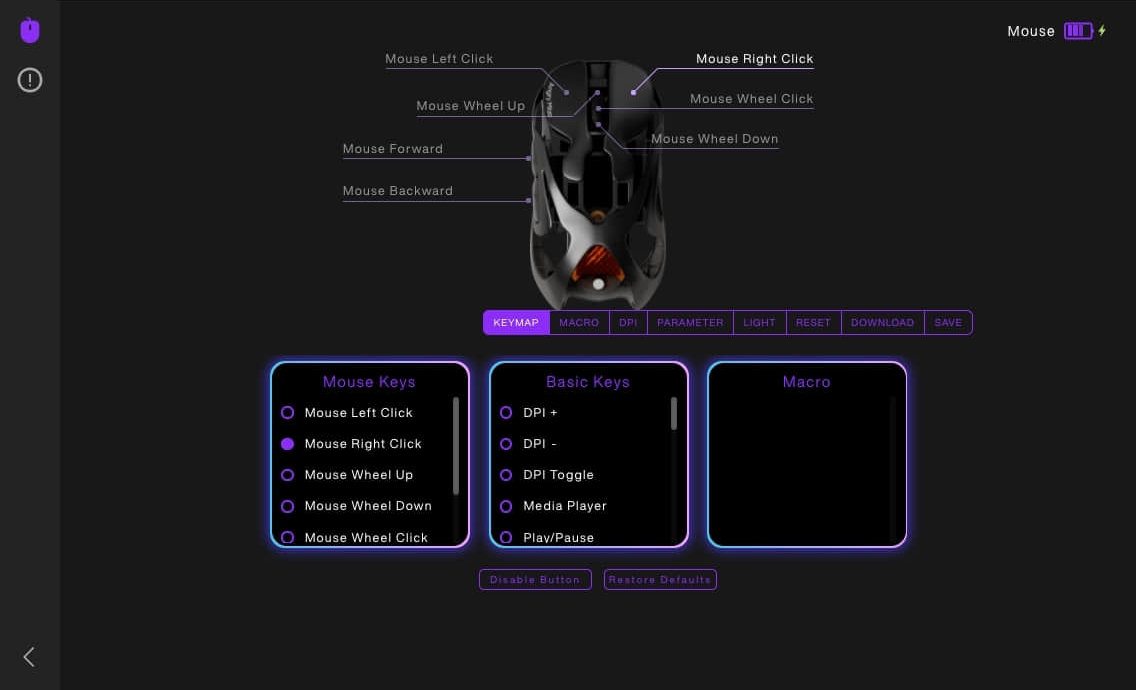
For issues like this, the website suggests downloading the desktop driver. I chose not to install unknown software, as the mouse worked fine, and I was happy with the factory settings. As a result, the screenshot above is from the product page.
Once connected, you can reportedly adjust DPI, key assignments, polling rate, etc. Advanced settings such as RGB lighting effects, debounce time, sensor height, and single-digit DPI adjustments can also be fine-tuned.
Conclusion
The AM Infinity mouse is a stunning gaming mouse with a bold design and premium accessories. It's feather-weight (39/49g) magnesium/aluminum housing, the hot-swappable batteries with the integrated 2.4G receiver and charger, and top-tier specs make it a compelling option not only for competitive gamers. Prices start at $129, and I personally recommend using the anti-slip stickers, as the bare metal frame can feel cold and slippery.

Price & Availability
The AM Infinity mouse is available at angrymiao.com, with prices ranging from $129 for the Basalt Black version up to $235 for the Mirror Shadow Collector's Edition. The KBDNEWS coupon code ($5 off) should be in effect.
- AM Infinity mouse splash page
- AM Infinity mouse in the AM shop
Published on Tue 20th Jan 2026. Featured in KBD #205.
Related

Lapa keyboard-mouse
Ilya Leonov's Lapa is an ergo split keyboard-mouse.
LYNXware CAT review
The CAT by LYNXware is an incredible input device with a great potential. That said, you'll need some time to get accustomed to the custom software, the terminology, 22 thumb keys – and mouse switches!
My mouse
My mouse is a flexible mouse concept by Andrey Avgust – with low-pro mechanical switches.
Lynx CAT
The Lynxware CAT is a set of split input devices built with mouse switches, open sourced by Ape_Devil of Lynxware.