Keyboard Builders' Digest / Review
Dry Studio Battleye 74.5 RT review
A head-turning 75%-ish Hall-effect board with circular display and knob: the Battleye 74.5 RT by Dry Studio – for sophisticated gamers.

Published December 4, 2025

All the iconic boards by Angry Miao and its Dry Studio sub-brand are real pieces of art. This one is no exception. Continuing a long line of keyboards with unique designs that blend futuristic, industrial, and minimalist aesthetics with top-tier craftsmanship.
Not quite 75%, but so close! So let's continue our accidental 75% keyboard series with the nth board showcasing a similar form factor: the Dry Studio Battleye 74.5 RT – it's about 74.5% as the name suggests. An eye-catching Hall-effect board with crazy features like the daringly placed circular touch screen inside a fancy circular encoder knob!
TLDR; The magnetic Dry Studio Battleye 74.5 RT is a fully built wired keyboard coming in a nice CNC aluminum housing. Packed with premium features like leaf springs, patented leg design to adjust typing angle, and of course the circular touch screen inside a knob. The inherently hotswappable Hall-effect PCB, magnetic switches, a web configurator, and of course the personalizable display make this board highly customizable. I can imagine that the real-time actuation feedback can be a great help when fine-tuning your gaming setup. All in all, I'd recommend the Battleye for sophisticated gamers looking for a precision tool that's also an eye-catching centerpiece of your desk.
Should I buy the Dry Studio Battleye 74.5 RT? – you may ask. Well, I'm going to cram as many facts as possible into this review – so you can answer this question for yourself. As you'll see, I've even eviscerated the Battleye to it's very core, as barbaric as it felt at some point. That said, this tear-down won't help you if you don't know what you want. Make sure you're aware of your preferences and the features you need, and check out the full review below for all the details and photos – plus the full photodump on imgur for an even closer look.

Disclaimer
Angry Miao was kind enough to send me this review unit for free, which may introduce all kinds of biases – both negative and positive in my experience. Take everything I write with a grain of salt.
In case you're interested, Dry Studio is a sub-brand of Angry Miao. The two brands operate independently but share the same logistics system. Dry Studio focuses more on gamers, while Angry Miao is positioned as a high-end, design-driven brand that goes beyond custom keyboards – creating small-batch products with unique designs and high quality.
Variants
The Dry Studio Battleye 74.5 RT comes in three cool colorways: Starlight Reaper (black/purple), Pink Blaze (white/pink), and Jungle Eye (green/orange).
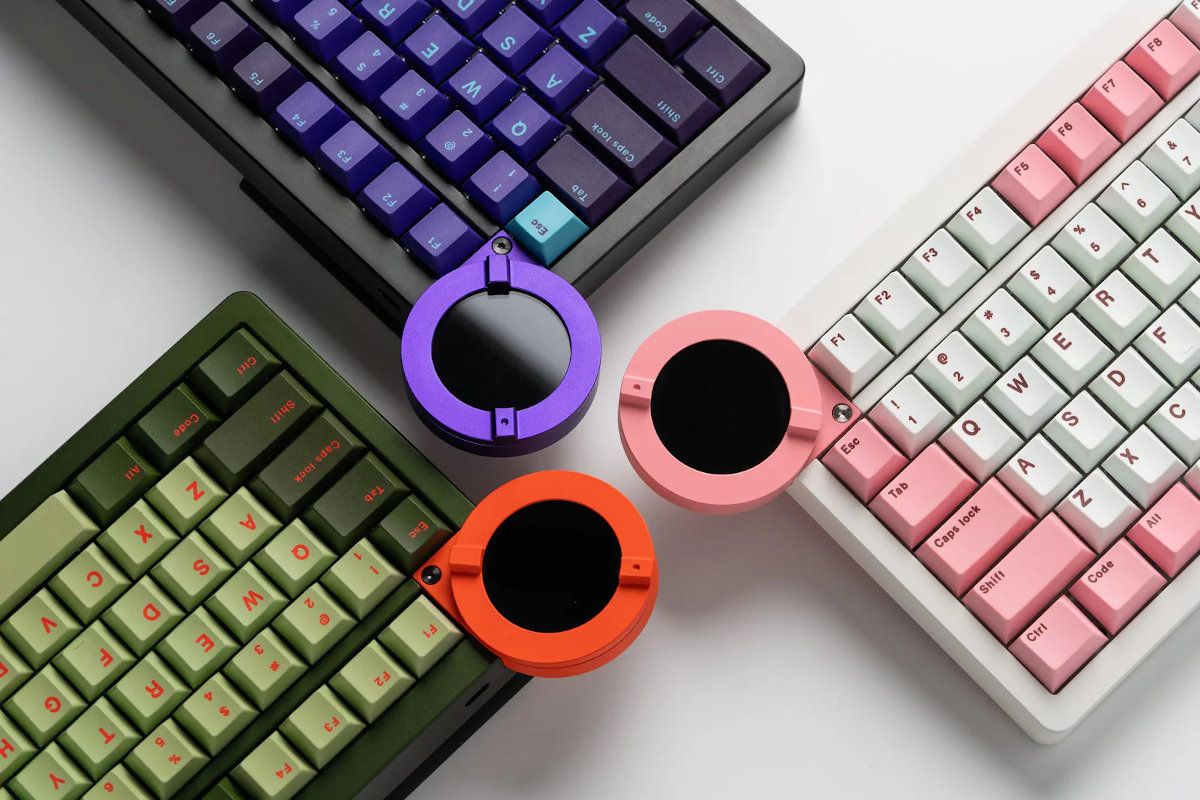
These variants come with matched cases, keycap sets, circular knob color, and even bottom/leg accents.
As always, it was a bit hard for me to select a single board, contemplating mainly about the Starlight Reaper and Jungle Eye. Eventually, I went with the purple Starlight Reaper, this is the board you'll see in the photos below.
Unboxing & Contents
A no-frills recycled cardboard box, with minimal info printed here and there. Perfect. The gist is sitting inside anyway, no need for fancy and constly packaging.
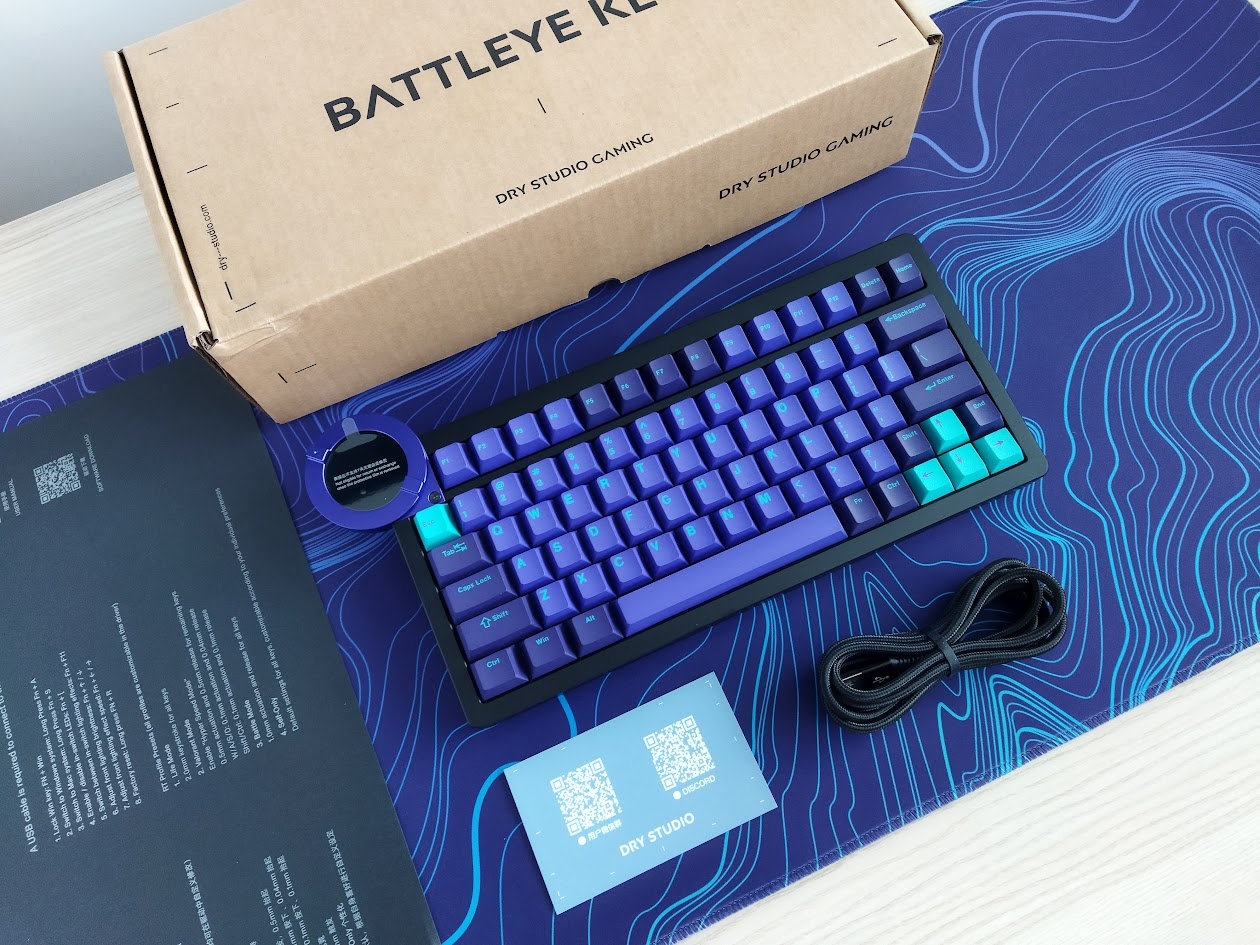
The contents are minimal too:
- The Battleye, pre-built with switches and keycaps mounted.
- quick-start guide
- basic USB cable
There was another unused recess in the protective foam inside the box, I'm not sure if this is the full bundle. Anyway, no tools, replacement switches or extra caps.
First impressions, design language
The Battleye comes in three classy colorways, and I've chosen the purpleish Starlight Reaper variant. The design is very distinctive, explained by the team's inspiration: the game Death Stranding.
While planning our next keyboard, we thought for a long time about how to add interesting new features. Looking for inspiration, Death Stranding caught our eye. Especially its cool circular UI that displays numerous kinds of stats. Just like this game of delivering supplies to isolated colonies, we need an initutive way to connect the complex controls and 200-level precision of magnetic keyboards to our users – Dry Studio.
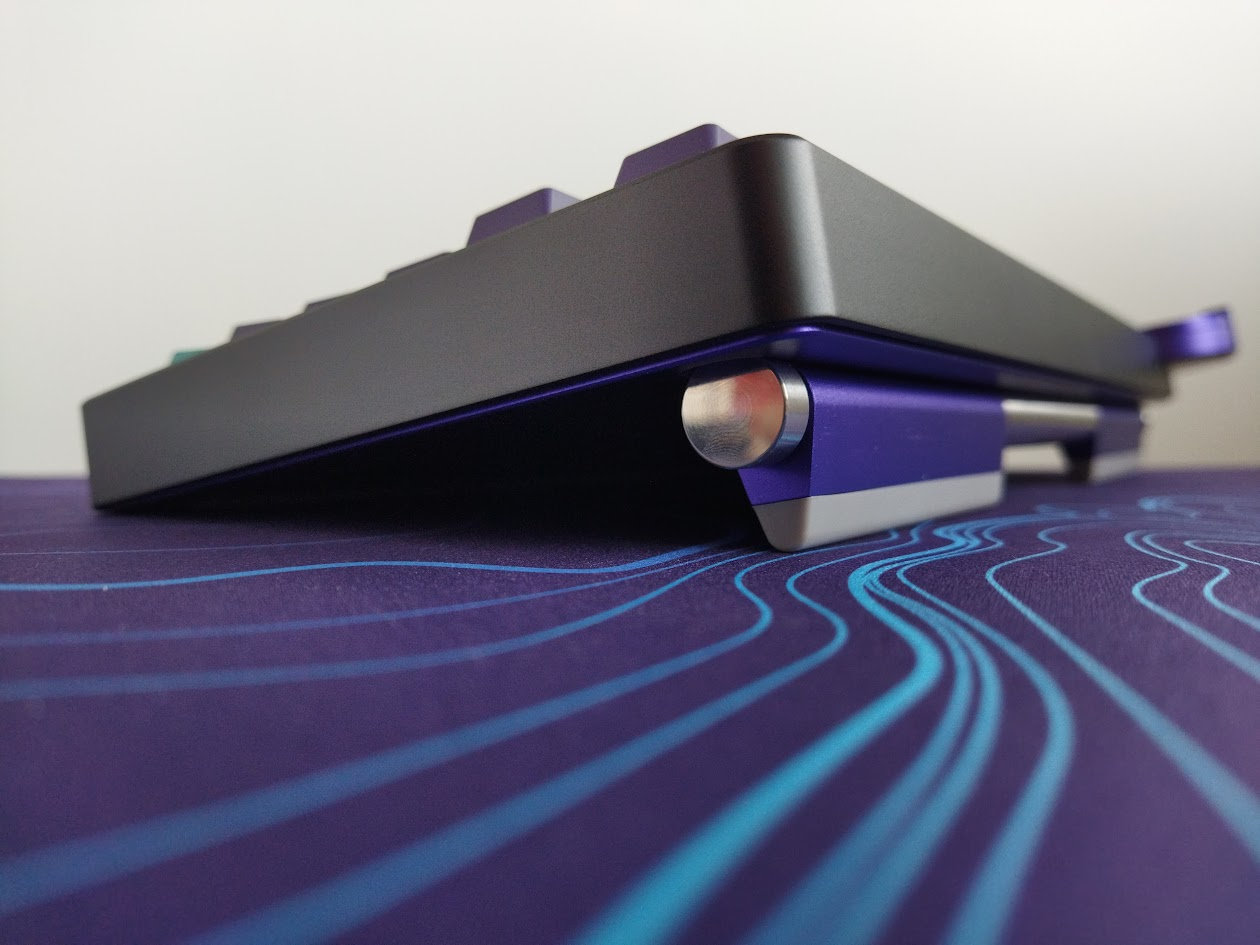
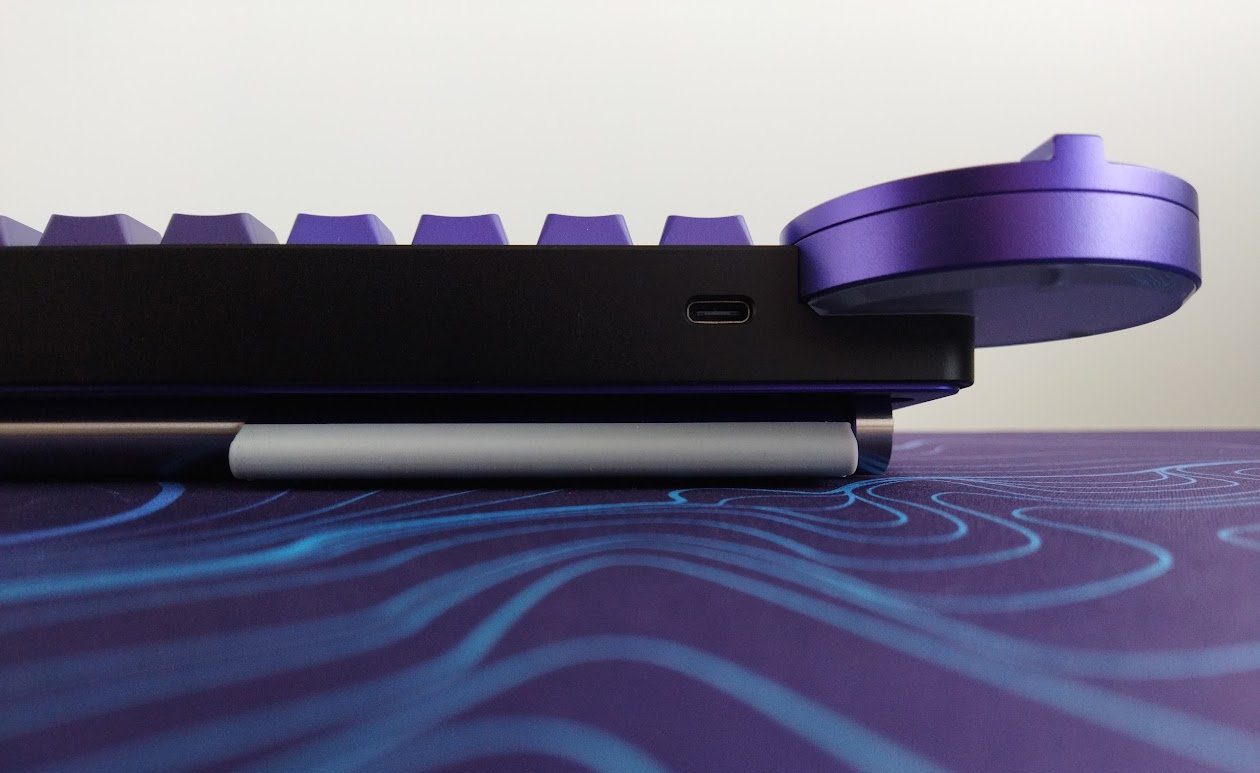
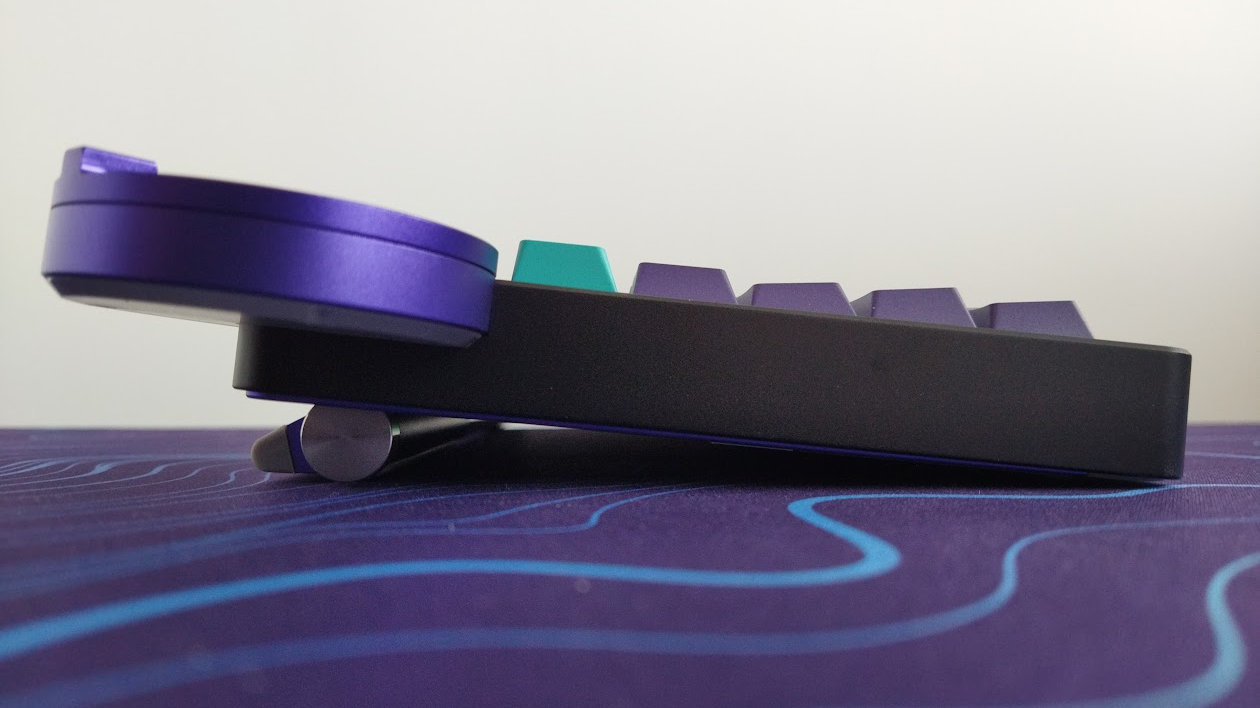
Yep, the main feature is the fancy touch screen for sure. We are getting there. However, the side profile of the board also reveals the unique and patented legs designed to precisely adjust the typing angle.
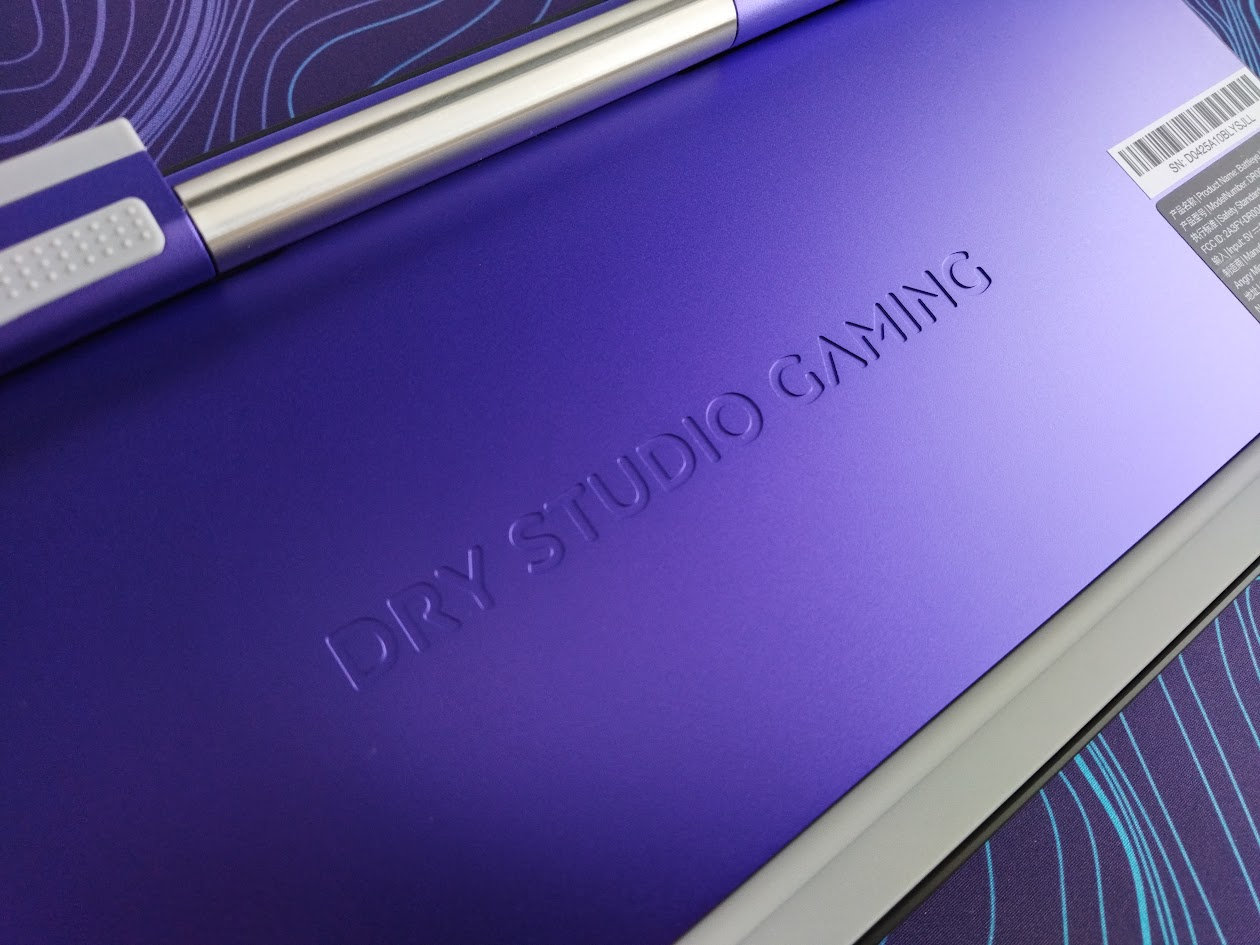
The branding is on the bottom, so no visible logos anywhere.
If you think it's hard to make an impact in a crowded market like the 75% segment, the Battleye proves you wrong with pretty much every one of its features, making these boards unique and easy to recognize from miles away at tournaments, conventions, or keyboard meetups.
Specs
- Layout: 74.5% ANSI, 78 keys
- Keycaps: double-shot PBT Cherry profile
- Switches: TTC King of Magnetic RGB Hall-effect switches
- Case: CNC aluminum
- Typing angle: 6-11 degrees, adjustable by 0.5 steps
- Mouting: leaf spring with gaskets
- Stabilizers: plate mount
- Plate: aluminum with flex cuts
- PCB: 1.5 mm, south-facing per-key RGB, hotswappable, no flex cuts
- 1.7" HD touch display + circular encoder knob
- Connectivity: wired
- Software: proprietary web configurator
- Dimensions: 305x142x45mm (basic rectangle) + plus a 3x2cm protruding part (display)
- Weight: 1,393 g
Layout
The 75% layout is relatively standard and prevalent, this 74.5% variant is basically a crowded 75% without the usual separator gaps, and with one less key.
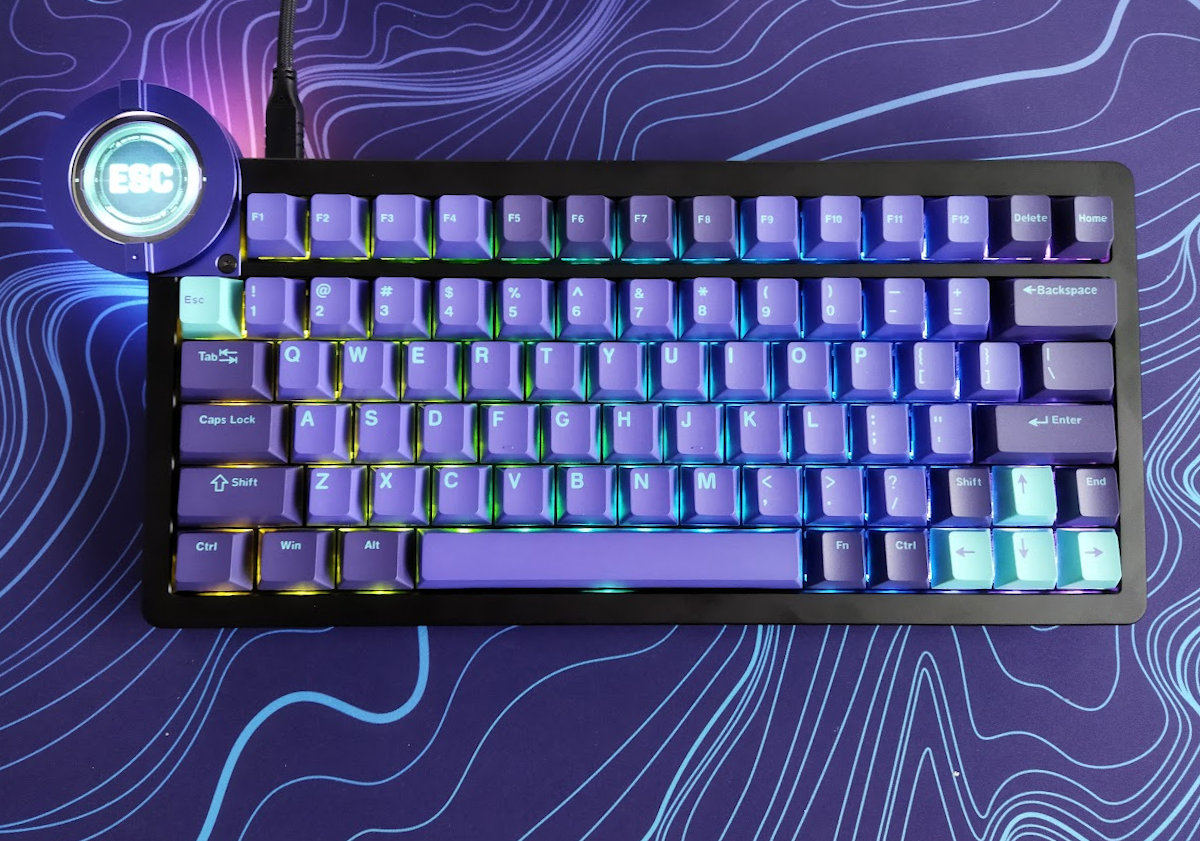
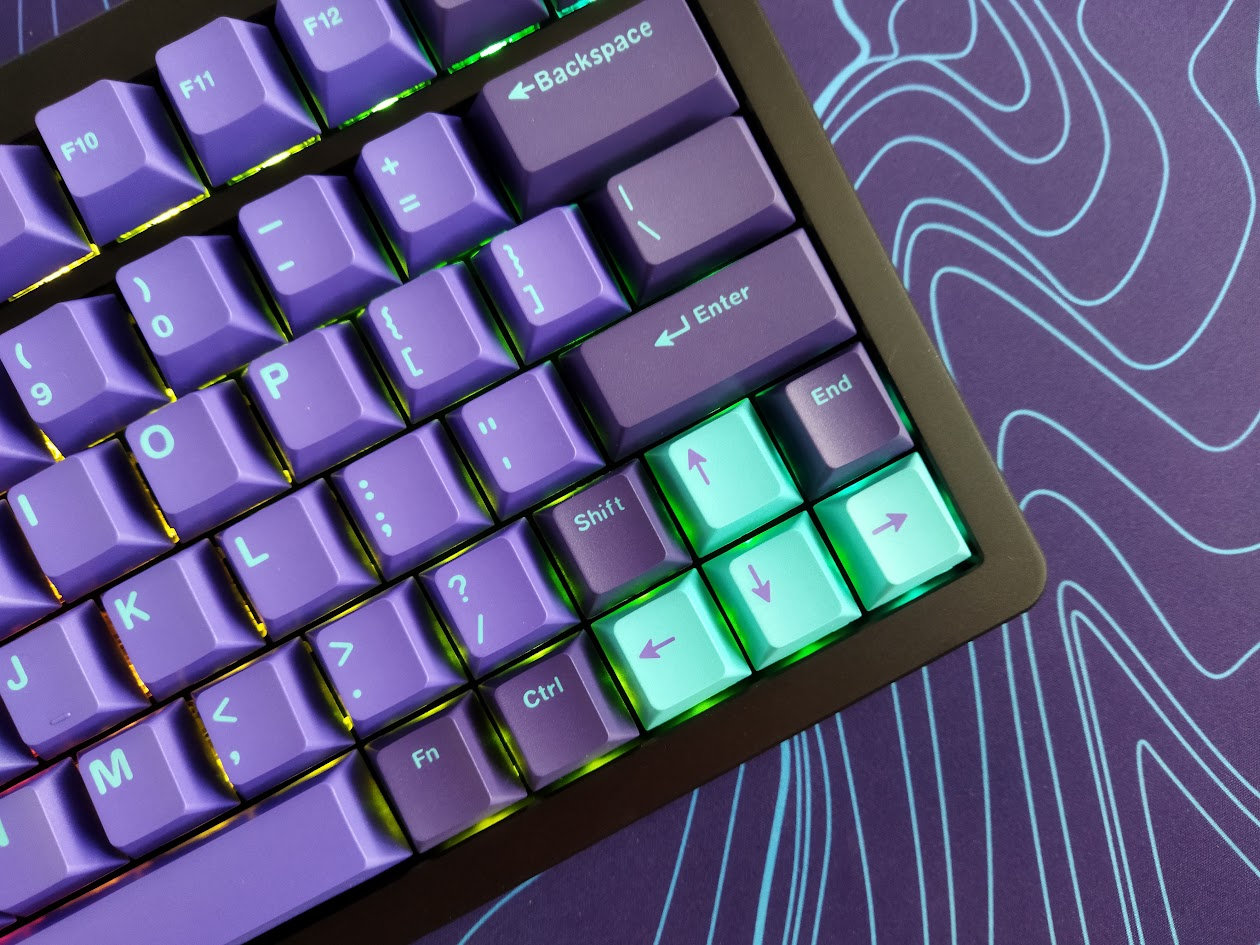
Otherwise, as you may know, the 75% layout means no numpad and no classic navigation cluster either. However, you have arrows, function keys, full number row, and the remains of the classic navigation keys here and there. In this case: two on the right of the F-row, and a third one above the right arrow.
Featuring 78 keys, the Battleye is optimizing space while ensuring that all essential functions are easily accessible for new users transitioning from e.g. a fullsize keyboard.
A fun detail: while the display occupies the traditional spot of the Esc key, it actually acts as a virtual Esc.
The Battleye doesn't offer a stepped CapsLock option.
The arrow cluster is not offset, and there's no gap left of the arrows, unfortunately but understandably, which would bother me if I'd use this arrow cluster. Just like the gapless F-key arrangement. I personally move both the arrows and function keys to the alphas via SpaceFN, but if you type the classic way, consider if you would get lost when changing between the home row and arrows/F-keys.
All in all, a pretty crowded 75% layout without the extra column on the right. Basically 75% functionality concentrated into the width of a 65% board.
Keycaps
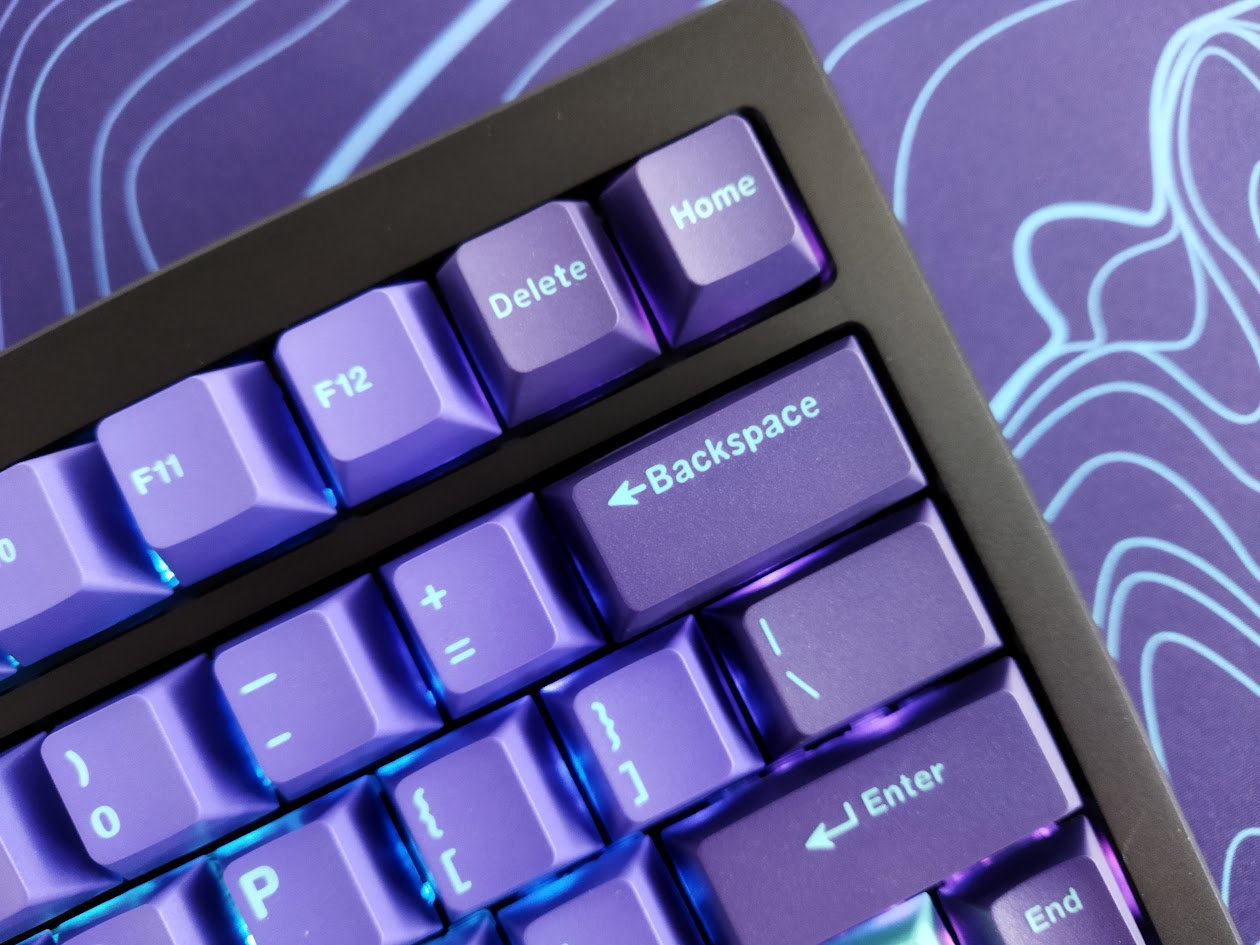
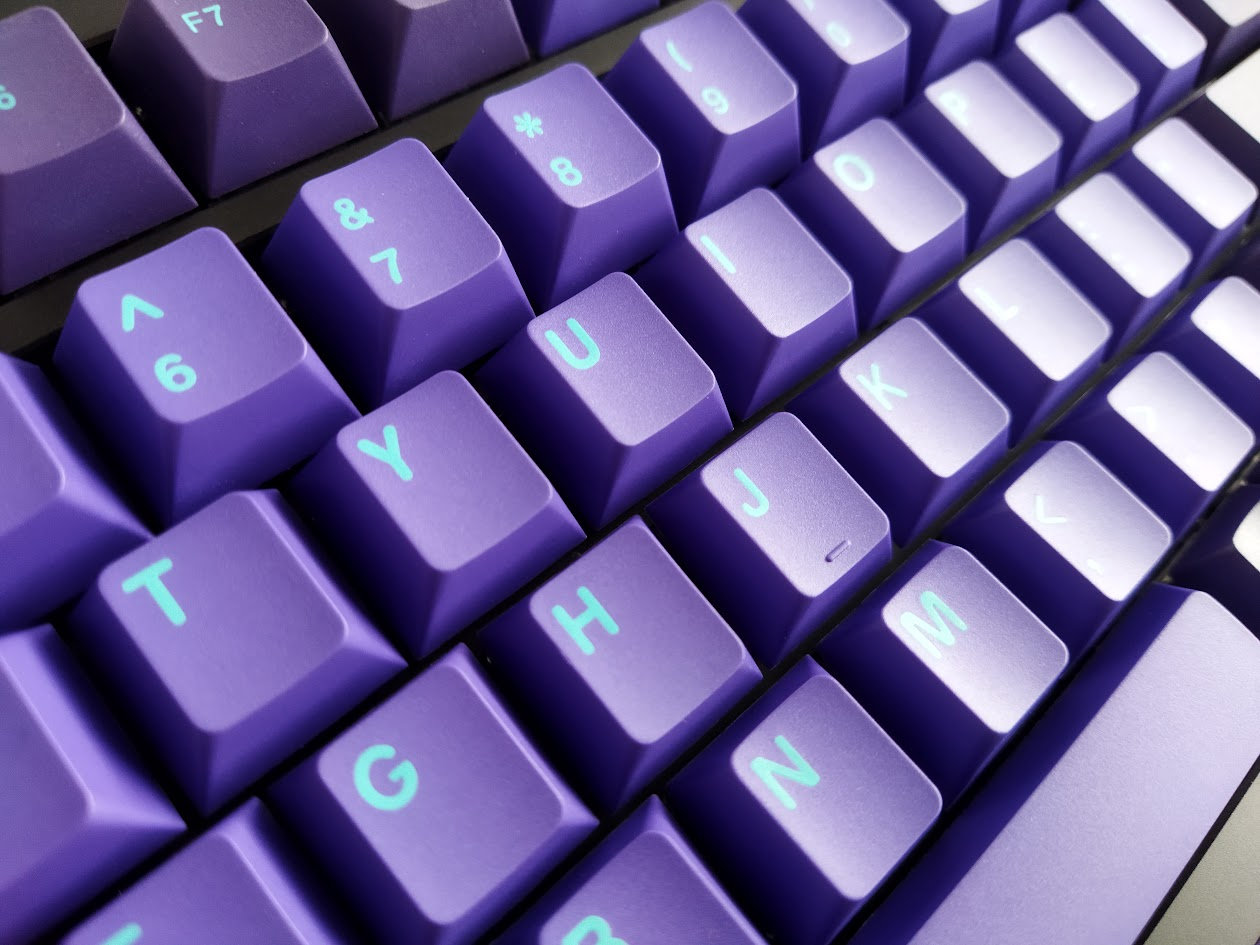
The keyboard comes with a nice double-shot Cherry profile PBT keycap set. The Starlight Reaper colorway is this deep and lighter purple combined with light blue or cyan accents and legends. Classy. Other themes come with similarly distinctive accents (white/rose with maroon or green with orange) – each set beautifully matching the case, encoder and bottom/leg colors.

Legend consistency is not perfect. I like the alphas, but some picky enthusiasts will notice the slightly thinner or thicker letters here and there, even in the stock photos.
The caps come with MX stems of corse, so – also with regards to keycap compatibility – this layout should be widely supported if you opt for something different.
Switches
Actually, I know these switches and TTC's whole Hall-effect magnetic switch range quite well, as they were kind enough to supply me with lots of samples earlier. These particular TTC King of Magnetic RGB switches are nice too: loud clacky magnetic PC/PC/POM switches – at least if you bottom out while typing.
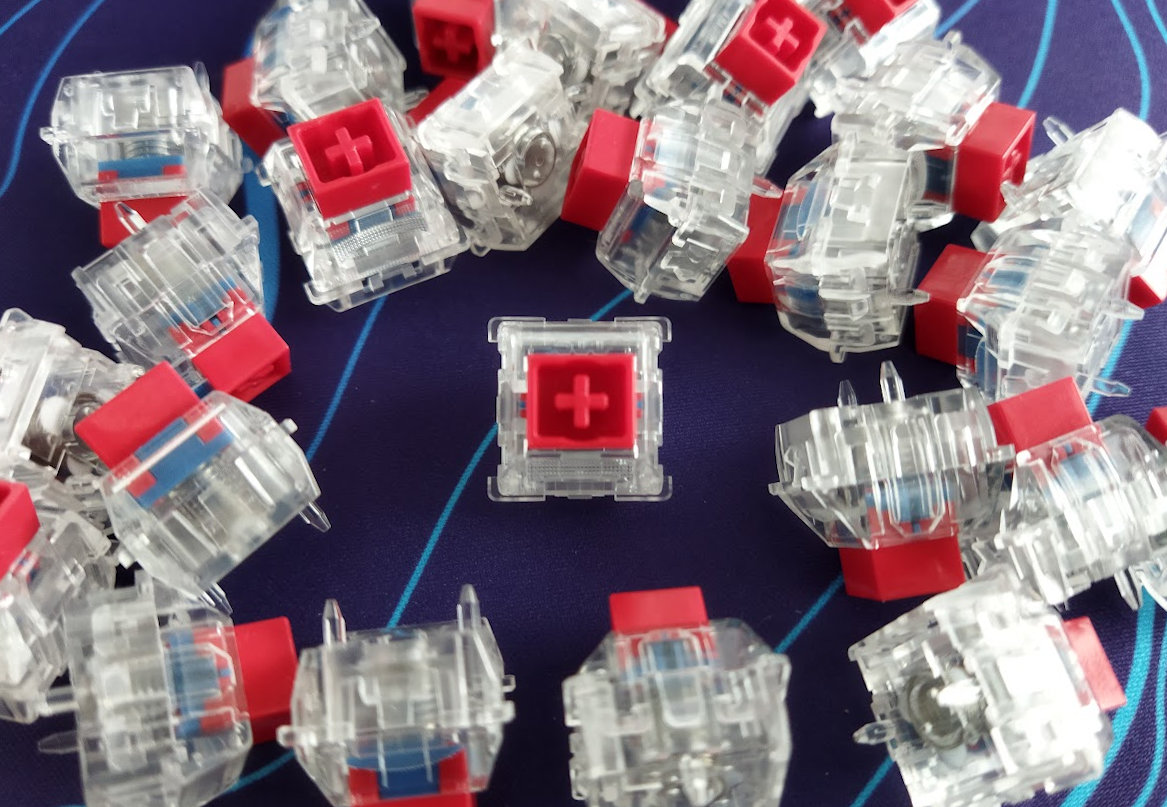
Specs of the TTC King of Magnetic RGB:
- Actuation force: from 35 gf (adjustable)
- Pre-travel: 0.1-3.3 mm (adjustable)
- Total travel: 3.4 mm
- Material: PC housing
- Factory lubing: yes
- Led diffuser
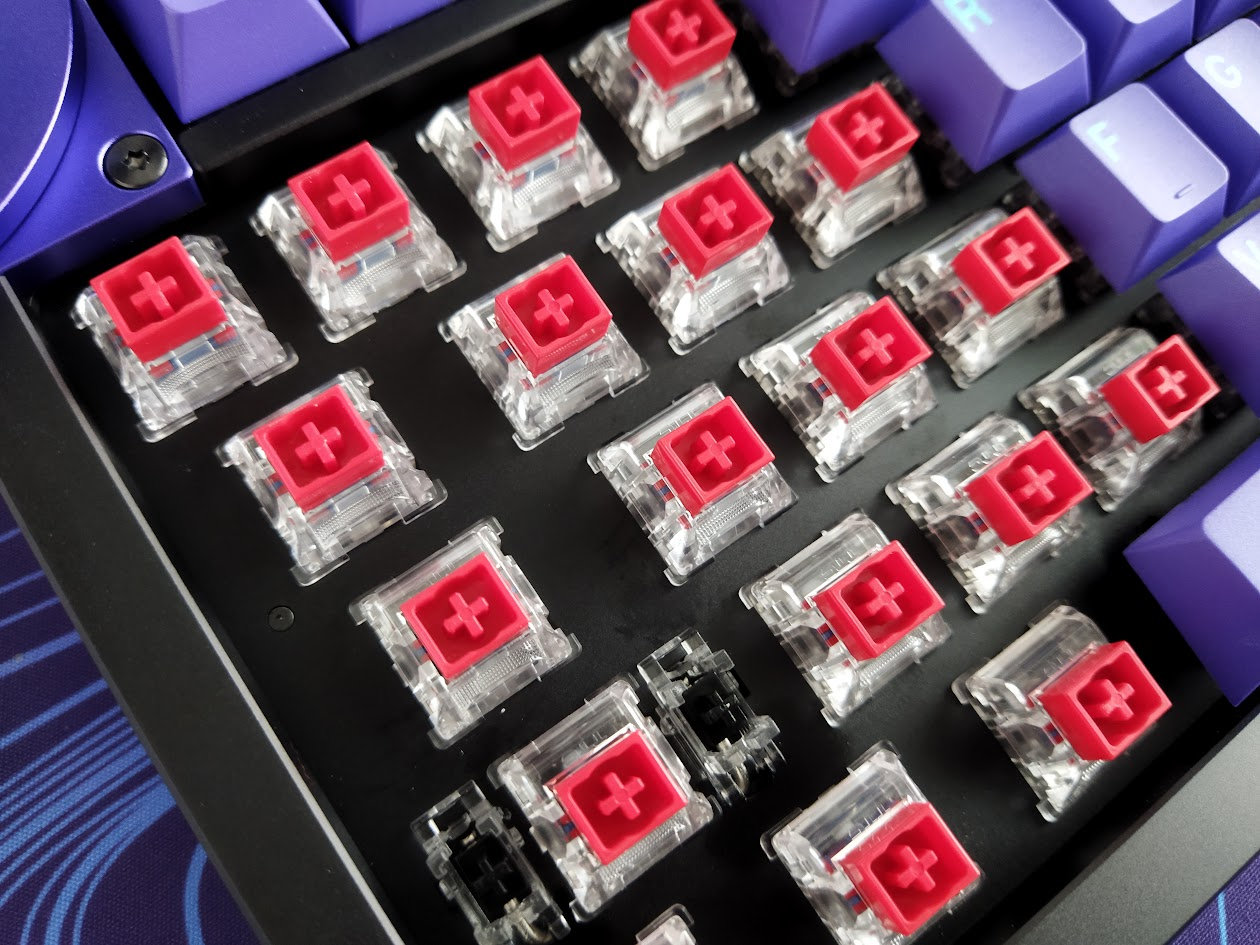
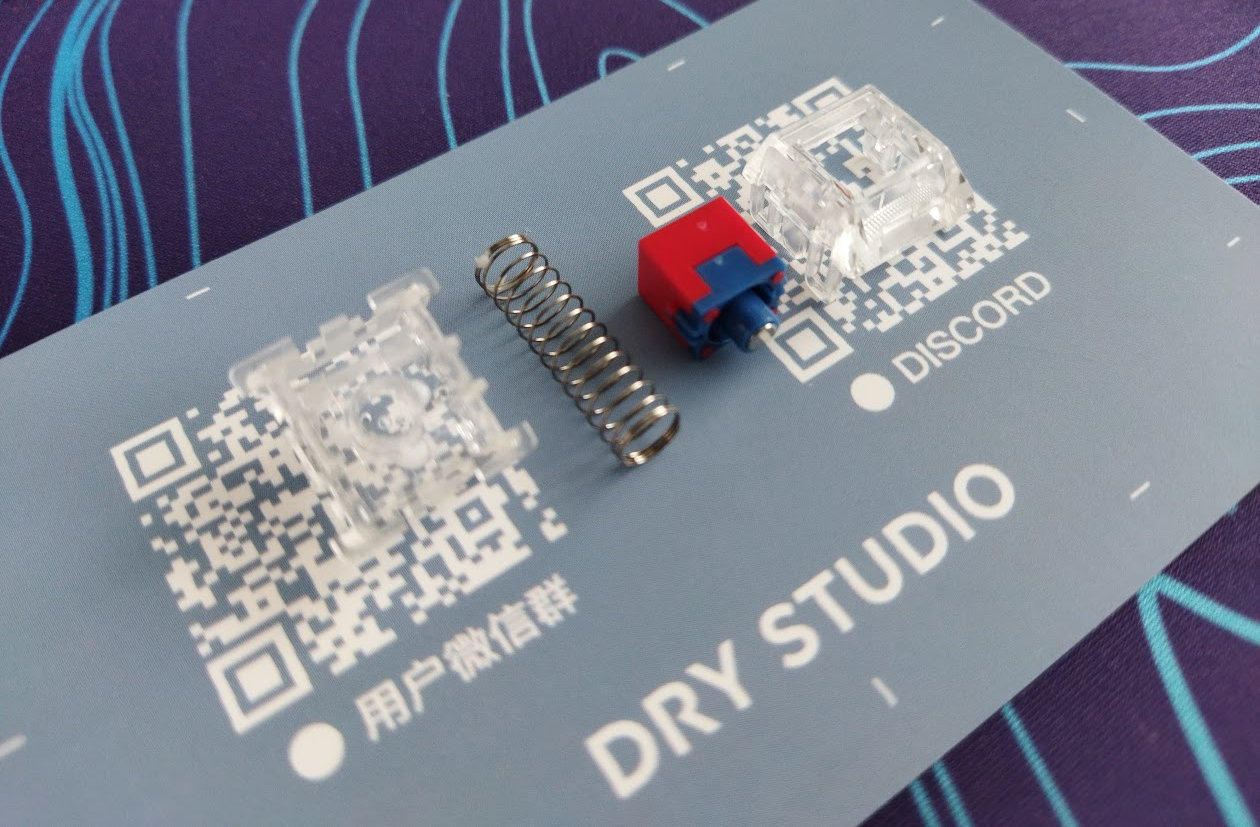
The highlight of these switches is the two-part dust-proof stem, allowing to play with different materials. I doubt many of you will do this though.
These switches feel decent, but Hall-effect switches are inherently hotswappable anyway, so you're not restricted to the factory setup. Check out the current best-selling magnetic switches, or feel free to use your personal favorites lying around.
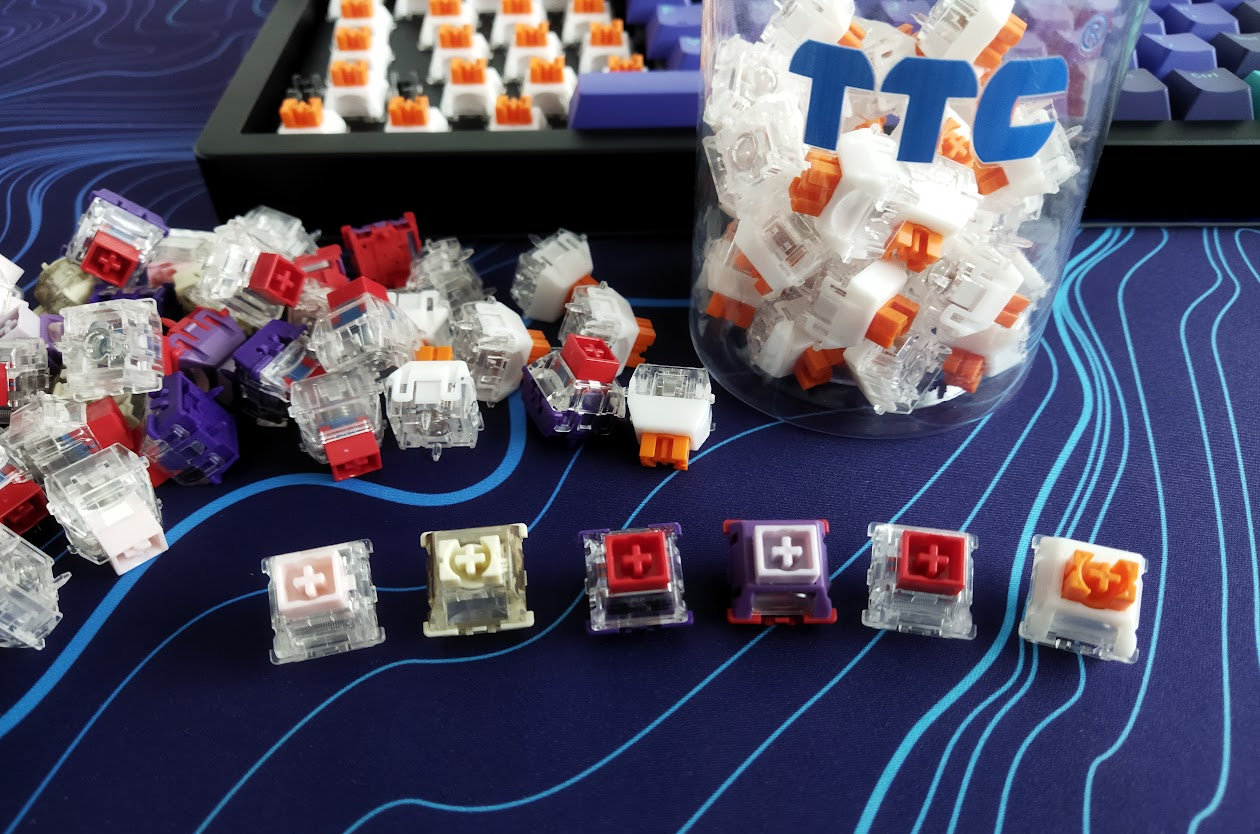
Not in the top list, but my favorite was the TTC Tai' e Sword (the one with the orange stem): a bit more muted contender among all the loud ones.
Build quality, structure, case
Superb build quality with excellent material choices and finishing – although both the black and purple surfaces attract fingerprints like crazy! If you're not bothered by that, this board feels absolutely premium. Relatively heavy (1.393kg), but definitely lighter than the heftiest CNC aluminum 75% boards. That said, the Battleye won't move anywhere while gaming, not even mentioning less demanding typing jobs.
The whole thing feels massive and heavy duty, the only reason I wouldn't throw it across the room is the protruding display.
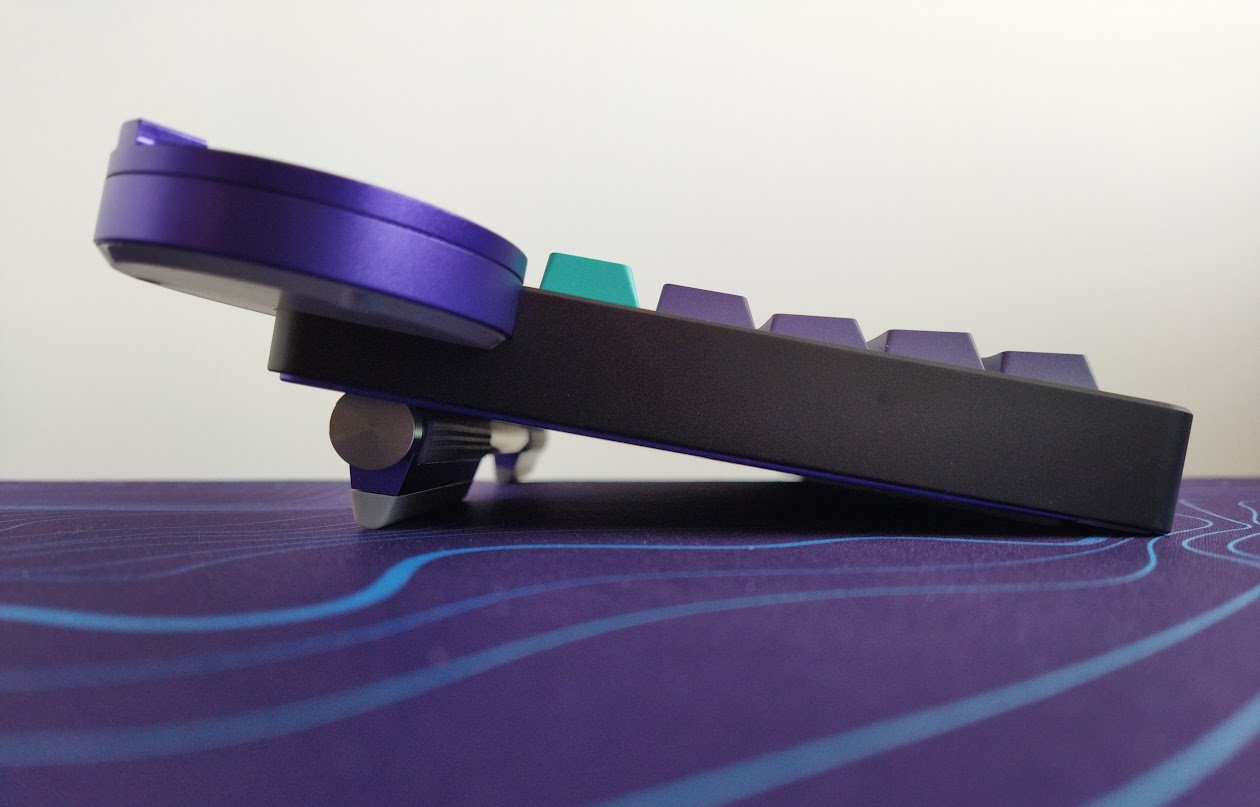
Typing angle: adjustable, 6-11 degrees.
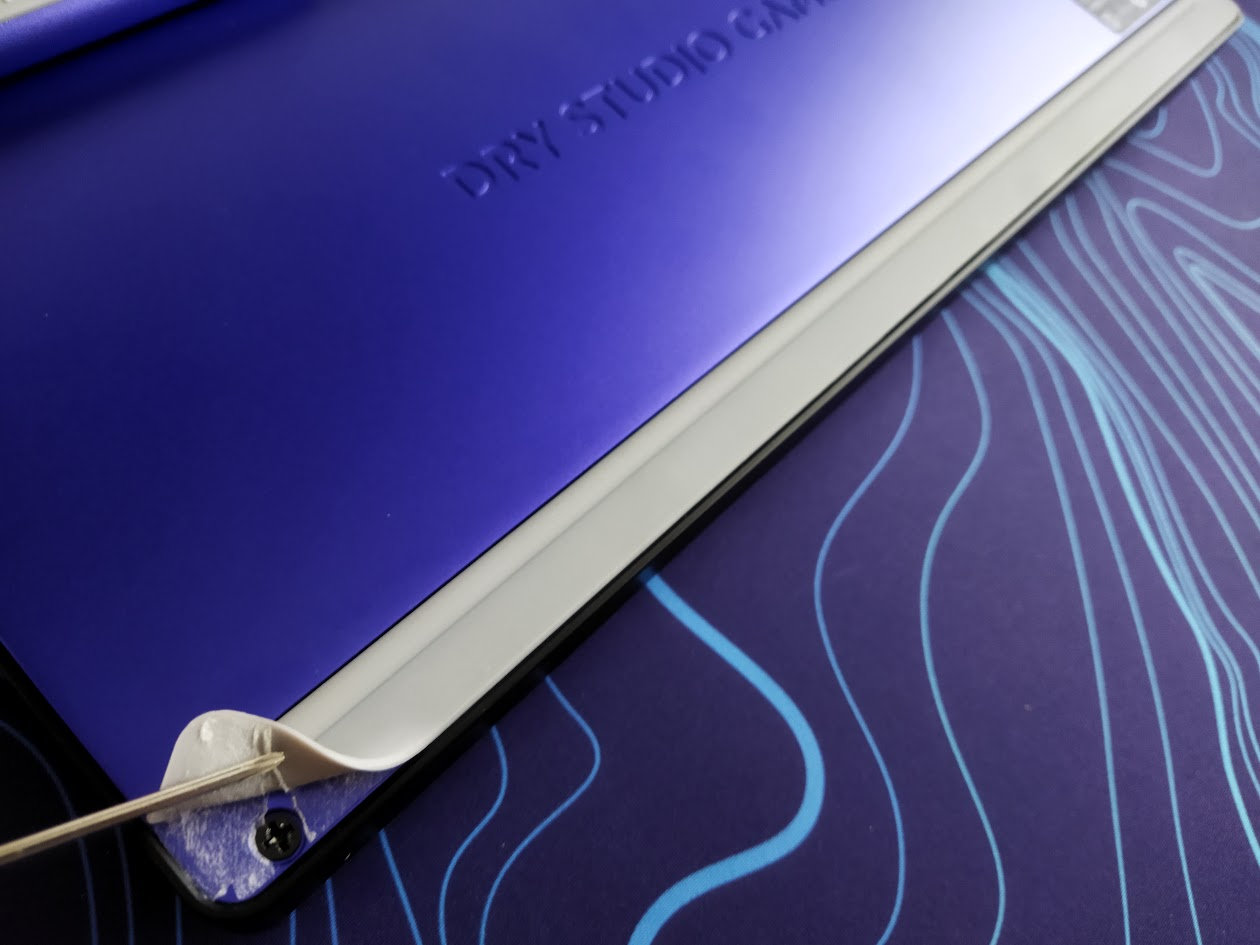
Disassembly? Well, I really wanted to disassemble this one, but had no idea how to start. No visible screws anywhere. As it turned out, tragically, I had to tear up the long rubberized part on the bottom, hiding four screws.
I've been really spoiled by all the easy-to-open ball-catch keyboards reviewed earlier, but managed to disassemble this Battleye anyway. It's a hidden-screw design, not my favorite to put it mildly, but here you go anyway.
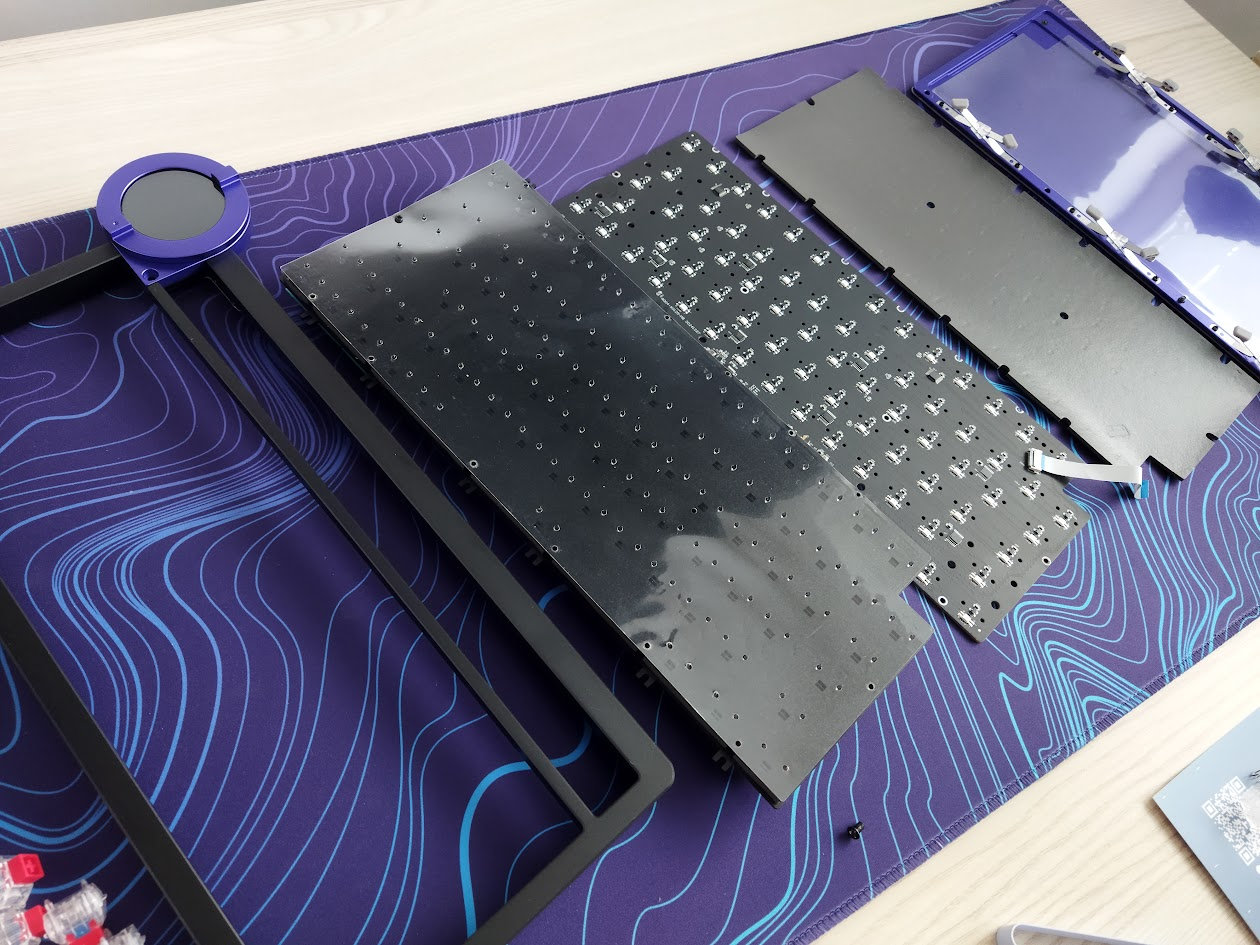
Structure & Mounting
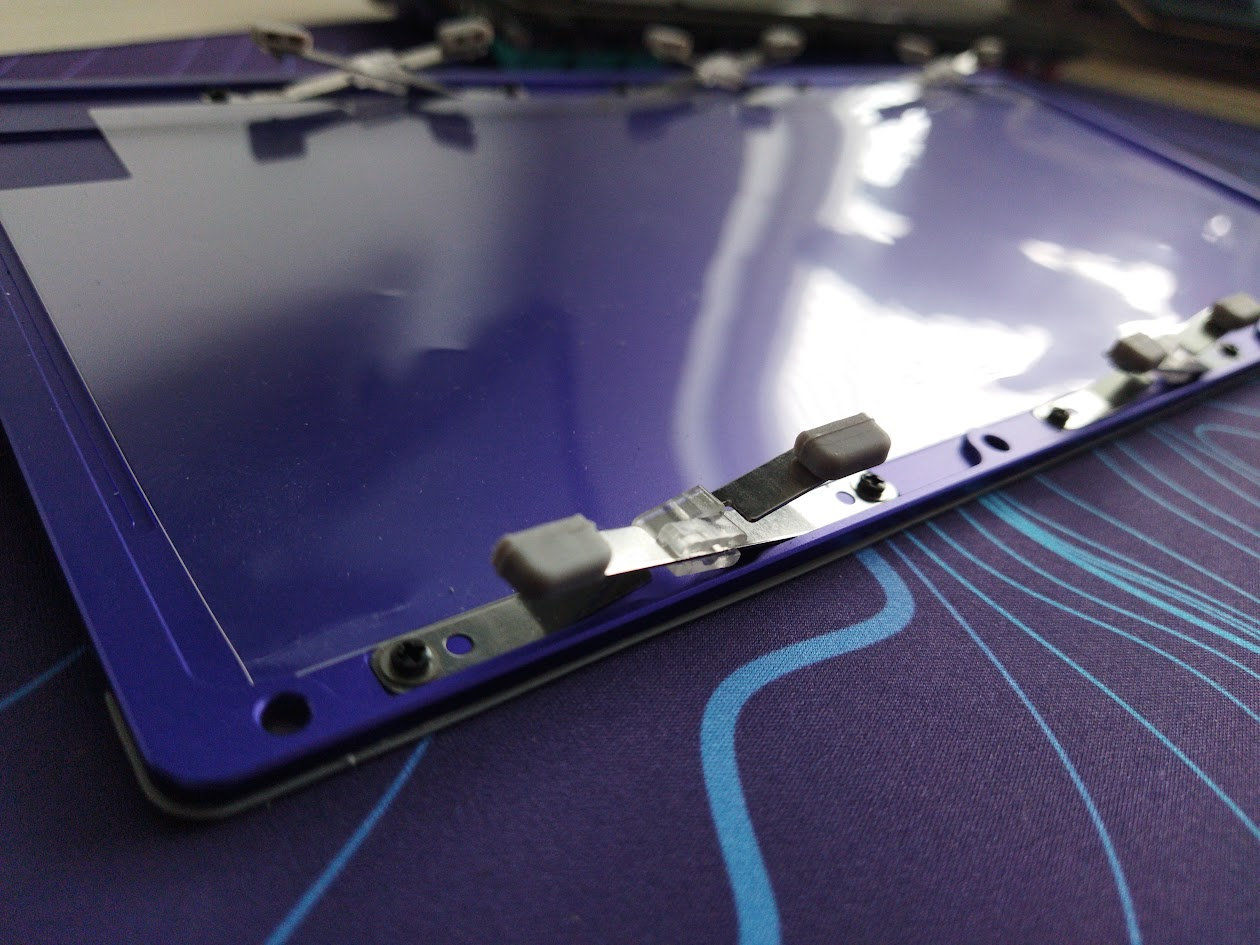
The Battleye features spring leaf mounting with contacts that feel like silicone. The leaf springs are screwed to the bottom case, and the "gaskets" are attached to protruding parts of the PCB. The flexibility is clearly visible, however, the typing experience isn't that soft – as a result of the relatively rigid aluminum plate and non-flex PCB.

By the way, the leaf spring mount has been upgraded to version 2.0, ensuring stability for the magnetic switches while providing consistent flex. Well, flex in this case may be misleading: the leaf springs move the whole core consistently, unlike plates/PCBs with lots of flex cuts.
Plate
The plate is matte black aluminum (at least for this colorway), and it doesn't feature any flex cuts.
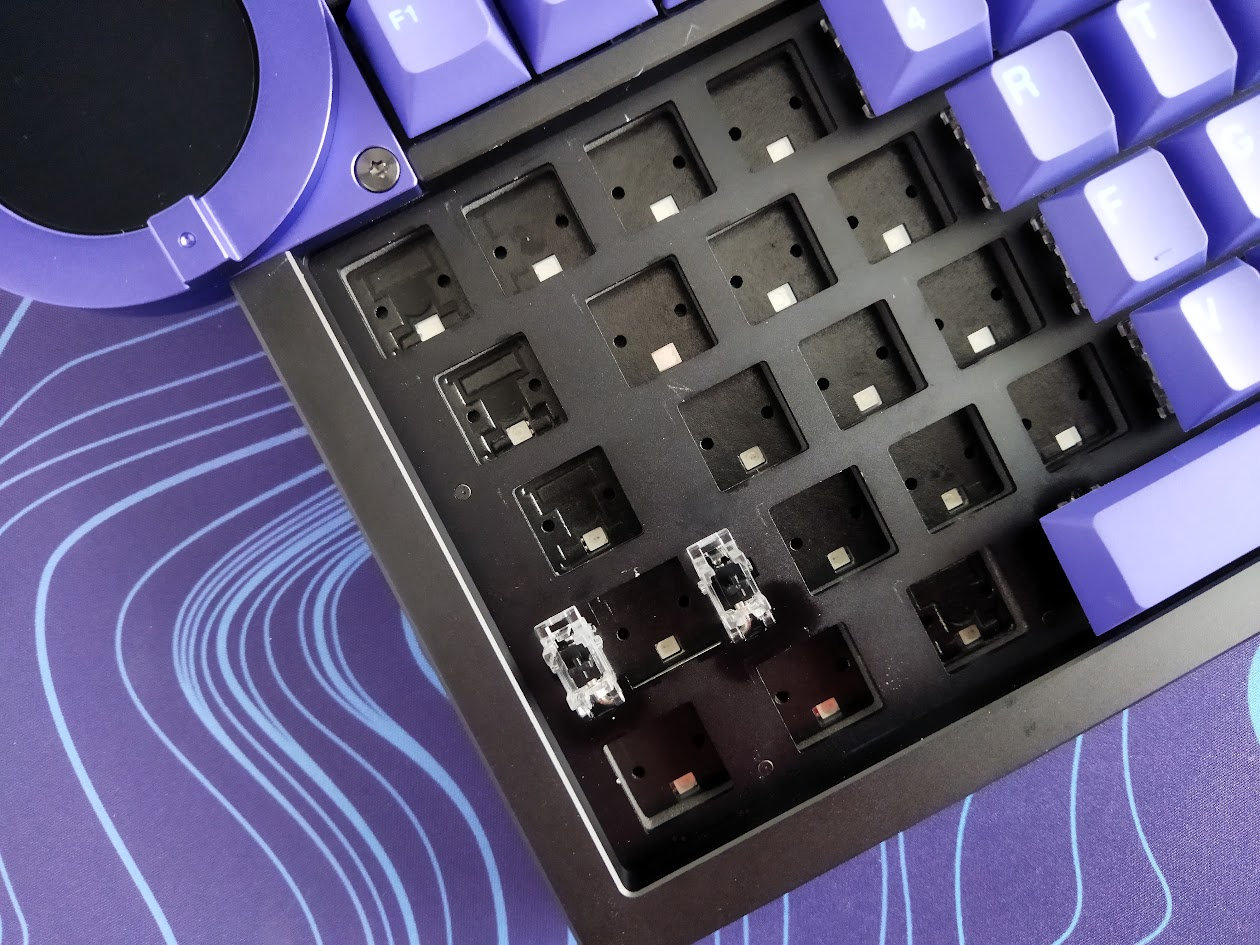
Plate-mount stabilizers.
PCB
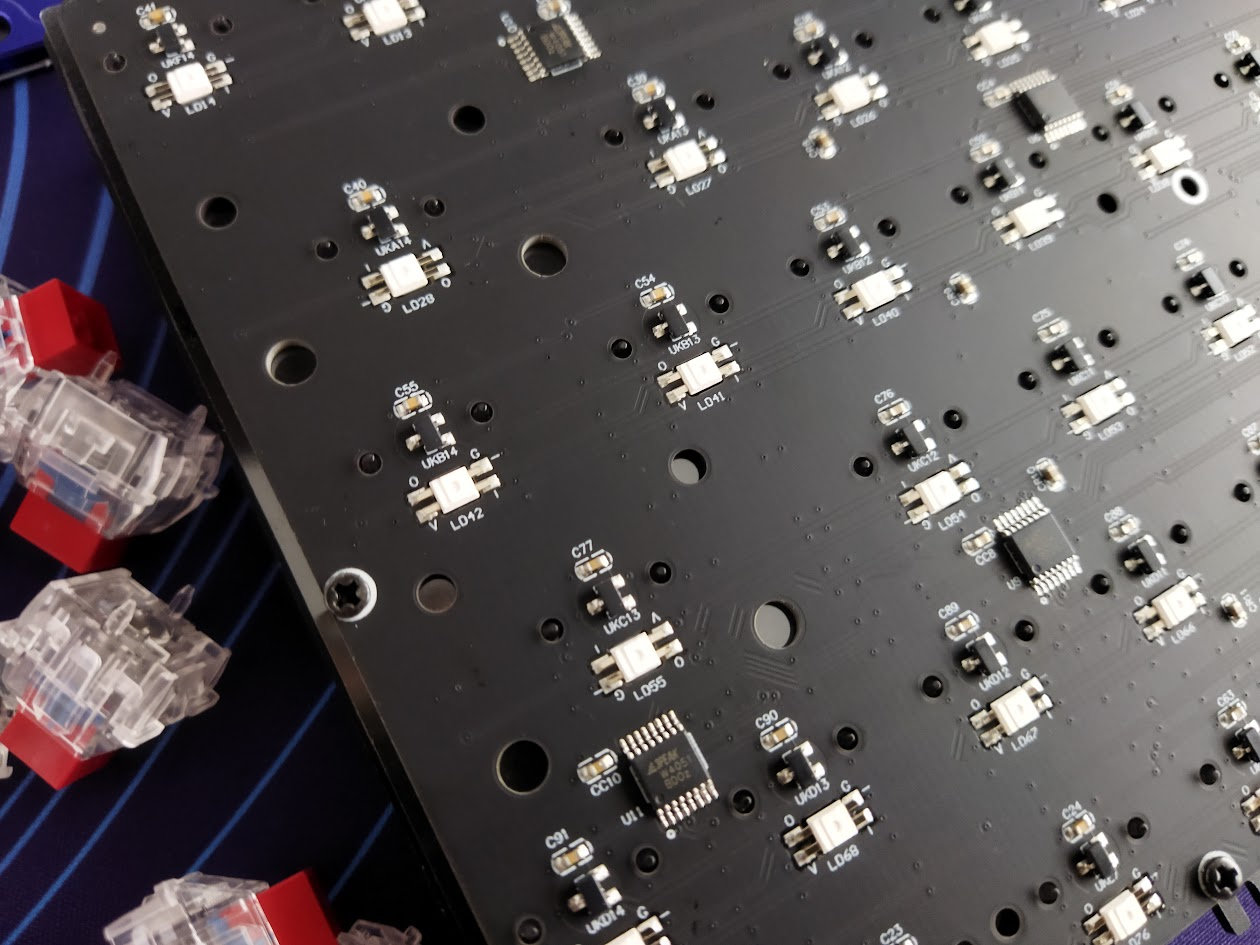
The nice matte black 1.5 mm PCB is part of the thick plate/foam/PCB sandwich, and it comes with south-facing per-key LEDs, Hall-effect sensors of course, and no flex cuts.
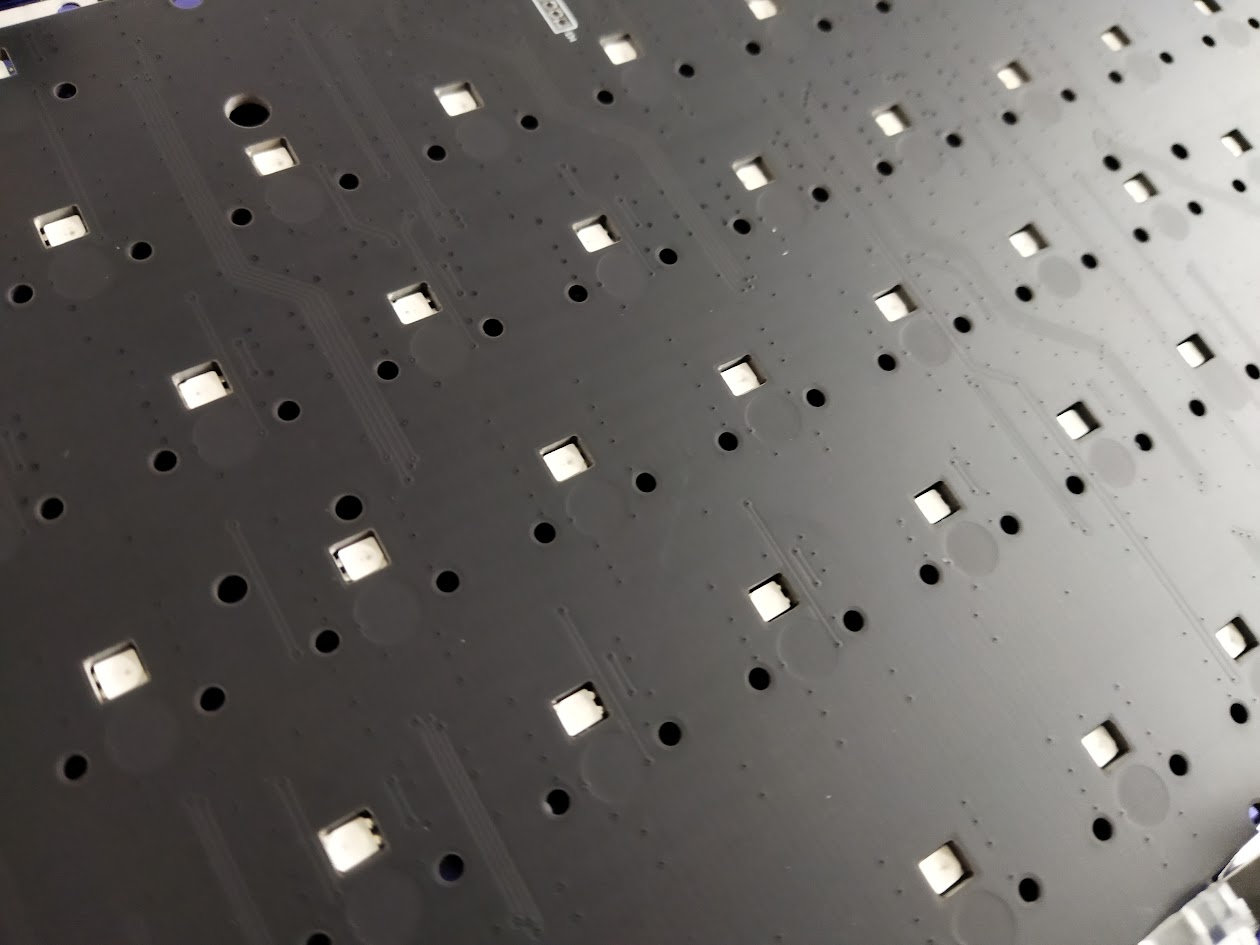
The default stabilizers, as already mentioned, are plate mounted, but the PCB has holes for screw-in stabs as well. (However, there are no holes in the sound dampening layers, and given the disassembly, I don't think it was the intention of the designers to encourage stab swapping.)
Display & Encoder knob
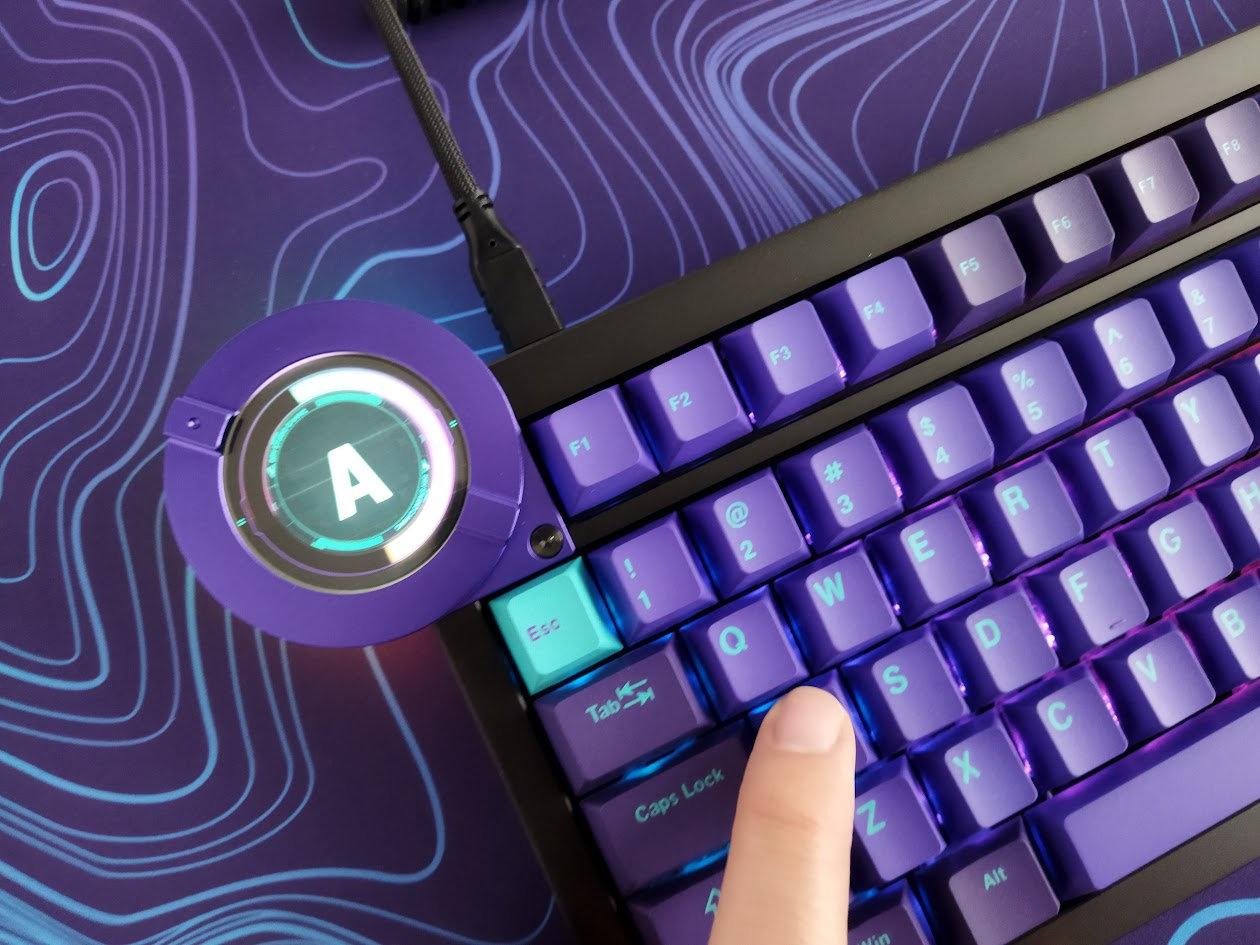
The most distinctive design elements of the Battleye are the 1.7" circular display and the unique encoder knob. These are a single entity, attached to the main board by a ribbon cable and a fancy screw.
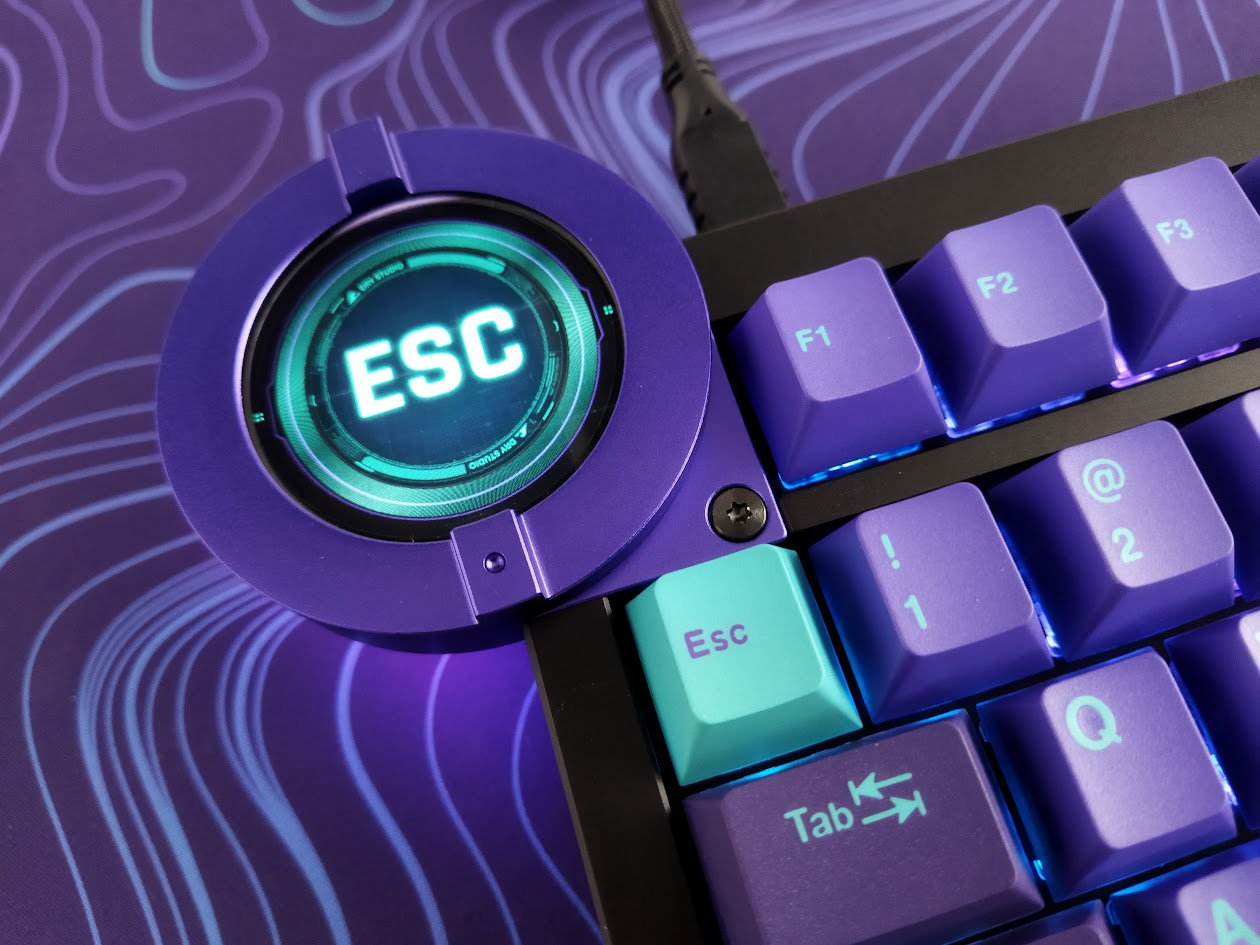
This module, among other functions, provides gamers real-time RT feedback.
- Turn the knob and switch between four RT modes. With the color UI and individual logos you immediately know which mode you're in. (However, the knob mark and the display "cursor" don't move synchronized.)
- When pressing a key, the power gauge shows the level of key actuation in real-time – I like this!
- I'm not sure about the touch functionality. Sure, it acts as a virtual Esc, but other than that, all I could do was toggling some lights by swiping vertically.
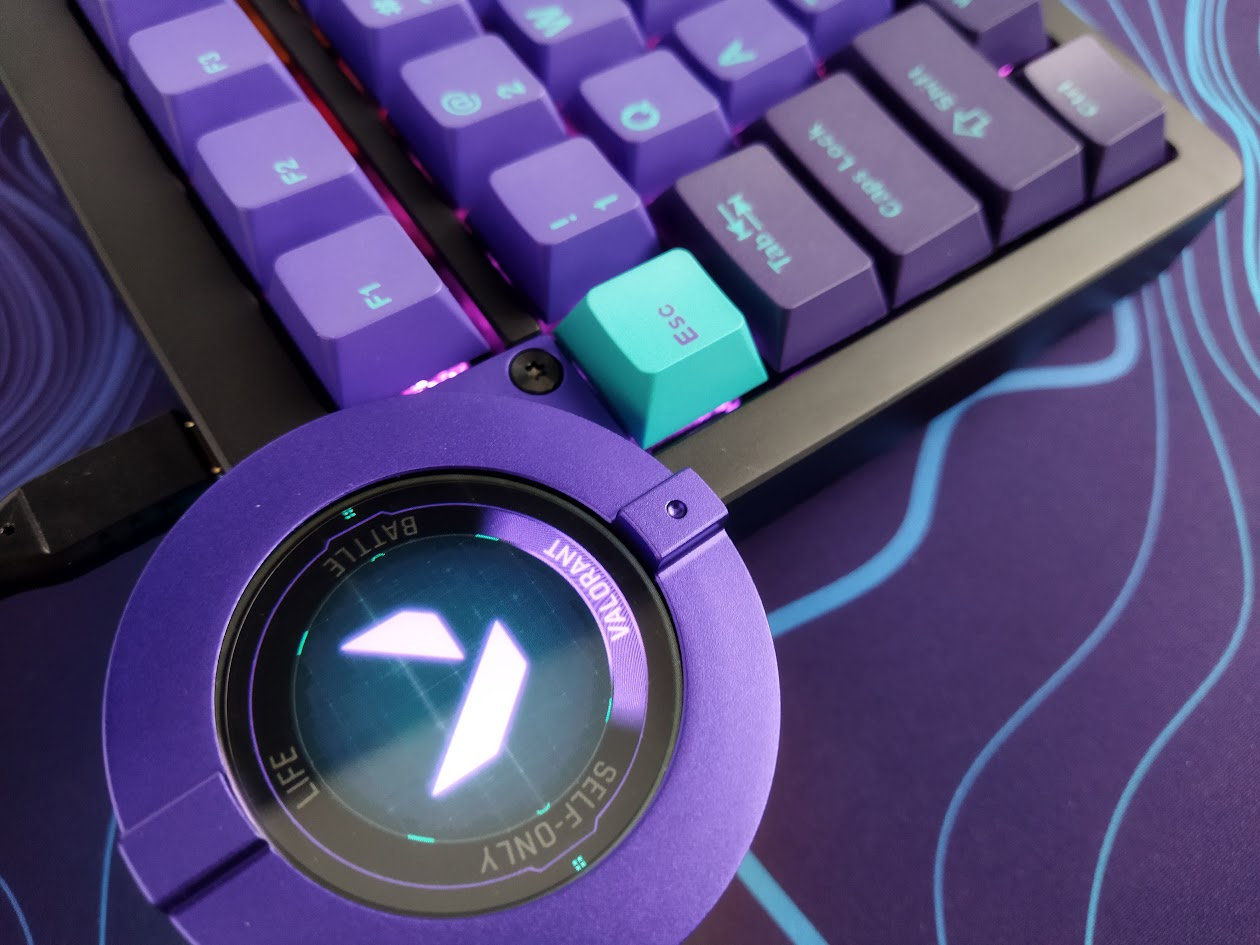
There are four presets:
- 1. Life Mode: 2.00mm actuation for all keys
- 2. Valorant Mode: 0.5mm actuation for most keys, 0.1mm for WASD/Shift/Ctrl
- 3. Battle Mode: 1.0mm actuation for all keys
- 4. Self-Only: customizable settings.
The concept works, the only confusing bit is that the two marks of the knob move offset compared to the display's menu. Or better said: totally unpredictable. In practice, you have to watch the display, since relying on the knob's position is misleading.
Bottom weight
No fancy decoration weight, but a gorgeous anodized bottom with the "Dry Studio Gaming" carving. The Battleye's bottom is a piece of art anyway, specifically because of the intricate design of the feet.
The bottom pice is aluminum, in a contrasting color compared to the top case, matching the theme: glowing purple in this case.
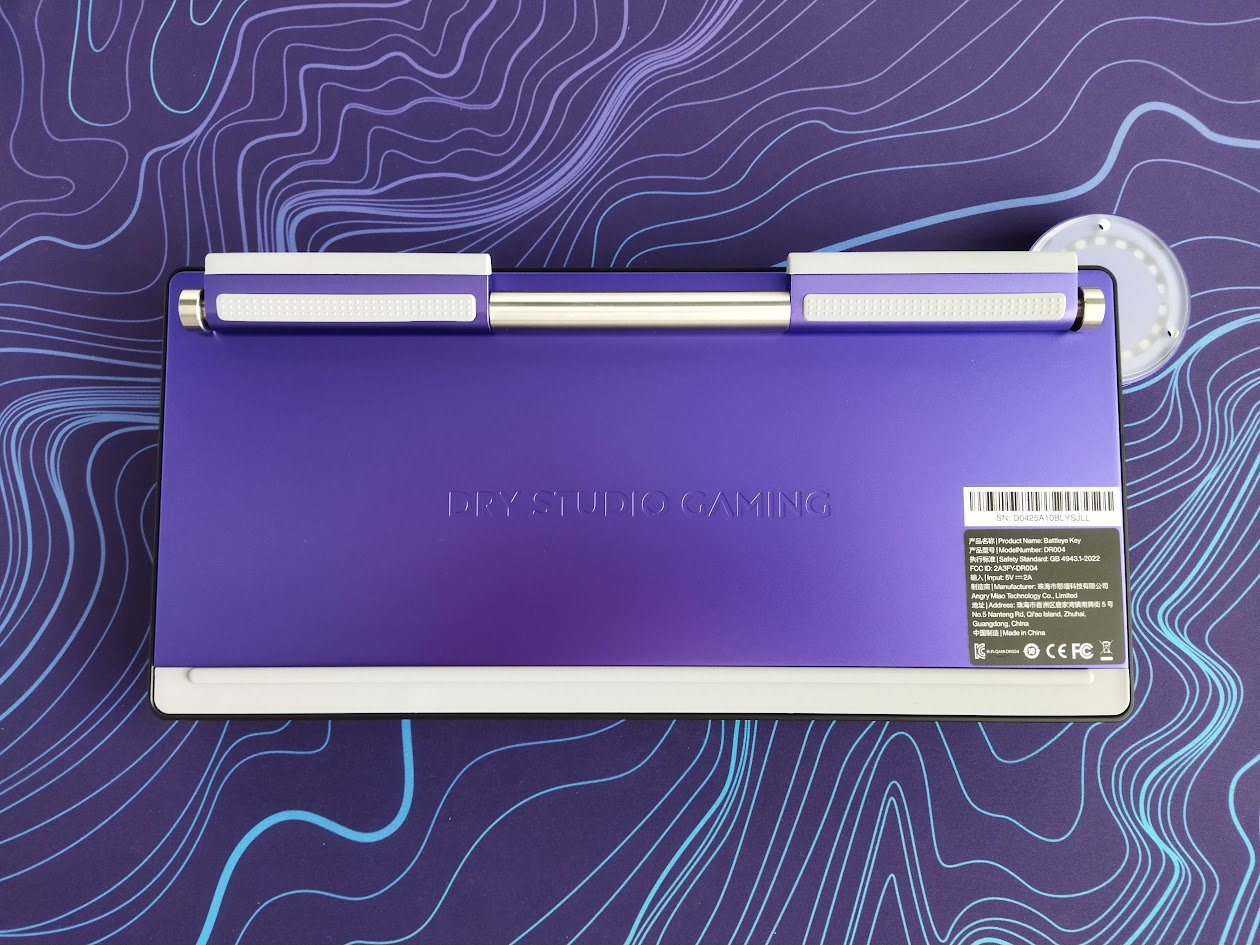
In addition, the board is still heavy enough without an extra weight: almost 1.4kg.

Feet
This is the next level of typing angle adjustment. The leg design is Angry Miao's first global patent, by the way.

Adjustable at precision steps of half a degree between 6 and 11 degrees.
It's much more stable than the usual platic legs, and it looks awesome!
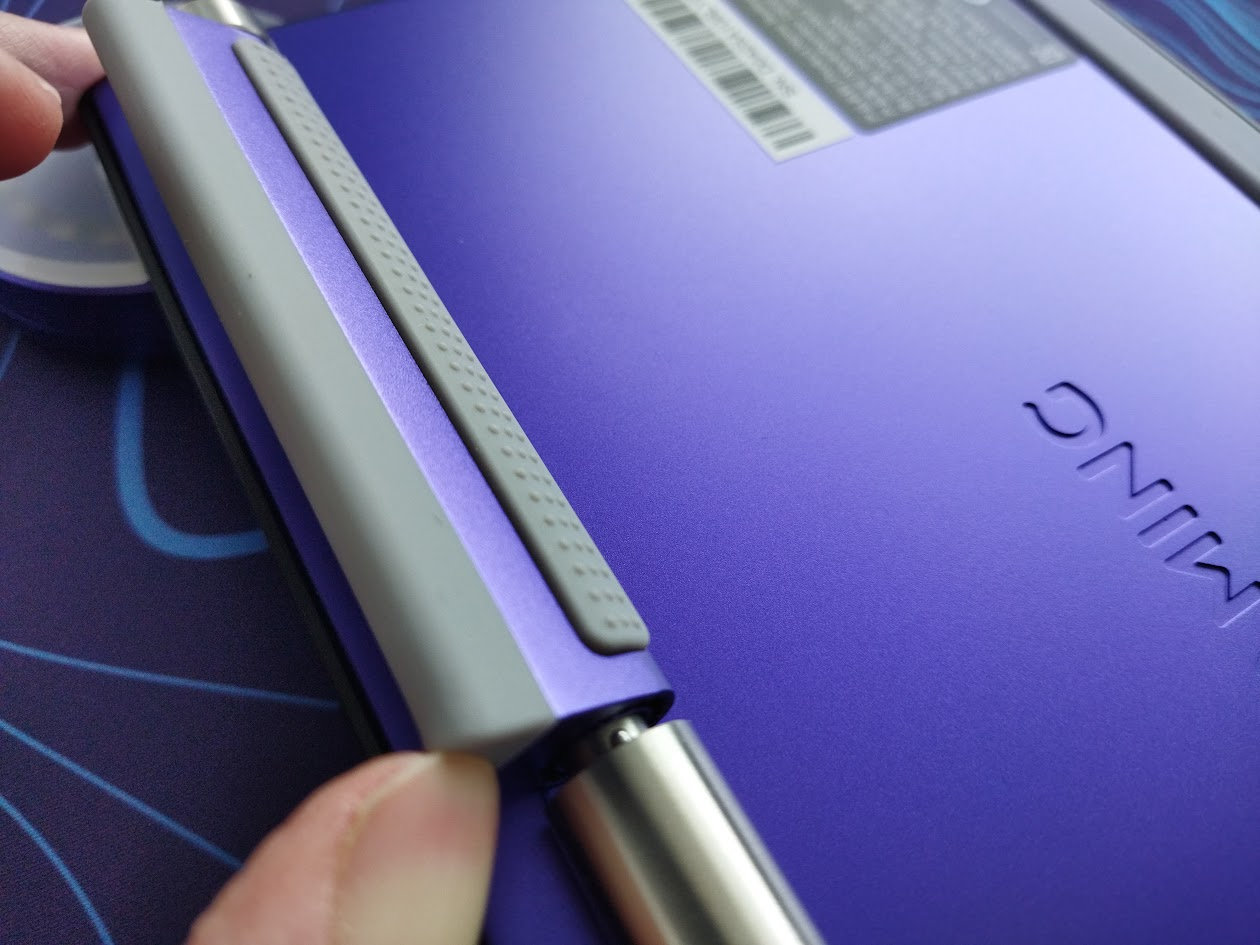
You pull one leg sideways, adjust the angle, then release it so the spring mechanism fixes it with the help of two tiny notches. Repeat for the other leg.
Sound dampening & Feel
Thick PORON plate foam, switch pad, acoustic pad, and two more layers in the bottom case: another thick PORON foam and an insulation film – pretty much the same we've seen with many other keyboard models. Together with the leaf springs and gaskets, the Battleye provides a decent though still relatively direct typing feel.
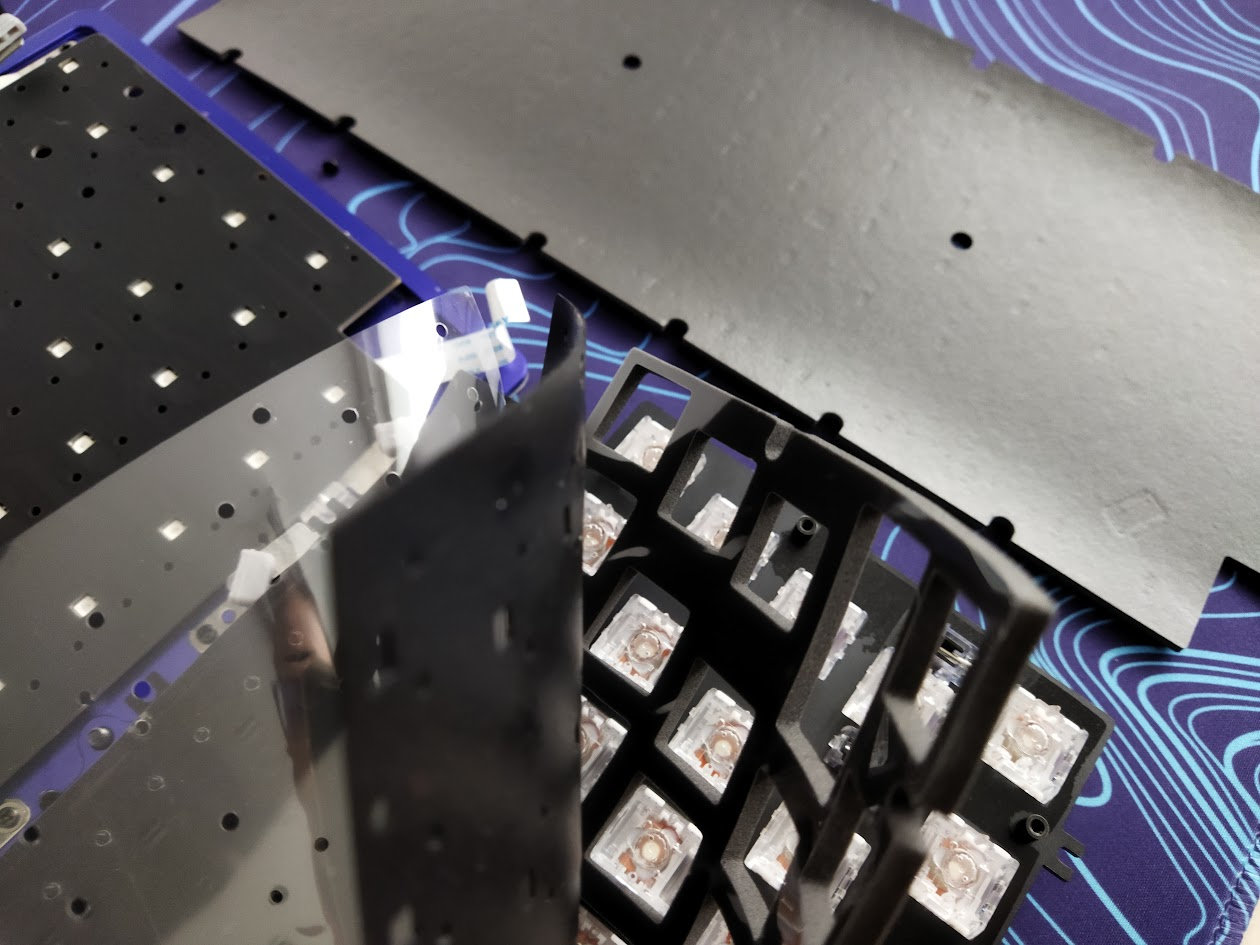
The out-of-the-box typing experience could be described as over average, but not extraordinary. The whole core moves consistently, so the pressure is distributed across the board.
With a relatively loud and uniform sound I'd say more on the clacky side of the spectrum.
RGB lights
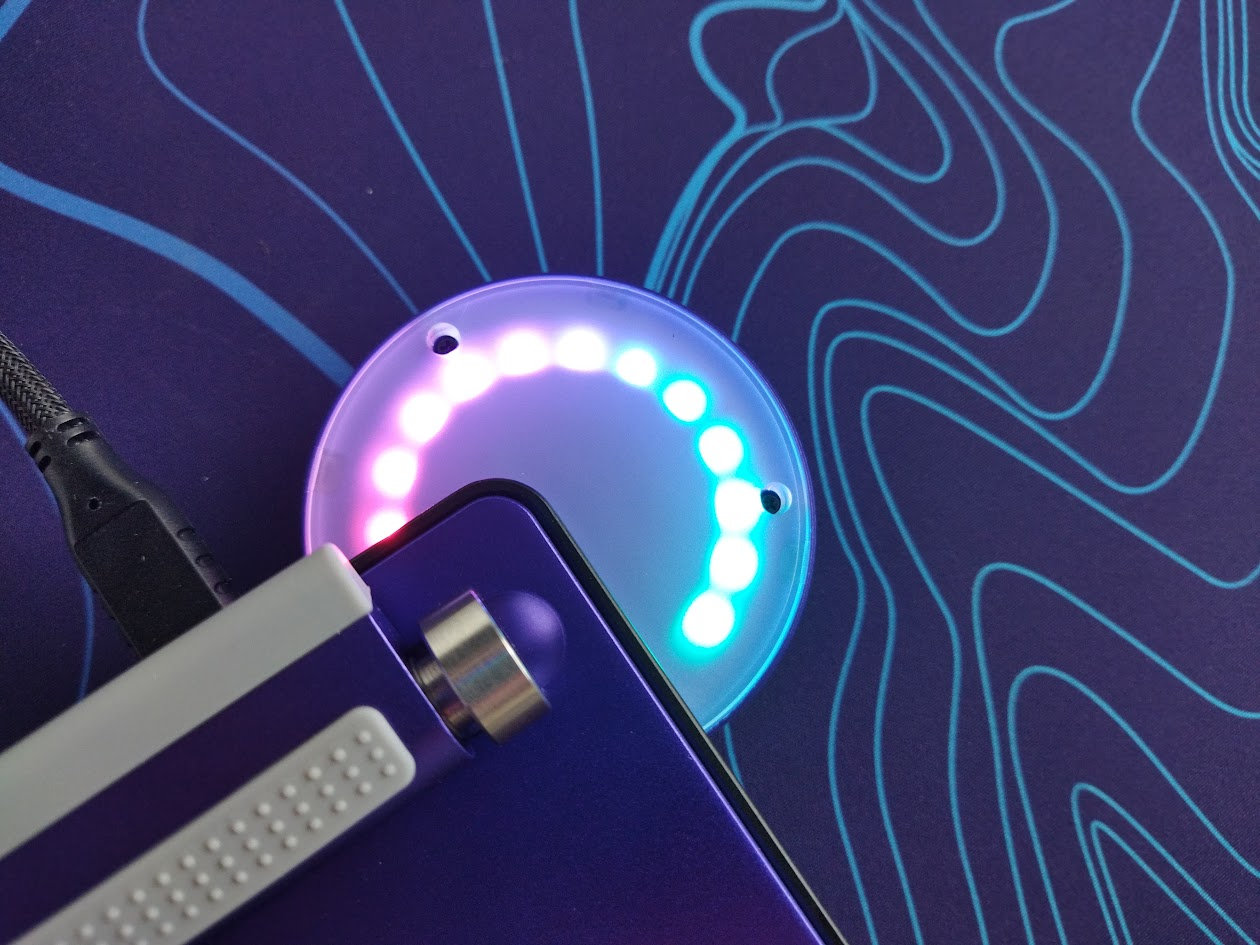
The board comes with per-key RGB, plus the display's back features another set of 12 LEDs. These are two independent features. There are 20 built-in lighting effects for the per-key RGB, with full support for customization via hotkeys and the web-based configurator.
While I haven't found hotkeys to adjust the display lighting, the online software has a dedicated section for this.
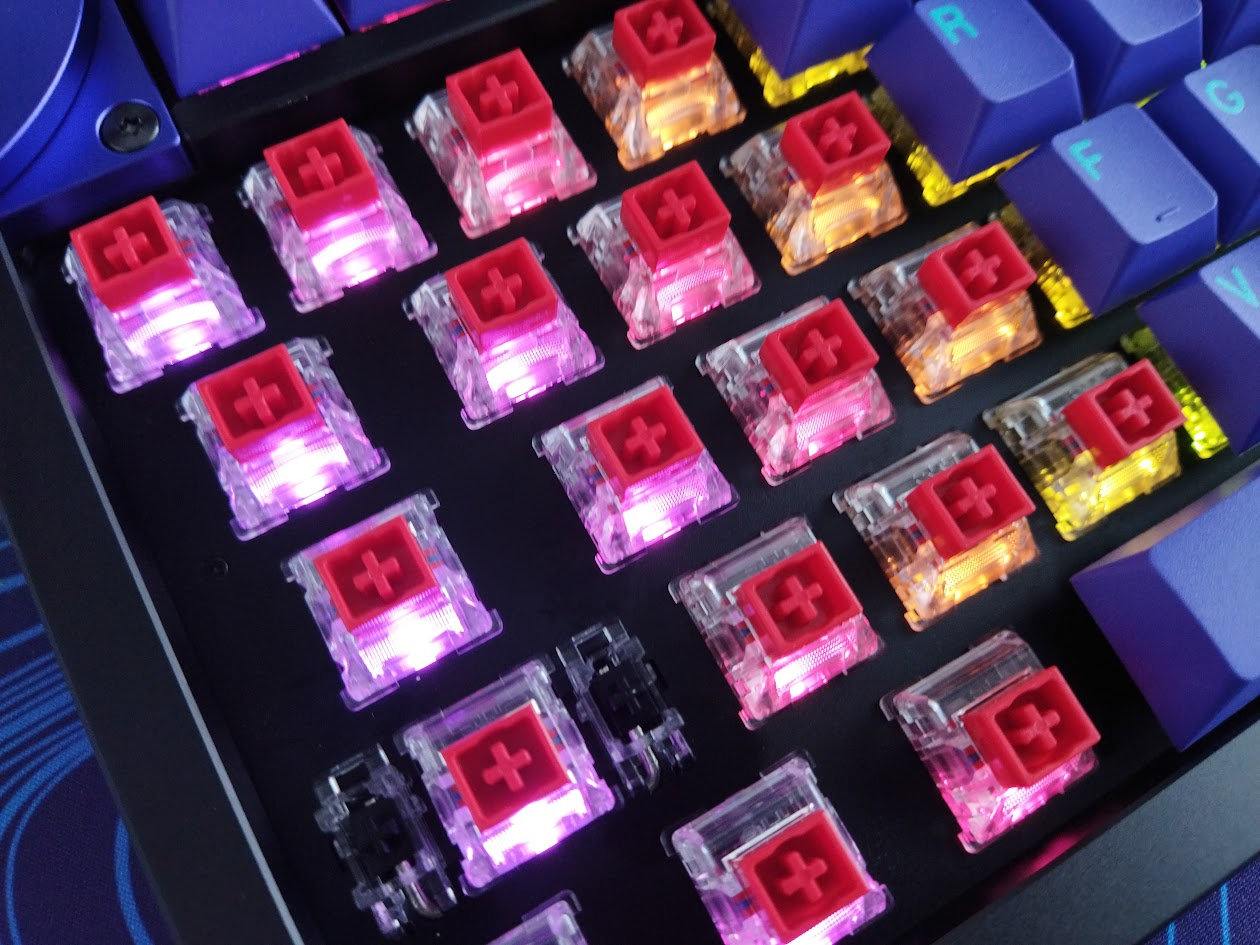
All in all, from subtle ambient glow to vibrant full-spectrum animations, you can fine-tune colors, brightness, and modes to match your mood and setup.
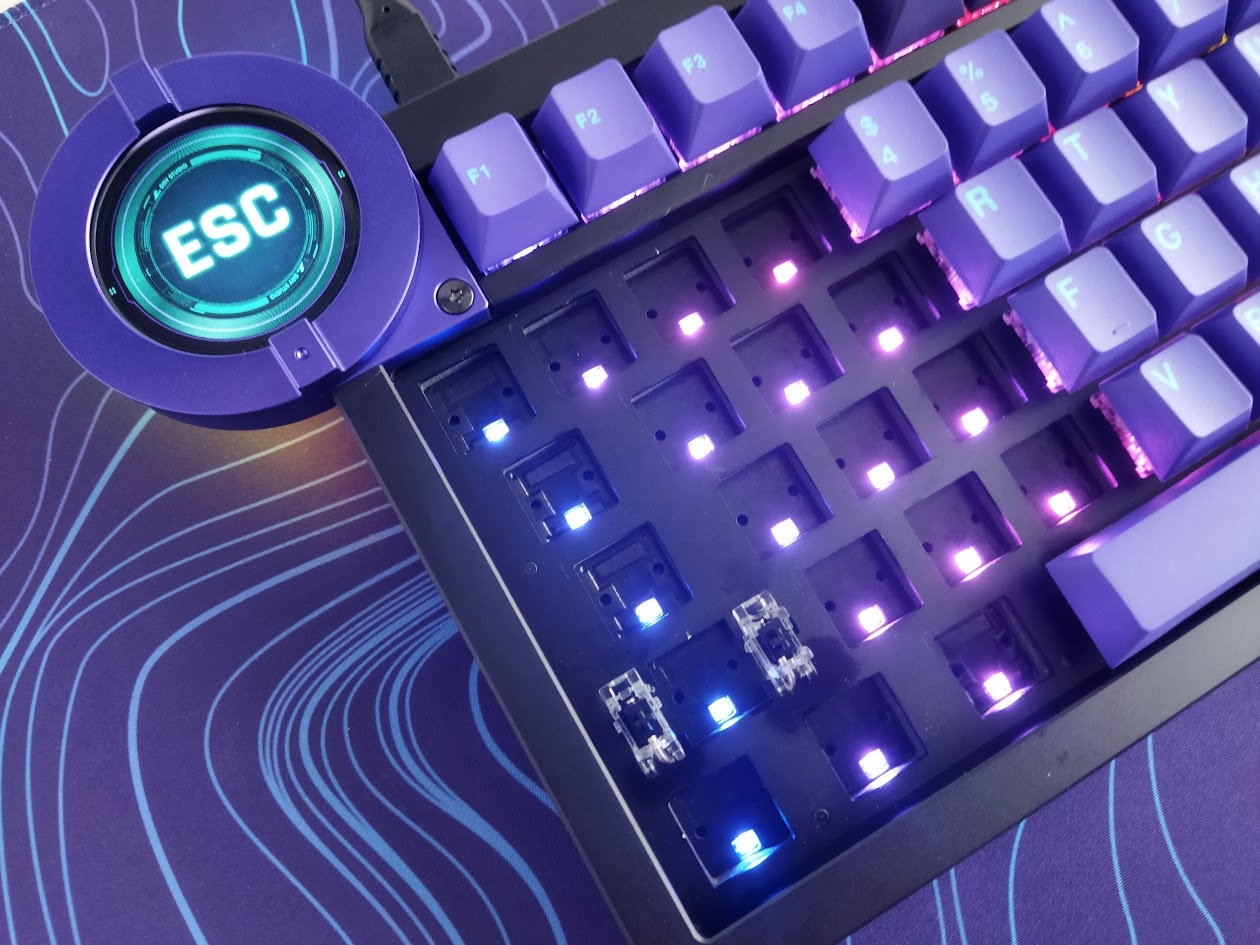
The classy decoration light of the display/knob, ecquipped with a frosted diffuser, is another nice touch.
Wireless
The Battleye is a wired keyboard, no wireless modes available.
Software
Hm. Many keyboard enthusiast aren't really fond of proprietary software, and the Battleye comes exactly with that. The in-house developed web-based device center isn't really intuitive, and such software always come with the risk of going offline or discontinued – rendering your keyboard non-programmable.
In addition, this app was very unresponsive at some times, at least for me.
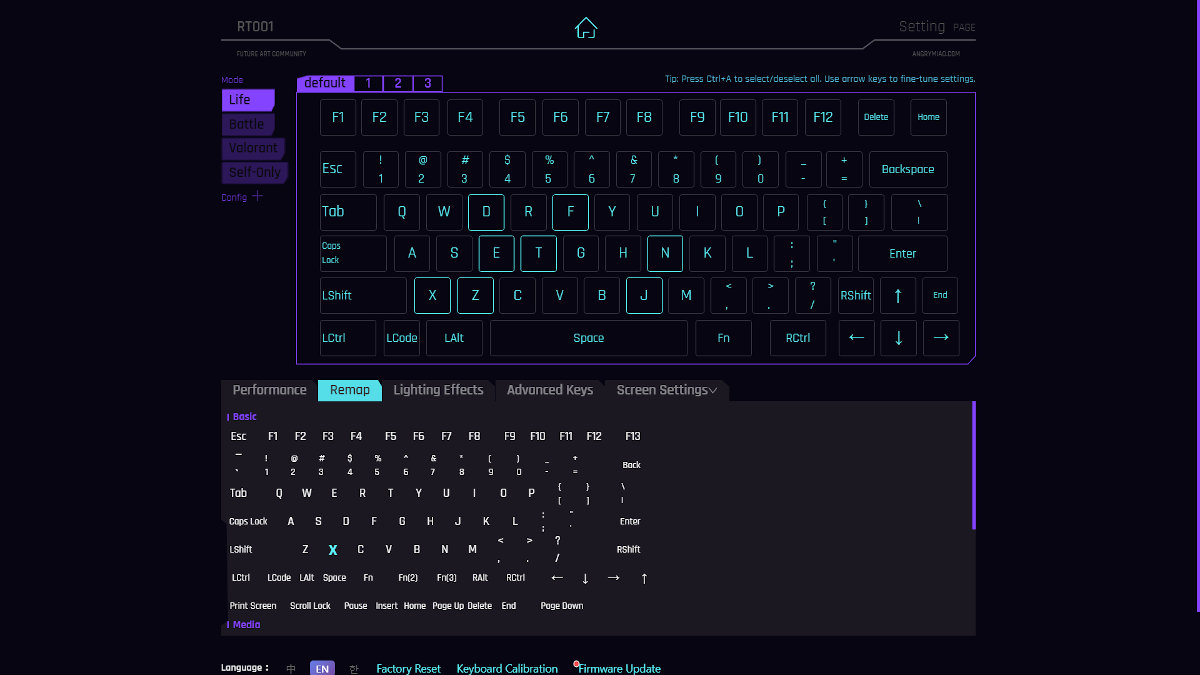
Swapping letters or symbols works relatively easily. SpaceFN? Not really, unfortunately. This easy-to-access layer is crucial for many users as you can put arrows, navigation and numbers under your fingertips. Apparently, the Battleye is more for gamers without sophisticated keymaps. Keymap wizards will need third-party solutions.
(Well, there is a Mod Tap feature, looking very basic, but it doesn't seem to work, at least I can't assign keys to the hold and tap functions.)
That said, the software offers lots of features aimed at gamers, e.g. the four preset but customizable profiles with custom actuation points – selectable via the rotary knob.
!!!WARNING!!!: Avoid starting an online firmware update until further notice!
Compatibility
There is a Win/Mac selector hotkey (long press FN + A/S for Win and Mac, respectively).
Portability
The Battleye is a great keyboard for stationary use, but if portability is your main concern, I would definitely choose something lighter, and also something without a huge protruding display. :)
Comparison
Recently, all kinds of boards with very similar layouts have piled up in my review schedule, so I can compare them side by side now: the machanical Evoworks Evo75, Redragon Eclipse K720 Pro, Womier ERA75, and KiiBOOM Jade, Womier SK71 Pro have been already covered, but also the magnetic GravaStar Mercury V75 Pro HE, Akko MOD 007 V3 HE, and the Irok ND75 – and we'll get to even more models in the upcoming weeks.
From all the aluminum 75% keyboards, the Battleye is not the most affordable, but hey, it's probably the closest to the great Evo75 when it comes to quality and typig feel.

Comparing it to my current (non-magnetic) etalon in the 75% genre with regards to typing experience, we had to consider some important differences as well, first and foremost: mechanical vs magnetic, then the hardshell case, dust cover but dye-sub caps on the Evo75 side, double-shot keycaps, fancy display, knob and legs on the other.
From all the 75% Hall-effect alternatives, the Mercury V75 Pro HE and Akko MOD 007 V3 HE are the closest contenders with similar functionality although no display and freely adjustable typing angle. The Irok ND75 is the most affordable alternative to try your hands at magnetic switches and features.
However, if you don't need physical function keys, the entire 60-65% segment opens up to you with the uniquely shaped MoeeTech Glitter65 HE or the ultra-affordable Dareu COOL60.
Conclusion
The 75%-ish wired Dry Studio Battleye 74.5 RT is a gorgeous gamer keyboard with premium features like the touch screen and unique circular knob, four preset profiles, the patented legs to freely adjust the typing angle, and also the spring leaf mounting – providing a nice typing experience. Given also the double-shot keycaps and the nice magnetic switches, it's really crazy that this board goes for only $219. A few years ago, such a design would have been sold for a fortune.
Pros
- gorgeous design
- nice themes
- double-shot keycaps
- fancy display/knob
- leaf springs
- clever leg design
Cons
- limited and laggy proprietary software
- a bit crowded layout
- fingerprint magnet
Price & Availability
The Dry Studio Battleye 74.5 RT is available at angrymiao.com, at the moment for $279 $219 $197. (The KBDNEWS coupon code ($5 off) is in effect too, however, as of writing this, the current Black Friday discount should be auto-applied already.)
- Dry Studio Battleye 74.5 RT product page at Angry Miao.
- Dry Studio Battleye 74.5 RT at Dry Studio.
- Manual – I had a hard time to find this despite the QR codes in the quickstart guide.
- Yep, and the Purple-blue Yosemite deskmat was provided by Kinetic Labs.
Published on Thu 4th Dec 2025. Featured in KBD #203.
Related
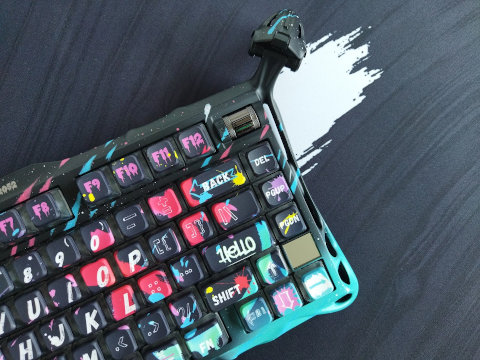
GravaStar Mercury V75 Pro HE review
Another masterpiece by GravaStar: the magnetic Mercury V75 Pro HE – hand-painted aluminum alloy case, carbon plate, the hallmark alien legs, and all the Hall-effect features for competitive gamers.
Froggy75
A 75% hotswap PCB through-hole style that utilises two EC-11 rotary encoders and an Elite-C daughterboard – by flehrad.
Dierya DK81E review
This affordable 75% board arrived from Kemove: Dierya DK81E with gaskets, rotary knob, and nice lights.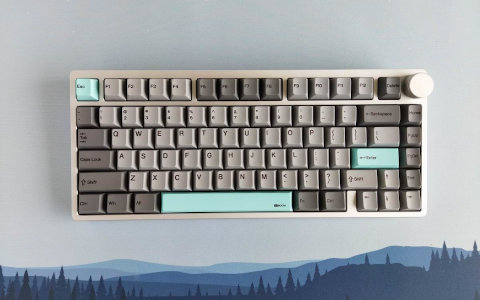
KiiBOOM Moonshadow V2 review
A well-built 75% wireless keyboard in a nice aluminum case: Moonshadow V2 by KiiBOOM.