Keyboard Builders' Digest / Review
KiiBOOM Phantom81 Lite review
I reviewed KiiBOOM's Phantom81 Lite, a cute wireless 75% keyboard with silly froggy keycap design – in a shiny molded ABS case.

Published August 22, 2025

This is already the third KiiBOOM keyboard review in a few months: this time the Phantom 81 Lite, a gasket-mount 75% wireless keyboard supporting QMK/VIA, coming in a hefty molded ABS housing. Price starting at just $90 $86 – with the KBDNEWS coupon code.
TLDR; I got the froggy variant, which is a fun build. Tri-mode wireless 75% with 79 keys. Hefty ABS case, gasket mounting, hotswap, MX compatible switches with VIA support make it highly customizable. The thick dye-sub MOA keycaps and light linear Mochi switches provide a loud clack and a nice out-of-the-box typing experience – for a great price!
Disclaimer
As always: I received this review unit for free which may introduce all kinds of biases – both negative and positive in my experience. Take everything I write with a grain of salt.
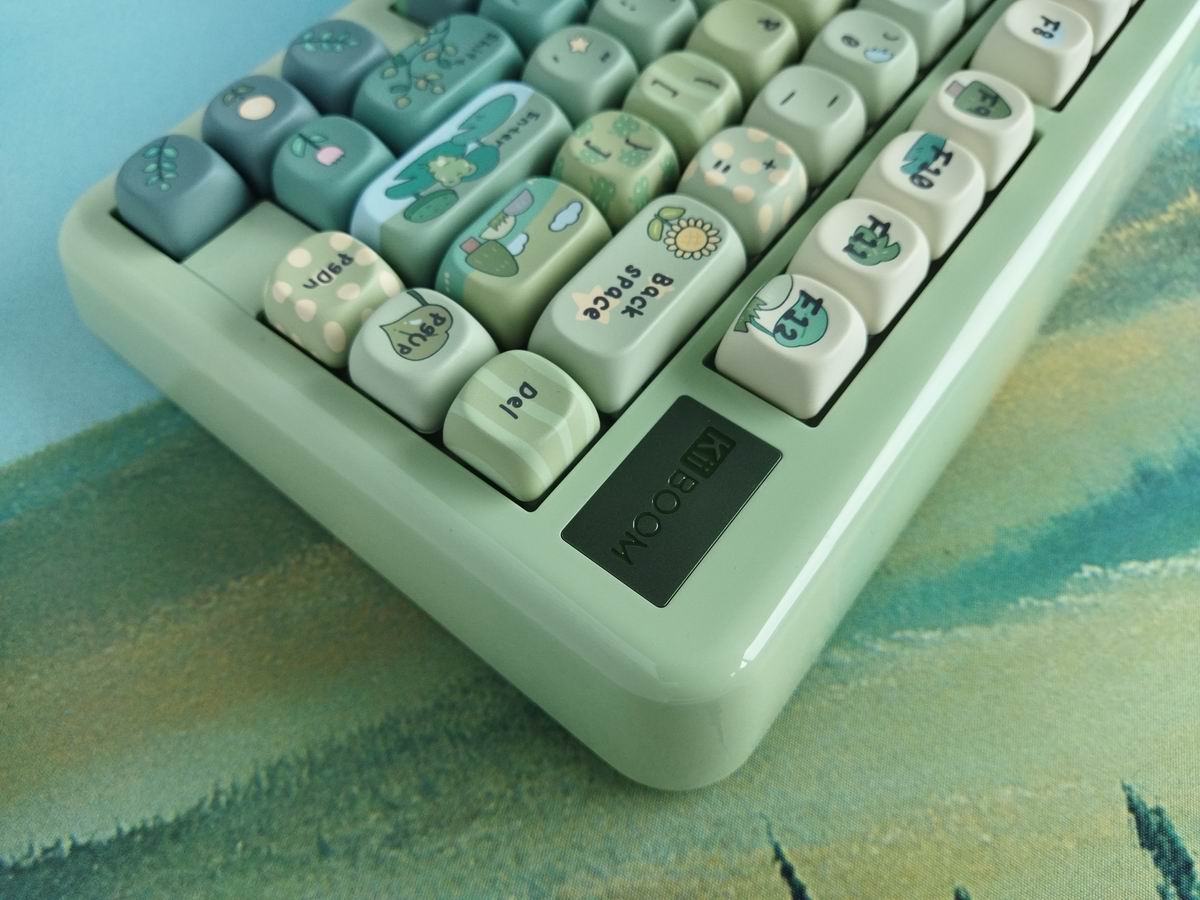
And the deskmat in the photos is the Bob Ross Mountain Ridge Lake one, from Apos Audio.
Variants
Four variants with not just different colorways but also whole different themes and even keycap profiles:

- White Pink: with PC Cherry caps – mainly for ladies I guess.
- Black: with translucent PC Cherry caps – more masculine, for casual gamers maybe.
- Blue: PBT MOA caps – a cute cookie/cake themed one.
- Green: PBT MOA caps – the froggy one for silly folks like myself.
Unboxing & Contents
The KiiBOOM Phantom 81 Lite came in a very nice cardboard box as usual:
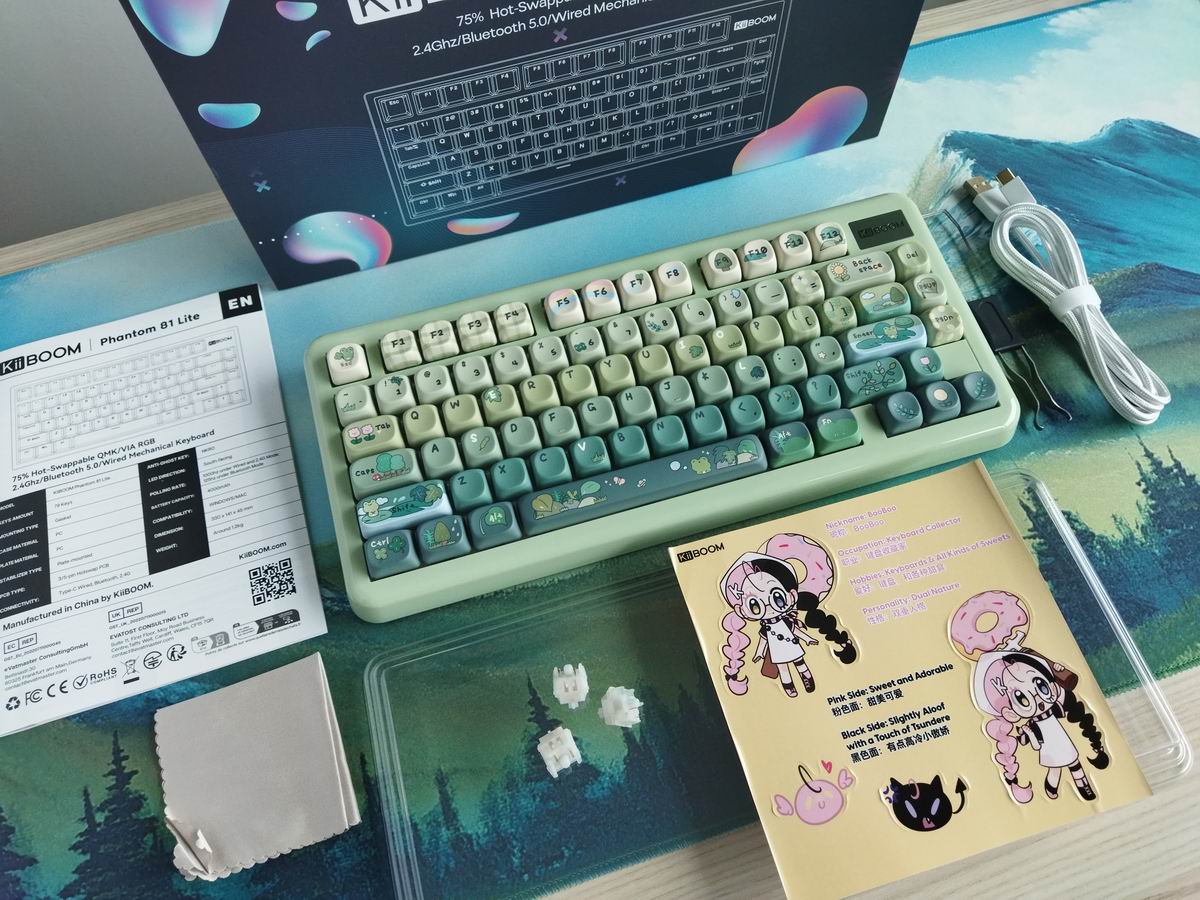
Contents: The pre-built keyboard itself with keycaps and switches mounted, dust cover, a white braided cable, basic combined tool to remove keycaps and switches, wireless dongle, manual, small microfiber cloth, 3x spare switches, plus a cute sticker with "BooBoo the keyboard collector". Actually, a lot of stuff in the bundle.
First impressions, design language
I really love the theme, have specifically asked for this variant, and the keyboard is a nice massive one despite the ABS housing. Relatively heavy, sturdy, and the out-of-the-box sound and feel is great for a plastic board – at least if you are a fan of loud clack (or even thock depending on your deskmat and desk in my experience).

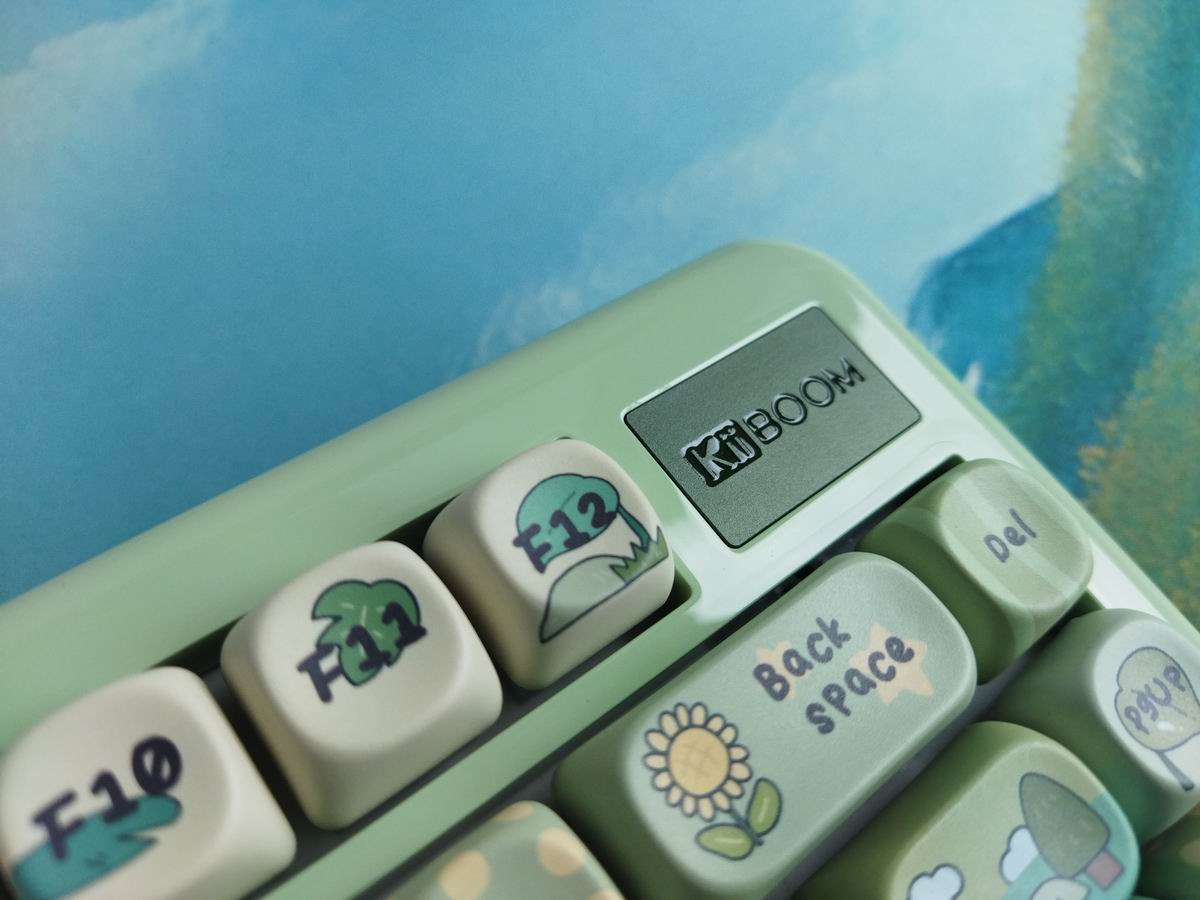
The MOA caps match the round edges of the case well. There's a single visible branding with a dark metally badge in the top right corner:
Specs
- Layout: 75%, 79 keys
- Typing angle: about 6 degrees
- Material: molded ABS
- Keycaps: dye-sub PBT MOA profile
- Switches: KiiBOOM Mochi (40gf linear)
- Mount: PCB gasket-mounted
- Plate: PC with flex cuts
- Stabilizers: plate mount (screw-in stab support)
- PCB: 1.2mm, hotswap, south-facing per-key RGB, flex cuts
- Polling rate: 1000Hz (wired & 2.4GHz), 125Hz (Bluetooth)
- Software support: QMK/VIA
- Battery 4000mAh
- Dimensions: 335x151x44mm
- Weight: 1013g
Layout
With its relatively compact 75% design (ANSI), featuring 79 keys, the KiiBOOM Phantom 81 Lite optimizes space while ensuring that all essential functions are easily accessible for new users transitioning from e.g. a fullsize layout. That said, the larger than usual bevel of the case adds about 2cm to the width.

Many 75% keyboards feature 2-3 more keys. This 75% variant, despite 79 keys, is not cramped at all: the arrow cluster is easy to locate when touch typing due to the little gap on the left (to the right of the spacebar there are only two modifiers) – so you don't get lost when changing between the home row and arrows. The extra column on the right consists of three keys.
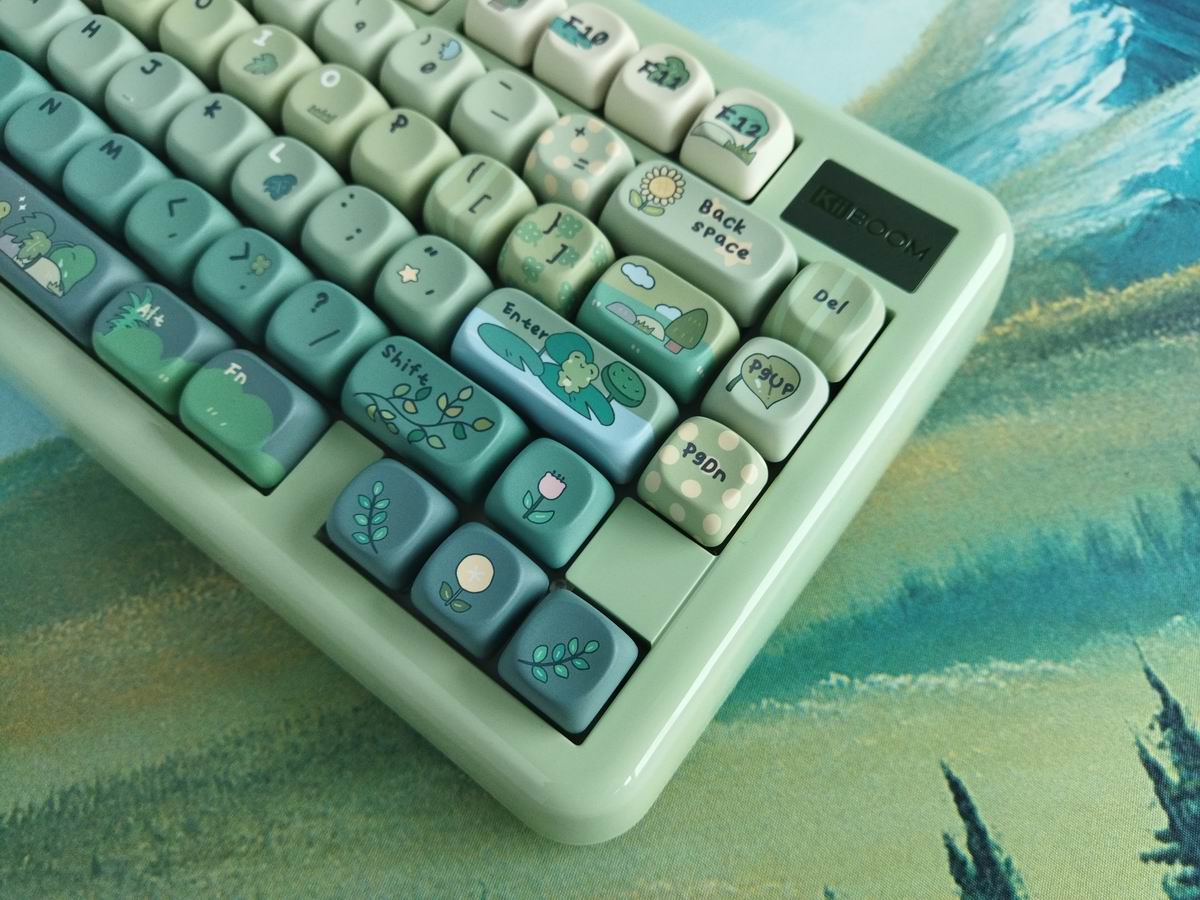
75% means no numpad and no classic navigation cluster layout either, however, you have arrows, function keys, full number row, and three of the six classic navigation keys.
Build quality, structure, case
Solid build quality. The whole thing has a decent mass despite being plastic. I mean, 1kg is quite authoritative. (The product page and manual mention all kinds of weights from 935g to 1.2kg, but my build is 1013g according to my scale.) The mounting relies on gaskets, and the case – at least my green one – looks shiny, with a moderate tendency to collect fingerprints.
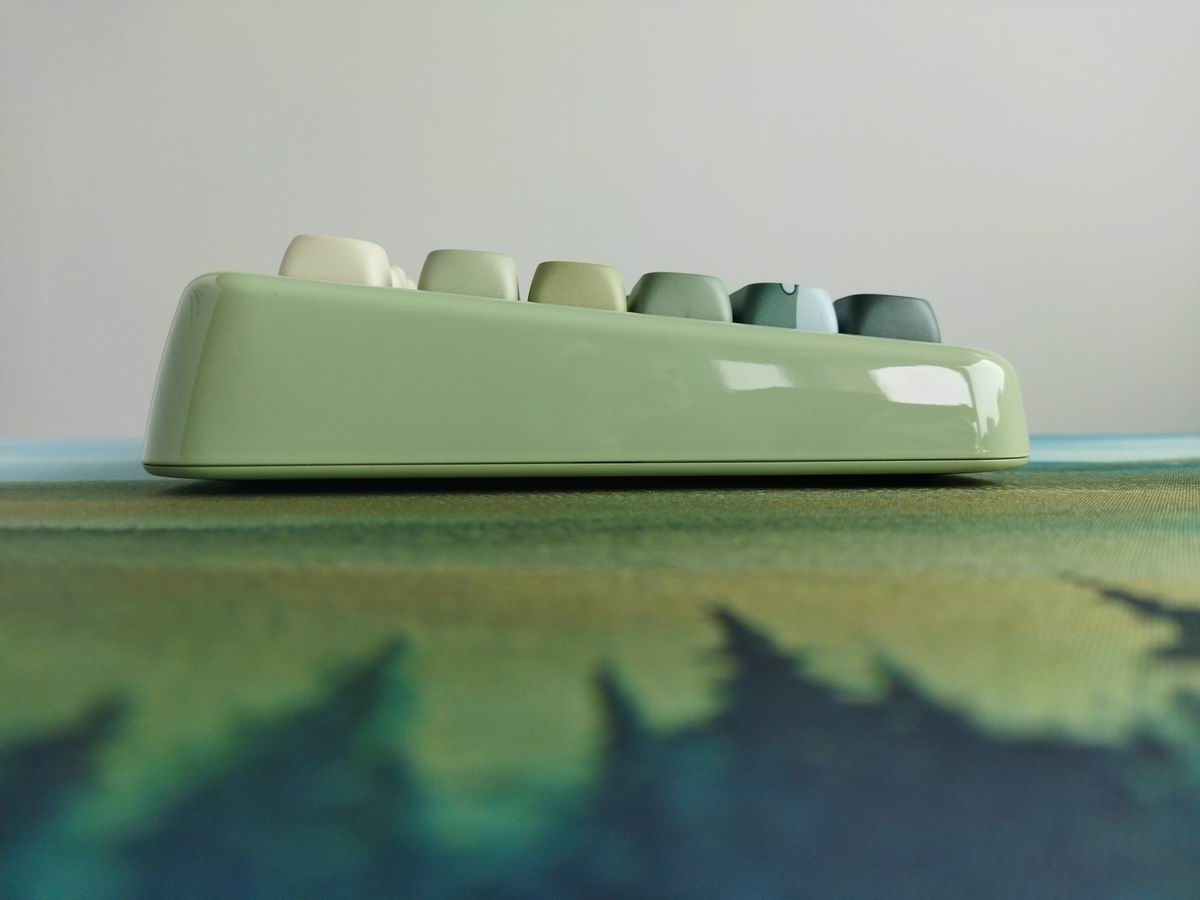
Unfortunately, I have no idea how to disassemble this. The board definitely wasn't designed with disassembly in mind, the top and bottom cases seem to be snapped together. No visible screws anywhere.
I really hate this from the reviewer point of view, but we are speaking about a prebuilt keyboard, so the majority of customers wouldn't bother with disassembly anyway.
Typing angle: about 6 degrees by default, plus two-stage feet.
Structure & Mounting
Gasket mounting according to the specs and an exploded image you can find on the product page. The plate/foam/PCB sandwich features silicone gaskets on the plate, which sit on the bottom case or bottom silicone – I can't really see it exactly. This design allows for some extra cushioning, which usually results in a softer typing experience.
Plate
PC plate. Horizontal flex cuts enhance the board's flexibility, resulting in a softer touch and altered acoustic properties.
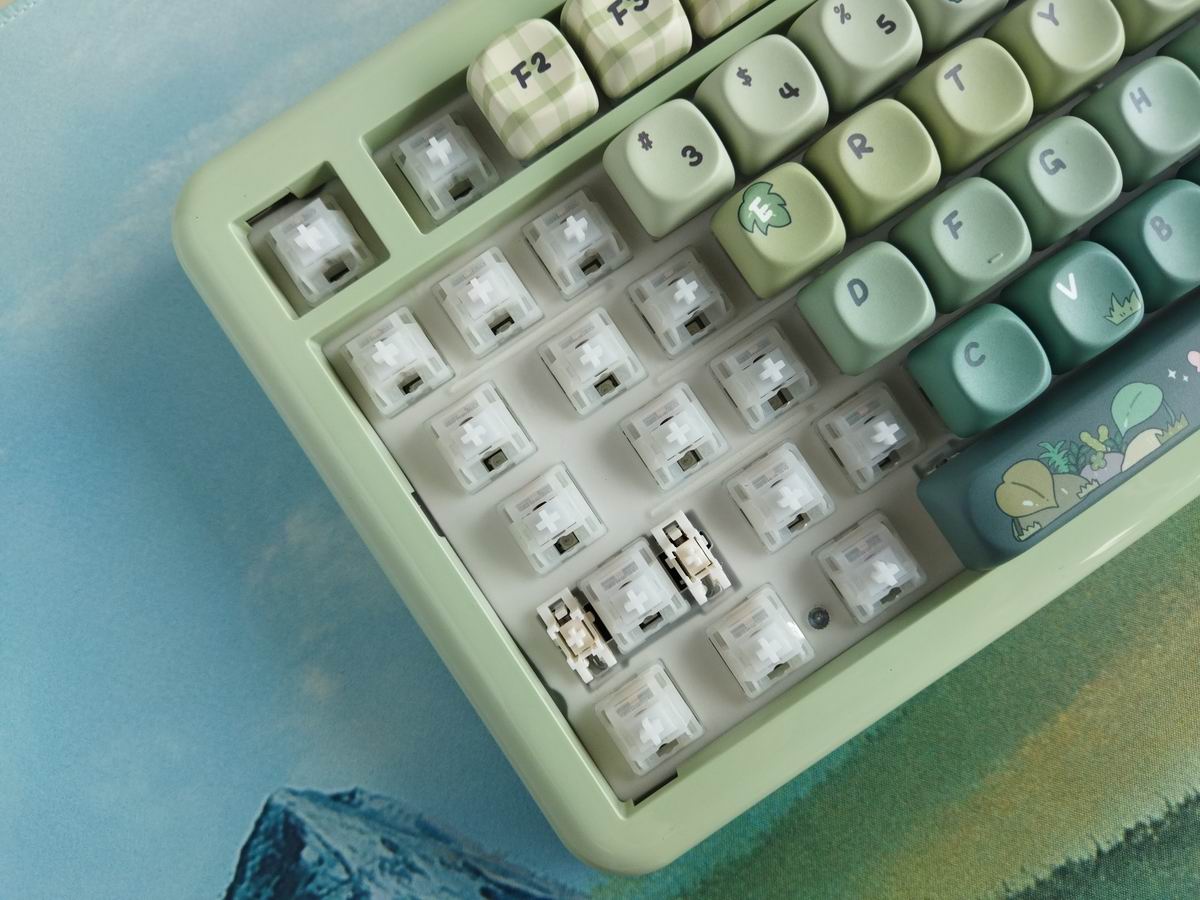
Plate-mount stabilizers.
PCB
This is a prebuilt keyboard so most of you won't need to get this far in disassembling it – and I didn't want to ruin the case either. The 1.2 mm PCB is sandwiched between thick layers of foam. It features hotswap sockets and south-facing LEDs. Maybe some flex cuts too, but that's only my guess based on the overall feel and experience.
Switch
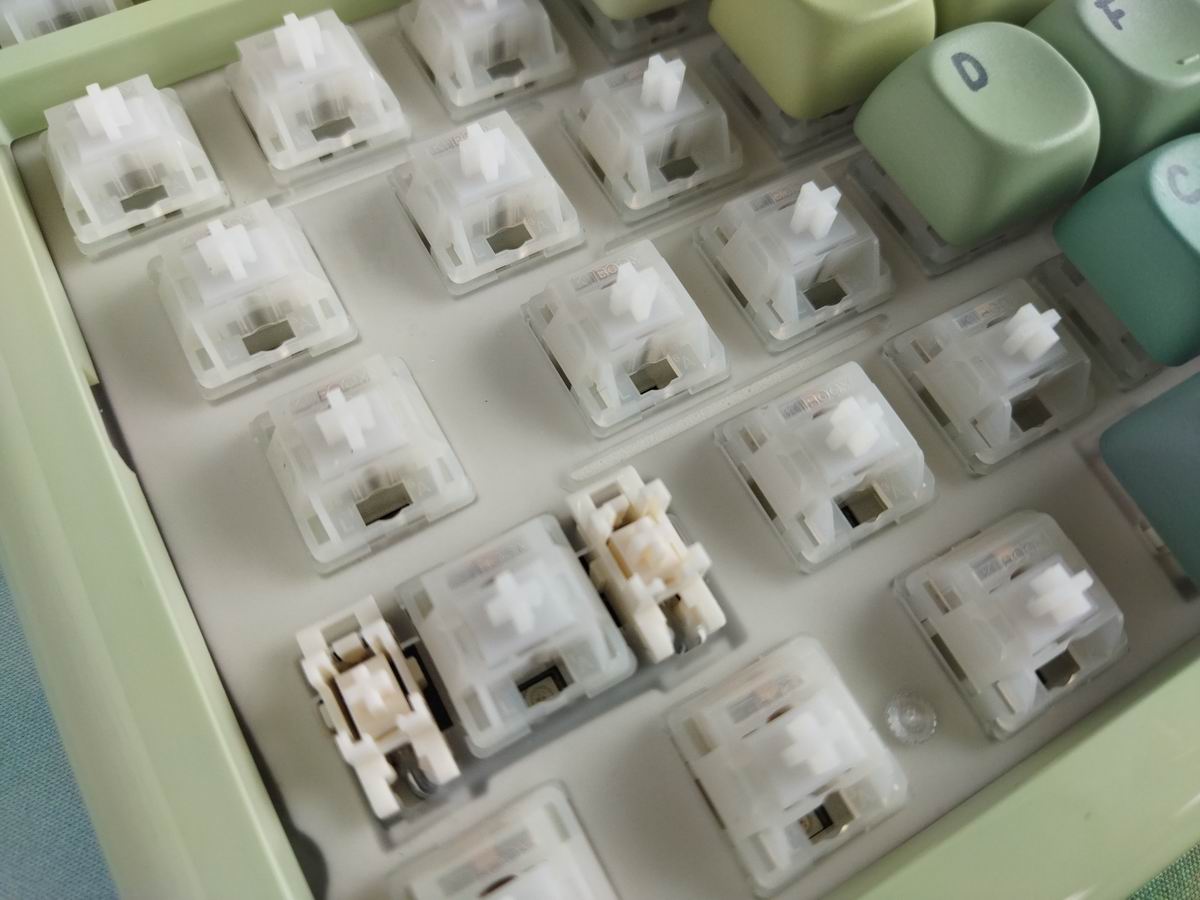
The board comes with KiiBOOM's Mochi switches, which are relatively light (40gf) linears. Really nice, smooth, factory lubed.
- Actuation force: 40gf
- Bottom force: 45gf
- Total travel: 3.5mm
- Pre travel: 2mm
- Top housing: PC
- Bottom housing: PA
- Stem material: POM
Feel free to use the most recent best-selling mechanical switches, or your personal favorites. The PCB features hotswap sockets, so you're not restricted to the factory setup as you can easily swap switches.
Keycaps
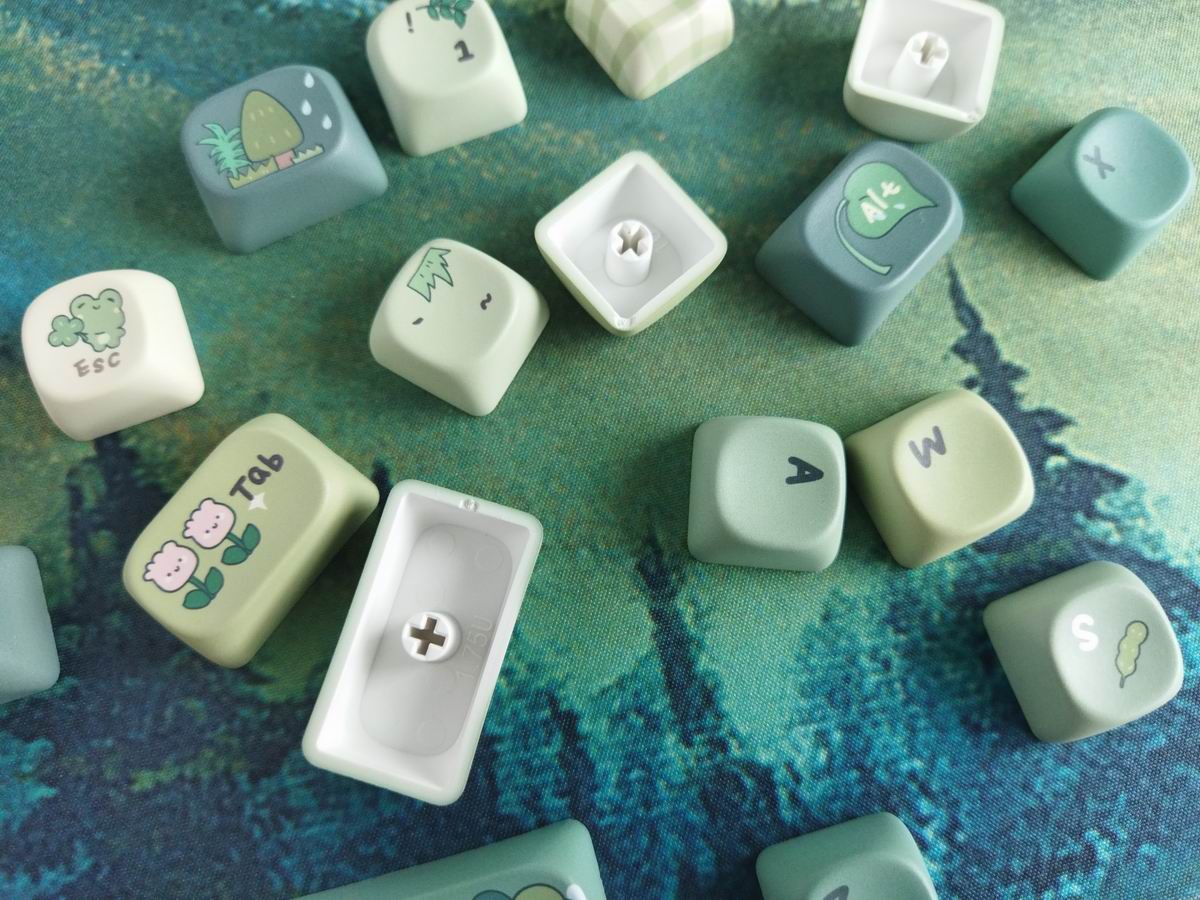
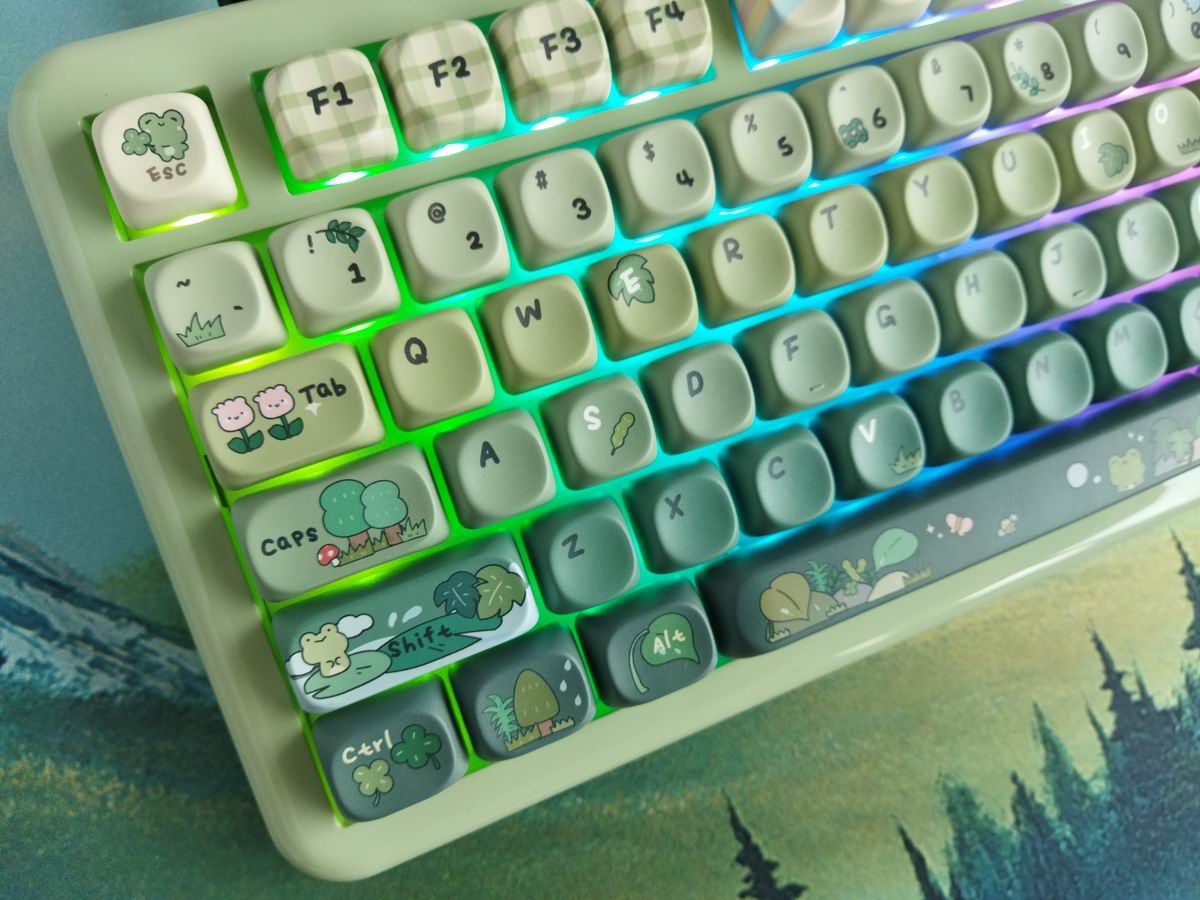
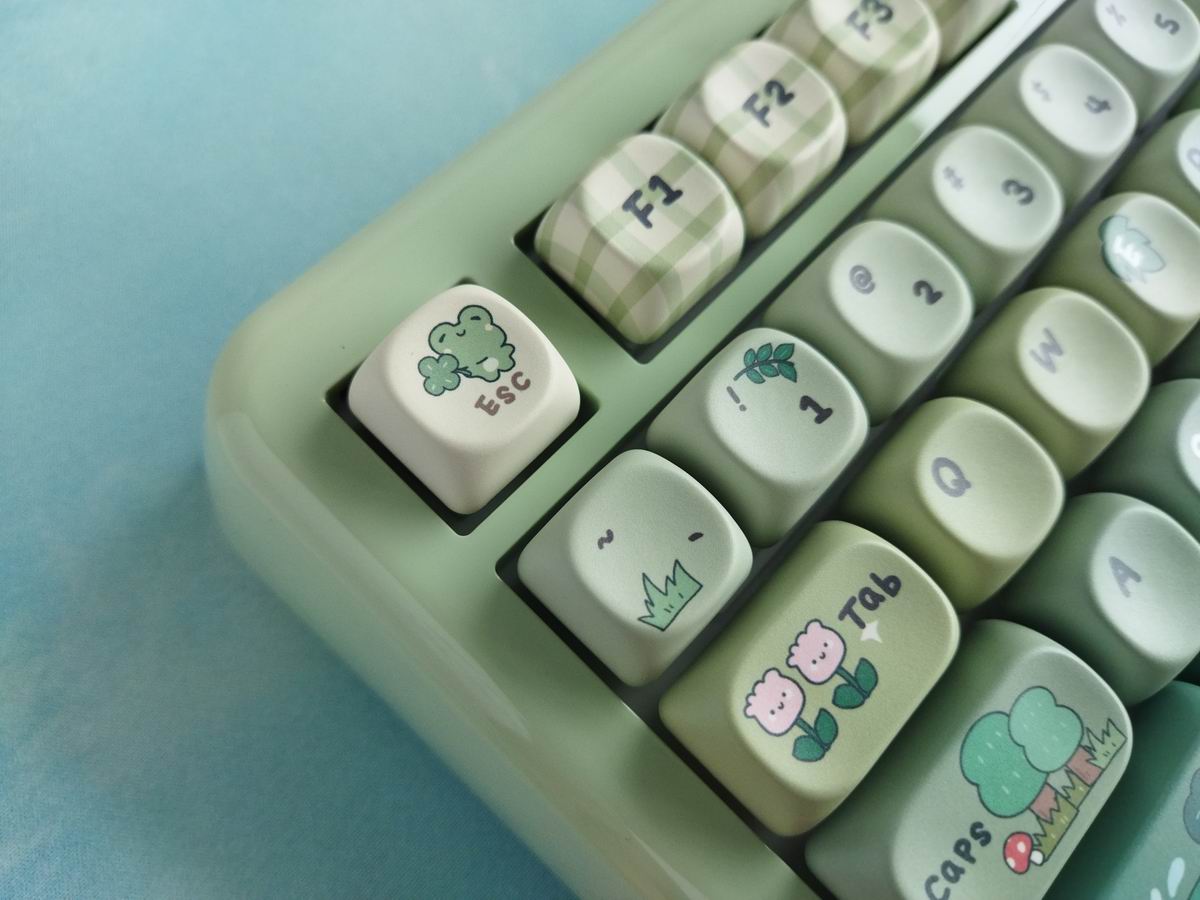
Nice MOA profile. I'm not sure if I've ever tried these, probably when testing the wooden Akko MU01. The set is dye-sublimated PBT, meaning not the most coveted doubleshot, but pretty nice and thick. Some of the caps are five-side printed. I love the funny colors and theme of this specific variant with all the frogs, flowers, butterflies, etc. (There are Cherry and translucent versions too.)
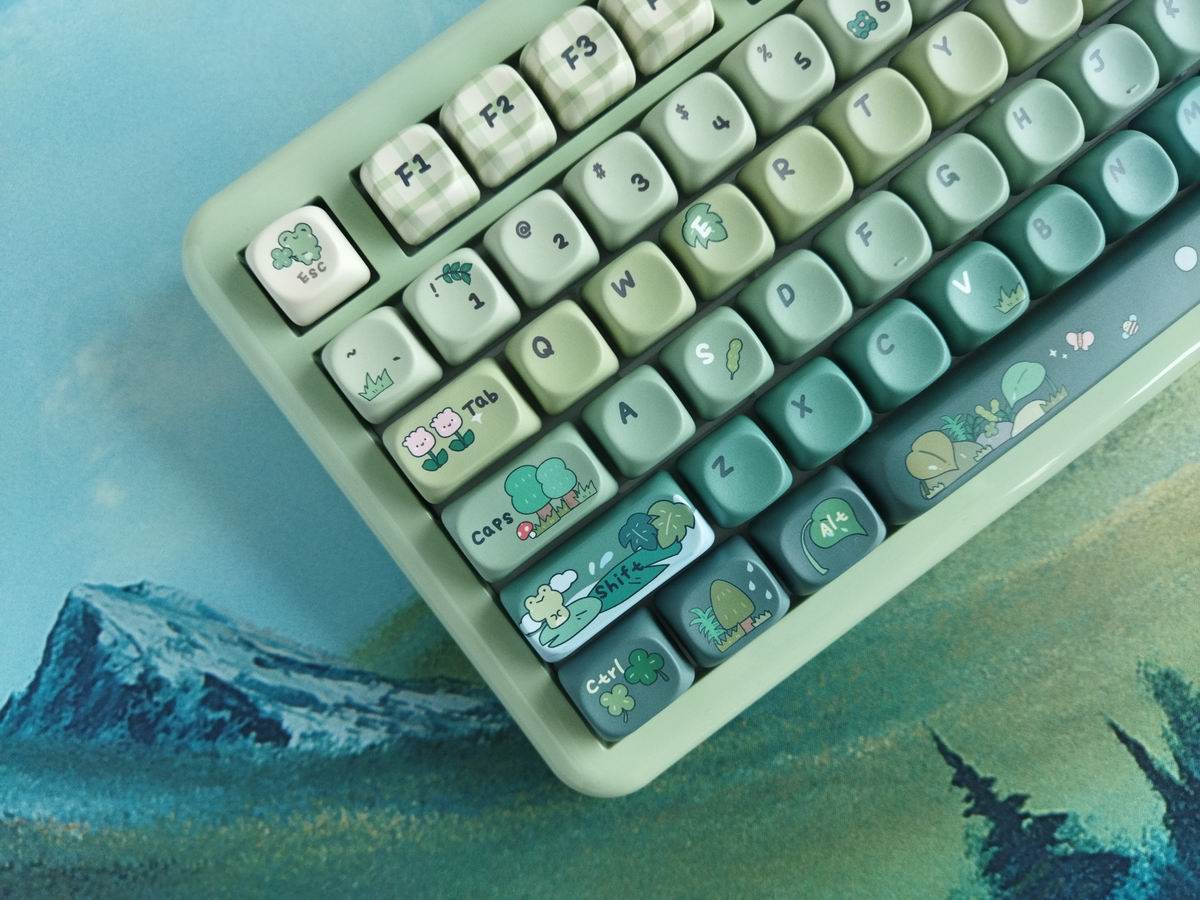
With regards to keycap compatibity, the 75% layout should be widely supported if you opt for a premium keycap set.
Weight
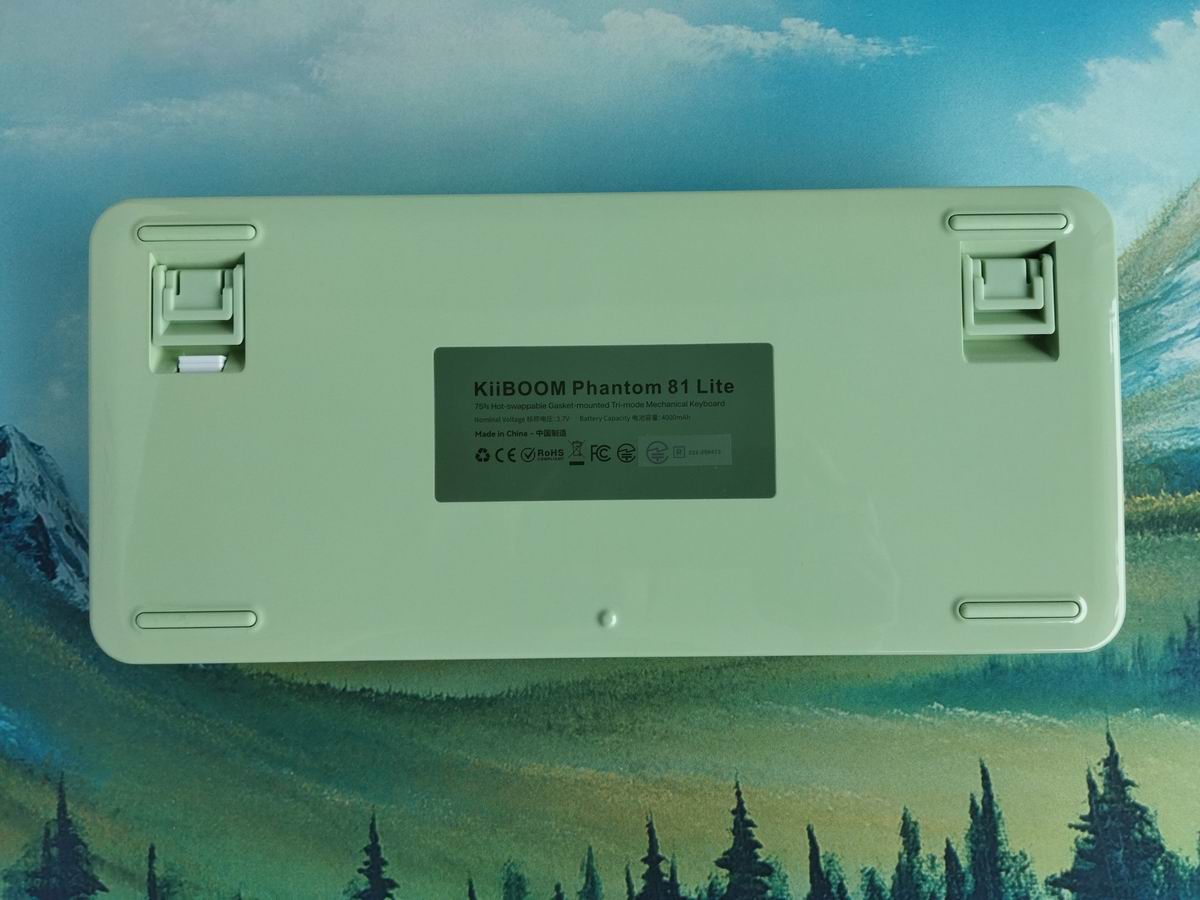
No fancy weight, just the plastic bottom this time. And a simple sticker.
Sound & Sound dampening
Latex sandwich foam, IXPE switch pad, PE transparent film, PCB foam, bottom foam, and finally bottom silicone. Together with its gasket-mounted structure, the Phantom 81 Pro ensures a soft and cozy typing feel while delivering a nice out-of-the-box sound quality. Well, this is subjective of course, but I like the loud clack.
Lights
As you may know, per-key RGB in not an essential feature for me. That said, this keyboard is equipped with south-facing RGB backlighting, which combined with the PC plate, creates vibrant and adjustable lighting that boosts its visual allure – if you fancy that. Plenty of colors and patterns.
Wireless
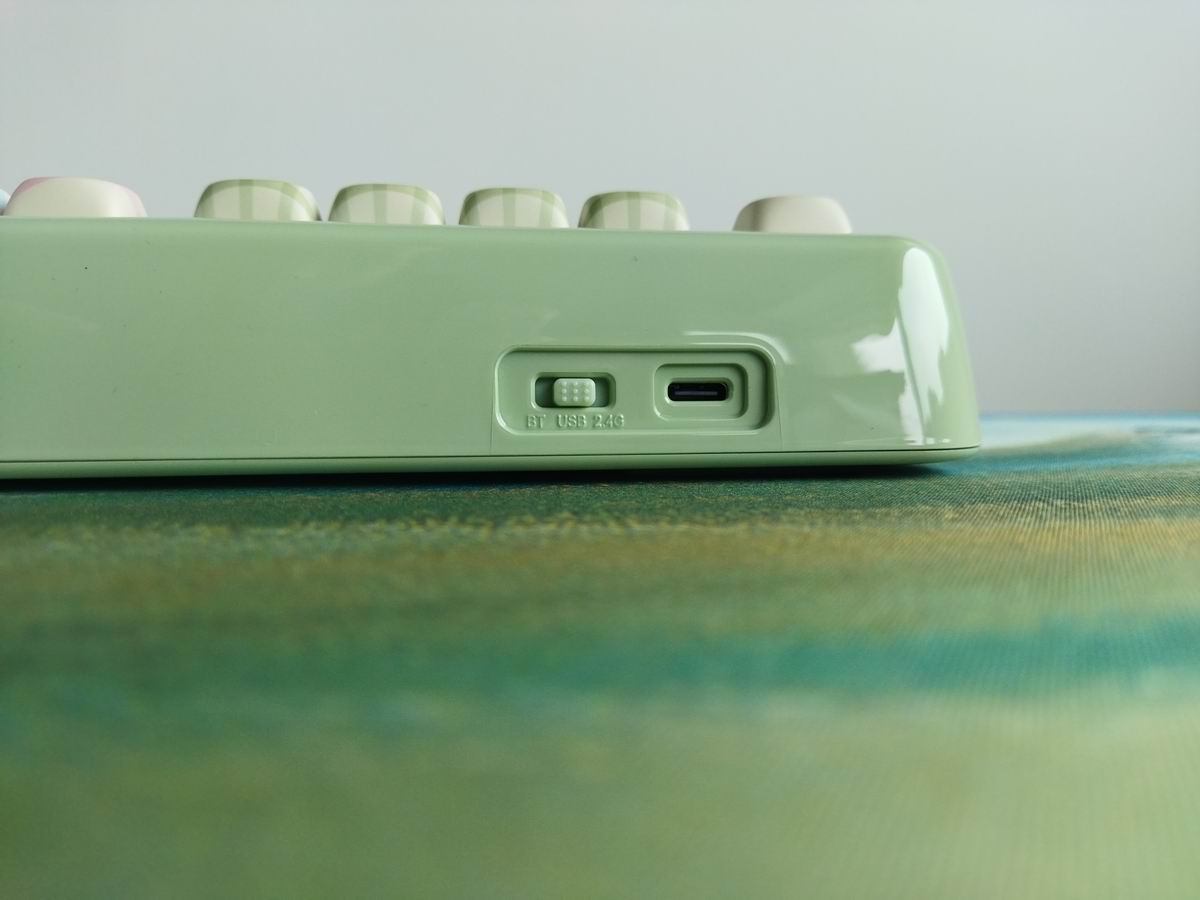
The Phantom 81 Pro is a tri-mode wireless keyboard (Bluetooth 5.0, 2.4GHz wireless, and USB Type-C wired connections) with 4000mAh battery. There's a mode selector button on the back of the case, but I can't see any dedicated on/off switch to disconnect the battery.
General warning: If you use your wireless keyboard permanently connected, please read this article about built-in keyboard batteries and how to avoid fire – for details, tips, and horror stories.
Basically, keeping the board plugged in constantly leads to accelerated degradation of the lithium battery. You have to follow proper battery care practices, so you should remove or disconnect the battery if you don't need wireless functionality.
Check the battery for swelling regularly, even when disconnected or removed.
Software
Having QMK/VIA support is always nice. Maybe it's not crucial for some of you, but for the majority of humanity – typing in multiple languages – it may come in handy.
If the factory settings don't meet your needs, you have the option to customize your keymap – after uploading the necessary JSON file.
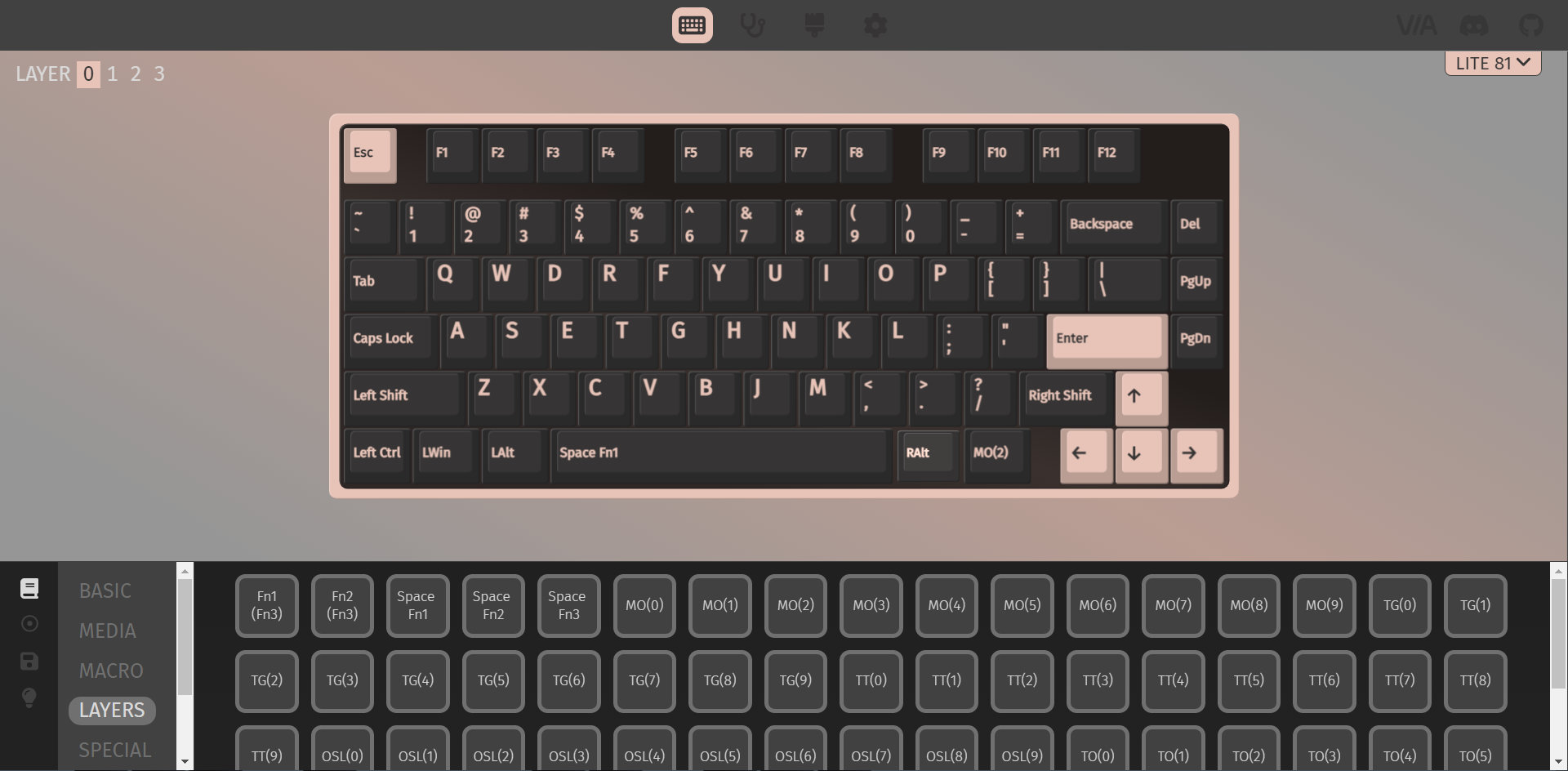
SpaceFN has been tested and works as expected. This single layer can be a real game-changer, putting arrows, navigation and numbers under your fingertips.
Portability
The Phantom 81 Lite is a great board for your desk, but if mobility is your main concern, I would choose something smaller and lighter. Sure, its wireless features make it portable, being more compact than a fullsize keyboard may help too, however, maybe something even smaller is better suited for on the go – this one is about 1 kg.
Conclusion
The Phantom 81 Pro is another bang for your buck keyboard from KiiBOOM. If you like the silly design (or any other variant) and don't need an even heftier aluminum case, the molded ABS matches the funny froggy theme perfectly. A 75% wireless keyboard with great out-of-the-box typing experience. Hotswappable switches, MX compatible keycaps, gasket mounting, per-key RGB, and QMK/VIA support. I can highly recommend it, however, if you don't need dedicated function keys, feel free to get the LOOP65.
Pros
- cute and consistent theme with the green color and frogs
- nice build quality
- highly customizable (hotswap, MX, VIA)
Cons
- no easy way to disassemble it
- no easy way to disconnect or check the battery
Price & Availability
The KiiBOOM Phantom 81 Lite is available for a price of just $90 $86 now. Don't forget to use the KBDNEWS coupon code to claim your 5% discount!
- KiiBOOM Phantom 81 Lite product page
- Bob Ross Mountain Ridge Lake deskmat from Apos Audio.
- KiiBOOM Moonshadow V2 product page
- KiiBOOM LOOP65 product page
Published on Fri 22nd Aug 2025. Featured in KBD #197.
Related

Ergohaven Velvet v3 review
The Velvet v3 by Ergohaven is a beautiful prebuilt split with classy contours, keywell, hotswappable switches, and Vial support.
Angry Miao Infinity A30 mouse review
A top-tier, ultralight mouse in a cool magnesium/aluminum frame: AM Infinity.
KiiBOOM LOOP65 review
The KiiBOOM LOOP65 is an affordable 65% keyboard with a cool multi-color aluminum case. A relatively compact wireless board supporting VIA.
Everglide Aqua King v3 (another)
Everglide Aqua King v3 switch video review by JunKeebs.