
Keyboard Builders' Digest / Tips & Tricks
Built-in keyboard batteries and how to avoid fire
A friendly reminder from Snimtas about the risks of using wireless keyboards with built-in lithium batteries plugged in constantly.

Published August 18, 2025

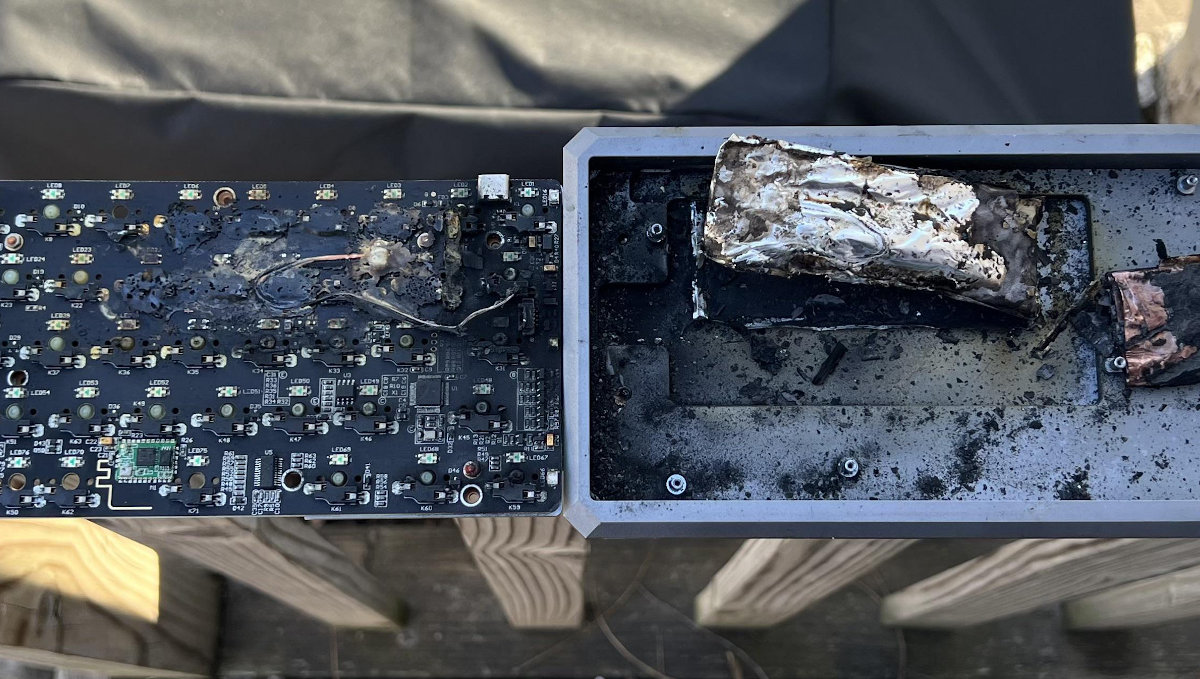
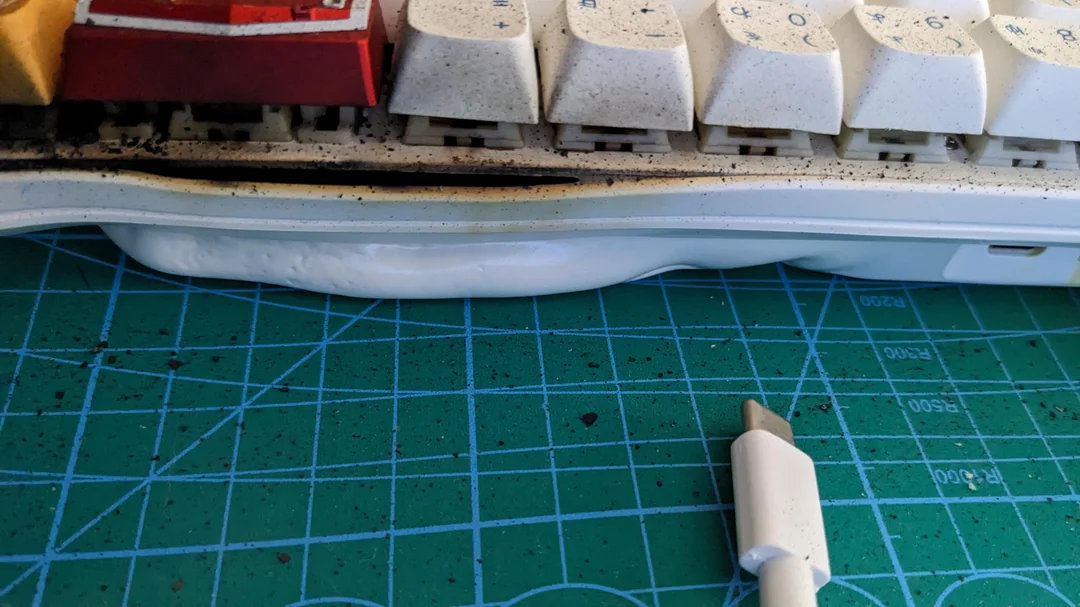
Just a few hours ago, yet another post was published about the battery in a wireless keyboard which, unsurprisingly, had swollen and turned into a spicy pillow…
The sheer number of posts over the past few years where boards have a swollen battery, or worse, actually caught fire is concerning, commented kool-keys.
That's why Snimtas decided to make this post as a friendly reminder – it might help save someone's home from a fire.
TLDR; Keeping a wireless keyboard plugged in constantly keeps its internal lithium battery at 100% – leading to accelerated degradation and increased fire risk. To stay safe, follow proper battery care practices, switch off, disconnect, or remove the battery when not using wireless mode. Check the battery regularly, even when removed.
The hidden risk of always-plugged wireless keyboards
It's worth reminding those who may not fully understand the issue: wireless keyboards are equipped with lithium batteries. Almost all modern popular keyboards are tri-mode and come with a built-in lithium battery. Many of us don't even need wireless functionality, but we simply have no choice. So we buy the keyboard and use it like a regular wired one — always plugged in via pretty aviator or some other cool cable.
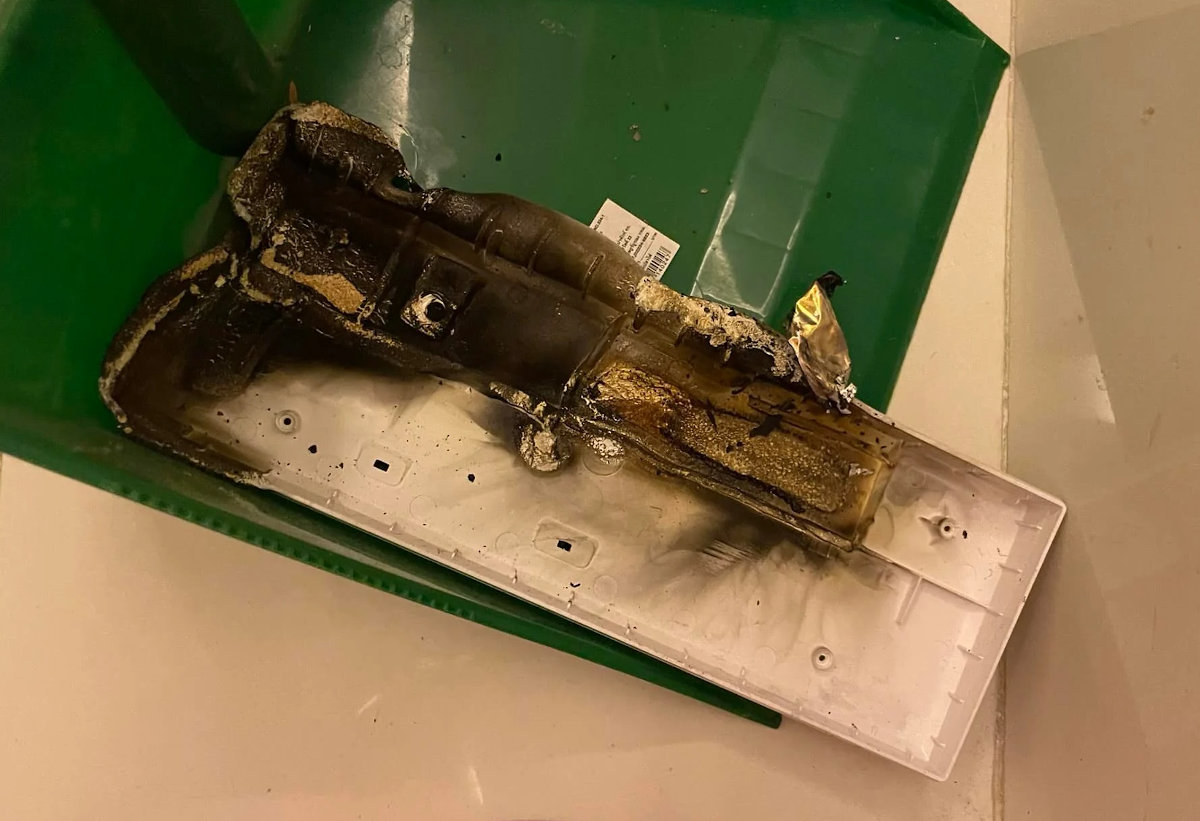
But in reality, the battery in a constantly connected keyboard is kept at 100% and continuously topped off. This puts the battery under stress and significantly speeds up its degradation. To clarify once again — even when the mode switch is set to USB and your keyboard is connected via a cable, the battery keeps charging continuously.
Fire and explosion hazard
Lithium batteries burn extremely intensely and at very high temperatures — and they can also explode. Over time, any lithium battery that kept constantly charged at 100% — as happens when the keyboard is always plugged in – will degrade, swell, and eventually turn into a spicy pillow within 1 to 3 years. Once damaged, such a battery is highly likely to explode or catch fire intensely. And considering that it will be fully charged at the moment it swells, the fire and explosion hazard becomes very real.
I've had a lithium battery house fire; They're evil. You cannot extinguish them. They are self oxidising. They will carry on burning under water. The heat is such that the fire will spread to adjacent objects if they are flammable, very quickly. If they explode, the fire will spread incredibly quickly, and once a battery is swollen, there's a massive chance it can explode if punctured, or receives a sudden, large demand for power – kool-keys.
Now think about this — almost all modern mechanical keyboards are made in China. Every brand tries to offer the lowest price possible to stay competitive. Would you trust your safety to a cheap lithium battery?
According to kool-keys, the more lower end and mass produced boards there are with tri-mode, the more this will happen, as people just assume that because they are advertised as BT/2.4/USB then using it USB is just fine and dandy. They are literally gambling with their lives. Sounds overly dramatic? Well, it's not. These cheap pieces of crap offer no simple means of disabling the battery in order to use it wired, and furthermore, there's no documentation explaining this. Even in the higher end tri-mode boards I've seen, there's nothing in the documentation discussing, or warning of this issue.
Companies that sell this shit don't tell anyone either. We're gonna have to lean on them, like we did with auto makers and seat belts, and tobacco companies and cancer – kool-keys.
Battery degradation
If you actively use the battery according to proper usage guidelines (points 1–4 and 6–7 below in the post), and assuming it's a high-quality battery, then its expected lifespan is around 300–1000 charge-discharge cycles, which may last 2 to 5 years, depending on usage patterns and operating conditions.
Even so, the battery will still degrade over time and lose capacity — its eventual failure is expected. That’s why manufacturers specify the expected service life of their batteries.
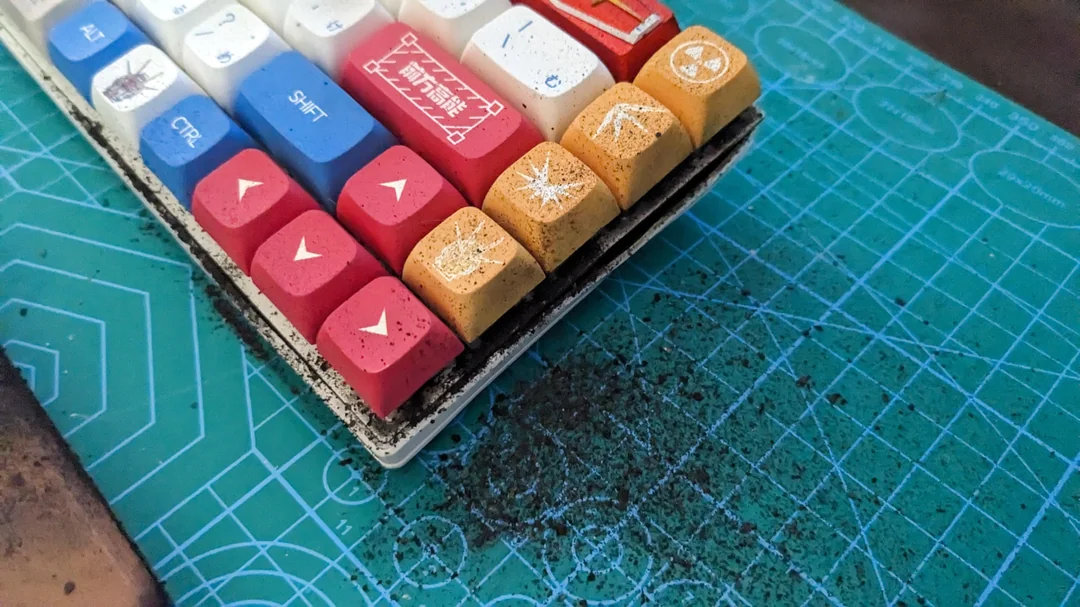
Meanwhile, a battery that is constantly kept at 100%, or one left unused for a very long time, is doomed to degrade much faster. And yes, battery left unused for a long time without discharge-charge cycles will also degrade and eventually swell. That’s why simply flipping the battery switch to the off position or disconnecting the connector from the PCB while leaving the battery inside the keyboard is not a true solution. It only delays the problem, not prevents it.
That’s why when people remove batteries for "safe storage" and forget about them for years, often find them swollen when they finally check again.
Swelling & signs to watch out for
When a battery swells inside a mechanical keyboard, it often reaches the back side of the PCB, where sharp solder joints, switch pins, and other components are located — despite all the layers of sound-dampening foam (which, by the way, are highly flammable).
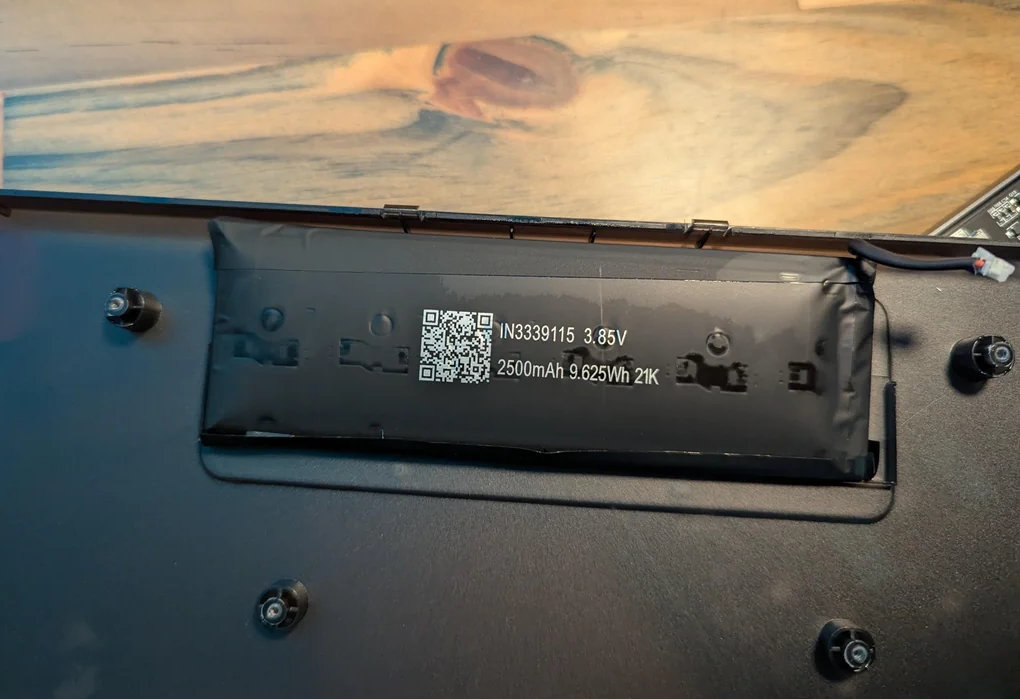
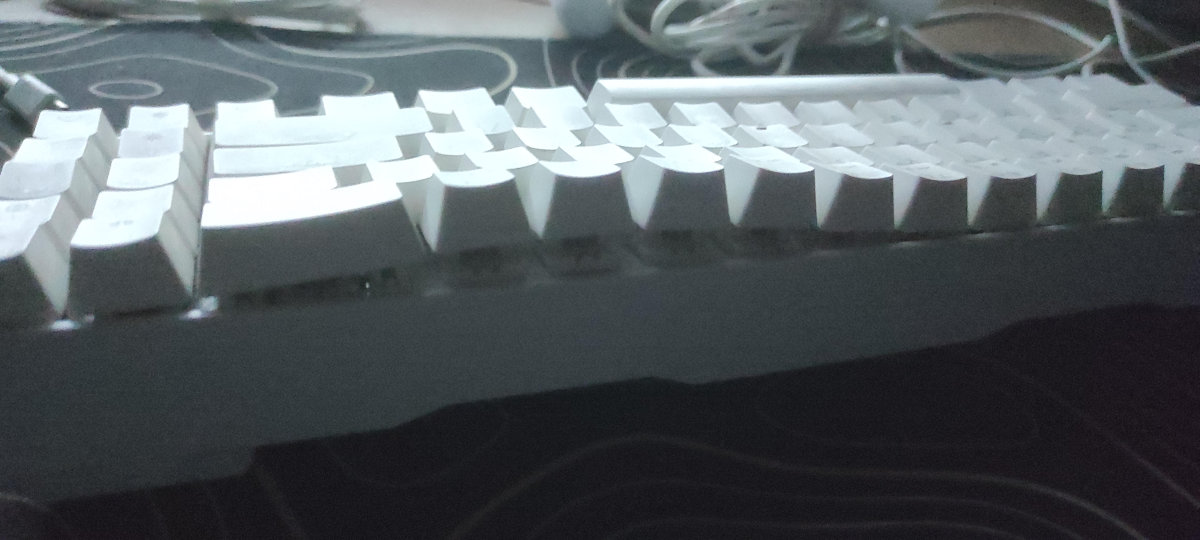
Modern keyboards also have soft gaskets and flex cuts that allow the PCB to flex when typing, which brings it even closer to the battery. All of this can happen before the swelling becomes visually noticeable.
This can lead to physical damage to an already swollen and highly explosive battery.
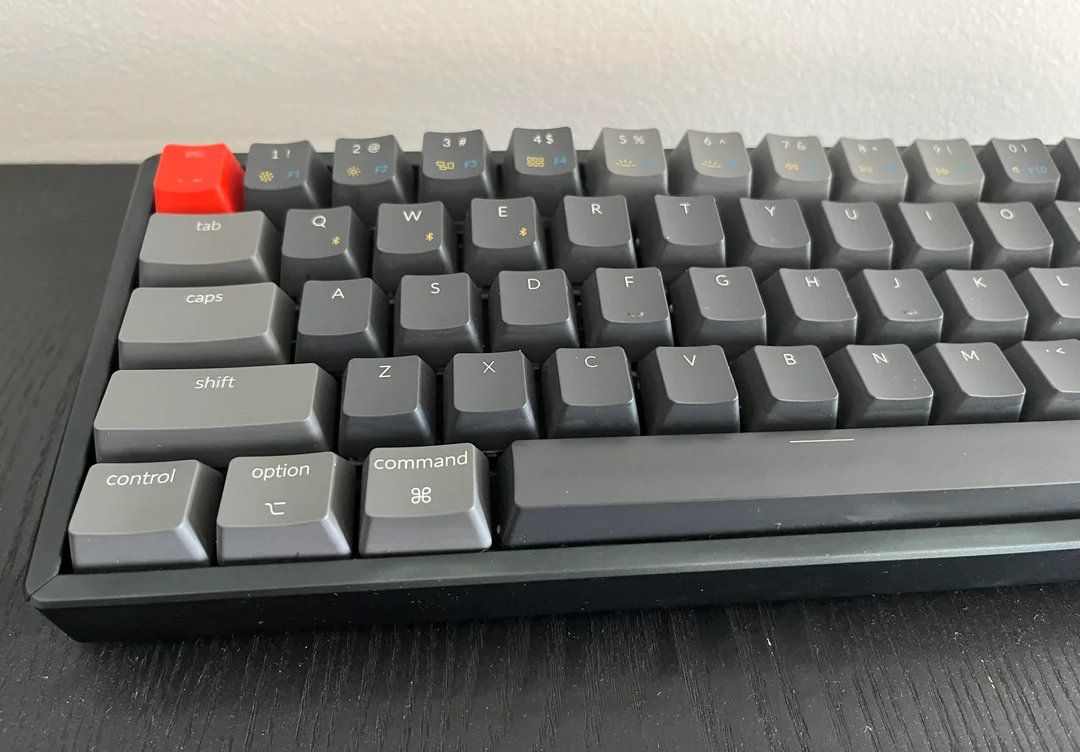
And this is what lithium battery swelling looks like in a keyboard.
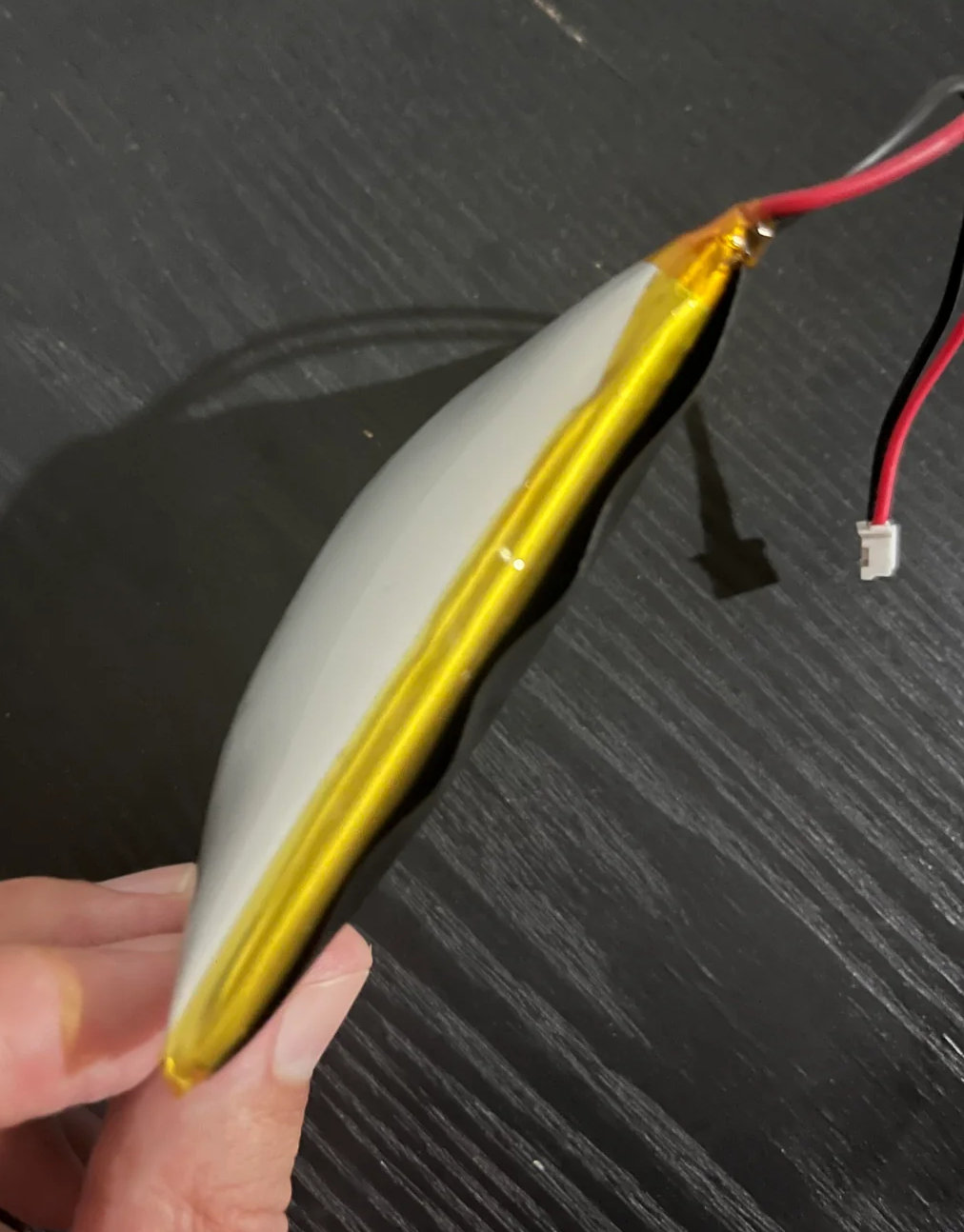
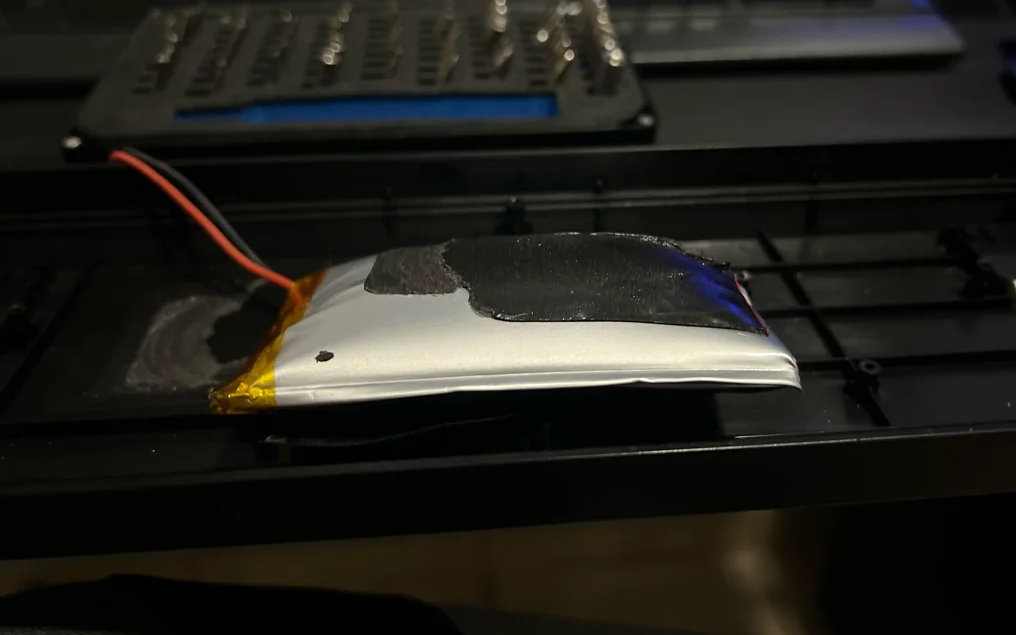
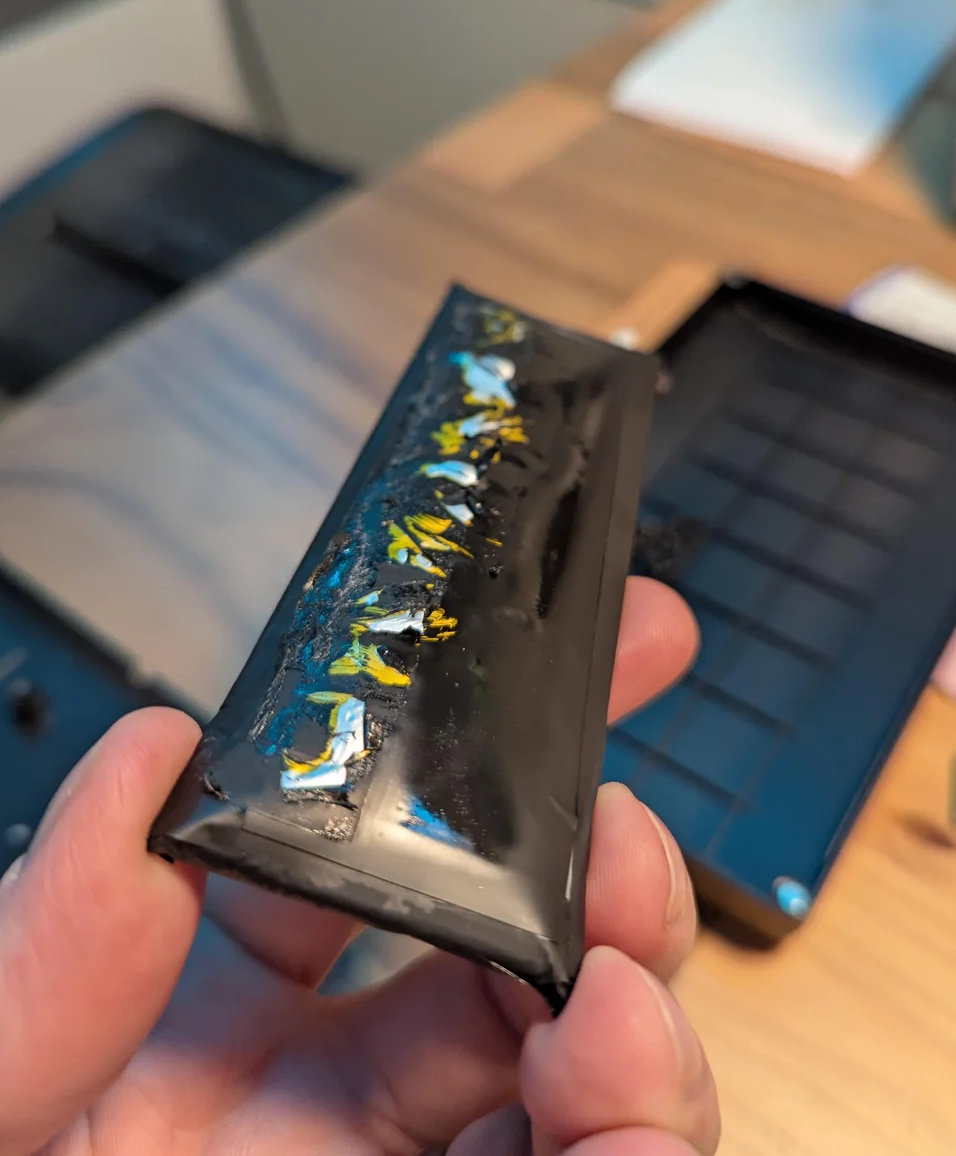
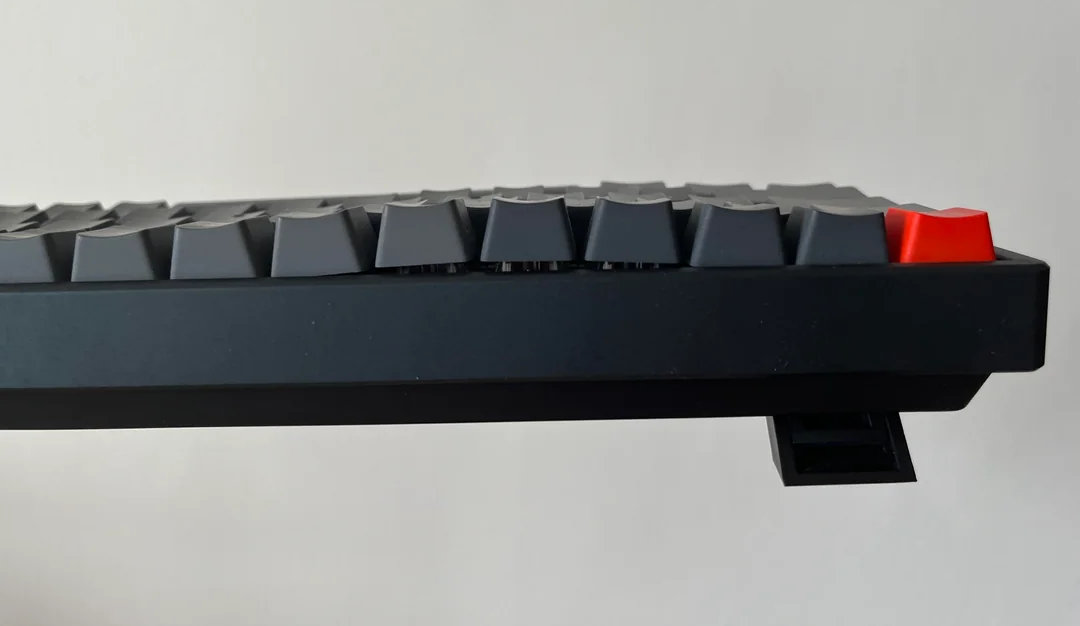
Also be very careful if you're using a board with an aluminum case or a case where the battery is in a sealed compartment like under a weight – points out Villag3Idiot. If it starts swelling, you might not know until it's too late because the case and weight isn't going to swell.
How to safely manage your wireless keyboard battery
Remove the battery
So, for people who do NOT use wireless functionality at all, the best way to stay safe is to remove the battery from the keyboard.
Quite often the battery is connected to PCB via a detachable JST connector, which makes disconnecting the battery an easy process. Most keyboards continue to work normally without the battery.

That said, batteries left unused for a long time can also degrade and eventually swell. Even removed batteries should be checked regularly.
Turn off or detach the battery
Only use wireless now and then? Turn off or unplug the battery when not needed.
Some keyboards will have a switch on the board that can be used to switch off the battery (and prevent it from charging). If you intend to use a wireless keyboard in wired mode for a long period of time, Meatslinger advises considering opening the board and looking for a disconnect like this, or checking whether you can detach the battery cable from the board (look for a detachable JST connector).

You can discharge the battery to 20-50% as recommended, and then disconnect it to ensure it stays at that level. Note though that some will still charge the battery even when "off" like this; you'll have to find out how your specific device behaves.
I’m a former VAIO engineer and I agree with this post. I mainly use my kb as a wire connection so it is good practice to disconnect the battery since there isn’t a way to limit the battery charge to 80 percent. Because of this post I went ahead disconnected my battery. […] It takes 5 screws with a total of 5 minutes to complete the task [on an Evo80] – superminhreturns.
But keep in mind - battery left unused for a very long time without discharge-charge cycles will also degrade and eventually swell. That’s why simply flipping the battery switch to the off position or disconnecting the connector from the PCB while leaving the battery inside the keyboard is not a true solution. It only delays the problem - yes, but not completely prevents it.
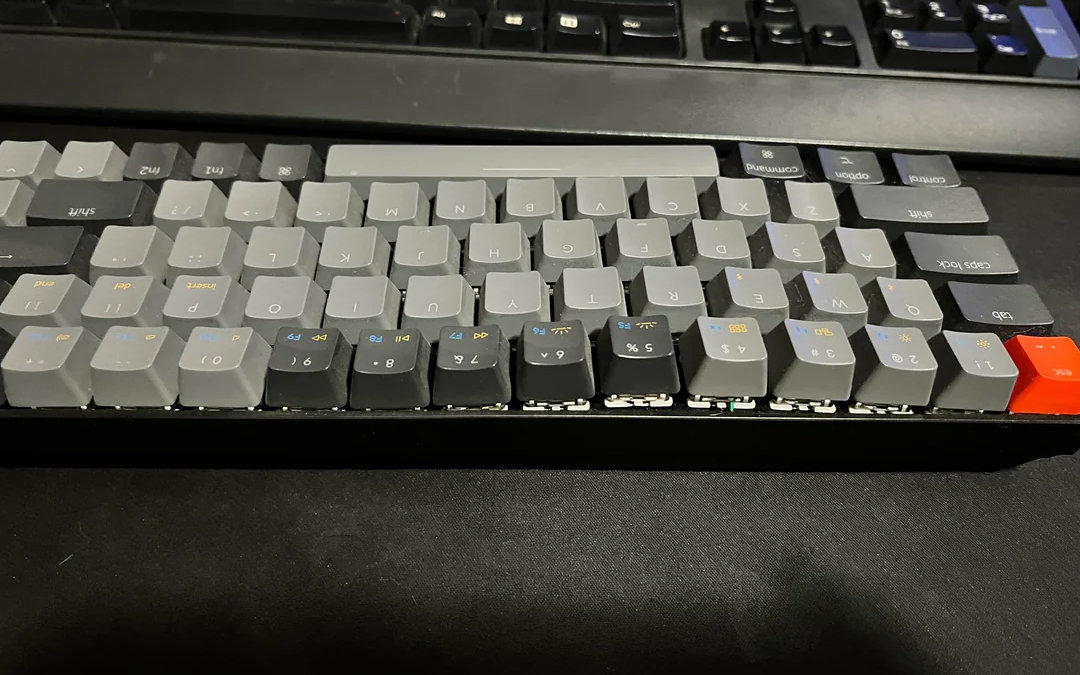
So, if you don’t plan to use the wireless functionality at all, I'd still rather remove the battery. If you plan to use the wireless functionality from time to time, or if you follow proper battery care practices — such as keeping it at 50% and recharging it occasionally — then it’s fine.
Use the board as wireless
If you're not comfortable removing or disconnecting the battery, using your board in wireless mode can delay the problem – however, it won't prevent it.
Discharge to around 20%, and charge to around 80% – advises kool-keys. If there's no means of measuring this exactly, don't worry, just regularly cycle the battery without actually fully running it flat and you'll be fine.
Cables aren't the issue either – if we can trust anyone on this, it's kool-keys: Don't worry about those, although as most cheap boards aren't very sophisticated and keyboards aren't a PD [USB Power Delivery] compatible device, it's probably best to charge from a USB port on your PC… plus, that will make more sense anyway, as there's always going to be a USB cable there available. The more gentle the charge current, the more happy your battery will be. Even on devices designed to fast charge, I personally wouldn't. I never fast charge my phone for example. Why would you unless you're desperate? Most people charge overnight, so just use a shitty 500mA charger. So what if it takes 6 hours… you're asleep :)
General rules to follow
If removing the battery isn’t an option for you, try to follow the rules below to extend the battery’s lifespan and minimize the risk of fire hazards.
- DO NOT keep your wireless keyboard constantly plugged in.
- If possible, avoid charging it to 100%. Charge it to about 80%.
- Don’t let it fully discharge. Recharge when it reaches around 20%.
- Most wireless keyboards are recommended to be charged via a computer's USB port or a 5V/1A charger. Follow this rule unless otherwise stated in the manual. Do not test your luck/quality of Chinese electronics with fast-charging devices. There are well-known cases where things went wrong. Moreover, some responsible manufacturers explicitly mention this in their manuals, so there’s a reason behind it.
- Some keyboards, such as the Luminkey80, Akko MU01, Akko YU01, RO75, Chosfox Fox65, Lucky65 V2, Rainy75, and others, have a power switch. It may be located under the Caps Lock or right Shift key. You can check your keyboard’s manual to see if it has one and where exactly.
It’s important to note that this is not an on/off switch in the way some users assume when they complain about its inconvenient placement. These keyboards automatically turn off (enter deep sleep) after a period of inactivity, so there’s no need to use this switch every time. This is actually a battery toggle switch. It disconnects the charging circuit, effectively isolating the battery from the PCB. This prevents the battery from being constantly charged and essentially turns your keyboard into a wired one. If you plan to use your keyboard exclusively in wired mode, switch it off and follow the next steps. But keep in mind battery left unused for a very long time without discharge-charge cycles will also degrade and eventually swell. That’s why simply flipping the battery switch to the off position or disconnecting the connector from the PCB while leaving the battery inside the keyboard is not a true solution. It only delays the problem, not prevents it. So, if you don’t plan to use the wireless functionality at all, still better to remove the battery. If you plan to use the wireless functionality from time to time, or if you follow proper usage guidelines (points 1–4, 6-7) — then it’s fine.
- When storing the battery for a long time, discharge it to about 25-50% (there is some debate about the exact level, but just avoid storing it fully charged or fully drained). However, you might not be able to prevent the battery from fully discharging by PCB if storing it for a long time inside the keyboard. This refers to keyboards that do not have the switch mentioned in point 5. If that’s the case, remove the battery and store it separately somewhere away from heat and anything that could puncture, damage it, or cause a short circuit. It’s important to insulate the battery contacts from each other to avoid a short circuit!
- Storing a battery in a safe place for a very long time (years) without regular discharge-charge cycles does not guarantee that it won’t fail. We all know cases when people have found an old forgotten smartphone with a swollen battery. Therefore, the rule that applies to all power banks (which are essentially lithium batteries) should be followed: every 4-6 months, discharge the battery to 20% and then charge it again up to 50%. Or up to 80%, and then discharge it to 50% for long-term storage.
- Regularly check for any damage, swelling, or cracks. This is important because the battery might be located in an aluminum case or in a case where it’s enclosed in a sealed compartment, such as under a weight, which can make it difficult to notice the early signs of danger.
Recycling
If you decide to get rid of a lithium battery, I strongly urge you to do so responsibly. Do not simply throw it in the trash. The contents of lithium batteries — such as lithium and electrolytes — are highly toxic to soil and the environment. The best option is to take the battery to a specialized recycling center for used batteries, if such a facility exists in your country.
Alternatively, you can bring it to a hazardous waste collection center. Many electronics stores/repair shops also have special containers for collecting used batteries, or they may accept the battery from you and send it for proper recycling. Use the search to find out which option is available in your country.

Keyboard collectors
If you are curating a nice keyboard collection of several wireless boards, you may find Cobertt's solution useful:
I've got a nice box of lithium ion batteries I've shucked from wireless keyboards that will never be used as wireless. I label mine with a piece of kapton tape so I know what board it goes back in if I were to ever need it.
However, based on the info above, you still have to check these batteries regularly.
Final summary
Wireless boards with internal batteries are only safe if you follow proper battery care practices. If you use your wireless keyboard primarily wired, turn off or disconnect the battery, and check its health regularly – for safety and longevity. Battery swelling and fire hazard is not necessarily a quality issue, nor a charging issue. The issue is keeping the batteries at 100% full time by being used wired constantly. This will happen to any device that doesn't limit the charge to a lower value. This is a real thing. This is why modern devices like phones, and even cars will allow you to set the device to stop, and maintain charge at around 80%.
Even my 5 year old Galaxy S10 allows this. Keeping constantly at 100% is damaging. I know of not one single keyboard that allows partial charging, and I've never seen a warning in a manual about the dangers of using a wireless keyboard wired full time, with the exception of those that recognise the issue and provide a switch to disable the battery when the board is being used wired. The lower down the price scale you go, the less likely such a feature is to be found as well, and the lower down the price scale you go, the more likely "tri-mode" will be forced upon the buyer whether they want it or not, which is why so many use them wired full time, as they never wanted it in the first place – kool-keys.
Epilogue
NiMh is much, much safer as a battery technology. However, people seem to think that unless their keyboard can run for weeks at a time without charging is important for some weird reason, manufacturers are forced to use lithium for its greater energy density. If they use NiMh then the board will need charging perhaps once a week, and apparently that's just unacceptable LOL – kool-keys.
---
Thanks to Snimtas for allowing me to republish this edited version of the original post, which can be found here on r/mk. And thanks for the tips kool-keys, and to all the other Redditors in the comments who helped highlight important points.
Resources used
- https://www.reddit.com/r/MechanicalKeyboards/comments/1mhoug8/builtin_batteries_and_how_to_avoid_fire_a/
- https://www.reddit.com/r/MechanicalKeyboards/comments/10zz1u8/friendly_remind_to_check_your_wireless_keyboard/
- https://www.reddit.com/r/MechanicalKeyboards/comments/15q83kd/woke_up_to_my_keyboard_blown_up_how_was_your_day/
- https://www.reddit.com/r/MechanicalKeyboards/comments/1hbxao0/nuphy_air96_battery_exploded_beware_used_for/
- https://www.reddit.com/r/Keychron/comments/13yyujd/this_is_the_end_of_a_k6/
- https://www.reddit.com/r/MechanicalKeyboards/comments/1gayq4c/this_looks_real_bad/
- https://www.reddit.com/r/spicypillows/comments/1f750kc/swollen_battery_turns_my_keyboard_into_an/
- https://www.reddit.com/r/MechanicalKeyboards/comments/yruhvn/badseed_tactiles/
- https://batteryuniversity.com/articles
Updates:
- https://www.reddit.com/r/MechanicalKeyboards/comments/1n4uwxo/keychron_k2_battery_replacement_guide/
Published on Mon 18th Aug 2025. Featured in KBD #196 (source).
Related

GOOS
GOOS is a Rae Dux inspired wireless 36-key keyboard by Felix Brüggemann.
Leptosis
The Leptosis by Cheyao is a 7.5 mm ultra-low profile wireless split keyboard with PG1316 switches.
Zireael
Zireael is a low-pro wireless split, shared by Mposible – based on the Dao.
Omega Point 36
Ergohaven's wireless split Omega Point 36 is now open source.