Keyboard Builders' Digest / Review
MoeeTech Glitter65 HE review
A 65% magnetic board with awesome custom switches and extremely pleasant typing feel: Glitter65 HE by MoeeTech.

Published October 30, 2025

After two rounds of the original, mechanical, aluminum Glitter65 boards I reviewed earlier (R1 and R2), MoeeTech released a new Hall-effect (magnetic) version with a similar layout and rounded shape, but in a translucent polycarbonate case: the Glitter65 HE. And surprisingly, I like this affordable version even better than the alu one.
TLDR: The wired-only Glitter65 HE may come in a plastic (mostly PC) case, but to my great surprise, it offers an exceptionally good typing experience – all thanks to those great magnetic switches and a super-flexible plate combined with gaskets. A total no-brainer if you enjoy a soft and quiet typing feel. The building process remains somewhat obscure (no documentation at all) so I'd recommend going for the pre-built variant unless you like puzzles. The proprietary online configurator only handles the basics, so hadcore keymap tinkerers might want to look elsewhere. Still, the Glitter65 HE could easily become my favorite 65% if only it had a split spacebar and mod-tap support. Prices start at $80 (kit) – use the KBDNEWSHE coupon code for free shipping.
Should you buy the Glitter65 HE? As always, it depends on your personal preferences. If you've been following this keyboard review series, you know I try to cram as much info and as many facts into my write-ups as possible – so you can decide for yourself whether this particular keyboard is for you. Check out the full review below for all the details and photos showcasing its features and internals.
Disclaimer
MoeeTech was kind enough to send me these review units (a fully pre-built board and a kit) for free, which may introduce all kinds of biases – both negative and positive in my experience. Take everything I write with a grain of salt.
Variants
The Glitter65 HE is the latest model in a series of these uniquely shaped 65% keyboards offered by MoeeTech. The new, mostly plastic Hall-effect variants come in five colors (blue, rose, black, red, purple) following in the footsteps of the earlier aluminum models.

There are two tiers available: The (non-Pro) Glitter65 HE is the most affordable option from all the Glitters. It comes in two limited color options (black and pink), tied to fixed switch/keycap configurations. On the other hand, the Glitter65 HE Pro comes with an extra bag, pretty high quality I have to say, more colors with switches/keycaps you can freely pair, and also some improved specs with regards to the magnetic features – if you think you can differentiate between normal vs "hyper" sampling and 0.01 vs 0.005 mm RT while riding on gaskets and thick foam.
Unboxing & Contents
I received a huge package from MoeeTech, containing the pre-built Glitter65 HE Pro, an additional Glitter65 HE kit, and extra keycaps and switches. The design of the cardboard boxes is very classy, simple but great.

Warning: I'll be mixing in photos of both products as we go.

Contents (pre-built):
- The Glitter65 HE Pro, pre-built with switches and keycaps mounted.
- basic USB cable
- fancy bag in separate box
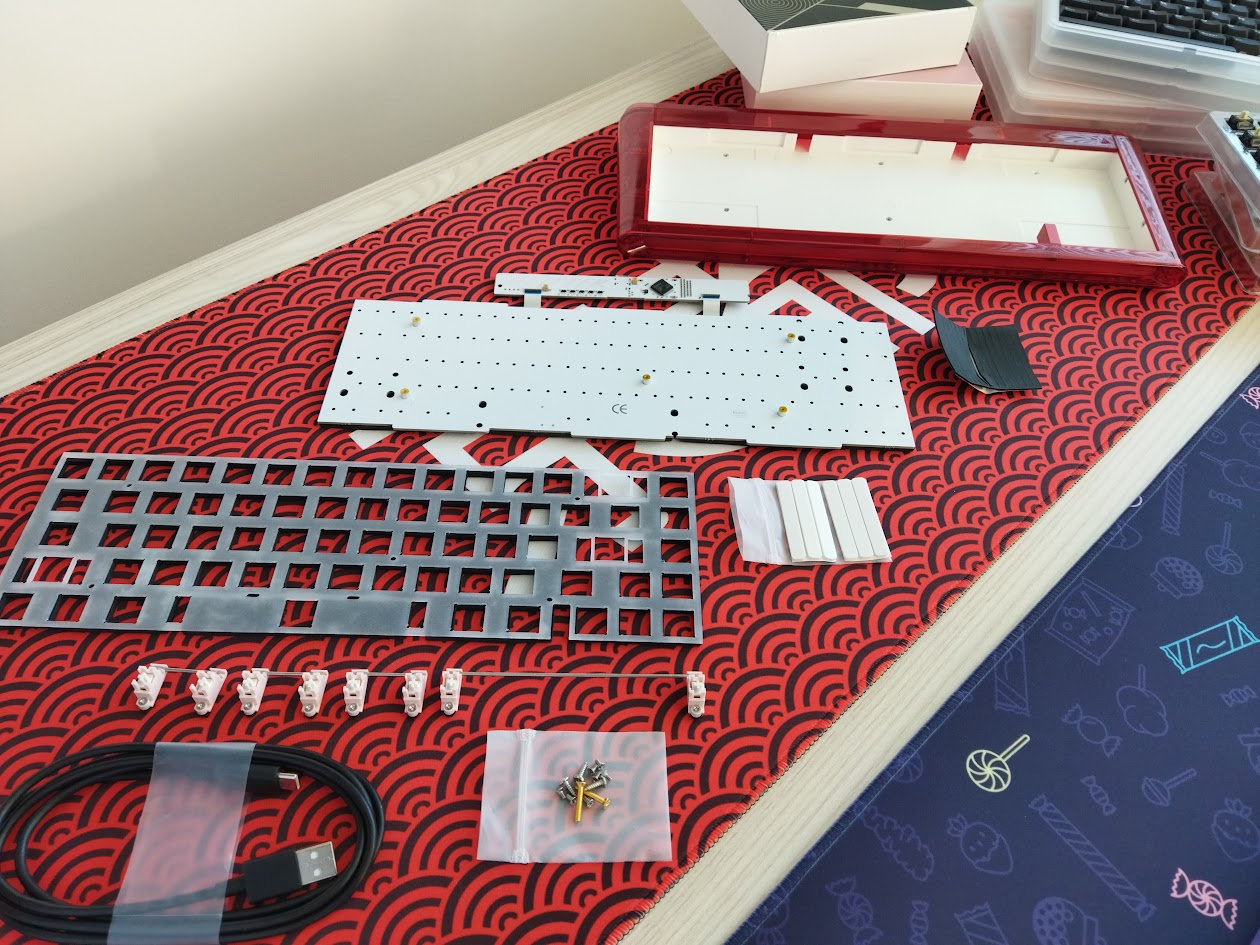
Contents (kit):
- keyboard case
- PCB with pre-attached PORON layer
- PC plate with pre-attached PORON layer
- screw-in stabs
- gaskets, screws, and a 3D-printed spacer piece
- basic USB cable
- switches and keycaps in separate boxes
No documentation or tool of any kind.
First impressions, design language
The Glitter65 HE comes in five colorways, and I chose the purple and red cases because I have some matching deskmats – these colors look cool, but there's also a gray/black case if you're aiming for something more neutral or masculine. That said, while they seem fingerprint-resistant, the cases also expose dust particles.
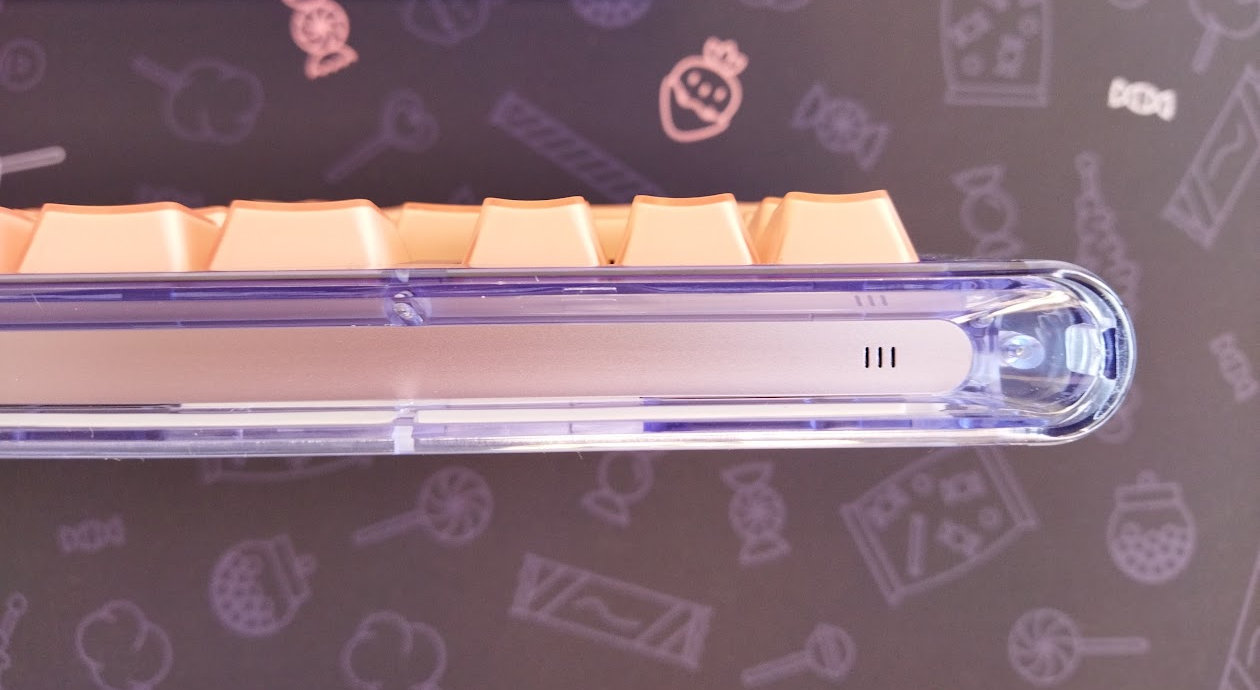
The overall design is the same characteristic rounded shape – originally necessitated by the one-piece tray-structure – we've seen at the first non-HE Glitter65 boards. However, this case has been put together from several pieces, at least ten parts if I count correctly, and works more like a classic keyboard: you put in the PCB from the top.
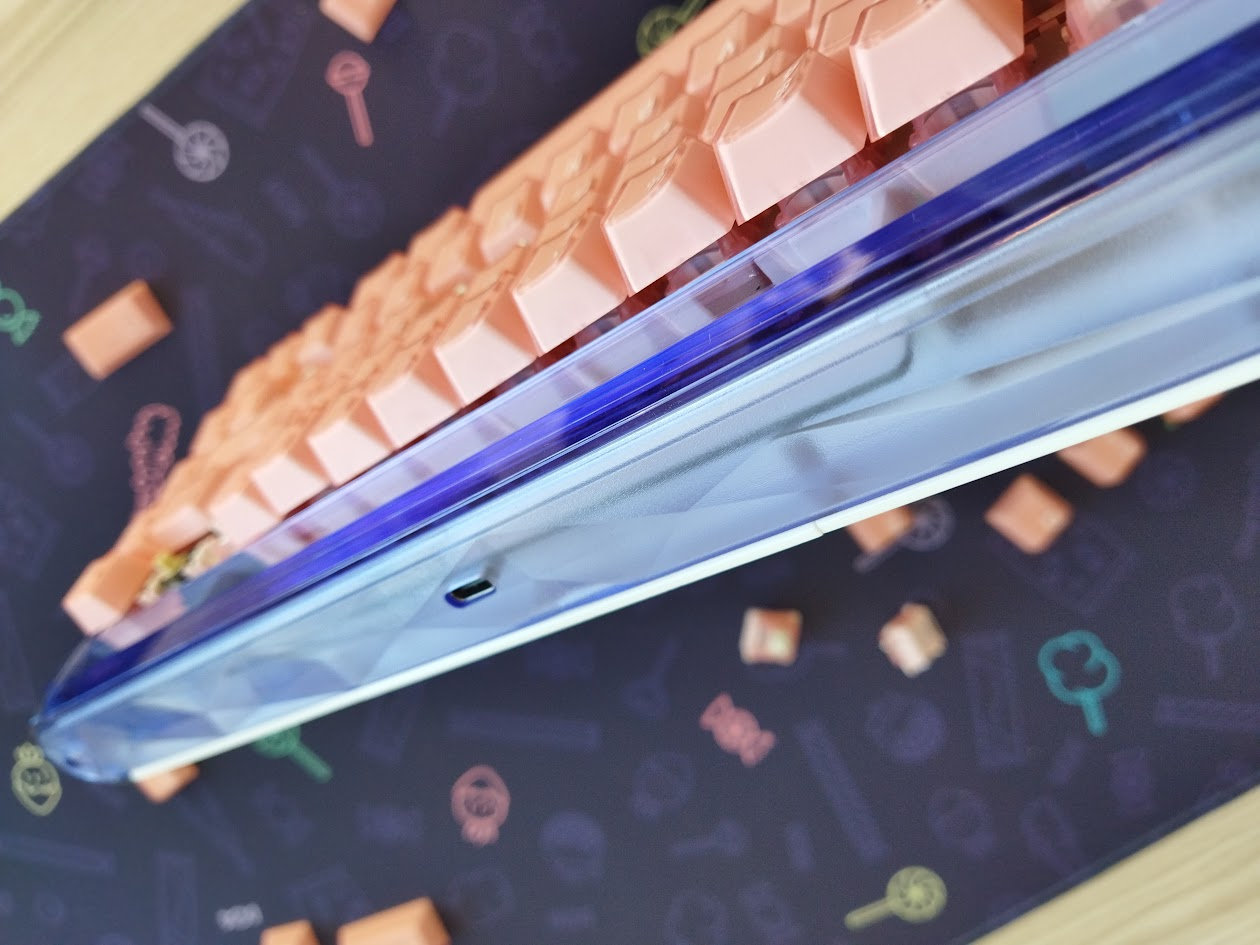
The back polycarbonate part of the case is frosted, in contrast to the other PC pieces, and it received nice diamond-inspired "cuts". The front showcases part of the anodized aluminum decoration piece.
A tiny logo in the top right corner is the only visible branding.
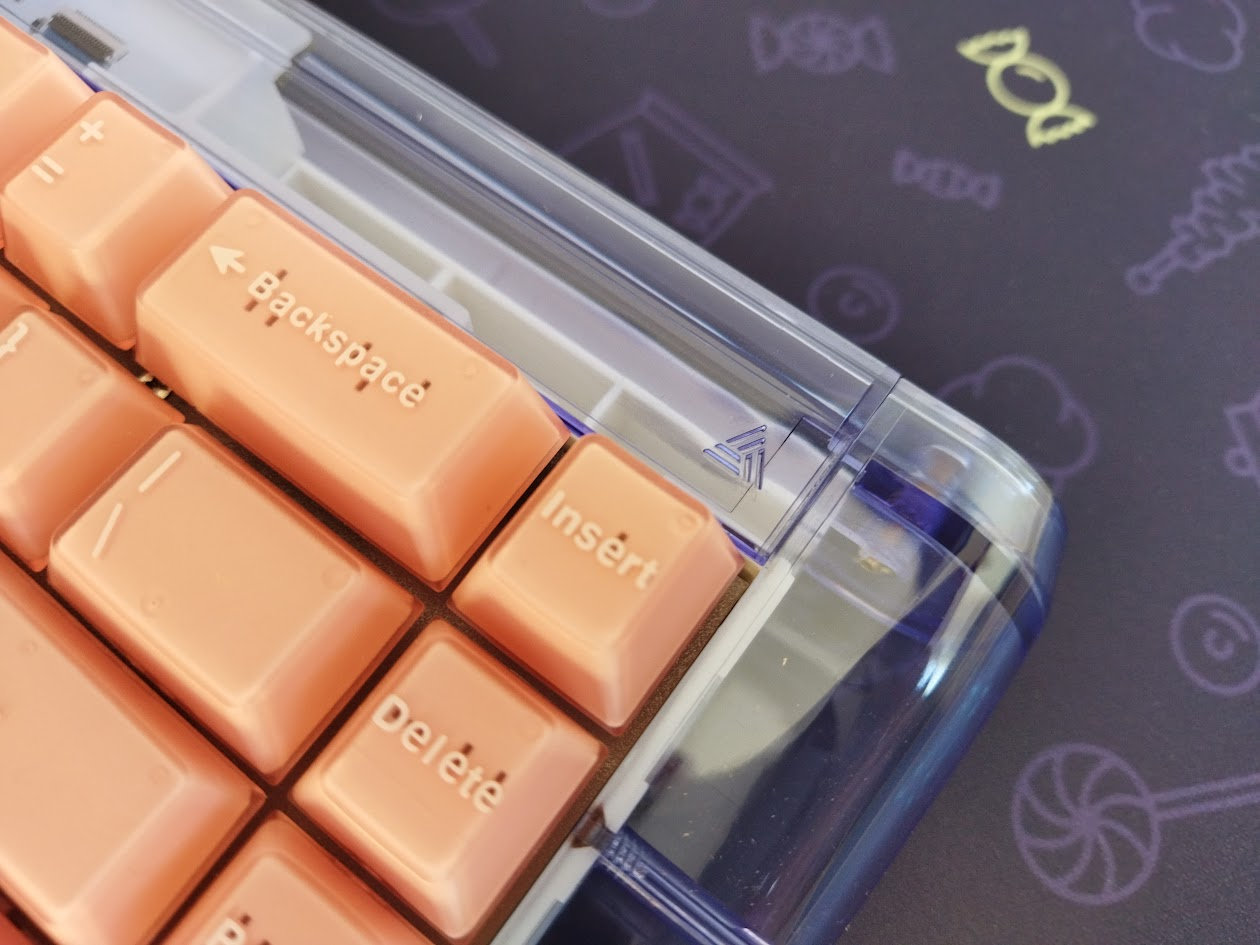
The 65% segment is a pretty crowded market, but the Glitter65 HE stands out even without all the gimmicks like RGB, encoder, display, etc. – simply with its nicely tuned soft out-of-the-box typing experience (again, according to my personal taste).
Specs
- Layout: 65%, 67 keys
- Keycaps: double-shot PBT Cherry profile
- Switches: Custom full-POM switches
- Case: Polycarbonate (PC) outer shell + plastic inner core + aluminum alloy decoration piece
- Typing angle: 6 degrees
- Structure: gasket mounting
- Stabilizers: screw-in PCB mount stabs
- Plate: 1.2mm? frosted polycarbonate (PC) without flex cuts
- PCB: 1.5mm?, hotswap, no RGB, no flex cuts
- Connectivity: wired
- Polling rate: 8kHz ("Hyper-Sampling" with the Pro)
- Software: proprietary online configurator
- Dimensions: 354x135x(22-33)mm (without caps)
- Weight: 843g
Layout
The 65% layout is relatively standard: The 65% layout means no numpad, no F-keys, and no classic navigation cluster either. However, you have arrows, full number row, and four of the classic navigation keys.
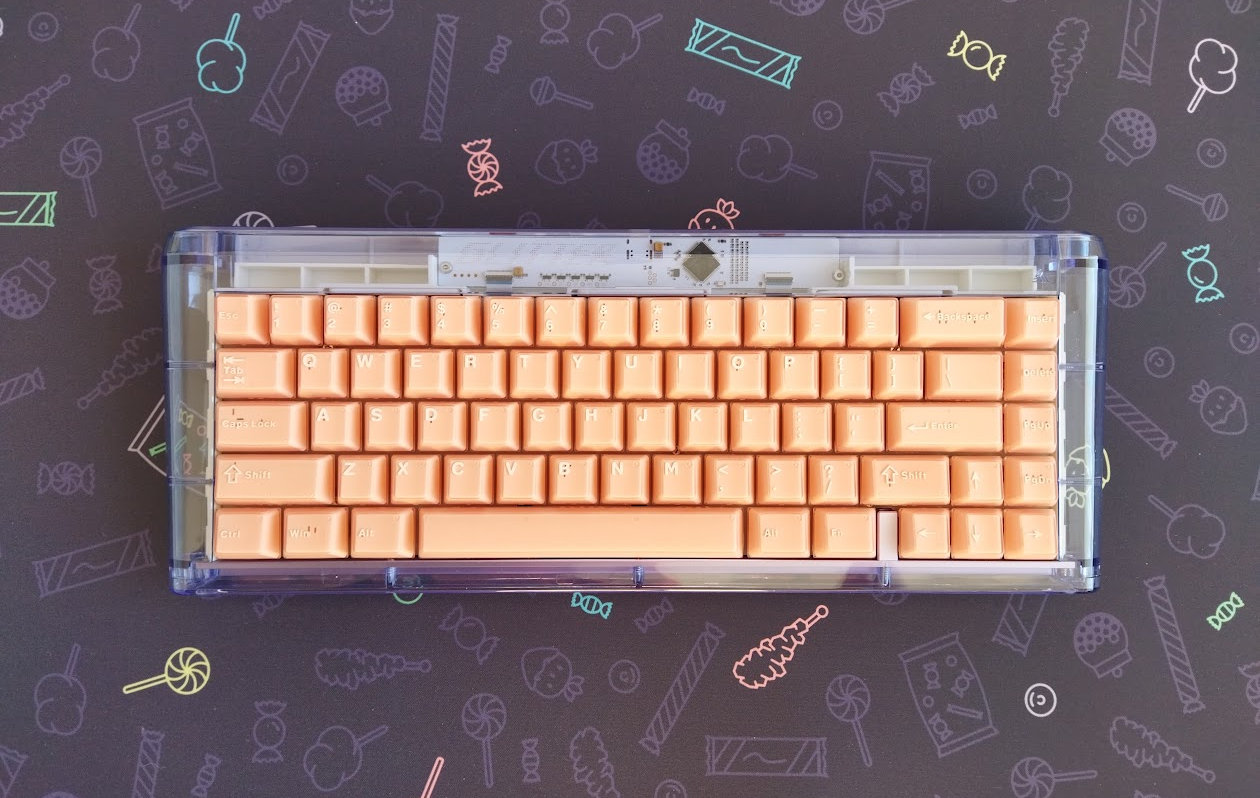
Fixed ANSI, no layout variants like ISO or even stepped CapsLock.
Featuring 67 keys, the Glitter65 HE is optimizing space while ensuring that most essential functions are easily accessible for new users transitioning from e.g. a fullsize keyboard. Function keys are mapped to the number row by default (on the FN layer).

The arrow cluster is not offset, but it's still easy to locate when touch typing: there's the little gap on the left – you won't get lost when changing between the home row and arrows. This little separator piece is made of anodized aluminum as well, just like the decoration piece it's screwed to.
The extra column on the right consists of four keys.
Keycaps
Double-shot keycaps with translucent outer layer: Cherry profile, light rose (MoeePink) and a more universal beige on black colorway (MoeeG). Probably semi-transparent ABS layer for the outer shot, and PBT layer for the inner shot – just like some similar sets.
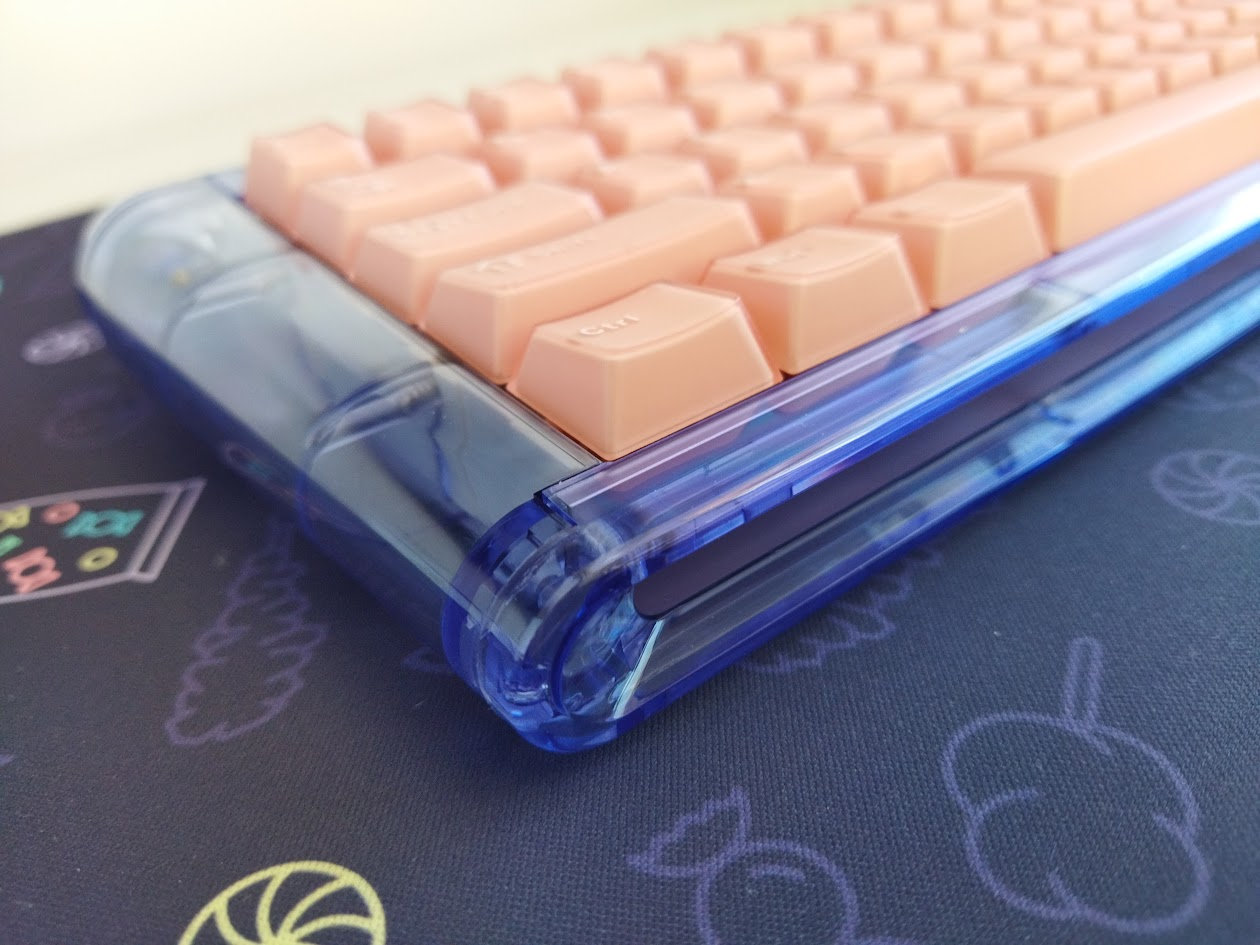
While the caps look nice, upon closer inspection you can identify some flaws. Picky enthusiast will find the legend quality quite heterogeneous. Nowhere near e.g. the KAP Generation which is a set with a very similar double-shot structure I have lying around. The legends of the Glitter sets are definitely chubbier, an inconsistent in some cases.
With regards to keycap compatibility, this 65% layout should be widely supported if you opt for something different.
Switches
These custom, Glitter-branded switches are awesome, and you can purchase them separately too! Light or medium linear full-POM HE switches: extremely smooth and creamy. Especially the lightest pink (35gF ProSilk) and the heaviest black one (52gF ProG). The silent blue ProU (46gF) seems to be an outlier as it has a bit more stem wobble compared to the other two, and doesn't feel that smooth at the very beginning of the travel. However, it's silent on top of the nice quiet alternatives.
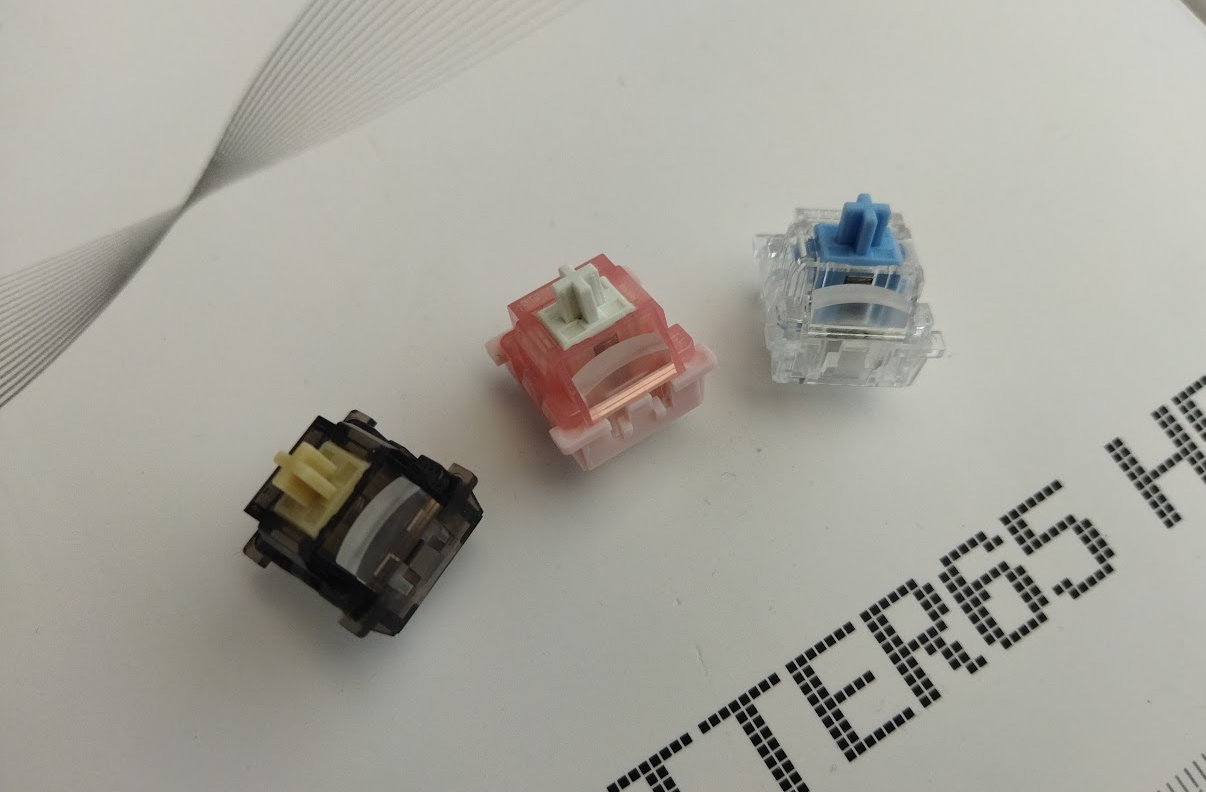
A nice touch from the MoeeTech team: beneath larger caps there's a heavier switch – except for the spacebar for some reason.
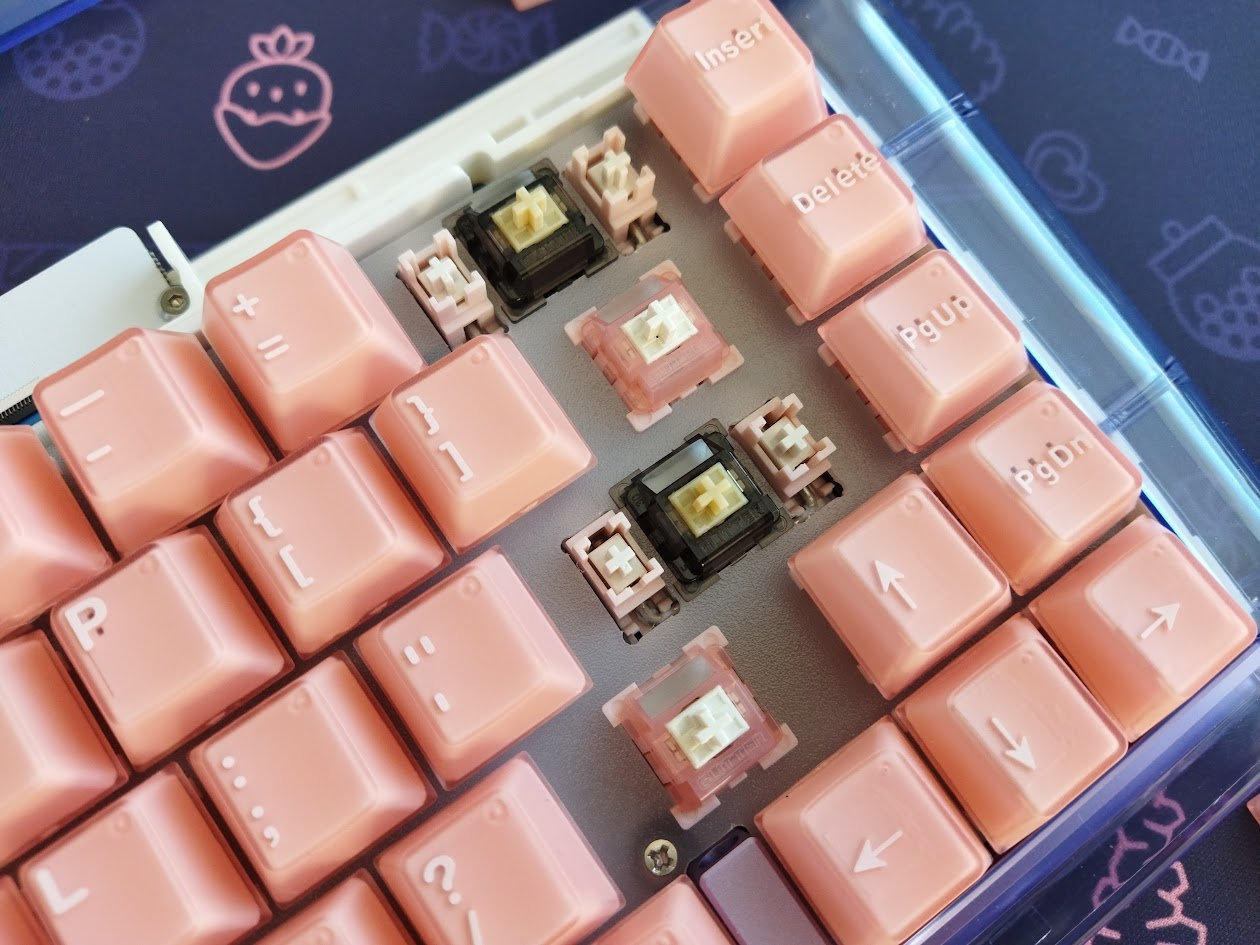
Specs of the ProSilk, my personal favorite:
- Operation force: 38gf
- Bottom-out force: 48gf
- Total travel: 3.5mm
- Material: full POM
- Led diffuser
The ProSilk and ProG are super nice, but even the blue one is decent. That said, the HE PCB is inherently hotswappable, so you're not restricted to the factory setup. Check out the current best-selling Hall-effect switches, or feel free to use your personal favorites laying around.
Build quality
Let's be honest, the build quality is not perfect. Some stabs/screws may interfere with the gaskets, one hole is so close to the edge of the PCB that the screw is partially exposed from the side, the foams are slightly off here and there, and I don't really get the 3D-printed spacer either – but nothing crucial affecting the board's usability.
Structure, case, disassembly
This board is mostly plastic and relatively light. There's actually a white inner core housed within the polycarbonate outer shell, along with an anodized aluminum alloy accent piece – exposed on the front and partially visible through the PC once assembled.
The unique and often confusing building method of the original first-round Glitter has been changed to another slightly less confusing assembly: building this kit is somewhat easier now, but still annoying a bit as the board lacks any documentation. No instructions, manual, quick-start guide, build guide, anything.
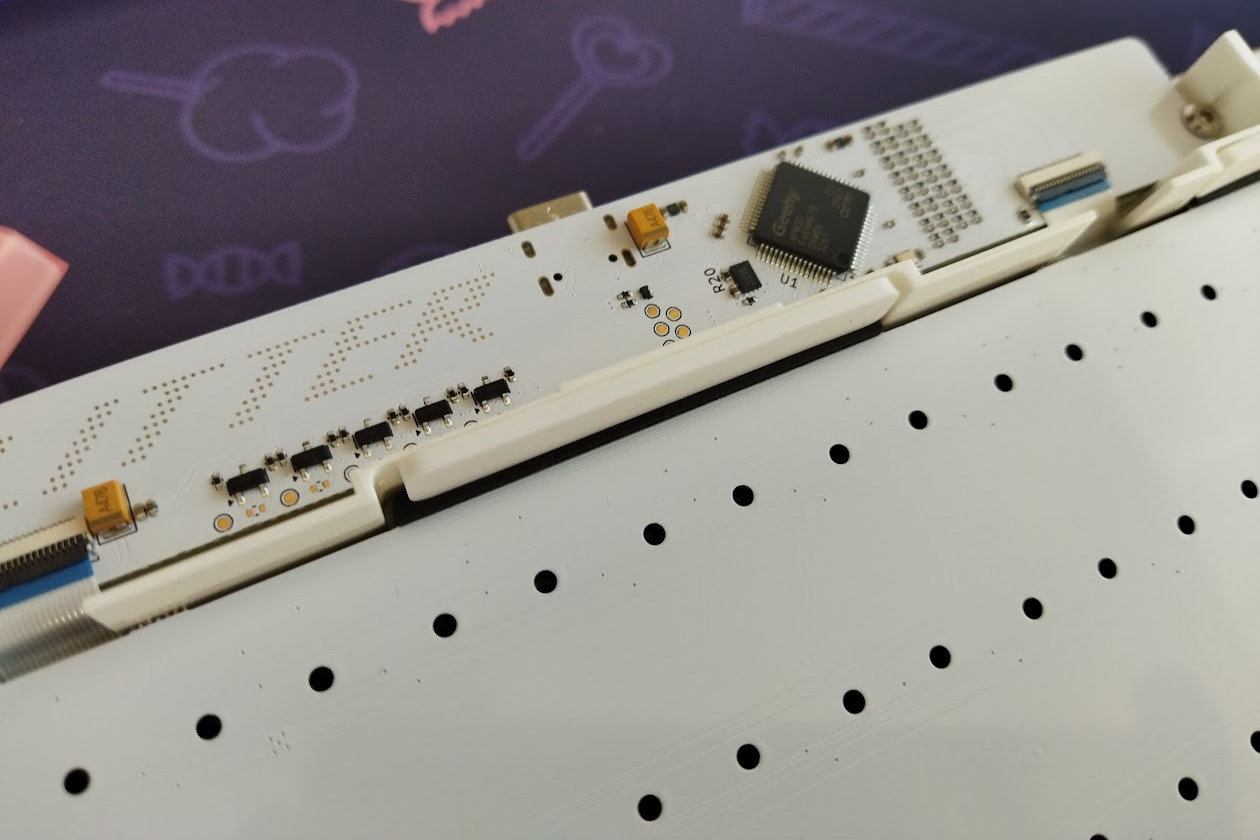
The daughterboard is already connected to the PCB by two ribbon cables (this was one of the trickiest parts of the original building method), and even the sound-dampening layers are pre-attached to both the plate and PCB. Their positioning is not perfect, but the slightly off foams don't affect the usability in my experience.
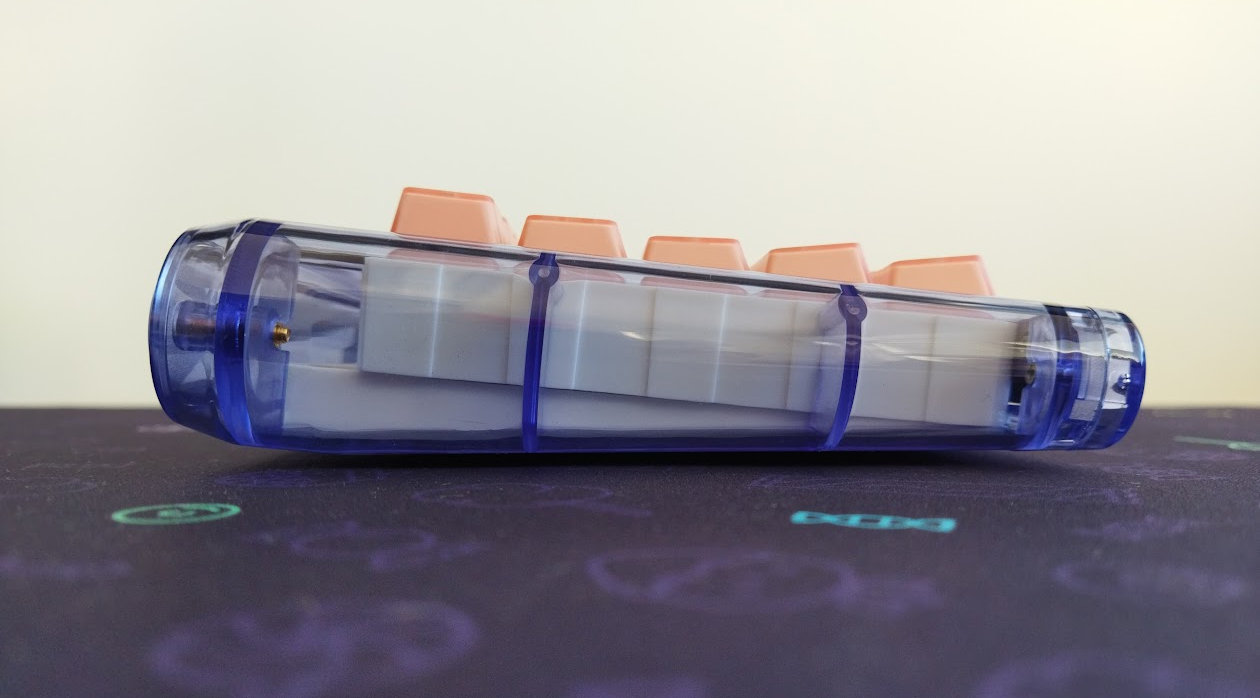
Typing angle: fixed, 6 degrees.
I've been really spoiled by all the easy-to-open ball-catch keyboards reviewed earlier. Disassembling this Glitter is not impossible but not a joyride either.
The case comes assembled in the kit, however, you'll have to at least partially disassemble it to slide in the PCB, coming separately.
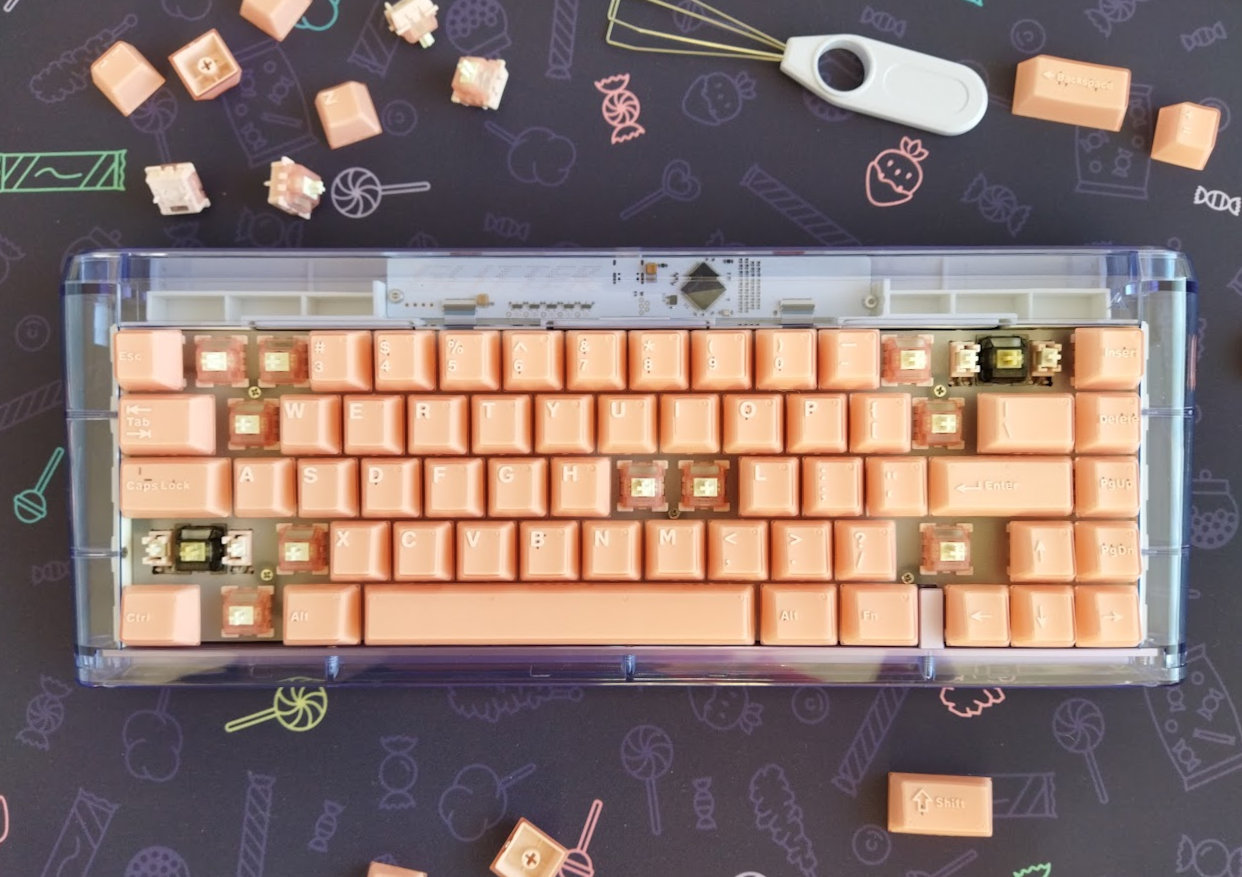
Building a keyboard is usually pretty straightforward, but not this time. I actually had to consult the pre-built version to figure out the correct placement of the 3D-printed part included in the bundle, as well as the intended position of the gaskets.
Steps to build the Glitter65 HE (kit)
Because the order of steps is important, here is a quick guide to build the Glitter:
- mount the screw-in stabilizers onto the PCB (remove their screws, position the stabs, hook in the larger hole, screw in from the opposite side)
- stick the gaskets (the black ones) to the PCBs protruding parts
- remove the back piece of the case (two fancy golden screws)
- remove (unscrew) the anodized spacer (left of the arrow cluster)
- slide in the PCB
- position the white 3D-printed piece (spacer) below the daugherboard (only one orientation possible)
- screw in the daugtherboard/spacer (two longer silver screws)
- put in the plate, screw it to the PCB (5 silver countersink screws)
- put in the switches, put on the keycaps
- optional: stick the white foamy parts to the inner case above the gasket slots (that's how the pre-built board has them) – this prevents lifting the whole plate/foam/PCB sandwich when pulling caps/switches, however, also makes later disassembly more difficult
- screw the backpiece back to the case
- enjoy
Structure & Mounting
The Glitter65 HE features gasket mounting. The gaskets are stuck to the protruding parts of the PCB – the pre-built board has them on top for some reason, and I can't really see it, but probably on the bottom of the PCB as well. Using them on both sides makes sliding the PCB into the case difficult or impossible without disassembling the case further. That said, the softness and flexibility is absolutely visible and easy to feel.
Plate
The plate is relatively thin, 1.2 mm I guess, made of frosted translucent PC – without any flex cuts, but very flexible anyway. That said, it's screwed to the much more rigid PCB (via stand-offs) at five points.
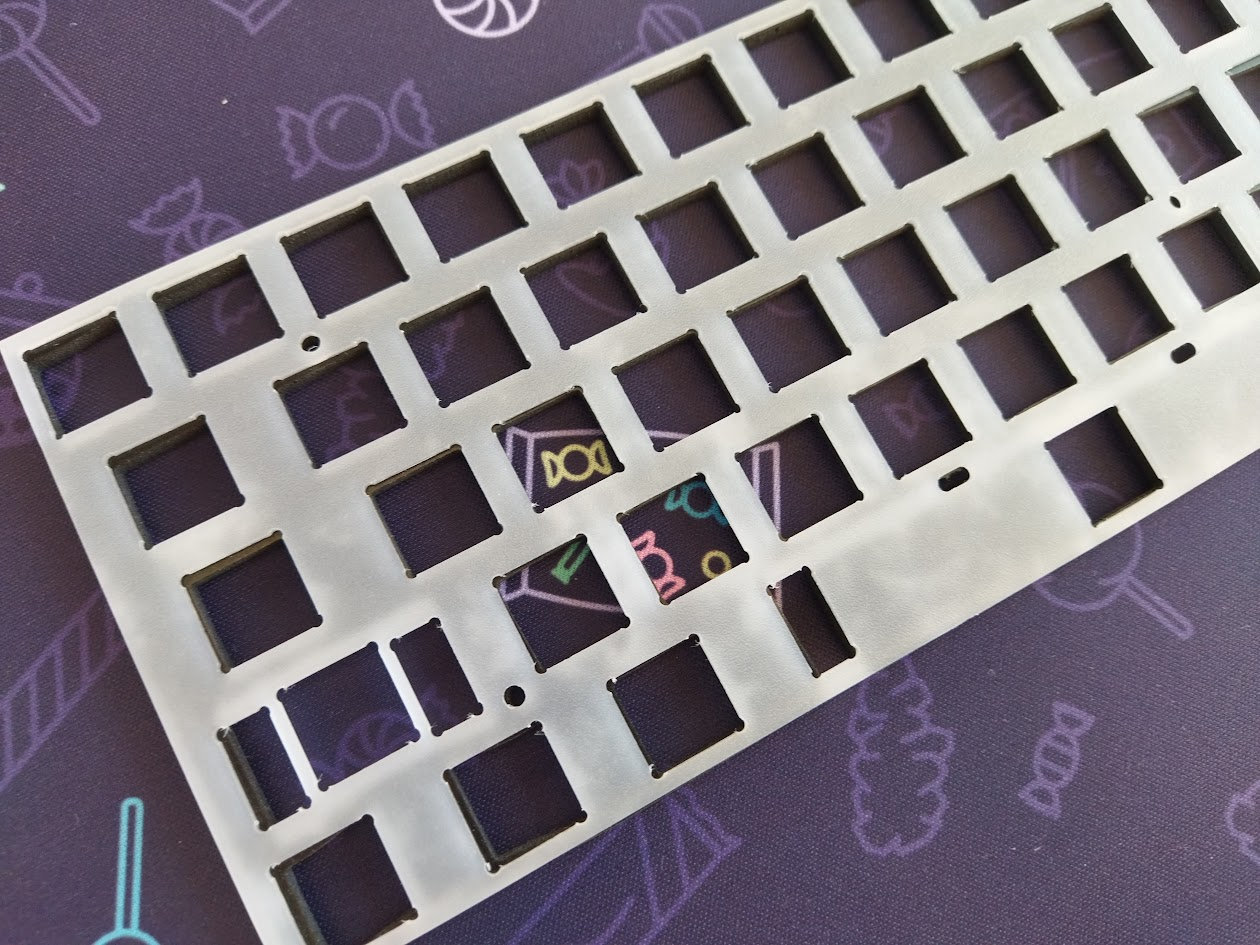
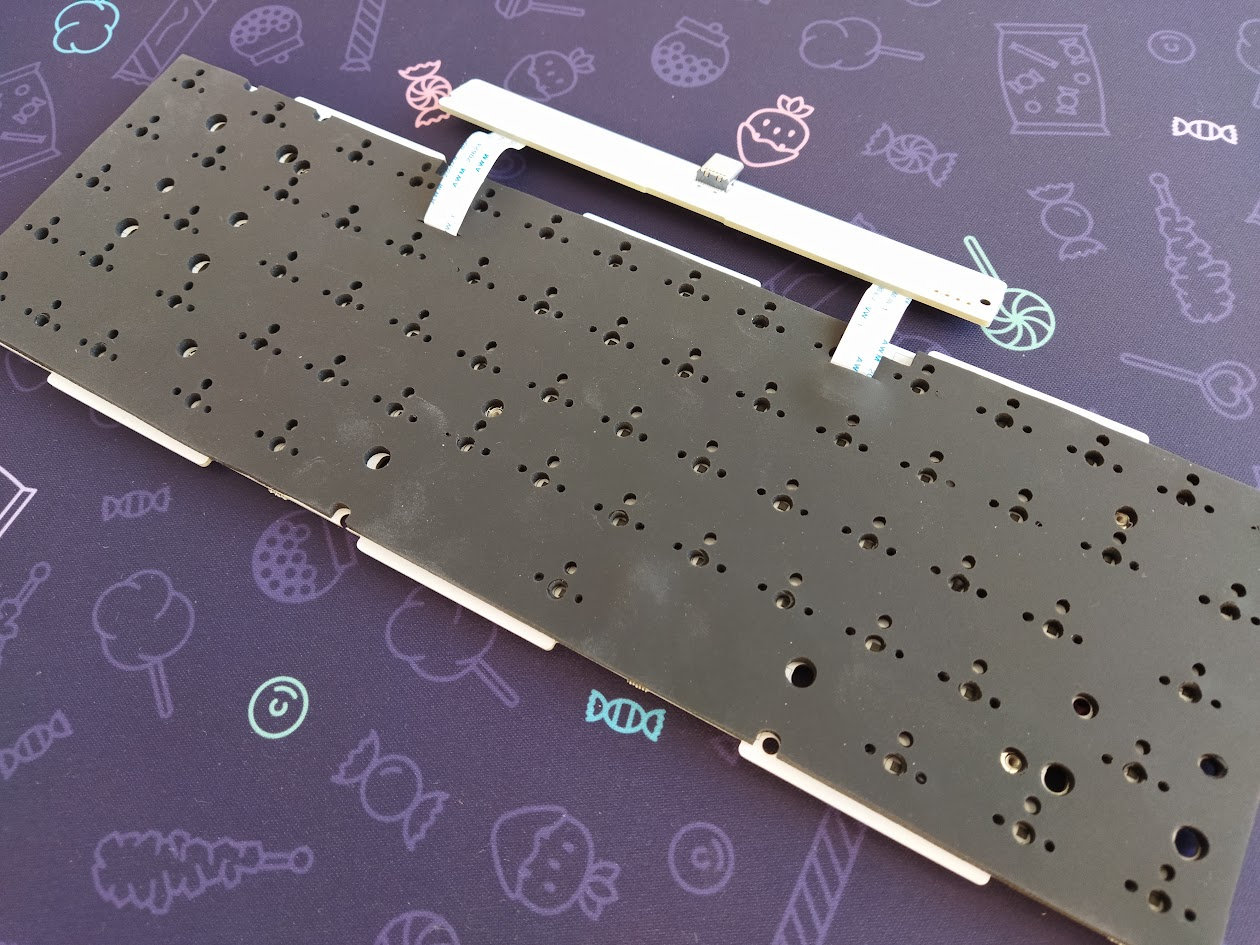
The plate comes with a thick sound-dampening PORON layer already stuck to it, even in the kit.
PCB
Given this is a magnetic board, the 1.6? mm white PCB is very clean and simple: no need for hotswap sockets – magnetic boards are inherently hotswappable –, there are no LEDs for per-key RGB either, no flex cuts, and on top of that, pretty much all the electronic components except the Hall-effect sensors are outsourced to a small daughterboard, showcased through the transparent case.
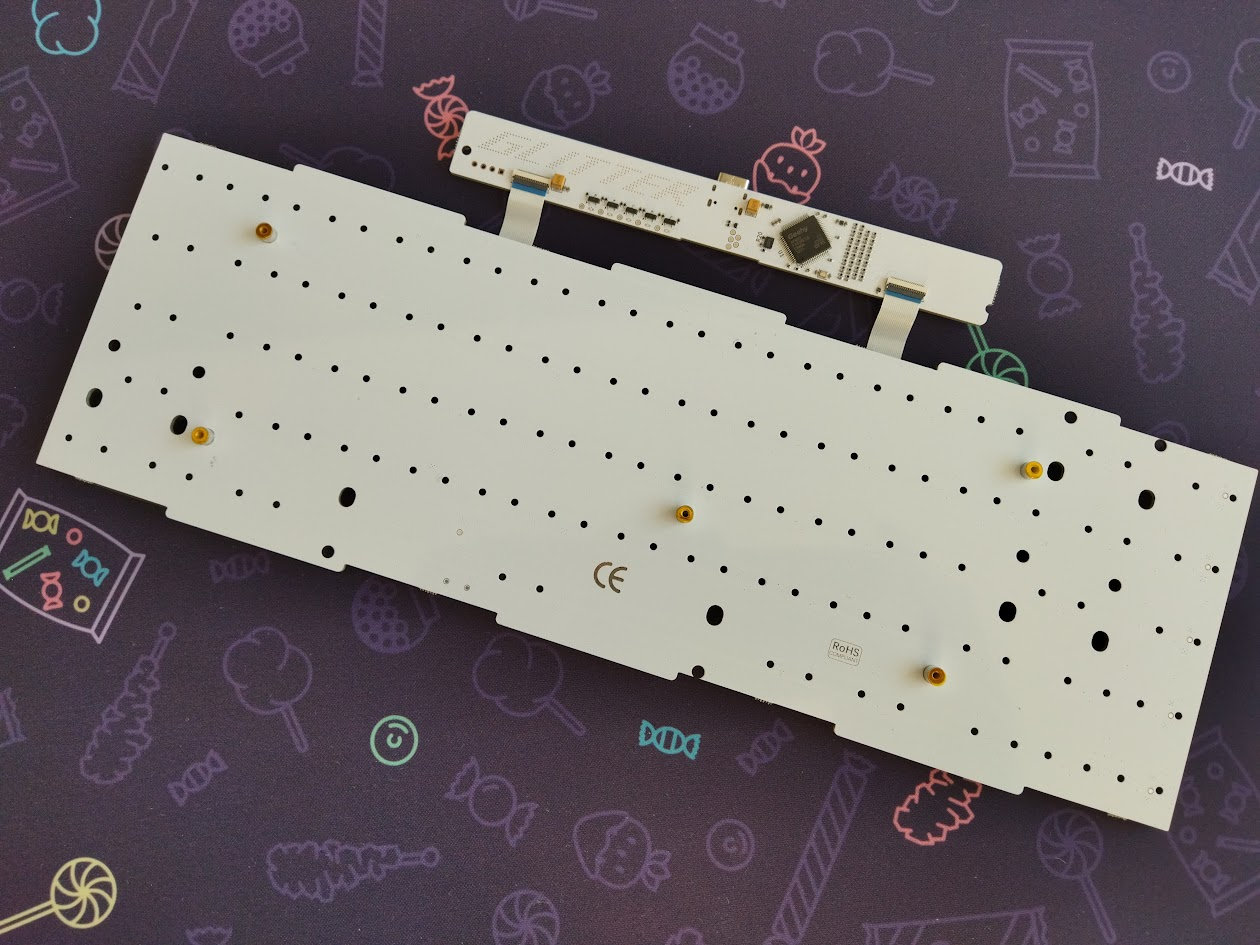
Just like the plate, the PCB comes with a PORON layer stuck to it already.
The very nice screw-in stabilizers are proprietary too, similarly to the custom switches, matching the pink MoeePink caps and ProSilk switches in color.

Bottom weight
No fancy decoration weight, the Glitter65 HE features a three-part white plastic bottom. These are relatively heavy, so the overall board isn't too light either. I measured 843g for the assembled board, which is perfect for keeping it stable.

Sound & Feel
One of the greatest typing feels I've ever experienced. Well, this can be subjective of course, so maybe MoeeTech just totally got my taste. In addition, I liked it the most with my thick deskmats on a large desk – your experience may differ in a different working environment. From all the keyboards I've tested, only the EVO75 and the GravaStar Mercury K1 Pro come close to this feel. (By the way, it's telling that all three boards feature custom switches.)
All in all, thanks to the two thick PORON foams attached to the plate and PCB, together with the gaskets and the extremely flexible PC plate, the Glitter65 HE provides a soft and pleasant typing feel.
A moderately loud or even quiet sound on the clacky side of the spectrum (light MoeePink switches), and a somewhat deeper sound with the heavier MoeeG switch. Everything is louder without a deskmat of course. (There is a silent switch option, but I like the other two switch models better, which are relatively quiet without being entirely silent.)
No gimmicks: RGB, encoder, display, etc.
This is a no-frills keyboard without any of the usual RGB-encoder-display triumvirate. But no lights, really?! I personally don't need per-key RGB or any fancy ambient lighting, but the translucent PC case could have been a great opportunity to showcase some subtle animations.
(A product brief from earlier this year mentioned the Glitter Ring RGB feature, which was apparently removed later.)
Software
While the first Glitters were Vial-compatible, the new magnetic Glitter65 HE supports only More-E, a custom online configurator by MoeeTech. This is reasonable as a Hall-effect keyboard offers extended customization options compared to QMK/VIA/Vial boards. Still, seasoned keyboard enthusiasts know the risks that come with this approach: if the company disappears in a few years or the site goes offline, your keyboard becomes effectively non-programmable.
That said, the interface of the software is clear and simple, and its usage is quite self-explanatory.
Easy key remapping, setting up per-key actuation travel works too, some SOCD keypress priority settings handling opposite directional inputs at the same time. However, there's only a single FN layer beyond the base layer, and there are only traces of layer functionality – definitely no tap-hold options. (There's a MO(Fn) and TG(Fn) code, but that's it, no way to set up double-function keys or SpaceFN.)
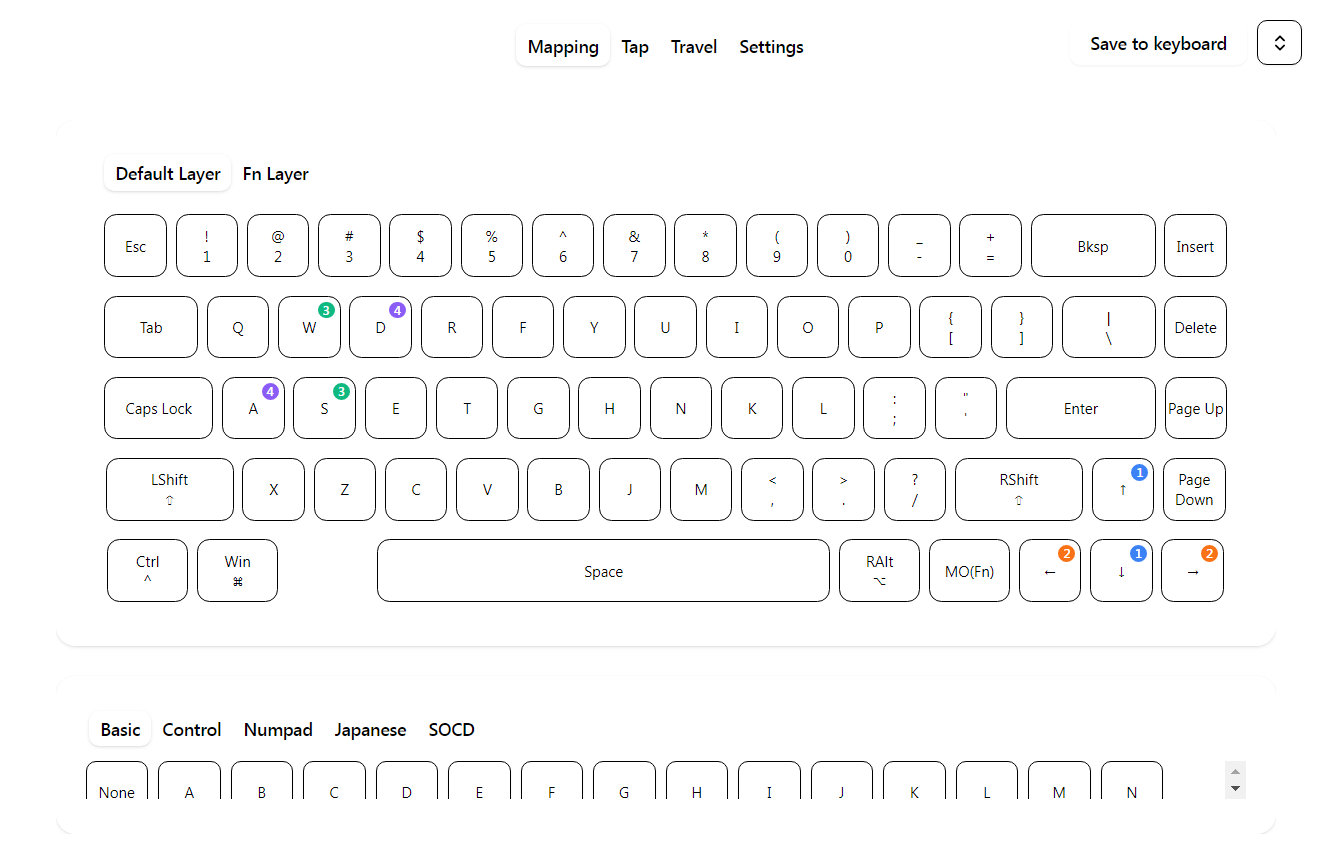
Let's hope the best though. The software is marked as beta, so hopefully it will receive updates soon. E.g. currently there's no hover or any indication of the active key you're editing, or default vs updated states, etc.
To implement SpaceFN – an easy-to-access layer crucial for many users as you can put arrows, navigation and numbers under your fingertips –, you have to use third-party tools.
Portability
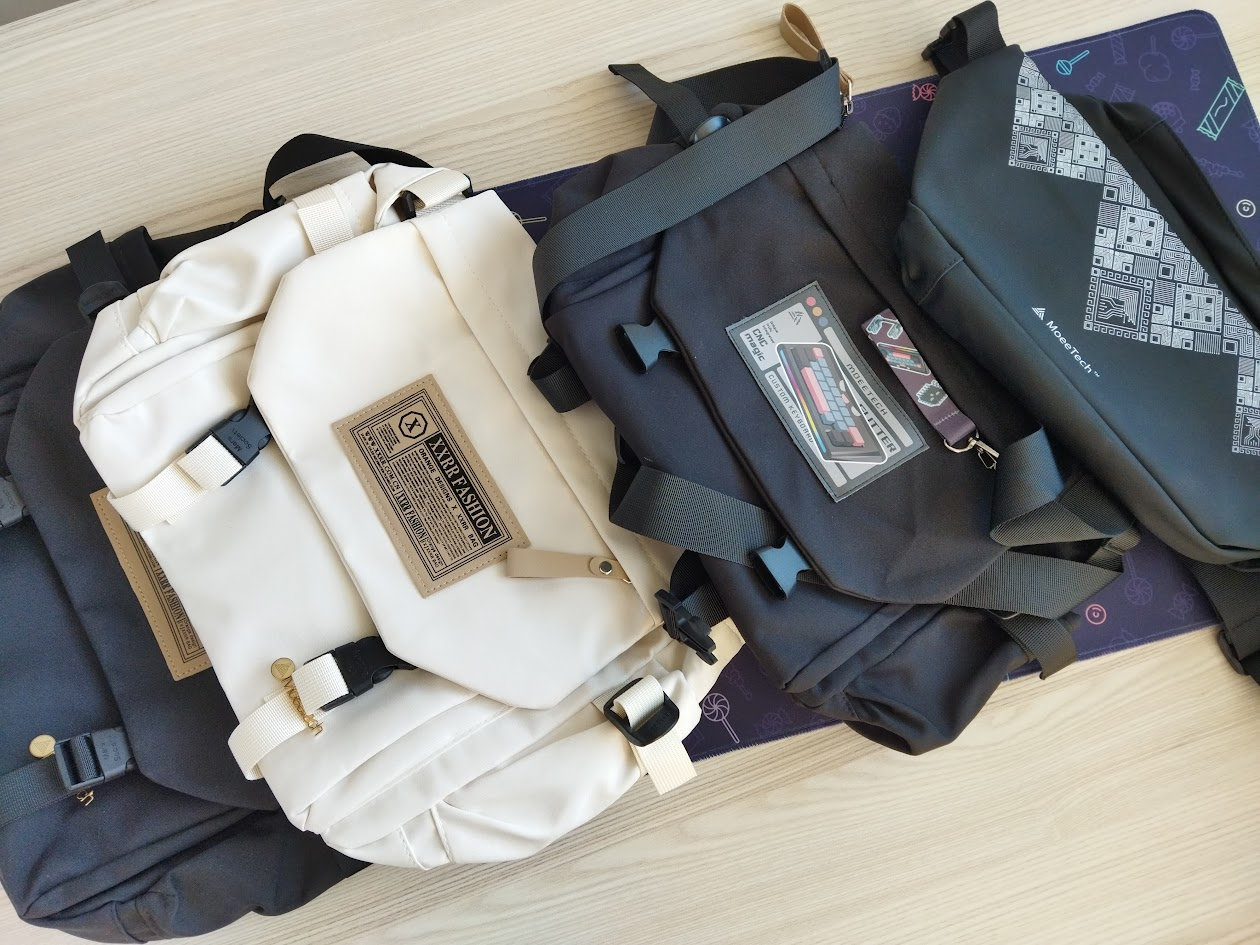
The Glitter65 HE is a great board if portability is your main concern. The 65% layout makes it compact enough, and it's relatively light as well – definitely well-suited for on the go. It's worth mentioning that while the Pro edition comes with a handy-looking bag, the board doesn't fit into it.

MoeeTech has continually introduced better and better bags to accompany its keyboards. This latest design is quite fancy, was made of the highest quality material so far, and features some small and larger pockets, so it's great as a general small backpack. However, there's no way you can cram the Glitter65 into this new bag, which is a strange choice.
Conclusion
The 65% wireless MoeeTech Glitter65 HE is a very affordable Hall-effect keyboard available either as a pre-built option or as a kit. Nice translucent polycarbonate case with an anodized aluminum decoration piece, awesome custom switches (hotswap), and double-shot keycaps. Very soft typing feel – one of my favorite experiences among all the keyboards I've tested this year. The online configurator will work for most people, but its features are limited from the keymap wizard's point of view (no tap-hold functions).
Pros
- great overall typing experience
- awesome switches
- nice double-shot keycaps
Cons
- lack of documentation combined with non-trivial assembly/disassembly
- limited online configurator, no tap-hold functions as of writing this
- some of you could miss some RGB given the translucent PC case
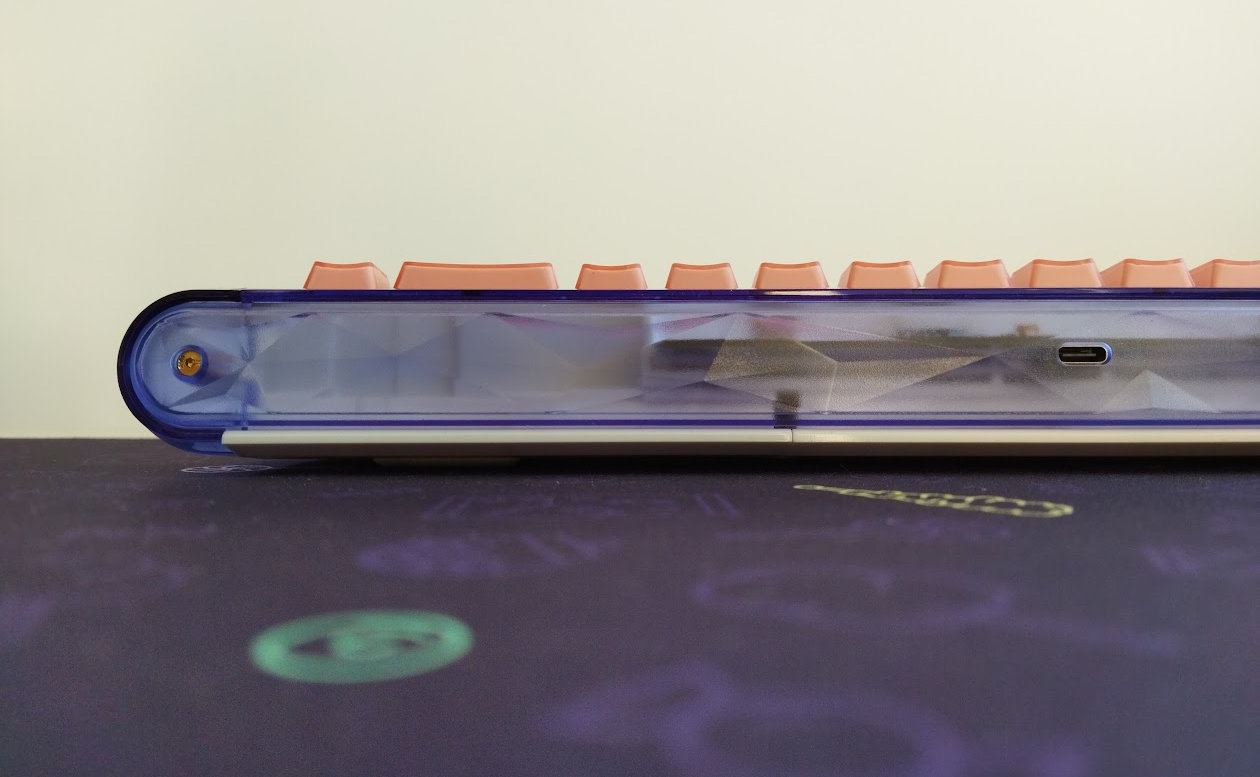
All in all, the new Glitter65 HE is a great and affordable board, perfectly fine for most people. To consider it for myself as a daily driver, it had to be upgraded with a split spacebar option, adding at least a mod-tap function would be cool, and some LEDs just for highlight the PC case could be the icing on the cake.
Price & Availability
The MoeeTech Glitter65 HE is available at moee.tech. The KBDNEWSHE coupon code ($30 off) means practically free shipping.
Published on Thu 30th Oct 2025. Featured in KBD #201.
Related

Micro Journal Rev.7: Kindred Gift
This latest revision of Un Kyu Lee's Micro Journal features a paper-like display and a more traditional keyboard.
Akko MU01 Mountain Seclusion review
In this review I write about yet another Akko masterpiece: the MU01 Mountain Seclusion, a 65% wireless keyboard in a gorgeous walnut case.
Syntech Chronos 68 review
The Syntech Chronos 68 is a cute little 65% HE board in an aluminum case. Packed with Hall-effect features mainly for gamers.
Lexicon review
The Lexicon by WeirdLittleKeebs is a 65% "writing keyboard" designed for wordsmiths – with a layer full of words.