Keyboard Builders' Digest / Review
Syntech Chronos 68 review
The Syntech Chronos 68 is a cute little 65% HE board in an aluminum case. Packed with Hall-effect features mainly for gamers.

Published August 6, 2025

Every now and then I've run into photos and posts of the Syntech Chronos 68, so I was glad to finally lay my paws on a real-life specimen of this aluminum Hall-effect gamer board.
TLDR; The Chronos 68 by Syntech is a relatively small keyboard in the popular 65% form factor, coming with magnetic switches and HE PCB, in an aluminum chassis. It bears the hallmarks of gamer boards: translucent legends with per-key RGB, and all the expected HE features like 8KHz polling rate, rapid trigger, adjustable actuation, etc. The inherently hotswap PCB and MX keycap compatibility make it highly customizable. Prebuilt, with sound dampening layers and custom software. Maybe a bit more expensive than some alternatives, but you have a comfy wrist rest in the bundle – and free shipping. I can recommend it for gamers.
If you need more info than that, I go over its features and disassemble it further down in the article.

Disclaimer
Syntech was kind enough to send me this review unit for free, which may introduce all kinds of biases – both negative and positive in my experience. I'm trying my best to stay objective, but take everything I write with a grain of salt.

Variants
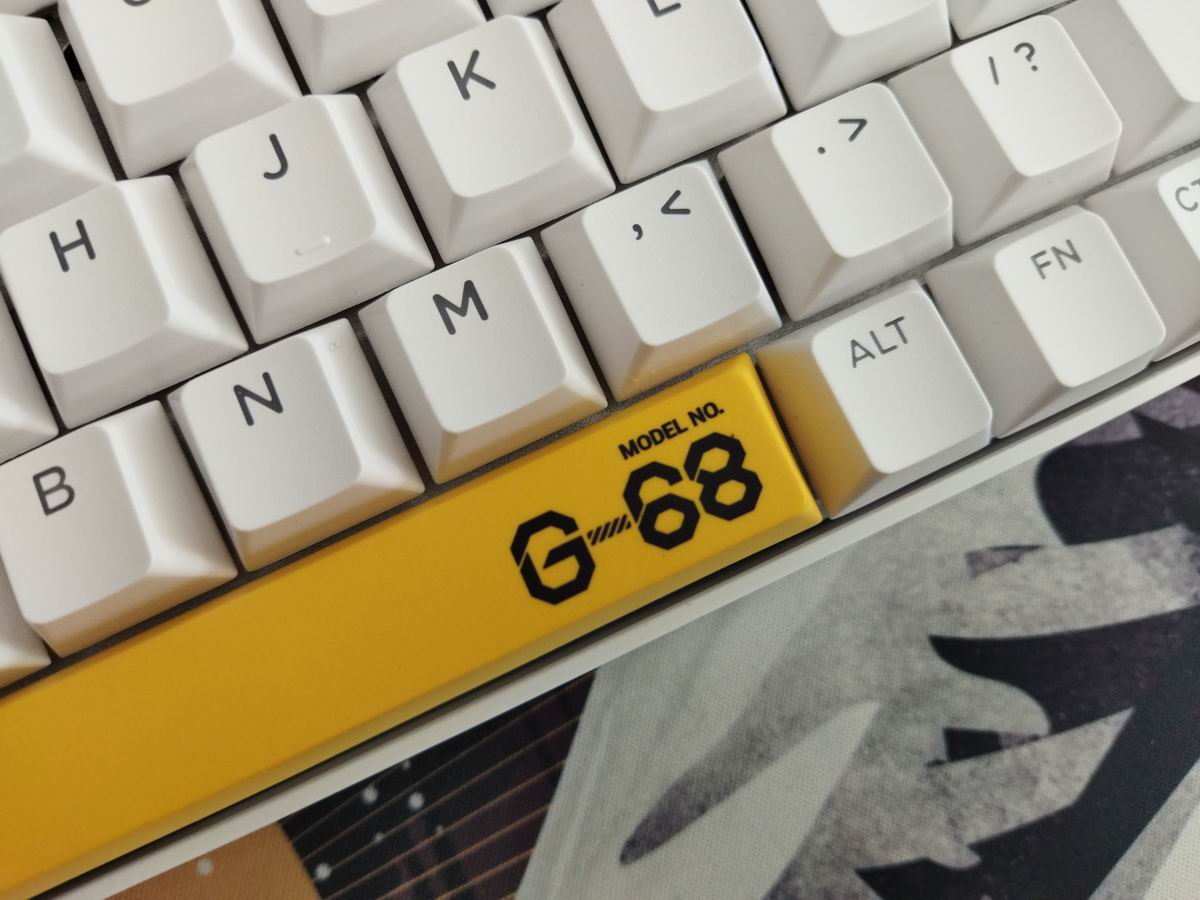
The Chronos 68 – sometimes referred to as G68 as on the spacebar – comes in three colorways: black, white with black accents, and white with yellow accents.

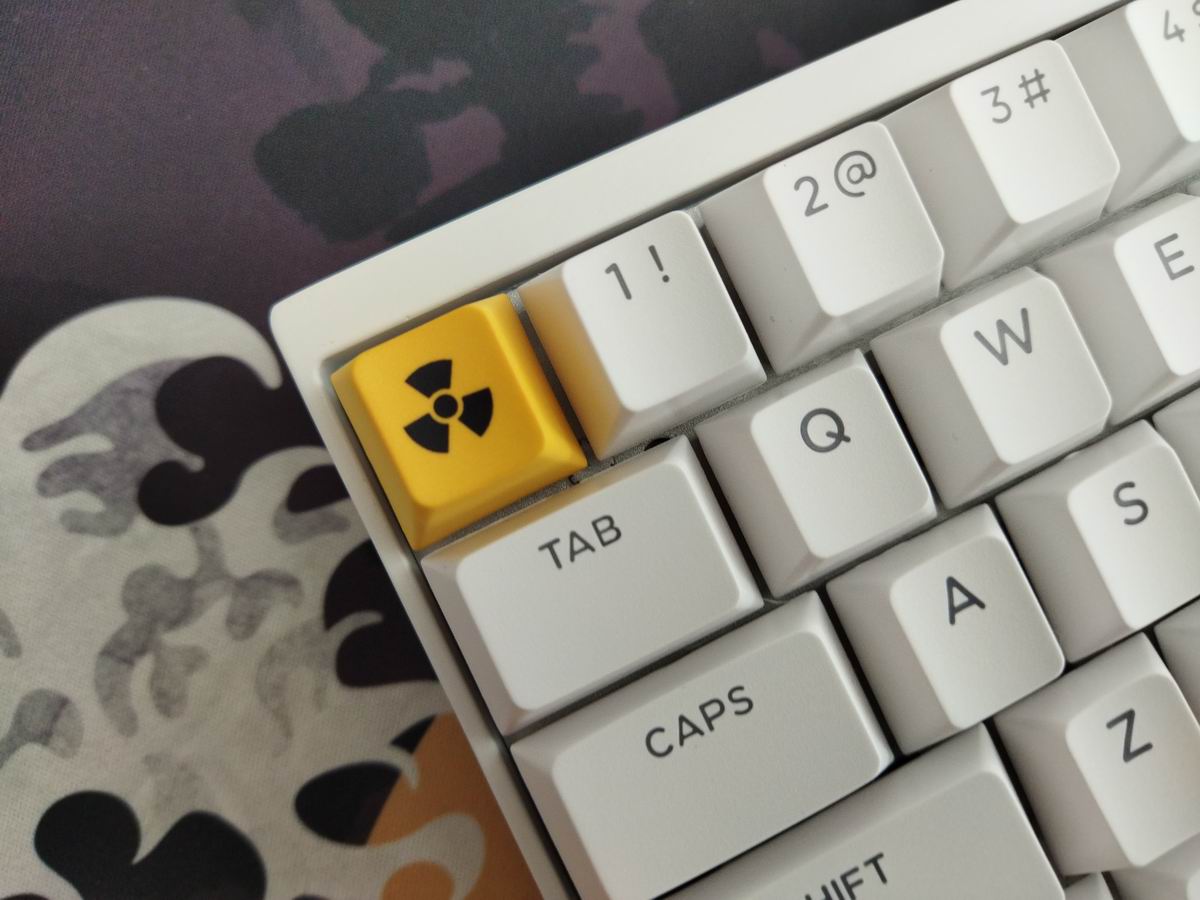
The white ones feature some accented keys with different graphics.
While the black and white cases are eminently neutral and a good base for customization, matching all kinds of keycap sets, the alu case has so much more potential. Sure, these two colorways would be the most popular anyway, but not offering some nice anodized versions seems like a missed opportunity. Maybe in the future.
Unboxing & Contents
The Chronos 68 came in a fancy quality cardboard box with cool design and pretty unique opening method:

Contents: The pre-built Chronos itself with keycaps and switches mounted, a nice braided cable, basic combined tool to remove keycaps and switches, a brush, some spare switches, quickstart guide, nicely fitting dust cover (!), and a cool wrist rest (!!) – which is an integral part of the bundle and feels very comfortable and useful even though I personally don't use wrist rests.

First impressions, design language
The overall design, especially after cutting through the bombastic outer packaging, looks clean and simple. Moderately intrusive branding on the front, tiny indicator LEDs in the upper right corner – classy. Just three accented keys can give the keyboard a so much cooler look.
Specs
- Layout: 65%, 68 keys, ANSI
- Keycaps: translucent PBT Cherry with dye-sub accents
- Switches: Outemu or Gateron linear HE
- Typing angle: 6.5 degrees
- Structure: tray mounting
- Stabilizers: plate mount
- PCB: HE, north-facing per-key RGB
- Software support: custom driver and online configurator
- Connectivity: wired
- Material: aluminum alloy case
- Case dimensions: 310x155x(18-29)mm
- Weight: 860g
Layout
With its relatively compact 65% design (ANSI only), featuring 68 keys, the Chronos 68 optimizes space while ensuring that essential functions remain accessible for new users transitioning from e.g. a fullsize layout.
65% means no numpad, no function row, and no classic navigation cluster layout either, however, you have arrows, full number row, and four of the classic navigation keys.
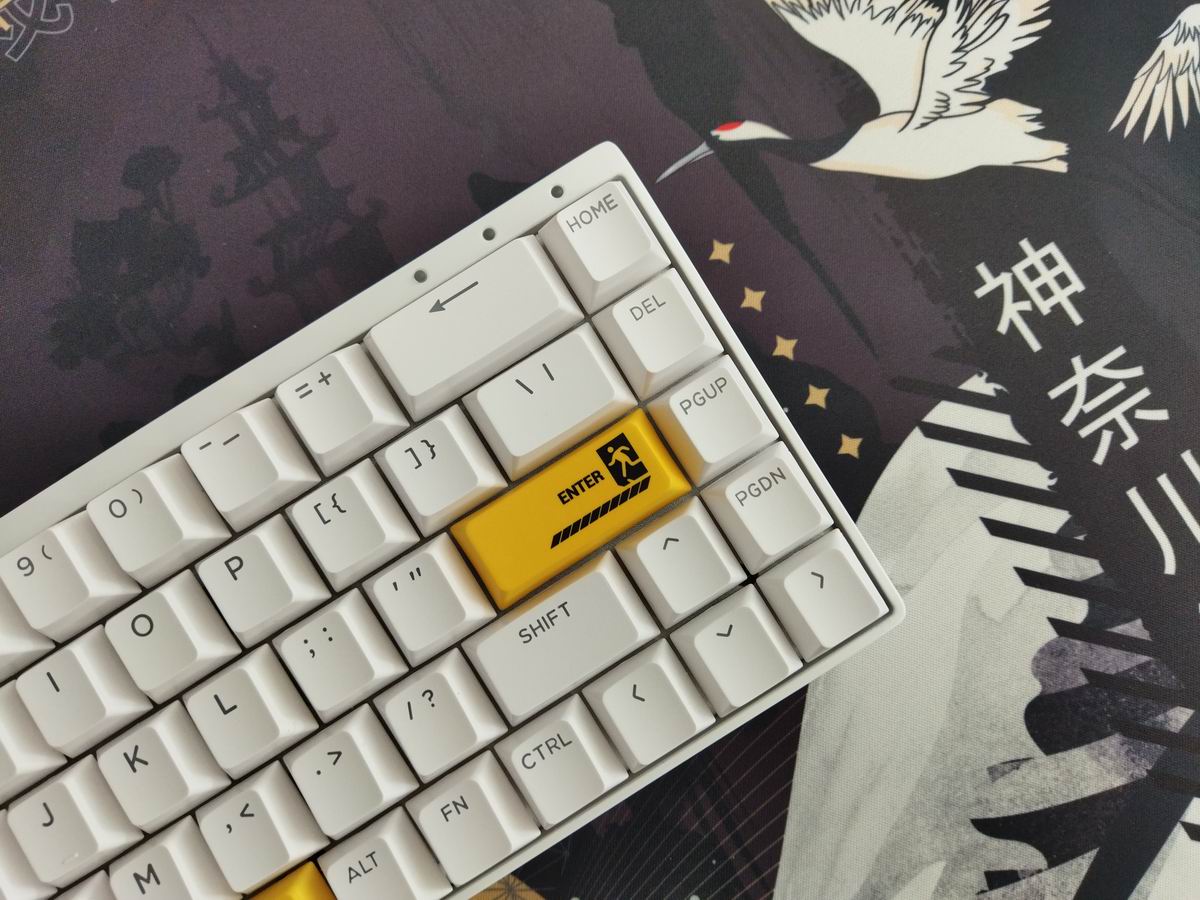
The arrow cluster is not offset, and the often seen gap of its left is missing too, so this part of the layout may feel a bit crowded for some of you. That said, I'd suggest to exploit the SpaceFN concept anyway, as enthusiasts even slightly deep in the rabbit hole shouldn't bother with physical arrow keys.
Build quality, structure, case
Solid build quality, healthy heft. The board has about the perfect mass I have to say: with 860g it's not too heavy, but not lightweight pastic either. The case, at least my white one, looks absolutely fingerprint-resistant.
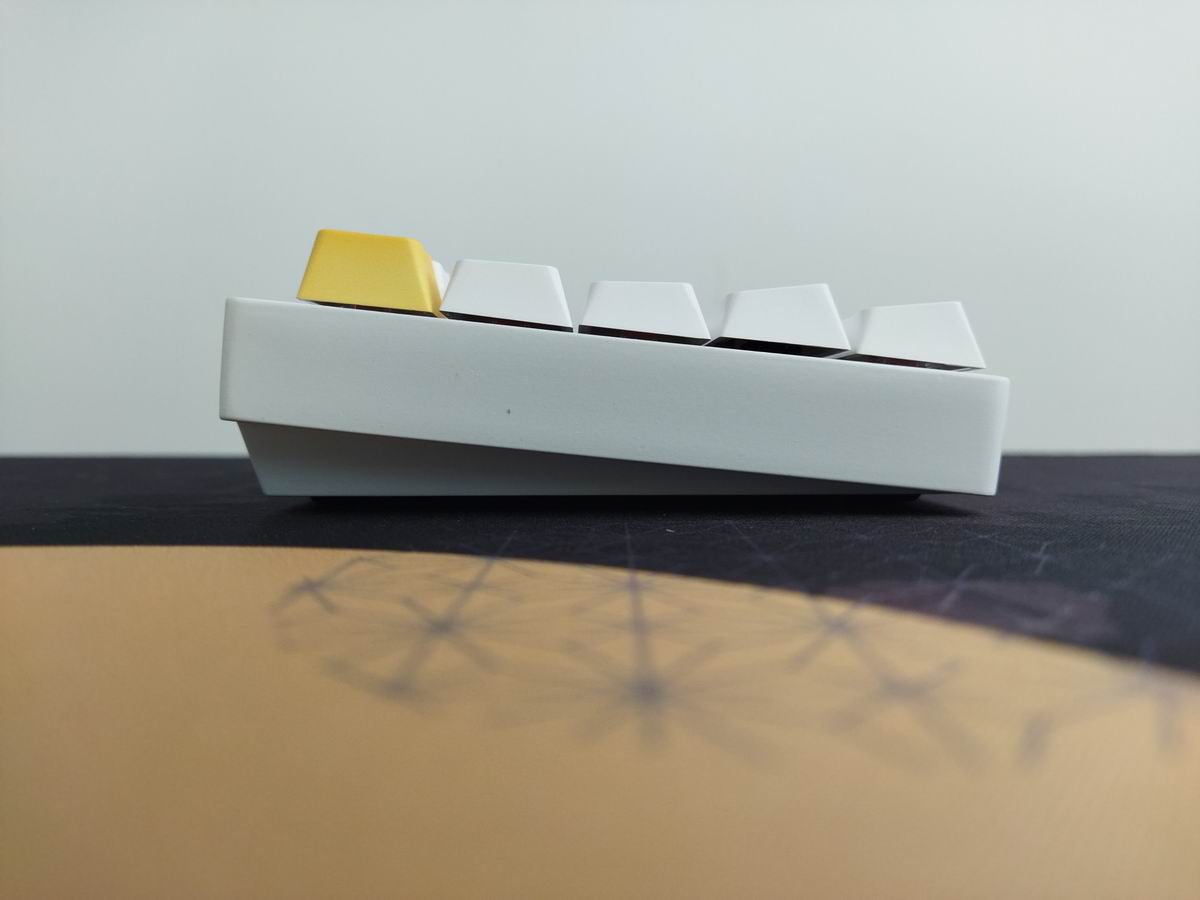
Typing angle: fixed, about 6.5 degrees.
As a prebuilt board, the Chronos was definitely not designed with easy disassembly in mind. I've been spoiled by recently reviewed screwless boards like the "ball catch" KiiBOOM Moonshadow or NPKC RO75, so looking for hidden screws again was a bit annoying. Good news: I can't think of any reason why you'd disassemble it at all, unless for a review. ;)
The plate/PCB sandwich is held at place by six screws. Unfortunately, you have to remove at least 12 keycaps to access them. On the other hand, this ensures a clean bottom, without any visible screws.
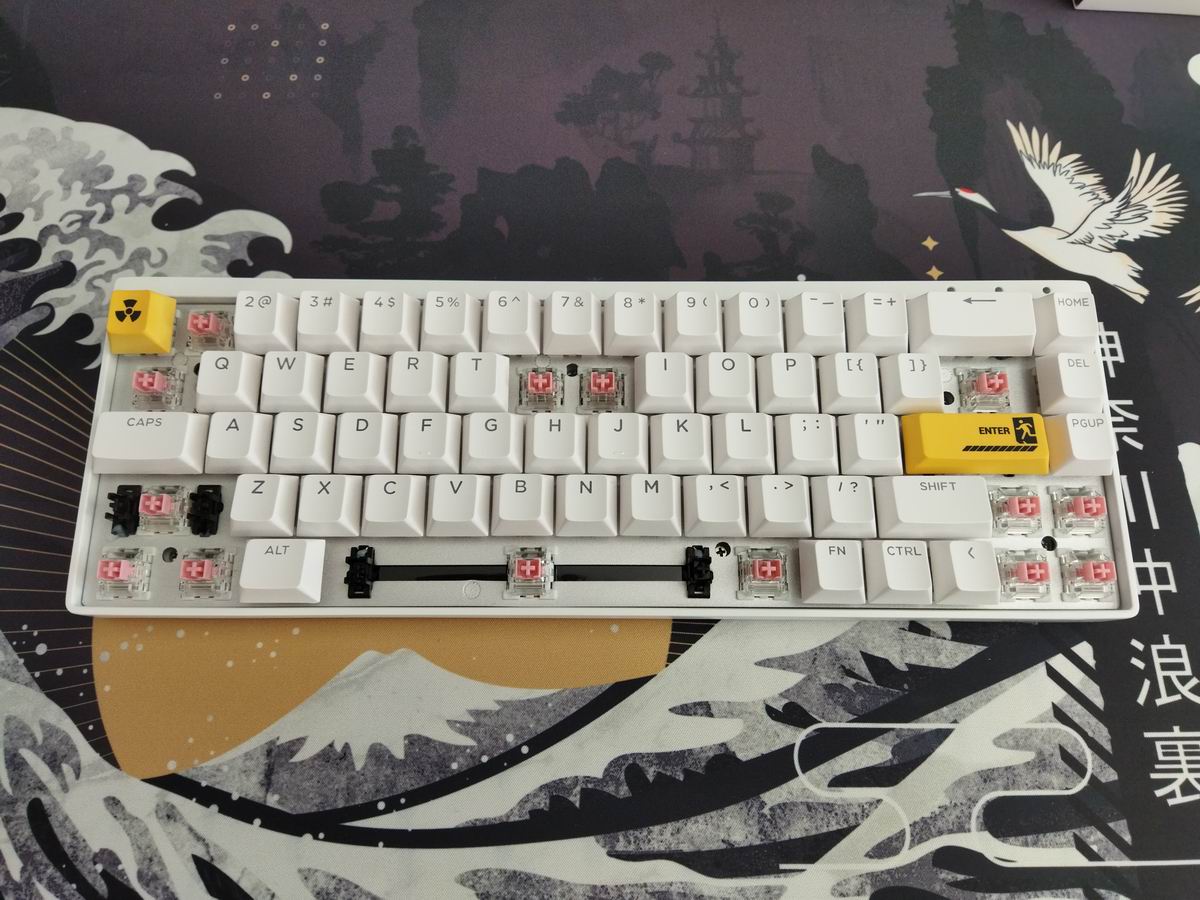
Structure & Mounting
Tray mounting. The plate/foam/PCB sandwich features no gaskets or any cuts, sitting on the bottom case still gives it a visible, although minimal, flex.
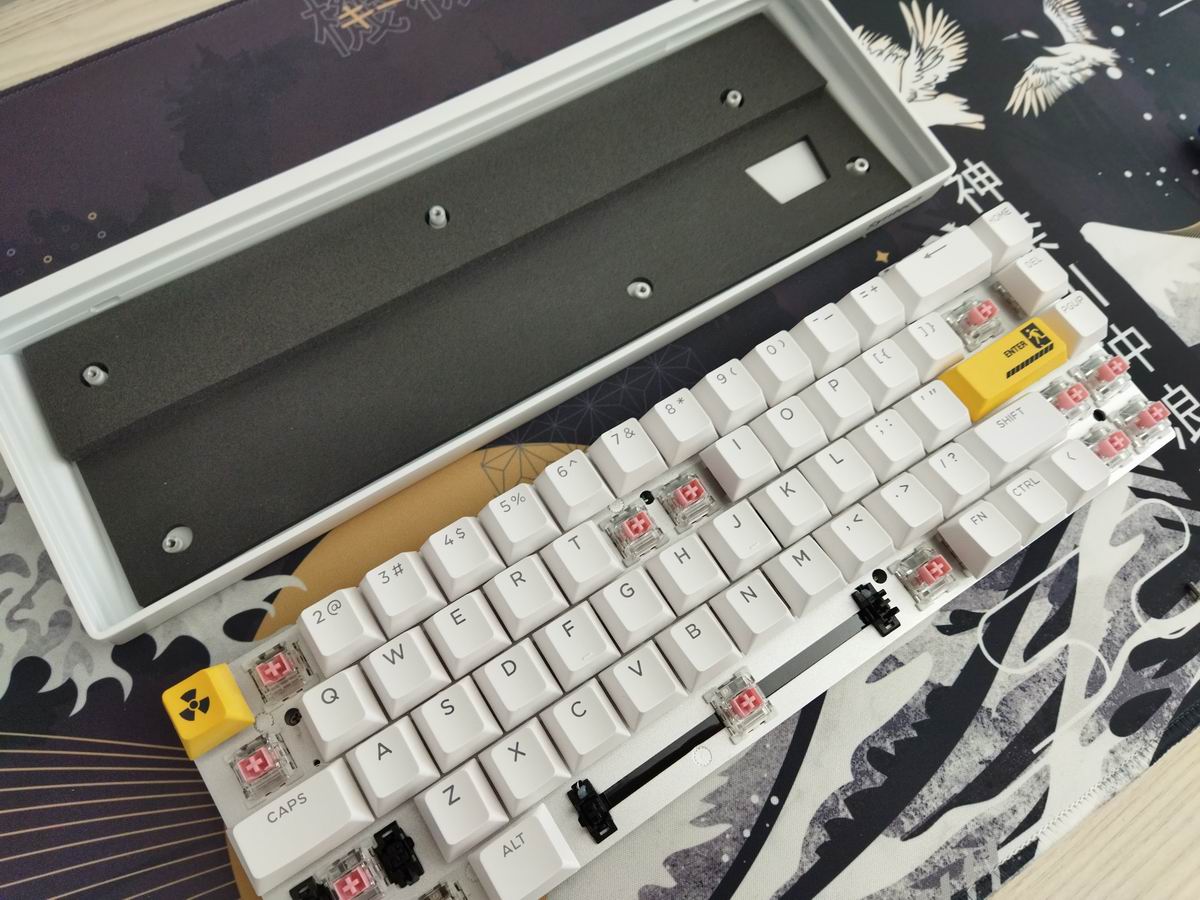
Plate
The plate looks bead-blasted aluminum. No flex cuts, but the mounting screws are quite far from each other, so the plate is not that rigid and solid as you'd expect, it definitely flexes a bit.
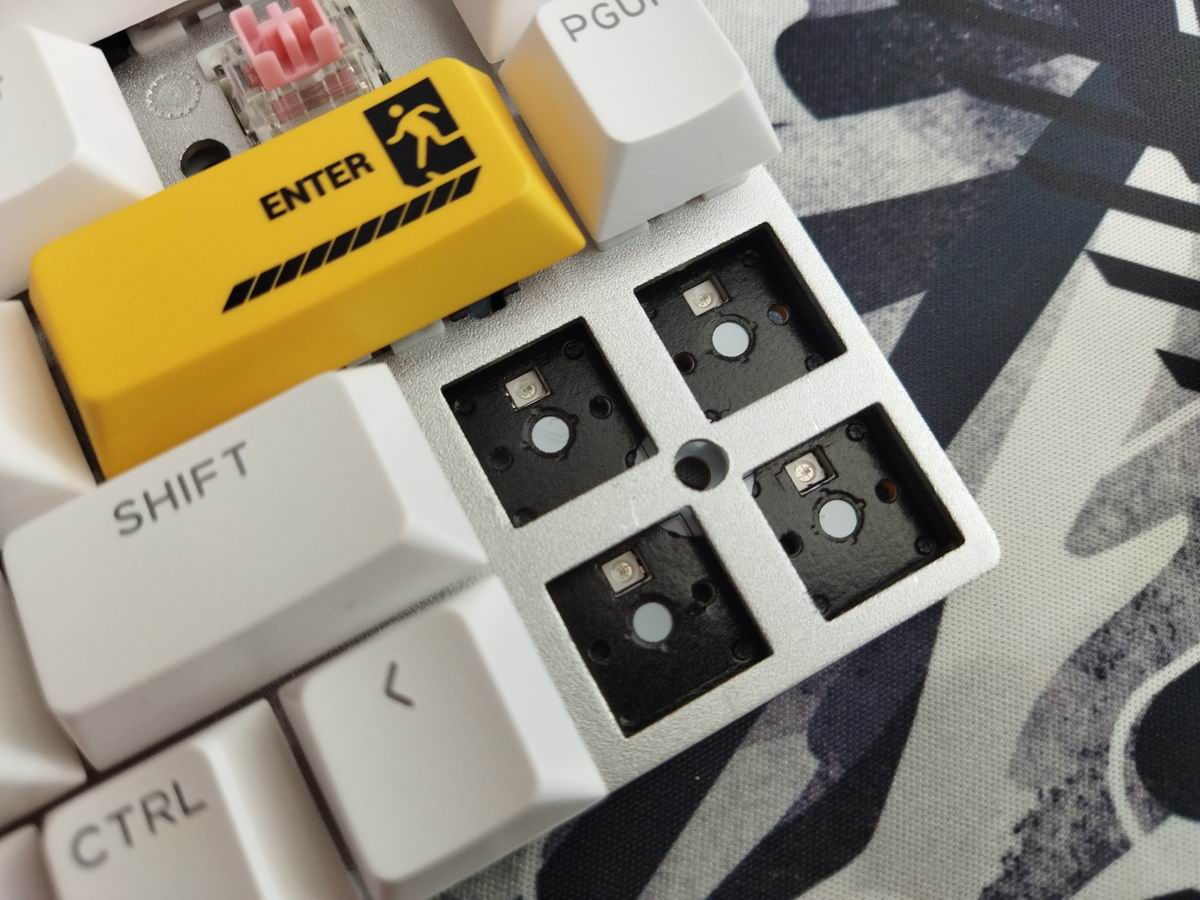
Plate-mount stabilizers by default, no support for PCB-mount stabs.
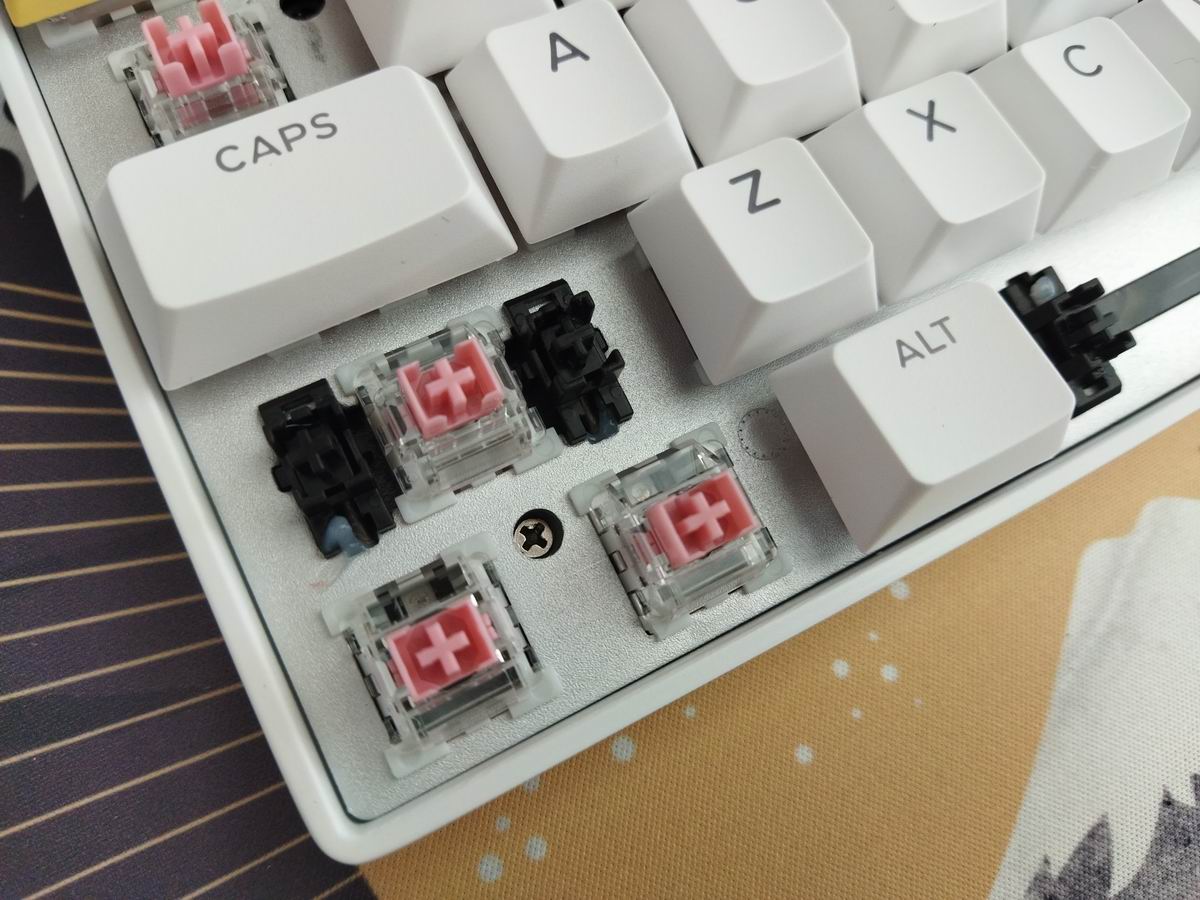
PCB
The relatively clean and simple white PCB is sandwiched together with the plate and a thick layer of poron foam. HE switches are hotswap by nature (so no hotswap sockets needed), but there are the per-key RGB LEDs, facing to the north as already mentioned.
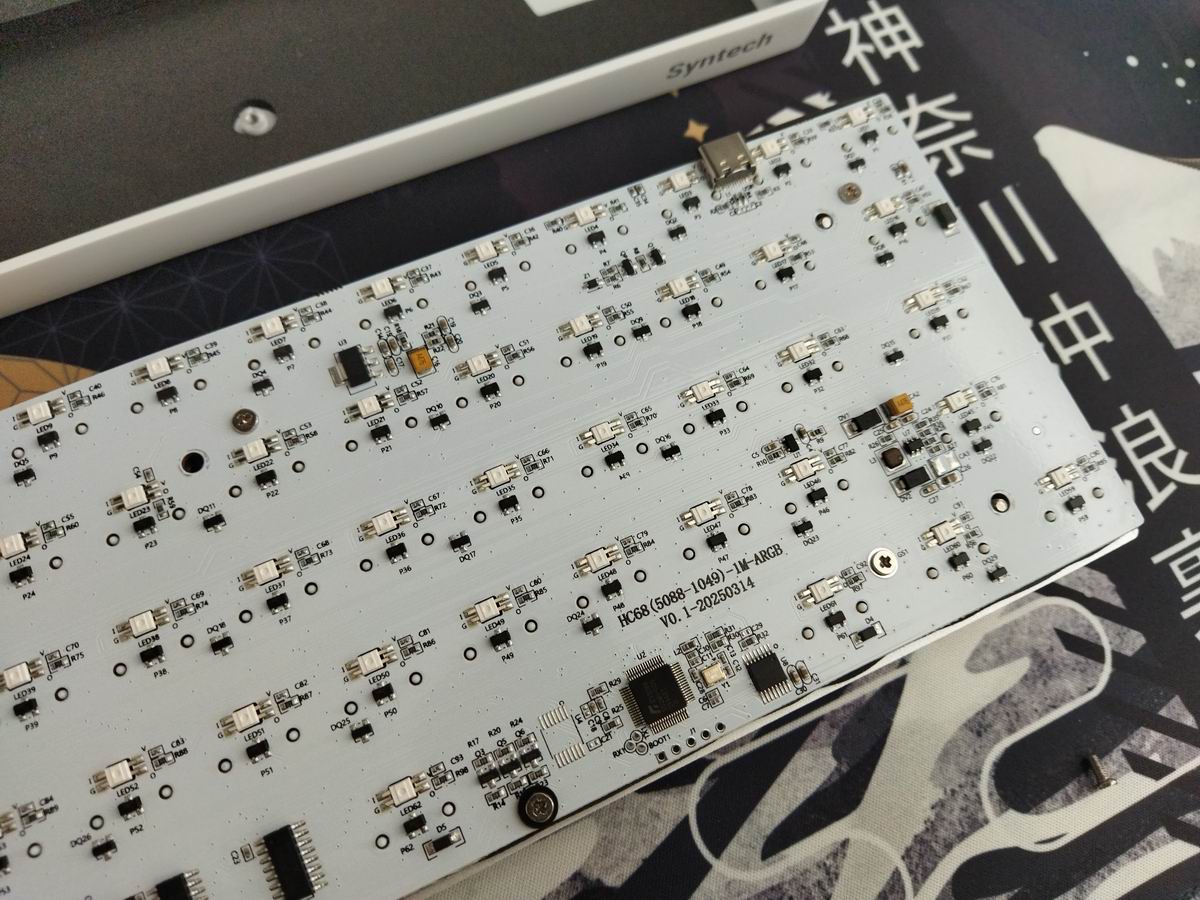
No holes for PCB-mounted stabs, or any alternative layout variants. Only the default ANSI.
Switches
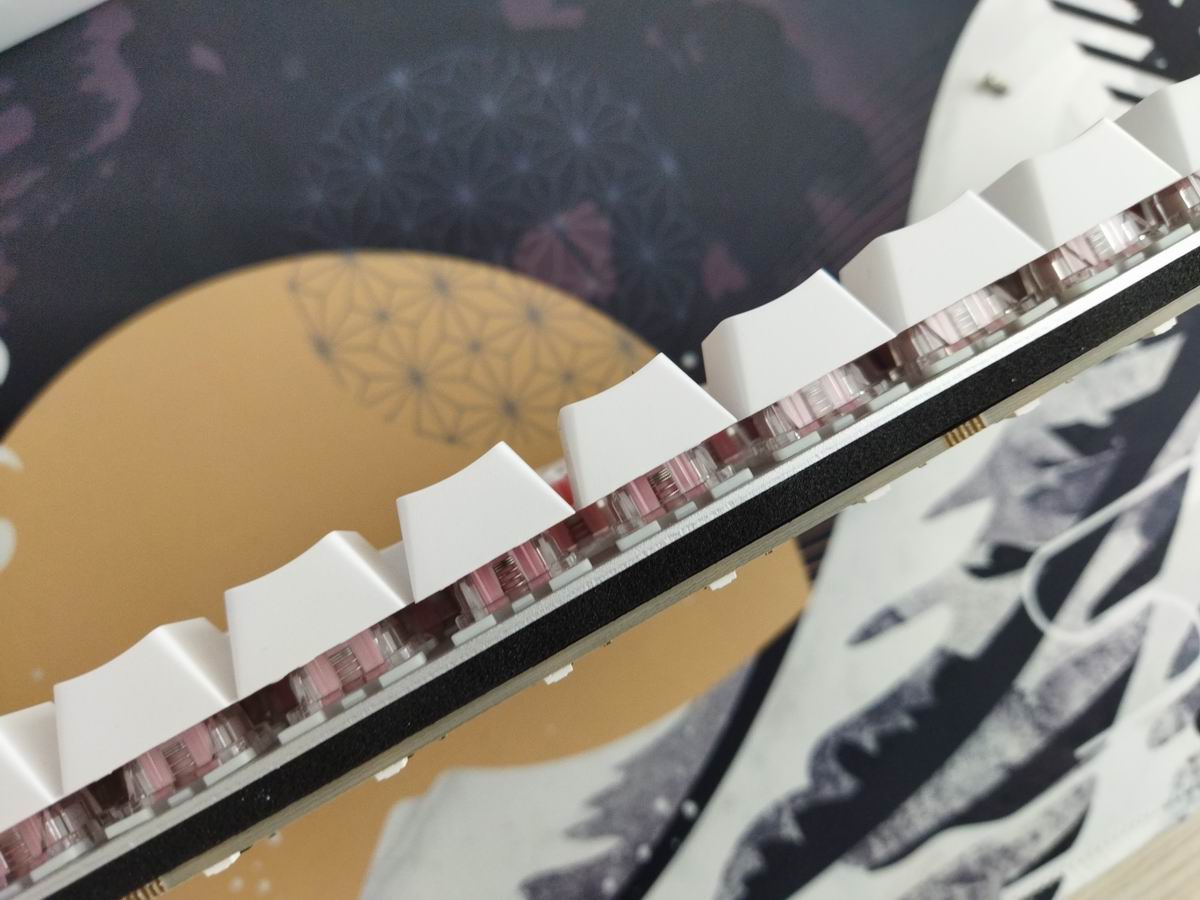
You can choose from the well-known Gateron Magnetic Jade Pro switches and a model referred to as Outemu Magnetic Sealed. Only linear options of course, since we are talking about a HE board.

Anyway, my Chronos came with the Outemu Magnetic Sealed switches (the Jade Pros are unavailable in the shop as of writing this). Not much info about this model:
- Initial force: 30gf
- Bottom force: 55gf
- Total travel: 3.5mm
While the switches feel decent, you're not restricted to the factory setup as you can easily swap magnetic switches. Feel free to use your personal favorites, or some of the recently trending fancy community-favorite Hall-effect switches – like the Owlab Ti HE, the GEON Raw HE, or Gateron's other HE models.
Keycaps
The black keycap set is the classic gamer set. As a non-gamer I'm not a big fan of that aesthetics, but the variants coming with the white case are more refined: with black or yellow accents. The translucent caps are Cherry profile, and thick enough for my taste. The set is PBT by the way.
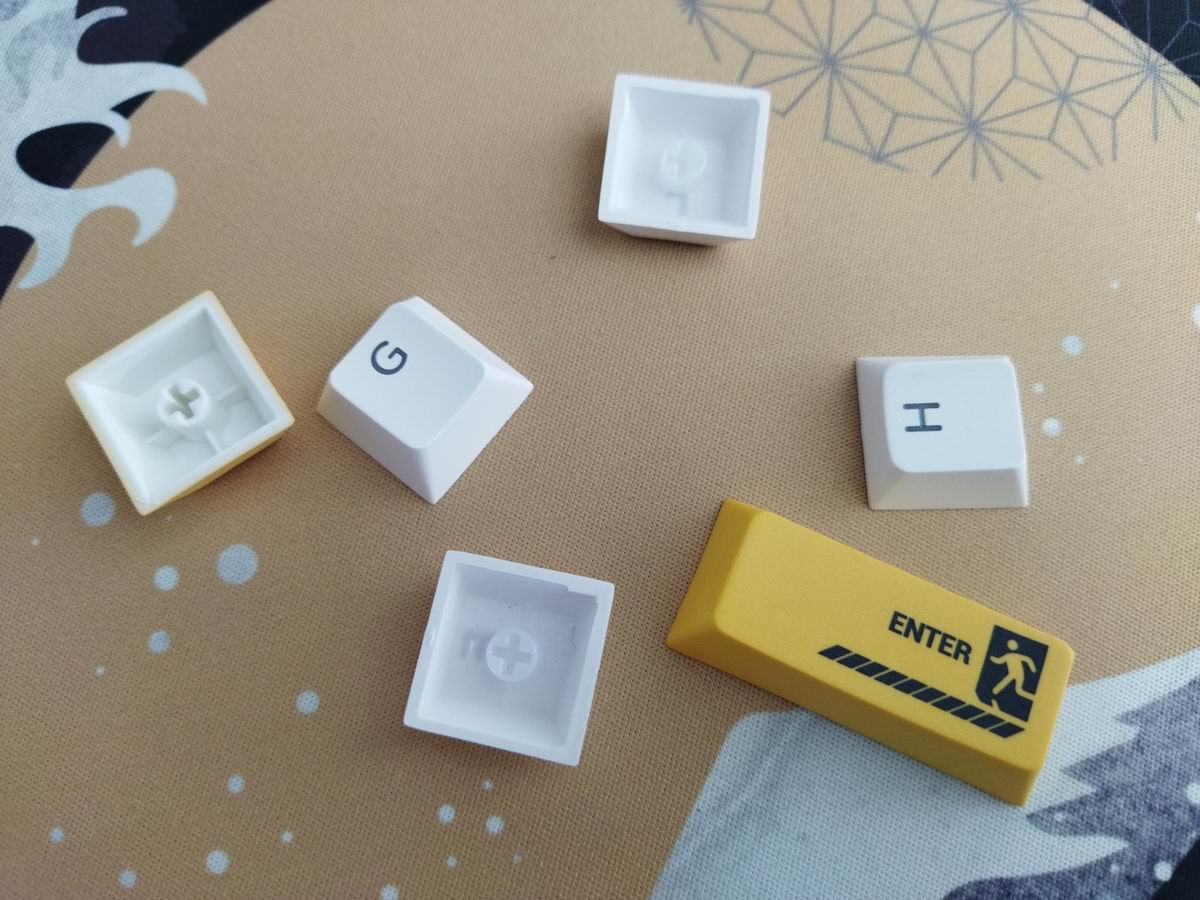
With regards to keycap compatibity, the 65% layout should be widely supported if you opt for a premium keycap set.
Sound & Sound dampening
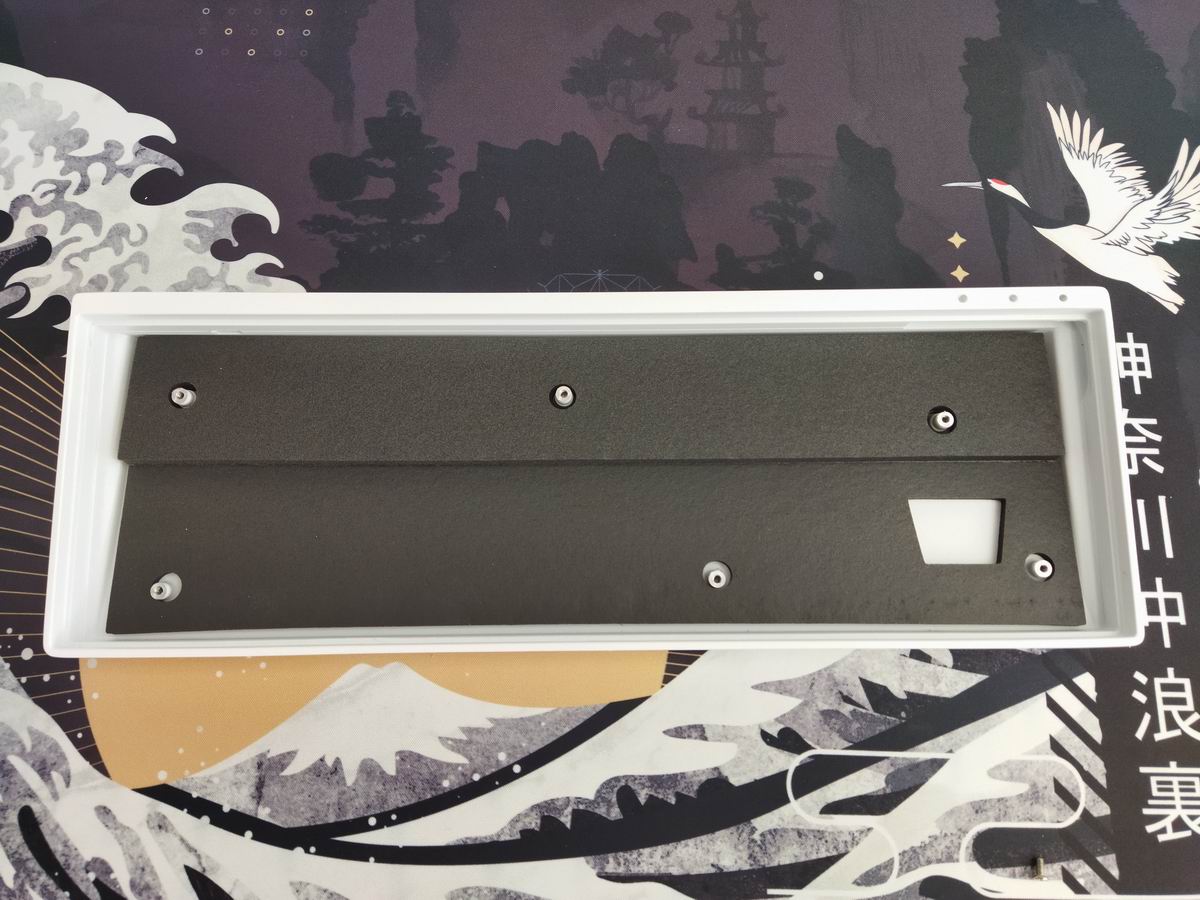
Poron sandwich foam, PET pad, and a thick multilayer poron piece filling the bottom case ensure less noise. Most Hall-effect boards and switches are rather loud and clacky these days, aren't they? The Chronos is no exception, however, your experience may differ depending on your deskmat. The sound is quite heterogeneous across the board, probably influenced by how far or close the specific key to a screw or the perimeter of the plate sits.
Lights
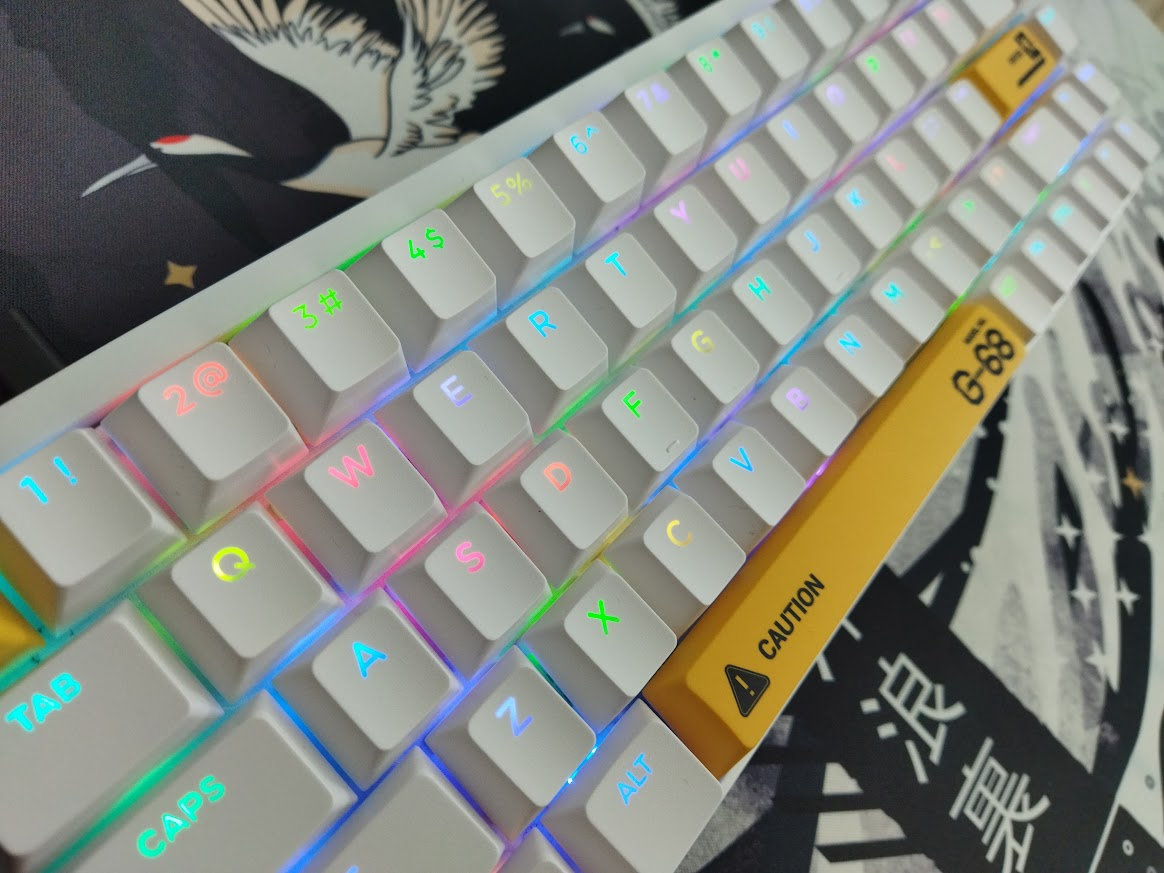
Surprisingly, this keyboard is equipped with north-facing RGB lighting in contrast to south-facing LEDs – more standard in higher-end boards. The translucent legends, positioned in the upper part of the keycaps, explain this choice of course. That said, the board offers plenty of available colors and animation patterns for fans of RGB – easily customized via a web interface. Speaking of software…
Weight
No fancy weight, quite puritan bottom.

Software
Well. This is a HE board, so no QMK/VIA/Vial support. The product page and even a built-in key combo (yikes!) direct you to a page to download a driver, but there's also a web interface. I opted for not installing anything – maybe my experience would be different going down that alternative path.
Warning!: Be careful when using the built-in key combo! (I won't even mention the exact keys here.) Try it only with focus on a browser window. It's a macro churning out the characters of the url one by one, and in any other software it can trigger unexpected commands…
By the way, the web interface is quite confusingly called Quantum Mechanical Kit (QMK), "an open gaming peripheral web app". Why???!!! Wasn't there another set of three letters? It sounds a bit shady this way.
Anyway, if the factory settings don't meet your needs, you have the option to customize the base layer and an additional FN layer. The downloadable driver may offer more functions, but I wasn't in the mood to install anything, especially after seeing the link in the footer pointing to a Chinese .gov site.
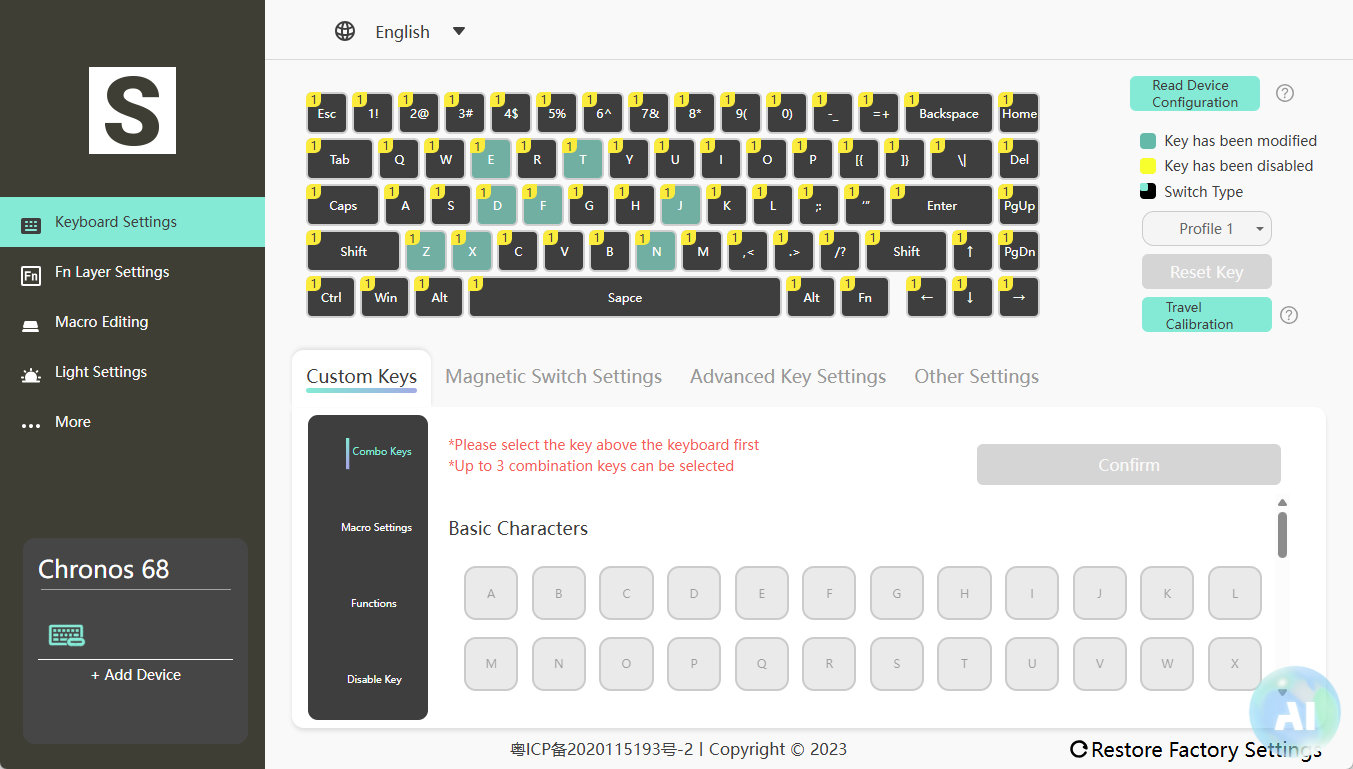
Swapping letters or symbols works as usual, however, I haven't found any trace of the mod-tap functionality I wanted to see – so you'll most likely have to use third-party tools to utilize the SpaceFN concept. There is an MT section, but only with basic keycodes, no layer functions.
The interface offers a lot of Hall-effect functions for gamers, and while not in the most straightforward structure (e.g. the polling rate is hidden in Keyboard Settings > Other Settings), you'll be able to use it after some trial and error.
Portability
The Chronos 68, due to its compact form factor and relatively lightweight aluminum case, is a great choice for on the go. I for one simply dropped it into my backpack.

Wireless
The Chronos 68 is a wired keyboard, so no wireless functionality. This is ideal if you don't need Bluetooth or 2.5GHz connectivity, and much safer than using a tri-mode wireless board constantly plugged in and charging – as some recent examples demonstrate it.
Less is more in this case.
Comparison
When comparing the Chronos to similar boards, the Luminkey Magger 68 HE comes first to mind. The Magger seems to be superior in most parameters, however, I can't confirm the latency difference, which could easily put the Chronos to the top of the list for competitive gamers.
In addition, if you prefer keymap customization (VIA/Vial) over HE features, the KiiBOOM LOOP65 and Chosfox Fox65 seem to be good alternatives. This latter features a split spacebar, just like the MoeeTech Glitter 65 R2 – handy for keymap wizards.
You can consider the full-resin Akko YU01 or the wooden Akko MU01 too, if you prefer the RGB experience or the natural touch over aluminum.

Conclusion
The 65% pre-built Syntech Chronos 68 is a wired HE keyboard aimed at gamers. A clean and simply looking aluminum alloy keyboard case with magnetic switches and the usual Hall-effect features. Inherently hotswappable switches and MX compatible keycaps make this board a good starting point for customization. No VIA/Vial support, but the web configurator is pretty self-explanatory – feature-packed for gamers, less so for keymap wizards. The highlights for me are the no-frills design, compact form factor, and the awesome wrist rest.
Pros
- compact form factor
- no-frills aluminum alloy case
- comfy wrist rest
Cons
- Software aimed specifically at gamers will always feel somewhat alien to keymap wizards who prefer VIA/Vial/QMK. That's only a con if you're not a gamer though.
- Some cables doesn't fit the relatively narrow tunnel for the USB-C socket.

Price & Availability
The listing price of the Chronos 68 is $140. Too pricey for some alternatives? Wait a sec. Syntech offers free shipping, and they accept the KBDNEWS coupon code ($5 off) too, so the offer is much better than it first appears.
Don't forget to use the KBDNEWS coupon code to claim your $5 discount!
- Chronos 68 product page at Syntech
Published on Wed 6th Aug 2025. Featured in KBD #196.
Related

VoidPointer
Rafael Furlanetto Casamaximo released his wireless 65% voidPointer with exposed diodes.
Dynamis
An open-source 65% keyboard with integrated trackball: dynamis by bbrfkr.
IQUNIX Magi65 Pro review
The Magi65 Pro by IQUNIX is easily the most refined 65% wireless low-profile aluminum keyboard to cross my desk.
Akko YU01 review
The full-resin Akko YU01 keyboard elevates RGB lighting to a whole new level as the case acts as a giant diffuser. 65%, hot-swappable, wireless, featuring Akko Piano switches and ASA keycaps.