Keyboard Builders' Digest / Review
Evoworks Evo75 review
The Evoworks Evo75 is an elegant 75% tri-mode wireless keyboard with ball-catch and leaf-spring structure, coming in a multitude of beautiful variants. Meticulously designed and tuned for an exceptional out-of-the-box typing experience.

Published September 12, 2025

With nearly 150 keyboards in my collection, I rarely get excited anymore. This time, though, I definitely was. Saying I was in trouble when trying to choose a single colorway for this review would be an understatement: It's almost impossible not to fall in love with each of the beautiful color variants of the super-classy Evo75, part of the Evoworks line, kindly sent to me by Qwertykeys.
TLDR; The Evo75 is a fully built keyboard that follows the success of the TKL Evo80 in a 75% format. It's a premium product despite the affordable price (from $150). The thought and effort poured into its design have resulted in a genuine piece of art. A hefty CNC alu case, beautifully matched dye-sub Cherry profile keycaps, and finely tuned Neo switches set the tone. Leaf-spring mounting, gaskets, and lots of sound dampening layers ensure an excellent out-of-the-box typing experience. The hotswap PCB and MX-compatible switches with VIA support make it highly customizable. Disassembly is lightning-fast thanks to the screwless "ball catch" structure and magnetic connectors. High quality at a nearly unbeatable price.
Before diving into the details, let me point out how paradoxical it is that the Evo75 is the easiest keyboard I've ever disassembled, yet it's so well put together out of the box that you'll hardly ever need to take it apart.
Still, as you'll see, I've eviscerated it to the very core as usual. Check out the full review below for all the details and photos of its inner beauty. ;)
Disclaimer
Qwertykeys was kind enough to send me this review unit for free, which may introduce all kinds of biases – both negative and positive in my experience. Take everything I write with a grain of salt.
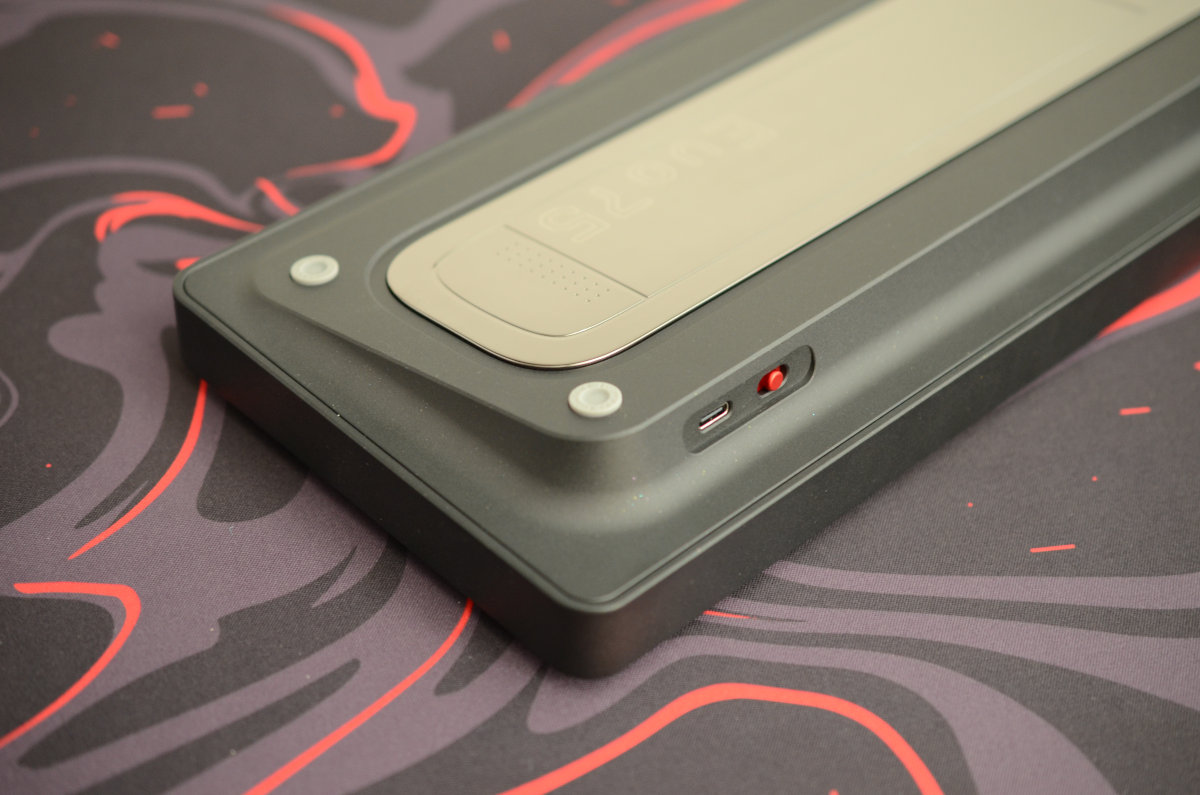
In addition, this is a pre-order product: the Evo75 is sold in batches. With the first batch already shipped. Estimated fulfillment time is 5 weeks, you can find the schedule here.
Variants
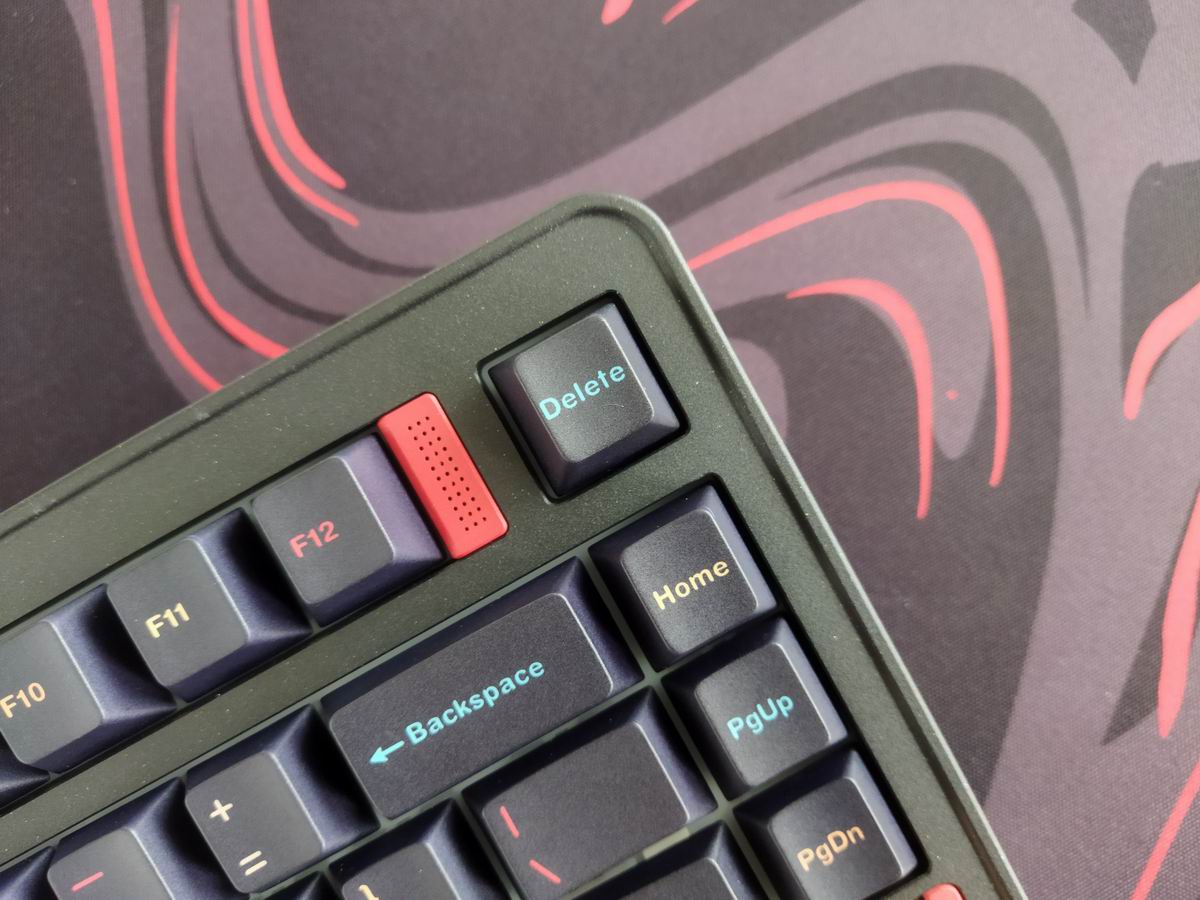
The Evo75 comes in 10 elegant colorways, mostly beautiful pastel shades, with matching keycap sets. Either anodized (Basalt Grey, Tyrian, Ice Blue, First Light, Light Sage, Sandgold) or spray-coated (Nebula, Babypink, Eclipse Grey, and Nova White).
The Nebula is somewhat an outlier in the selection, as it's dark, and contains subtle micro-glitter in the spray coating. This is the variant you'll see in the photos of this article.
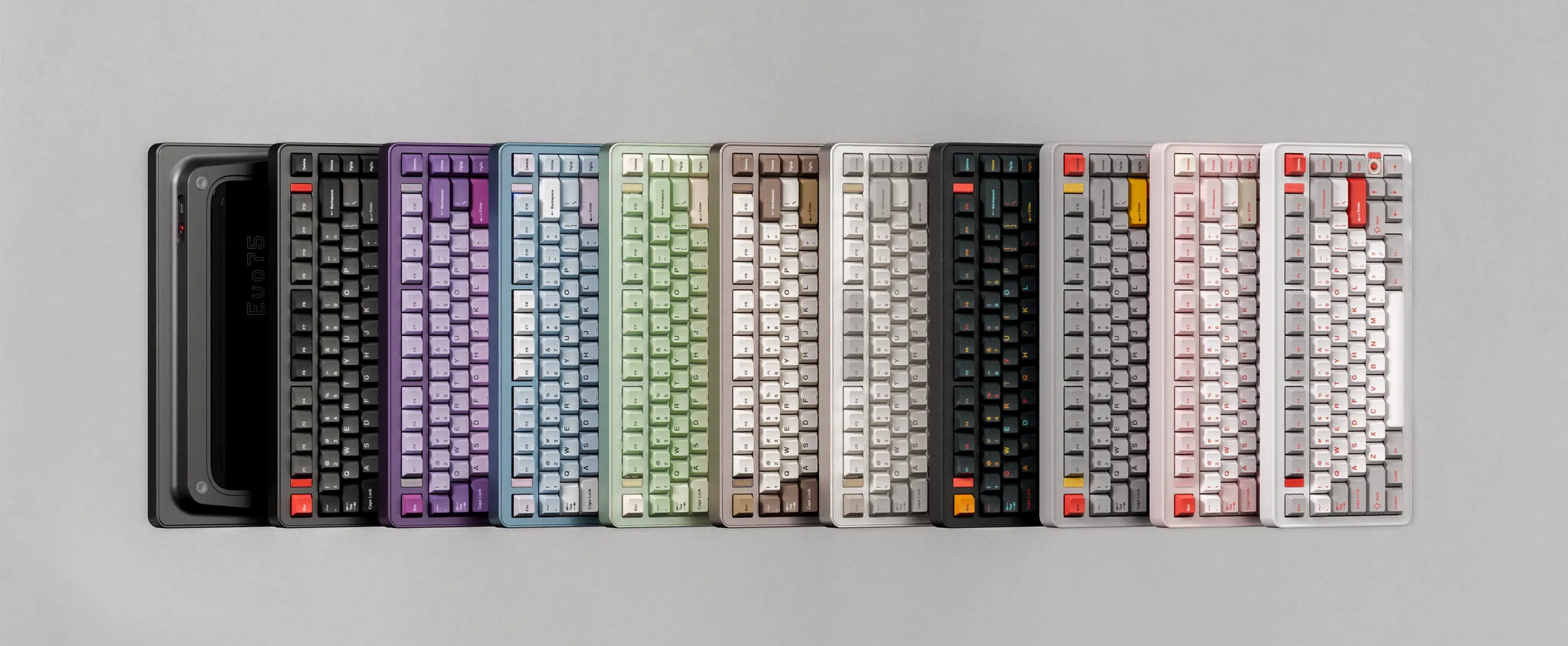
Each anodized case undergoes 220-mesh sandblasting, creating a consistently smooth, luxurious texture across all units. Spray-coated variants feature ultra-fine powder coating.
The carefully designed colorways, thoughtfully paired with keycap design, make the Evo75 more than just a functional device: it's a piece of art for your workspace – engineering meeting quality and elegance.
Unboxing & Contents
The Evo75 came in a very nice pastel cardboard box, matching most of the colorways I guess. Jeez, even the cardboard is quality stuff, very pleasant to the touch.

Contents:
- The Evo75 in all its glory: keycaps and switches mounted.
- Hard-shell carry case.
- User manual, quickstart guide, QC certificate, warranty card.
- 2.4GHz receiver
- matching black braided cable
- basic combined tool to remove keycaps and switches
- dust cover (!)
- replacement gasket strips and leaf spring silicone
- 3x spare switches and extra caps (Mac)
First impressions, design language
While I find most of the other colorways rather feminine, the Nebula has a very authoritative masculine aura.
Absolutely premium aesthetic. The new Evo75 design builds on the sleek rounded profile of its predecessor, the Evo80 – adding new layers of sophistication and attention to detail. The top case features a raised, rather uncommon contoured frame that adds elegance to the profile while not interfering with your typing hands.

The top case features three LED accents, enhancing the keyboard's visual identity. Two of them flanking the function keys, plus a third eye-catching motif above the right arrow key integrating the ambient lighting mode toggle button.
I love the harmony of the spray-painted case (yeah, with glitter) and matching keycaps. Each of the variants look good, but the Nebula was somehow the most lively out of all the colorways with its mixed-color legends.
All in all, the keyboard lives up to my high expectations.
Specs (Nebula)
- Layout: 75%, 80 keys
- Keycaps: 1.7mm 5-sided dye-sub PBT Cherry
- Switches: Neo Amber or Neo Rye
- Typing angle: 8 degrees
- Structure: ball-catch structure, magnetic connectors
- Mount: butterfly leaf spring, silicone gaskets
- Stabilizers: plate mount (no screw-in stab support)
- PCB: hotswap, south-facing per-key RGB, 1.2mm, flex cuts
- Software support: (QMK?)/VIA
- Connectivity: wired, 2.4G wireless, Bluetooth
- Polling rate: Wired & 2.4g 1000Hz, Bluetooth 125Hz
- Battery 2x4000mAh
- Material: CNC-machined 6063 aluminum
- Dimensions: 323x143x(19.3 front height)mm
- Weight: 1,997g
Layout
With its relatively compact 75% design (ANSI), featuring 80 keys, the Evo75 optimizes space while ensuring that all essential functions are easily accessible for new users transitioning from e.g. a fullsize keyboard. The F13-ish layout, while retaining the gap between the F-groups, makes the overall layout pleasantly symmetric.

Unlike the Evo80 (with ISO option), the Evo75 features a single-layout ANSI PCB, a consciously chosen format to allegedly eliminate the acoustic inconsistencies caused by spare switch holes and extra plate foam cutouts. (This sounds funny, because the PCB is otherwise massacred by almost per-key flex cuts.)
Many 75% keyboards feature a few less or more keys. This 75% variant, with its 80 keys, is not cramped at all: the arrow cluster is still easy to locate when touch typing due to the little gap on the left (to the right of the spacebar there are only two modifiers) – so you don't get lost when changing between the home row and arrows. The extra column on the right consists of three keys, or four – if we count the F13 to this group.
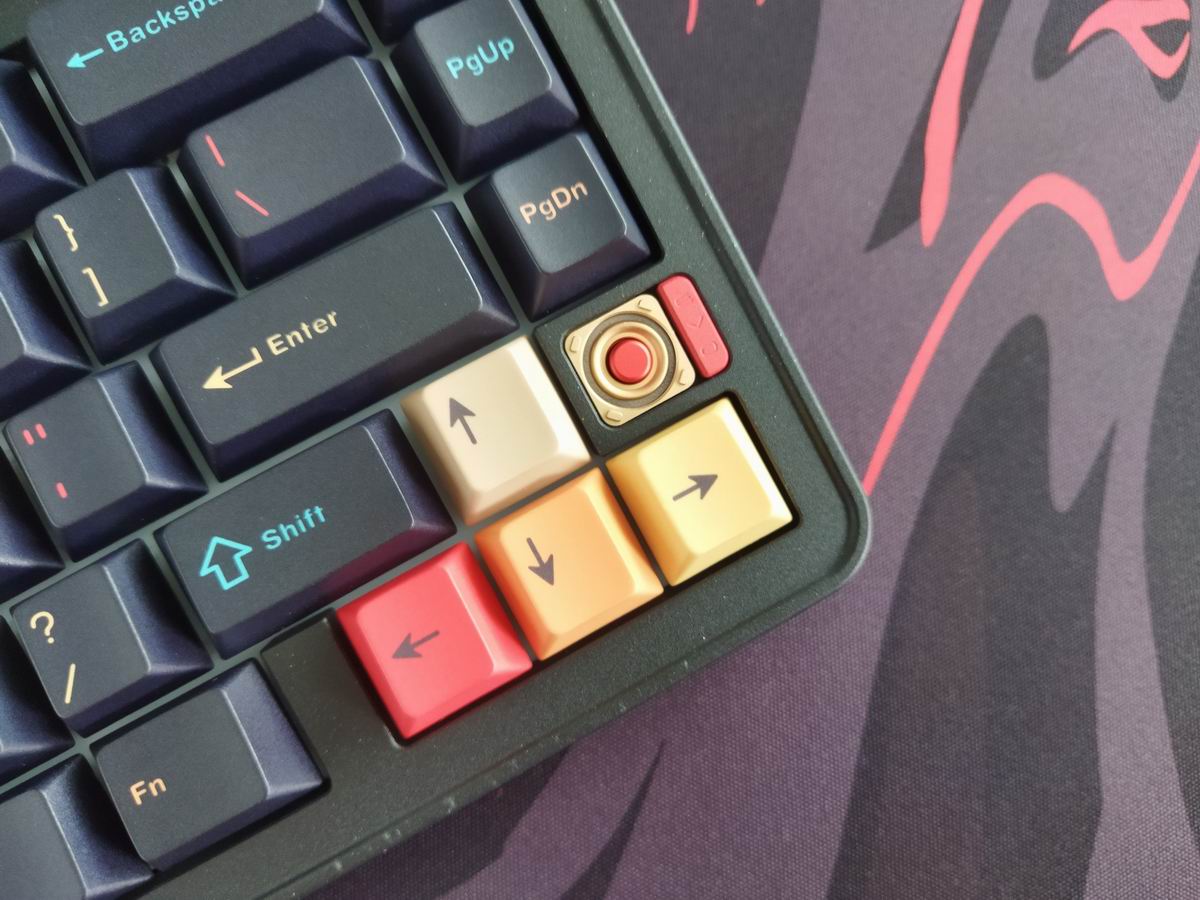
75% means no numpad and no classic navigation cluster layout either, however, you have arrows, function keys, full number row, and part of the classic navigation keys.
Keycaps
One of the reasons I went with the Nebula colorway was definitely the accompanying keycap set resembling the Mictlán palette. It's a very similar concept but without the pink-purple legends in the random pool. Only the yellow-orange-red spectrum plus light blue for contrast.

The beautifully matched keycaps have been upgraded to 1.7mm five-sided Dye-sub PBT to achieve better color rendition and enable more diverse, bold color combinations. Not double-shot, but probably as good as it gets with dye sublimation.
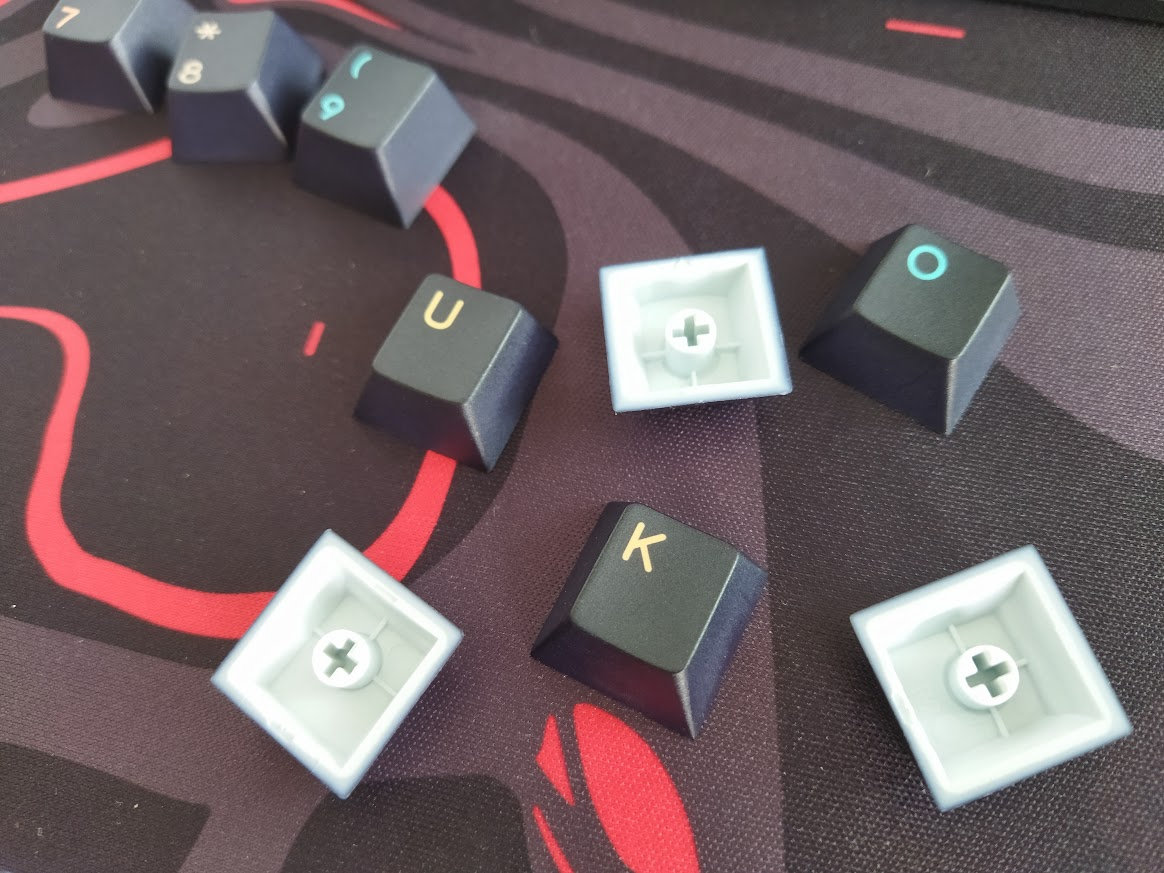
With regards to keycap compatibility, the 75% layout should be widely supported if you opt for something different.
Paired with the carefully selected switches and as a result of the meticulous tuning, these keycaps provide an exceptionally nice typing experience.
Switches
Based on feedback from the popular Neo Oat and Neo Azure switches, the team spent about 10 months perfecting switch performance. The new members of the Neo switch family – Amber and Rye switches – now provide more distinctive sound profiles while maintaining the smooth typing experience you expect.

Neo Amber switches
The linear Amber switches, coming with the FR4 plate option, are characterized by improved bottom housing and stem material, enhanced internal structure for a crisper typing sound, and refined lubrication formula.
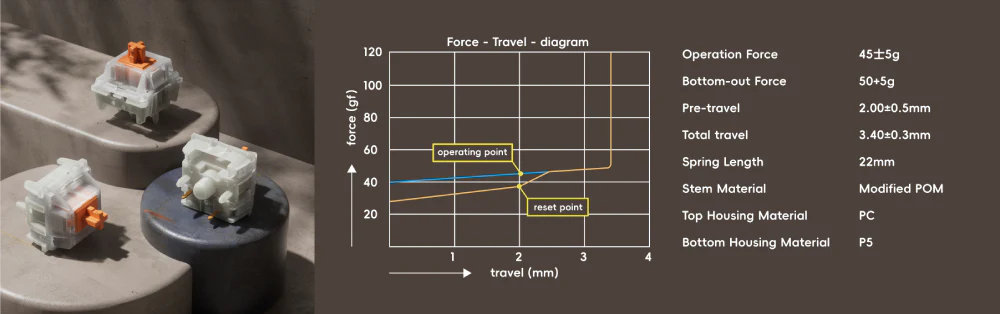
- Actuation force: 45gf
- Bottom force: 50gf
- Pre-travel: 2mm
- Total travel: 3.4mm
- Spring: 22mm
- Stem material: modified POM
- Top housing: PC
- Bottom housing: P5
Neo Rye switches
The even lighter Rye switches, coming with the PP plate option, feature a new stem mold for a deeper, more focused low-pitch typing sound. With refined lubrication formula as well.
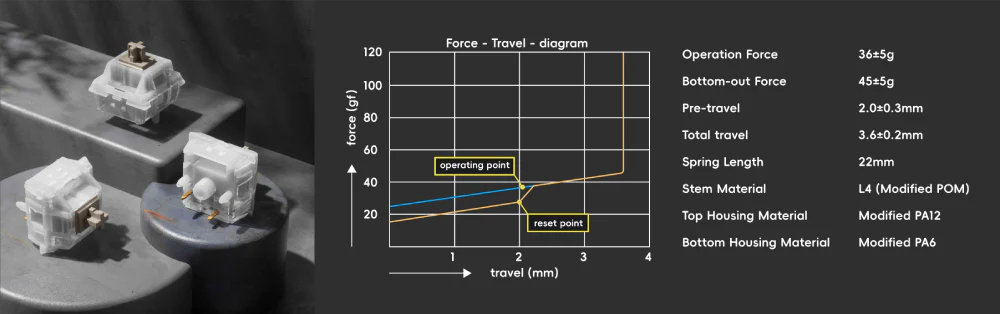
- Actuation force: 36gf
- Bottom-out force: 45gf
- Pre-travel: 2mm
- Total travel: 3.6mm
- Spring: 22mm
- Stem material: L4 (modified POM)
- Top housing: modified PA12
- Bottom housing: modified PA6
Both of these switches feel decent, but the PCB features hotswap sockets, so you're not restricted to the factory setup if you'd like to experiment. Feel free to use your personal favorites, or some of the recently trending fancy community-favorite switches.
Build quality, structure, case
This board is really heavy. Period. Almost exactly 2kg. It's heavier but also a bit larger compared to some other 75% keyboards I've reviewed recently: about 1 cm wider and deeper to be exact.
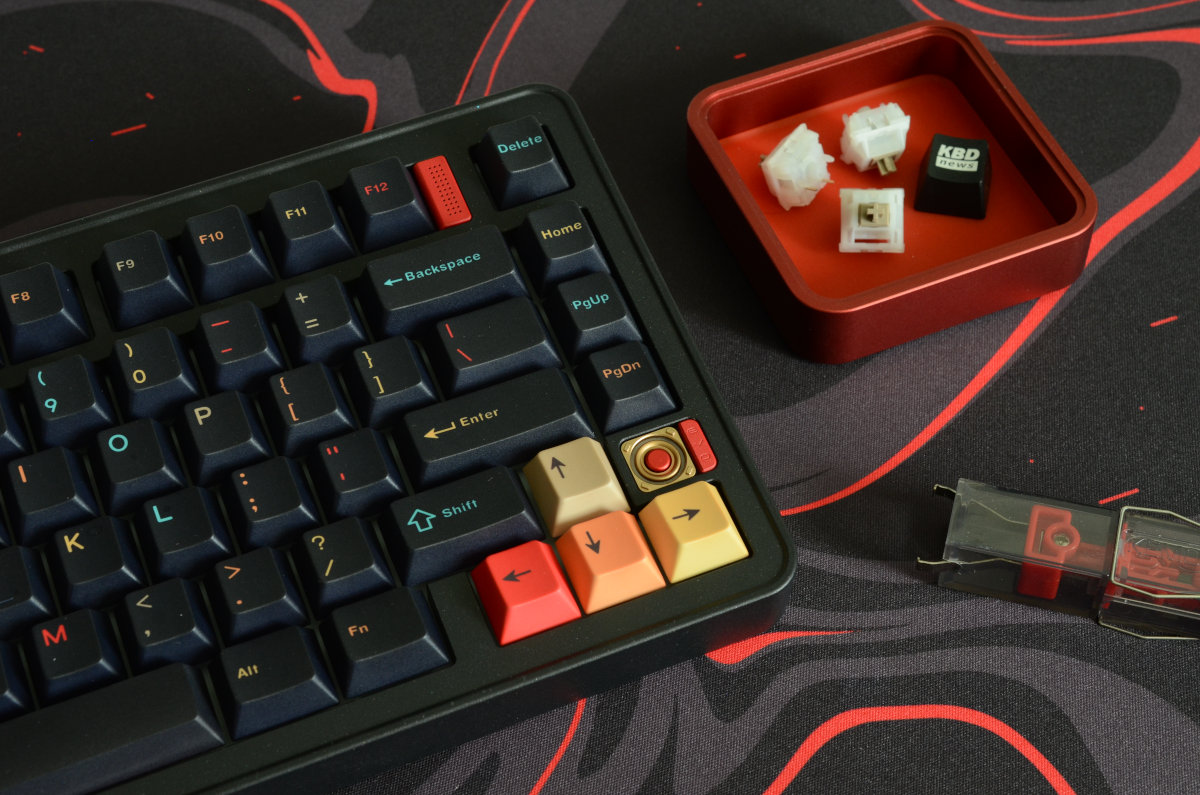
Excellent build quality. The whole thing feels heavy duty but very sophisticated at the same time. The mounting relies on the ball release mechanism with gaskets.
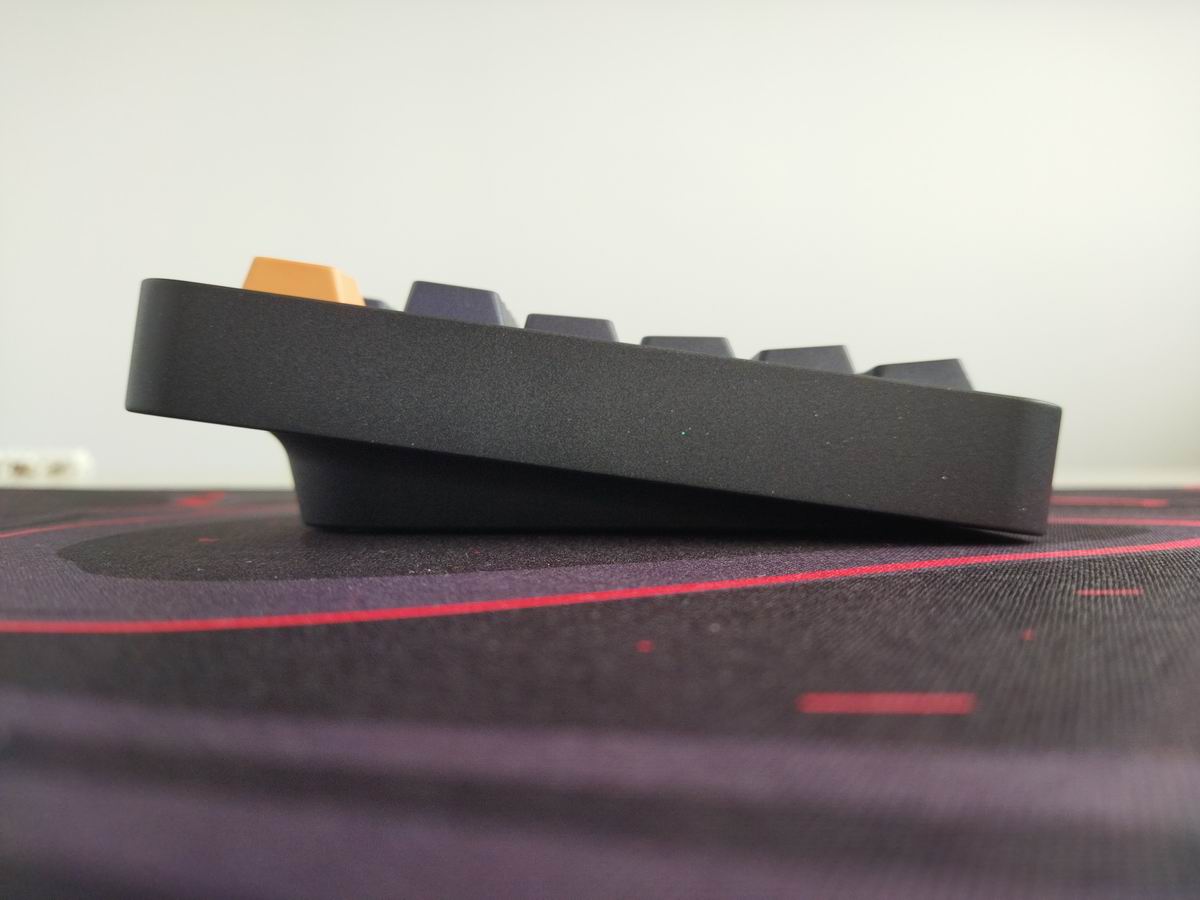
Typing angle: fixed, 8 degrees.
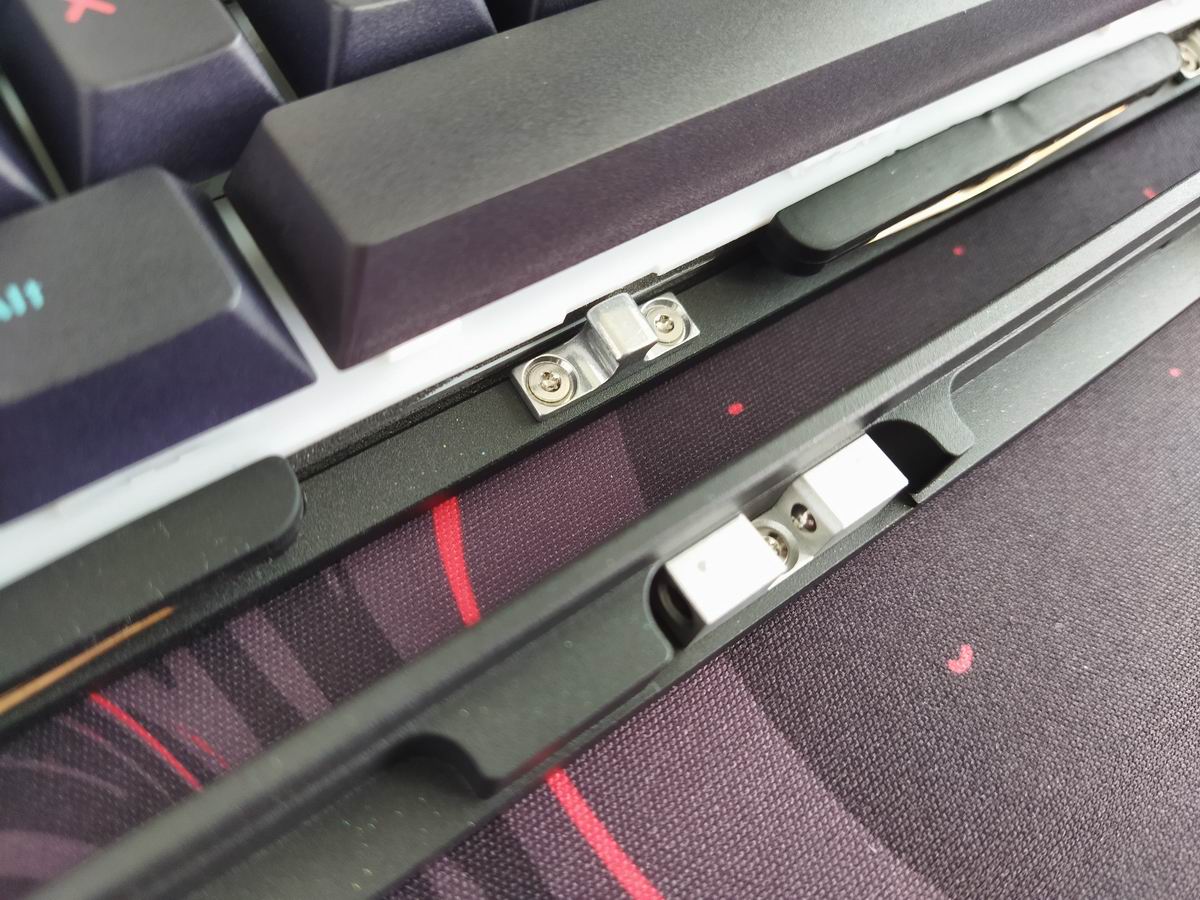
Evoworks retained the highly praised ball-catch mechanism and magnetic connectors from the Evo80. I really like this screwless disassembly method. You can easily open the case with a simple press and lift, so disassembling the board only takes a few seconds this way. That said, take care of your fingernails and do the pressing-lifting slowly…
Structure & Mounting
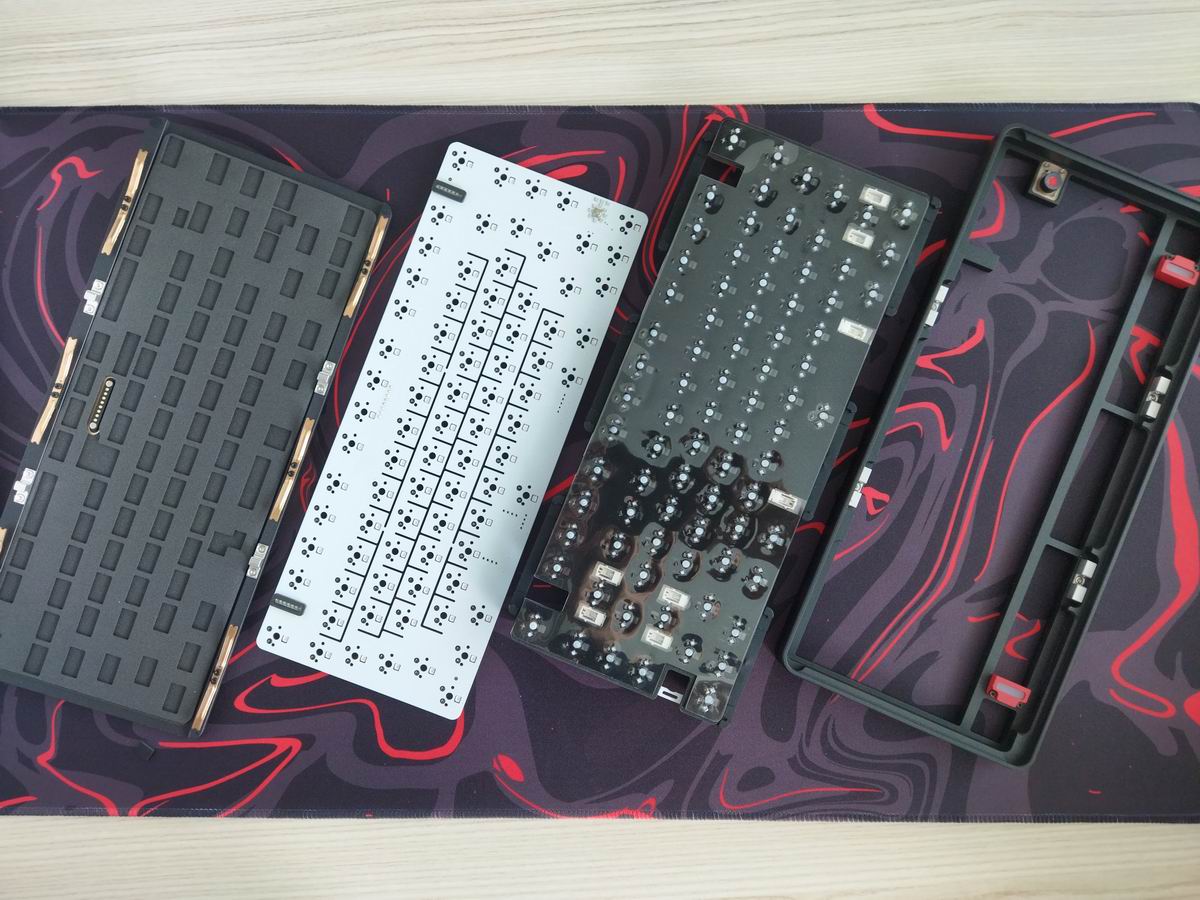
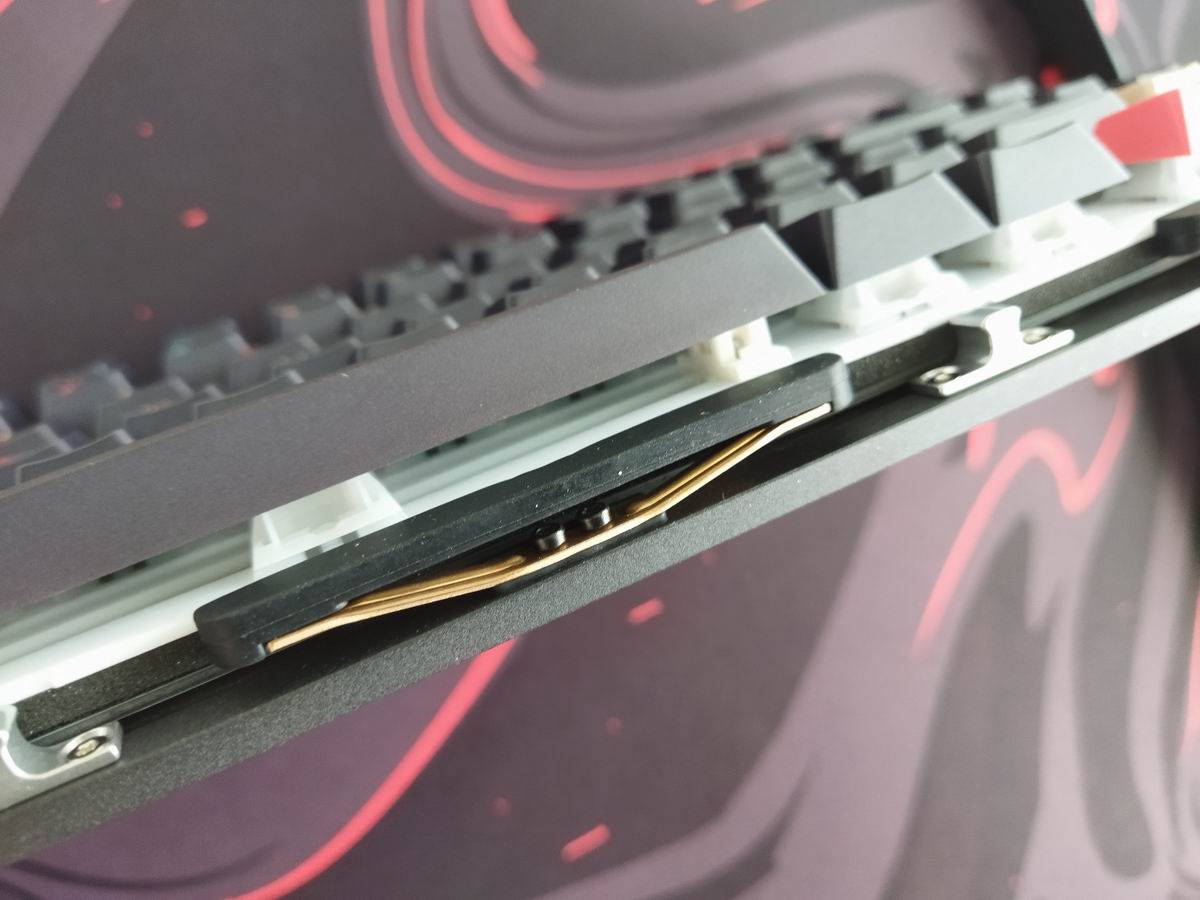
The Evo75 features "butterfly" leaf spring structure with a triple-layer shock absorption system. The leaf spring provides a typing experience that's bouncy yet stable. Long silicone gaskets on the plate minimize hollowness and noise from the leaf spring while ensuring consistent sound across all keys, including those near mounting points. A silicone cushion positioned beneath the leaf spring reduces vibration between springs and case, eliminating case ping.
Plate
You can choose from FR4 or PP – this defines the switch choice and vice versa since they are matched too. PP with Rye and FR4 with Amber switch. I received the PP one, which features no flex cuts.

Plate-mount stabilizers.
PCB
The screwless build makes the disassembly process very easy, so you can make your way to the PCB much easier than usual. The 1.2mm board is part of the thick plate/foam/PCB sandwich, and it features hotswap sockets, south-facing per-key LEDs, and lots of flex cuts – almost per key.
The default stabs are plate mounted. If you wonder: the PCB doesn't support screw-in stabilizers.
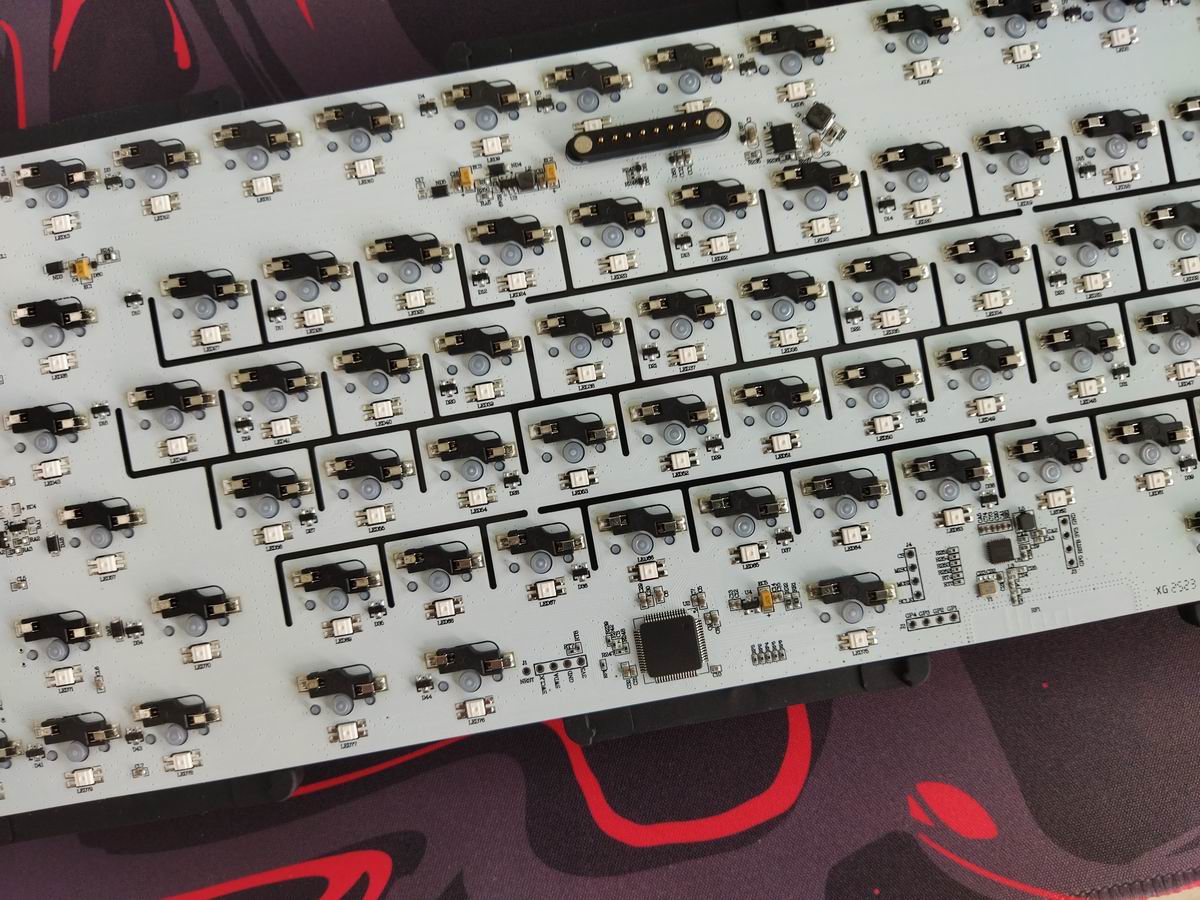
Another nice touch: no tiny cables, the PCB is attached to the bottom (battery and USB socket) via a magnetic connector, just like to the ambient light switch on top.
Weight
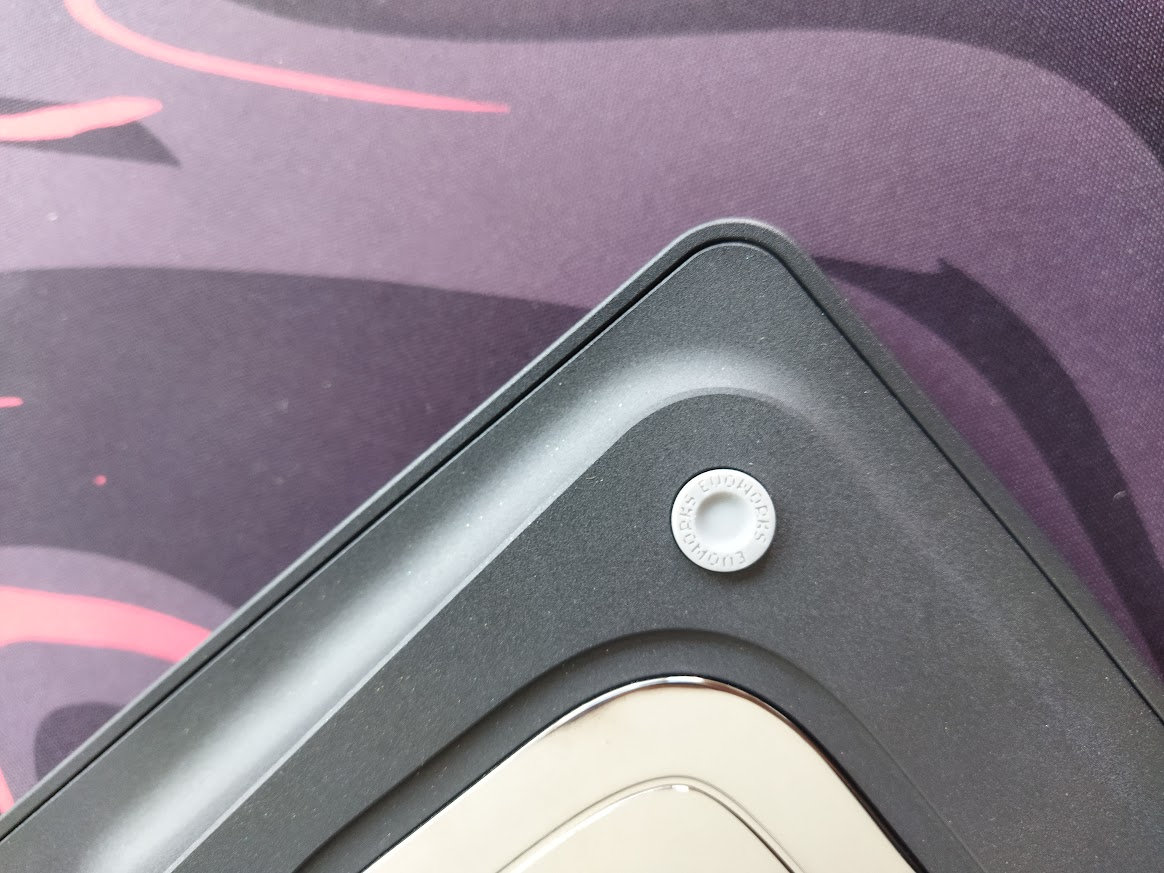
The hefty bottom weight plays a crucial role in the Evo75 weighing almost 2kg. It's classy, just like pretty much everything in this build. Actually, I like its shape much better than that of the predecessor Evo80.
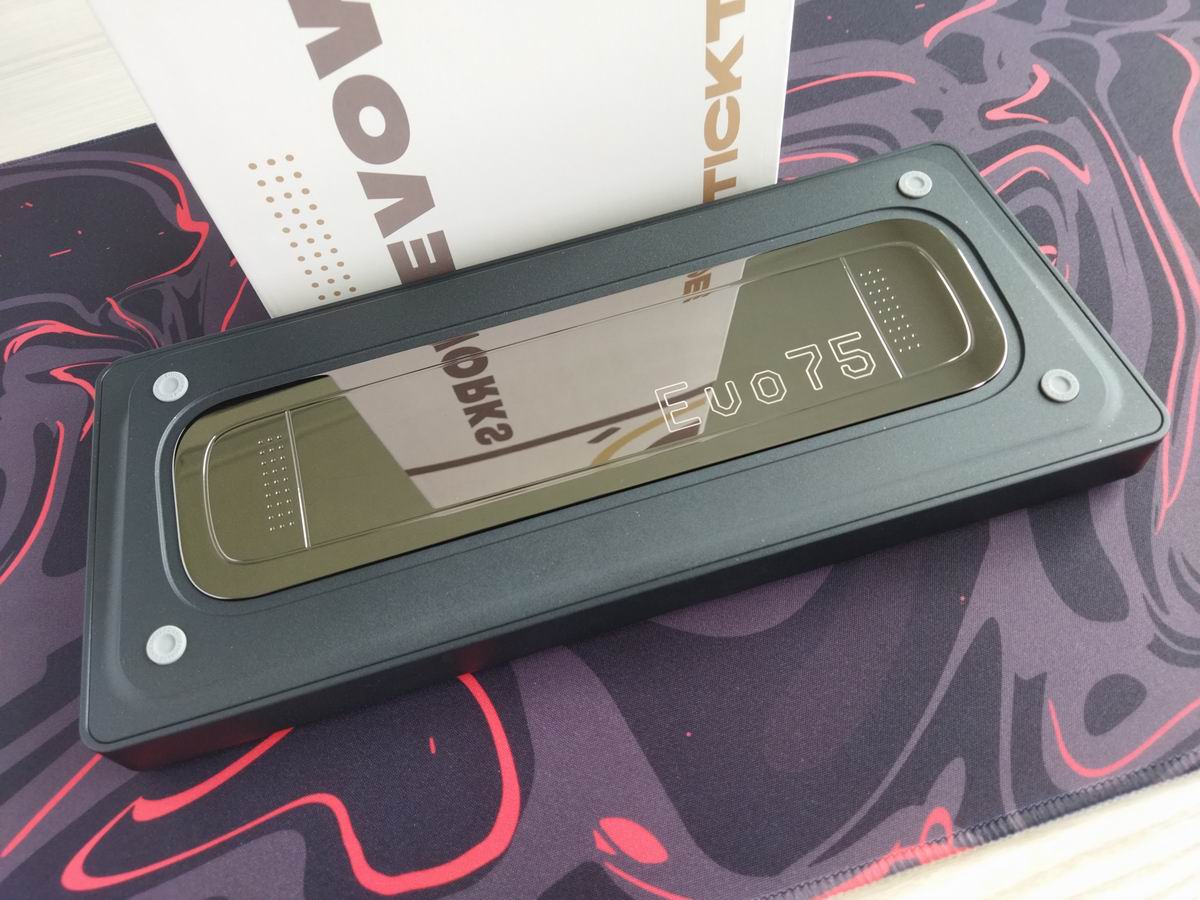
The mirror-finish metal will collect fingerprints though.
Sound & Sound dampening
Thick sandwich foam, switch pad, and two thinner foam layers in the bottom case, one with cutouts for the hotswap sockets. Together with the leaf springs, gasket, and per-key PCB cutouts, the Evo75 ensures a soft and cozy typing feel while delivering a nice out-of-the-box sound quality.

As already mentioned, the single-layout ANSI PCB was chosen for eliminating the usual acoustic inconsistencies caused by spare switch holes and extra plate foam cutouts. This design choice aims for a more uniform sound performance across the entire keyboard.
Lights
This keyboard is equipped with south-facing per-key RGB backlighting with plenty of available colors and patterns. Honestly, it's exhausting to cycle through all the options.
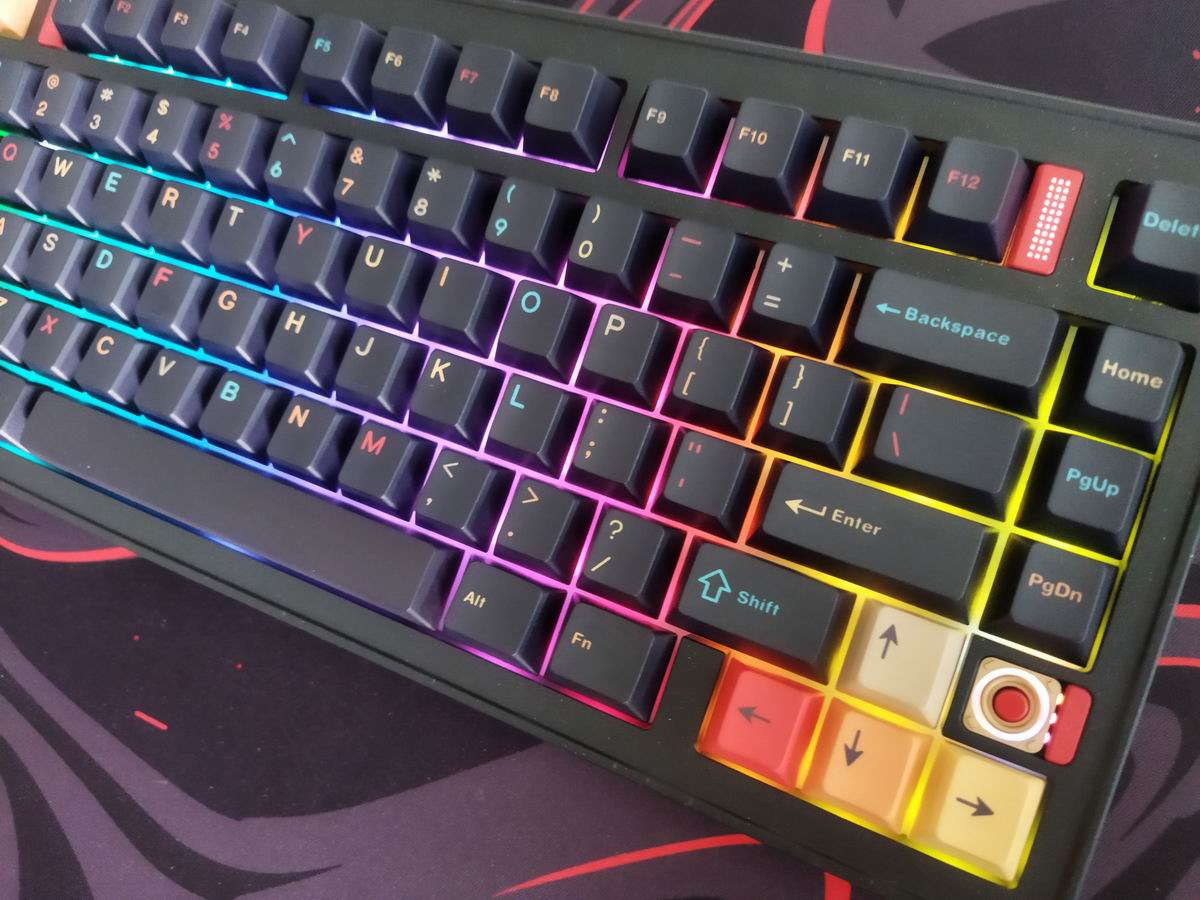
In addition, the three "ambient lights" – located on either side of the function keys and above the arrow keys – offer even more customization. A dedicated physical key lets you switch between their animation modes.
Wireless
The Evo75 is a tri-mode wireless keyboard (Bluetooth 5.0, 2.4GHz wireless, and USB Type-C wired connections) powered by dual 4000mAh lithium batteries, supporting up to 10W fast-charging.
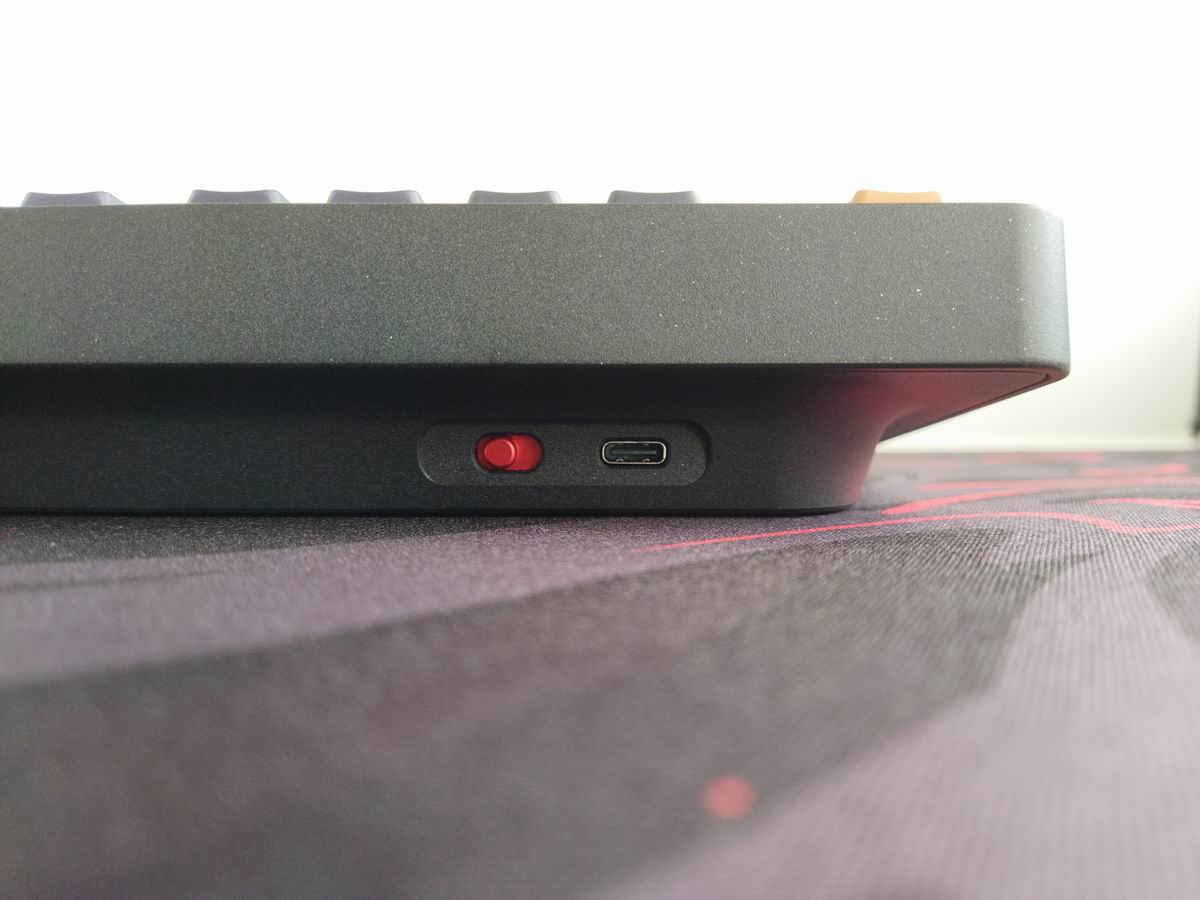
The physical connection mode selector switch next to the USB port comes in a matching accented color, and it's said to combine connectivity switching and battery control – not sure about complete battery decoupling though. No physical battery on-off key under any keycap.
General warning: If you use your wireless Evo75 keyboard permanently connected, please read this article about built-in keyboard batteries and how to avoid fire – for details, tips, and horror stories.
Basically, keeping the board plugged in constantly may lead to accelerated degradation of the lithium battery. You have to follow proper battery care practices, so you should remove, disconnect or switch off the battery if you don't need wireless functionality. Check the battery for swelling regularly, even when disconnected or removed.
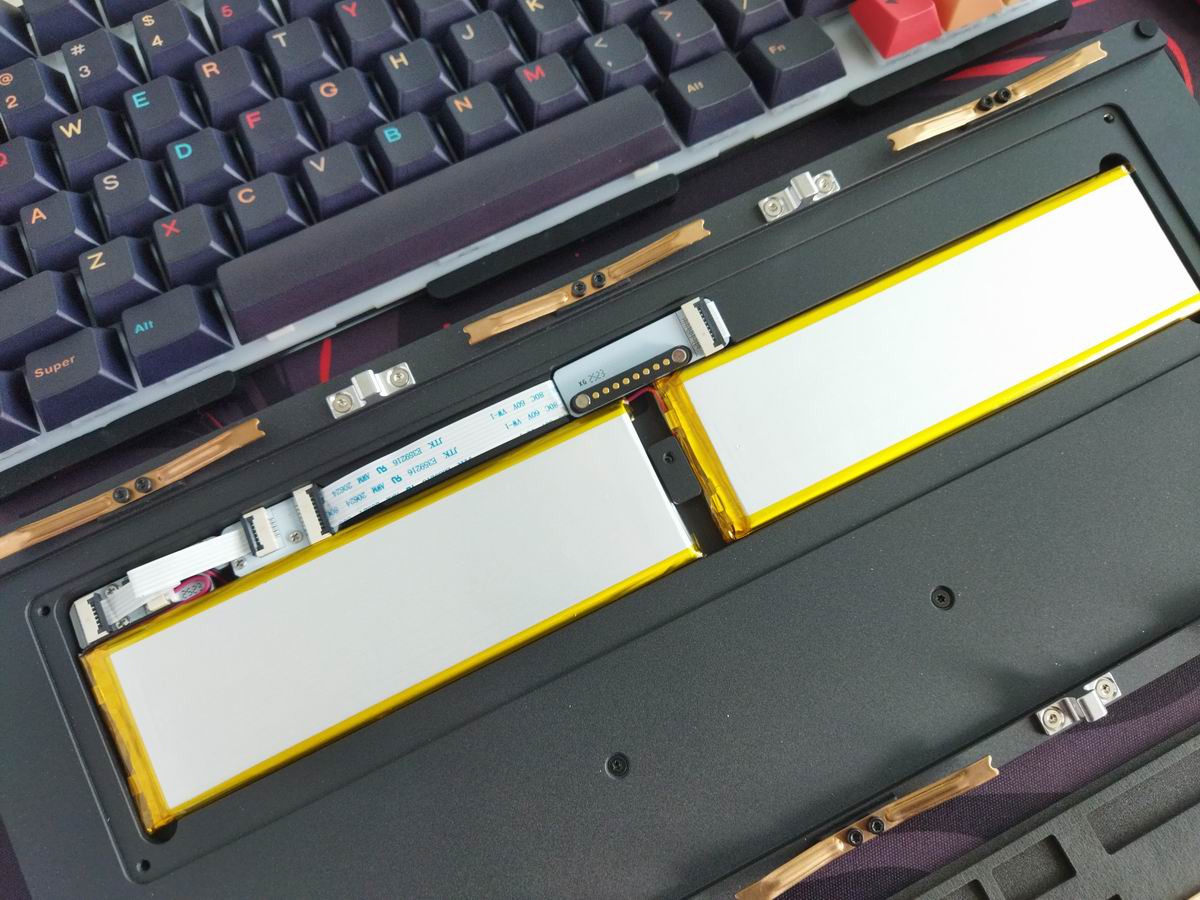
While there's no physical switch to disconnect the charging circuit and effectively isolating the battery from the PCB, the easy disassembly makes it relatively convenient to monitor battery health.
(That said, in the last step you'll need to remove five tiny T-6 Torx screws to get under the battery lid.)
Software
Having VIA support is reassuring. No need to install any custom software. That said, VIA is QMK, and Qwertykeys is on the list of vendors/designers violating QMK license, e.g. by not releasing the source of some of their tri-mode keyboards – hurting the community and frustrating the QMK maintainers. So make your purchase consciously.
If the factory settings don't meet your needs, you have the option to customize your keymap easily by visiting usevia.app. Connecting the board didn't work for me out of the box, I had to find and download the necessary JSON file (look for EVO 75).

Swapping letters or symbols works as usual, it's very straightforward.

SpaceFN layer mod-tap functions have been tested and work as expected. This single layer can be a real game-changer, putting arrows, navigation and numbers under your fingertips.
And there's so much more to keymap customization!
Portability
The Evo75 comes with a very nice hard-shell carry case. Just like with any other aspects of the design, the team did a great job with the case – featuring a distinctive "evo" emboss. It's pretty much the same carry case we've seen coming with other higher-end boards, but this cool branding makes it stand out.
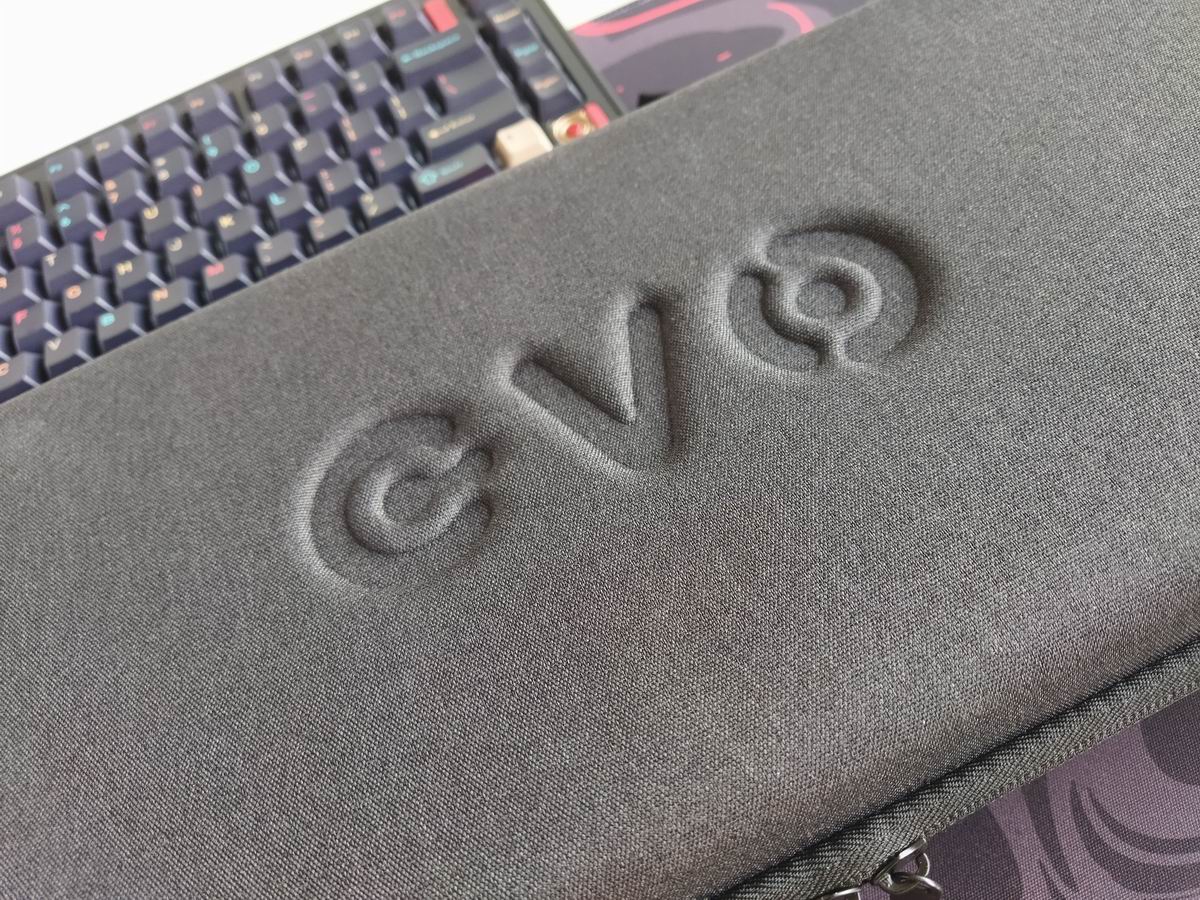
That said, the Evo75 is a great board for stationary use, but if portability is your main concern, I would choose something lighter than 2kg. Much lighter to be frank. :) Sure, its wireless features make it mobile in theory, being more compact than a fullsize board helps too, however, maybe something lighter and smaller is better suited for on the go. ;)
Conclusion
The 75% wireless Evo75 is a real bang-for-your-buck offer from Qwertykeys: A high-quality, elegant design in a beautiful aluminum case with features like leaf spring mounting, gaskets, screwless ball-catch disassembly, etc. Awesome visual design and out-of-the-box typing experience. VIA support for easy keymap customization. This board is easy to recommend, as it truly feels worth every penny.
Pros
- beautiful and sturdy aluminum case, nice colorways, excellent build quality
- nice matching keycap set design
- highly customizable (hotswap, MX, VIA)
Cons
Not really cons, rather some tips:
- This board deserves a fancy custom cable. ;)
- It would be cool to be able to store the dongle somewhere attached to the keyboard. (For those with lots of these small gadgets lying around.)
Price & Availability
The Evo75 is widely available e.g. from Qwertykeys and regional vendors. Feel free to check out multiple shops, especially ones in your region:
The KBDNEWS coupon code (usually 5-10% off) should work with most of the shops below, so the retail price of the Evo75 starts at $170 $150.
- Evo75 product page at Qwertykeys
- US: Lume Keebs, Divinikey
- EU: Monacokeys (DE)
- Canada: Deskhero (coming soon) – until then: Unikeys.
- Singapore: Pantheon
- Australia: KeebzNCables, Berserkeys
Published on Fri 12th Sep 2025. Featured in KBD #199.
Related

Everglide Aqua King v3 (another)
Everglide Aqua King v3 switch video review by JunKeebs.
Luminkey80 review
The Luminkey80 is a TKL with gorgeous look, personality, and some crazy features like an F13 key.
Opblack switch review
Opblack switch review (here) by ThereminGoat.
Novelkeys Cream Tactiles
ThereminGoat reviews the Novelkeys Cream Tactile switches.