Keyboard Builders' Digest / Review
Whalebone keyboard stands
I tested Whalebone's best-selling product, the KDS-3 keyboard stand. Well-designed, elegant, affordable.

Published March 12, 2026

What a nice keyboard stand. I'm glad Whalebone offered the KDS-3 for review. After testing Clackify's keyboard stand earlier, I can finally compare different approaches – so this might turn into a small series.
TL;DR: The Whalebone KDS-3 keyboard stand is a classy accessory for any keyboard enthusiast's desk. Featuring high-quality printing and an elegant, lightweight design. The KDS-3 stand is significantly more affordable than many alternatives, but also less sturdy and stable. That said, Whalebone offers various models and tiers to showcase or store your keyboards, some with wider profile for increased stability. Printed in 3D in a bunch of colors. Price starting at $28 (10% off with the KBDNEWS coupon code).
Disclaimer
Whalebone's Ed was kind enough to send me this review unit for free, which may introduce all kinds of biases – both negative and positive in my experience. Take everything I write with a grain of salt.
Variants
Design-wise, there are five base models to choose from: Classic, Angled, Curved, Butterfly, and Flat.
Whalebone's custom 3D stand builder will help you design your perfect keyboard stand, guiding you through the process of customizing your stand by selecting designs, colors, tiers, shelf width/depth for stability, optional cork padding, etc.
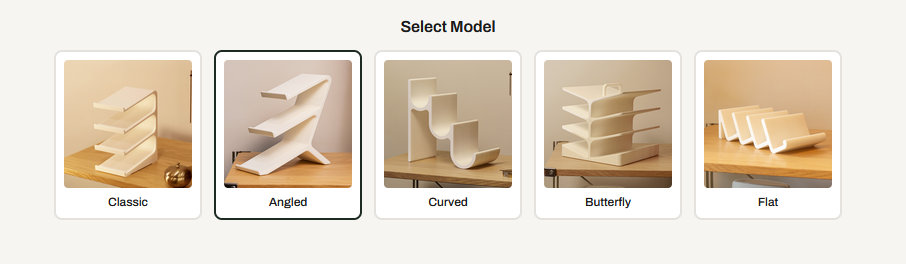
The various options result in a near-endless range of configurations, so you can come up with completely different stands. Some of the designs are more for display (e.g. the Angled), while others more for storage (the Butterfly), I guess.
With nine color options (including three metallic material mixes) the stand is easy to match with any keyboard or desk setup.
First impression
Besides the KDS-3, the package contained a cute mini-stand keychain, a miniature KDS-3, plus some stickers (Whalebone logo).
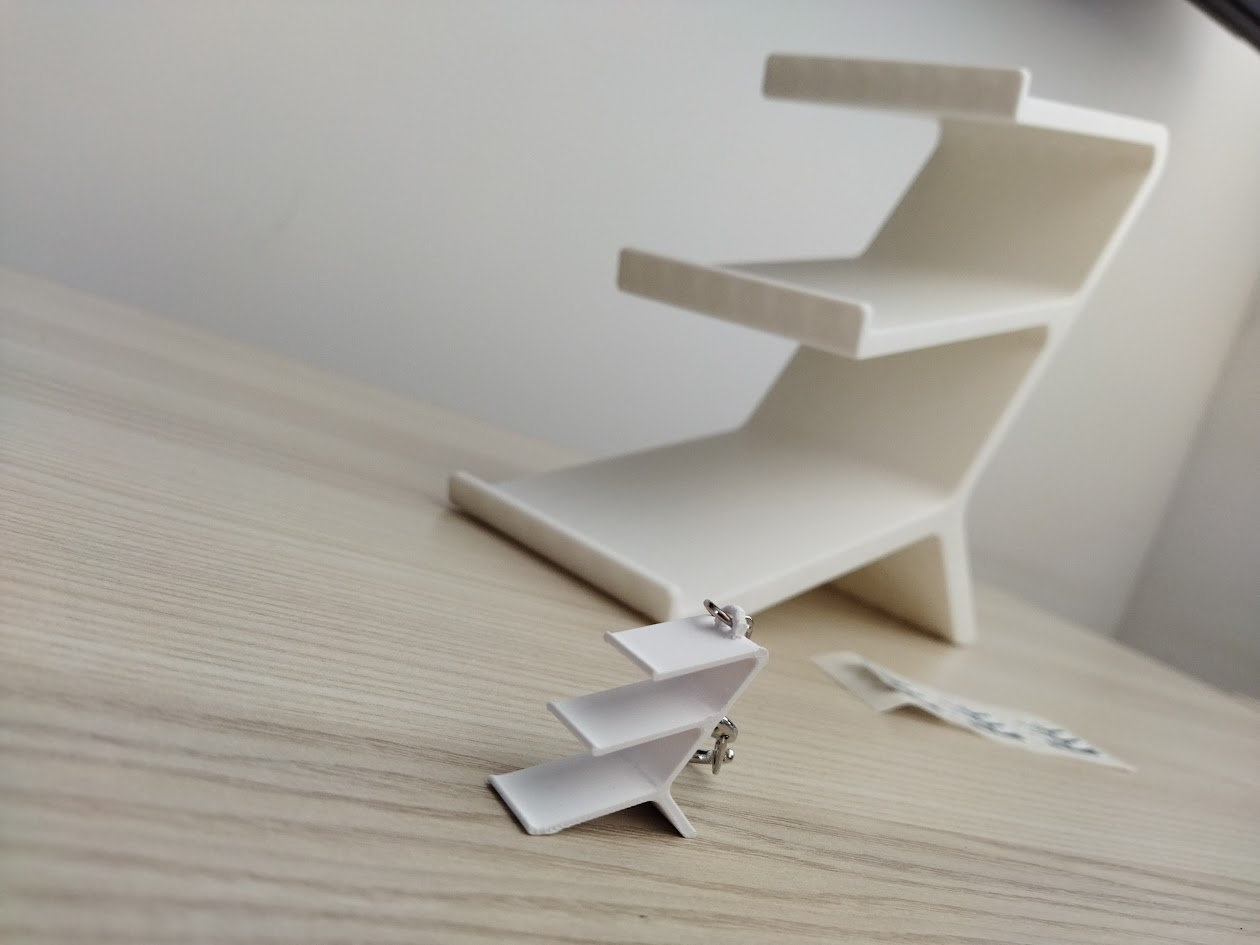
I really like the white design. When discussing this test with Ed, white was the only available color option if I remember correctly, but it's the most universal and classy variant in my opinion, so I'm glad I received this. It matches clean and simple environments perfectly, but pretty much any desk setup.
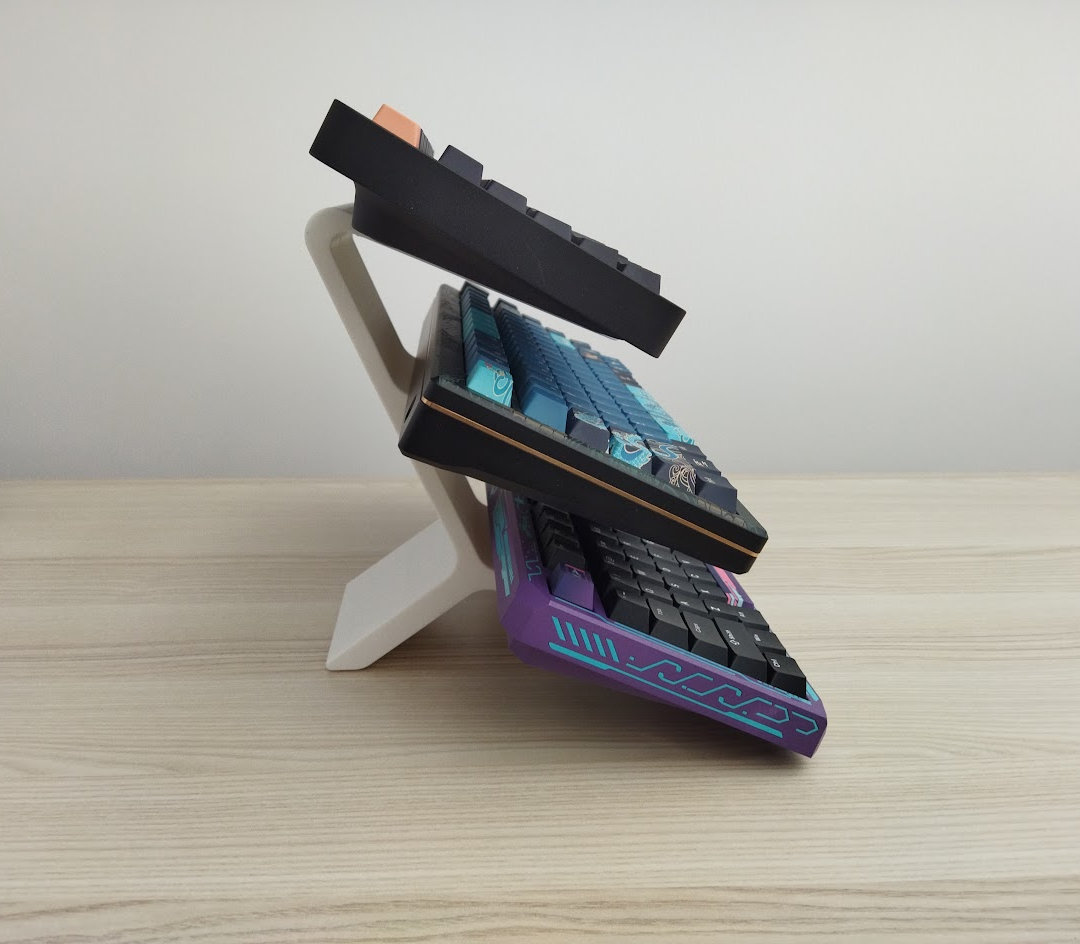
The 3-tier white Angled variant in the photos is reportedly the current best-seller.
No wonder. The Angled design is probably the best one for display – it gives you a nice viewing angle and shows off more of your nice keyboards.
KDS-3 Specs
- Capacity: 3 shelves/keyboards
- Supporting 4.5 kg (10 pound) per shelf
- Shelf depth: about 15 cm (6")
- Shelf width: 10 cm (4") – multiple options
- Keyboard protection: optional cork padding
- Dimensions: 230 x 100 x 230 mm
- Weight: 321 g
Build quality
Great design and print quality. Sure, you can clearly feel and see the printing lines on closer inspection, but that's expected with a 3D-printed product.
These are solid-texture stands, printed with high-density PLA+. (Metal texture stands use PLA+ infused with real metal powder, then hand-polished for an authentic brushed metal look and feel.)
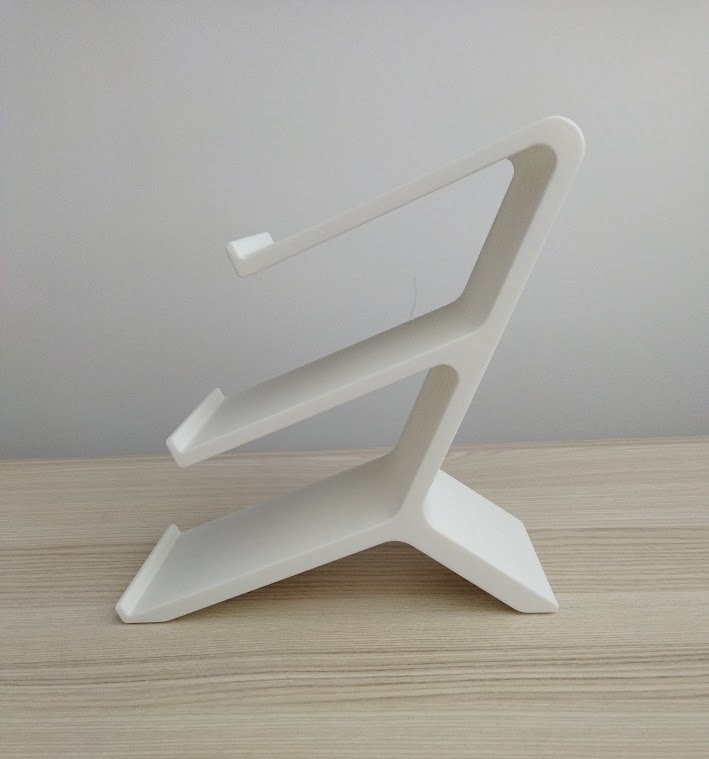
I find both the design and color very elegant.
The protective cork pad option is relatively new, my stand came without them, but if I ordered another one I'd add the cork option for +$5 for sure – or you can get some cork from a different source as well. All in all, it adds a lot to the experience.
Features
Capacity
This specific KDS-3 stand can hold up to 3 keyboards, however there are 2, 3, and 4 tier variants of the Angled design, and up to 8 tiers of other variants, like the Butterfly.
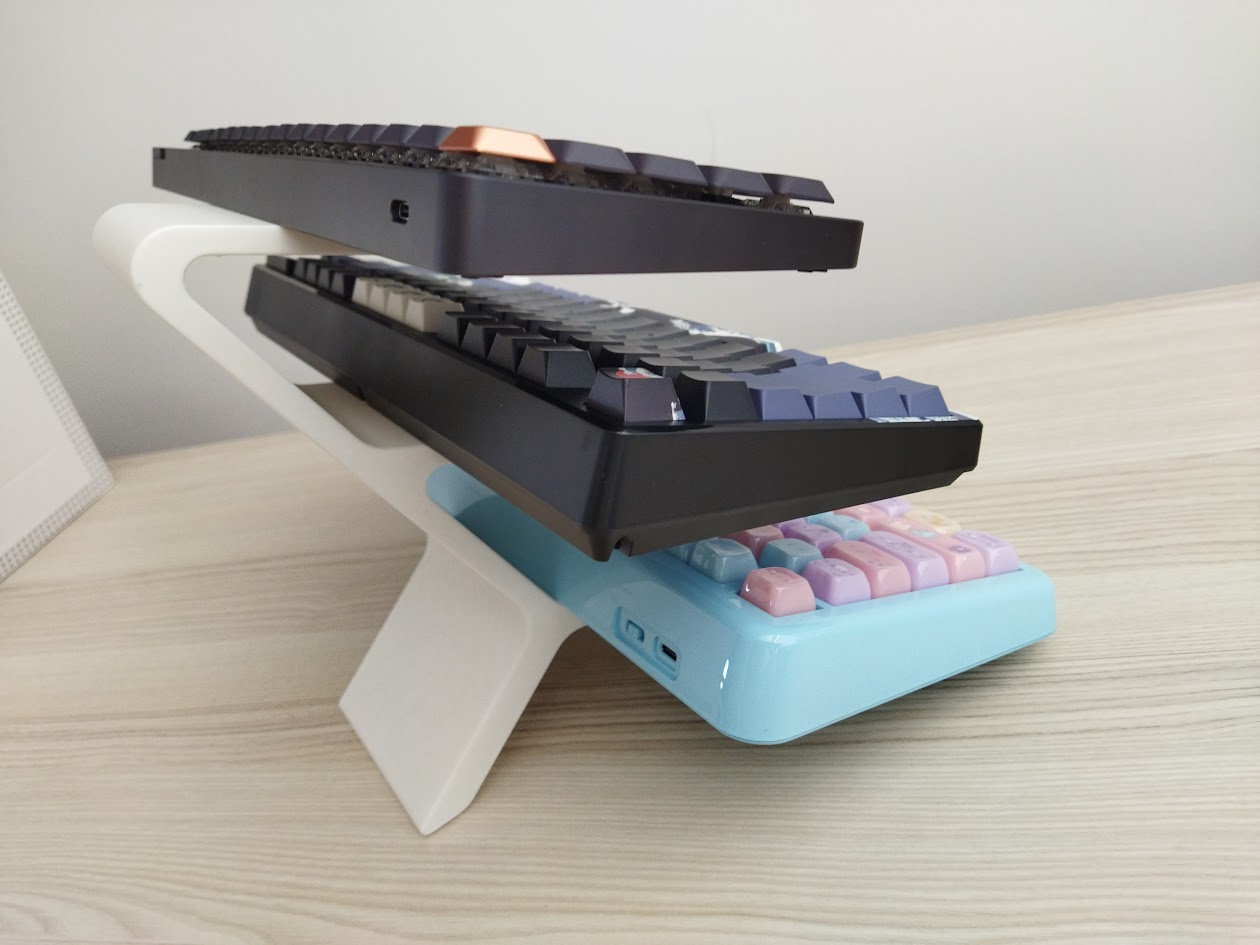
As you can see in the photo above, the depth of the shelves is more than sufficient for most boards. The blue 75% KiiBOOM one with an over-average footprint and bevel looks like the max depth the stand can handle.
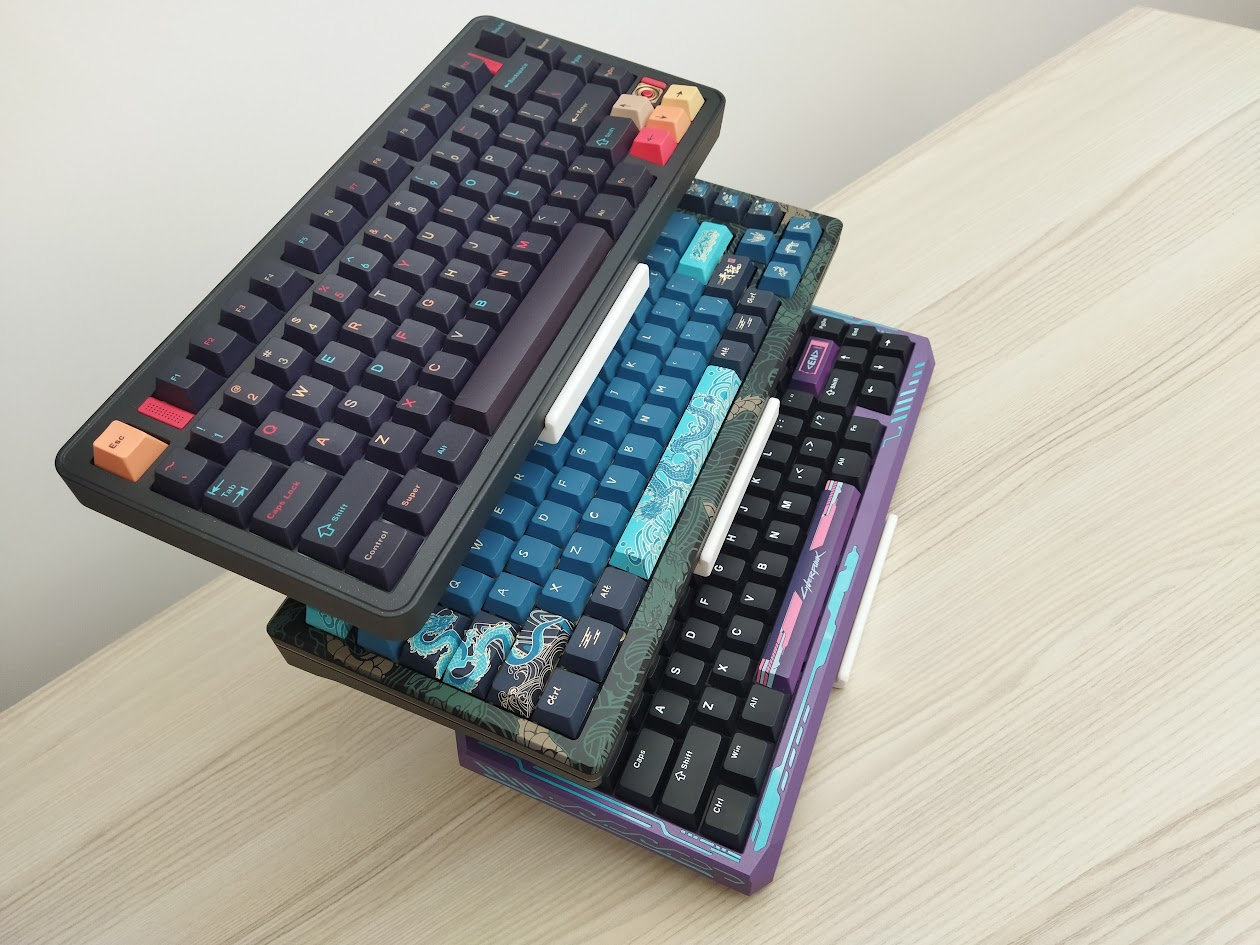
Weight-wise, every Whalebone model can support up to 10 pounds per shelf (official value) – more than enough, given my heaviest keyboards weigh slightly over 2 kg.
I haven't felt like stress-testing the shelves by adding even more mass, it had no problem with my heaviest CNC aluminum keyboards.
Protection
By default, these stands come without cork pads, but they are available as an extra option now.
Equipping shelves with a large cork pad for board protection and also for slippage prevention is something I'd encourage.
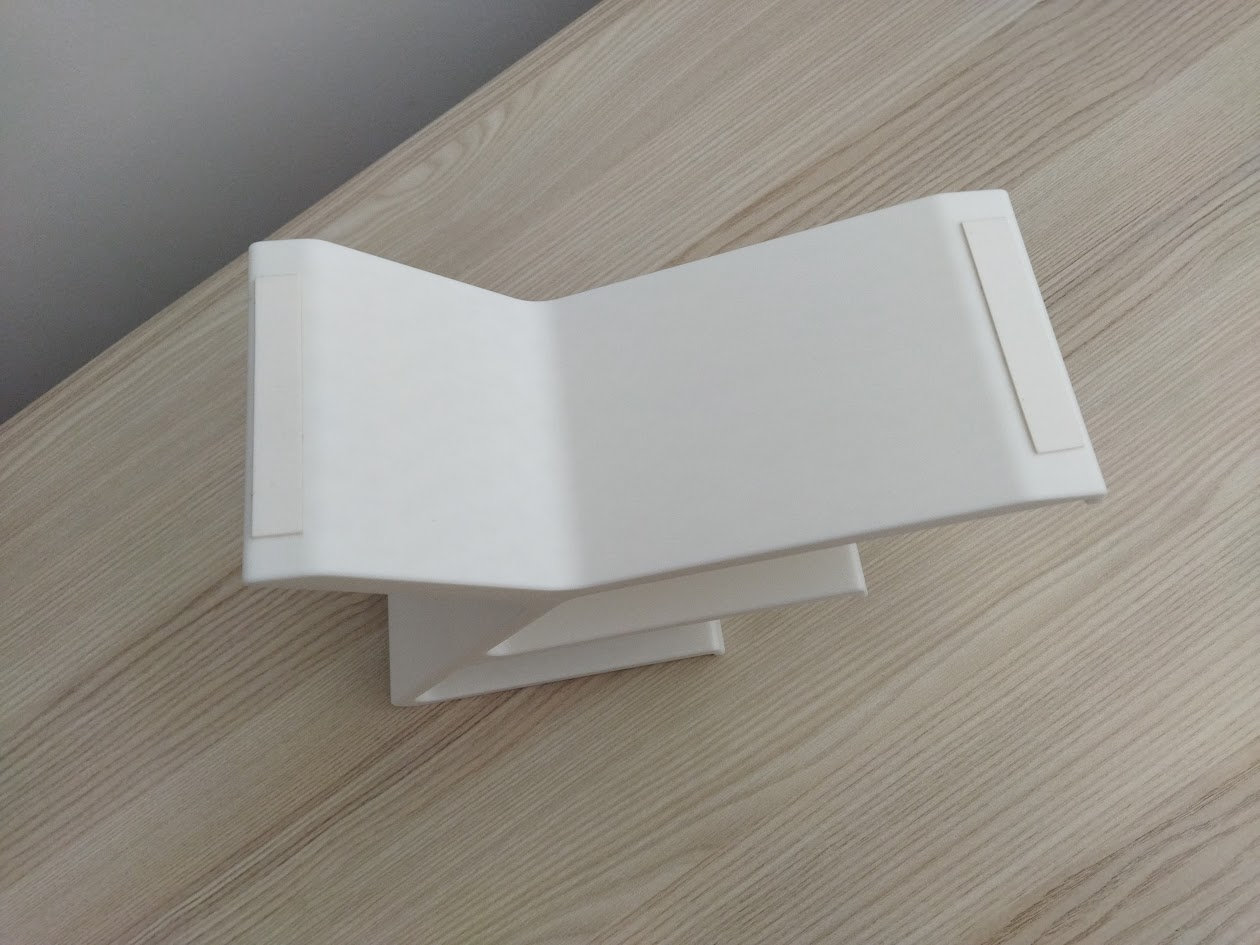
The bottom of the stand came equipped with two strips of what feel like non-slip silicone to prevent the stand from shifting around.
Comparison
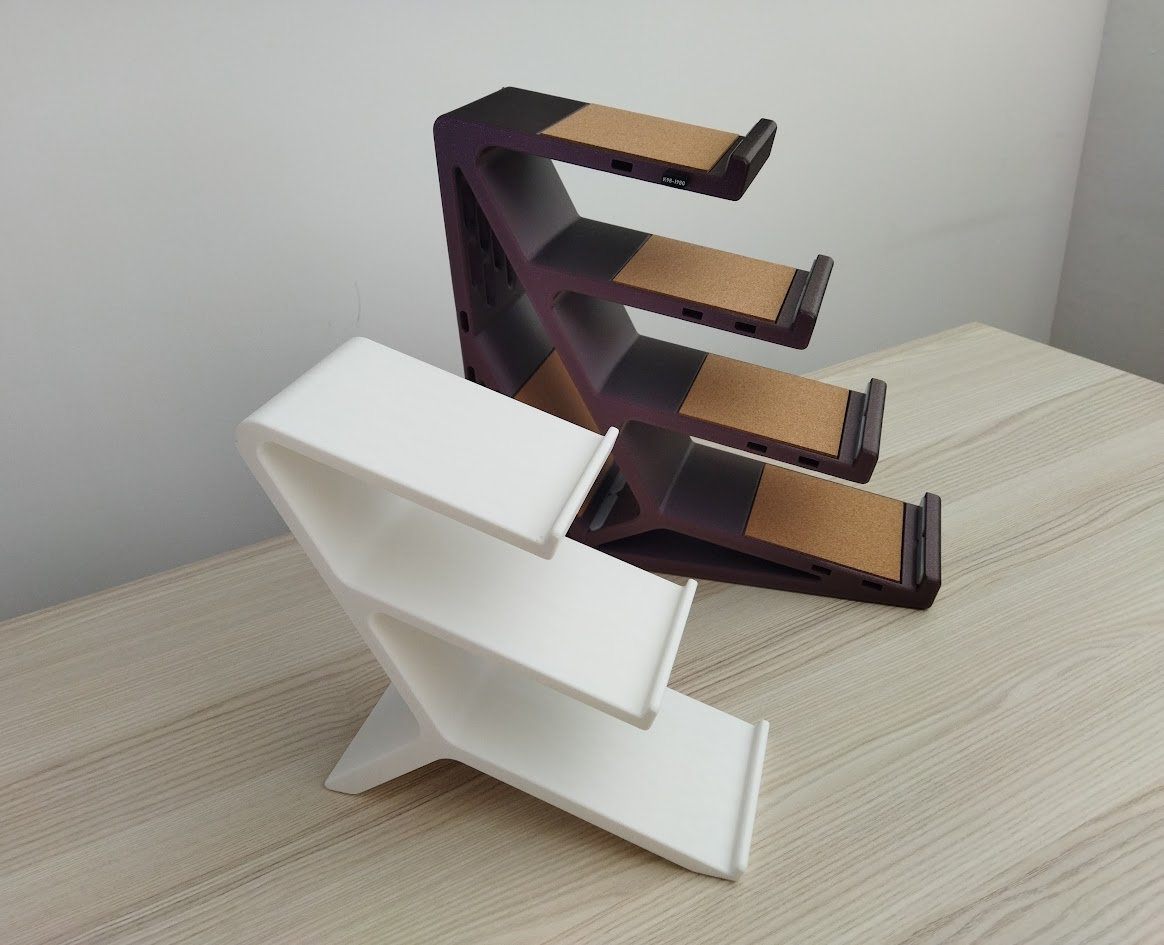
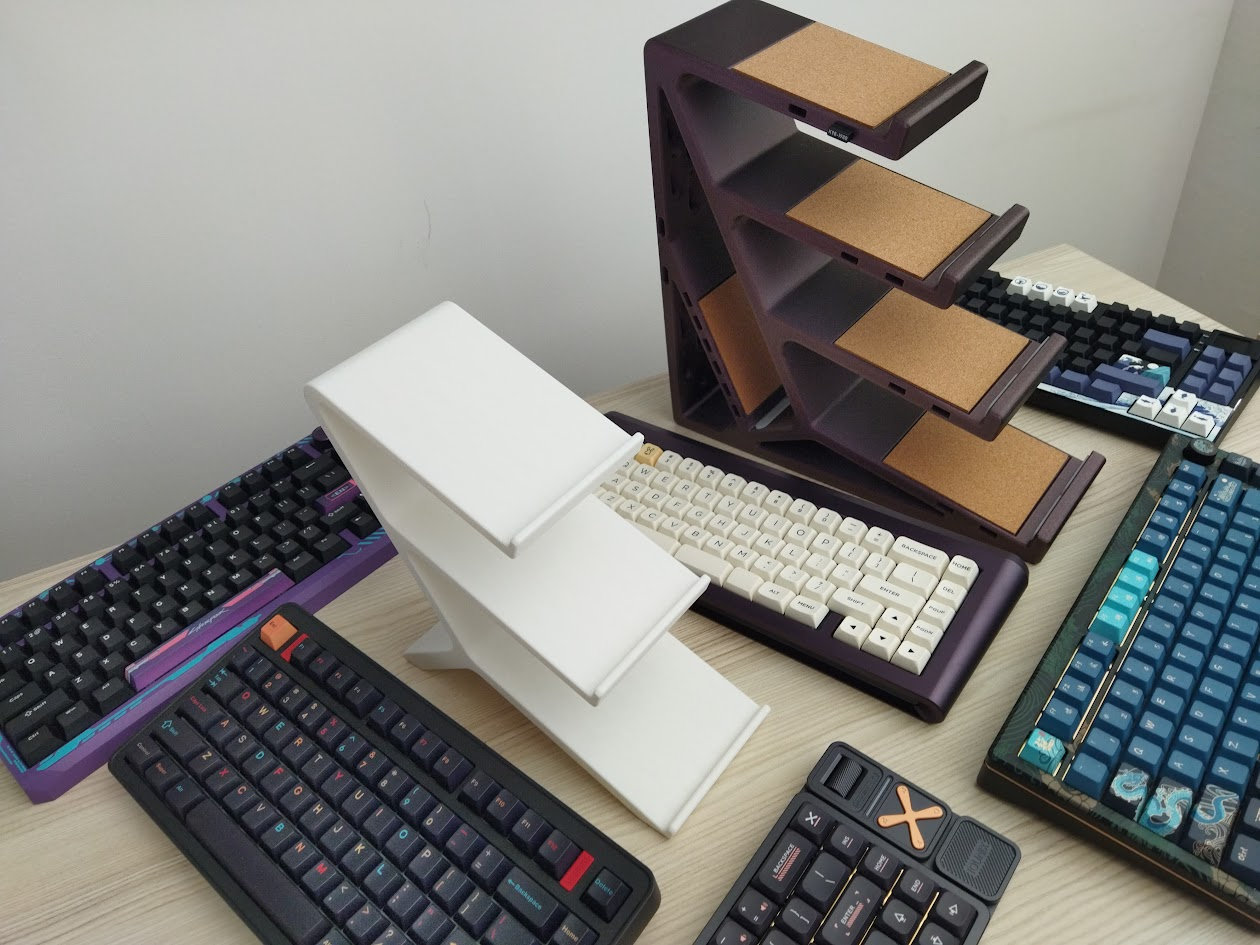
So let's compare the Whalebone and Clackify stands. In short: they are two different products for different audiences and use cases.
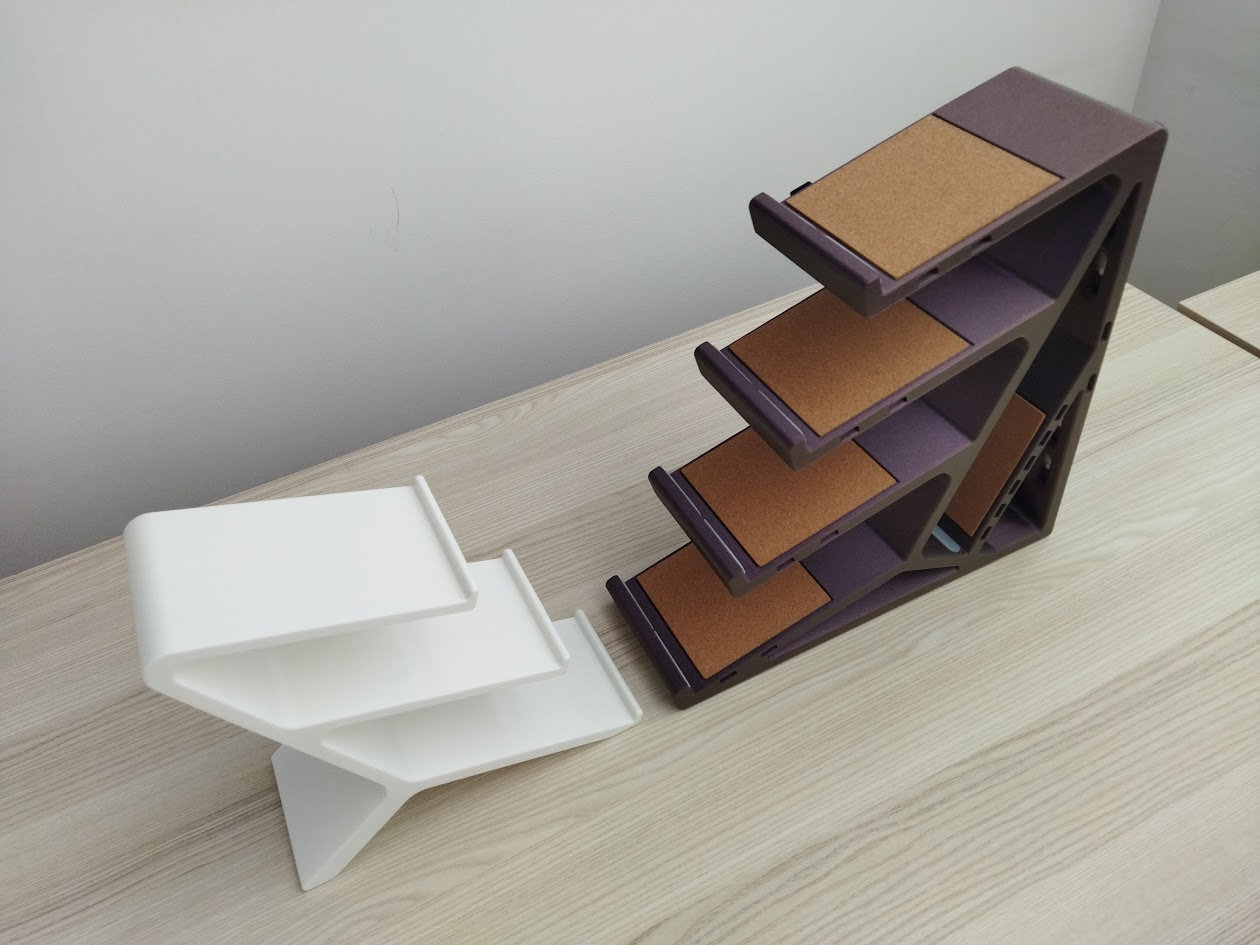
- The Whalebone stand is impressively light at just 321 g, stylish, more affordable, but a bit less stable. 3 shelves (more options). The cork pad is an extra (+$5).
- The Clackify one is sturdier, more stable, but really heavy (1kg+) and bulky. 4(+1) shelves. Cork layers are included, and it also features dongle holders and Skadis-compatible pegboard slots. That said, it costs about twice the price of the KDS-3.
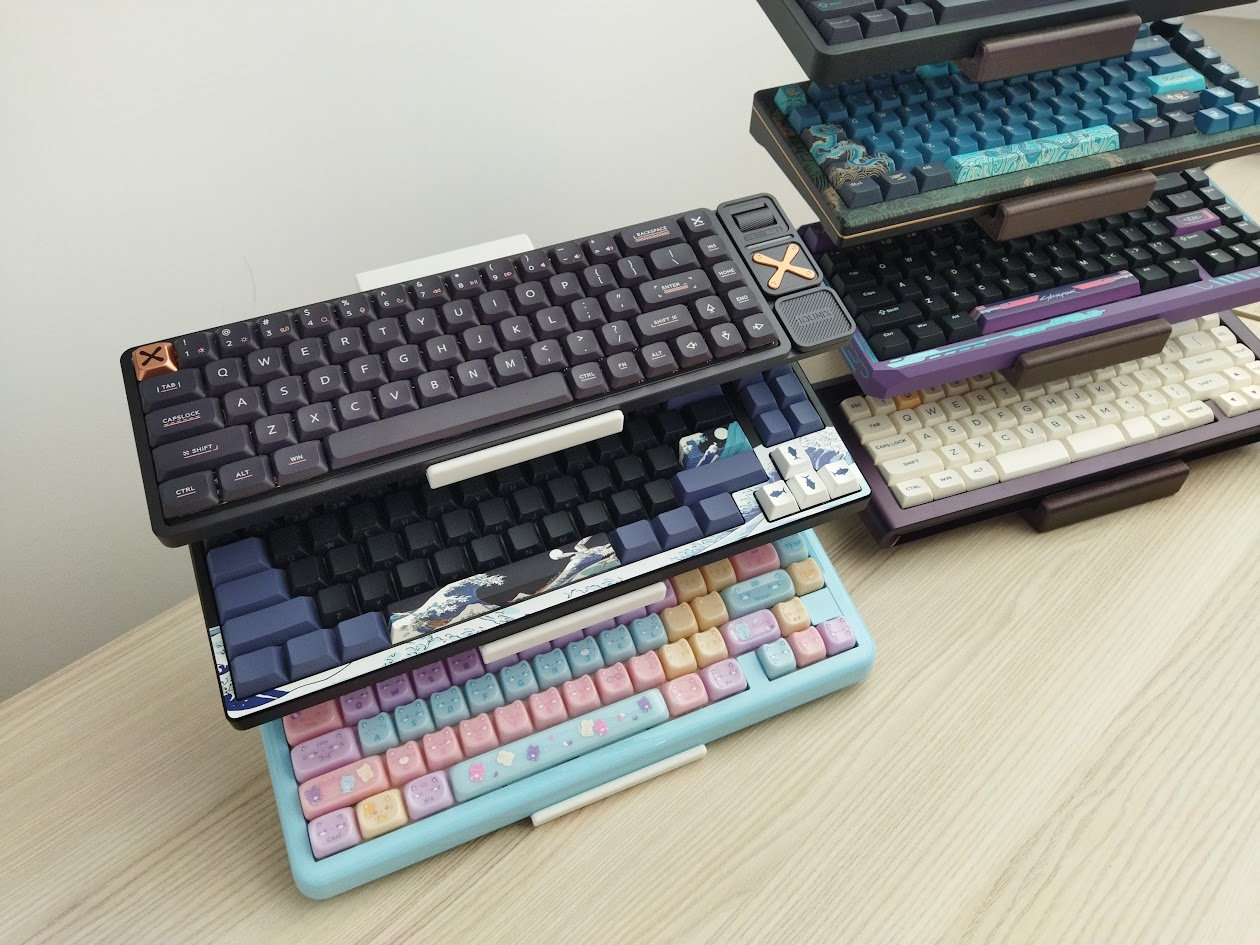
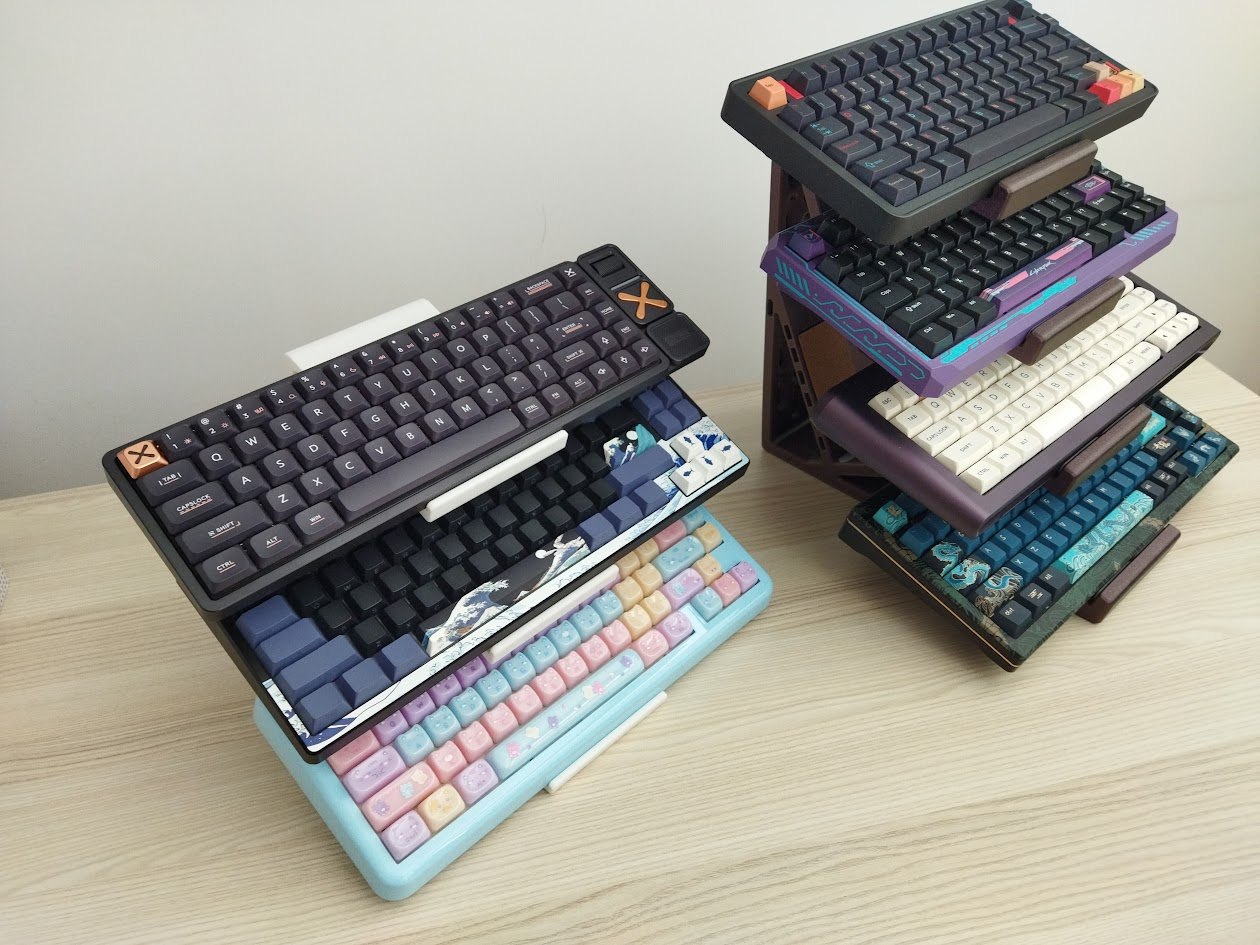
The biggest difference, however, is sturdiness and stability. So if you often move around the stand (with keyboards), lifting the whole contraption, the Clackify one is a slightly safer bet. I can grab, lift, or slide this 9-11 kg setup around when needed.
The Whalebone stand has the more elegant design, I like this minimal look better visually. It's perfectly stable when not bothered. However, I'd consider removing lighter keyboards before I had to relocate the stand. Heavier metal boards stay in place, but light plastic ones may fall off when moved around, especially without cork that would provide some traction.
So my verdict above only applies to the 4"/10 cm wide KDS-3 variant without cork pads. You can find wider, more stable designs in the Whalebone line-up, and I'm sure that the cork layer improves security a lot.
Pros & Cons
Pros
- awesome designs – elegant and functional
- many colors and materials – I love the basic white one though
- optional protection (cork pads)
- lightweight
Cons
- Rocks a bit; less stable
Summary
Whalebone offers a wide range of elegant keyboard stand designs. The KDS-3, the current best-selling model, is a well-designed, lightweight, 3D-printed product for keyboard enthusiasts and collectors. The 3-tier test unit displays tree boards in a clean, space-efficient way, however, there are 2-4 tier variants as well, and other designs with up to 8 shelves. Cork pads are optional, the design is less stable compared to the Clackify one, but the shelves easily handle even the heaviest aluminum boards. Use the 3D stand builder to configure your stand: design, color, tier, width/depth, material, etc. Price starting at $28 (current price with the KBDNEWS coupon code).
Availability
You can purchase this nice keyboard stand at Whalebone – Ed is offering a 10% discount with the KBDNEWS coupon code.
Available from $31 $28 (3-tier Angled).
Published on Thu 12th Mar 2026. Featured in KBD #208.
Related

Colourful keyboard stands
Colourful keyboard stands by WhatIsDeli (more pics).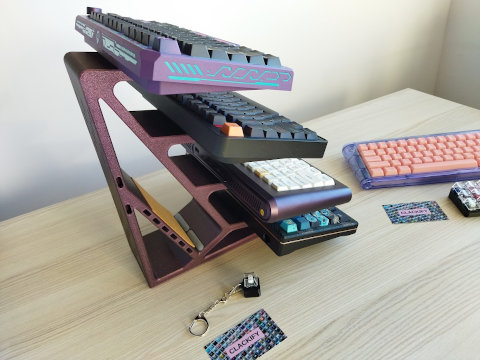
Clackify keyboard stand
I tested a great keyboard stand designed and sent to me by Clackify – it's sturdy, functional, and looks awesome.
Kemove P10 switch puller
Kemove sent me their P10 switch puller, which is a very handy little tool. And for just $12* it's a no-brainer.
3D printed keycap case
An open source 3D printed keycap case by oriol360 with STL files.