Keyboard Builders' Digest / Review
Royal Kludge RK R99 review
The Royal Kludge RK R99 is a nice mechanical keyboard in the 1800 form factor. Wireless, hotswap, with huge RGB firepower.

Published July 15, 2026
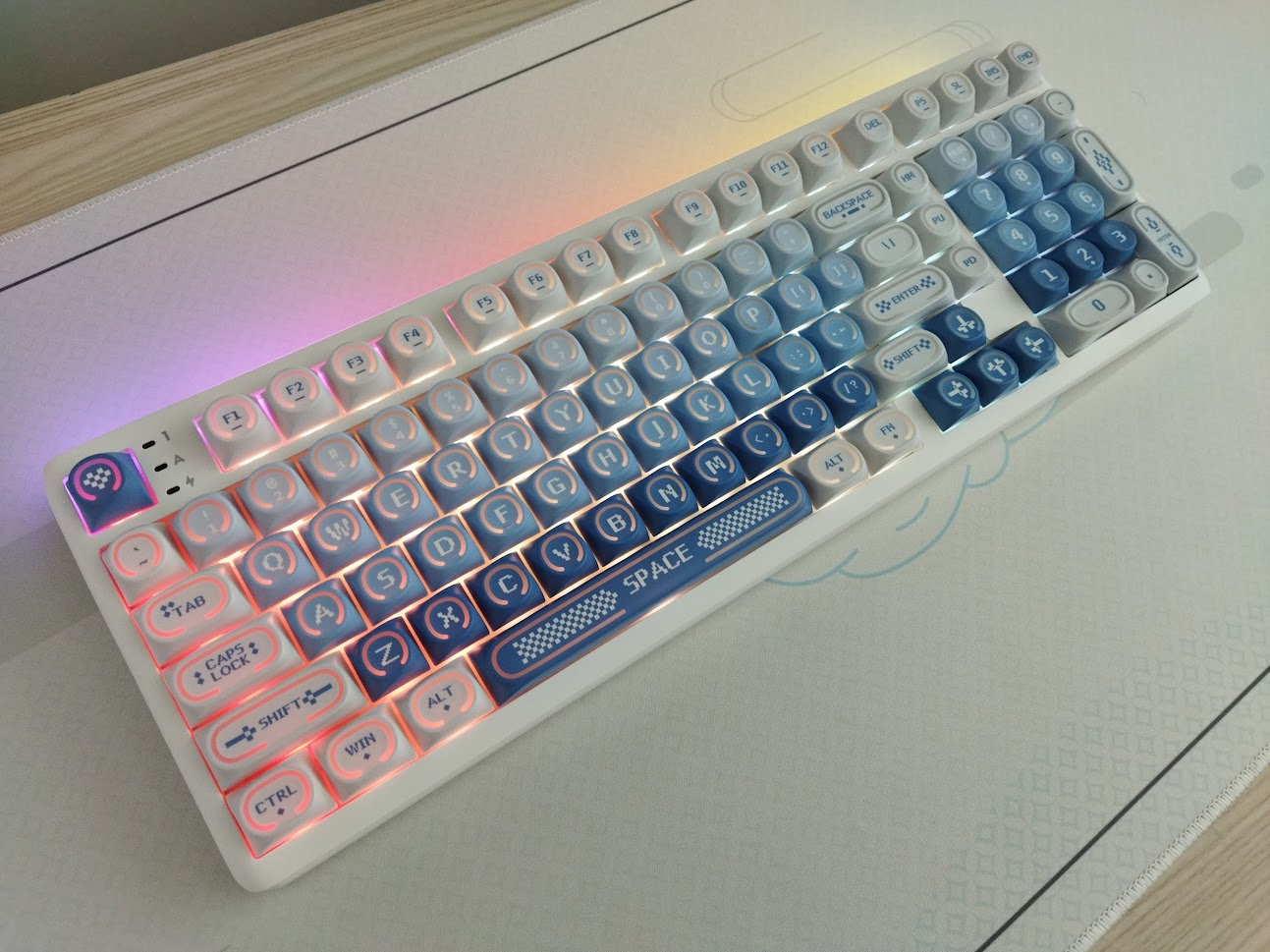
The 1800/96% layout and its variants make a lot of sense if you insist on the numpad for data entry, so I'm always glad to cover new keyboard models in this form factor.
TL;DR: The pre-built Royal Kludge RK R99 is a tri-mode wireless keyboard in the 1800 form factor, featuring a plastic case. It offers enhanced RGB lighting features, hot-swappable switch options, and MX-compatible keycaps with a pretty unique profile (among more classic options). Remappable keys via proprietary software or web driver, but limited customization for more serious keymap wizards. That said, the R99 is definitely something to consider if you're looking specifically for this form factor with huge RGB firepower. Currently available from$100$80 – use the KBDNEWS coupon code.
Should I buy the RK R99? – you may ask. Well, it always depends on your exact needs. In this review, I'll pack in as many facts as possible to help you answer that question for yourself.
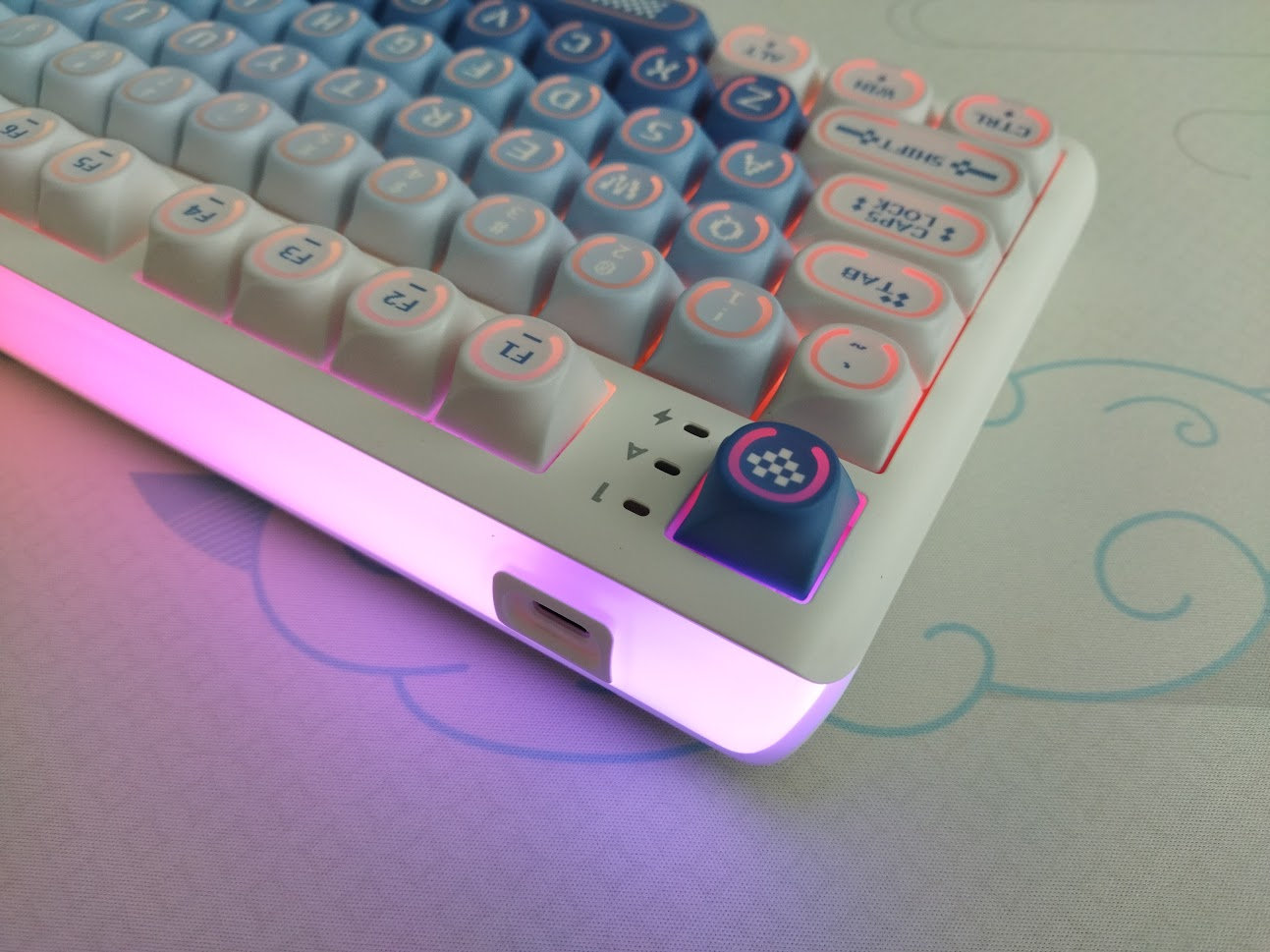
Before placing an order, make sure you're aware of your preferences and the features you'd like to have, and check out the full review below for all the details and photos.
Specs (and ToC)
- Contents: prebuilt keyboard, manual, cable, tools, dust cover, spare switches
- Layout: 1800 (96%), 101 keys
- Keycaps: shine-through PBT, high sculpted spherical profile
- Switches: Cream switch (linear, 45gF actuation)
- Case: plastic
- Typing angle: adjustable, 6 degrees plus two stages
- Mounting: gasket mounted
- Stabilizers: plate mounted
- Plate: frosted PC with flex cuts
- PCB: hotswap, south-facing per-key RGB
- Connectivity: wired, 2.4GHz, Bluetooth
- Software: proprietary software
- Battery: 10,000 mAh
- Dimensions]: 402x140x42 mm
- Weight: 1,188 g
- Price:
$100$80 (code: KBDNEWS)
Disclaimer
This review unit was sent to me by Royal Kludge (HK) for testing. Not having to pay for something may introduce all kinds of biases, both negative and positive in my experience, so take everything I write with a grain of salt.
Variants
Three available color variants: Halo (white-blue theme), Rhythm Blue (white-blue but cleaner design), and Slide (black-blue).
There are two switch options: Cream and Beige, and two other (tactile and silent linear) options at RK US.
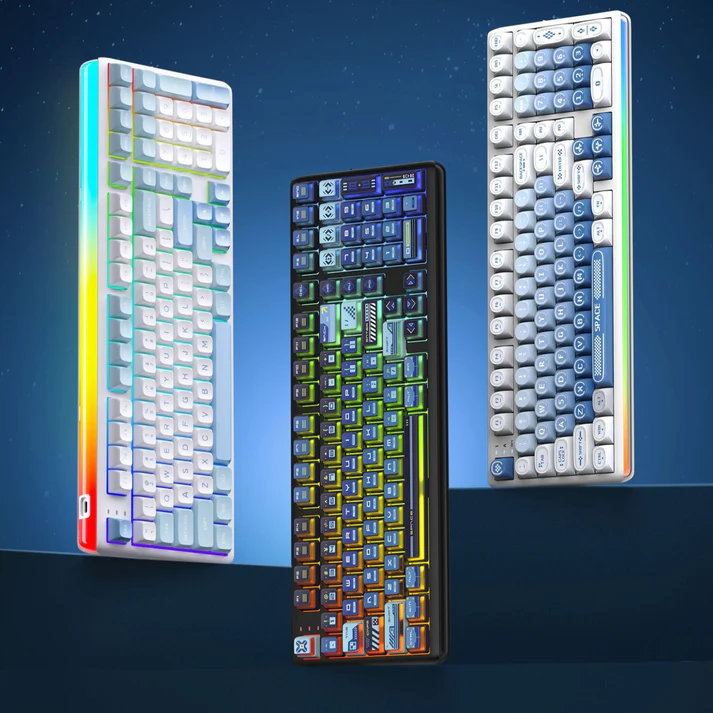
I went with the Halo one because I was curious about its unique keycap profile.
Unboxing & Contents
The Royal Kludge RK R99 came in a nice and shiny cardboard box with an actual photo of the R99, but not much info on the packaging:
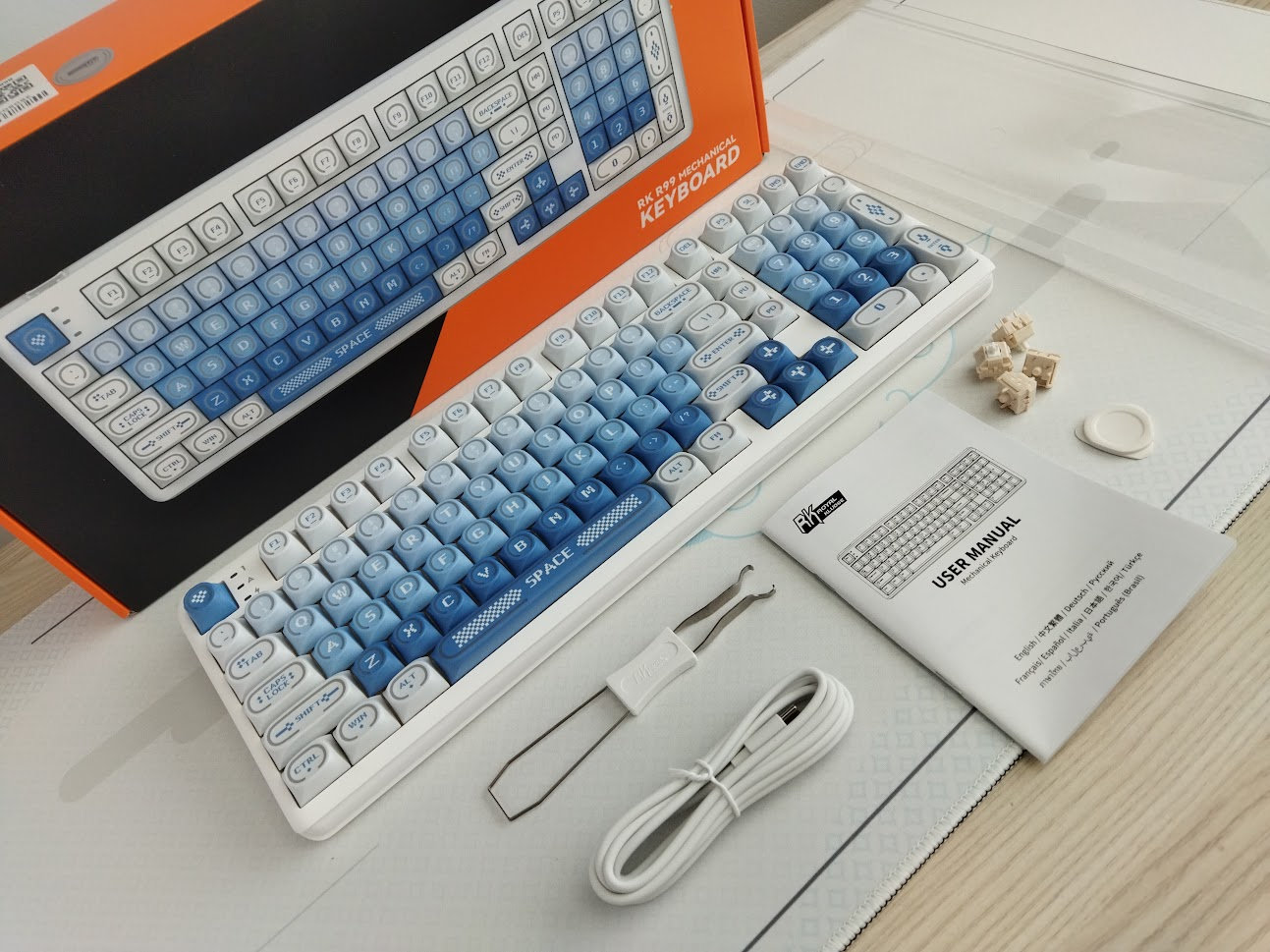
Contents:
- The pre-built RK R99 with keycaps and switches mounted
- basic white cable
- combined keycap and switch puller
- wireless dongle (holder in the case)
- manual
- 4x spare switches
- dust cover
- plastic pry piece
First impressions, design language
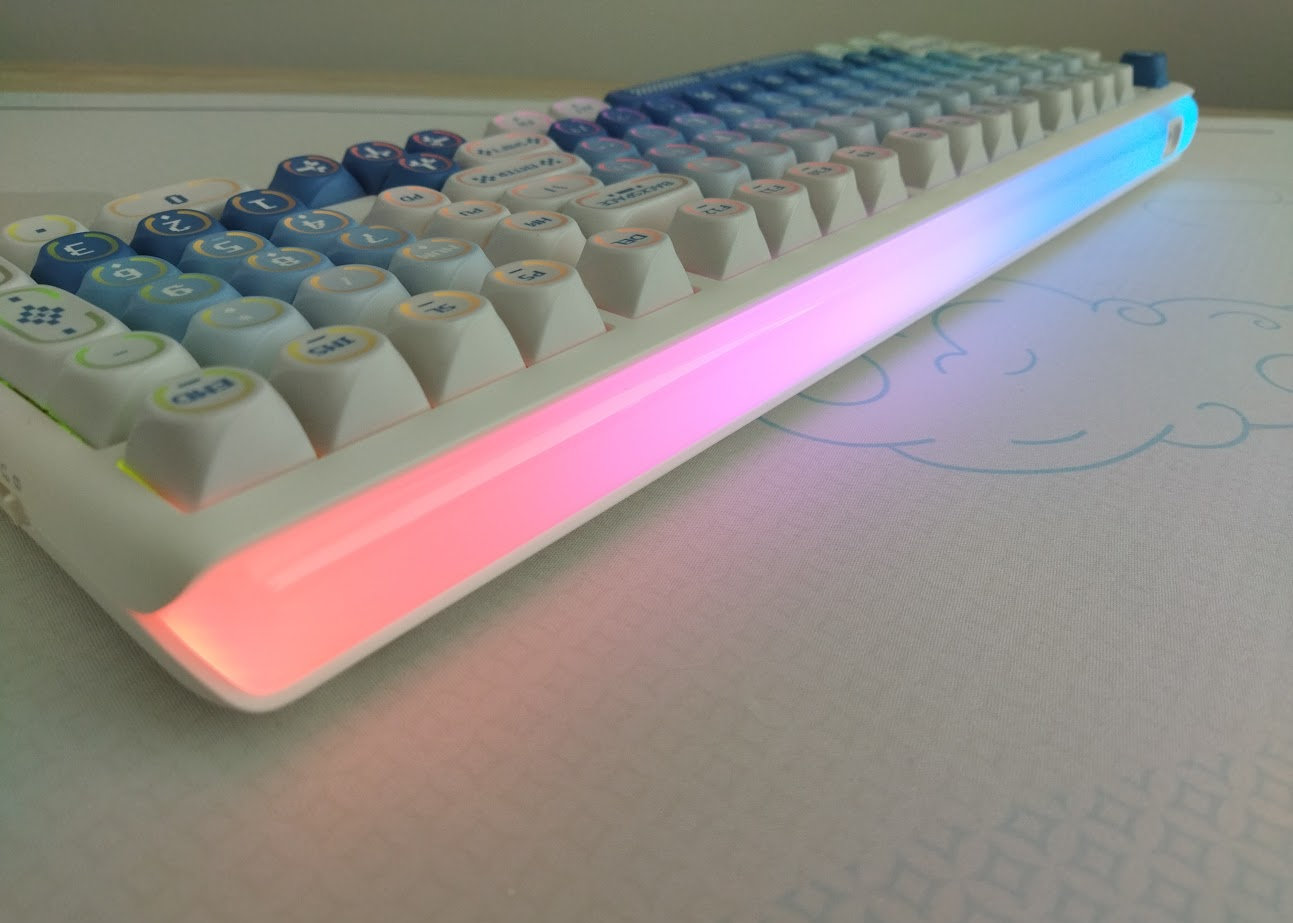
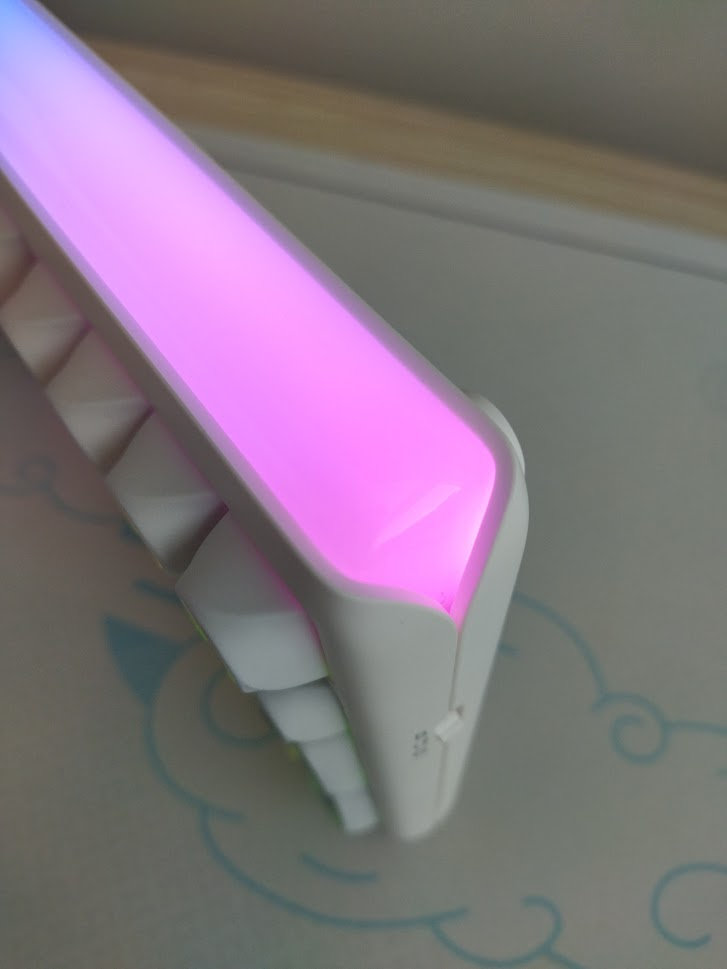
The R99's most distinctive design feature is its curved light box, which stretches across the entire rear of the keyboard.
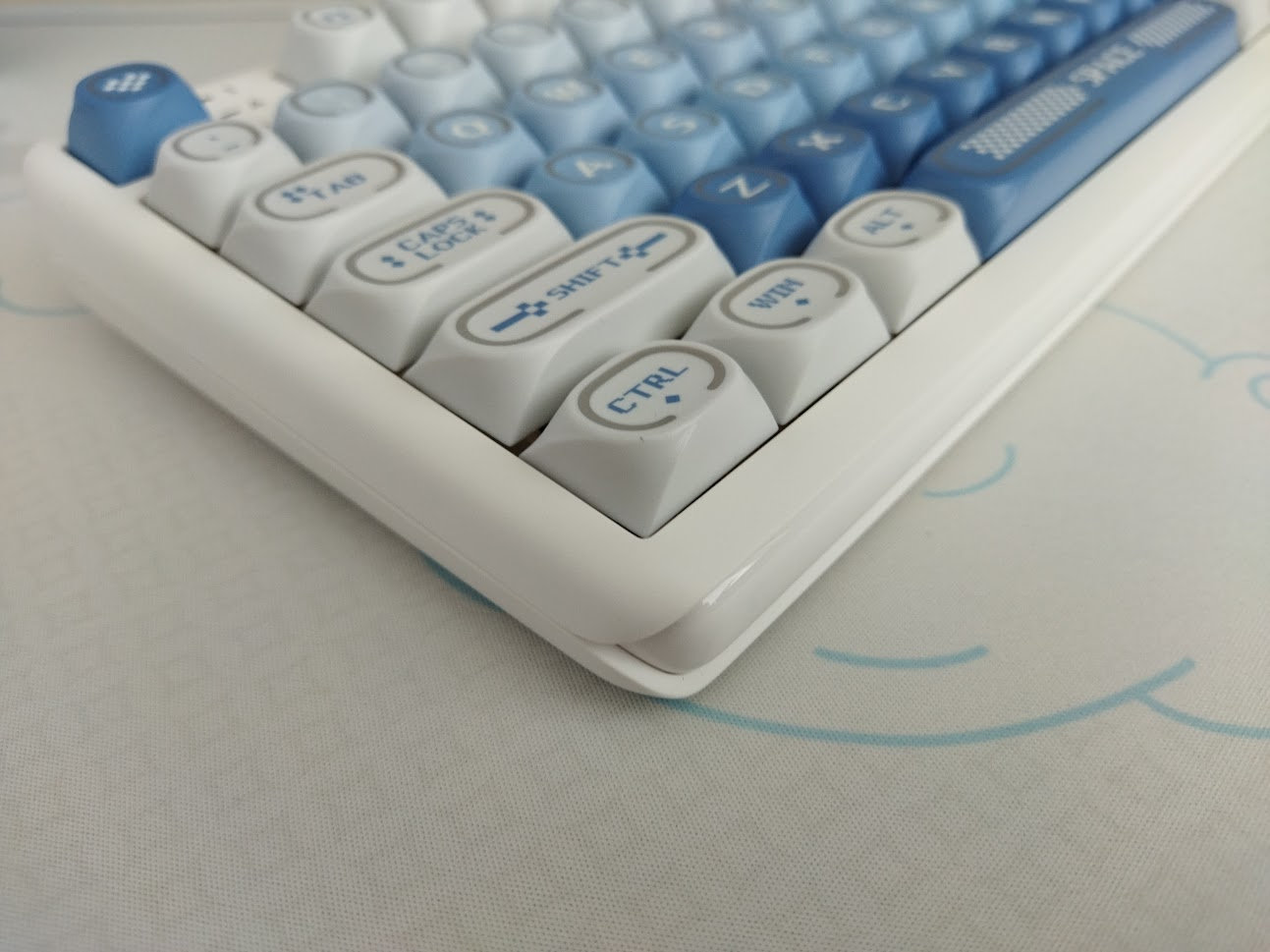
In addition, the keycap design of the Halo variant is very characteristic.
If this is not your cup of tea, there's the Rhythm Blue one with a nice calm color palette and with a clean and simple legend design on what looks like MDA profile. And the Slide version is a whole different world again, with front-lit keycaps closer to OEM/Cherry profile.
Layout
With its relatively rare 1800-ish ANSI layout, featuring 101 keys, the Royal Kludge RK R99 saves some space while ensuring that all essential functions are easily accessible for new users transitioning from a standard fullsize layout.
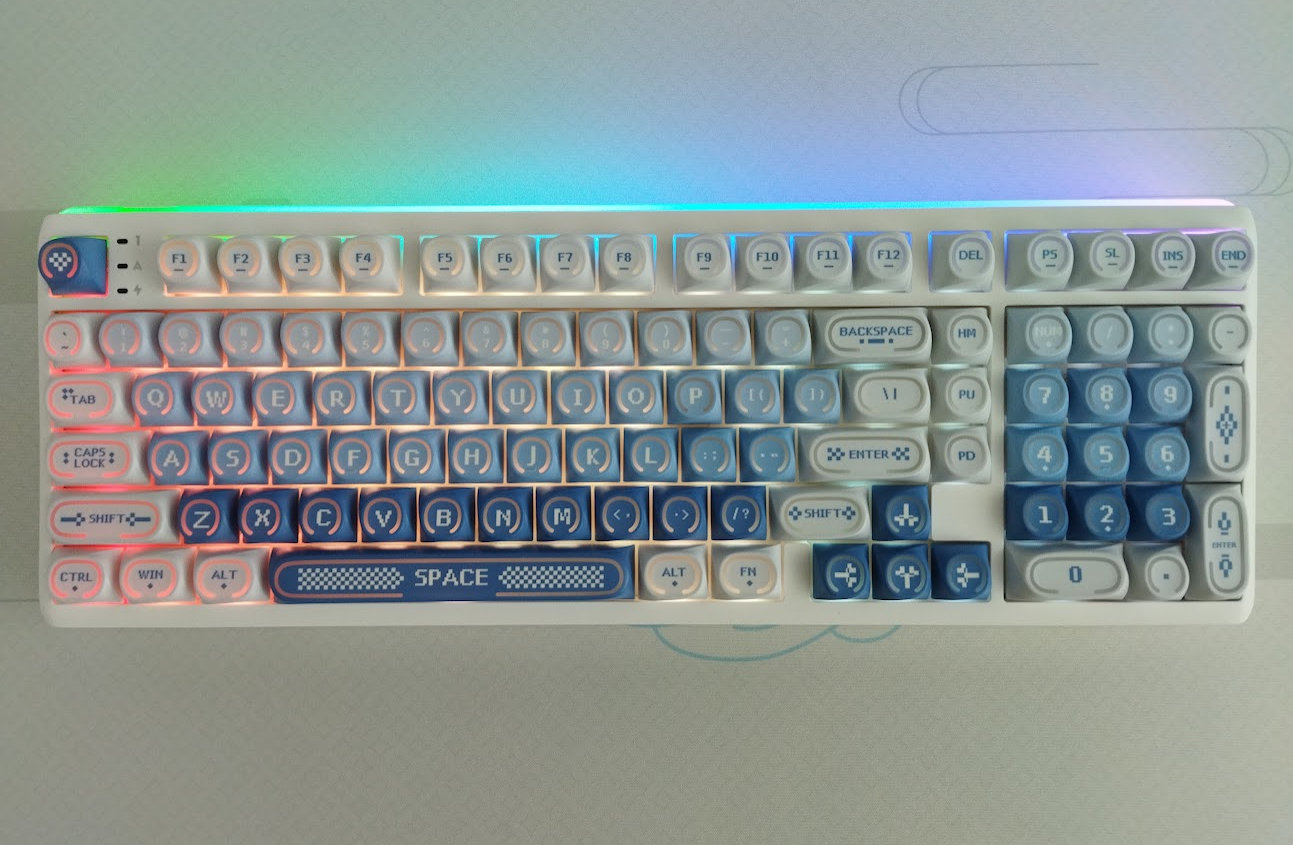
The classic 1800 layout is known for reducing the keyboard's overall width by removing the standard navigation and arrow cluster, and repositioning the arrows between the main alphanumeric area and numpad, in a slightly offset way.
As a twist, the R99 retains a single column of the navigation cluster. In addition, this specific layout variant features a bit more symmetric F13-ish function row arrangement, with a Del key in place of the F13 key by default.
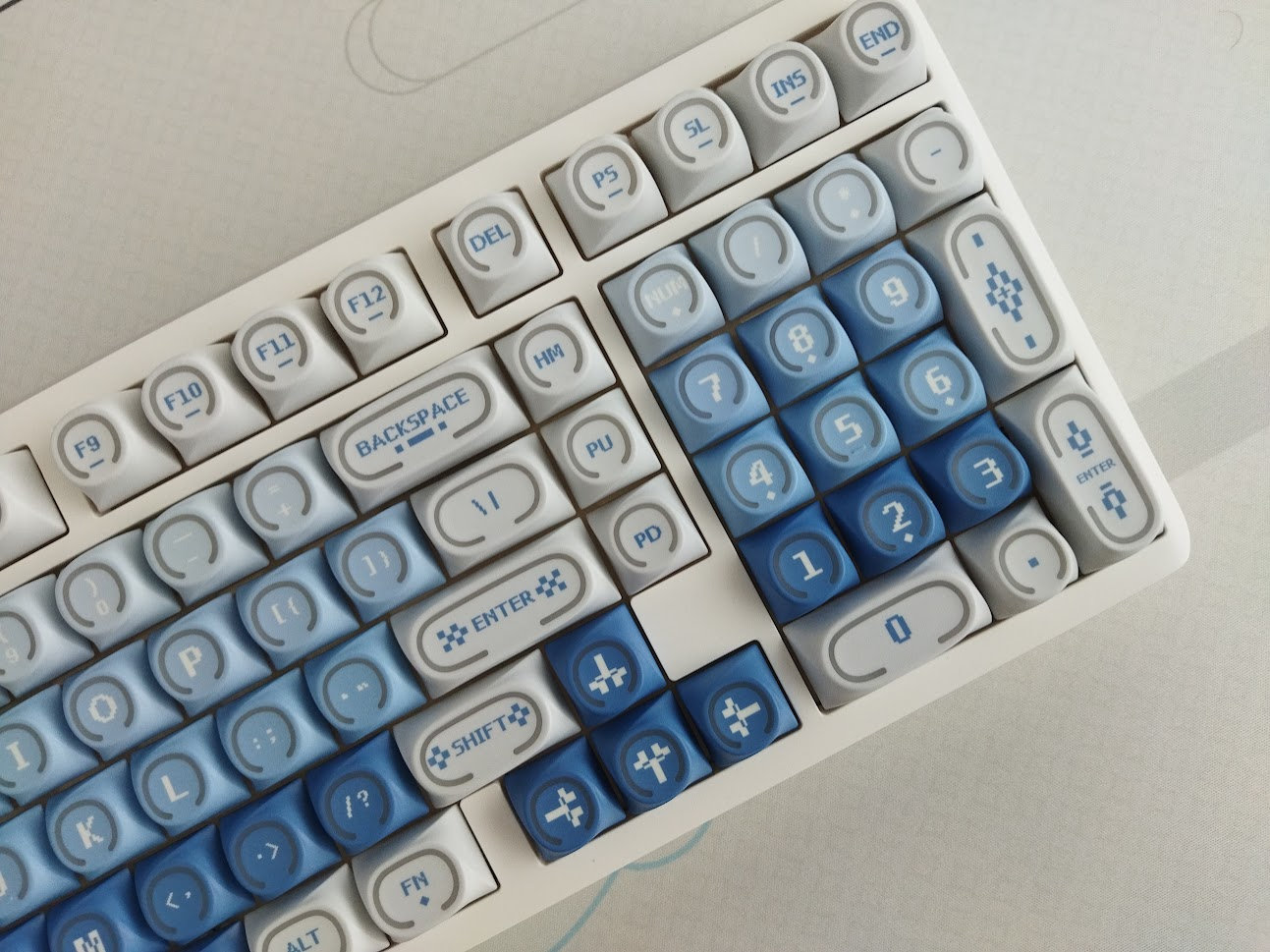
All in all, you still have arrows, function row, number row and numpad – only the classic navigation cluster is rearranged this time, however, most physical keys are available in other positions. Only the Pause/Break key of the standard layout is missing here.
Unlike many of the more prevalent 65% or 75% layouts, this 1800 variant is not crowded at all: while the arrow cluster is not entirely offset, it's still easy to locate when touch typing, so you won't get lost when changing between the home row and arrows.
Keycaps
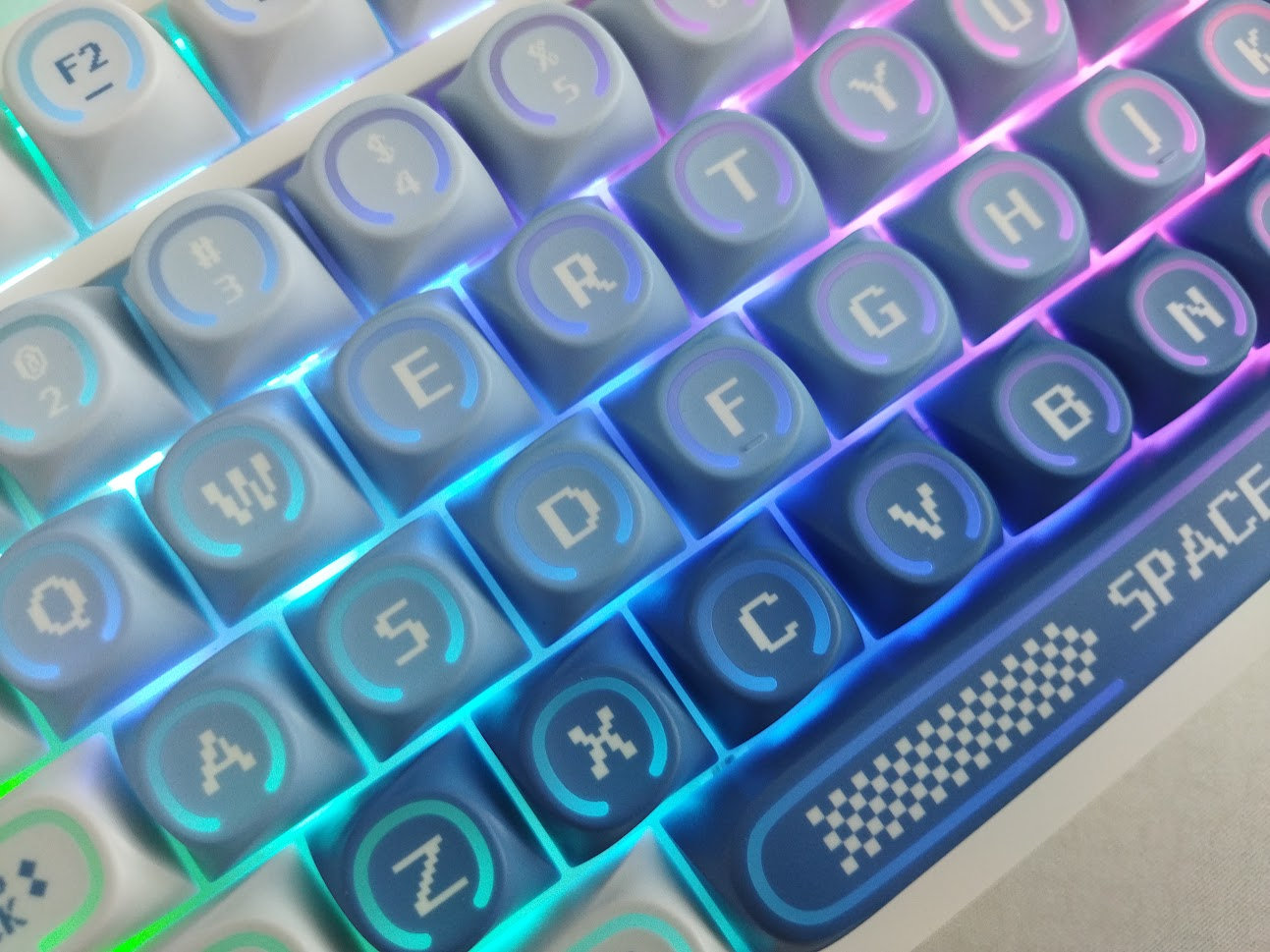
I haven't seen this profile before. While it may look uniform in the official photos, it's actually a sculpted spherical profile – different heights in different rows. The top surface is circular, but with very shallow dish, and the skirt is like a whirl – if this makes sense.
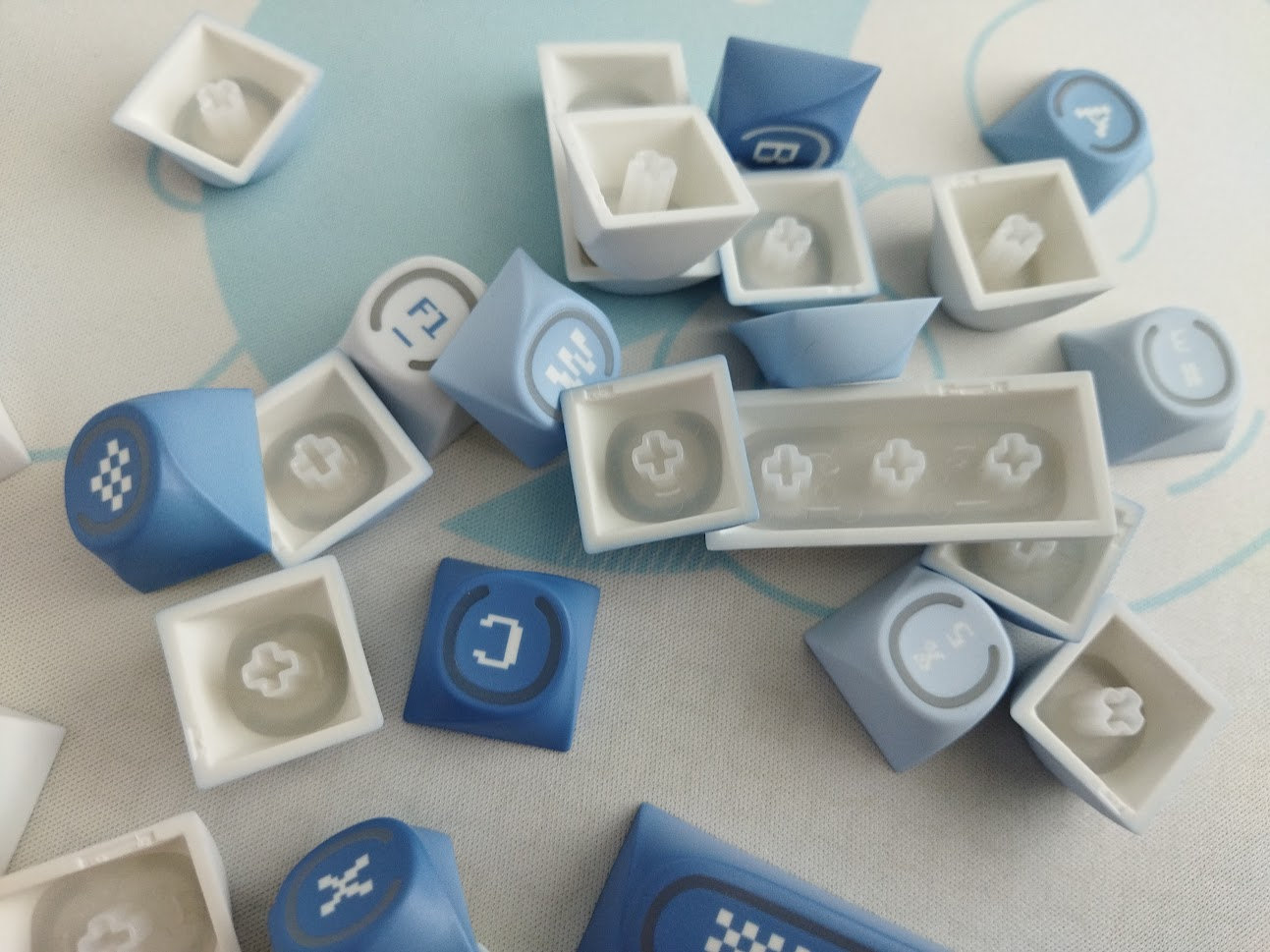
Double-shot because of the translucent part, with dye-sublimated legends – pixel fonts and motifs. Consistency isn't the best, to be honest: some legends are way too off-center.
With regards to keycap compatibility, the 1800 layout should be widely supported if you opt for a premium keycap set.
Watch out for the smaller right Shift cap, but that's it.
Switches
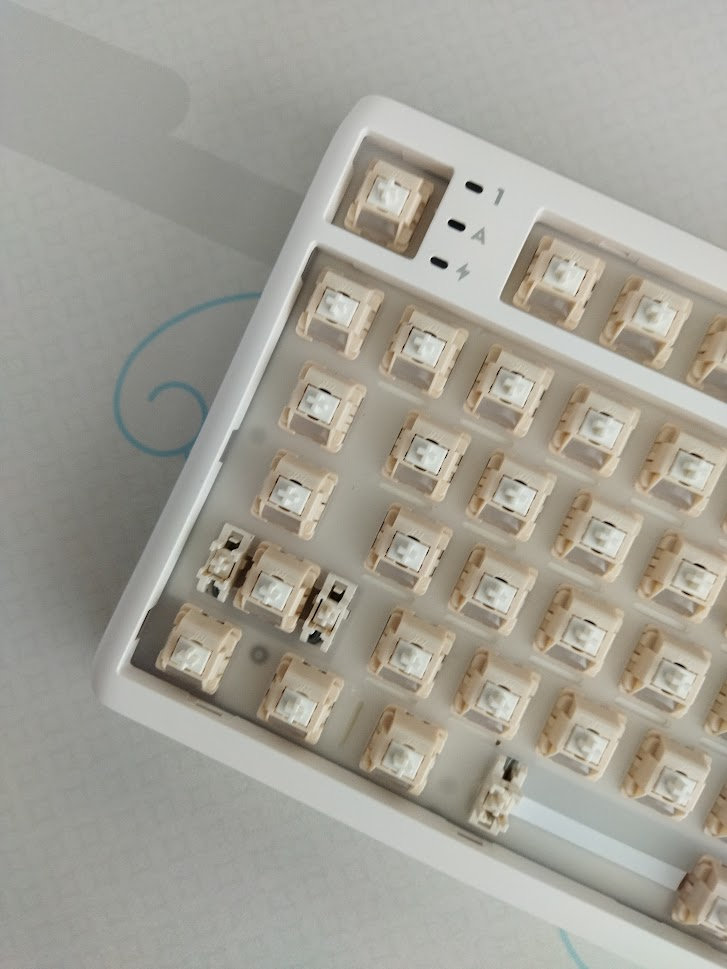
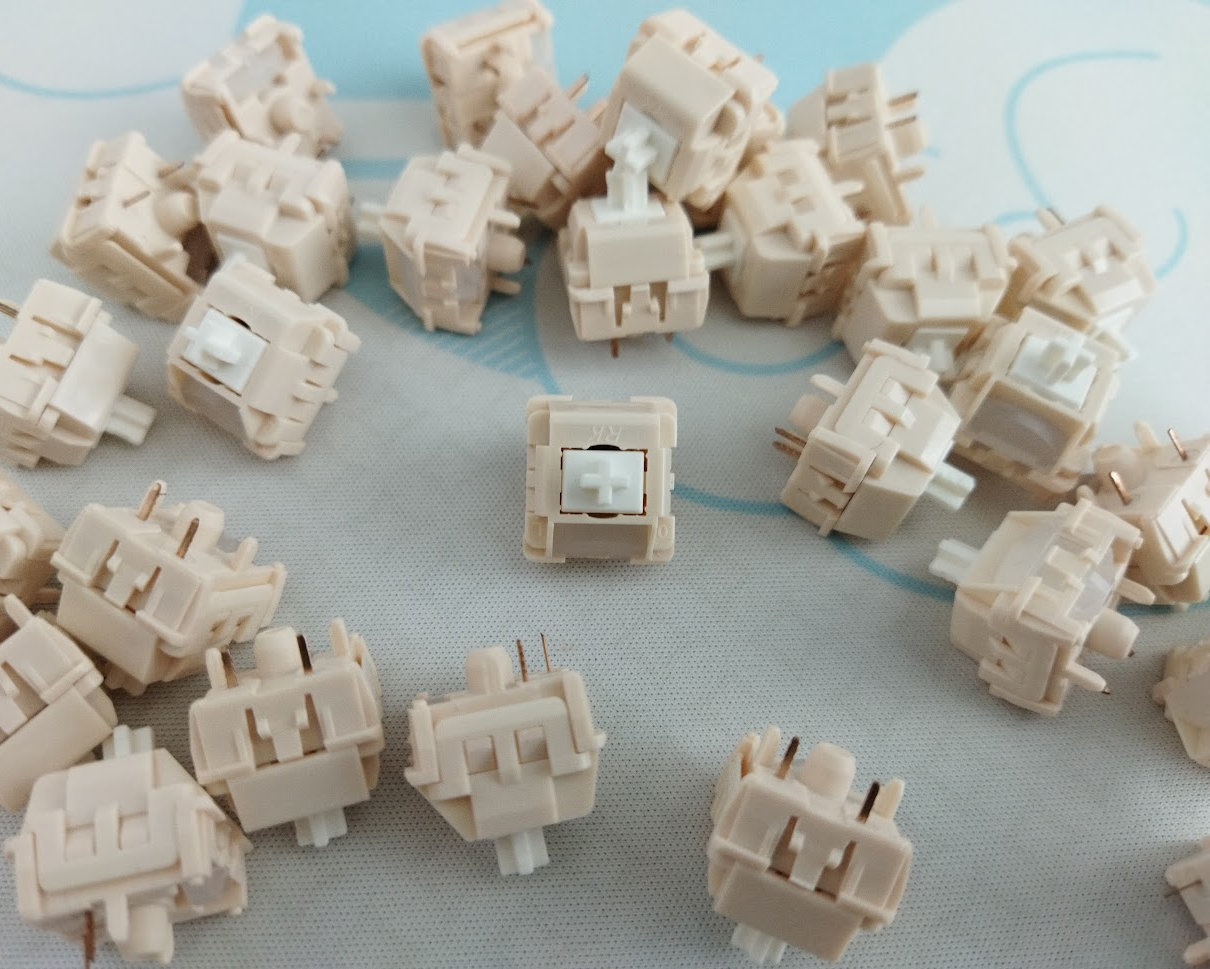
The board comes with RK-branded linear Cream switches. Relatively light (45gf) linears that feel decent. Smoothness and stem wobble is average, or even above average.
Sound-wise, the Cream switch seems pretty universal: somewhere between clacky and thocky, so there's plenty of room to shape the sound with other components of a build.
Data on the available RK switches is sparse:
- Actuation force: 45gF
- Bottom-out: ?gF
- Total travel: 3.4 mm
- Pre travel: 2 mm
- Material: ?
- Light diffuser: yes
The PCB features hotswap sockets, so you're not restricted to the factory setup as you can easily swap switches.
Check out and feel free to use the most recent best-selling mechanical switches, or your personal favorites lying around.
Build quality, structure, case
Decent build quality and weight for a plastic case. The whole thing has a remarkable mass despite being plastic. I mean, 1.2 kg is definitely authoritative.
The top and bottom case is matte with a nice texture, and the front is shiny.
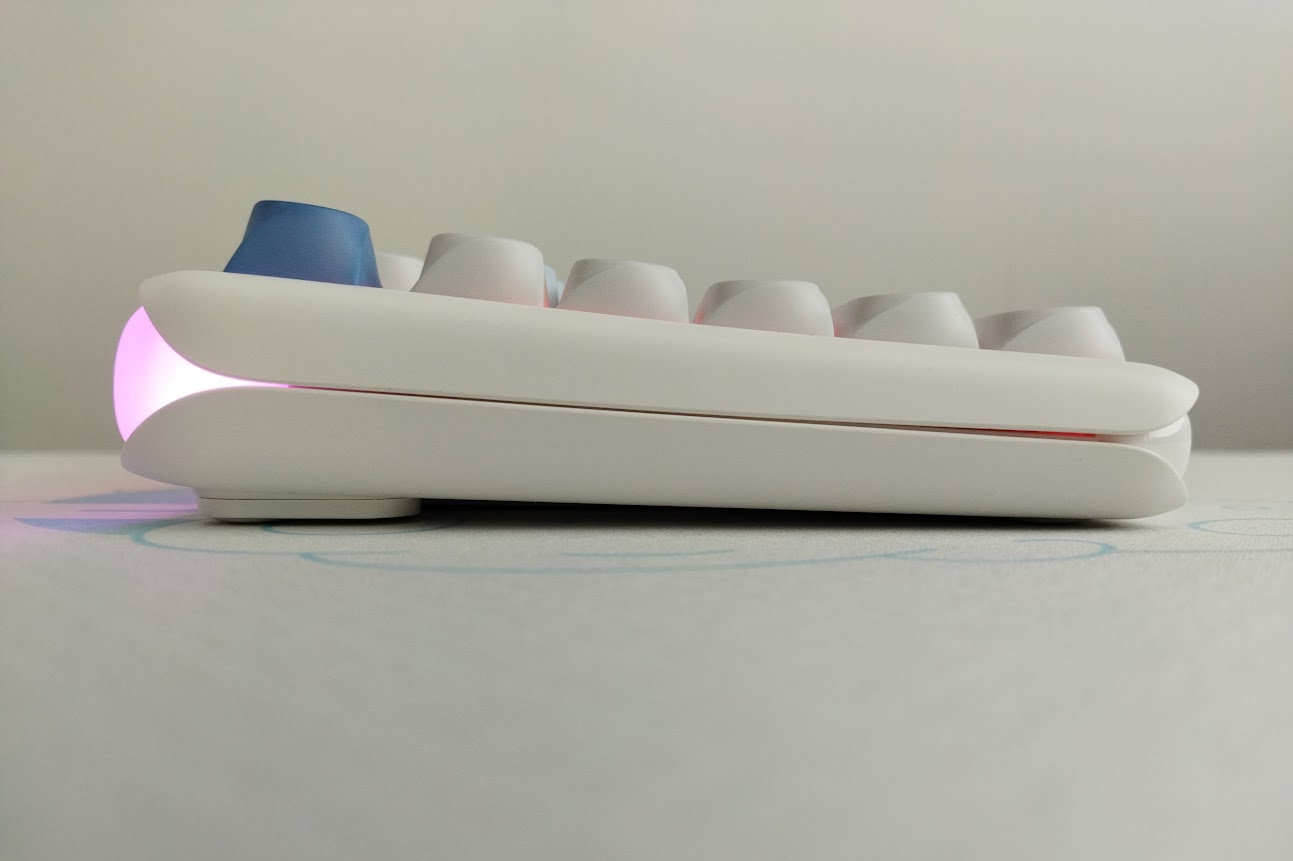
Typing angle: adjustable with two-stage feet. Starting at 6 degrees.
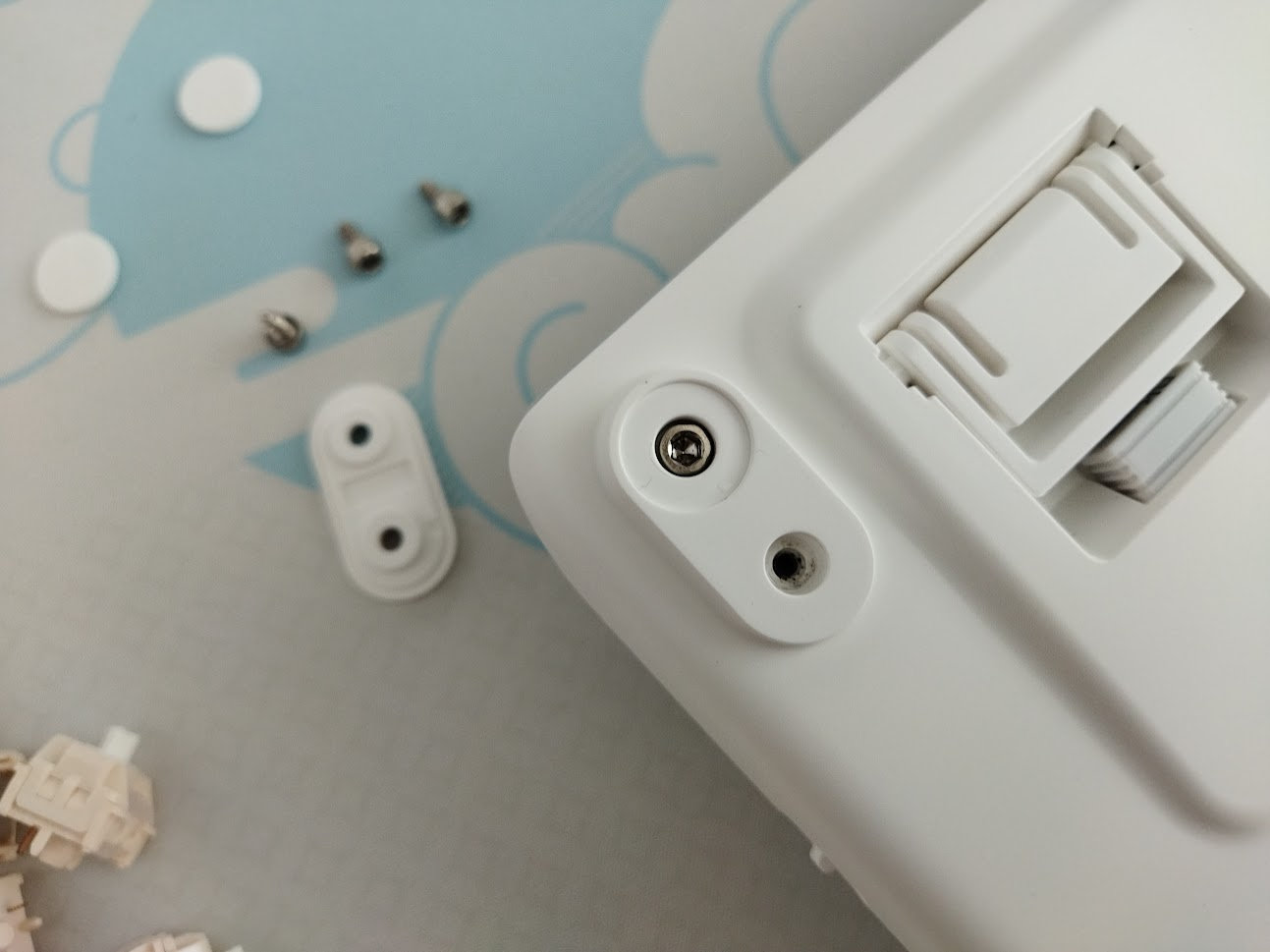
The disassembly is always tricky with this kind of plastic cases (top and bottom snapped together), even though there's a plyer tool in the bundle.
If you give it a try: there's a hidden screw beneath the back bumpon, next to the exposed screw – surprising design choice.
I gave it up eventually because I didn't want to break or scratch something.
Mounting
Gasket mounting. This mounting method in general serves for some extra cushioning, usually resulting in a softer typing experience.
Plate
Frosted PC plate with flex cuts.
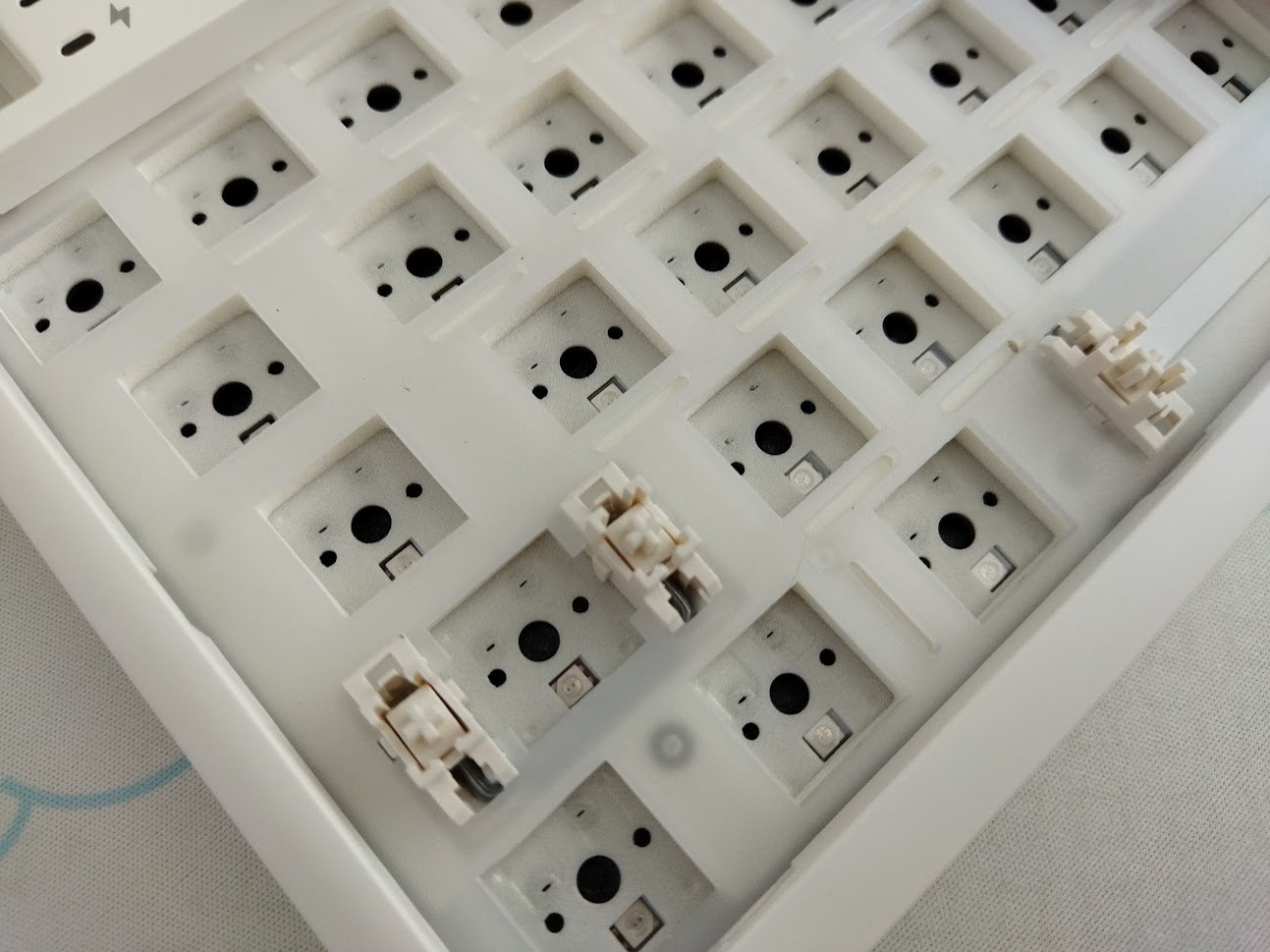
Stabilizers
Plate-mount stabilizers. Even if the PCB supported screw-in stabs, you wouldn't be able to easily disassemble this board, so you're essentially stuck with the stock stabs.
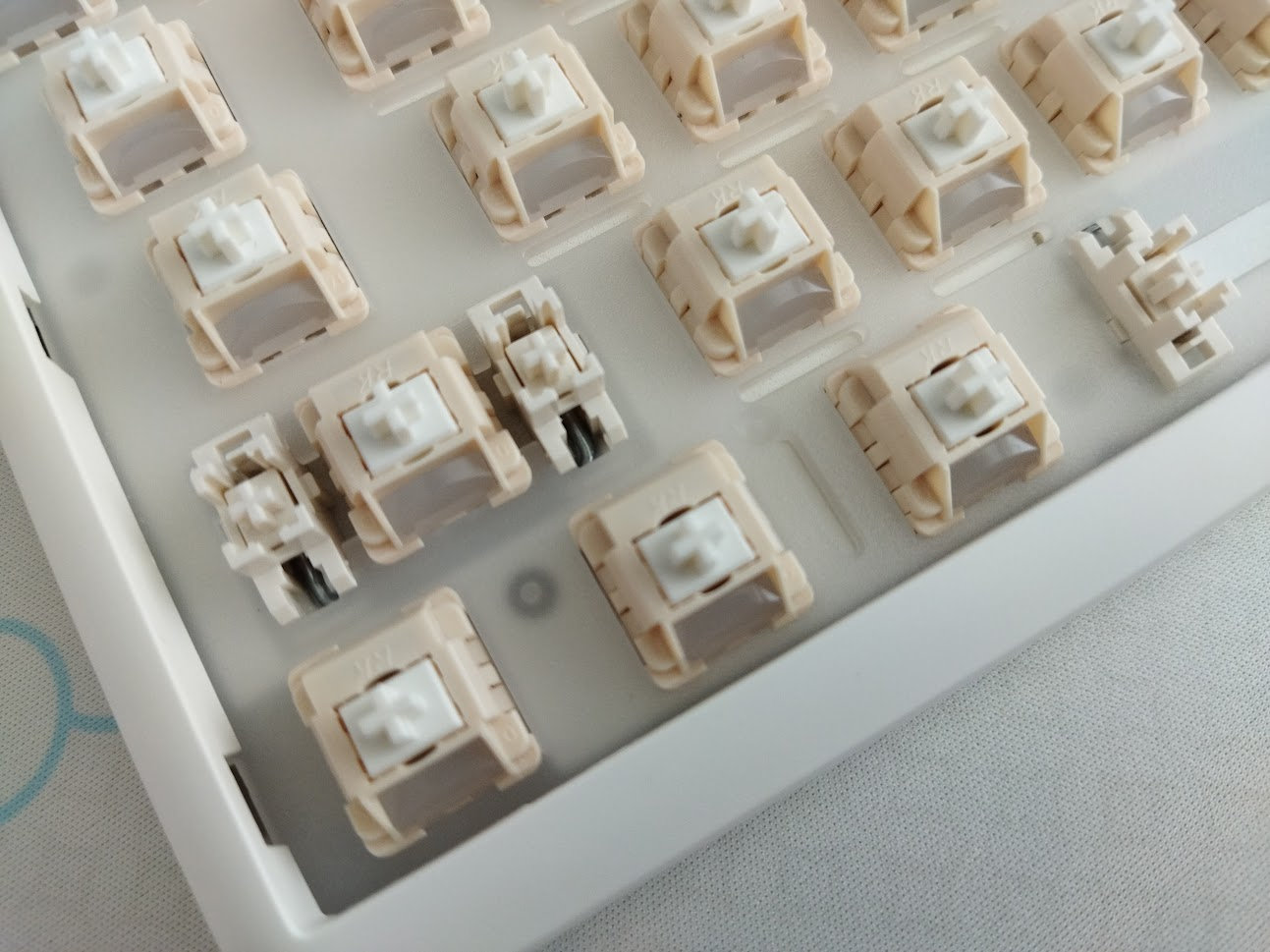
PCB
This is a prebuilt keyboard so most of you won't need to get this far in disassembling it. The PCB features hotswap sockets and south-facing LEDs. It's ANSI-only, with a single space and bottom row layout option. (Royal Kludge offers other 1800 keyboard models with ISO layout, but not this one.)
Bottom weight & Feet
No fancy weight, but a thin plate referenced erroneously as metal by one of the product pages. In reality, it's closer to a silvery sticker I guess. Not a decoration element.
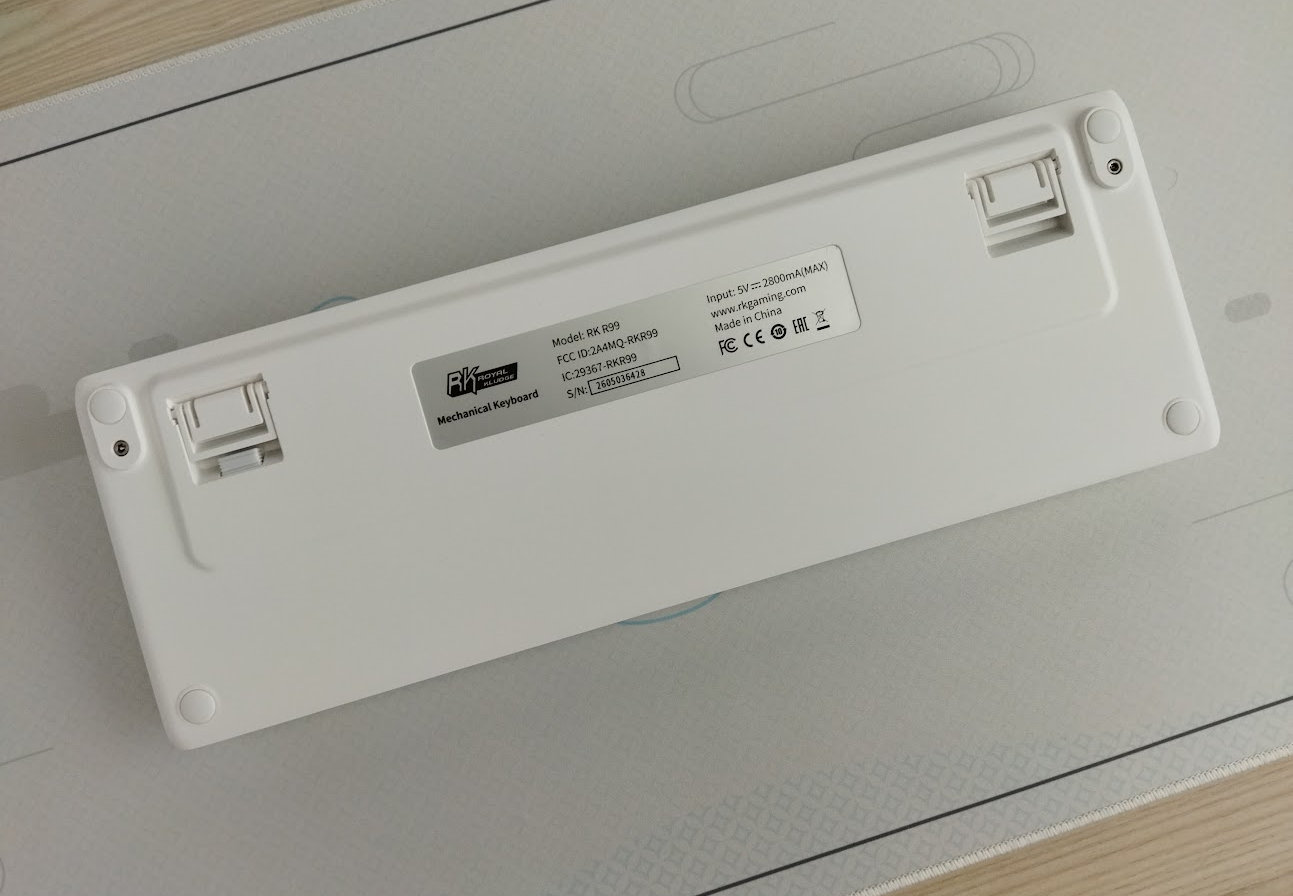
Adjustable legs, and a magnetic holder keeping safe the branded wireless dongle.
Sound & Sound dampening
This is a relatively loud keyboard despite the five sound dampening layers.
PORON plate foam, switch pad, PCB pad?, PORON bottom layer, thick infill for the case – according to the exploded image of the product page.
As a result, the RK R99 offers a moderately soft, still somewhat direct typing feel combined with a loud sound.
The sound is very heterogeneous across the keyboard, with more thocky (top row) and more clacky parts, depending on the proximity to the gaskets and edge of the case.
Lights
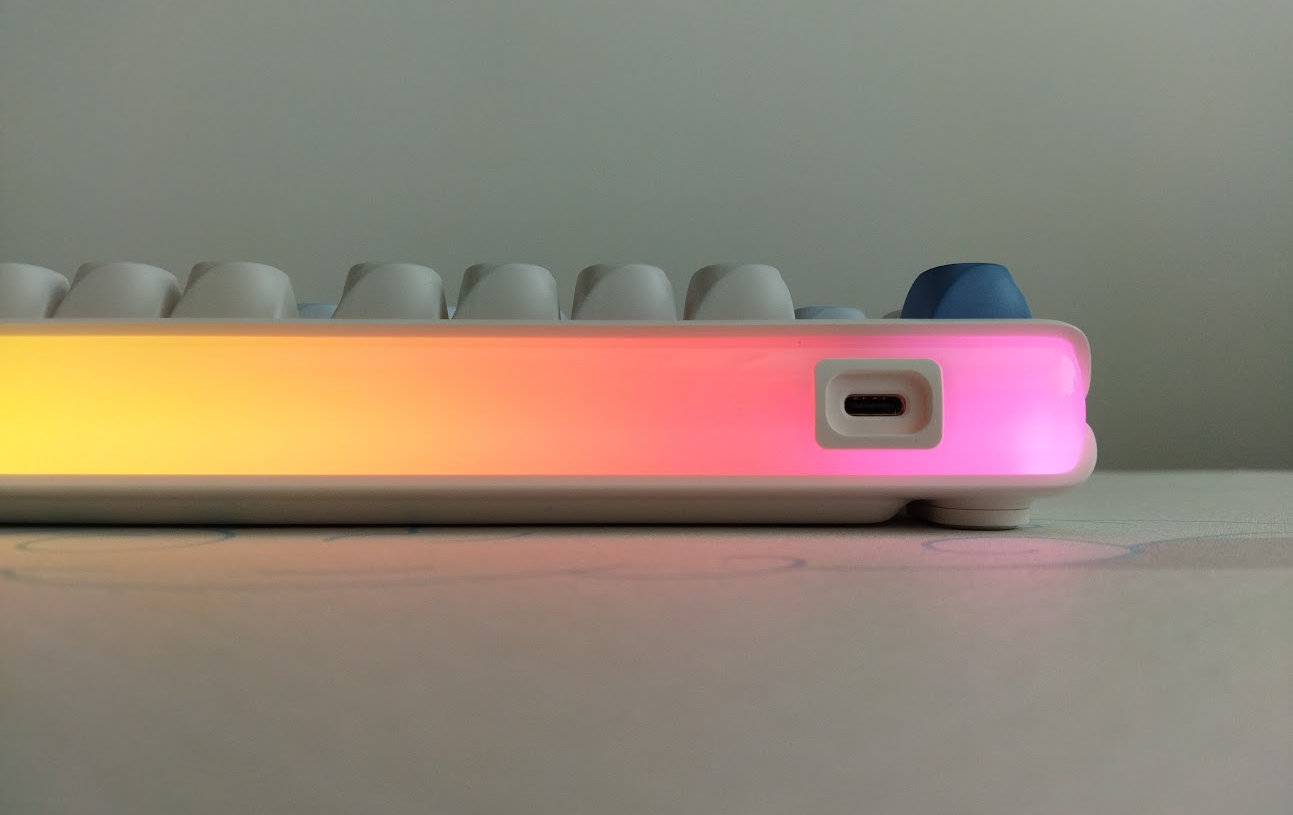
RGB lights are the R99s main features. Beside the per-key RGB LEDs (south-facing), there's the huge lighting box on the back – which is quite nice to be honest.
Great diffusion, it's one of the nicest approaches I've ever encountered. You can't spot the individual LEDs, just the smooth transition.
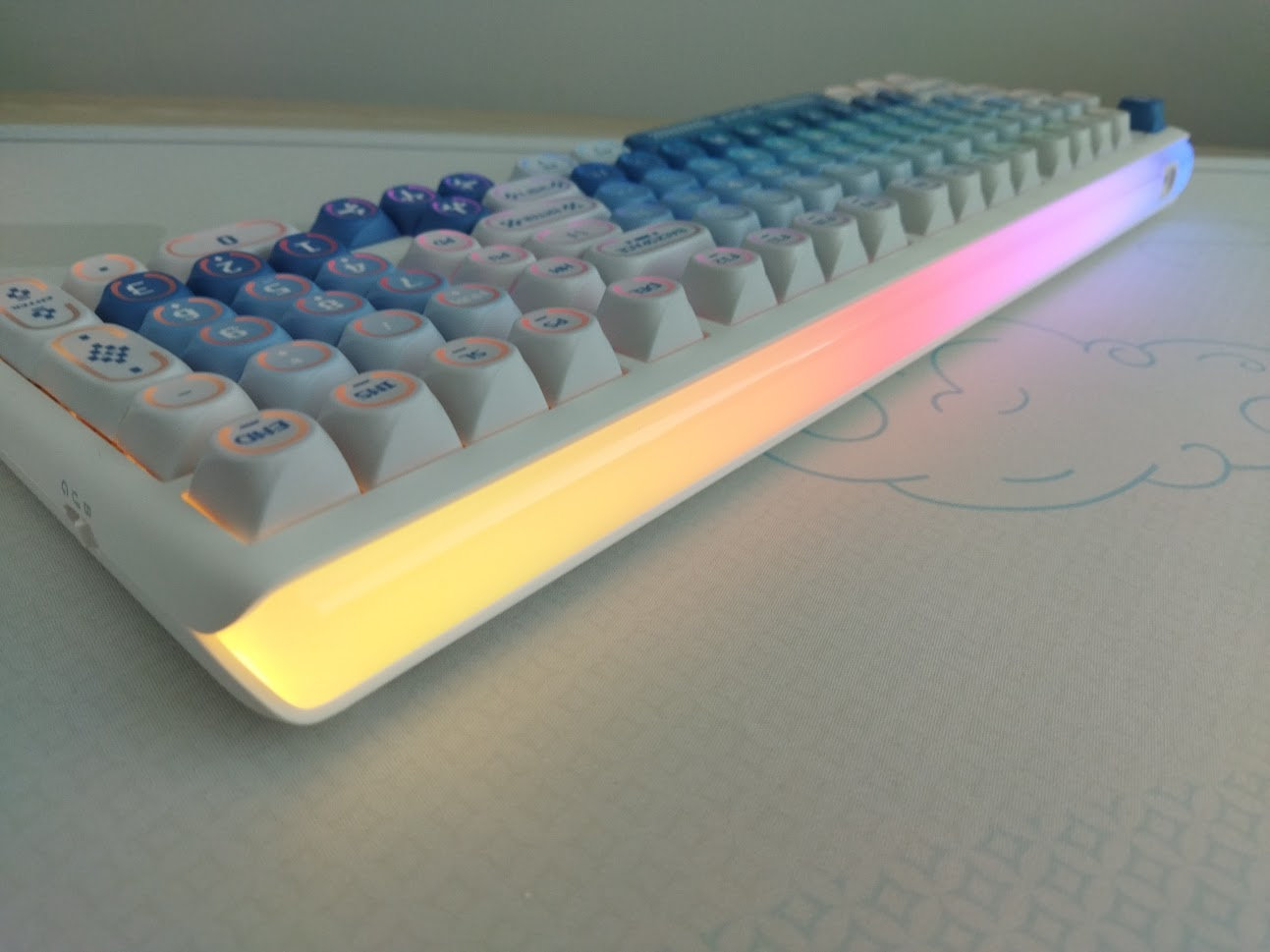
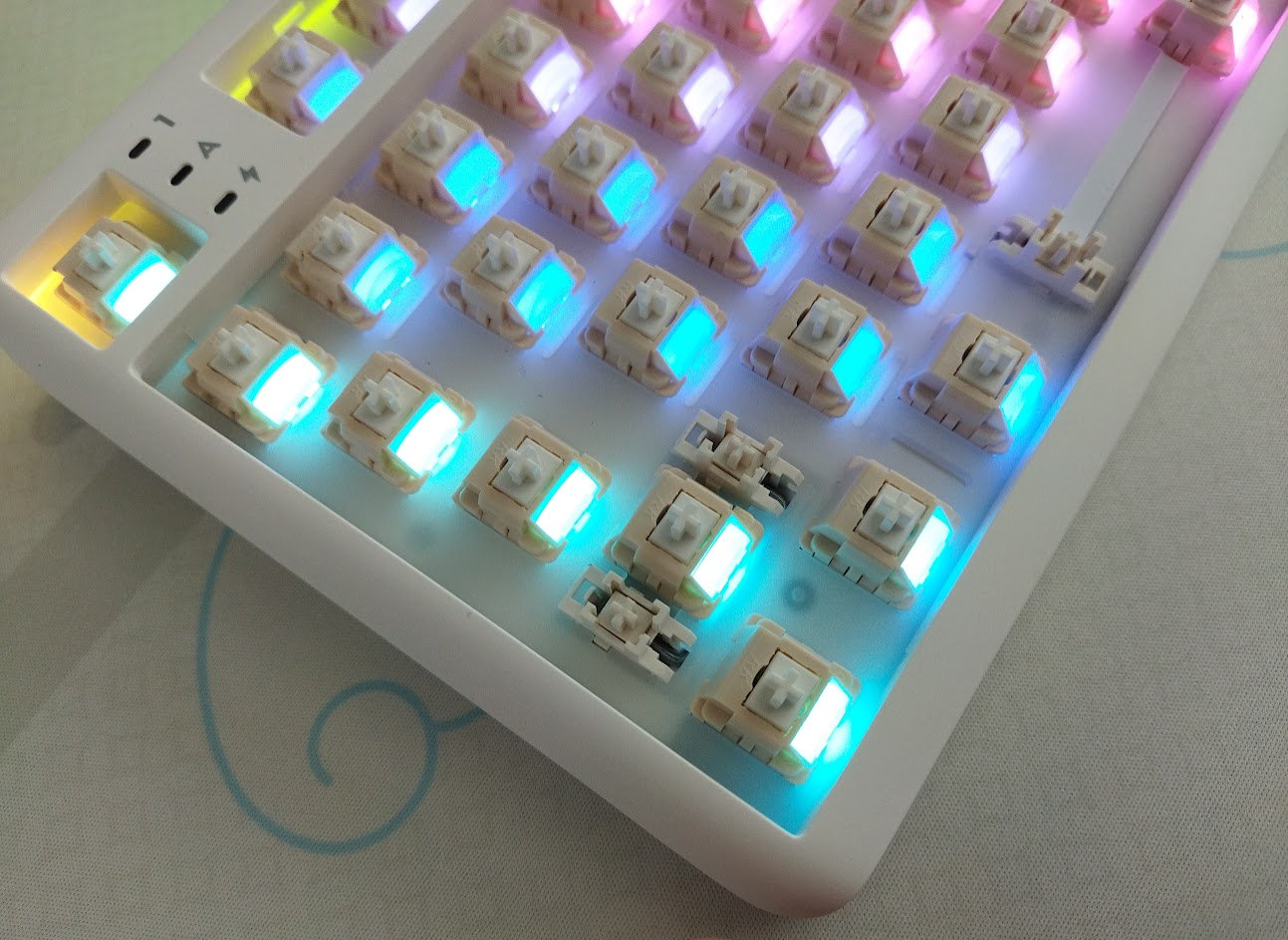
Plenty of colors and patterns: 22 animations for the per-key lighting, and 11 for the independent light box. Also music synch.
Connectivity
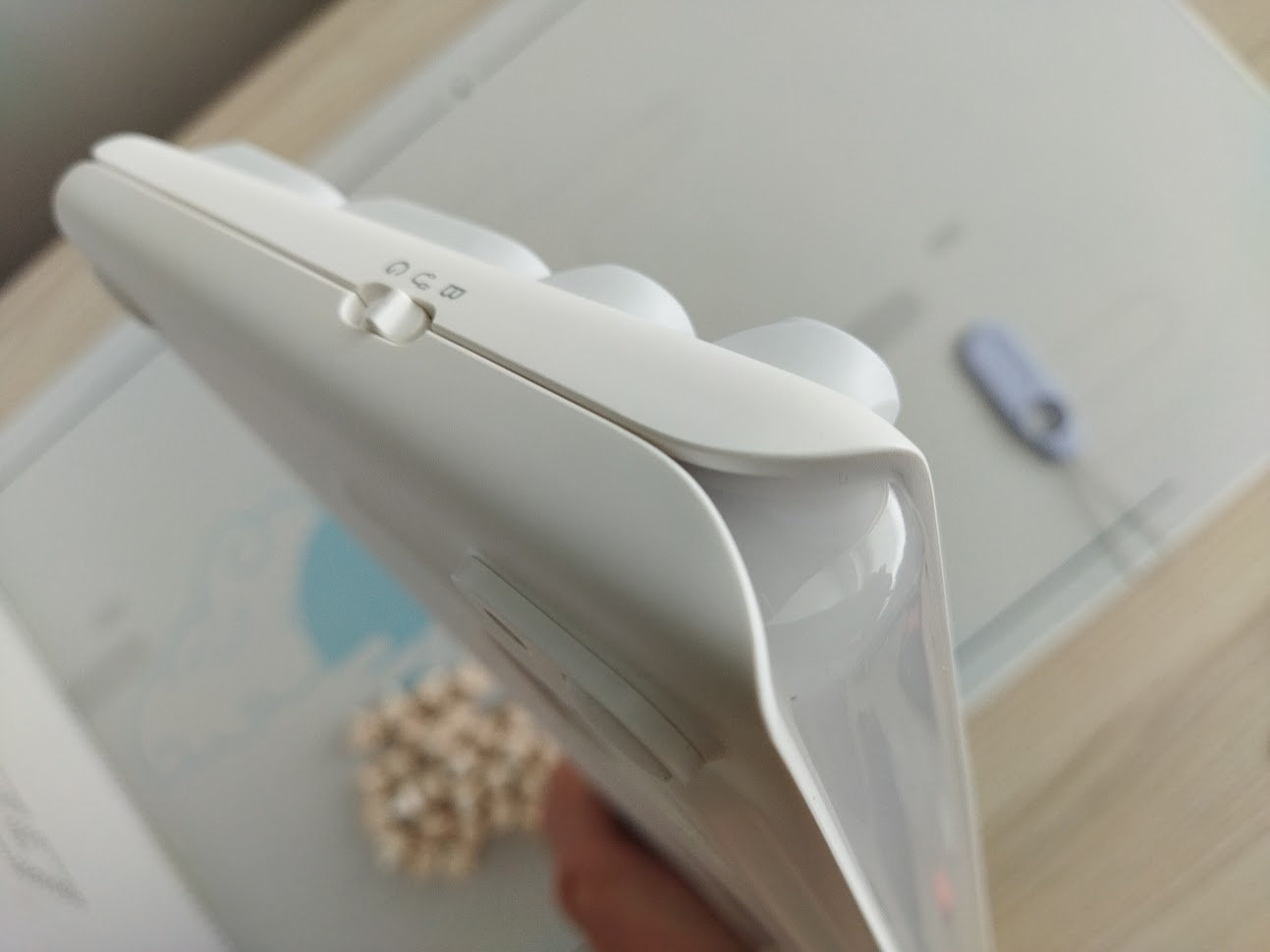
The RK R99 is a tri-mode wireless keyboard (Bluetooth 5.0, 2.4GHz wireless, and USB Type-C wired connections) with 10,000mAh battery capacity. There's a physical mode selector button on the right side of the case, but I'm not sure about its role in decoupling the battery.
General warning: If you use your wireless keyboard permanently connected, please read this article about built-in keyboard batteries and how to avoid fire – for details, tips, and horror stories.
Basically, keeping the board plugged in constantly leads to accelerated degradation of the lithium battery. You have to follow proper battery care practices, so you should remove or disconnect the battery if you don't need wireless functionality.
Check the battery for swelling regularly, even when disconnected or removed. Disassembling the RK R99 is not particularly easy, but probably not impossible either.
Software
To program the RK R99 you either have to install a proprietary software, or there's also a web-based configurator. I tested this latter.
If the factory settings don't meet your needs, you have the option to customize your keymap via the proprietary Royal Kludge HUB, supporting multiple RK models.
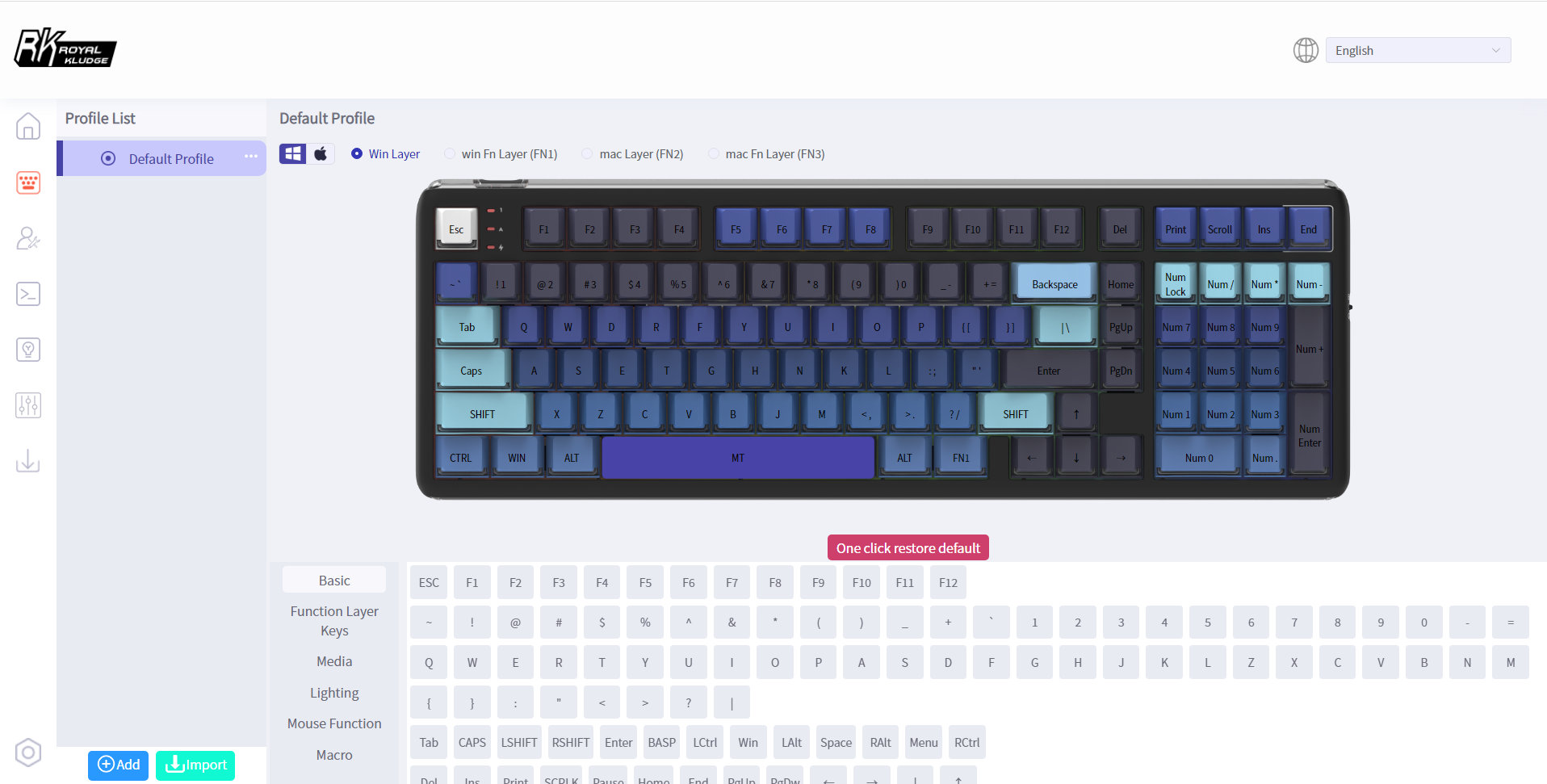
While the interface is not the most intuitive, rearranging your keymap works as expected. The lighting part works fine too, and you can create and export profiles, set up macros, adjust the polling rate, etc.
There's also a mod-tap (MT) function, however, there's no way to properly configure the single FN layer. This issue may be a bug. Meaning there are practically no usable layer functions available currently, e.g. to implement SpaceFN. This single layer could be a real game-changer, putting arrows, navigation and numbers under your fingertips.
In this case, you have to resort to thirt-party tools. Or maybe the desktop driver supports this.
Portability
The RK R99, while being a bit smaller than a full-size keyboard, is not the most ideal companion for on the go. A great board for your desk, but if mobility is your main concern, I would choose something much smaller and lighter. Sure, its wireless features make it portable in theory, being slightly more compact than a fullsize keyboard may help too, however, maybe something even smaller and lighter than 1.2 kg is better suited for on the go.
Comparison
While the 1800/96% layout makes a lot of sense, I don't often have the opportunity to test keyboards in this form factor.
Some alternatives covered before the RK R99 are the classy acrylic KiiBOOM Phantom 98 and its silly plastic little brother: the KiiBOOM Phantom 98 Lite. There's the more serious and masculine Kemove K98 1980, and I adore the very refined plastic case of the MelGeek Modern97 – however, this board has the most crowded layout.
All in all, these models offer very similar layouts, all of them wireless, but they still represent entirely different worlds and moods.
Apart from the aesthetics, consider whether you need an encoder (Phantom98), QMK/VIA support for better programmability (Phantom 98 Lite), more RGB features (RK R99, Phantom 98), or nice material choice (Modern97, Phantom 98).
Royal Kludge offers models similar to the R99, but with display, encoder or ISO layout as well. Check them out as well.
Conclusion
The RK R99 is a tri-mode wireless keyboard in the classy 1800 layout – you have almost all the keys of a fullsize board, while still saving some desk space. The case is well built despite being plastic. The highlight of the design is the huge light box, homogenously diffused. Hotswap PCB, MX compatible keycaps, gasket mounting, per-key RGB, and web-based software with basic functions. If you're looking for specifically this form factor, impressive lighting performance, and don't need advanced programmability, then feel free to consider this board.
Pros
- customizable (hotswap, MX, basic keymap update)
- lighting features
- novelty keycap profile
Cons
- the web-based software is very limited when it comes to layer functions
- legend inconsistency
- hard to disassemble
Price & Availability
The Royal Kludge RK R99 is available for $105 $80 at the moment. Don't forget to use the KBDNEWS coupon code to claim your $5/5% discount (rkgaming.shop vs rkgamingstore.com)!
- Royal Kludge RK R99 product page at rkgaming.shop (Hong Kong)
- Royal Kludge RK R99 at rkgamingstore.com (US)
Published on Wed 15th Jul 2026. Featured in KBD #215.
Related

Clueboard 2x1800 Toy edition
Clueboard 2x1800 Toy edition with Buger TH01 posted by Gracelberrypie.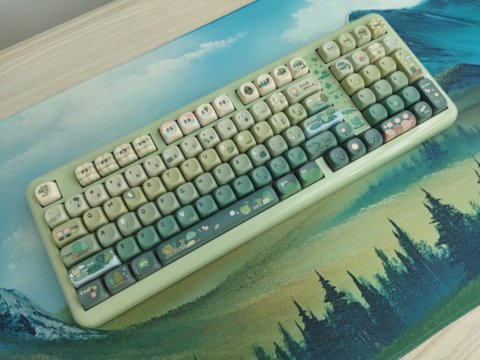
KiiBOOM Phantom 98 Lite review
I reviewed KiiBOOM's Phantom 98 Lite, a cute wireless keyboard with 1800-ish layout and the silly froggy keycap design.
1800-ish wooden ortho
An 1800-style ortho board by u/MetaWhirledPeas, hand made from a solid piece of poplar from Home Depot.
Num64
Glitch860 teased a rather uncommon layout with the angled monoblock Num64.