Keyboard Builders' Digest / Tips & Tricks
Keyboard Form Factors Explained: A Complete Guide to Keyboard Sizes
From full-size and TKL to 75%, 65%, and 40% layouts, discover every keyboard form factor, their history, key differences, and how to choose the perfect keyboard for your setup.

Published February 19, 2018
Whether you're shopping for your first mechanical keyboard or upgrading your current setup, one of the first decisions you'll encounter is the keyboard form factor. From standard full-size keyboards with dedicated number pads to compact 40% layouts, today's market offers a wide range of options designed for different workflows, gaming styles, and desk setups.
In this comprehensive guide, we'll explain what keyboard form factors are, how they evolved, and compare the most common keyboard sizes to help you choose the right one.
Quick links
If you know exactly what you're looking for, feel free to jump to the fullsize, 1800/96%, TKL/80%, 75%, 70%, 65%, 60%, 40%, 20-30% form factors, just like ortholinear and columnar keyboards, split keyboard layouts, the Alice layout, etc.
There's also a keyboard form factor comparison further below.
What is a keyboard form factor?
A keyboard form factor refers to the physical size and key layout of a keyboard. Rather than measuring exact dimensions, manufacturers typically describe keyboards by the percentage of keys they retain compared to a traditional full-size (100%) keyboard, originally standardized in the 1980s.

The smaller the percentage, the fewer dedicated keys the keyboard has. Most compact keyboards remove keys that are used less frequently, replacing them with programmable layers or key combinations.
For example:
- A (Keyboard-Form-Factors-Explained-A-Complete-Guide-to-Keyboard-Sizes-115.html#100-full-size-keyboard) includes every standard key.
- A 75% keyboard keeps almost all functionality while dramatically reducing its footprint.
- A 60% keyboard removes navigation keys, function keys, and the numpad for maximum desk space.
- And the 65% keyboard compensates with an extra column – making it one of the most popular layouts.
Understanding these layouts helps you balance functionality, ergonomics, portability, and aesthetics.
A brief history of keyboard layouts
Modern keyboards trace their roots back to mechanical typewriters in the late 19th century. The familiar QWERTY layout was designed to reduce mechanical jams rather than improve typing speed, yet it became the global standard, and it continues to function as the core part of the keyboard.
With the rise of personal computers during the 1980s and 1990s, a German DIN standard came up with the basic framework of the standard full-size keyboard, and IBM's Model M and later Microsoft's Windows keyboards established the 101- and 104-key layouts that many people still recognize today.

That said, mechanical keyboards experienced a major revival during the 2010s. Gaming enthusiasts, programmers, and keyboard hobbyists began seeking smaller, more efficient layouts that saved desk space while offering better ergonomics and customization.
As a result, dozens of form factors emerged, each designed for different users and preferences.
Why smaller keyboard form factors became popular
Compact keyboards offer several advantages over traditional full-size models:
- More desk space for mouse movement
- Better ergonomics by keeping the mouse closer to the body
- Improved portability
- Cleaner desk aesthetics
- Lighter weight for travel
- Reduced manufacturing costs
In all honesty, when I designed my first keyboard, I went with a 40% layout because I had to buy less than half the switches and keycaps compared to a full-size keyboard. :)
The trade-off is that some dedicated keys disappear, requiring the use of function layers or programmable shortcuts.
Common keyboard form factors
100% full-size keyboard
The full-size keyboard remains the industry standard. That said, since kbd.news was born to feature non-standard keyboards, my list of 100% keyboards is pretty short. Anyway, I leave the link here for future reference.
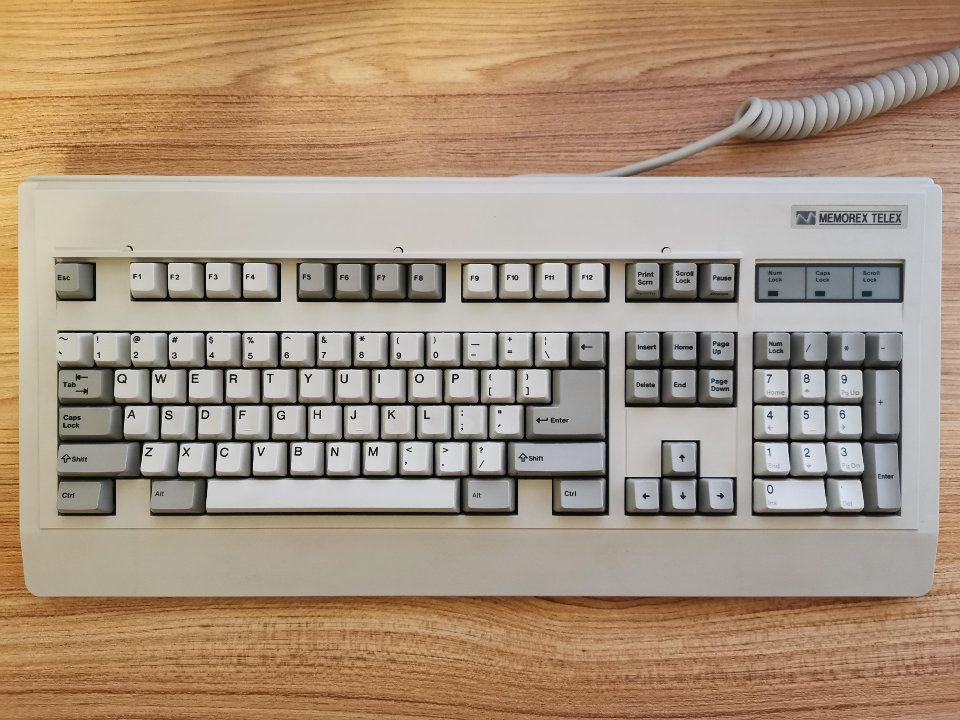
Typical key count: 104–108 keys
Fullsize keyboards are less popular among keyboard enthusiasts. An example could be the open-source Alcatel100.
A 100% keyboard includes:
- Alphanumeric keys
- Function row (F1–F12)
- Navigation cluster
- Arrow keys
- Numeric keypad
Best for
- Office work
- Data entry
- Accounting
- Excel users
- General productivity
Pros
- Complete key layout
- No learning curve
- Fast spreadsheet work
- Dedicated media and navigation keys on many models
Cons
- Large footprint
- Less mouse space
- Poor portability
1800 layout (96%)
The 1800 layout, often called a 96% keyboard, keeps nearly every key from a full-size keyboard while reducing empty spaces between key clusters.
Instead of separating the numpad and navigation keys, everything is compressed into a tighter arrangement, while the arrow cluster is usually offset.
Check out some 1800 keyboards covered on kbd.news, even though this category is much rarer than some other popular ones.

Typical key count: 96–99 keys
Examples: the acrylic KiiBOOM Phantom 98 and plastic KiiBOOM Phantom 98 Lite, the Kemove K98 1980, and the MelGeek Modern97 – squeezing everything together even more.
Best for
- Productivity users
- Professionals
- Users who want a numpad without sacrificing desk space
Pros
- Nearly full functionality
- Smaller footprint
- Excellent productivity
Cons
- Slightly different key placement
- Can require adjustment
80% TKL (tenkeyless) form factor
Tenkeyless keyboards remove only the numeric keypad – everything else remains in its traditional position. Because the layout changes very little, TKL keyboards have become one of the most popular choices among gamers and enthusiasts.
TKL keyboards on kbd.news.
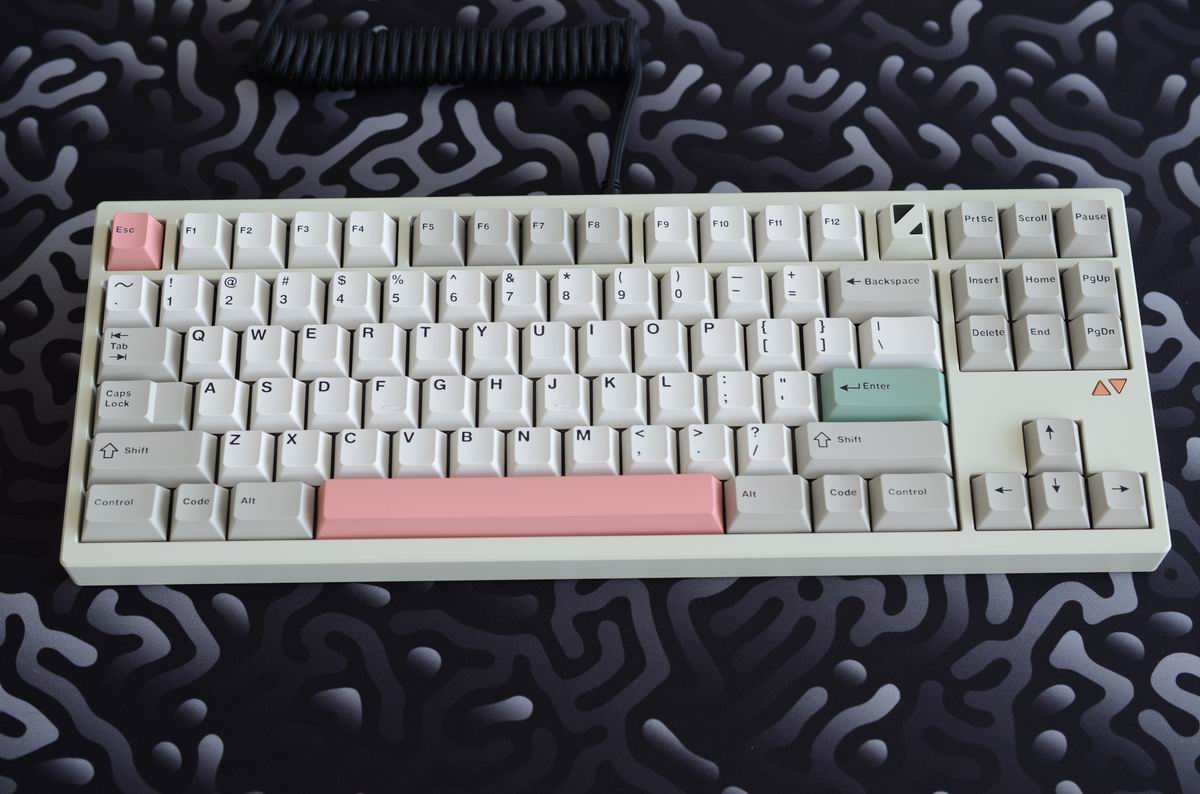
Typical key count: 87–88 keys
Examples: The Luminkey80 is a high-quality aluminum option with symmetric F13 row – if you fancy this layout. Just like the WIND X80. There's also the Kemove K87 & K87SE, the low-profile Hexgears Immersion A3, or the plastic 8BitDo Retro.
Best for
- Gaming
- Programming
- General office work
- Students
Pros
- Saves desk space
- Comfortable mouse positioning
- Easy transition from full-size
- Huge selection of models
Cons
- No dedicated numpad
75% keyboards
The 75% layout has exploded in popularity over the past few years. Unlike TKL keyboards, a 75% layout compresses the navigation cluster and function row into a single column, while keeping nearly every important key. This results in a much narrower keyboard without sacrificing much functionality.
Numerous 75% keyboards have been covered on kbd.news.
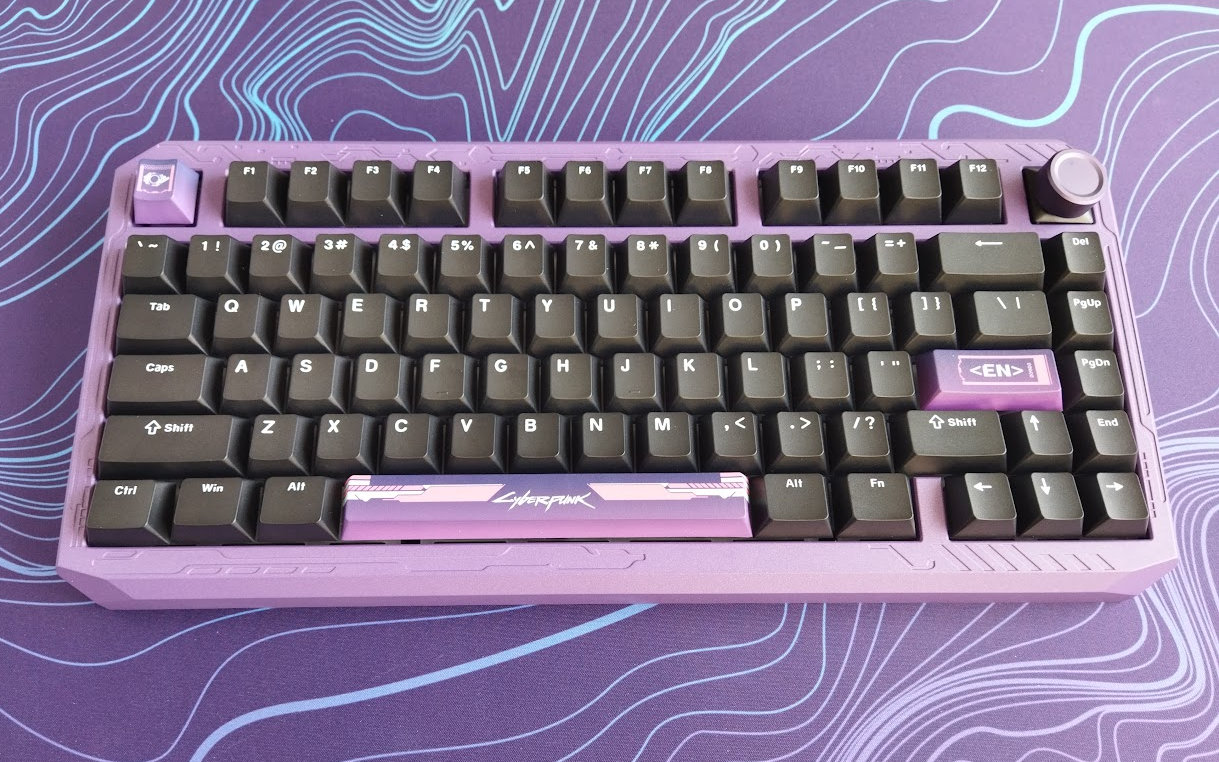
Typical key count: 80–84 keys
Some notable 75% models: the futuristic GravaStar Mercury K1 and GravaStar Mercury V75 Pro HE, the excellent Evoworks Evo75, the Womier ERA75 (depicted above), Womier SK71, the silly KiiBOOM Phantom81, the low-profile XVX L75 Air, the typewriter-style Epomaker Glyph, etc.
Best for
- Mixed productivity
- Gaming
- Everyday use
Pros
- Compact
- Function row included
- Arrow keys remain
- Excellent balance between size and usability
Cons
- Tighter spacing
- Layout varies between manufacturers
70% keyboard
Although less standardized, 70% keyboards occupy the space between 65% and 75% layouts. Manufacturers often experiment with different arrangements while retaining arrow keys and some navigation functions (or not).
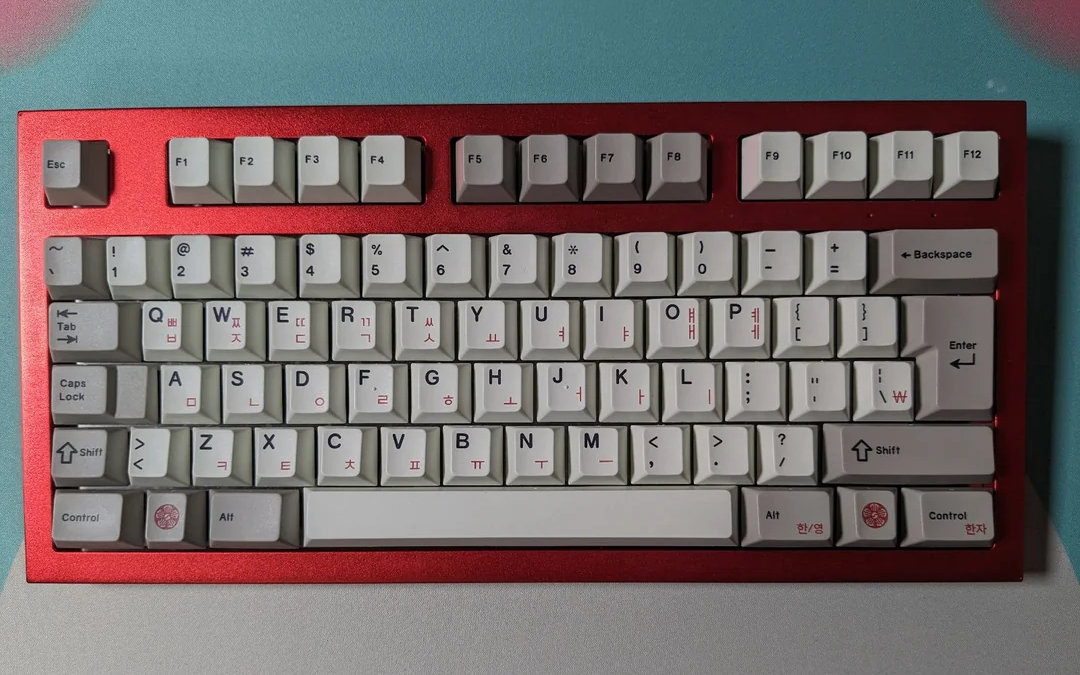
Some examples for this category are the Toad, depicted above, and the Dry Studio Battleye 74.5 RT.
Since there is no universal standard, always check the layout before purchasing.
65% keyboards
The 65% form factor is one of the most popular keyboards. It removes the function row but keeps dedicated arrow keys along with a handful of navigation keys as an extra column of keys on the right side.
A massive amount of 65% keyboards have been covered on kbd.news during the years, check out some models and reviews if you fancy this category.
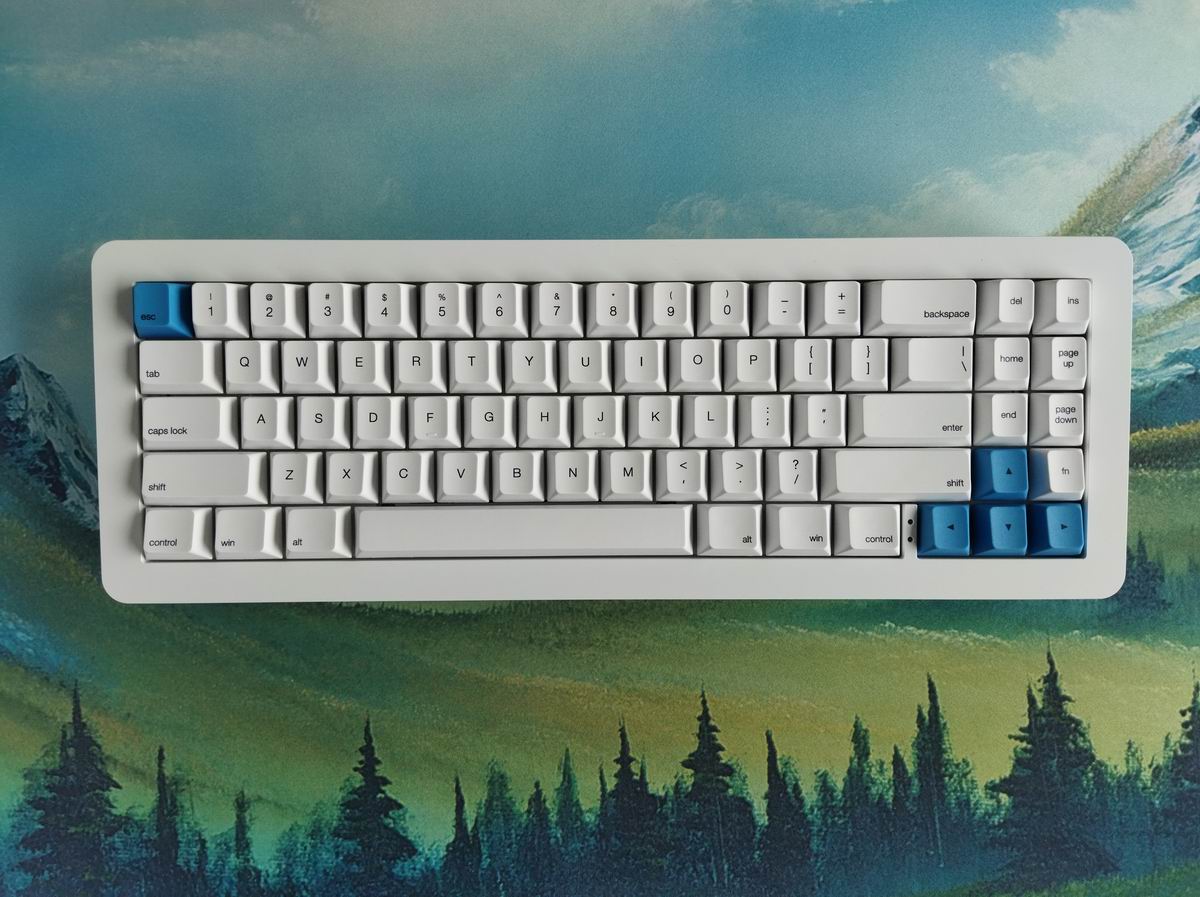
Typical key count: 66–68 keys
Many enthusiasts consider this one of the best all-around layouts. Honestly, it's so prevalent that it's hard do highlight just a few examples:
The Luminkey Magger 68 HE, the beautiful wooden Akko MU01, a bunch of iterations of the MoeeTech Glitter65, the Dareu COOL68, the low-profile IQUNIX Magi65, and the split Jiffy75 is closer to 65% too.
Best for
- Gaming
- Programming
- Everyday typing
- Minimalist setups
Pros
- Compact
- Arrow keys included
- Comfortable for daily use
- Highly portable
Cons
- No function row
- Layer shortcuts required
60% keyboards
The 60% keyboard helped popularize the enthusiast mechanical keyboard hobby. Since the lack of arrow keys may surprise people new to this arrangement, some manufacturers try to squeeze in the arrows. Here are some 60% form factor variants covered on kbd.news.
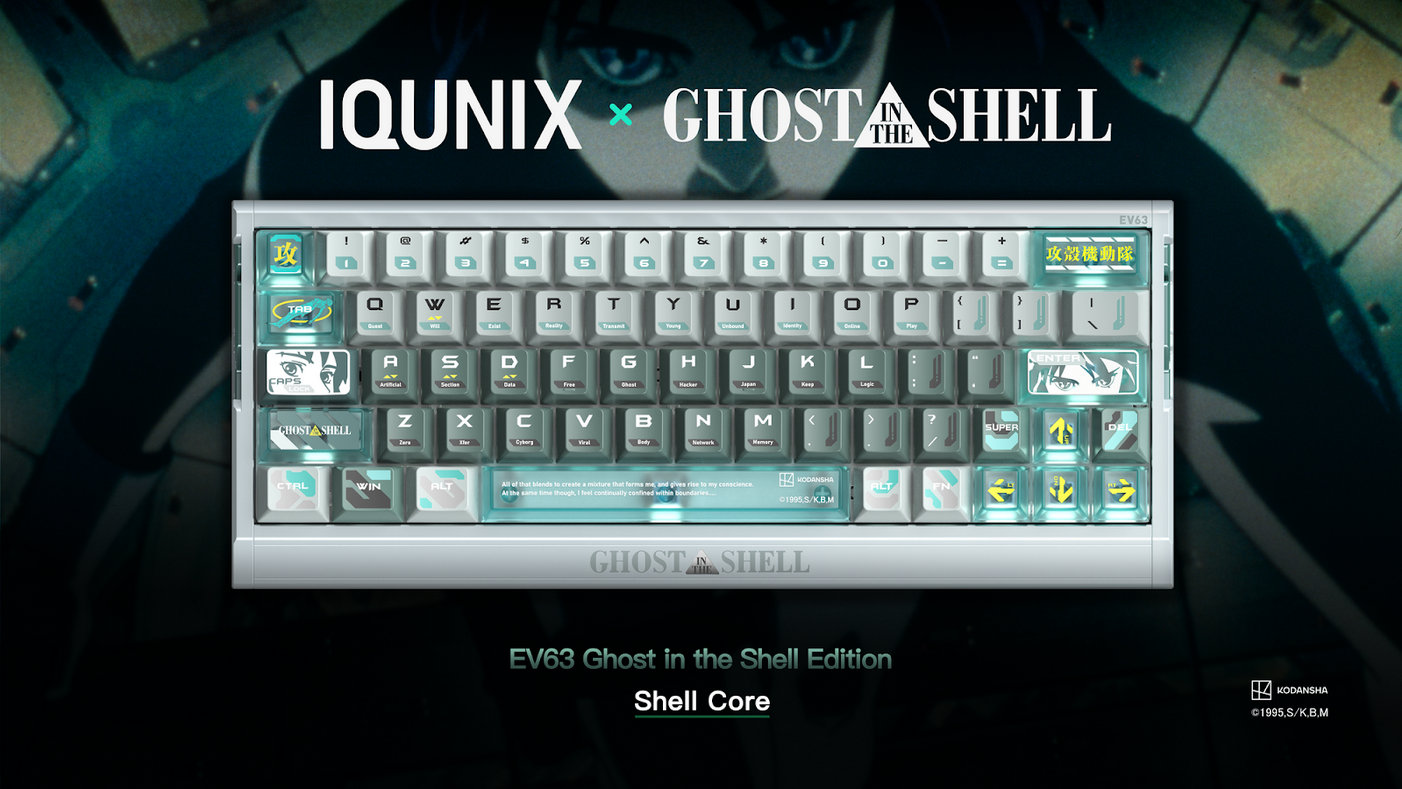
Typical key count: 60–62 keys
Examples: IQUNIX EV63 HE and its Ghost in the Shell facelift depicted above, the split Elytra, or the extremely portable Dareu COOL60.
It's basically the central alphanumerical block of the standard full-size keyboard, left after removing:
- Numpad
- Navigation cluster
- Dedicated arrow keys
- Function row
All the functionality is there, everything remains accessible through programmable function layers.
Best for
- Gaming
- Travel
- Minimalist desks
- Enthusiasts
Pros
- Extremely compact
- Maximum mouse space
- Lightweight
- Huge aftermarket support
Cons
- Learning curve
- Heavy reliance on layers
40% keyboards
The 40% layout is designed for experienced enthusiasts who prioritize efficiency over familiarity. Here are some 40% models covered on kbd.news.

Typical key count: 40–50 keys
Basically, a 60% keyboard minus the number row and usually two columns of keys. Number keys, function keys, and many modifiers are accessed through multiple programmable layers.
As a side-note: the 40% split scene is triving. Split, symmertical variants with columnar staggering or ortholinear arrangement instead of the classic horizontal stagger.
Typing on a 40% keyboard requires practice but can become remarkably efficient.
Best for
- Experienced enthusiasts
- Heavy customization
- Portable builds
Pros
- Tiny footprint
- Highly customizable
- Unique typing experience
Cons
- Steep learning curve
- Not beginner friendly
20-30% keyboards
There are even more extreme layouts out there, usually one-off designs around a particular workflow – or even l'art pour l'lart or meme boards. Here are some 30% models covered on kbd.news.
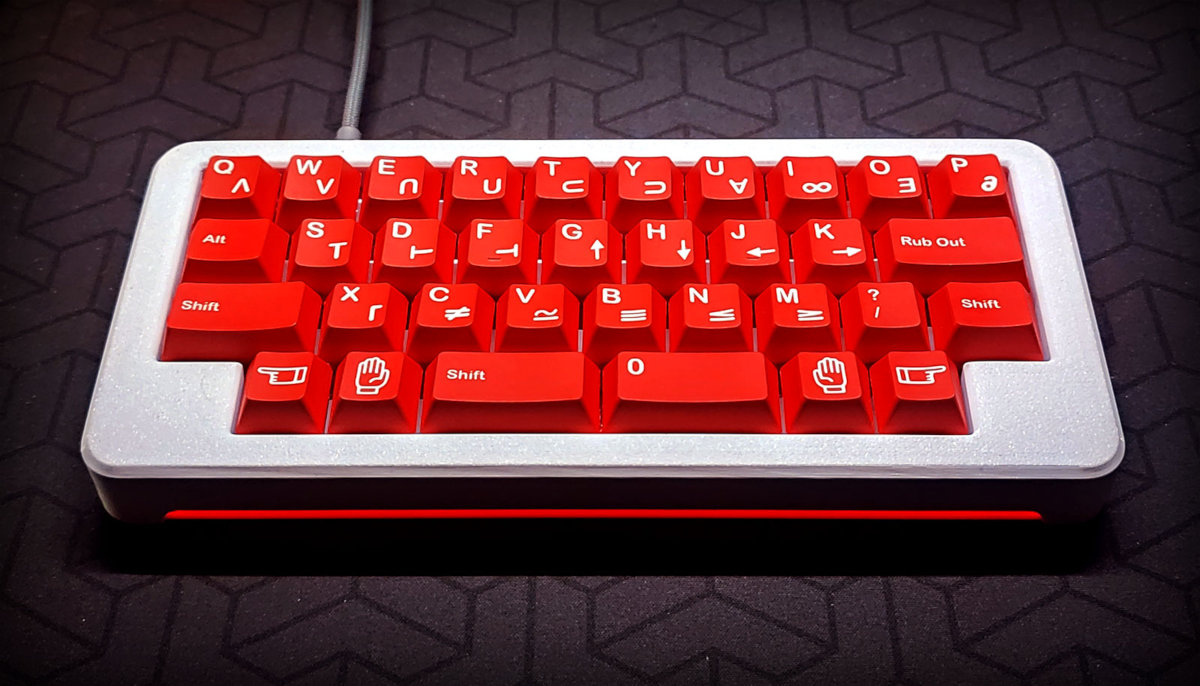
You have to resort to key combinations to access even some alphanumeric characters, so this form factor requires extreme customization and occasionally a very steep learning curve.
Ortholinear and columnar keyboards
Ortholinear keyboards arrange keys in a grid, and columnar layouts in straight vertical columns – instead of the traditional staggered rows inherited from typewriters. A plethora of ortholinear keyboars has been covered on kbd.news, most of them open-source designs.
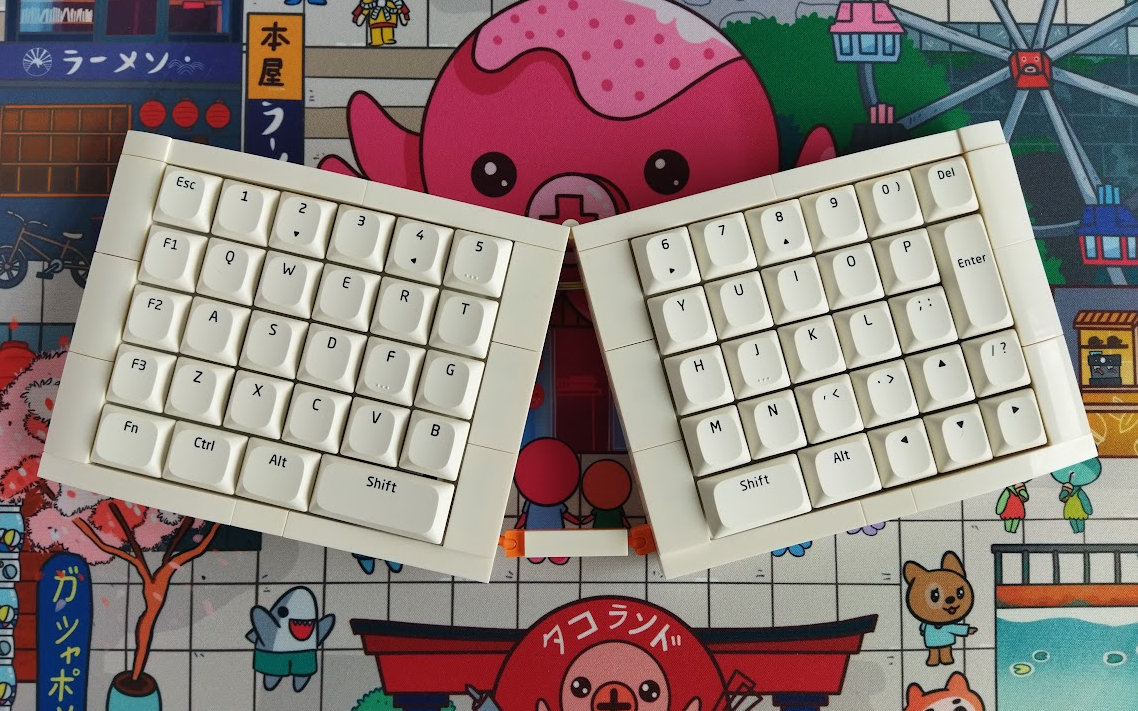
Supporters argue that columns create a more natural finger movement and improve typing comfort, however, pure ortho is only considered ergonomic if it's split. Like the KBDcraft Israfel depicted above.
Ortholinear and columnar boards come in several sizes, including 40%, 60%, and larger layouts, so they are not really additional form factors but another dimension of classifying keyboards.
Examples:
Split keyboards
True split keyboards divide the keyboard into two independent halves. This allows users to position each half naturally according to shoulder width, reducing wrist strain and improving ergonomics. Kbd.news is all about this breed, so check out our huge split keyboard collection.

Unibody or monoblock split keyboards, my personal favorites, have two halves as well, but they are set up at a fixed angle by design. If you design a keyboard for yourself, around your own hands and work environment, this makes a lot of sense.

Many ergonomic mechanical keyboards also feature:
- Adjustable tenting
- Thumb clusters
- Column-staggered layouts
- Keywell
- Fully programmable firmware
It's no surprise that serious keyboard enthusiasts with some background in hardware and software design end up with open-source DIY keyboards in this category.
Alice layout
The Alice layout has become a surprisingly popular keyboard design in the enthusiast community, a bunch of Alice models have been covered on kbd.news.

Instead of splitting into two separate halves, it angles the alphanumeric sections inward while keeping everything connected in a single chassis, just like a unibody split keyboard.
This reduces wrist rotation (ulnar deviation) while remaining easier to adapt to than fully symmetric split keyboards.
There are Alice-style or Alice-inspired layouts in all kinds of form factors from 40% to fullsize, classic Alice or columnar key arrangement, so Alice is a rather broad term.
Keyboard form factor comparison
| Form Factor | Approx. Keys | Numpad | Function Row | Arrow Keys | Portability |
|---|---|---|---|---|---|
| 100% | 104–108 | ✓ | ✓ | ✓ | Low |
| 96% | 96–99 | ✓ | ✓ | ✓ | Low |
| TKL (80%) | 87–88 | ✗ | ✓ | ✓ | Medium |
| 75% | 80–84 | ✗ | ✓ | ✓ | Medium |
| 70% | Varies | ✗ | Varies | Varies | High |
| 65% | 66–68 | ✗ | ✗ | ✓ | Very High |
| 60% | 60–61 | ✗ | ✗ | Varies | Excellent |
| 40% | 40–50 | ✗ | ✗ | ✗ | Depends* |
*Based on their sheer size, 40% keyboards should be easily portable. However, their often split structure, caseless design, with cables and tenting legs makes some of these models less mobile. Wireless low-profile unibodies in a nice case are the best option for portability, though.
I can't stress enough, that even if a smaller form factor keyboard doesn't feature a numpad, function row or arrow cluster: all the functionality is there! You just have to resort to key combinations and logical layers.
Which keyboard form factor is best?
There is no universally "best" keyboard size of course. The ideal choice depends on your exact needs, workflow, and personal preferences.
- Choose a 100% keyboard if you frequently use spreadsheets or perform heavy numeric input via the numpad.
- Choose a 96% keyboard if you want a numpad while saving desk space.
- Choose a TKL keyboard if you want the safest upgrade from a full-size keyboard.
- Choose a 75% keyboard if you want nearly all functionality in a significantly smaller footprint.
- Choose a 65% keyboard if you value compactness but can't live without dedicated arrow keys.
- Choose a 60% keyboard if you prioritize gaming, portability, and desk space.
- Choose a 40% keyboard if you enjoy customization and are willing to invest time learning layers.
Factors to consider before buying
Keyboard size is only one part of the equation. Before choosing a form factor, consider:
- Available desk space
- Mouse movement requirements
- Typing habits
- Gaming versus productivity
- Need for a numeric keypad
- Need for dedicated function keys
- Need for a dedicated arrow cluster
- Travel frequency
- Custom firmware support
- Hot-swappable switches
- Wireless connectivity
- Ergonomic requirements
The right combination of layout and features will have a greater impact on your typing experience than simply choosing the smallest keyboard available.
Frequently Asked Questions
What is the most popular keyboard form factor?
Today, 75% and 65% keyboards are among the most popular choices because they balance functionality with compact size. TKL (80%) is also a favorite among mechanical keyboard enthusiasts, and serious folks, often with some hardware and software design background, usually gravitate toward split keyboards.
Is a 60% keyboard good for gaming?
Yes. Many competitive gamers prefer 60% keyboards because they free up additional mouse space and reduce arm movement. However, some games may require function layers for less common key bindings. So it depends on the particular game or genre.
Is TKL better than full-size?
For most users, a TKL keyboard offers the best balance of comfort, space savings, and usability. Unless you regularly use a numeric keypad, you may not miss the extra keys.
Why do mechanical keyboard enthusiasts like smaller keyboards?
Compact keyboards encourage efficient hand movement, provide more customization options, and create cleaner desk setups. Many enthusiasts also enjoy programming layers to optimize the keymap while replacing the removed physical keys.
Final thoughts
Keyboard form factors have evolved far beyond the traditional full-size layout. Whether you're building your first custom mechanical keyboard, upgrading your gaming setup, or searching for a more ergonomic typing experience, there's a layout tailored to your needs.
For many users, the sweet spot lies around 65% and 75%, offering an excellent balance of compactness and functionality. Power users who rely on spreadsheets may still prefer a 96% or full-size keyboard, while enthusiasts often end up using 60% and 40% layouts for their flexibility and minimalist appeal.
Ultimately, the best keyboard form factor is the one that complements your workflow, feels comfortable during long typing sessions, and fits naturally into your workspace. Once you understand the strengths and compromises of each layout, choosing the right keyboard becomes much easier.
Published on Mon 19th Feb 2018. Featured in KBD #0.
Related

TinyS3 controller
UnexpectedMaker's TinyS3 is a development board featuring the ESP32-S3 controller, and offering both wired and wireless connection.
Thumb paddle
Open-source thumb paddles by Troy Fletcher – for activating switches with less thumb motion.
Keeblab
The Keeblab by edoelas is a controller-agnostic prototyping setup.
Cirque trackpad news
Cirque trackpad in action, build log, and 3D-printable holders – shared by leo_beekeeb and milkycowdan.