Keyboard Builders' Digest / Review
IQUNIX Magi65 Pro review
The Magi65 Pro by IQUNIX is easily the most refined 65% wireless low-profile aluminum keyboard to cross my desk.

Published February 11, 2026

I've always been a big fan of IQUNIX's meticulously designed keyboards, so it was high time I experienced one of their tasteful devices. While members of the IQUNIX Magi series are available in various popular form factors, including 75%, I wanted a bit of versatility this time, so I went with the 65% variant.
If you've ever wondered whether these keyboards are as high-quality as the official photos suggest, the answer is yes – they are. Pretty unbelievable, especially given the starting price of just $113 for the non-Pro version.
[The 5% KBDNEWS discount code should automatically apply when you click the links in this article.]
TLDR; The 65% IQUNIX Magi65 Pro is a fully built tri-mode wireless keyboard coming in a nice and hefty low-profile CNC aluminum housing. A beautiful keyboard with premium features like the crazy golden switch plate design, extra metal artisans in the bundle, braided coiled cable, and of course the elephant in the room: the horizontal encoder and light strip of the Pro version – making the board nearly as wide as a TKL. The hotswappable, low-pro Choc V2 switches with MX-compatible stem, plust the VIA-compatibility make this board highly customizable. Extreme value for your money considering the quality and the contents of the full bundle.

Should I buy the IQUNIX Magi65 Pro? – you may ask. Well, it depends on your needs. In this review, I'll pack in as many facts as possible to help you answer that question for yourself. As you'll see, I've even eviscerated my Magi65 down to its very core (don't try this at home), as barbaric as it felt at times.
That said, before placing an order, the most important thing is to know exactly what you want. Make sure you're aware of your preferences and the features you need, and check out the full review below for all the details and photos – plus the raw photo dump on Imgur for an even closer look.

Disclaimer
IQUNIX was kind enough to send me this review unit for free, which may introduce certain biases – both positive and negative, in my experience. Please take everything I write with a grain of salt.
Specs (and TOC)
- Layout: 65% ANSI (or ISO), 68(+4) keys
- Keycaps: PBT, low profile + 2x metal artisans
- Switches: 40gf Kailh "Gold Red" switch, 3-pin Choc V2
- Case: CNC aluminum
- Typing angle: fixed 4 degrees
- Mounting: Le-tray mounting with gasket supports
- Stabilizers: plate mount
- Plate: matte black FR4 with flex cuts
- PCB: matte black, hotswap sockets, north-facing per-key RGB, flex cuts
- Sound dampening: 5 layers
- Lights: independent per-key RGB + decoration light strip
- Connectivity: tri-mode wireless (wired, Bluetooth, 2.4GHz)
- Software: VIA (with some limitations?)
- Dimensions: 357x108x11mm (front height), Pro adding 39mm to the width
- Weight: 1,030 g (non-Pro: 900g)
- Price: from $113 (non-Pro) and $132 (Pro)
Variants
Opening the IQUNIX Magi65 Pro product page, you'll find that the board is available in a wide variety of configurations: 65%, 75%, and 96%, each offered with or without the right-side vanity block featuring a roller encoder and a sleek decorative light strip (non-Pro vs Pro variants).
In addition, the boards come in black or beige (marketed as Shadow Black and Ochre White).
Finally, depending on stock availability, they are offered in ANSI (US), ISO (DE), and ISO (UK) layouts – resulting in 36 form factor, feature set, color, and layout combinations.

It's always hard to choose just one board when a brand approaches me saying I can pick anything, but the decision was even more gruelling this time. I could have gone with a beige variant, a 65% or 75% layout, or even the non-Pro models without the fancy right-side modul. All of them look fantastic. In the end, I chose the black Magi65 Pro – the board you'll see in the photos below.
Unboxing & Contents
The jaw-dropping experience begins with the packaging. Jeez, such a refined box! While the real highlight is inside, it's worth taking a moment to appreciate the effort that went into designing the sliding box.

Looking inside, the arrangement of the contents, the smaller boxes, the color harmony – every tiny detail exudes quality.

The contents:
- The Magi65 Pro, pre-built with switches and keycaps mounted.
- quick-start guide
- 2.4GHz receiver (in the board's compartment)
- braided coiled USB cable
- USB-C/A converter
- basic combined switch&keycap puller (there are two versions, with a more serious one said to be sent randomly)
- extra keycaps with Win/Mac mods and two metal artisans
In addition to the random keycap puller, I can see some user photos with hard-shell cases.
First impressions, design language
The Magi65 comes in two universal colorways, and I chose the black one. The design is distinctive, despite the 65% layout is fairly common. Somehow, all the little details make the Magis look exceptionally sophisticated.
This applies to the Magi line of keyboards in general, however, the Pro variants stand out even more thanks to the additional right-side module featuring the horizontal encoder and X key.

There's some unobtrusive branding on the right-side vanity block, I'm not sure about the non-Pro versions without this part.

If you think it's hard to make an impact in a crowded market like the 65% segment, the Magi65 Pro proves you wrong with nearly feature and detail, making these boards unique and instantly recognizable across the room at keyboard meetups.
Layout
The 65% layout is relatively standard and prevalent. However, with the vanity block of the Pro variants, the Magi65 is closer to the width of a TKL.

As you may know, the 65% layout means no numpad, no classic navigation cluster, and no F-row either. However, you have arrows (snapped to the other keys), full number row, and the remains of the classic navigation keys here, in the extra right column of keys.
Featuring 68(+4) keys (ANSI US version), the Magi65 is optimizing space while ensuring that most essential functions are easily accessible for new users transitioning from e.g. a fullsize keyboard. (You can access the F-keys via combining the FN modifier with the numbers.)

The Magi65 doesn't offer a stepped CapsLock or split spacebar option.
The arrow cluster is not offset, and there's no gap left of the arrows either, unfortunately, which can bother some of you touch typers out there when changing between the home row and arrow cluster. I personally move the arrows (and numbers plus function keys) to the alphas via SpaceFN, so I'm not really affected by this potential issue. If you type the classic way, consider if you would get lost with this arrangement.
Actually, the fancy right part of the Pro version, adding 39 mm to the overall width, features 4 extra keys: pressing various parts of the big 'X' logo enables control of music playback by default, including play, skip, and rewind. But these switches are programmable, so you can customize their function. (These are microswitches, not the Choc ones.)
All in all, a relatively crowded 65% layout with the extra right part. The Magi65 Pro is not wider than a TKL keyboard, but if you think that the vanity decoration block kills the whole purpose of the compact 65% form factor, you need the non-Pro Magi65, without the encoder.
Keycaps
The keyboard comes with this nice, uniform, dye-sublimated low-profile PBT keycap set, featuring anti-oil coating. Textured surface, relatively crisp legends. The colorways are classy, the keycap sets are matched to the colors of the two case options of course.

Legend consistency is nice. I like the alphas, but also the uppercase legends of the modifiers.

The bundle comes with some extra keycaps (Win/Mac modifiers), with two metal artisans among them.

Thanks to the uniform profile, you can easily rearrange the keycaps if you use a custom keymap.
That said, the switches and keycaps feature MX stems, so – also with regards to keycap compatibility – this layout should be widely supported if you opt for something different.
Switches
The switches coming with the Magi65 are called 'Gold Red' switches, and public data on them is quite sparse. The naming is a bit confusing because they are neither red nor gold: white stem, transparent upper housing, black bottom. We are talking about nice light linear Choc V2 switches, Kailh branded. Circular dust-proof stem, low profile. Some of the all-POM variants of this bread are my current favorites, but this one feels nice light too. The shape looks a bit updated compared anything low-pro Kailh I have at hand, especially at the LED opening/light diffuser part.

Specs of the Kailh PG1353 Gold Red switch:
- Type: linear
- Actuation force: 40gf
- Mounting: plate (3 pins)
- Pre-travel: 1.2 mm
- Total travel: 2.8 mm
- Material: ?
- Factory lubing: ?
The switches feel decent, but the PCB suppors hotswapping anyway, so you're not restricted to the factory setup. Check out the current best-selling Choc switches (pay attention to the stem - V1 vs V2), or feel free to use your personal favorites lying around. (Plastic pins of the 5-pin variants can be easily clipped off.)

Build quality, structure, case
Crafted from aerospace-grade aluminum alloy with CNC machining, the Magi65 features an anodized (black) and electrophoretic coating (beige) for a premium finish. If you're wary about fingerprints, go with the beige one. Although the black version likely attracts fewer fingerprints than a typical anodized black case, it still has such a smooth finish that marks are difficult to avoid.
Superb build quality with excellent material choices and finishing. This board feels absolutely premium. Relatively heavy (1.030kg), not much lighter than the heftier CNC aluminum 75% boards. That said, the Magi65 won't move anywhere during a frantic typing or gaming session, not even mentioning less demanding office or home jobs.
The whole thing feels massive and heavy duty, the only reason I wouldn't throw it across the room is to protect my environment, not the keyboard itself.

Typing angle: non-adjustable, fixed 4 degrees.
Disassembly? Discouraged. :)
An accompanying leaflet warns you that disassembly may void your warranty. Well, I really wanted to disassemble it anyway, even though it felt almost like a blasphemy. First of all: you have to tear off two of the nice X-shaped bumpons on the bottom. Yikes.

It's pretty apparent that this pre-built piece of art was not designed with easy disassembly in mind. Only two visible screws on the battery lid, tiny, obscure shape. Plus two hidden ones beneath the bumpons. Then, on the top: four screws of the Le-tray supports hidden beneath keycaps. Finally: another tiny hidden one revealed only after removing the J/K keycaps.
All in all, while I've been really spoiled by all the easy-to-open ball-catch keyboards reviewed earlier, I managed to disassemble this Magi65 anyway. Hidden-screw design is not my favorite to put it mildly, but here is a photo to help you out if in need:

Structure & Mounting
The Magi65 features 'Le-tray' mounting, meaning four gasket dampening rings (or support arms if you wish) placed in the bottom case, supporting the flex-cut PCB. Actually, this is quite nice. (The PCB has five of these flexible parts, only four is used. The one near the USB port was not equiped with the gasket.)

As expected, this structure results in a relatively soft typing experience, with the PCB visibly flexing while pressing the keys.
Plate
The plate is a beautiful matte black FR4 plate with lots of flex cuts and exposed golden outlines. From certain angles, the golden reflections shine trough between the rows of keys.

Plate-mount stabilizers.
PCB
The nice matte black PCB is part of the relatively thin plate/foam/PCB sandwich, screwed together, and it features hotswap sockets, north-facing per-key LEDs, and flex cuts.

The default stabilizers, as already mentioned, are plate mounted, and the PCB has no holes for screw-in stabs either.
Right-side block & Encoder knob
The most distinctive design elements of the Magi65 Pro are located on the right side: horizontal roller encoder, decoration light strip, the X-shaped 4-way switch, and the magnetic bottom block with the branding – hiding the dongle compartment.

This feature is specific to the Pro variants, and adds 39 mm to the overall width of the keyboard (318 -> 357 mm).
Let's be honest: this is a very nice but a bit l'art pour l'art vanity design element. If you prefer a more compact keyboard, go with the no-Pro 65% Magi version.

That said, this is a carefully designed and very sophisticated block. The moving roller part is metal as well, but it's a bit slippery for my taste. I'd prefer more traction, more control.
Bottom weight & Feet
A clean and simple bottom with no extra weight but a nicely decorated cover for the battery. Anodized the same way as the case, but featuring a geometric pattern of horizontal lines.

No typing angle adjustment, but I have to point out how cute these feet are: again, incredible attention to detail.
Sound dampening & Feel
IXPE bottom case pad, PORON case foam, PET switch sheet, IXPE switch pad, PORON PCB foam. This is a low-profile board, so everything is slimmer than what you'd usually find on a standard MX keyboard.
While not completely silent, combined with the flex-cut PCB and plate, plus the gasket rings, the Magi65 provides a relatively muted sound and soft typing feel.

While not outstanding, the out-of-the-box typing experience is solidly above average. The entire core moves slightly with each keypress, and the pressure is generally well distributed across the board—perhaps with the slight exception of the USB area.
If there’s any point in measuring the Magi65 on the virtual clacky–thocky spectrum, given that it’s relatively quiet, it leans more toward the clacky side.
RGB lights
The board comes with per-key RGB (north facing LEDs), plus the Pro's decoration light strip.
These are two independent features with separate controls:
- backlight: on/off: FN+Z, effects: FN+Enter, colors: FN+Right Shift
- light strip: on/off/effects: FN+{, color: FN+}.
There are more than enough built-in lighting effects for the per-key RGB, with full support for real-time customization via hotkeys.

All in all, from subtle ambient glow to vibrant full-spectrum animations, you can fine-tune colors, brightness, and modes to match your mood and setup.

Wireless
The Magi65 is a tri-mode wireless keyboard, powered by a single 3000mAh lithium battery, said to be lasting for up to 300 hours of battery life (tested with Bluetooth without backlighting).
There are no dedicated physical buttons or switches to select connection modes, here are the hotkeys:
- Wired: just plug in the USB cable
- Bluetooth: Short press FN + Q and then long press both for 5s. (FN + W/E to pair more BT devices)
- 2.4GHz: Short press FN + R, plug the receiver into your host device.

You can turn on/off the keyboard by long-pressing (5s) FN + Esc. In addition, there's a physical switch beneath the Caps Lock keycap. This is for cutting power for long-term inactivity, or e.g. if you use your Magi65 permanently connected.
Pressing FN + B indicates battery level. Each flash of the CapsLock LED means 10%.

General warning: If you use your wireless Magi65 keyboard permanently connected, please read this article about Built-in keyboard batteries and how to avoid fire – for details, tips, and horror stories.
Basically, keeping the board plugged in constantly may lead to accelerated degradation of the lithium battery. You have to follow proper battery care practices, so you should remove, disconnect or switch off the battery if you don't need wireless functionality. Check the battery for swelling regularly, even when disconnected or removed.

As already mentioned, you can physically decouple the battery with a hidden switch, and can also disconnect the battery entirely after removing 5 tiny screws.
Software
Yay! Having VIA support is always nice. Very transparently, IQUNIX indicates right on the product page that the Magi65 features custom software and doesn't support Mod-Tap, Layer-Tap, or KC_MEH/KC_HYPR modifiers. That said, I had no problem setting up SpaceFN, so I got everything I needed. (I had to upload the JSON file and update the firmware as well, though.)

Swapping letters or symbols works easily as expected.
SpaceFN? I was a bit wary because of the supposed limitations, but setting it up was a piece of cake. For those new to it: SpaceFN is an easy-to-access layer that's crucial for many users, letting you assigne arrows, navigation keys, and numbers right under your fingertips – no need to move your hand to the arrow cluster, for example.

The only issue with the software was VIA firing some errors even after uploading the necessary JSON file. The VIA guide at iqunix.com covers this topic, so I went ahead and updated the firmware with the file provided on the product page.
Compatibility
There is a Win/Mac selector hotkey (long press FN + Tab for 5s).
Default is said to be macOS. I had no problem on Windows.
Portability
The Magi65 is a great keyboard for stationary use, but if portability is your main concern, I would definitely choose something lighter, and maybe something without the protruding right part.

Sure, with its relatively low profile (11 mm front) it will most likely fit in any backpack, but I wouldn't call a 1,030g board something ideal for travel despite the wireless features.
An alternative could be the non-Pro Magi65, without the roller encoder section, but honestly, for travel I'd use a plastic keyboard.
Comparison
I've reviewed many 65% keyboards, check them out for comparison, however, none that I'd consider similar to, or a true competitor of, the Magi65s.

Mechanical 65% keyboards are prevalent, like the aluminum Chosfox Fox65 with the optional slider, the KiiBOOM LOOP65 (another alu board), or the original non-magnetic MoeeTech Glitter 65, some even with USB-HUB and card reader. Also the wooden Akko MU01 or the resin Akko YU01. Finally, don't forget the Lexicon keyboard.
If you need something magnetic for gaming, the Hall-effect Luminkey Magger 65 HE, MoeeTech's Glitter65 HE, the Syntech Chronos 68, or the Kemove TMKB T68-C have been covered – the Chronos and the Magger are aluminum.
All in all, among all the aluminum 65% keyboards, the Magi65 is probably the most distinctive and feature-rich model I've come across, while remaining very affordable. I can't think of any similar low-profile aluminum 65% board from my review list, not to mention wireless models with a horizontal roller encoder.
Conclusion
The 65%-ish wireless IQUNIX Magi65 Pro is a gorgeous aluminum keyboard with relatively low profile, and a plethora of premium features like the fancy switch plate, metal artisans, horizontal encoder, etc. Given the nice low-pro switches, hotswappability, MX-compatible stem for keycap compatibility, and all the little details, it's fascinating that this exact board in the photos goes for only $132 (with the KBDNEWS coupon code). If you need something fancy and classy in this form factor, I can recommend this model for sure.
Pros
- gorgeous low-pro aluminum design
- versatile set of form factors
- nice low-pro keycaps with extra metal artisans
- mouth-watering plate
Cons
- I had to update the firmware for the keyboard to function
- cumbersome disassembly

Price & Availability
The IQUNIX Magi65 Pro is available at iqunix.com, at the moment for $139 $132. The non-Pro version from $113. Don't forget to use the KBDNEWS coupon code to claim your 5% discount.
Published on Wed 11th Feb 2026. Featured in KBD #206.
Related
Kada Spectrum
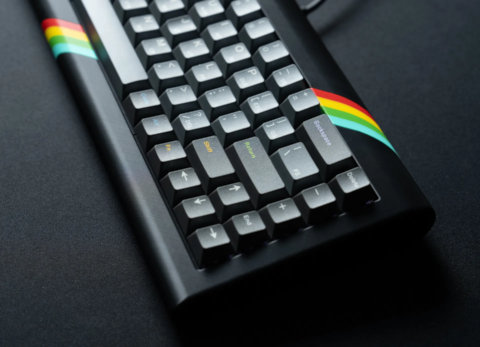
A 65% keyboard case inspired by the ZX Spectrum: Kada Spectrum by Emil.
Akko YU01 review
The full-resin Akko YU01 keyboard elevates RGB lighting to a whole new level as the case acts as a giant diffuser. 65%, hot-swappable, wireless, featuring Akko Piano switches and ASA keycaps.
Lexicon review
The Lexicon by WeirdLittleKeebs is a 65% "writing keyboard" designed for wordsmiths – with a layer full of words.
Kemove TMKB T68-C review
The TMKB T68-C is the first Hall-effect keyboard offered by Kemove. An entry-level 65% magnetic keyboard designed for budget-conscious gamers.