Keyboard Builders' Digest / Review
Jiffy75 review
The Jiffy75 (SP75) is a low-profile prebuilt-split keyboard by Jezail Funder Studio. With wooden accents and wrist rest.

Published March 10, 2026

The Jiffy75 is the row-staggered split descendant of last year's hit split, the Cornix. This is a Kickstarter campaign by the way, launching today!
Within the keyboard hobby, many people are on the fence between traditional keyboards and fully ergonomic designs. The pre-built split Jiffy75, similarly to the 60% Elytra introduced recently, caters to this segment: classic horizontal staggering, and you can even attach the two halves (magnetically) for the common one-piece experience.
TL;DR: The tri-mode wireless 65%(?) Jiffy75 is a fully built split keyboard. Nice low-profile aluminum housing, quality machining. Nice stock switches, soft typing feel despite the integrated plate, hotswap PCB for customizability. Rotary encoders, cute hard-shell carry case, classy wooden palm rest (option). Huge batteries, amazing battery life. No lights, and proprietary web-based configurator.
When I see the Jiffy75's quality machining, I can't help but think of and compare it to the Cornix and Elytra. Although ElimKeys is a different team, Jezail Funder Studio has its marks on that board as a manufacturing partner as well.
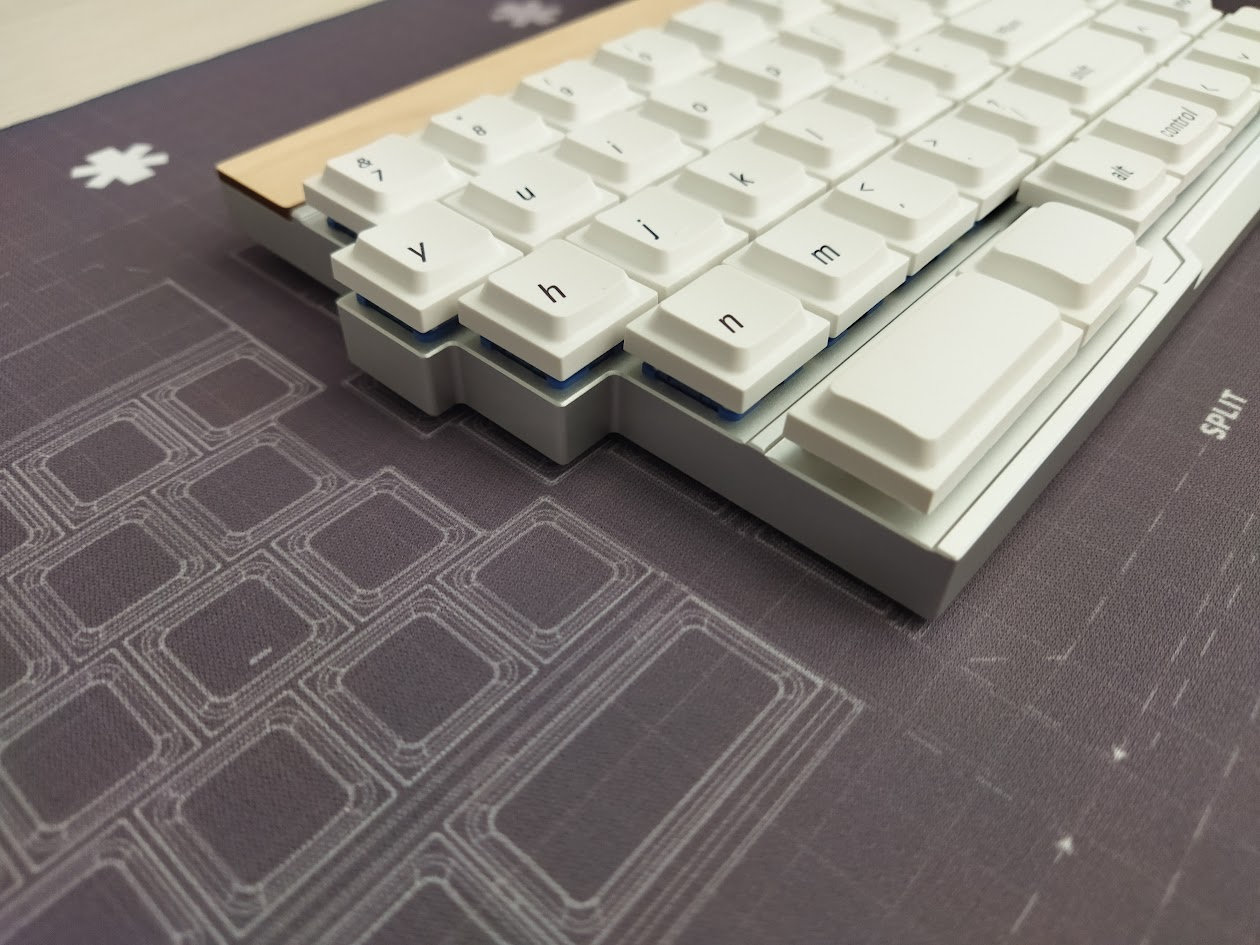
I've been using the Cornix as my daily driver ever since my review, so I see a lot of potential in the Jiffy75 as well – especially for people who are into the classic horizontal staggering. If you're looking for a deep insight – right down to a full teardown with disassembly photos – check out the review below. There's also a photodump on imgur.
Disclaimer
- JezaiFUnder studio – was kind enough to send me this review unit for free. As always, freebies may introduce all kinds of biases – both negative and positive in my experience. Take everything I write with a grain of salt.
- This is a Kickstarter campaign, however, definitely not from the shady render-only kind. With not just early prototypes in existence, but with beta units at testers as you can see in this very post.
- That said, the final mass-produced version may differ from the beta unit in the photos below.
Variants
There are four color variants: black and silver, plus with the walnut and maple accents, plus orange and white. In addition, there are two very nice optional wooden palm rests as well: a darker walnut and a lighter maple edition.
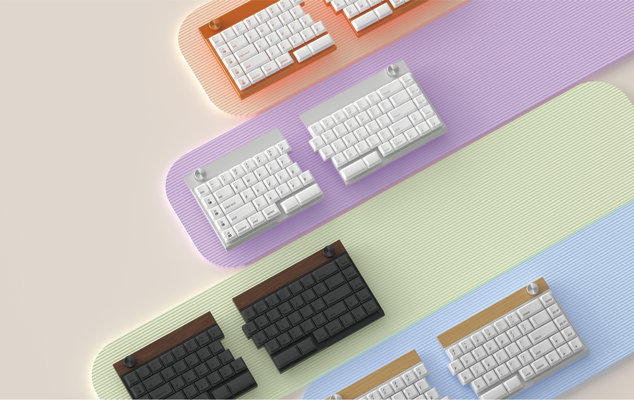
As you can see in the photos, I received the silver version, with mismatched wrist rest. :) The board came with a maple strip, the palm rest is walnut. That said, this came way before the Kickstarter launch. It was a total surprise, I haven't chose this deliberately, but I'm quite happy about being able to experience both materials.
Unboxing & Contents
The Jiffy75 came in a relatively small and simple, black cardboard box, with some branding:
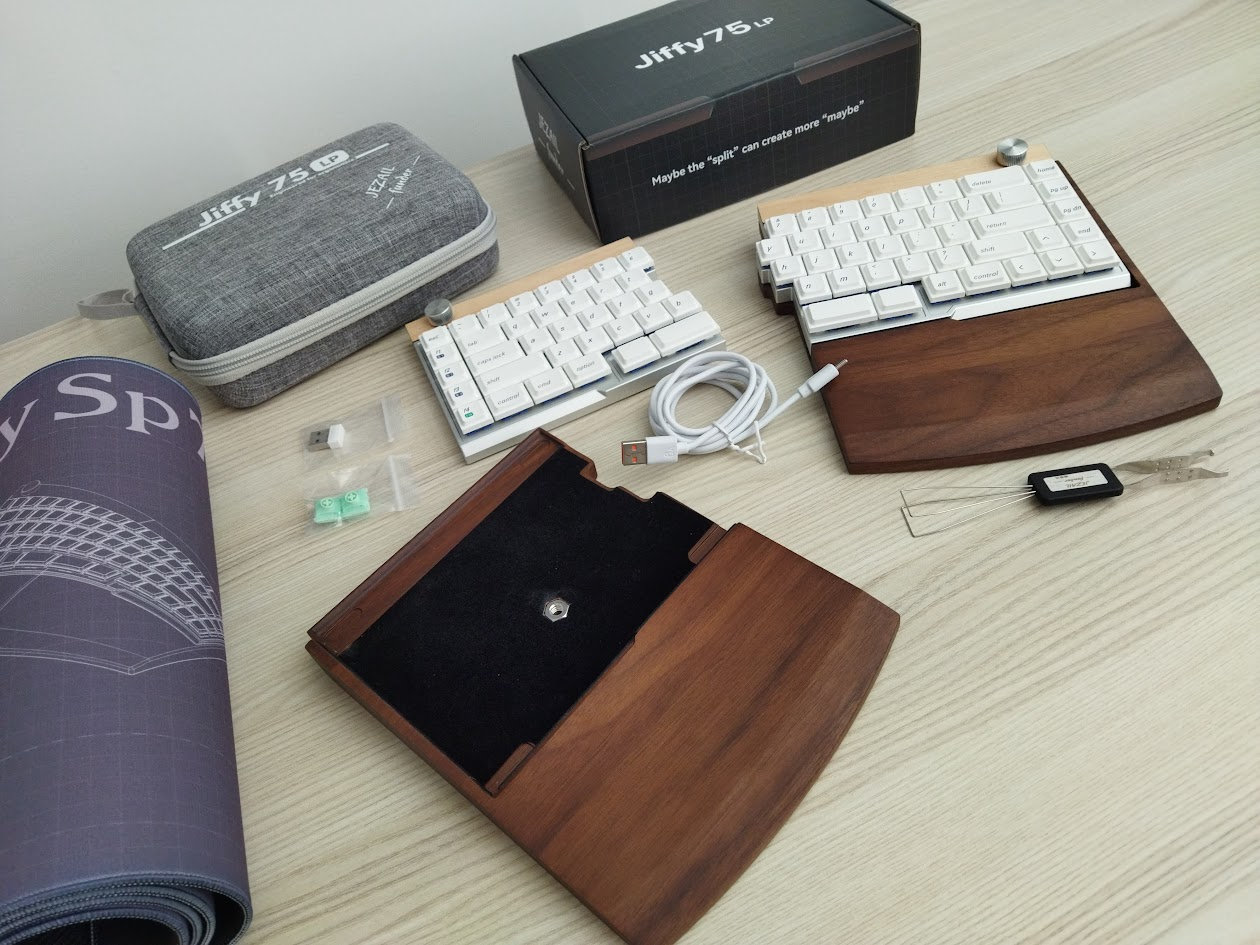
More important are the contents of the bundle:
- The pre-built split Jiffy75 keyboard itself with keycaps and switches mounted
- kick-ass hard-shell case
- combined tool to remove keycaps & switches
- 2x extra switches
- 2.4G dongle
- USB cable
- palm rest (extra)
- matching desk mat
That was it for the beta sample. I'd like to stress that this wasn't the full, final mass-produced bundle, so that may be something completely different. The Kickstarter page lists additional items like:
- Manual/Card
- spare caps and even extra keycap sets
First impressions, design language
Again, when it comes to the design language, I can't help but think of the Cornix and Elytra: machining, switches, keycaps. The quality of the milled aluminum case give all these boards a very sophisticated look and feel – relatively uncommon in the niche split scene. Instead of the Elytra's fancy "biomimetic" bottom, the Jiffy75 chose the wooden accents and palm rest to spice up the design and bundle.
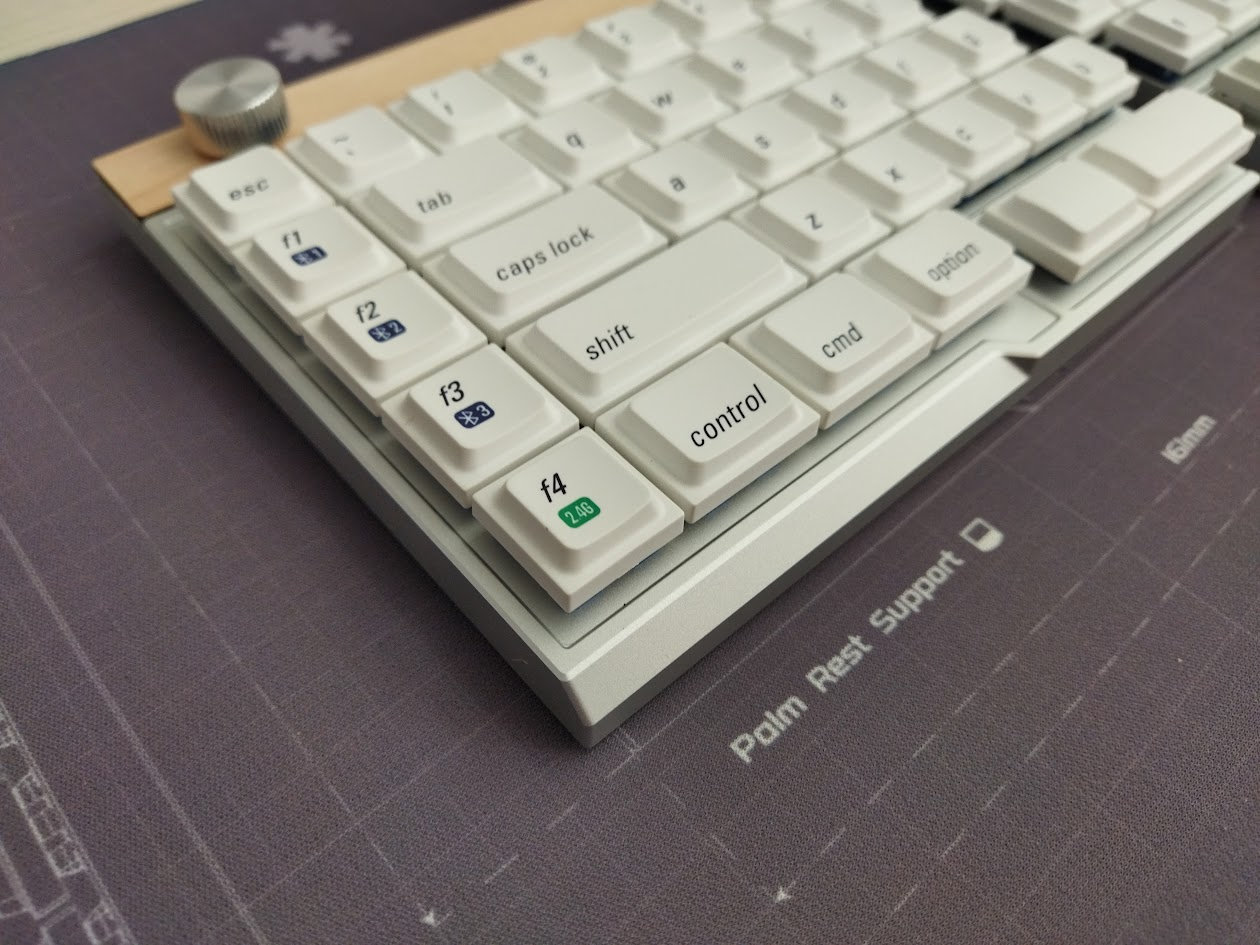
This is a clean and simple build visually, with no visible branding whatsoever.
Specs (and ToC)
- Layout: 75 keys (classic horizontal staggering, just split)
- Keycaps: dye-sub PBT LAK profile (low-pro MX)
- Switches: two custom low-pro all-POM Kailh Choc V2 options
- Case material: CNC aluminum
- Mounting: top mounted
- Plate: no plate (integrated)
- PCB: hotswap, glossy black, no flex cuts
- Software support: JZF Hub (proprietary)
- Wireless: wired, Bluetooth, 2.4Hz connections, 2x2800mAh batteries
- Height: 11 mm case, about 2 cm with caps and bumpons.
- Dimensions: 161x128 mm (left) and 184x128 mm (right)
- Weight: ???
- Price: from $199-219
Layout
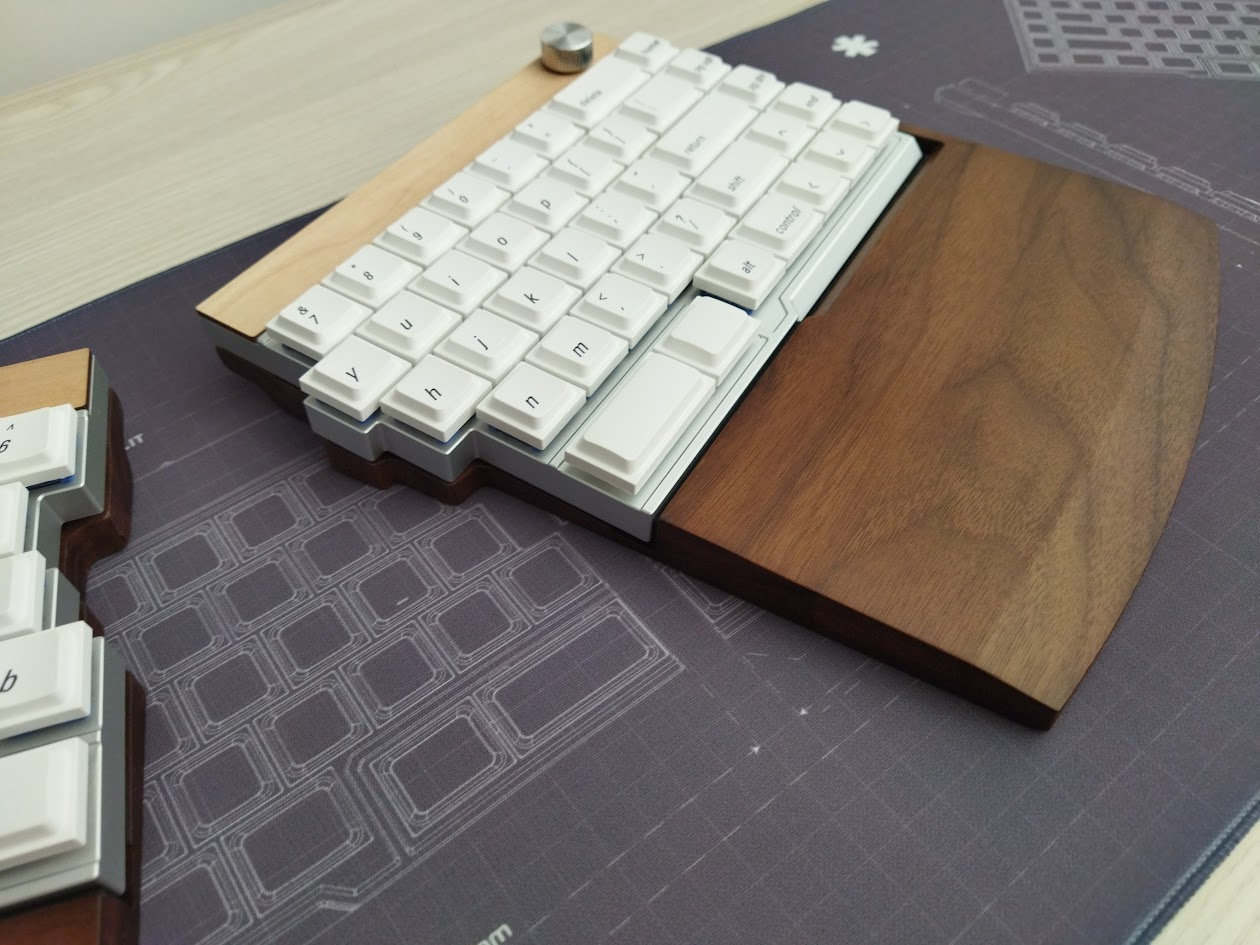
This is not the classic 75% despite featuring a 75-key layout. Actually, it's closer to a split 65% layout. Take a split 60% and add two extra columns, one on each side. Plus split spacebars of course. Also rotary encoders on both halves.
No steep learning curve, the board keeps the ANSI layout and QWERTY arrangement as default. You can even attach the two half, resulting in a one-piece board.
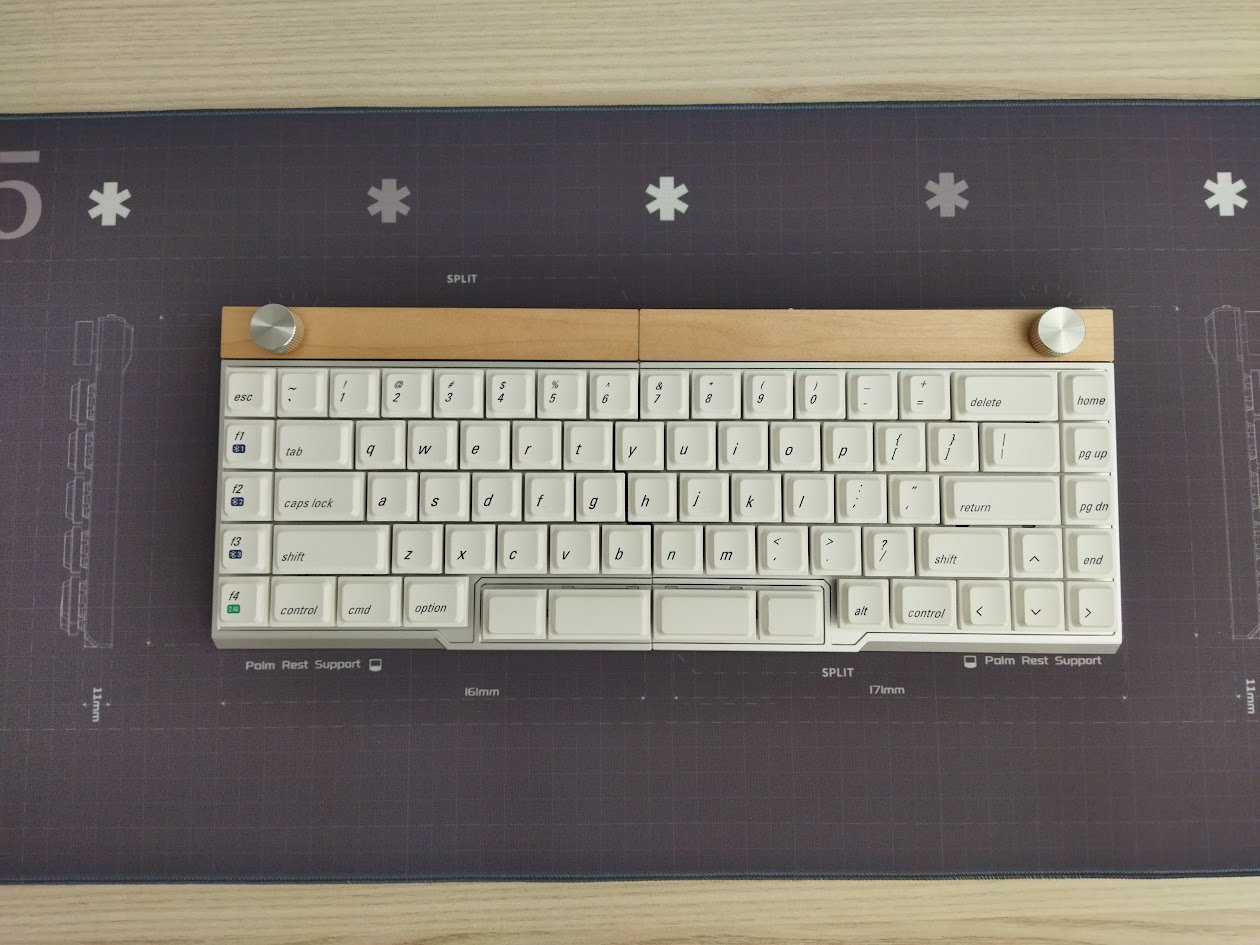
75 keys, classic horizontal staggering with B keys on both halves. Very close to the good old 60% layout, only split into two halves, with minor differences with regards to mapping of some keys.
The classic layout benefits newcomers to the split scene (easier transition from traditional layouts), but also serious typers who've mastered e.g. ANSI QWERTY and don't really want to relearn typing and retrain muscle memory to adapt to a fully ergo columnar arrangement.
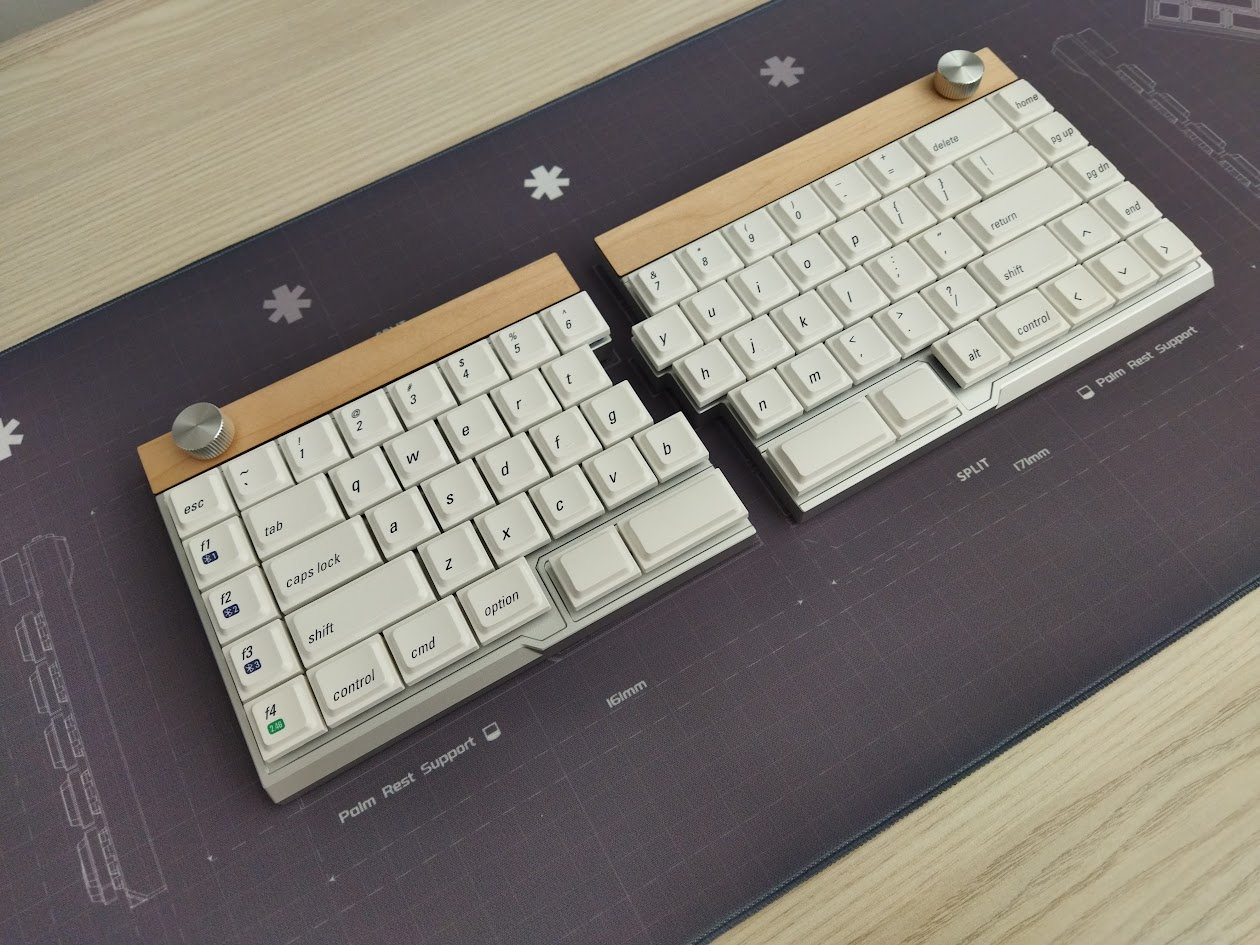
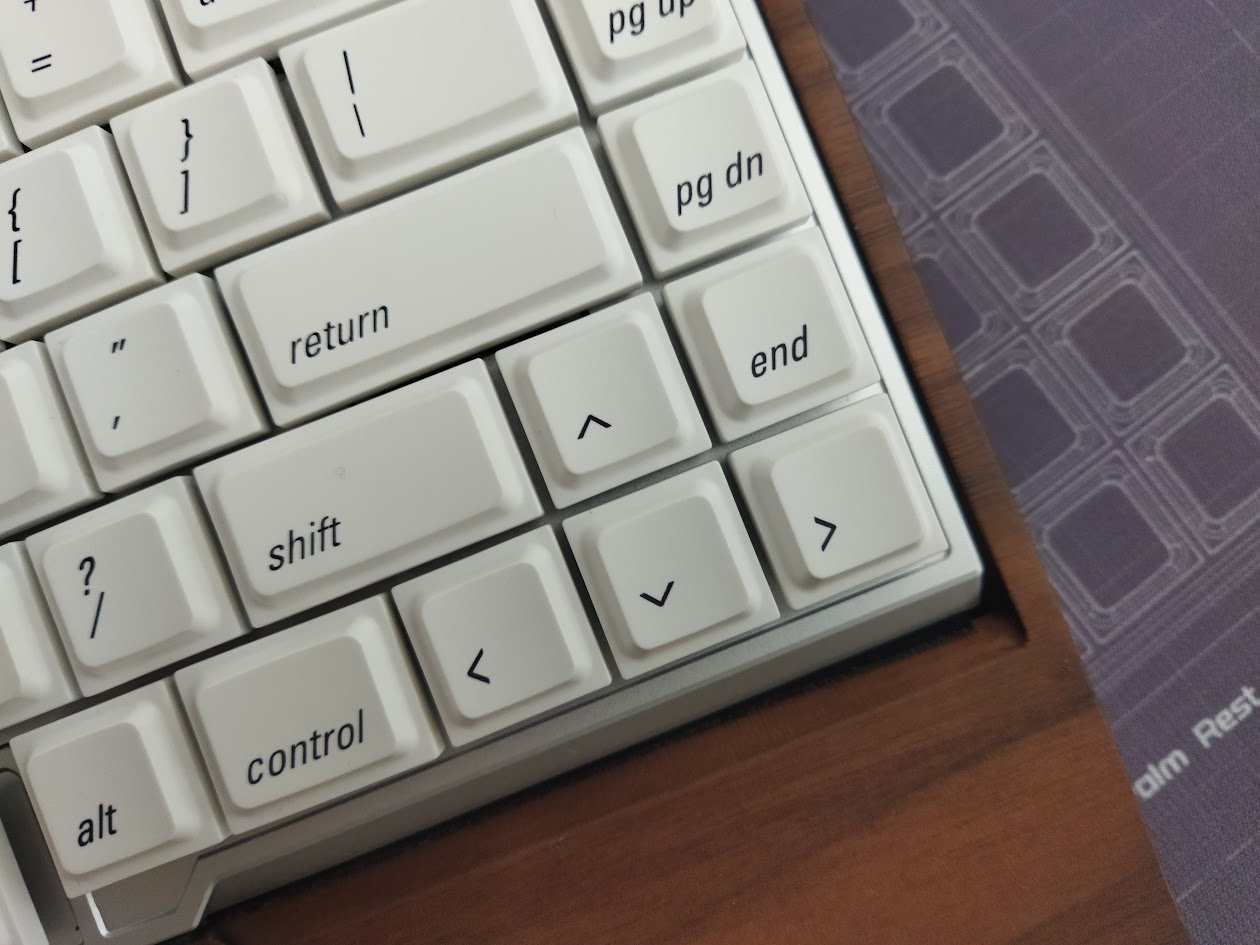
75 keys may be considered already too many by hardcore split users typing on 36-42 keys (or even less). However, the Jiffy75 is still relatively compact: lacking a full physical F-row, numpad, and the classic arrow and navigation cluster. All you really have here beside alphas is the number row, some modifiers, and F1-F4 keys. The Jiffy offers a dedicated arrow cluster as well, although in the crowded way, without any gap.
Build quality, structure, case
Excellent build quality, my tester unit was flawless. Despite being very sleek, the whole thing has a healthy mass compared to much bulkier 3D-printed plastic cases. In addition, this silver variant looks absolutely fingerprint-resistant. By the way, these cases are bead-blasted and anodized aluminum.
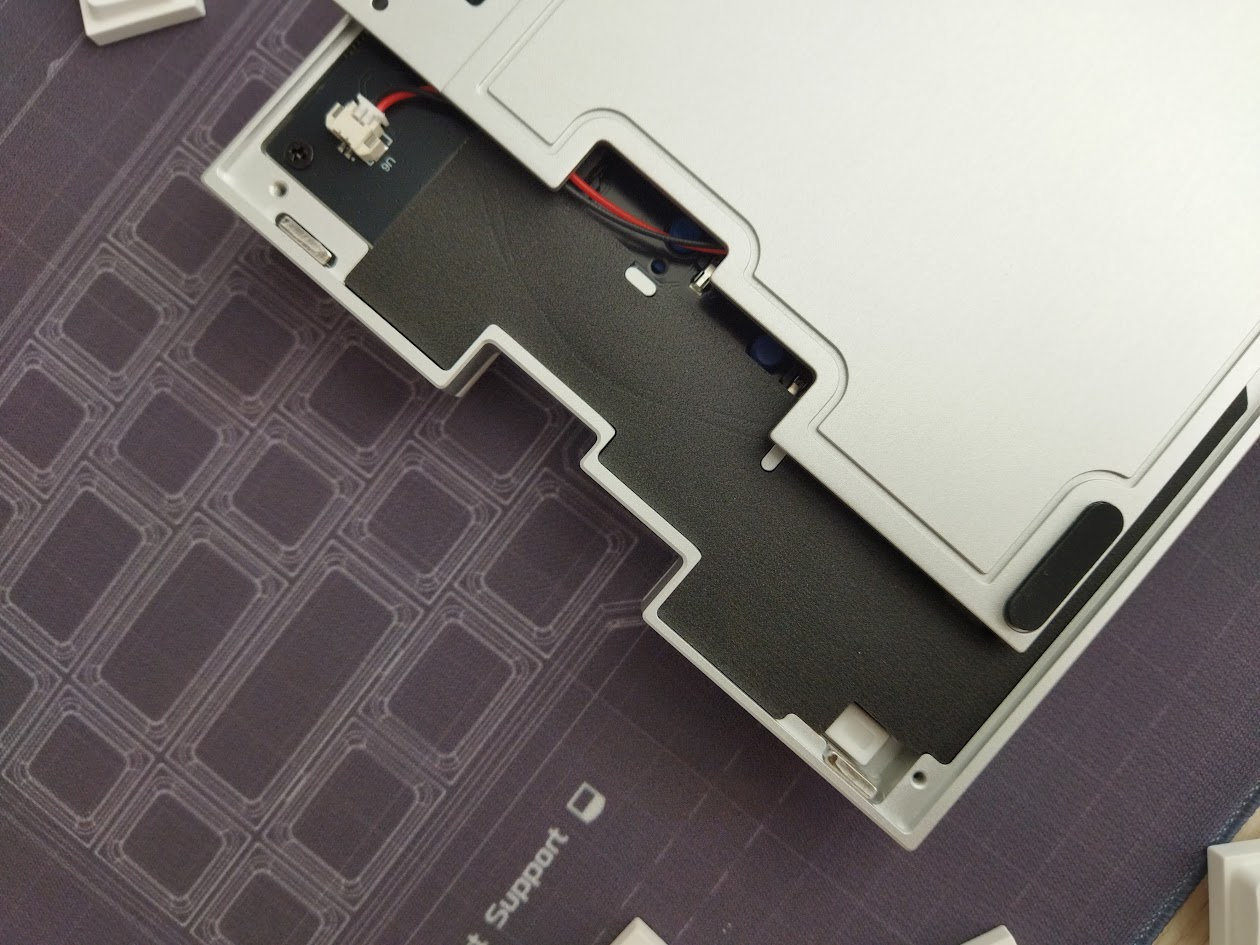
The screws are hidden, so to disassemble the Jiffy75, you have to remove the bumpons first. Ouch.
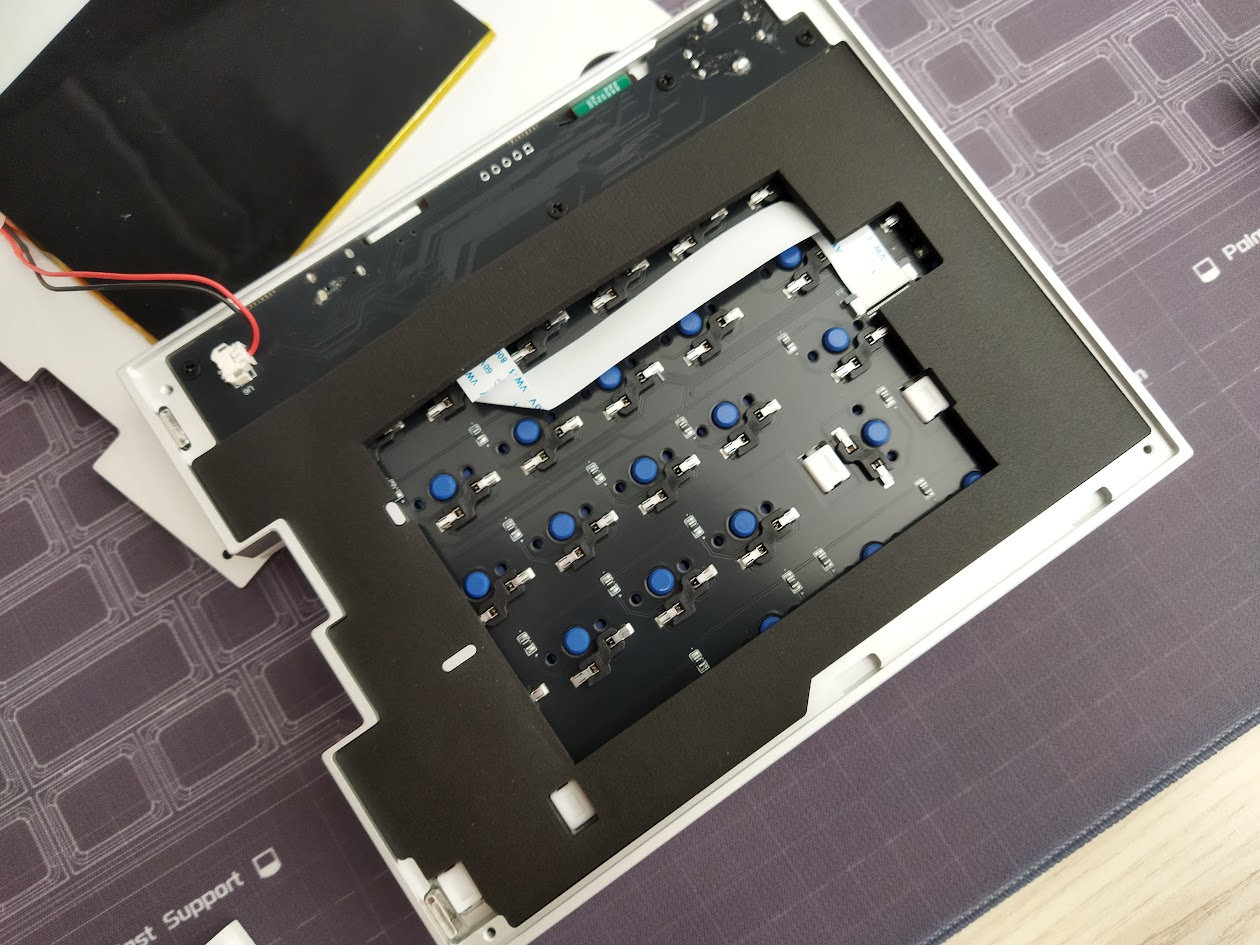
This is definitely a prebuilt-first keyboard, aesthetics was more important than easy disassembly. Nevertheless, taking it apart isn't impossible either. At least it has all the screws in the same size and style – one screwdriver is sufficient.
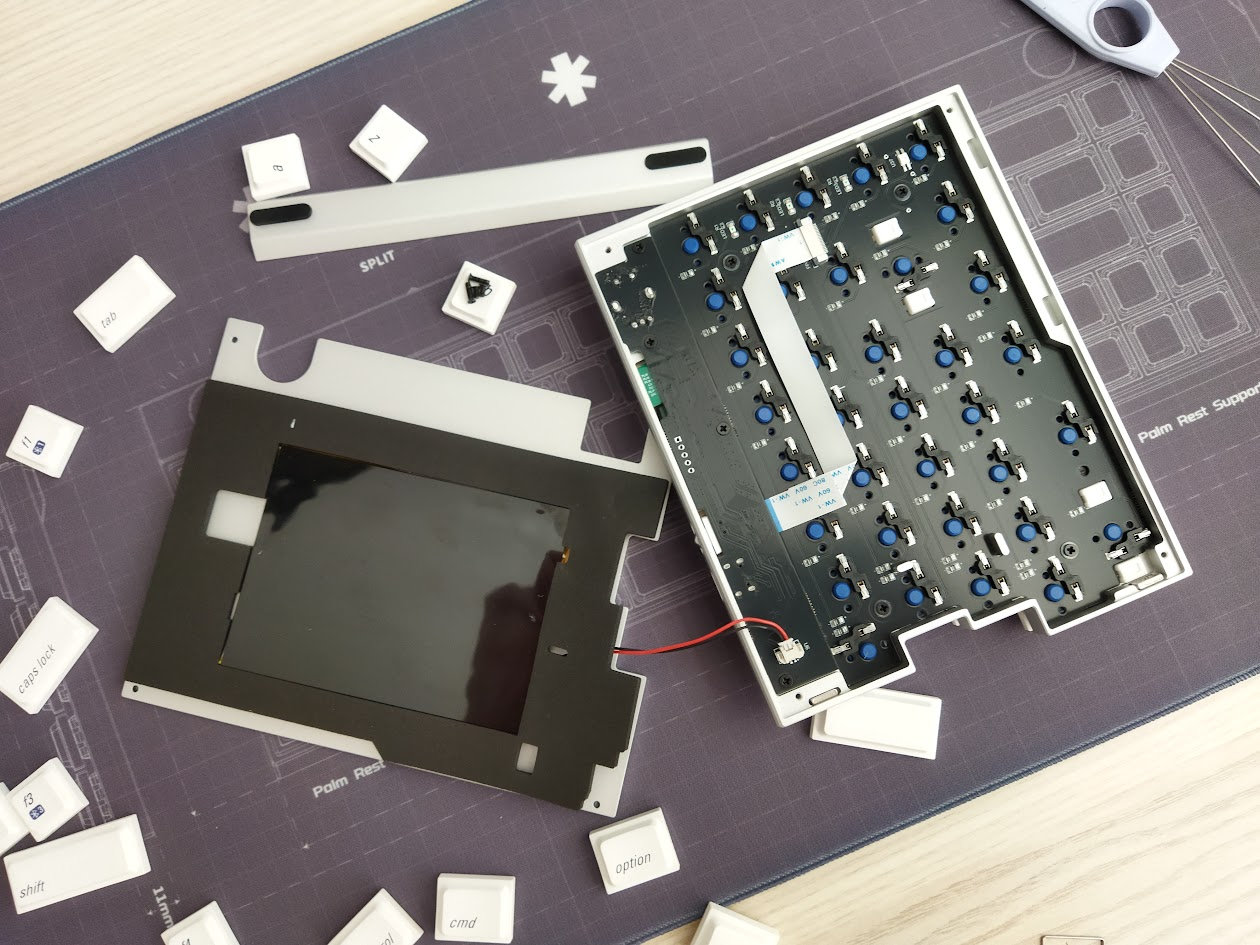
Four screws to remove the top case, another few to remove the PCB – for one half. The majority of customers won't bother with disassembly, but it may be important after a few years of use to check battery health.
Structure & Mounting
Top mounting, but the exact mounting method is pretty irrelevant as you'll see, since the switches are put into holes cut in the top housing – the integrated plate is more important regarding typing feel and sound.
Magnetic snapping
The two halves can be snapped together to achieve a classic one-piece layout.
The halves are held together by magnets. Their sthrenght is okayish for the purpose, but you can't raise or move them together.
Plate
Again, there's no plate in the classic sense. The integrated switch plate is the aluminum top case itself. No flex cuts, obviously, but the typing feel is still soft because of the great switches.
That said, integrated plates tend to be louder than other solutions.
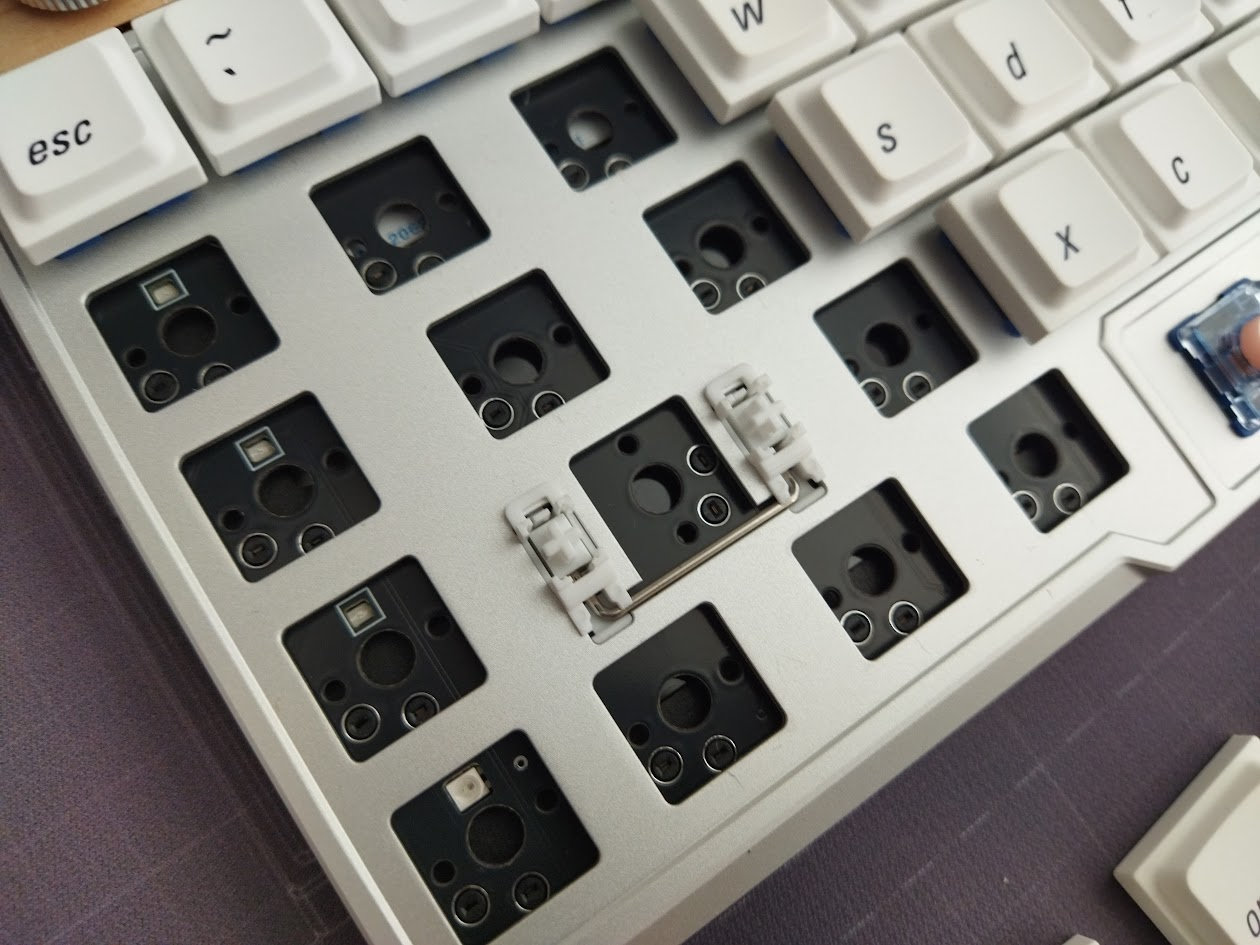
After the Cornix, not everything is 1U this time: the modifiers are the normal size, plus there are the split space keys, so there are four stabilizers.
PCB
This is a prebuilt keyboard so most of you won't need to get as far as disassembling it – prying the PCB off the plate plus switches. The 1.2 mm PCB features hotswap sockets but no LEDs, not even indicator LEDs.
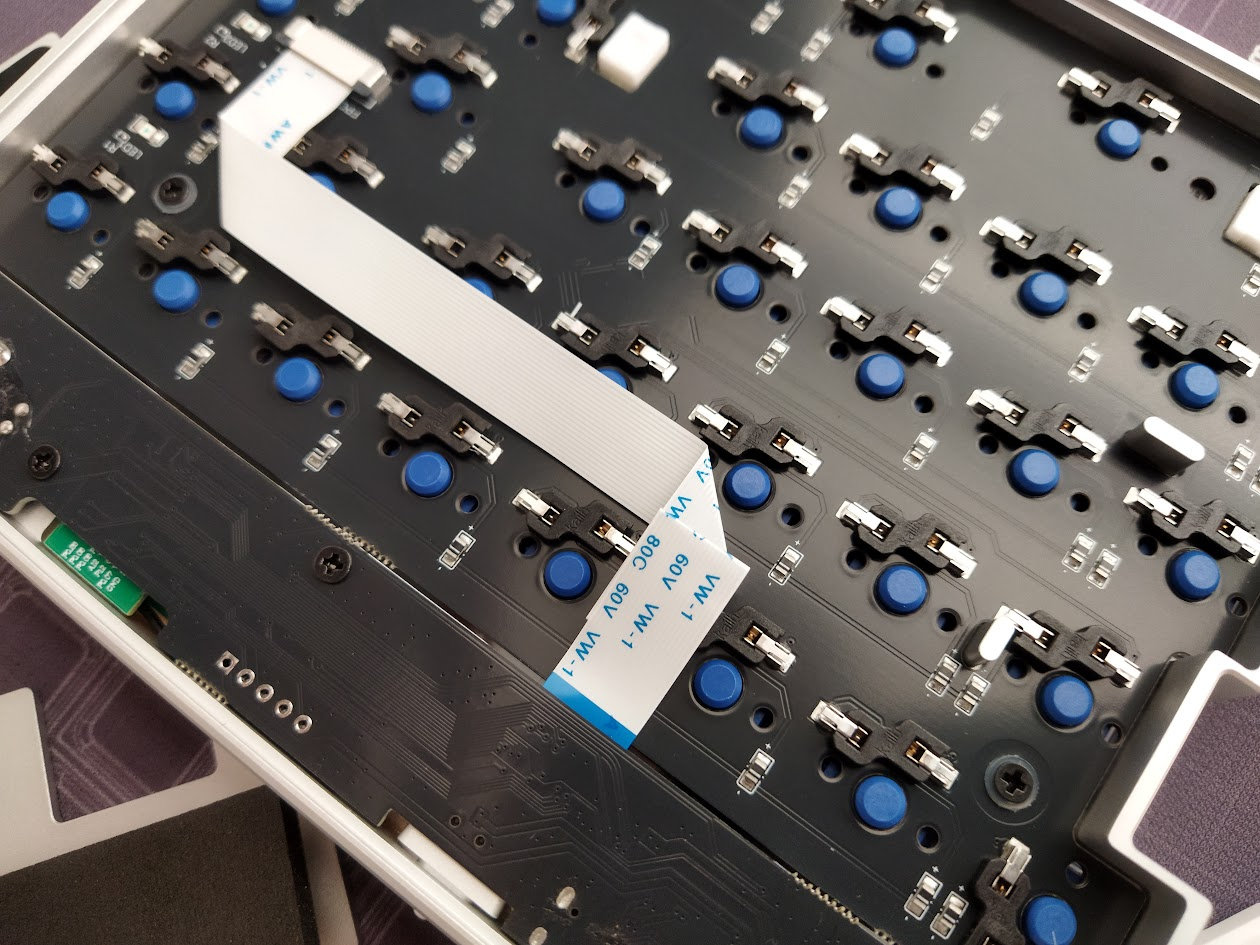
No flex cuts either, but that wouldn't make much sense with the integrated plate structure anyway.
Switches
The beta unit came with the already great Kailh Choc V2 Deep Sea Silent MINI Pink switches. I love these even with the the silicon feel characteristic for silent switches, but Jezail Funder worked with Kailh to craft custom low-profile models for the Jiffy75 – CloudShell White (linear) and JZF Mist (silent linear). The final production units will come with these.
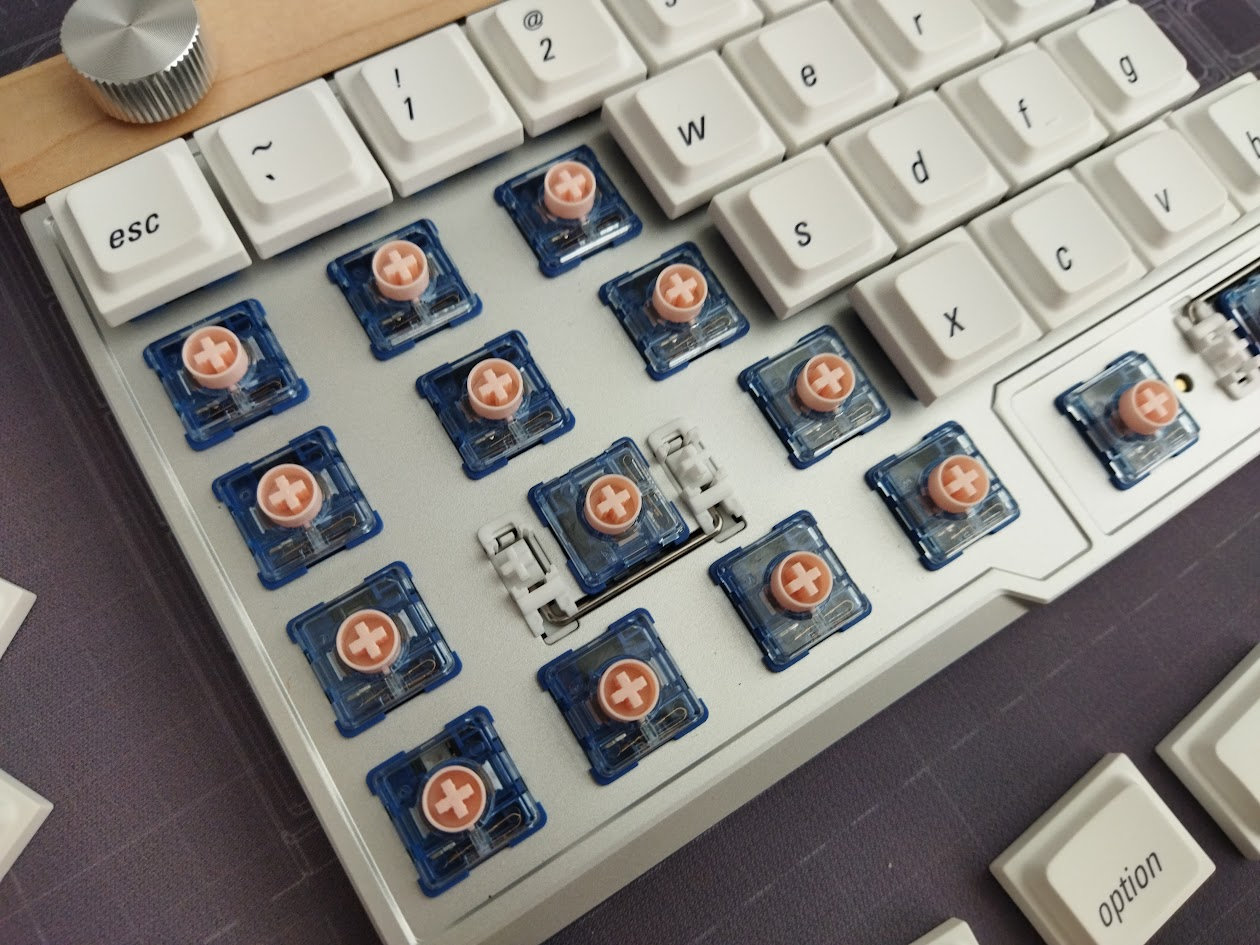
Both options are light linears, 40 and 37gf, respectively. Total travel: 2.8 mm.
If you'd like to experiment, feel free to use the most recent best-selling Choc switches, or your personal favorites. (Watch out for the stem though, while Choc V1 and V2 switches share the same footprint, you need different keycaps for them (MX vs Choc stem).
The point is: The PCB features hotswap sockets, so you're not restricted to the factory setup as you can easily swap switches without soldering.
Choc V2 means Choc footprint/pins and MX stem. The best of both worlds: low-profile switches with a much larger selection of MX-compatible keycaps compared to Choc ones. If you think that Choc switch selection is sparse, think again.
Keycaps
The PBT LAK keycaps are already very usable, especially for something split: a uniform, cylindrical profile with relatively small top surface. Due to the uniformity, you can easily rearrange the caps to match different alternative layouts (except for the homing keys of course).
The stock caps come from JZF, however, the legends are different again. Lowercase, italic, put in the bottom low corner. No secondary legends and layer indicators, except for the F1-F4 keys – in contrast to the original Cornix caps. In addition, the black caps look this classy stealth black on black, unlike the white on black set of some Cornix variants.
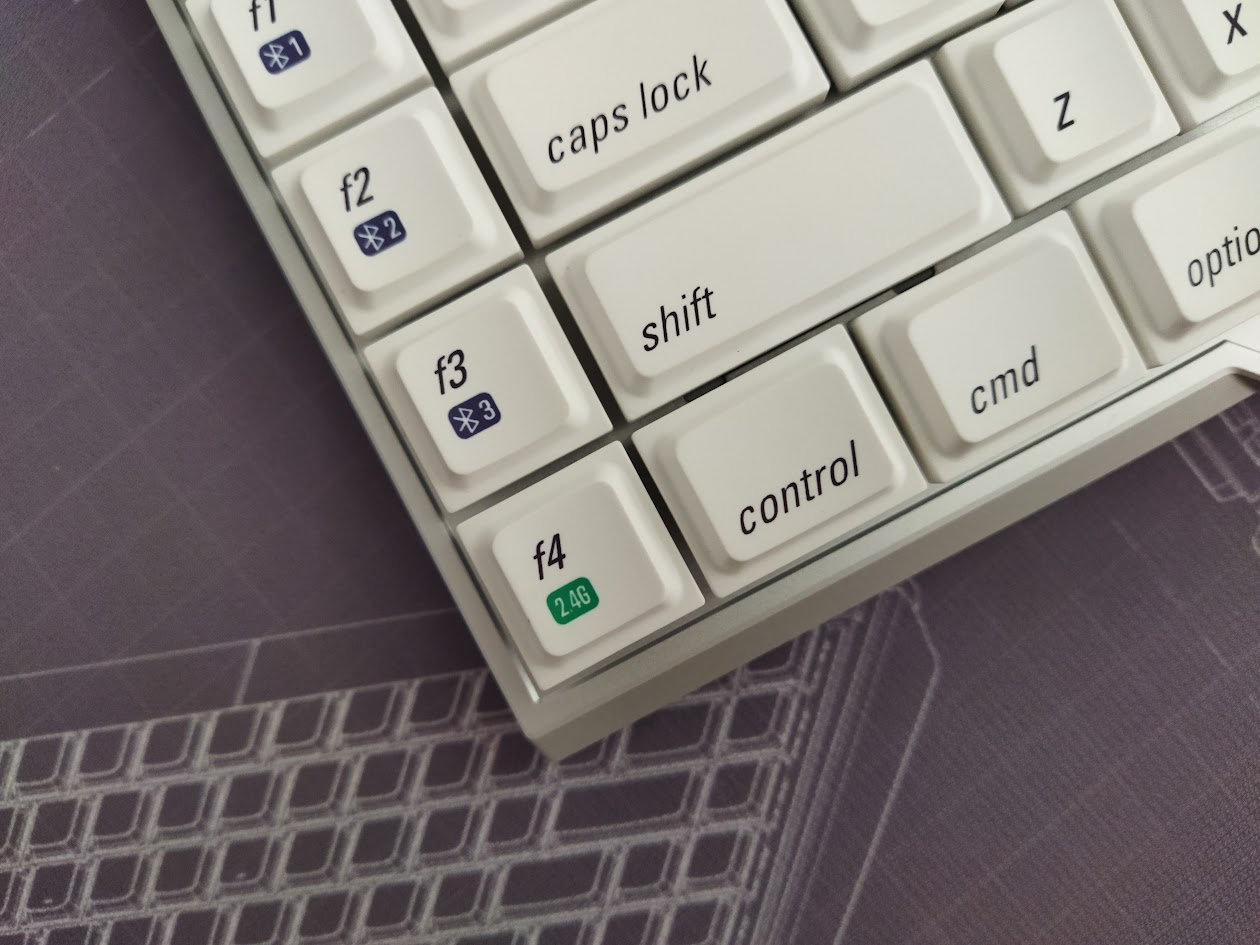
Actually, LAK is even better for the Jiffy75 than it was for the Cornix. The huge gap and harsh edges made it less optimal for thumb clusters. With two convex spacebars per half, you don't have to slide your thumbs across many keys, so there's no such problem with the Jiffy.
With regards to keycap compatibity, the 60%-ish layout should be mostly supported. Profile compatibility may be tricky with the F-keys in a column, and the two 2U spacebars may caused you some headache.

It's worth noting that the long Cherry caps may be too heavy some keys, especially for those with stabs. And the light Choc V2 switches may have no chance against the Awekeys metal keycaps.)
Bottom & Weight
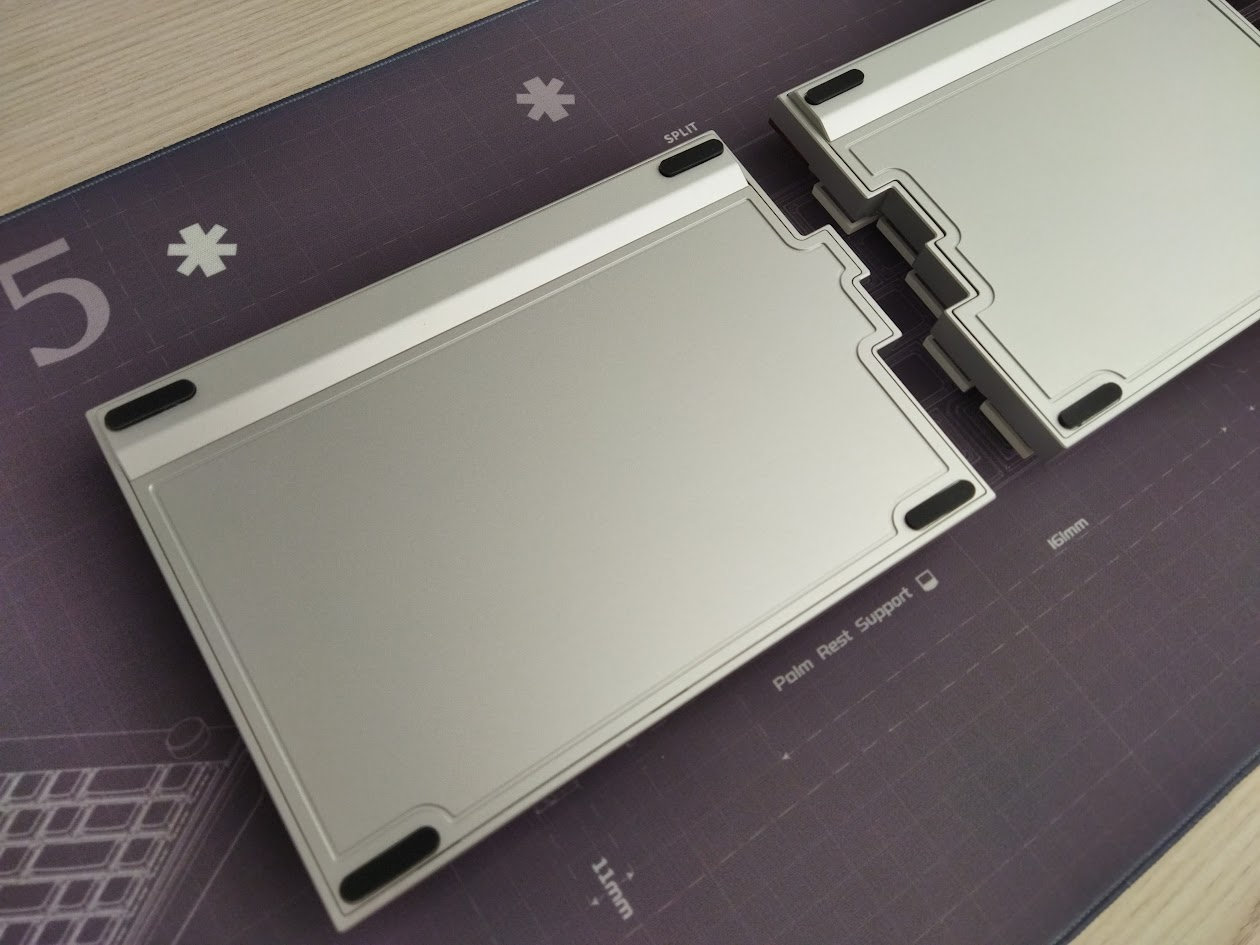
No fancy weight, a simple bottom with outline.
Tiny screws hidden beneath the bumpons.
Tenting & Typing angle
No tenting by default, no word of tenting options in the future as of writing this.
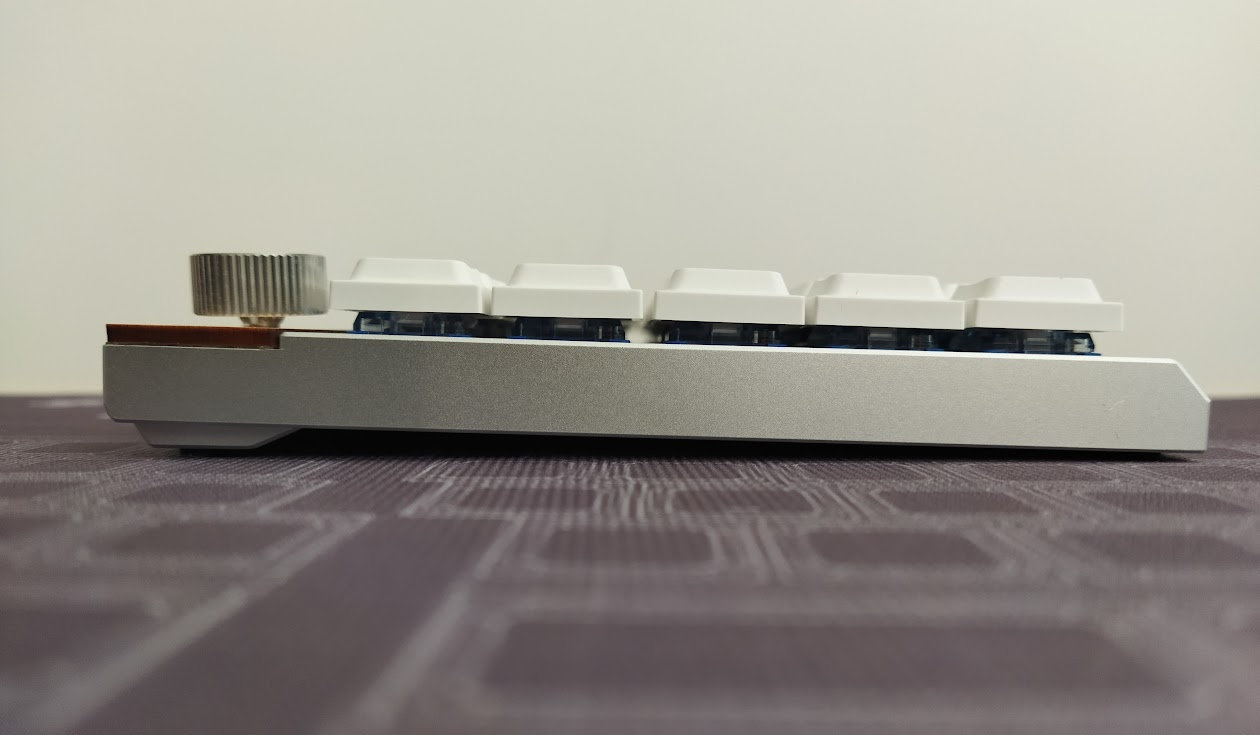
The typing angle is about 2 degrees, a bit less.
Sound & Sound dampening
Keyboard sound is not really a thing in the DIY split scene, is it? Well, the Cornix has shown that it can be, and the Jiffy75 performs quite well in this regard as well. As it's fitting for a pre-built split in such a nice milled case. Definitely not the DIY split sound experience: it's relatively muted (silent linears), but not completely silent, probably because of the integrated plate – a structure that tends to result in louder boards.
The sound is clean and nice though, it's closer to thocky. Mine is much louder compared to this sound test, but still not a normal non-silent board:
Most of my other plastic and 3D-printed splits, occasionally with huge XDA caps, are much louder and rattly. Compared to them, the Jiffy has a subtle, refined, more sophisticated sound in my opinion.
Lights & Indicators
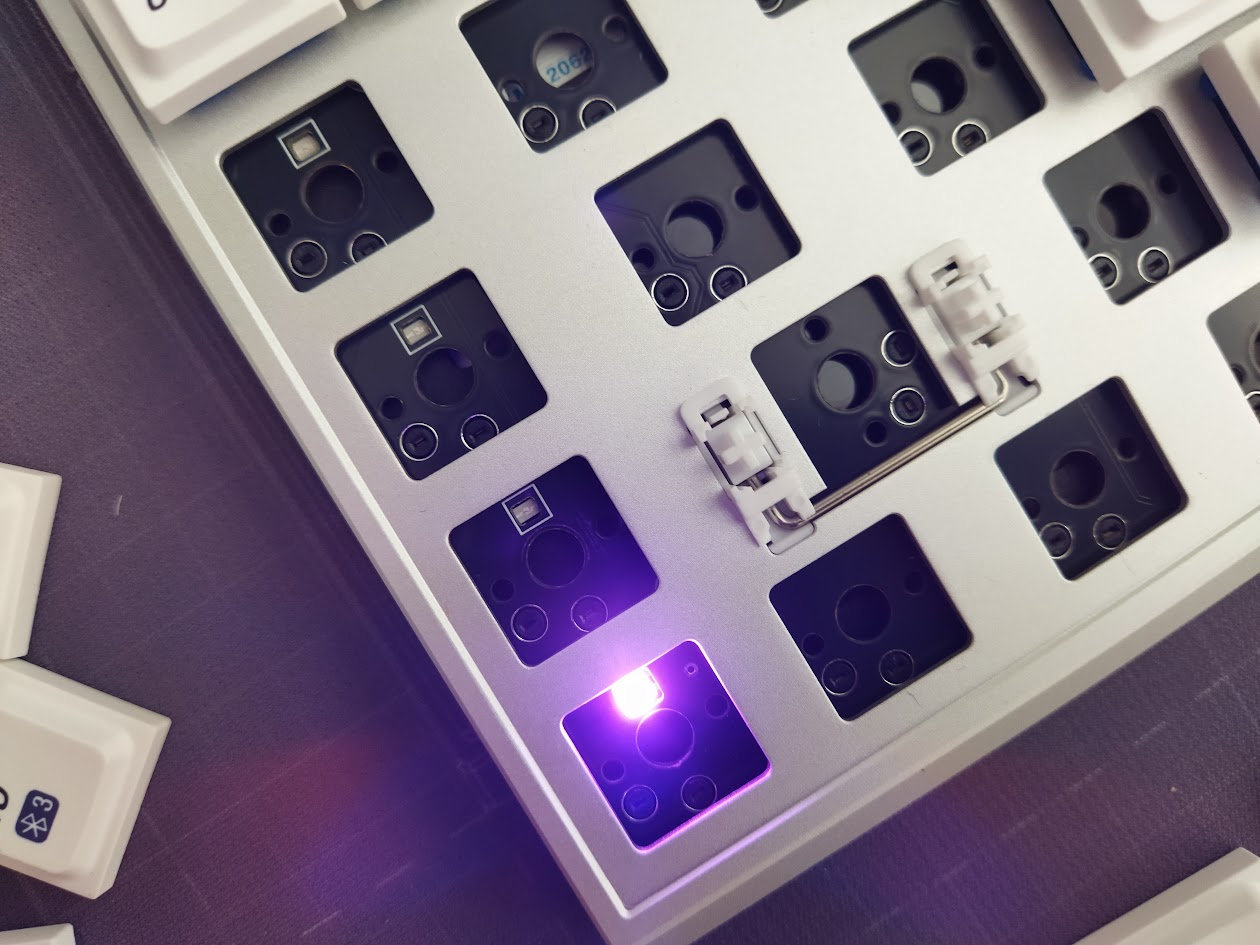
No per-key RGB, decoration lights or displays, as it is usual for most wireless-first boards. Four LEDs under the F1-F4 keycaps to indicate connection status, plus some others on the right half (outer columns as well). No CapsLock indication though. I'm used to this, as I usually know what layer I'm being on. That said, if you rely on this kind of feedback, consider how crucial a CapsLock indicator LED is for you.
Wireless
The Jiffy75 is tri-mode wireless (USB/Bluetooth/2.4G), featuring 2x2800mAh batteries. Jeez, these batteries are huge for a humble split keyboard, taking advantage of the extra space offered by a larger case.
Regarding battery life, Jezail Funder testing suggests that the left side (central) lasts about 1.5 months, and the right one (peripheral) at least 2 months – with 8 hours of active use per day.
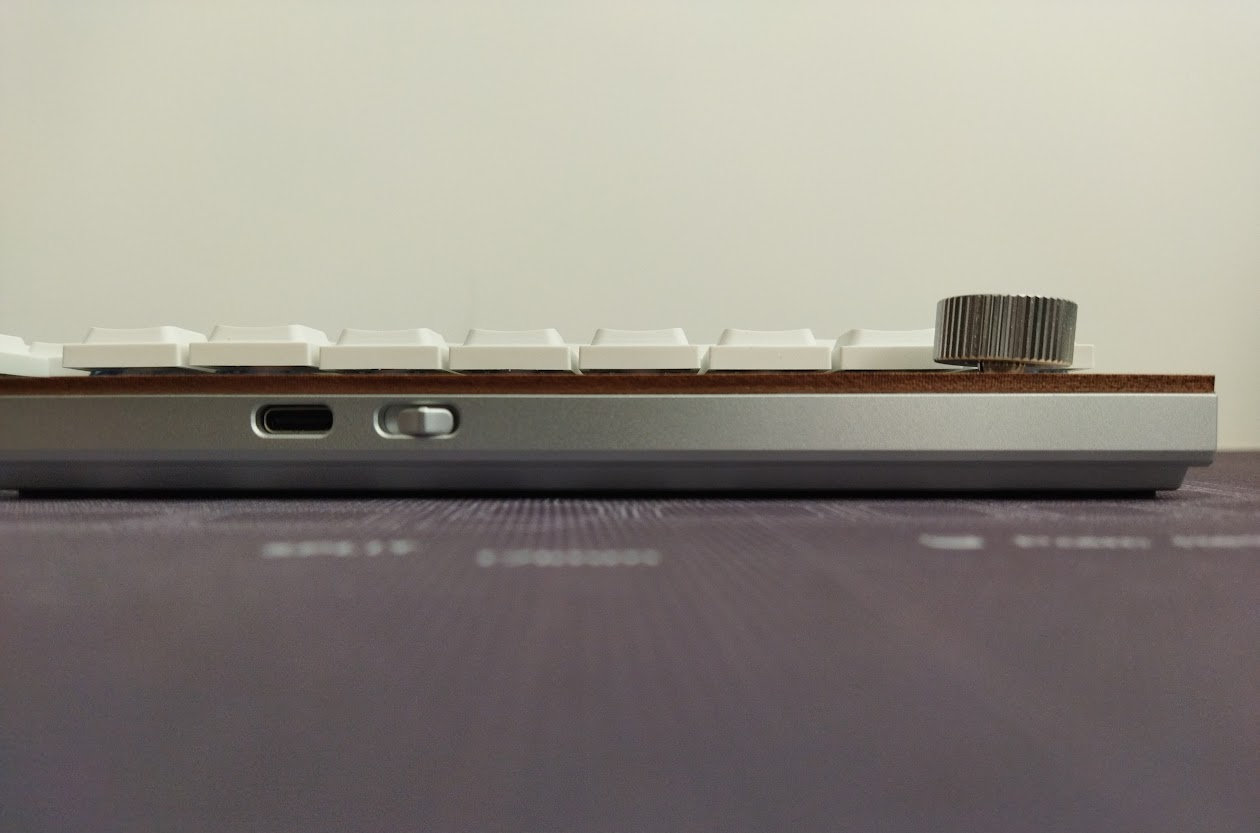
There are dedicated on/off switches on both halves for on the go, or when not in use (however, the board goes into sleep mode automatically). I was informed that these switches do actual battery decoupling, unlike the Cornix: when the switch is off, the battery is phisically disconnected. In this case, the keyboard is powered by the USB cable, but the battery will not charge. Nice! (Protects the battery.)
And this is important because of our general warning: If you use your wireless keyboards permanently connected, please read this article about built-in keyboard batteries and how to avoid fire – for details, tips, and horror stories.
Basically, keeping wireless boards plugged in constantly (charging) leads to accelerated degradation of the lithium battery. You have to follow proper battery care practices.
That said, check the battery for swelling regularly.
One half of the Jiffy will be wireless only, so you can't remove or disconnect that battery. And while it's relatively inconvenient to get to the battery – unscrewing screws, etc. –, you should definitely check it every now and then.
Desk mat
Well, the custom desk mat's dimensions are pretty crazy, it's about 99x30 cm.
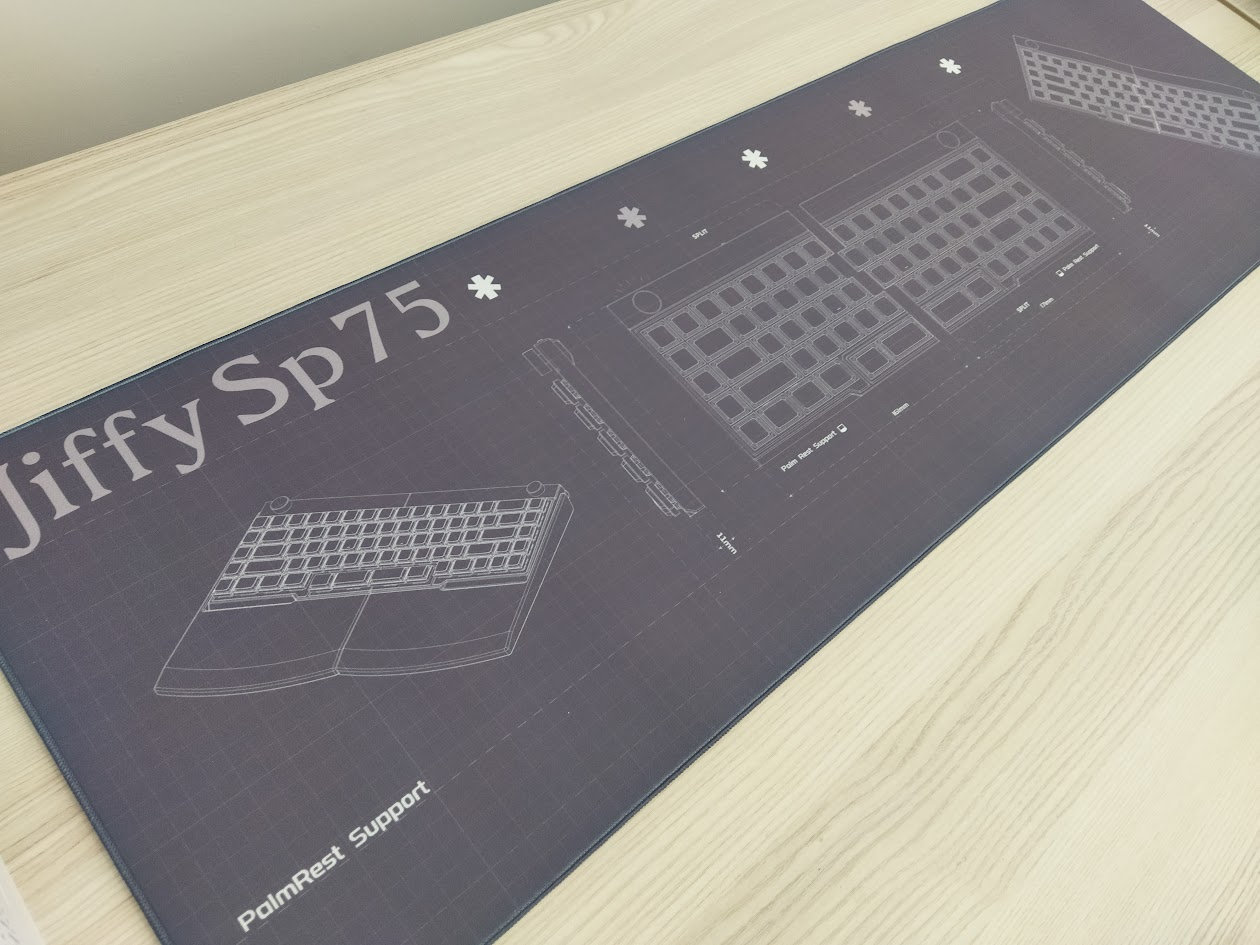
Definitely too long for me. I mean, do you have a 1 m free desk space for a mat?
Software
No more Vial, but I was told that the Jiffy75 will support VIA. It does not currently, so the only way to configure you keymap is the new JZF Hub proprietary web interface. Although it will offer easy remapping without installing anything, probably perfect for the target audience of the Jiffy75, seasoned split users will find a proprietary software quite cumbersome to use, and often limited.
WebHID-based, so most people will use this from Chrome. That said, I had some difficulties with the interface and connecting, and had to visit the site in private mode - no Connection button appeared in normal mode.
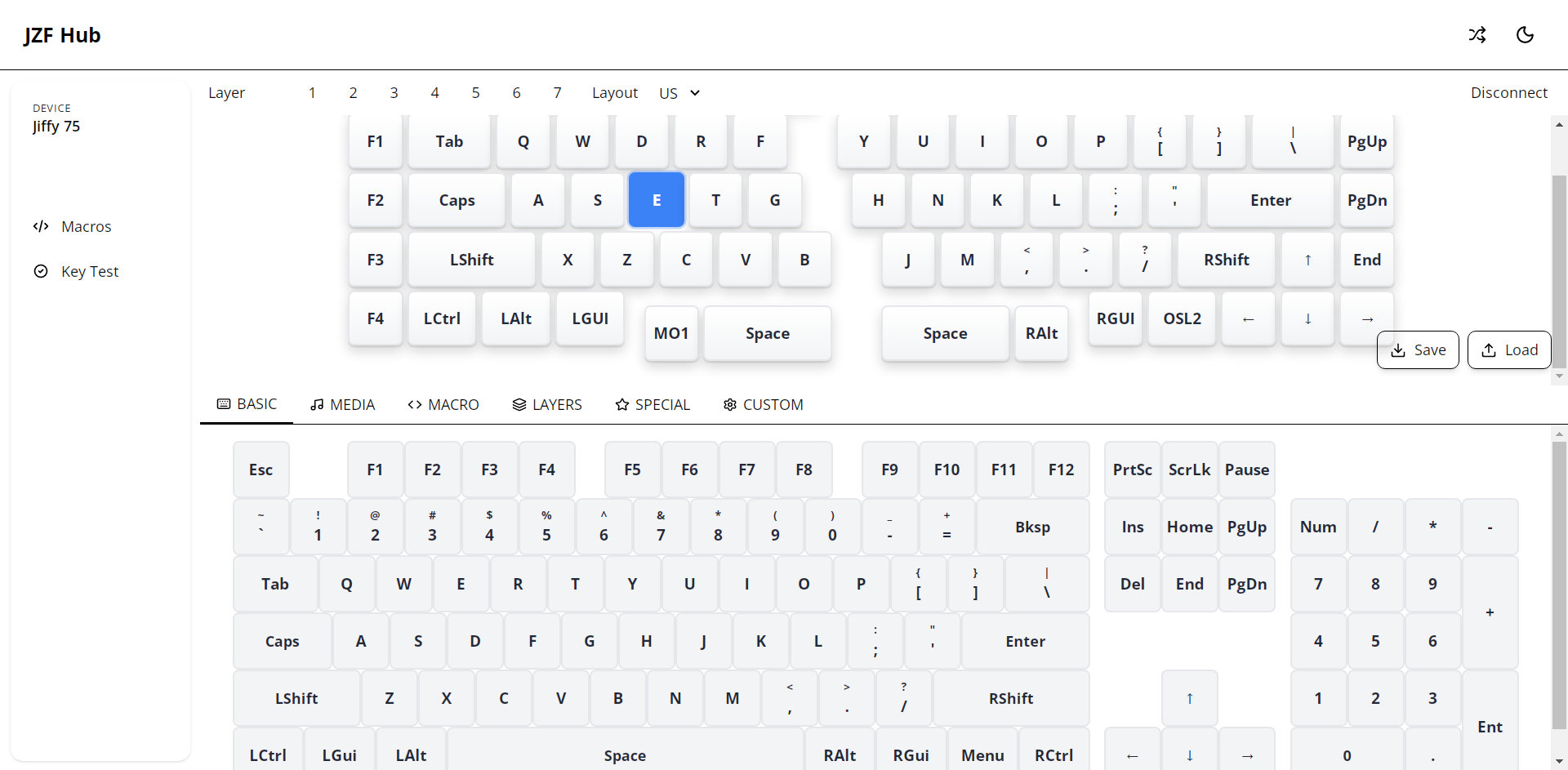
Remapping the keys, as expected, works fine. I was more concerned about layer functionality.
I can't really live without extra layers – activated by the split spacebars in this case, so I was looking for functions to implement SpaceFN. It didn't work first, but the team has implemented an Any key in the meantime, so I can add e.g. LT(1, KC_SPC) to get my most important mod-tap layer options. (
VIA compatibility will be implemented later I guess, it doesn't work yet.
Ergonomics
Ergonomics is tricky, the Jiffy is not perfect from an ergonomic point of view either, but balancing between a traditional layout and egro features, it checks a lot of boxes:
- When it comes to ergonomics, a split is always better than a one-piece keyboard: you can put the two halves at a comfortable angle and distance to open your chest, ensuring healthier wrist angle, alleviating ulnar deviation.
- Due to the low profile, wrist extension shouldn't be an issue.
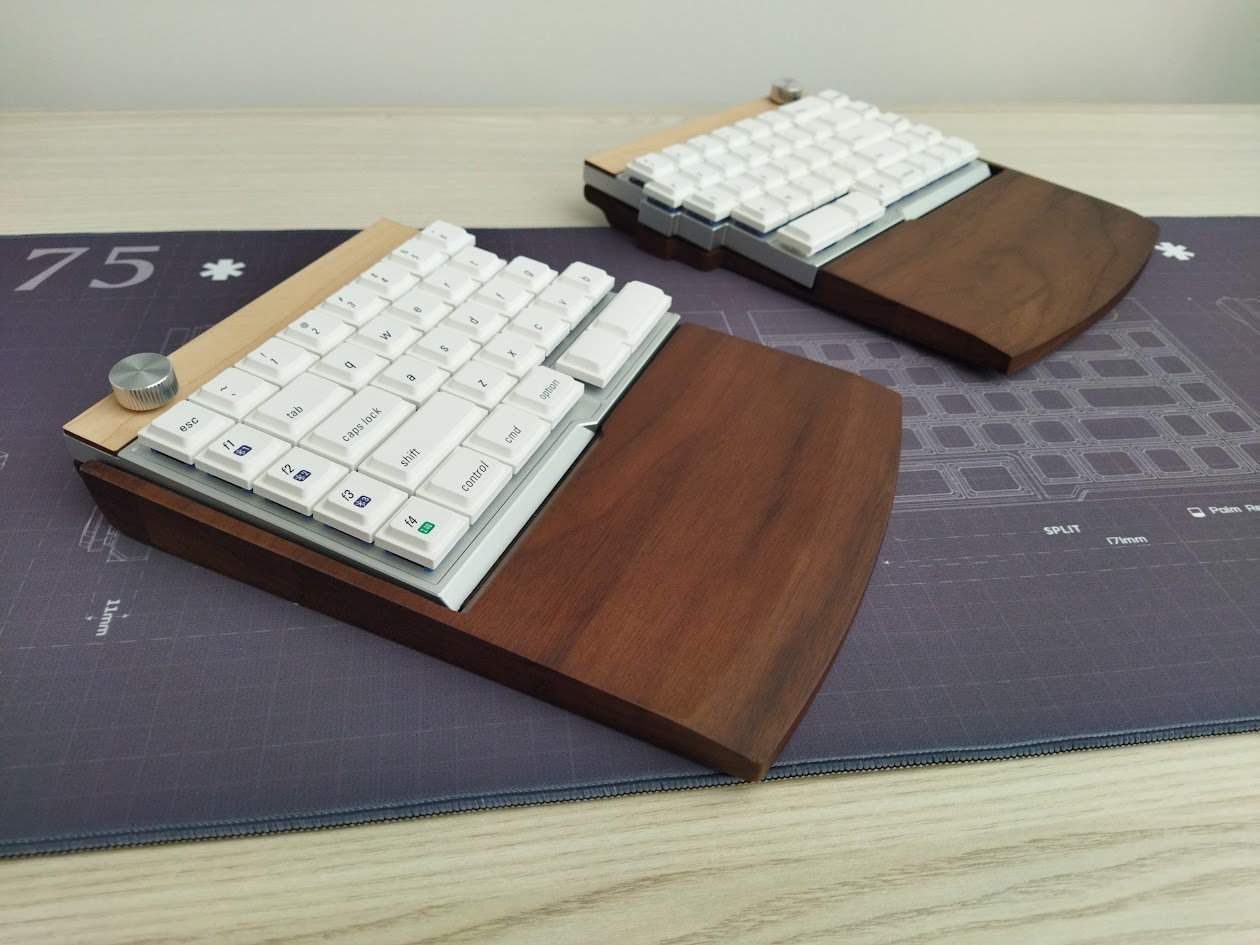
- What doesn't really work is: the tenting and the classic horizontal staggering. While not the Jiffy's fault, the classic arrangement of keys is botched inherently in many ways, especially for the left part.
- Finally, let me point out the split spacebar – it's a great improvement over a classic one-piece keyboard. Even if it offers less opportunities compared to a decent thumb cluster, it allows for easy access of two extra layers (tap-hold functions) – bringing often-used keys closer to the home positions, meaning less finger travel.
Portability & Carry case
The Jiffy is a great board both for your desk and when mobility is an important requirement: it's relatively compact and light. Its wireless features make it inherently portable, no cables needed. In addition, both halves feature on/off switches, so no accidental keypresses and wakeups during travel.
Actually, the halves put on top of each other are about as high as a normal keyboard:
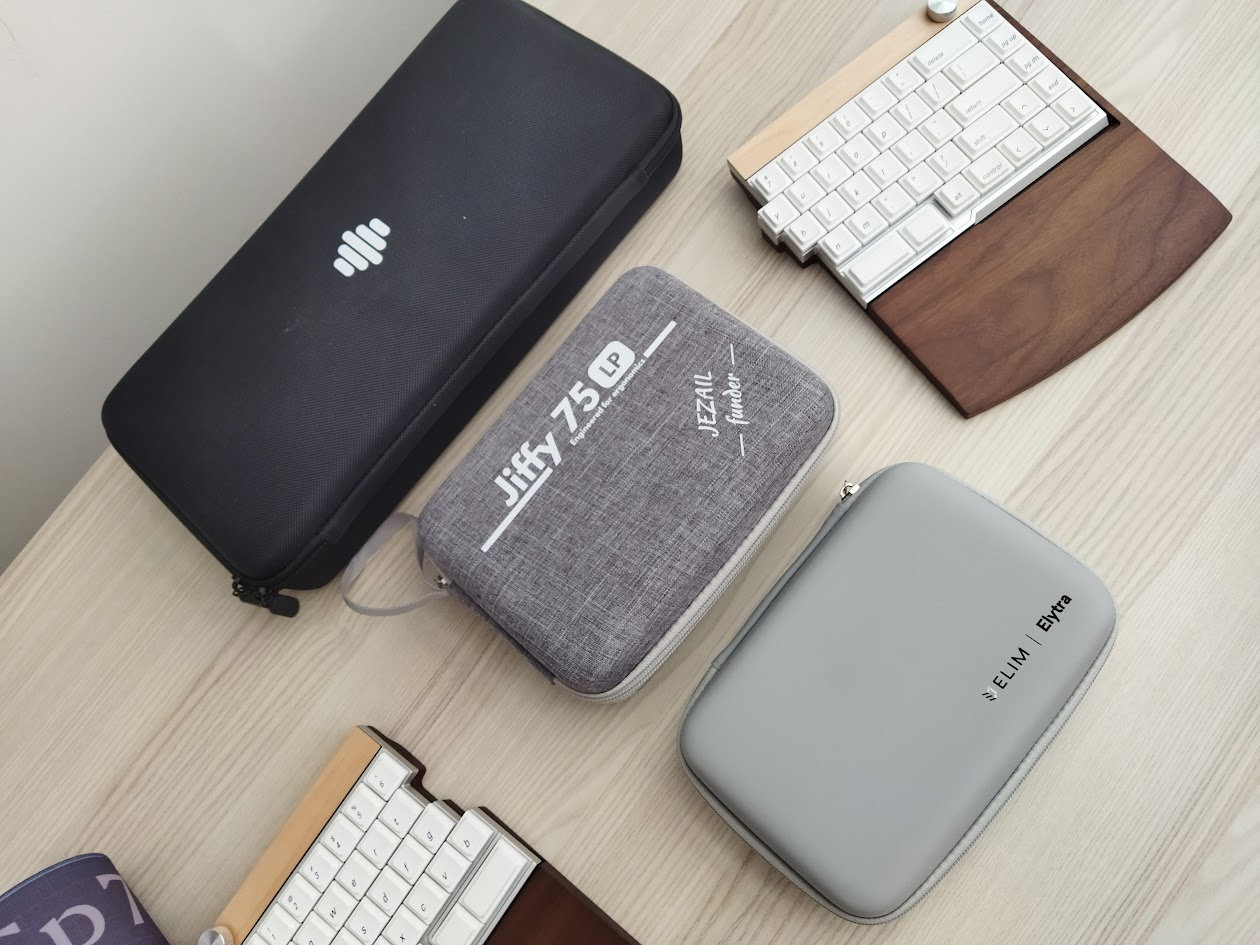
In addition, the Jiffy75 comes with the cutest carry case I've ever seen. I wrote the same in the Elytra review, but I like this classy hard-shell case even more. Compact, great plush cushioning, and the material is very nice as well.
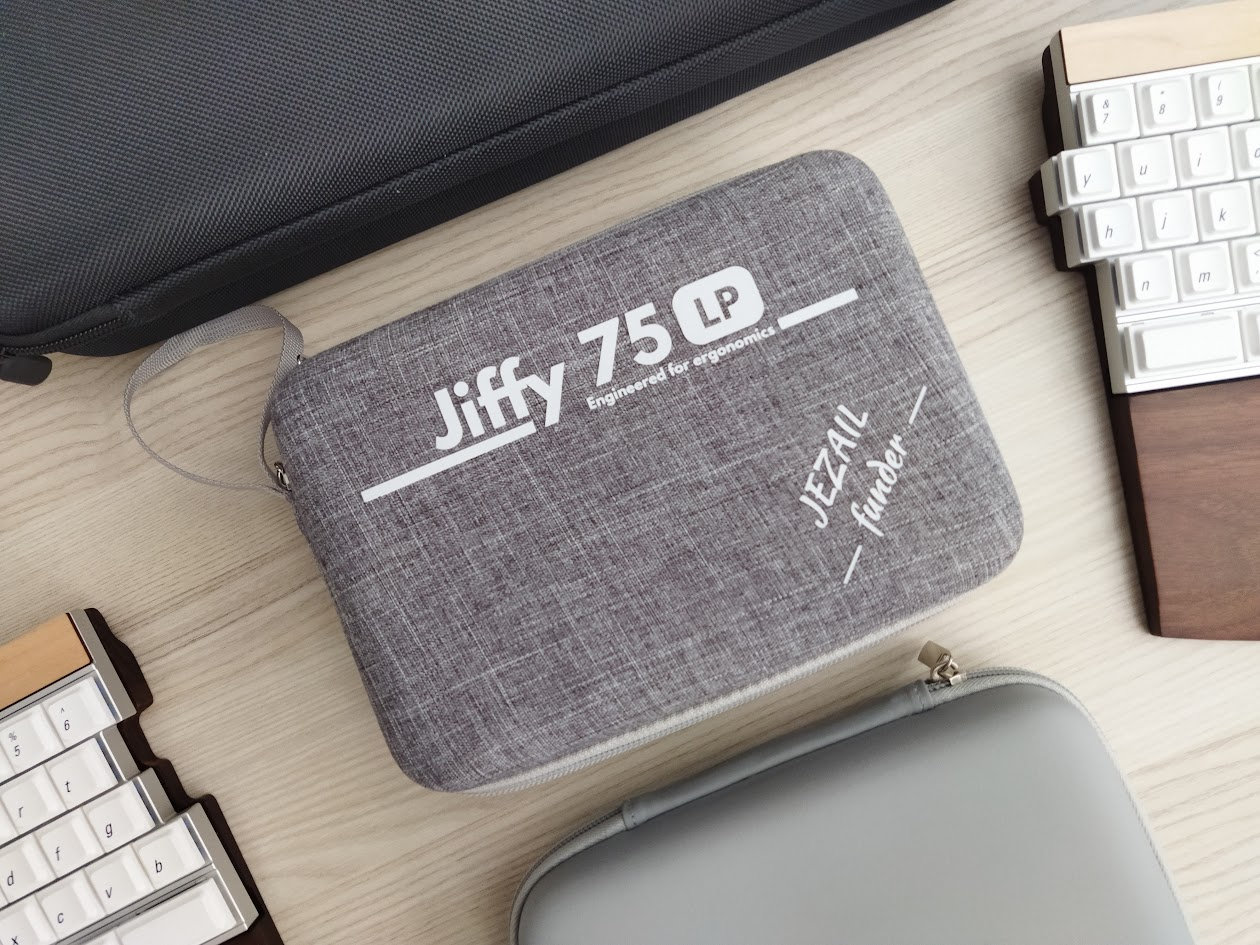
All in all, the Jiffy75 is perfectly suited for on the go.
Conclusion
The Jiffy75 is an awesome pre-built split keyboard from Jezail Funder Studio – if you're into the classic, horizontal staggering, it's as close to the perfect low-pro split as it gets. Coming in a nice milled aluminum chassis, with a super-cute hardshell carry case, the board is featuring hotswap Choc V2 switches, low-profile PBT keycaps, and providing a great out-of-the-box typing experience. The classy wooden wrist rest is the icing on the cake. I can recommend this board to anyone who'd like to try a high-quality alu split but don't want to go full ergo and don't need crazy keymap customization (proprietary configurator).
Pros
- exceptional build quality for something low-pro split
- great switches
- highly customizable (hotswap Choc footprint, MX stem, remapping)
- awesome carry case
Cons
- a bit cumbersome full disassembly (needed e.g. to check battery health) – which could become important after a few years of use
- no documentation as of writing this
- proprietary software
Price & Availability
At the moment, the Jiffy75 is available through Kickstarter only, price about $199-219 (depending on the Kickstarter pledge).
Hurry up if you liked what you read in this review, the Early Bird tier is quite limited.
- Jiffy75 on Kickstarter.
Published on Tue 10th Mar 2026. Featured in KBD #208.
Related
Leeloo
Leeloo, a split keyboard resembling the Lily58 – with a twist!
Eobard
Viniciusbrit's Eobard is a 34-key open-source split keyboard with flippable PCB.
Etzee B11
Nikola Secerovski's etzee B11 is an open-source ortho split (or monoblock) keyboard.
Aphelo30
The aphelo30 is MajinEvelyn's open-source, wireless split keyboard design – without thumb keys for a reason.