Keyboard Builders' Digest / Review
Dareu Cool68 review
The Dareu Cool68 is a 65% magnetic gamer keyboard with very nice housing design, featuring unique ambient light diffusers.

Published March 27, 2026

Hey, what a super-nice keyboard – even though it's plastic! Dareu played around with different materials and surface combinations and came up with a pretty unique design I had a lot of fun testing. And it costs only $68 at the moment (auto-apply coupon in the cart).
TLDR: The 65% wired magnetic Dareu COOL68 is a fully built keyboard housed in an attractive plastic case. An affordable Hall-effect keyboard featuring classy translucent elements and matching doubleshot keycaps with a pleasant texture. Hot-swappable magnetic switches, per-key RGB, an 8KHz polling rate, 0.01mm rapid trigger resolution. A great choice if you need gamer features in this relatively compact form factor. However, its programmability is limited, and safe disassembly, if ever needed, is practically impossible.
After the recently reviewed 60% COOL60, here is another lightweight and affordable gaming keyboard from Dareu, the magnetic COOL68. It's not just about the extra column of switches on the right, it's actually a brand new design on a whole different level, not even comparable to its namesake.
Specs (and ToC)
- Layout: 65% ANSI, 68 keys
- Keycaps: PBT, Cherry profile (or translucent PC)
- Switches: magnetic DAREU Shadow Blade
- Case: plastic
- Typing angle: about 8.5 degrees
- Mounting: gaskets
- Stabilizers: plate mount (no screw-in stab support)
- Plate: aluminum
- PCB: HE, hotswap, south-facing per-key RGB, no flex cuts
- Connectivity: wired, 8000Hz polling rate
- Software: custom web driver
- Dimensions: 329x111x44 (vs 298x101x35mm) (without caps)
- Weight: 740g (vs the COOL60's 432g)
- Price: from $68
Should I buy the Dareu COOL68? – you may ask. Well, as usual, I'm going to cram into this review as many facts as possible – so you can answer this question for yourself. As you'll see, I even made an attempt at eviscerating the COOL68 to its very core to help your decision. Before placing an order, it always makes sense to know exactly what you want though. ;) Make sure you're aware of your preferences and the features you need, and then check out the full review below for all the details and photos – plus the raw photodump on Imgur for an even closer look.
Disclaimer
Dareu was kind enough to send me this review unit for free, which may introduce all kinds of biases – both negative and positive in my experience. Take everything I write with a grain of salt.
Variants
The Dareu COOL68 comes in four universal color variants: (translucent) Ice Black, Ocean Blue(/White), Blazing Orange, and the clear Aurora – each with a matching keycap set.
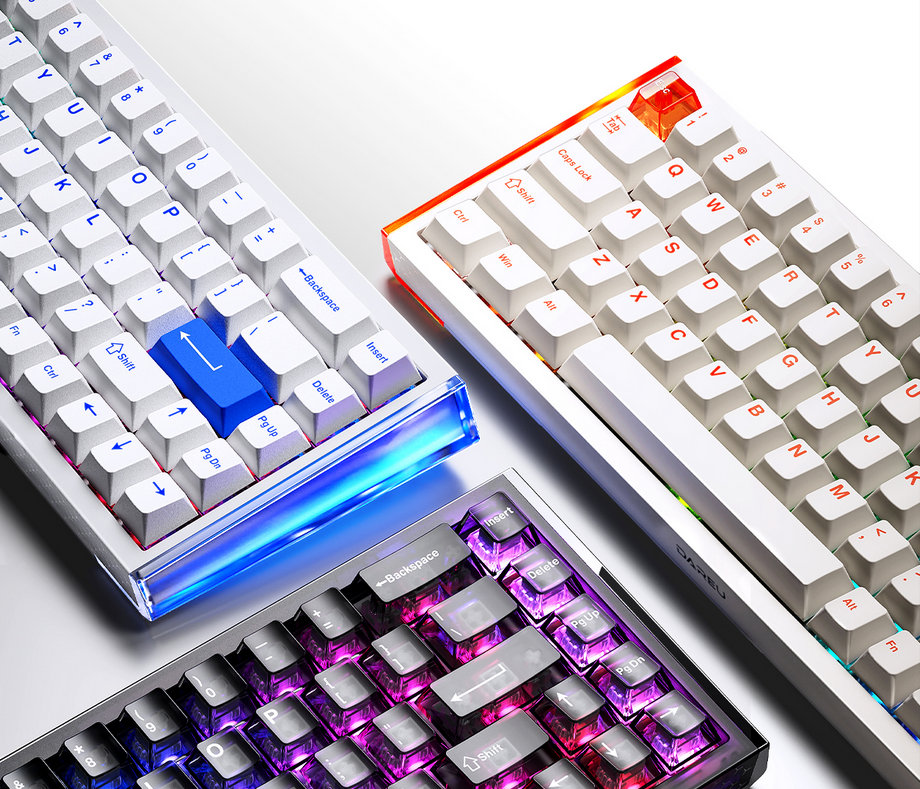
As always, it was a bit hard for me to select a single board, contemplating about multiple options. Eventually, I went with the Orange variant – that's the one you can see in the photos of this article.
Unboxing
The cardboard box is nice, with some really fancy shiny parts.
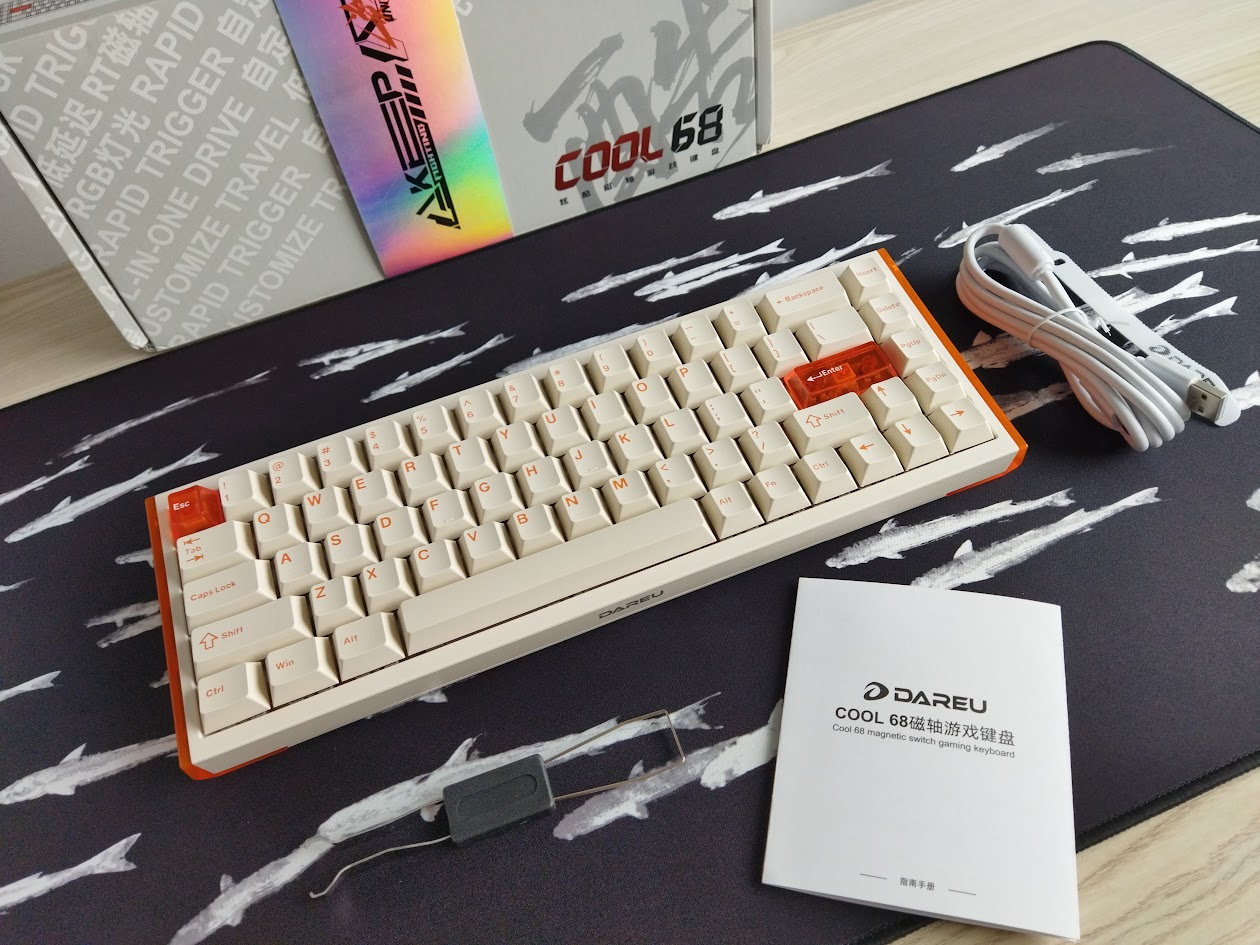
Contents:
- The COOL68, pre-built with switches and keycaps mounted.
- quick-start guide (in Chinese)
- basic white USB cable
- basic combined tool to remove keycaps and switches
The product page mentions 3x spare switches, however, these were not part of the bundle I received. The parcel was shipped ahead of the product launch, possibly playing a role in the anomaly.
First impressions
The unboxing was full of surprises.
The COOL68 comes in four fresh, versatile colorways that can match almost any desk setup. I chose the orange variant, expecting it to be similar to the blue/white version: a white case with orange accents. However, when it arrived, I realized the case is actually a pleasant cream/beige rather than pure white. I'm not disappointed at all, on the contrary, I really like this combination.
Another nice surprise was the intricate pattern on the front and back of the case, visible in certain light conditions.
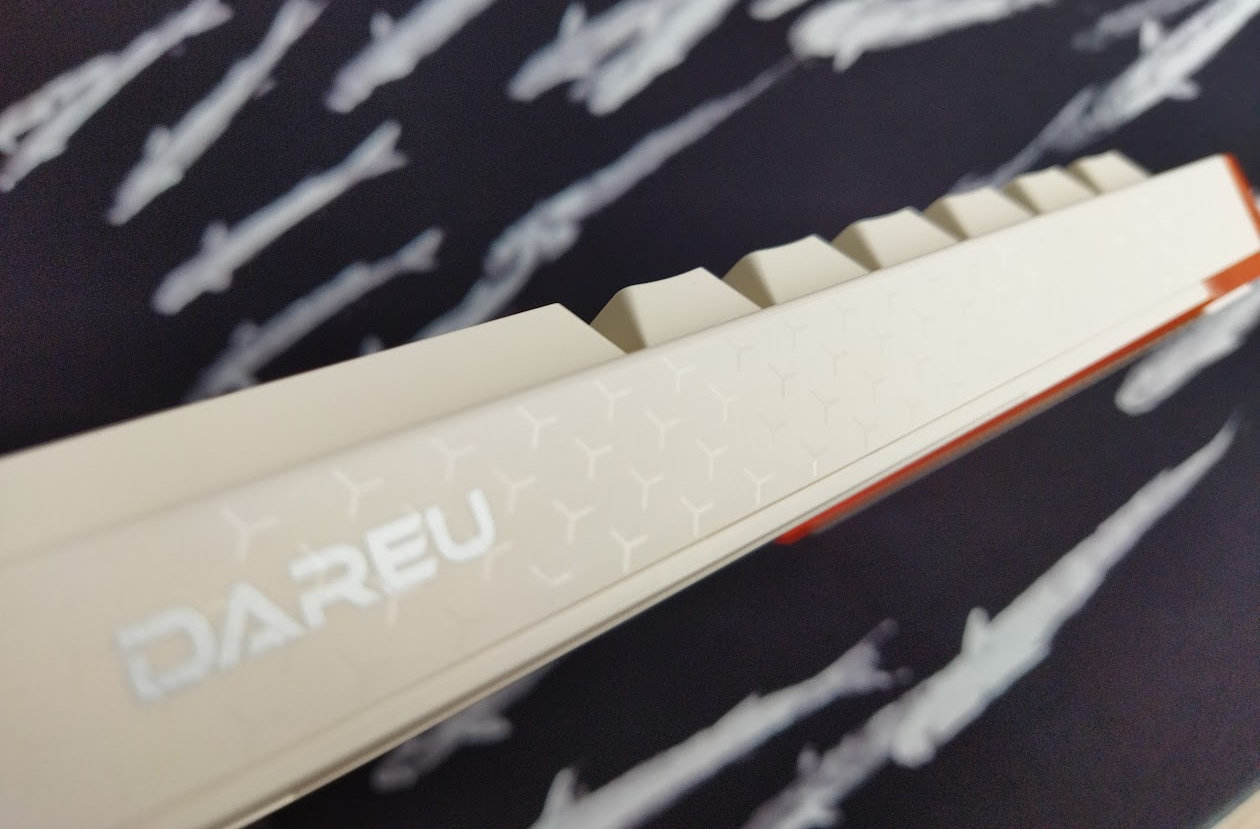
The third surprise was realizing that the caps are double-shot. The product page doesn't mention this for some reason.
Otherwise, the translucent "wing" diffusers make the design unique, however, as you'll see it later, the tinted wings (blue and orange) affect the lighting of course, interfering with the RGB colors.
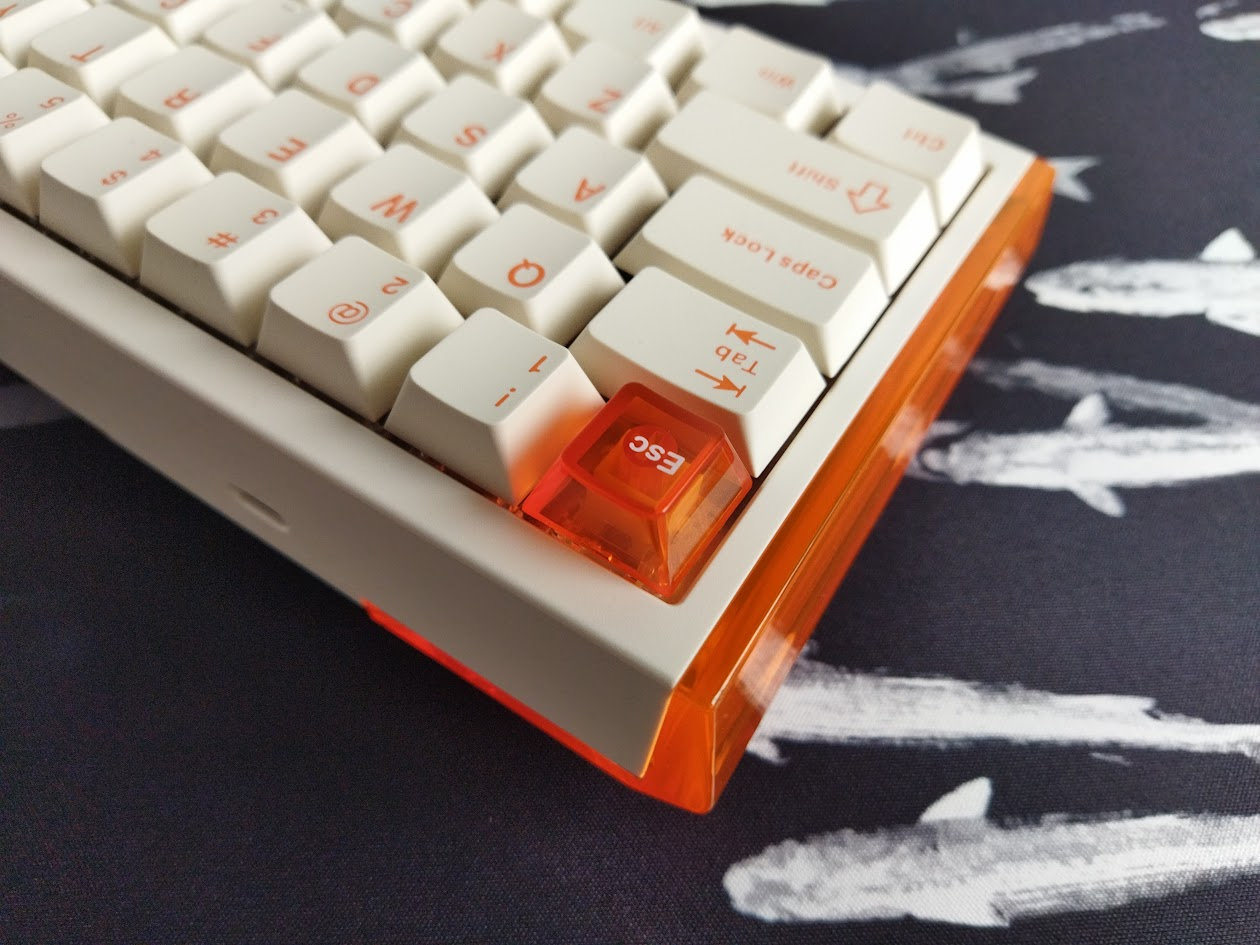
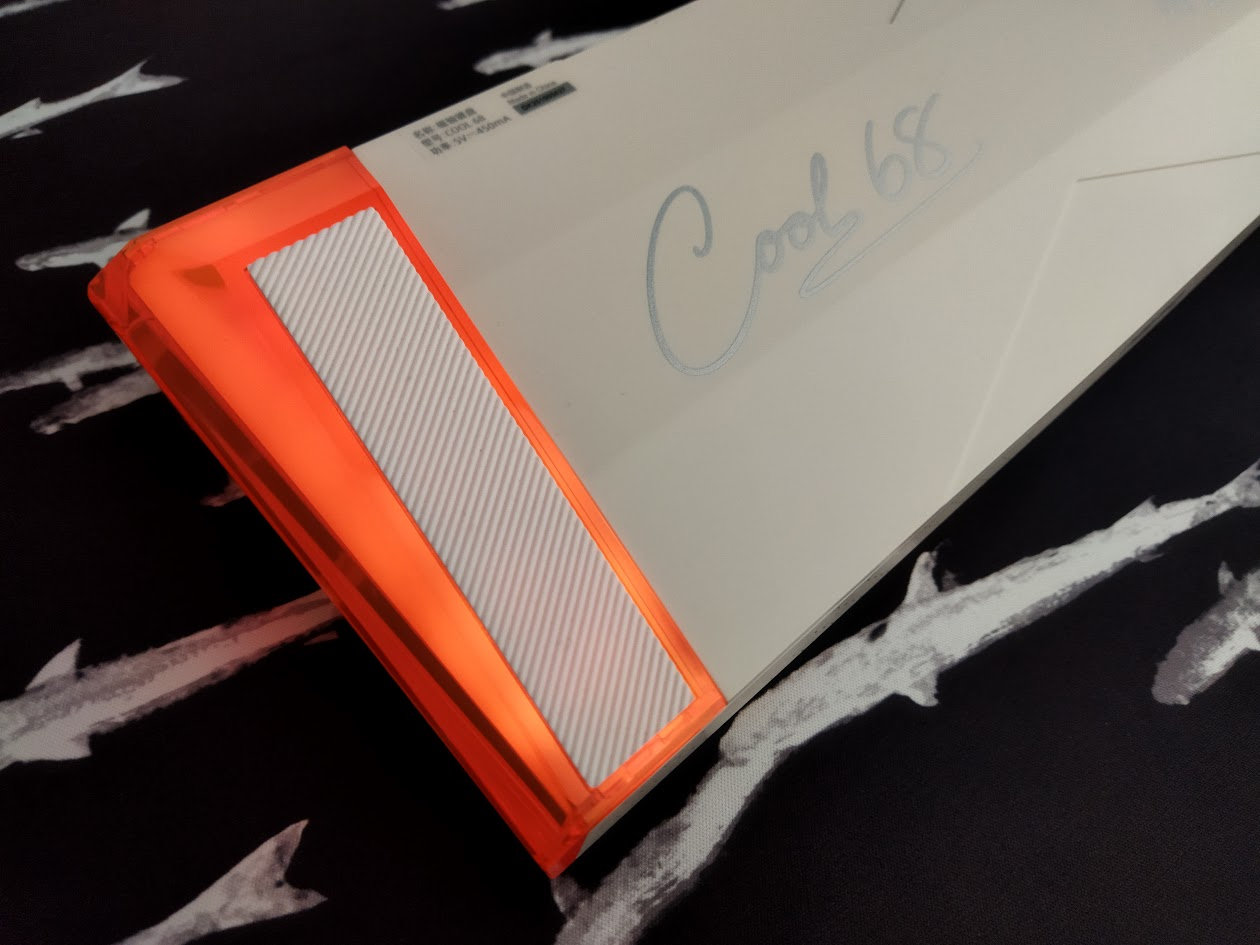
The overall shape of the keyboard is pretty elaborate as well, with a nice bottom featuring the branding. Another logo is on the front, however, various official photos show different placements and colors for this. Maybe this is a difference between batches.
Mine has a silver Dareu branding in the middle. Some photos show a more obtrusive black one in the front-right corner.
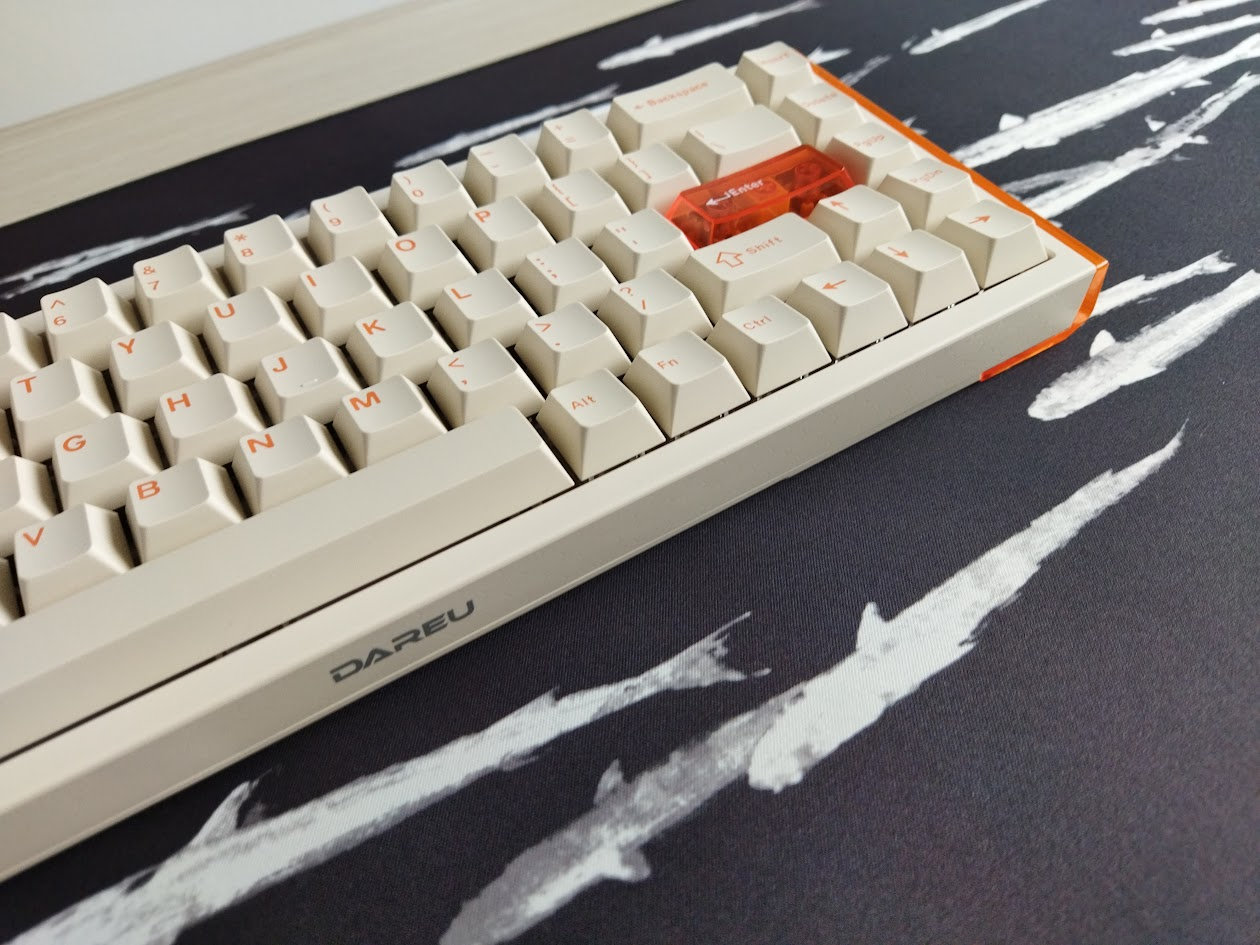
It's hard to make an impact in a relatively crowded market like the 65% segment, and the COOL68 apparently tries to achieve this via the cool shape and diffuser, plus the Hall-effect features of course.
Layout
The 65% form factor is well-known and pretty standard, however, there is some wiggle-room for variations. This particular keyboard is the relatively crowded variant without any gaps around the arrows.
A single ANSI layout, no stepped CapsLock, split spacebar, or ISO options.
1U modifiers on the right of the spacebar.
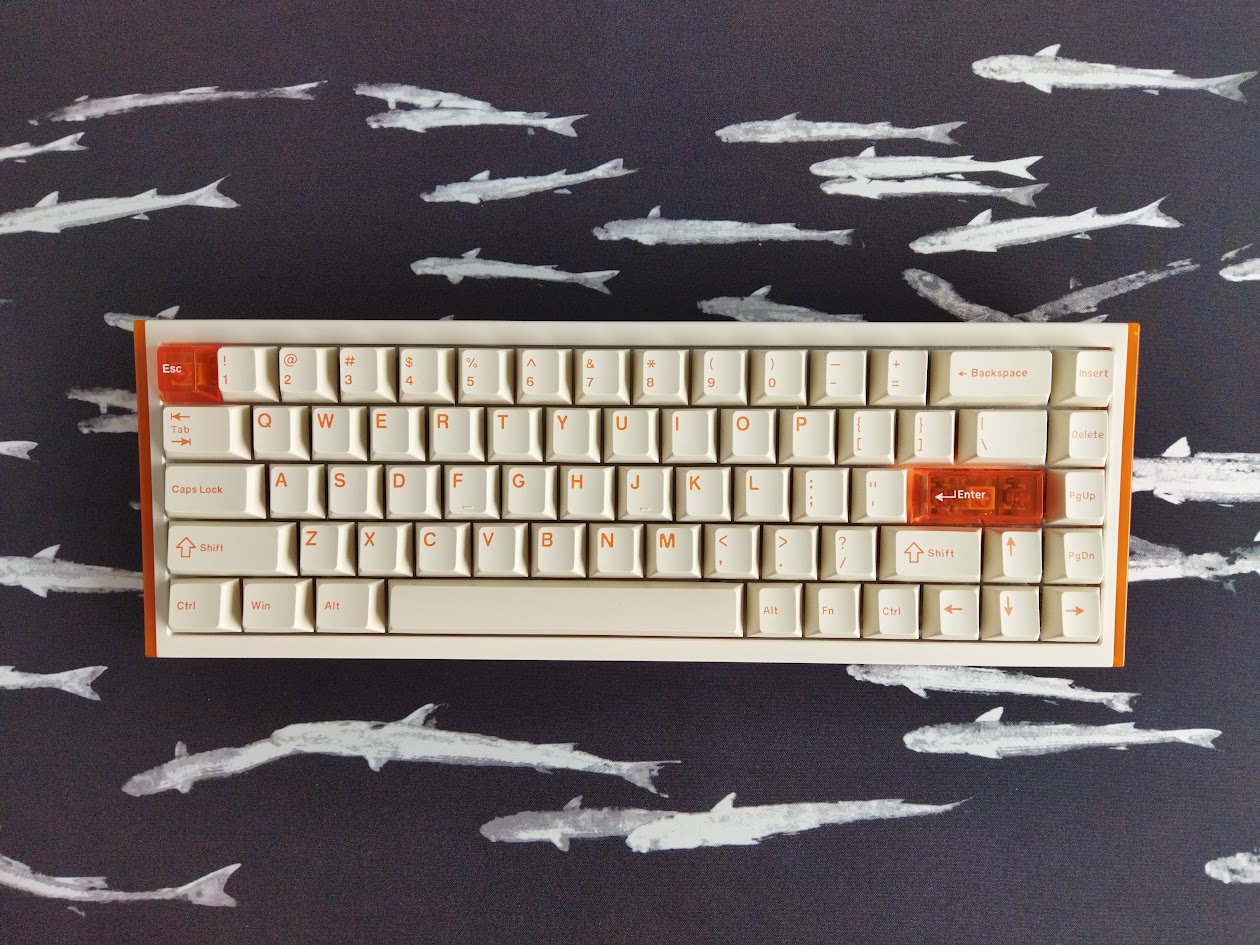
Otherwise, as you may know, the 65% layout is basically the classic 60% arrangement with an extra column on the right: no numpad, F-keys, and the classic navigation and arrow cluster is completely rearranged.
To sum up: What you have here is the core alpha part with modifiers, full number row, arrow cluster, and four out of six keys of the classic navigation cluster.
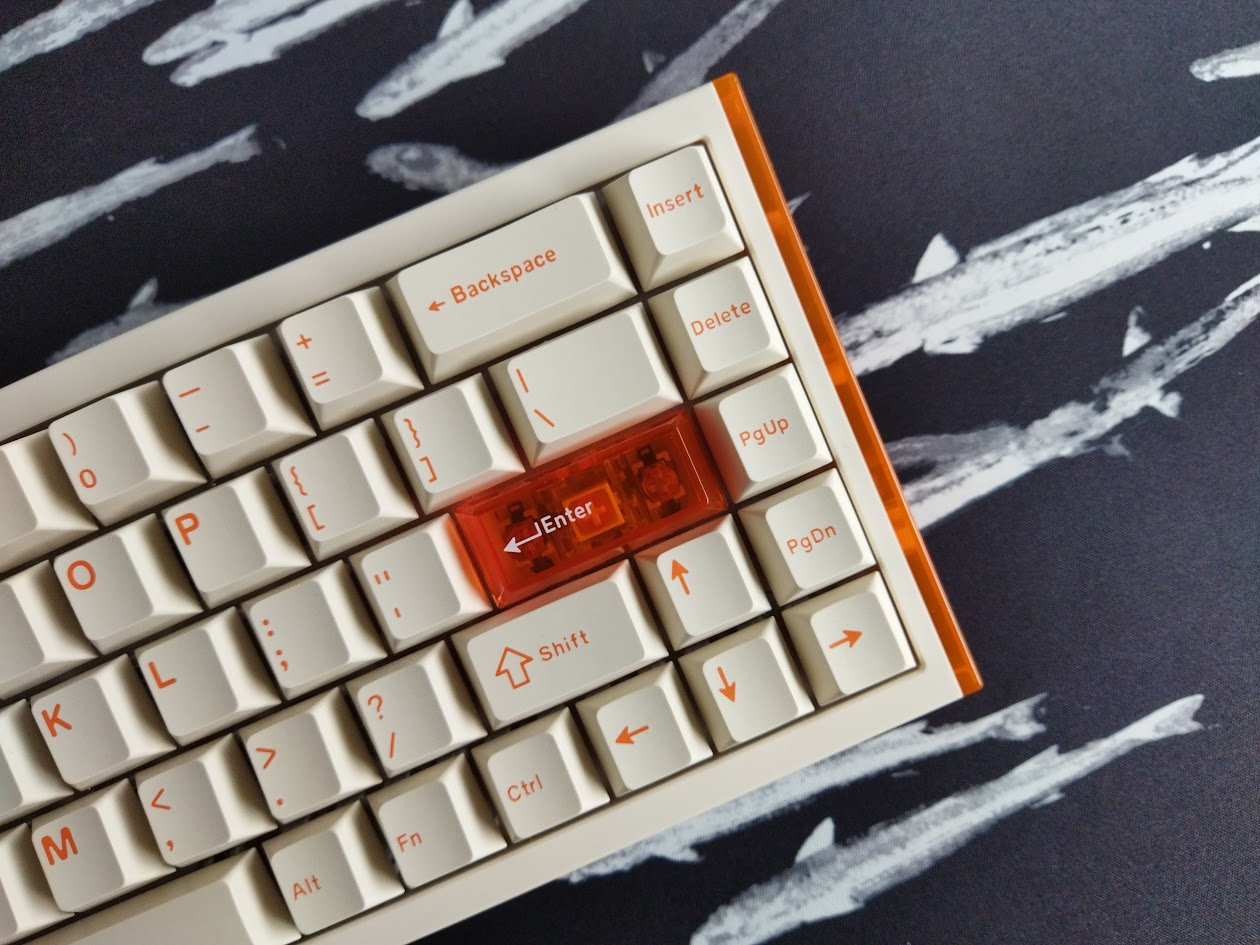
Featuring 68 keys, the COOL68 prioritizes space optimization. Missing physical keys doesn't mean missing functionality: all the functions remain accessible via layers (key combinations). Newcomers to the scene, especially power users, can find the lack of dedicated function keys (available as FN+number) challenging, but otherwise you have pretty everything.
Keycaps
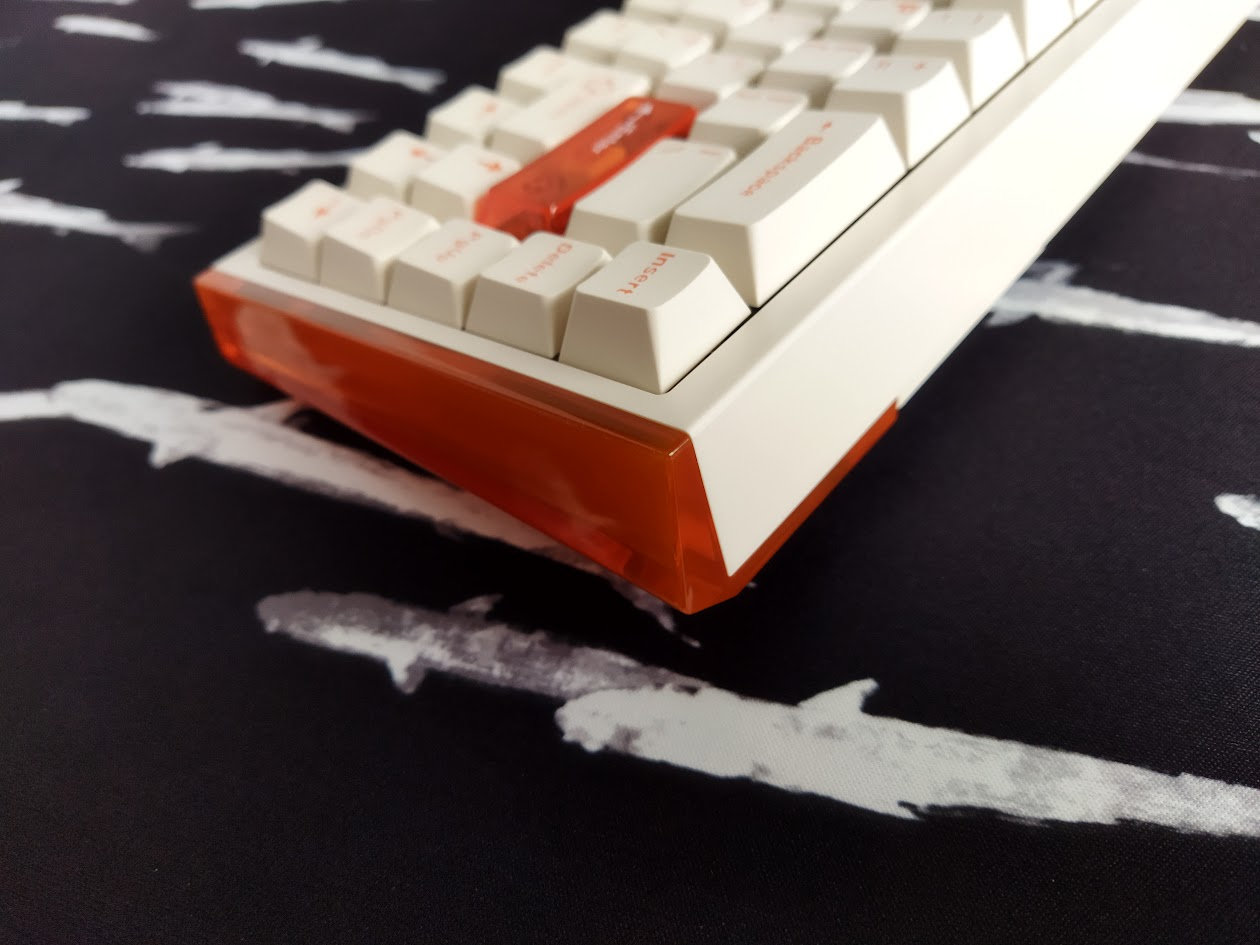
The keyboard comes with very nice double-shot PBT Cherry profile keycaps, plus two polycarbonate accented keys (Esc and Enter). (The translucent Black and Aurora variants probably with full dye-sub PC sets). The colorway is this cool orange on cream combo.
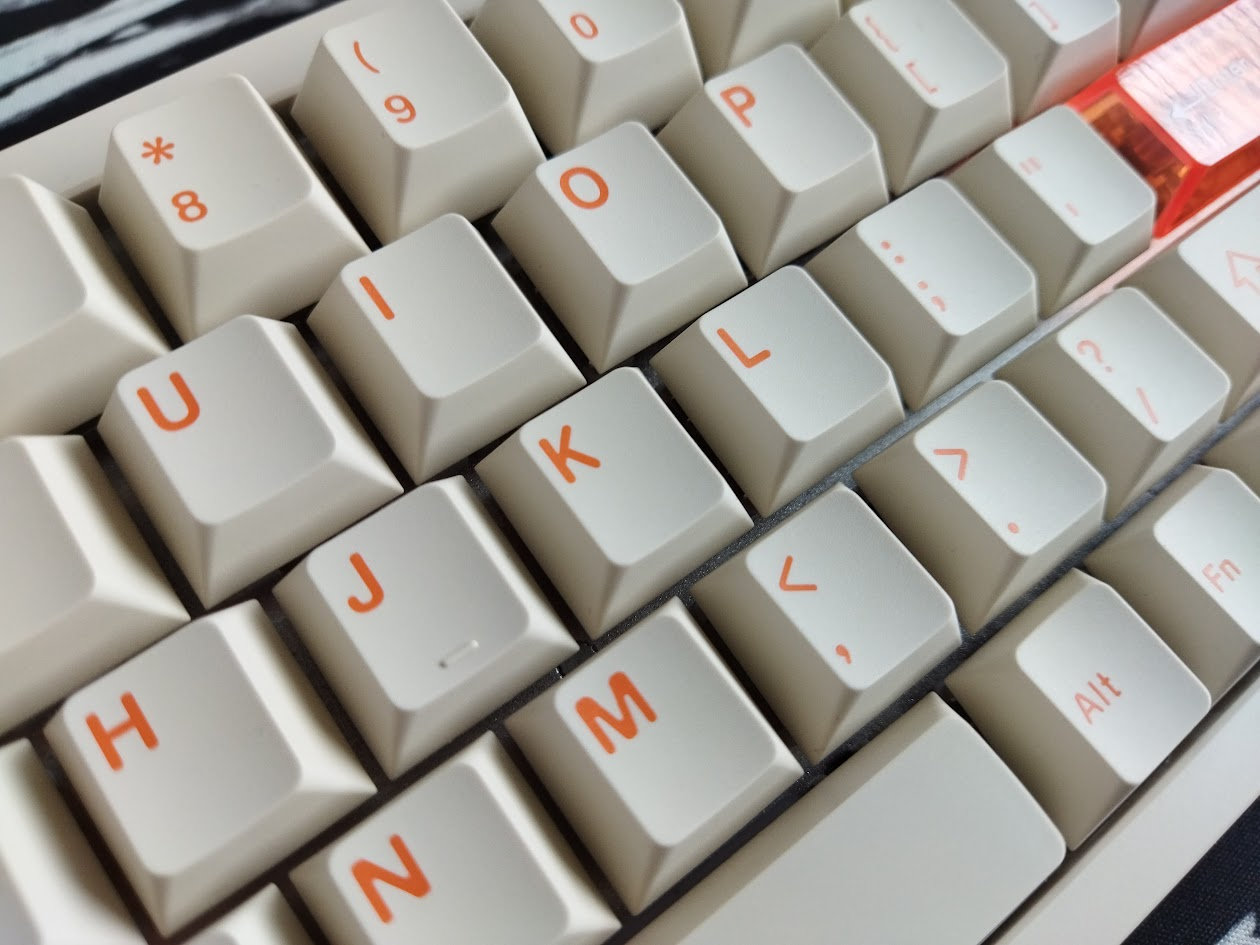
Legends are basically classic Cherry. Warning for picky enthusiasts: Legend consistency is not the best, with some thicker and slimmer parts here and there.
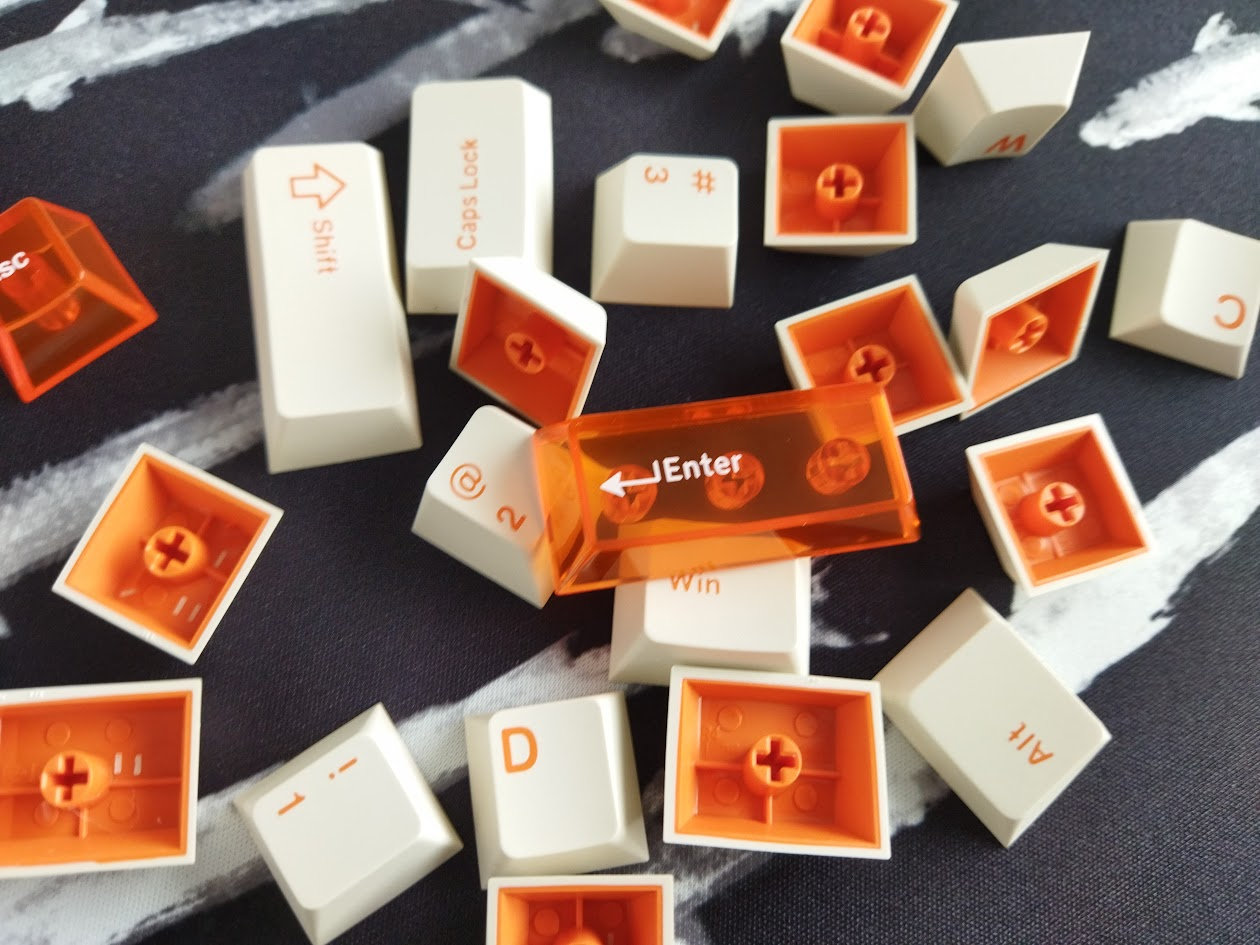
With regards to keycap compatibility, the 65% layout should be widely supported if you opt for something different. Watch out for the 1U modifiers on the right, and profile compatibility may be tricky for the right column keys (Insert/Delete/PgUp/PgDn by default).
Switches
The switches are nice too, Huano branded light linear HE switches. Either the Shadow Blade or the Ice Blade (the latter with dust-proof stem) – both 35gf (initial force). You can't choose from these, they are tied to the color variants I guess.
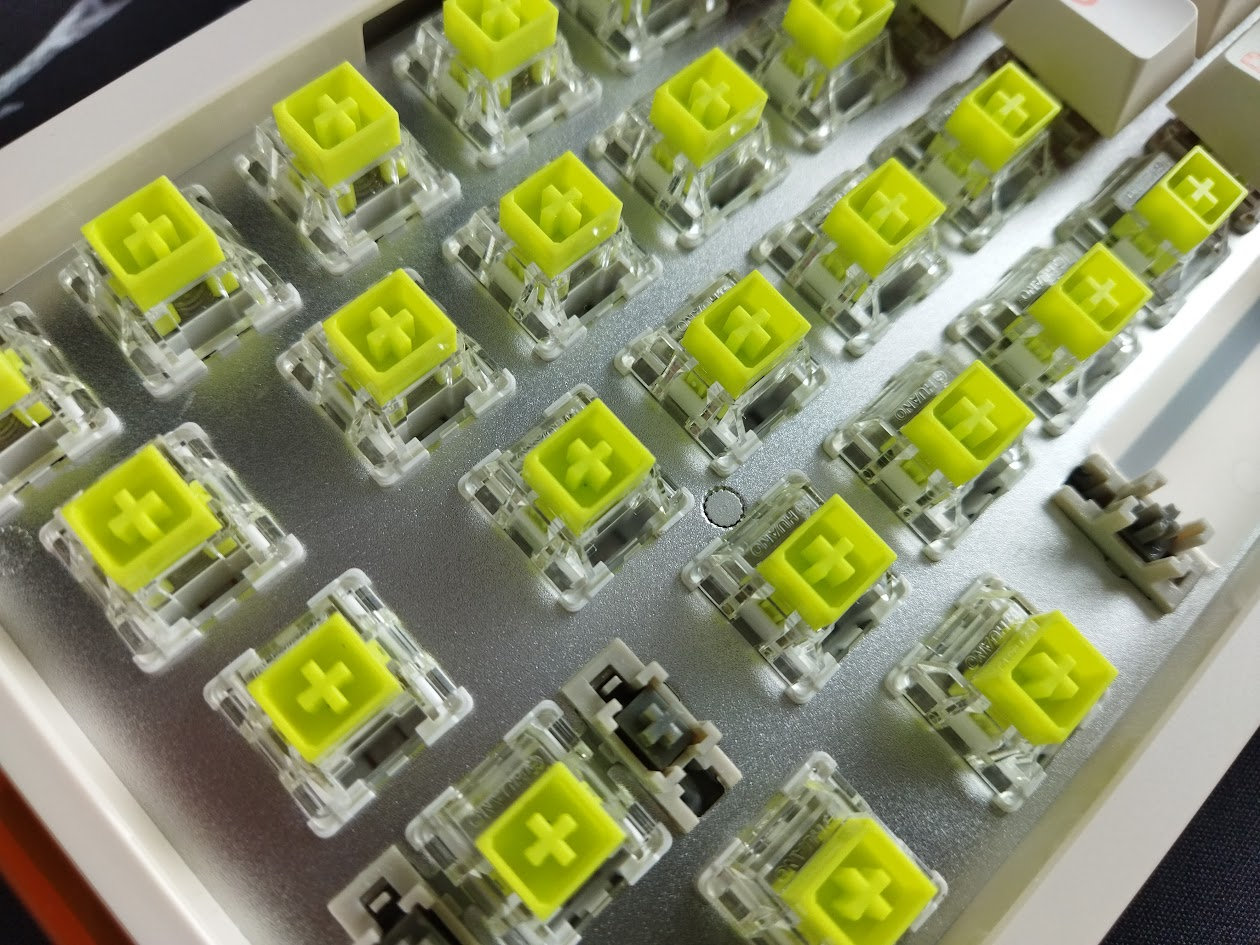
Specs of the Shadow Blade switch, coming with the Orange color variant:
- Initial force: 35gf
- Bottom-out force: 45gf
- Total travel: 3.5mm
- Upper housing: PC
- Bottom housing: PA66 Nylon
- Stem material: POM
- Spring: 20 mm
- Initial magnetic flux: 80gs
- Bottom-out magnetic flux: 450gs
- Factory lubing: ?
- Led diffuser
The Shadow Blade switches feel decent, similar to all the TTC Hall-effect switches I own. That said, all HE switches are inherently hotswappable, so you're not restricted to the factory setup. Check out the current best-selling HE switches, or feel free to use your personal favorites lying around.
Build quality, structure
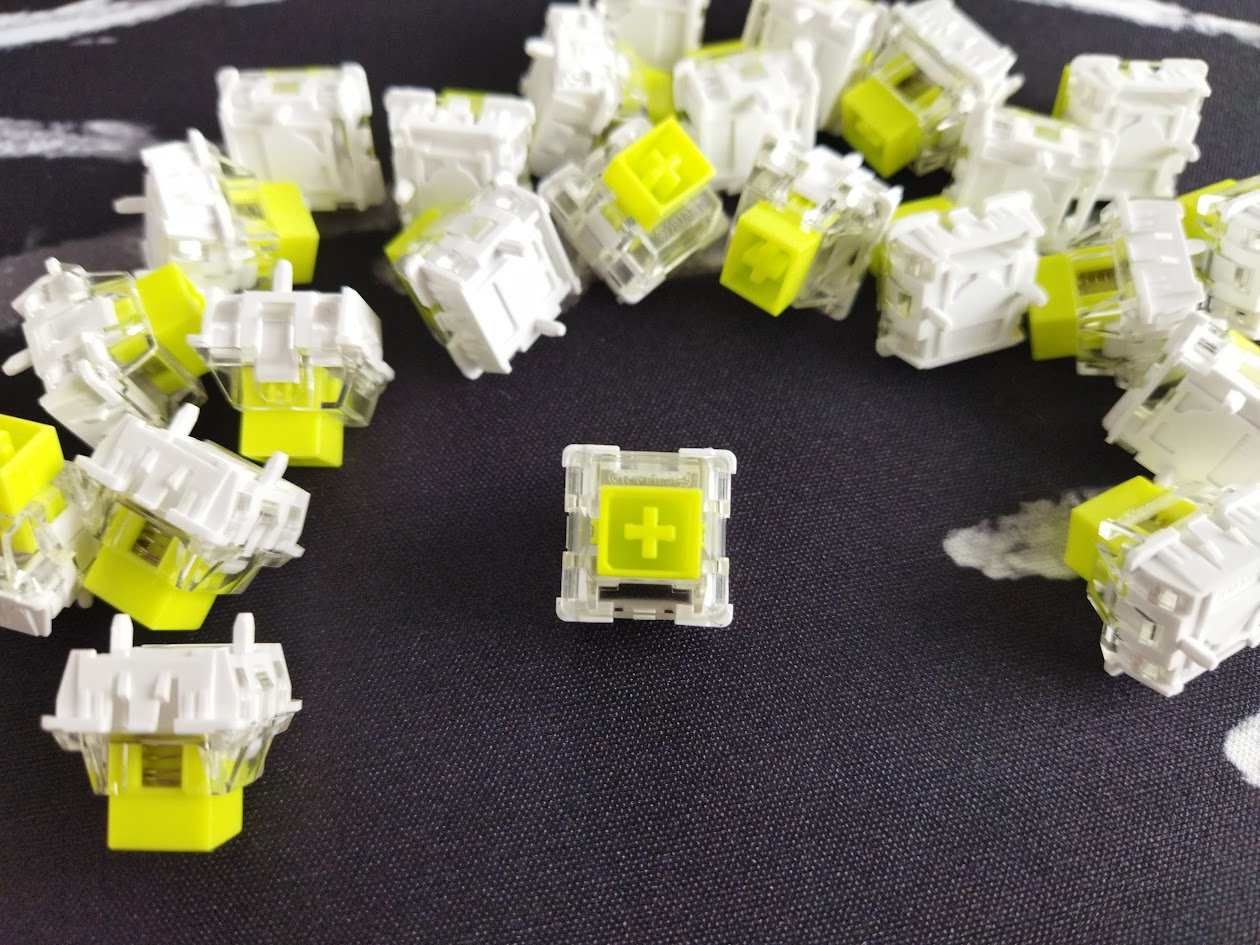
The weight feels just perfect for my taste. The 2kg of milled aluminum keyboards is probably too much for me, the 432g of the 60% COOL60 made it feel more like a toy, but this 740g of the COOL68 is about the perfect weight when it comes to a healthy balance between portability and stability. While the case is plastic, the plate looks like aluminum alloy, there are two thick silicon layers in the device, and about 1 cm has been added to the case in each direction – probably that's why the seemingly disproportionate 70% increase in weight from the COOL60 to COOL68.
All in all, the COOL68 won't move around while gaming, not even mentioning less demanding office/home tasks. There are no adjustable feet that could collapse, instead, there are two large-surface silicone(?) strips on the bottom to prevent slippage.
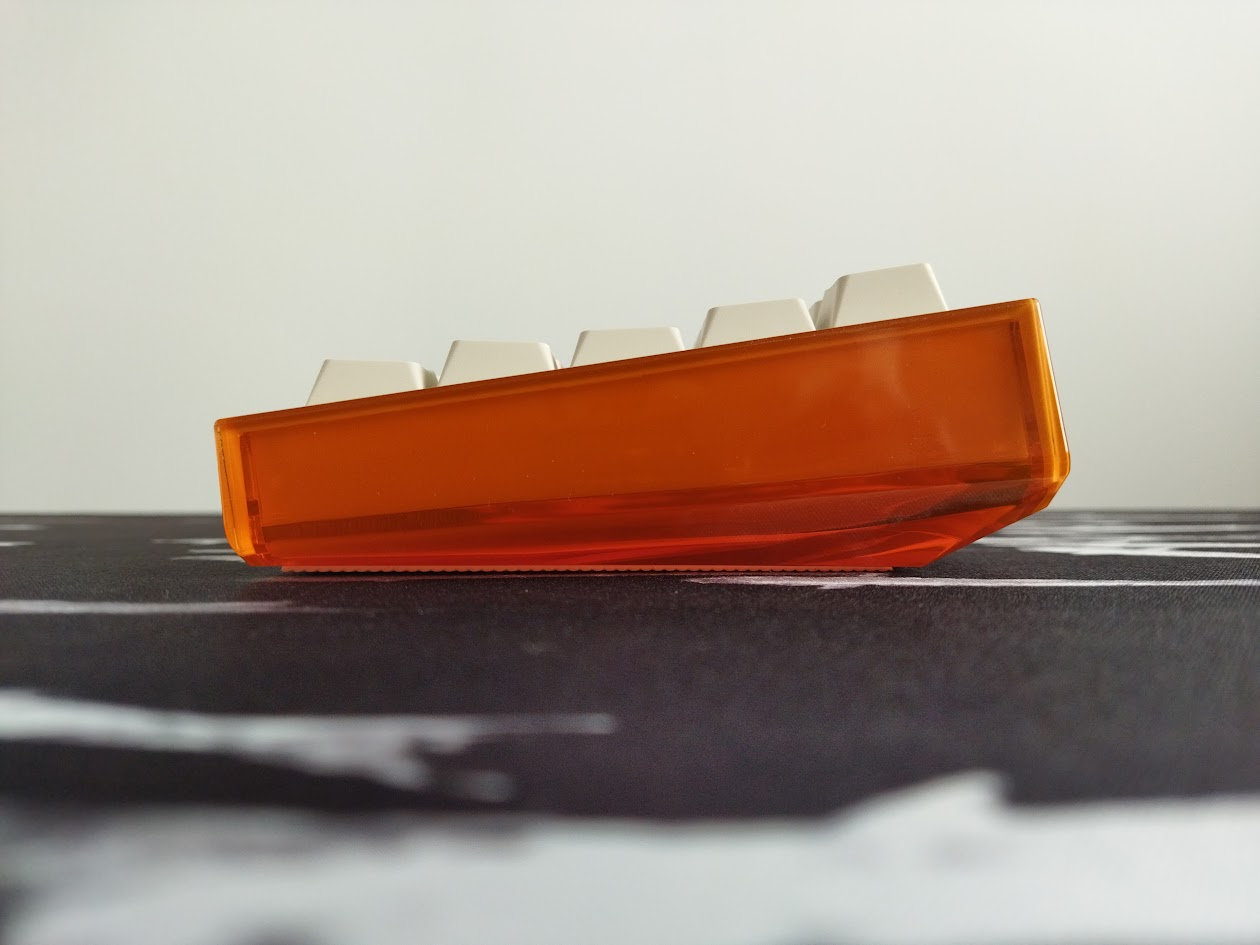
Typing angle: fixed, about 8.5 degrees.
Disassembly
The COOL68 wasn't designed with easy disassembly in mind. The top case is simply snapped onto the bottom case, like a phone or some laptops, without any screws. Probably my least favorite method. Visually appealing – until you don't have to fix something or look into the case while reviewing it… :)
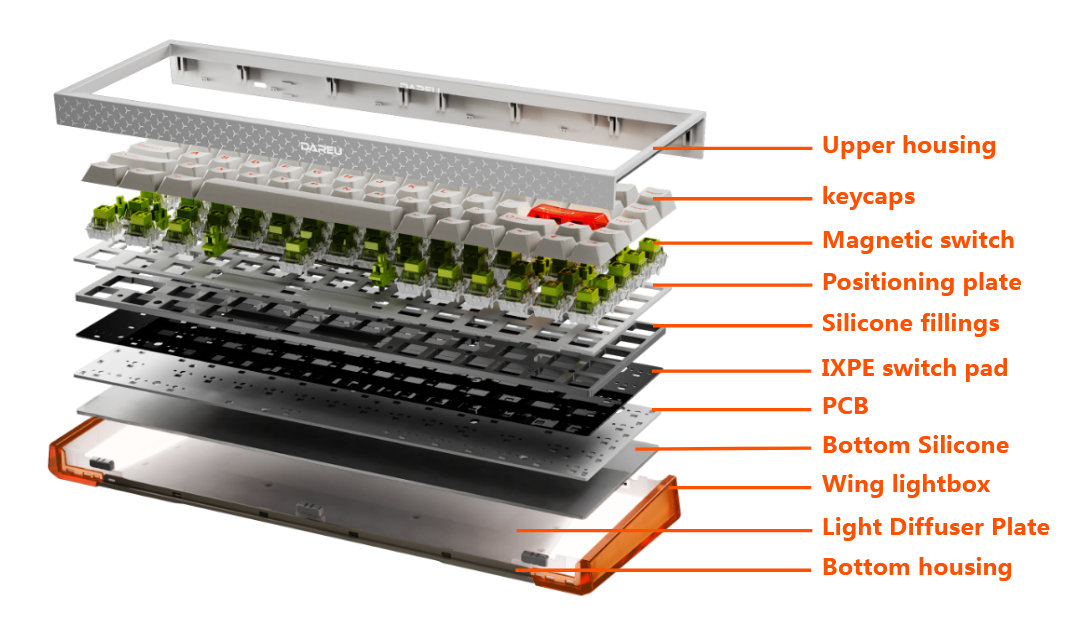
This exploded view comes in handy, I also found this hole beneath the 3 key (see below) to start your disassembly endeavor, but the board is simply too nice to break it while prying it open. I gave it up at halftime.
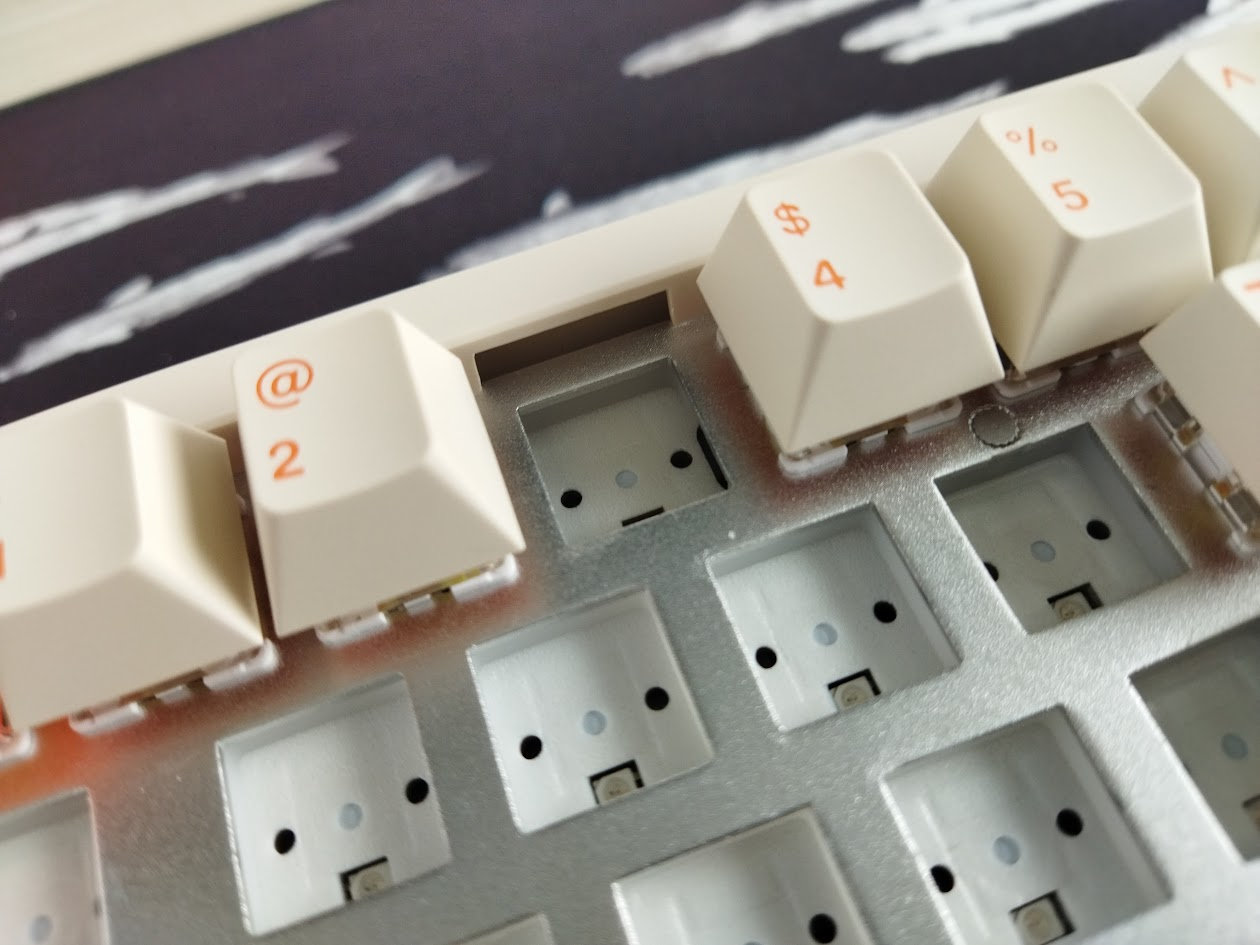
I've been really spoiled by all the easy-to-open ball-catch keyboards reviewed earlier this year, and don't like the hidden-screw designs, and especially hate these kind of snap-together solutions. Of course it's not a disaster for the main target audience: Gamers looking for pre-built options won't often disassemble this keyboard. You don't have to support non-existent sockets when replacing the switches – thanks to the contactless HE switches –, and as a wired board you don't have to check for battery health either. So there's no need to disassemble this board in general until you don't have to fix something – of if you're in the process of reviewing it… :D
Mounting
The COOL68 features gasket mounting, with six tiny gaskets placed on protruding parts of the plate. I can see a tiny flexibility when pressing the keys, but the typing feel is still very direct. The solid, non flex cut aluminum alloy plate doesn't help with flexibility either. I have nothing against this, especially combined with a desk mat, but keep this in mind if you prefer a softer typing experience.
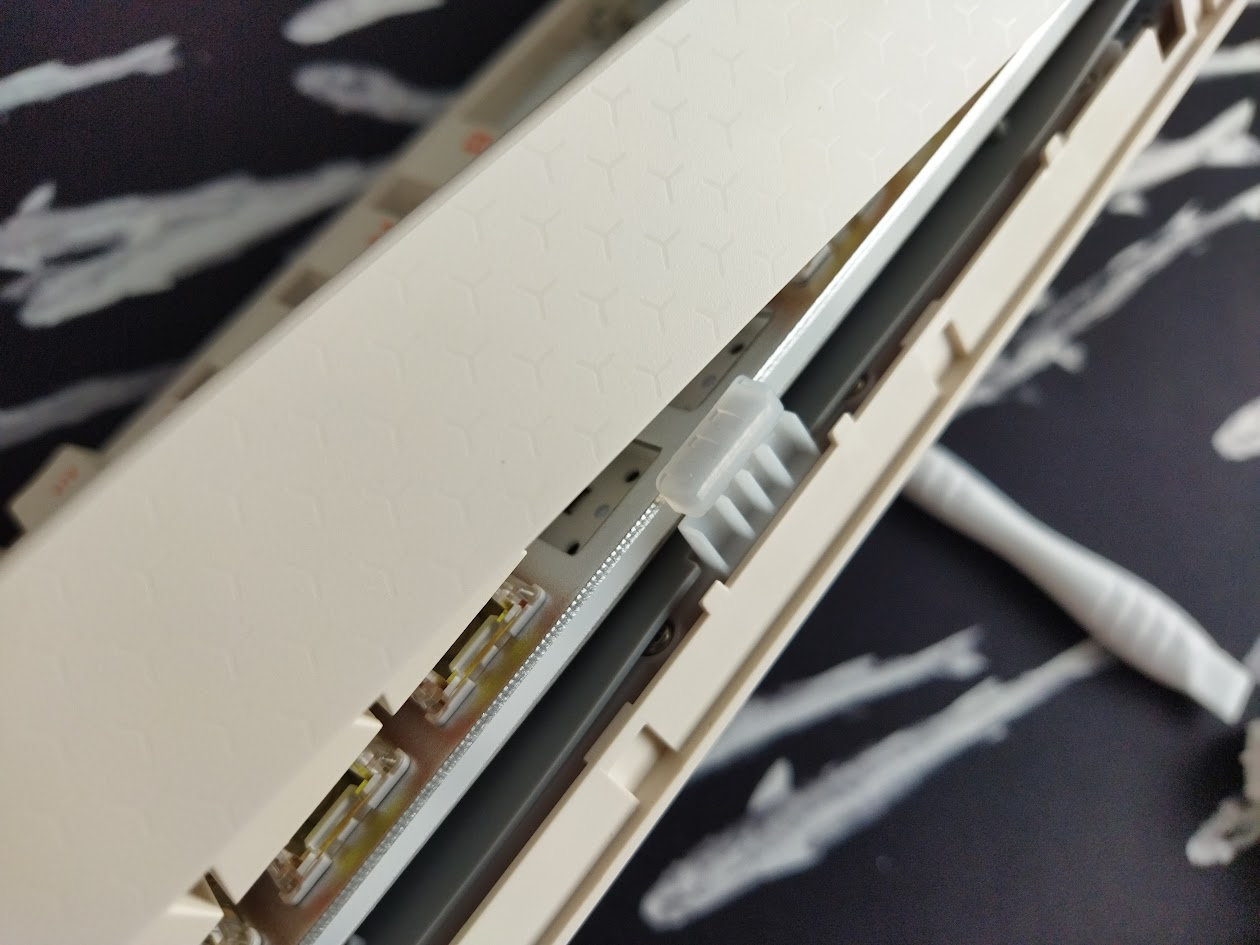
Plate
The plate is aluminum alloy, without any flex cuts.
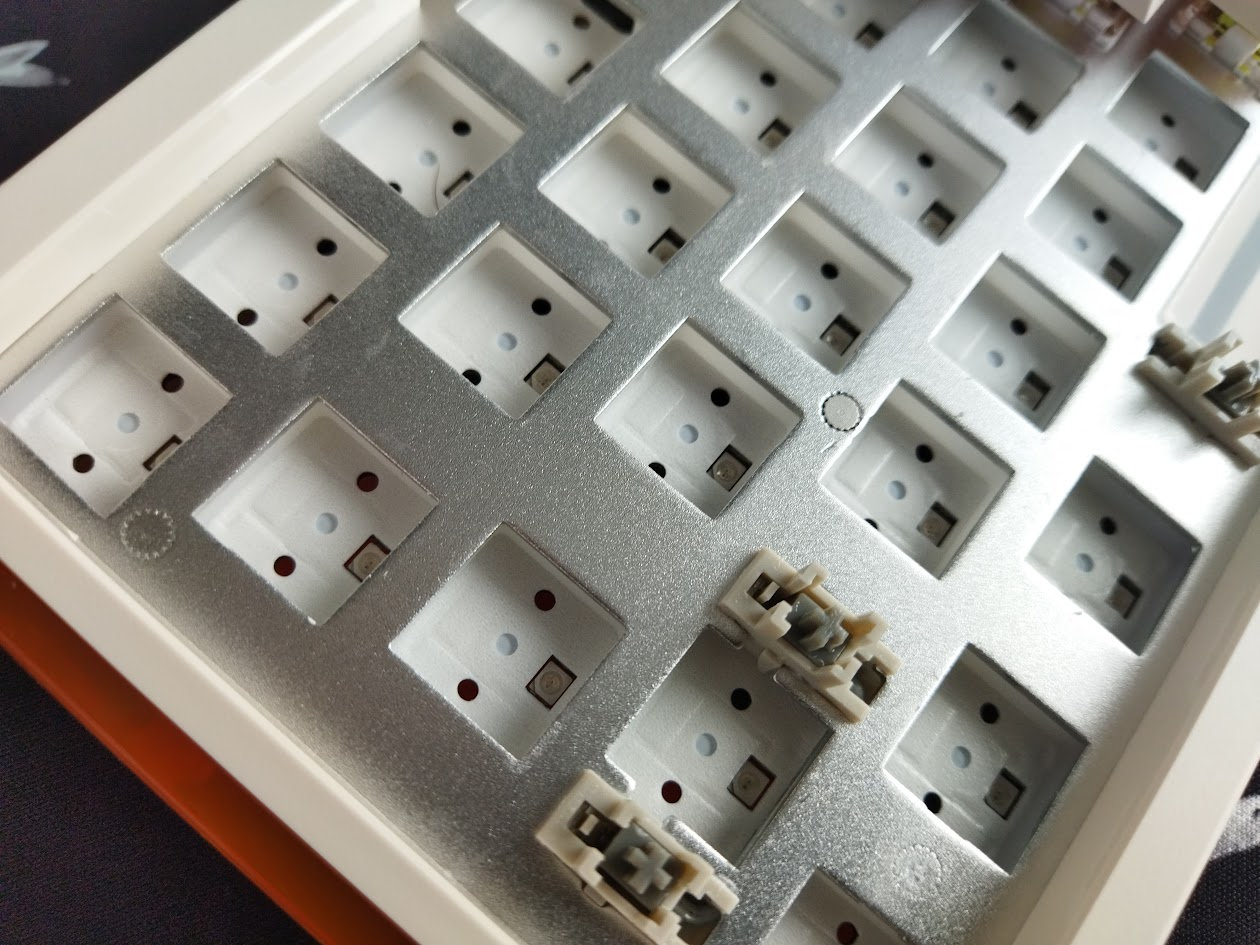
Stabilizers
Plate-mount stabilizers. Probably no support for PCB-mount stabs, but you had to fully disassemble the board to confirm this, not to mention to be able to screw in the new stabs.
PCB
The white PCB is part of the plate/silicone/PCB sandwich, and it comes with south-facing per-key LEDs. No flex cuts, and Hall-effect boards don't need hotswap sockets either.
The default stabilizers, as already mentioned, are plate mounted.
Bottom weight
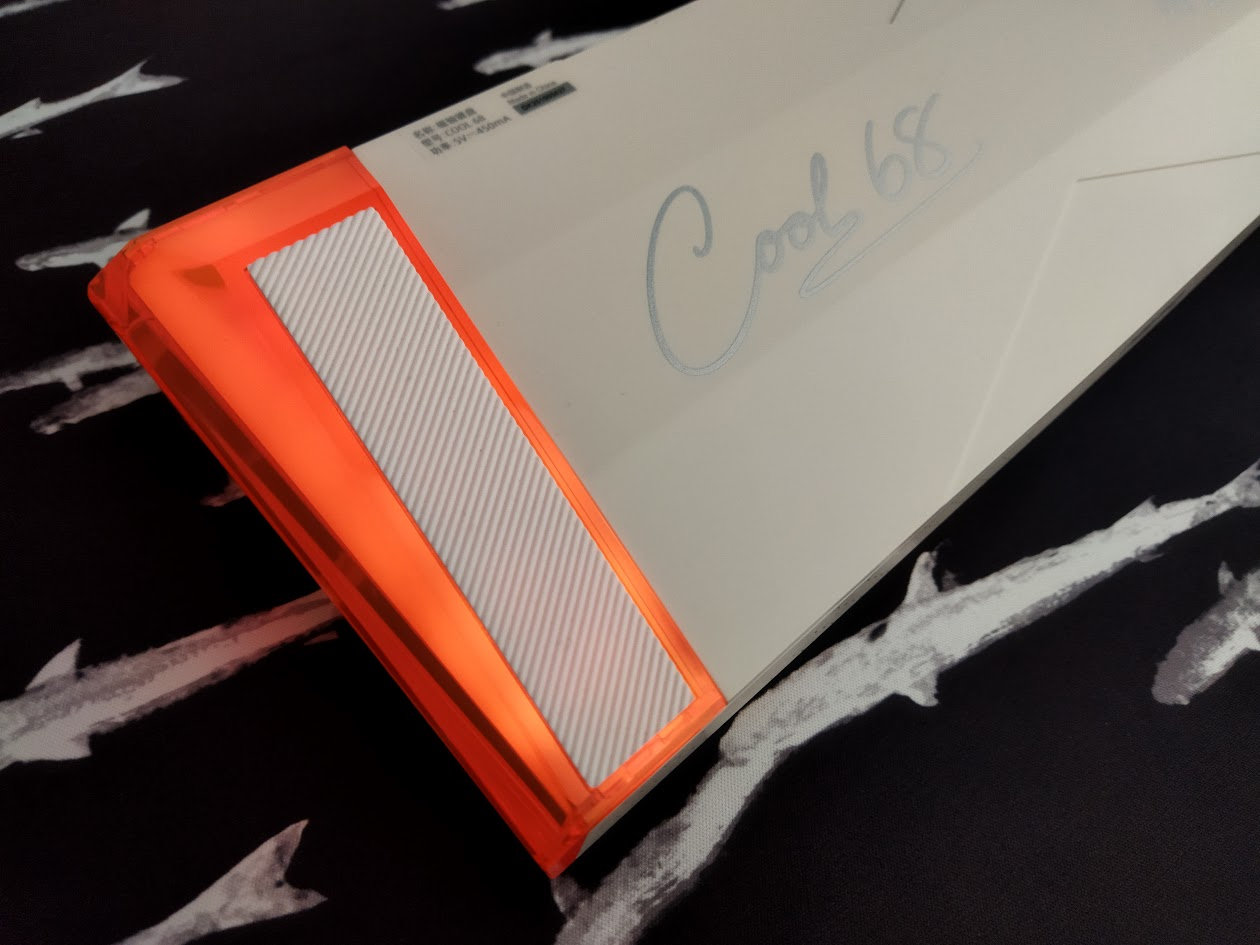
No fancy decoration weight with intricate carving, it would defy the main purpose of being relatively light, portable, and also affordable, but the COOL68's bottom is very nice anyway: featuring some clever twists to spice up the overall shape, and there are also some silvery writings with classy curvy handwritten fonts – "Cool 68" and "Magnetic axis keyboard".
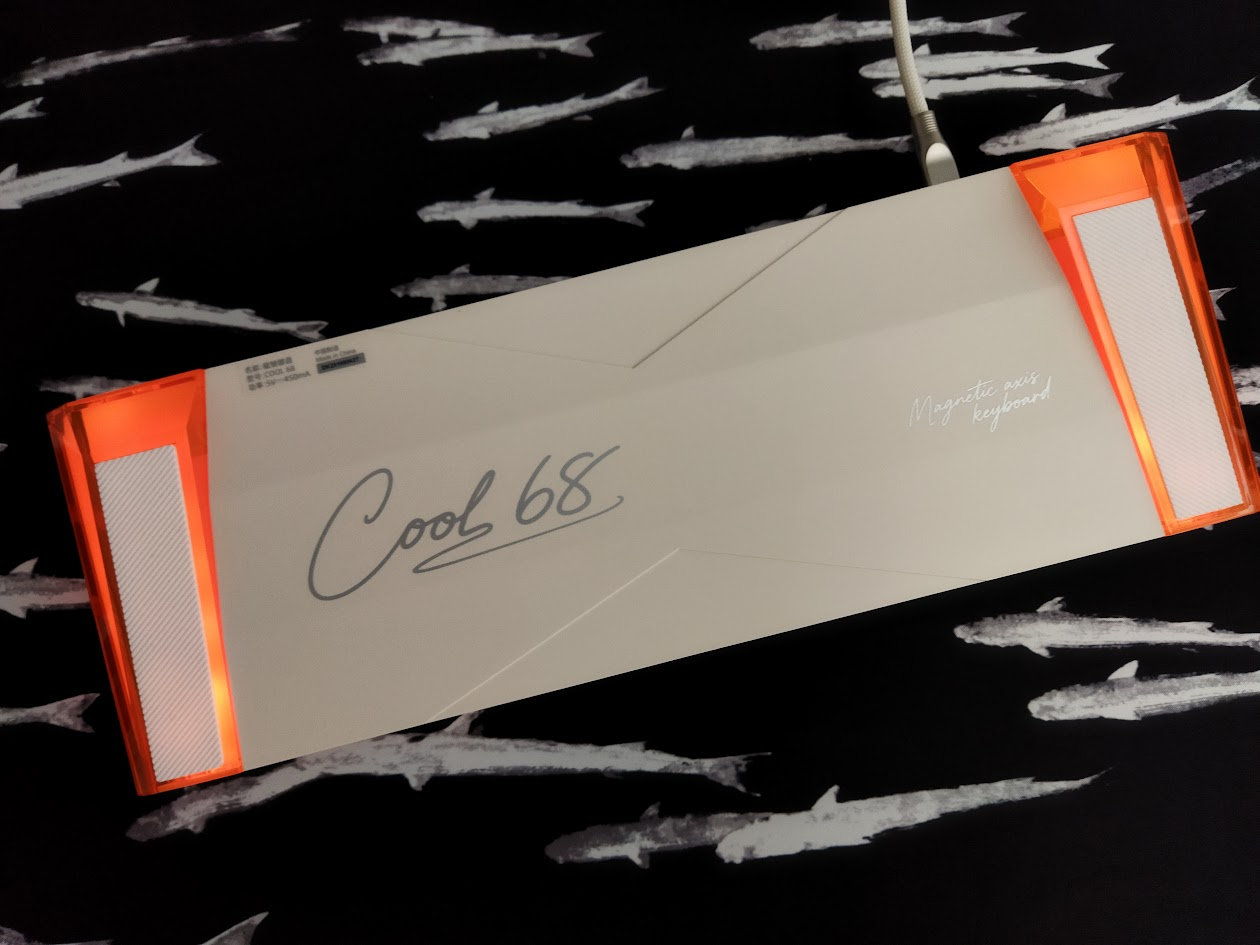
Sound dampening & Feel
Three layers of filling. Instead of the more common foam, there's a thick silicon layer between the plate and PCB, and also a thin IXPE pad. In addition, there's also a thin silicon layer below the PCB. This isn't really a case foam/silicon, as there's plenty of empty space beneath it in the bottom tray.
That said, given the aluminum alloy plate without flex cuts, the COOL68 provides a very direct typing feel combined with relatively loud sound.
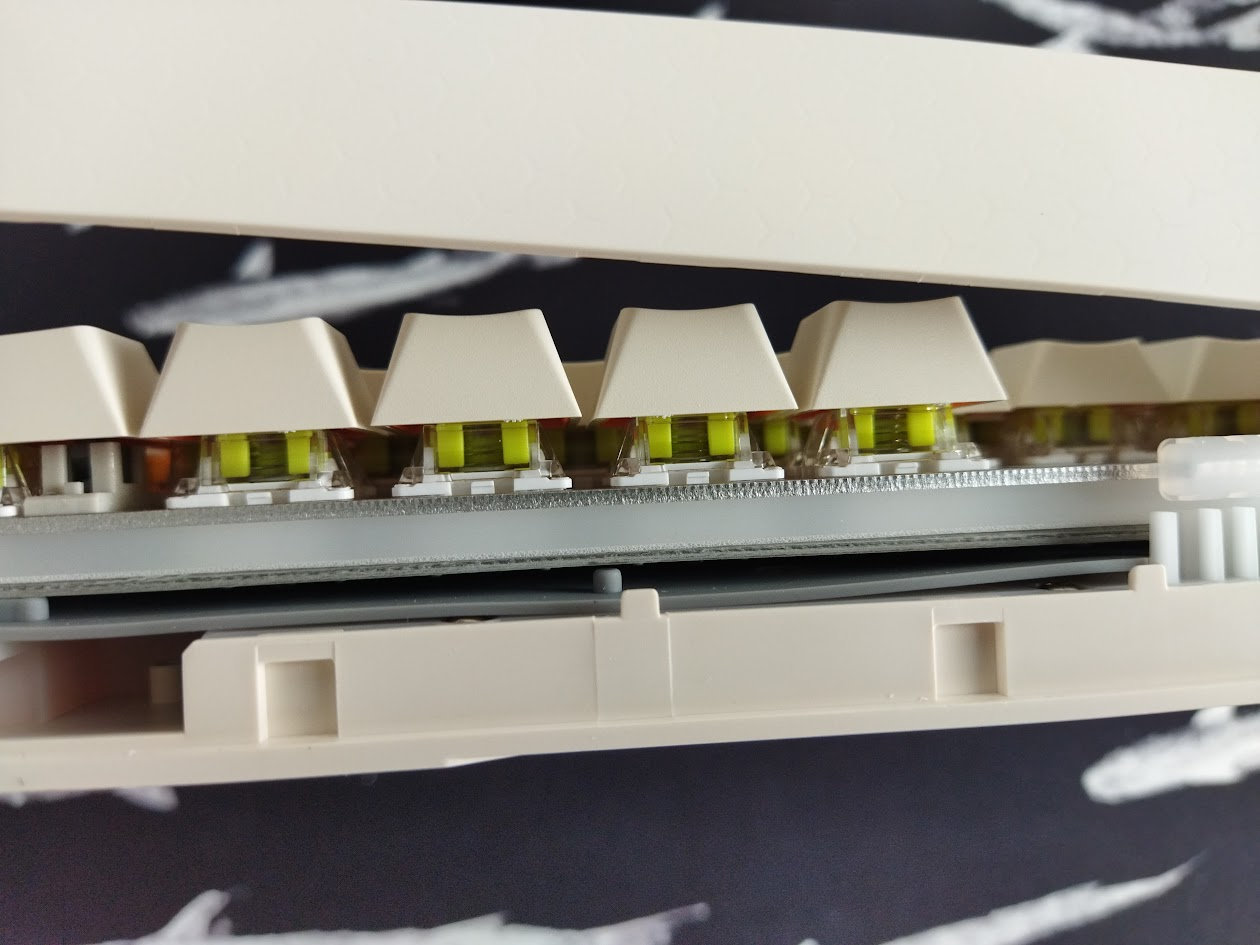
The out-of-the-box typing experience could be described as average. Probably too loud and direct for my taste, but you can translate this as responsive and precise from a gamer's perspective.
RGB lights
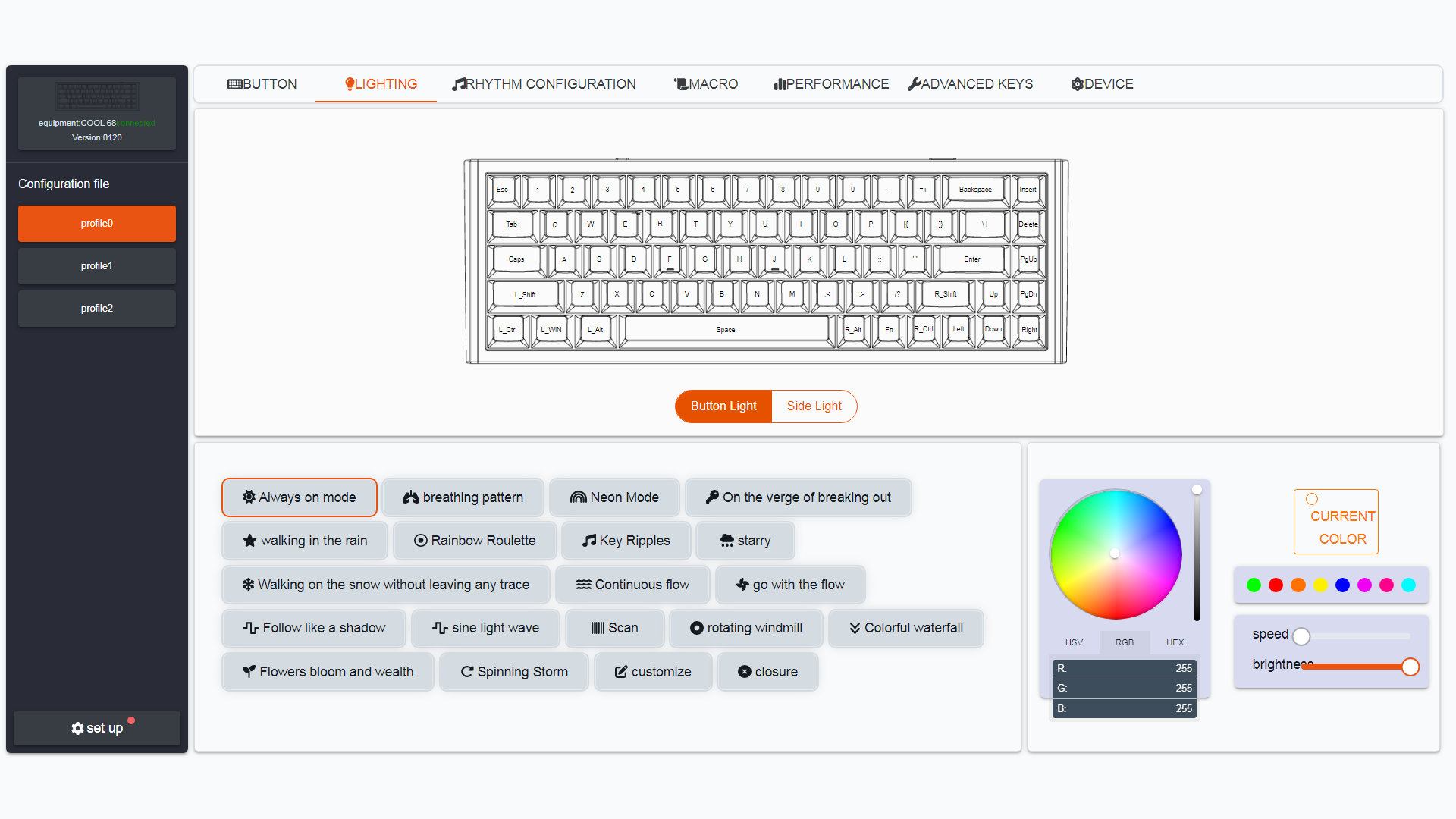
The board comes with per-key RGB and a bunch of built-in lighting effects. The light is nicely diffused on the sides, however, the orange "wings" overwrite pretty much any color.
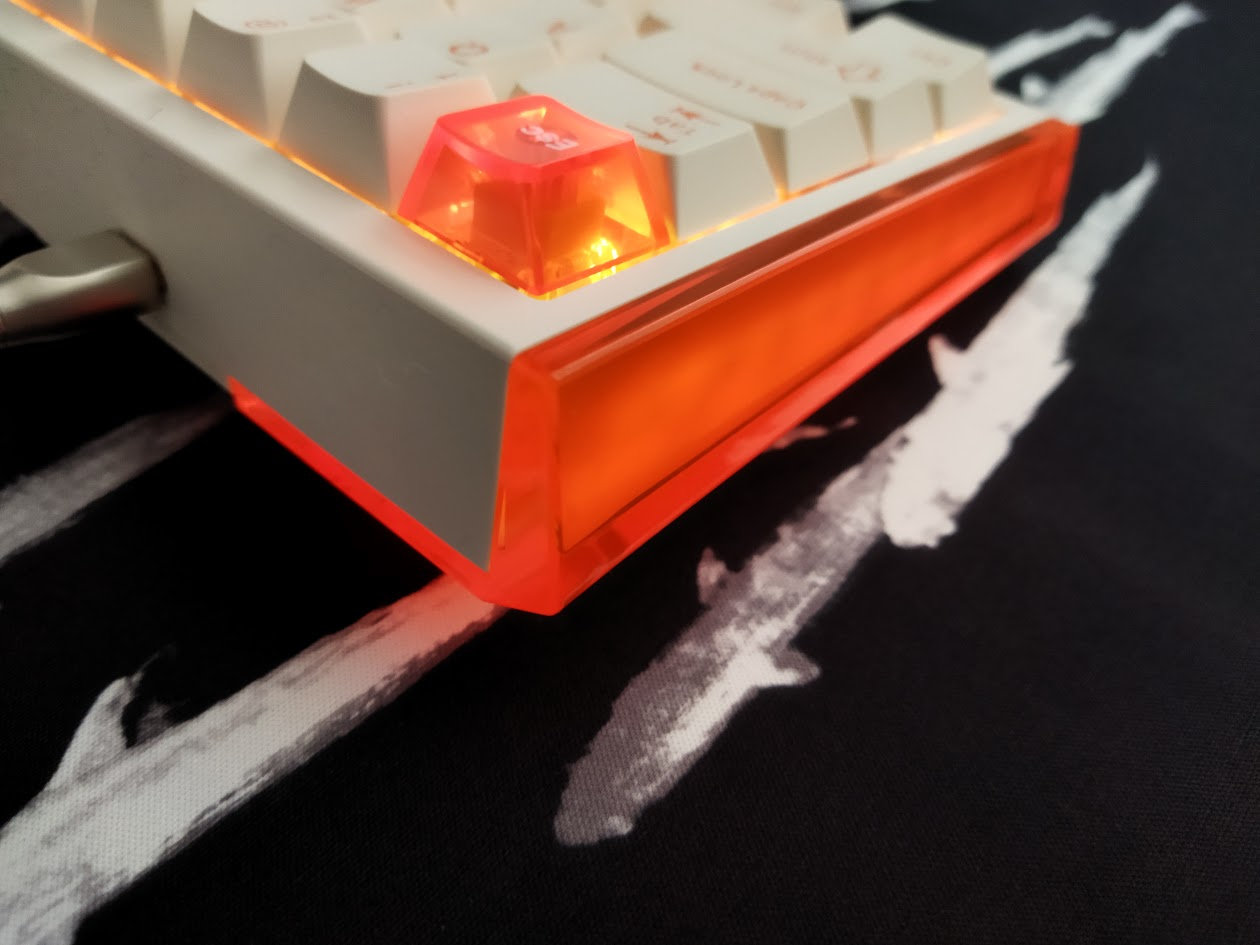
The ambient side lights and the main alpha area are two independent features, you can adjust their colors independently.
As it is usual with per-key RGB, from subtle ambient glow to vibrant full-spectrum animations, you can fine-tune colors, brightness, and modes to match your mood and setup. Either with hotkeys (FN+square brackets) or via the software.
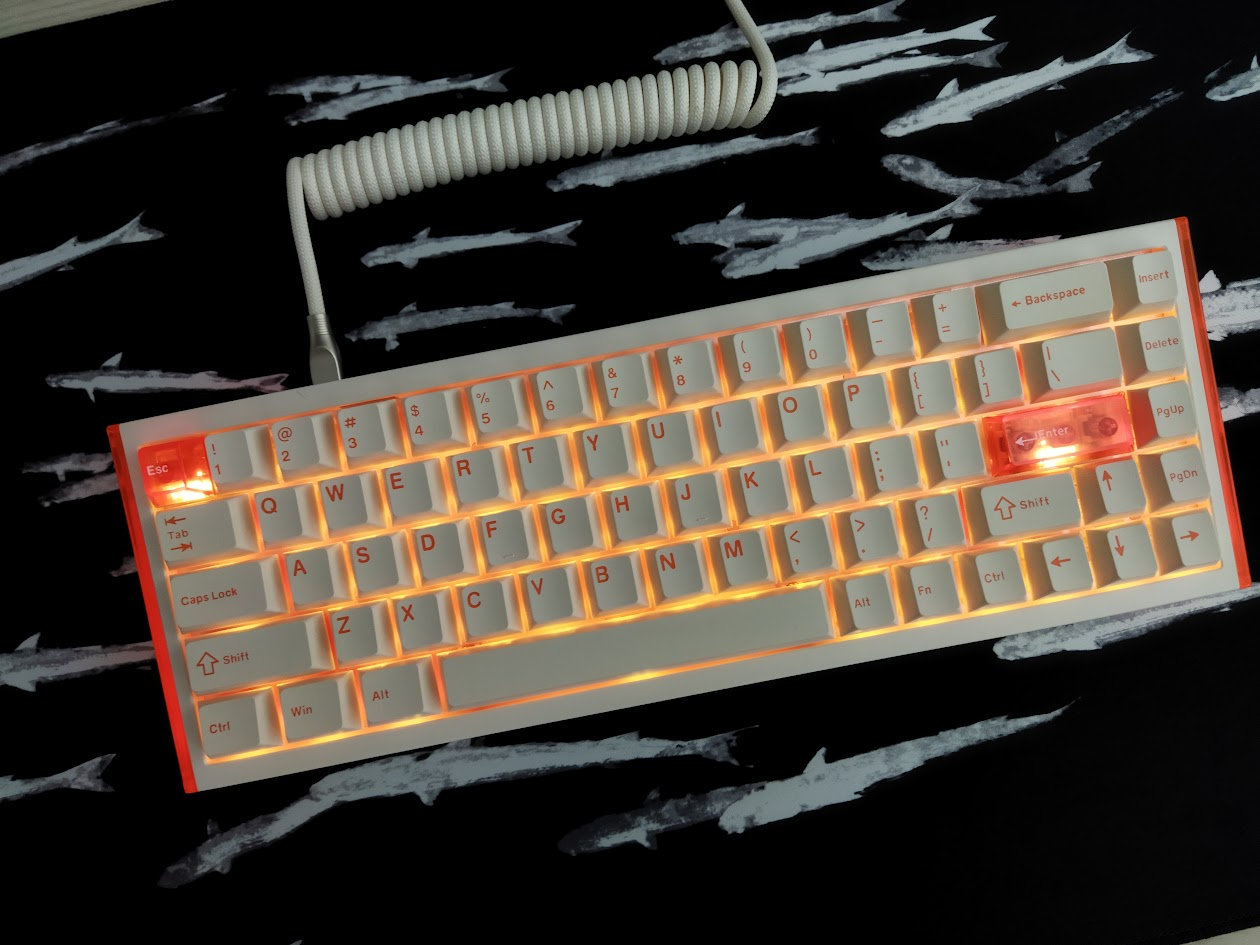
That said, if you don't need the lights, you can turn them off easily (FN+Space).
Magnetic features
I'm not a gamer myself, so can't confirm the official statement that this board was tuned for tournament-grade performance "surpassing standard flagship models", but it was allegedly co-developed with professional esports players, and indeed comes with some nice features for gamers:
- 8,000 Hz polling rate
- 0.01 mm RT precision
- D.H.A smart filtering algorithm
I'm not sure about the practicality of all of this, especially outside of the gamer scene, but these specs allow extreme responsiveness and performance if you have to rely on such features.
Connectivity
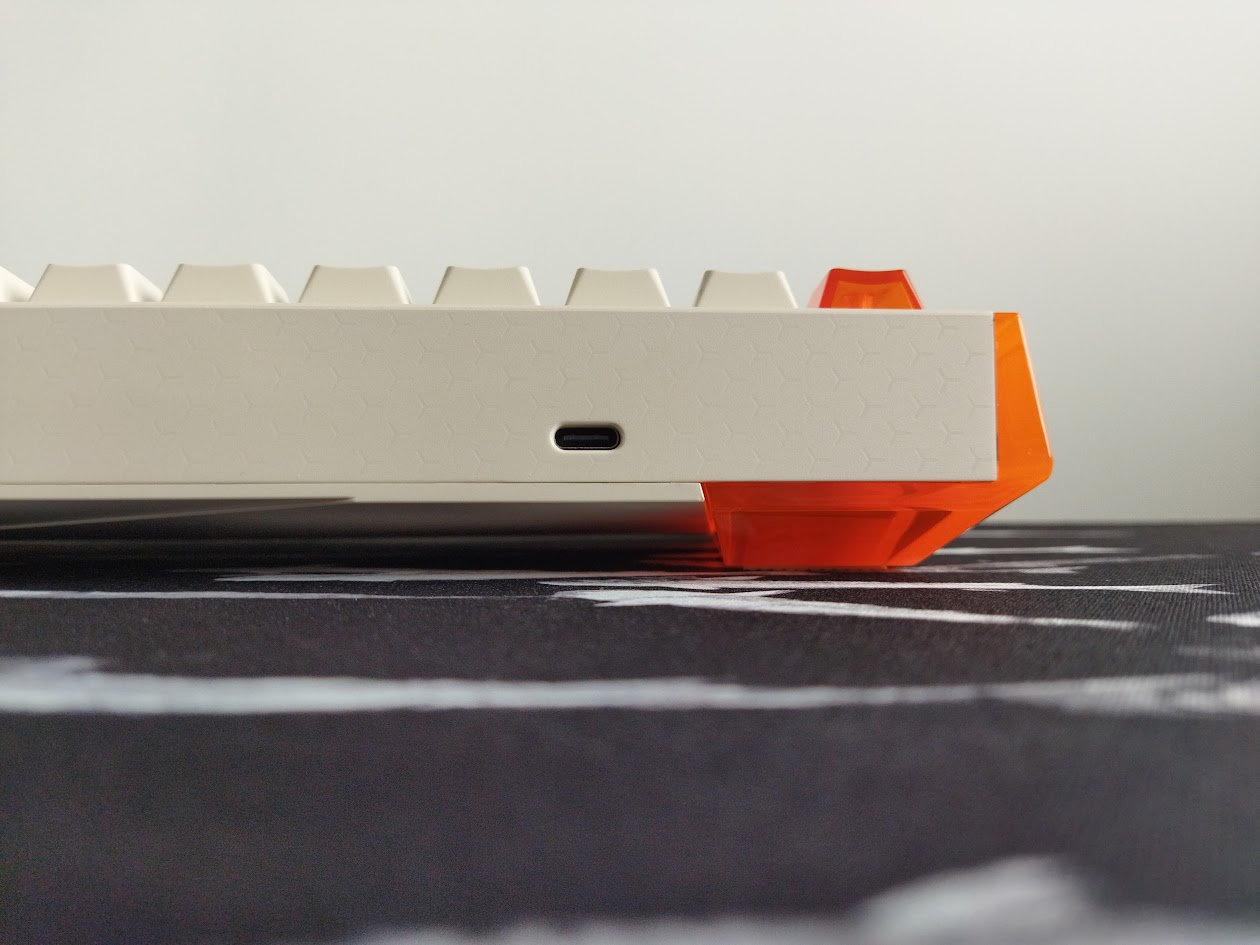
The Dareu COOL68 is a wired keyboard. No wireless connection available.
Which is all good – you don't have to keep an eye on the battery.
The cable coming in the bundle is pretty basic. The keyboard itself is much more fancy, so it deserved a more fancy cable as well in my opinion.
Software
Hm. The COOL68, just like most Hall-effect keyboards, comes with a custom software. Dareu at least provides an online configurator, so you don't have to install a shady driver if you don't want to. (The web interface works only in Chromium-based browsers.)
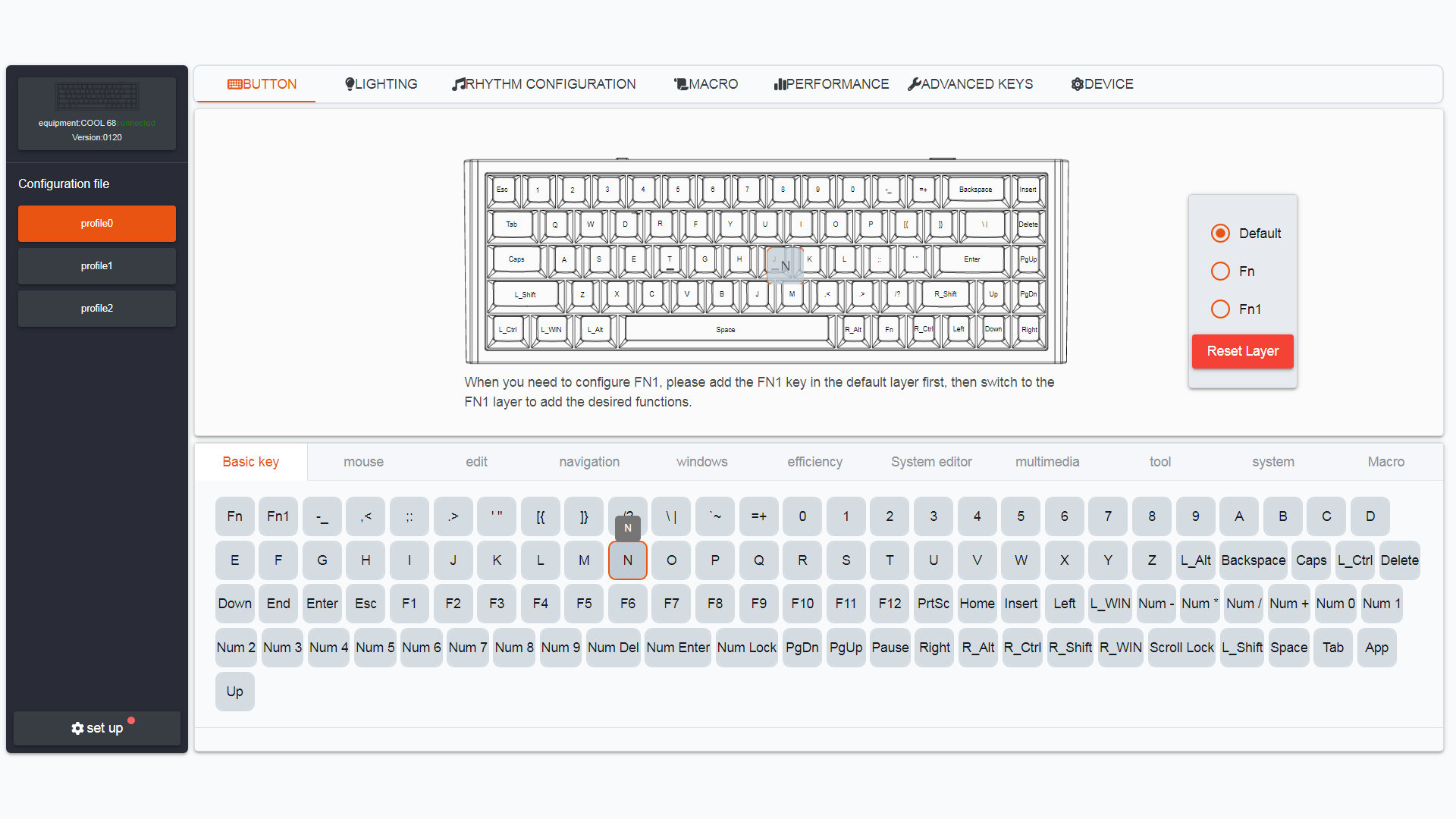
Swapping letters and symbols works as expected. If you're stuck: you have to drag the characters from the pool to their intended places. Anyway, basic custom keymaps can be implemented for sure.
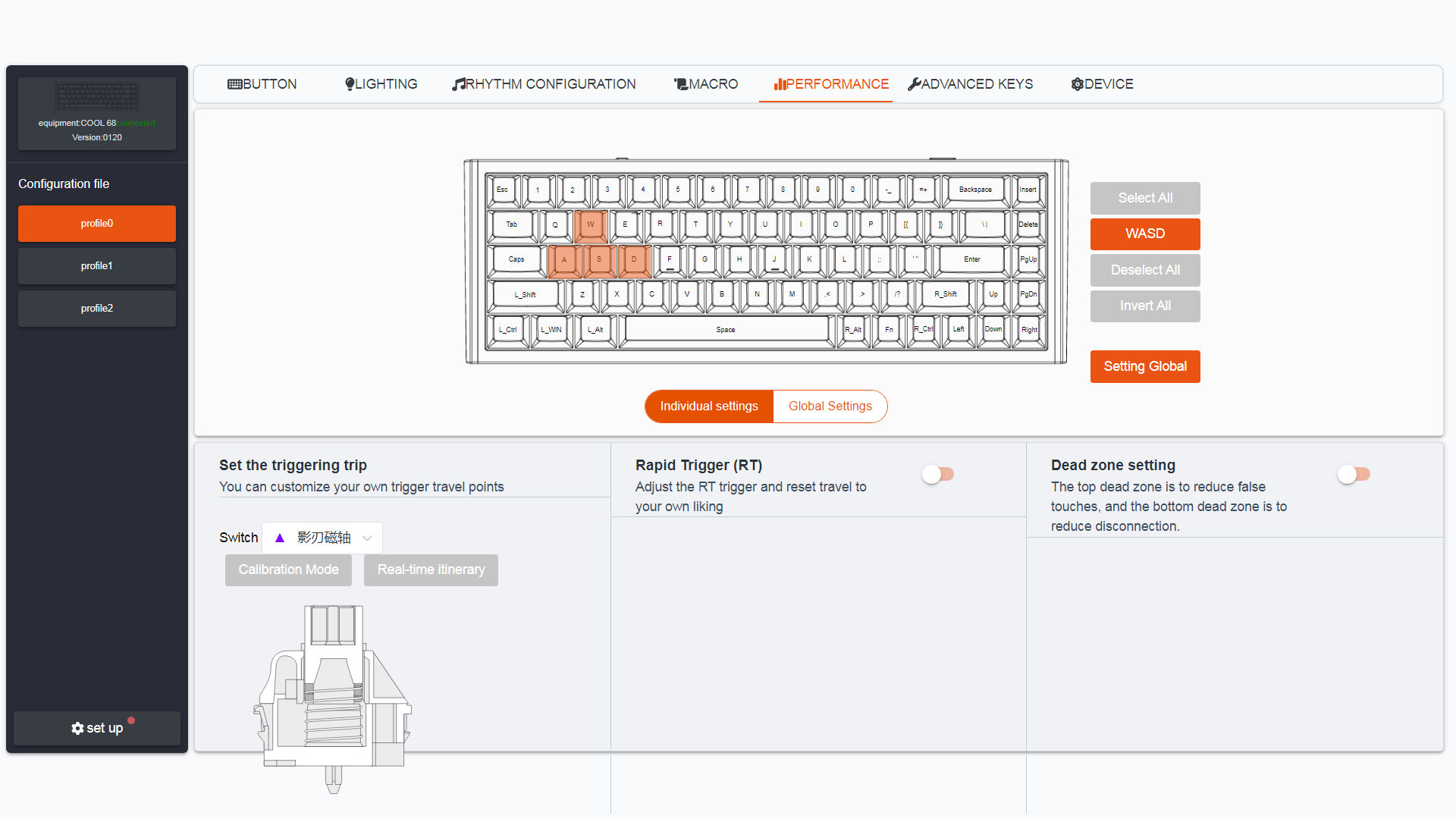
No layer functions except two FN layers tied to dedicated FN keys, so SpaceFN, this easy-to-access layer crucial for many users, doesn't work, unfortunately. Not a big deal for gamers, but those who'd like to put arrows, navigation and numbers right under their fingertips, will need a third-party app for this functionality.
Portability
The COOL68 is a great board for on the go. While it's not wireless, being a compact 68% and its weight of 740g (vs the COOL60's 432g) make it optimal for travel. This thing should fit into any backpack.
Comparison
The 65% layout is one of the most common form factors, and I've reviewed quite a few boards in this category recently.
If you insist on Hall-effect features, check out the aluminum Syntech Chronos 68, the MoeeTech Glitter65 HE, and the most affordable (plastic) Kemove TMKB T68-C as well. However, the Cool68 feels the most premium because of all the tiny details, and maybe because it's gamer nature is less obvious.
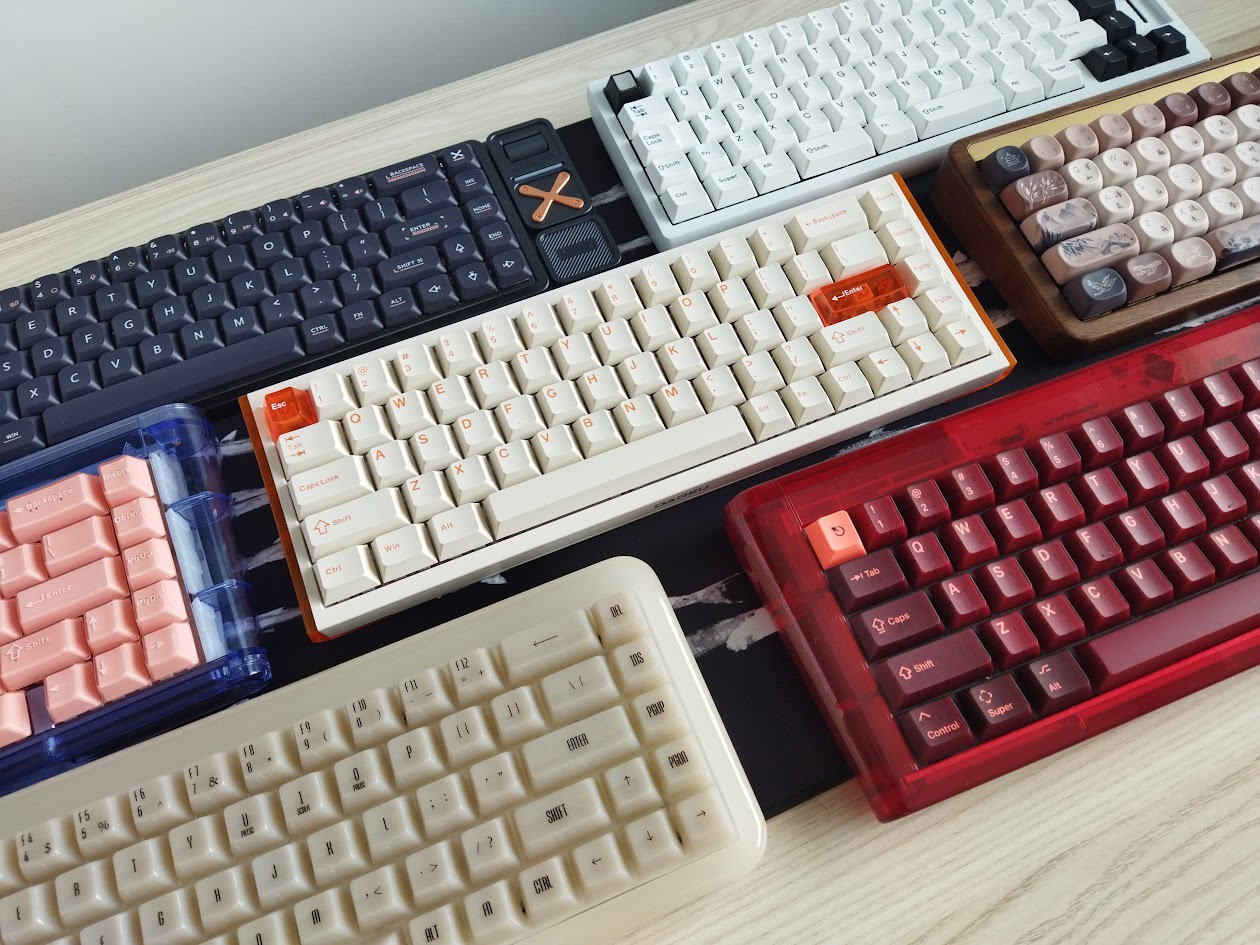
Among non-magnetic 65% mechanical options, many of which support VIA, you might consider the extravagant low-profile IQUNIX Magi65 Pro, the KiiBOOM LOOP65, the original Glitter65, but also the Lexicon. The wooden Akko MU01 has a unique feel, and the full resin Akko YU01 is for lovers of RGB.
Personally, I value split spacebars, so I'd lean toward the Glitter65 or Lexicon. That said, there's no denying that the Magi65 Pro is the most visually striking – though it comes in at roughly twice the price of the COOL68.
Ultimately, your choice will depend on your personal preferences and how much you're willing to spend.
Conclusion
The 65% magnetic, wired Dareu COOL68 is an affordable pre-built Hall-effect keyboard with highlights like the classy translucent side diffusers, the intricate case design, double-shot keycaps, hotswappable switches, per-key RGB lighting. The smooth stock HE-switches are decent, but the board is inherently hotswap, so grabbing a COOL68 is an affordable way to sink into magnetic boards and features. A great offer for those who prefer ANSI and all the gamer features, but won't mind the limited programmability. Also, there's no safe way to disassemble the board.
Pros
- great design for your senses
- nice double-shot keycaps
- customizability (switches, keycaps, plus limited software)
- compact form factor, portability
- magnetic features for gamers
Cons
- not so great design regarding disassembly
- limited software, lack of some basic functionality (mod-tap layer functions) for non-gamer enthusiasts
- such a nice keyboard deserved a more fancy cable
Price & Availability
The Dareu COOL68 is available at dareu.com. You can get it for just $85 $68 now (Hello Spring Deals).
- Dareu COOL68 product page at dareu.com
- Dareu COOL68 Amazon product page
Published on Fri 27th Mar 2026. Featured in KBD #209.
Related

Whitefox Eclipse review
The WhiteFox Eclipse by Project Eclipse is the latest take on this classic model: a prebuilt 68% board with magnetic assembly and a whole ecosystem of modular cases. (Now with 10% off!)
Lexicon review
The Lexicon by WeirdLittleKeebs is a 65% "writing keyboard" designed for wordsmiths – with a layer full of words.
Akko MU01 Mountain Seclusion review
In this review I write about yet another Akko masterpiece: the MU01 Mountain Seclusion, a 65% wireless keyboard in a gorgeous walnut case.
MoeeTech Glitter65 L01 review
The Glitter65 L01 is the latest addition to Moeetech's 65% keyboard lineup: a mechanical kit with nice dual-tone aluminum case options.