Keyboard Builders' Digest / Review
MoeeTech Glitter65 L01 review
The Glitter65 L01 is the latest addition to Moeetech's 65% keyboard lineup: a mechanical kit with nice dual-tone aluminum case options.

Published July 10, 2026
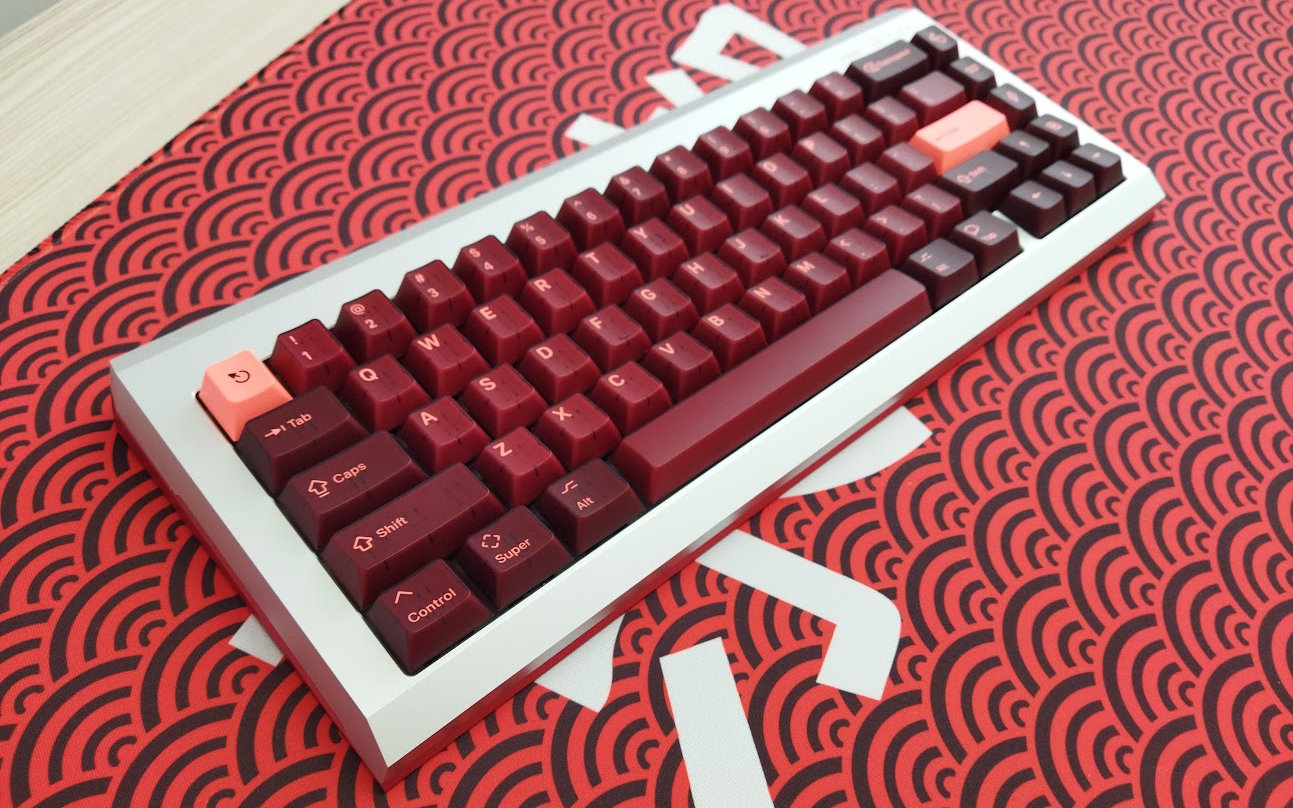
The MoeeTech Glitter65 L01 is the most recent iteration on the brand's distinctive line of keyboard models. After the previous prebuilt Hall-effect variant, the L01 is a mechanical keyboard kit.
TL;DR: The 65% MoeeTech Glitter65 L01 is a wired keyboard kit. The blocky CNC aluminum housing is offered in many nice color combinations. The hotswap PCB supports MX switches and per-key RGB lighting with some ambient lights on the sides. Proprietary software with limited features. As a kit, the L01 is more for enthusiasts rather than total beginners, as you'll have to source your own switches, keycaps, and stabilizers.
Should I buy the Glitter65 L01? – you may ask. Well, it always depends on your exact needs. In this review, I'll pack in as many facts as possible to help you answer that question for yourself. As you'll see, I've built the L01 from the ground up. That said, being a kit, this board is obviously targeted at more experienced users.
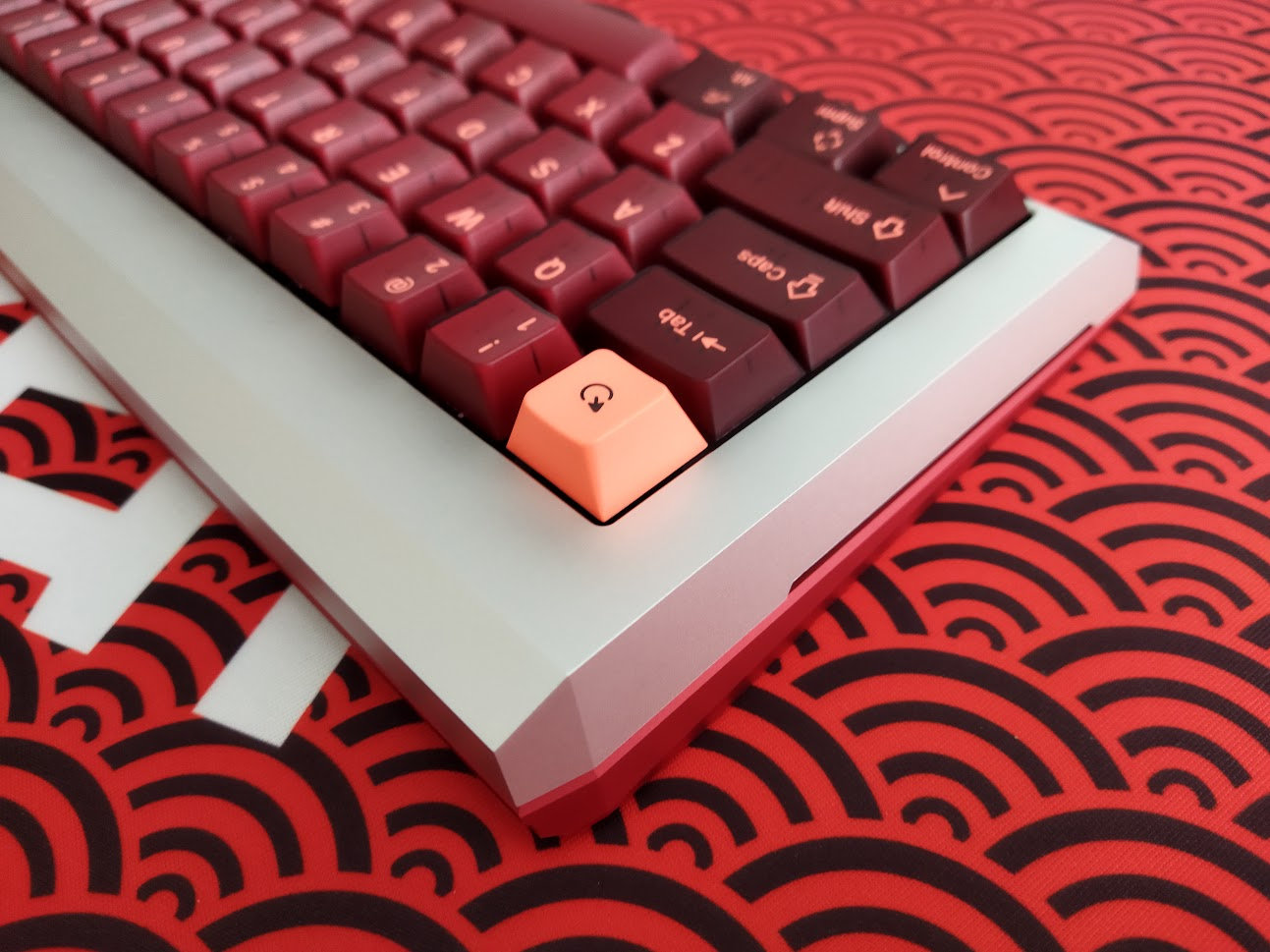
Before placing an order, make sure you're aware of your preferences and the features you need, and check out the full review below for all the details and photos.
Specs (and ToC)
- Contents: case, PCB, daughterboard, plate, cable, parts
- Layout: 65% ANSI, 67 keys
- Keycaps: not included (KAP Generation for this build)
- Switches: not included (PT Blacks for this build)
- Case: CNC aluminum
- Typing angle: fixed, about 3 degrees
- Mounting: Gasket mounting
- Stabilizers: screw-in support
- Plate: frosted PC, no flex cuts
- PCB: south-facing per-key RGB, no flex cuts, hot-swappable
- Sound dampening: 3 layers
- Lights: south-facing per-key RGB, ambient lights
- Connectivity: wired, USB-C
- Software: proprietary, web-based
- Dimensions: 340x134x25 mm (case)
- Weight: 1,437 g (full build)
- Price: $150 (coupon for free shipping: KBDNEWS)
Disclaimer
The review sample was provided by MoeeTech. This was a pre-release unit from a batch intended for testers, the final parts and bundle may differ.
In addition, not paying for a product may introduce both positive and negative biases, so please take everything I write with a grain of salt.
Variants
The Glitter65 is an umbrella name for a whole lineup of various models now. Starting with the original aluminum Glitter65 R1, the improved R2 Pro and Ultra versions, continuing with the pre-built magnetic Glitter65 HE in a plastic case, and arriving at the Glitter65 L01 – back to the aluminum roots, but with a whole different, blocky, edgy shape after all the rounded ones.
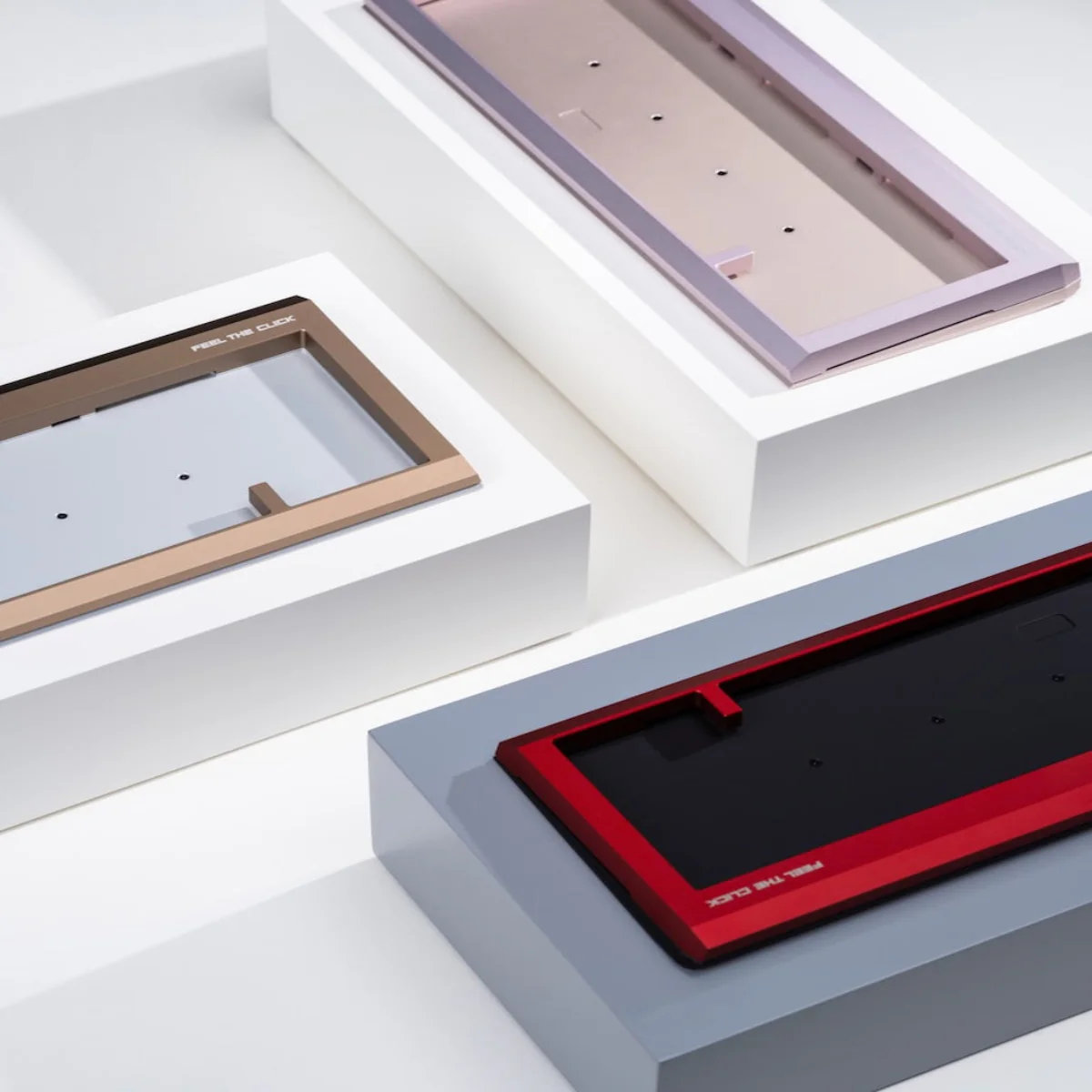
The L01 is available in six nice color variants:
- Sandy Brown (gold/silver)
- Frenzy (red/black)
- Steel Flame (silver/red)
- Light Sakura (light rose)
- Stardust (purple/silver)
- Dark Ink (silver/black).
In addition, there are versions with and without the etched "Feel the click" text. According to initial feedback, some customers didn't like the engraved lettering on the top, so the keyboard is offered in both variants now.
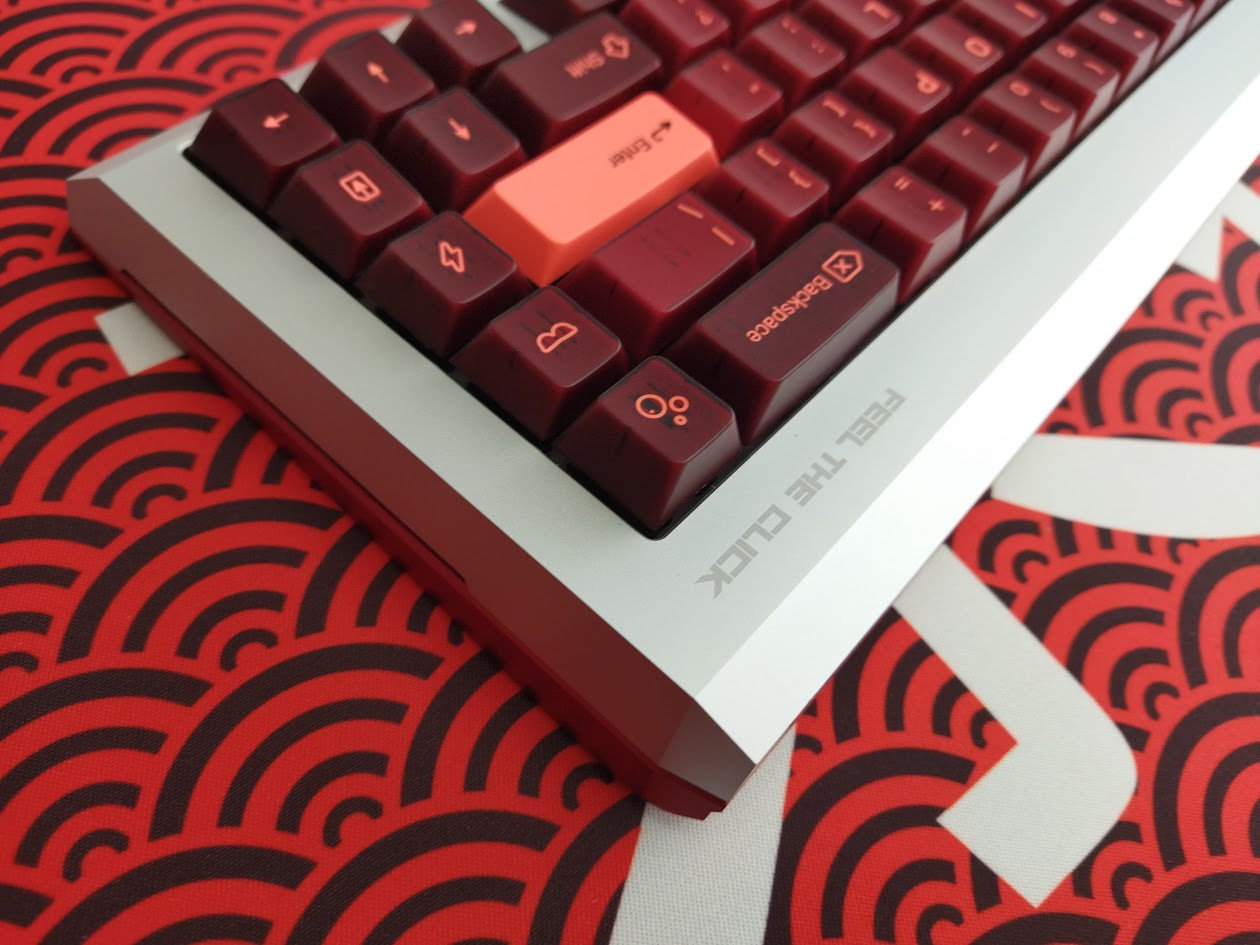
It's always hard to choose just one board when a brand approaches me and says I can pick anything for review. I really loved the Sandy Brown case, but eventually decided between the Frenzy and Steel Flame red variants. I went with the latter.
Unboxing & Contents
This is some extravagant packaging. After the huge MoeeTech boxes, this one is moderate in size, but it's fully shiny silver now. One part is opening up, the lower part is a drawer with handle. The experience begins with the unboxing for sure. Nice material, shiny base with some embossed parts, not much info on the packaging.
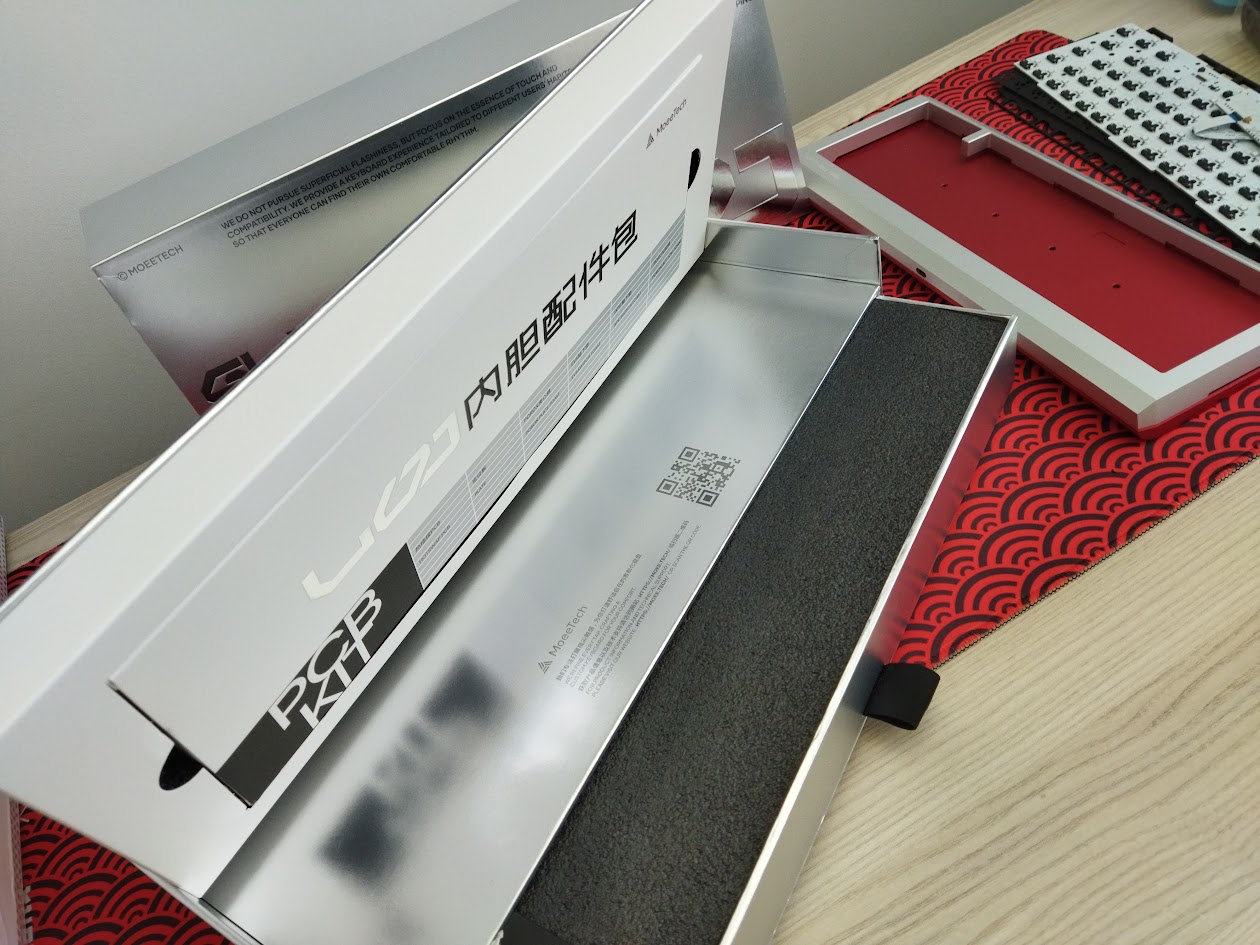
The contents:
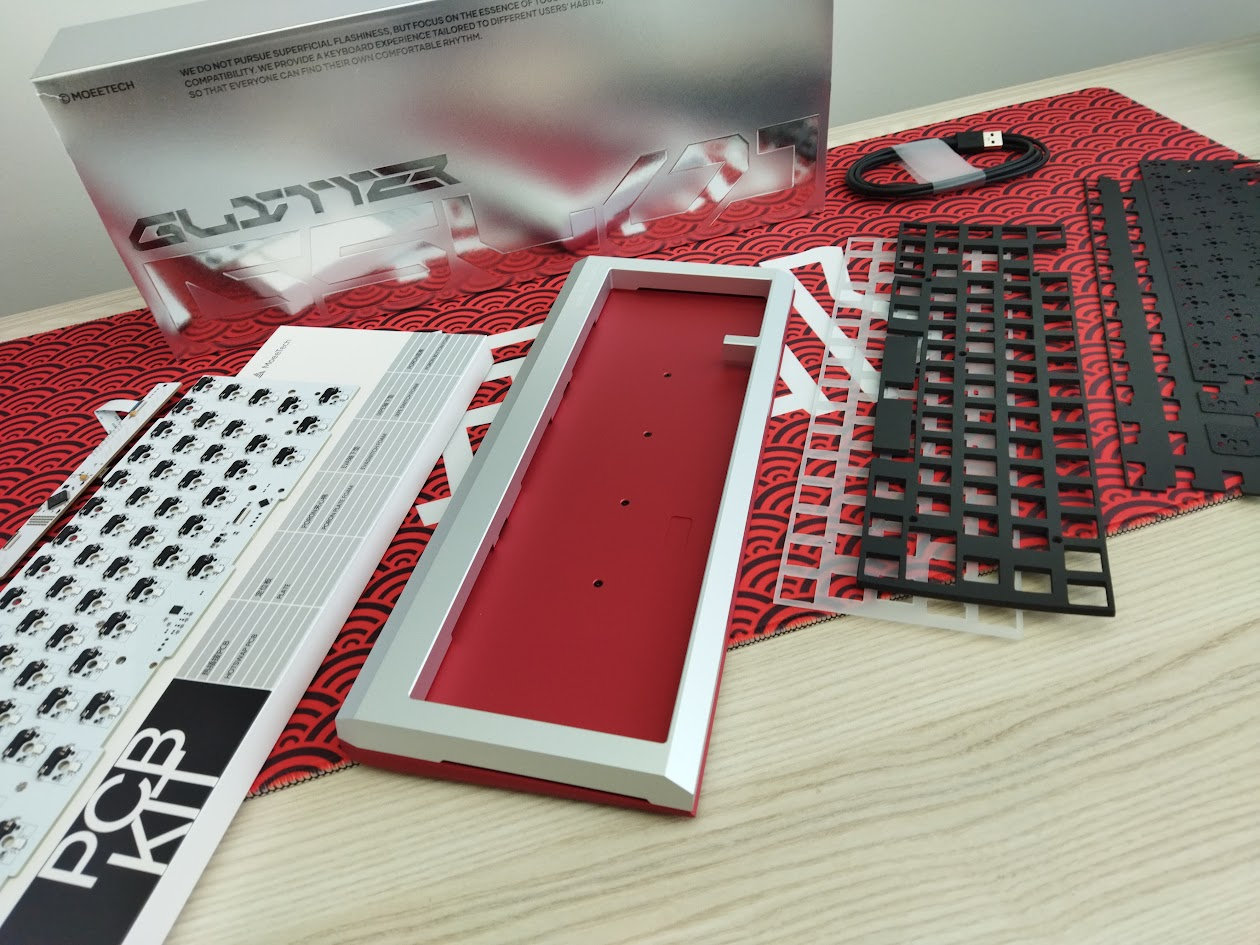
- The Glitter65 L01 case
- hotswap PCB + daughterboard
- PC plate
- foam set
- basic USB cable
- bumpons, gaskets, screws, hex key
Yes, this is a keyboard kit, not a pre-built product. Meaning that you have to source keycaps, switches, and stabilizers yourself.
First impressions, design language
The L01 breaks with the MoeeTech traditions and features a whole new shape. All the previous models were variations on the same characteristic design with rounded one-piece cases. This most recent iteration is a more classic two-piece two-color design.
Tapered here and there, it reminds me of sci-fi shows and games of the 80's.
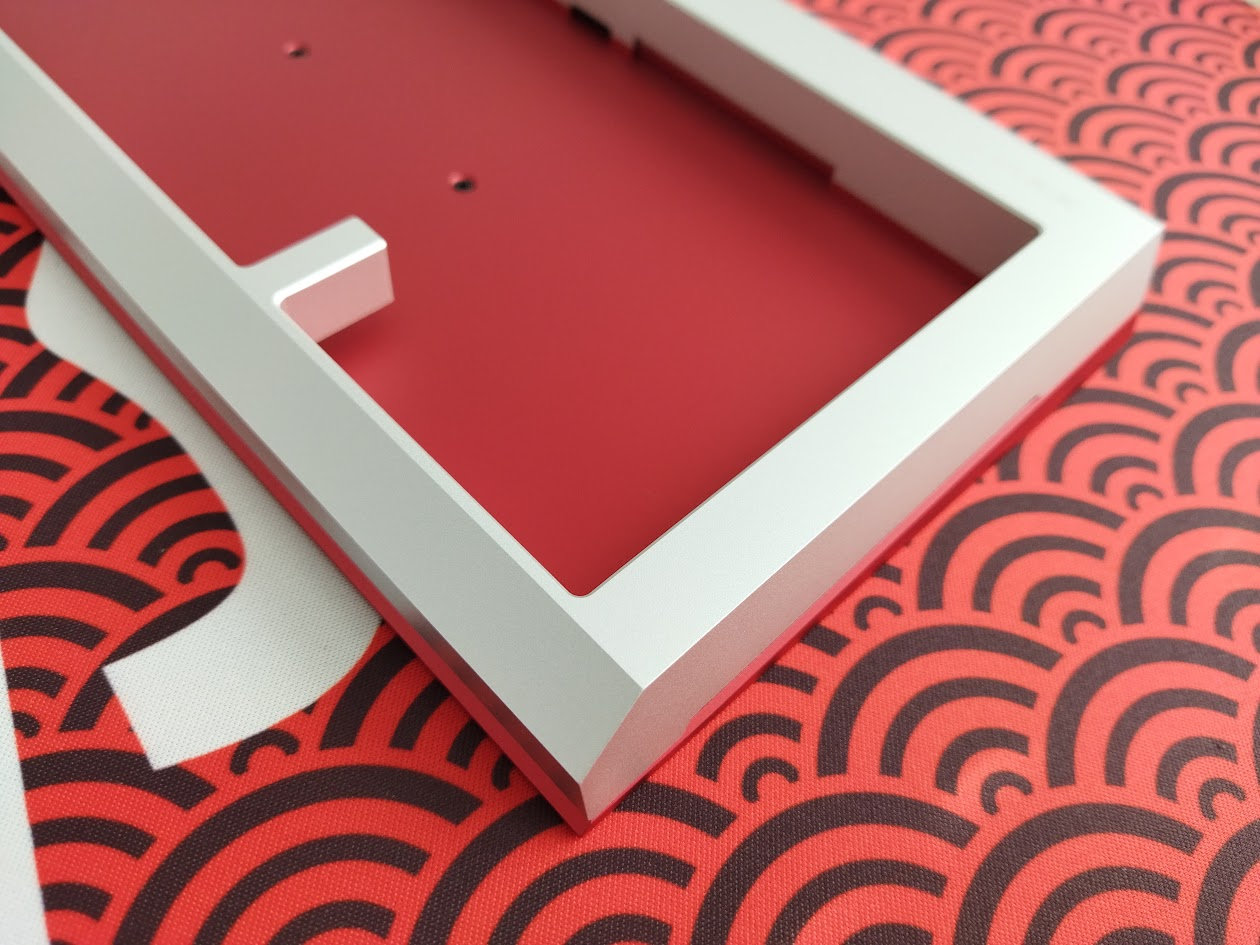
If you don't like the "Feel the click" engraving in the top right corner, you can have a variant without that.
The bottom branding is much bolder – with a contrasting weight featuring a huge Glitter65 L01 engraving.
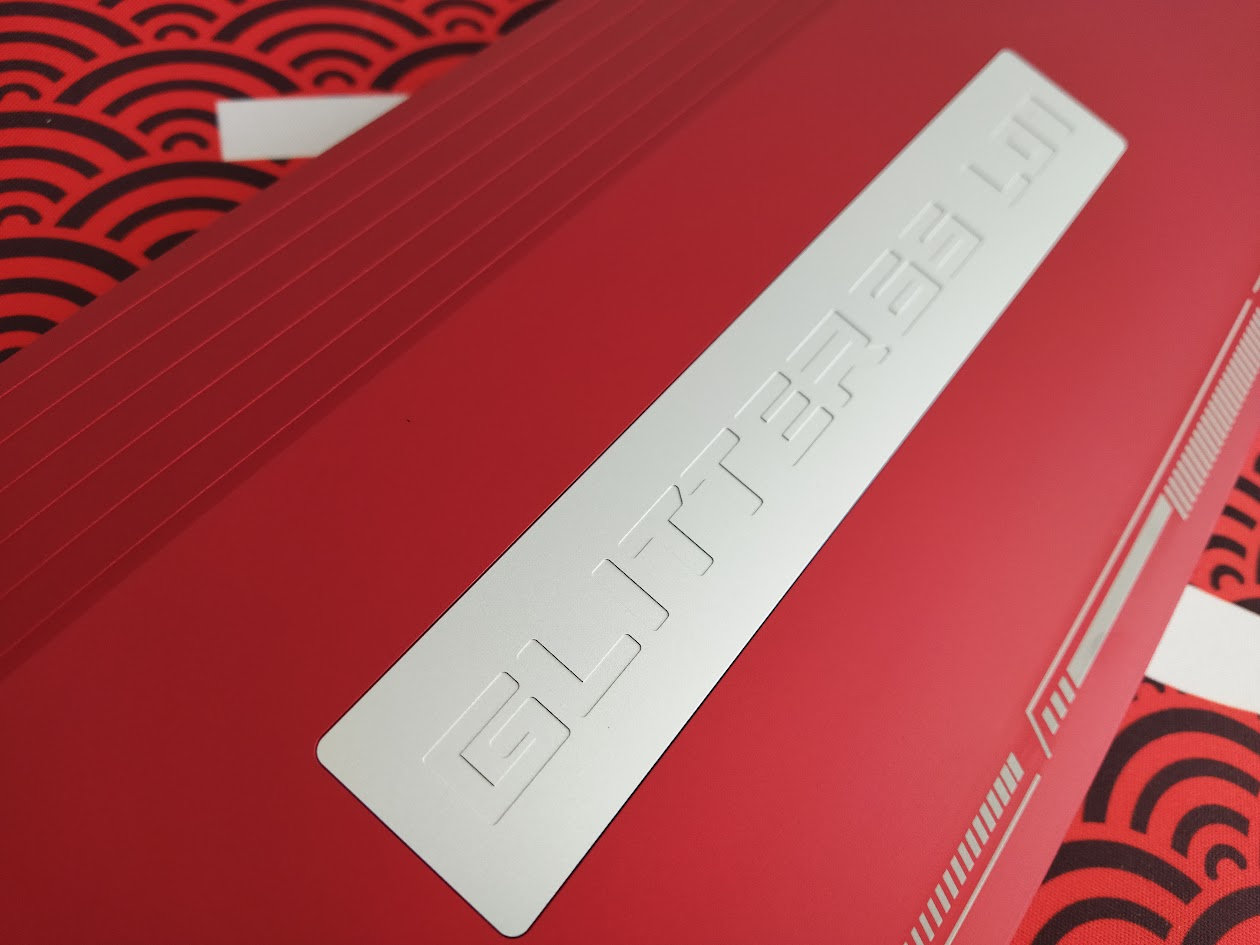
I'm always looking for prominent characteristic of a keyboard. If you think it's hard to make an impact in a crowded market like the popular 65% segment, the L01 proves you wrong with the blocky and edgy but somehow still refined design.
Layout
Compared to previous Glitter65 models, the form factor is mostly unchanged: the 65% layout is relatively standard and prevalent. Take a standard fullsize keyboard, cut off the numpad, classic navigation cluster, also the function row, and add an extra column to the right side. The result is the relatively compact 65% layout. You have a full number row, dedicated arrow keys, and the right column.
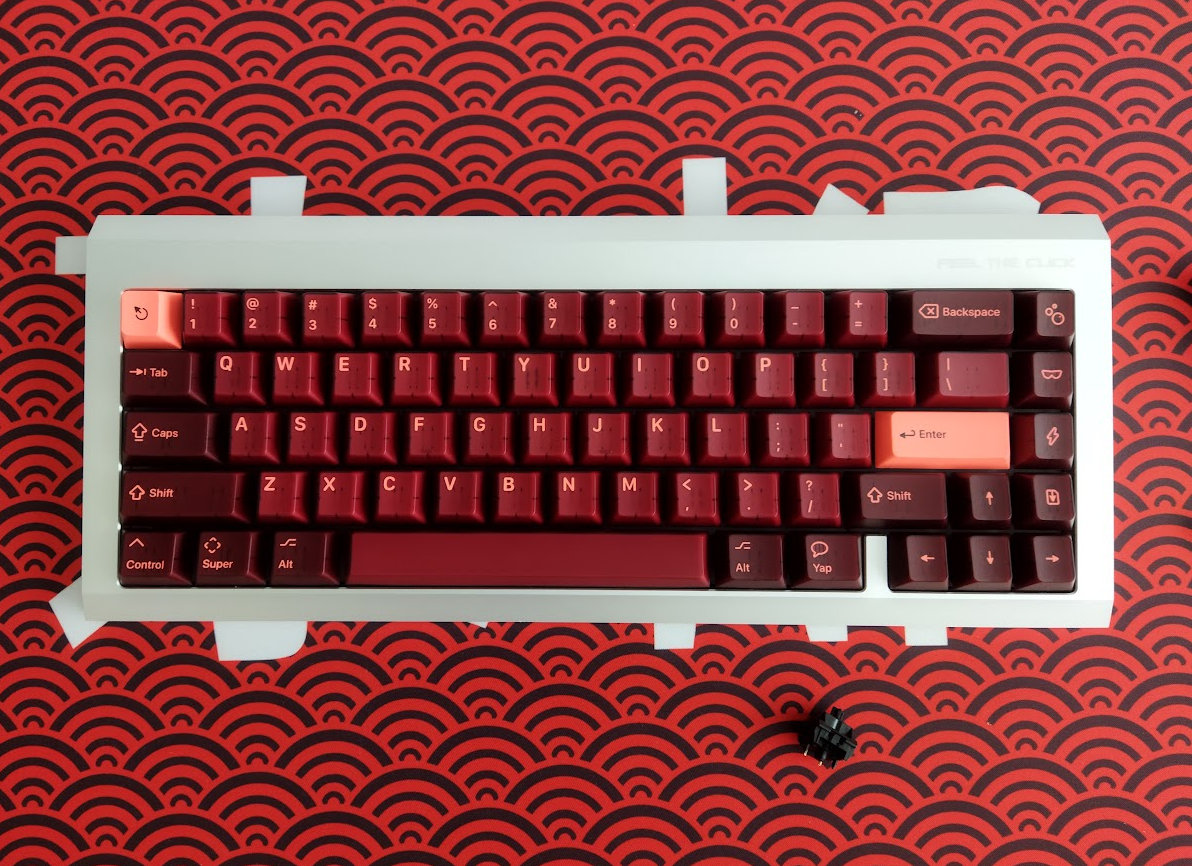
Featuring 67 keys (ANSI US version only), the L01 optimizes space in the first place. All the functionality of a 100% is there of course, you just have to resort to key combinations and extra layers.
The L01 offers a single basic layout option, and doesn't support e.g. stepped CapsLock or split spacebar.
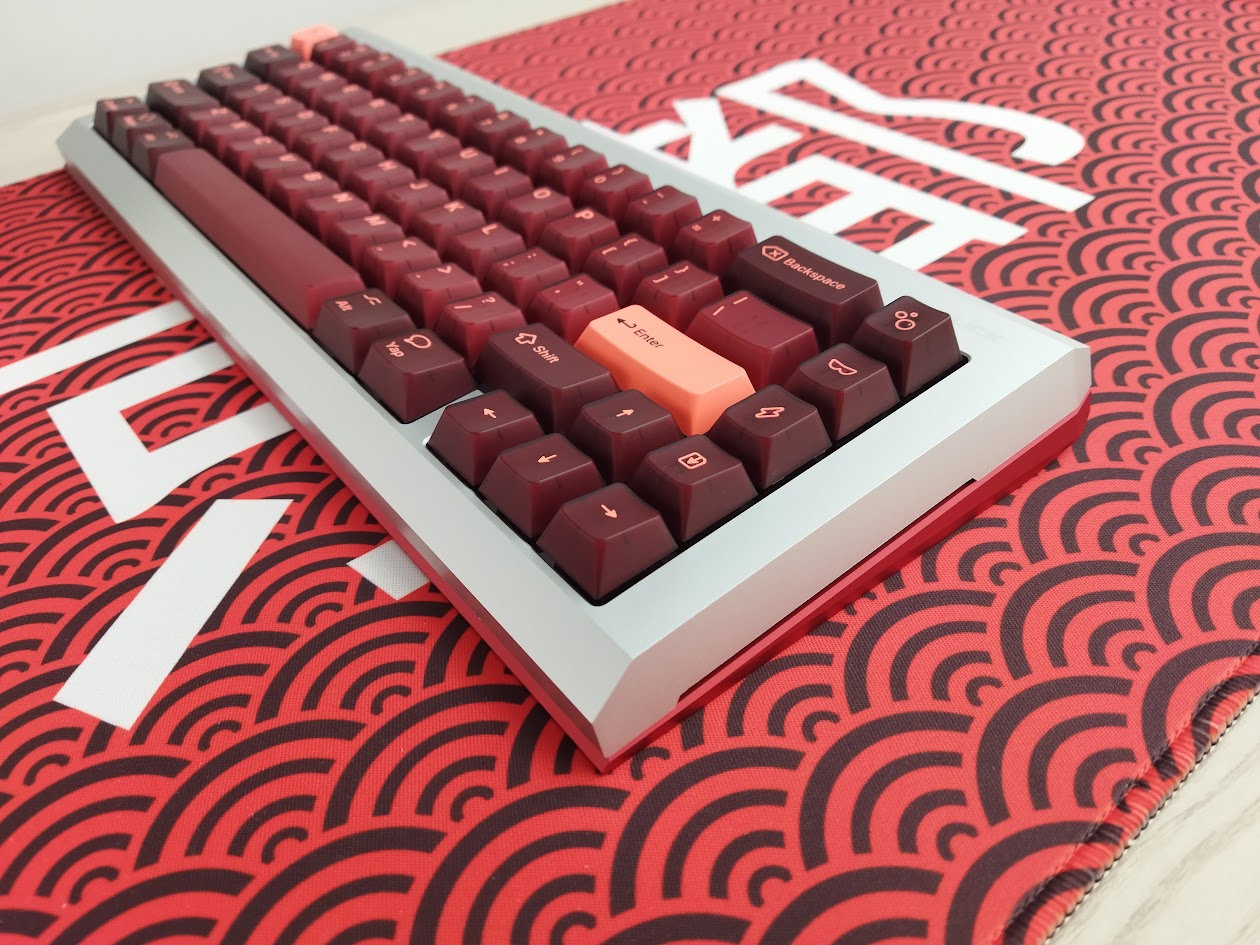
The arrow cluster is not offset, but there's the small familiar gap to the left of the arrows. This may help some of you touch typers out there when changing between the home row and arrow cluster. I personally move the arrows (and numbers plus function keys) to the home row and neighboring alphas via SpaceFN, so I'm not really affected by whether there is or isn't a gap.
Keycaps
As already told, this is a keyboard kit – you have to source the keycaps yourself.
To match the case, I went with the nicest red keycap set I own, the KAP Generation. That's what you can see in the photos.
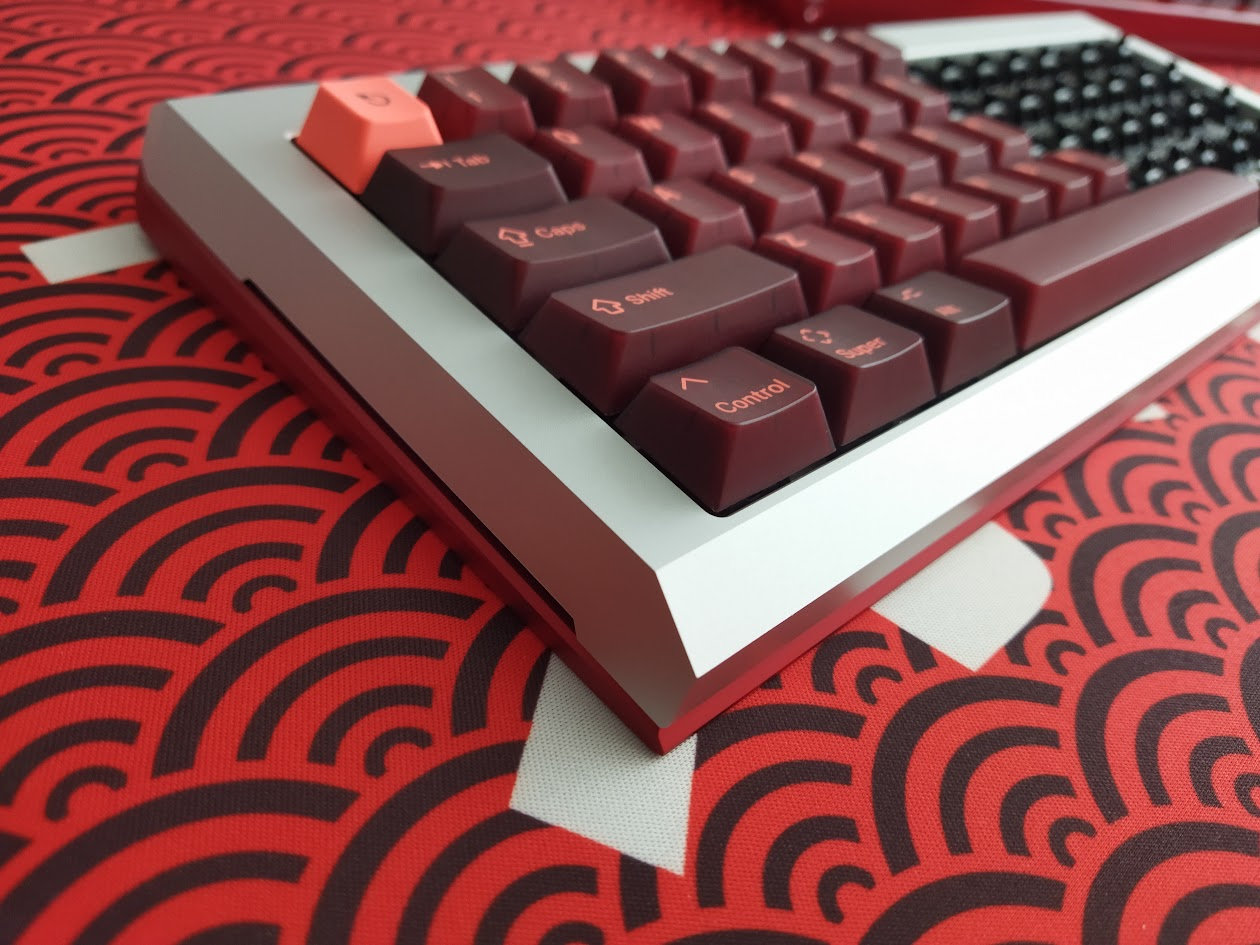
That said, the PCB supports hotswap MX switches, so – also with regards to keycap compatibility – this layout should be widely supported if you opt for something different.
Switches
Again: since this is a keyboard kit rather than a pre-built keyboard, the bundle comes without switches. Feel free to grab something you like.
For this build I went with the TTC x Pantheonkeys PT Black switches. That's what I had lying around.
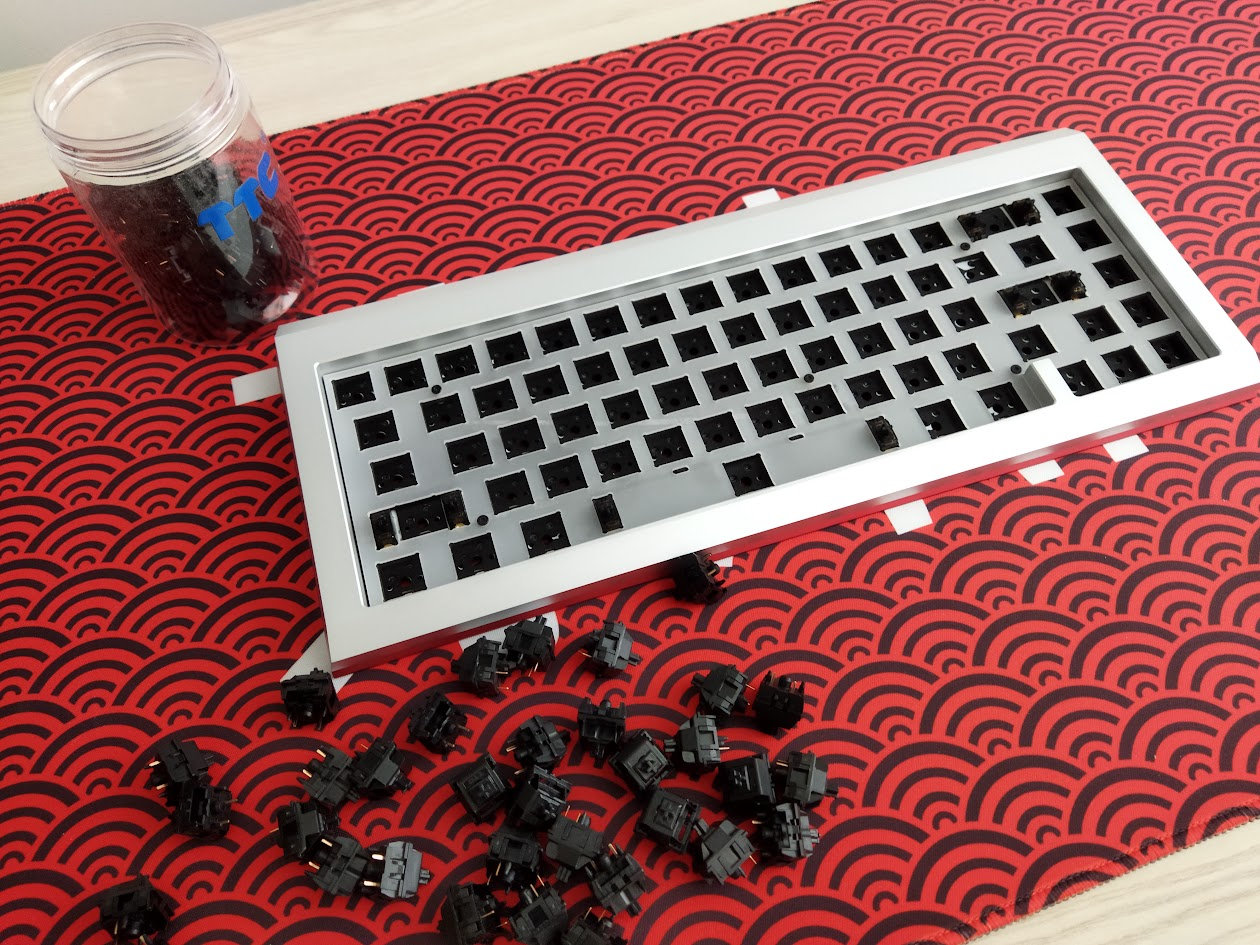
Caution! While PT Blacks were one of the shooting starts of June, they're not for everyone as these switches are intentionally scratchy, quite characteristic. I'd suggest trying them in a switch tester or at a keyboard meetup before purchasing. Definitely not for you if you aim for a buttery smooth experience.
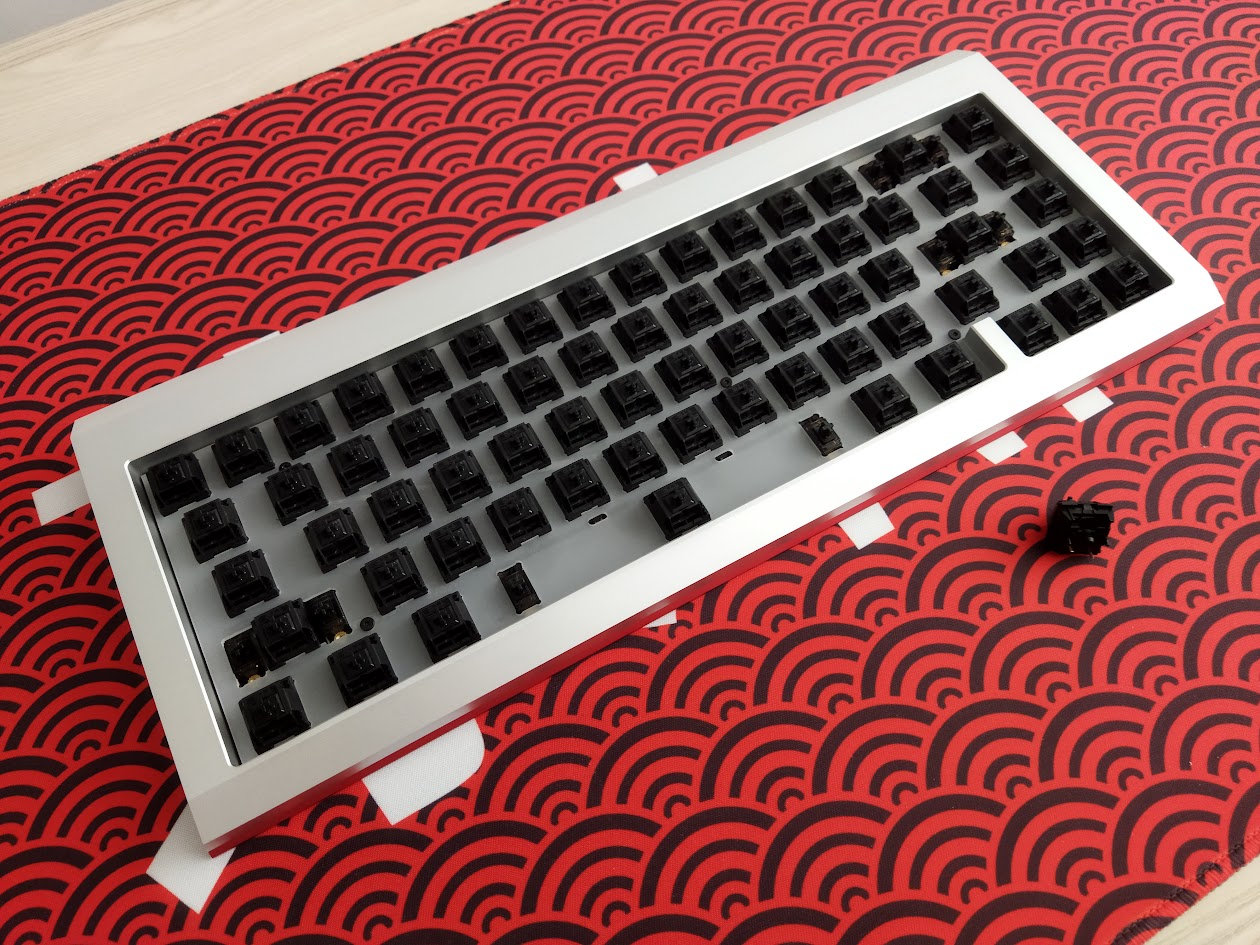
This is a hotswappable mechanical keyboard, so you don't have to stick to a single setup. It's easy to experiment and replace switches once you get the hang of it. Check out the current best-selling mechanical switches, or feel free to use your personal favorites laying around.
Build quality, structure, case
Crafted from aluminum with CNC machining, the L01 features beautiful anodized finish. Two-piece, two-color tray structure.
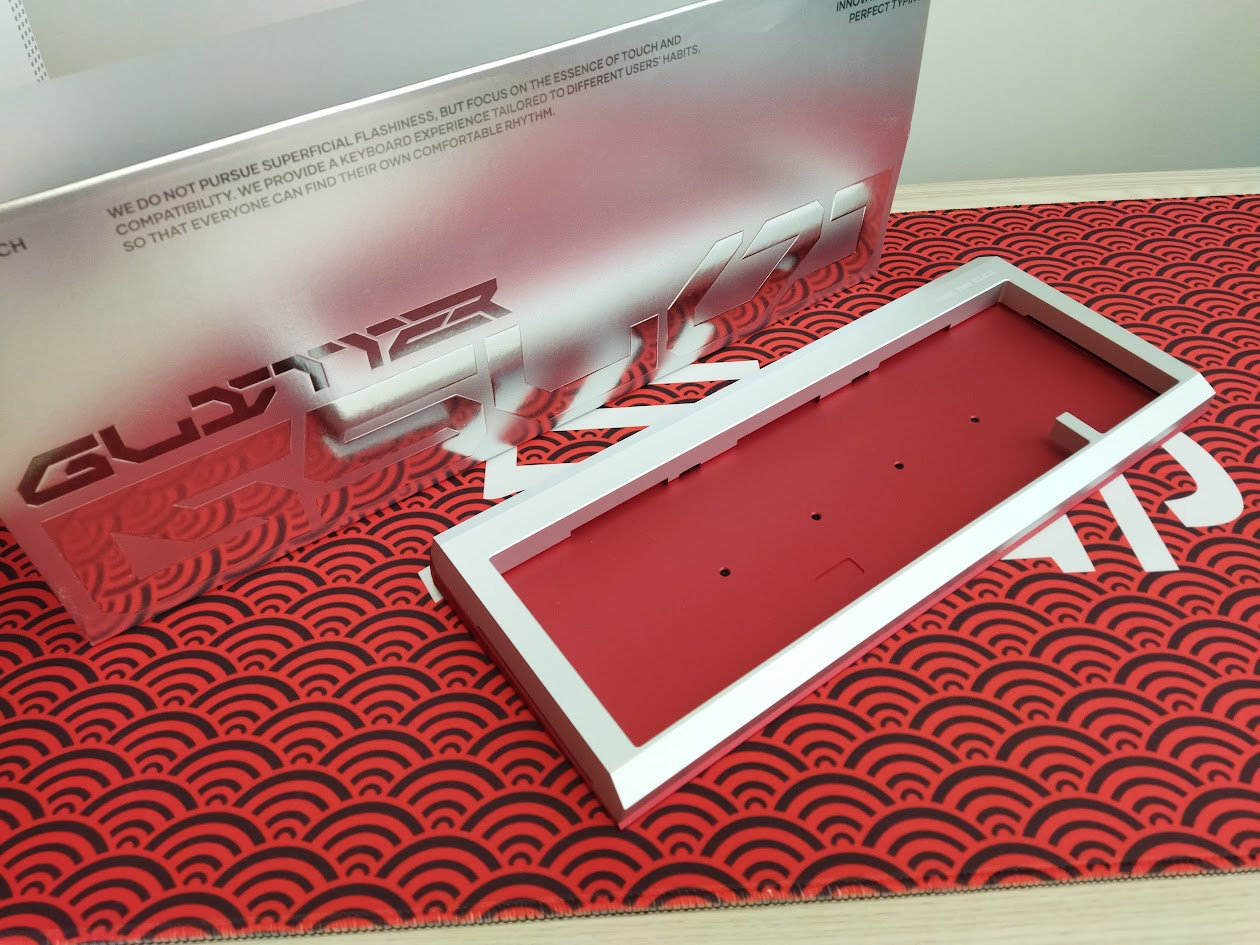
This board looks premium: excellent material choice and finishing. The heavy case (1.4kg) won't move during a frantic gaming session, not to mention less demanding office or home jobs use. The feeling is incomparable to plastic boards, although I really liked the plastic Glitter65 HE.
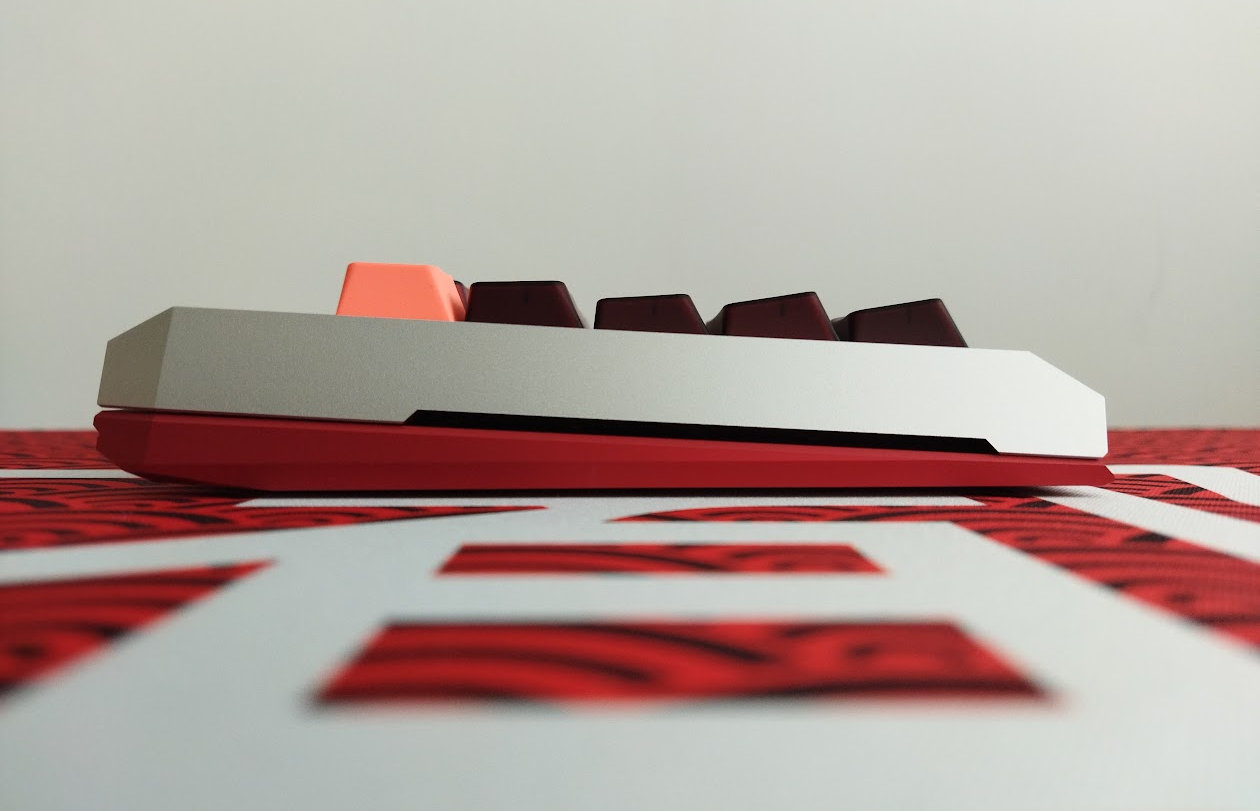
Typing angle: non-adjustable, fixed 3 degrees.
Assembly
Most review units arrive assembled, and I have to disassemble them to be able to inspect the internals. Actually, it's easier with kits: I have only to assemble them.
The L01 comes with no documentation, nothing in the bundle, nothing on the product page. While the building process is straightforward, this clearly indicates the target audience: more experienced folks.
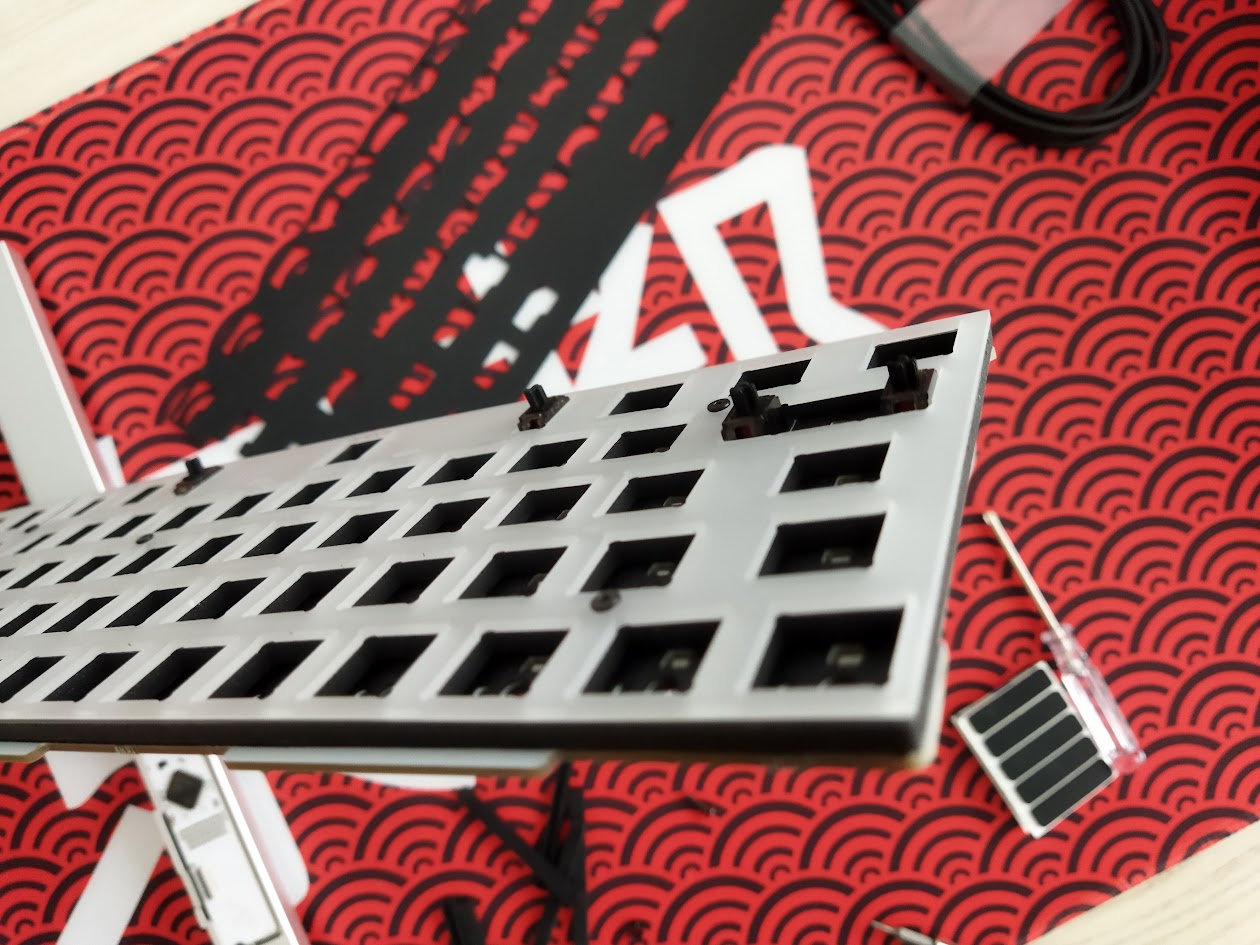
For beginners, my tip would be following this order:
- take the PCB and put the thin switch foam on top of it
- screw in the stabilizers
- put on the thick plate foam
- put on the plate and screw together the plate/foam/PCB sandwich (5x tiny screws)
- put the gaskets on the PCB
- unscrew the case, put the top case in front of you, facing downwards
- position and place the PCB/plate sandwich in the top case
- screw in the daughterboard (2x tiny screws) and connect the ribbon cable
- place the bottom foam
- screw in the bottom case (4x screws) and apply the bumpons
- install switches and keycaps
Structure & Mounting
The L01 features gasket mounting, meaning you put the gaskets onto the six protruding parts of the PCB. The plate/foam/PCB sandwich sits on the bottom case.
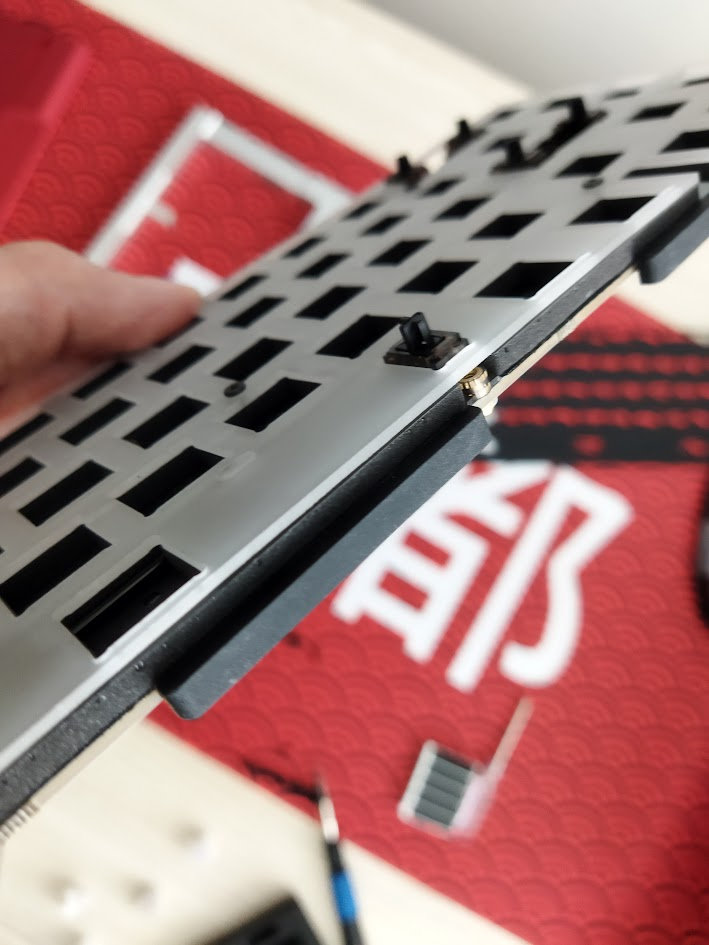
Despite the long gaskets, this structure still results in a relatively soft typing experience, without being too flexible. Or is it the switch? Or keycaps? You never know with kits.
Plate
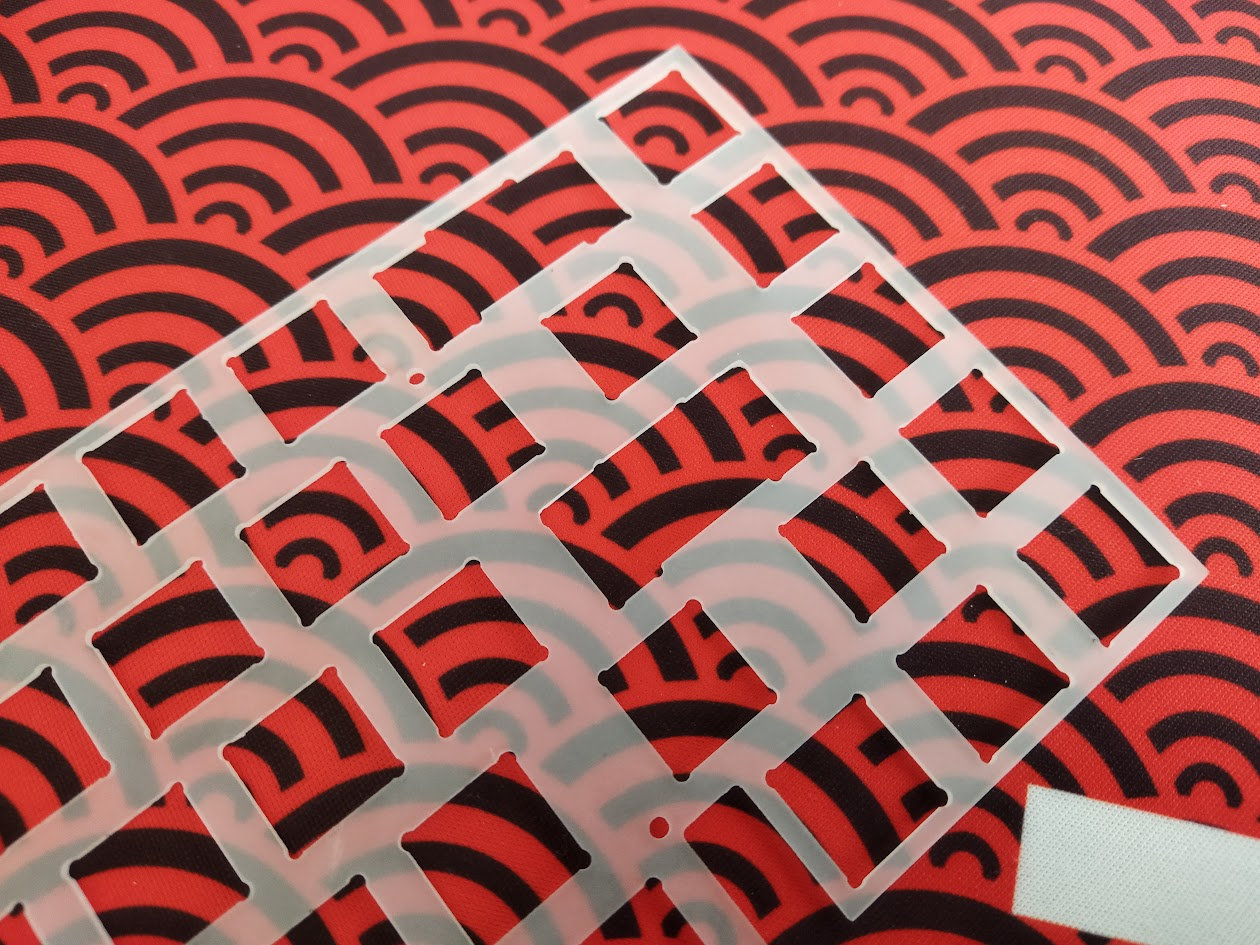
The plate is a nice frosted PC one, without any flex cuts but very flexible anyway. Careful with some very thin parts on the edges.
Stabilizers
No stabilizers in my review bundle, but the product page mentions them as included.
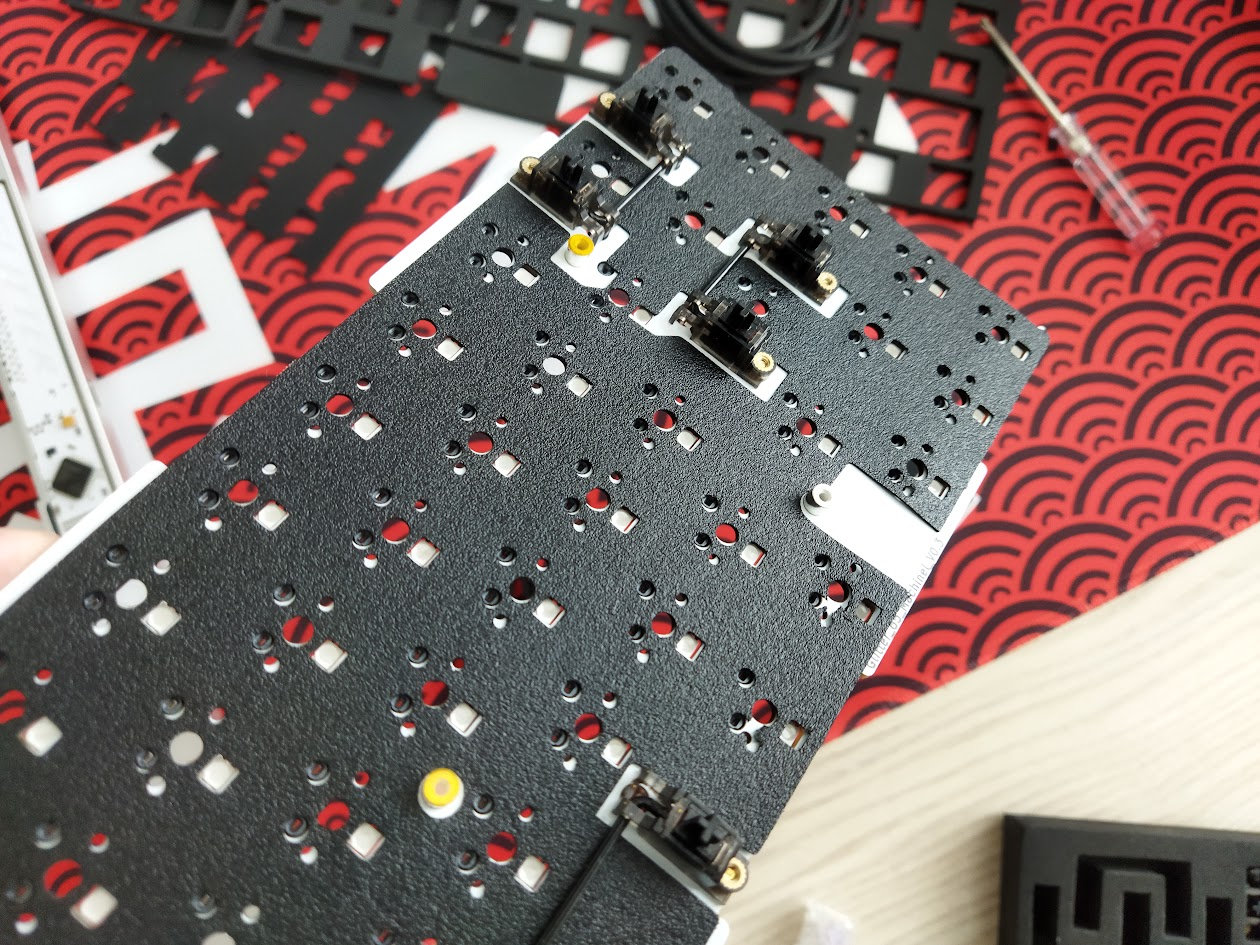
Anyway, the PCB comes with holes for PCB-mount stabs, so I grabbed some screw-in stabs.
PCB
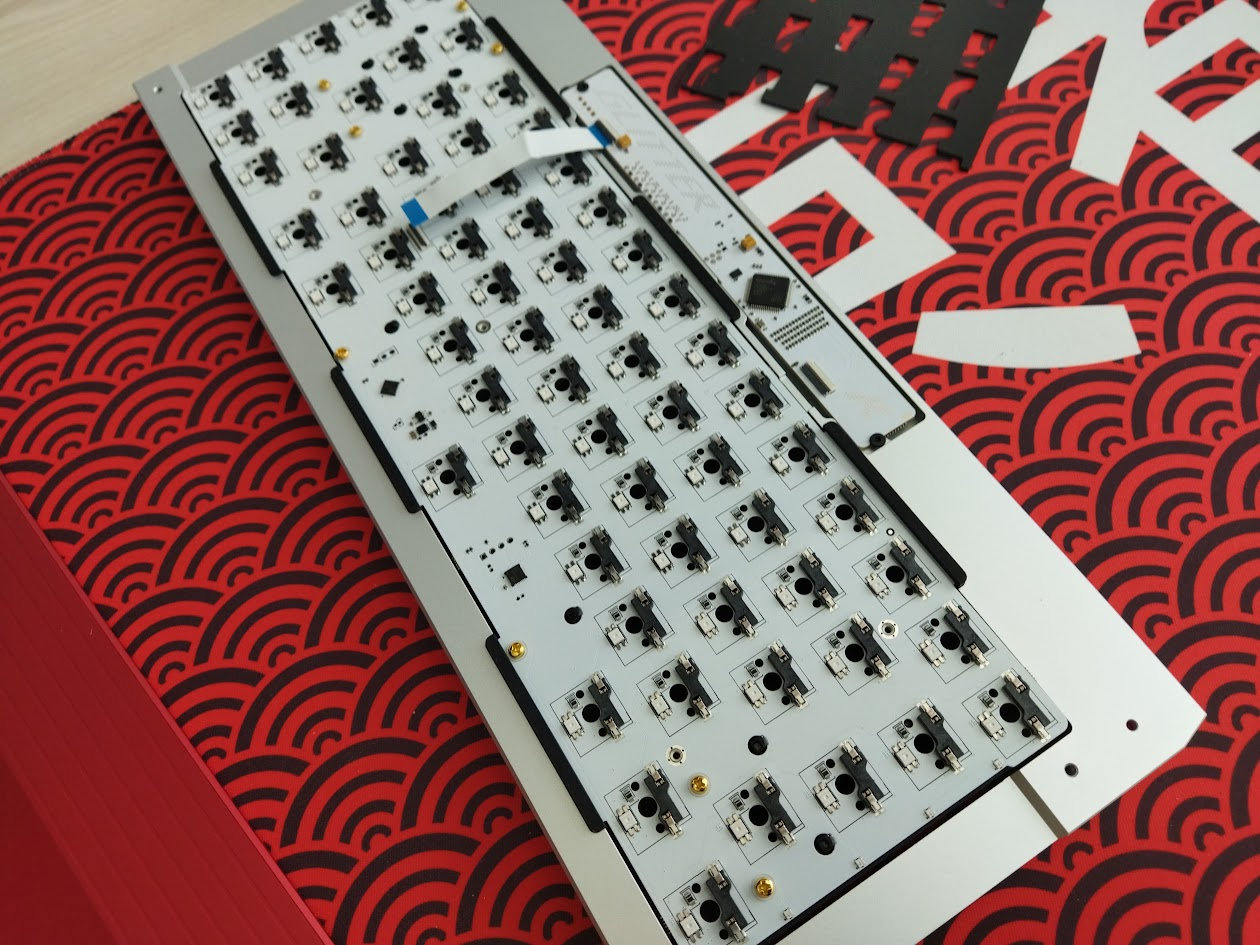
The nice shiny white PCB is part of the thick plate/foam/PCB sandwich. It features hotswap sockets and south-facing per-key LEDs. There are no flex cuts.
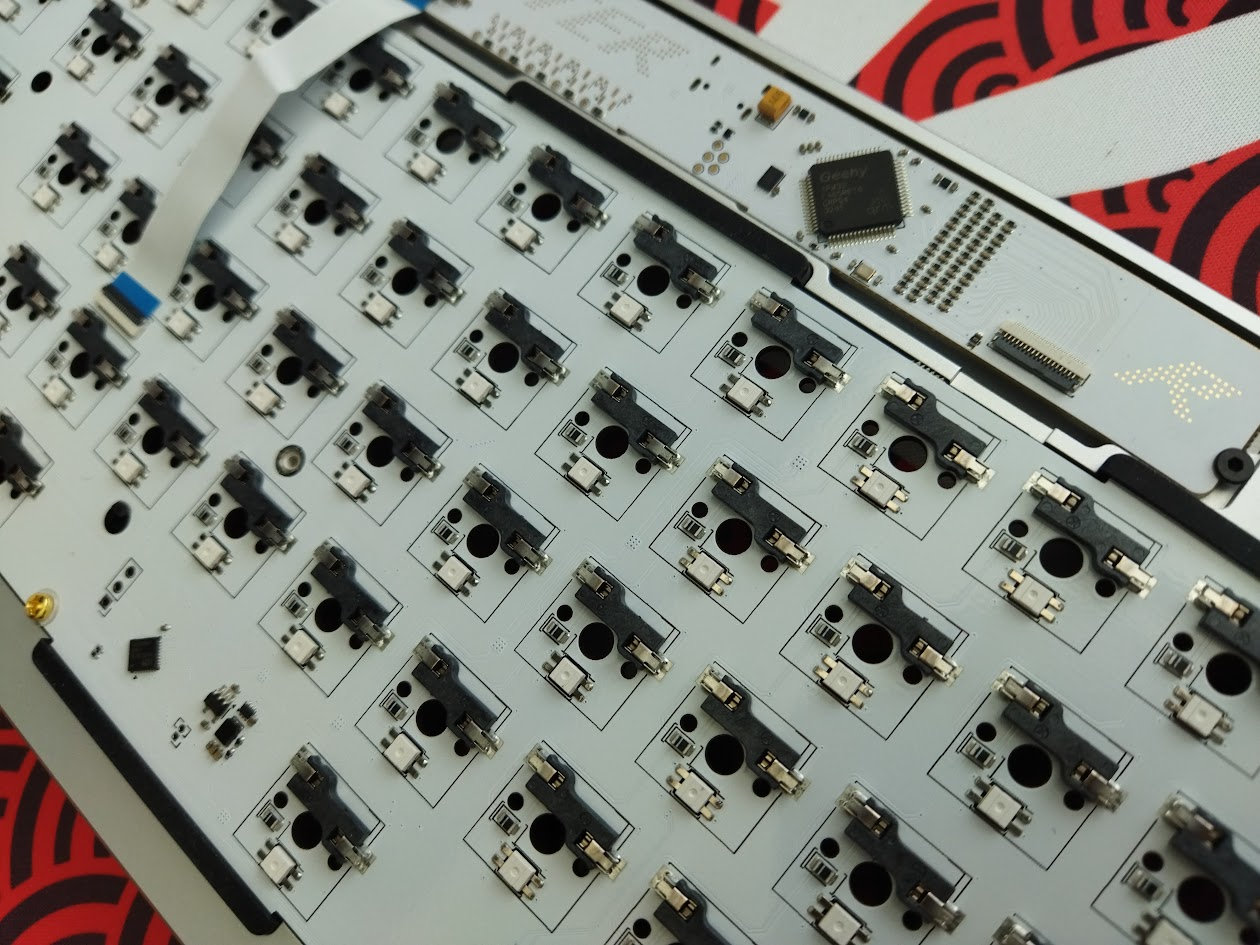
There are also some very tiny LEDs on the sides for the ambient lighting.
Finally, the PCB, as already mentioned, features the necessary holes for screw-in stabs.
Bottom weight & Feet
The overall shape of the case seems basic first, but upon closer inspection you can spot the slight tapering everywhere.
Compared to the top case, the bottom features a much more elaborate design.
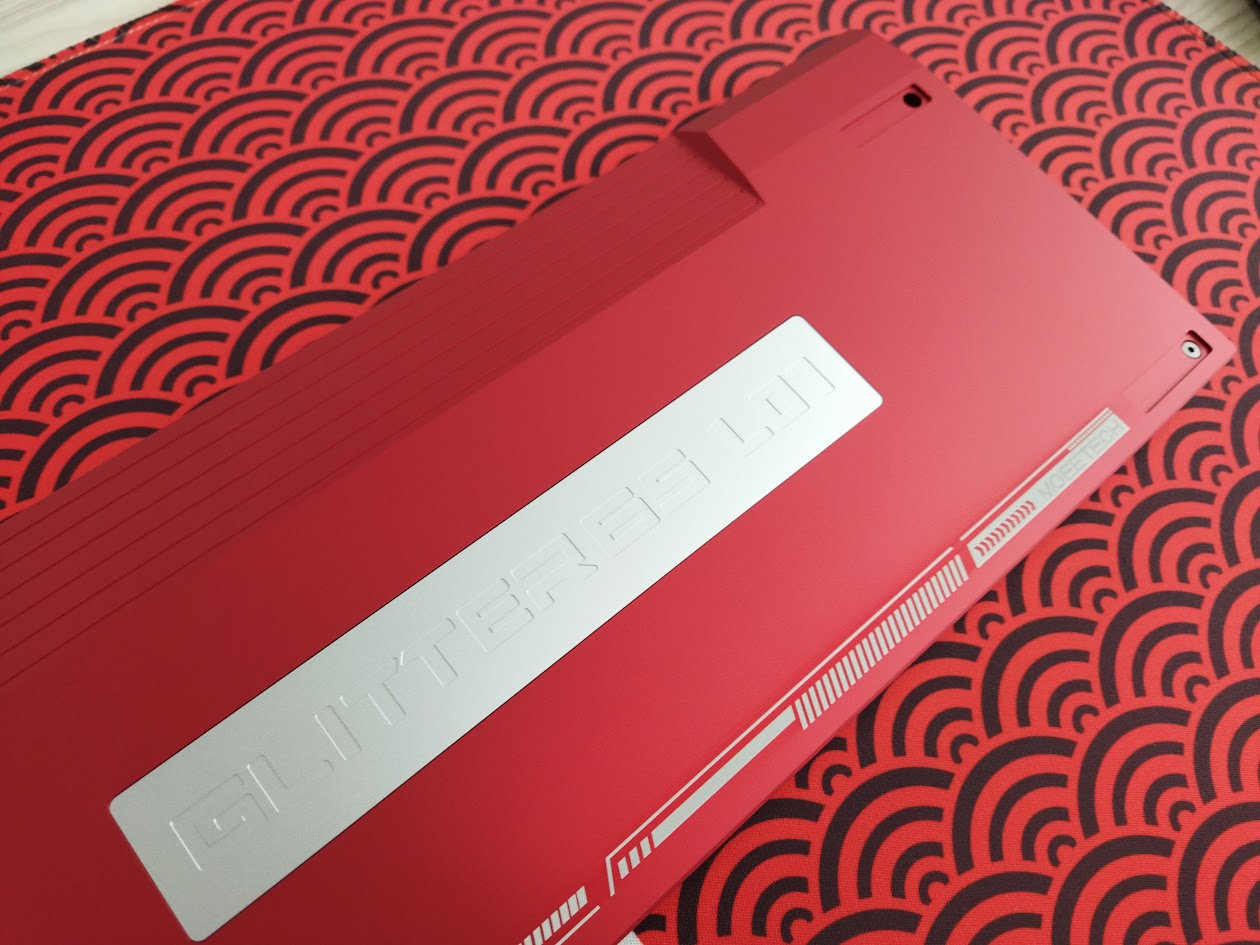
No typing angle adjustment. Four small bumpon strips in the corners – coming separately.
Sound dampening & Feel
Three layers of foam: PORON plate foam, IXPE switch layer, and PORON bottom foam. (There's an EVA foam mentioned on the product page, but it may be a new addition.)
Given the gasket mounting but non-flex-cut aluminum plate and non-flex-cut PCB, the L01 is a good starting point for pretty much anything bar something very flexible and cushioned. The case has great potential, depending on your preference you can build a loud board just like a silent one.
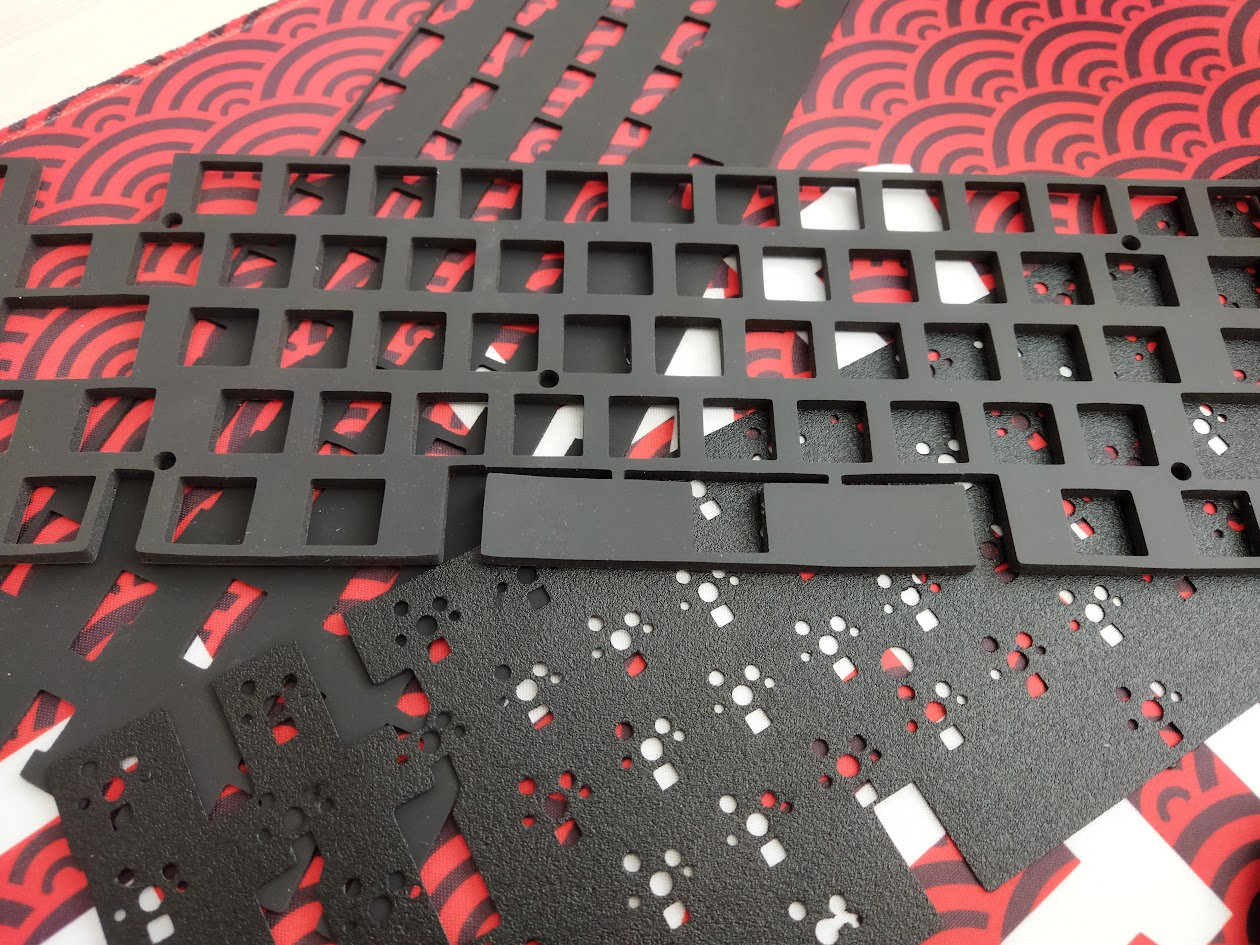
The sound of the keys is not perfectly heterogeneous – being affected by the distance from the nearest screw/pole is a common phenomenon.
That said, since the L01 is a kit, we can't really talk about its out-of-the-box typing experience, as it's defined by a lot of factors: switches, keycaps, stabilizers, etc.
My quick and dirty build feels great though. :) It's hard to beat the Glitter65 HE with MoeeTech's custom magnetic switches, but this one is lovely too.
RGB lights
The board comes with per-key RGB (south-facing LEDs), and ambient lighting on the sides. This latter is a bit surprising as there's no diffuser piece but a gap between the top and bottom cases.
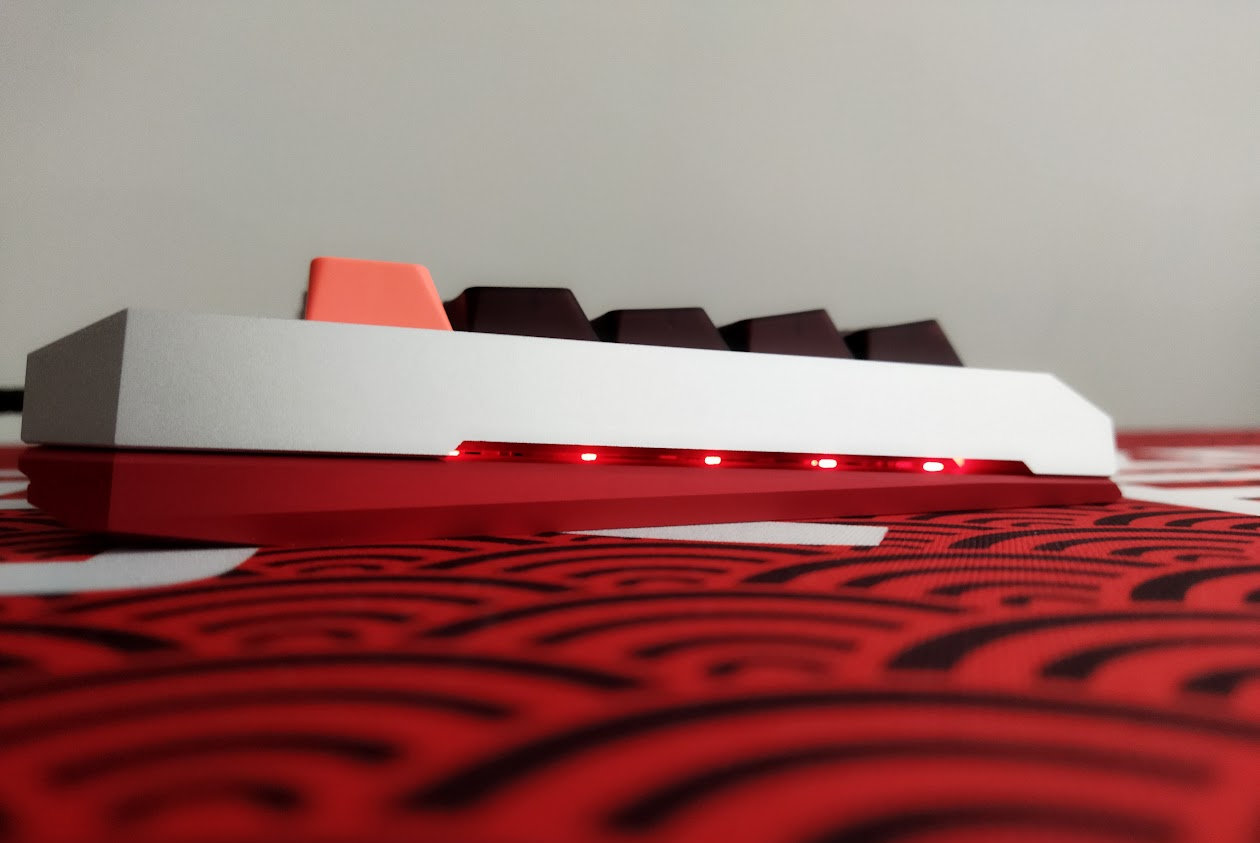
If you're really into lighting effects, go with translucent keycaps and switches.
My PT Blacks come without a light diffuser, and the housing is fully black, so it's not ideal to showcase lighting to put it mildly. There are many popular switches optimized for RGB if this is important for you.
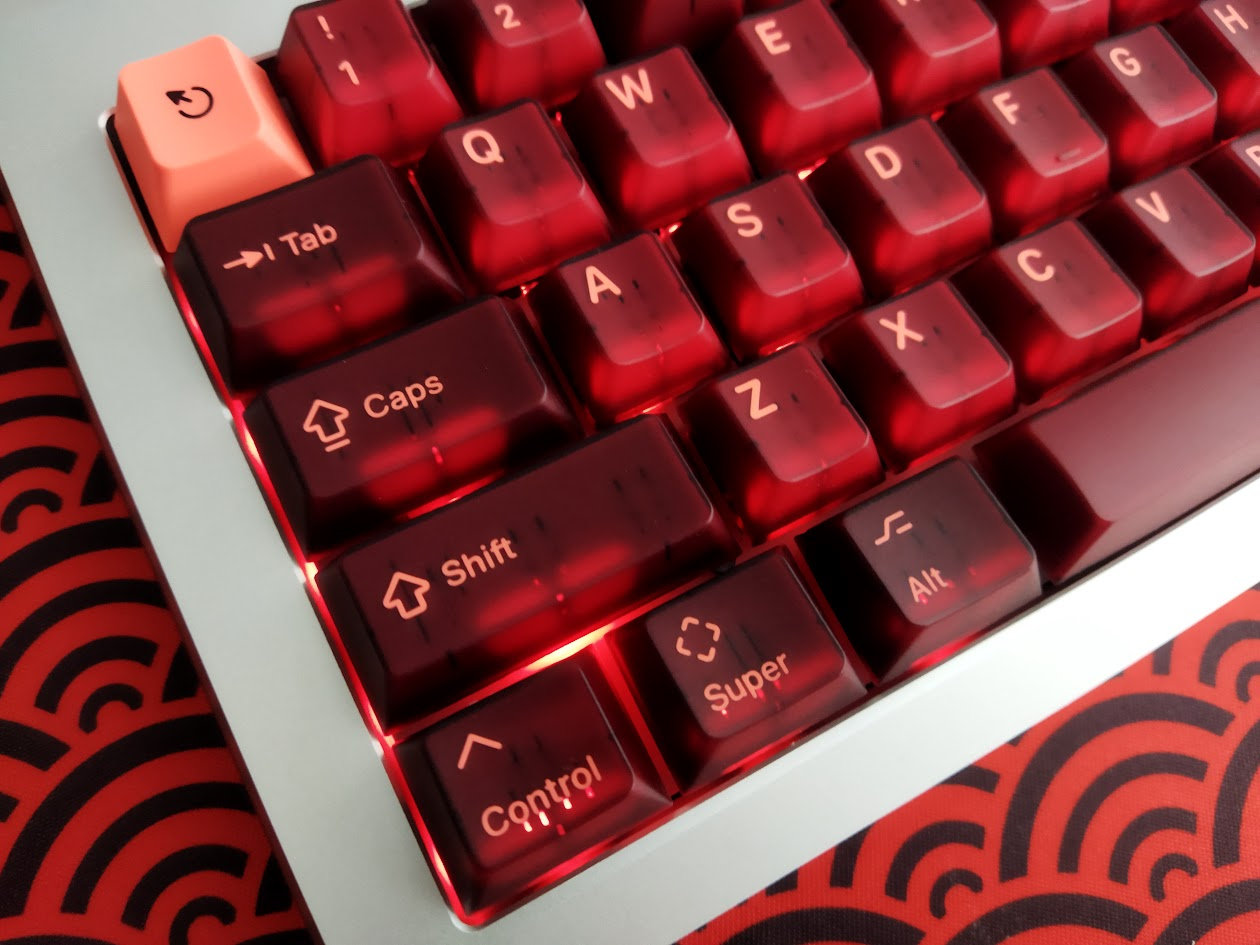
At the time of testing, the final software was not yet published, and the available version had no RGB support. You'll probably be able to fine-tune colors, brightness, speed, and modes as usual, but not at the moment – the software is expected on July 15.
Connectivity
The L01 is a wired keyboard, so no wireless Bluetooth or 2.4GHz connection options.
The USB-C socket is located in the center part of the case.
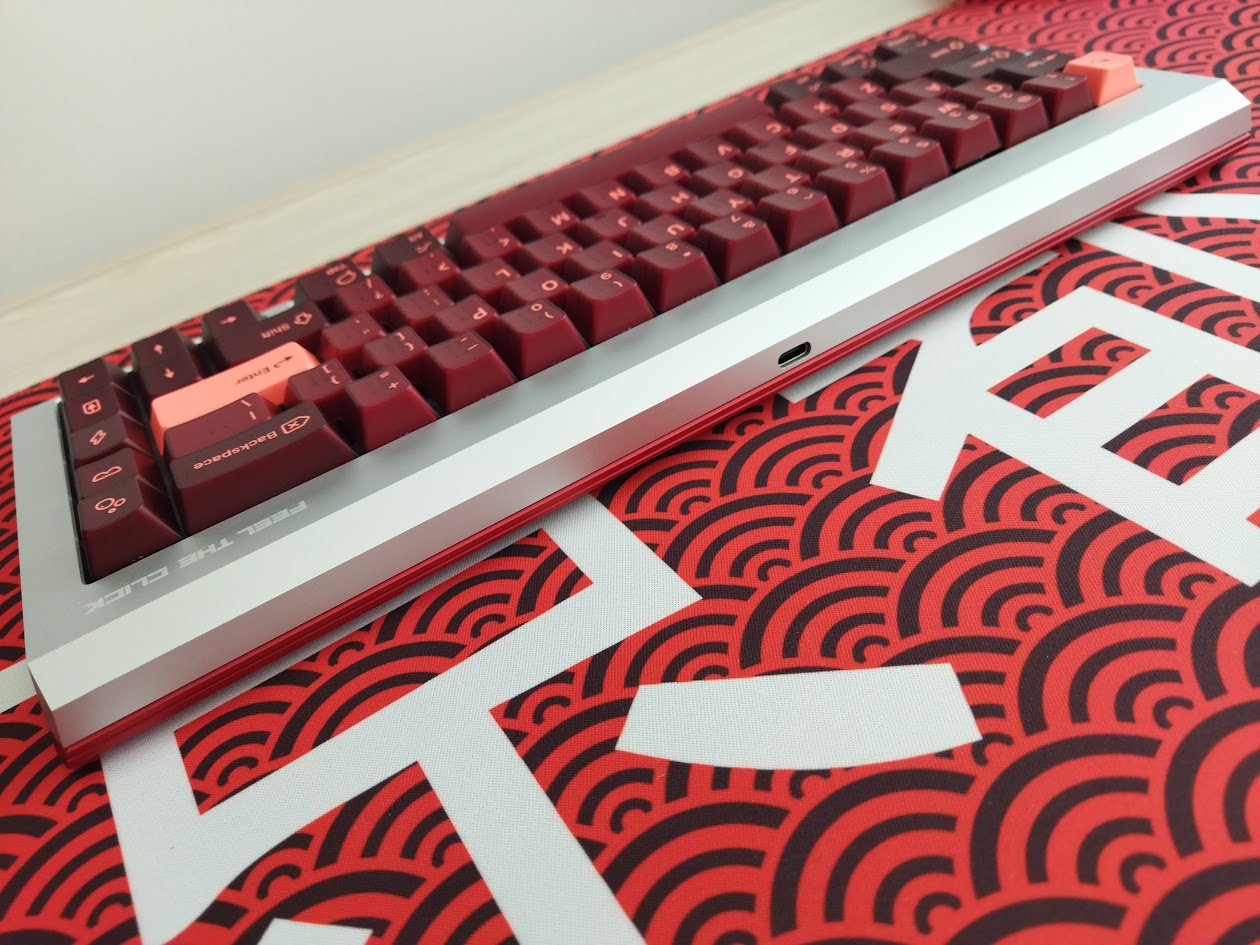
The accompanying cable is a basic USB-C one. However, the board looks so dope that I'd replace it with a fancier cable – with a nice coil and a vanity connector.
Software
While the first Glitters were Vial-compatible, the L01, just like the magnetic Glitter65 HE earlier, supports only More-E, a custom online configurator by MoeeTech. This was reasonable for a Hall-effect keyboard offering extended customization options, but less so for a mechanical keyboard.
Seasoned keyboard enthusiasts know the risks associated with proprietary software: if the company disappears in a few years or the site goes offline, your keyboard becomes effectively non-programmable.
The currently available web-based More-E is still being updated for the L01. You can already swap keys, but there are no lighting options.
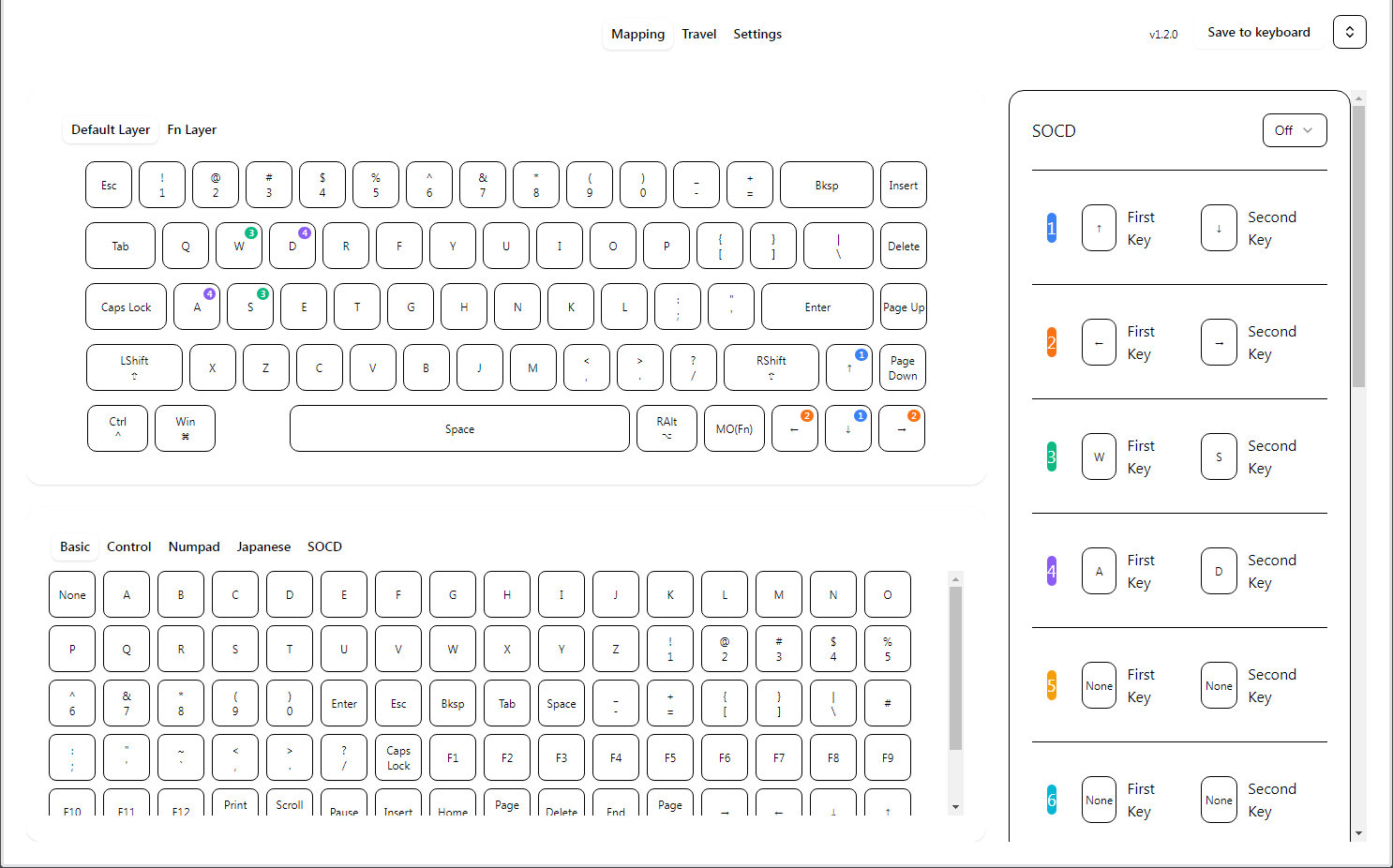
That said, the interface of the software is clear and simple, and its usage is quite self-explanatory.
There's only a single FN layer in addition to the base one, and the software lacks most basic layer functions. To implement SpaceFN – an easy-to-access layer crucial for many users as you can put arrows, navigation and numbers under your fingertips –, you have to use third-party tools.
Compatibility
I had no problem on Windows, not sure about anything else. No physical mode switch.
Portability
The L01 is a great keyboard for stationary use, but if portability is your main concern, I would definitely choose something lighter.
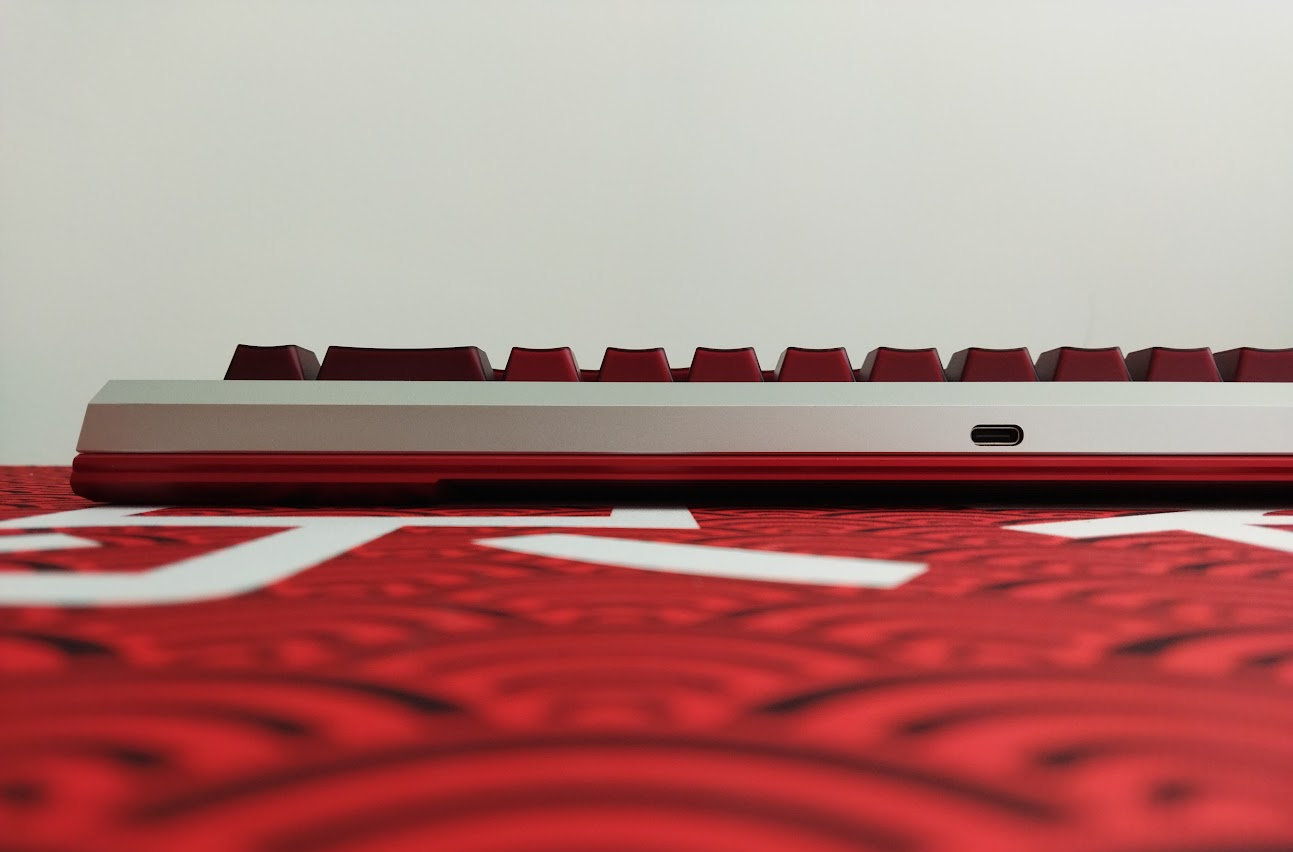
Sure, with its relatively compact 65% footprint it will most likely fit in any backpack, but I wouldn't call a 1.4kg board ideal for travel.
Comparison
I've reviewed many mechanical keyboards in the 65% form factor.
As a start, check out the original Glitter65 variants of course – for a more rounded shape, split spacebar, the characteristic light guides of earlier models, or for a magnetic alternative (Glitter65 HE).
The mechanical alu 60/65% Chosfox Fox65 is worth checking out as well: with slider and split spacebar. The IQUNIX Magi65 is a cool low-profile alternative with a horizontal roller encoder. KiiBOOM Loop65: aluminum, with encoder. The Akko YU01 for full RGB experience – in a resin case. Or the Akko MU01 in a nice wooden housing.
Maybe the Elytra if you're open to split boards. Or the Lego KBDcraft Israfel if split ortho is an option.
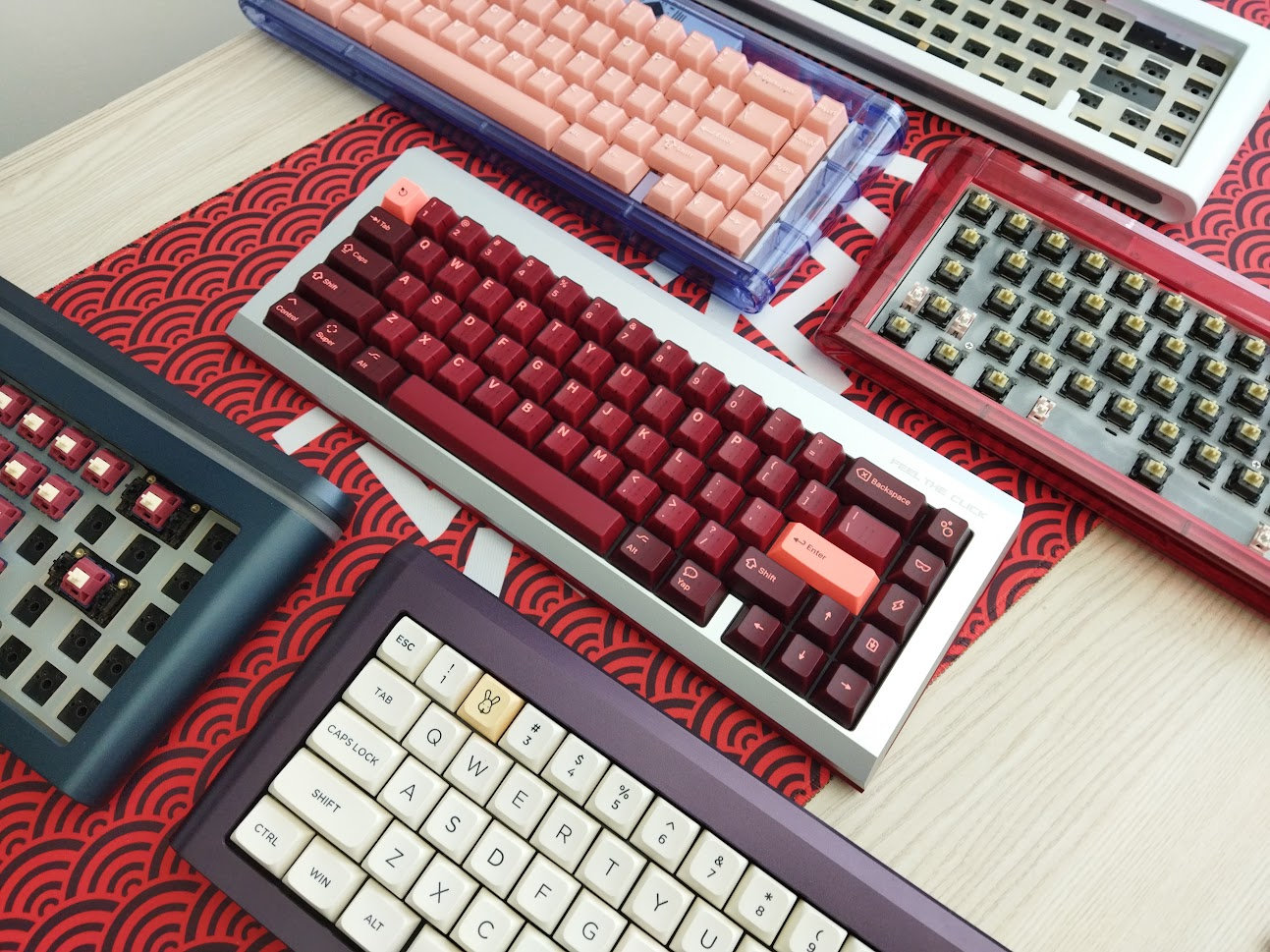
If you need something magnetic for gaming, the Luminkey Magger 65 HE, the Dareu Cool68, the Syntech Chronos 68, or the entry-level Kemove TMKB T68-C have been covered. The Magger and Chronos are aluminum.
That said, the L01 clearly stands out with its clean and simple shape and nice color options.
Conclusion
The 65% MoeeTech Glitter65 L01 is a nice aluminum keyboard kit. A hot-swappable, wired mechanical keyboard in a gorgeous two-color aluminum case, compatible with MX switches. Per-key RGB and ambient lighting on the sides. The web-based software is proprietary, and still being updated for the L01. All in all, the kit is more for enthusiasts rather than beginners – or keymap wizards.
Pros
- gorgeous two-color aluminum case
- nice color variants
- customizable (MX, hotswap)
Cons
- limited proprietary software
- only kit option: less beginner-friendly
- lack of documentation

Price & Availability
The MoeeTech Glitter65 L01 is available at moee.tech, at the moment for $150. Don't forget to use the KBDNEWS coupon code to claim free shipping.
- MoeeTech Glitter65 L01 product page at moee.tech
- QwertyKey Kyoto deskmat
- KAP Generation keycap set from Monacokeys
- PT Black switches from TTC.
- Wuque stabs from Coffeekeys
Published on Fri 10th Jul 2026. Featured in KBD #214.
Related
ErgoArrows review
A video review (English subtitle) of the ErgoArrows - a split with dedicated arrow clusters posted by daihuku-key. (Details/shop and blog in Japanese.)
Epomaker RT82 review
Displays on keyboards? The retro-looking Epomaker RT82 is raising the stakes with a detachable TV.
Handheld Sci. BT-500 review
A review of the Handheld Sci. BT-500 by desantisbr. This tool with a sick terminal interface makes any keyboard wireless and programmable.
Evoworks Evo75 review
The Evoworks Evo75 is an elegant 75% tri-mode wireless keyboard with ball-catch and leaf-spring structure, coming in a multitude of beautiful variants. Meticulously designed and tuned for an exceptional out-of-the-box typing experience.