Keyboard Builders' Digest / Review
Epomaker RT82 review
Displays on keyboards? The retro-looking Epomaker RT82 is raising the stakes with a detachable TV.

Published January 6, 2026

Let's continue this accidental 75% keyboard series with yet another board in this form factor: the Epomaker RT82. The plastic RT82 is an affordable design with classic retro 9009 colors and the hallmark mini TV screen, detachable via pogo connector.
TL;DR: The tri-mode wireless Epomaker RT82 is a fully built keyboard coming in a plastic housing. Another very affordable mechanical keyboard ($80 with the KBDNEWS coupon code) with some nice features: gasket mounting, VIA support, hotswap switches, per-key RGB. The hotswap PCB, MX-compatible switches, and VIA-support make this board highly customizable. The magnetically detachable pogo mini TV makes the design pretty distinctive. All in all, the RT82 is a nice offering.
Should I buy the Epomaker RT82 – you may ask. Well, I'm going to cram into this review as many facts as possible – so you can figure out if this keyboard is right for you. As you'll see, I've eviscerated the RT82 to it's very core, as usual. Before placing an order, it always helps to know exactly what you want. Make sure you're aware of your preferences and the features you need, and check out the full review below for all the details and photos – plus the full photodump on imgur for an even closer look.

Disclaimer
Epomaker was kind enough to send me this review unit for free, which may introduce all kinds of biases – both negative and positive in my experience. Take everything I write with a grain of salt.
Variants
The Epomaker RT82 comes in a single colorway, but with two switch options: Sea Salt Silent and Creamy Jade. Both of these have actuations around 45gF, but their stem and materials are different.
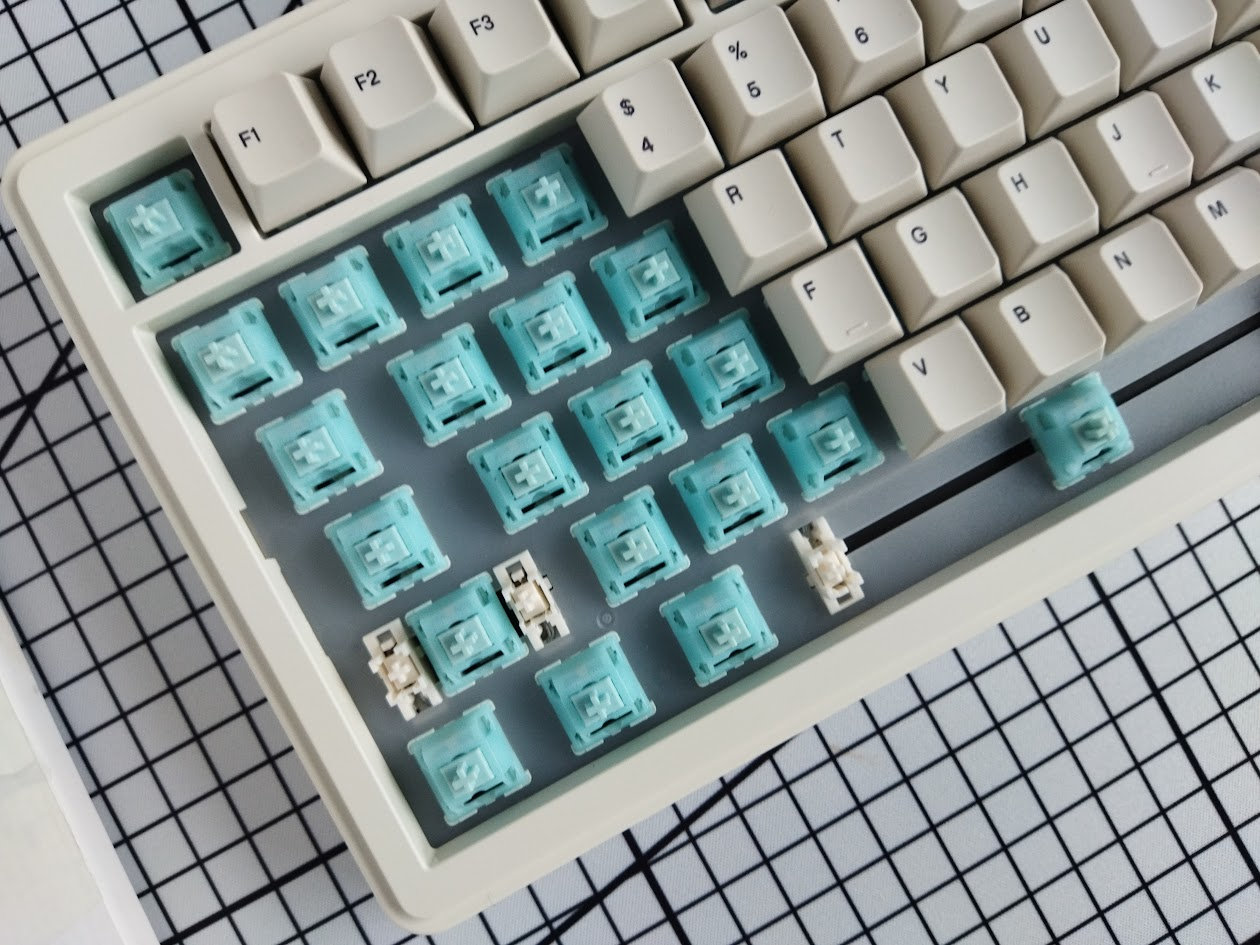
As always, it was a bit hard for me to select a single config, especially without trying both switch types, but eventually I went with the Creamy Jades – this is the variant you'll see in the photos below.
Unboxing & Contents
The cardboard box of the RT82 is very informative, but not too fancy – which is all good. I could live with the simplest humble recycled cardboard feel and color, but this one is much nicer, actually.
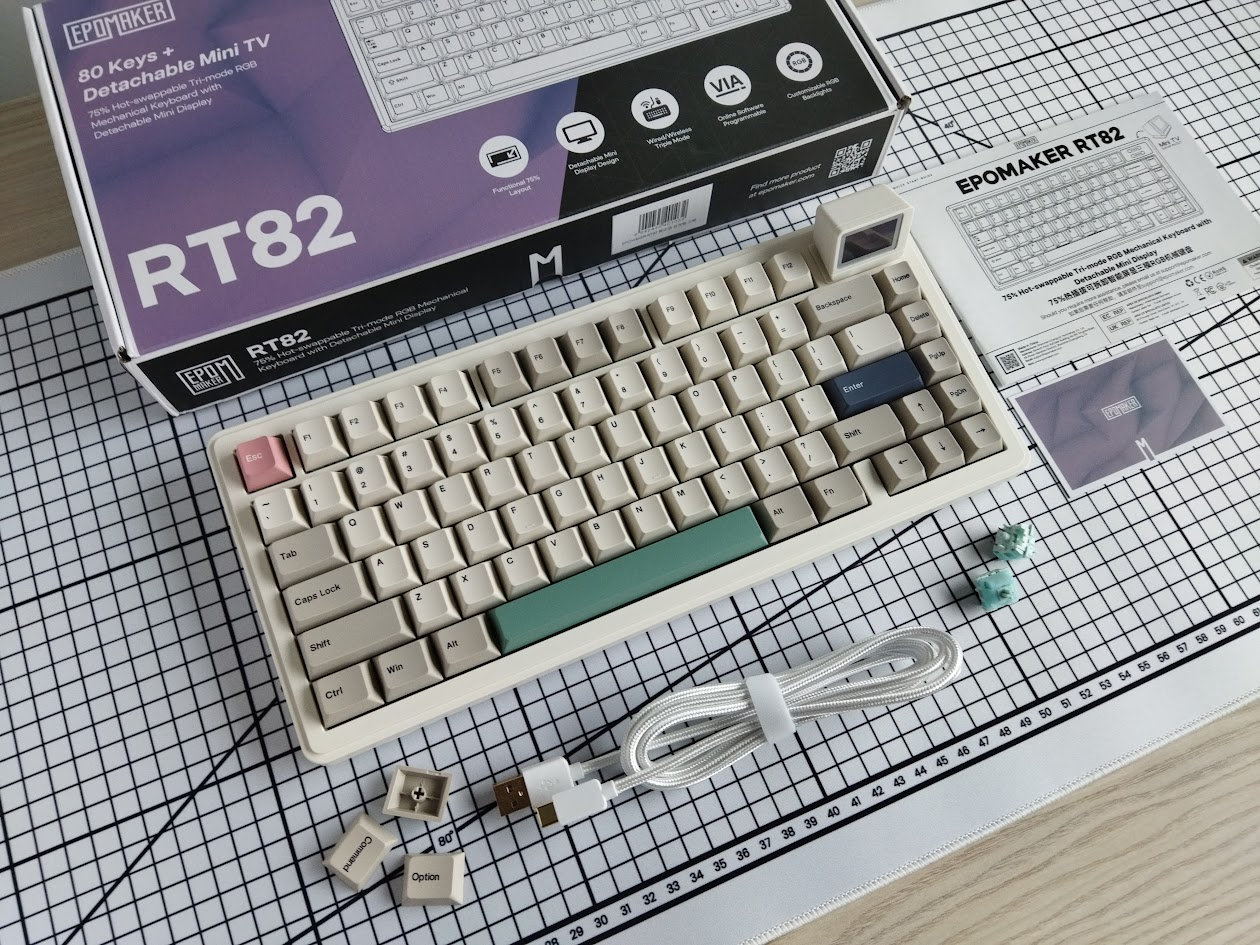
Contents:
- The RT82, pre-built with switches and keycaps mounted.
- detached mini TV
- quick-start guide plus card with QR codes to more resources
- 2.4GHz receiver (compartment in the case)
- braided USB cable
- basic combined tool to remove keycaps and switches
- 3x extra keycaps (Mac)
- 2x spare switches
First impressions, design language
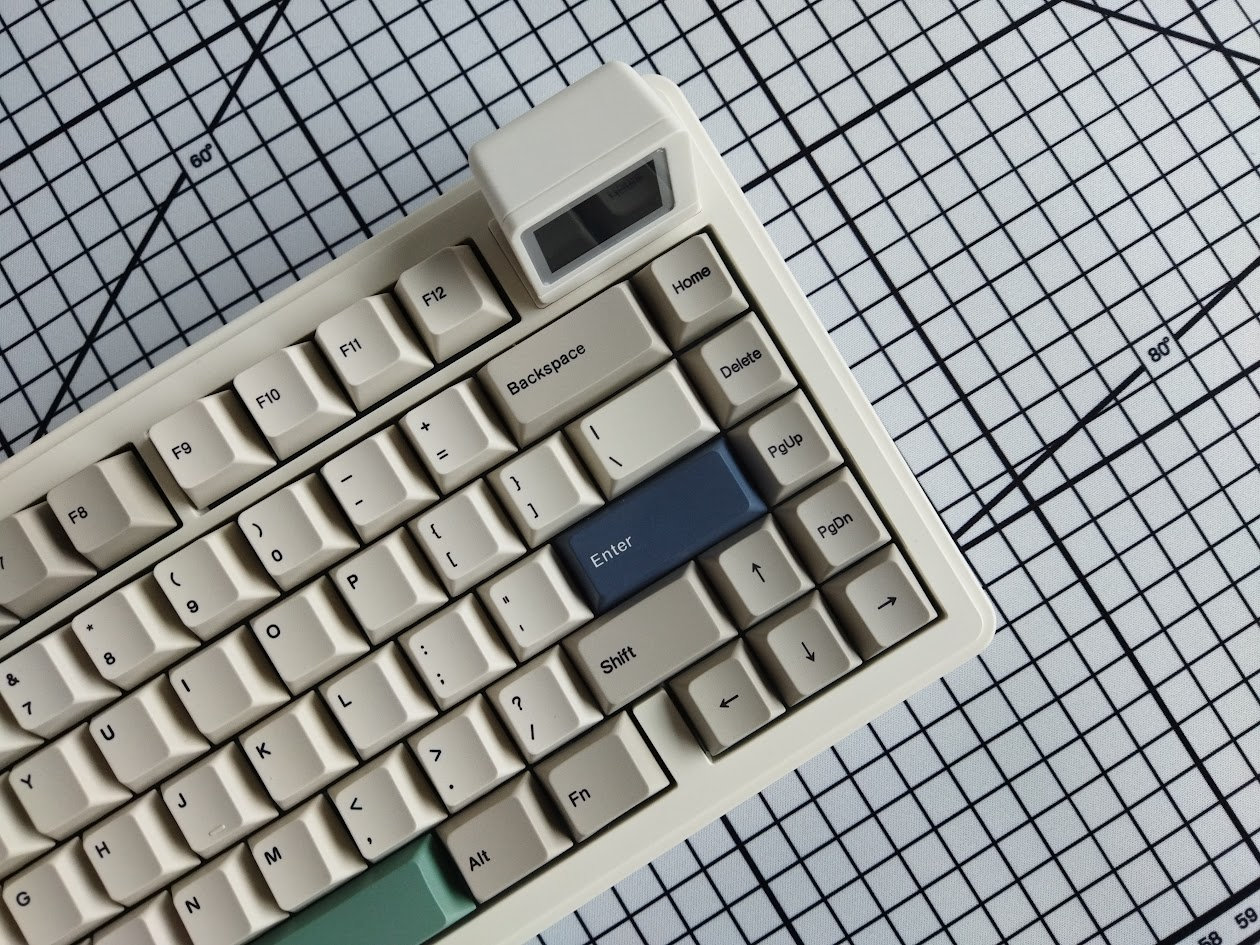
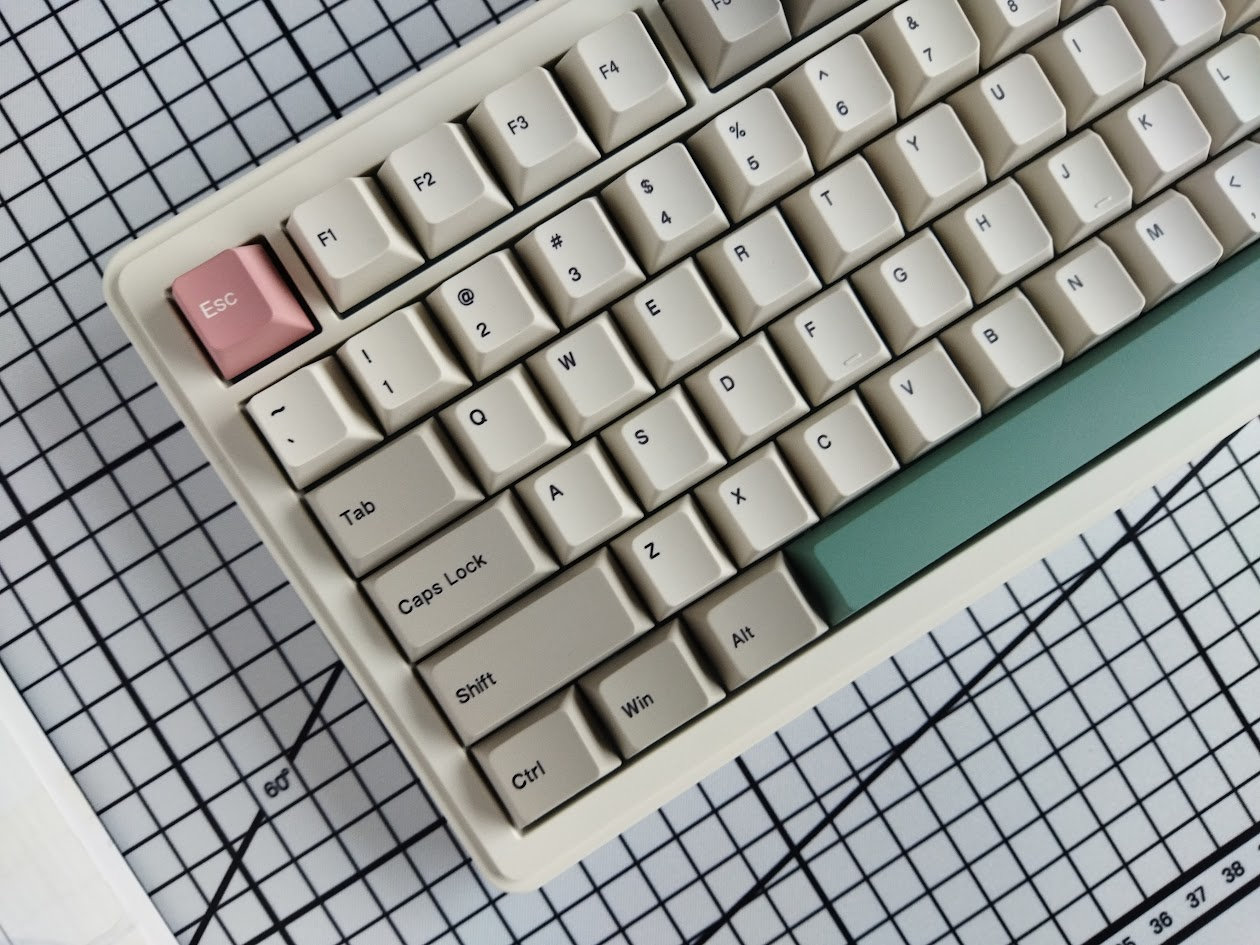
The RT82 comes in this classy vintage 9009-ish colorway: two-tone beige caps with the classic 9009 accents, bar Enter (dark green/grey for some reason, a bit out of character). I like this design a lot, as you can guess based on my Reuters collection and other similar Cherry G80-9009 derivatives.
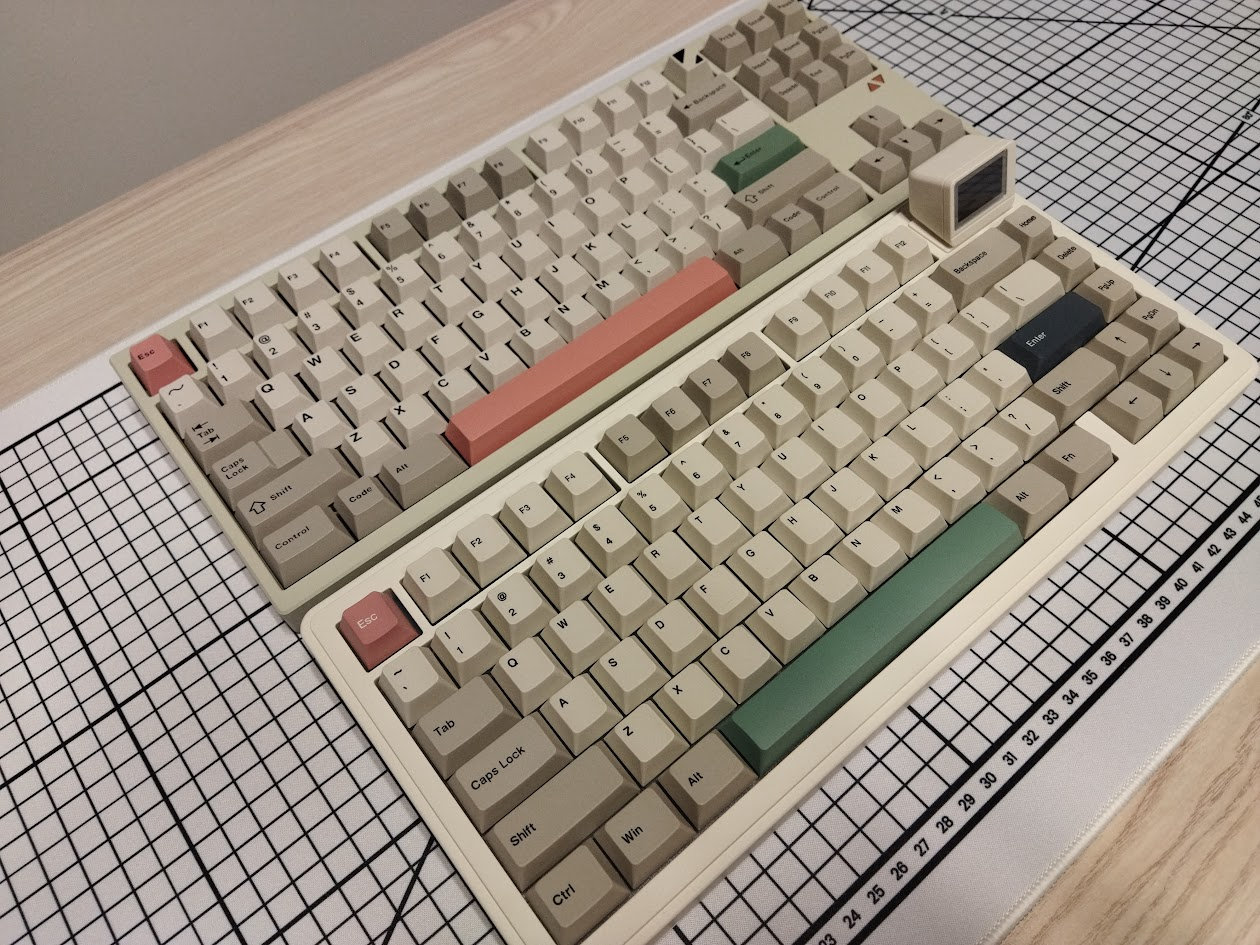
Epomaker calls the case color "retro white". The deskmat above is white, so I'd prefer retro beige for this, even if, as you can see, it's indeed lighter than the Luminkey80 or all the vintage cases in the photo below.

The mini TV is the most obvious design element, it occupies the space for two keys, or an encoder – both arrangements supported by the PCB but not by the case.
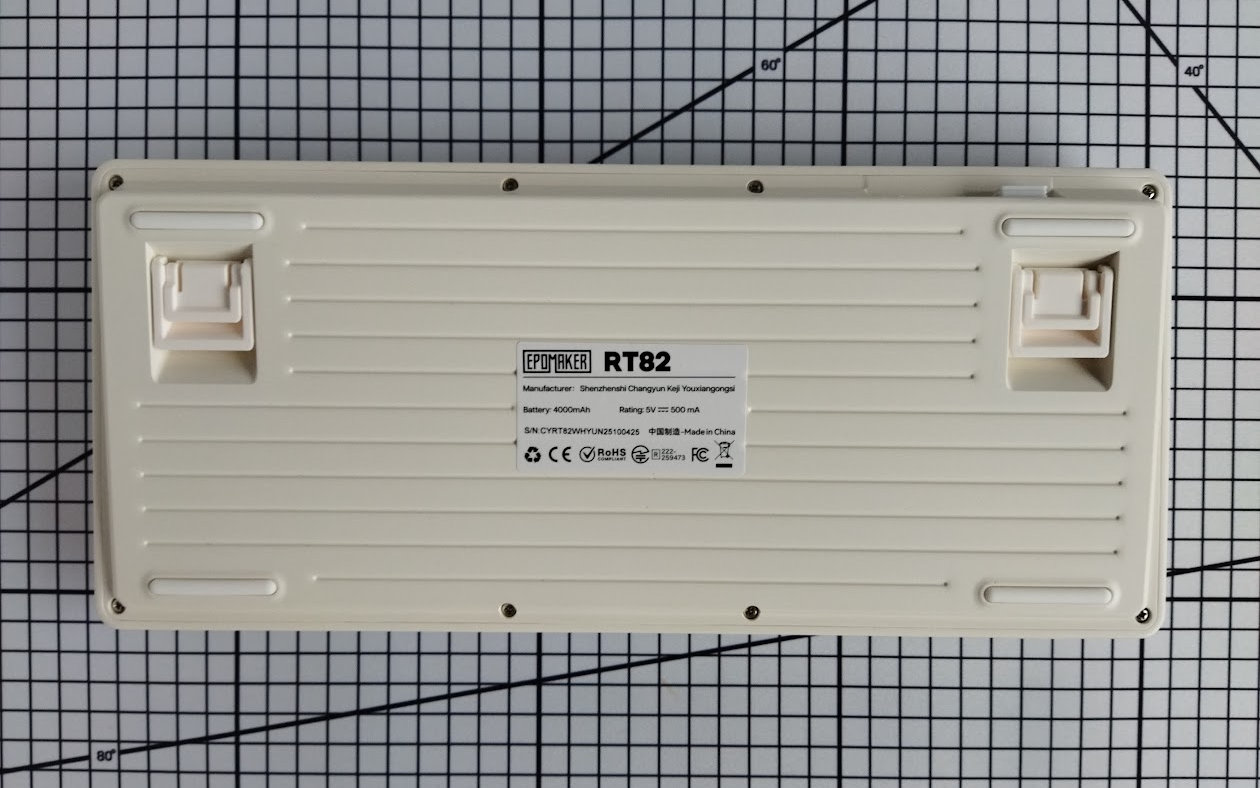
There's no visible branding except for the dongle if it's in its compartment, and a sticker on the bottom.
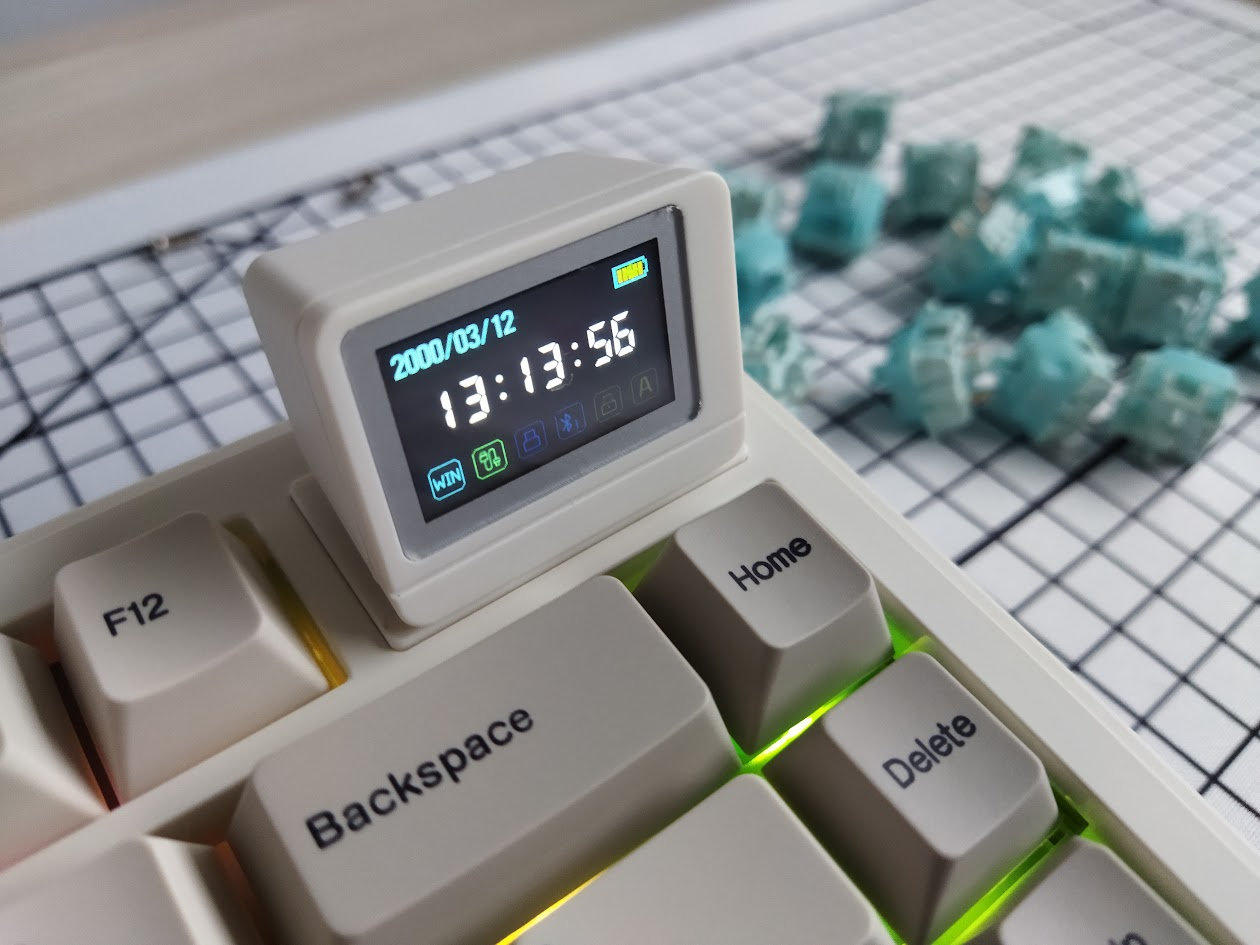
It's hard to make an impact in such a crowded market like the 75% segment, and the RT82 apparently tries to achieve this via the unique screen. I have to say that this works pretty well in my opinion, making these boards unique and easy to recognize from miles away at a keyboard meetup.
Specs
- Layout: 75% ANSI, 80 keys
- Keycaps: dye-sub PBT Cherry profile
- Switches: Epomaker Creamy Jade or Sea Salt (silent) linears
- Case: ABS plastic, retro beige
- Typing angle: 5 degrees (plus 7.5 and 11 via two-stage feet)
- Structure: gasket mounting
- Stabilizers: plate mount (screw-in stab support, kind of)
- Plate: frosted PC, no flex cuts
- PCB: hotswap, south-facing per-key RGB, no flex cuts
- Screen: 1.14" LCD
- Connectivity: wired, 2.4G wireless, Bluetooth
- Software: VIA support
- Battery: 4000mAh
- Dimensions: 326x143x40mm (40mm is the official height, it's about the dish of the F-row. The front height is 22 mm, the home row is about 3.5 cm, and the max height including the screen housing is 6 cm.)
- Weight: about 1kg
Layout
The 75% layout is relatively standard and prevalent. This particular keyboard is ANSI, and doesn't offer a stepped CapsLock option or split spacebars. That said, the PCB has the footprint for two more keys, one combined with an encoder footprint beneath the screen – these arrangements are not supported by the case, though.
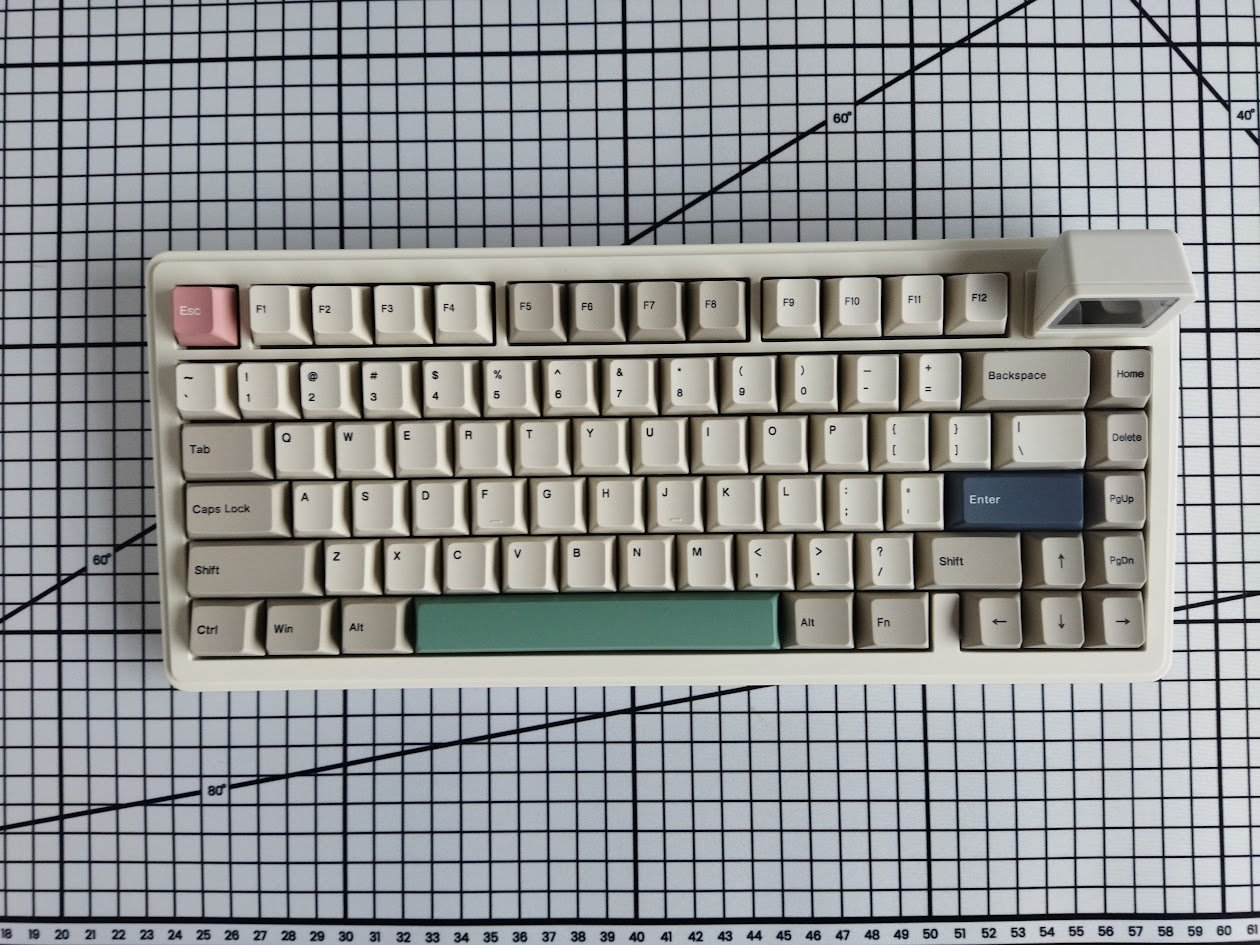
Otherwise, as you may know, the 75% layout means no numpad and no classic navigation cluster either. However, you have arrows, function keys, full number row, and most of the classic navigation keys.
Featuring 80 keys, the RT82 is optimizing space while ensuring that all essential functions are easily accessible for new users transitioning from e.g. a fullsize keyboard.
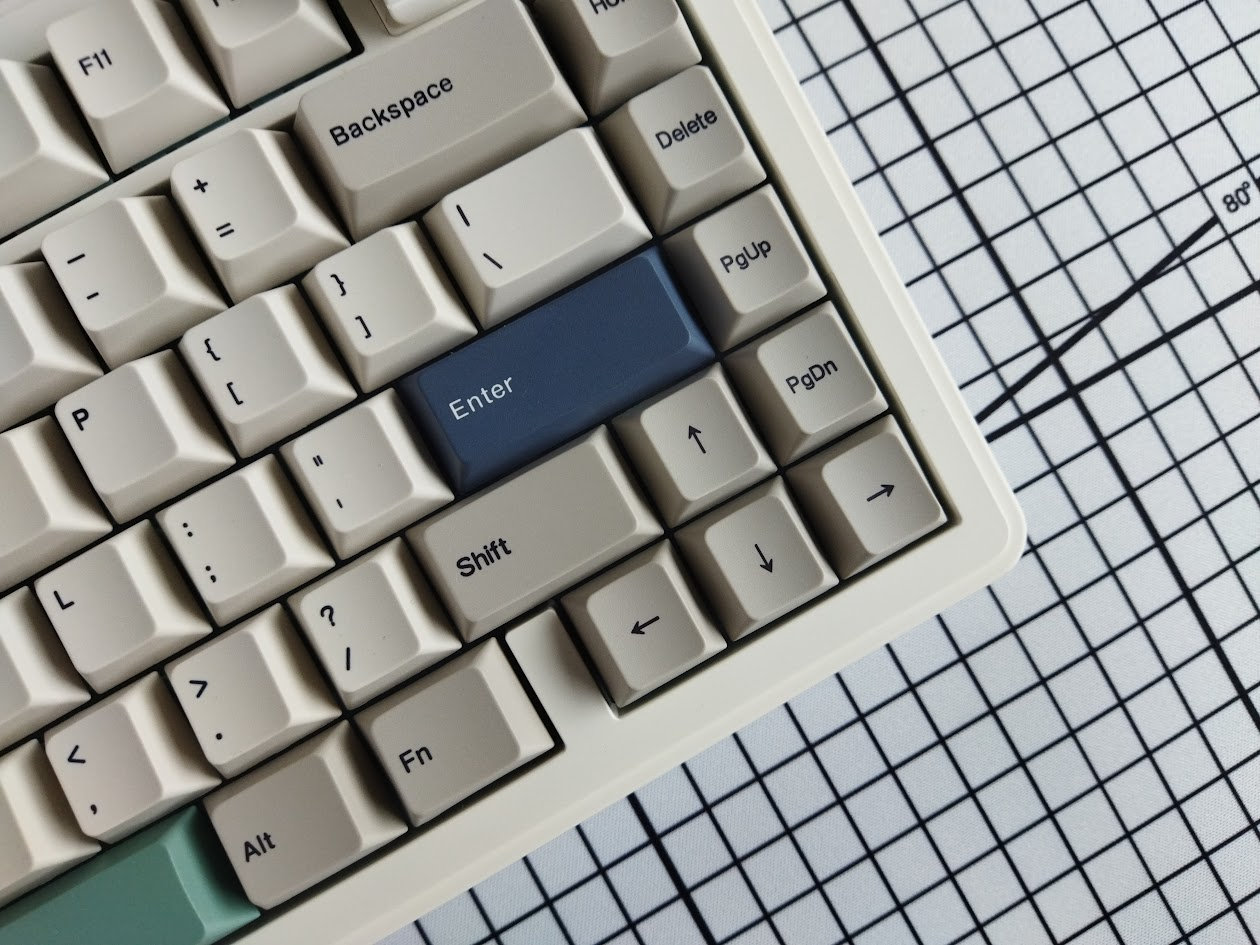
The arrow cluster is not offset, but it's still easy to locate when touch typing: there's the little gap on the left – you won't get lost when changing between the home row and arrows.
The extra column on the right consists of four keys.
Keycaps
The keyboard comes with a dye-sublimated Cherry profile PBT keycap set. The colorway is this calm retro-beige (officially called retro white) thing with the usual muted red and green, characteristic for vintage keyboards like the Cherry G60-9009 and its derivatives, including many Reuters trading keyboards. Classic.
For some reason, the Enter is a much darker green than usual with this colorway. On the other hand, while all the keys are dye-sublimated with beige or white (Esc and Enter) base colors, the spacebar is made of green material.
(The bundle includes extra modifiers for Mac.)
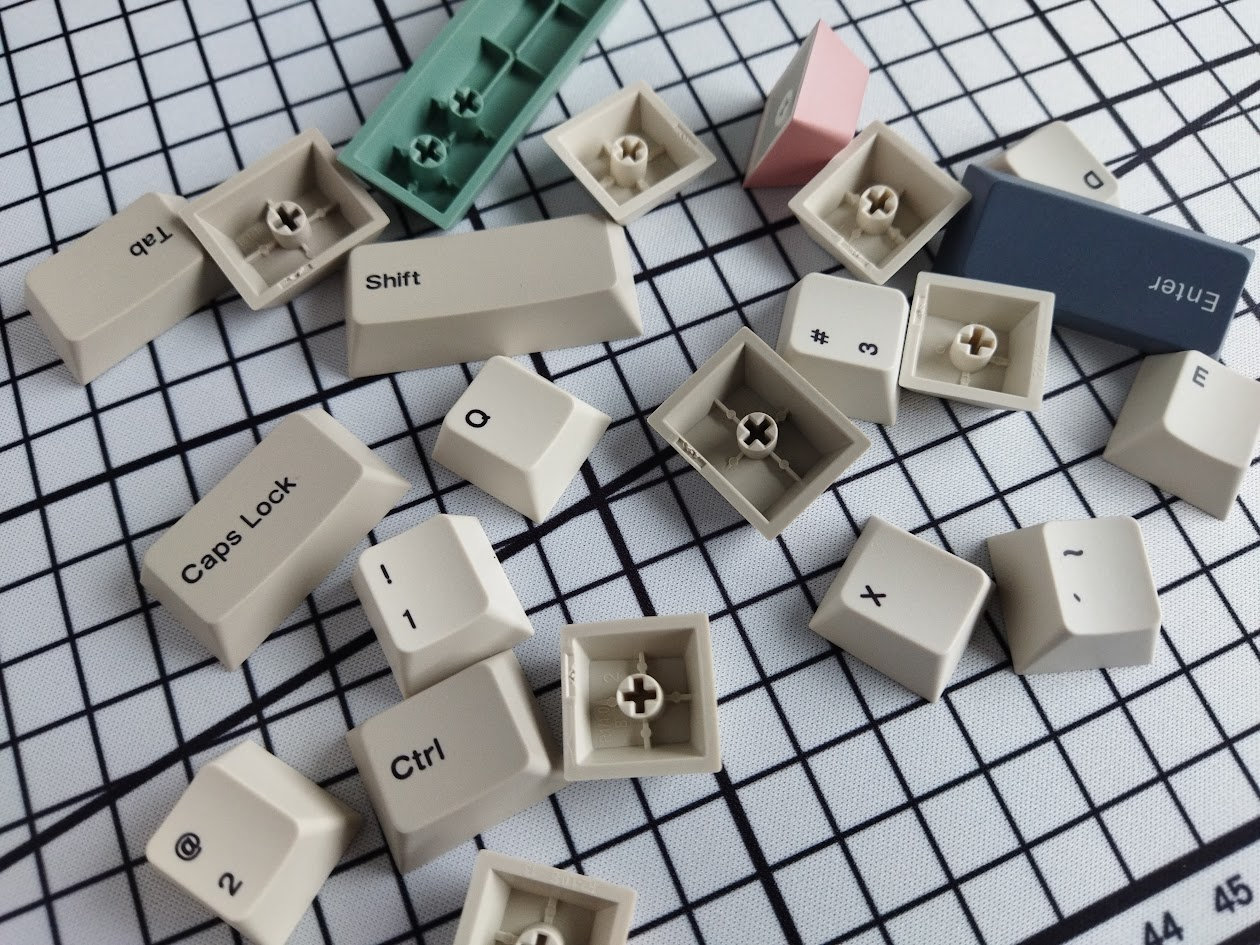
Legend consistency is okayish but not perfect. But hey, the whole keyboard is cheaper than a single GMK keycap set. Speaking of legends, the alphas are tiny. Like half of the legend size I'd call normal.
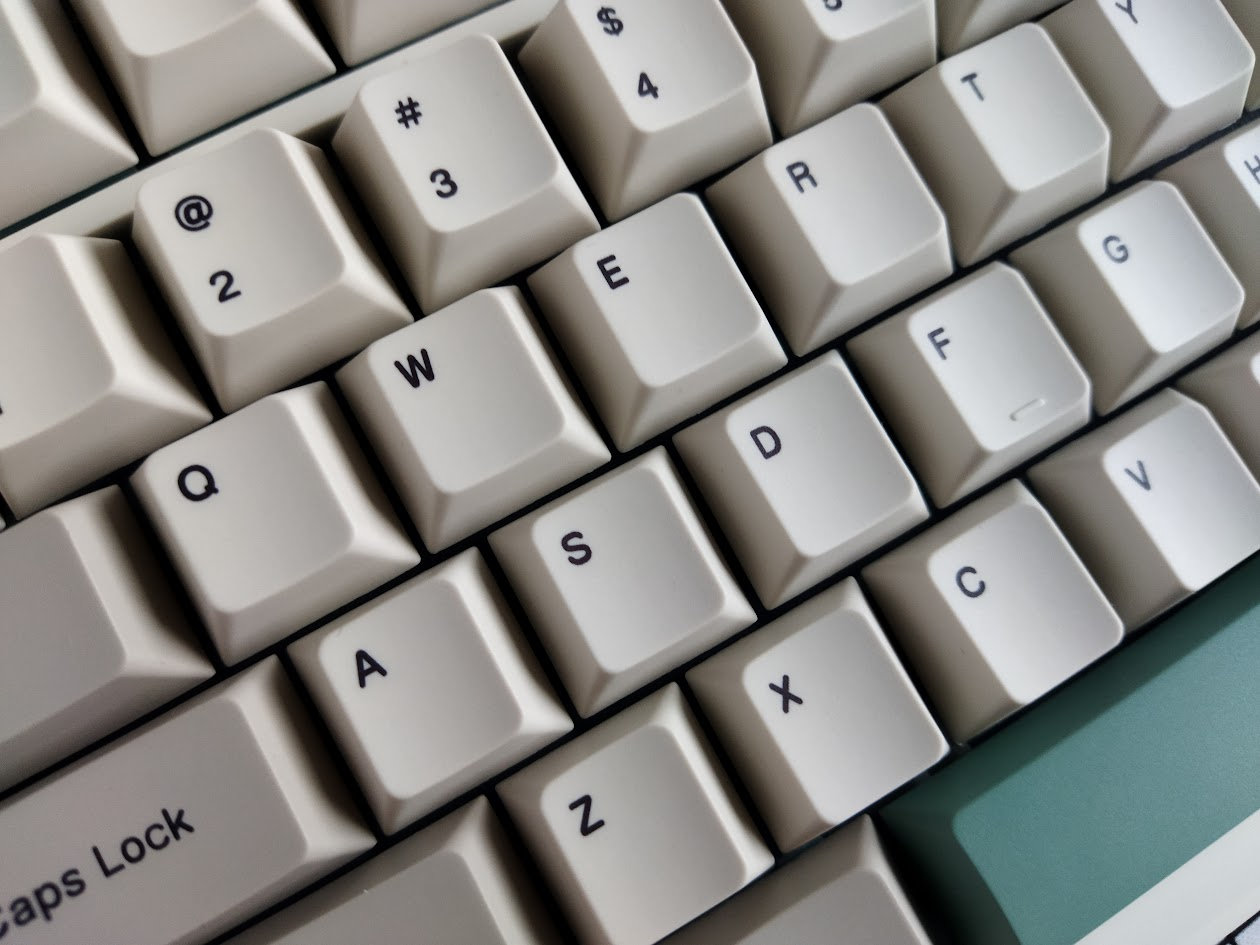
With regards to keycap compatibility, the 75% layout should be widely supported if you opt for something different.
Switches
The switches are nice too, Epomaker-branded linears.
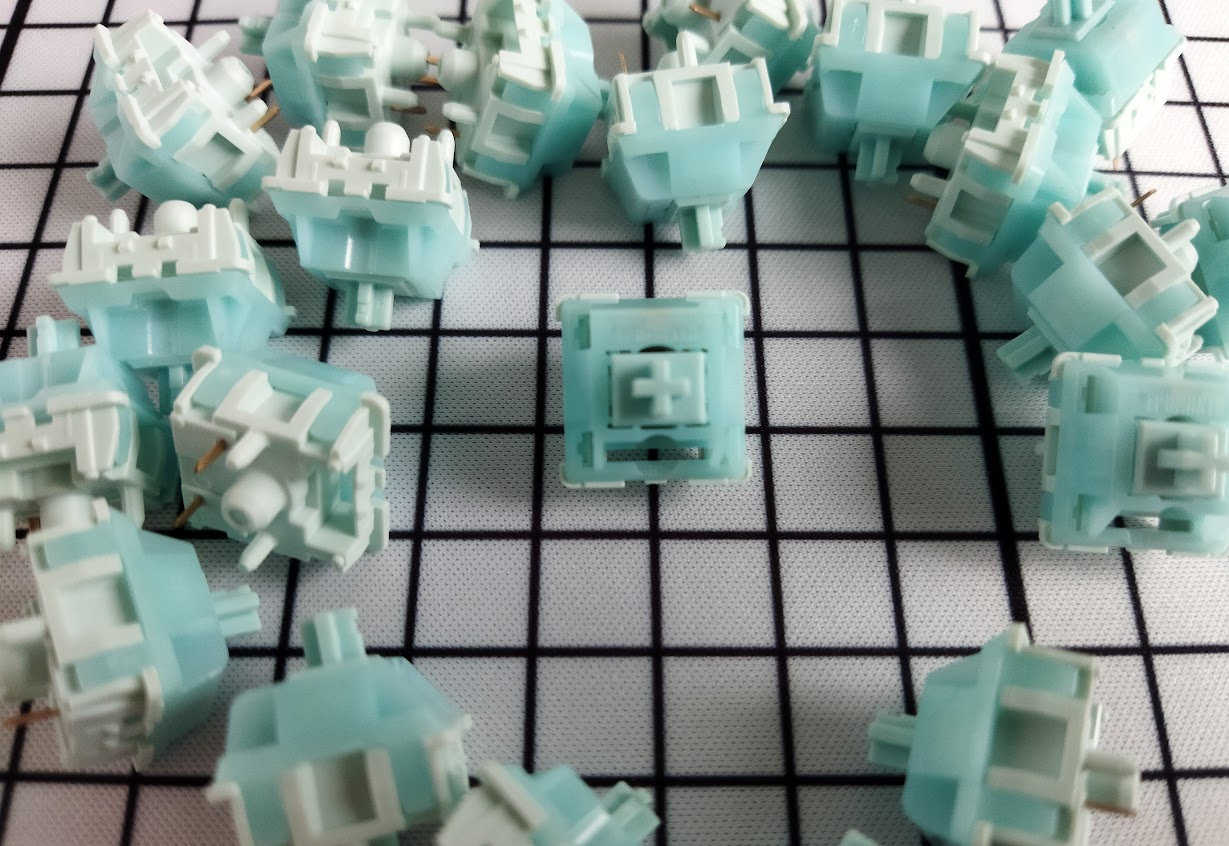
Specs of the Epomaker Creamy Jade coming with the keyboard in the photos:
- Actuation force: 45gf
- Bottom-out: 50gf
- Pre-travel: 2.0mm
- Total travel: 3.6mm
- Material: unknown
- Factory lubing: yes
- Led diffuser: no
The other option, the silent Epomaker Sea Salt, comes with dust-proof stem, and has a bit shorter travel.
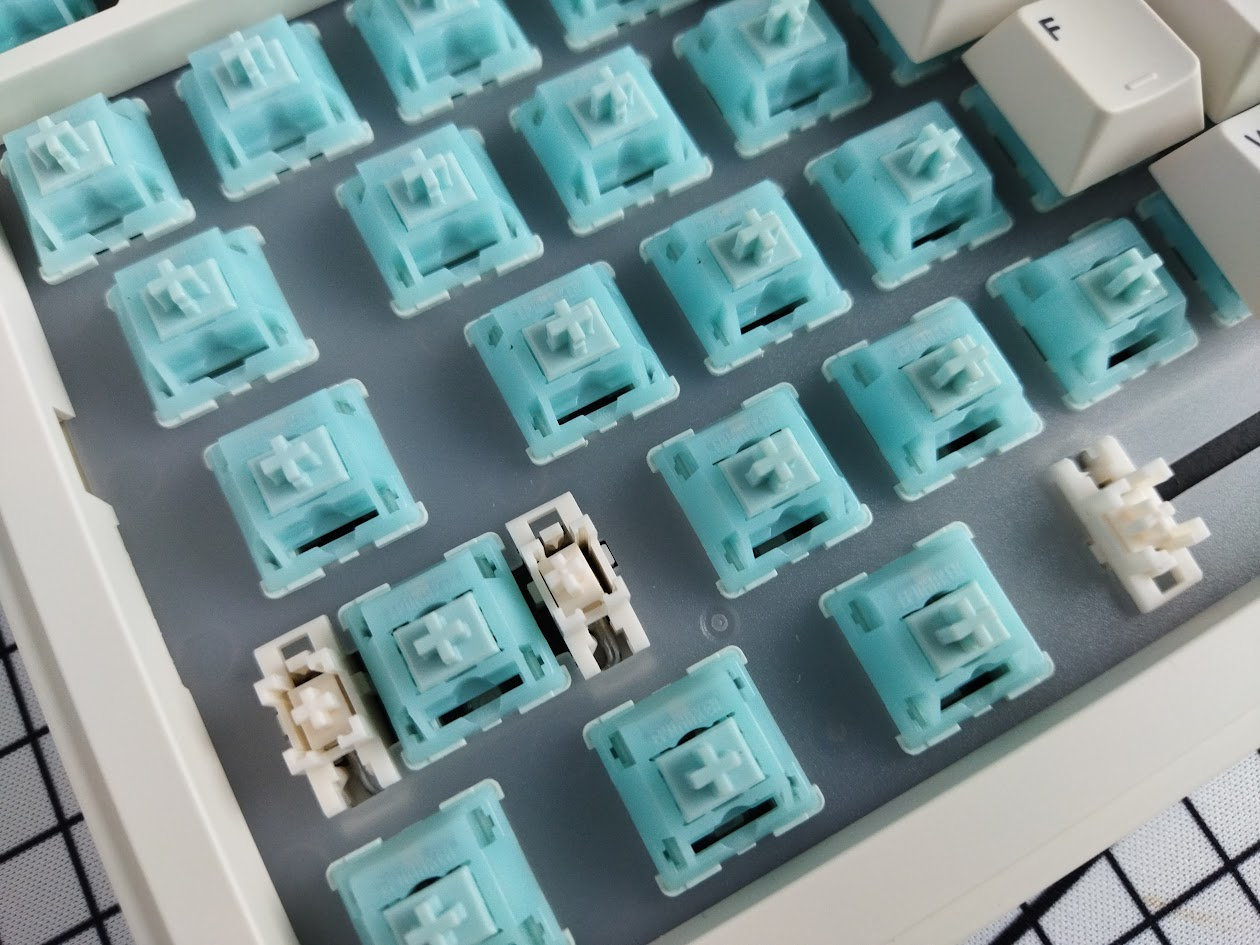
That said, the PCB features hotswap sockets anyway, so you're not restricted to the factory setup. Check out the current best-selling switches, or feel free to use your personal favorites lying around.
Build quality, structure, case
The build quality is decent. Well, this is a prebuilt keyboard, Epomaker doesn't expect you to disassemble it I guess, but it's still easy to take it apart if you have to for some reason.
The board still feels relatively heavy (about 1kg) despite the case being plastic (ABS). Of course it's lighter than the usual CNC aluminum 75% boards, some of them weighing 2 kg. Still, the RT82 won't move around when gaming, not even mentioning less demanding jobs.
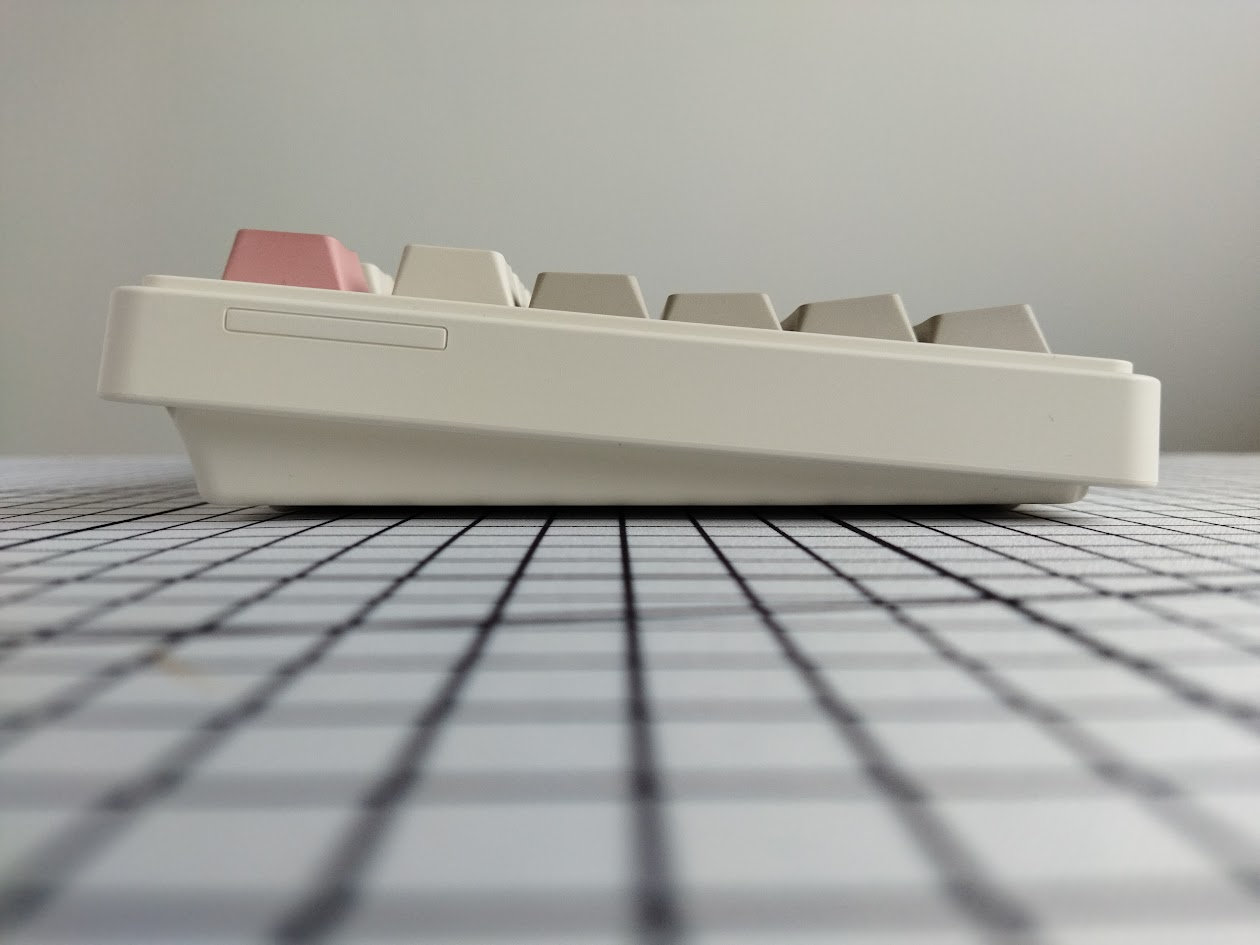
Typing angle: 5/7.5/11 degrees – via the usual foldable legs used by Epomaker and many other brands.
Disassembly? I've been really spoiled by all the easy-to-open ball-catch keyboards reviewed earlier, but managed to disassemble this Epomaker anyway. It's not a hidden-screw design, thankfully, so I don't have to provide a cheat sheet for you about what keycaps to remove. Simply 8 screws exposed on the bottom.
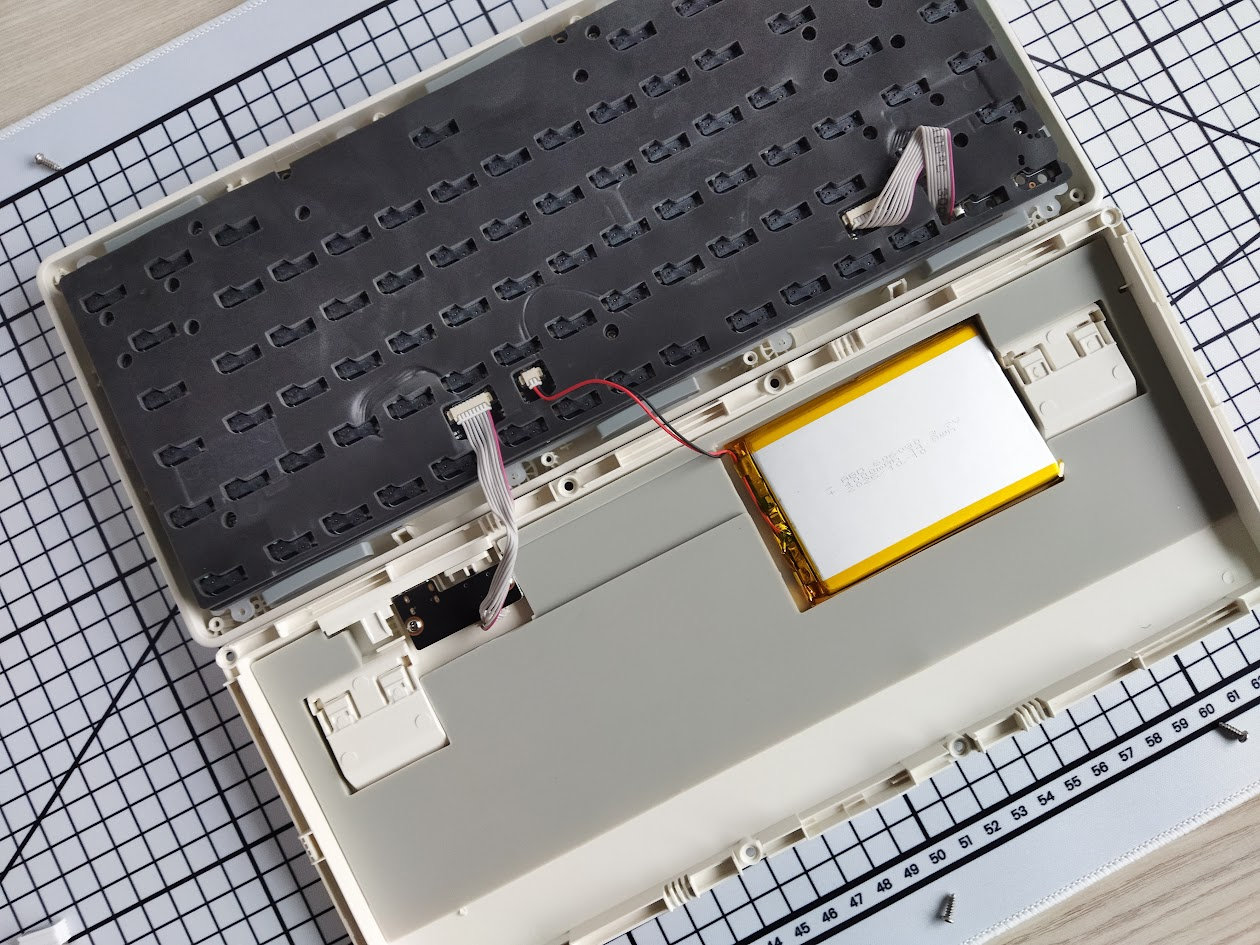
If you'd like to dig deeper, the plate/foam/PCB sandwich is screwed together by another 6 screws.
Structure & Mounting
The RT82 features gasket mounting. The big silicone gaskets are attached to protruding parts of the plate, and sit directly on the perimeter of the plastic bottom case. I can see the flexibility, but most of it is due to solded folded cables beneath the PCB (daughterboard, screen, battery) acting as lap springs I guess.
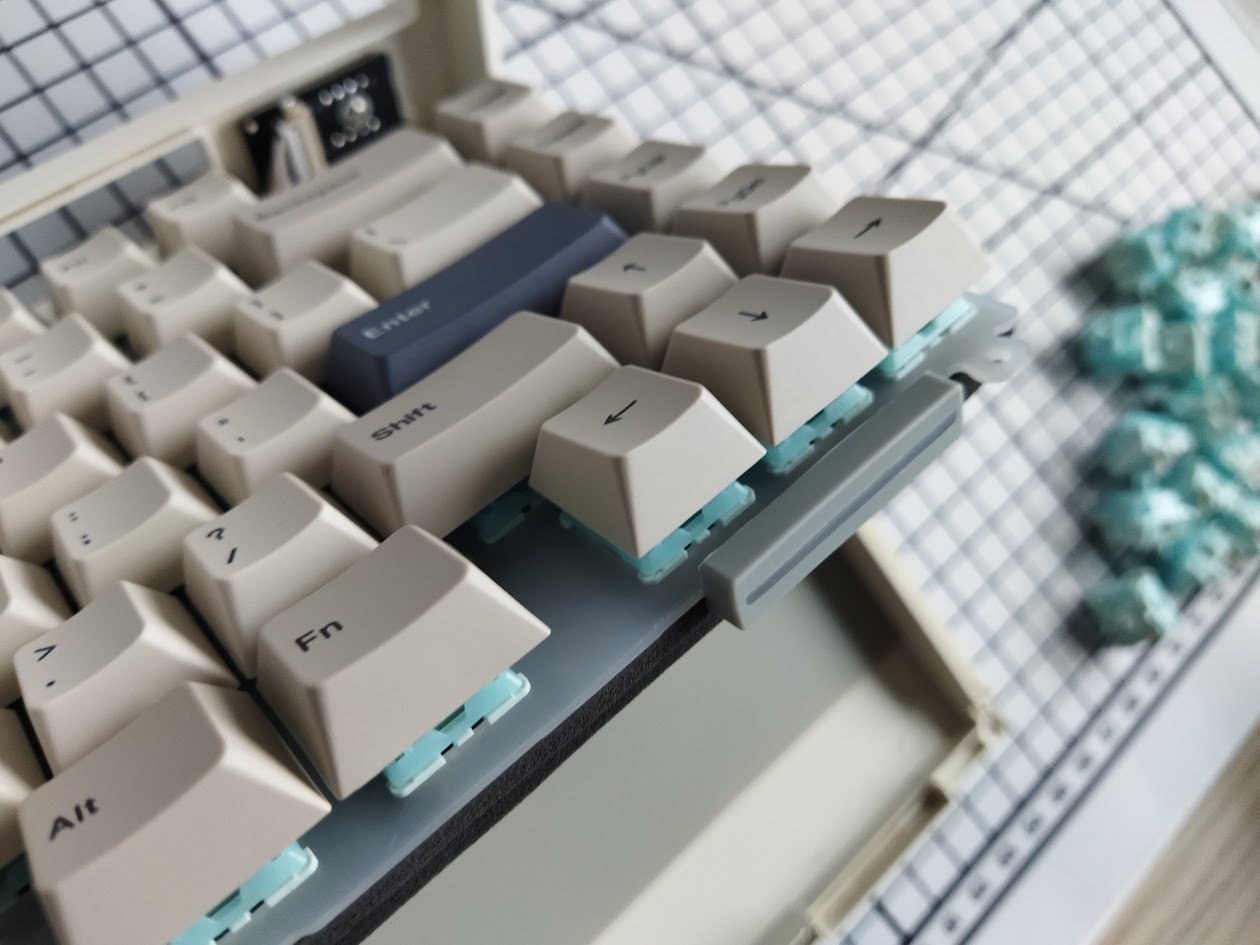
Plate
The plate is PC, translucent frosted, and it doesn't feature flex cuts.
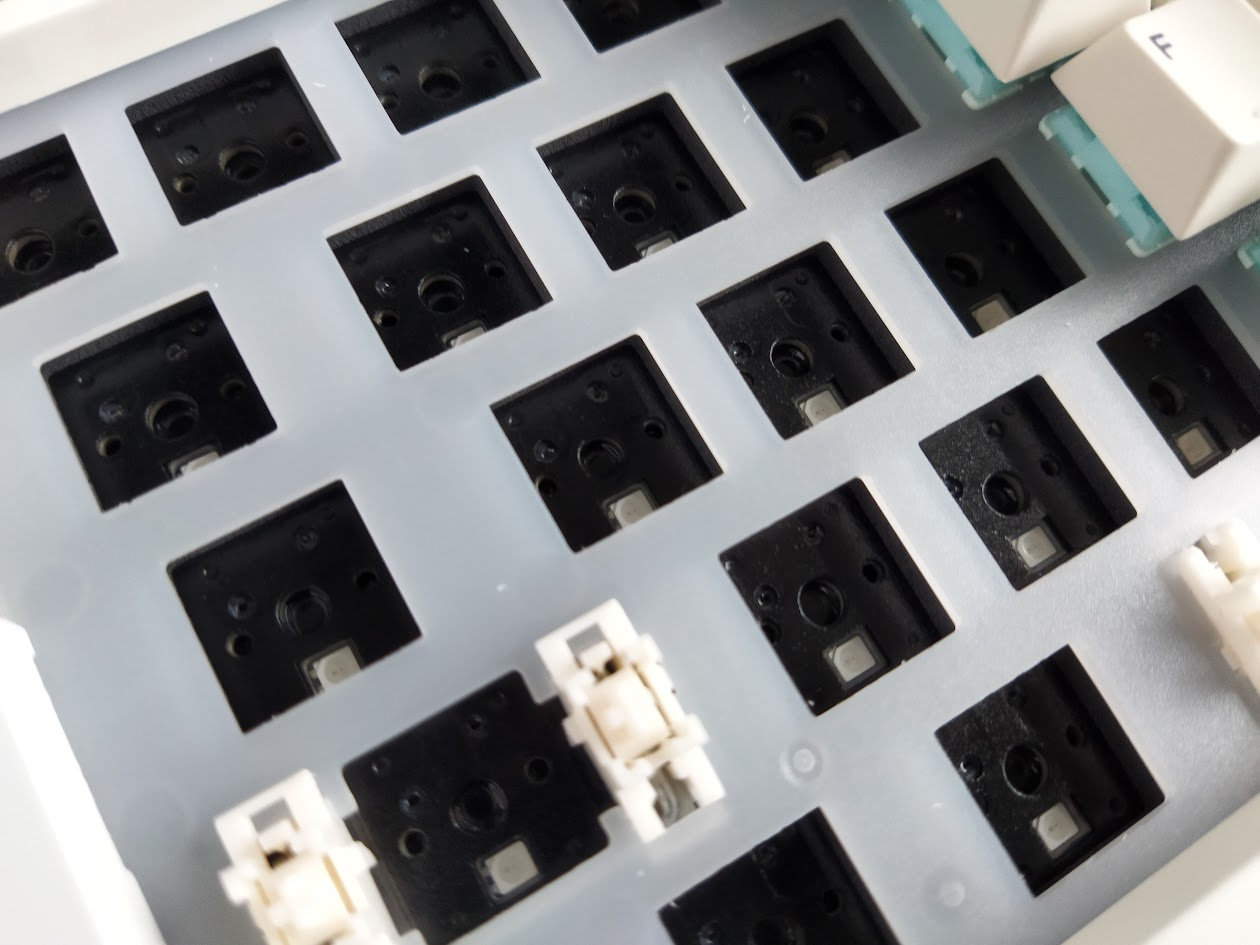
Plate-mount stabilizers, but the PCB seems to support PCB-mount stabs as well.
PCB
The nice matte black PCB is part of the thick plate/foam/PCB sandwich – it seems shiny because the transparent foil stuck to it. It comes with hotswap sockets, south-facing per-key LEDs, and no flex cuts.
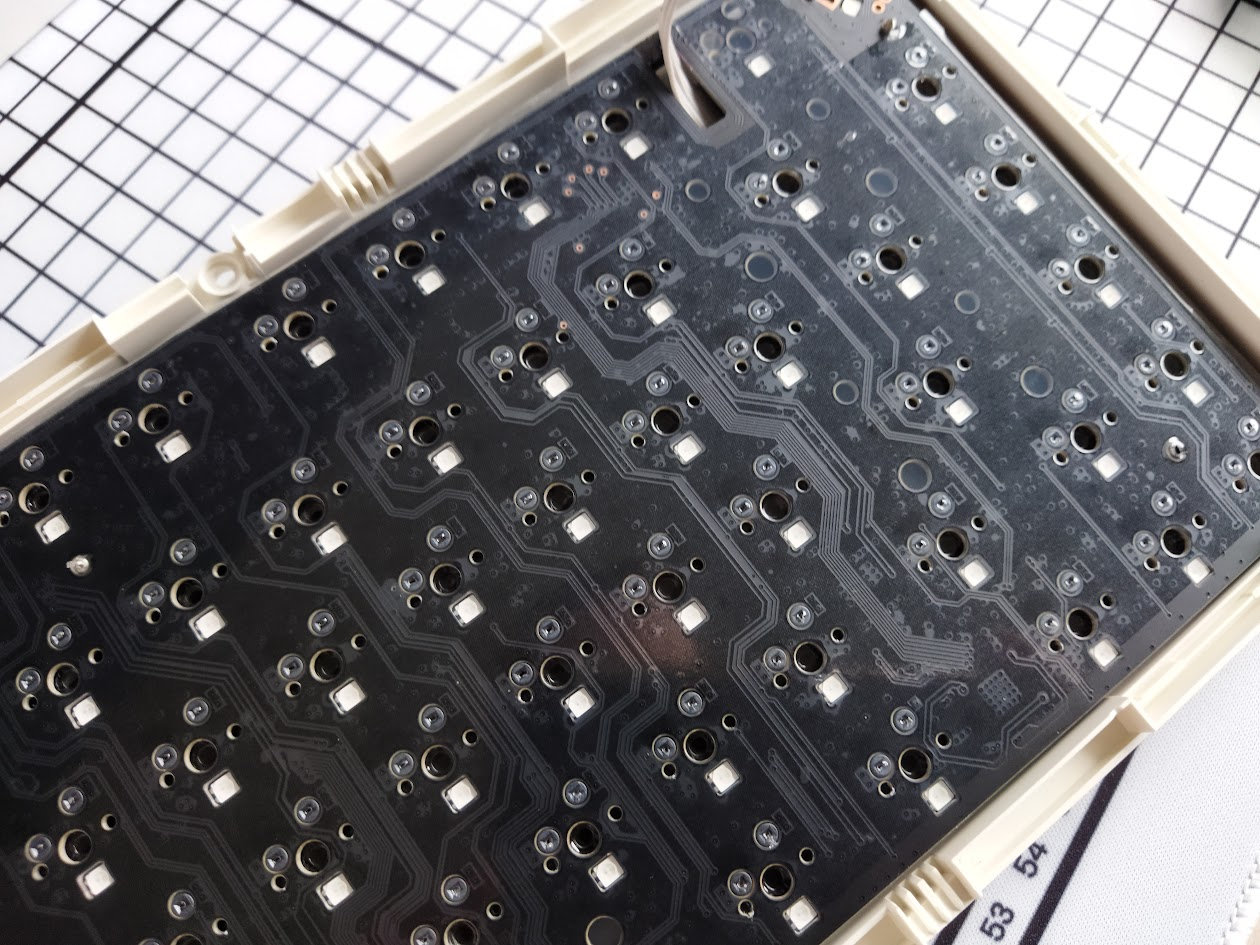
The default stabilizers, as already mentioned, are plate mounted, but the PCB does have the holes for screw-in stabs. Most foam layers have the holes as well, except the PET acoustic pad pictured above, but without trying to mount them I'd still say that you can easily replace the stock stabs if needed.
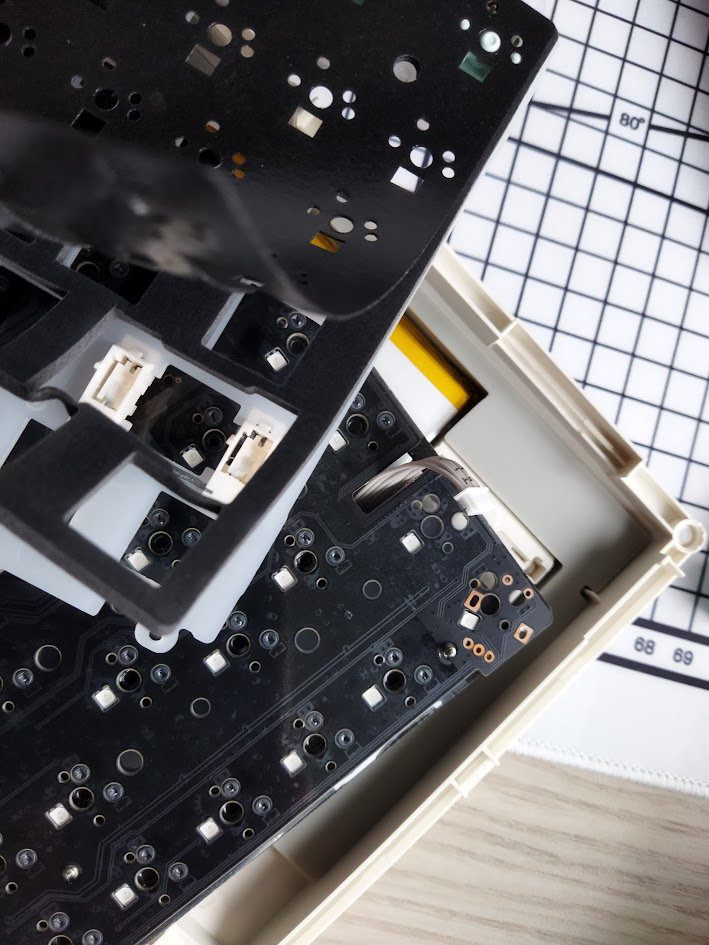
The PCB seems to be a repurposed one from other models: it features two extra switches beneath the display, as well as a combined encoder footprint.
Pogo mini TV
The most distinctive design element of the RT82 is the mini TV screen, magnetically detachable via pogo connectors.
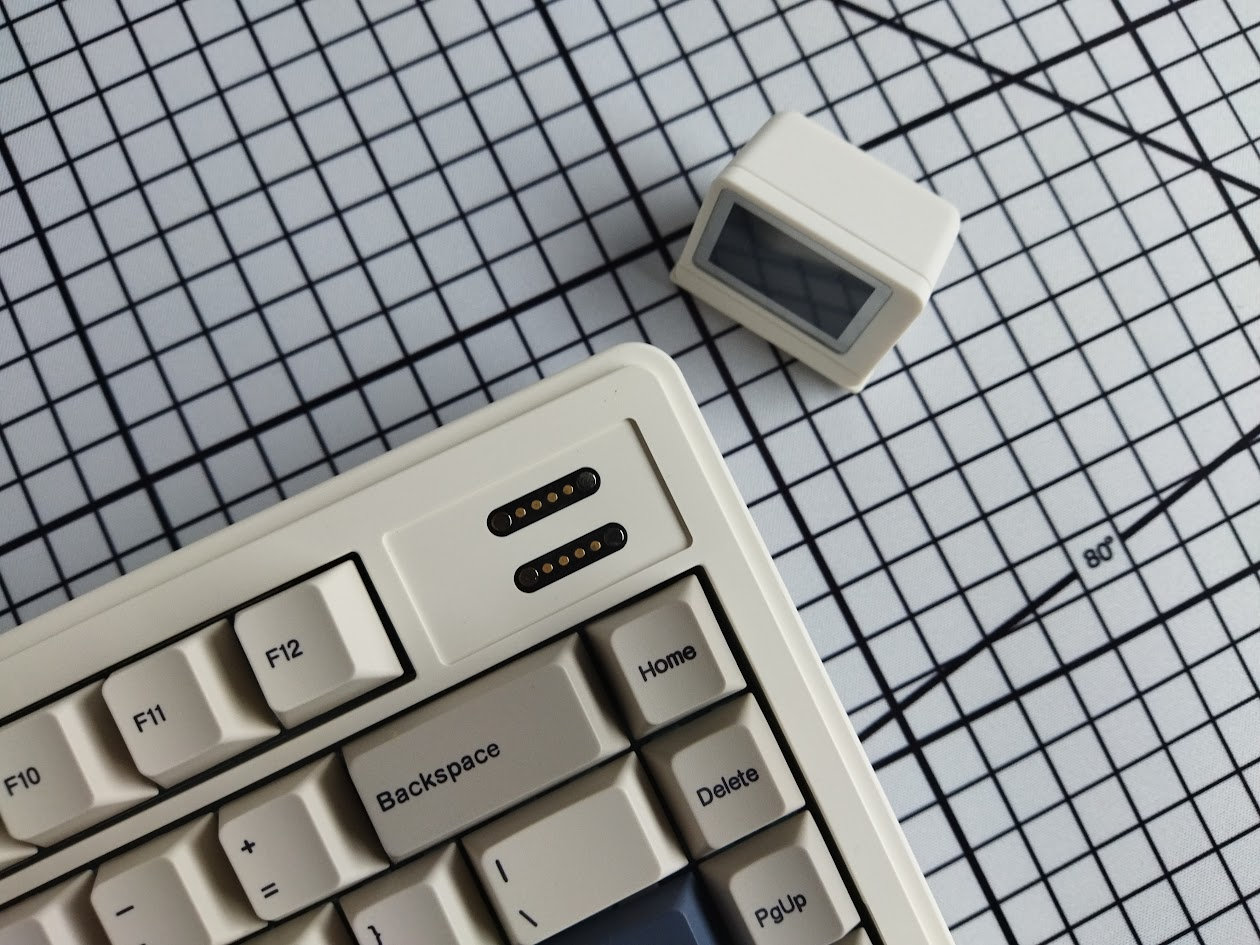
I can think of two scenarios when removing the screen makes sense, as a protection of the protruding part: travel, and while taking apart the board (the board upside down).
By the way, the display indicates the date and time, the Caps Lock/Win Lock and connection status, and it has two other functions [FN+Enter]:
- typewriter mode: displaying the last pressed key (with a funny font).
- showing an animated gif (three cat-themed animations by default, in endless loops) [FN+Shift_R]
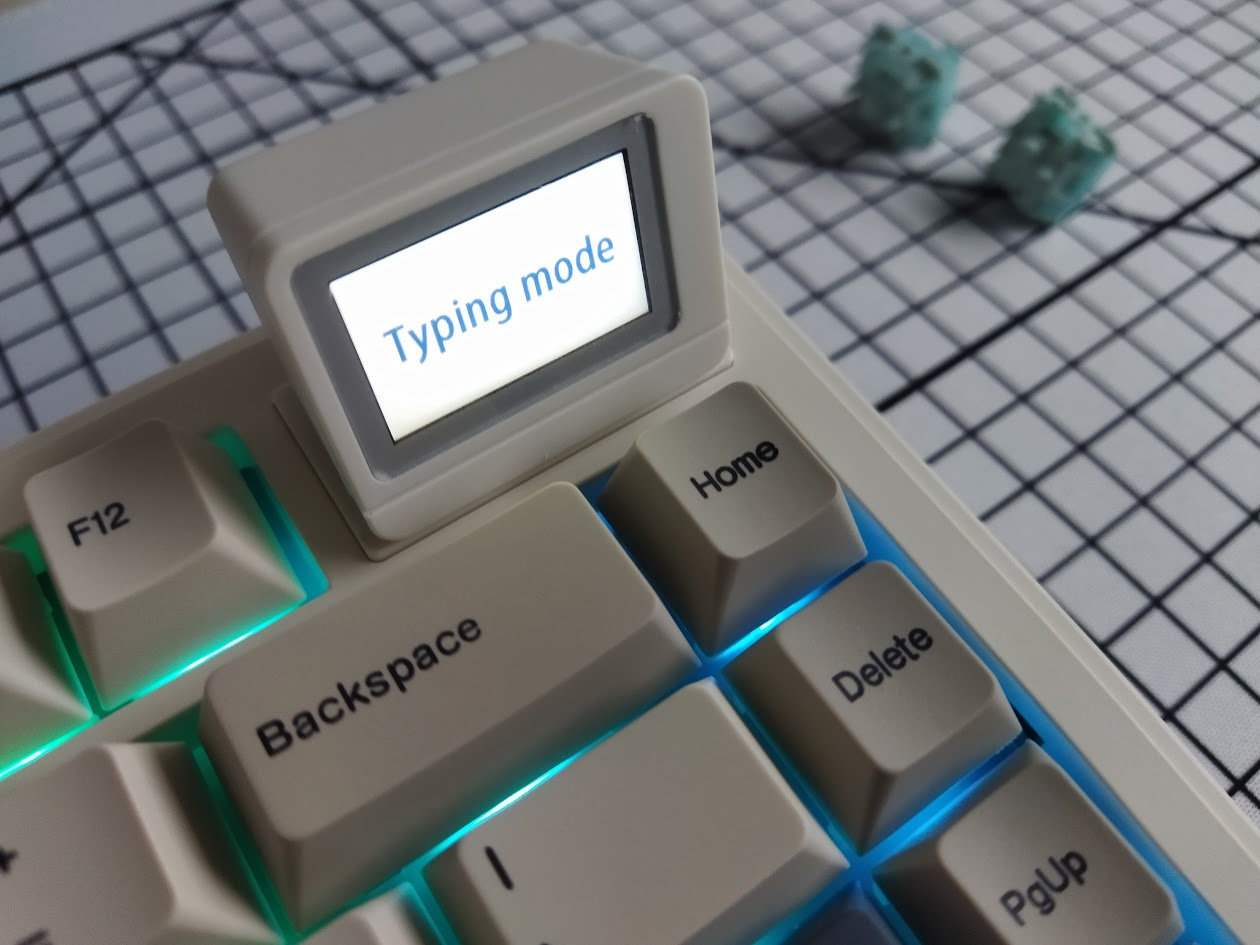
The animations can be customized and managed via a dedicated online tool.
Bottom weight
No fancy decoration weight with intricate carving, the RT82's bottom is a basic plastic thing with a sticker.
Sound dampening & Feel
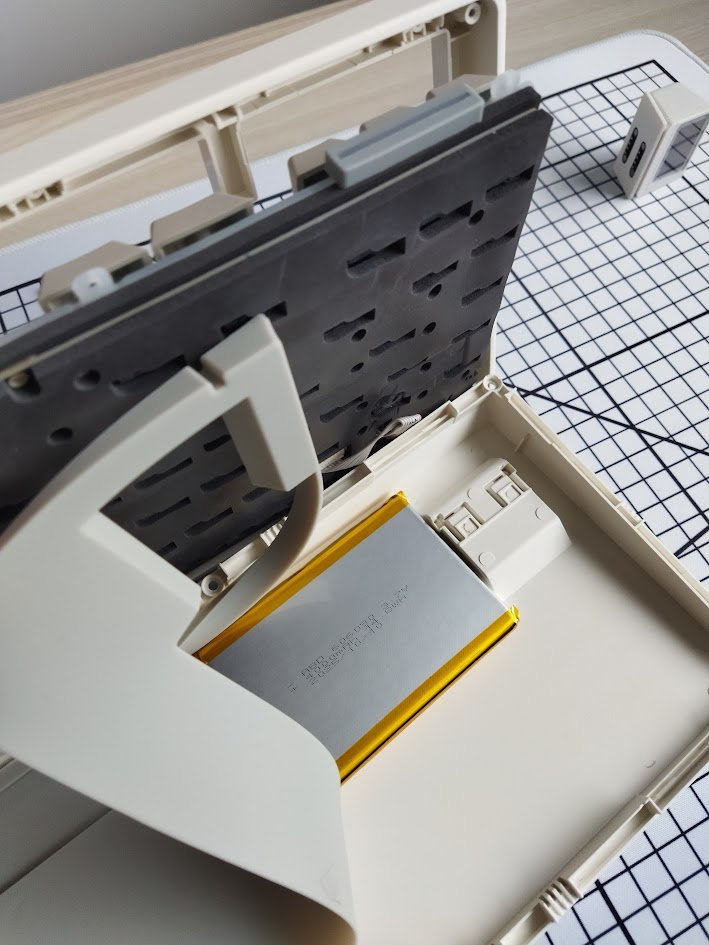
Thick plate foam, IXPE switch pad, PET acoustic pad (no holes for screw-in stabs), and two more layers in the bottom case: the thick foam with the cutouts for hotswap sockets, and a case silicone layer. Together with the gaskets, the RT82 should provide a soft typing feel, but it's still relatively direct for my taste.
The out-of-the-box typing experience could be described as average, maybe a bit over average. With a relatively loud but very heterogeneous sound across the board and rows. Somewhere more thocky, other parts closer to clack. I wonder about the silent switch option.
RGB lights
The board comes with per-key RGB, a bunch of built-in lighting effects (about 46?!), and full support for real-time customization via VIA’s web-based configurator.
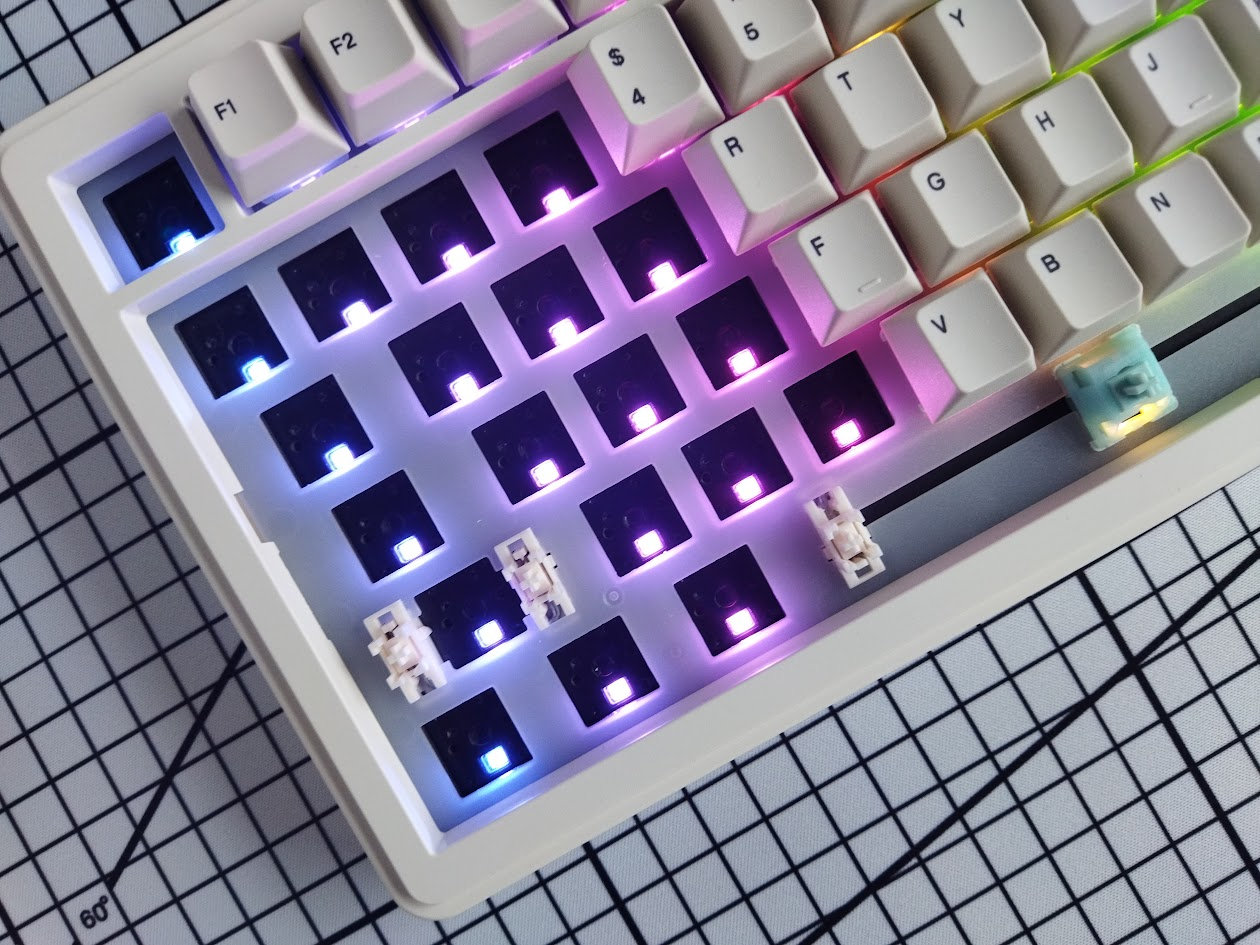
From subtle ambient glow to vibrant full-spectrum animations, you can fine-tune colors, brightness, and modes to match your mood and setup.
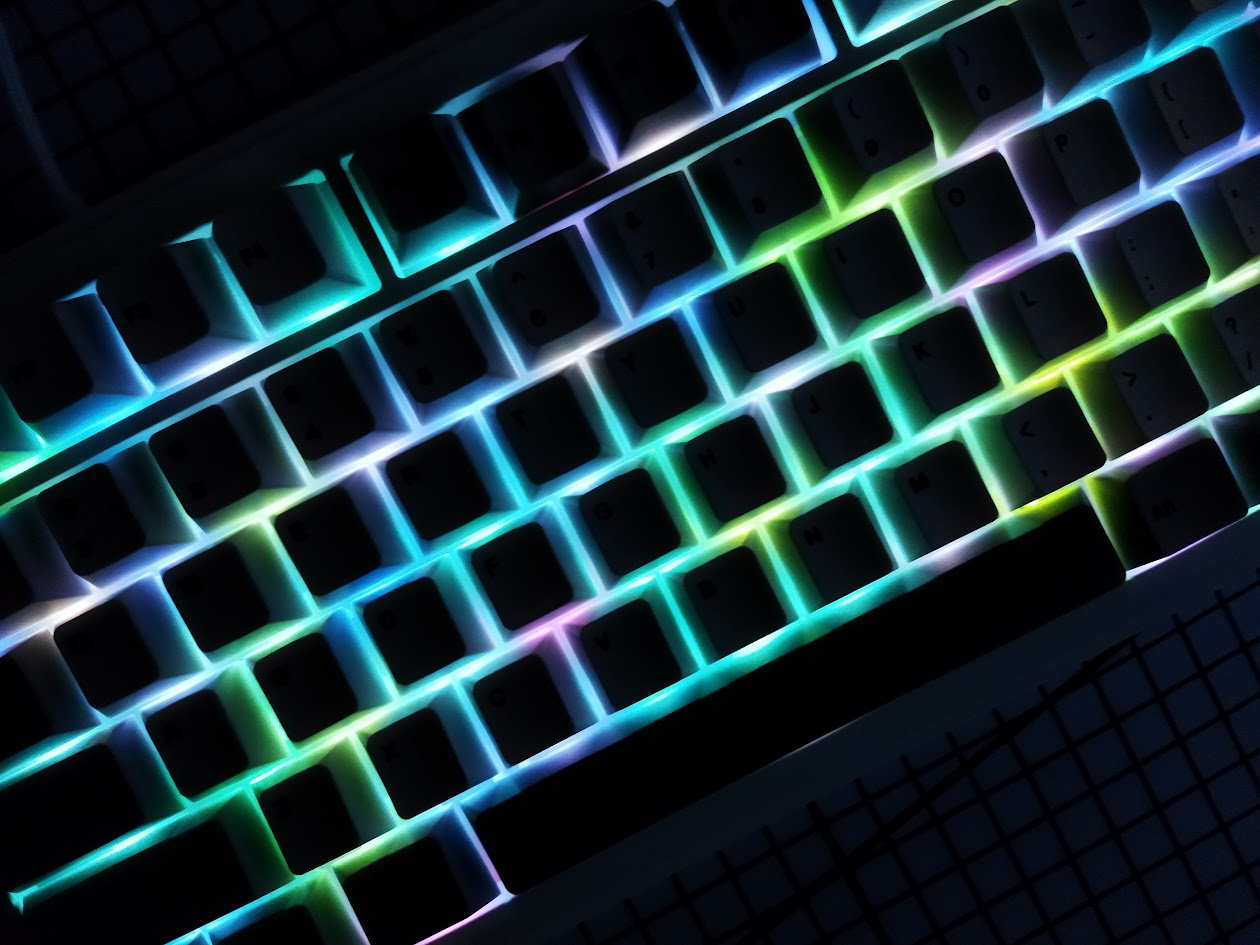
That said, you can modify [FN+\|] or turn these on/off [FN+Backspace] if you're not into RGB.
Wireless
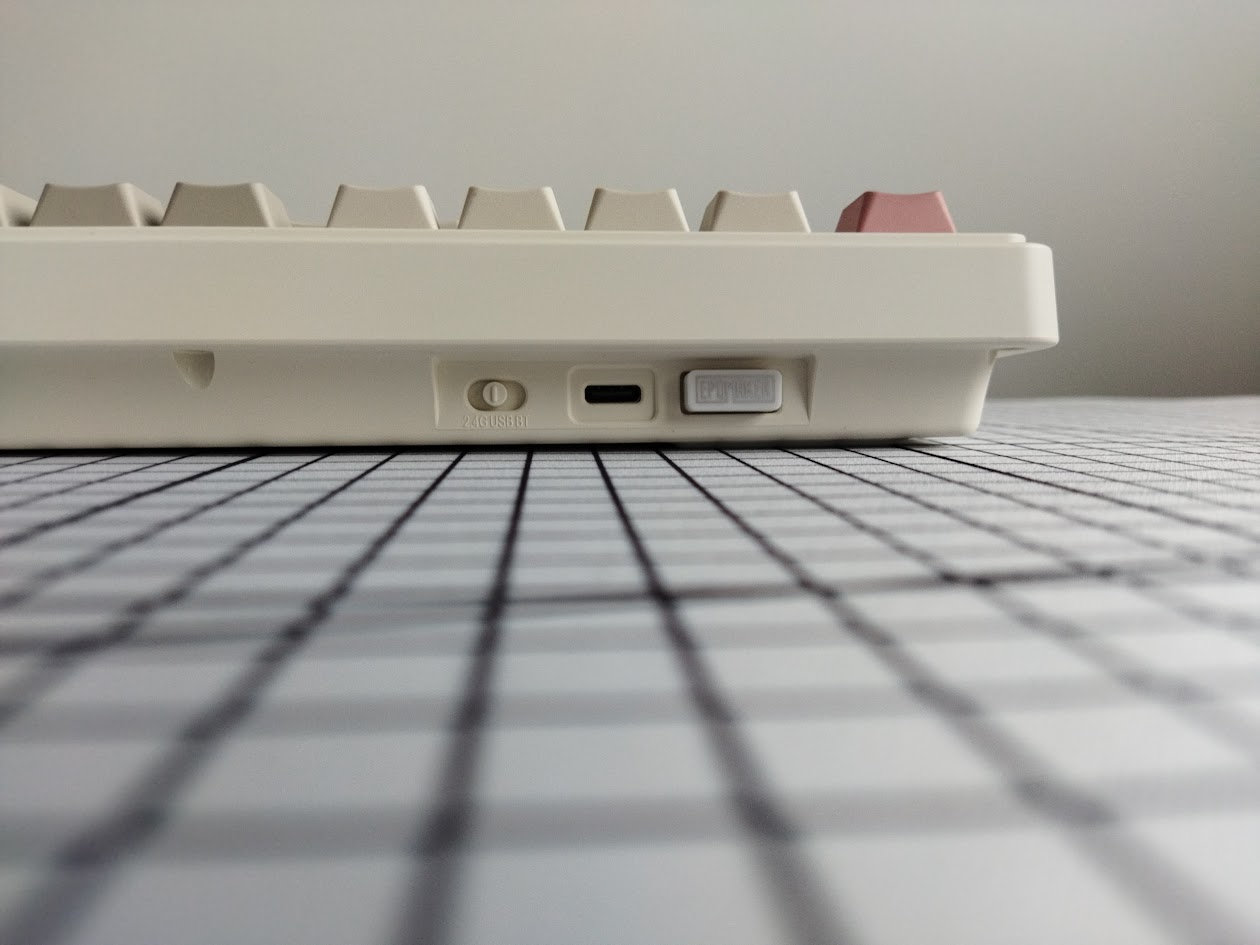
The Epomaker RT82 is a tri-mode wireless keyboard (Bluetooth 5.0, 2.4GHz wireless, and USB Type-C wired connections) powered by a single 4000mAh lithium battery.
It's said to last for 115 hours (screen and lights turned off) or 14 hours (screen and lights on).
There's no easily accessible physical on/off switch, but the screen indicates the battery level, and you can detach the battery after disassembling the board, if you use it exclusively in wired mode.
General warning: If you use your wireless RT82 keyboard permanently connected, please read this article about Built-in keyboard batteries and how to avoid fire – for details, tips, and horror stories.
Basically, keeping the board plugged in constantly may lead to accelerated degradation of the lithium battery. You have to follow proper battery care practices, so you should remove, disconnect or switch off the battery if you don't need wireless functionality. Check the battery for swelling regularly, even when disconnected or removed.
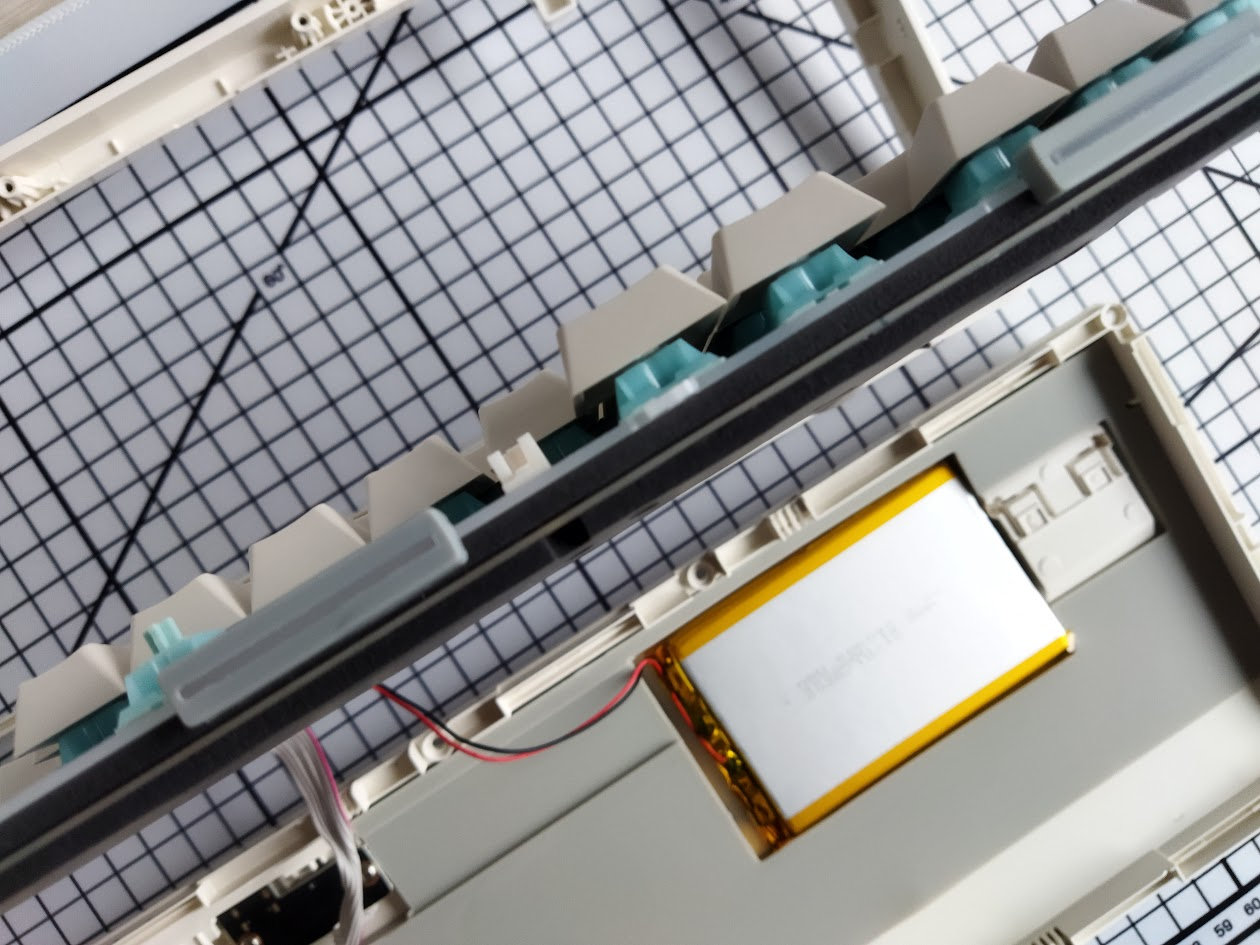
Why it could be done more easily, the RT82 at least doesn't make decoupling the battery impossible. :) As already mentioned, you'll have to remove 8 screws to separate the top and bottom cases, and then you can access the battery and its cable.
Software
Yay! The RT82 supports VIA for easy key remapping, macros, and lighting, directly in your browser, no software needed if you're content with the features of the online configurator. For deeper customization, Epomaker doesn't provide open-source files, violating the QMK licence.
If necessary, you can download the JSON file for VIA, pair your device, and use the JSON on the Design tab. Now you can connect the board to VIA.
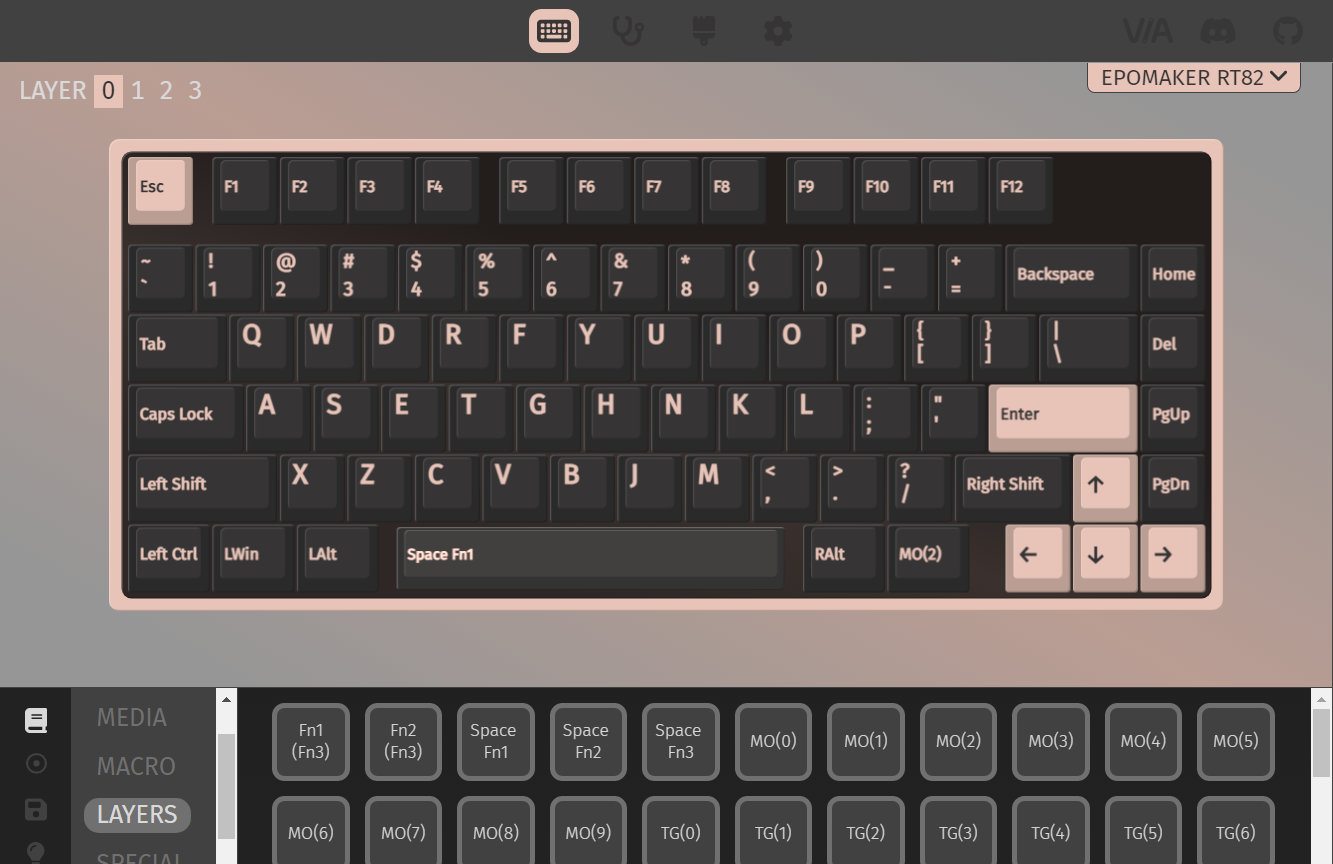
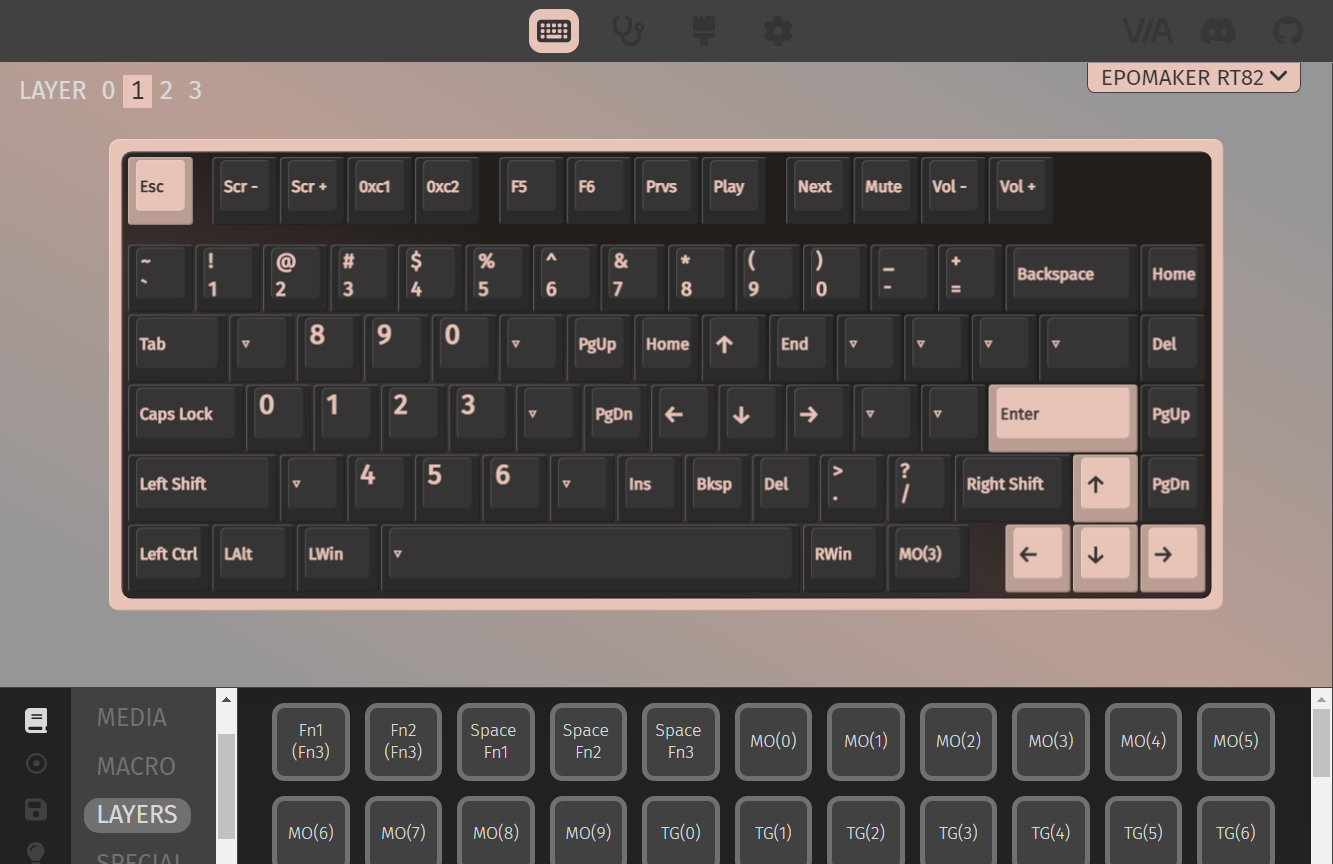
Swapping letters or symbols works as usual. Just like SpaceFN: This easy-to-access layer is crucial for many users as you can put arrows, navigation and numbers under your fingertips.
In addition to VIA, you can customize the images displayed on the screen via a dedicated tool. (It's web-based as well.)
Portability
The RT82 is a great board for stationary use, but if portability is your main concern, I would still choose something smaller and lighter. Sure, its wireless features make it mobile in theory, being more compact than a fullsize board and the ability to remove the protruding screen helps too, however, maybe something even lighter than 1 kg is better suited for on the go.
Comparison
Recently, boards with very similar layouts have piled up in my review schedule, so I can compare them side by side now: the Evoworks Evo75, Redragon Eclipse K720 Pro, Womier ERA75, and KiiBOOM Jade have been already covered, and we'll get to even more in the upcoming weeks.
Most 75% keyboards I've tested came in aluminum housing. The RT82 is one of the plastic boards, as already mentioned. If you want a similar colorway but maybe in a hefty alu case and TKL form factor, I have a Luminkey80 review.
Then, Epomaker offers several in-house alternatives: the TKL Epomaker TH87 with similar colors, or the 1800 RT100 featuring a TV-like display as well, although with USB-C connection.

You can't really compare the RT82 to the Evo75, GravaStar Mercury K1 Pro/Dry Studio Battleye, and Womier ERA75 – my current etalons in the 75% genre with regards to typing experience, fanciness of features, and fun factor of the building process, respectively. But these cost definitely more than $80, the price tag of the RT82.
Other 75% boards, often in the $120-130 price range and below, are numerous. You can check out the classy NPKC RO75, the silly (plastic!) KiiBOOM Phantom81 and more serious Moonshadow V2 – and try to figure out what features you find important: CNC alu case, rotary knob, display, offset arrows, wireless connection, or simply aesthetics.
Conclusion
The 75% wireless Epomaker RT82 is another very affoardable pre-built mechanical keyboard with highlights like the retro look, mini TV screen, per-key RGB. The gaskets and hotswap switches are always nice, just like the VIA support. Given the customizability, it's a great offer for a broad audience. I haven't had any problems with it, so can recommend it if its features match your needs and the price your budget.
Pros
- cool retro colorway
- actually, the "TV" angle makes sense if you really need a display
- highly customizable (hotswap, MX, VIA)
Cons
- Hm. No really cons. The price is consistent with the features and quality. It's all about if this matches your preferences.
Price & Availability
The Epomaker RT82 is available at epomaker.com. The KBDNEWS coupon code (10% off) is in effect, however, it behaves like a flat $10 in this case as I can see – so you can get the board for just $90 $80.
- Epomaker RT82 product page
Published on Tue 6th Jan 2026. Featured in KBD #204.
Related

Key-Ripper
Brian Schwind released his key-ripper keyboard, with custom Rust firmware.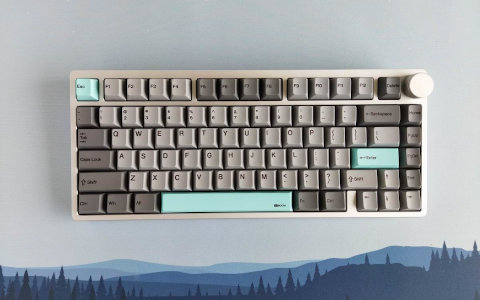
KiiBOOM Moonshadow V2 review
A well-built 75% wireless keyboard in a nice aluminum case: Moonshadow V2 by KiiBOOM.
Womier ERA75 review
The 75% wireless Womier ERA75 is a very fun build. Nicely cut alu case in six themes, hotswap switches and encoder, double-shot caps, VIA support. The DIY stickers will keep you busy for some time.
Shego75HE
Charading's Shego75HE, an open-source 75% Hall-effect keyboard, runs QMK.