Keyboard Builders' Digest / Review
KiiBOOM Jade75 review
A 75% wireless keyboard for RGB fans: the KiiBOOM Jade75 in a resin case.

Published November 11, 2025

Let's get back to our accidental 75% keyboard series with yet another board in this form factor: the KiiBOOM Jade75 – a device designed for lovers of RGB as it's housed in a resin case serving as a huge light diffuser.
TLDR; The tri-mode wireless KiiBOOM Jade75 is a fully built 75% keyboard coming in a UV resin case combined with a CNC aluminum back. Matching shine-through keycaps, transparent switches (hotswap), and per-key RGB of course. The hotswap PCB, MX-compatible caps and VIA support make the Jade75 highly customizable. Still, the relatively high price makes this offer mainly for RGB fanatics, and of course lovers of this aesthetics.
Should you buy the Jade75? As always, it depends on your personal preferences. To help your decision, I'm trying to cram as much info and as many facts into this write-up as possible. To find out for yourself whether this particular keyboard is for you, check out the full review below for all the details and photos showcasing its features and internals. Even more photos on imgur.

Disclaimer
KiiBOOM was kind enough to send me this review unit for free, which may introduce all kinds of biases – both negative and positive in my experience. Take everything I write with a grain of salt.
Variants
The KiiBOOM Jade75 comes in two variants – "clear" and "white". I had a hard time to figure out which one is which (the product page has been updated since then, fortunately). Both cases are resin, however:
- The clear one is where the resin part is homogeneous, and it comes with legends on top of the keycaps.
- The white one's case has this swirly pattern, and keycap legends appear on the front.
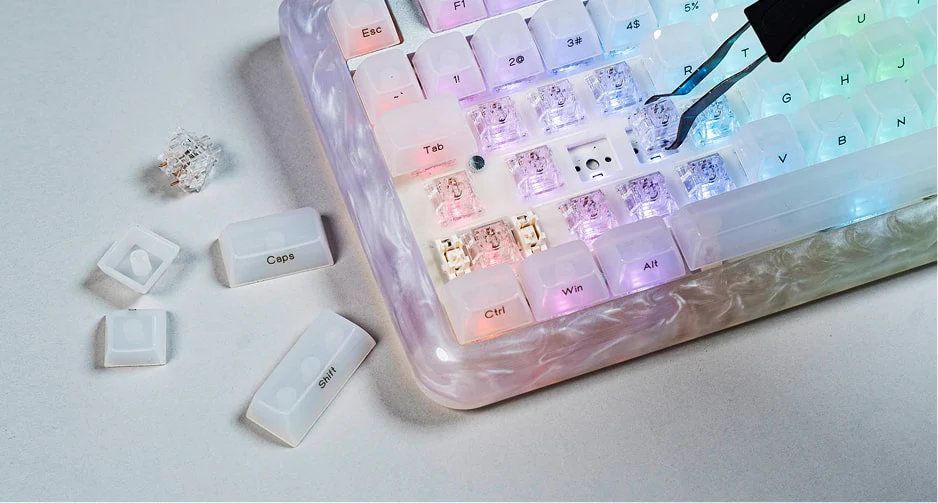
I thought I was asking for the swirly one but received the other anyway. :)
Unboxing & Contents
The outer cardboard box of the Jade75 is very nice, similar in material and color palette to other KiiBOOM boxes I have lying around, with cool magnetic opening.

Contents:
- The Jade75, pre-built with switches and keycaps mounted.
- manual
- braided white USB cable
- 2.4GHz receiver (with holder attacked to the cable)
- extra caps for Mac
- 2x spare switches
- basic combined tool to remove keycaps and switches
- screwdriver + hex key
- microfiber cloth
First impressions, design language
I've already reviewed another resin board, the 65% Akko YU01, but the slightly larger form factor and the CNC aluminum back makes the Jade75 quite different.
While I'm not really into RGB personally, I can imagine that some of you may have this feature much higher on your preference list. Given the appropriate working environment and some matching props, full resin can definitely have a great impact in your room.

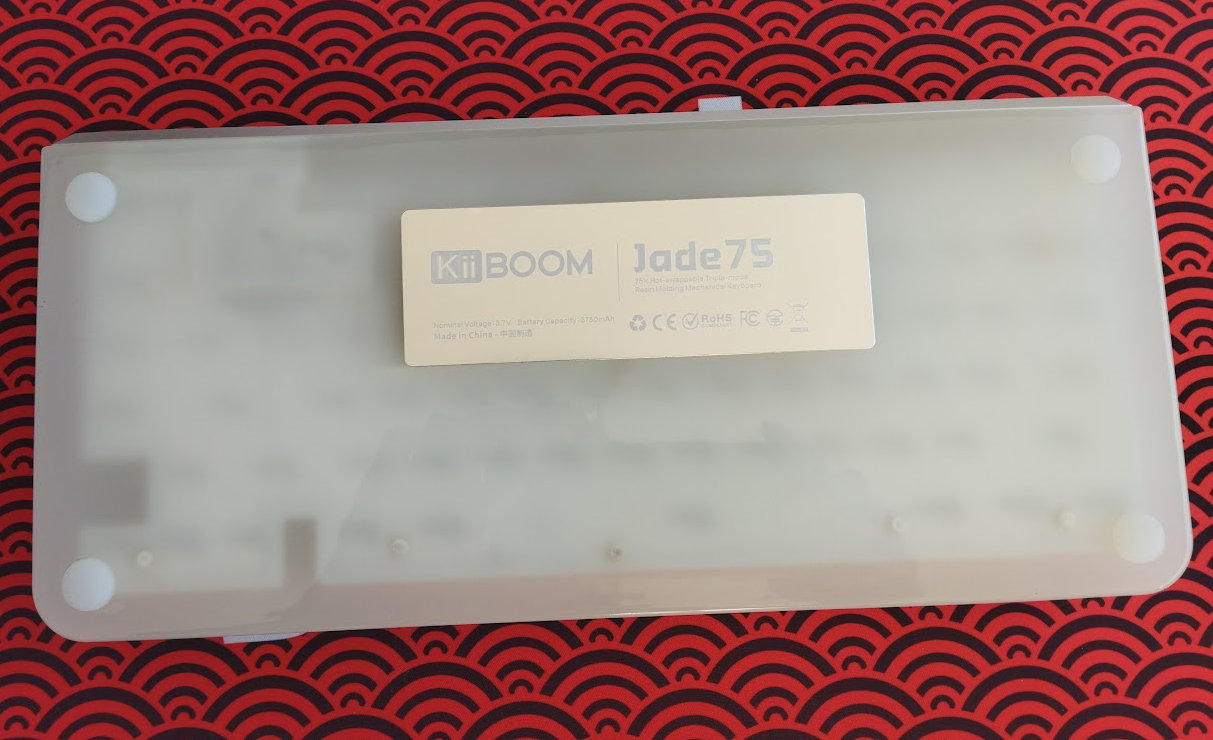
Rounded corners and edges, classy aluminum back – nothing too obtrusive, branding is done in a quite nice way, the KiiBOOM logo etched into the aluminum.

The 75% market is pretty crowded, it's hard to stand out, but the Jade75 apparently achieves this via the unique material combination.
Specs
- Layout: 75% ANSI/ISO, 80 keys
- Keycaps: MDA profile, translucent shine-through caps
- Switches: KiiBOOM Crystal, 47gf linear
- Case: UV resin + CNC alu
- Typing angle: about 4.5 degrees
- Structure: tray mounting
- Stabilizers: plate mount (no screw-in stab support)
- Plate: PC with flex cuts
- PCB: 1.2mm, hotswap, south-facing per-key RGB, no flex cuts
- Connectivity: wired, 2.4G wireless, Bluetooth
- Polling rage: 1000Hz (wired+2.4GHz), 125Hz (Bluetooth)
- Latency: 5.2ms (wired), 8.9(2.4GHz), 21.9ms(Bluetooth) (official value)
- Software: QMK/VIA support (sort of)
- Battery: 3750 mAh
- Dimensions: 330x153x45 mm
- Weight: 1.35 kg
Layout
The 75% layout is relatively standard and prevalent.
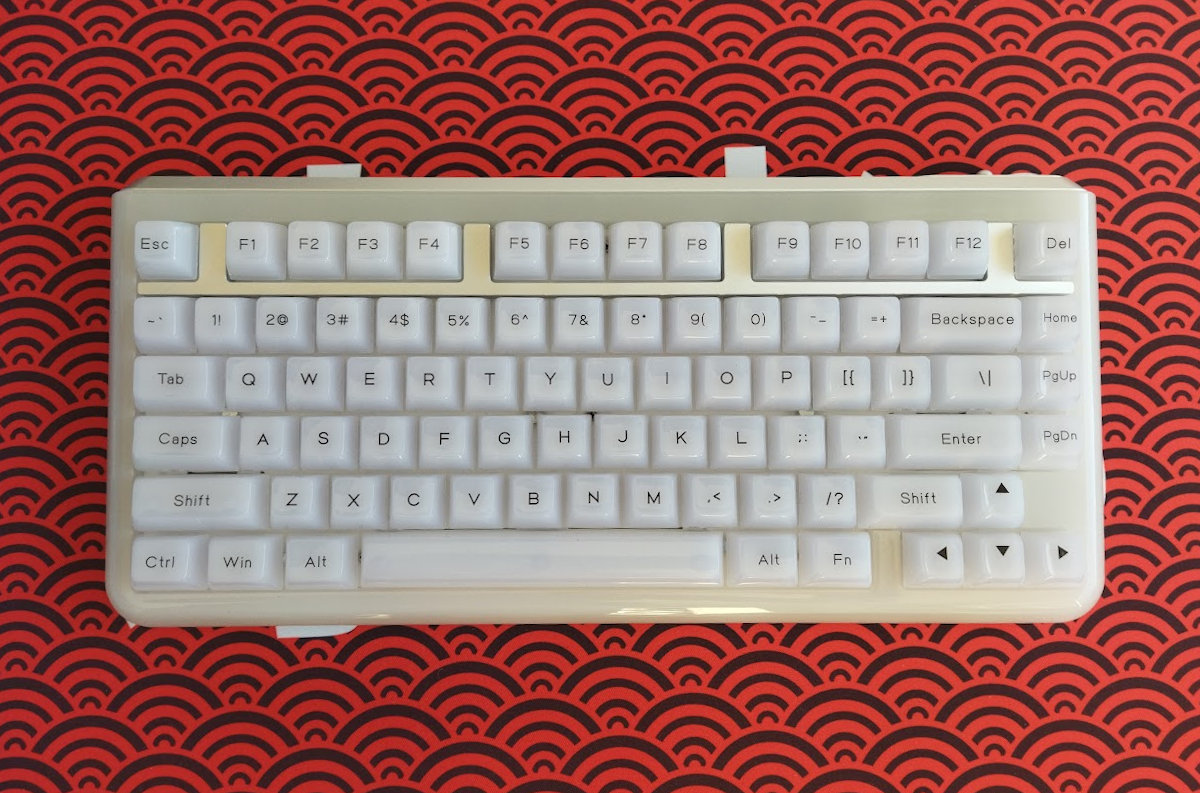
It means no numpad and no classic navigation cluster either. However, you have arrows, function keys, full number row, and most of the classic navigation keys.
Featuring 80 keys, the Jade75 is optimizing space while ensuring that all essential functions are easily accessible for new users transitioning from e.g. a fullsize keyboard.
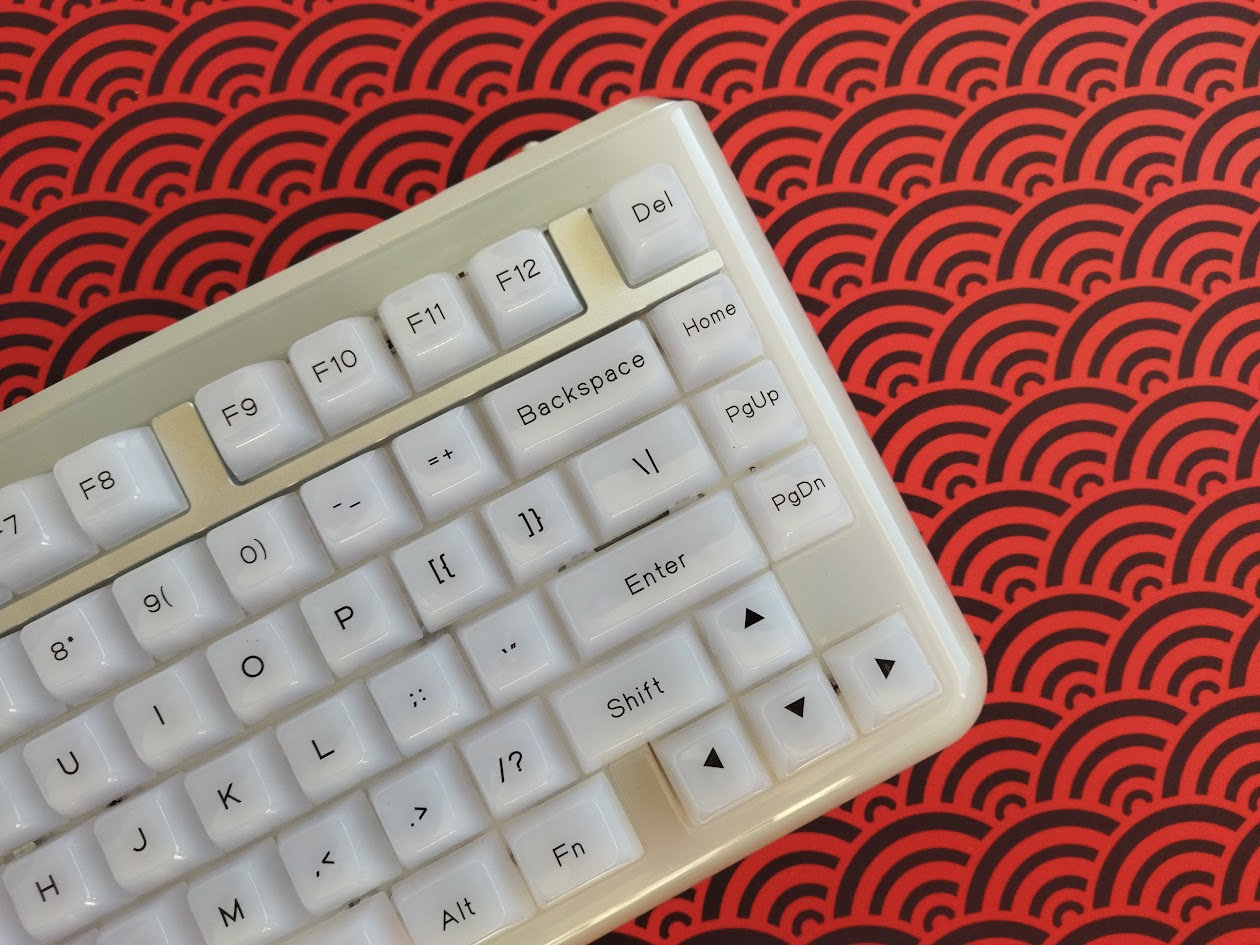
The arrow cluster is not offset, but it's still easy to locate when touch typing: there's the little gap on the left – you won't get lost when changing between the home row and arrows.
The extra column on the right consists of four keys, plus the optional extra key, with the top one making the function row nicely symmetric, kind of an F13 arrangement.
Keycaps
The keyboard comes with a translucent keycap set. MDA profile. As already mentioned, the product page has mixed photos with legends on top or on the front.


With regards to keycap compatibility, the 75% layout should be widely supported if you opt for something else.
Switches
The clear switches match the case and the whole concept perfectly, the board comes with KiiBOOM-branded fully transparent linears with 47gf actuation.
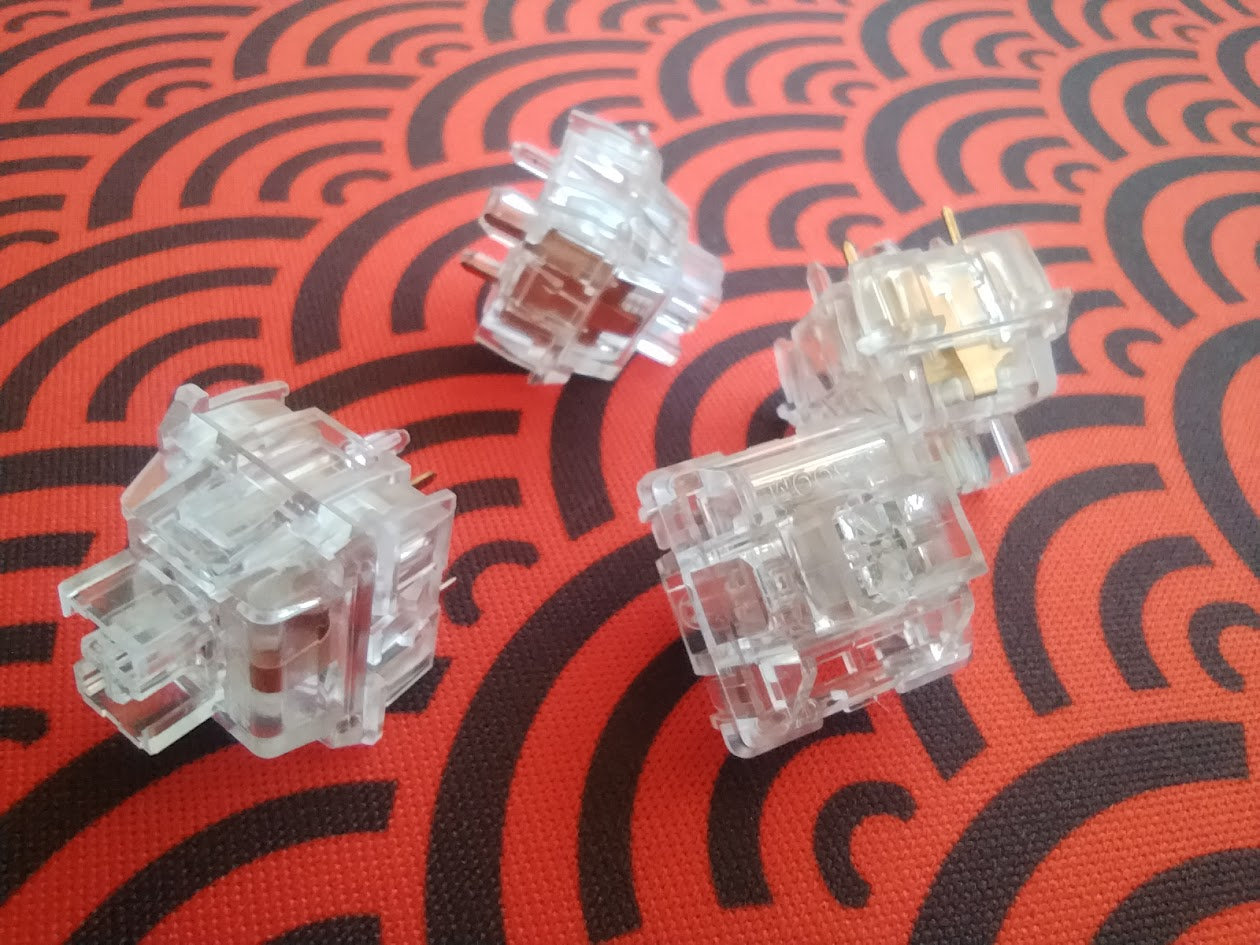
Specs of the KiiBOOM Crystal:
- Actuation force: 47 gf
- Bottom-out: 55 gf
- Pre-travel: 2.0 mm
- Total travel: 3.6 mm
- Material: PC
- Factory lubing: no
- Led diffuser: no dedicated diffuser, but the whole switch itself is a diffuser
This year, designers released some switches where scratch was reintroduced intentionally. These KiiBOOM switches are more for the same audience: with significant scratch, especially compared to some all-POM variants.
Part of this is that the switches come unlubed. The reason? According to KiiBOOM, lubrication might affect their appearance and light projection properties. That said, due to numerous feedback, they are considering a switch upgrade in the future.
Otherwise the switches feel decent, perfectly complementing the RGB concept, but the PCB features hotswap sockets anyway, meaning you're not restricted to the factory setup. Check out the community's most loved switches, or feel free to use your personal favorites lying around.
Build quality, structure, case
This board is pretty sturdy and relatively heavy. Nothing near the 2kg aluminum ones, but still hefty enough to prevent sliding around on your desk.
The build quality is great, the whole thing feels massive and heavy duty despite the friendly calmness of the resin. A great part of this may be that the case is a single-piece molded resin (plus the aluminum back piece). So relatively few parts and screws – with metal inserts. The only other part worth mentioning is the aluminum spacer piece around the F-keys.

The plate/PCB sandwich is fixed to the case (tray mount) with 11 screws.
Typing angle: fixed, about 4.5 degrees.
Disassembly
I've been really spoiled by all the easy-to-open ball-catch keyboards tested earlier this year, but managed to disassemble this KiiBOOM for you anyway. Here's a cheat sheet for ya' showing what to remove, since this is a hidden-screw design – no visible screws anywhere (except the back):
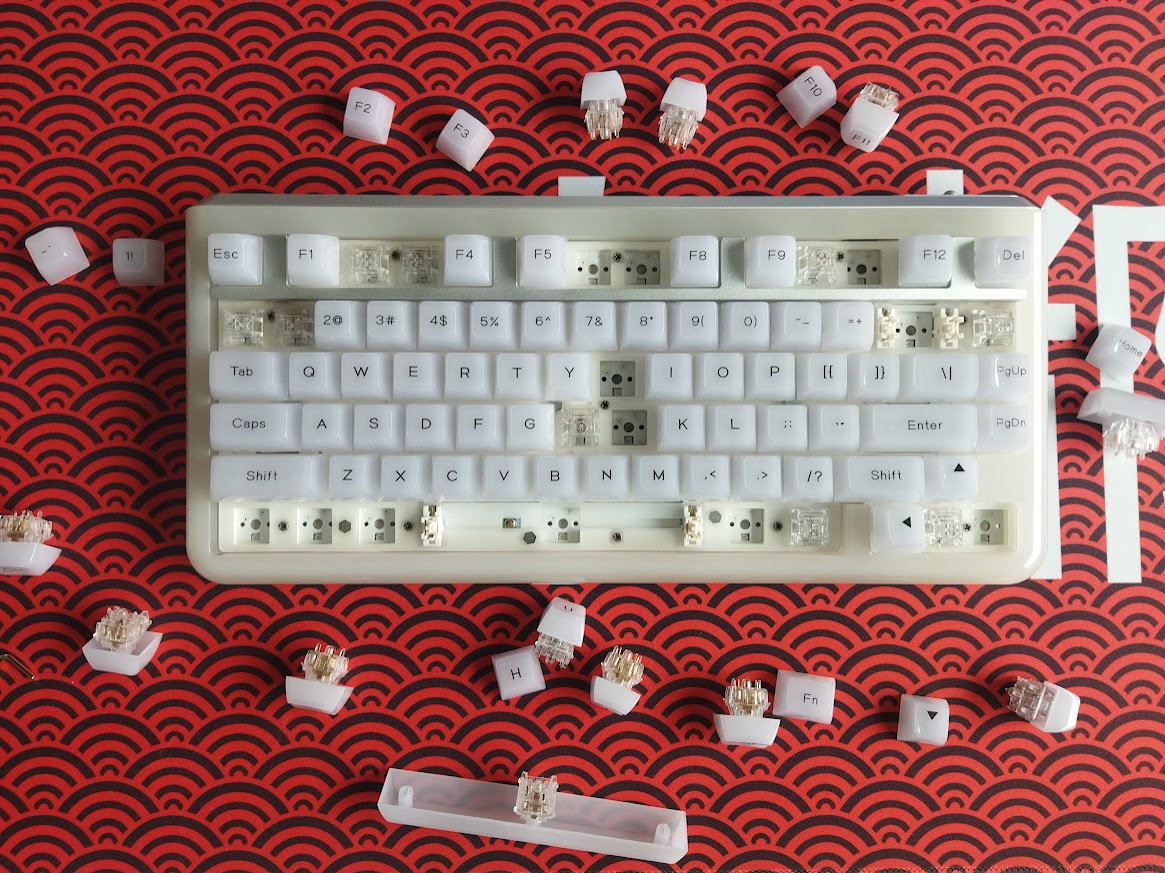
You have to start by pulling off 21 keycaps. Yikes. Since the caps are stuck really tightly, you'll end up pulling most switches with the keycaps. After removing 11 screws, you can lift the plate/PCB sandwich. In the tray there's an easy-to-remove thick silicon layer, and below it the battery if you'd like to check e.g. battery health.
Plate
The plate is PC, featuring flex cuts. As always, I'm not sure about their real effect being sandwiched together with a non-flex PCB.
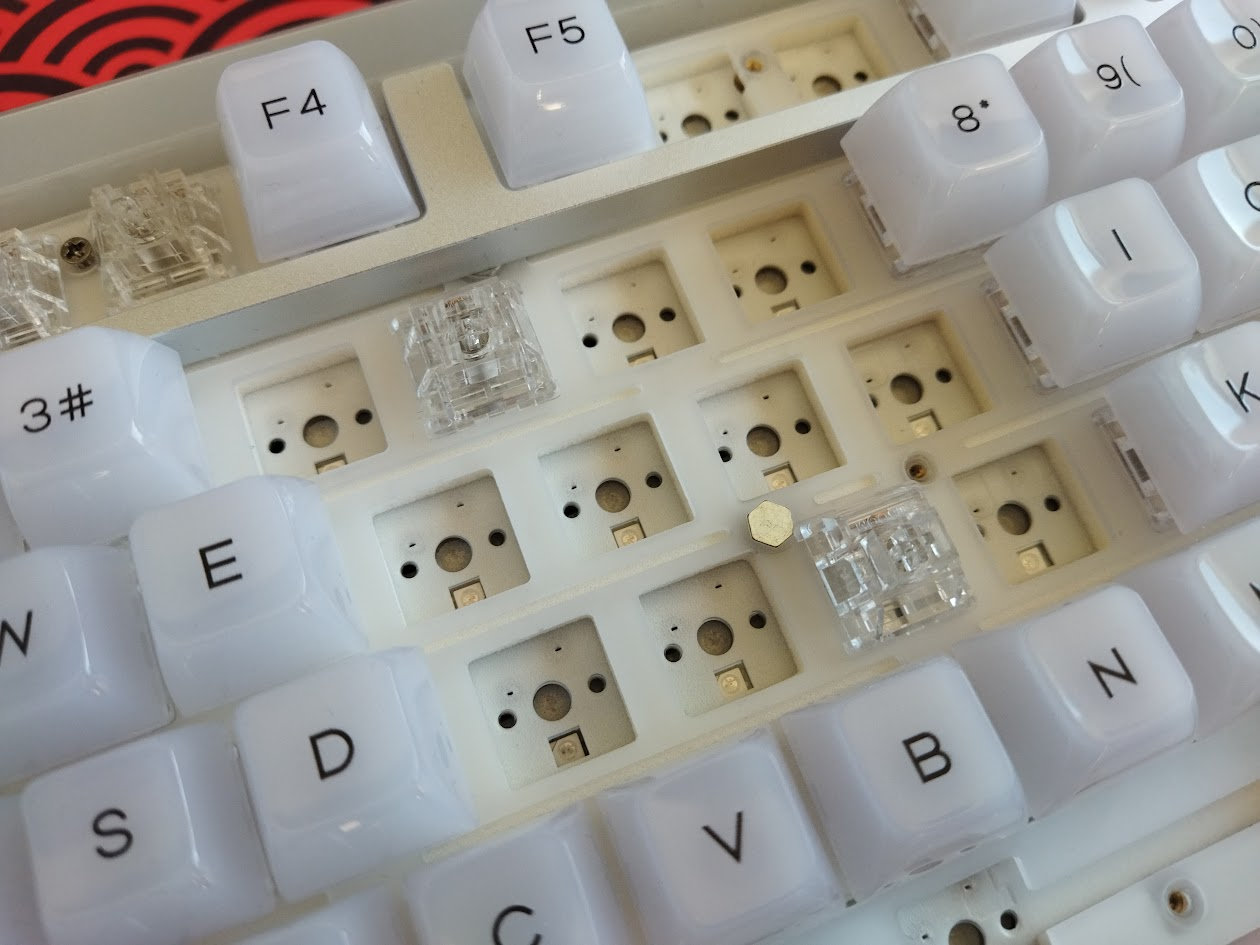
Plate-mount stabilizers. No support for PCB-mount stabs I guess, but I didn't want to tear off the sound dampening layers to be frank.
No stepped CapsLock support with this plate for sure.
PCB
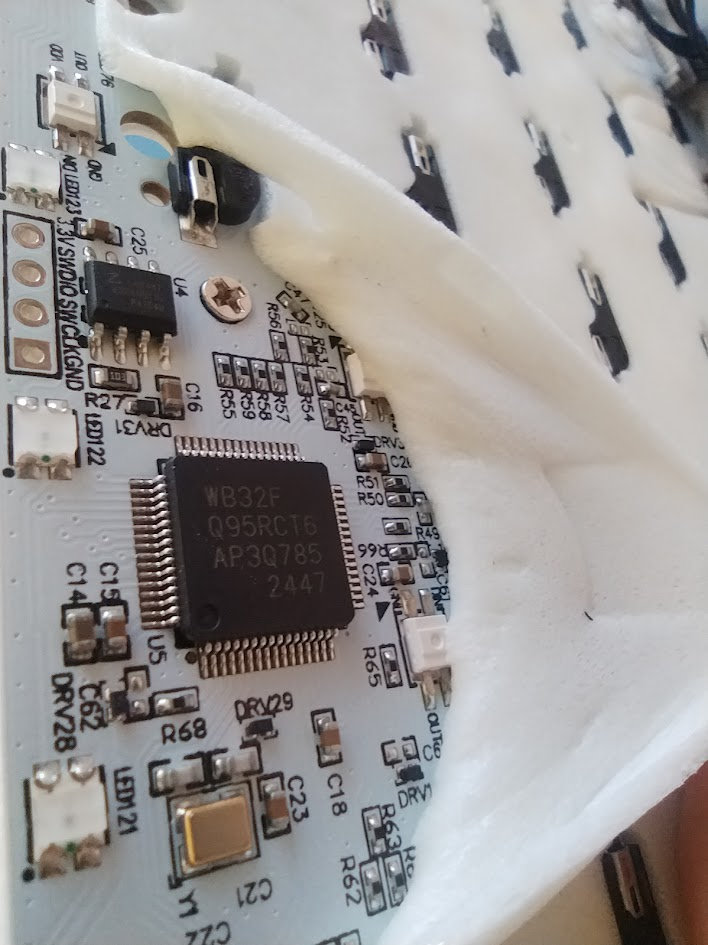
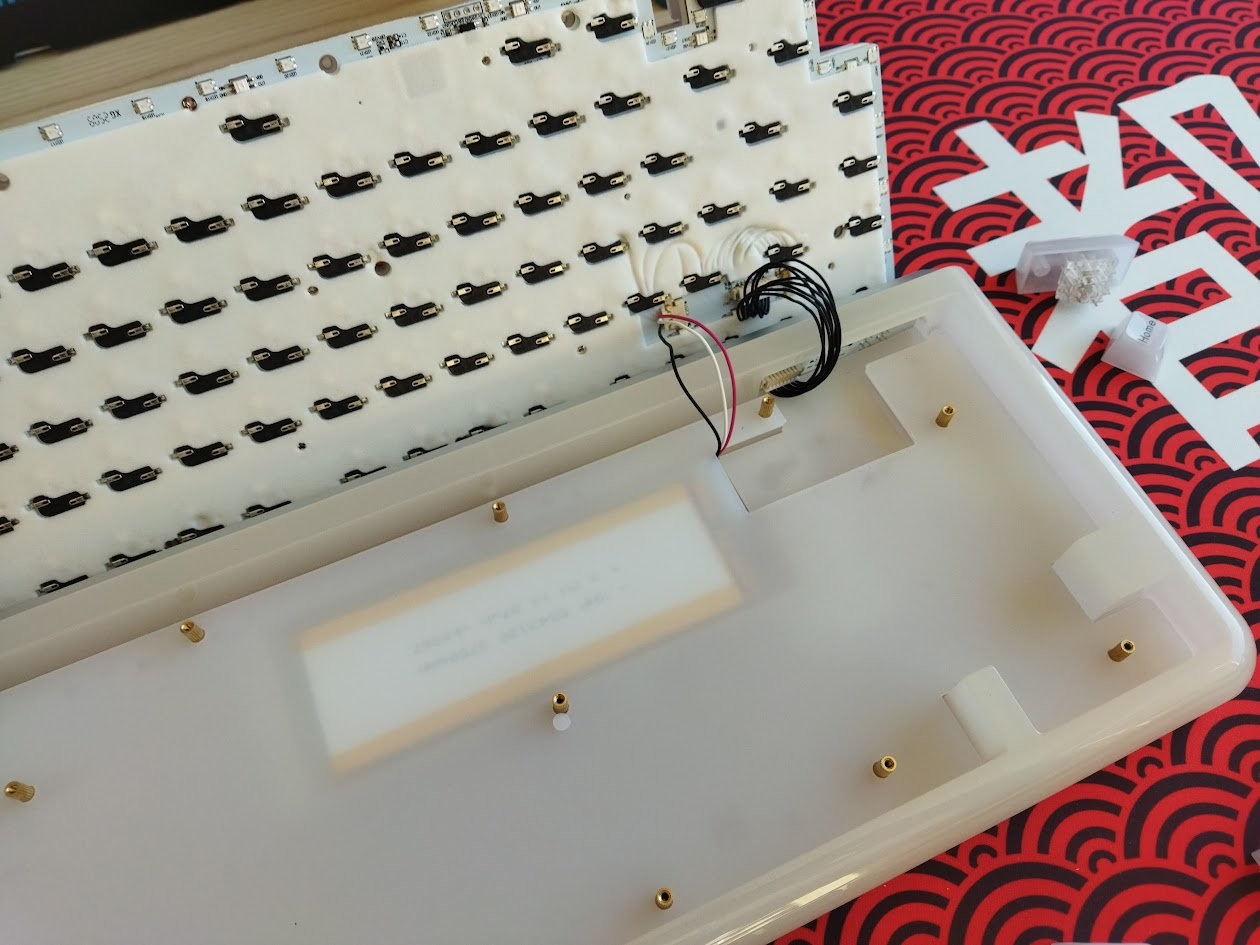
The 1.2 mm glossy white PCB is part of the thick plate/foam/PCB sandwich, and it comes with hotswap sockets, south-facing per-key LEDs, and no flex cuts I guess. (However, I only removed the foams stuck to the PCB at the corners.)
The default stabilizers, as already mentioned, are plate mounted, and even if the PCB would support screw-in stabs, it would be a real pain in the butt to access the holes under the sticky foam layers.
Bottom weight
No fancy decoration weight, just a thin silvery plate. That said, the Jade75 is still heavy enough: 1.3kg to be precise, at least according to my measurement.???
Sound & Feel
The exploded image on the product page is garbage, with labels definitely in the wrong places.
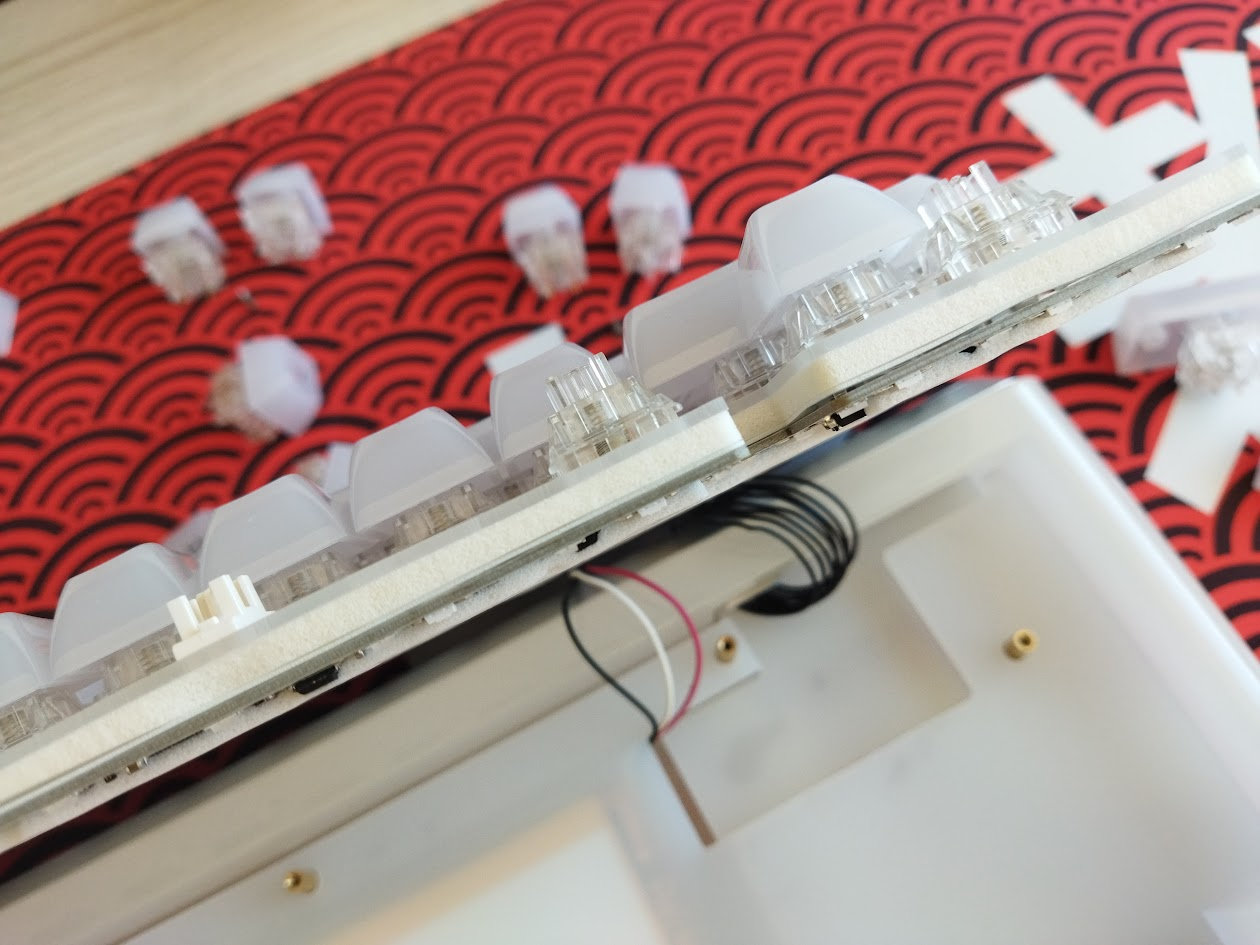
There's a thick PORON plate foam between the plate and PCB, also a switch pad, and then the sticky socket foam beneath the PCB. Finally, a relatively thick silicon layer in the case. That said, the Jade75, due to the tray mounting, rigid PCB, and despite the flex cuts of the plate, provides a relatively direct typing feel.
The out-of-the-box typing experience could be described as average, with a relatively loud sound – I can't really tell if it's on the clacky or thocky side of the spectrum. Nothing wrong with the sound, just nothing revolutionary.
RGB lights
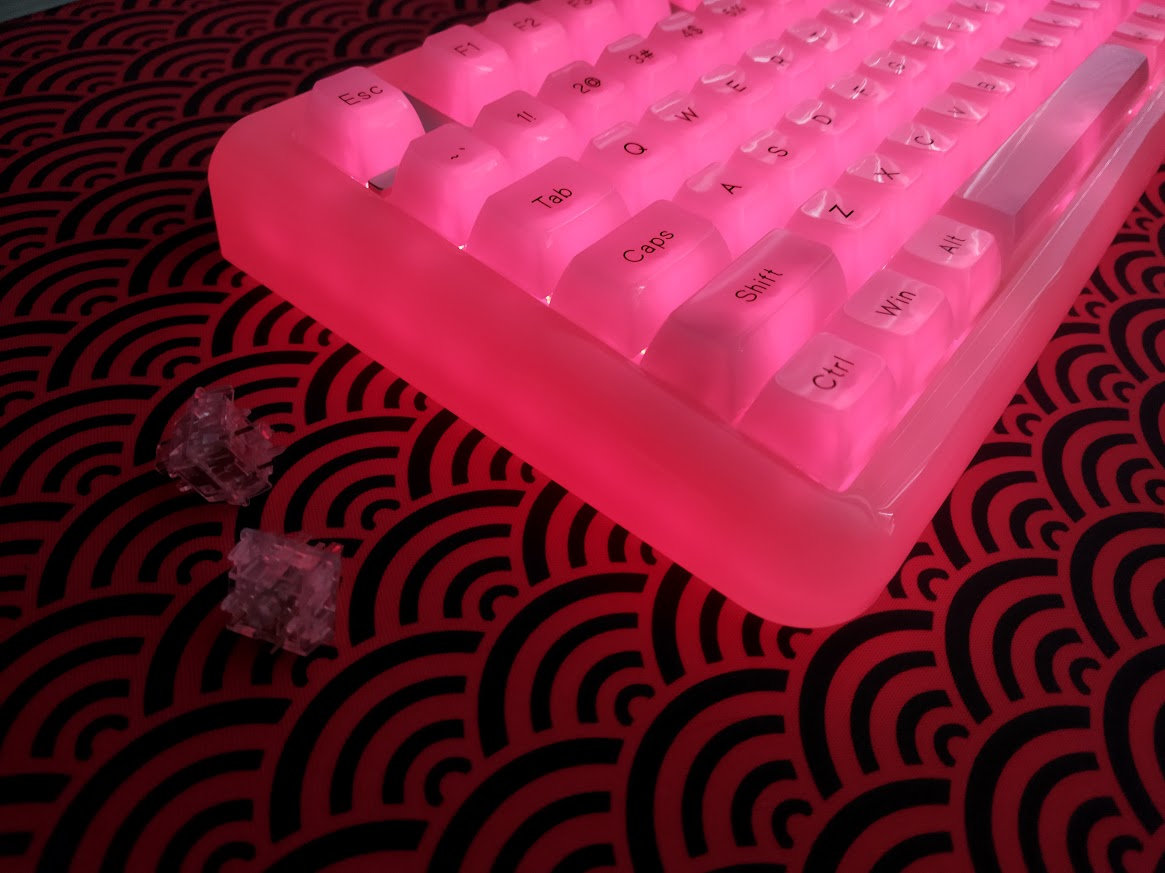
The board comes with per-key RGB and independent case lighting, some familiar built-in lighting effects and full support for real-time customization via VIA’s web-based configurator – at least for the per-key backlighting part. From subtle ambient glow to vibrant full-spectrum animations, you can fine-tune colors, brightness, and animation mode and speed to match your mood and setup.
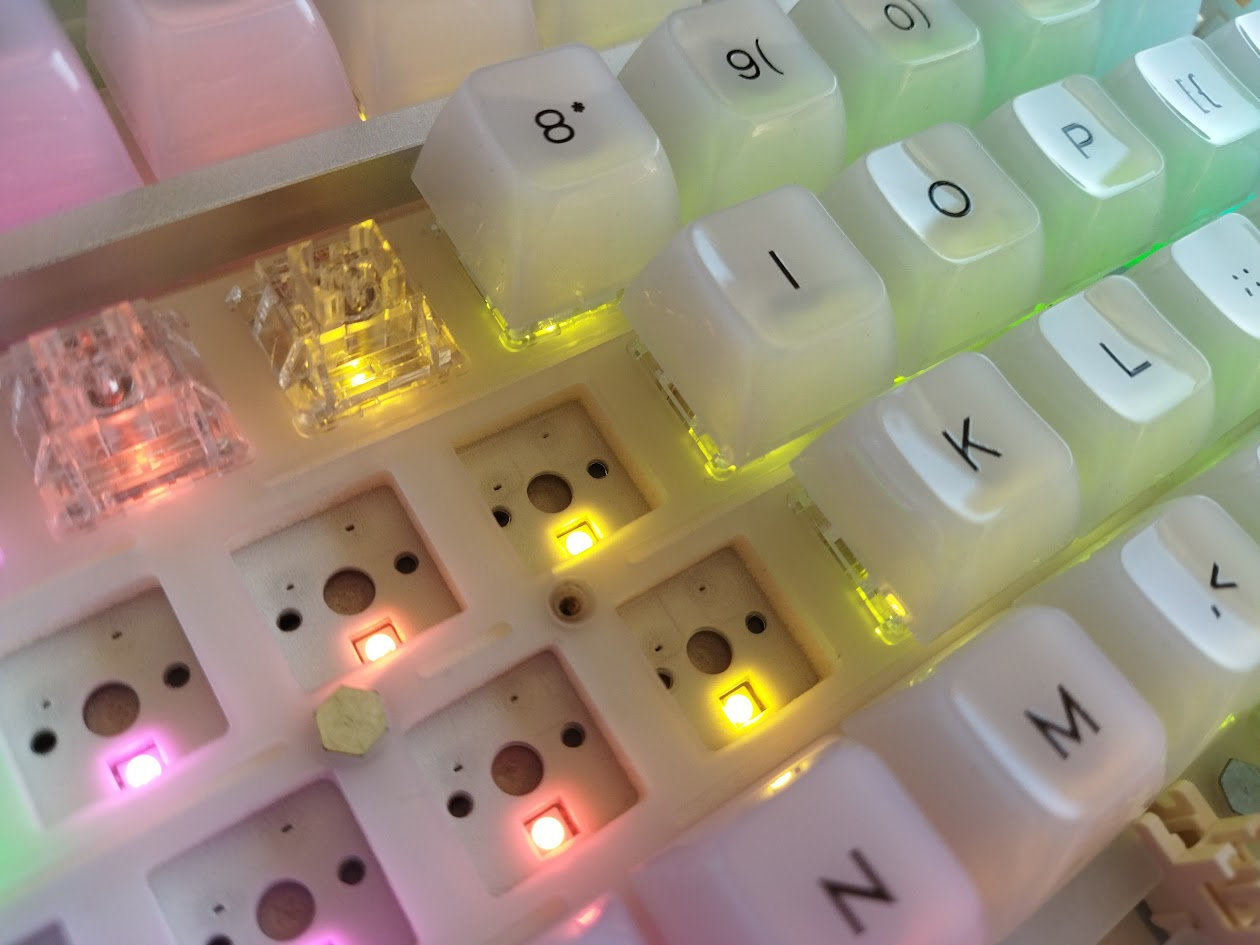
In addition to the south-facing per-key LEDs, there are many more LEDs running around the perimeter of the PCB – to light up the case as well.
Wireless
The KiiBOOM Jade75 is a tri-mode wireless keyboard (Bluetooth 5.0, 2.4GHz wireless, and USB Type-C wired connections) powered by a 3750mAh lithium battery.
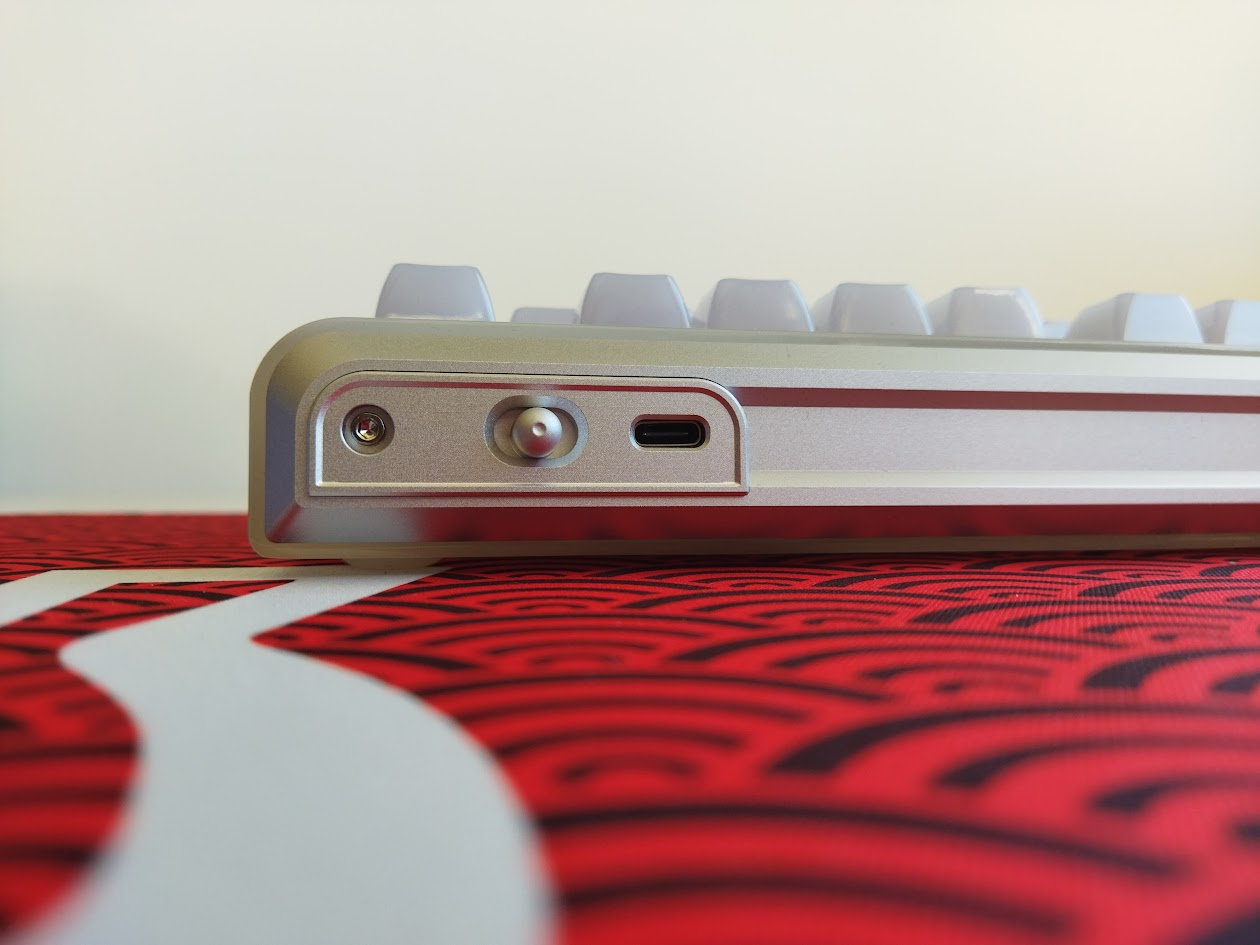
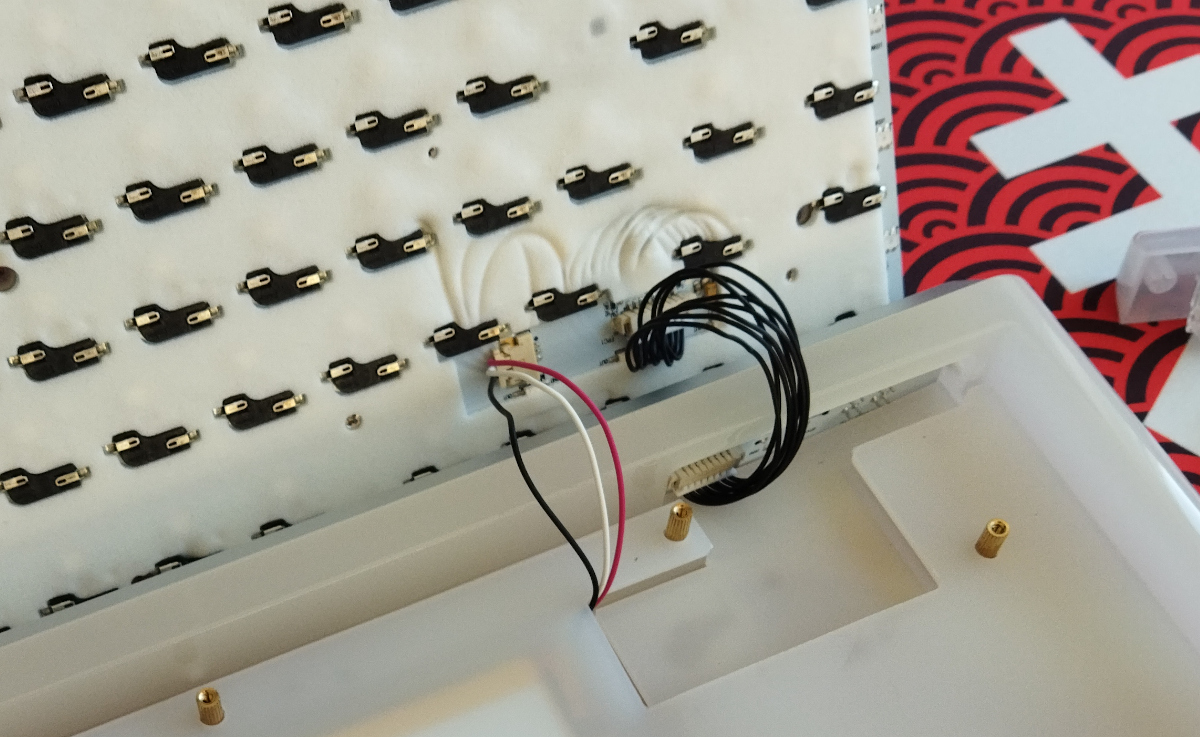
There's a physical on/off switch at the back, but I'm not sure about complete battery decoupling. There's a reset button beneath the spacebar, but I haven't run into any switch to disconnect the battery. The aluminum back, where the mode selection switch resides, is connected to the battery by a cable, so you could disconnect that if you know that you won't need wireless connectivity.
General warning: If you use your wireless Jade75 keyboard permanently connected, please read this article about Built-in keyboard batteries and how to avoid fire – for details, tips, and horror stories.
Basically, keeping the board plugged in constantly may lead to accelerated degradation of the lithium battery. You have to follow proper battery care practices, so you should remove, disconnect or switch off the battery if you don't need wireless functionality. Check the battery for swelling regularly, even when disconnected or removed.
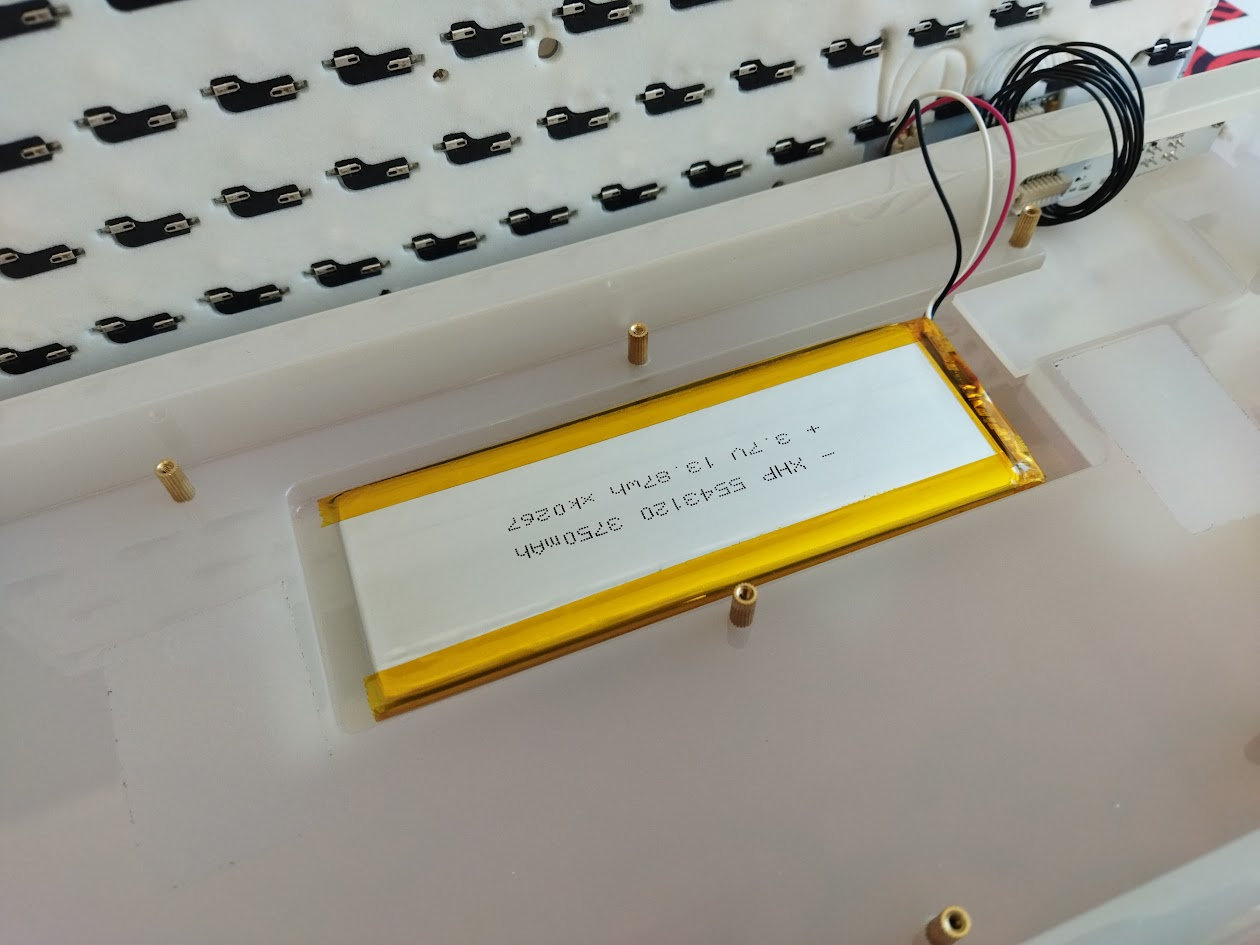
The Jade75 doesn't make this process easy. There's no easy way to disconnect the charging circuit and effectively isolating the battery from the PCB. You can unplug the battery from the circuitry housed in the aluminum back piece, but otherwise monitoring battery health will be a challenge. As already mentioned, you'll have to remove at least 21 keycaps and 11 screws, remove the plat/PCB core, and also a silicon layer to access the battery and check e.g. for swelling.
Software
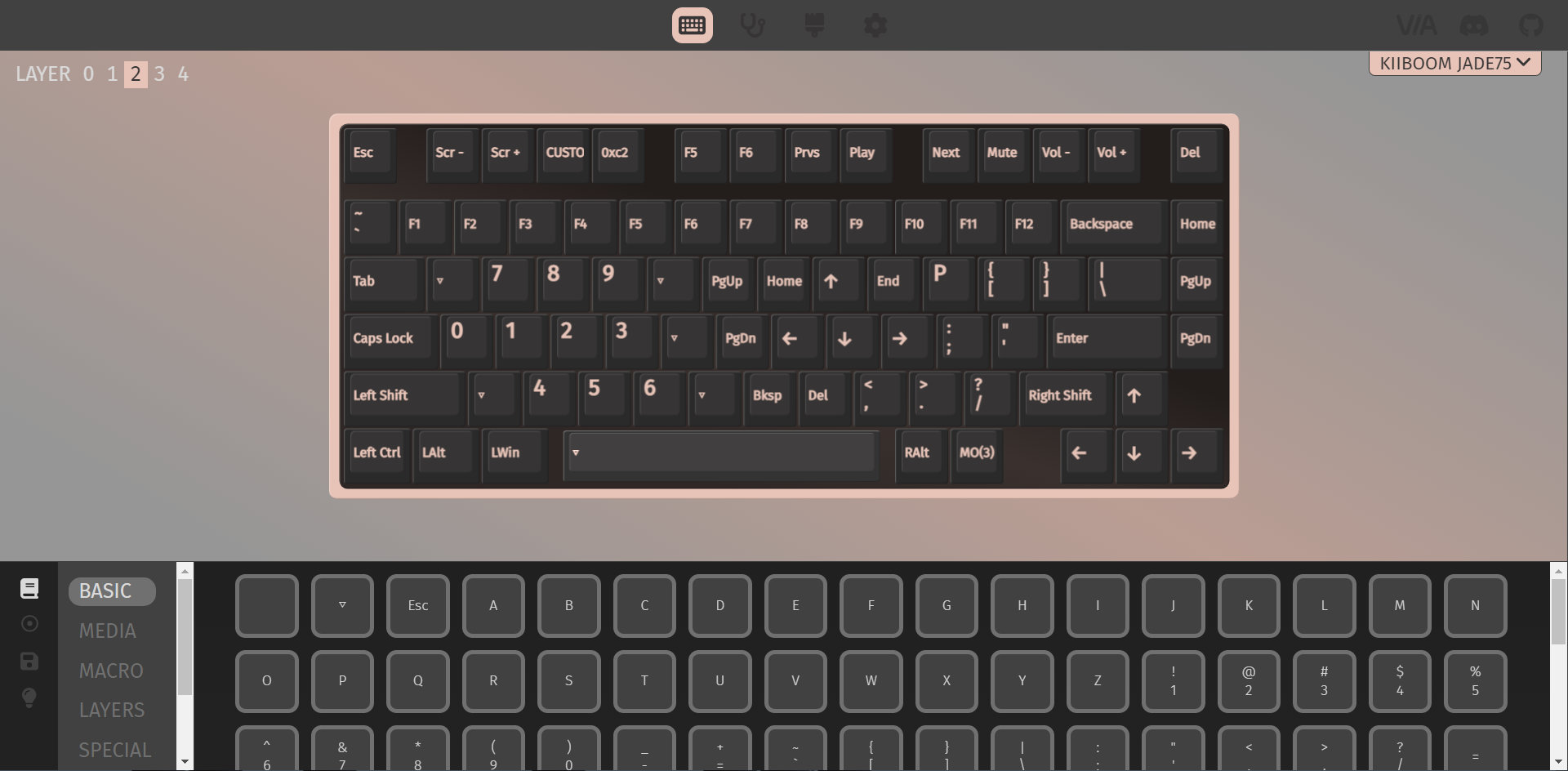
Yay! The Jade75 supports VIA for easy key remapping, macros, and lighting, directly in your browser, no software needed if you're content with the features of the online configurator.
That said, I could find only a JSON file, KiiBOOM doesn't seem to provide the source files – violating the QMK licence and frustrating QMK maintainers.

Swapping letters or symbols works as usual. Just like SpaceFN: This easy-to-access layer is crucial for many users as you can put arrows, navigation and numbers under your fingertips.
Portability
The Jade75 is a great board for stationary use, but if portability is your main concern, I would definitely choose something lighter. Sure, its wireless features make it mobile in theory, being more compact than a fullsize board helps too, however, maybe something even lighter and less bulky would be better suited for on the go.

Comparison
Recently, boards with very similar layouts have piled up in my review schedule, so I can compare them side by side now: the [Evoworks-Evo75-review-2725.html|Evoworks Evo75]], Redragon Eclipse K720 Pro, and [Womier ERA75 have been already covered.

That said, the first alternative that comes to mind is the 65% Akko YU01 – with similar RGB-friendly case.
If you insist on 75% boards, they are numerous often in the $120-130 price range and below, so to justify the relatively steep pricing of the Jade75, you have to be a devote RGB lover. E.g. the aluminum EVO75, my current personal standard with regards to out-of-the-box typing experience, is available for about the same price.
For in-house alternatives you can check out the silly (plastic!) KiiBOOM Phantom81 and more serious aluminum Moonshadow V2. For non-KiiBOOM options it's worth checking out the classy NPKC RO75, or even the crazy GravaStar Mercury K1 Pro (wired) – but first and foremost, try to figure out what features other than RGB lighting you find important: alu case, rotary knob, display, offset arrows, wireless, or simply aesthetics.
Conclusion
The tri-mode wireless KiiBOOM Jade75 is another 75% pre-built mechanical keyboard with highlights like the UV resin case combined with per-key RGB for extraordinary lighting effects. CNC aluminum back, hotswap switches, shine-through keycaps, VIA support. Given the relatively high price, this offer is mainly for RGB fanatics.
Pros
- sturdy and scratch-resistant resin case
- RGB overdose
- highly customizable (hotswap, MX, VIA)
Cons
- Lighting comes before everything else

Price & Availability
The KiiBOOM Jade75 is available at kiiboom.com. The KBDNEWS coupon code (5% off) is in effect, so you can get this board for $169 $161 now.
- KiiBOOM Jade75 product page
- QwertyKey Kyoto deskmat
Published on Tue 11th Nov 2025. Featured in KBD #201.
Related

Större
STHLM kb announced Större, an easy-to-build 75% keyboard kit with exposed diode cluster and using only through-hole components.
KiiBOOM Phantom81 Lite review
I reviewed KiiBOOM's Phantom81 Lite, a cute wireless 75% keyboard with silly froggy keycap design – in a shiny molded ABS case.
Froggy75
A 75% hotswap PCB through-hole style that utilises two EC-11 rotary encoders and an Elite-C daughterboard – by flehrad.
TrackPoint78 keyboard
ChnMasterOG released the TrackPoint78, a three-mode wireless keyboard with built-in trackpoint.