Keyboard Builders' Digest / Review
Redragon Eclipse K720 Pro review
The Redragon Eclipse K720 Pro is a 75% wireless gamer(?) board with pretty impressive features for the price: CNC alu case, display, knob, cool decoration lights.

Published October 3, 2025

It's a coincidence that a bunch of 75% keyboards have piled up in my review schedule, but at least we can compare them first-hand now. After dissecting the relatively expensive Evoworks Evo75 (and before getting to the Womier ERA75 and KiiBOOM Jade 75), here comes probably the most affordable alu 75%: the Redragon Eclipse K720 Pro. As usual, with full disassembly and teardown.
TLDR; The tri-mode wireless K720 Eclipse Pro is a fully built keyboard coming in a hefty aluminum housing. It's a very affordable mechanical keyboard ($90 with the KBDNEWS coupon code) with some premium features. OLED screen, rotary knob, nice decoration lights, beautiful double-shot keycap set, and cool switches. Gaskets and lots of sound dampening layers ensure a decent but very direct out-of-the-box typing experience. The hotswap PCB and MX-compatible switches make it somewhat customizable despite the limitations of the proprietary software. All in all, the K720 Eclipse Pro is a nice offer for a seemingly unbeatable price – not for keymap wizards though.
As you'll see, I've eviscerated the K720 to the very core as usual. Check out the full review below for all the details and photos revealing its internals as well. ;)
Disclaimer
Redragon was kind enough to send me this review unit for free, which may introduce all kinds of biases – both negative and positive in my experience. Take everything I write with a grain of salt.
Unboxing & Contents
The outer cardboard box of the Eclipse K720 Pro is pretty classy, and there's a much more puritan inner cardboard box too. It's a much simpler bundle compared to the Evo75, but we are talking about $90 vs $150, so that's understandable.
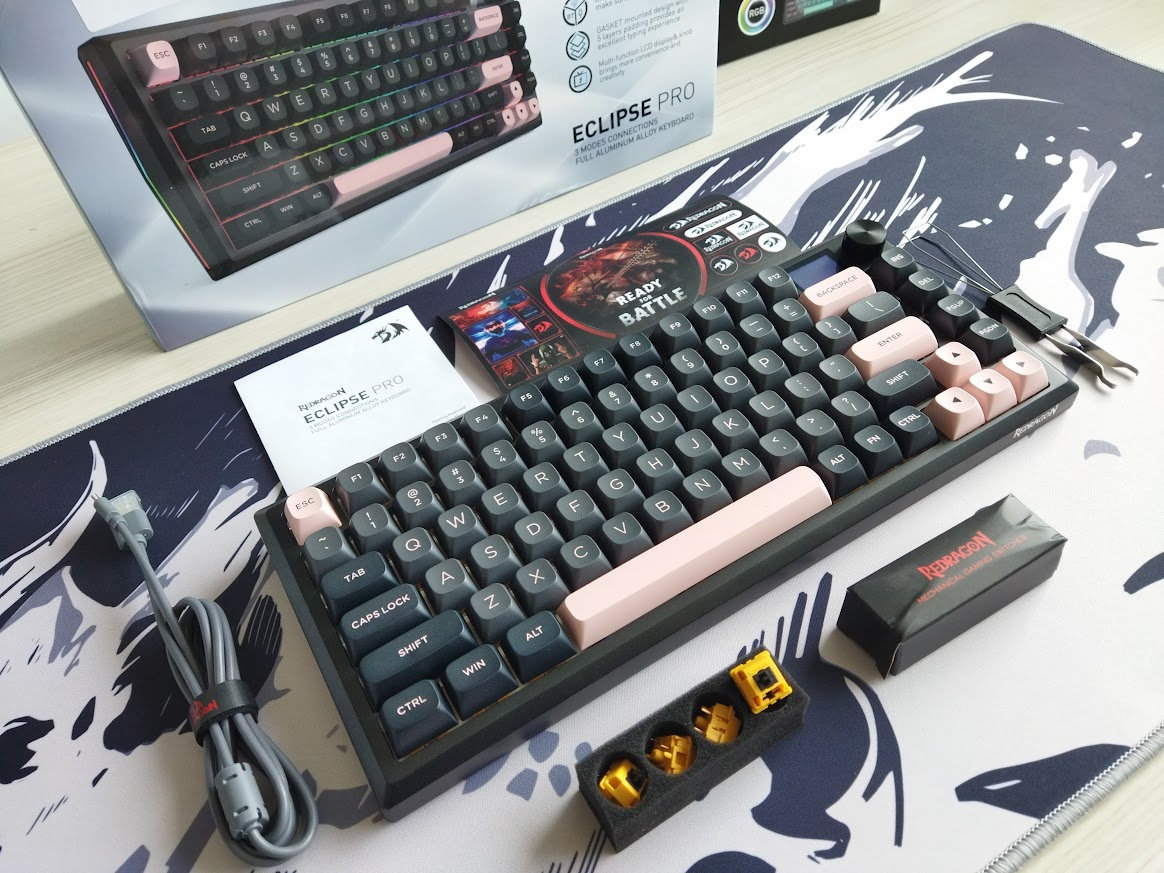
Contents:
- The K720 Eclipse Pro, pre-built with switches and keycaps.
- Quick-start guide, Redragon sticker pack.
- 2.4GHz receiver (magnetic compartment in the case)
- simple USB cable
- basic combined tool to remove keycaps and switches
- 4x spare switches (no extra caps for Mac)
First impressions, design language
The Eclipse K720 comes in a single, pretty universal colorway: matte black aluminum case with Olivia-ish keycap colors – two-tone dark grey plus light rose accents.
Another coincidence, but just like the recently covered Nebula Evo75, the K720 features a glittery finish too. The micro-glitter effect is quite hard to capture in photos, because it's more subtle compared to the Evoworks finish (click the photo below).

The Redragon logo on the front is a bit intrusive for my taste, but otherwise I like this simple but authoritative design and aesthetics, spiced up by some nice rounded cuts and the RGB light strips on the two sides.
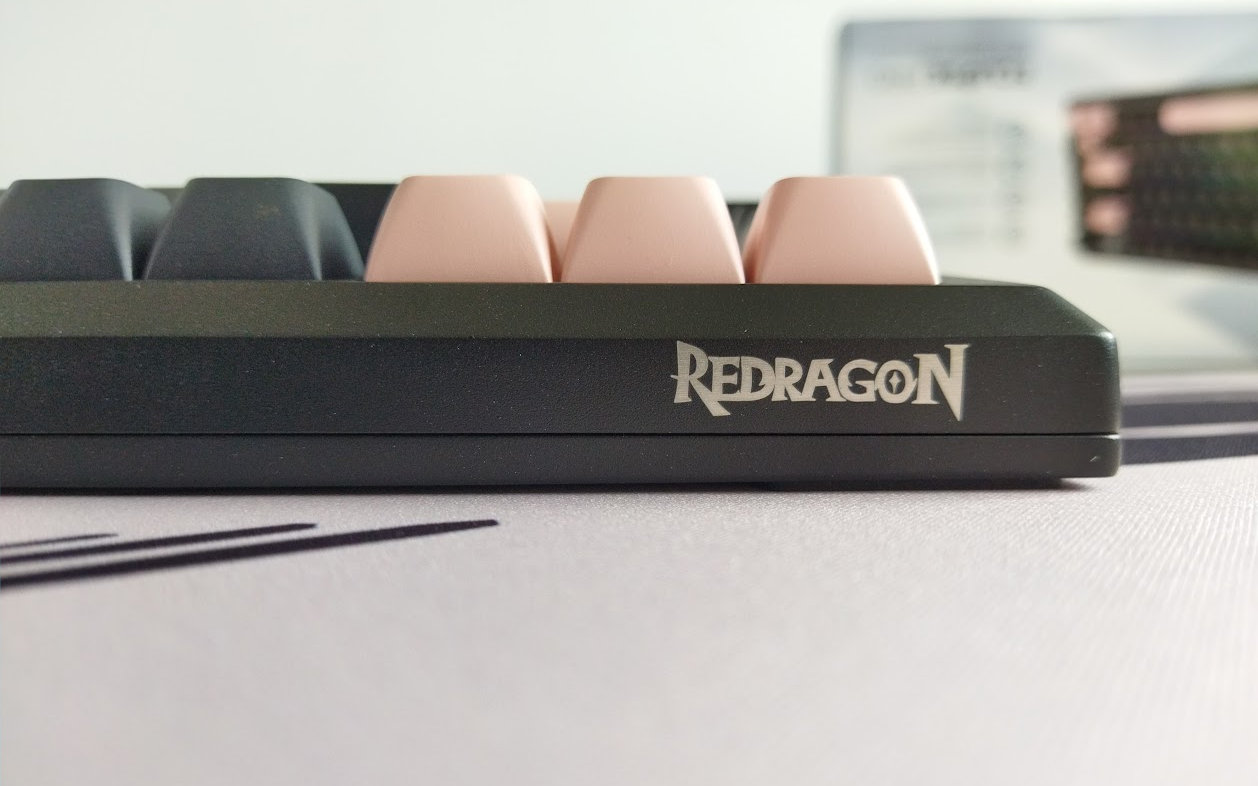
It's hard to stand out in such a crowded market like the 75% segment, and the K720 Eclipse Pro apparently tries to achieve this via the colorful OLED screen, rotary knob, and these fancy decoration lights – and I have to say that this works.
Specs
- Layout: 75%, 81 keys
- Keycaps: double-shot PBT, a high, sculpted, spherical profile
- Switches: Redragon branded linear
- Typing angle: 6 degrees
- Structure: gasket mounting
- Stabilizers: plate mount (no screw-in stab support)
- PCB: hotswap, north-facing(!) per-key RGB
- 1.41" screen
- rotary knob
- Connectivity: wired, 2.4G wireless, Bluetooth
- Software support: limited proprietary software
- Battery 4000mAh
- Material: CNC-machined aluminum
- Dimensions: 334x140x(28-43)mm
- Weight: 1,592g
Layout
The 75% layout is pretty standard nowadays. It means no numpad and no classic navigation cluster layout either, however, you have arrows, function keys, full number row, and part of the classic navigation keys.
It's a relatively compact design (ANSI), featuring 81 keys, optimizing space while ensuring that all essential functions are easily accessible for new users transitioning from e.g. a fullsize keyboard.
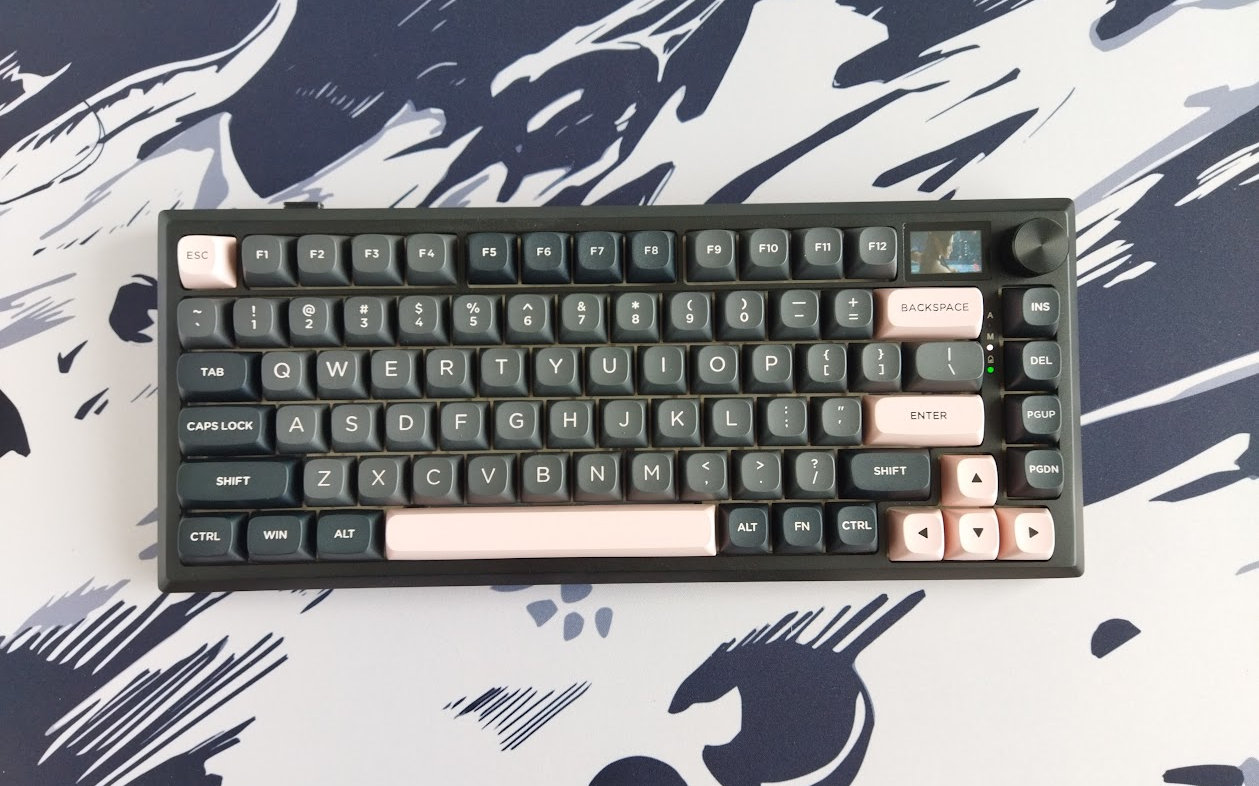
Many 75% keyboards feature a few less or more keys. The 75% K720 Eclipse Pro, with its 81 keys, is not cramped at all. The arrow cluster is easy to locate when touch typing: there's not just the little gap on the left, it's actually nicely offset the 1800 style – you don't get lost when changing between the home row and arrows.
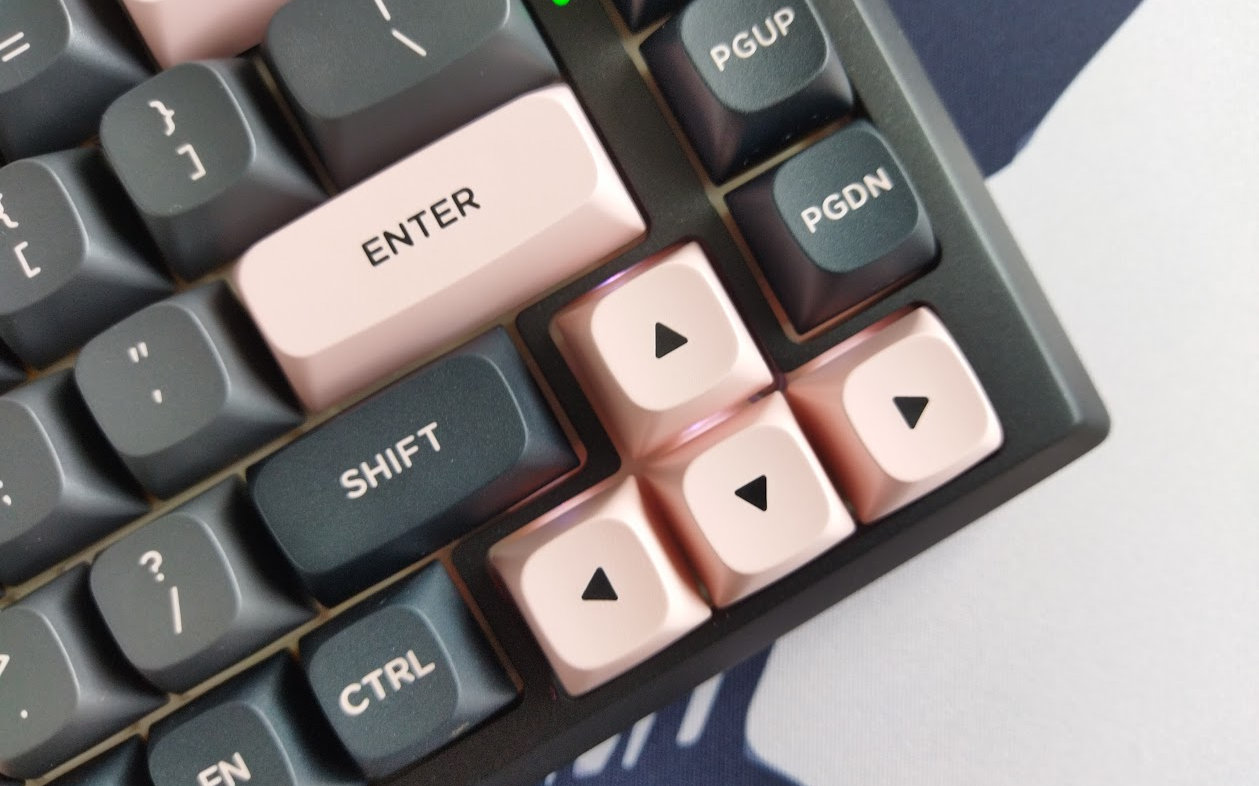
In addition, the K720 retains the gap between the F-groups – sometimes sacrificed by similar boards.
The extra column on the right consists of four keys.
Keycaps
The keycap set looks really nice, it's a proven colorway in the mechanical keyboard community. It's a double-shot PBT set, however, with sparingly used material in some cases. That said, the amount of material never affects legend quality.
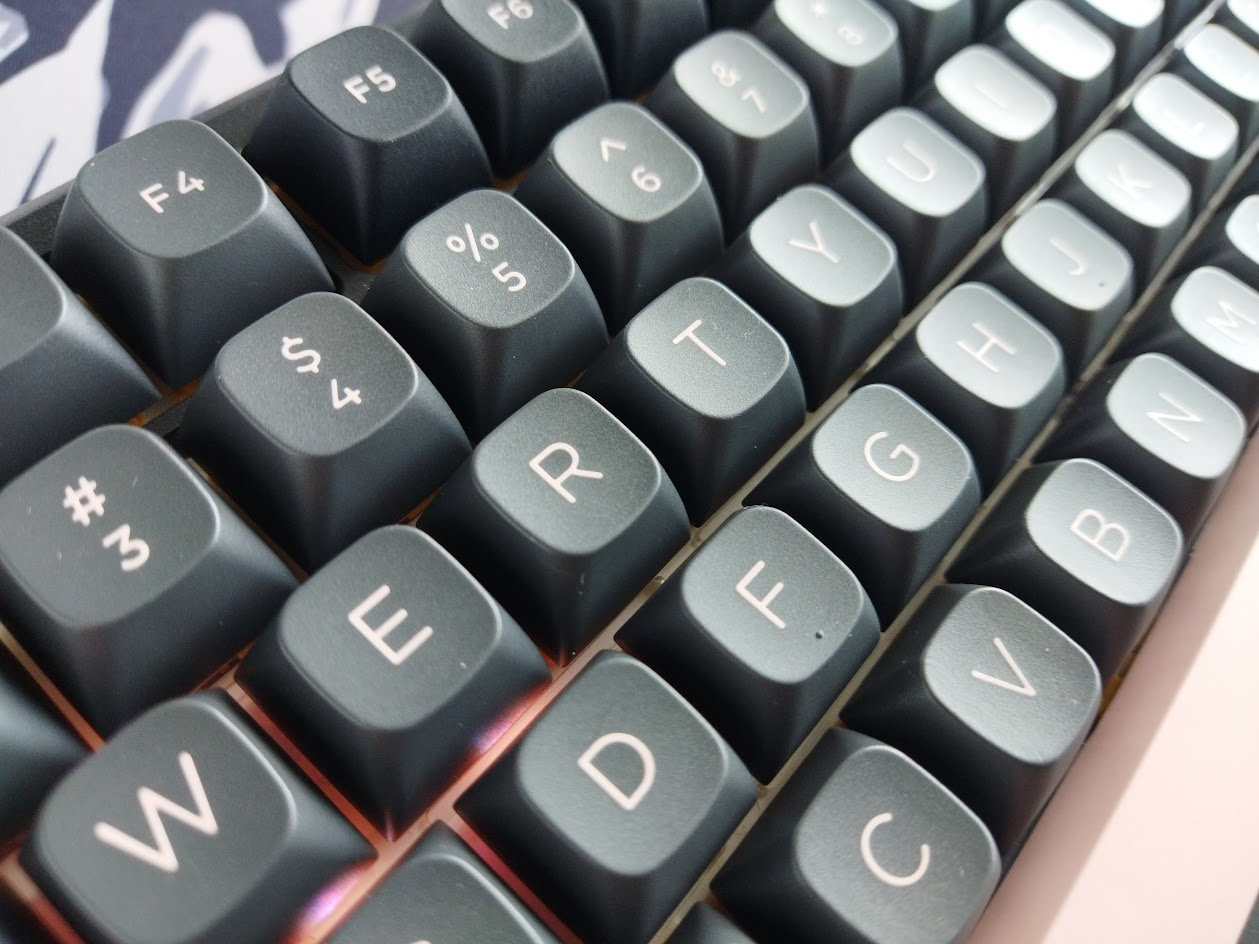
I'm not entirely sure about the keycap profile, so let's only say that it's a sculpted, spherical one, relatively high.
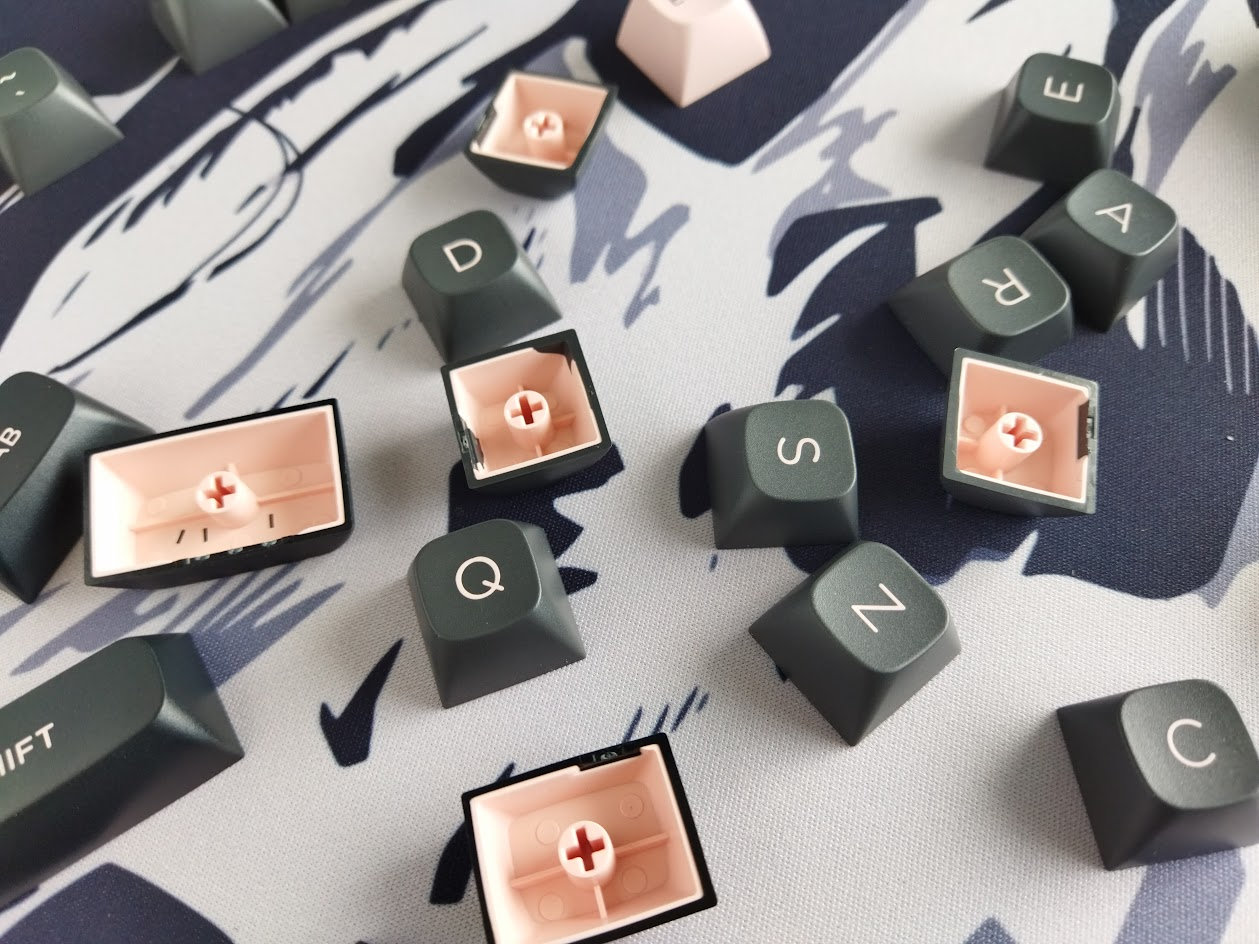
With regards to keycap compatibility, the 75% layout should be widely supported if you opt for something different.
Switches
The switches are nice too, Redragon branded light linear switches in a wild deep yellow color. I'd say that the wobble is acceptable, however, it's amplified by the high keycaps.

Data on this noname ('Hi-Fi') switch is sparse:
- Actuation force: 40gf
- Pre-travel: 2.0mm
- Total travel: 3.3mm
That said, the switches feel decent, but the PCB features hotswap sockets anyway, so you're not restricted to the factory setup at all. Check out the trending community-favorite switches, or feel free to use your personal favorites lying around.
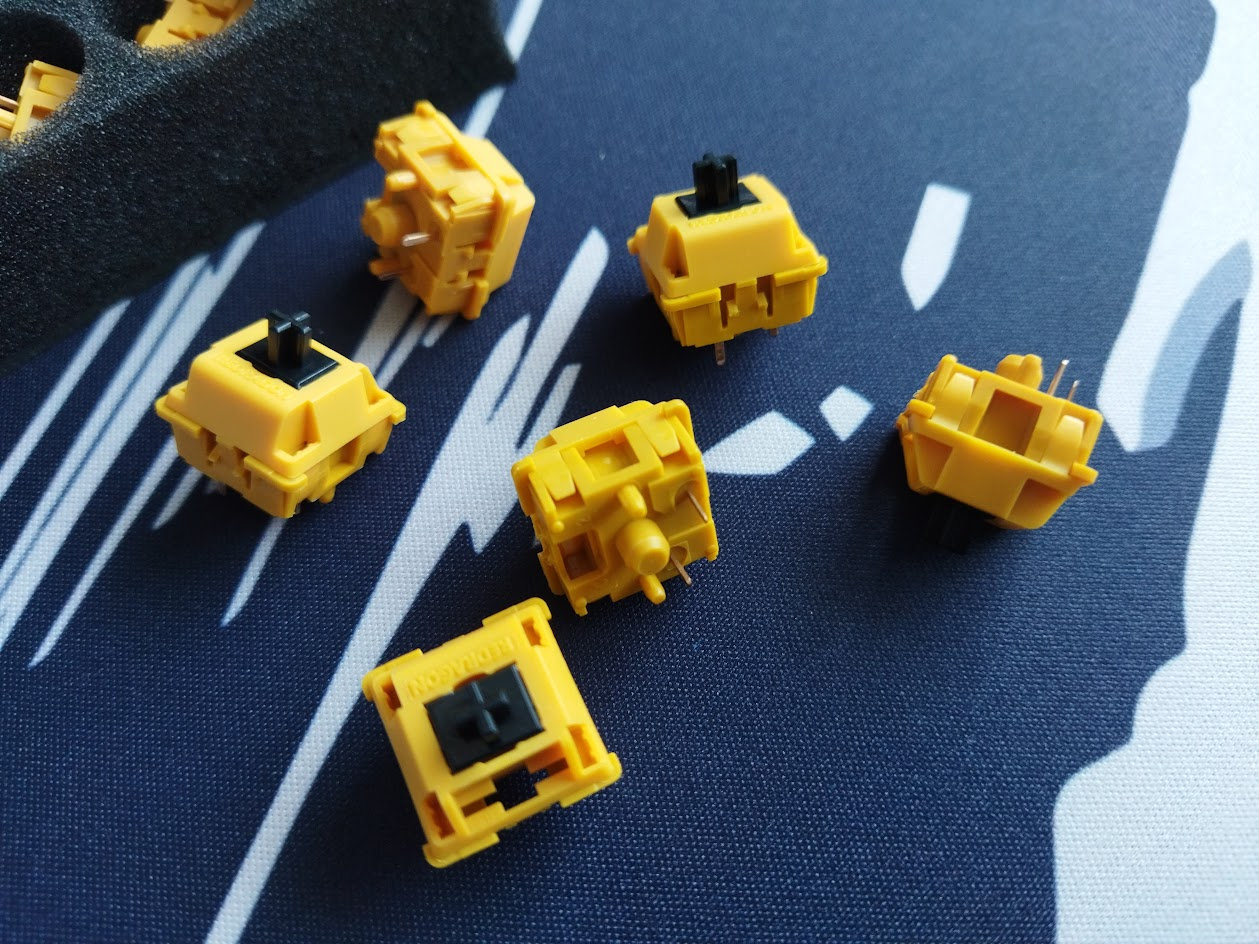
Maybe it's the relatively hard, direct typing sensation, but I feel that this setup would work better with tactile switches – with the premise of avoiding bottoming out.
Build quality, structure, case
This board is pretty heavy, as it is expected from a CNC aluminum case. 1.6kg to be exact. It's far from being the heaviest 75% keyboard I've ever reviewed, but still definitely hefty, and you definitely don't need more heft: there's no way it will move around when gaming, not even mentioning less demanding jobs.
The build quality is decent. The whole thing feels heavy duty, without being overly sophisticated – which would be just out of character with a board like this model.
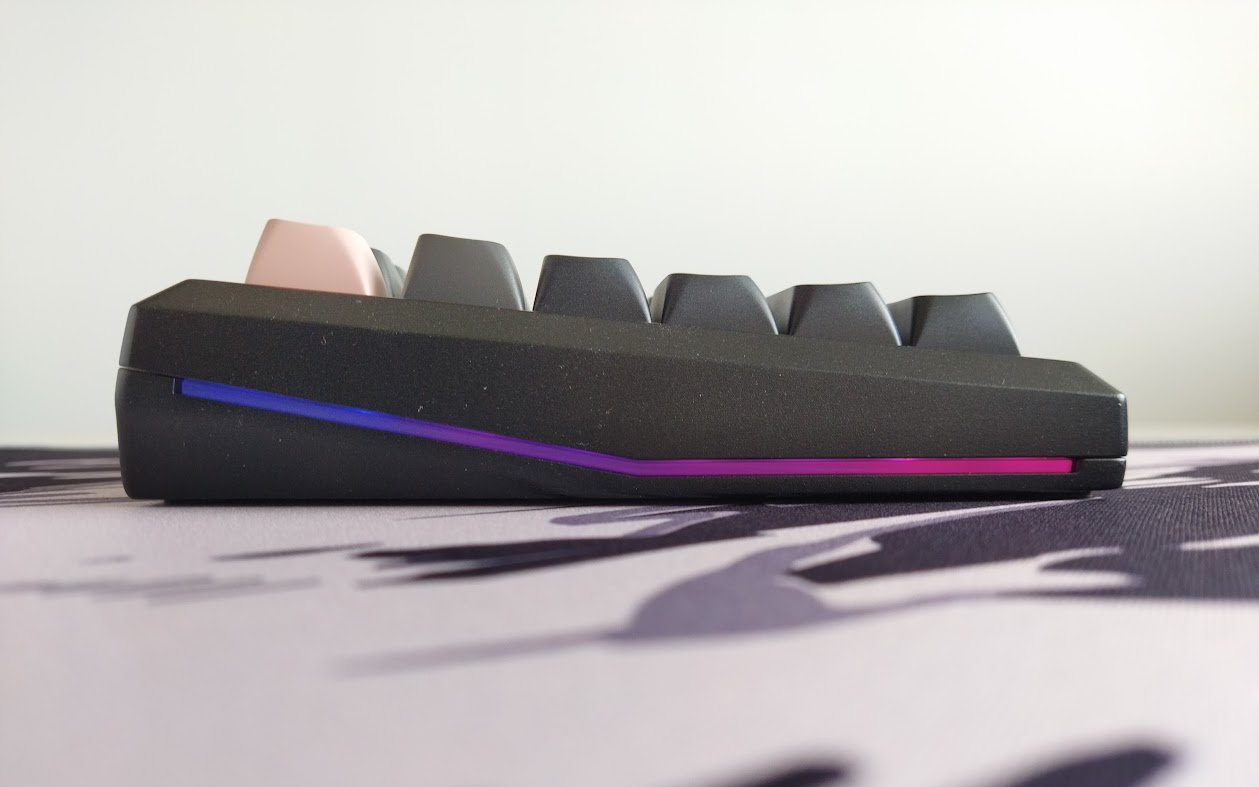
Typing angle: fixed, 6 degrees.
Disassembly? I've been really spoiled by all the recently tested easy-to-open ball-catch keyboards, but managed to disassemble this Redragon anyway.
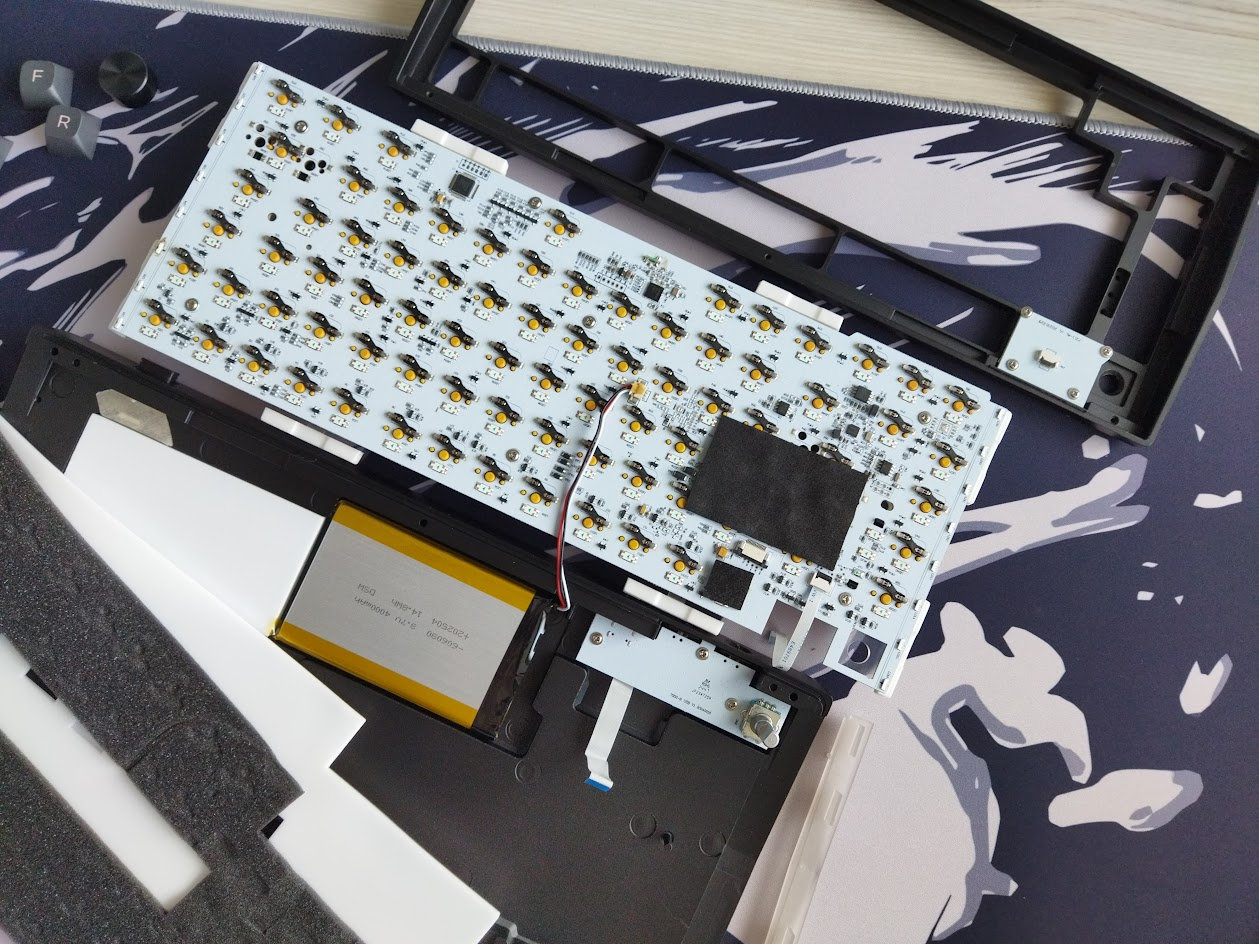
You have to remove 6 screws, four of them after tearing up the bumpons. Yikes.
Structure & Mounting
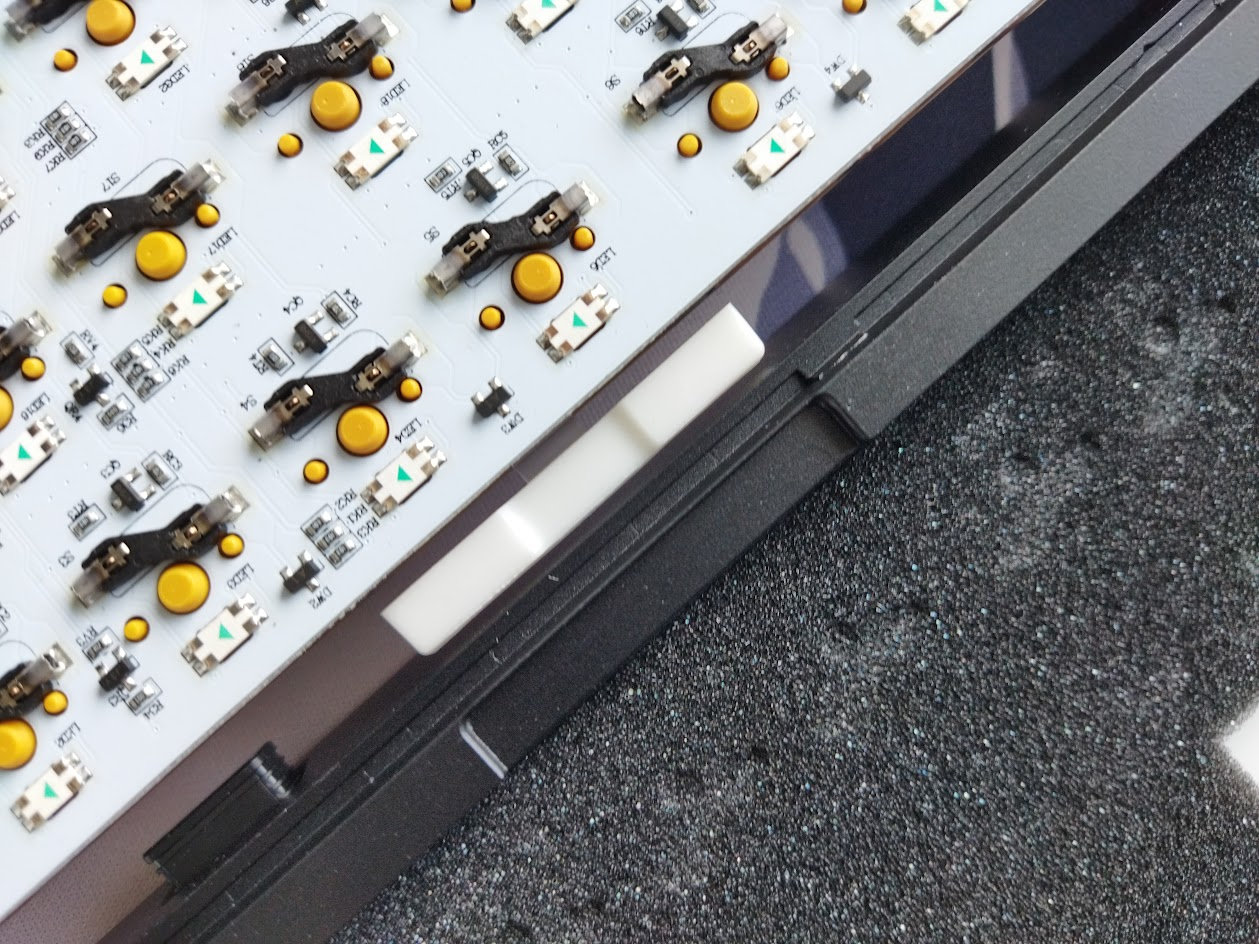
The K720 Eclipse Pro features gasket mounting (the gaskets are attached to the plate), however, this structure differs a bit from other gasket solutions as it uses a much harder material than usual. So I'd say gaskets here have a limited effect. Delivering a crisp, very direct, clean typing feel, so I can't really feel that much flexibility or softness – the general hallmarks of gasket mounting.
Plate
The plate is fully transparent PC, which is an uncommon but nice choice, even if it reveals some strange empty spaces inside the plate/foam/PCB sandwich – due to the foam's shape. In addition, the plate features flex cuts for flexibility.

Plate-mount stabilizers, which are very wobbly. As if the plate would be thinner than for what the stabs were designed for.
PCB
The PCB is part of the thick plate/foam/PCB sandwich, and it comes with hotswap sockets, north-facing(!) per-key LEDs, and no flex cuts.
The default stabs are plate mounted, and the the PCB doesn't support screw-in stabilizers as it lacks the necessary holes for them.
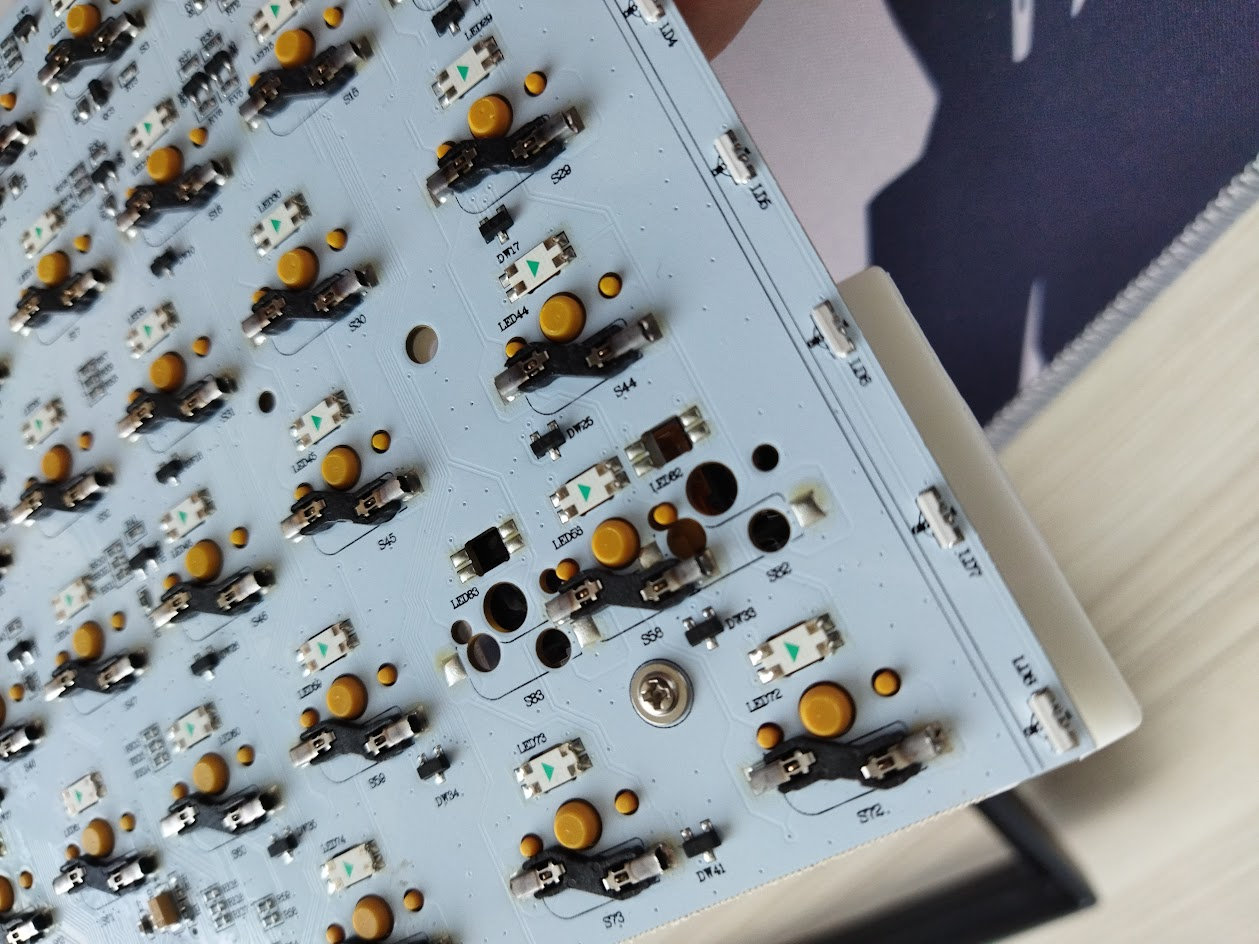
On the other hand, there are signs of ISO-support, e.g. if you take a closer look at the left Shift part, but also around the Enter key. However, since the extra hotswap sockets are not soldered, you have to grab a soldering iron to test if the software supports it too.
Display
LCD? OLED? TFT? These terms are thrown around on the product page and in various materials interchangeably.
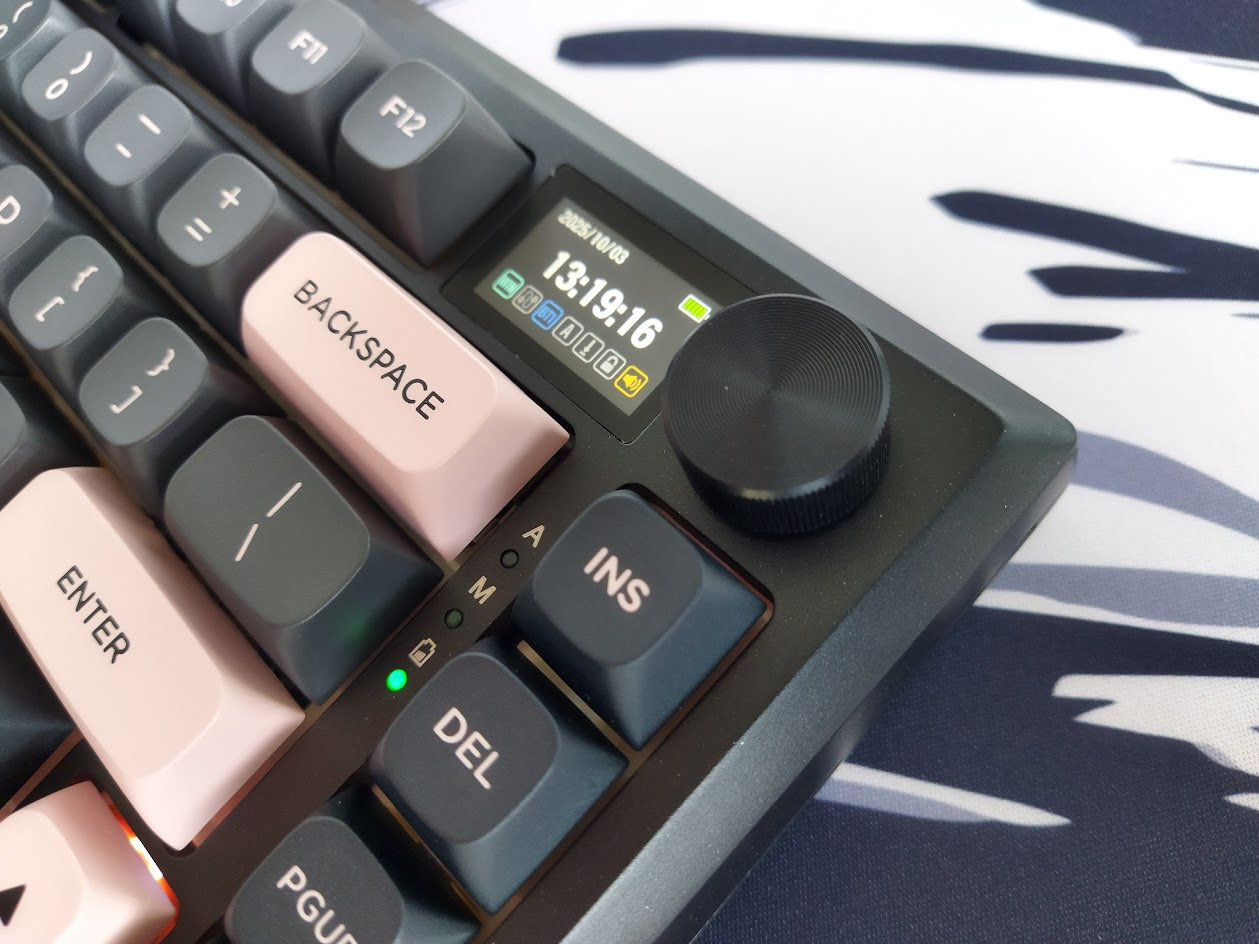
Anyway, the 1.41" color screen displays the date and time, battery level, connection mode and CapsLock/NumLock status. It auto-synchronizes with the host computer's clock on the first use of the software I guess.

The display also serves as a tool for adjusting various settings – you can navigate the menu via the rotary knob. In addition, you can customize the screen with images and animated gifs by using the supplied software.
Rotary knob
The rotary encoder decreases/increases volume by default, and pressing it serves for navigating the menu on the screen – in contrast to the common mute functionality.
Weight
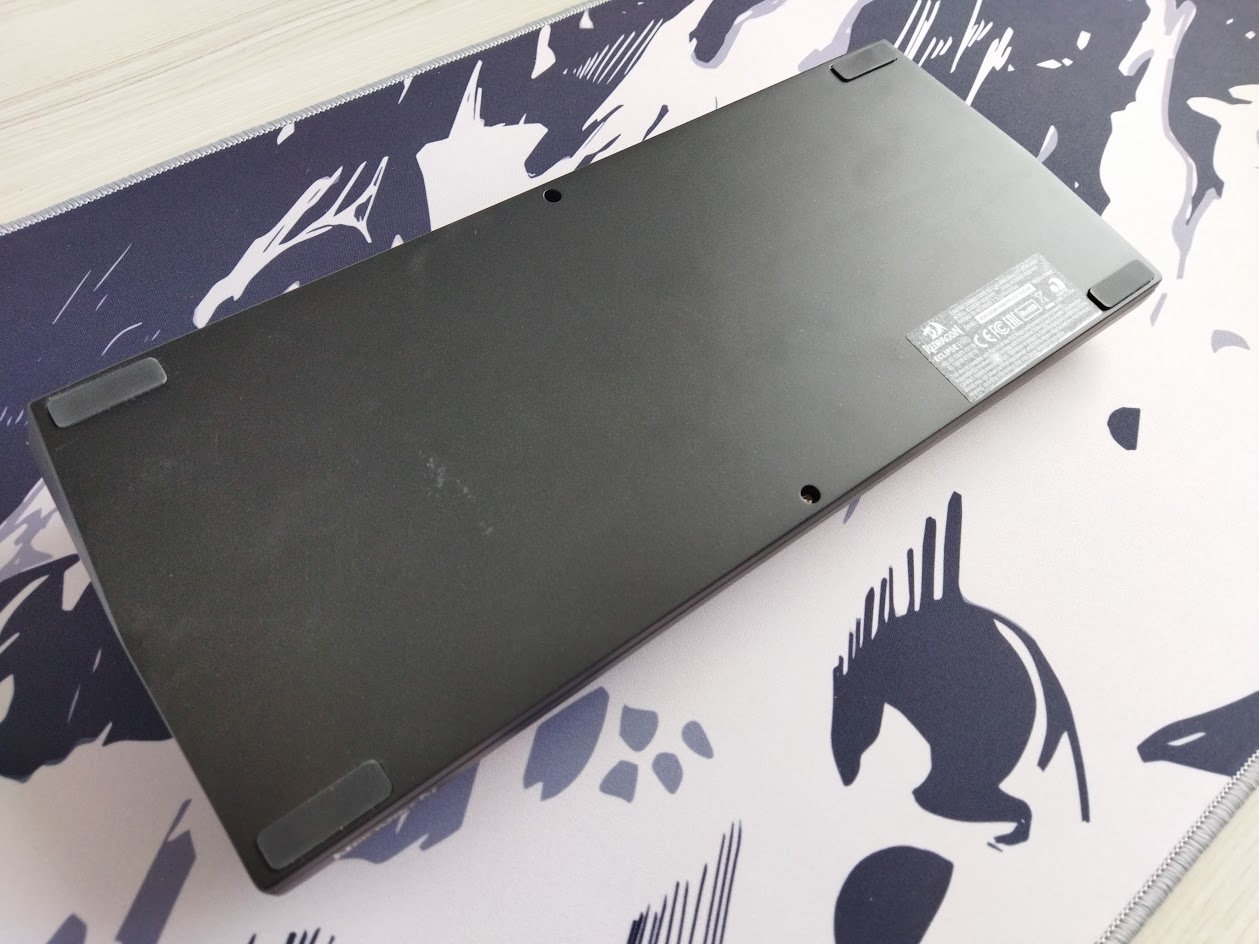
No fancy decoration weight, just a plain, uninterrupted bottom with the glitter – but that's okay. The K720 Eclipse Pro is still heavy enough, and you don't often stare at the bottom of your keyboard, do you?
Sound & Sound dampening
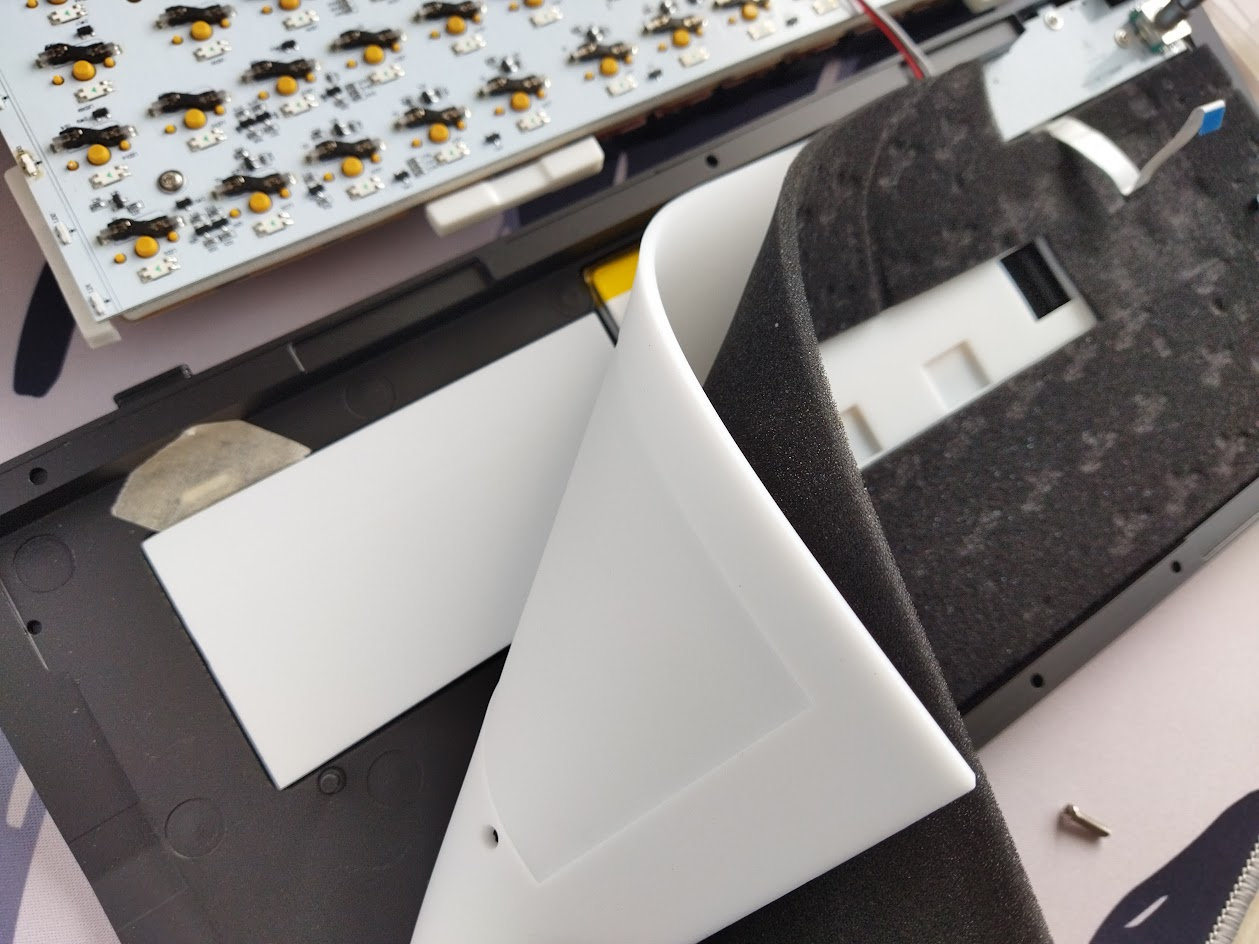
Thick 3.5mm PO sandwich foam, IXPE switch foam, PET sound pad, and two more layers in the bottom case: one for the hotswap sockets and other parts, and another silicon dampener. Together with the TPR gaskets and the flexible PC plate with the cutouts, the K720 Eclipse Pro should provide a much softer and cozier typing feel, but it does not. It's okay if you prefer the direct typing feel.
Lights
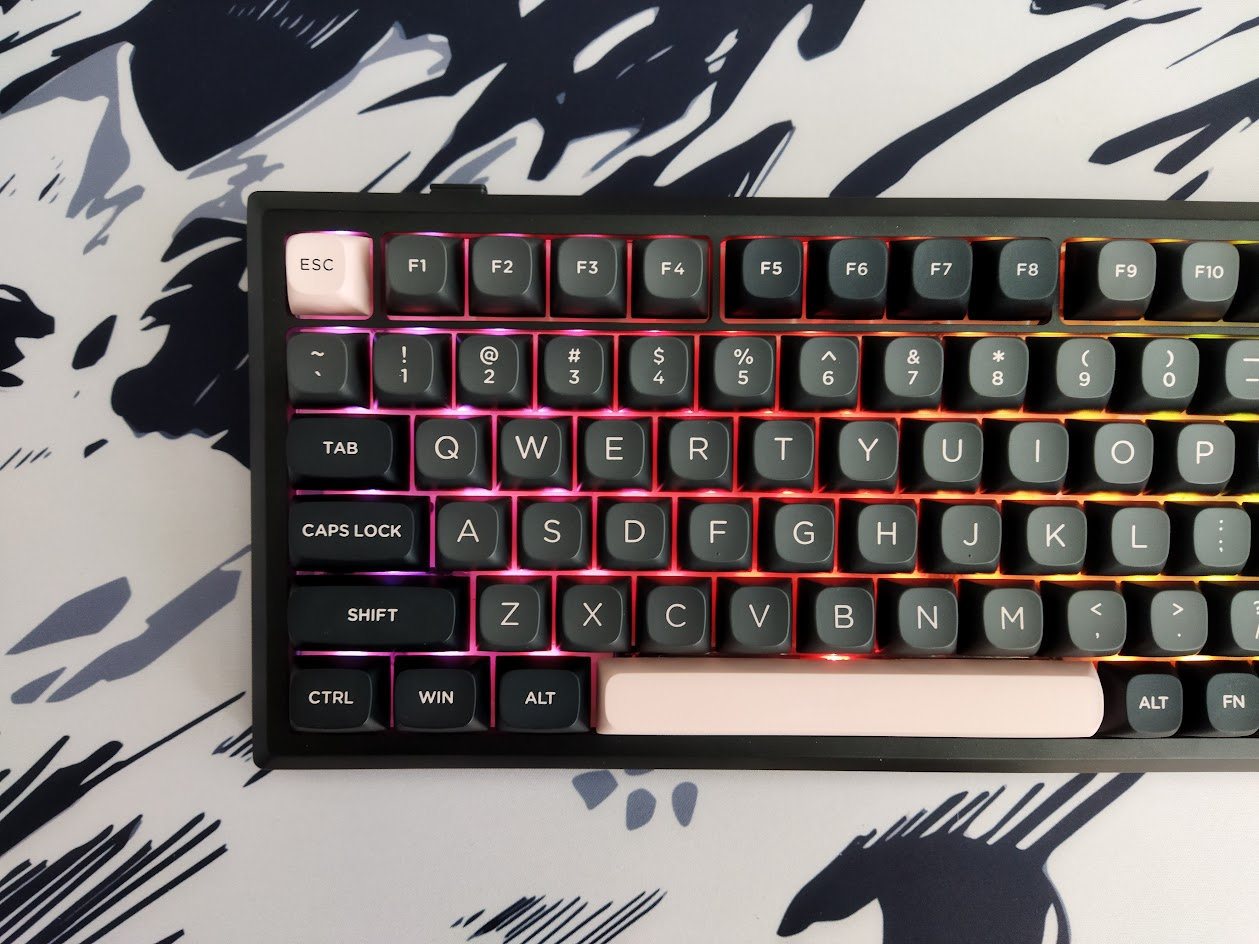
This keyboard is equipped with south-facing per-key RGB backlighting with plenty of available colors and patterns. You can cycle through all the options via FN key combos, the dial/screen, or you can fine-tune it with the dedicated software.
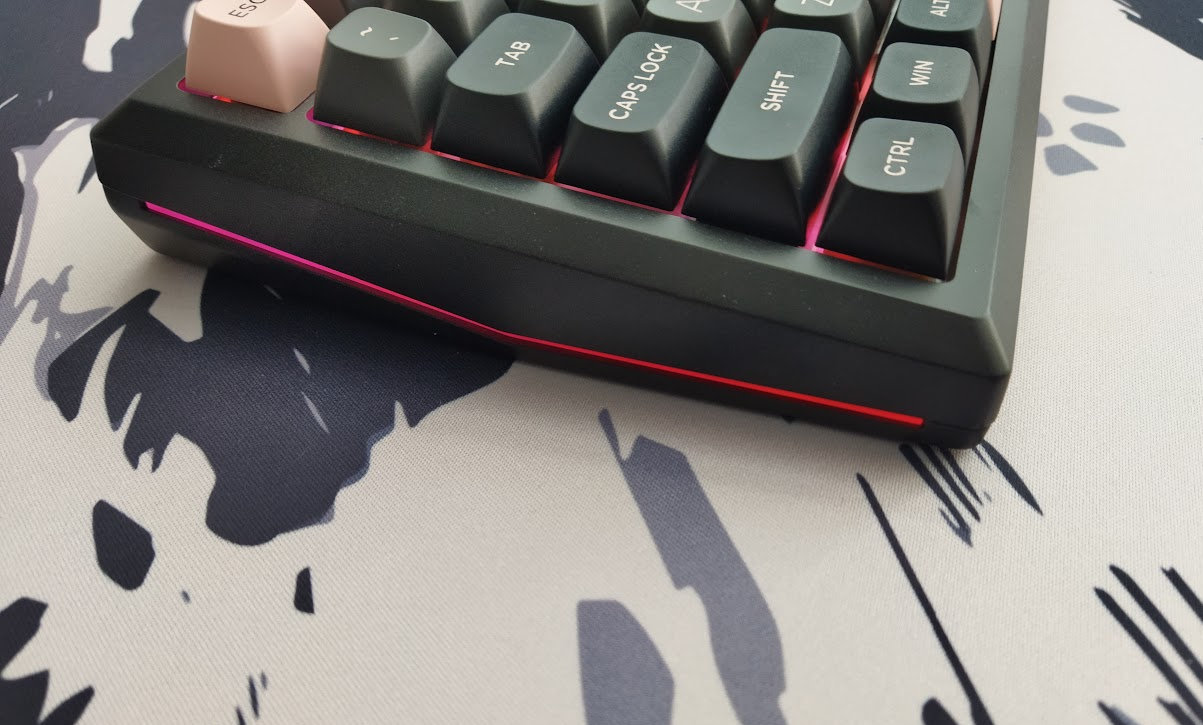
In addition, there are the two "ambient light strips". As far as I can see, there's no way to customize them or turn them off, but they are nice anyway. Well, you can't see them at all while sitting in front of the board and typing, so they are definitely a vanity feature.
Wireless
The K720 Eclipse Pro is a tri-mode wireless keyboard (Bluetooth 5.0, 2.4GHz wireless, and USB Type-C wired connections) powered by a 4000mAh lithium battery.
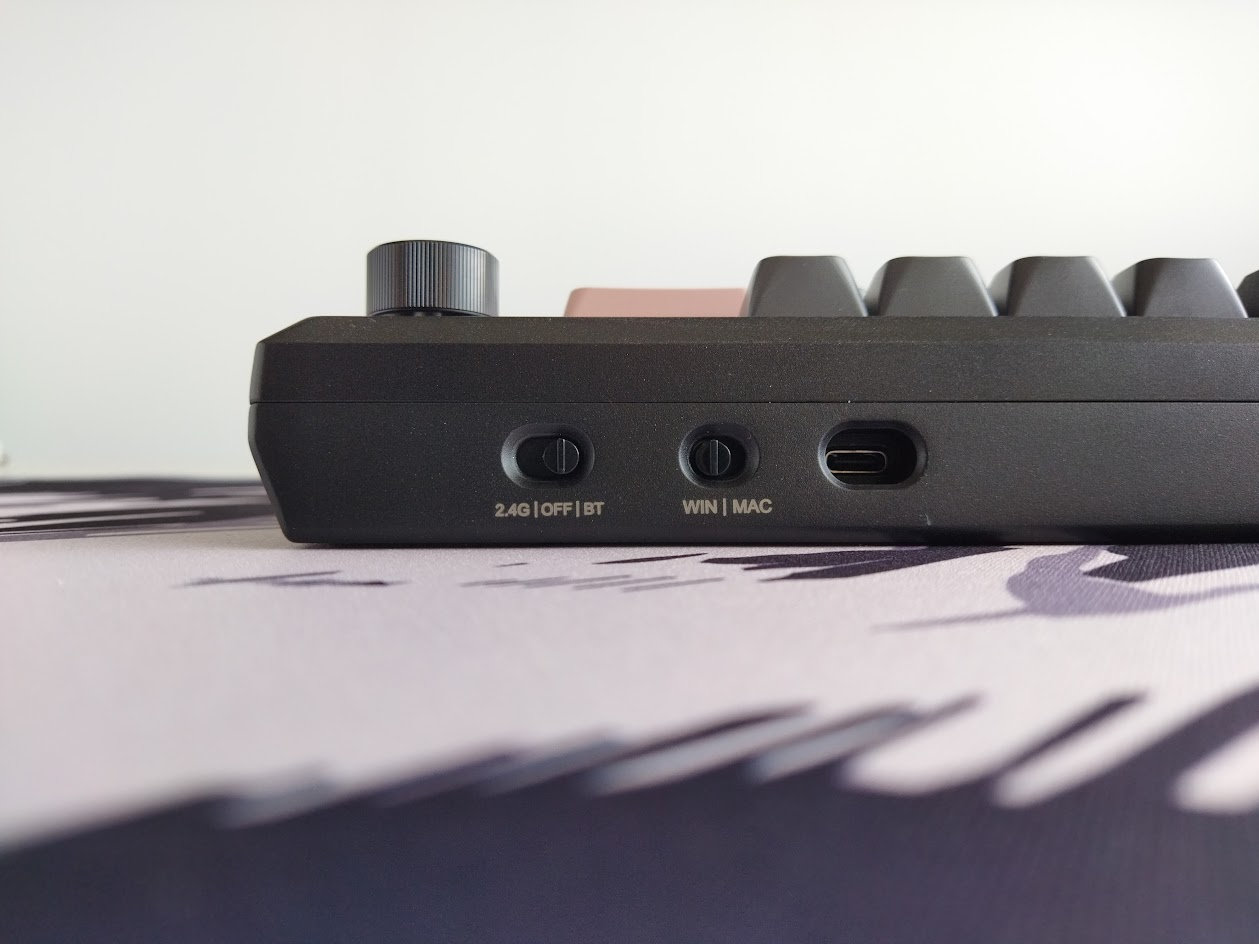
The physical connection mode selector switch next to the USB port says 'OFF' instead of 'USB' – not sure about complete battery decoupling though. No physical battery on-off key under any keycap.
General warning: If you use your wireless K720 Eclipse Pro keyboard permanently connected, please read this article about Built-in keyboard batteries and how to avoid fire – for details, tips, and horror stories.
Basically, keeping the board plugged in constantly may lead to accelerated degradation of the lithium battery. You have to follow proper battery care practices, so you should remove, disconnect or switch off the battery if you don't need wireless functionality. Check the battery for swelling regularly, even when disconnected or removed.
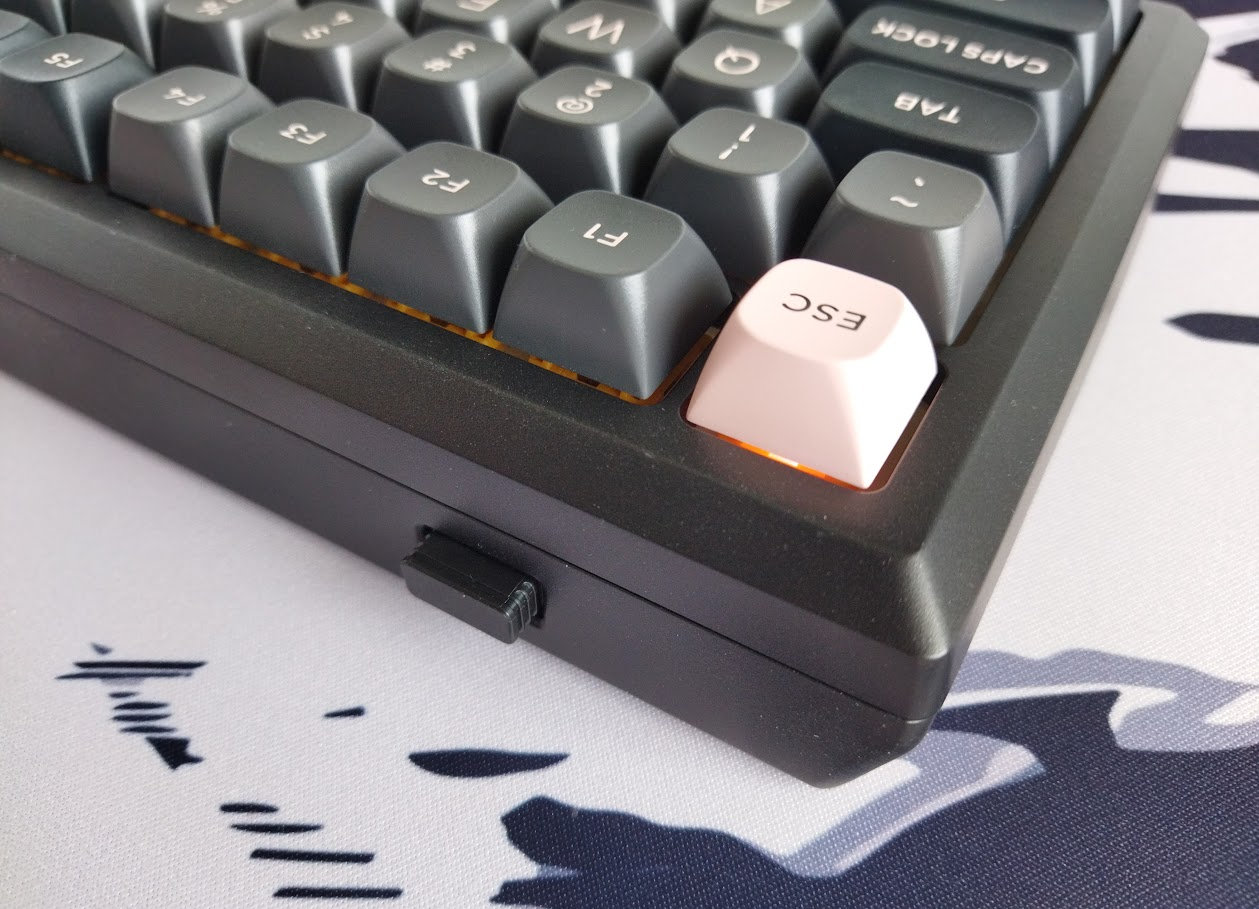
The K720 Eclipse Pro doesn't make this process easy. There's no physical switch to disconnect the charging circuit and effectively isolating the battery from the PCB, so monitoring battery health will be a challenge.
Software
Proprietary Redragon software. I'm not very fond of installing unknown software in general, especially in the era of the quasi-standard QMK, VIA and Vial, and especially one that makes my antivirus/firewall software throwing up all kinds of alerts. But I gave it a try anyway.
If the factory settings don't meet your needs, feel free to customize your keymap by downloading and installing the software here (down below on the page). Well, only if you are on Windows. While the keyboard itself supports Mac, there's no Mac driver.
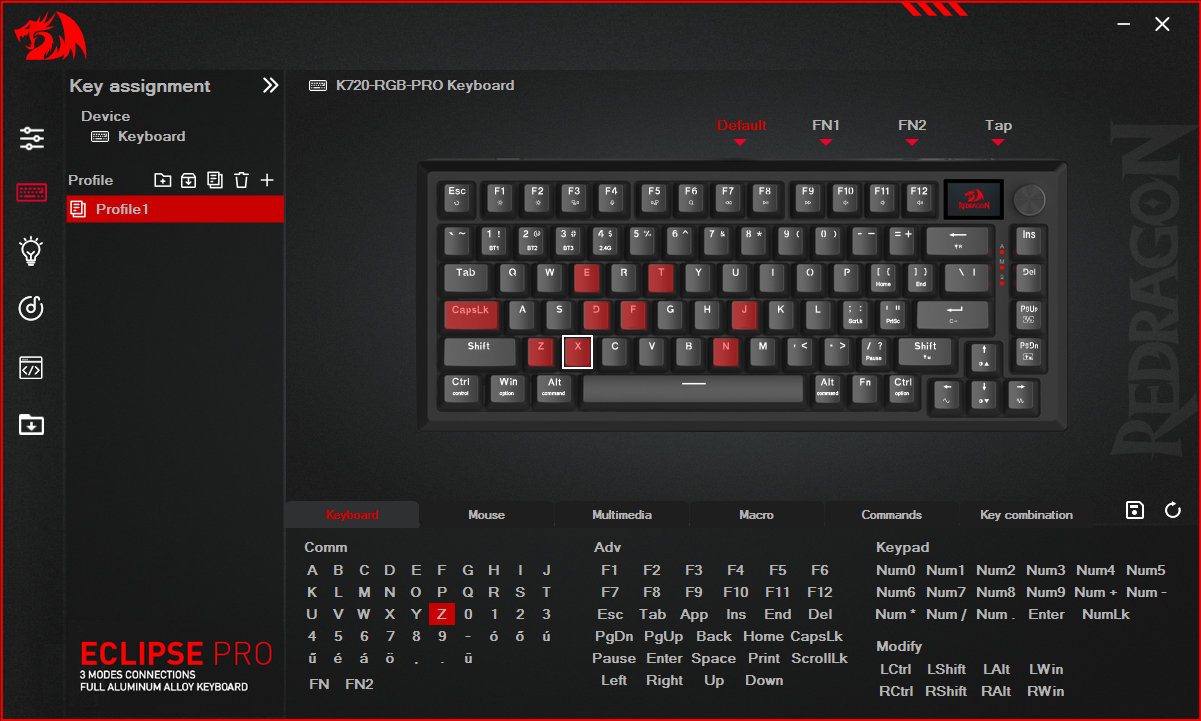
Swapping letters or symbols works as usual, it's pretty straightforward. However, there's no way to implement SpaceFN because of the lack of layer mod-tap functions. In theory, there are two additional layers, but you can only access them via the dedicated FN1 and FN2 keycodes.
I tried using the CapsLock as the layer toggle, but Space would make so much more sense. A single, easy-to-access SpaceFN layer is crucial for many users as you could put arrows, navigation and numbers under your fingertips. For this effect, you'll have to resort to third-party solutions with the Eclipse K720 Pro.
Portability
The K720 Eclipse Pro is a great board for stationery use, but if portability is your main concern, I would choose something much lighter. Sure, its wireless features make it mobile in theory, being more compact than a fullsize board helps too, however, maybe something smaller or at least lighter than 1.6kg is better suited for on the go. ;)

Comparison
From all the CNC alu 75% keyboards, the K720 is probably the most affordable with its price of just $90 (using the KBDNEWS coupon code).
That said, if we would like to compare it to the recently reviewed Evo75, we had to consider some important differences like: OLED and knob vs. hardshell case, F13 key and dust cover. Also Cherry profile vs something much higher double-shot. The out-of-the-box typing feel of the Evo75 is exceptional though, no other prebuilt board comes even close to it at the moment. You should decide if this is worth the extra $60 for you.

Other 75% boards, often in the $120-130 price range and below, are numerous. Check out the classy NPKC RO75, the silly (plastic!) KiiBOOM Phantom81 and more serious Moonshadow V2, or even the GravaStar Mercury K1 Pro (wired) – and try to figure out what features you find important: alu case, rotary knob, offset arrows, wireless, or simply aesthetics.
The Womier ERA75 and KiiBOOM Jade 75 – with similar layouts – will be the next boards I'm going to review, so as you can see, the market is pretty crowded.
Conclusion
The 75% wireless Redragon Eclipse K720 Pro is a very affordable pre-built mechanical keyboard with highlights like a hefty aluminum case, OLED display and rotary knob. The double-shot caps are nice, just like the Redragon branded switches. However, despite the gaskets and all the sound dampening layers, the out-of-the-box typing experience could be improved. It's a great offer for the target audience, however, the proprietary software make it less appealing for real keymap wizards.
Pros
- sturdy aluminum case
- double-shot keycaps with nice colorway
- customizable (hotswap, MX)
Cons
- proprietary software with no layer-tap functions
- wobbly stabilizers – an oxymoron?
- cable: this board deserves something fancier than the basic cable coming in the bundle, but the opening in the case is too small for many other cable connectors.
Price & Availability
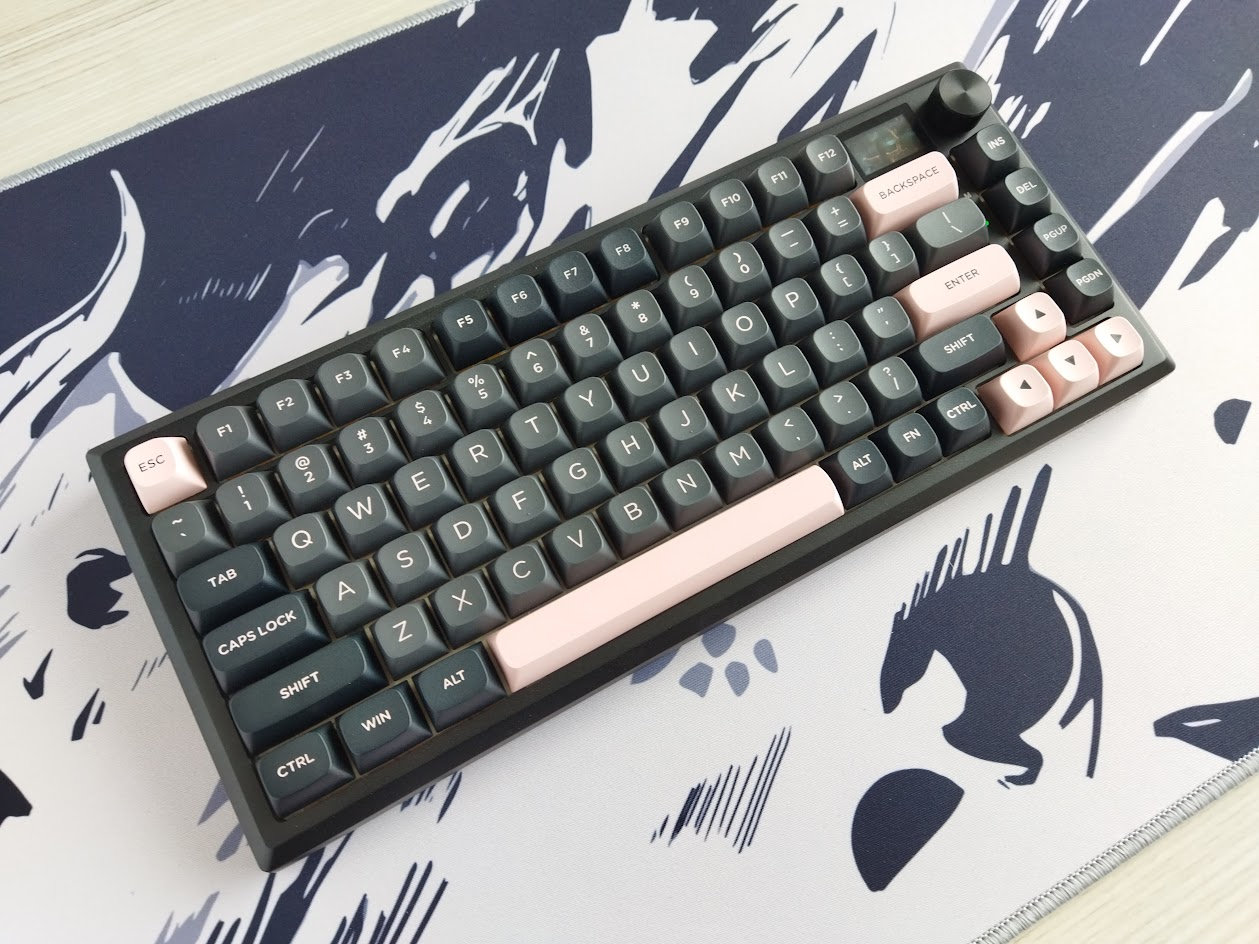
The Redragon Eclipse K720 Pro is available at Redragonshop.com. The KBDNEWS coupon code (10% off) is in effect, so you can get this board for just $100 $90.
- Redragon Eclipse K720 Pro product page
Published on Fri 3rd Oct 2025. Featured in KBD #200.
Related

Shego75HE
Charading's Shego75HE, an open-source 75% Hall-effect keyboard, runs QMK.
TrackPoint78 keyboard
ChnMasterOG released the TrackPoint78, a three-mode wireless keyboard with built-in trackpoint.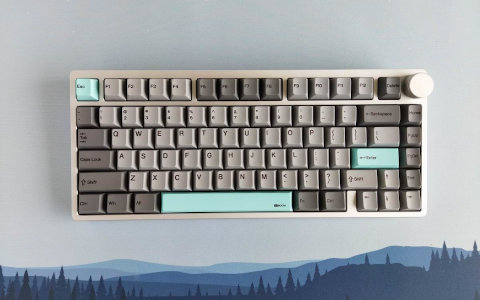
KiiBOOM Moonshadow V2 review
A well-built 75% wireless keyboard in a nice aluminum case: Moonshadow V2 by KiiBOOM.
Froggy75
A 75% hotswap PCB through-hole style that utilises two EC-11 rotary encoders and an Elite-C daughterboard – by flehrad.