Keyboard Builders' Digest / Review
Womier ERA75 review
The 75% wireless Womier ERA75 is a very fun build. Nicely cut alu case in six themes, hotswap switches and encoder, double-shot caps, VIA support. The DIY stickers will keep you busy for some time.

Published October 17, 2025

Let's continue this accidental 75% keyboard series with yet another board in this form factor: the Womier ERA75. Rather than a single board, the ERA75 is a family of six variants with distinctive design, drawing inspiration from the evolution of time and technology. For keyboard enthusiast time travelers – or just fans of a specific era.
TLDR; The tri-mode wireless Womier ERA75 is a fully built keyboard coming in a hefty molded aluminum housing with intricate patterns. Another very affordable mechanical keyboard ($95 with the KBDNEWS coupon code) with some nice features: hotswap rotary knob, extra dye-sub accent keys, gasket mounting, hotswap switches, per-key RGB. The hotswap PCB, MX-compatible switches, VIA-compatibility, and DIY stickers for the case make this board highly customizable. All in all, the ERA75 is a very nice offer for a great price.
I'm trying to cram into this review as much facts as possible – so you can figure out if this keyboard is for you. As you'll see, I've eviscerated the ERA75 to the very core, as usual. Check out the full review below for all the details and photos revealing its internals as well. ;)

Disclaimer
Womier was kind enough to send me this review unit for free, which may introduce all kinds of biases – both negative and positive in my experience. Take everything I write with a grain of salt. (And if you're looking for the deskmat, that's the Purple-blue Yosemite mat provided by Kinetic Labs.)
Variants
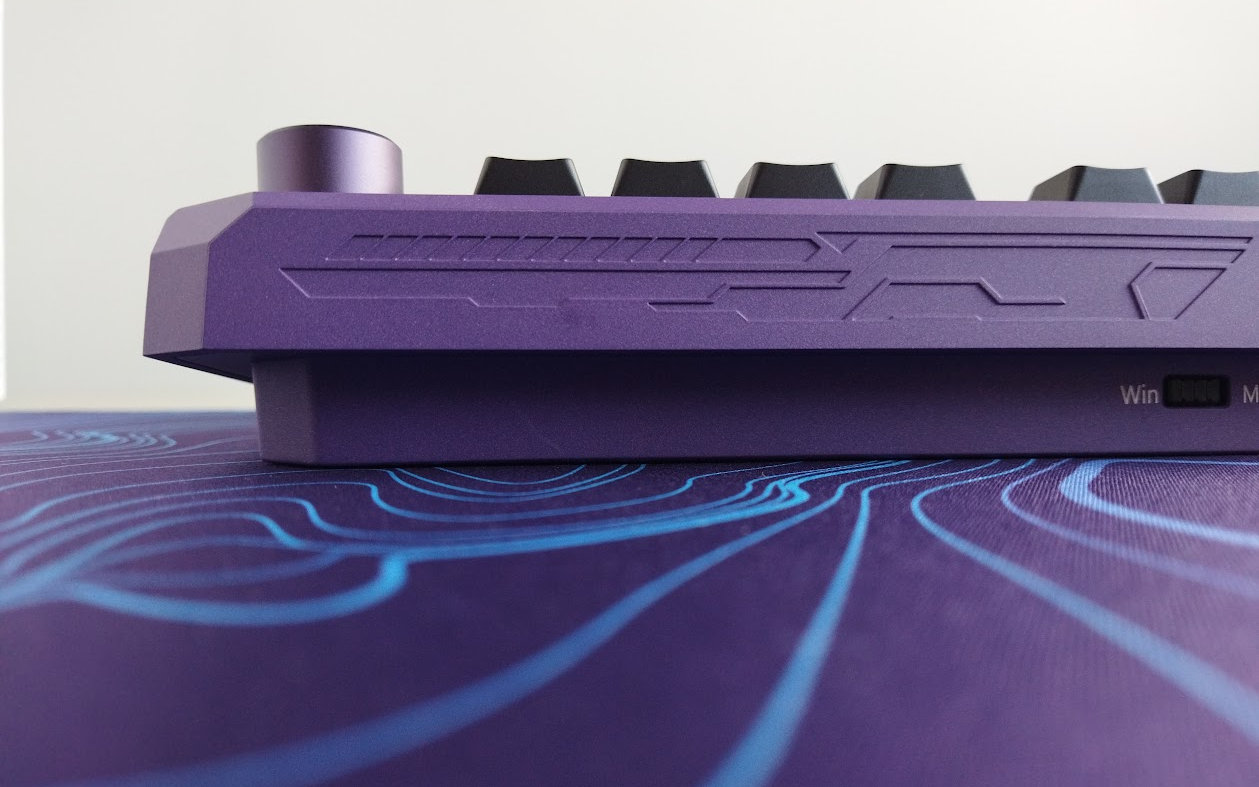
The Womier ERA75's six variants come in a two-piece molded case featuring intricate patterns that flow across all the aluminum body. The themes span from Ice and Bronze, Black Gold and Cyberpunk, to Interstellar and Doomsday – each color kit reflects a distinct chapter from the past, present or future.
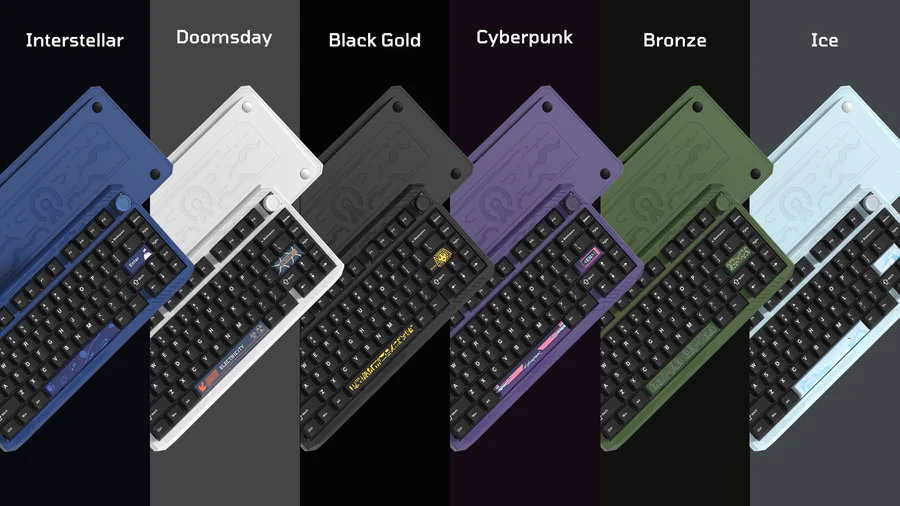
These variants come in distinctive colors and with matching accented keys, color-matched switches, and now with full extra add-on keycap sets.
It was a bit hard for me to select a single board, contemplating mainly about the Doomsday and Cyberpunk, but also the Black Gold with the ancient Egypt theme. Eventually, I went with the purple Cyberpunk edition, this is the board you'll see in the photos below.
Unboxing & Contents
The outer cardboard box of the ERA75 came damaged, but the keyboard inside was intact. (Protection test passed.) Otherwise the box is nice: matte black with shiny golden pattern rhyming with the grooves of the keyboard case.

Contents:
- The ERA75, pre-built with switches and keycaps mounted.
- quick-start guide, booklet
- sticker pack with tweezer
- 2.4GHz receiver (no compartment in the case)
- basic USB cable
- basic combined tool to remove keycaps and switches
- extra dye-sub accent keycaps + extra Home cap (for the F13 layout)
- 3x spare switches (the non-purple switches in the photo are some Womier samples I received, not part of the usual bundle)
First impressions, design language
The ERA75 comes in six cool colorways, I've chosen the purple Cyberpunk variant.
The unique cuts of the case, inspired by diamonds, and the intricate design make this board stand out from all the 75% alternatives.
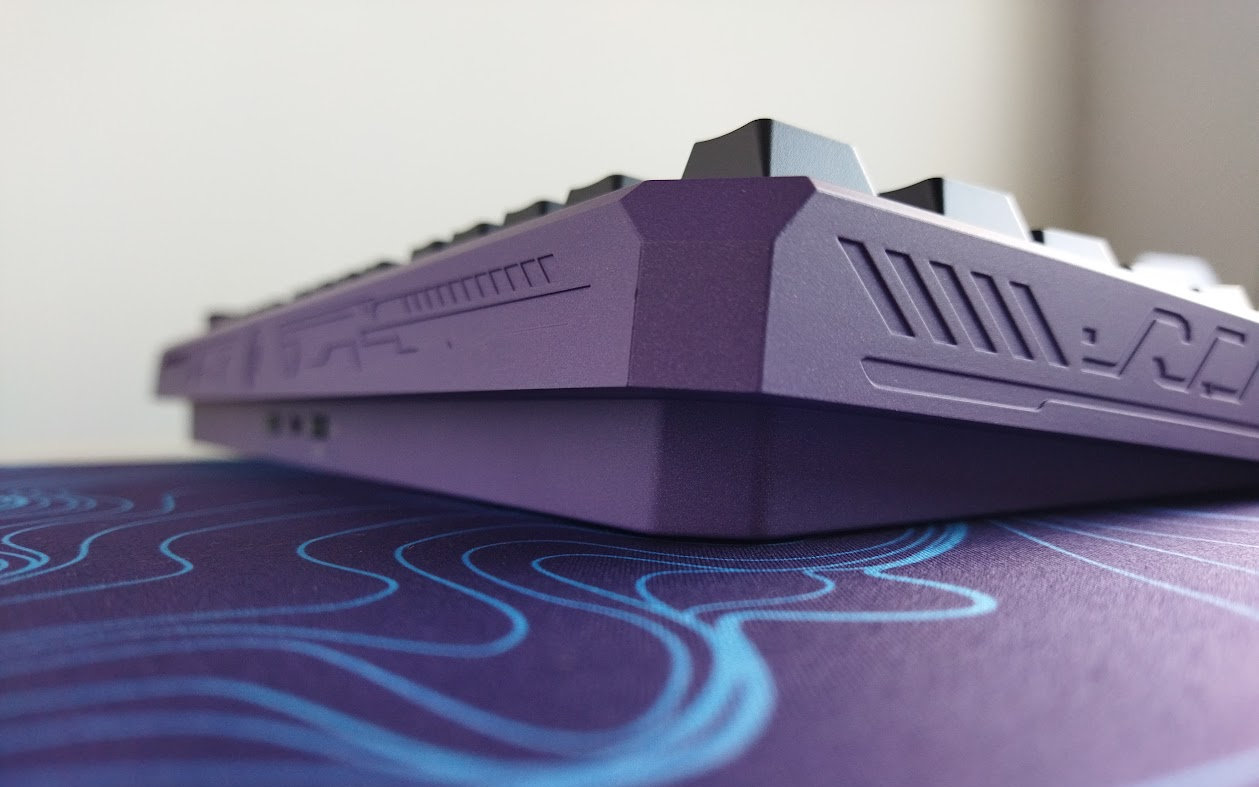
I can't see any visible branding on the outside or inside, thankfully. An intrusive logo wouldn't really match the strong and authoritative design and aesthetics.
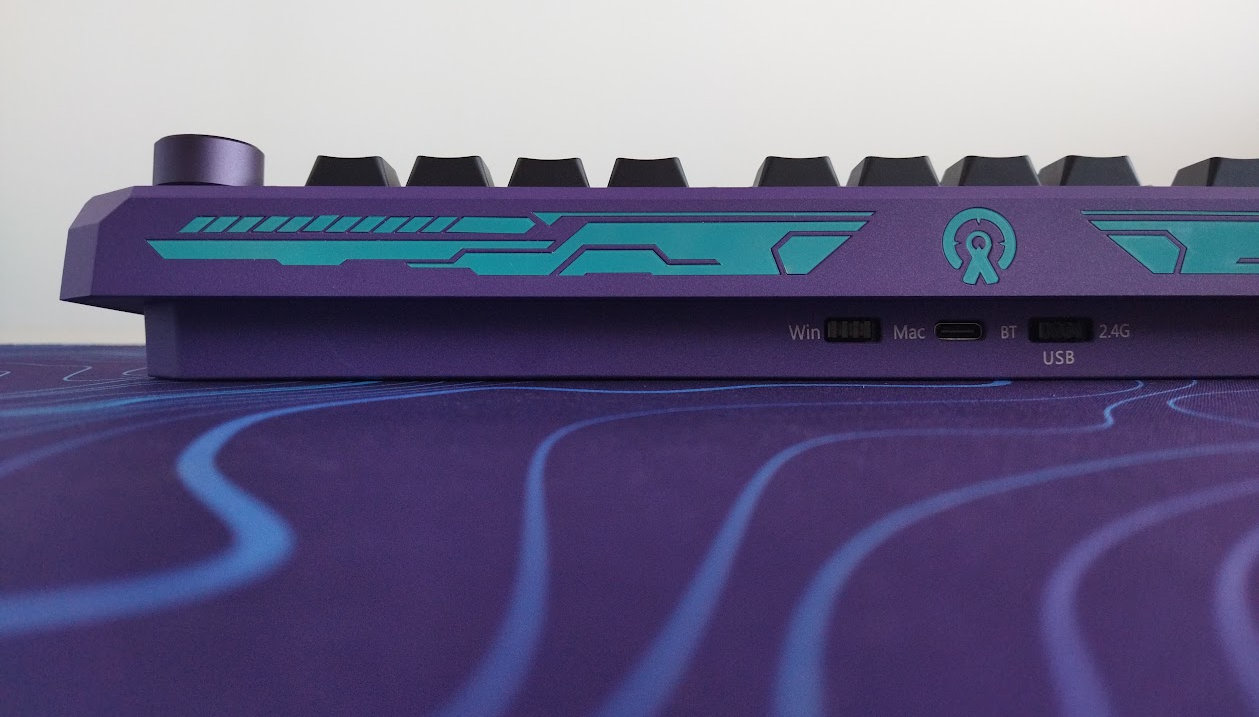
It's hard to make an impact in such a crowded market like the 75% segment, and the ERA75 apparently tries to achieve this via the case design, the themes and stickers, plus the hotswap rotary knob – and I have to say that this works pretty well, making these boards unique and easy to recognize from miles away at a keyboard meetup.
Specs
- Layout: 75% ANSI/ISO, 80+1 keys
- Keycaps: double-shot PBT Cherry profile, plus extra dye-sub accented keys
- Switches: Womier POM series with matching colors
- Case: molded aluminum, powder-coated finish
- Typing angle: 6 degrees
- Structure: gasket mounting
- Stabilizers: plate mount (no screw-in stab support)
- Plate: PC with flex cuts
- PCB: 1.2mm, hotswap, south-facing per-key RGB, no flex cuts
- hotswap rotary knob
- Connectivity: wired, 2.4G wireless, Bluetooth
- Software: VIA support
- Battery: 2x4000mAh
- Dimensions: 323x150x(20-34)mm (without caps)
- Weight: 2,001g
Layout
The 75% layout is relatively standard and prevalent. As a nice touch, this particular keyboard offers a stepped CapsLock option, and supports both ANSI and ISO layouts – although the ISO arrangement requires an extra plate, sold separately. In addition, the hotswap rotary encoder can be removed and replaced by an extra key as well, resulting in a more symmetric F13 arrangement.
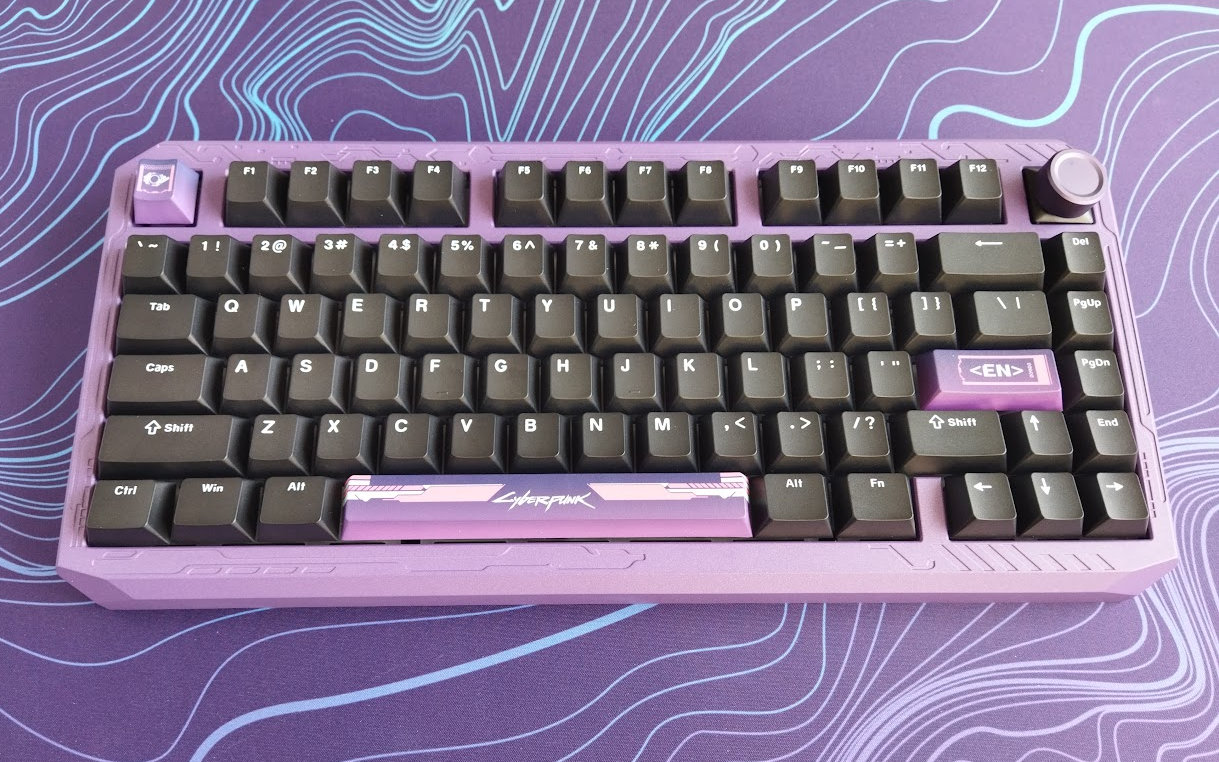
Otherwise, as you may know, the 75% layout means no numpad and no classic navigation cluster either. However, you have arrows, function keys, full number row, and most of the classic navigation keys.
Featuring 80+1 keys, the ERA75 is optimizing space while ensuring that all essential functions are easily accessible for new users transitioning from e.g. a fullsize keyboard.

The arrow cluster is not offset, but it's still easy to locate when touch typing: there's the little gap on the left – you won't get lost when changing between the home row and arrows.
The extra column on the right consists of four keys, plus the optional extra key if you opt for that instead of the encoder.
Keycaps
The keyboard comes with a double-shot PBT keycap set: Cherry profile, universal white on black colorway. To make things more fun, each color variant comes with three dye-sublimated accent keys, which are designed to match the theme.
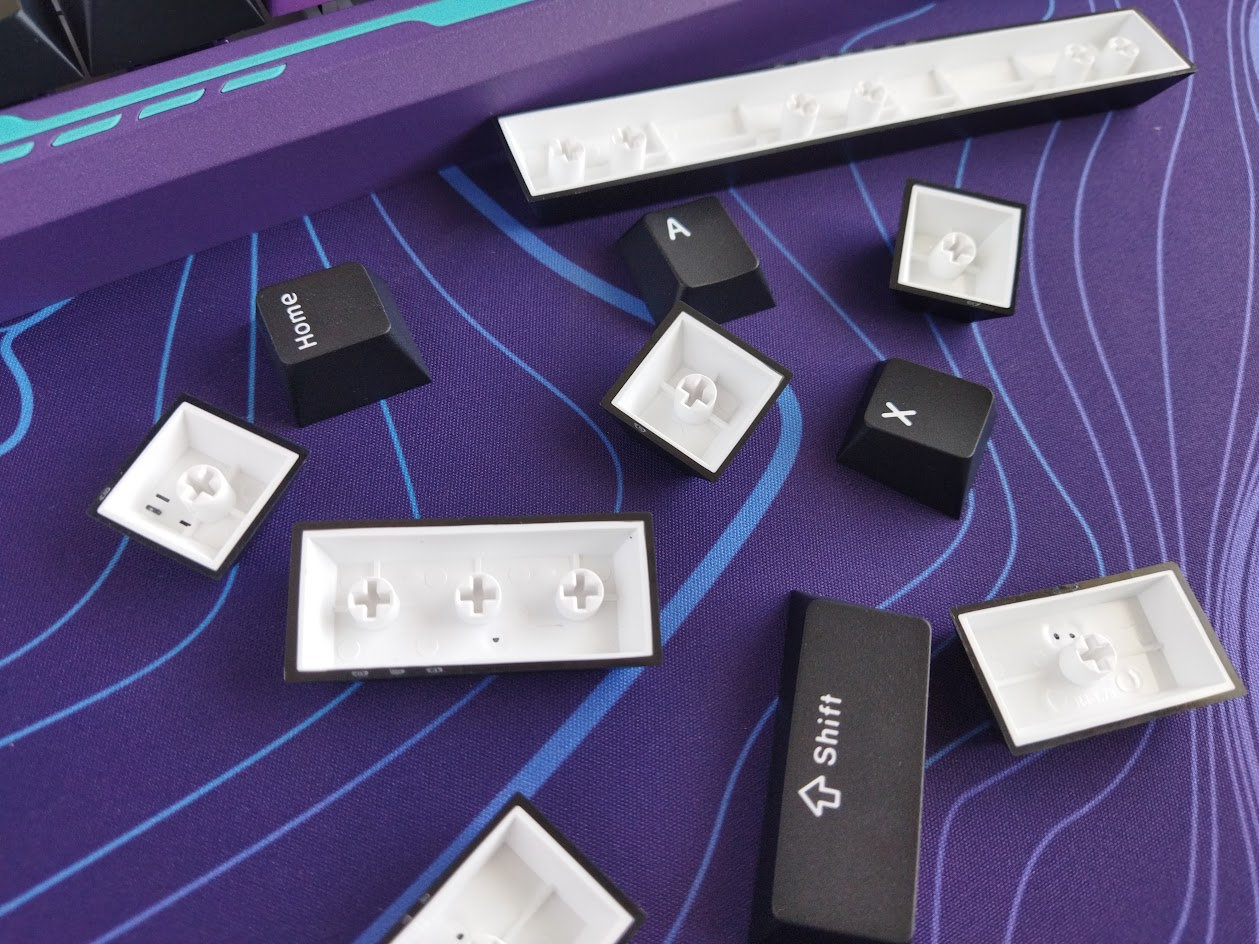
In addition, there are special add-on set available now, for only +$20: whole dye-sub keycap sets matching the individual variants.
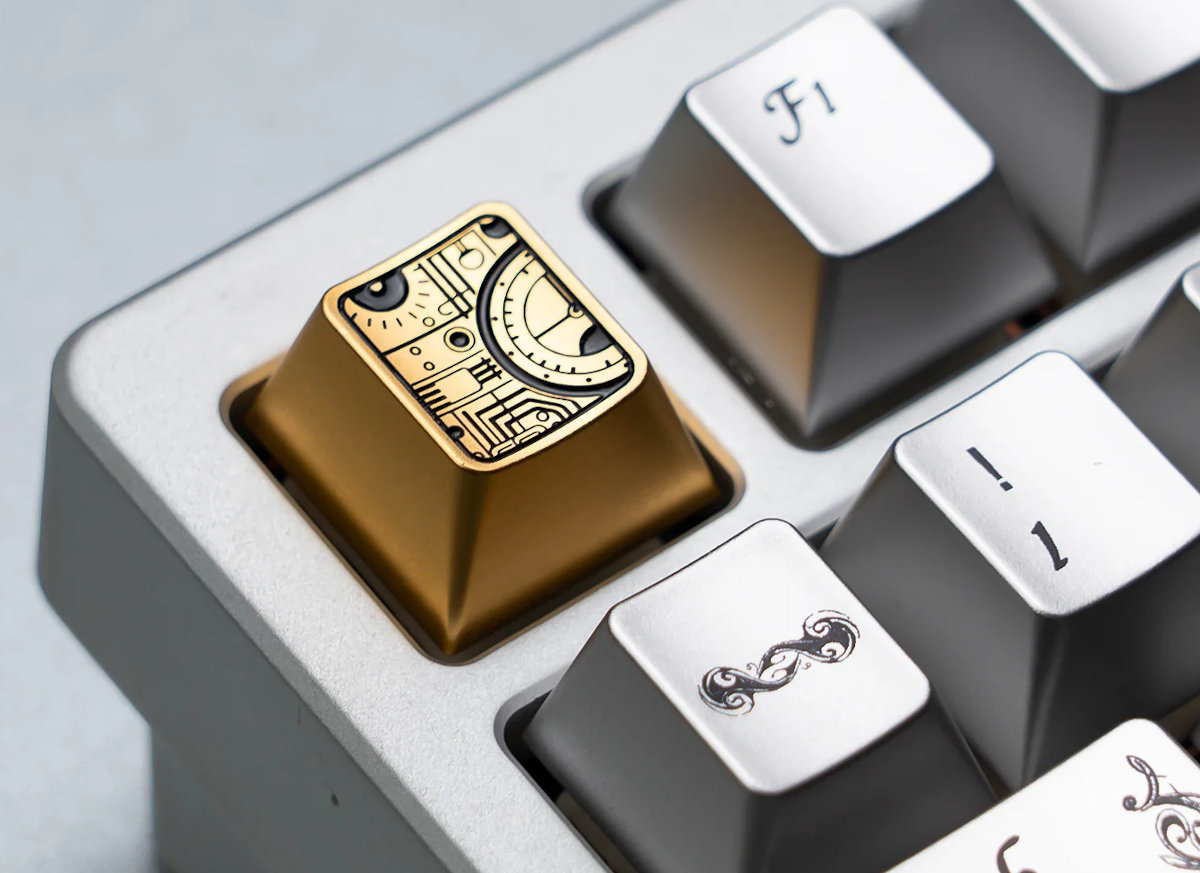
Plus there's also the cool Womier Sundial aluminum artisan, perfectly matching the time-traveler concept. (Ouch, I'm a big fan of sundials.)
Some picky enthusiasts will notice the slightly inconsistent legends of the Tab and Caps (thinner 'a').
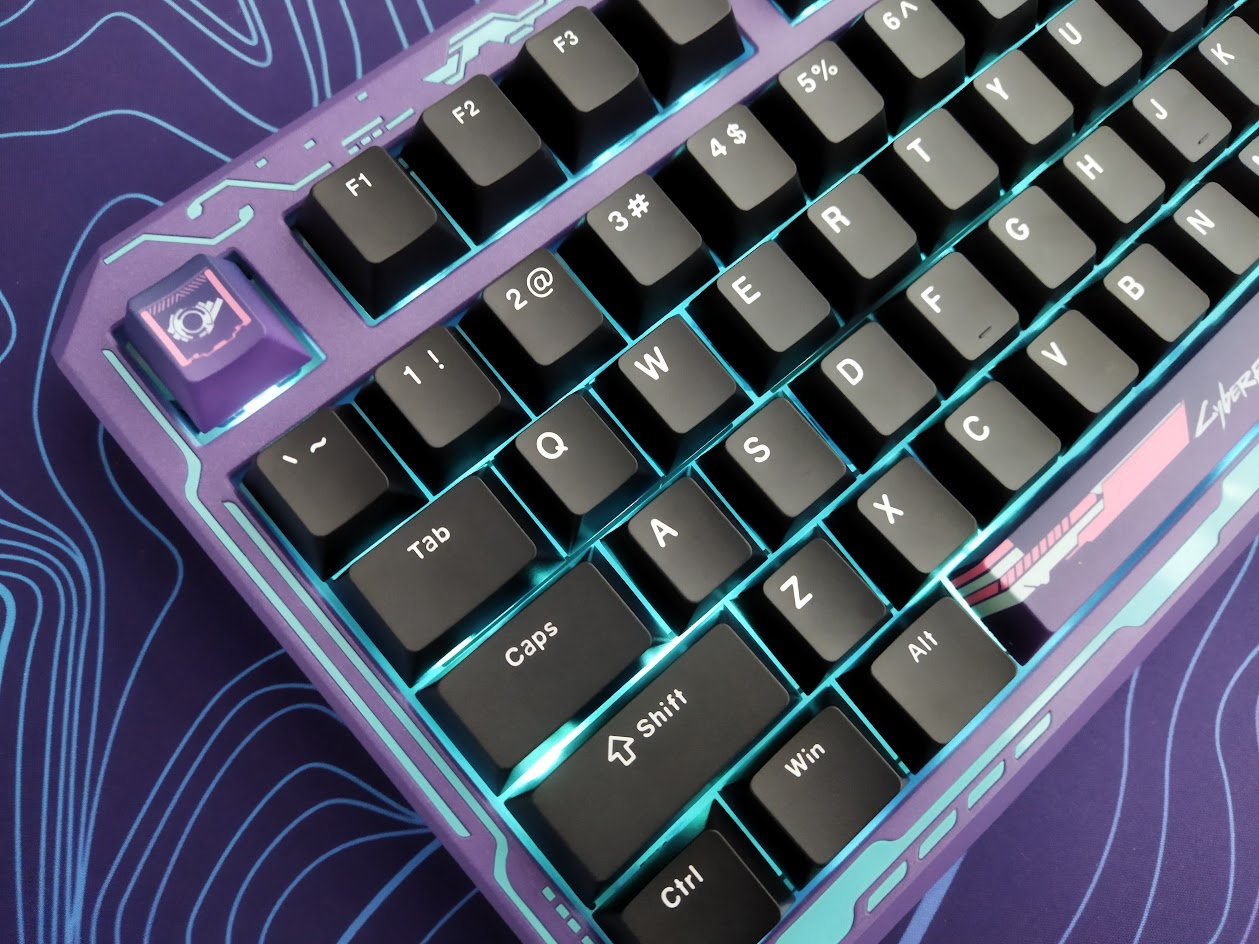
With regards to keycap compatibility, the 75% layout should be widely supported if you opt for something different.
Switches
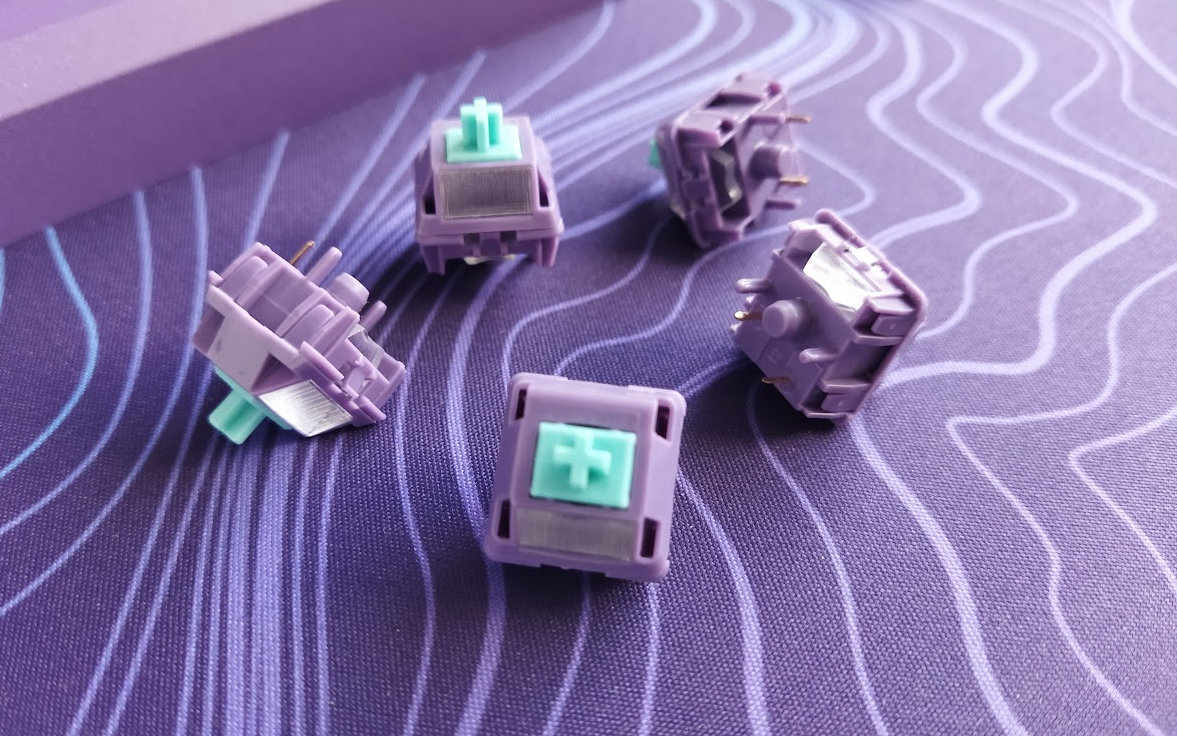
The switches are nice too, Womier-branded light or medium linear full-POM switches in color-matched to the six cases. More on the scratchier side if you're into that.
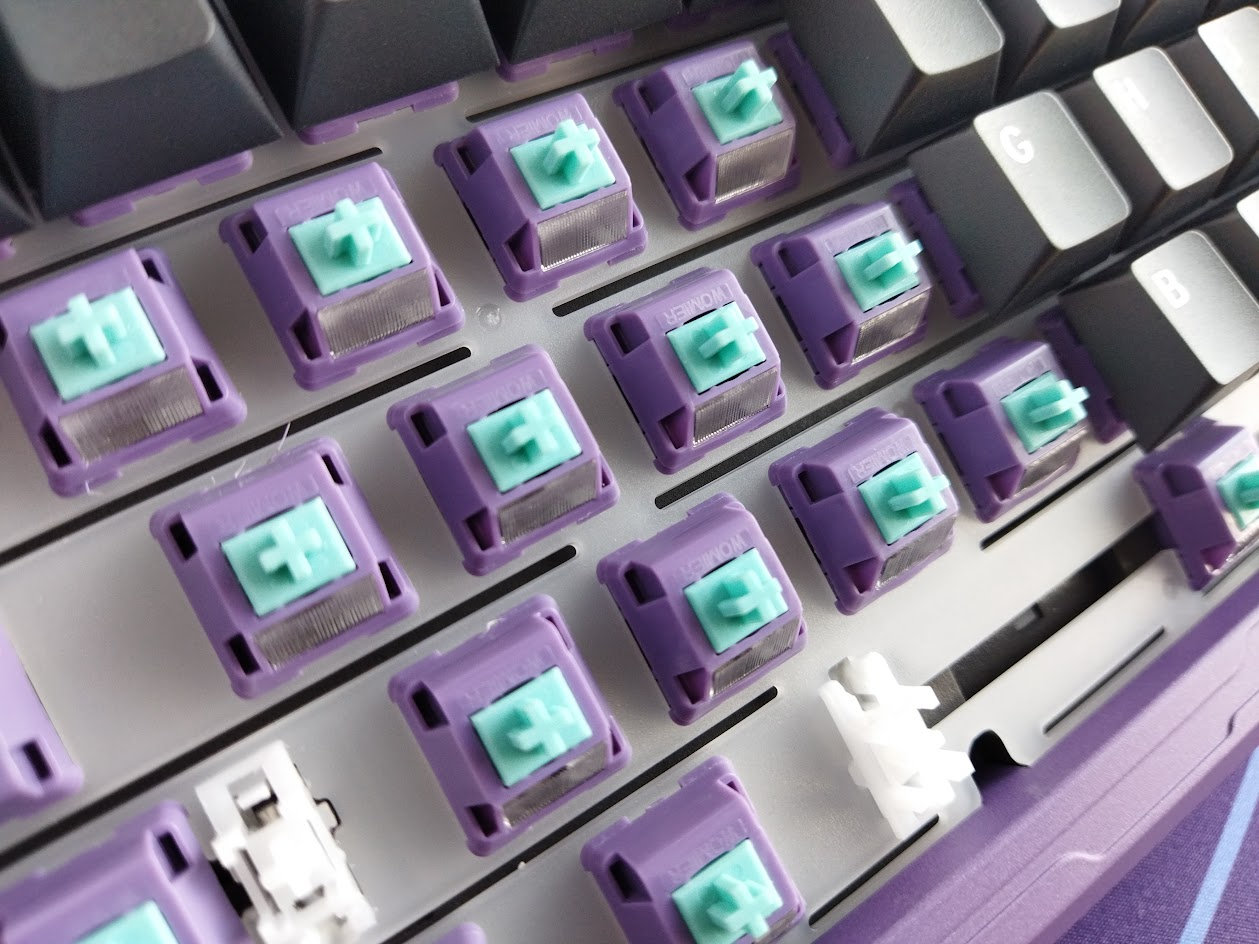
Specs of the Womier POM Cyber (coming with the Cyberpunk version) – probably identical to the Bronze / Gold / Ash variants, but different to the 42g Space and Ice versions:
- Actuation force: 50gf
- Pre-travel: 1.8mm
- Total travel: 4.0mm
- Material: full POM
- Factory lubing: yes
- Led diffuser
The switches feel decent, but the PCB features hotswap sockets anyway, so you're not restricted to the factory setup. Check out the current best-selling switches, or feel free to use your personal favorites lying around.
Build quality, structure, case
This board is pretty heavy, as it is expected from an aluminum case. Almost exactly 2 kg. It's one of the heaviest 75% keyboards I've reviewed: there's no way it will move around when gaming, not even mentioning less demanding jobs.
The build quality is great, the whole thing feels massive and heavy duty.
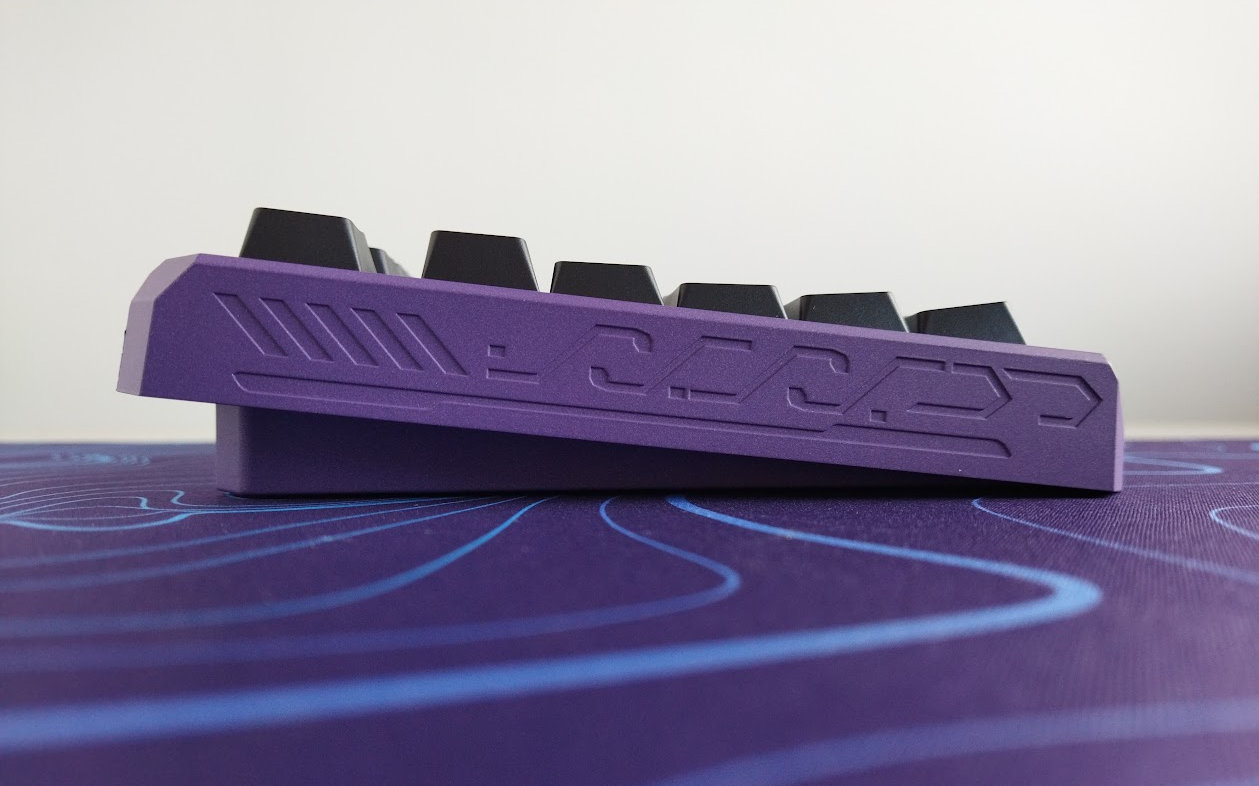
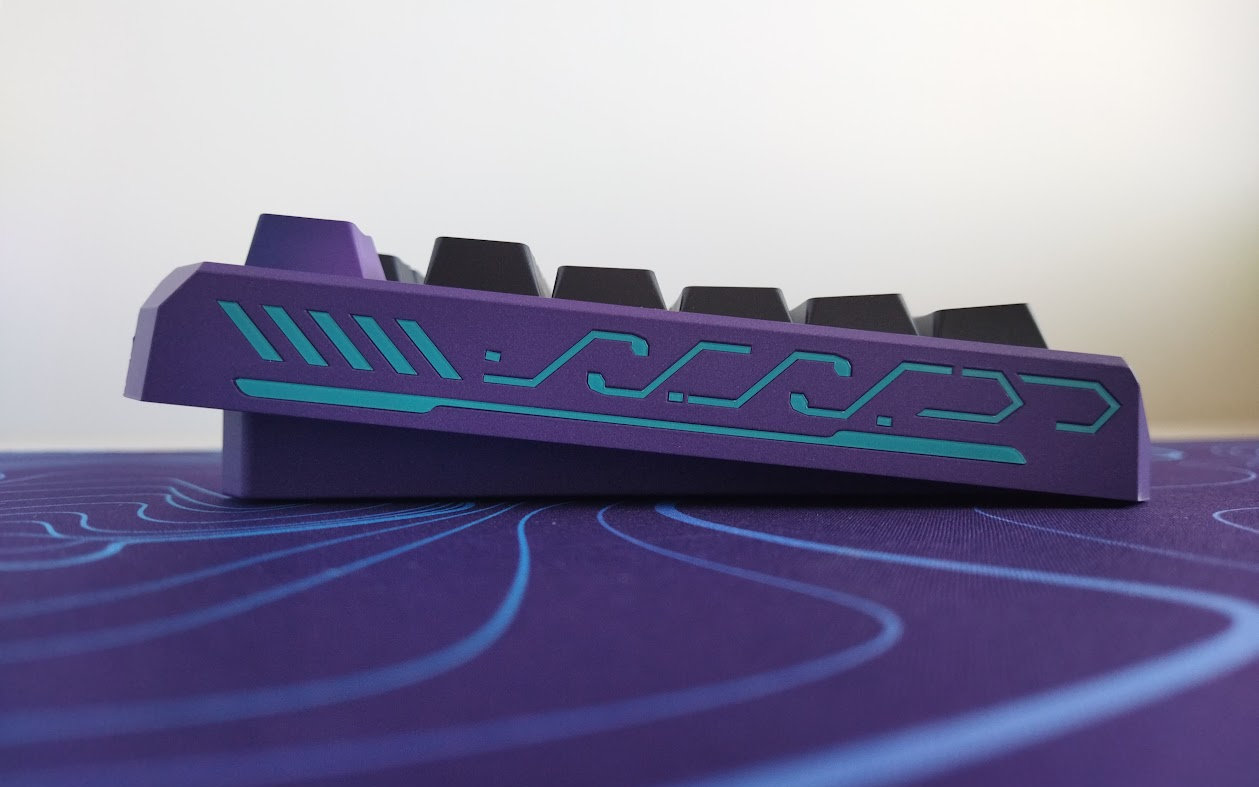
Typing angle: fixed, 6 degrees.
Disassembly? I've been really spoiled by all the recently tested easy-to-open ball-catch keyboards, but managed to disassemble this Womier anyway. Here's a cheat sheet for ya' showing what to remove, since this is a hidden-screw design – no visible screws anywhere:
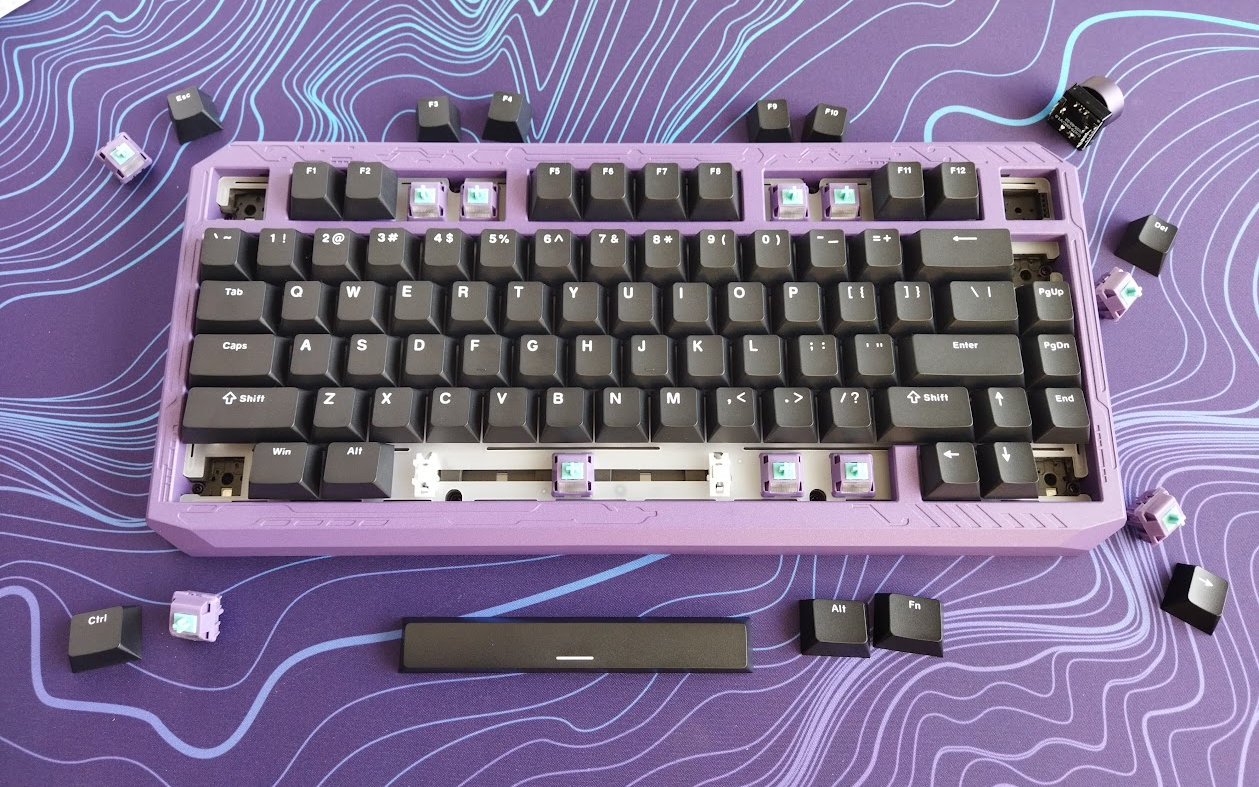
You have to start by pulling off 11 keycaps plus the encoder, removing 4 switches, and then 8 screws to lift the top case. Finally, there are 6 more screws if you'd like to check e.g. battery health.
Structure & Mounting
The ERA75 features gasket mounting. The gaskets are attached to the plate and sit directly on the perimeter of the bottom case. I can see some flexibility, but can't really feel any softness – two important hallmarks of gasket mounting in general.
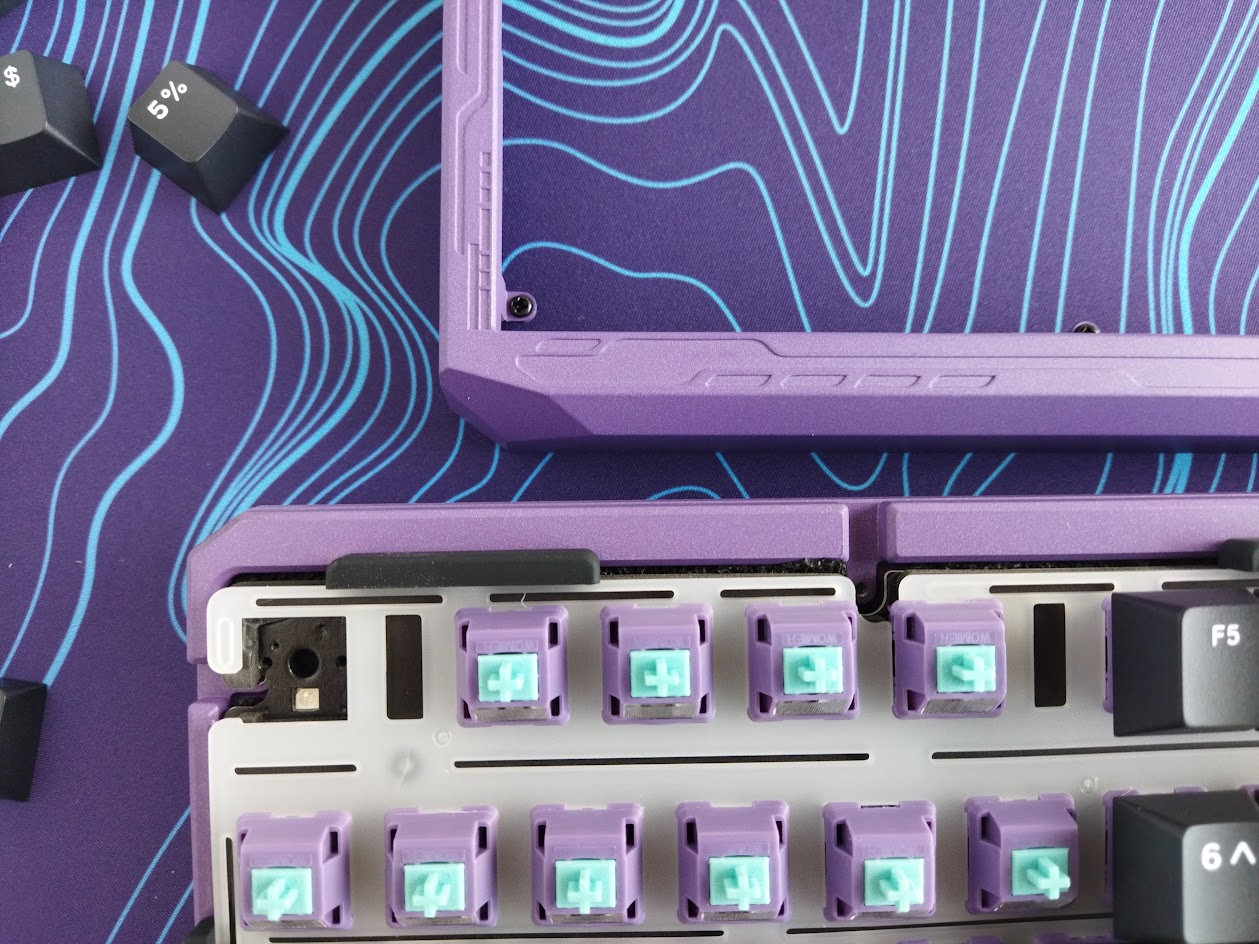
Plate
The plate is PC, and it features flex cuts. Well, I'm not sure about their real effect sandwiched together with a non-flex PCB.
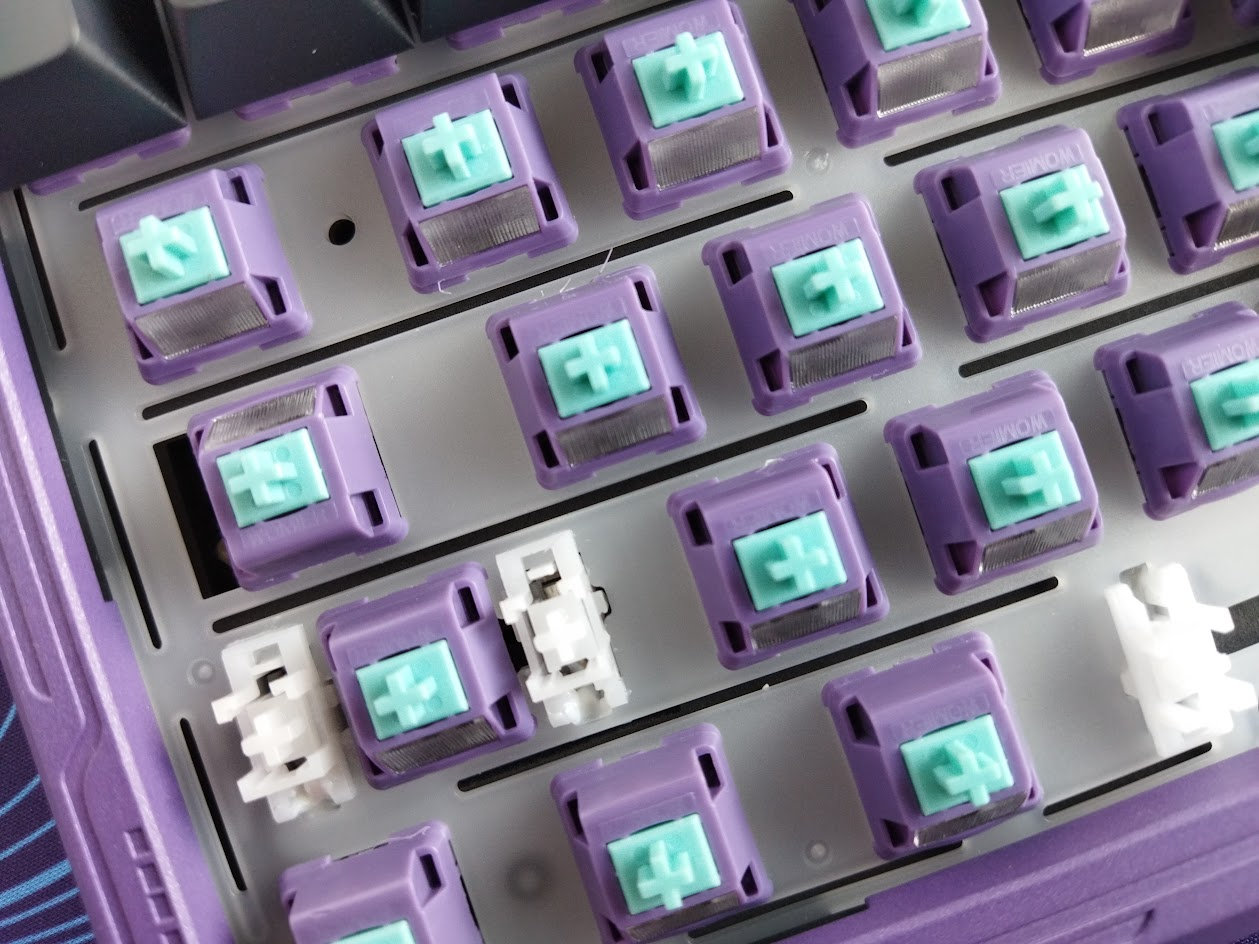
Plate-mount stabilizers. No support for PCB-mount stabs.
The stepped CapsLock is supported by both the default plate and PCB, but you'll need a different plate for the ISO Enter and ISO left Shift – sold separately.
PCB
The 1.2 mm matte black PCB is part of the thick plate/foam/PCB sandwich, and it comes with hotswap sockets, south-facing per-key LEDs, and no flex cuts.
The default stabilizers, as already mentioned, are plate mounted, and the PCB doesn't support screw-in stabs as it lacks the necessary holes.

The PCB is ready to support an ISO layout (Enter and left Shift), however, you need a different plate.
Rotary knob
The rotary encoder, with a beautiful knob that looks and feels like anodized aluminum, decreases/increses volume by default. Pressing it mutes your system. That said, the board is programmable, so you can set up the knob's functionality as you like. Just select the appropriate arrangement (encoder or key) in VIA's config tab.

What's even better: the encoder is hotswap, so you can easily replace it by an extra key.
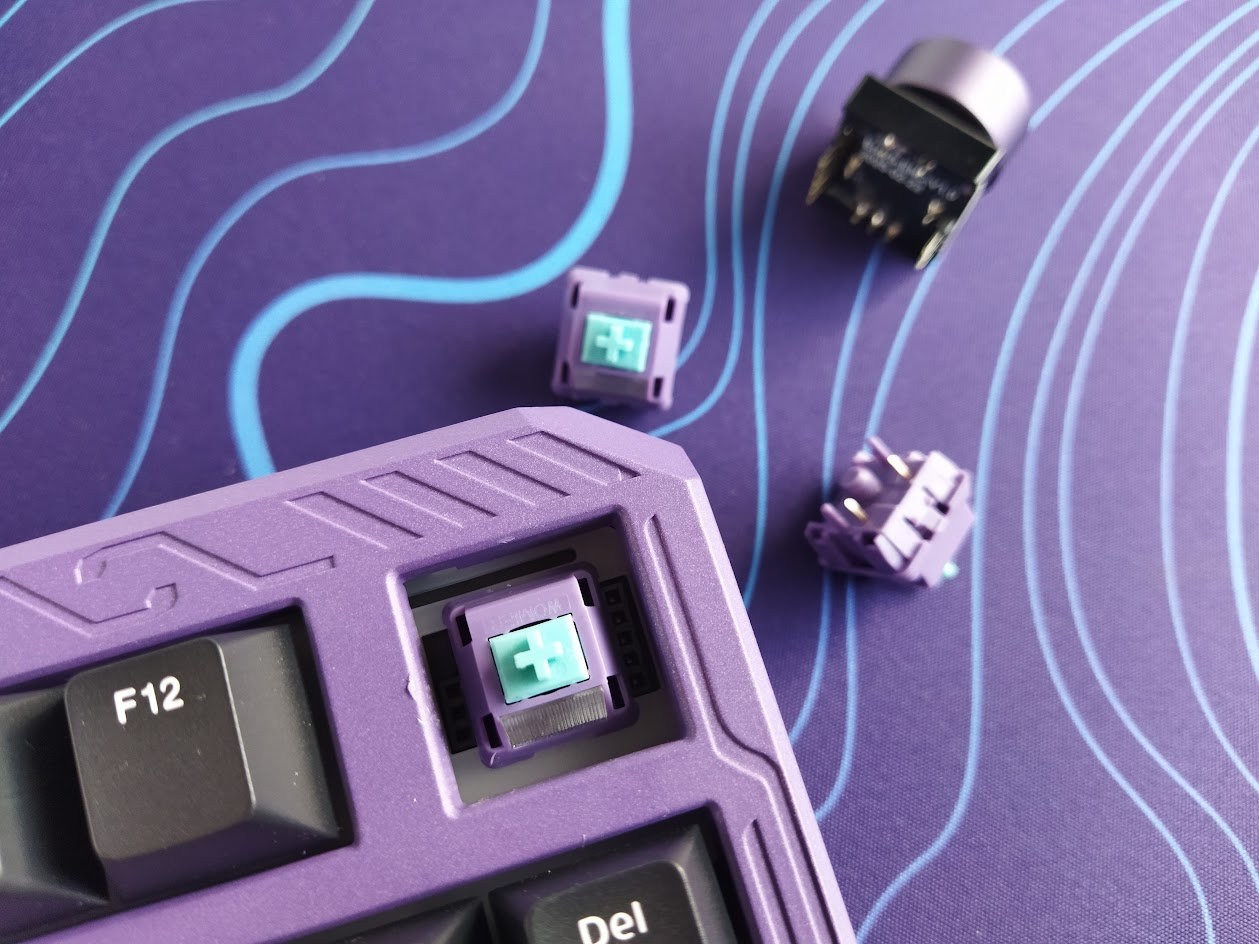
Do you prefer a volume knob or a cleaner and more symmetric look? You can have whichever you want.
DIY stickers
OK, these stickers deserve a separate section because they offer one more layer of customization, plus give an otherwise pre-built board a fun DIY vibe.
So yeah, the alu case has these cool grooves. It looks awesome as it is. But if you prefer e.g. a contrasting color – or anything else –, then you can use the supplied stickers, other colors from the store, or Womier published the cutting template too, so you can make some for yourself.

The facelift process definitely requires some dexterity, patience and time, but it's not impossible. The grooves are the perfect size and depth, this helps a lot, and the stickers are relatively thick too – easy to handle them except the really tiny ones.
In my experience, you'll need between 1 and 2 hours to finish the job. 1 hour for highly skilled surgeons in a hurry, closer to 2 hours for anybody else. It all depends on how quick you get the hang of the tiny parts which are numerous, and sub-1x2 mm (see one at the tip of the tweezer below).

Adding the tweezer to the bundle is more than justified.
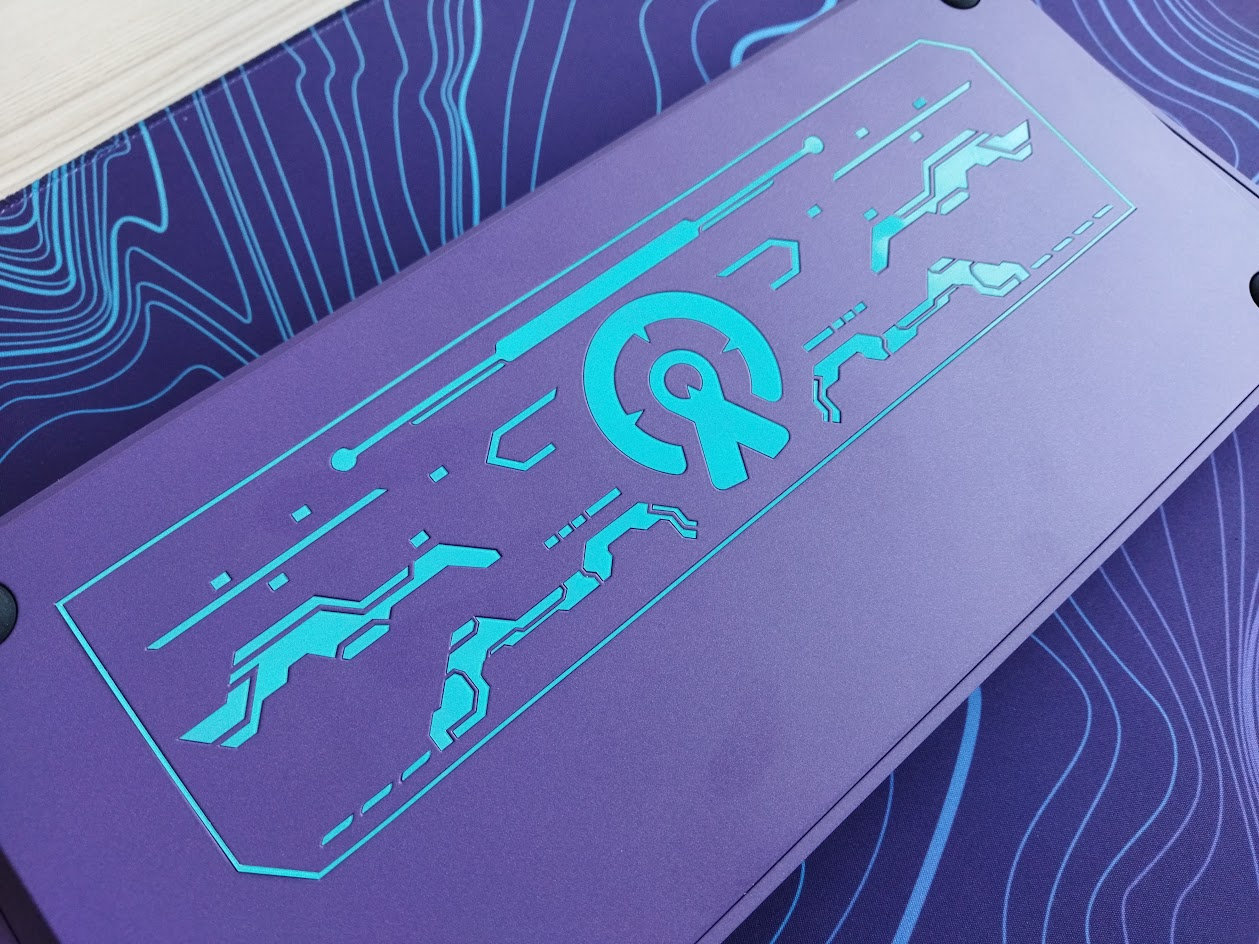
Bottom weight
No fancy decoration weight, but the ERA75 is still heavy enough: 2,001 g to be precise, at least according to my measurement. Not sure about the 1,900 g indicated on the product page.
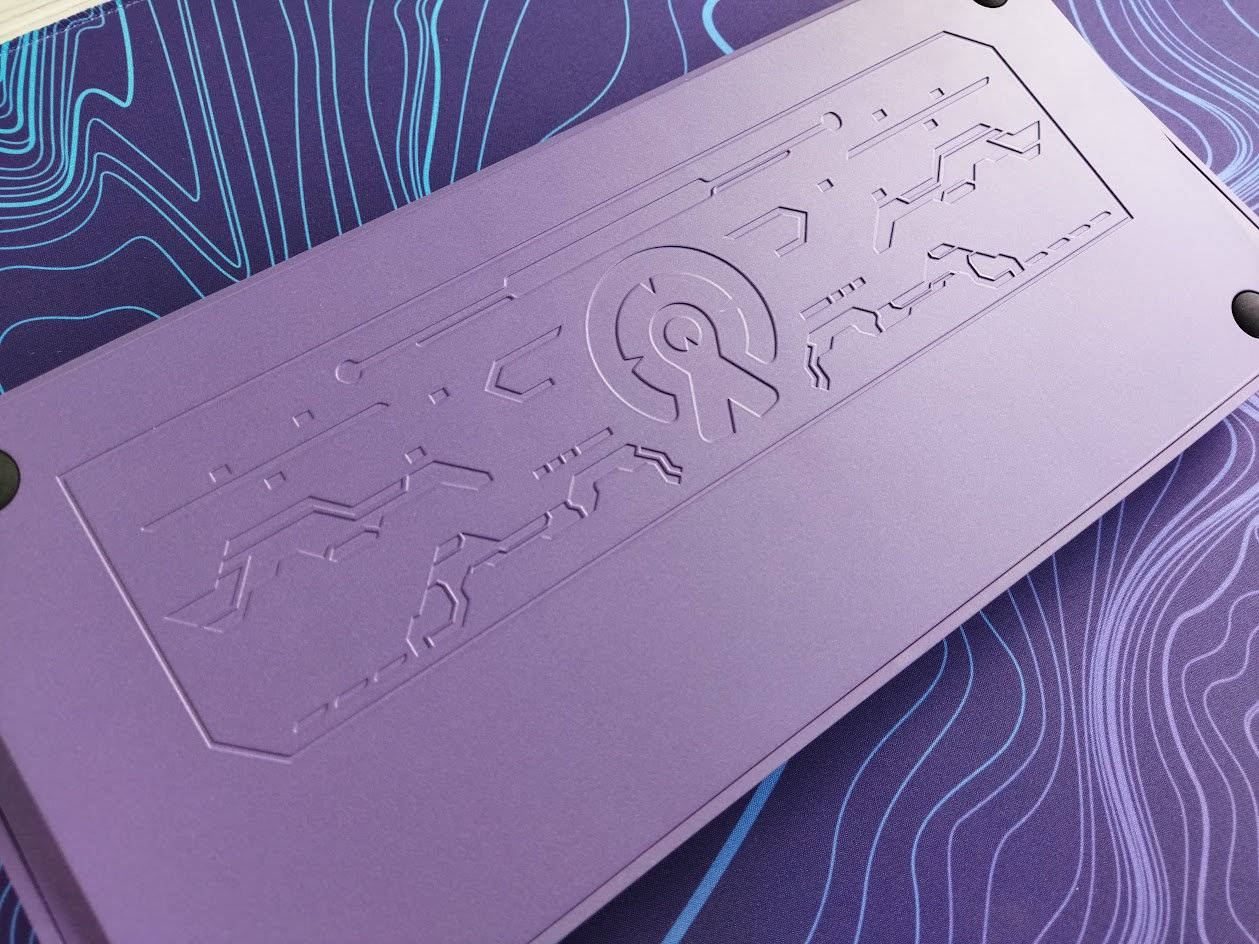
The case features this timeless sci-fi pattern, so there's really no need for a separate vanity weight whether you use the stickers or leave the case alone.
Sound & Feel
Thick PORON plate foam, IXPE switch pad, PET acoustic pad, and two more layers in the bottom case: EPDM case foam and PET insulation film. Together with the gaskets and the flexible PC plate with the cutouts, the ERA75 provides a decent though still relatively direct typing feel.

The out-of-the-box typing experience could be described as average, with a relatively loud sound on the clacky side of the spectrum. Nothing wrong with it, but nothing revolutionary either.
RGB lights
The board comes with per-key RGB, 17 built-in lighting effects and full support for real-time customization via VIA’s web-based configurator. From subtle ambient glow to vibrant full-spectrum animations, you can fine-tune colors, brightness, and modes to match your mood and setup.


Wireless
The Womier ERA75 is a tri-mode wireless keyboard (Bluetooth 5.0, 2.4GHz wireless, and USB Type-C wired connections) powered by two 4000mAh lithium batteries (yeah, that's 8000mAh).
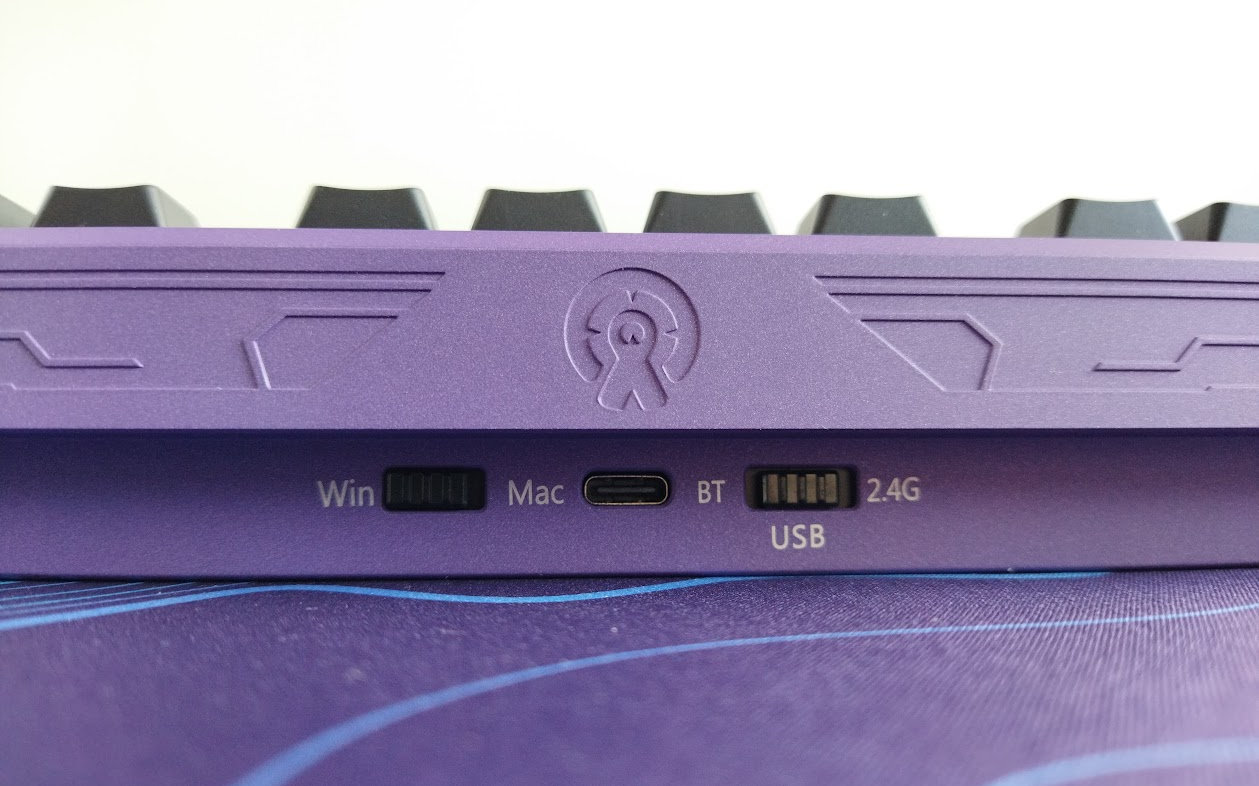
There's a physical connection mode selector switch next to the USB port – not sure about complete battery decoupling though. No physical battery on-off key under any keycap.
General warning: If you use your wireless ERA75 keyboard permanently connected, please read this article about Built-in keyboard batteries and how to avoid fire – for details, tips, and horror stories.
Basically, keeping the board plugged in constantly may lead to accelerated degradation of the lithium battery. You have to follow proper battery care practices, so you should remove, disconnect or switch off the battery if you don't need wireless functionality. Check the battery for swelling regularly, even when disconnected or removed.
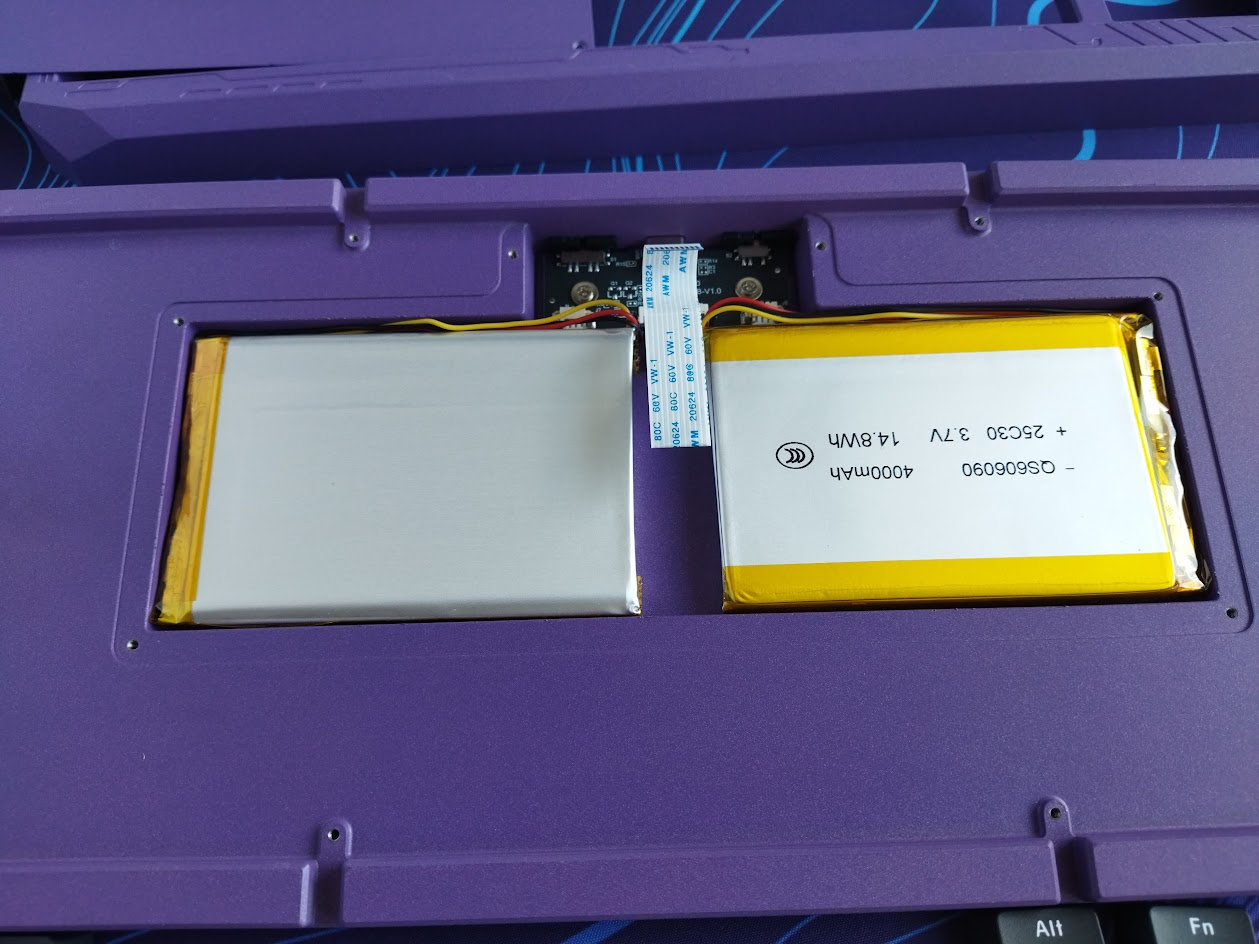
The ERA75 doesn't make this process easy. There's no physical switch to disconnect the charging circuit and effectively isolating the battery from the PCB, so monitoring battery health will be a challenge. As already mentioned, you'll have to remove at least 11 keycaps, 4 switches, the encoder, 8 screws to detach the top case, and another 6 to get to the batteries. Hmm.
Software
Yay! The ERA75 supports VIA for easy key remapping, macros, and lighting, directly in your browser, no software needed if you're content with the features of the online configurator. For deeper customization, Womier also provides open-source firmware, giving you full control to modify and personalize your keyboard.
Download the JSON file for VIA, then pair and connect your device.
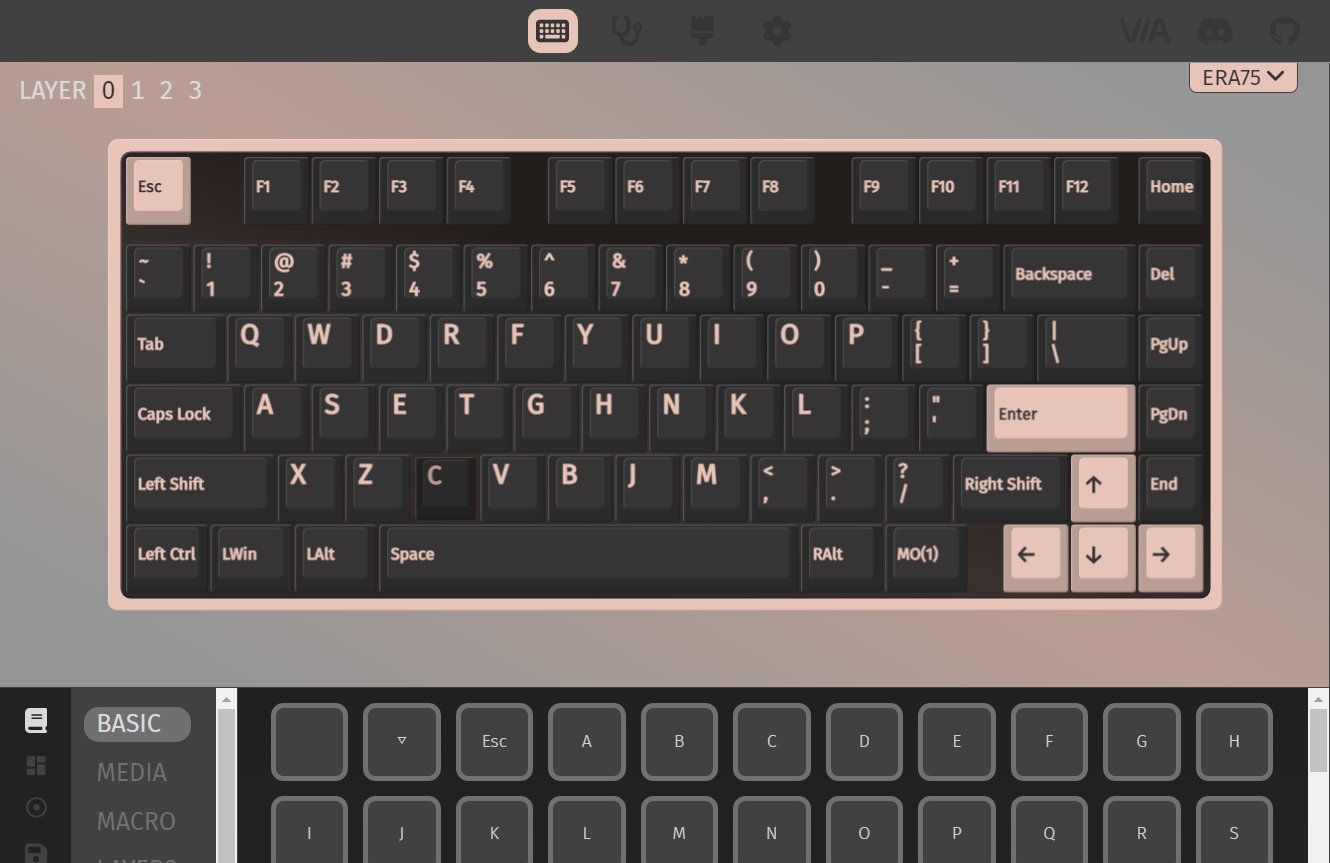
Swapping letters or symbols works as usual. Just like SpaceFN: This easy-to-access layer is crucial for many users as you can put arrows, navigation and numbers under your fingertips.

Portability
The ERA75 is a great board for stationary use, but if portability is your main concern, I would choose something much lighter. Sure, its wireless features make it mobile in theory, being more compact than a fullsize board helps too, however, maybe something lighter than 2 kg is definitely better suited for on the go. ;)
Comparison
Recently, boards with very similar layouts have piled up in my review schedule, so I can compare them side by side now: the Evoworks Evo75 and Redragon Eclipse K720 Pro have been already covered, and we'll get to the KiiBOOM Jade 75 and another Redragon a bit later.
From all the aluminum 75% keyboards, the ERA75 is as affordable as the Redragon K720 – with its price of just $95 (using the KBDNEWS coupon code). Consider the hotswap encoder, Cherry caps plus VIA vs display and the higher sculpted keycaps.
If we would like to compare the ERA75 to the Evo75, my current etalon in the 75% genre with regards to typing experience, we had to consider some important differences as well: hardshell case, ambient light effects, dust cover but dye-sub caps on one side, encoder, design and the sticker fun on the other. That said, the out-of-the-box typing feel of the Evo75 is exceptional, so you should decide if this is worth an extra $60 for you.

Other 75% boards, often in the $120-130 price range and below, are numerous. You can check out the classy NPKC RO75, the silly (plastic!) KiiBOOM Phantom81 and more serious Moonshadow V2, or even the GravaStar Mercury K1 Pro (wired) – and try to figure out what features you find important: alu case, rotary knob, display, offset arrows, wireless, or simply aesthetics.
Conclusion
The 75% wireless Womier ERA75 is another very affoardable pre-built mechanical keyboard with highlights like the hefty aluminum case with intricate pattern, hotswap rotary knob, and the fun DIY sticker decoration. The double-shot caps are nice, just like the switches. However, despite the gaskets and all the sound dampening layers, this board is for those who prefer a more direct typing feel. Given the customizability, it's a great offer for a quite broad audience – and the stickers will keep you busy for some time.
Pros
- sturdy and cool aluminum case
- versatile themes
- double-shot keycaps with nice dye-sub accents
- highly customizable (hotswap, MX, VIA, stickers)
Cons
- cable: a keyboard of this quality deserves something much better than the basic cable coming in the bundle

Price & Availability
The Womier ERA75 is available at womierkeyboard.com. The KBDNEWS coupon code (5% off) is in effect, so you can get this board for just $100 $95.
- Womier ERA75 product page
- Purple-blue Yosemite deskmat provided by Kinetic Labs.
Published on Fri 17th Oct 2025. Featured in KBD #200.
Related

Redragon Eclipse K720 Pro review
The Redragon Eclipse K720 Pro is a 75% wireless gamer(?) board with pretty impressive features for the price: CNC alu case, display, knob, cool decoration lights.
KiiBOOM Phantom81 Lite review
I reviewed KiiBOOM's Phantom81 Lite, a cute wireless 75% keyboard with silly froggy keycap design – in a shiny molded ABS case.
Key-Ripper
Brian Schwind released his key-ripper keyboard, with custom Rust firmware.
Evoworks Evo75 review
The Evoworks Evo75 is an elegant 75% tri-mode wireless keyboard with ball-catch and leaf-spring structure, coming in a multitude of beautiful variants. Meticulously designed and tuned for an exceptional out-of-the-box typing experience.