Keyboard Builders' Digest / Review
Womier SK80 Pro Kanagawa review
The tri-mode wireless Womier SK80 Pro comes with Great Wave overdose, including a matching mouse pad and wrist rest.

Published February 26, 2026

Let's continue our 75% keyboard series with the next board in this form factor: the Womier SK80 Pro. The plastic SK80 Pro is a very affordable bundle with some neat extras.
TLDR; The tri-mode wireless Womier SK80 Pro is a fully built keyboard coming in plastic housing. Another very affordable mechanical keyboard (just $77 with the auto-apply coupon code) with an overdose of The Great Wave off Kanagawa motif, plus mini-screen, gaskets, matching mousepad and wrist rest, hotswap switches, per-key RGB, 4000 mAh battery. The hotswap PCB and the MX-compatible switches make this board highly customizable, however, keymap-wizards won't like the fact that it comes with proprietary software. All in all, I would recommend the SK80 Pro for fans of any of the four design variants.
Should I buy the Womier SK80 Pro? – you may ask. Well, I'm going to cram as many facts as possible into this review – so you can figure out if this keyboard is right for you. Before placing an order, it always helps to know exactly what you want. Make sure you're aware of your preferences and the features you need, and check out the full review below for all the details and photos – plus the even larger photodump on Imgur for a closer look.

Disclaimer
Womier was kind enough to send me this review unit for free, which may introduce all kinds of biases – both negative and positive in my experience. Take everything I write with a grain of salt.
Variants
The Womier SK80 Pro comes in four design variants: the Sakura Pink with kitty motifs, the Plum Blossom, and the Kanagawa and the (now out-of-stock) Kanagawa Outline – each with unique matching keycap sets, mouse pads and wrist rests, plus color-matched braided cables.

The Sakura Pink variant seems to be a whole different mood and feel, with different keycaps.
Usually, it's relatively hard for me to select a single board, but not this time! Ages ago, when visiting the Edo Museum in Tokyo, I saw these characteristic woodblock prints of Hokusai, so selecting the Kanagawa board was a no-brainer. This is what you'll see in the photos below.
Unboxing & Contents
The black cardboard box of the SK80 Pro is very basic, which is all good. I could live even with the simple and humble recycled cardboard feel and color, no need for fancy and expensive packaging.

Contents:
- The SK80 Pro, pre-built with switches and keycaps mounted.
- user manual
- 2.4GHz receiver (compartment in the case)
- braided USB cable
- basic combined tool to remove keycaps and switches
- extra dye-sub keycaps
- 3x spare switches
- mousepad
- wrist rest
First impressions, design language
The SK80 Pro comes in four classy colorways, I've chosen the black Kanagawa version.
Hokusai's artwork, The Great Wave off Kanagawa, inspired many contemporary designs, even an opera lately, and after many deksmats and artisan keycap a Womier board now. Actually, multiple boards, because there are various form factors with this design on offer.
And the Great Wave is featured not less than seven times on various elements of this bundle: Each of the three accented keys, the front top part and bottom of the case, plus the mousepad and wrist rest.

The branding is on the back, not obtrusive at all.
The keycaps with the translucent lengends on the front give the board a certain gamer vibe, but I wouldn't call the overall board a gamer board.
It's hard to make an impact in such a crowded market like the 75% segment, and the SK80 Pro apparently tries to achieve this via the well-known and popular Japanese motif, plus the display of course.
Specs
- Layout: 75%-ish ANSI, 83 key
- Keycaps: dye-sublimated PBT Cherry profile
- Switches: Womier POM series, color matching the design
- Case: ABS (plastic)
- Typing angle: about 6 degrees
- Structure: gasket mounting
- Stabilizers: plate mount (no screw-in stab support)
- Plate: PC
- PCB: hotswap, south-facing per-key RGB, no flex cuts
- Connectivity: wired, 2.4G wireless, Bluetooth
- Software: proprietary software
- Battery: 4000 mAh
- Dimensions: 347x134x4 5mm
- Weight: 793 kg
Layout
The 75% layout is relatively standard and prevalent. This variant is a bit wider because of the navigation keys under the display arranged in two columns.

Otherwise, as you may know, the 75% layout means no numpad and no classic navigation cluster either. However, you have arrows, function keys, full number row, and some of the classic navigation keys – well, all of them this time.
Featuring 83 keys, the SK80 Pro is optimizing space while ensuring that all essential functions are easily accessible for new users transitioning from e.g. a fullsize keyboard.

The arrow cluster is offset (yay!), so it's very easy to locate when touch typing: it isn't crowded and you won't get lost when changing between the home row and arrows.
This particular keyboard doesn't offer a stepped CapsLock option, ISO layout, or split spacebars.
Keycaps
The keyboard comes with dye-sublimated Cherry profile PBT keycaps. The colorway is black base with muted blue mods and of course the five-side printed accents. The design is classic, bold, with some considerable black-white contrast here and there. In addition, there are non-accented keycap alternatives in the bundle.
Other design variants of the SK80 Pro come with other matching keycap sets.

No top legends, these characteristic translucent front legends give the keycap set a certain gamer vibe.

With regards to keycap compatibility, the 75% layout should be widely supported if you opt for something different, but hey, the whole point of this keyboard is the consistent design – including the keycap set.
Switches
The switches are nice too, Womier-branded medium (or light) linear full-POM switches in colors matched to the four cases and keycap sets. This Kanagawa variant came with the grey POM Womiers, which are the heaviest variants.

Specs of the Womier POM Grey matched to the black version:
- Actuation: 55 gF
- Pre-travel: 2 mm
- Total travel: 3.8 mm
- Material: full POM
- Factory lubing: yes
- Led diffuser
The Sakura Pink one comes with the POM Rose Whisper V2, with the only difference in the actuation force (42gF).

FYI, these specs seem to have slightly changed since my last Womier review. Both the actuation and travels.
The default switches are decent, but the PCB features hotswap sockets, so you're not restricted to the factory setup. Check out the current best-selling switches, find for yourself the best switch via the Switch Quiz, or feel free to use your personal favorites lying around.
Build quality, structure, case
This board is and feels plastic. The weight is okay, about 800g. This is much lighter than the usual CNC aluminum 75% boards, but you really don't need 2 kg cases. The SK80 Pro won't move around when gaming, not even mentioning less demanding jobs.
Given the affordable pricing, the build quality is actually great – with lots of details.

Typing angle: three stages, about 6 degrees plus two-stage feet.
Disassembly? Sorry, no disassembly this time. I can't see any screws, so I guess the top and bottom cases are simply snapped together. I don't want to break anything while opening it up. Or tear off the bumpons to check if there are screws there.
All in all, this is a pre-built keyboard, not designed with easy disassembly in mind, apparently. Which is not a problem for most users, but you should check the wireless/battery part for more info and why this matters.
Structure & Mounting
The SK80 Pro features gasket mounting. The gaskets are attached to the plate. I can definitely see and feel some flexibility.
Plate
The plate is polycarbonate (PC), with no flex cuts.

Plate-mount stabilizers. No support for PCB-mount stabs I guess, but given the hard disassembly it would be pretty irrelevant anyway.
PCB
The white PCB is part of the thick plate/foam/PCB sandwich, and it comes with hotswap sockets, south-facing per-key LEDs, and no flex cuts I guess.
Screen
The color TFT display is capable of displaying custom boot screens (only Windows software for this), it indicates the battery status and Win/Mac mode, CapsLock status, etc.

In addition, you can adjust various settings here (brightness, lighting effects, volume, etc.) by pressing the FN+left/right keys.
Dongle compartment
It's always nice to have a built-in dongle compartment. The SK80 Pro has it on the bottom, and it's magnetic.

Bottom weight
No fancy decoration weight e.g. with intricate carving, but the SK80 Pro does come with a fancy bottom anyway: another wave pattern, Win/Mac plus connection mode selector buttons, and the dongle compartment.

Sound dampening & Feel
Thick EVA plate foam, IXPE switch pad, and PE case foam. Together with the gaskets, the SK80 Pro provides a decent though still relatively direct typing feel.

The out-of-the-box typing experience could be described as average. With a relatively loud sound I have a hard time to position on the thocky-clacky spectrum: it's mostly clacky, but is pretty heterogeneous across the whole board, with larger stabilized modifiers closer to the thocky side.
RGB lights
The board comes with per-key RGB, a bunch of built-in lighting effects and support for real-time customization via the configurator software, the screen, and also via hotkeys.

From subtle ambient glow to vibrant full-spectrum animations, you can fine-tune colors, brightness, and modes to match your mood and setup.

Wireless
The Womier SK80 Pro is a tri-mode wireless keyboard (Bluetooth, 2.4GHz wireless, and USB Type-C wired connections) powered by a 4000mAh lithium battery.
While there is a physical mode selector switch on the bottom of the case, I'm not sure about physical decoupling of the battery. That said, you have proper feedback about the charging level, thanks to the built-in screen.

General warning: If you use your wireless SK80 Pro keyboard permanently connected, please read this article about Built-in keyboard batteries and how to avoid fire – for details, tips, and horror stories.
Basically, keeping wireless boards plugged in constantly may lead to accelerated degradation of the lithium battery. You have to follow proper battery care practices, so you should remove, disconnect or switch off the battery if you don't need wireless functionality. Check the battery for swelling regularly, even when disconnected or removed.
The SK80 Pro makes this pretty cumbersome. If you'd like to monitor battery health, you had to completely disasseble the board. As already mentioned, that's quite an enterprise here.
Software
In contrast to many other Womier boards, the SK80 Pro doesn't support VIA. Hm. Probably because of the screen, which needs custom software anyway.
Remapping letters or symbols should work as usual, but I'm not sure about layer functions or SpaceFN. Sorry, I wasn't in the mood to install an unknown software on my PC.
Portability
The SK80 Pro is a great board not just for stationary use, but also if portability is your main concern. Its wireless features make it mobile already, being more compact than a fullsize board helps too, and the reduced weight compared to aluminum boards makes it well-suited for on the go.

Comparison
Recently, boards with similar layouts have piled up in my review schedule, so I can compare them side by side now: the Evoworks Evo75 and the Womier ERA75 are my top choices in this genre, but these are aluminum and more expensive.
The SK80 Pro is probably one of the most affordable options, thanks to the plastic case. It's also one with a screen – this feature is getting more mainstreem, but still relatively rare. The Epomaker RT82 comes to mind if you prefer a more vintage look.

If you don't need the screen, the KiiBOOM Phantom81 Lite is another silly plastic alternative.
That said, aluminum somehow feels nicer, so you may consider the Womier SK71 Pro. The alu-plastic case is the best of both worlds, without screen, but with VIA support.
Conclusion
The 75% wireless Womier SK80 Pro is another very affoardable pre-built mechanical keyboard with highlights like the matching case/keycap/wrist rest/mouse pad designs, a built-in screen, and gasket mounting. Dye-sub keycaps, but some nice 5-side printed accent keys. The all-POM switches are decent as well. Given the customizability (hotswap PCB and MX-compatible keycaps), it's a nice offer for those who are not too deep into keymap customization (proprietary software).
Pros
- consistent theme across the bundle
- price
- handy magnetic compartment for the dongle
- customizable (hotswap, MX)
Cons
- proprietary software (in general)
- plastic feel

Price & Availability
The Womier SK80 Pro is available at womierkeyboard.com. At the moment an auto-applying coupon means a $77 final price. If you read this review later, the KBDNEWS coupon code (10% off) should work too.
- Womier SK80 Pro product page
- Womier SK80 Pro on Amazon US
Published on Thu 26th Feb 2026. Featured in KBD #207.
Related

Womier SK71 Pro review
A great wireless 75% keyboard: Womier SK71 Pro with cool themes, fancy lighting, VIA support.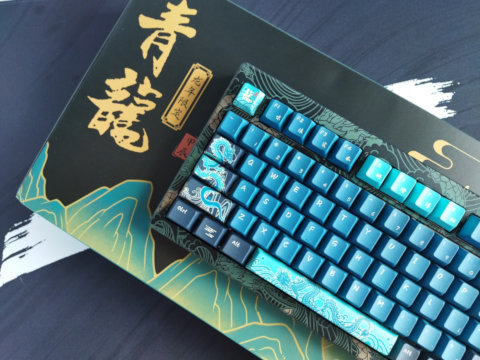
Akko MOD 007 V3 HE Year of the Dragon review
This is a review of Akko's gorgeous MOD 007 V3 HE Year of the Dragon board, a "limited series" Hall-effect work of art.
Redragon Eclipse K720 Pro review
The Redragon Eclipse K720 Pro is a 75% wireless gamer(?) board with pretty impressive features for the price: CNC alu case, display, knob, cool decoration lights.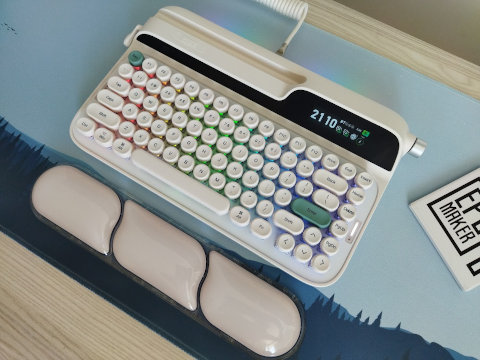
Epomaker Glyph review
The retro, mid-century modern Epomaker Glyph is a typewriter-style tri-mode wireless keyboard with huge displays.