Keyboard Builders' Digest / Review
NocFree & review
NocFree's strangely named "&" is a low-profile 75% split keyboard. Wireless, classic staggering, classy aluminum housing.

Published July 24, 2026
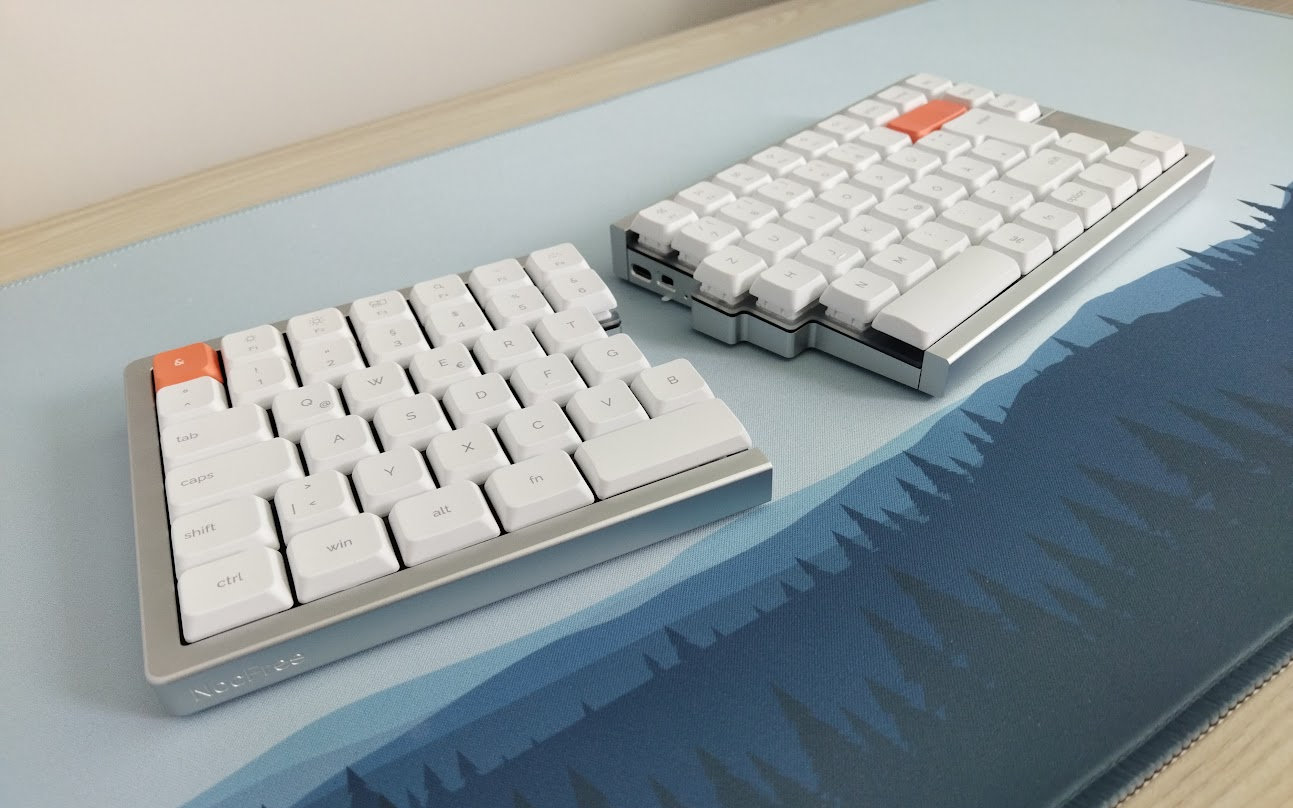
This is a great time for all the normies who are on the fence between traditional keyboards and fully ergonomic designs. If you've been looking for a high-quality aluminum split with the familiar horizontal key staggering – not quite ready to completely relearn typing on a columnar ergonomic board – you're suddenly spoiled for choice.
There was the 60% Elytra, the sibling of the column-staggered Cornix, followed by the 65%-ish Jiffy75. Now NocFree has joined the party with the spectacularly awkward name "&" for their 75% alternative.
TL;DR: I love the board, I hate the name (and switch footprint). The tri-mode wireless 75% NocFree & is a fully built split keyboard in a gorgeous low-profile aluminum housing. Gasket mounting and nice stock silent switches provide a soft typing feel. Per-key lighting (white) and hotswappable PCB, but incompatible with most switches due to the Jerrzi footprint. A quality hard-shell carry case, and options like a wooden palm rest and tenting/charging station make this a versatile offer for clean desk setups. Limited proprietary web-based configurator. A lovely board if you don't plan on customizing it too much. Available from $256 via the KBDNEWS coupon code.
As you'll see, I've eviscerated the "&" to the very core as usual. Check out the full tear-down below for all the details and full photo gallery on Imgur (coming soon) revealing its internals as well.
Specs (and ToC)
- Contents: pre-built board, cables, tool, dongle, spare switches/caps
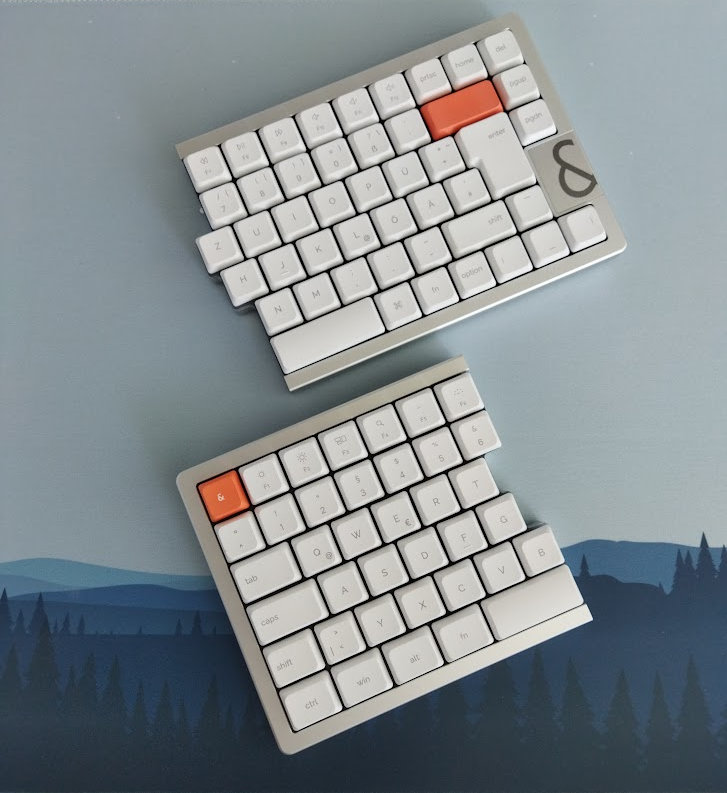
- Layout: 75% low-profile, ISO, 84 keys (classic horizontal staggering, just split)
- Keycaps: dye-sub PBT, low-pro uniform spherical profile
- Switches: NocFree Mist (low-pro silent linear, Jerrzi footprint)
- Case: CNC aluminum
- Typing angle: fixed, 3 degrees
- Mounting: gasket mounting
- Plate: frosted acrylic
- PCB: hotswap, per-key white LEDs (north-facing), flex cuts
- Sound dampening: 3 layers
- Lights: per-key white LEDs, north-facing
- Connectivity: tri-mode wireless, 2x1250mAh batteries
- Software: proprietary web-based (NocFree Link)
- Dimensions: 146x130 mm (left) and 189x130 mm (right), combined width: 322 mm
- Weight: 450 + 583 = 1,033 g
- Price: from
$269$256 (coupon: KBDNEWS)
Disclaimer
The review unit came from NocFree. As always, not having to pay for something may introduce all kinds of biases – both negative and positive in my experience. Take everything I write with a grain of salt.
NocFree deserves a little introduction as a new brand. After their debut model, the plastic 65% NocFree Lite, the team came up with a fancier, lower profile, 75% aluminum keyboard.
As I understand it, this was a Kickstarter project, but it's also available for preorder now. As you can see, the product does exist, it's not a bunch of renders of a concept design. The general risks associated with group buys and Kickstarts are significantly lower here, as the product has already reached the production stage.
Variants
Two color options (silver and black), three layout variants (ANSI, ISO, JIS, plus the currently unavailable Korean), and two switch options for now (linear and silent linear).
- The ISO layout offers UK, German, French and Nordic keycap sets.
- There's also a tactile switch option available separately
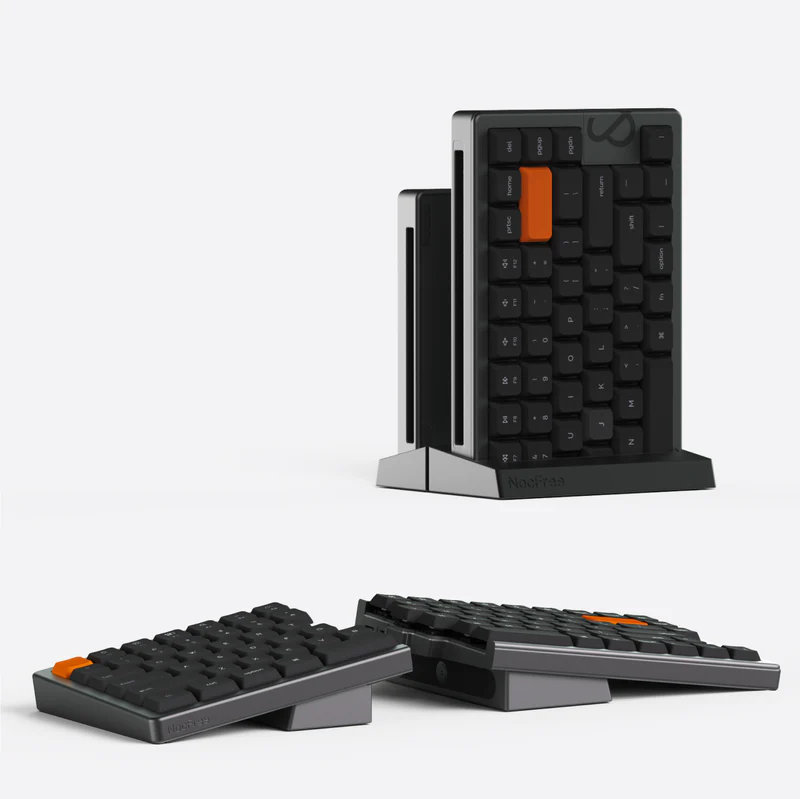
In addition, there are a bunch of other colors and keycap sets in some photos, I'm not sure about when exactly they will hit the shelves.
As you can see, I received the silver ISO version, with German keycaps. No palm rest or tenting kit. That's what you'll see in the photos below.
Unboxing & Contents
The NocFree & came in a classy hardshell case with some branding:
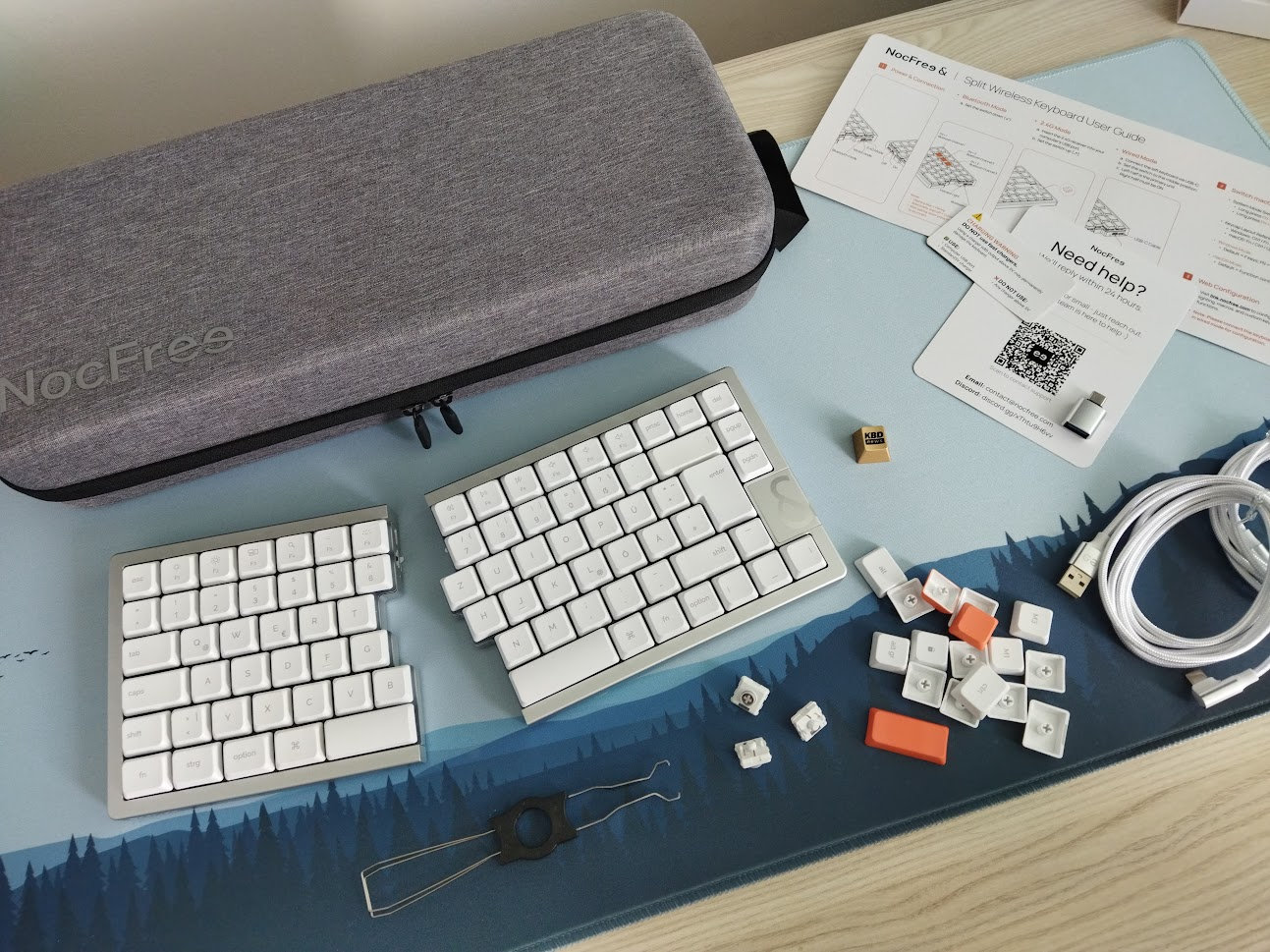
The contents of the bundle:
- The pre-built split "&" keyboard itself with keycaps and switches mounted
- Quick-start guide and service card with QR code
- combined tool to remove keycaps & switches
- 2.4G dongle (compartment in the housing)
- USB cables
- spare keycaps, switches (x3), and a USB-A/C converter
- kick-ass hard-shell case, normal size
Other notable accessories you can purchase separately:
- wooden palm rest (+$25)
- tenting/charge & stand kit (+$69)
First impressions, design language
When it comes to the design, I can't help but think of the Jiffy, Elytra, and even the Cornix: nicely machined aluminum splits, with similar low-pro switches. The keycap profile is different though. The quality of the milled aluminum case gives all these boards a very sophisticated look and feel – relatively uncommon in the niche split scene for a long time.
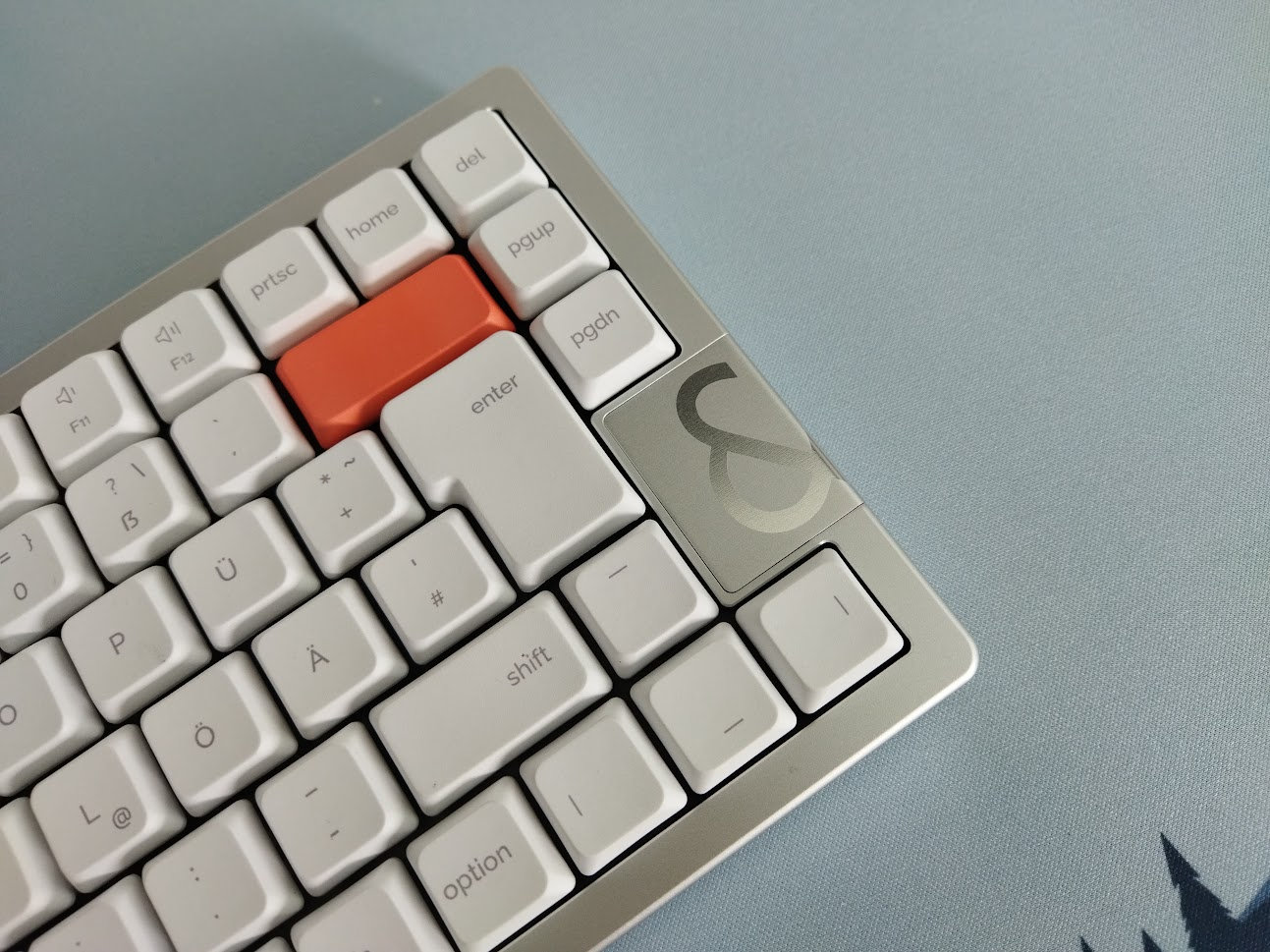
Each of these models features something unique. After the Elytra's fancy "biomimetic" bottom, the Jiffy75's wooden accents and palm rest, the NocFree & features, well, an "&" logo on the lid of the dongle holder to spice up the design. By the way, some photos indicate there will be other cover options, so you can use it as an accent piece.
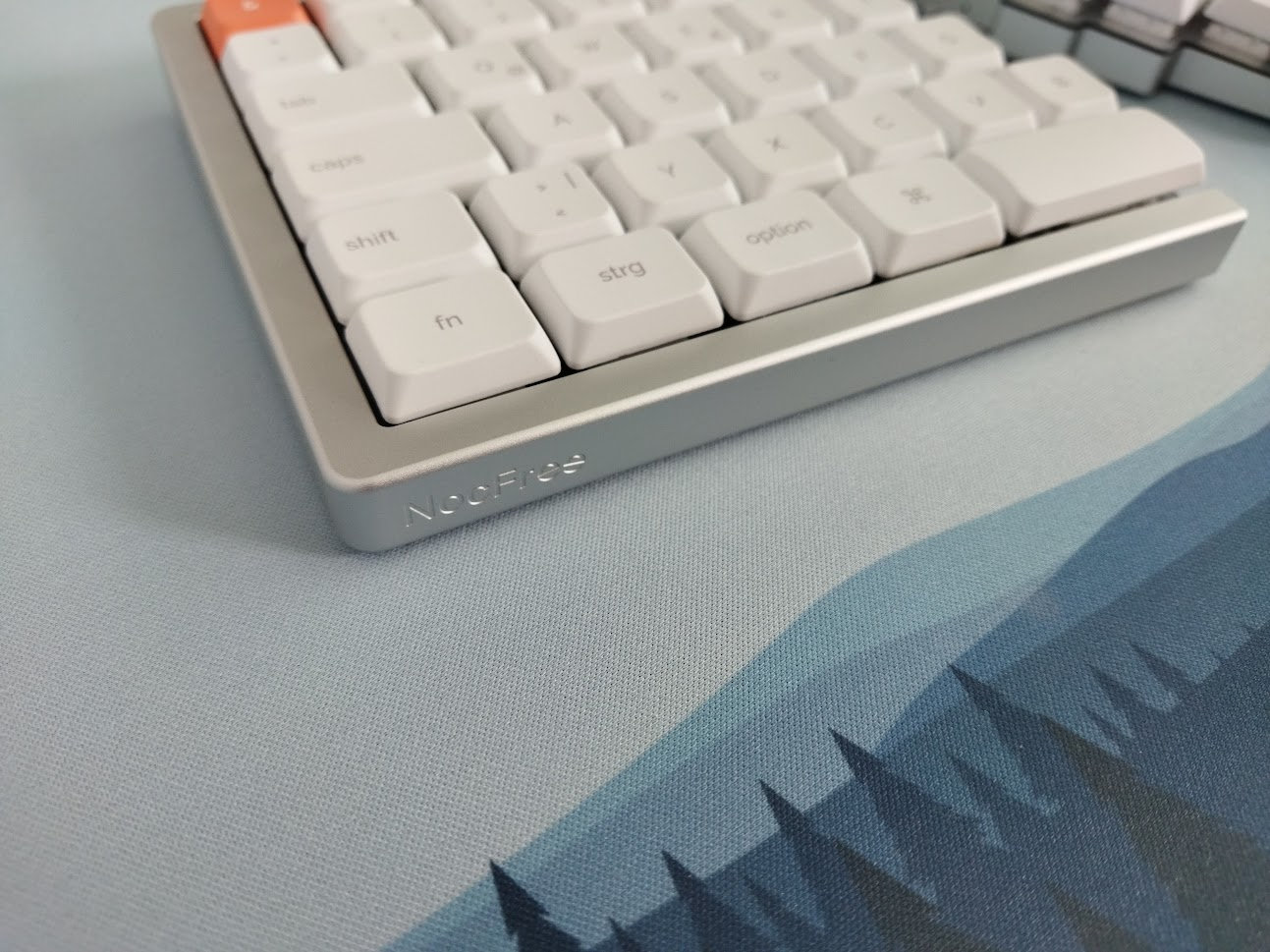
A small NocFree engraving on the front of the left half.
Other than that, this is a clean and simple build visually.
Layout
If you're familiar with the classic 75% layout, this one is pretty close, but in a split flavor.
Basically, take the standard fullsize 100% keyboard, chop off the numpad and classic arrow/navigation cluster, then add an extra column on the right with the more important keys.
Plus there's also the split spacebar of course as the main difference – this can be come in handy if you use it wisely.
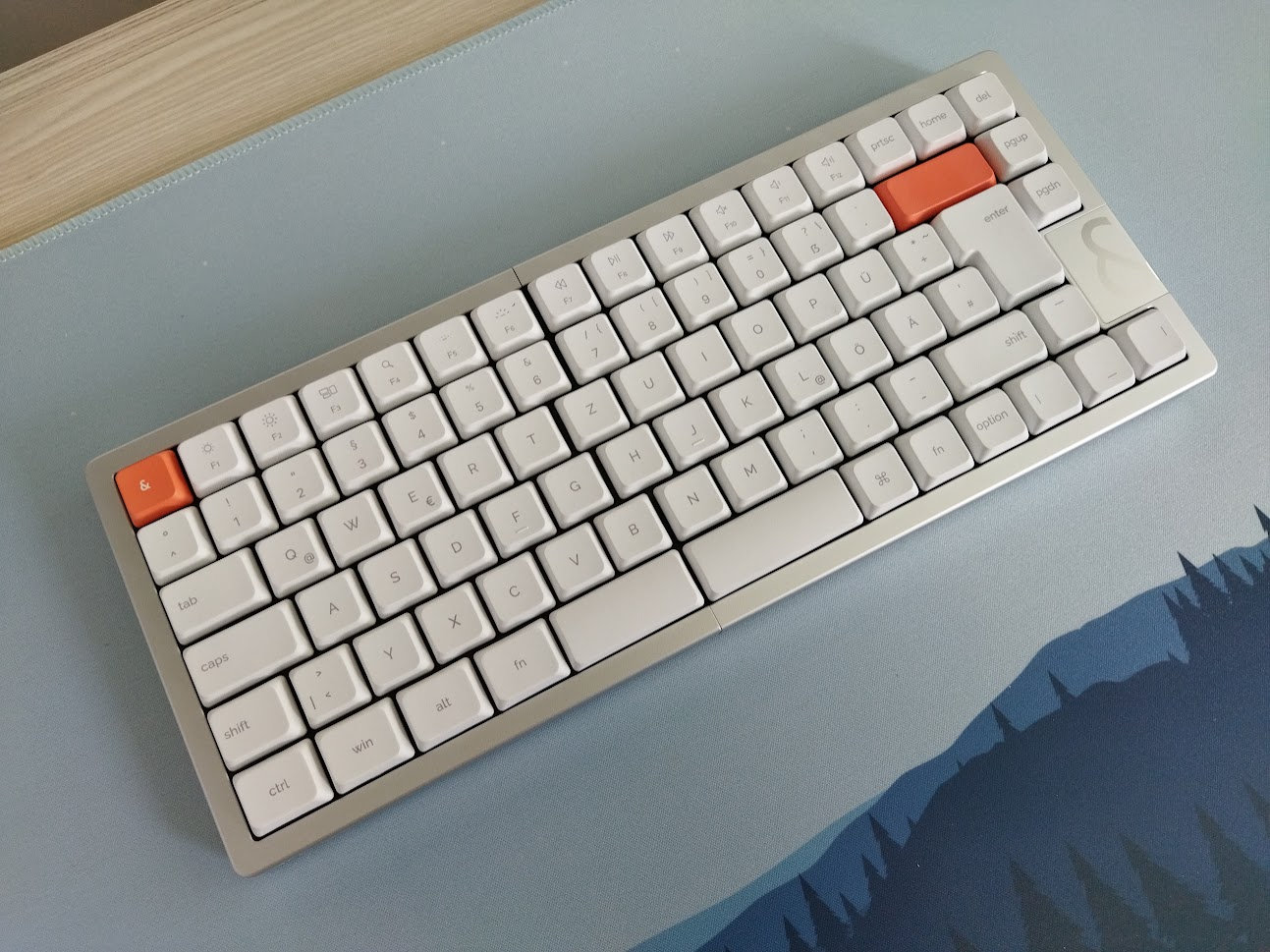
84 keys, classic horizontal staggering with the B key only on the left half. No steep learning curve, the board keeps the ANSI/ISO layout and QWERTY arrangement as default. You can even attach the two halves, resulting in a one-piece board – no magnetic snapping though, in contrast to the Jiffy.
The familiar layout benefits newcomers to the split scene (easier transition from traditional layouts), but also serious typers who've mastered e.g. ANSI/ISO QWERTY and don't really want to relearn typing and retrain muscle memory to adapt to a fully ergo columnar arrangement.
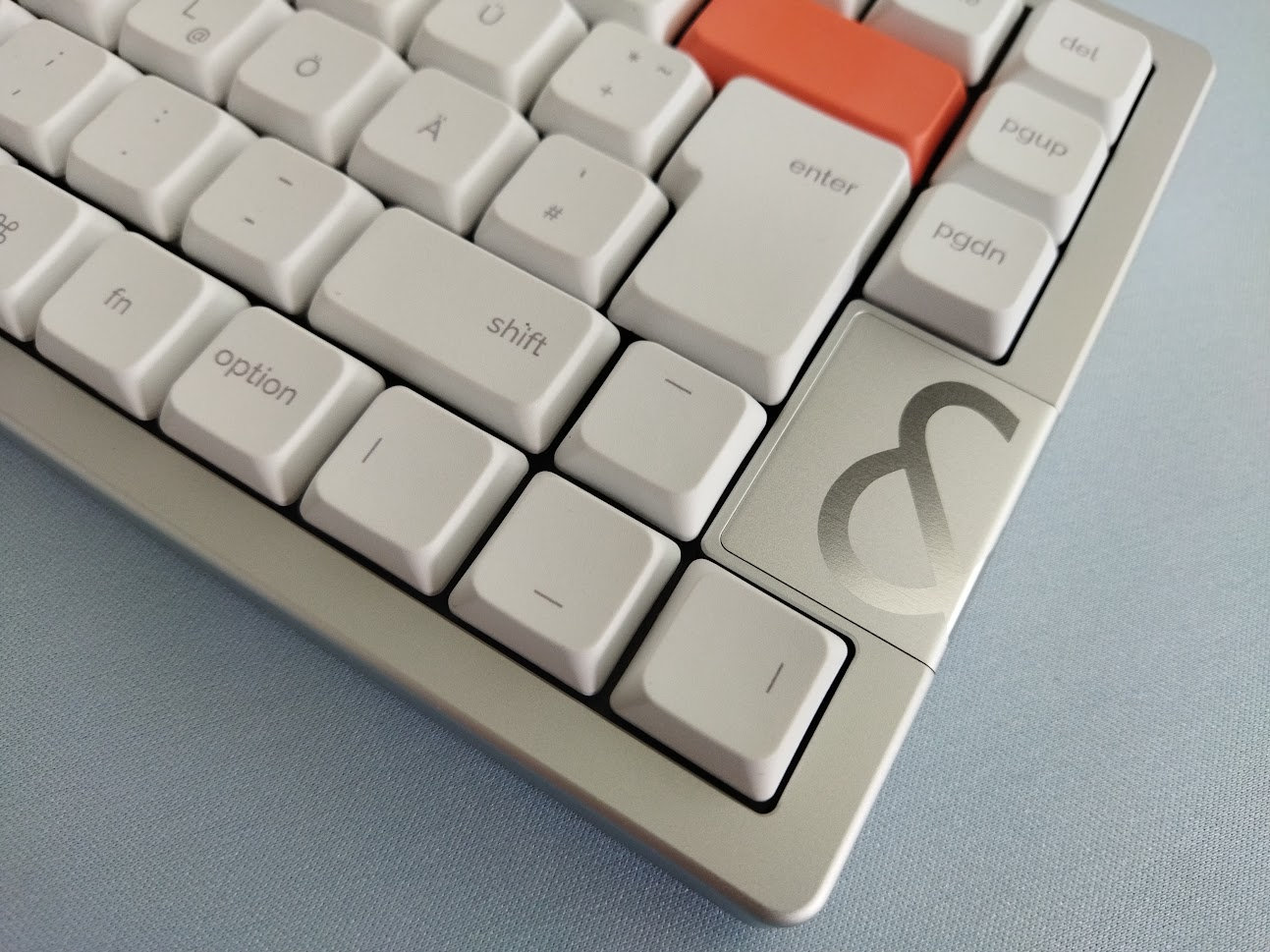
The & offers a dedicated arrow cluster, although in a more crowded way, without being offset and without the gap on its left side.
Tip: the device came in Mac mode. Press FN+N for Windows (or FN+M for Mac). That said, the position of FN changes between the two systems, so consult the user guide.
Keycaps
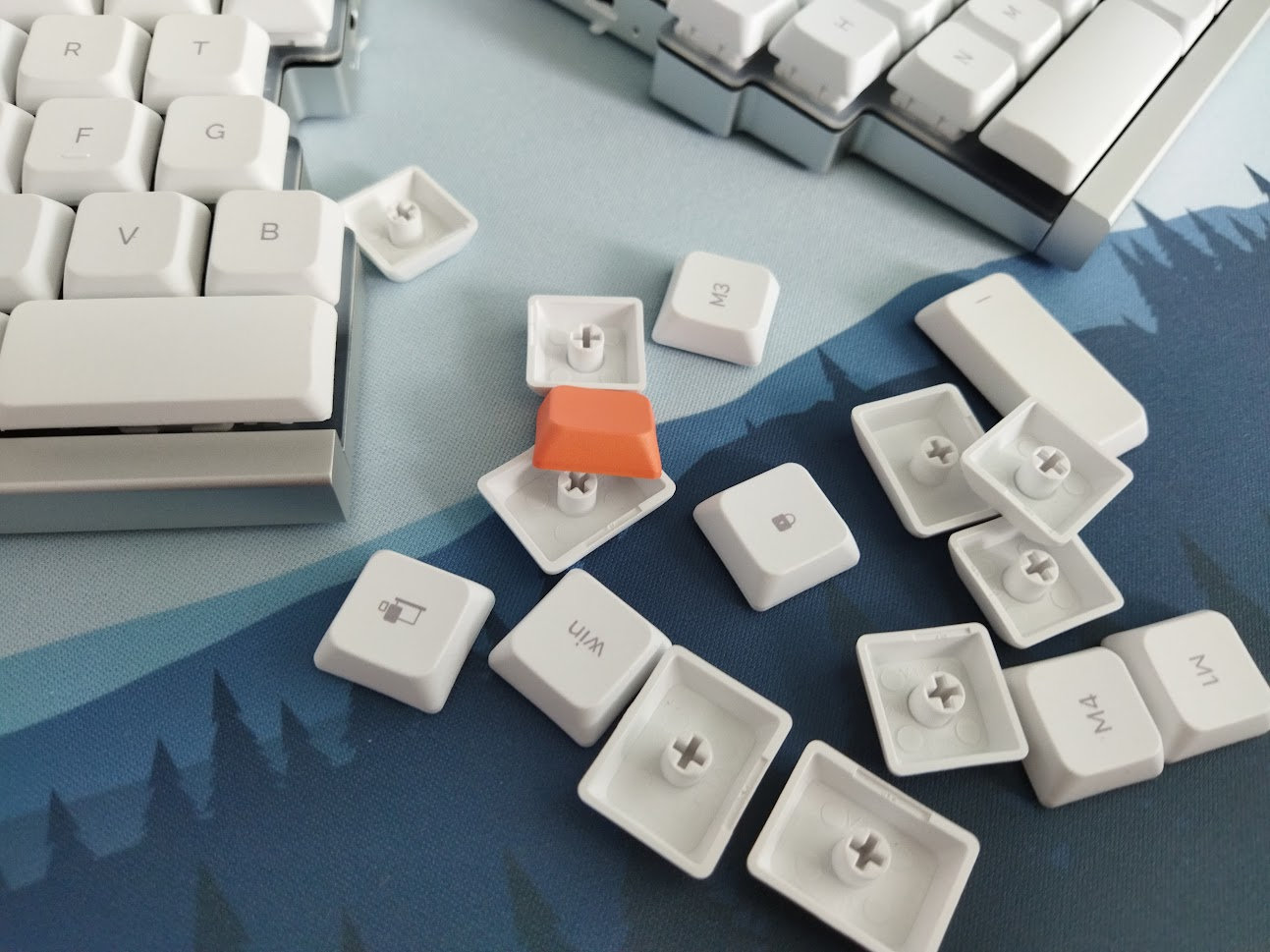
The low-profile PBT keycap set with dye-sublimated legends is usable as it is. The bundle comes with extra keycaps (orange accents and Win/Mac alternatives). It matches the clean and simple aesthetics well.
This is a uniform keycap profile, so you can easily rearrange the keys according to your keymap if you rock a custom one. Otherwise the profile is spherical, with a shallow dish, but relatively large top surface – as it would be a low-profile XDA variant.
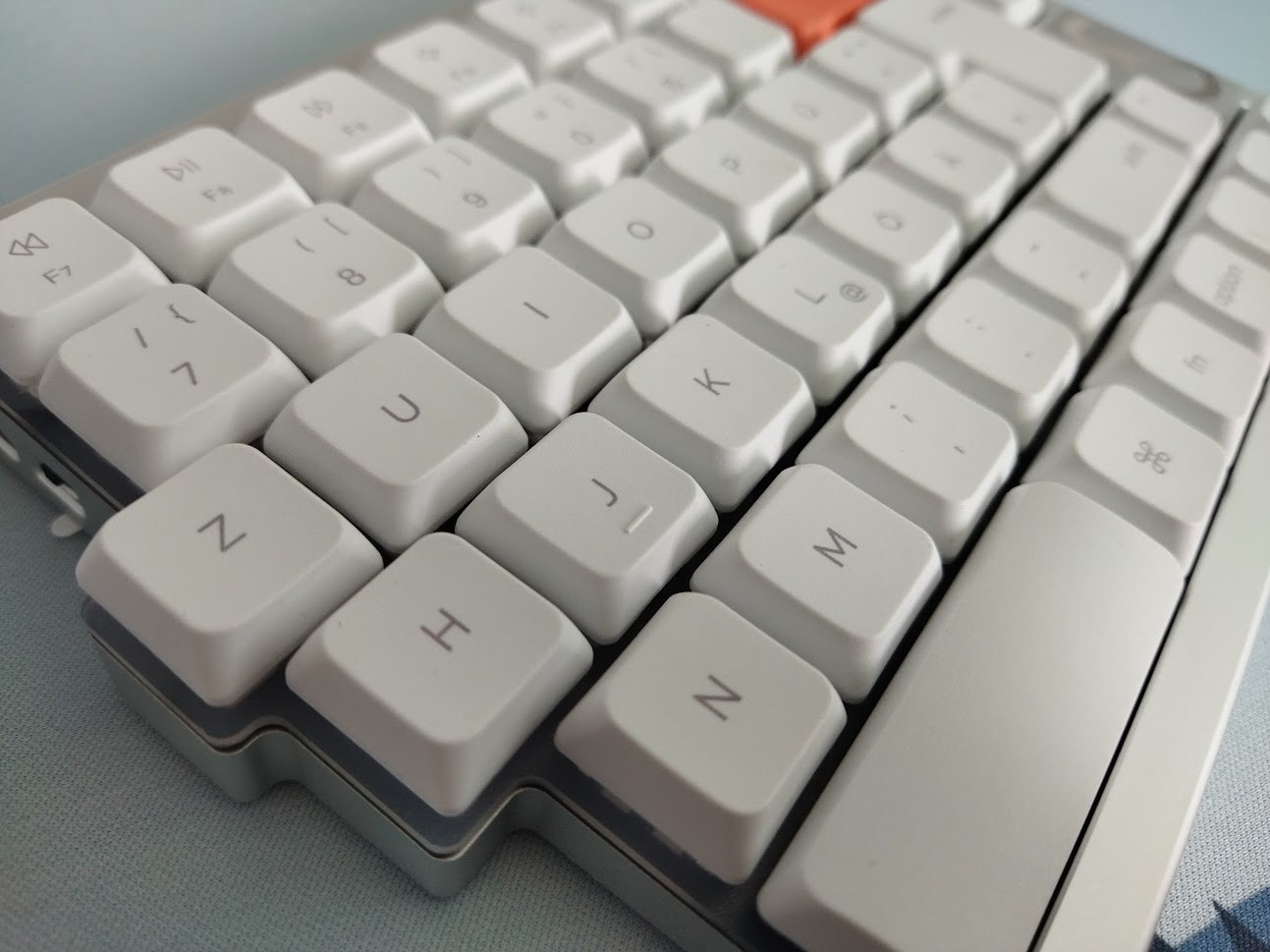
Convex spacebars.
Legend consistency is meh, with many off-center legends.
With regards to keycap compatibility, the switches have MX stems, so the 75%-ish layout should be widely supported. Skirt height may cause interference, plus watch out for the right Shift, and the 1U modifiers on the right side.
Switches
I spent my first eight years in the hobby without ever coming across a Jerrzi switch. Then, in the span of just a few weeks, this became the second board – after the XVX L75 – to feature this rather peculiar breed of switches.
Sure, the NocFree-branded Mist switches are nice silent linears that feel like POM. However, the footprint is different, making the board incompatible with any other mainstream switch model. And the stem wobble is a bit too much as well, especially given such a short travel.
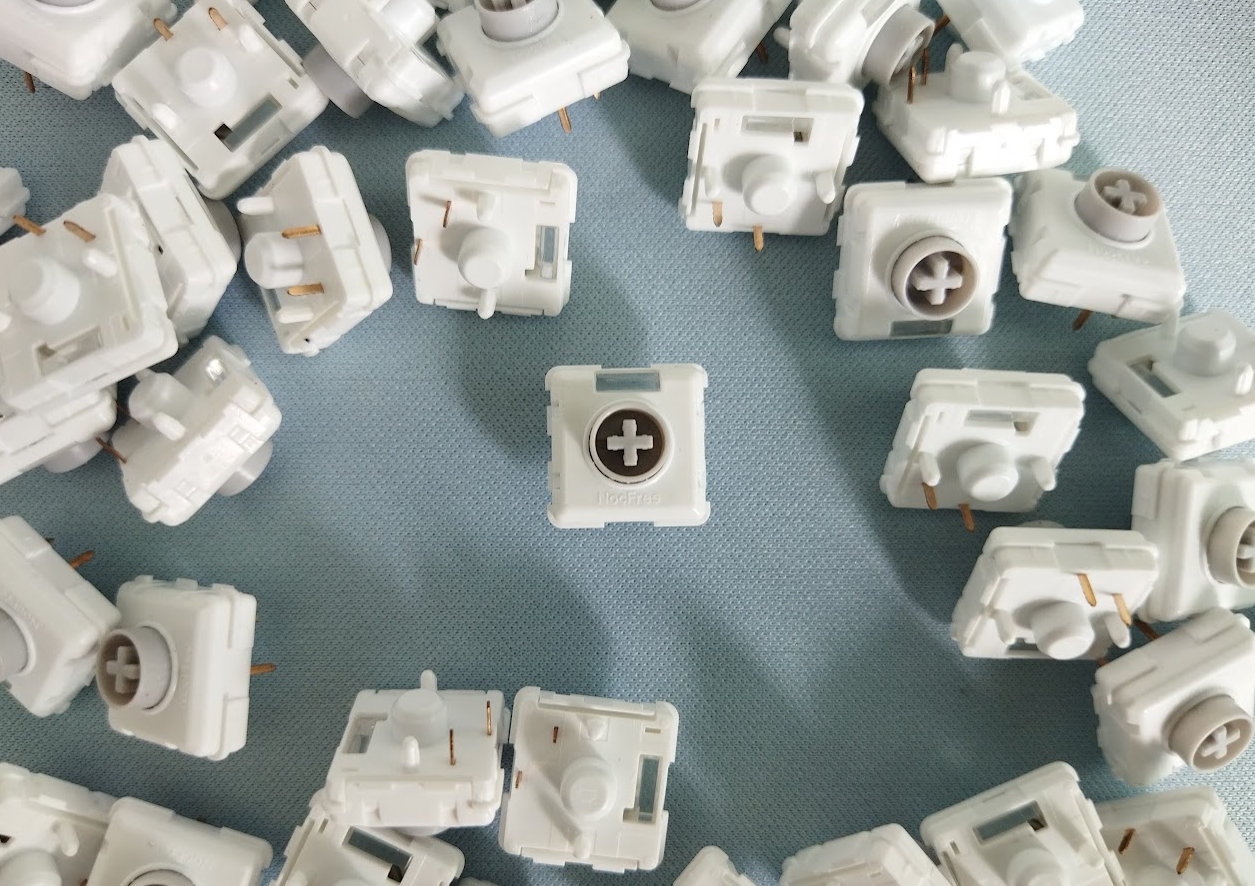
The three switch options are:
- NocFree Rime – linear, 40gF actuation at 1.2 mm, 3.2 mm full travel, transparent housing.
- NocFree Mist – silent linear, 37gF actuation at 1.3 mm, 2.5 mm full travel, light diffuser.
- NocFree Dew – tactile, ~52 gF tactile force at 0.5 mm, actuation at 1.5 mm, 2.8 mm full travel.
At this point in the review I usually refer to the switch database listing the current community-favorite best-seller models as alternatives. However, not a single switch there is compatible with this keyboard.
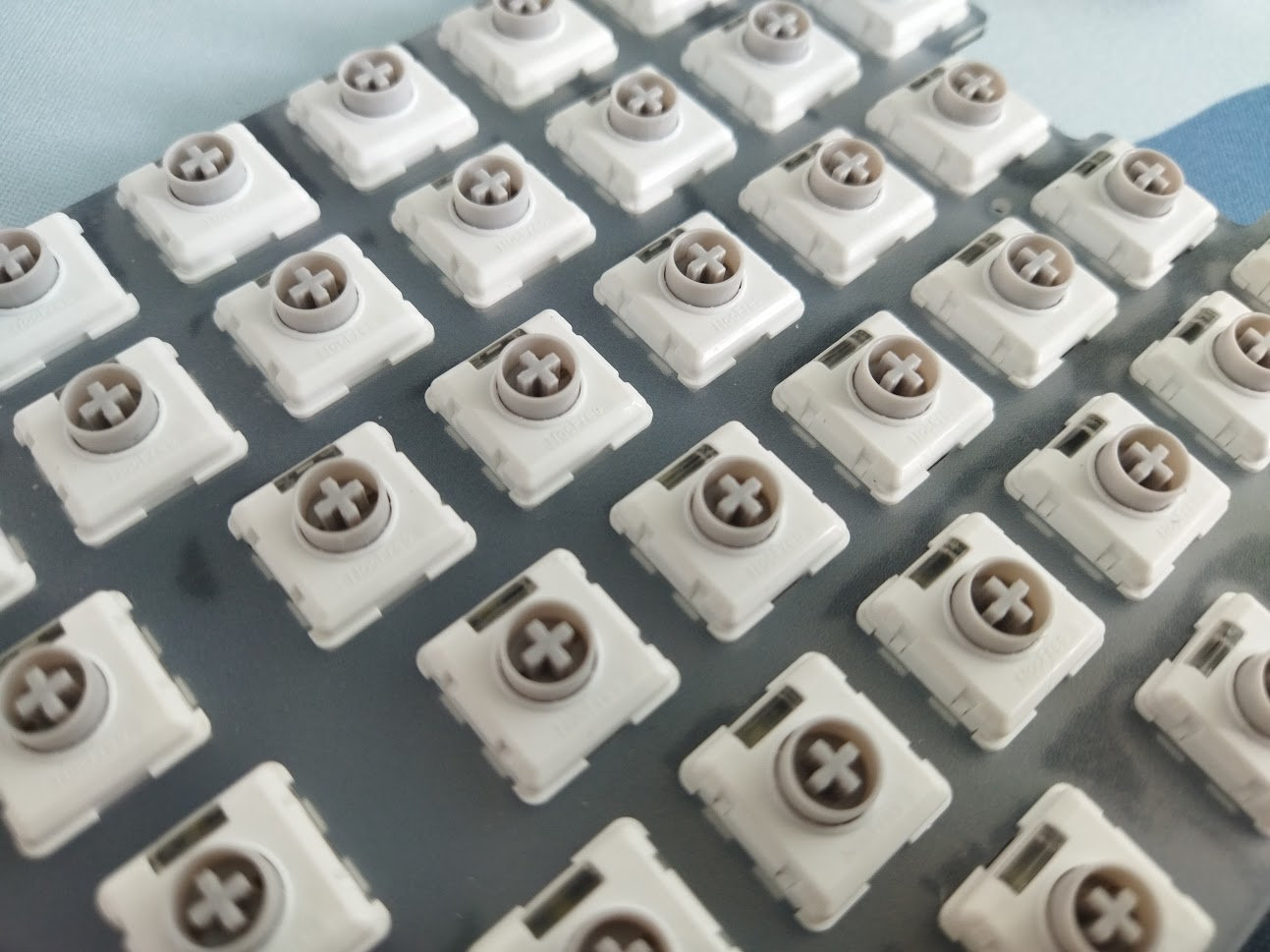
The PCB features hotswap sockets, so in theory you're not restricted to the factory setup as you can easily swap switches without soldering. In reality though, your options are very limited. Neither Choc nor GLP switches fit this PCB.
Build quality, structure, case
Excellent build quality, my tester unit was almost flawless – only the dongle cover had some heavy machining marks on the back. Probably not the final version.
Despite being relatively sleek, the whole thing has a healthy mass compared to not just much bulkier 3D-printed plastic cases, but also many non-lowpro aluminum keyboards.
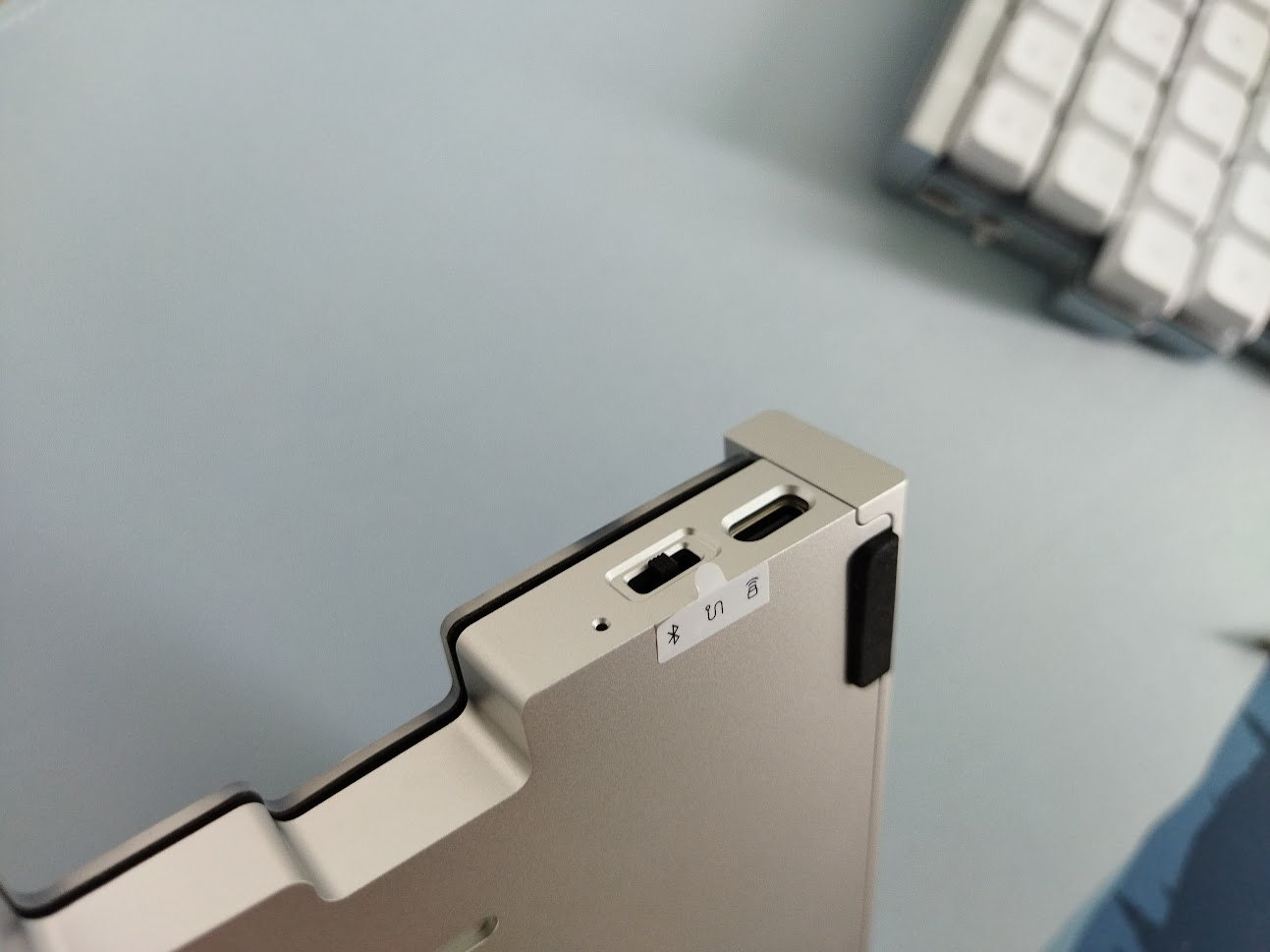
By the way, these cases are bead-blasted and anodized aluminum, and this silver variant looks absolutely fingerprint-resistant.
The screws are hidden, so to disassemble the "&", you have to remove the bumpons first. Luckily, you don't have to tear them off, you can lift one end which is not glued to the case.
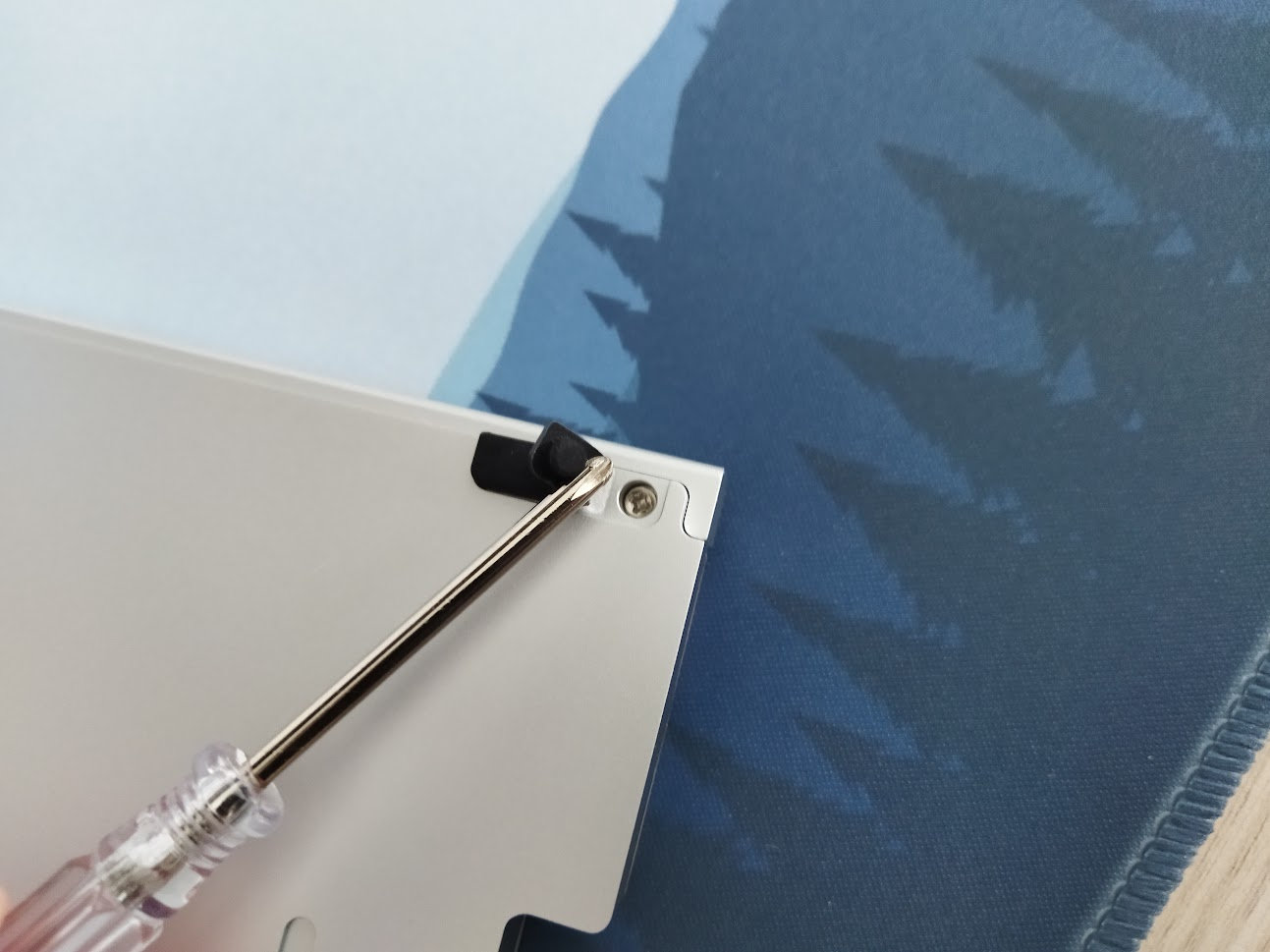
This is definitely a prebuilt-first keyboard, aesthetics was more important than easy disassembly. Nevertheless, taking it apart isn't impossible either. At least it has all the screws in the same size and style – one screwdriver is sufficient.
Four screws per half to remove the top case, and there's another hole to fix the PCB to the bottom case, but it was unpopulated in my case. All in all, 8-10 screws. The majority of customers won't bother with disassembly, but it may be important after a few years of use to check battery health.
Structure & Mounting
Multipart case, gasket mounting. Fixed 3 degrees typing angle.
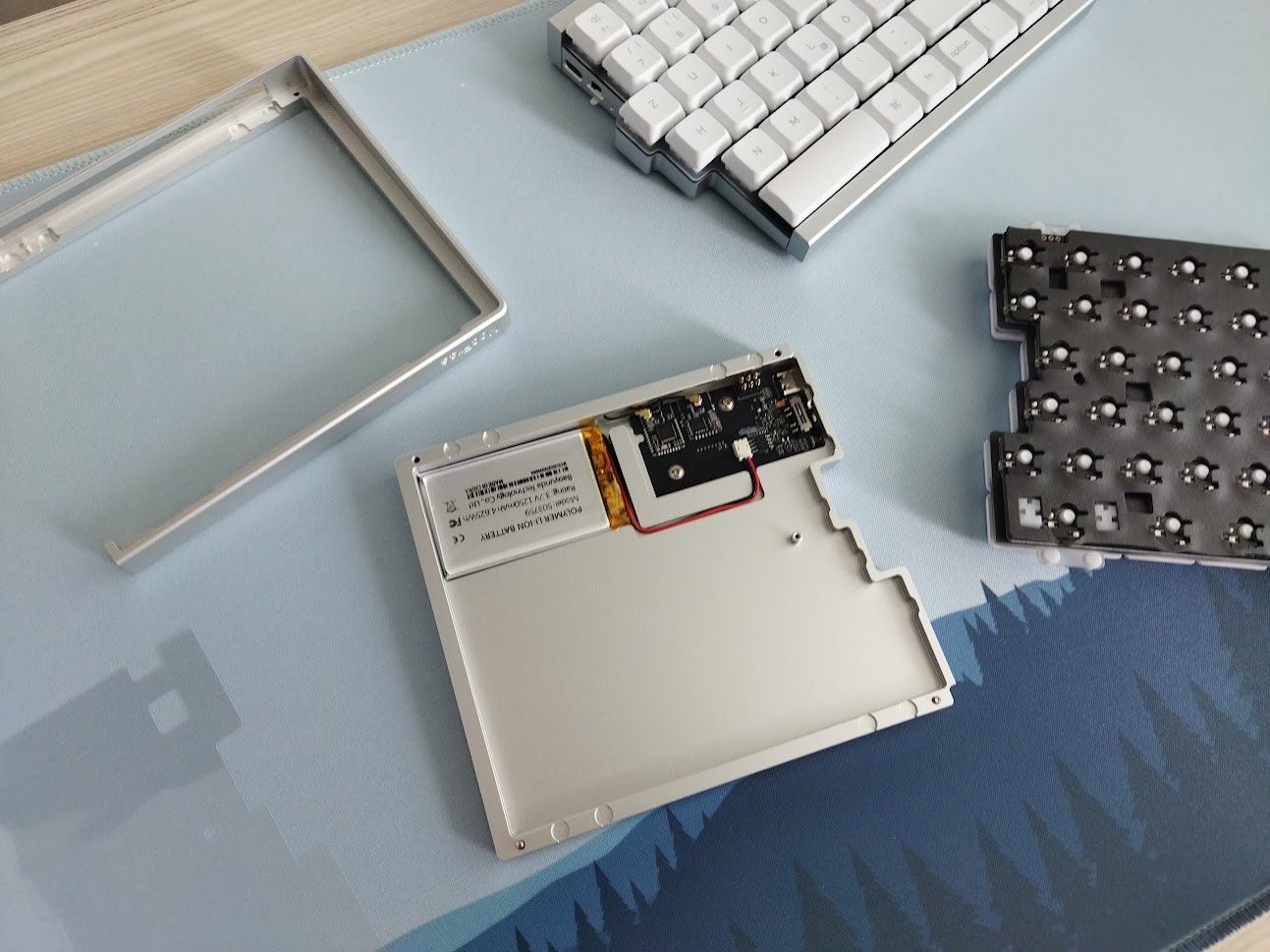
Multipart in the sense that in contrast to the usual top and bottom cases, the bottom case here is encapsulated in the outer one, providing an uninterrupted front and side view. There's a black decoration strip on the back, this hides the clearance for the wireless antenna.
Plate
Nice frosted acrylic plate, very flexible even without flex cuts, making the typing feel even softer.
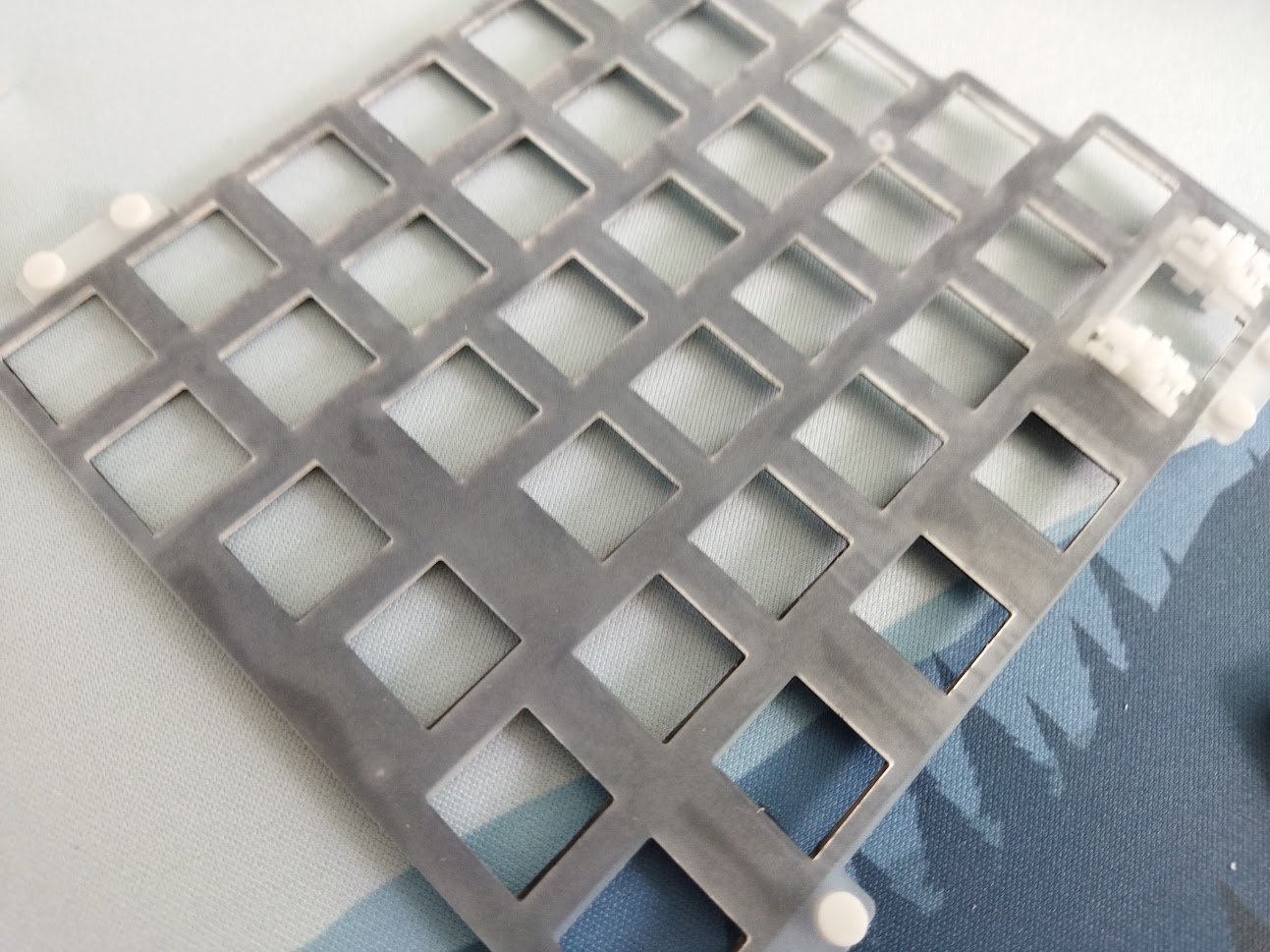
A thin sound dampening layer is stuck to it, that's why the color in the photo.
Stabilizers
On my ISO board, the modifiers are normal size except for the right Shift to make room for the up arrow key. But because of the two spacebars, there are still four stabilizers.
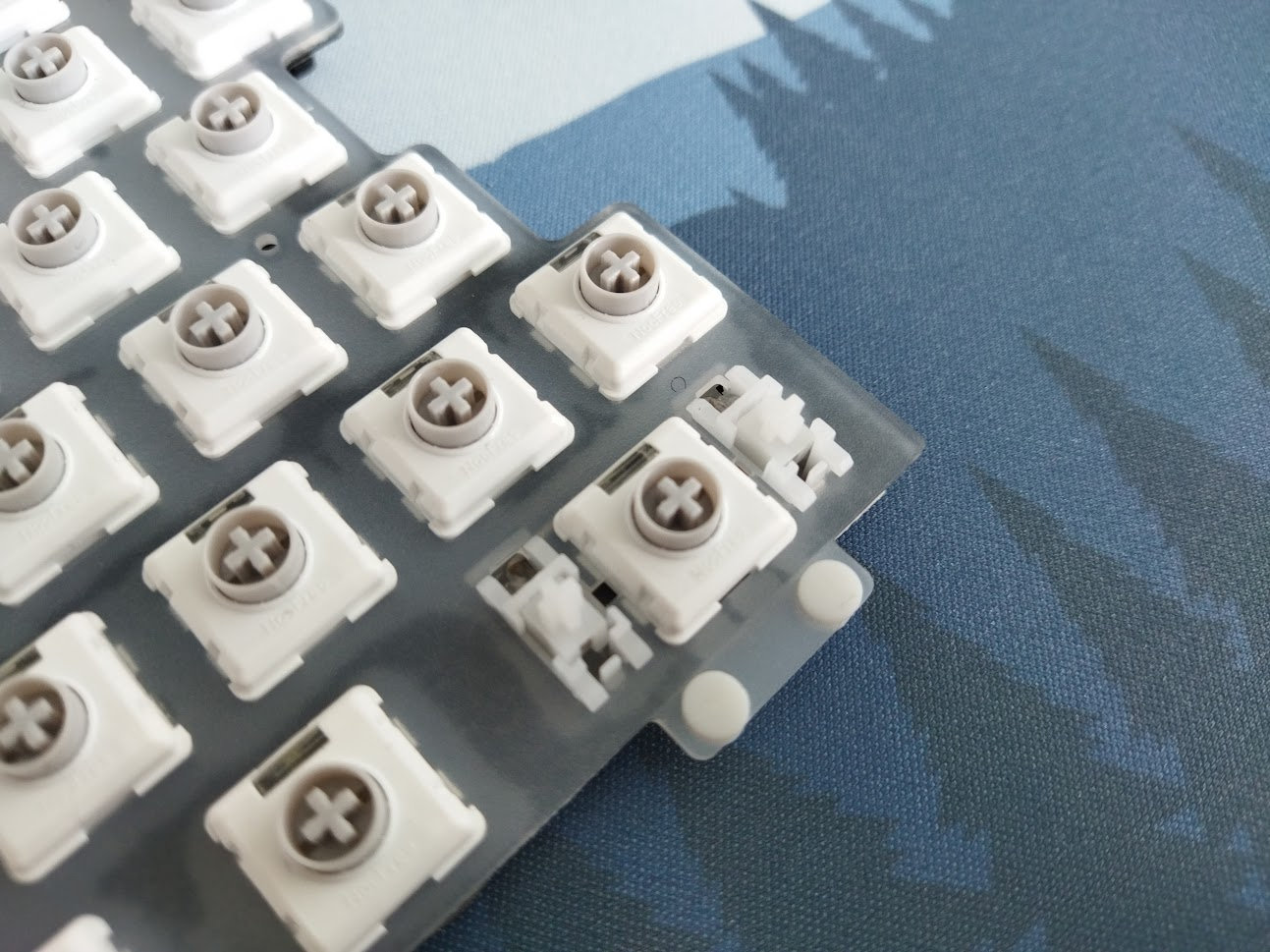
Plate-mounted stabs, no screw-in stab support, but hey, this is a low-profile keyboard with low-pro switches.
The stabilizers aren't perfect but usable.
PCB
This is a prebuilt keyboard so most of you won't need to get as far as disassembling it – prying the PCB off the plate, foam layers, switches. That said, the PCB features hotswap sockets (Jerrzi footprint) and north-facing LEDs (white only, not RGB).
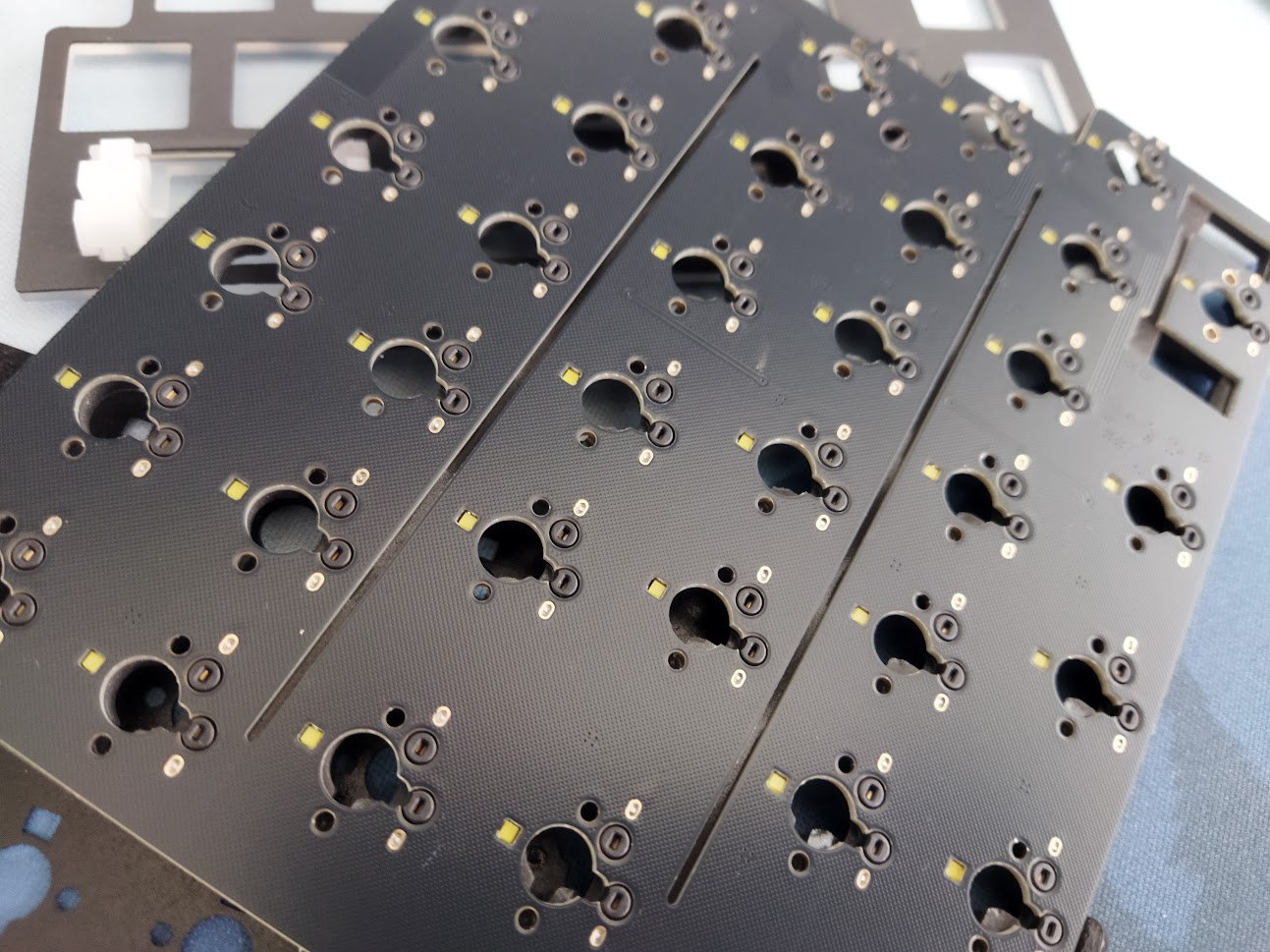
Some horizontal flex cuts to max out the flexibility and softness.
Bottom & Weight
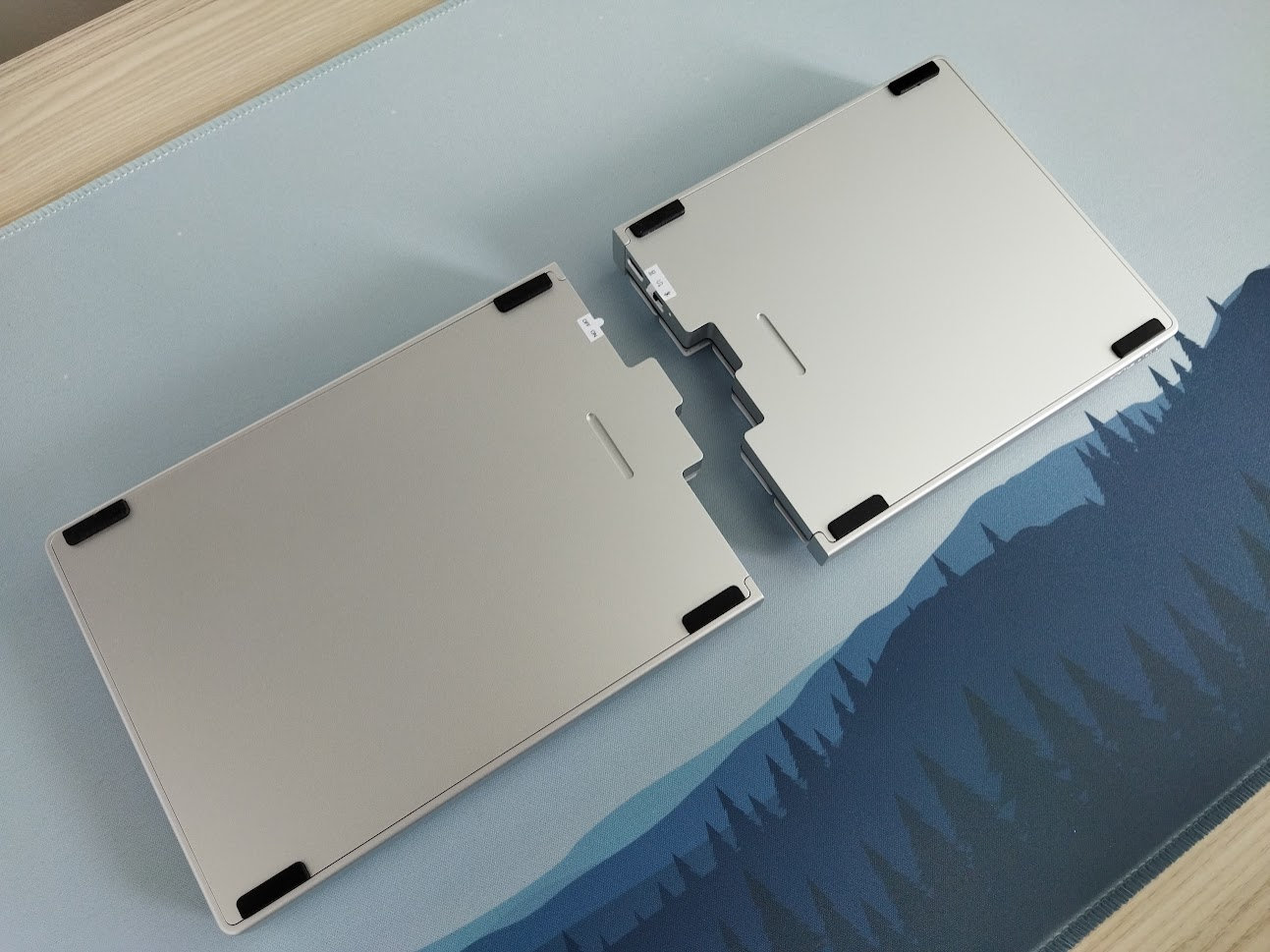
No fancy weight, a simple bottom with the nice bead-blasted aluminum surface.
Clear and simple. No tenting legs, and the tiny screws are hidden beneath the bumpons.
Tenting & Typing angle
No tenting by default, but there's an optional tenting kit you can purchase separately – combined with the wireless charger/docking station, so the price is pretty steep for a tenting solution (+$69).
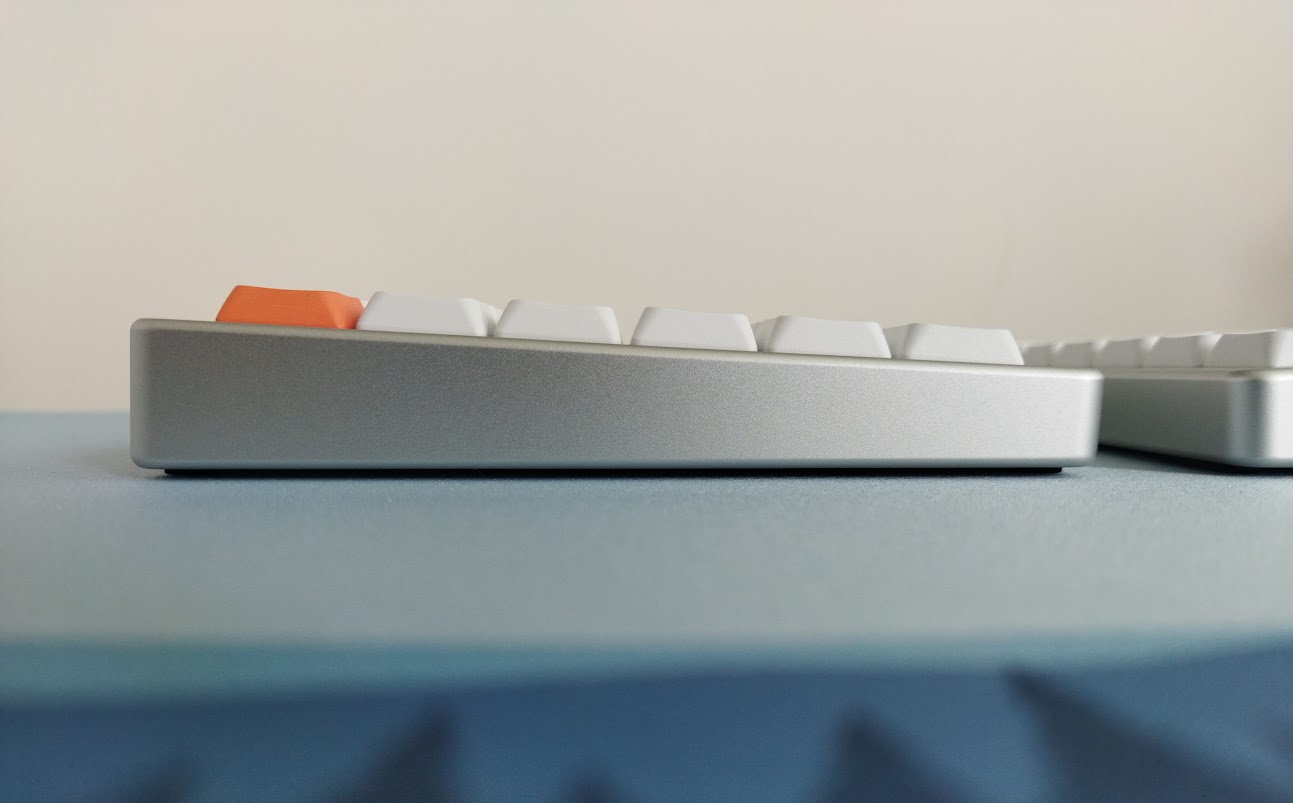
The typing angle is fixed, about 3 degrees.
Sound dampening & Feel
Keyboard sound is not really a thing in the mostly DIY-dominated split scene, is it? Well, prebuilt keyboards since the Cornix have shown that it can be, and this NocFree performs well in this regard as well. Definitely not the loud and hollow DIY split sound and feel we are used to: the "&" is muted (silent linears), but not completely silent.
And the typing feel is pleasantly soft, sometimes maybe too soft for my taste.
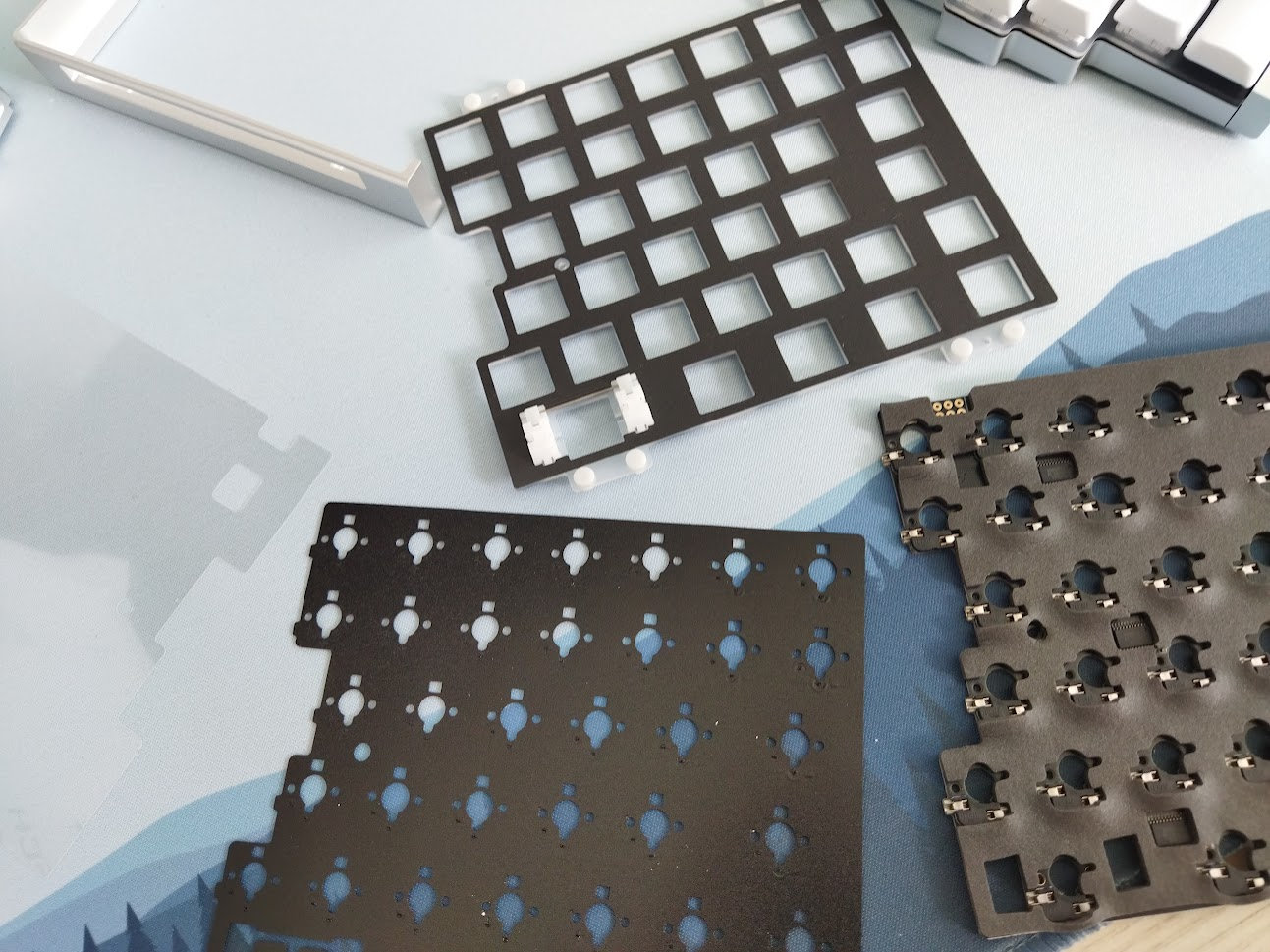
Most of my plastic and 3D-printed splits, occasionally with huge XDA caps, are loud and rattly. Compared to them, the "&" has more sophisticated sound in my opinion. This is partly due to the three sound dampening layers: one stuck to the plate, a thin switch foam, and a poron layer for the hotswap sockets, filling out the bottom case. Being a low-profile keyboard, everything is thinner on the "&".
At this point I have to add that I have no idea what some people talk about when they refer to silent switches as "mushy". Obviously, the silicone dampeners are damping the impact first, the muted sound is a result of this. So the altered feel is expected. If the lack of a crisp bottom-out is what you mean by mushy, then you can call this mushy if you wish.
Lights & Indicators
Per-key lighting, but no RGB, just white light. The LEDs are north-facing, the silent switches come with light diffuser. (And the non-silent linear switch option comes with fully transparent housing.)
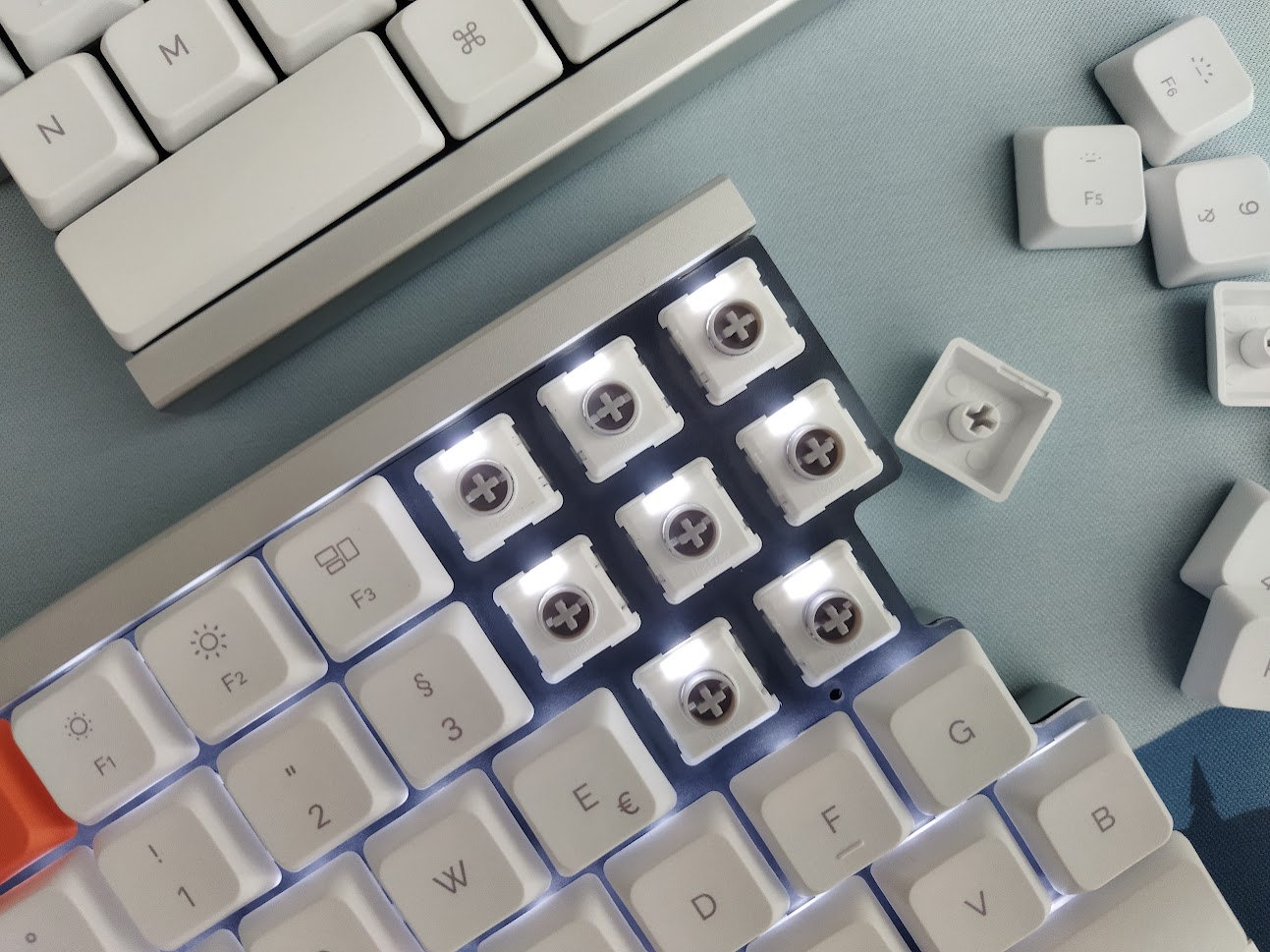
No indicator lights for CapsLock or Win/Mac mode. Only for charging, connecting and on/off state.
Connectivity
The & is a tri-mode wireless (USB/Bluetooth/2.4G) keyboard, powered by 2x1250mAh batteries. I'd say it's more wireless-first, as communication between the halves is wireless even in wired mode, plus the connector is on the inside – no way to use the board snapped together in wired mode or when charging.
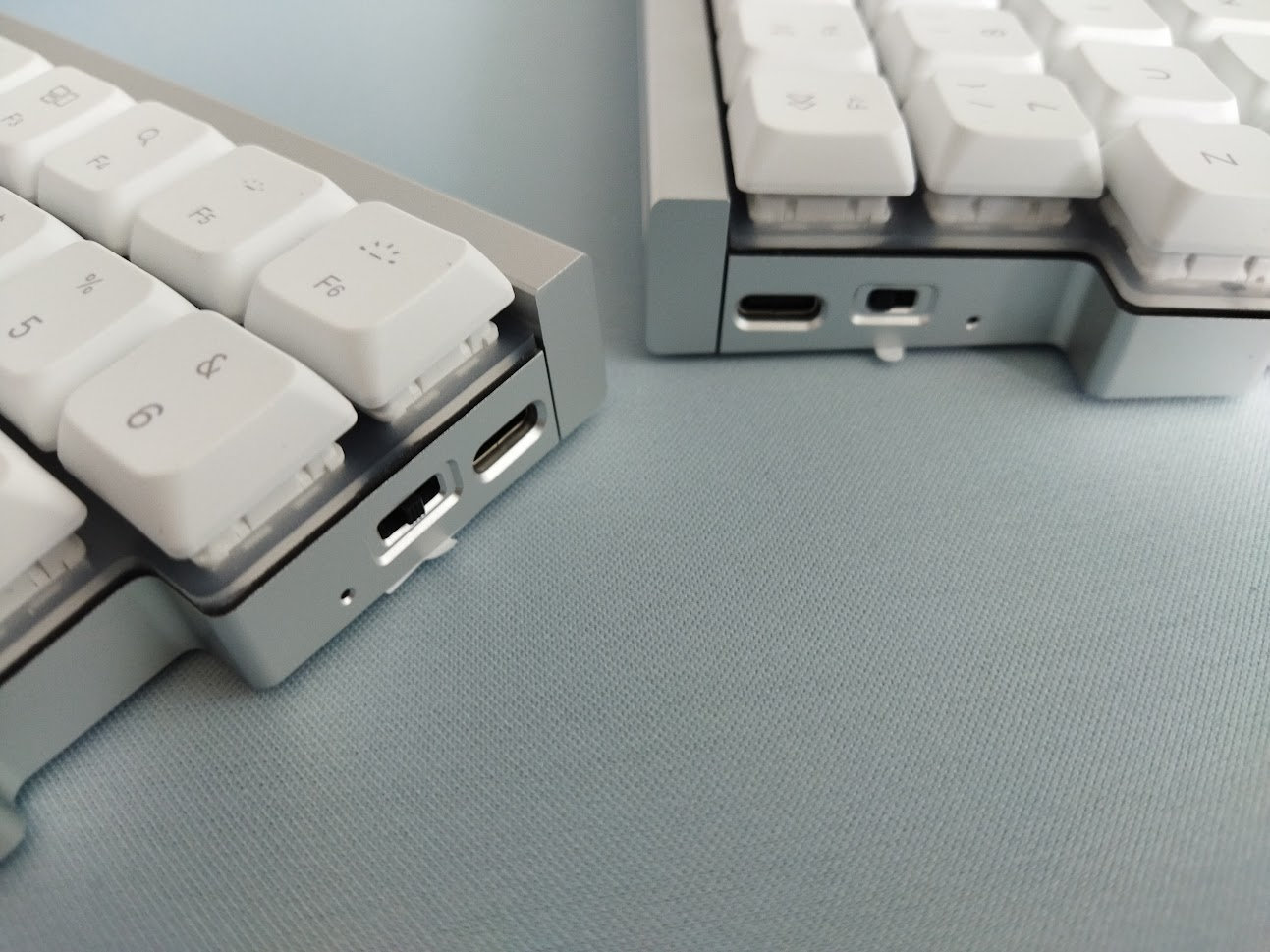
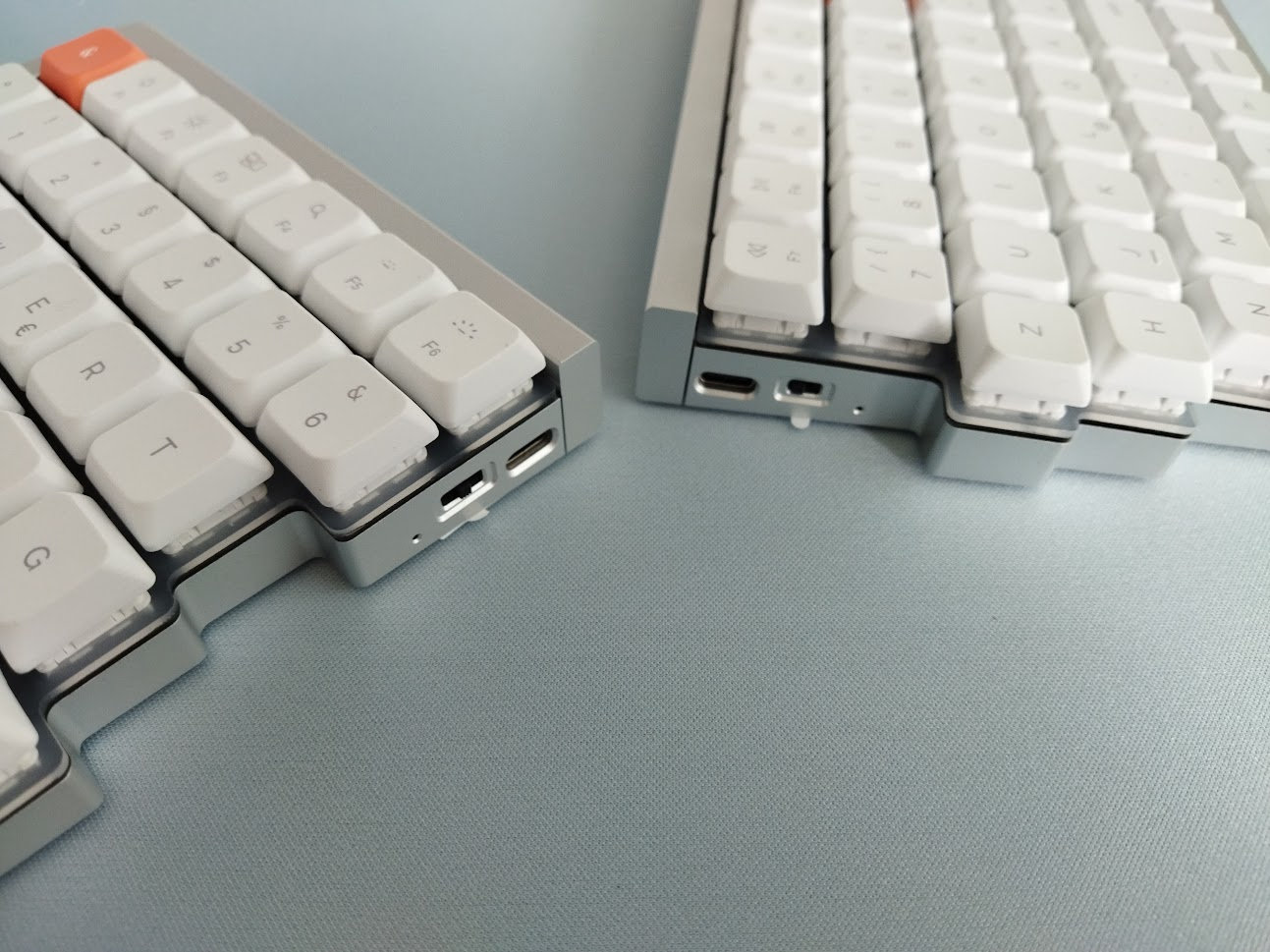
There is a dedicated on/off switch on the right half, and a connection mode selector on the left one.
Not sure if any of these keys do actual battery decoupling.
In addition, you cannot use this board entirely wired: the right half is the slave, and as such it always connects wirelessly to the left master half. Meaning you cannot disconnect or remove its battery.
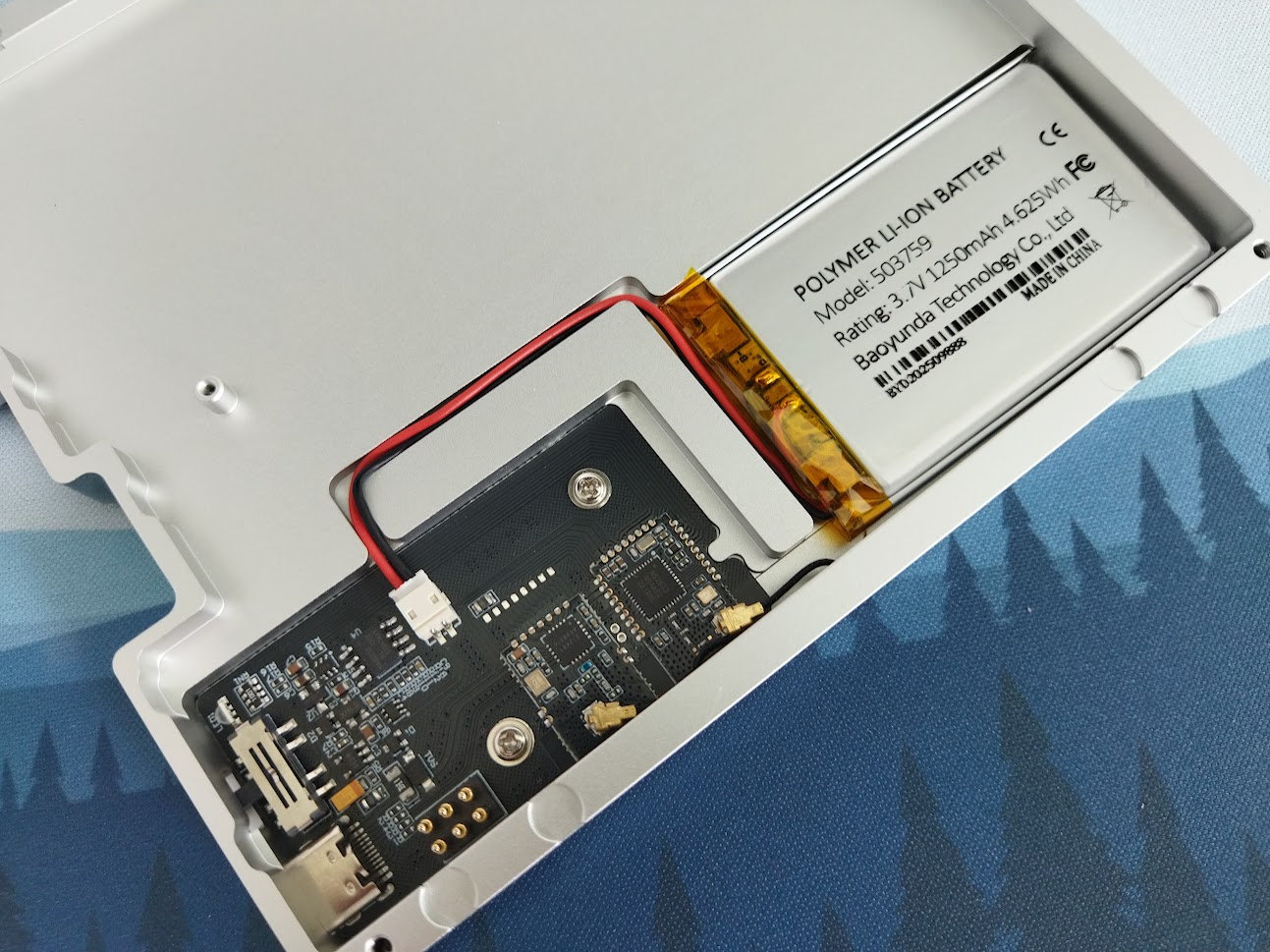
And this would be important because of our general warning: If you use your wireless keyboards permanently connected, please read this article about built-in keyboard batteries and how to avoid fire – for details, tips, and horror stories.
Basically, keeping wireless boards plugged in constantly (charging) leads to accelerated degradation of the lithium battery. You have to follow proper battery care practices.
That said, check the battery for swelling regularly. It's relatively easy to get to the master side's battery, so feel free to disconnect and remove it if you use your NocFree permanently connected.
Software
You should be able to configure your keyboard with NocFree Link, a proprietary web interface – no QMK/VIA/Vial support, to be clear.
It offers easy remapping without downloading and installing anything suspicious, probably perfect for the target audience of the &. Seasoned split users, on the other hand, will find a proprietary software quite cumbersome to use, and often limited with regards to the feature set.
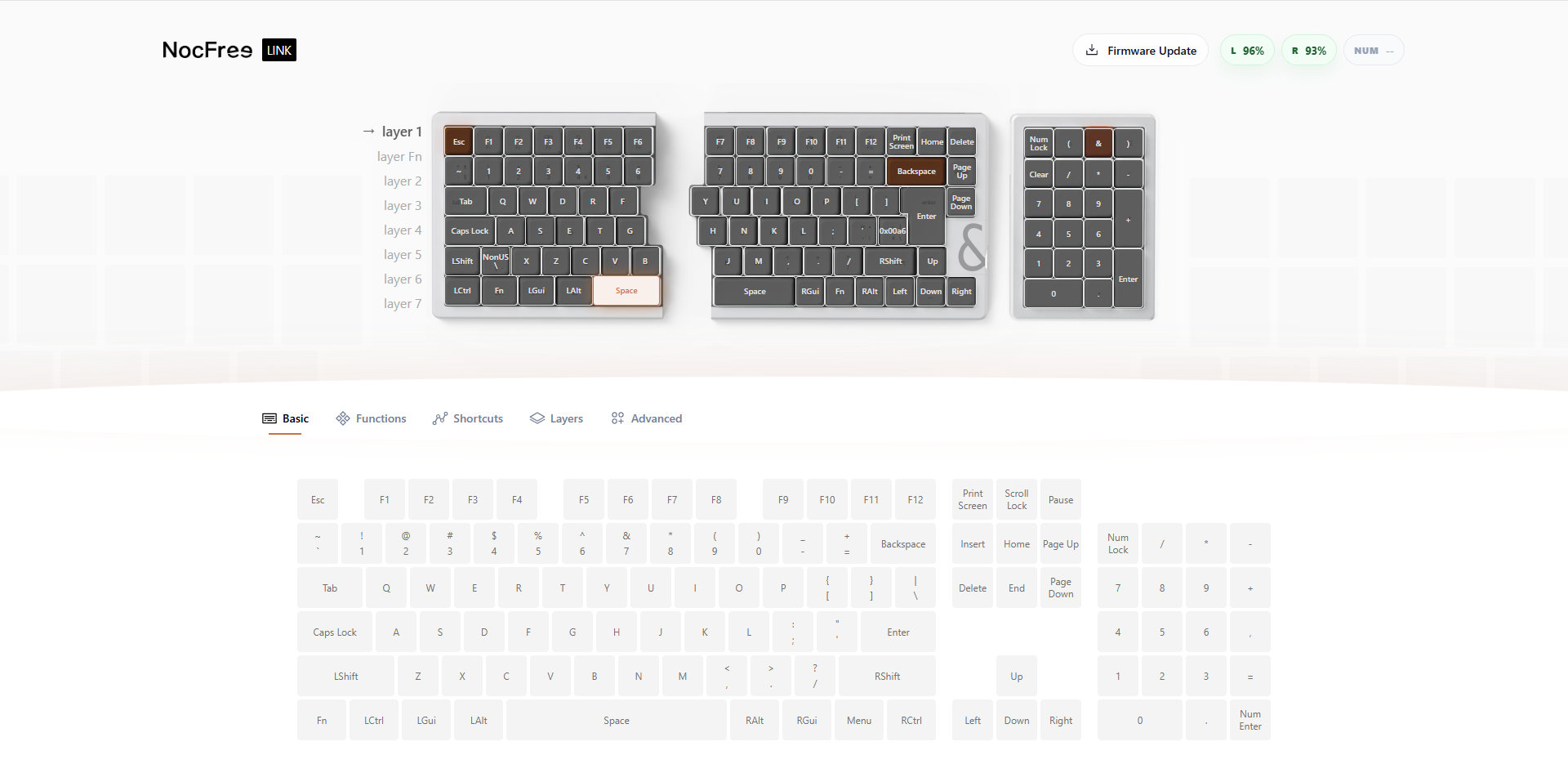
Indeed, remapping the keys works as expected, however, there are no proper layer functions available. No double-function mod-tap option, no way to set up e.g. SpaceFN.
Ergonomics
Ergonomics is always tricky. This NocFree isn't perfect from this point of view either, but while balancing between a traditional layout and ergo features it checks out a lot of boxes:
- When it comes to ergonomics, split layouts mean that you can put the two halves at a comfortable angle and distance to open your chest, ensuring healthier wrist angle, alleviating ulnar deviation.
- Due to the relatively low profile, wrist extension shouldn't be an issue either.
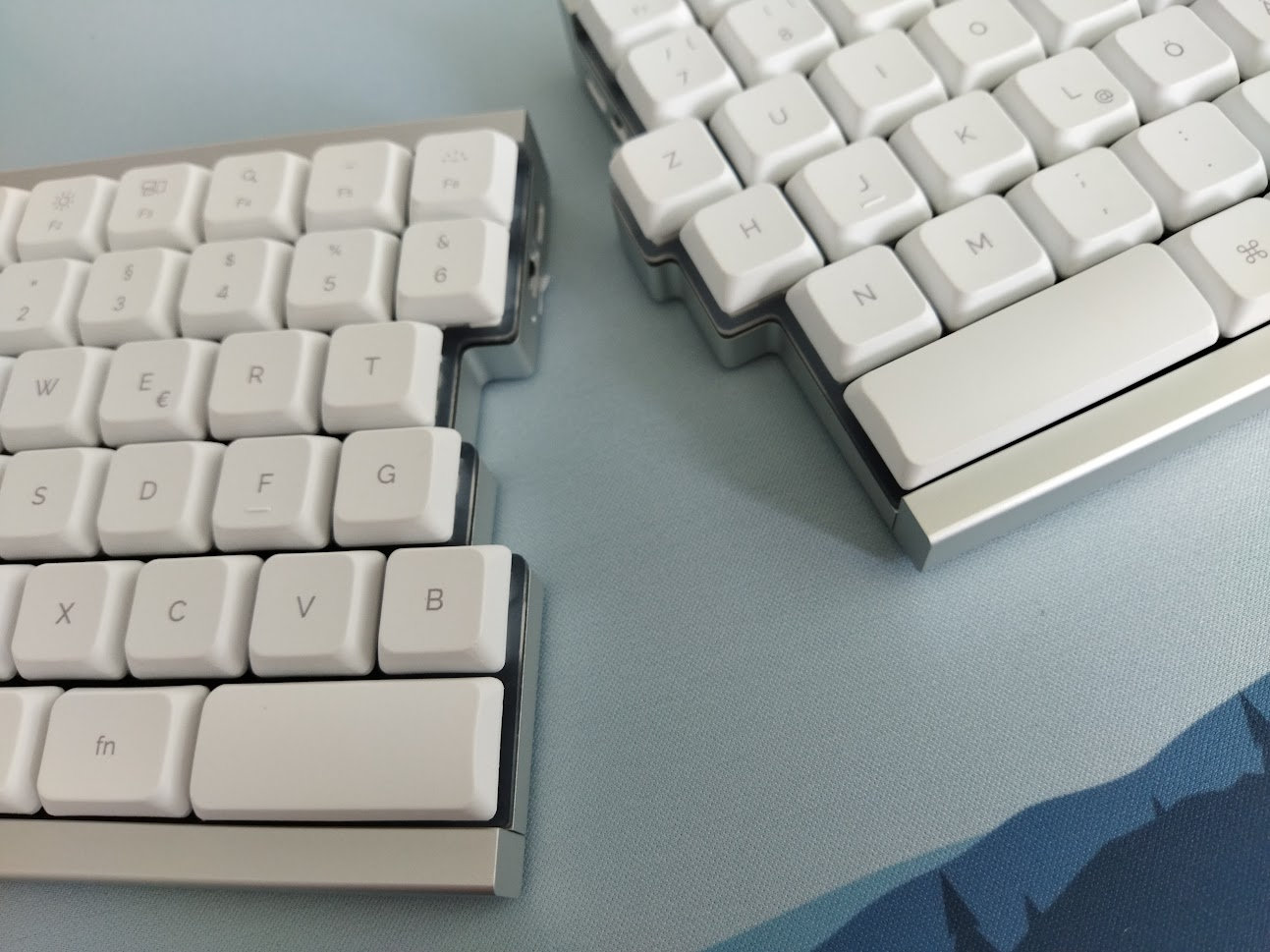
- Tenting, alleviating forearm pronation, is an extra option here, but feel free to be creative. ;)
- One thing that doesn't really work is: the classic horizontal staggering. While not the NocFree's fault, the classic arrangement of keys is inherently flawed in many ways, especially for the left part.
- Finally, let me point out the split spacebar – it's a great improvement over a classic one-piece keyboard. Even if it offers less opportunities compared to a decent thumb cluster, it allows for easy access of extra layers (tap-hold function) – bringing often-used keys closer to the home positions, resulting in less finger travel.
Portability & Carry case
The NocFree & is a great board both for your desk and when mobility is an important requirement. That said, it comes with a normal-sized hard-shell carry case, which is huge in comparison to the cute little cases of the Jiffy and Elytra.
The board's wireless features make it inherently portable. In addition, both the on/off switches prevent no accidental keypresses and wakeups during travel.
I'm not sure about the carry case though. The Jiffy75 came with the cutest carry case I've ever seen. I wrote the same in the Elytra review, but anyway. Two compact cases with great plush cushioning, and the materials were very nice as well.
The NocFree case is enormous in comparison. Like 2-3x the width of the smaller cases for no reason. Sure, this is 75%, larger than the other too, but after some eyeballing, the NocFree & would easily fit the Jiffy case.
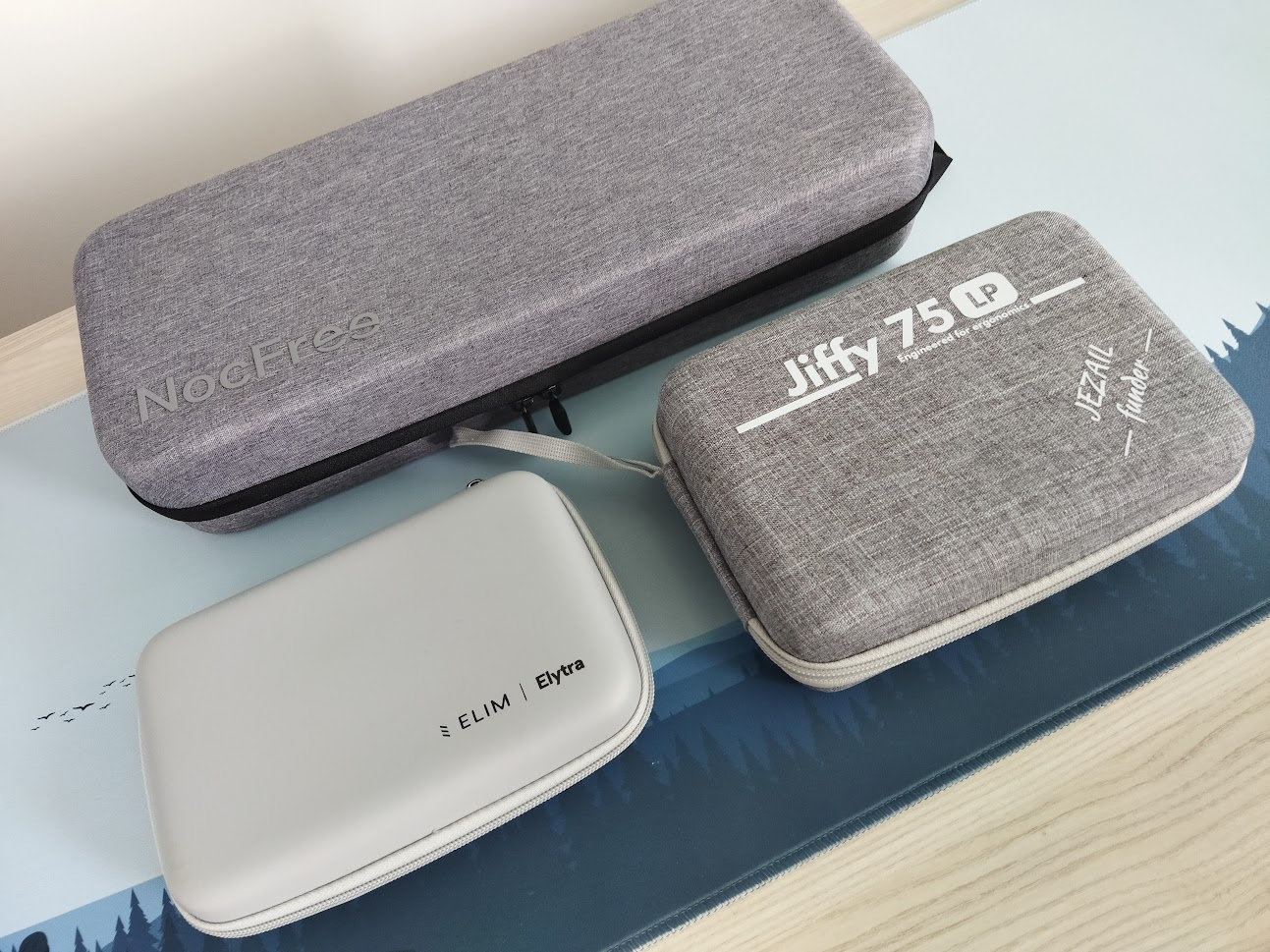
All in all, the NocFree & is perfectly suited for on the go, but quite strangely even more so without its carry case.
Comparison
From all the higher quality aluminum splits I've reviewed recently, here are some notable options to consider – starting with classic horizontal staggering:
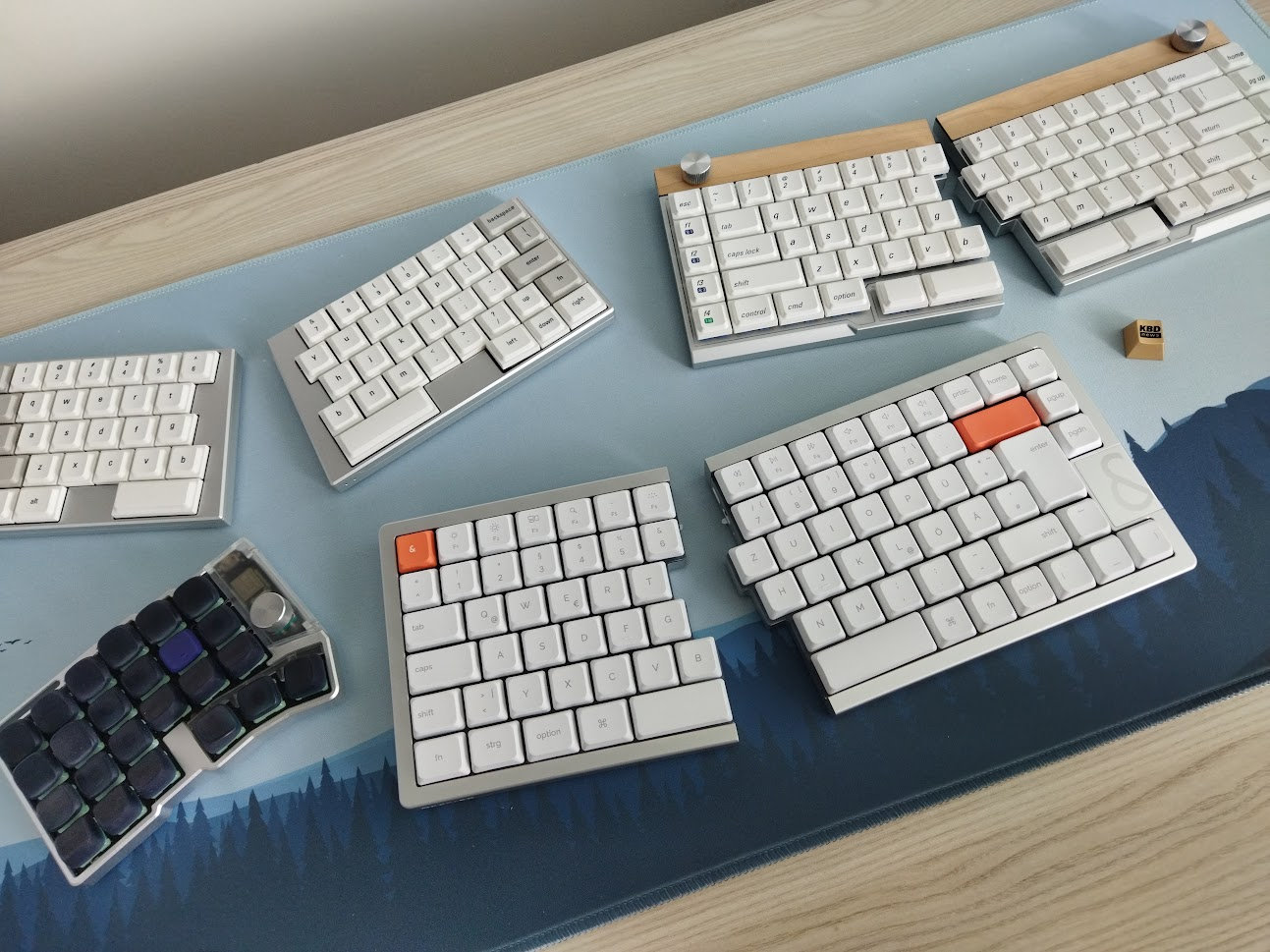
- Elytra (60%) – more compact, easier to travel with, Vial/RMK.
- Jiffy75 (65%-ish). Magnetic attachement, much larger batteries (2x2800mAh), integrated palm rest, offset thumb cluster, Choc V2 switches.
- NocFree & – 75% (function keys), but rare switch footprint.
- Cornix – this is already a "real" ergo split with columnar staggering, predecessor of the Jiffy, but also the Elytra. Choc V2 switches, Vial/RMK.
- KBDcraft Israfel – an ortholinear unibody split in a Lego case – if aluminum is not mandatory. Great Choc V2 switches as well.
- And there are numerous split keyboards in similar form factors but in a plastic case. E.g. the original MX NocFree Lite, or this Epomaker Split 65 with rotary encoder, waiting on my desk.
All in all, go with the NocFree if you need F-keys, but consider other options if you value other features. Remember, all the functionality is there even without physical keys, you just have to resort to logical layers.
Conclusion
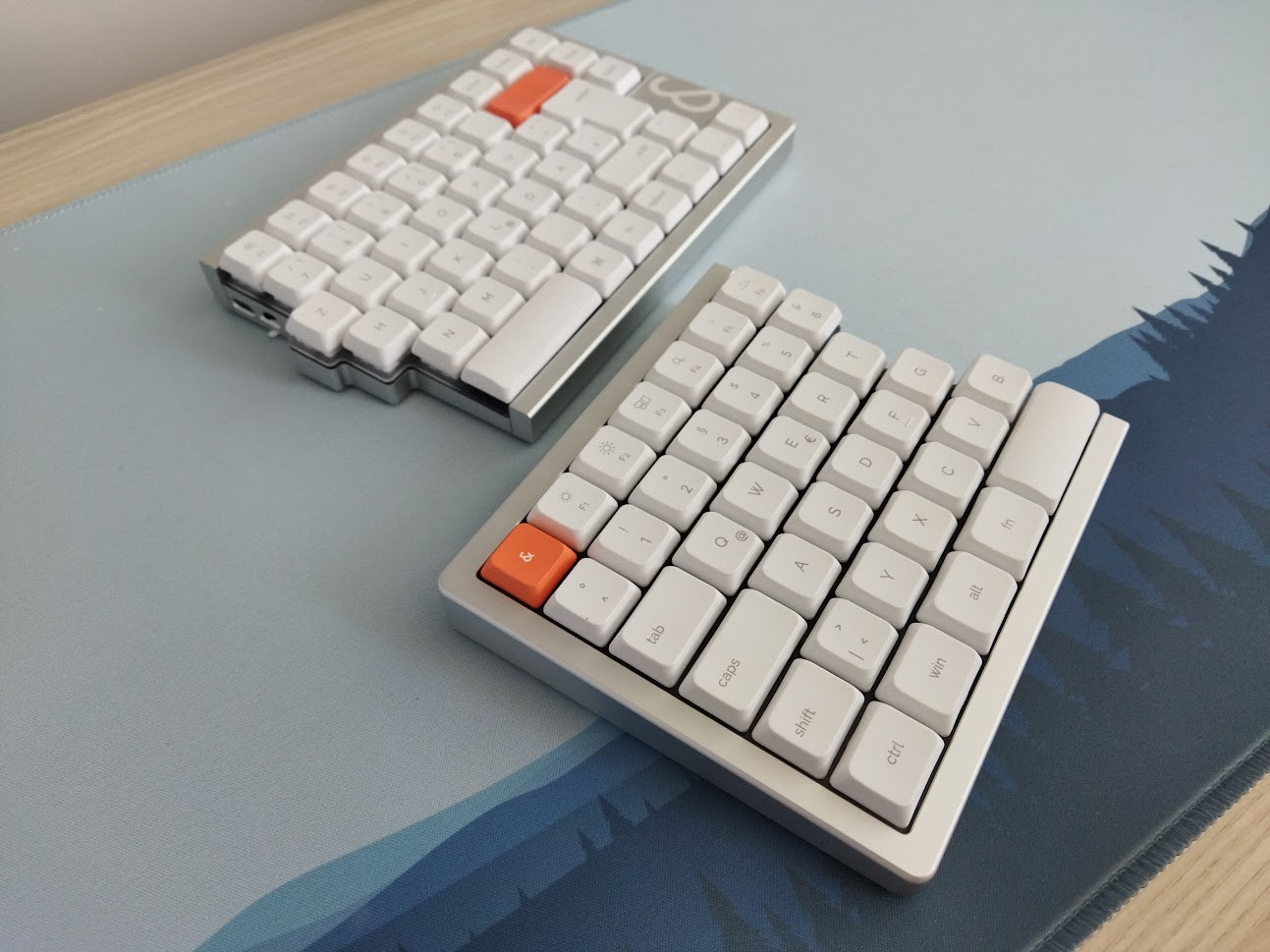
The NocFree & is a gorgeous-looking pre-built split keyboard. 75%, aluminum, tri-mode wireless. If you're into the classic, horizontal staggering, and you need physical F-keys as well, this could be close to your perfect low-pro split. Coming in a nice milled aluminum chassis, with a quality hardshell carry case, the board features custom hotswap switches, low-profile PBT keycaps, and providing a very soft out-of-the-box typing experience. Extras like a wooden palm rest and the tenting/docking station are the icing on the cake. I can recommend this board to anyone who'd like to try a high-quality alu split but don't want to go full ergo and don't need too much customization (rare switch footprint and limited proprietary configurator).
Pros
- nice material choice and finishing
- great build quality for a low-pro split
- soft typing feel
Cons
- switches incompatible with everything mainstream
- limited proprietary software
Price & Availability
At the moment, the NocFree & is available at nocfree.com as pre-order. Kickstarter items are being shipped, but any new order will be shipped in October. Price about $269 $256 (use the KBDNEWS coupon code to claim the 5% discount).
- NocFree & at nocfree.com.
Published on Fri 24th Jul 2026. Featured in KBD #215.
Related
XVX L75 Air review
A nice low-profile keyboard: I reviewed the XVX L75 Air – 75% wireless, featuring a sleek aluminum case and introducing new low-pro IMD keycaps.
Froggy75
A 75% hotswap PCB through-hole style that utilises two EC-11 rotary encoders and an Elite-C daughterboard – by flehrad.
Womier SK80 Pro Kanagawa review
The tri-mode wireless Womier SK80 Pro comes with Great Wave overdose, including a matching mouse pad and wrist rest.
TrackPoint78 keyboard
ChnMasterOG released the TrackPoint78, a three-mode wireless keyboard with built-in trackpoint.