Keyboard Builders' Digest / Review
XVX L75 Air review
A nice low-profile keyboard: I reviewed the XVX L75 Air – 75% wireless, featuring a sleek aluminum case and introducing new low-pro IMD keycaps.

Published June 25, 2026
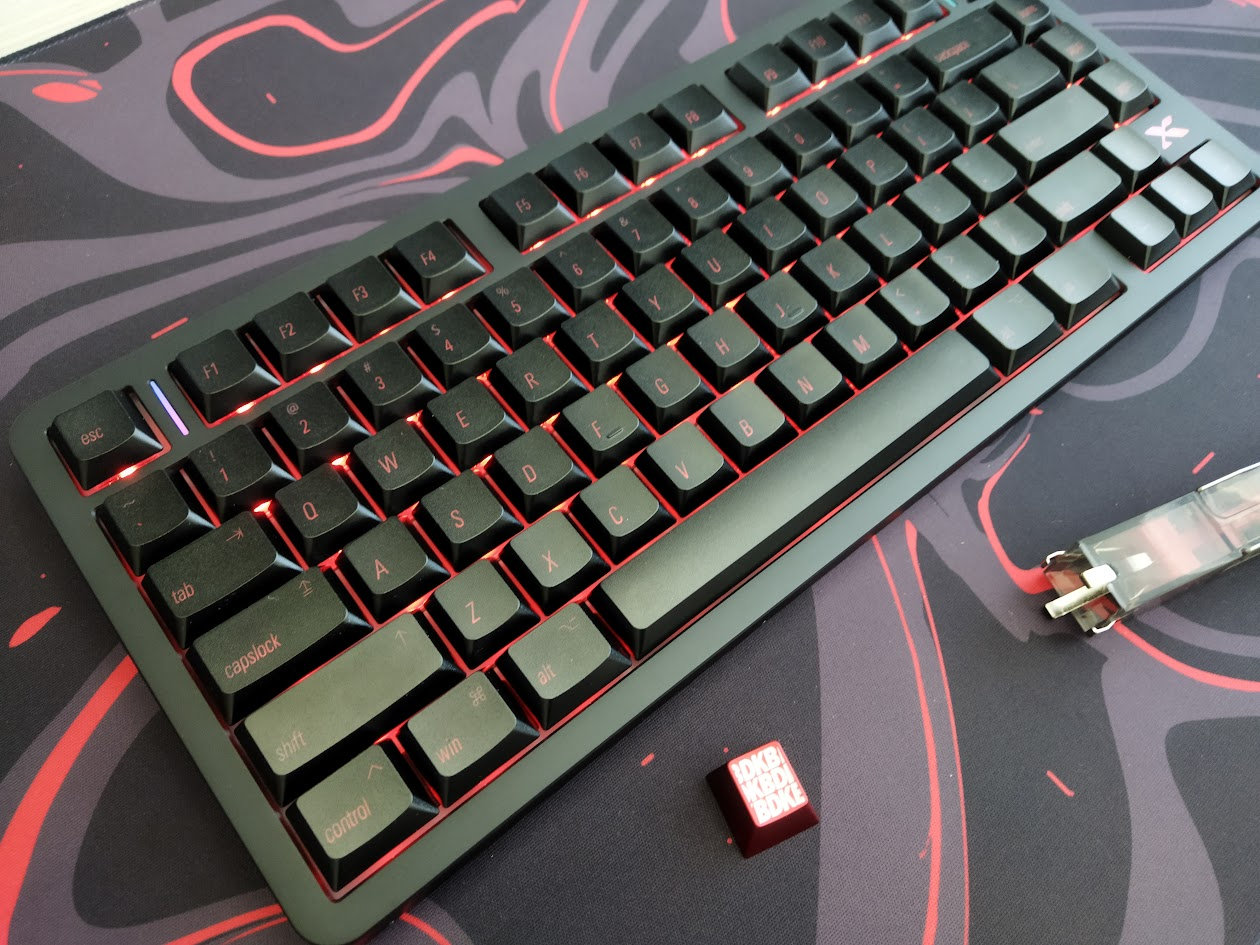
Let's continue our 75% keyboard series with a special low-profile keyboard that has crossed my desk: the aluminum XVX L75 Air. With full disassembly and teardown.
TLDR; The tri-mode wireless XVX L75 Air is a fully built keyboard coming in an anodized aluminum housing. It's an affordable mechanical keyboard ($81 with the KBDNEWS coupon code) with low-pro switches and shine-through keycaps, consistent per-key RGB lights, and nice finishing. Despite gaskets and flex cuts for softness, and lots of sound dampening layers for muting, the sound and feel is relatively loud and direct. The hotswap PCB and VIA compatibility make this board somewhat customizable, however, the unique switches are incompatible with most popular alternatives. All in all, the L75 Air is a nice offer even if you're a keymap wizard – unless you're interested in the thriving switch market.
As you'll see, I've eviscerated the L75 Air to the very core as usual. Check out the full review below for all the details and full photo gallery on Imgur revealing its internals as well.
Specs
- Contents: pre-built board, guide, cable, tool, dongle
- Layout: 75% ANSI, 80 keys
- Keycaps: shine-through low-profile IMD keycaps, uniform, cylindrical
- Switches: Jerrzi Air low-profile switch (40gF actuation)
- Case: CNC aluminum top
- Typing angle: fixed, about 3.5 degrees
- Mounting: gasket mounting
- Stabilizers: plate-mount low-pro
- Plate: milky PC with flex cuts
- PCB: 1.2 mm, hotswap, south-facing per-key RGB, flex cuts
- Sound dampening: 4 layers
- Lights: per-key RGB, decoration light strips and logo
- Connectivity: tri-mode wireless, 3700mAh battery
- Software: VIA support
- Dimensions: 321x136x16 mm (front height)
- Weight: 620 g
- Price: from
$90$81 (coupon: KBDNEWS)
Disclaimer
This pre-release review unit came from XVX. It's not the final version and bundle.
In addition, having or not having to pay for something may introduce all kinds of biases, in my experience – both in a negative or positive way. Take everything I write with a grain of salt.
Variants
The XVX L75 Air is currently available in three color variants:
- Anodized black retro (Mac-style top legends)
- Anodized black with front-legends
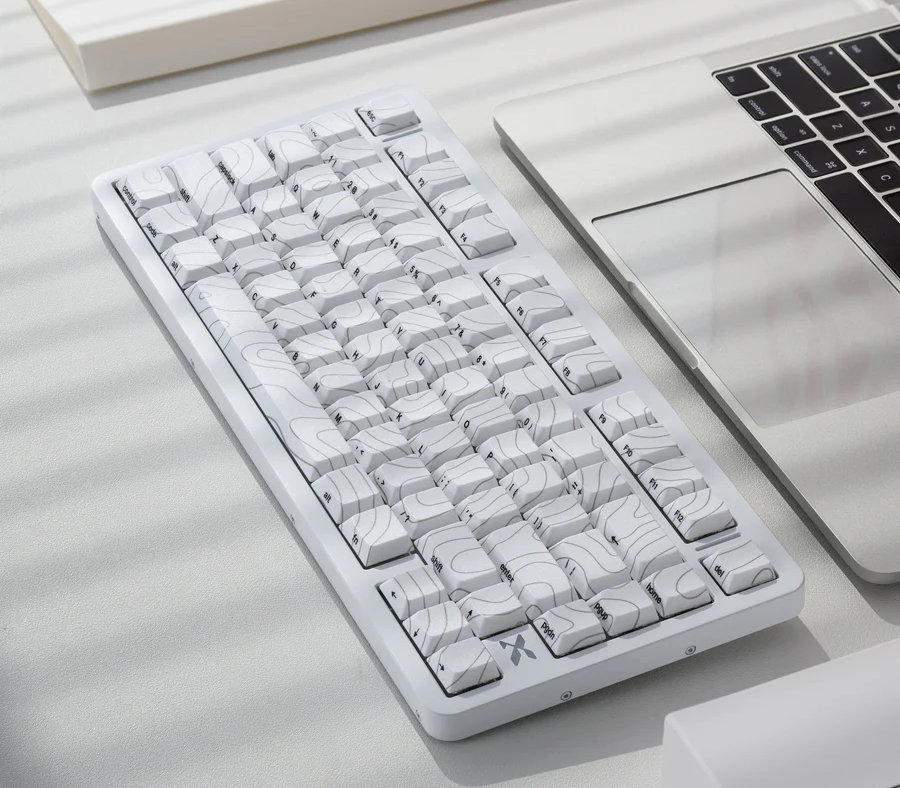
- E-coated white topographic
- Additionally, a silver colorway with silver keycaps is in the making.
I received the black retro model. As usual: if you are allergic to fingerprints, go with the white one.
Unboxing & Contents
Clean and simple packaging – some black line-art on the white base.
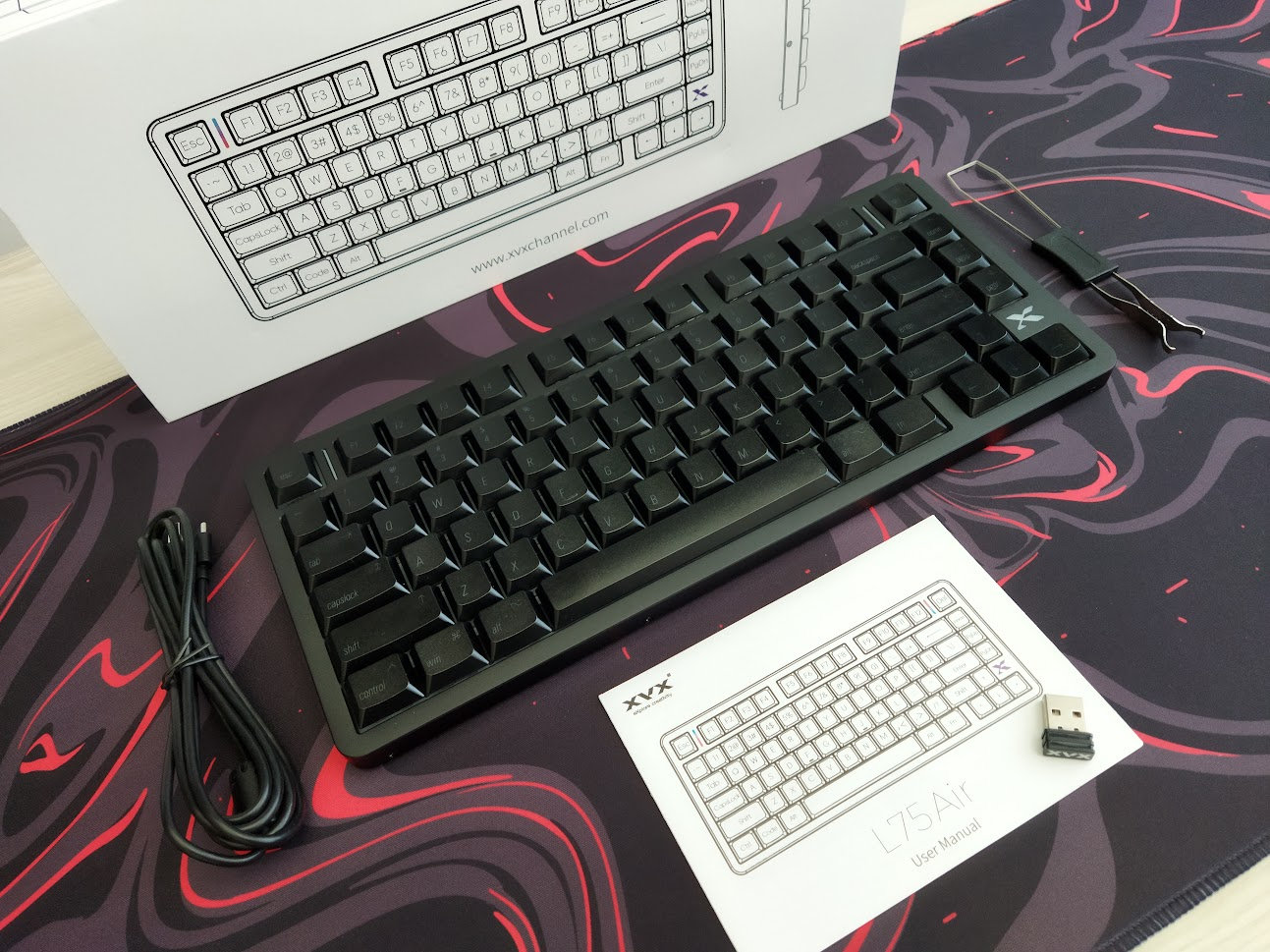
Contents:
- The L75 Air, pre-built with switches and keycaps.
- Quick-start guide.
- 2.4GHz receiver (branded)
- simple USB cable
- basic combined tool to remove keycaps and switches
No extra switches in my bundle, although the product page mentions them. Maybe this is because this was a pre-release sample.
First impressions, design language
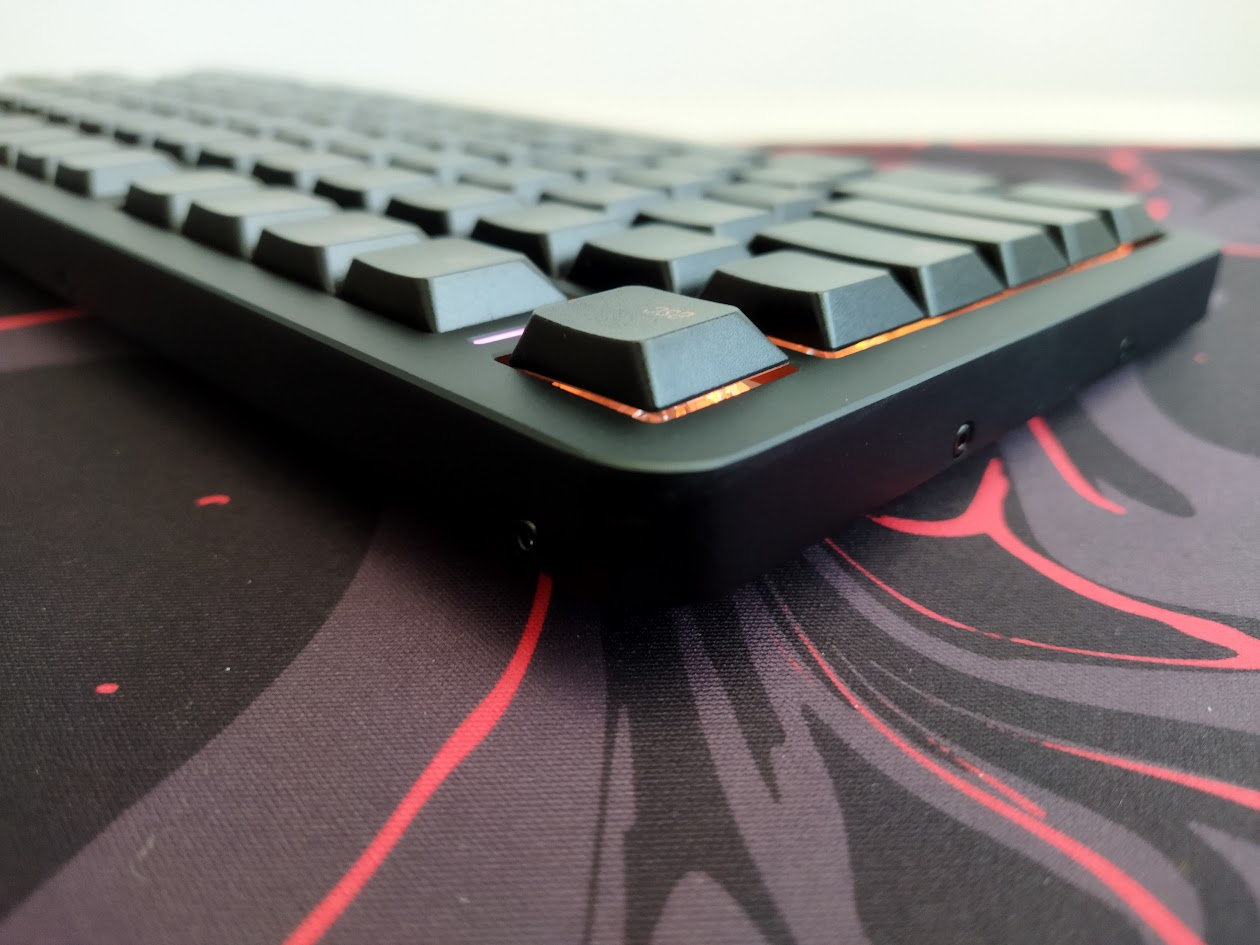
The aluminum XVX L75 Air is very light.
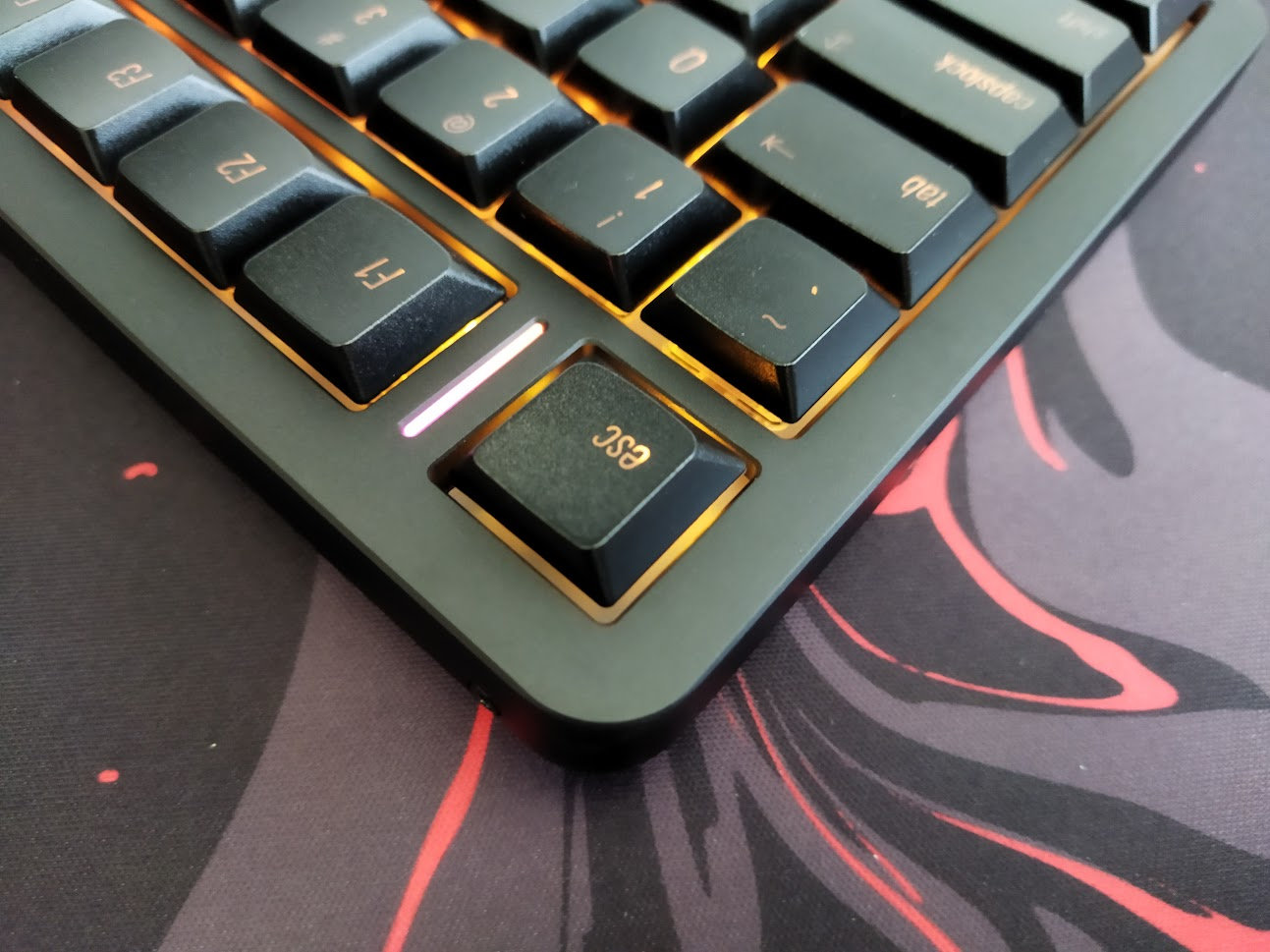
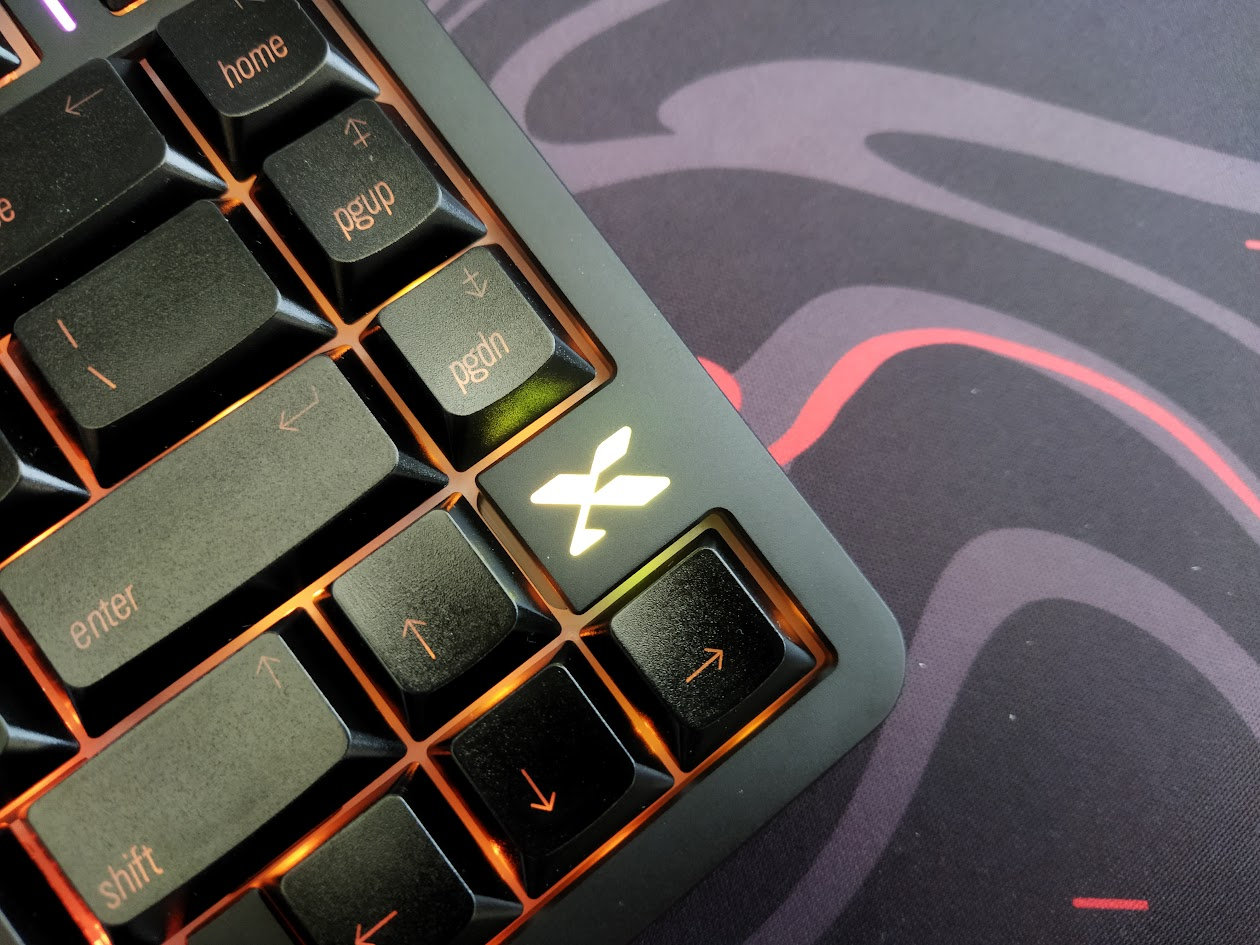
Regarding visible branding, there's only a stylized X logo near the arrow cluster.
It's hard to stand out in such a crowded market like the 75% segment, but the L75 Air is one of the much rarer low-profile alternatives.
Layout
The 75% layout is pretty standard. It means no numpad and no classic navigation cluster either, however, you have arrows, function keys, full number row, and part of the classic navigation keys too.
It's a relatively compact design (ANSI), featuring 80 keys, optimizing space while ensuring that all essential functions are easily accessible for new users transitioning from e.g. a fullsize keyboard.
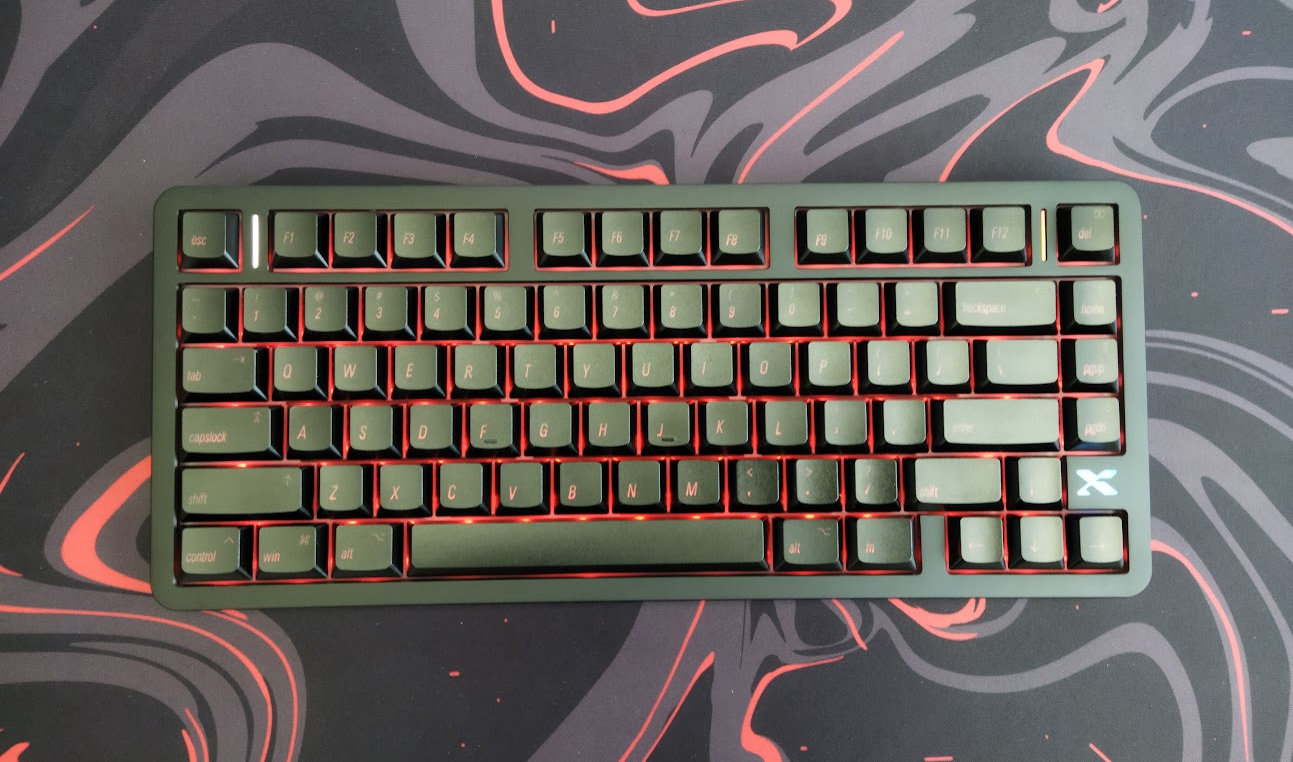
Many 75% keyboards feature a few less or more keys. The 75% L75 Air, with its 80 keys, is not cramped at all. The arrow cluster is easy to locate when touch typing: while it's not fully offset, there's the small familiar gap on the left – you don't get lost when changing between the home row and arrows.
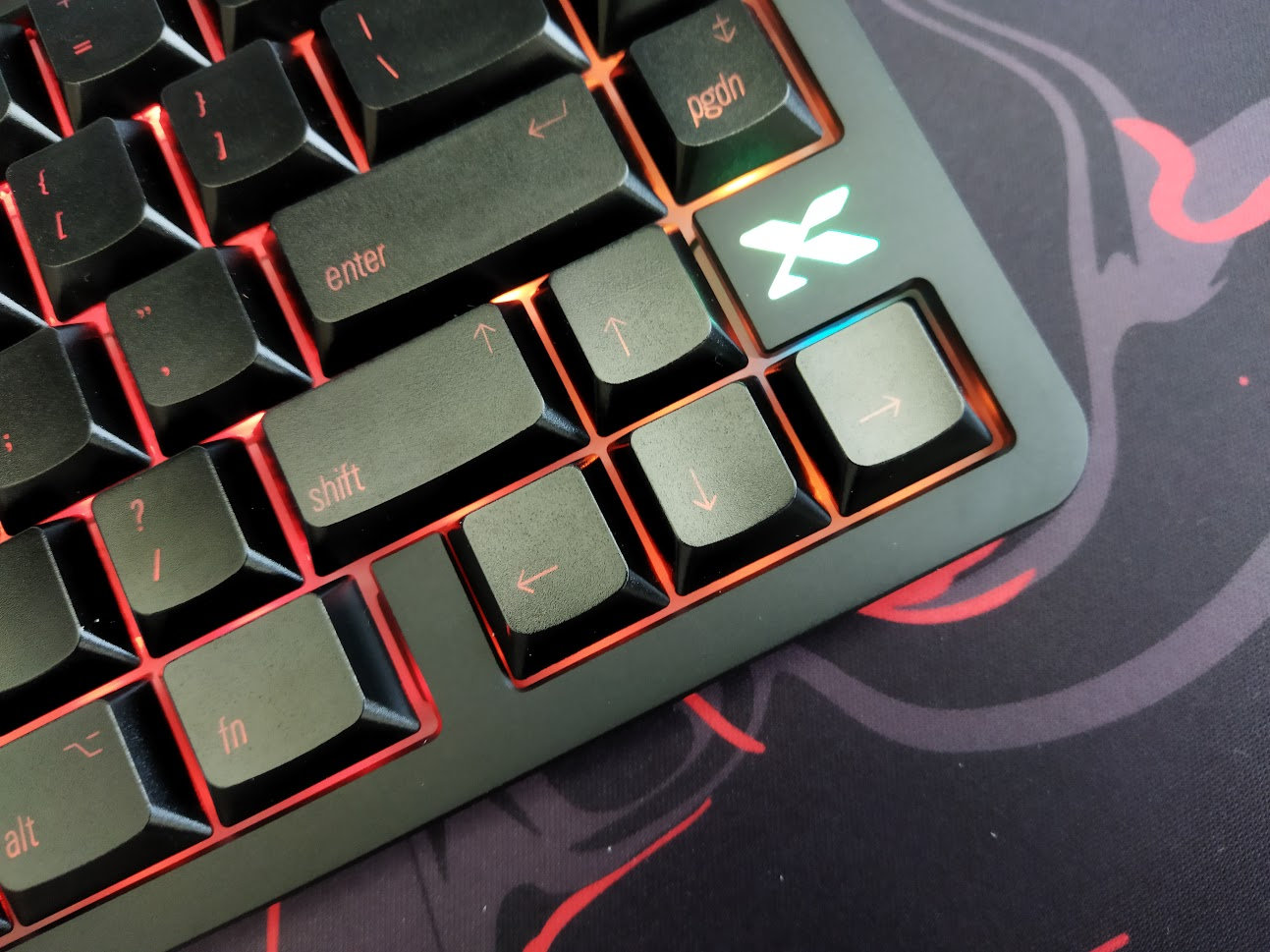
In addition, the L75 Air retains the gap between the F-groups – sometimes sacrificed by similar boards.
The extra column on the right consists of a three-key group, plus another one in the F-row, resulting in a symmetrical F13 arrangement.
Keycaps
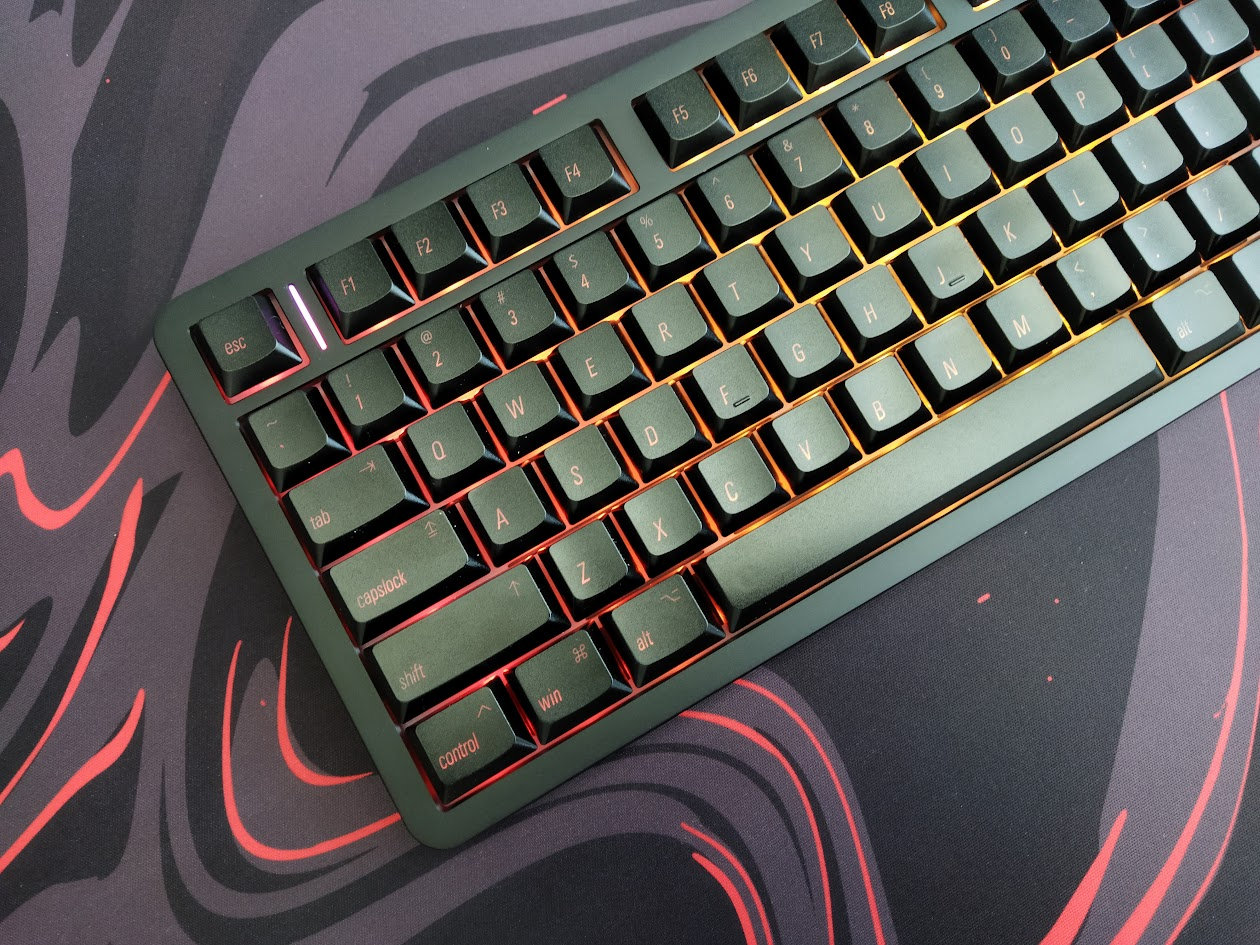
The shine-through low-pro IMD keycaps are decent. IMD stands for In-Mold Decoration, the manufacturing process, so not for the material or keycap profile.
The black set comes either with front legends or with the Mac-style italic legends in the photos you can see in this review. There's also a shine-through white topographic set.

This is said to be the first low-profile IMD switch set manufactured with XVX's own tooling. The profile is uniform and cylindrical, so you can swap them to match your custom keymap if you rock one.
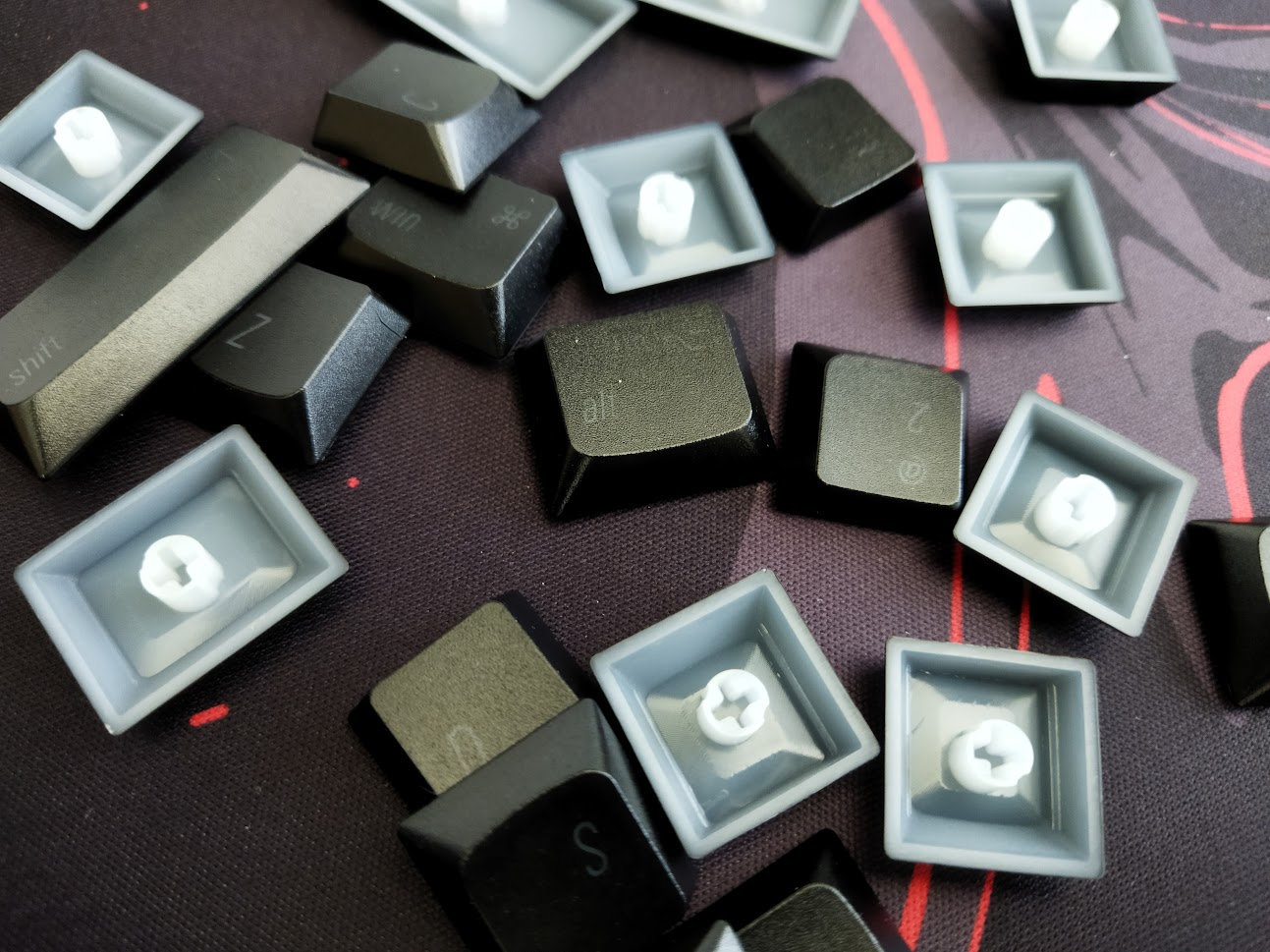
Despite the shine-through approach, a common hallmark of gaming periphery, the legends here are quite classy: small, not too obtrusive, with elegant lines – optimized for south-facing RGB LEDs.
With regards to keycap compatibility, the 75% layout should be widely supported by MX caps if you opt for something different. Watch out for the skirt height though: higher caps may interfer because of the shorter travel of the low-pro switches.
Switches
The keyboard features linear Jerrzi Air low-profile switches. Similar to Choc or Gateron low-pro alternatives, but not compatible because of the different pins. The shape of the stem resembles that of the Gateron KS-33 low-pro switches too, so it's MX compatible.
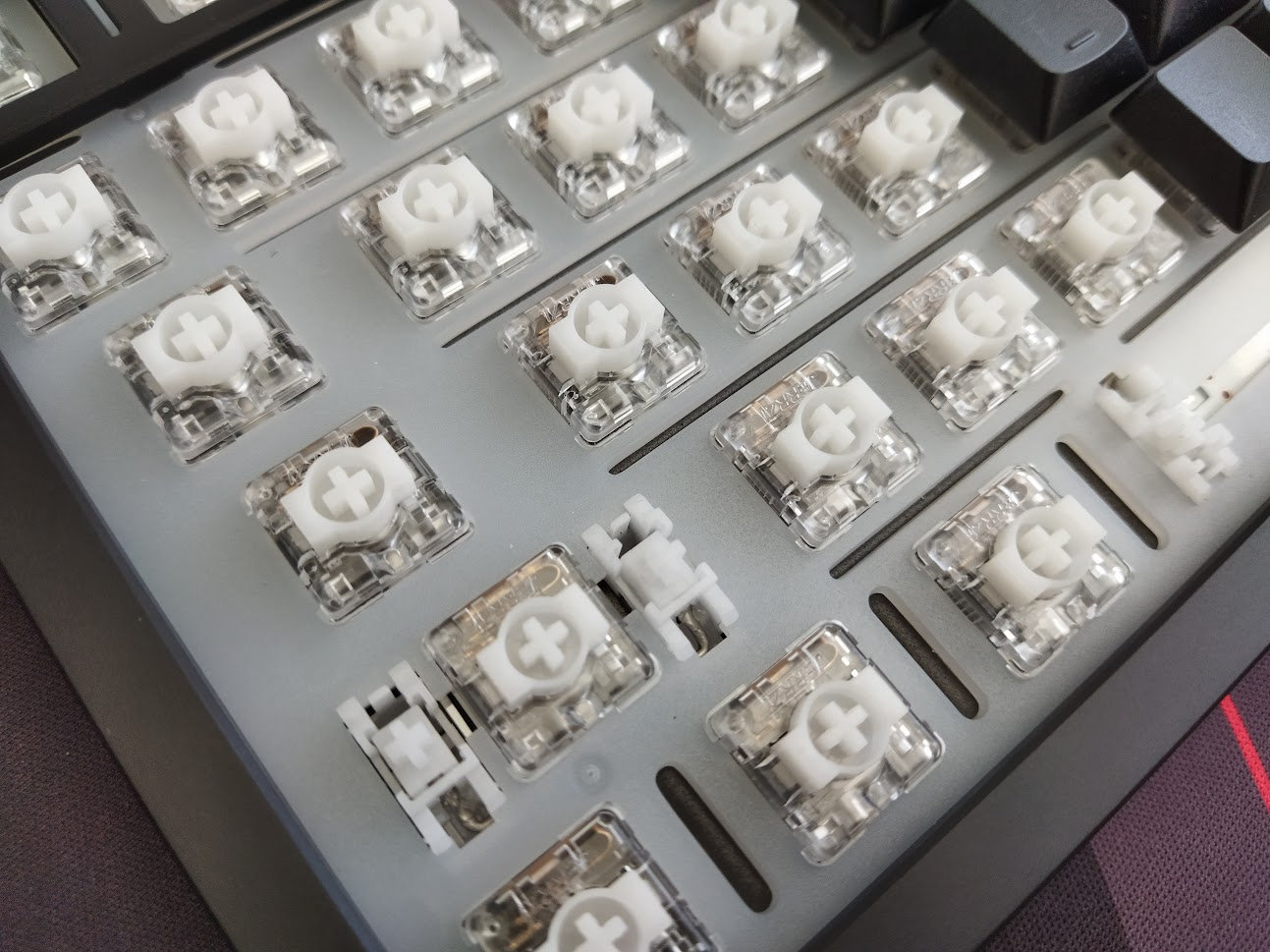
As of my understanding, this is a custom switch made for XVX by Jerrzi, with transparent housing for better RGB performance. The wobble feels on par or is even better than Gateron low-pros.
Jerrzi Air low-profile switch specs
- Type: linear mechanical
- Material (top/bottom/stem): PC/PC/POM
- Actuation force: 40gF
- Bottom-out force: 50gF
- Pre-travel: 1.2 mm
- Total travel: 3.2 mm
- Pre-lubed: yes
The switches feel decent, although a bit loud for my taste, especially combined with the keycaps.
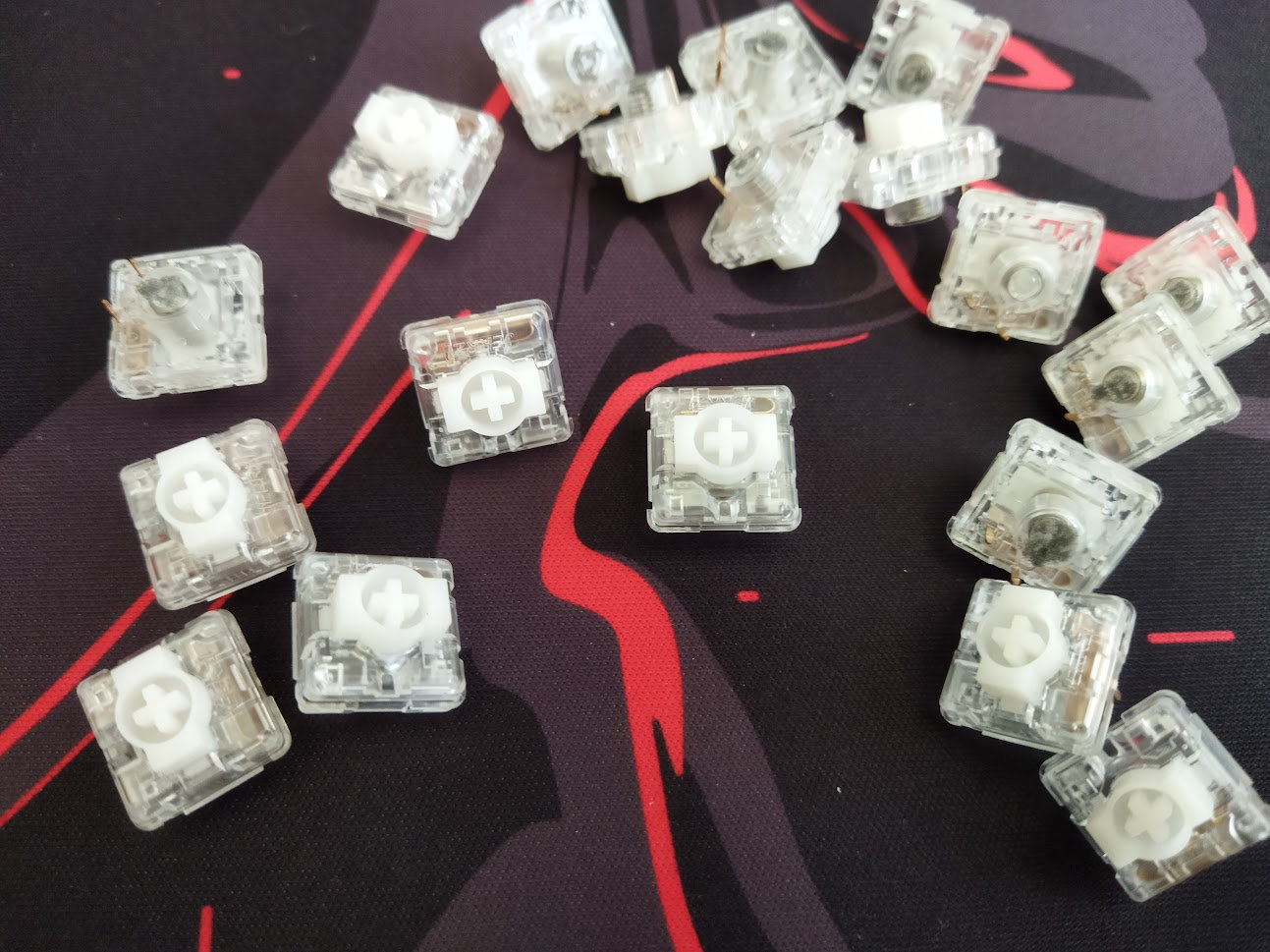
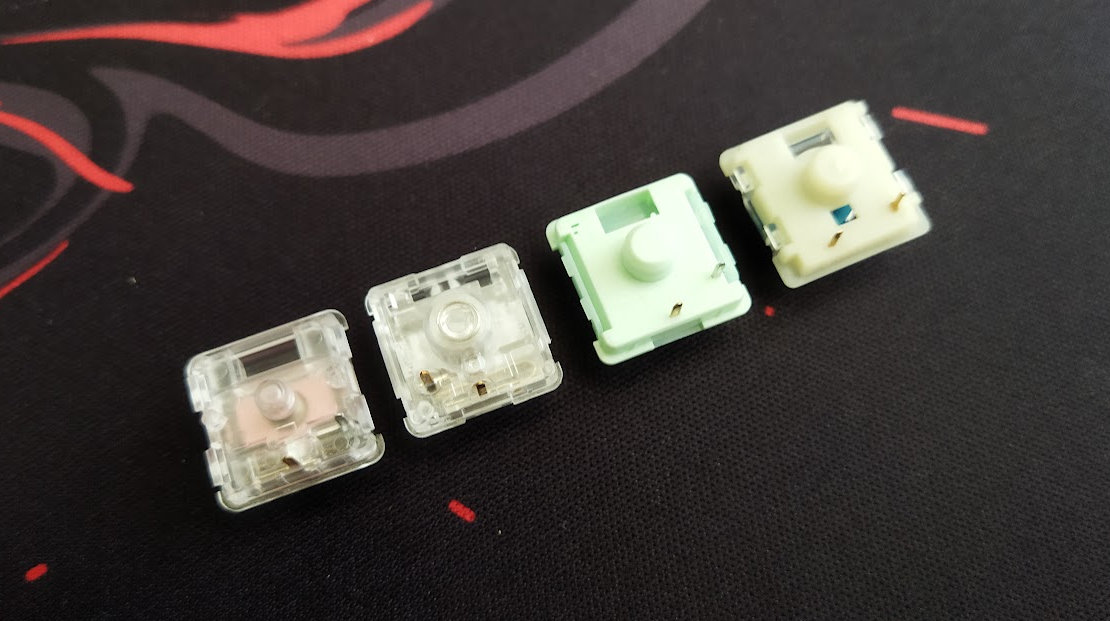
While the PCB features hotswap sockets, so you're not restricted to the factory setup in theory, you can't swap these switches for anything you'd like. At this point in the review I usually refer to the switch database for trending alternatives, but the pins of these Jerrzi switches are pretty unique and not compatible with popular Choc or Gateron low-profile models.
Build quality, structure, case
This board is relatively light, as it is expected from a low-profile case even if it's aluminum. 620 g to be exact. Actually, the bottom case is so thin that it feels plastic. I had to check it twice. The top case is milled and relatively thin as well, that's why the smaller-than-expected overall weight: about half of my heavier 75% keyboards. That said, the board won't move around during a gaming session, not even mentioning less demanding jobs.
The build quality would be decent, if the top case and the whole plate/PCB sandwich weren't somehow slightly mismatched: keys of the rightmost column have a slightly larger gap on the right side than on the left. I hope this has been fixed since this first test batch.
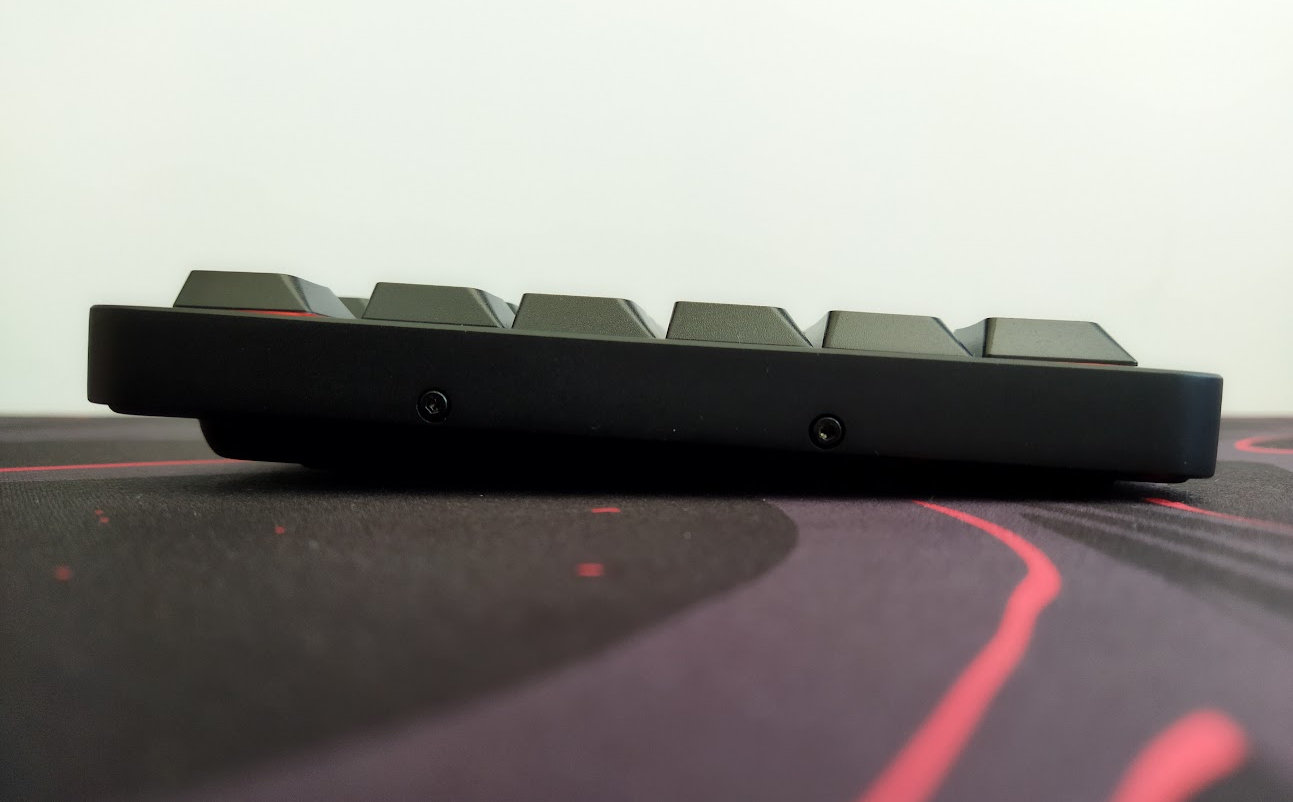
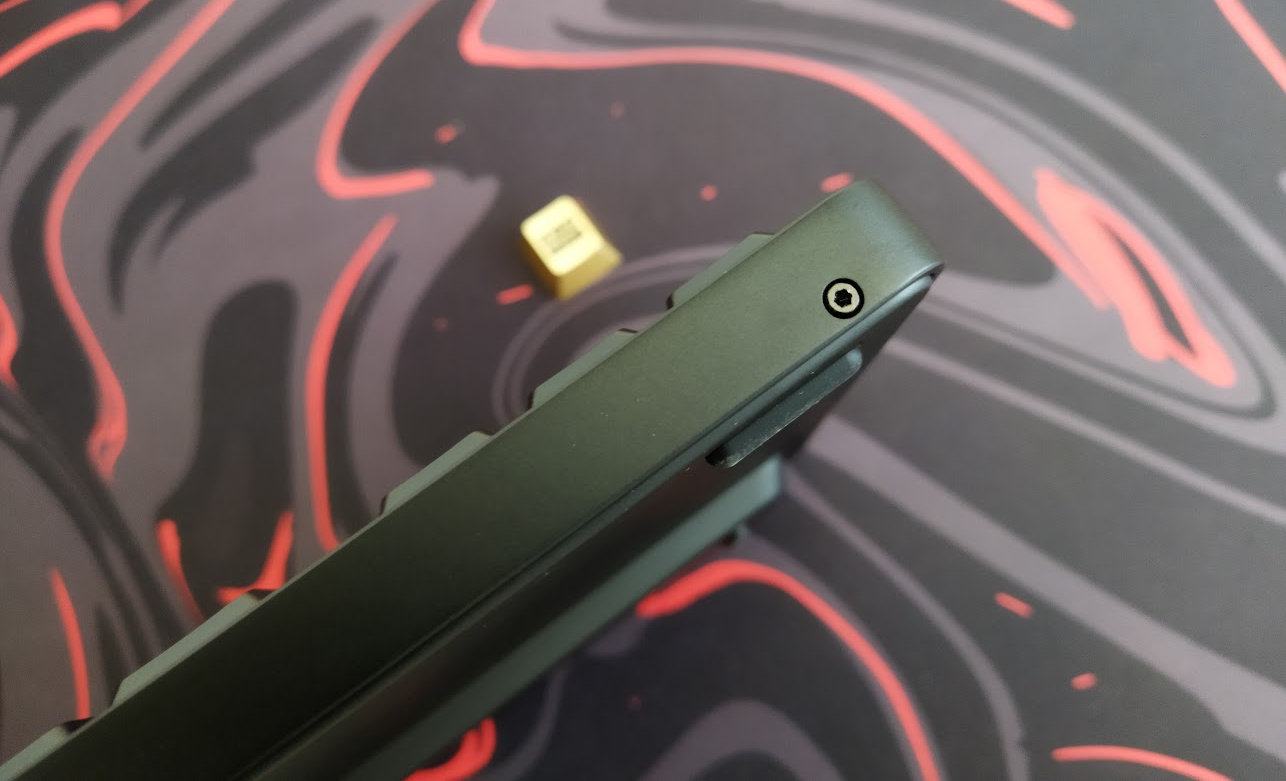
The nicely exposed screws are part of the design here. While the whole thing is too light to state it feels massive, the construction will last for sure.
Typing angle: about 3.5 degrees, no adjustment options.
Disassembly? I've been really spoiled by all the easy-to-open ball-catch keyboards last year, but disassembling this XVX is manageable too – at least the screws are not hidden.
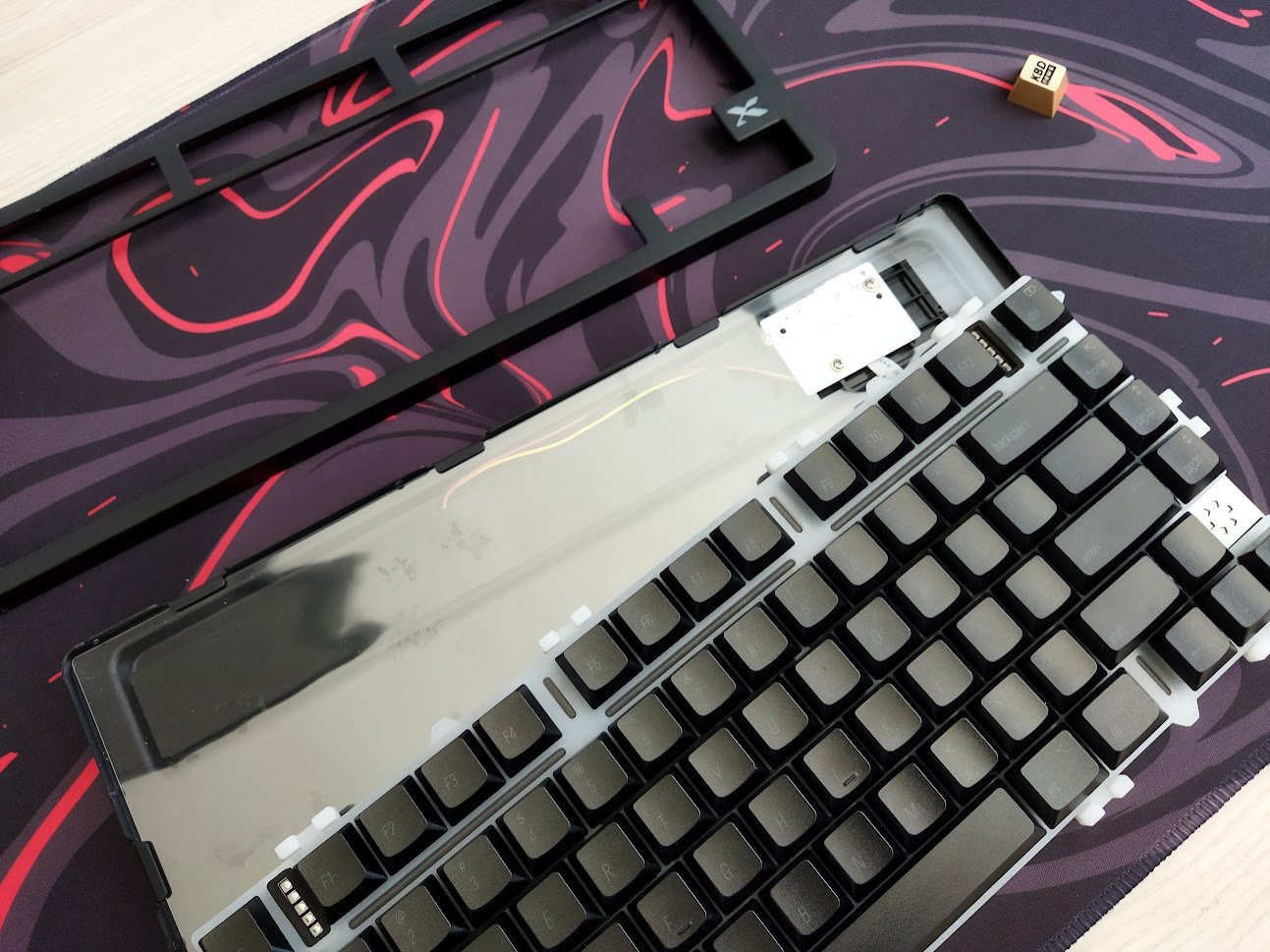
12 tiny hex screws (1.5 mm) along the perimeter of the top case.
Structure & Mounting
The L75 Air features gasket mounting (the gaskets are attached to the PC plate). I can definitely see the flex, but somehow not feel it.
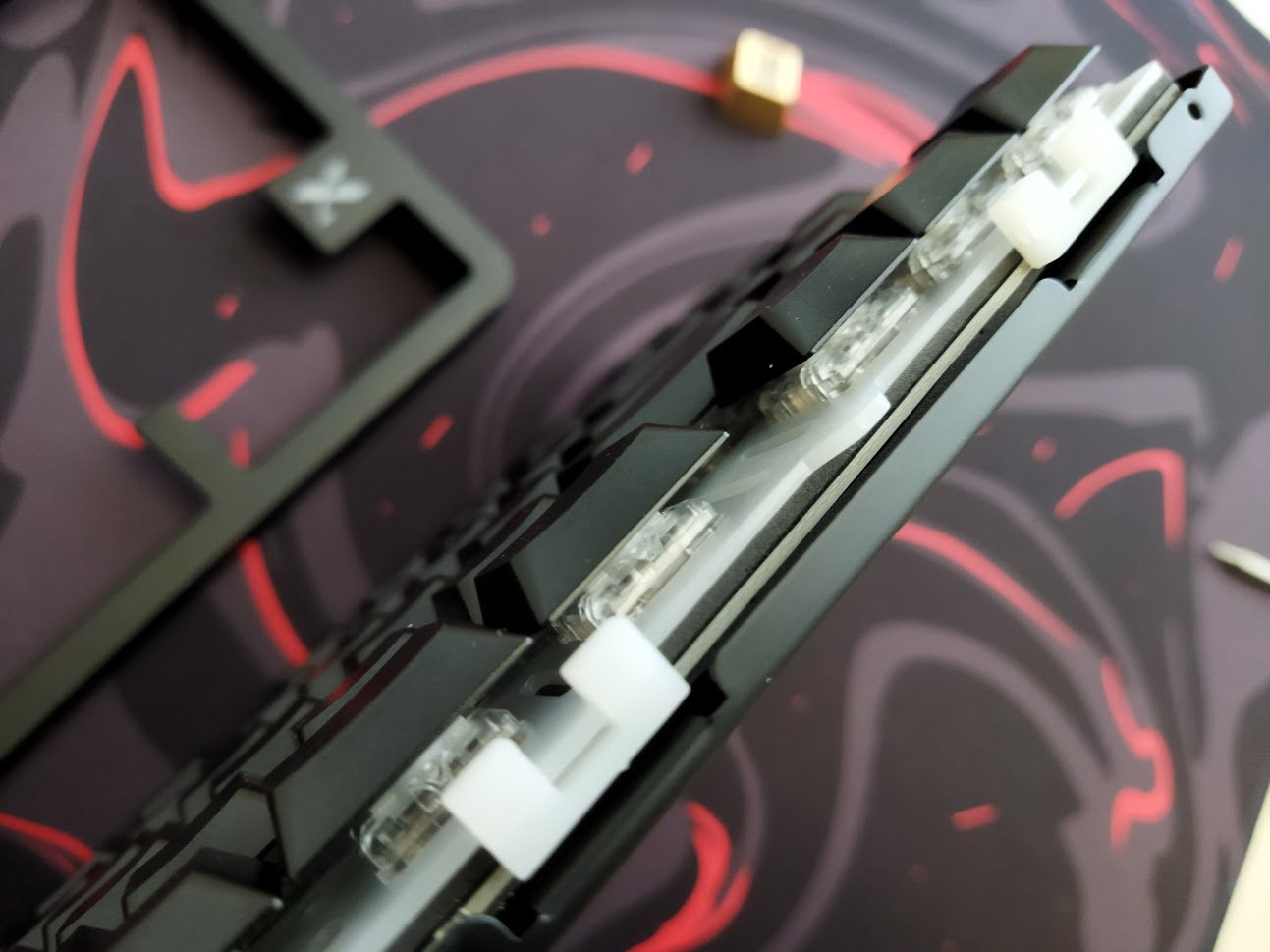
Plate
The plate is this milky polycarbonate (PC). It features flex cuts for a softer typing feel.
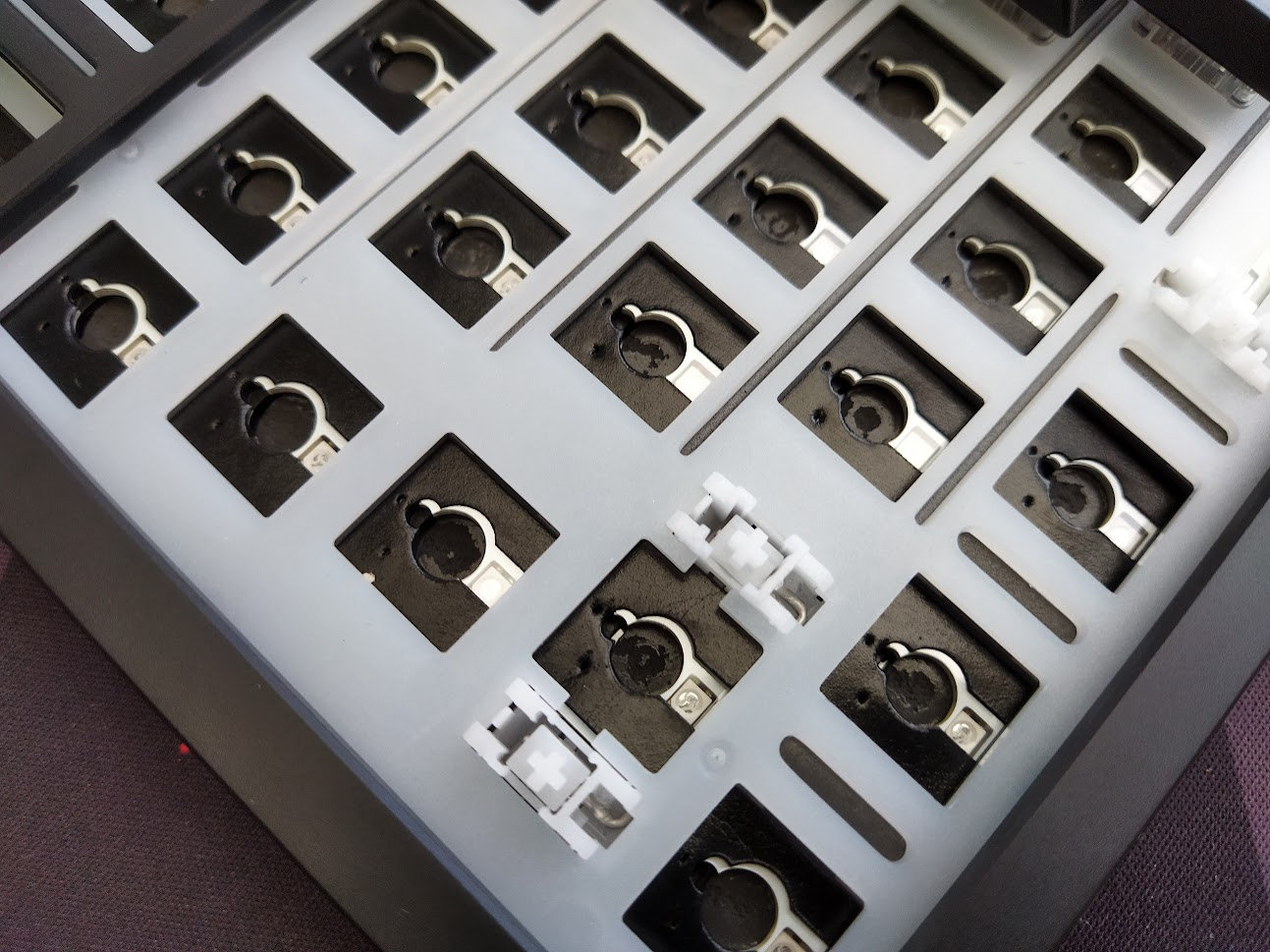
Plate-mounted stabilizers, which work nicely.
PCB
The 1.2 mm white PCB is part of the plate/foam/PCB sandwich, and it comes with cute tiny hotswap sockets, south-facing per-key LEDs, and some flex cuts. There's a daughterboard for the USB and battery connectors.
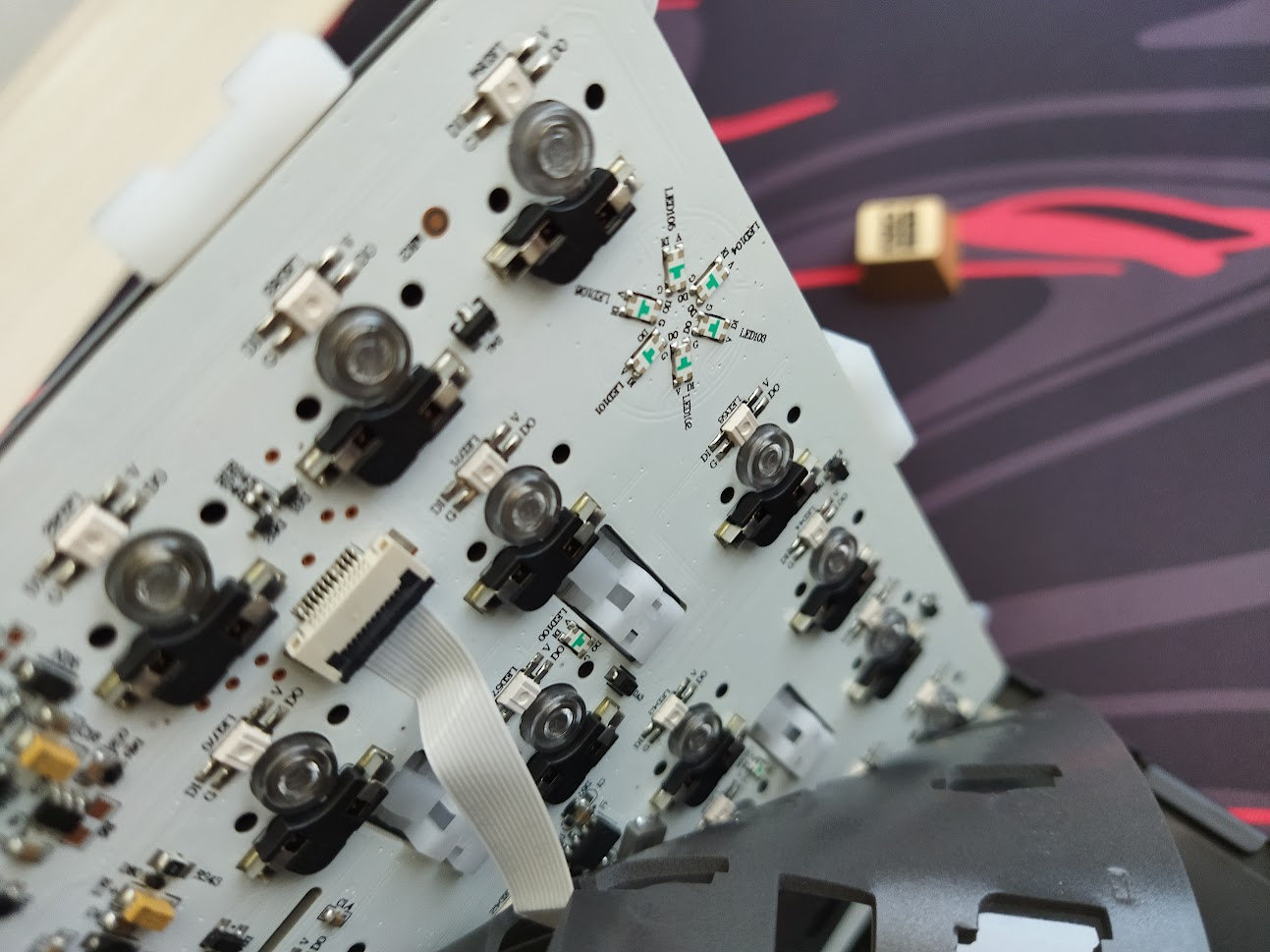
The default low-pro stabs are plate mounted, and the PCB doesn't support screw-in stabilizers as it lacks the necessary holes, and you'd need low-pro stabs anyway.
There are no signs of ISO-support either, nor stepped CapsLock, split spacebar or any other layout options.
Bottom & Weight
No fancy decoration weight, just a clean and simple bottom with some sleek branding. The bottom case is probably a very thin sheet metal. The L75 Air is still heavy enough to keep the board grounded.
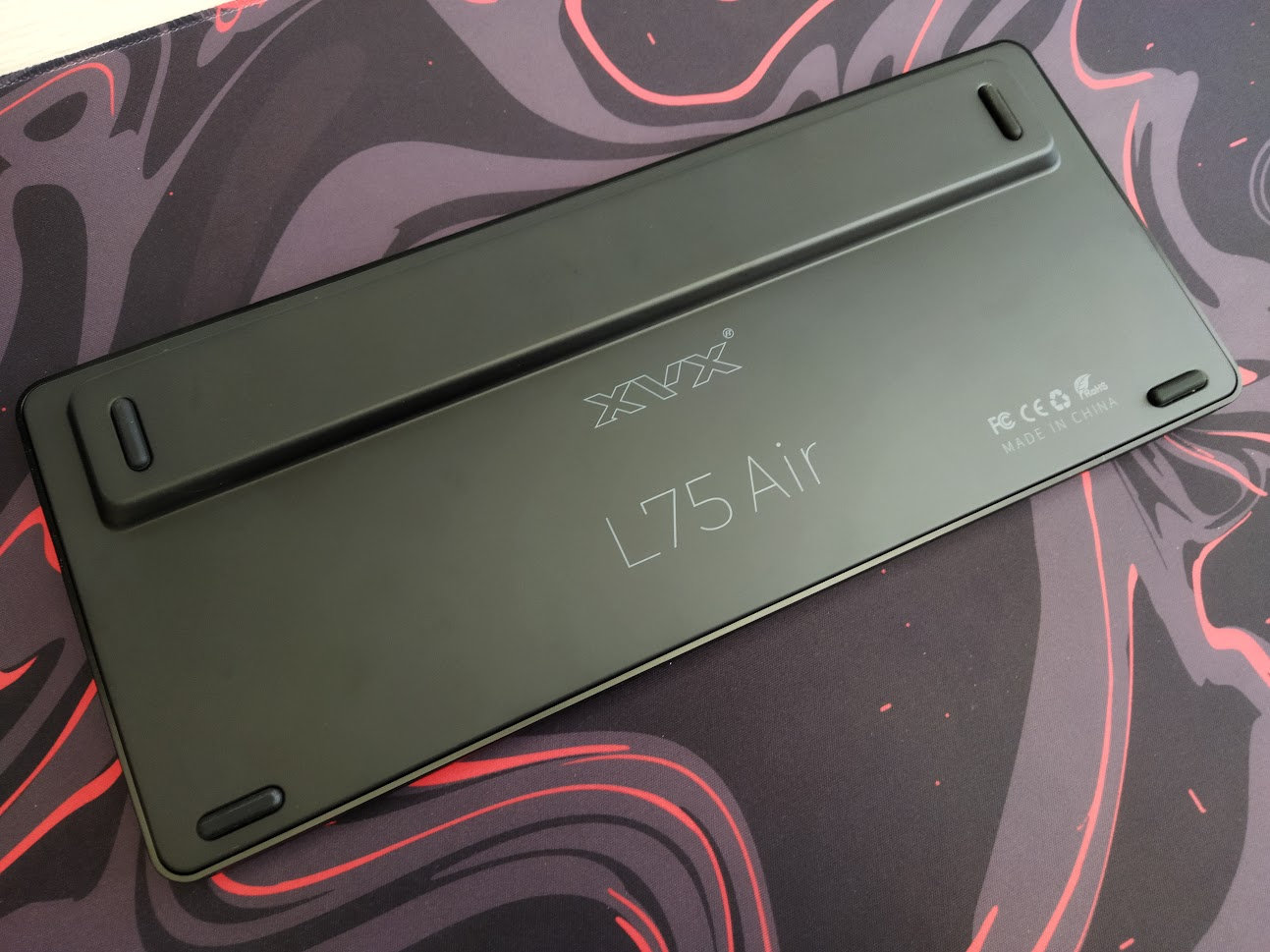
Sound dampening & Feel
PORON plate foam, IXPE switch pad, PET acoustic film, and an EPDM case foam – according to the product page. I'm pretty sure there's another thin layer there.
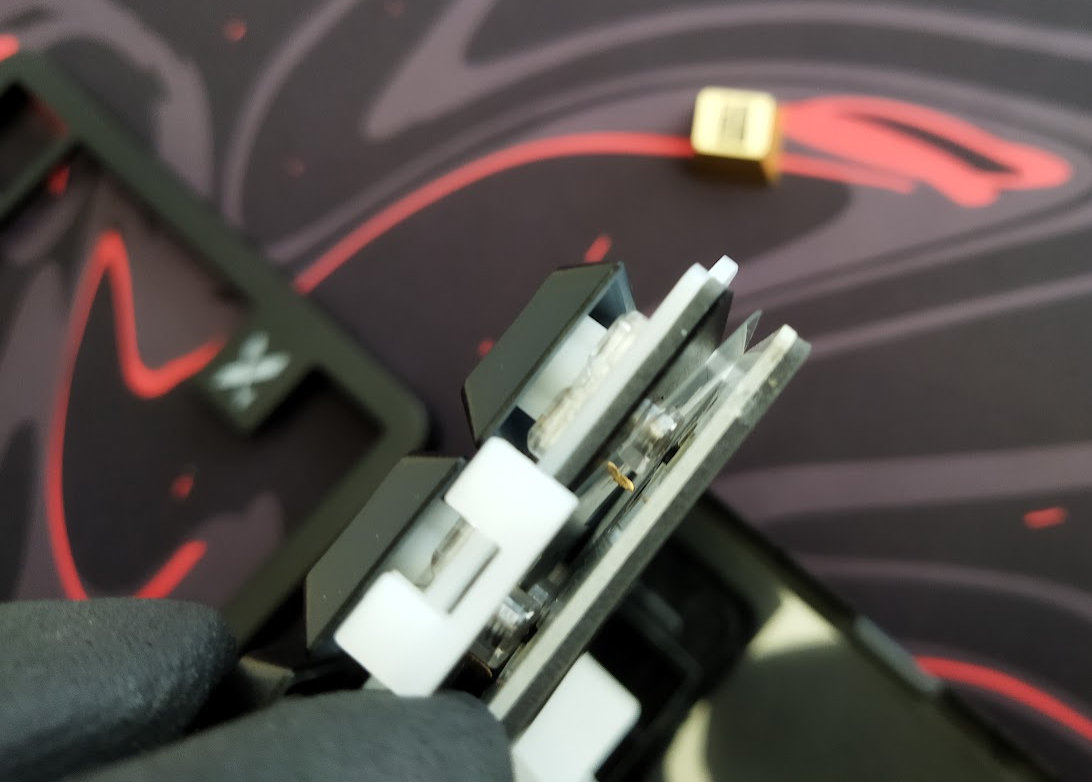
Together with the gaskets and the flexible PC plate and PCB, I would expect a much softer and cozier typing feel. In reality, typing on the L75 Air is still relatively direct – and relatively loud as well – despite the visible flex.
In my experience, the biggest factor affecting the keyboard's sound is often the surface underneath it – desk mat, bare desk, or anything in between. Or even the desk size that may amplify the sound.
RGB Lights
This keyboard is equipped with south-facing per-key RGB backlighting with plenty of available colors and patterns. You can cycle through 46 preset effects via the FN+Enter key combo.
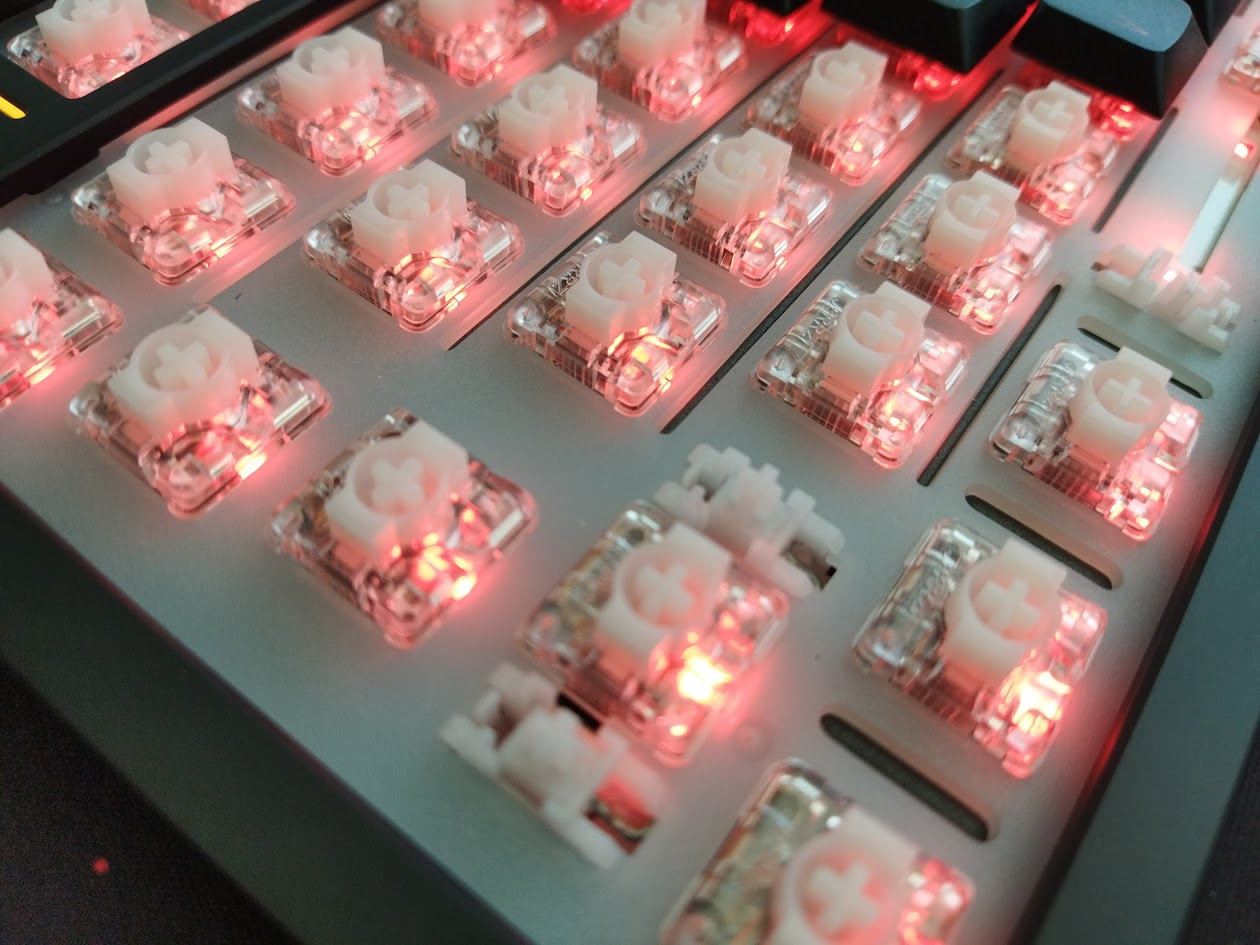
To achieve a more even brightness distribution, XVX used a higher-density LED placement here and there: the spacebar has five dedicated LEDs to reduce uneven hotspots.
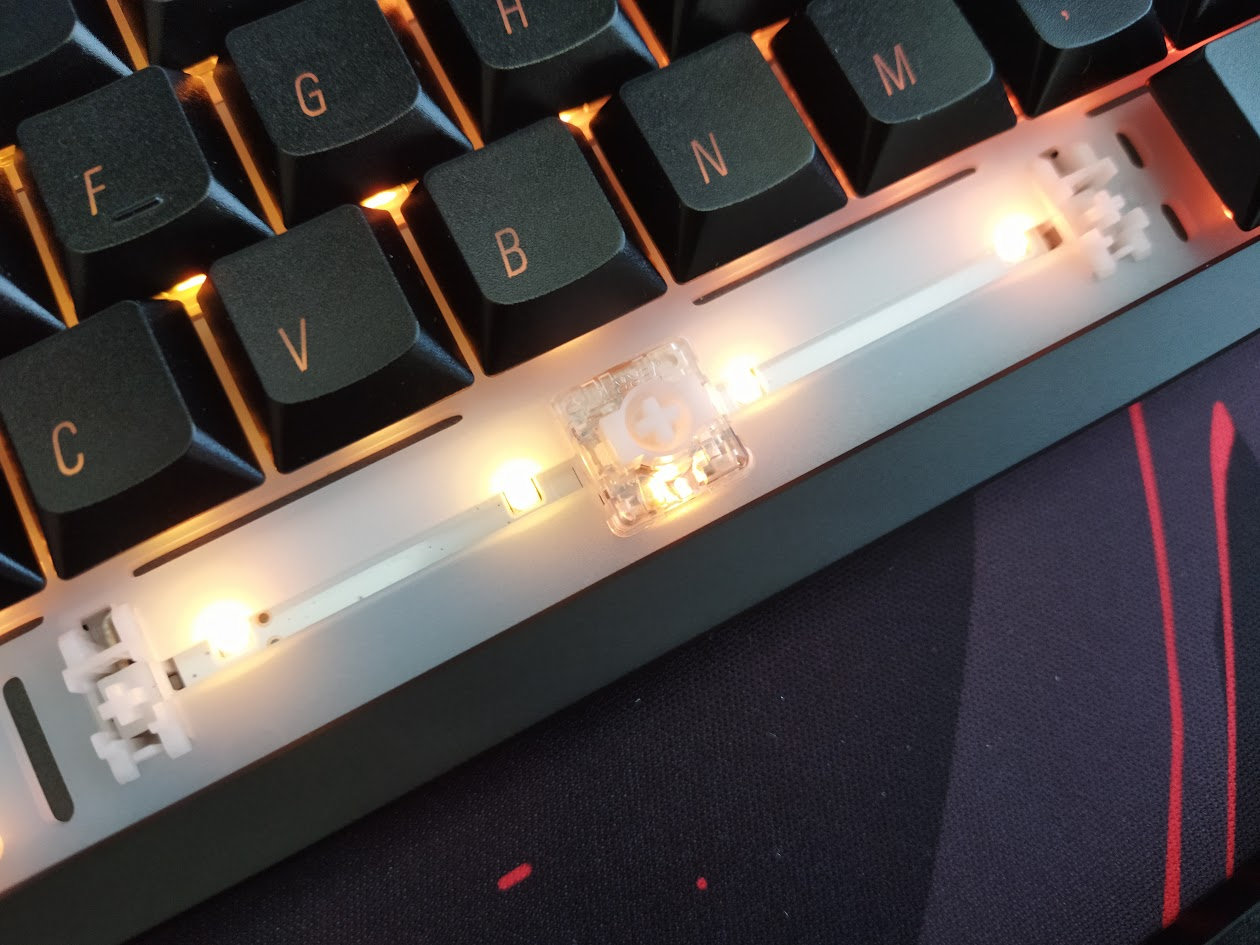
In addition, there are two light strips in the F-row (5 LEDs), and a backlit X logo next to the arrow cluster (6 LEDs).
Connectivity
The L75 Air is a tri-mode wireless keyboard (Bluetooth 5.0, 2.4GHz wireless, and USB Type-C wired connections) powered by a 3700mAh lithium battery.
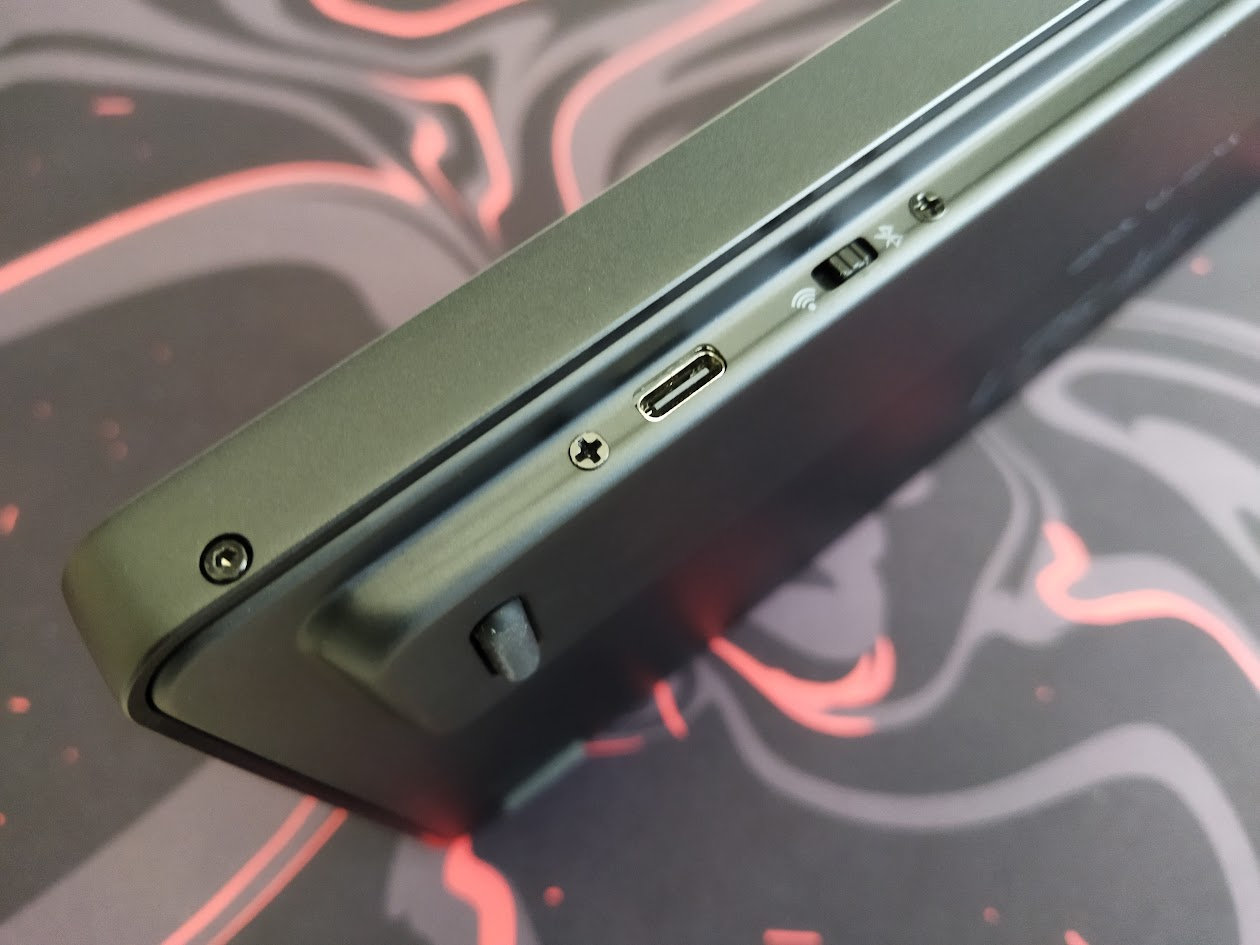
The physical connection mode selector switch is located on the right back side of the board, next to the USB port – not sure about complete battery decoupling though. No physical battery on-off key under any keycap.
General warning: If you use your wireless L75 Air keyboard permanently connected, please read this article about Built-in keyboard batteries and how to avoid fire – for details, tips, and horror stories.
Basically, keeping the board plugged in constantly may lead to accelerated degradation of the lithium battery. You have to follow proper battery care practices, so you should remove, disconnect or switch off the battery if you don't need wireless functionality. Check the battery for swelling regularly, even when disconnected or removed.
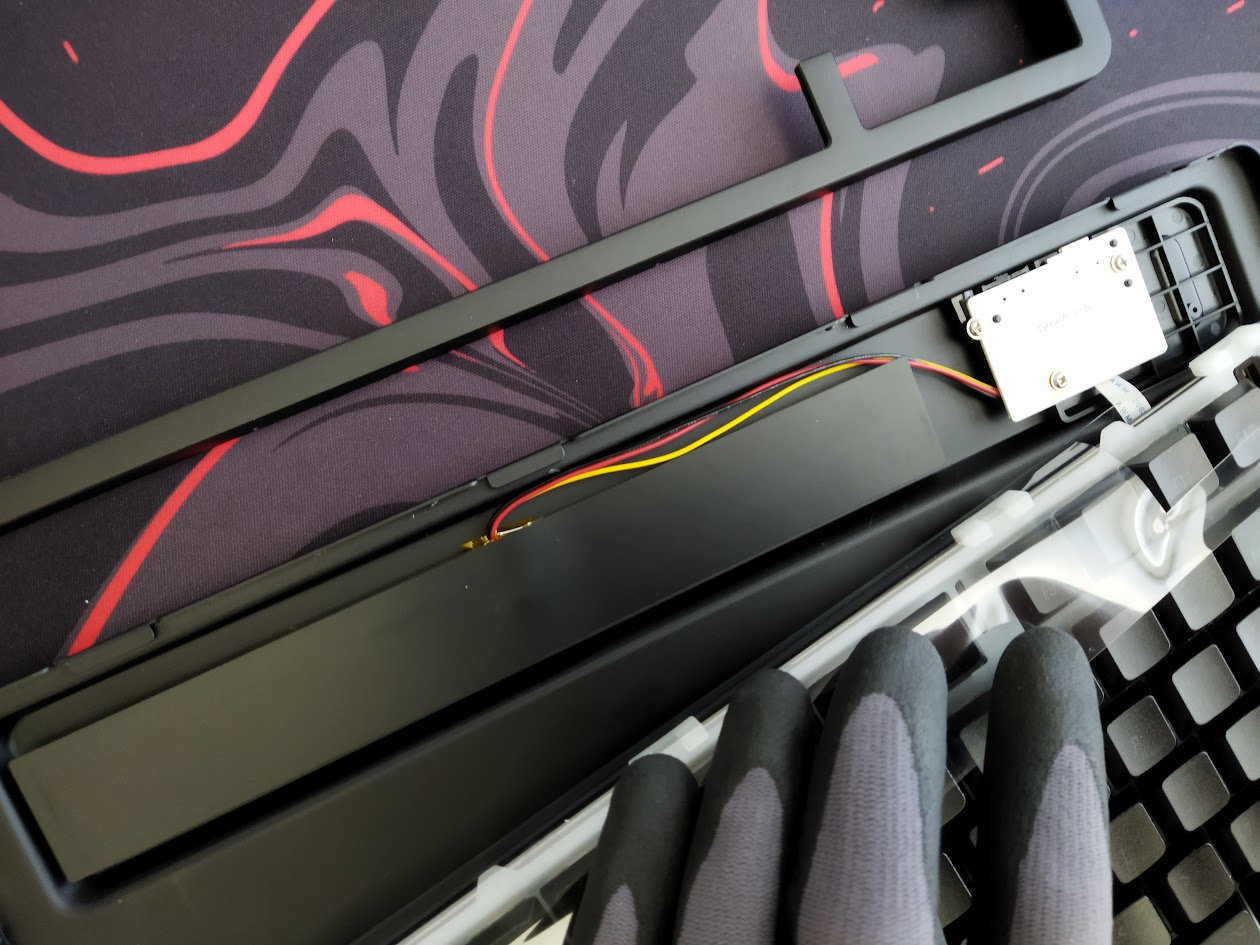
The L75 Air doesn't make this process very easy, but it isn't impossible either. There's no physical switch to disconnect the charging circuit and effectively isolating the battery from the PCB, so monitoring battery health by disassembly will be a regular task.
Software
VIA support. Yay!
You should be able to customize your keymap by simply visiting https://usevia.app/. No need to download or installing anything.
Well, maybe the VIA config file.
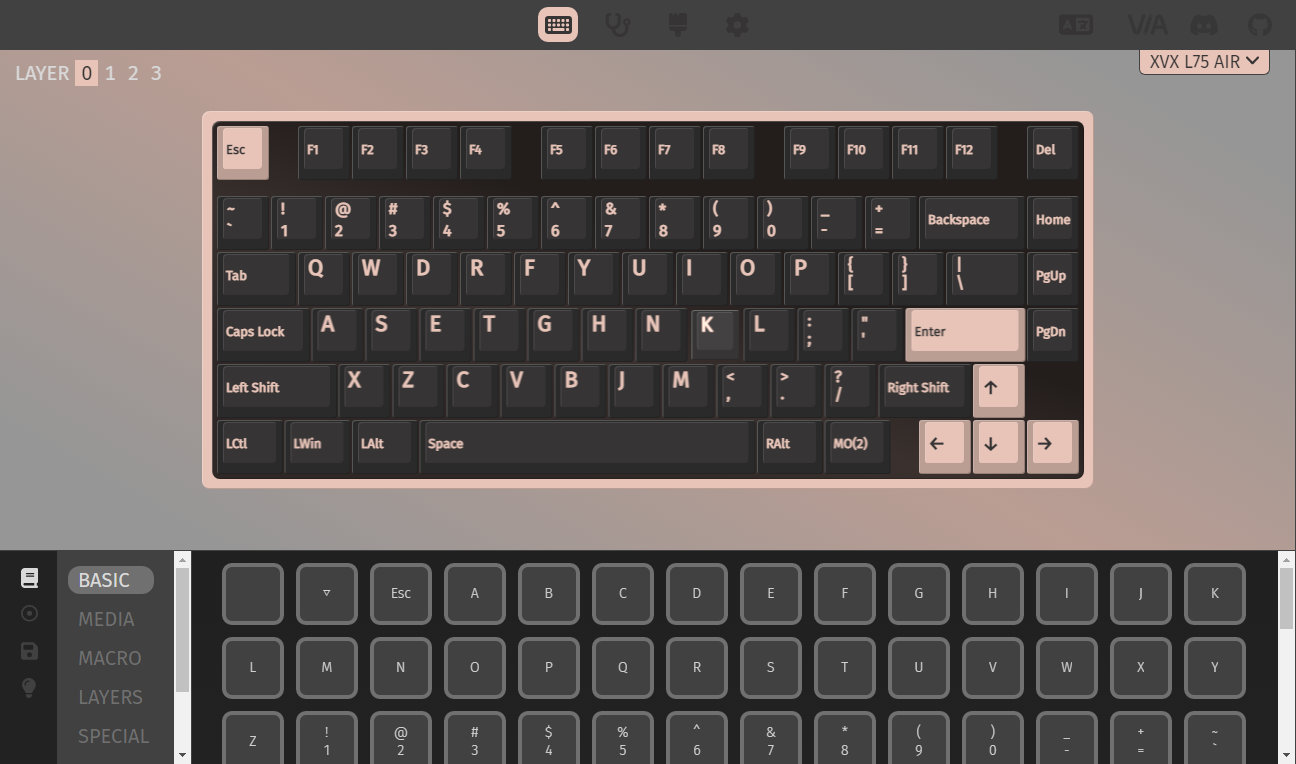
Swapping letters or symbols work as usual. To implement SpaceFN, you have the necessary layer mod-tap functions as well.
A single, easy-to-access SpaceFN layer is crucial for many users as you could put arrows, navigation and numbers under your fingertips.
Portability
The XVX L75 Air is a great board for stationary use, but also if portability is your main concern. It's much lighter than other aluminum keyboards, its wireless features aid portability as well, and being more compact than a fullsize board helps too. There are smaller and lighter boards out there, but traveling with the sleek L75 Air is absolutely feasible.
Comparison
From all the 75% keyboards, the XVX L75 Air is a very affordable option with its price of just $81 (using the KBDNEWS coupon code).
It doesn't make much sense to compare it to non-low-pro or more pricey and fancy aluminum boards like the Evo75, Dry Studio Battleye or Womier ERA75.
When it comes to the $80-90 price range, it's the playing field of plastic 75% boards. Check out the silly KiiBOOM Phantom81, the Epomaker RT82 for a retro look with display, or the Womier SK80 Pro Kanagawa – with display and a bundle with matching wrist rest and mouse pad.
If you aim for the lowest price, the Kemove's Dierya DK81E was the most affordable among the plastic 75% boards, at least from the samples I had the chance to review: wired, with encoder.
Conclusion
The 75% tri-mode wireless XVX L75 Air is an affordable pre-built mechanical keyboard with highlights like the aluminum top case, low-pro IMD keycap set with shine-through Mac-style legends, per-key RGB and decoration lights. The stock linear Jerrzi low-pro switches are incompatible with anything mainstream. The out-of-the-box typing experience could be improved, it's a bit too loud for my taste, but it depends a lot on what it's sitting on. Otherwise this is a nice offer if you're looking for something low profile and aluminum. Even for keymap wizards, but not for people looking for the latest trending switches.
Pros
- nice aluminum top case
- consistent RGB lighting with 5 LEDs under the spacebar
- VIA support for easy keymap customization
Cons
- rare switch footprint (incompatible with Choc or GLP)
- relatively loud
- assembly quality (or QC) could be improved
Price & Availability
The XVX L75 Air is available at xvxchannel.com. The KBDNEWS coupon code (10% off) is in effect, so you can get this board for just $90 $81.
- XVX L75 Air product page
Published on Thu 25th Jun 2026. Featured in KBD #213.
Related
GravaStar Mercury V75 Pro HE review
Another masterpiece by GravaStar: the magnetic Mercury V75 Pro HE – hand-painted aluminum alloy case, carbon plate, the hallmark alien legs, and all the Hall-effect features for competitive gamers.
Womier SK80 Pro Kanagawa review
The tri-mode wireless Womier SK80 Pro comes with Great Wave overdose, including a matching mouse pad and wrist rest.
MY75
MY75 is an open-source hot-swappable 75% keyboard in a milled aluminum case. Shared by Skribbles4420.
KiiBOOM Jade75 review
A 75% wireless keyboard for RGB fans: the KiiBOOM Jade75 in a resin case.