Keyboard Builders' Digest / Review
Epomaker Glyph review
The retro, mid-century modern Epomaker Glyph is a typewriter-style tri-mode wireless keyboard with huge displays.

Published May 27, 2026
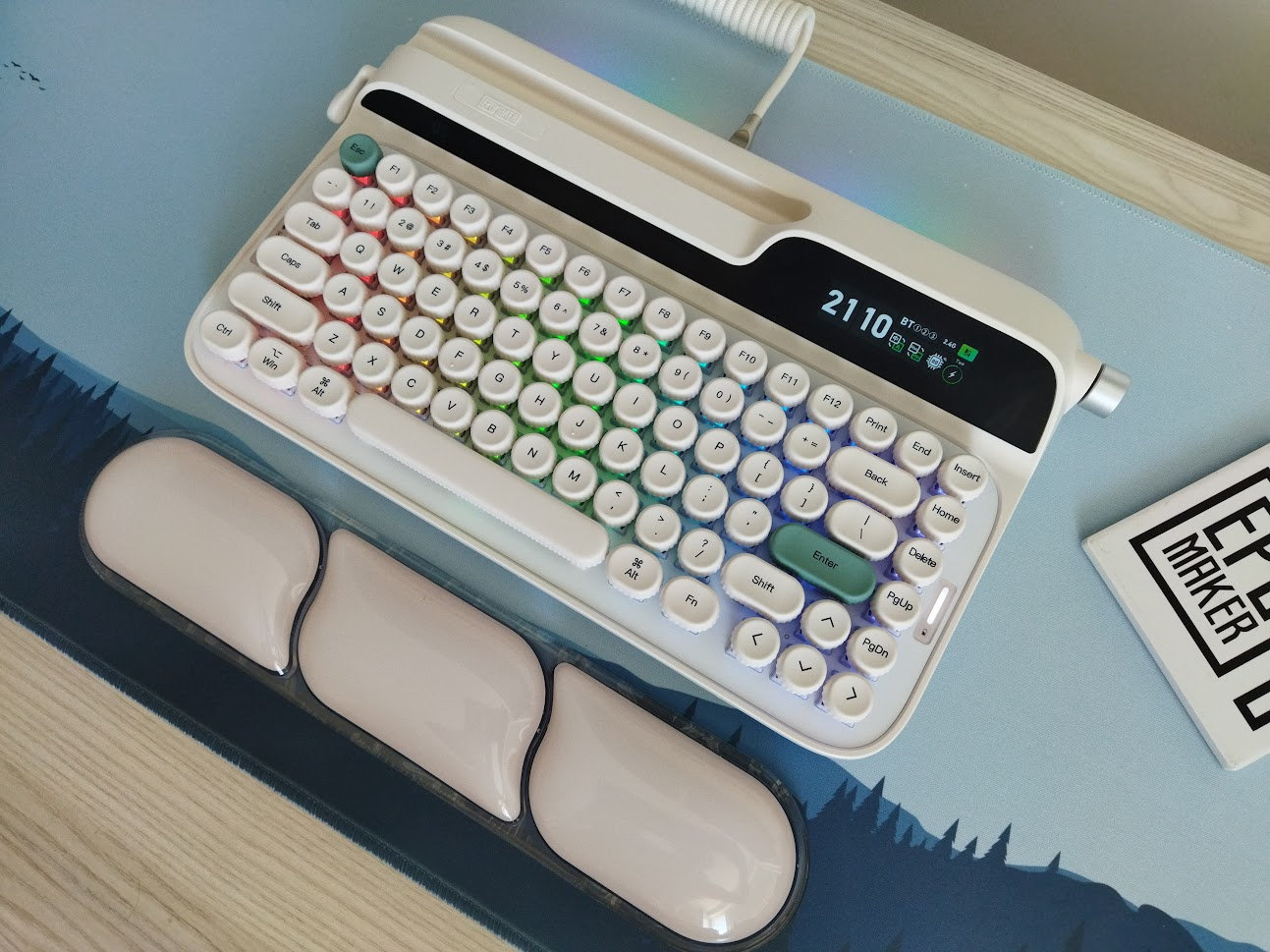
After the Epomaker RT82 with its retro vibe, I had the opportunity to test the brand's typewriter-like Glyph model. Here are my thoughts.
TL;DR: The 75% retro typewriter-style Epomaker Glyph is a fully built tri-mode wireless mechanical keyboard. Customizable: hot-swappable switches with MX-compatible stem. Two huge displays, rotary knob, magnetic receiver storage, with a nice wrist rest in the bundle. Proprietary software, so less for keymap wizards, plus more for wired use: while the 8000mAh battery sounds beefy, the displays may drain it quicker than usual.
Should I buy the Epomaker Glyph? – you may ask. Well, it always depends on your exact needs. In this review, I'll pack in as many facts as possible to help you answer that question for yourself. As you'll see, I even tried opening up and peeking into the Glyph so you don't have to do this at home.
That said, before placing an order, the most important thing is to know exactly what you want. Make sure you're aware of your preferences and the features you need, and check out the full review below for all the details and photos.
Specs (and ToC)
- Contents: pre-built board, guide, cable, tool, dust cover, wrist rest
- Layout: 75% ANSI, 83 keys
- Keycaps: dye-sub PBT, uniform spherical profile
- Switches: linear Epomaker Wisteria V2 switch (38gf)
- Case: plastic (ABS), typewriter-like
- Typing angle: two stages via flippable feet, about 1-2 degrees
- Mounting: Top mounting
- Stabilizers: plate mount
- Plate: aluminum, without flex cuts
- PCB: south-facing per-key RGB, no flex cuts, hot-swappable
- Sound dampening: 6 layers
- Lights: per-key RGB (18+4 presets) plus decoration light strip
- Connectivity: tri-mode wireless (USB-C, Bluetooth, 2.4GHz)
- Software: proprietary
- Dimensions: 347x207x57 mm
- Weight: 1,179 g
- Price: from
$139$129 ($10 discount code: KBDNEWS)
Disclaimer
The review unit was offered by Epomaker. In my experience, receiving something for free may introduce certain biases – both positive and negative. Please take everything I write with a grain of salt.
Unboxing & Contents
The packaging is the classic Epomaker-style box: cardboard with a lot of information. And huge this time.
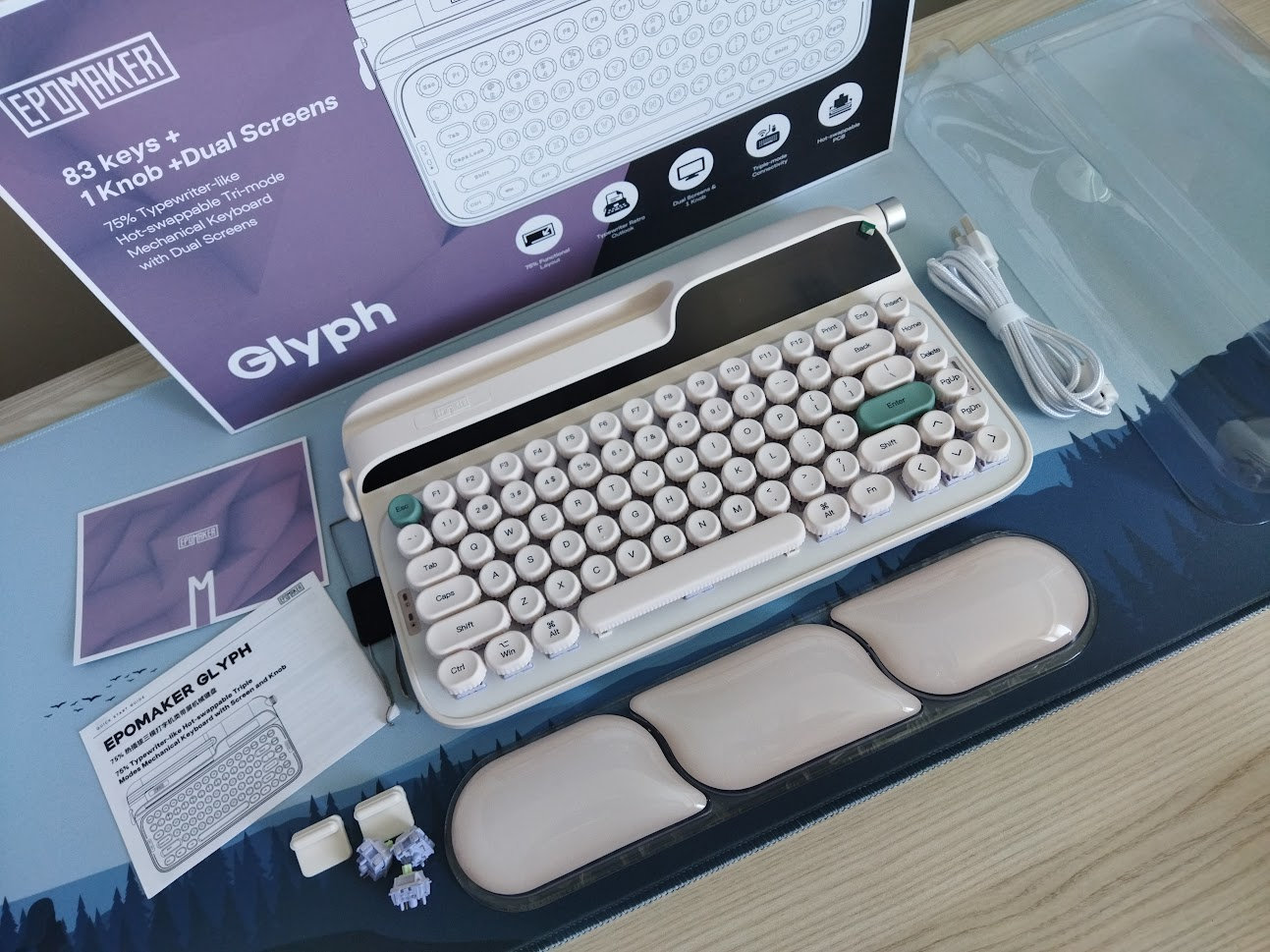
The contents:
- The pre-built Glyph with switches and keycaps mounted
- quick-start guide
- braided USB cable
- combined switch+keycap puller
- wireless dongle in the magnetic compartment
- 3x spare switches
- 2x spare silicone feet
- dust cover
- wrist rest
Quite a bundle.
First impressions, design language
There's a single color variant with a single switch option: the retro white (beige) case with the light linear Wisteria V2 switches.
As you can see, the typewriter-inspired Glyph is highly distinctive. With its 9009-style accents, it stays true to the aesthetic it aims to evoke — despite the fairly common 75% layout.
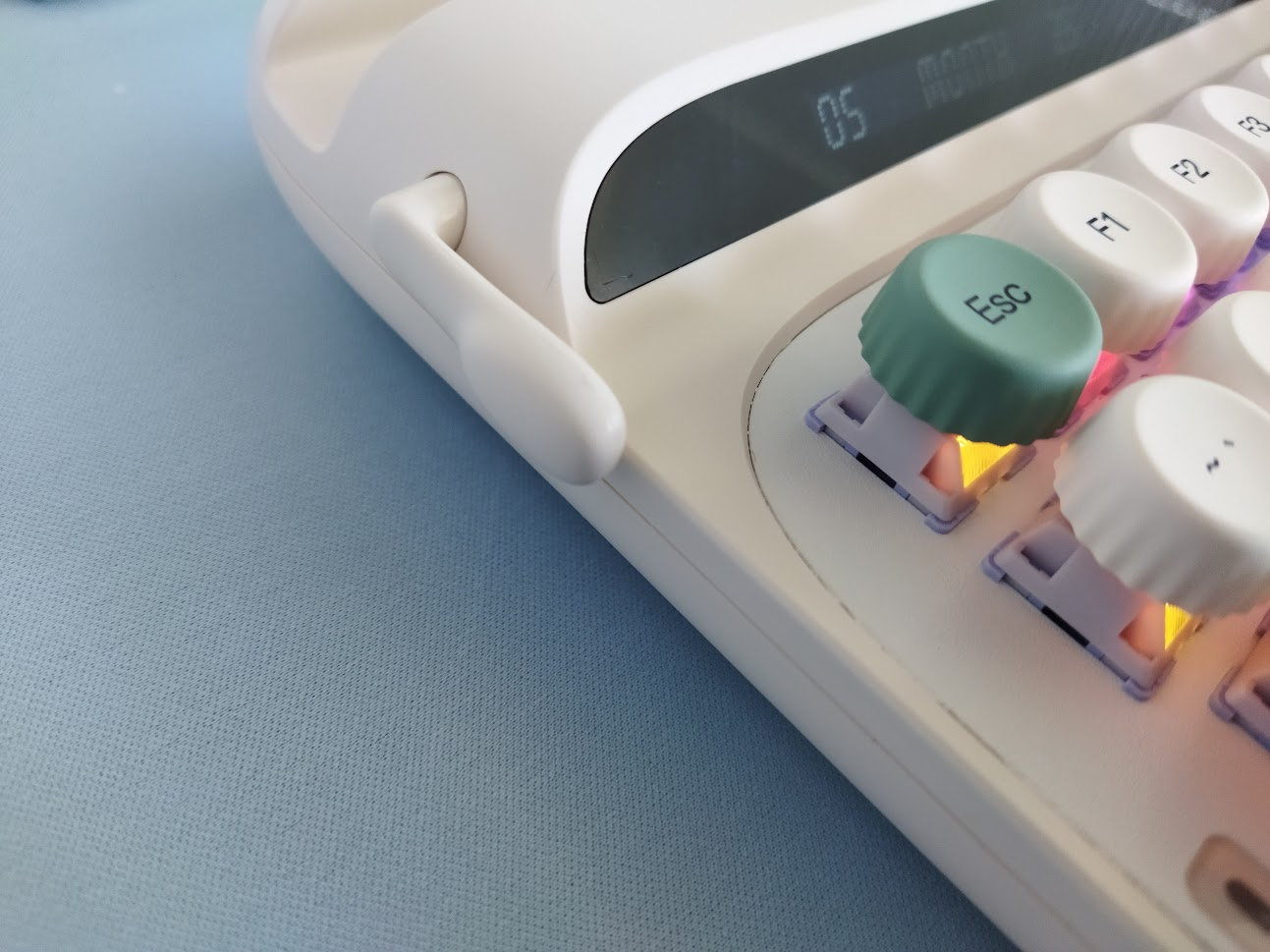
There's minimal branding in the top left part, blending into the case (some more on the bottom), but otherwise the nice rounded curves, the huge displays, and all the little details mimicing typewriter parts steal the show.
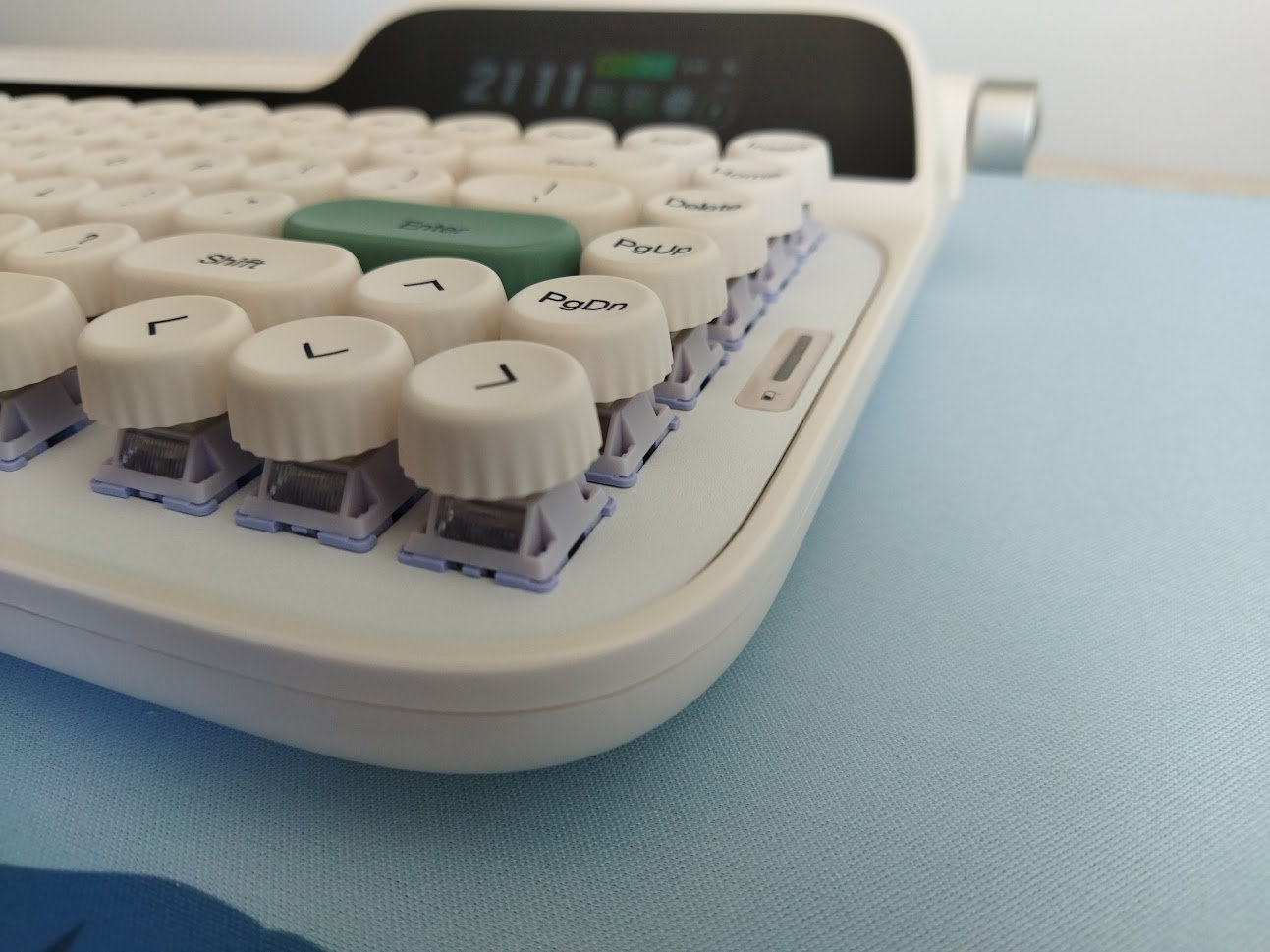
If you think it's hard to make an impact in a crowded market like the 75% segment, the Glyph proves you wrong with this well thought-out concept, making this board instantly recognizable across the room at keyboard meetups.
Layout
The 75% layout is relatively standard and prevalent. There's no numpad or classic navigation cluster. However, you still have a full number row, the function row, and also dedicated arrow keys – with an extra column of keys on the right side.
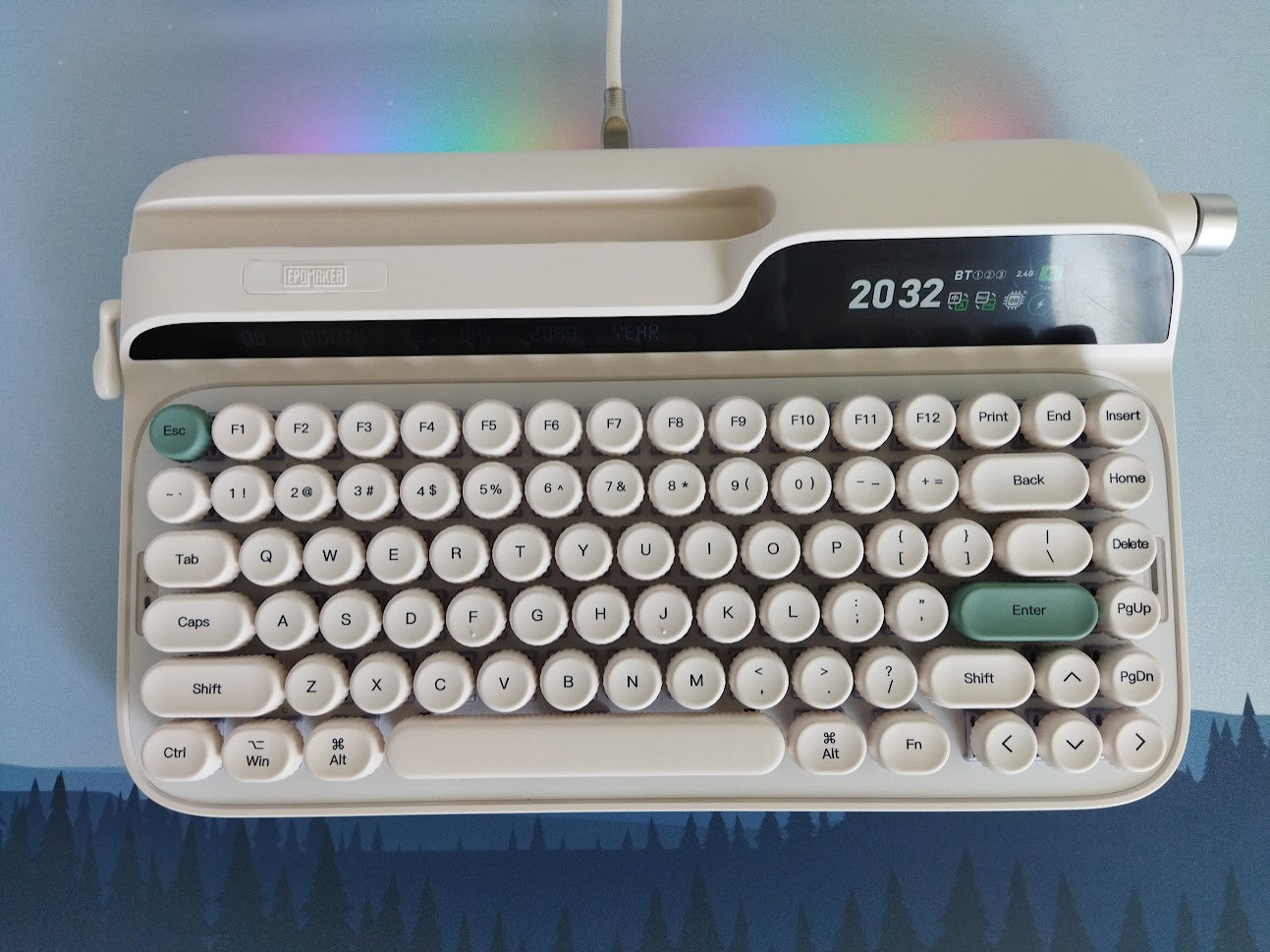
Featuring 83 keys (ANSI US version only), the Glyph optimizes space with regards to width – however, it has a 50% overhead when it comes to depth. All the functionality of a 100% is there of course, you just have to resort to key combinations and extra layers sometimes.
The layout is fixed, there's only one basic arrangement supported: no stepped CapsLock, split spacebars or bottom row variations.
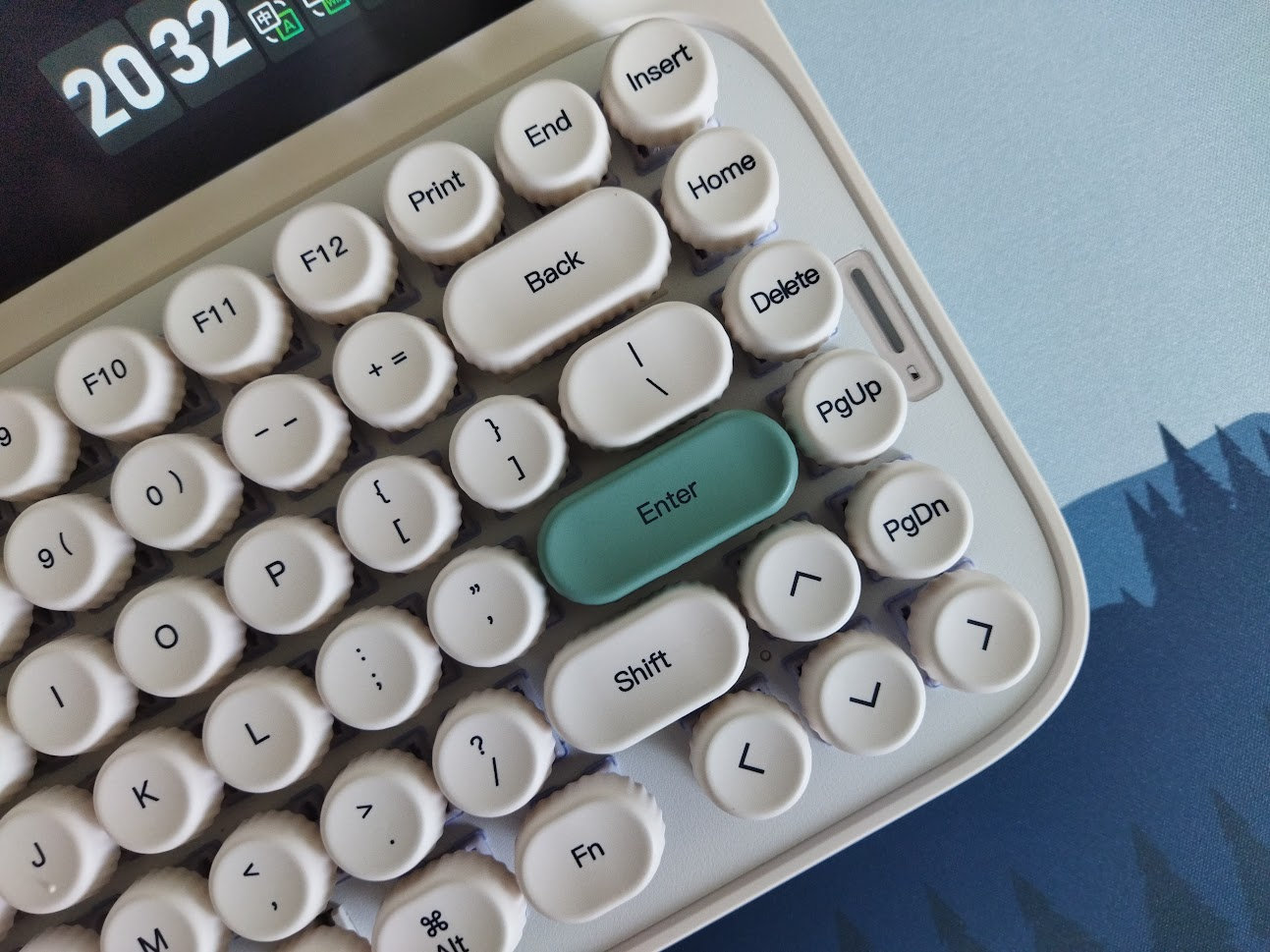
The arrow cluster is not offset, but there's the little gap left of the arrows, aiding e.g. touch typers when changing between the home row and arrow cluster. I personally move the arrows (and numbers plus function keys) to the alphas via SpaceFN, so I'm not really affected by potential issues in this area. If you type the classic way, consider if you'd get lost using this arrangement.
Keycaps
Unique keycaps for a unique board. The Glyph comes with uniform, spherical PBT keycaps. 9009-ish green accents (Enter and Esc).
I was a bit wary about the keycap profile, but it's surprisingly comfortable. The uniform dish of the 1U keys – the shape and depth – is just perfect for my taste. For some reason I had those classic typewriter keys in mind, the ones you can see on typewriters of the late 1800s and early 1900s, but these caps are very comfy, barely any time needed to get accustomed to the profile.
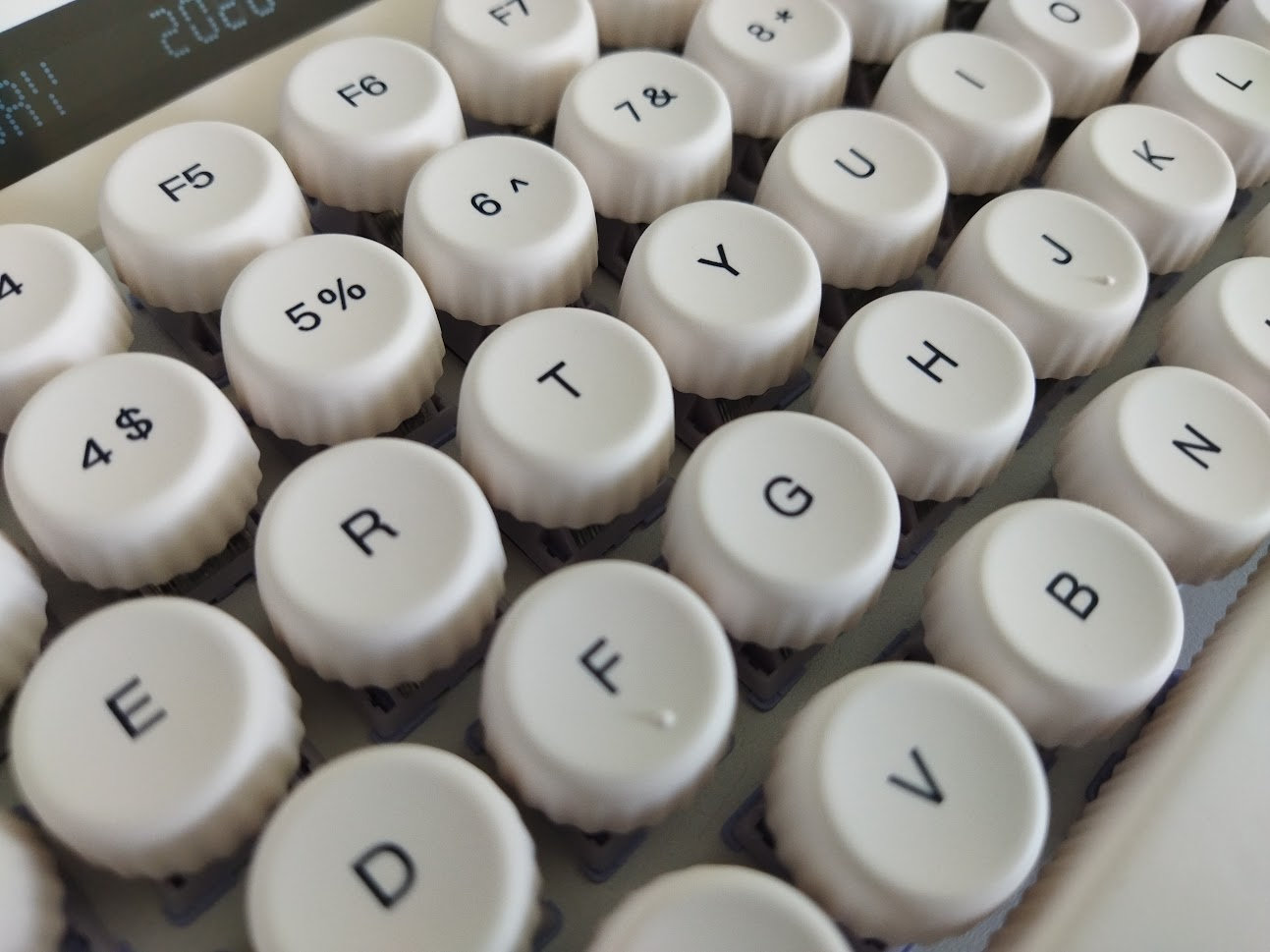
Legend consistency is okay, maybe the "Delete" is a bit crowded. In addition, the legends are not exactly in the center of the otherwise circular keycaps, but a bit higher and maybe also to the left? This latter may be an illusion. That said, maybe slightly larger legends could have been more typewriter-like.
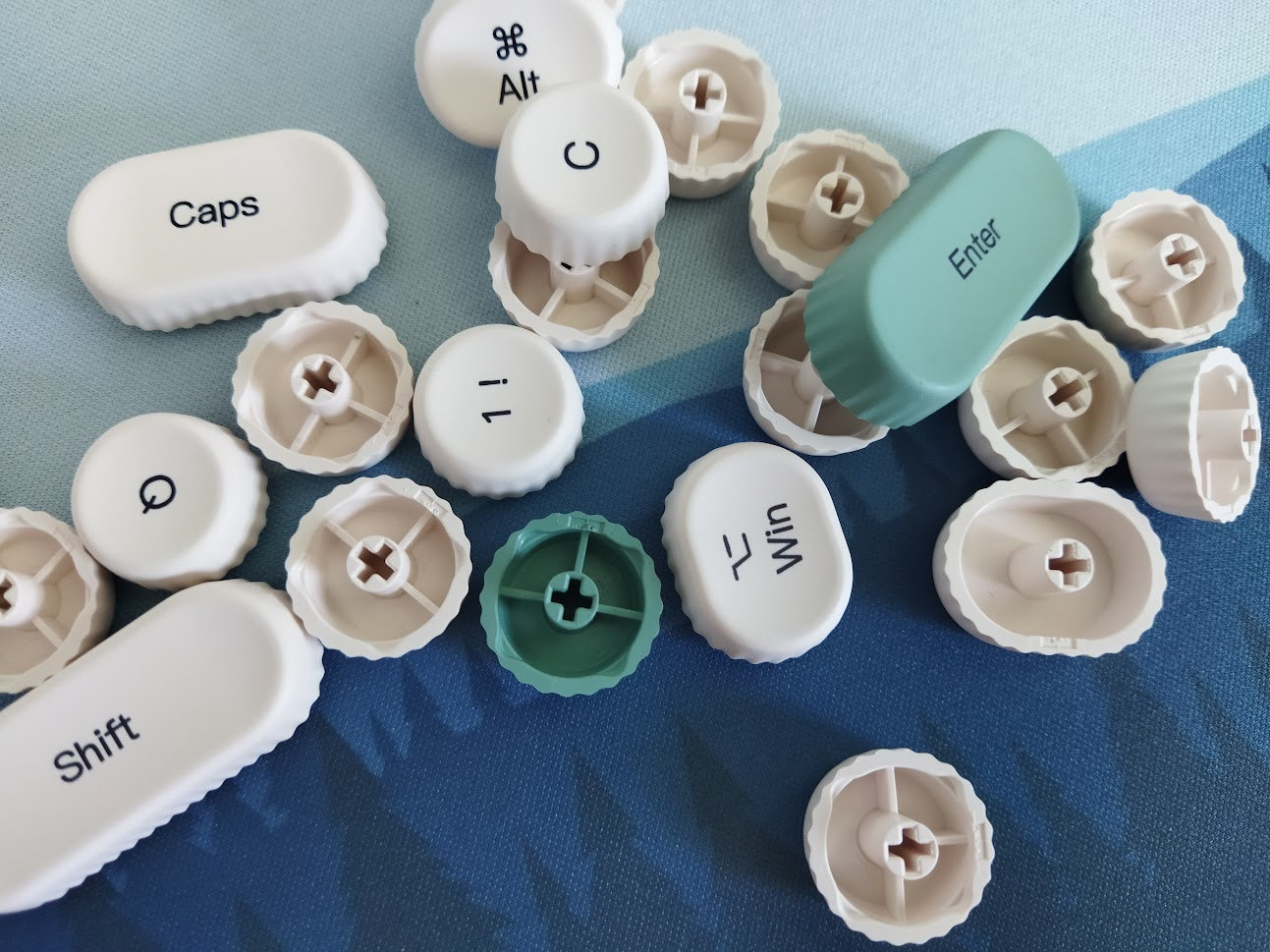
Anyway, the switches feature MX stems, so – also with regards to keycap compatibility – this layout should be widely supported if you opt for something different. Not sure about how other profiles would match the retro concept, though. Cherry with its hard edges would look definitely strange in my opinion, maybe something else with rounded corners: MOA, MAO, probably even MDA.
Switches
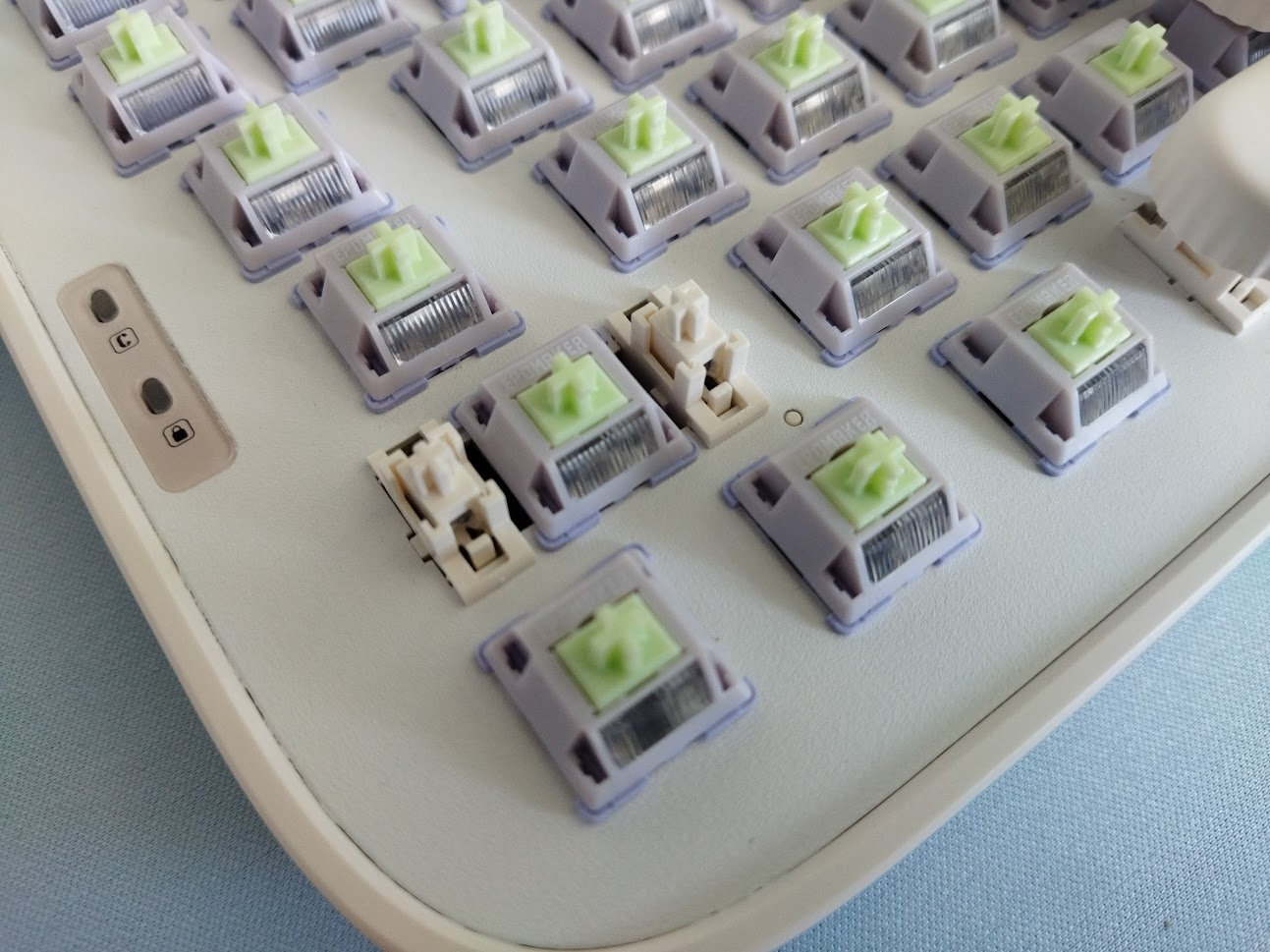
The mechanical switches offered by Epomaker for the Glyph are the Epomaker Wisteria V2s – nice factory-lubed light linears with calm colors and light diffuser.
(There's also an older and heavier variant without the diffuser, so watch out if you'd like to try these switches separately.)
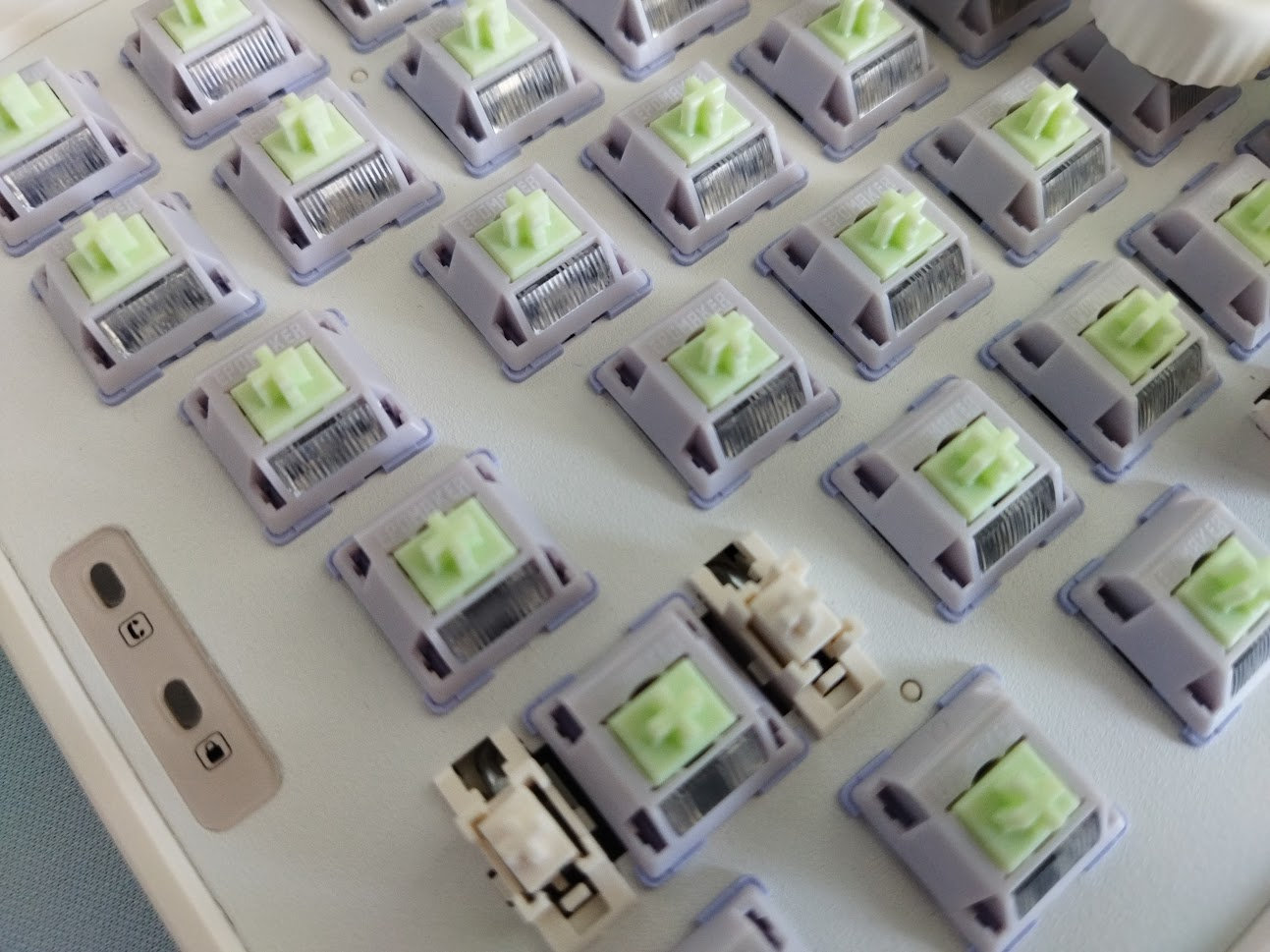
Epomaker Wisteria V2 switch specs
- Type: linear mechanical
- Actuation: 38gf
- Bottom-out: 45gf
- Mounting: PCB (5 pins)
- Actuation travel: 2 mm
- Total travel: 3.6 mm
- Material (top/bottom/stem): PC/PA66 Nylon/POM+PTFE
- Spring: 20.5 mm
- Light diffuser
- Factory lubing: yes
Again, we are talking about nice light linear MX switches, with some wobble, but otherwise smooth ones.
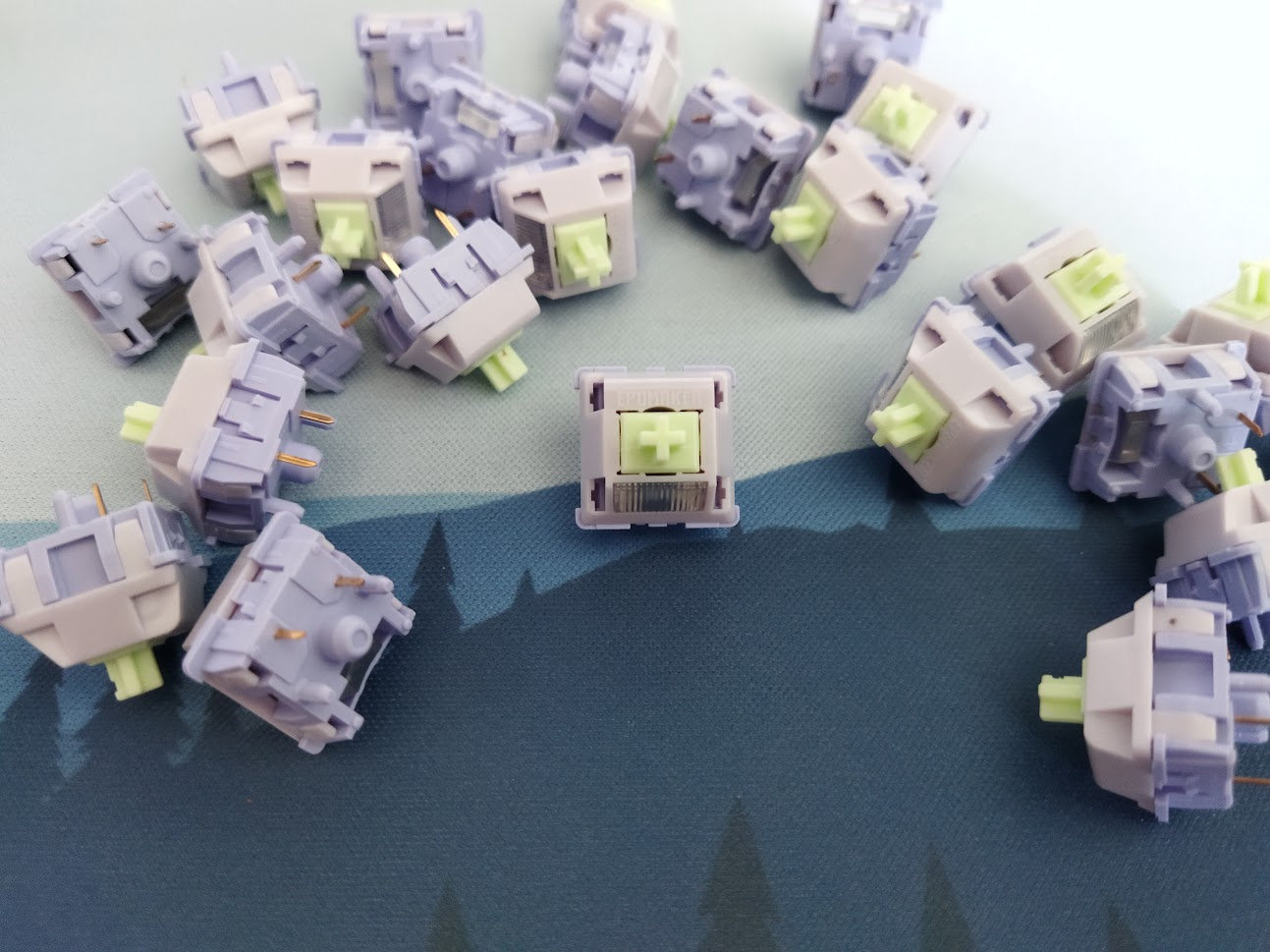
These switches feel decent, but the Glyph is hot-swappable, so you're not restricted to the factory setup. Check out the current best-selling magnetic switches, or feel free to use your personal favorites lying around.
Build quality, structure, case
Big-ass ABS case, aluminum plate, nicely integrated displays.
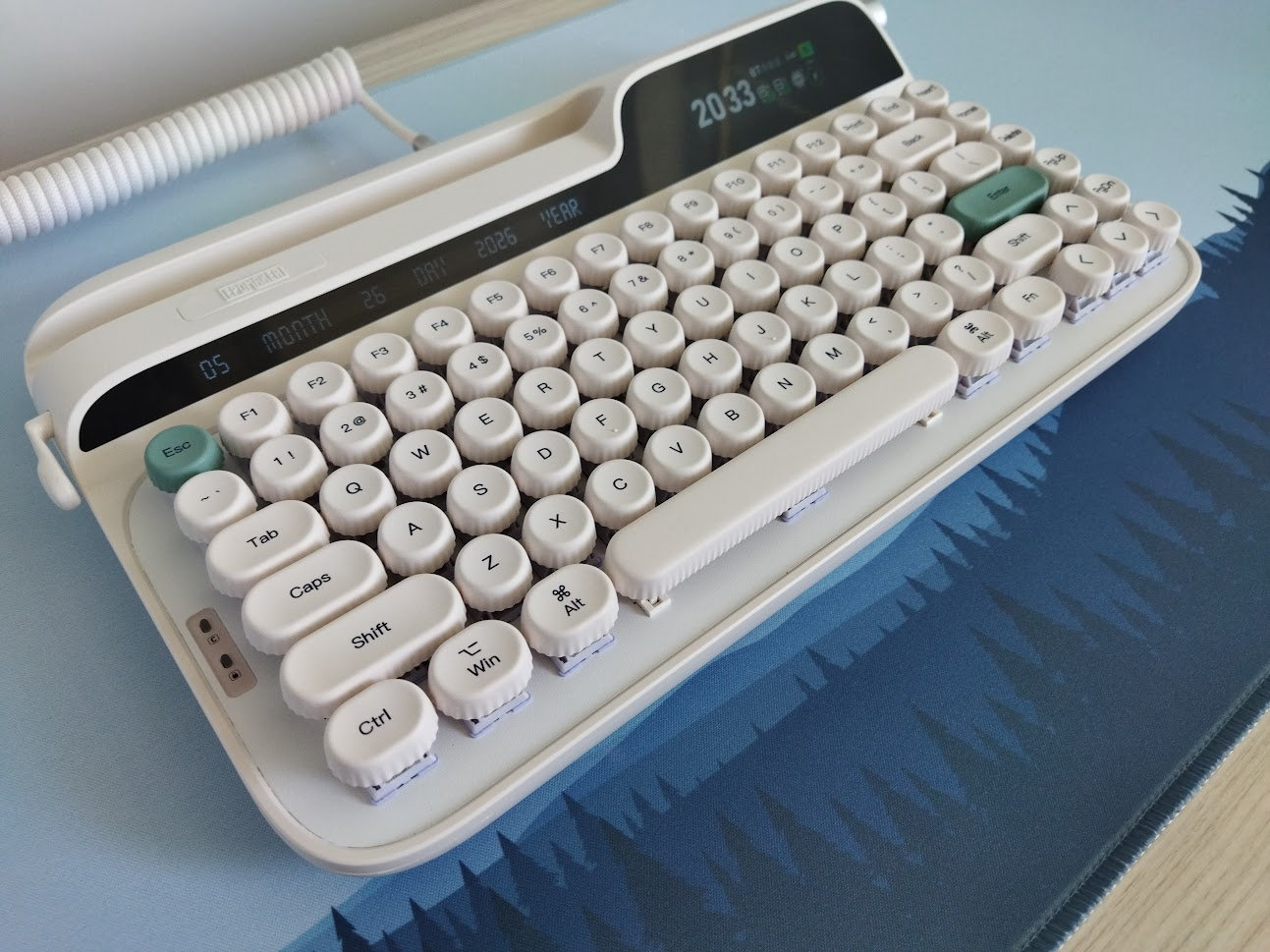
I like the look, this mid-century modern typewriter aesthetic can fits well in many work environments. Nice build quality as well, with authentic material choices and also nice texture of the plastic and metal parts. Relatively heavy (1.2kg), so it won't move around during daily typing. Not a typical gamer board, but it's safe to assume that it would stay stable during a frantic gaming session as well.
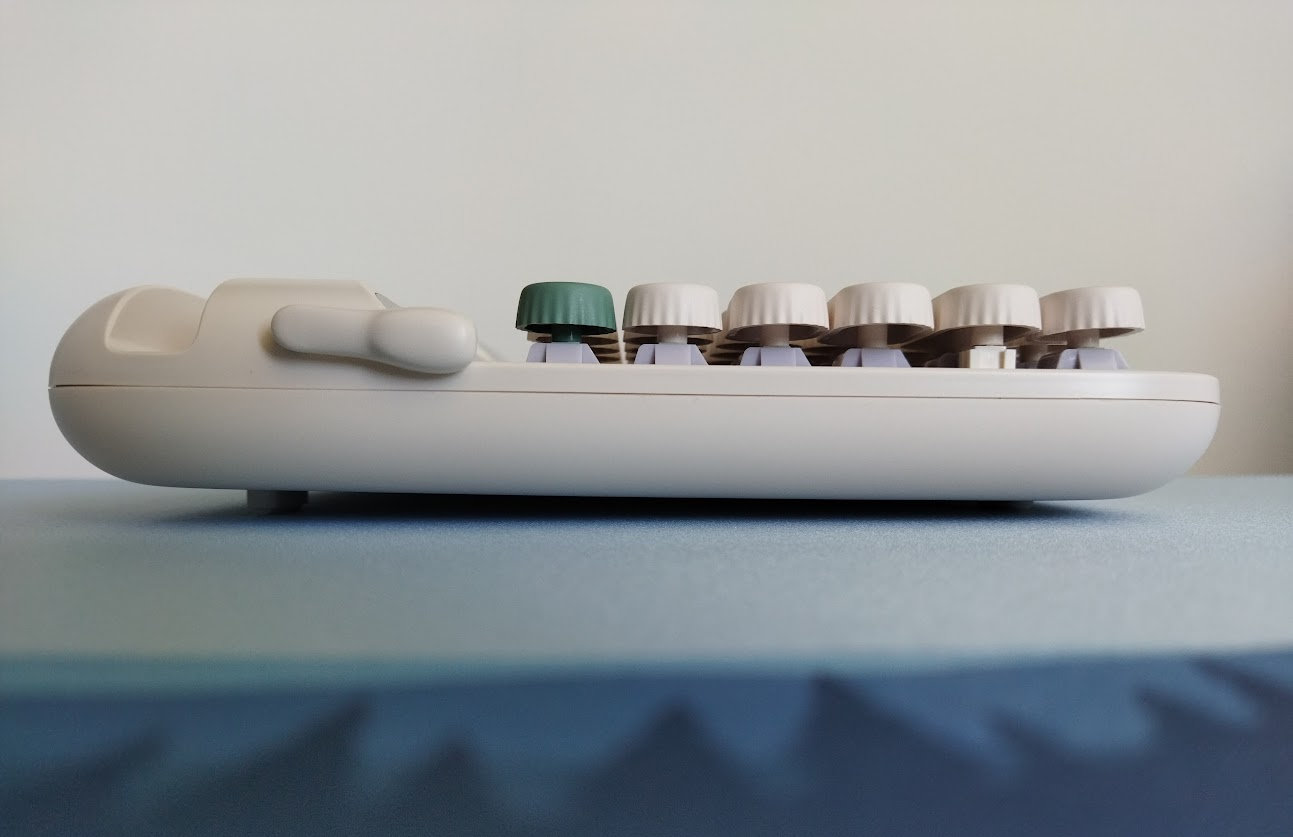
Typing angle: minimally adjustable with flippable silicone feet.
Disassembly
Well, I really wanted to look under the hood, so I tried to eviscerate the Glyph as usual.
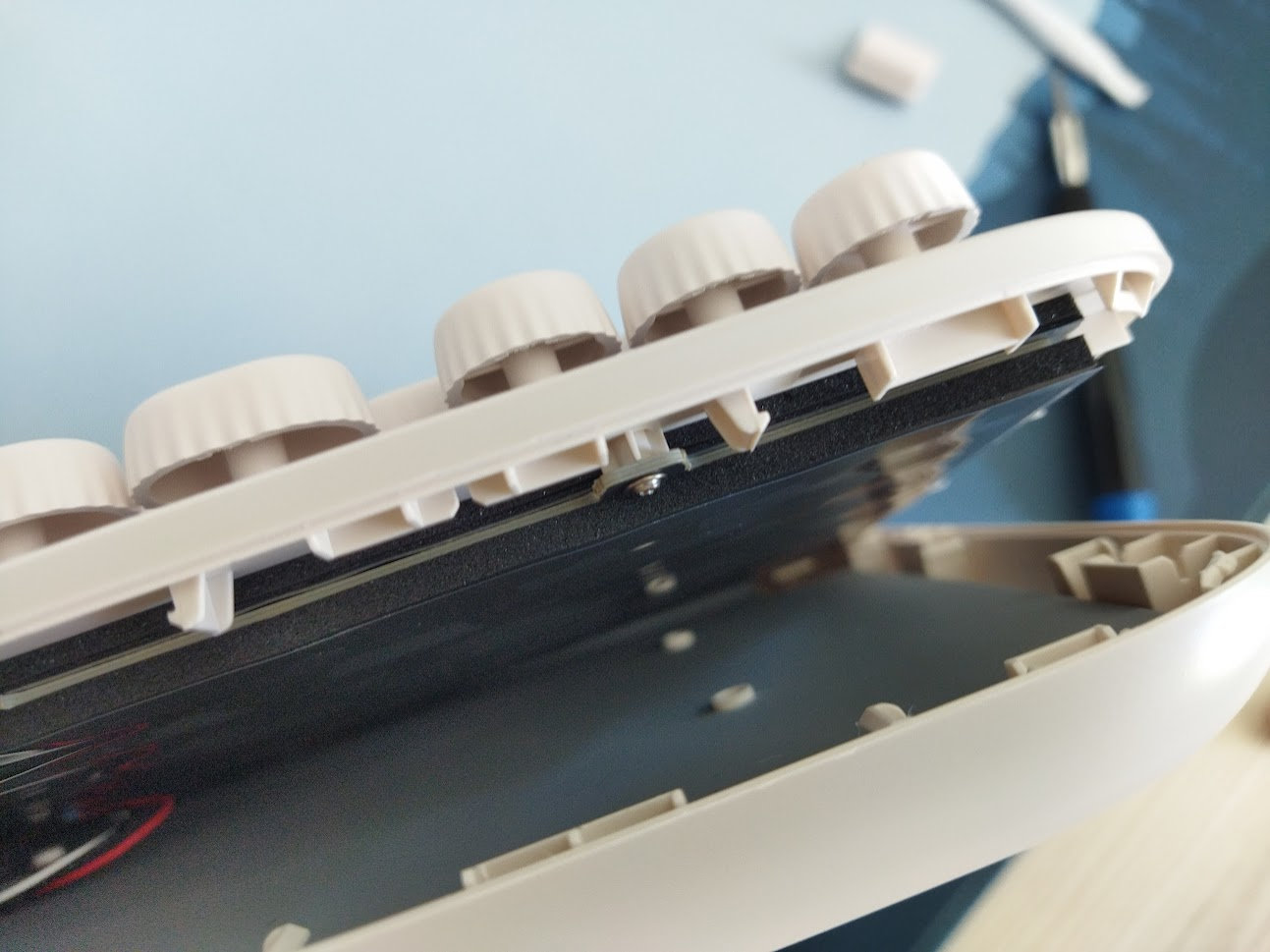
Unfortunately, there are no visible screws anywhere. This is good news for many of you, but it's not optimal from the reviewer's perspective, or – and this is more important – if you'll have to check battery health.
All in all, this is a pre-built model, not designed with frequent disassembly in mind.
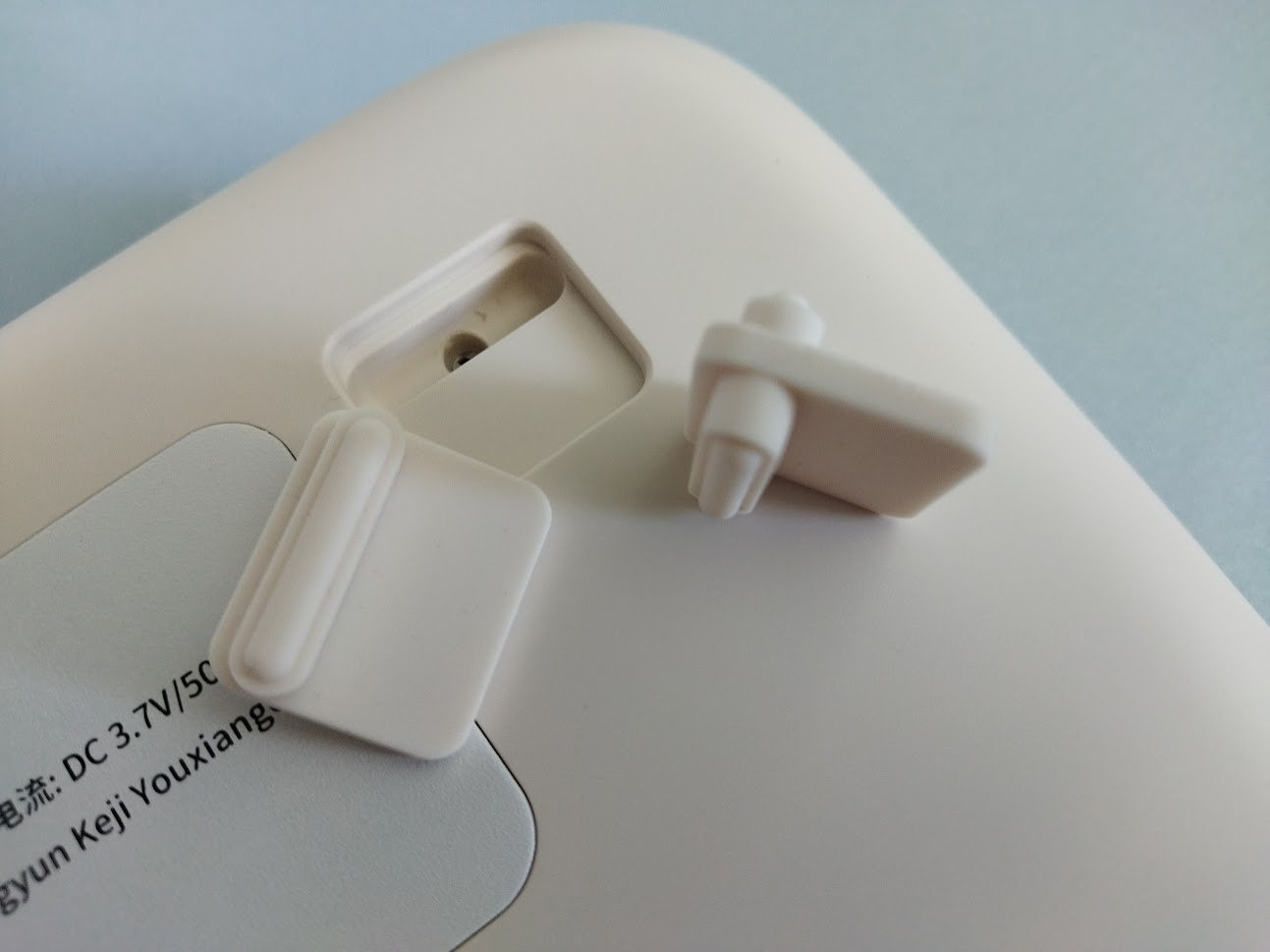
Upon closer inspection you'll find two screws beneath the removable rear feet. The top and bottom case parts are snapped together, but prying them open fails, as there have to be two extra screws, most likely hidden beneath the back metal plate glued to the bottom case. So no way to access those without doing some harm to the case.
For this reason, I deem this board non-serviceable.
Structure & Mounting
The Glyph features top mounting, meaning the plate/foam/PCB sandwich is screwed to the top case. No gaskets, no flex cuts anywhere.
This structure usually results in a very direct, hard typing experience, but for some reason not in this case.
Plate
The plate is nice, its outer shape is rounded, matching the case and the overall design. It's said to be aluminum, but this is hard to confirm because of the white painting. Anyway, I like the finishing: it protects the plate and prevents scratching the surface when removing switches. This may be an issue with some raw aluminum plates and those switch pullers with claws you have to press down to grab the switches.
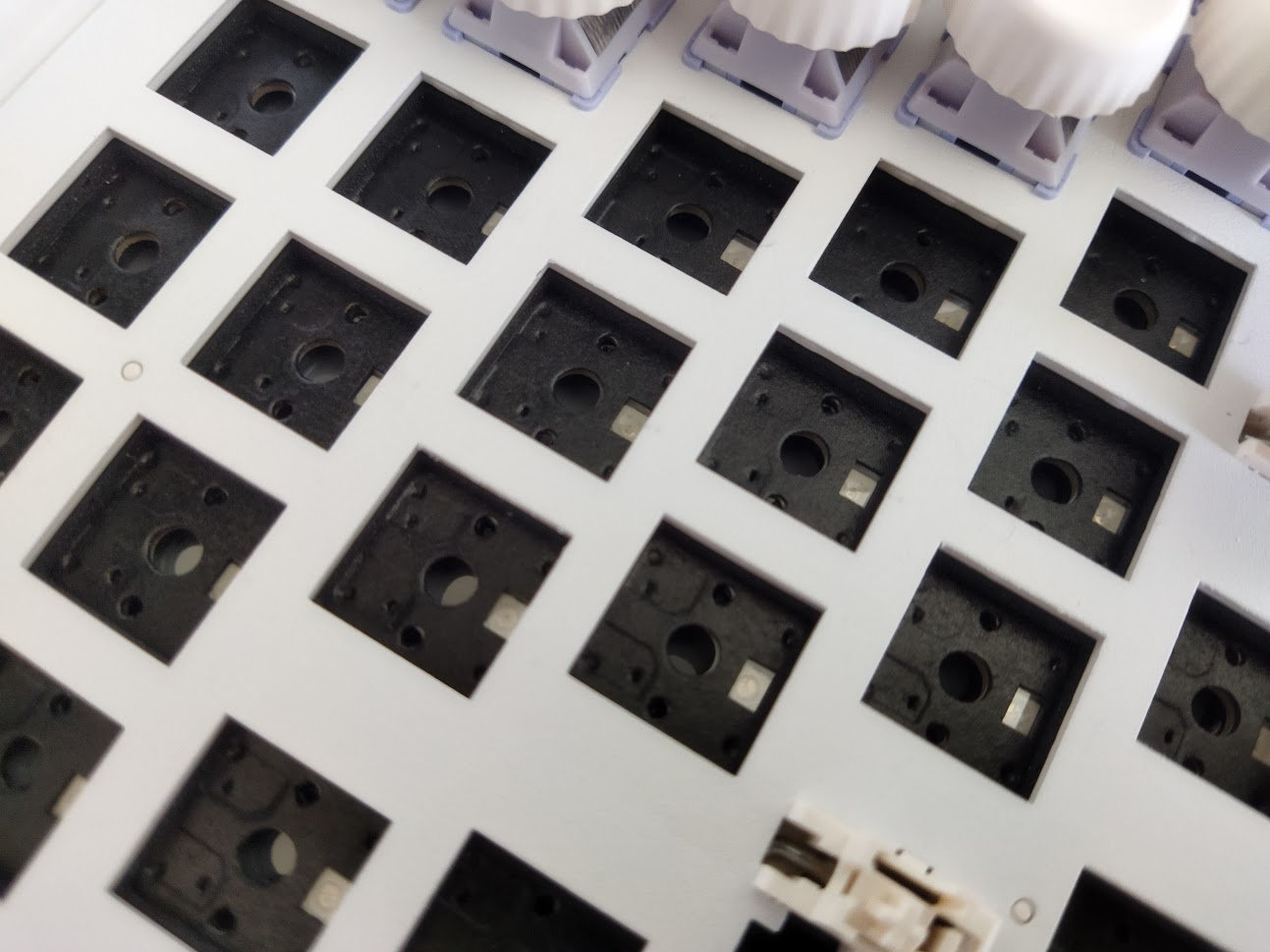
No flex cuts, relatively rigid.
Stabilizers
Color-matched plate-mount stabilizers.
PCB
The black PCB is part of the thick plate/foam/PCB sandwich. It features hot-swap sockets, south-facing per-key LEDs, and no flex cuts.
Displays
Impressive dual-display setup.
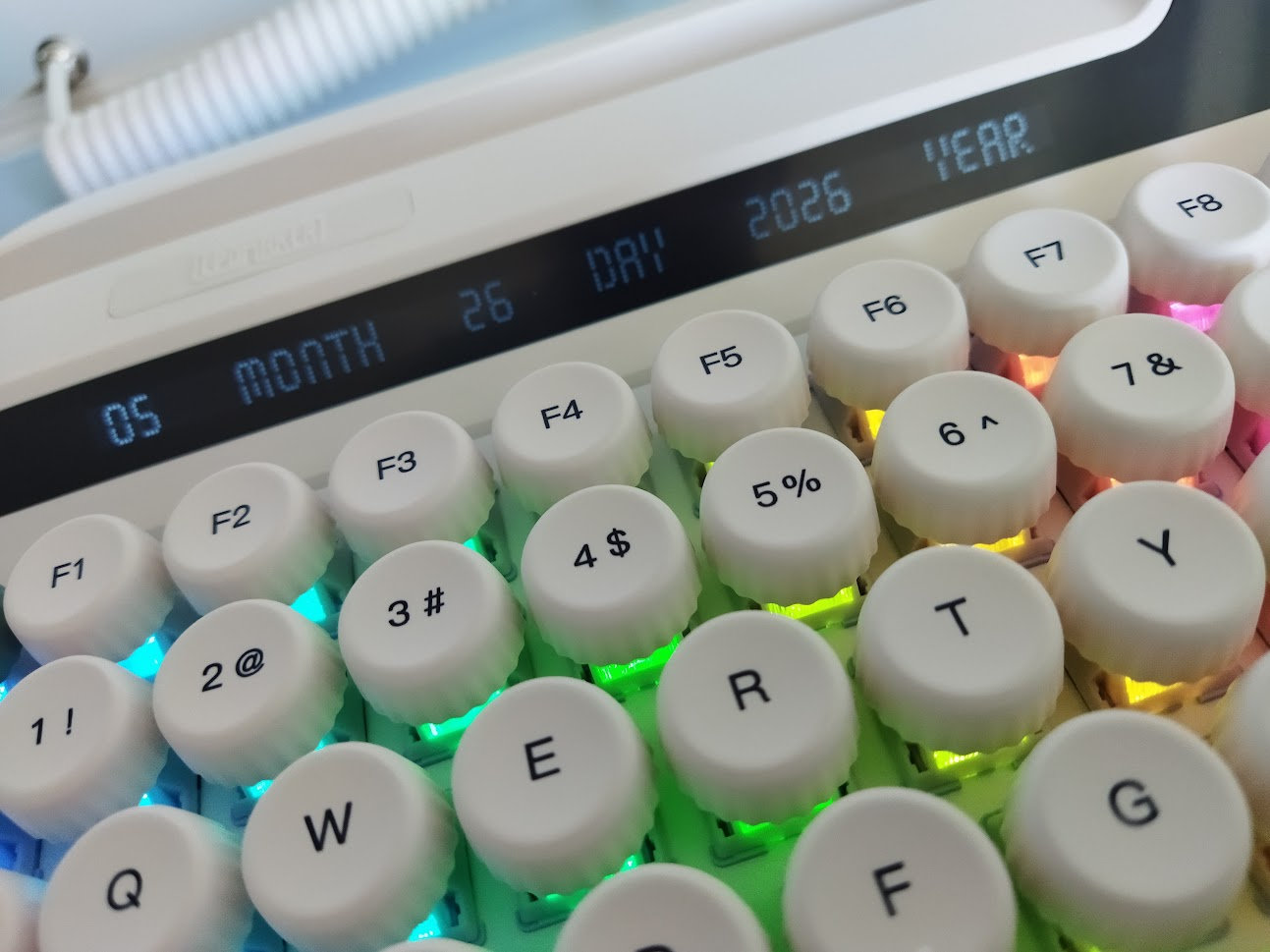
There's a very long monochrome character display showing the date – a strip about 13 cm wide. Its viewing angle is quite narrow.
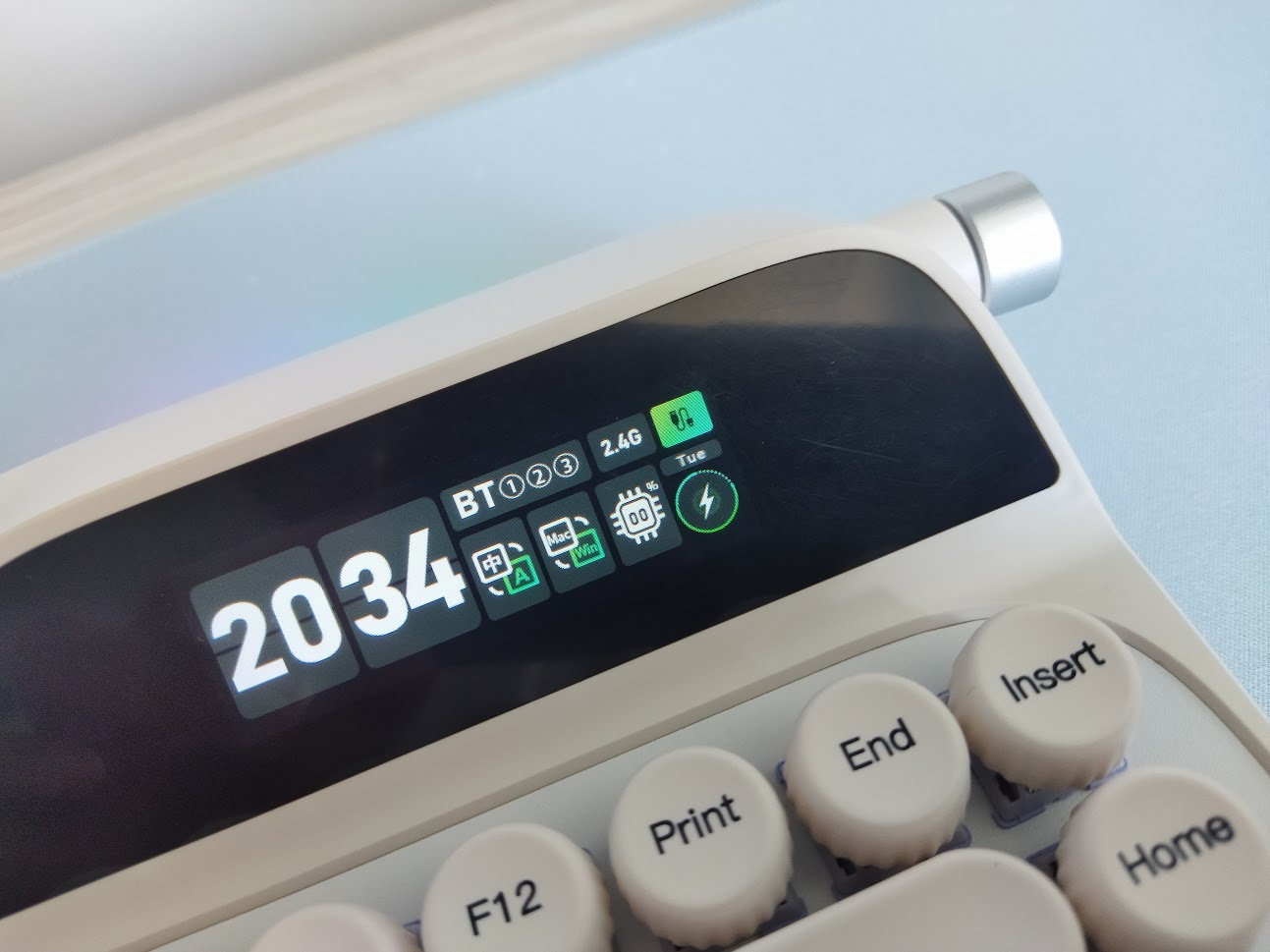
And there's another, brighter, colorful display with a lot of functions: Time, connection type, OS, CPU, battery status, day of the week. However, using the rotary encoder, you can access the menu with even more functions, e.g. customizing lights, language. For some functions you have to install the dedicated software: like displaying custom images and also CPU I guess – I was unable to test the software though.
Rotary encoder
The encoder is integrated horizontally, as it would be the platen knob of a real typewriter.
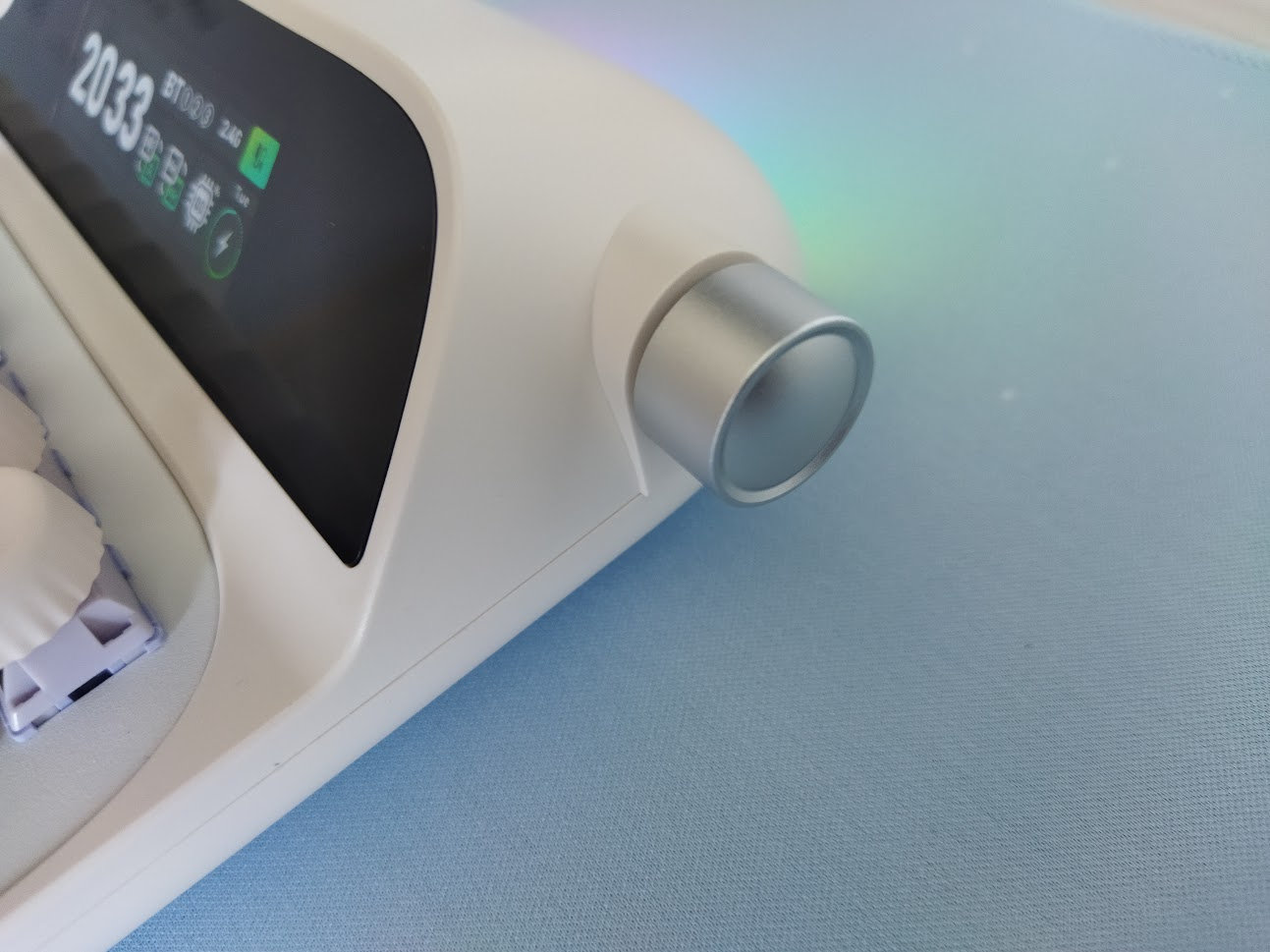
By default, it's used to adjust volume, but the FN+knobpress combo switches to navigating the display menu.
Carriage return lever
On the opposit side there's this tiny imitation of a carriage return and line space lever of the mechanical typewriter.
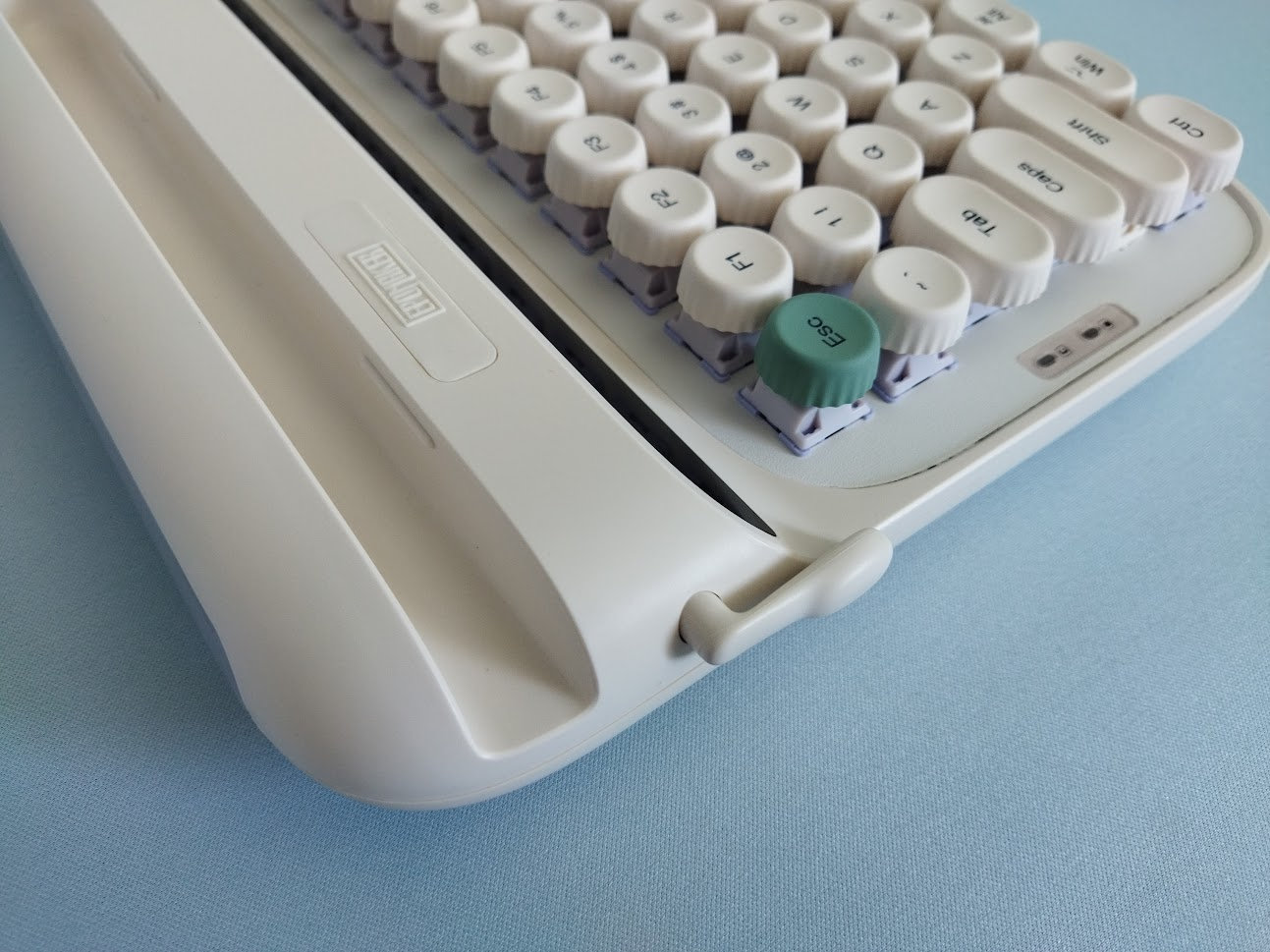
It does have some functions (up: Enter, down: Backspace), but I doubt anyone will use it on an a daily basis – or ever. So this part is mostly a decorative element.
Pencil/phone/tablet holder
This is a nice and useful feature for people who want to use the keyboard for text input on their phone or tablet. Just put the device in the holder.
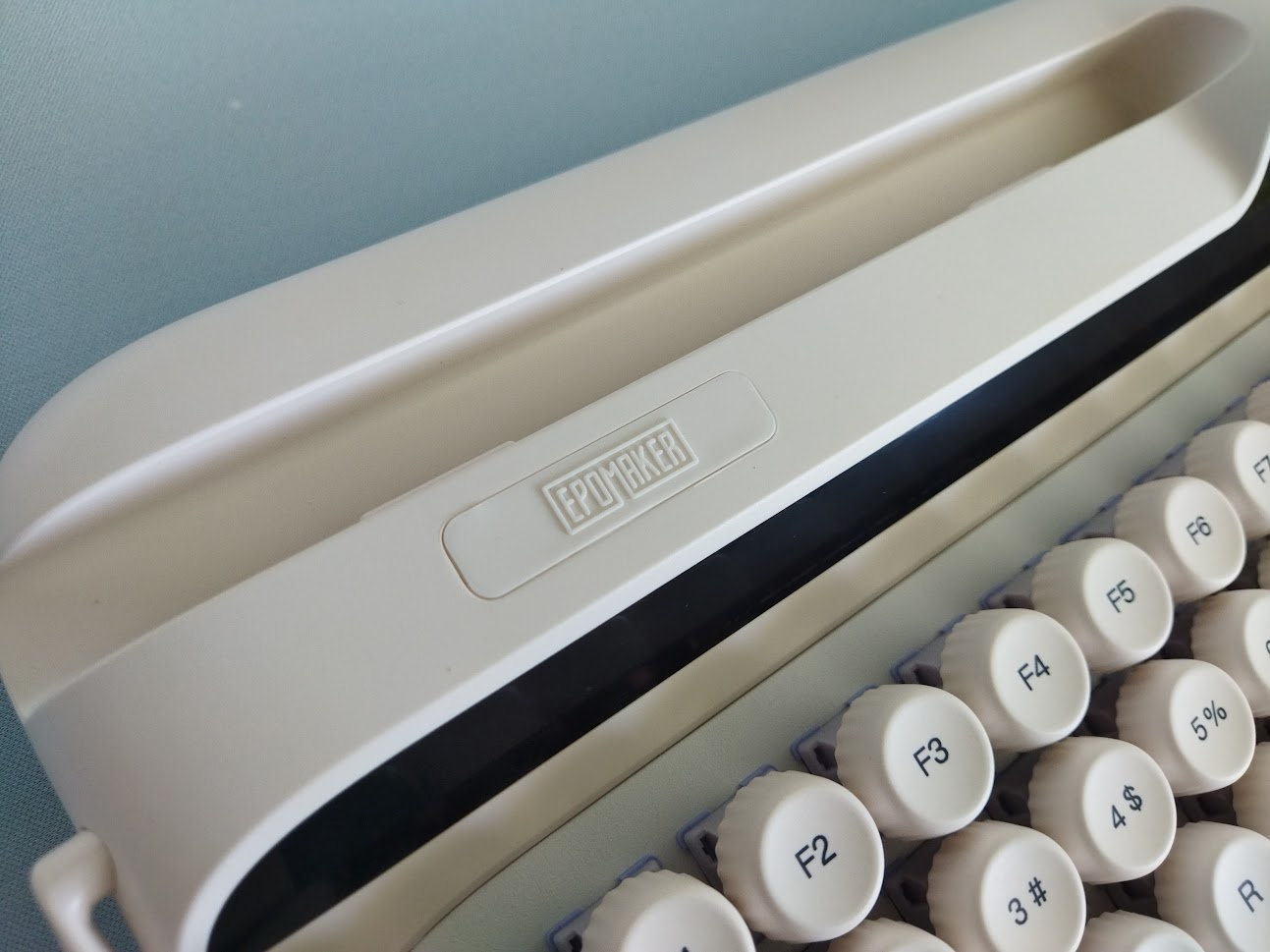
But it works as a pencil holder as well.
Bottom weight & Feet
What looks like a simple sticker on the bottom is actually a metal plate. I'm pretty sure that it's the same material, finishing and white painting as the switch plate. It looks like glued to the bottom case.
Some info, specs, bumpons, and a magnetic compartment concealing the 2.4GHz receiver. Press the top part to remove the lid.
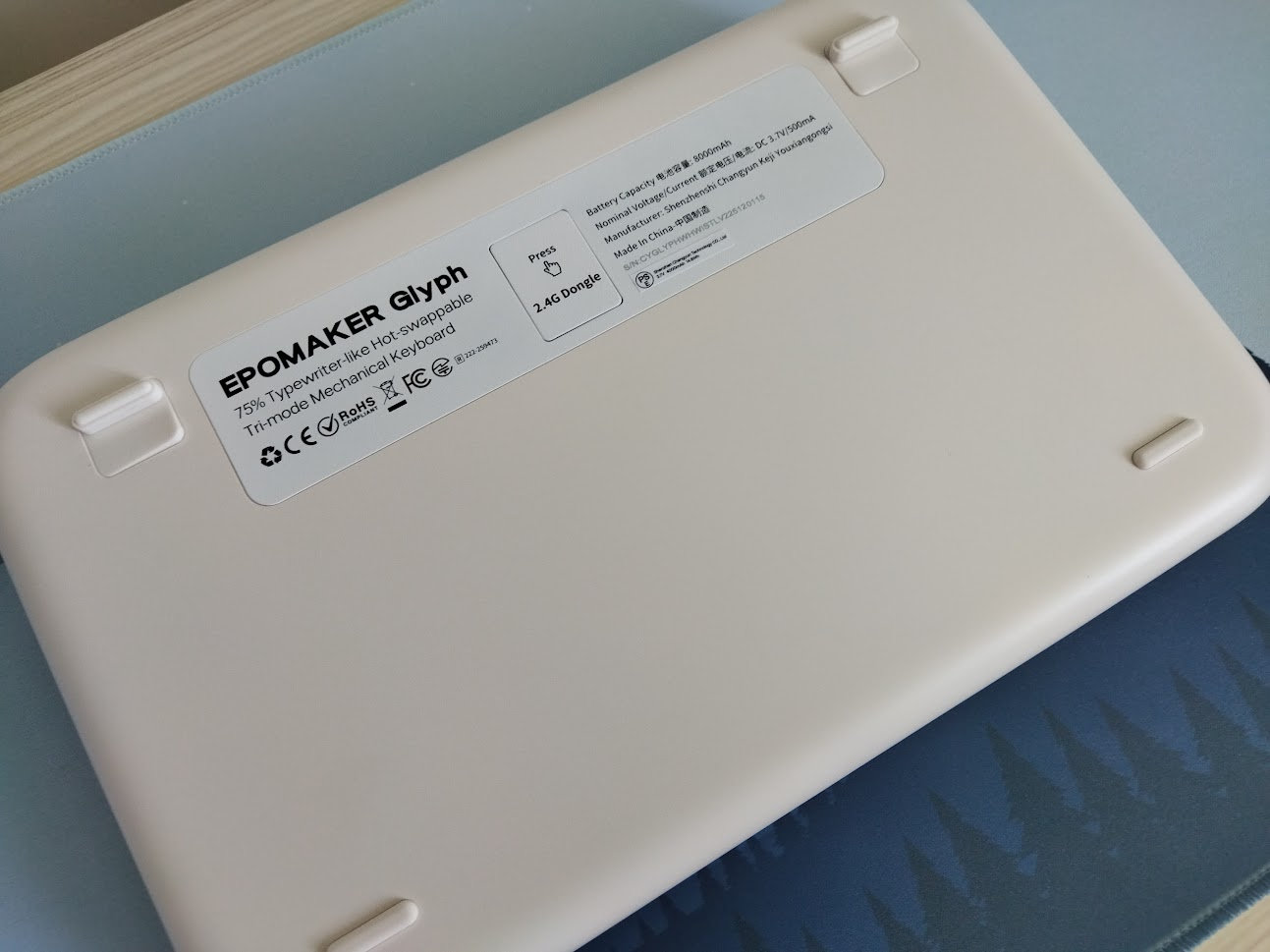
Two-stage typing angle adjustment. Flipping the two rear silicone feet results in two different typing angles, however, the difference is negligible: about 1 and 2 degrees, respectively.
Sound dampening & Feel
Sandwich foam, sandwich pad, sound-enhancement PET layer, switch socket pad, bottom insulating film, bottom silicone filling the bottom case.
Given the top mounting, non-flex-cut aluminum plate, non-flex-cut PCB, the Glyph provides a relatively loud sound.
Based on the specs, I was expecting a much harder, direct typing feel, but it's actually quite nice.
The sound of the keys is relatively heterogeneous, depending on the distance from the nearest screw/pole I guess. There are definitely more clacky and more thocky models out there, the Glyph is somewhere in between.
All in all, I'd say that the out-of-the-box typing experience is average. The main design goal was the look, the sound and typing feel is less important here.
RGB lights
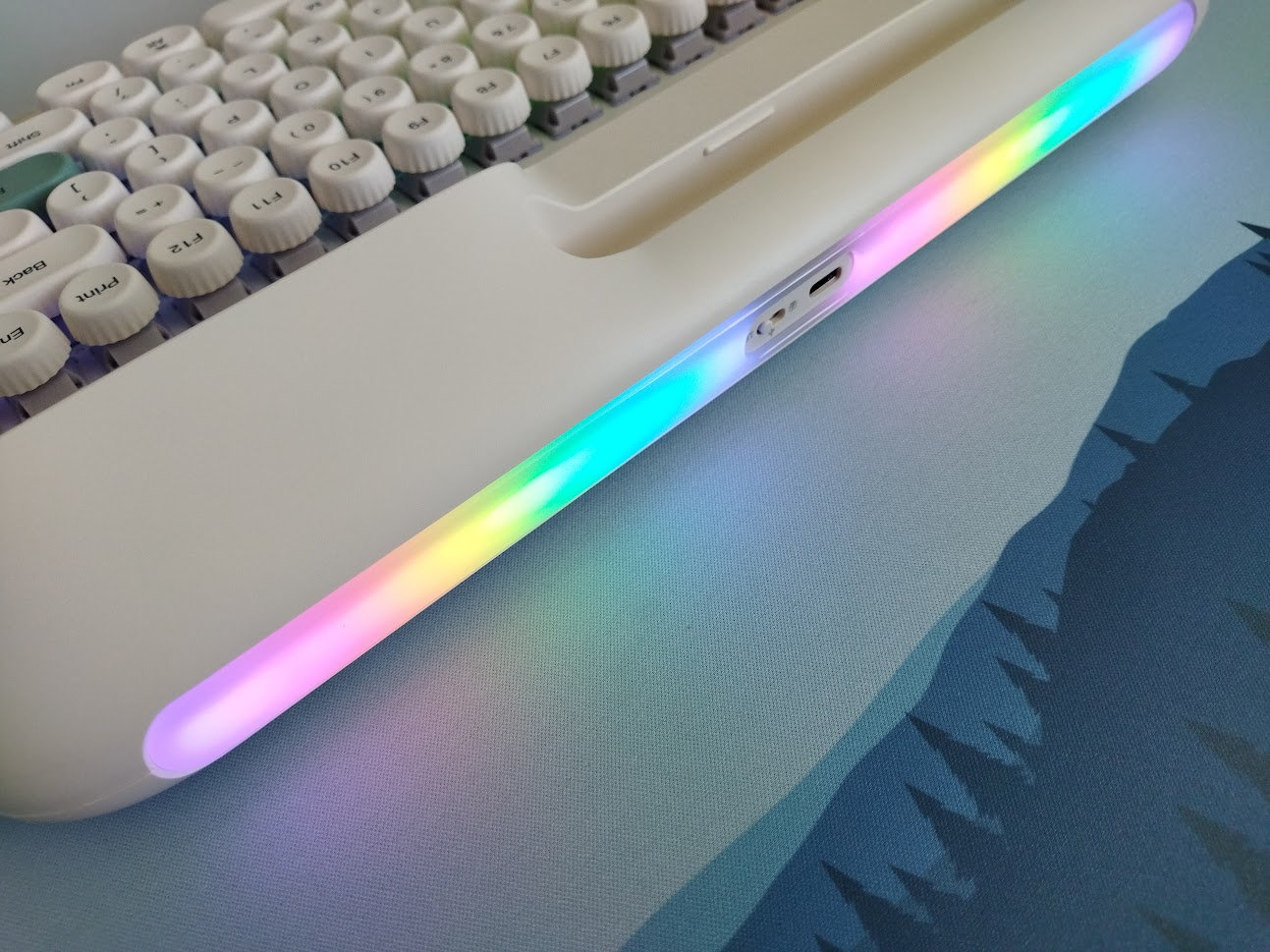
The board comes with per-key RGB (south-facing LEDs), plus a fancy ambient light strip on the rear part.
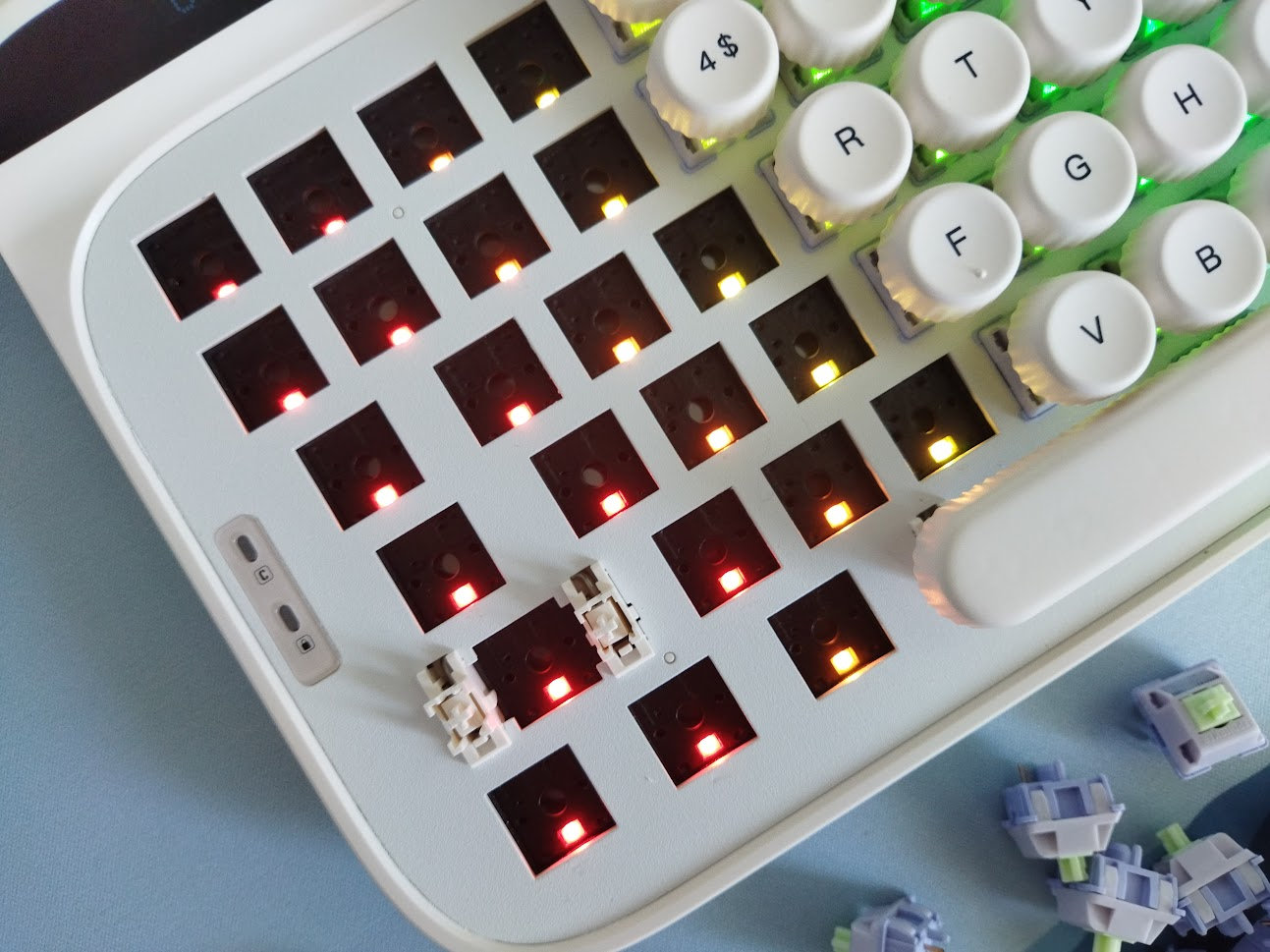
The keycaps won't let light through, but the switches feature light diffusers.
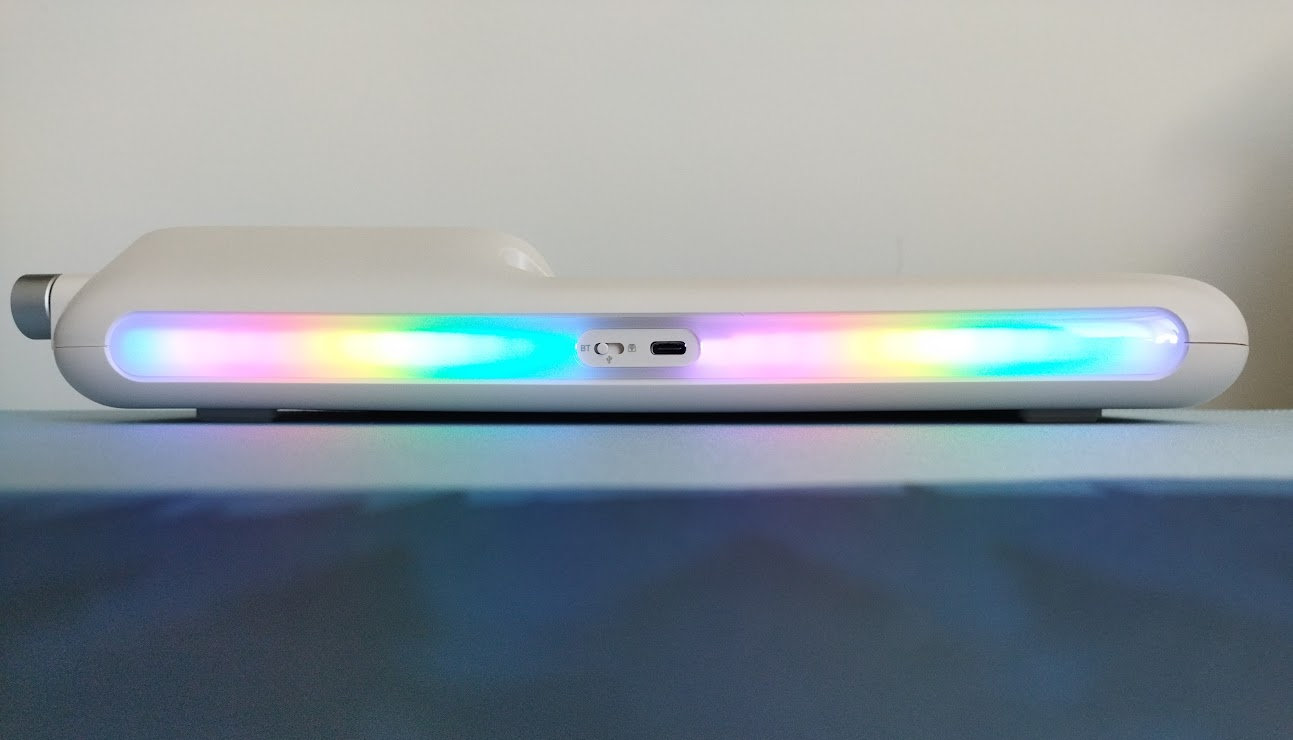
By the way, the software has 18 familiar presets in its lighting section, plus some dynamic ones. These are available through the display menu as well. From subtle ambient glow to vibrant full-spectrum animations, you can fine-tune colors, brightness, speed, and modes to match your mood and setup.
If you're not the RGB type, press FN+Ins or FN+Home to turn on/off all the lights.
Connectivity
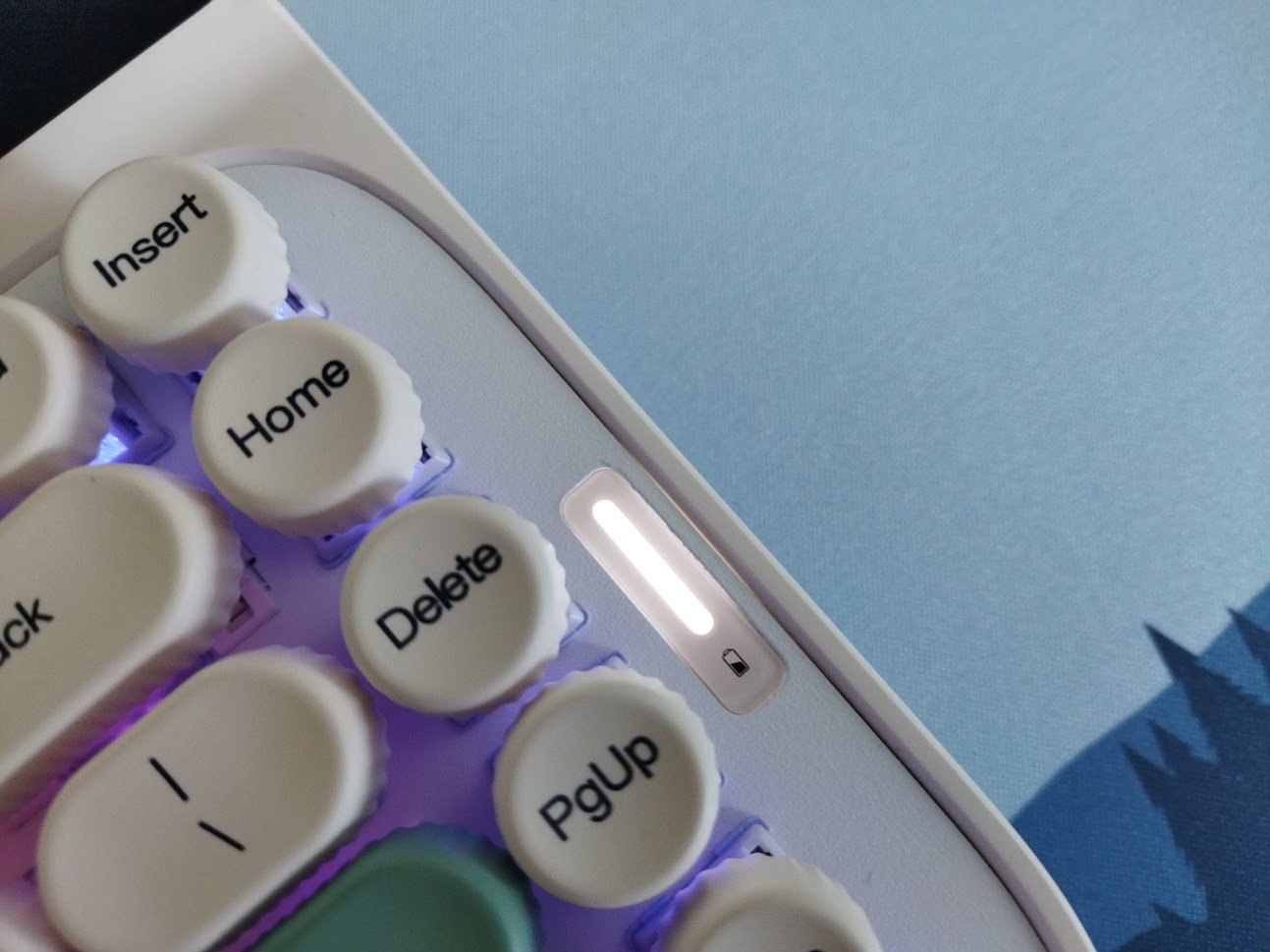
The Glyph is a tri-mode wireless keyboard powered by a 8000mAh battery, so you can switch between wired USB-C, Bluetooth or 2.4GHz connection options.
The USB-C socket is located in the center rear part of the case – not sure about complete battery decoupling though. No physical battery on-off key under any keycap.
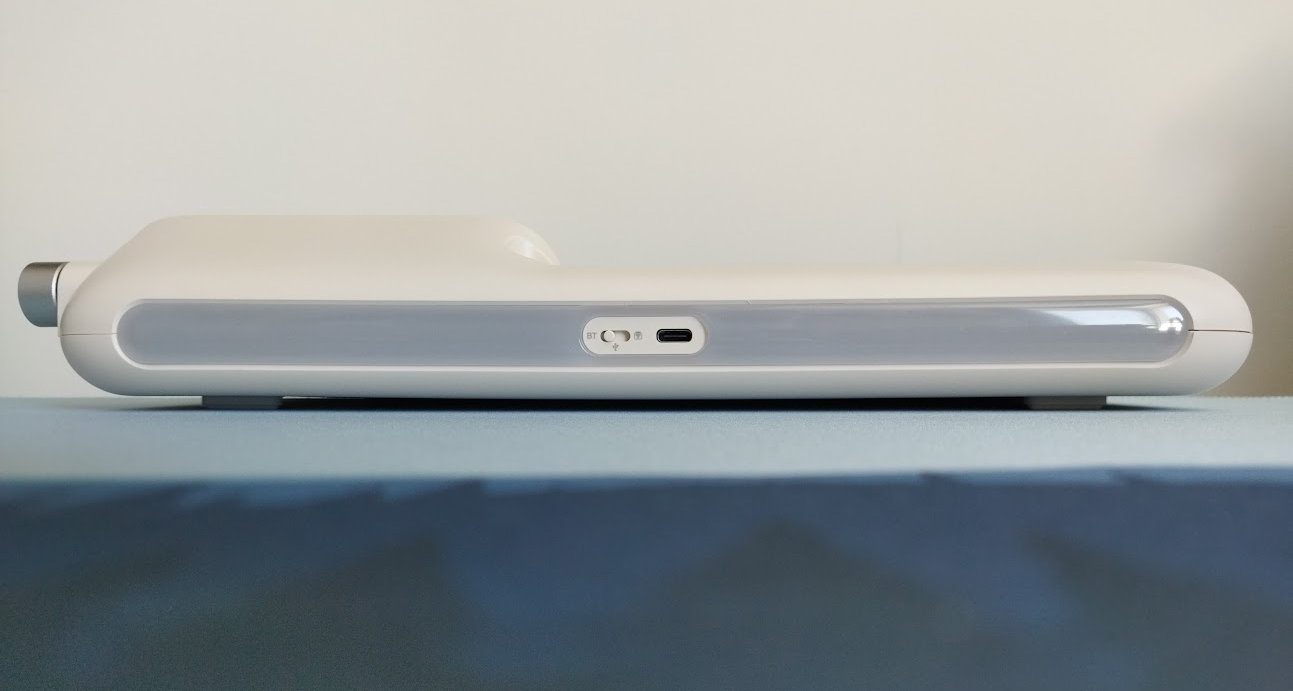
The accompanying cable is decent, a braided white one that matches the case. However, the board looks pretty dope, so replacing the cable with an even fancier one – a nice coil and a vanity connector – can boost the retro vibe even further. Epomaker offers some cable upgrades, e.g. the crazy fluffy FurMix cable.
General warning: If you use your wireless Glyph keyboard permanently connected, please read this article about Built-in keyboard batteries and how to avoid fire – for details, tips, and horror stories.
Basically, keeping the board plugged in constantly may lead to accelerated degradation of the lithium battery. You have to follow proper battery care practices, so you should remove, disconnect or switch off the battery if you don't need wireless functionality. Check the battery for swelling regularly, even when disconnected or removed.
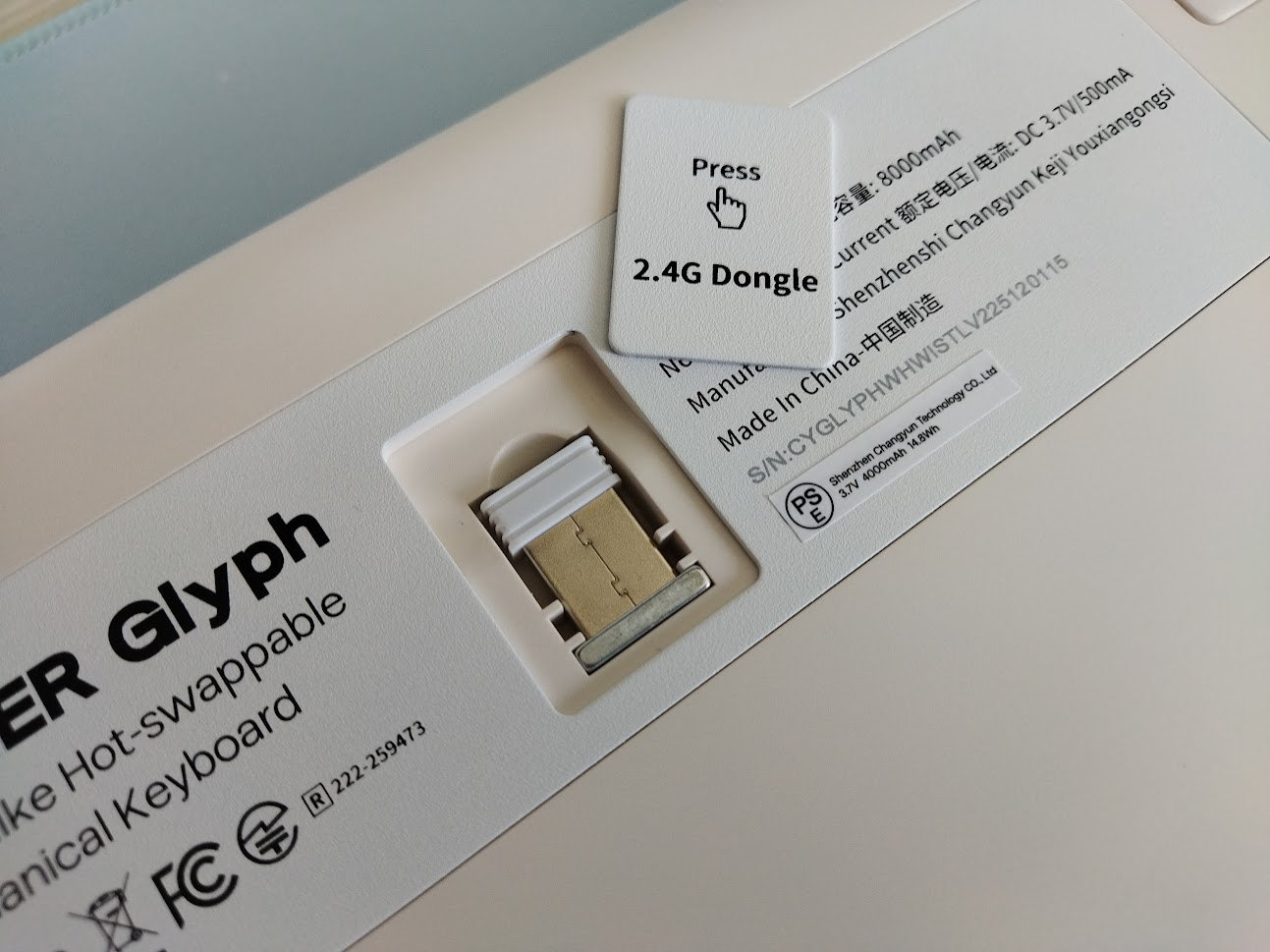
The Glyph doesn't make this process easy. There's no physical switch to disconnect the charging circuit and effectively isolating the battery from the PCB, and even opening up the case is a challenge.
Software
Hm. Custom proprietary software, as it is expected from a keyboard with two huge displays. To be clear: no QMK/VIA/Vial support.
Custom software can have its merits like implementing non-standard features, but also its risks.
The Epomaker Driver v3.2.14 is huge (102 MB), you have to download, unzip and install it.
First it failed to load for me: upon start and while searching for compatible devices, it threw a dll error. After a few restarts the errors were gone, but then it never managed to find the otherwise attached and usable keyboard.
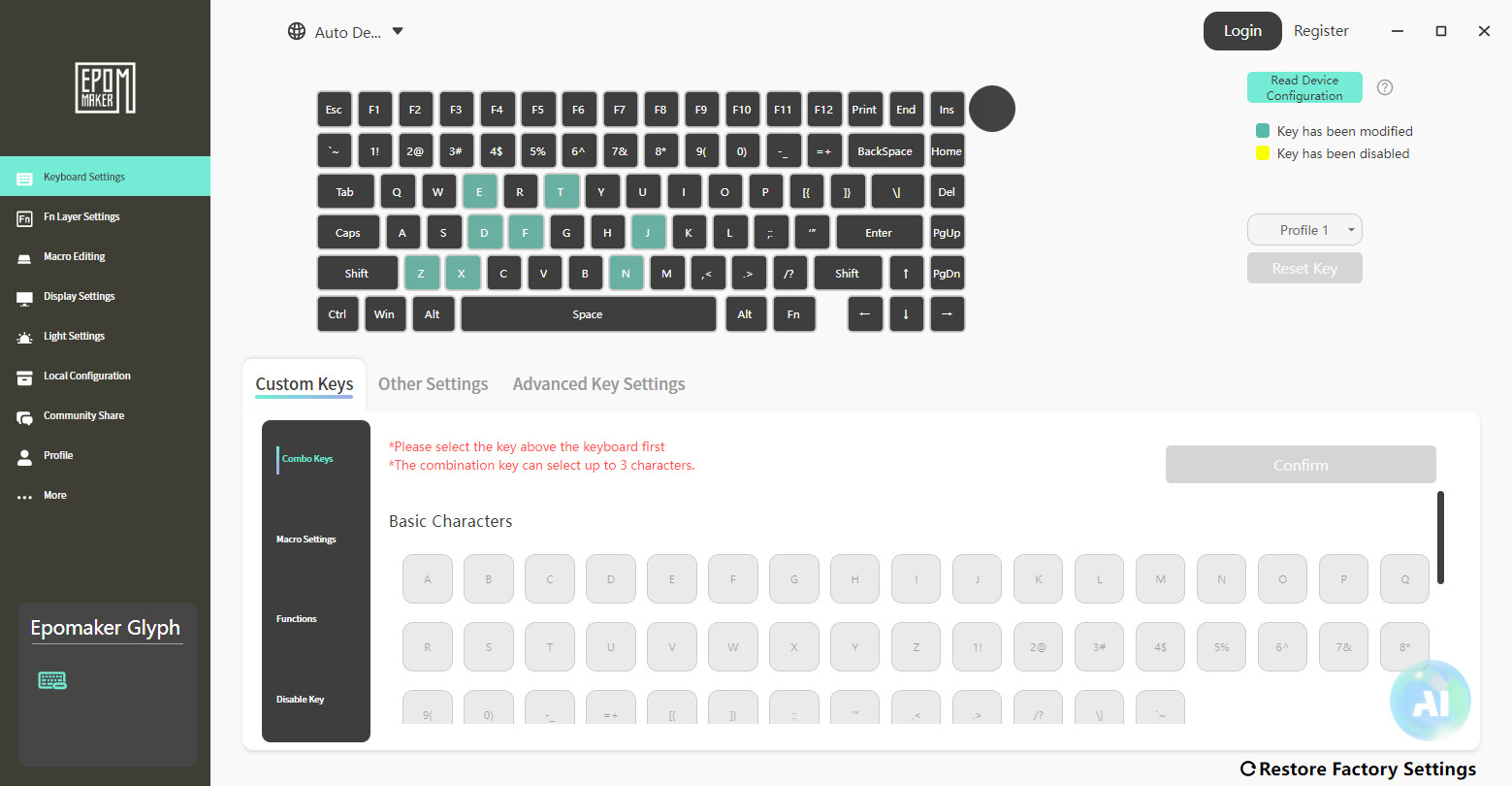
In desperation, I somehow figured out that I have to press FN+roller knob to connect the keyboard. You need the software for the time on the display to be automatically adjusted, plus to put your custom images or animations on the display, so I'm not sure why this is undocumented, at least at the time of writing this.
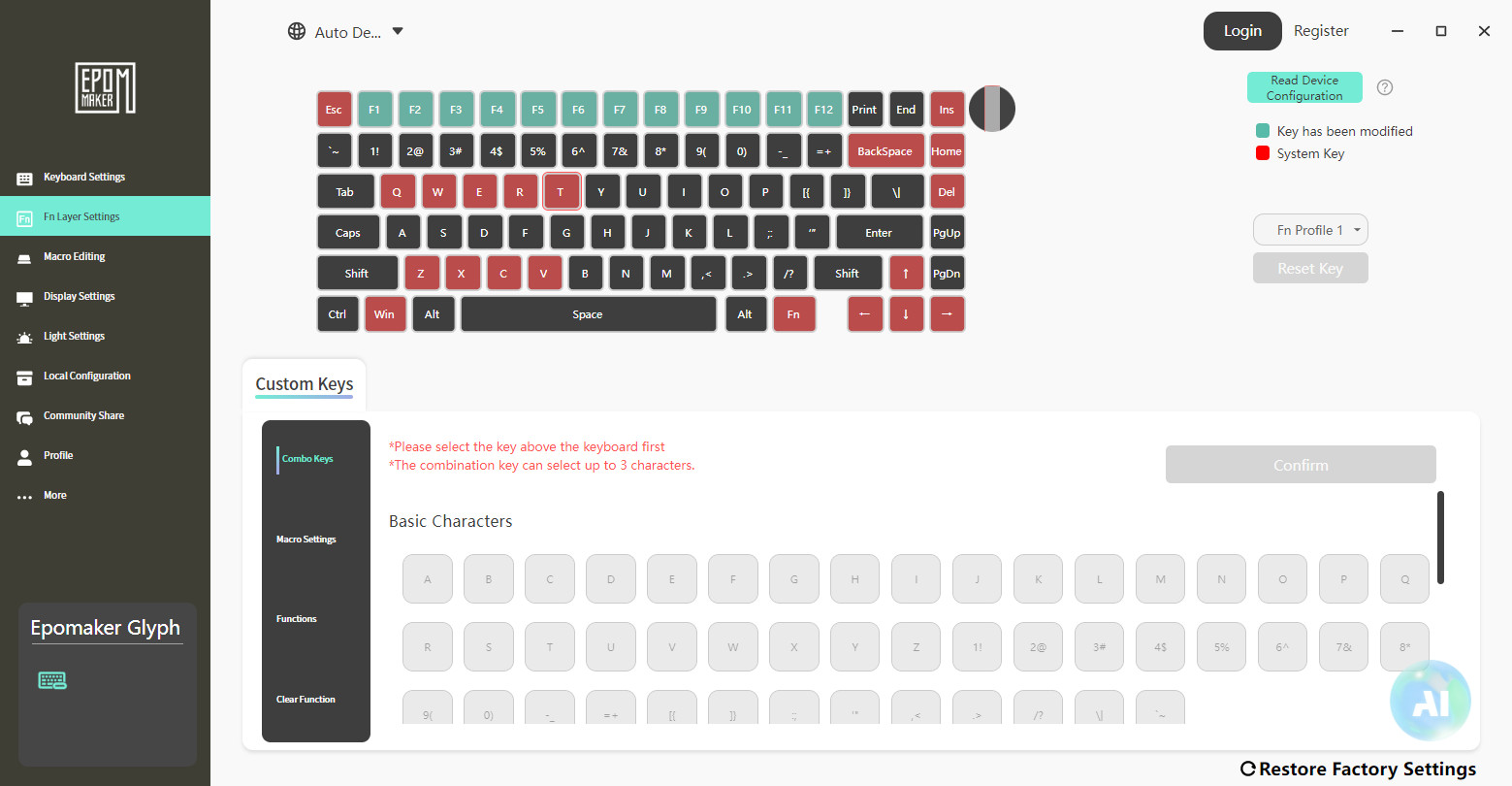
Swapping letters on the main layer works fine, however, to set up SpaceFN you'll need a third-party tool. There's no tap-hold layer function, and there's only a single extra layer (FN) with many keys being fixed "system keys" – you can't replace them with more useful functions.
Compatibility
Beside the difficulties with taming the software, I had no problem using the Glyph on Windows. The specs mention macOS, Android and iOS compatibility too.
Portability
The Glyph is a nice show-piece and great keyboard for stationary use, but if portability is your main concern, I would definitely choose something much smaller and lighter.
Sure, being wireless is a bonus, and with its relatively small width of a 75% board it could fit in your backpack too. That said, some protruding parts and also the 1.2kg weight don't really make it ideal for travel.
Comparison
I've reviewed many mechanical keyboards in the 75% form factor.
If you insist on something with display, there's the similarly retro Epomaker RT82 with the detachable TV, the futuristic aluminum Dry Studio Battleye 74.5 RT, or the Redragon Behemoth K724 Pro. Also the Womier SK80 Pro Kanagawa with extra wrist rest and mouse pad.
You like the magnetic dongle compartment? The Womier SK71 Pro features a nicely exposed one.
Typing feel is your top priority? Go with the Evoworks Evo75. The Womier ERA75 is also worth mentioning, especially if you value the fun building experience.
Encoder? Check out the crazy GravaStar Mercury K1 Pro, the aluminum KiiBOOM Moonshadow V2, or the Dierya DK81E.
If you like the form factor but would prefer something magnetic for gaming, some nice boards like the GravaStar Mercury V75 Pro HE and Akko MOD 007 V3 HE have been covered.
That said, the Glyph clearly stands out with its unique design and feature set as one of the most remarkable concept in the 75% genre.
Conclusion
The tri-mode wireless Epomaker Glyph is a pretty unique mechanical keyboard with its typewriter-like aesthetic. Cool mid-century design, encoder knob, and two huge displays. Given the MX-compatible mechanical switches, hot-swappability, and all the little details, I can recommend this model for consideration if you're looking for something in this form factor and especially with this aesthetics. The Glyph is a real show-piece – less for keymap wizards due to the custom software, and definitely not for gamers.
Pros
- cool retro concept
- nice curvy case design
- customizable (hotswap, MX switches)
Cons
- proprietary software
- hard or impossible to safely disassemble
Price & Availability
The Epomaker Glyph is available at epomaker.com, at the moment for $139 $129. Don't forget to use the KBDNEWS coupon code to claim your $10 discount.
- Epomaker Glyph product page
- Epomaker Glyph manual
- And here is the Imgur gallery with all the raw photos for this review.
Published on Wed 27th May 2026. Featured in KBD #212.
Related
IQUNIX Magi65 Pro review
The Magi65 Pro by IQUNIX is easily the most refined 65% wireless low-profile aluminum keyboard to cross my desk.
XVX L75 Air review
A nice low-profile keyboard: I reviewed the XVX L75 Air – 75% wireless, featuring a sleek aluminum case and introducing new low-pro IMD keycaps.
Dierya DK81E review
This affordable 75% board arrived from Kemove: Dierya DK81E with gaskets, rotary knob, and nice lights.
IQUNIX EV63 HE review
IQUNIX's flagship magnetic EV63 HE is a high-end gamer keyboard full of aluminum and some forged carbon.